Downloaded 10 times
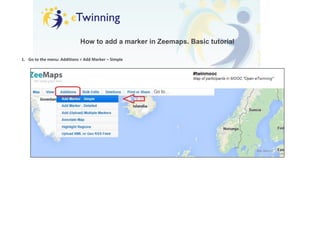


This document provides instructions for adding and editing/deleting markers in Zeemaps. To add a marker, go to the Additions menu and select Add Marker - Simple, then write about yourself and your location. To edit or delete an existing marker, copy the marker's edition URL first in case you need to access it later, then make any changes and submit or click to delete and confirm.


