Your Complete Guide for Hiring a Remote Bookkeeper
In almost every sector, remote work is more prominent than ever,
especially for important tasks such as bookkeeping. The process
of accounting and bookkeeping, which is often regarded as a very
important task, is, in fact, a core element of financial operations
and planning. It is much like a GPS, which helps navigate toward
growth and success. Remote bookkeepers are affordable to hire
compared to having a full team and helping firms manage their
finances irrespective of location. If bookkeeping tasks are
managed by companies remotely, it helps cut costs and
decentralize operations and growth. In this blog, we will provide
all the information you need if you are considering hiring a
remote bookkeeper.
» What is Remote Bookkeeping?
Remote bookkeeping is the process of managing financial records and
transactions for businesses from a remote location using cloud-based
accounting software. A remote bookkeeper is a professional who works
remotely and handles tasks like entering data, processing invoices,
and preparing financial reports. This enables firms to obtain financial
information promptly and securely without an in-house bookkeeper.
Remote bookkeeping services are convenient and inexpensive because
the bookkeeper’s location does not matter, and rent and utilities are not
incurred. Companies and organizations can concentrate on the main
aspects of operation while their remote bookkeeper handles their
financial records well. It is of greater value for small to mid-sized
businesses that require professional bookkeeping services but may not
want to hire full-time, in-house employees. Hiring remote bookkeeping
services can help organizations optimize their business solutions as
they get accurate and up-to-date financial information.
» How does Remote Bookkeeping Work: Process
1.
Provide Access:
2.
The first activity is to grant access of your data to the individual who is providing
remote bookkeeping services to you. This can often be done through secured cloud-
based accountancy packages where both parties get an actual-time view.
3.
Data Analysis:
4.
Once authority is obtained the remote bookkeeper goes through the company’s
historical records to determine the condition of the books at the current stage and
whether there are gaps or problems.
5.
Understanding Requirements:
6.
A virtual accountant understand the bookkeeping business requirements that he
needs to provide, be it monthly financial reports, expense statements or preparation of
taxes, are clearly understood.
7.
Processing of Data:
8.
The remote bookkeeper analyzes financial data to record the money flow through the
business and creates an analysis and an action plan based on the client’s requirements.
9.
Delivering Reports:
10.
Finally, financial reports are prepared more specifically, with certain
recommendations regarding the state’s financial position, these reports are given to
the client at the agreed time.
» Tasks Handled by a Remote Bookkeeper
A remote bookkeeper performs several important financial chores given below:
• Preparing Financial Statements:
Preparing and posting correct accounts of expenses and revenue, as well as creating statements of
financial position such as income statement, balance sheet and cash flow statements.
• Reconciling Accounts:
A remote bookkeeper makes sure that all accounting records match the current bank statements and
all other supporting documents that may be viewed to support the result obtained.
• Invoice Processing:
A virtual bookkeeper handles the entire process, from creating purchase orders for vendors to
processing their invoices, ensuring both tasks are managed correctly.
• Accounts Payable Management:
Remote bookkeeping services handle vendor management efficiently, from reconciling balances and
paying bills to addressing vendor queries or disputes.
• Creating Invoices:
Issuing invoices to clients or customers, involving sending invoices for products or services sold or
for work done.
• Accounts Receivable:
Remote bookkeeping services take care of everything, from managing invoice acknowledgments and
following up on overdue payments to maintaining clear communication with customers.
• Accounts Receivable:
Remote bookkeeping services take care of everything, from managing invoice
acknowledgments and following up on overdue payments to maintaining clear
communication with customers.
• Bank Reconciliation:
Checking whether all the records in your business bank account correspond with the
financial transactions made.
• Payroll Processing:
Managing employee remuneration by paying employees as and when due and in the right
amount.
• Financial Recordkeeping:
Managing and keeping all business financial records in a systematic order.
• Balance Sheet Maintenance:
Ensuring the balance sheet contains correct data to represent the company’s financial
situation.
• Profit & Loss Reporting:
Ensuring the profit and loss for the business is accounted for and reported correctly
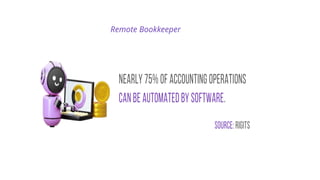
Remote Bookkeeper
» Software Used by Remote Bookkeepers
Remote bookkeepers use different software because their work requires them to consider the most
effective approach when performing their duties. Here are some of the most popular tools used by
remote bookkeeping services:
1. Xero:
Xero Accounting Software is simple and effective for small and medium enterprises. Xero focuses on
cloud-based accounting solutions that are useful for bank feeds and simple invoicing for a remote
bookkeeper.
2. QuickBooks:
Most outsourced accounting and bookkeeping firms are familiar with QuickBooks as it is user-friendly
and suitable for small businesses and anyone whose book is kept remotely for Payroll and other
expenses.
3. Zoho:
Most suitable for small and mid-sized businesses, Zoho Books simplifies invoicing and expense tracking
and is suitable for a remote bookkeeper.
4. FreshBooks:
FreshBooks is designed for independent workers and small entrepreneurs and is exceptional for
invoicing and project control.
5. NetSuite:
When a remote bookkeeper uses NetSuite for larger enterprises, he easily tackles complicated
accounting tasks such as financial planning and inventory management.
» Steps to Set Up Remote Bookkeeping for Your Business
• Assess Your Business Needs:
Start by determining what specific needs your business entails regarding bookkeeping services. Are you looking for
routine services such as Payroll and issuing invoices or additional services such as preparing for taxes and balance
sheets? This will assist you in determining the specific tasks to be assigned to the remote bookkeeper.
• Choose the Right Accounting Software:
Choose accounting software on which you and the online bookkeeper can work on easily. Some of the top cloud
accounting software that are frequently used by small businesses are Xero, QuickBooks, Zoho Books, and NetSuite,
which can give you real-time data in terms of your financial status.
• Hire Remote Bookkeeper:
Are you looking for a reputable remote bookkeeping services provider with expertise in your business? With a
reputable firm, you will be provided with a dedicated remote bookkeeper even if you have fewer transactions. They
should have previously worked on your preferred software and managed comparable business requirements.
• Implement a Secure Data Exchange:
You need to make sure that the process for sharing financial documents is secure. As for data transfer between the
parties, it is safe to share files using encrypted services such as Google Drive, Dropbox, or any features offered by the
accounting software.
• Establish Communication Protocols:
Agree and establish appropriate check-ins, status and progress updates, and reporting frequency through Zoom,
Microsoft Team, or Email. This helps your remote bookkeeper remain in touch with your financial objectives.
• Monitor and Review Regularly:
Check your financial reports frequently and check whether your bookkeeping function is properly organized. Your
outsourced bookkeeping firm must consistently report cash flow, financial reports expenses, and other important
business information.
» Best Practices for a Remote Accounting and Bookkeeping Firm
Here are some of the best practices to follow:
• Use the Right Software:
A remote bookkeeper needs the right equipment to perform the financial jobs well. Software such
as Xero, QuickBooks, Zoho, and others allow for creating records, tracking expenses, and preparing
reports. These tools also enable remote access, assisting the virtual bookkeeper.
• Create a Clear Workflow:
The clients describe the accounting and bookkeeping activities that need to be performed and
what are the deliverables they expect from the bookkeeper. For a remote bookkeeper, this entails
proper handling of invoices, payments, Payroll, reconciliations, reporting and taxes, among others.
• Maintain Secure Communication:
Slack or MS Teams make it easier for the team and clients since they are informed of any progress.
Communication is an essential aspect when working on a project, especially when it comes to
remote bookkeeping.
• Backup Data Regularly:
Every online bookkeeping company providing remote bookkeeping services must be extra cautious
regarding data security because they must back up all important files continuously. This prevents
the system’s loss of information and data and allows for business continuation in case of other
technical problems.
Thank You

Your Complete Guide for Hiring a Remote Bookkeeper.pptx

  • 1.
    Your Complete Guidefor Hiring a Remote Bookkeeper
  • 2.
    In almost everysector, remote work is more prominent than ever, especially for important tasks such as bookkeeping. The process of accounting and bookkeeping, which is often regarded as a very important task, is, in fact, a core element of financial operations and planning. It is much like a GPS, which helps navigate toward growth and success. Remote bookkeepers are affordable to hire compared to having a full team and helping firms manage their finances irrespective of location. If bookkeeping tasks are managed by companies remotely, it helps cut costs and decentralize operations and growth. In this blog, we will provide all the information you need if you are considering hiring a remote bookkeeper.
  • 3.
    » What isRemote Bookkeeping? Remote bookkeeping is the process of managing financial records and transactions for businesses from a remote location using cloud-based accounting software. A remote bookkeeper is a professional who works remotely and handles tasks like entering data, processing invoices, and preparing financial reports. This enables firms to obtain financial information promptly and securely without an in-house bookkeeper. Remote bookkeeping services are convenient and inexpensive because the bookkeeper’s location does not matter, and rent and utilities are not incurred. Companies and organizations can concentrate on the main aspects of operation while their remote bookkeeper handles their financial records well. It is of greater value for small to mid-sized businesses that require professional bookkeeping services but may not want to hire full-time, in-house employees. Hiring remote bookkeeping services can help organizations optimize their business solutions as they get accurate and up-to-date financial information.
  • 4.
    » How doesRemote Bookkeeping Work: Process 1. Provide Access: 2. The first activity is to grant access of your data to the individual who is providing remote bookkeeping services to you. This can often be done through secured cloud- based accountancy packages where both parties get an actual-time view. 3. Data Analysis: 4. Once authority is obtained the remote bookkeeper goes through the company’s historical records to determine the condition of the books at the current stage and whether there are gaps or problems. 5. Understanding Requirements: 6. A virtual accountant understand the bookkeeping business requirements that he needs to provide, be it monthly financial reports, expense statements or preparation of taxes, are clearly understood. 7. Processing of Data: 8. The remote bookkeeper analyzes financial data to record the money flow through the business and creates an analysis and an action plan based on the client’s requirements. 9. Delivering Reports: 10. Finally, financial reports are prepared more specifically, with certain recommendations regarding the state’s financial position, these reports are given to the client at the agreed time.
  • 5.
    » Tasks Handledby a Remote Bookkeeper A remote bookkeeper performs several important financial chores given below: • Preparing Financial Statements: Preparing and posting correct accounts of expenses and revenue, as well as creating statements of financial position such as income statement, balance sheet and cash flow statements. • Reconciling Accounts: A remote bookkeeper makes sure that all accounting records match the current bank statements and all other supporting documents that may be viewed to support the result obtained. • Invoice Processing: A virtual bookkeeper handles the entire process, from creating purchase orders for vendors to processing their invoices, ensuring both tasks are managed correctly. • Accounts Payable Management: Remote bookkeeping services handle vendor management efficiently, from reconciling balances and paying bills to addressing vendor queries or disputes. • Creating Invoices: Issuing invoices to clients or customers, involving sending invoices for products or services sold or for work done. • Accounts Receivable: Remote bookkeeping services take care of everything, from managing invoice acknowledgments and following up on overdue payments to maintaining clear communication with customers.
  • 6.
    • Accounts Receivable: Remotebookkeeping services take care of everything, from managing invoice acknowledgments and following up on overdue payments to maintaining clear communication with customers. • Bank Reconciliation: Checking whether all the records in your business bank account correspond with the financial transactions made. • Payroll Processing: Managing employee remuneration by paying employees as and when due and in the right amount. • Financial Recordkeeping: Managing and keeping all business financial records in a systematic order. • Balance Sheet Maintenance: Ensuring the balance sheet contains correct data to represent the company’s financial situation. • Profit & Loss Reporting: Ensuring the profit and loss for the business is accounted for and reported correctly
  • 7.
  • 8.
    » Software Usedby Remote Bookkeepers Remote bookkeepers use different software because their work requires them to consider the most effective approach when performing their duties. Here are some of the most popular tools used by remote bookkeeping services: 1. Xero: Xero Accounting Software is simple and effective for small and medium enterprises. Xero focuses on cloud-based accounting solutions that are useful for bank feeds and simple invoicing for a remote bookkeeper. 2. QuickBooks: Most outsourced accounting and bookkeeping firms are familiar with QuickBooks as it is user-friendly and suitable for small businesses and anyone whose book is kept remotely for Payroll and other expenses. 3. Zoho: Most suitable for small and mid-sized businesses, Zoho Books simplifies invoicing and expense tracking and is suitable for a remote bookkeeper. 4. FreshBooks: FreshBooks is designed for independent workers and small entrepreneurs and is exceptional for invoicing and project control. 5. NetSuite: When a remote bookkeeper uses NetSuite for larger enterprises, he easily tackles complicated accounting tasks such as financial planning and inventory management.
  • 9.
    » Steps toSet Up Remote Bookkeeping for Your Business • Assess Your Business Needs: Start by determining what specific needs your business entails regarding bookkeeping services. Are you looking for routine services such as Payroll and issuing invoices or additional services such as preparing for taxes and balance sheets? This will assist you in determining the specific tasks to be assigned to the remote bookkeeper. • Choose the Right Accounting Software: Choose accounting software on which you and the online bookkeeper can work on easily. Some of the top cloud accounting software that are frequently used by small businesses are Xero, QuickBooks, Zoho Books, and NetSuite, which can give you real-time data in terms of your financial status. • Hire Remote Bookkeeper: Are you looking for a reputable remote bookkeeping services provider with expertise in your business? With a reputable firm, you will be provided with a dedicated remote bookkeeper even if you have fewer transactions. They should have previously worked on your preferred software and managed comparable business requirements. • Implement a Secure Data Exchange: You need to make sure that the process for sharing financial documents is secure. As for data transfer between the parties, it is safe to share files using encrypted services such as Google Drive, Dropbox, or any features offered by the accounting software. • Establish Communication Protocols: Agree and establish appropriate check-ins, status and progress updates, and reporting frequency through Zoom, Microsoft Team, or Email. This helps your remote bookkeeper remain in touch with your financial objectives. • Monitor and Review Regularly: Check your financial reports frequently and check whether your bookkeeping function is properly organized. Your outsourced bookkeeping firm must consistently report cash flow, financial reports expenses, and other important business information.
  • 10.
    » Best Practicesfor a Remote Accounting and Bookkeeping Firm Here are some of the best practices to follow: • Use the Right Software: A remote bookkeeper needs the right equipment to perform the financial jobs well. Software such as Xero, QuickBooks, Zoho, and others allow for creating records, tracking expenses, and preparing reports. These tools also enable remote access, assisting the virtual bookkeeper. • Create a Clear Workflow: The clients describe the accounting and bookkeeping activities that need to be performed and what are the deliverables they expect from the bookkeeper. For a remote bookkeeper, this entails proper handling of invoices, payments, Payroll, reconciliations, reporting and taxes, among others. • Maintain Secure Communication: Slack or MS Teams make it easier for the team and clients since they are informed of any progress. Communication is an essential aspect when working on a project, especially when it comes to remote bookkeeping. • Backup Data Regularly: Every online bookkeeping company providing remote bookkeeping services must be extra cautious regarding data security because they must back up all important files continuously. This prevents the system’s loss of information and data and allows for business continuation in case of other technical problems.
  • 11.