Pune Vidyarthi Griha’s
COLLEGE OF ENGINEERING, NASHIK
“WEB SERVICES”
By
Prof. Anand N. Gharu
(Assistant Professor)
PVGCOE Computer Dept.
16 Feb 2020Note: Thematerial to preparethis presentation hasbeentaken from internet andare generatedonly
for students referenceandnot for commercialuse.
Outline- WebServices
Web Services: Overview,
Types of WS,
Difference between SOAP and REST
Outline
Web Services
EJB
CMS
Advance Technology
WebServices
Web Services:Overview
• A Web Service is can be defined by following ways:
• is a client server application or application component for
communication.
• method of communication between two devices over network.
• is a collection of standards or protocols for exchanging
information between two devices or application.
• Is available over the Internet or private (intranet)networks
• Uses a standardized XML messagingsystem
• Is not tied to any one operating system or programming language
• Is self-describing via a common XMLgrammar
• Is discoverable via a simple find mechanism
Components of WebServices
• The basic web services platform is XML + HTTP. All the
standard web services work using the following components −
• SOAP (Simple Object Access Protocol)
• UDDI (Universal Description, Discovery and Integration)
• WSDL (Web Services Description Language)
• How Does a Web Service Work?
• A web service enables communication among various
applications by using open standards such as HTML, XML,WSDL,
and SOAP. A web service takes the help of −
1. XML to tag the data
2. SOAP to transfer a message
3. WSDL to describe the availability ofservice.
Components of WebServices
• SOAP
• SOAP is an XML-based protocol for exchanginginformation
between computers.
• SOAP is a communicationprotocol.
• SOAP is for communication between applications.
• SOAP is a format for sending messages.
• SOAP is designed to communicatevia Internet.
• SOAP is platform independent.
• SOAP is languageindependent.
• SOAP is simple andextensible.
• SOAP allows you to get aroundfirewalls.
• SOAP will be developed as a W3Cstandard.
Components of WebServices
• WSDL
• WSDL is an XML-based language for describing web services and how
to access them.
• WSDL stands for Web Services Description Language.
• WSDL was developed jointly by Microsoft and IBM.
• WSDL is an XML based protocol for information exchange in
decentralized and distributed environments.
• WSDL is the standard format for describing a web service.
• WSDL definition describes how to access a web service and what
operations it willperform.
• WSDL is a language for describing how to interface with XML-based
services.
• WSDL is an integral part of UDDI, an XML-based worldwide business
registry.
• WSDL is the language that UDDI uses.
• WSDL is pronounced as 'wiz-dull' and spelled out as 'W-S-D-L'.
Components of WebServices
• UDDI
• UDDI is an XML-based standard for describing, publishing,and
finding web services.
• UDDI stands for Universal Description, Discovery, andIntegration.
• UDDI is a specification for a distributed registry of web services.
• UDDI is platform independent, open framework.
• UDDI can communicate via SOAP, CORBA, and Java RMI Protocol.
• UDDI uses WSDL to describe interfaces to webservices.
• UDDI is seen with SOAP and WSDL as one of thethree foundation
standards of webservices.
• UDDI is an open industry initiative enabling businesses to
discover each other and define how they interact over the
Internet.
Outline- WebServices
Web Services: Overview,
Types of WS,
Difference between SOAP and REST
Types of WebServices
SOAP Web Services
REST Web Services
SOAP
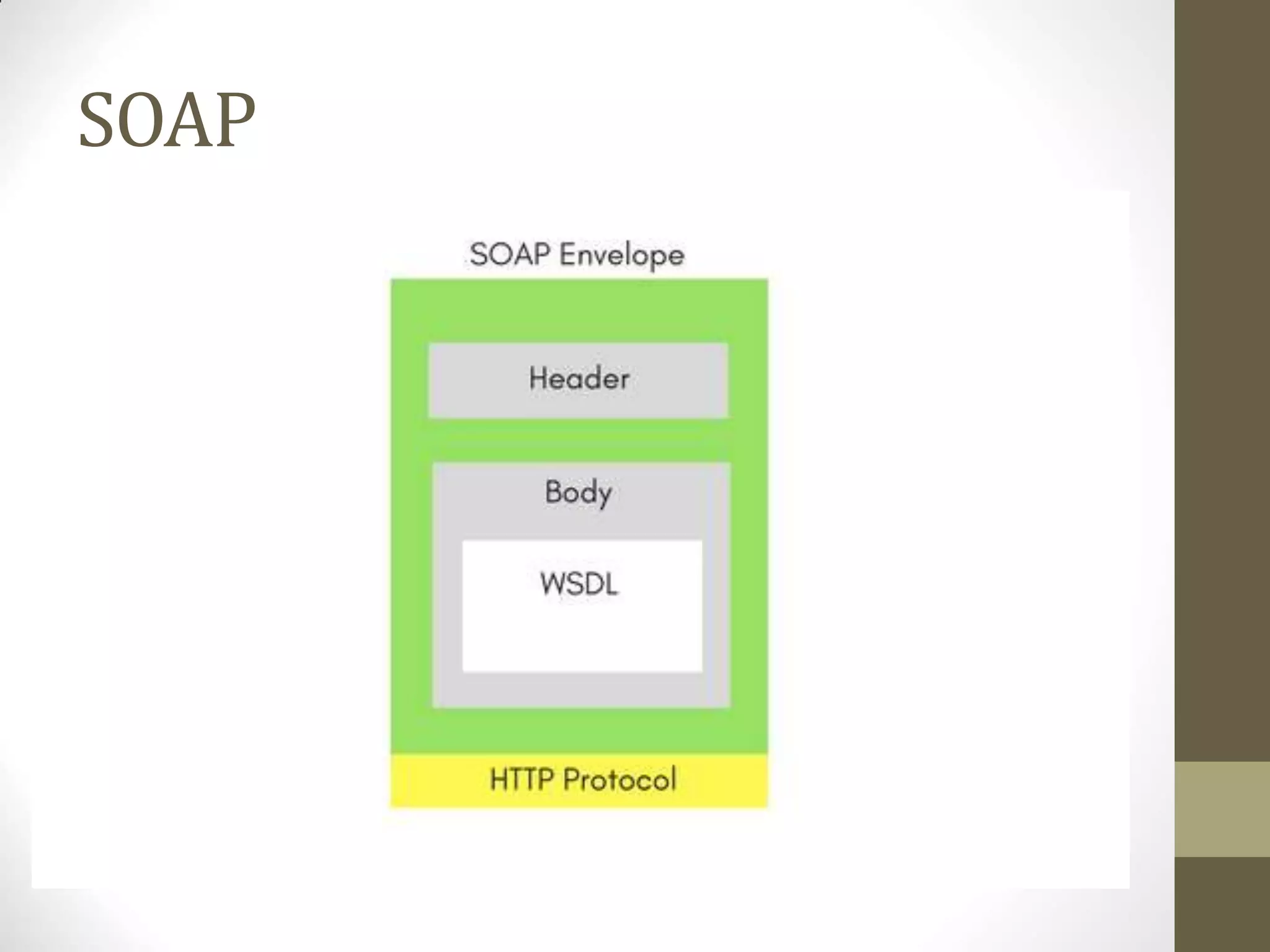
• SOAP Web Services
• SOAP stands for Simple Object Access
Protocol. It is a XML-based protocol for
accessing webservices.
• SOAP is a W3C recommendation for
communication between two
applications.
• SOAP is XML based protocol.
• It is platform independent and language
independent.
• By using SOAP, you will be able to
interact with other programming
language applications.
SOAP
SOAP
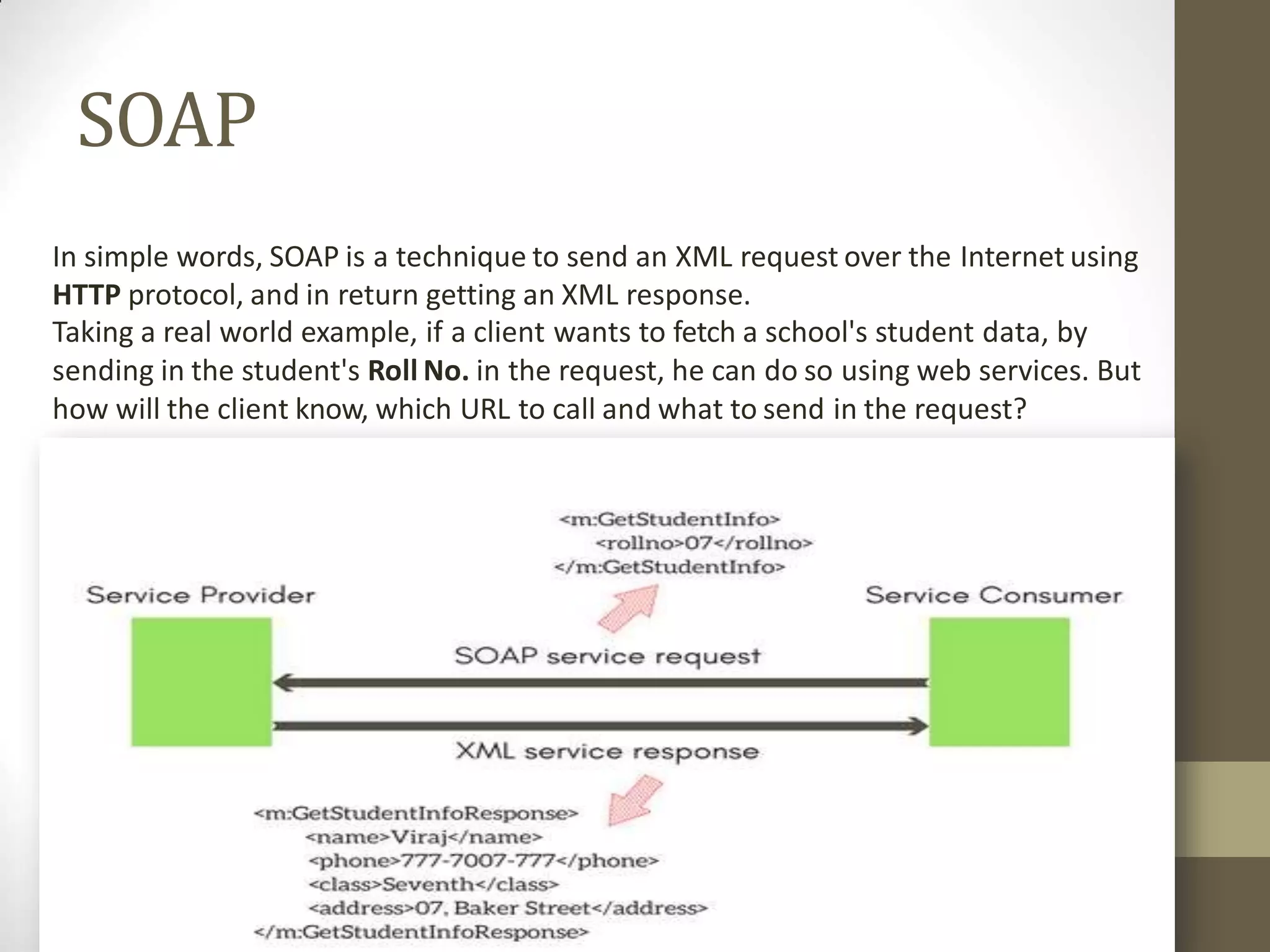
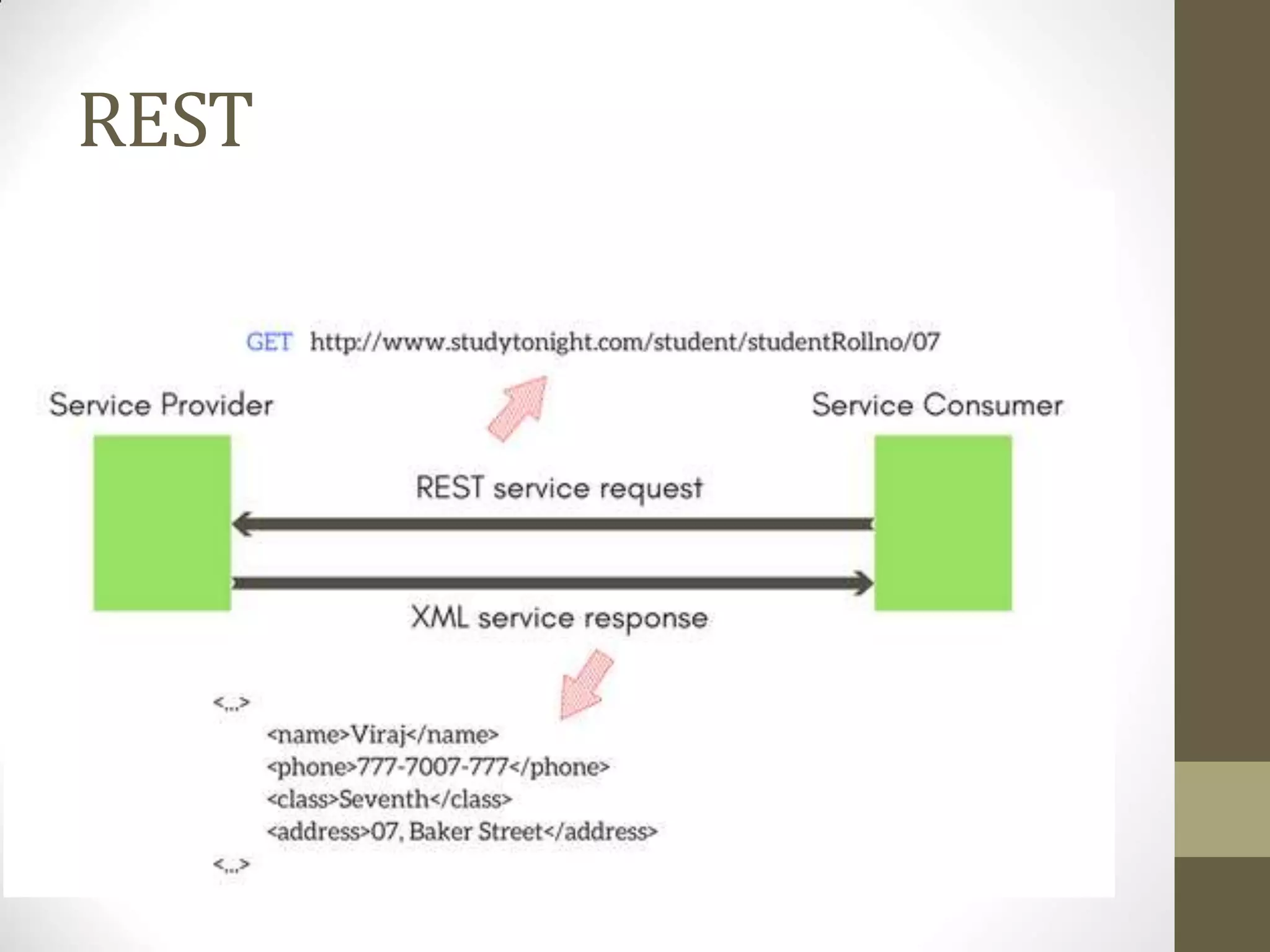
In simple words, SOAP is a technique to send an XML request over the Internet using
HTTP protocol, and in return getting an XML response.
Taking a real world example, if a client wants to fetch a school's student data, by
sending in the student's Roll No. in the request, he can do so using web services. But
how will the client know, which URL to call and what to send in the request?
SOAP
• Well, every application serving SOAP requests, has a WSDL file.
• WSDL is an XML, and it stands for Web Service Description
Language.
• WSDL describes all the methods available in the web service,
along with the request and response types.
• It describes the contract between service and client.
• SOAP was intended to be a way to do remote procedure calls to
remote objects by sending XML over HTTP.
• Today the world is moving fast towards the RESTful Web Services.
SOAP
• Advantages of Soap Web Services
• WS Security: SOAP defines its own security known asWS
Security.
• Language and Platform independent: SOAP web services canbe
written in any programming language and executed in any
platform.
• Disadvantages of Soap Web Services
• Slow: SOAP uses XML format that must be parsed to be read. It
defines many standards that must befollowed while developing
the SOAP applications. So it is slow and consumes more
bandwidth and resource.
• WSDL dependent: SOAP uses WSDL and doesn't have any other
mechanism to discover the service.
REST
• RESTful Web Services
• REST stands for REpresentational State Transfer.
• REST is an architectural style not a protocol.
• Advantages of RESTful Web Services
• Fast: RESTful Web Services are fast because there is no strict
specification like SOAP. It consumes less bandwidth and resource.
• Language and Platform independent: RESTful web services can
be written in any programming language and executed in any
platform.
• Can use SOAP: RESTful web services can use SOAP webservices
as the implementation.
• Permits different data format: RESTful web service permits
different data format such as Plain Text, HTML, XML andJSON.
REST
• The REST stands for Representational State Transfer.
• REST is not a set of standards or rules, rather it is a style of
software architecture.
• The applications which follow this architecture are referred to
as RESTful
• Unlike SOAP which targets the actions, REST concerns more on
the resources.
• REST locates the resources by using URL and it depends on the
type of transport protocol(with HTTP - GET, POST, PUT,
DELETE,...) for the actions to be performed on the resources.
• The REST service locates the resource based on the URL and
performs the action based on the transport actionverb.
REST
REST
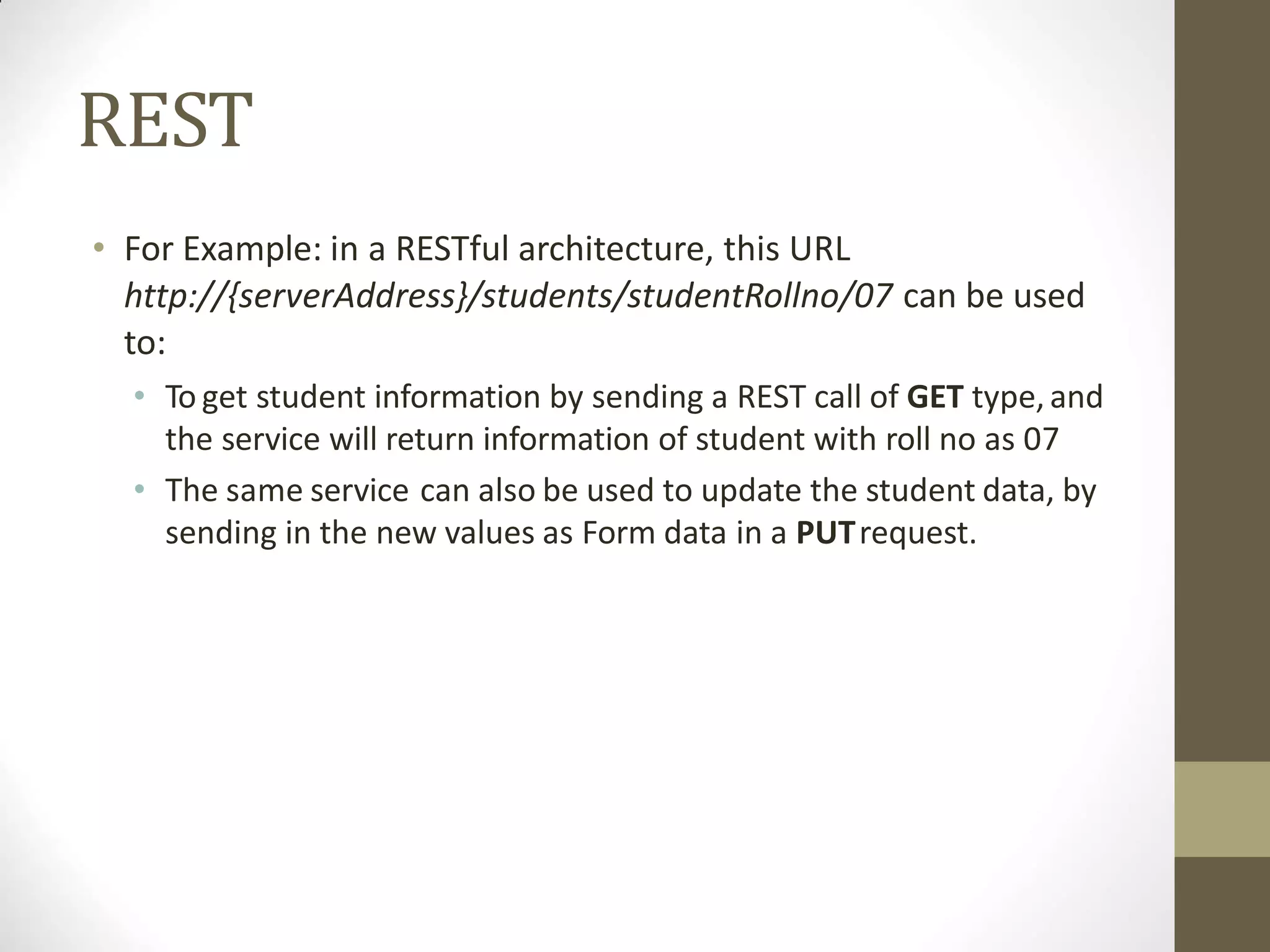
• For Example: in a RESTful architecture, this URL
http://{serverAddress}/students/studentRollno/07 can be used
to:
• To get student information by sending a REST call of GET type,and
the service will return information of student with roll no as 07
• The same service can also be used to update the student data, by
sending in the new values as Form data in a PUTrequest.
Outline- WebServices
Web Services: Overview,
Types of WS,
Difference between SOAP and REST
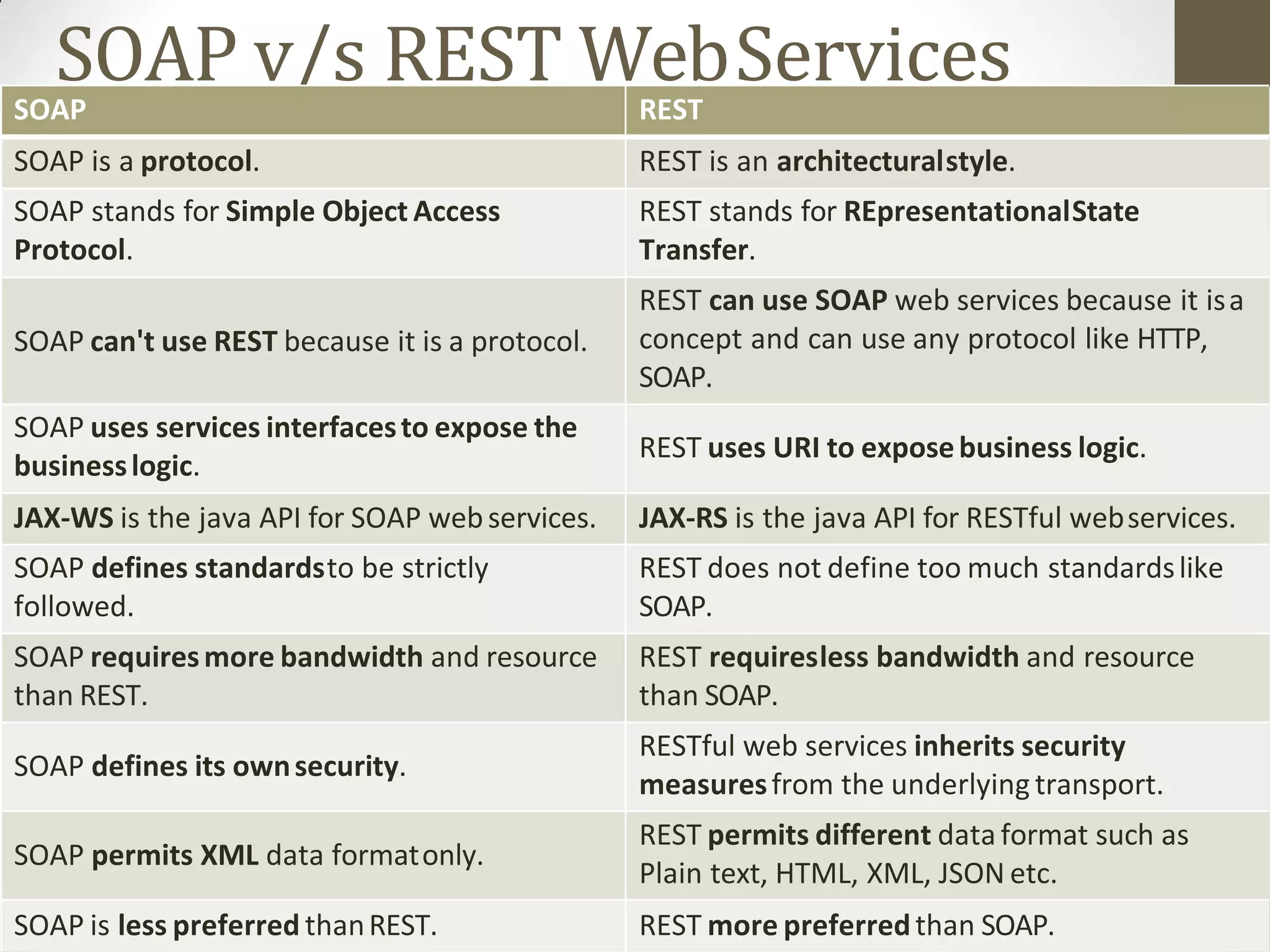
SOAP v/s REST WebServicesSOAP REST
SOAP is a protocol. REST is an architecturalstyle.
SOAP stands for Simple Object Access
Protocol.
REST stands for REpresentationalState
Transfer.
SOAP can't use REST because it is a protocol.
REST can use SOAP web services because it isa
concept and can use any protocol like HTTP,
SOAP.
SOAP uses services interfacesto expose the
businesslogic.
REST uses URI to exposebusiness logic.
JAX-WS is the java API for SOAP webservices. JAX-RS is the java API for RESTful webservices.
SOAP defines standardsto be strictly
followed.
REST does not define too much standardslike
SOAP.
SOAP requiresmore bandwidth and resource
than REST.
REST requiresless bandwidth and resource
than SOAP.
SOAP defines its ownsecurity.
RESTful web services inherits security
measuresfrom the underlying transport.
SOAP permits XML data formatonly.
REST permits different data format such as
Plain text, HTML, XML, JSON etc.
SOAP is less preferred thanREST. REST more preferredthan SOAP.
Outline
Web Services
EJB
CMS
Advance Technology
EJB- Enterprise
JavaBeans
Outline ofEJB
EJB: Overview
types of EJB,
benefits,
Architecture,
EJB technology,
JNDI lookup
EJB: Overview
• EJB stands for Enterprise JavaBeans.
• EJB is an essential part of a J2EE platform.
• EJB provides an architecture to develop and deploy
component based enterprise applications considering
robustness, high scalability, and high performance.
• When use Enterprise Java Bean?
• Application needs Remote Access. In other words, it is
distributed.
• Application needs to be scalable. EJB applications supportsload
balancing, clustering and fail-over.
• Application needs encapsulated business logic.EJB application is
separated from presentation and persistentlayer.
Outline ofEJB
EJB: Overview
types of EJB,
benefits,
Architecture,
EJB technology,
JNDI lookup
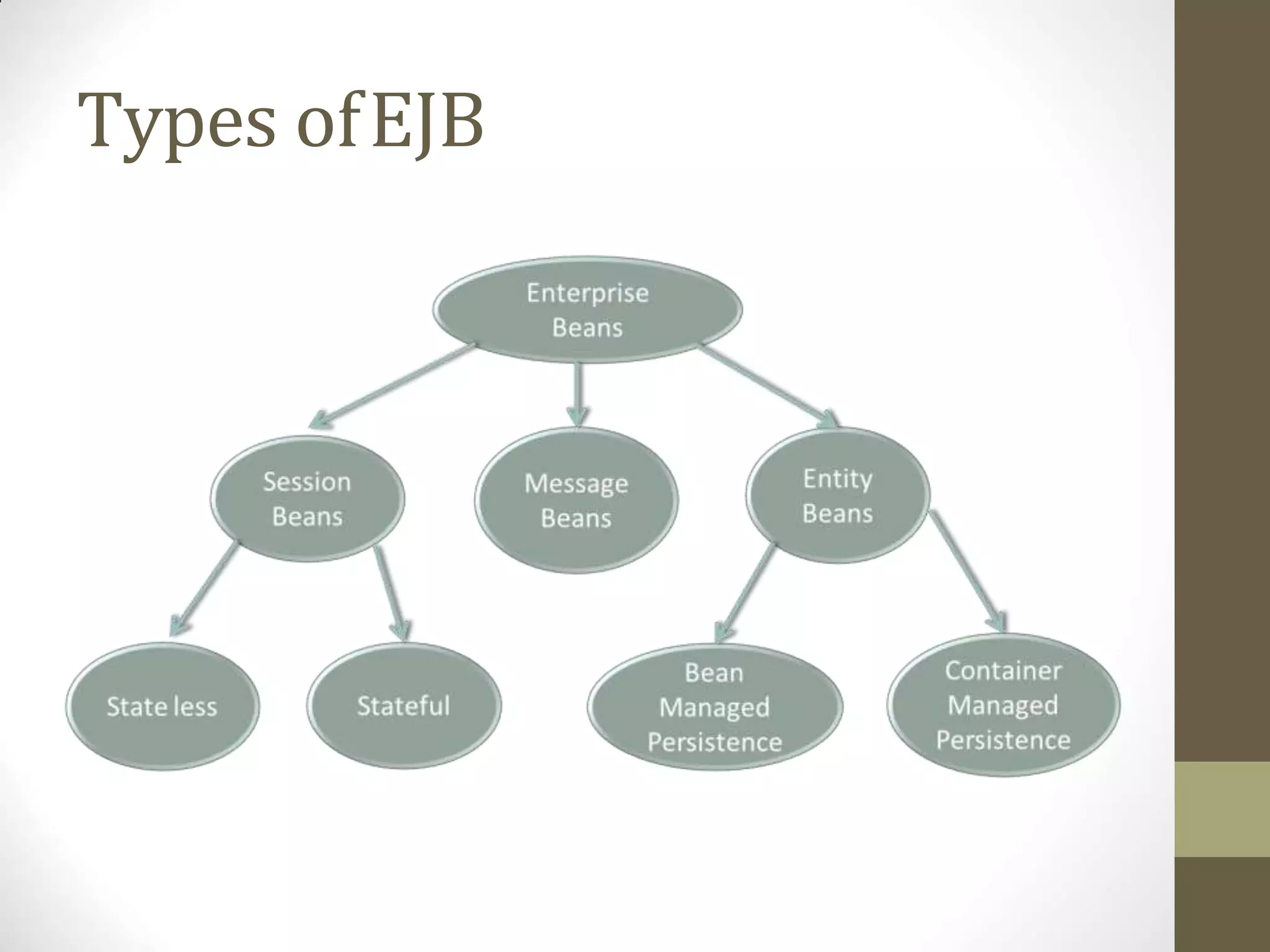
Types ofEJB
Types ofEJB
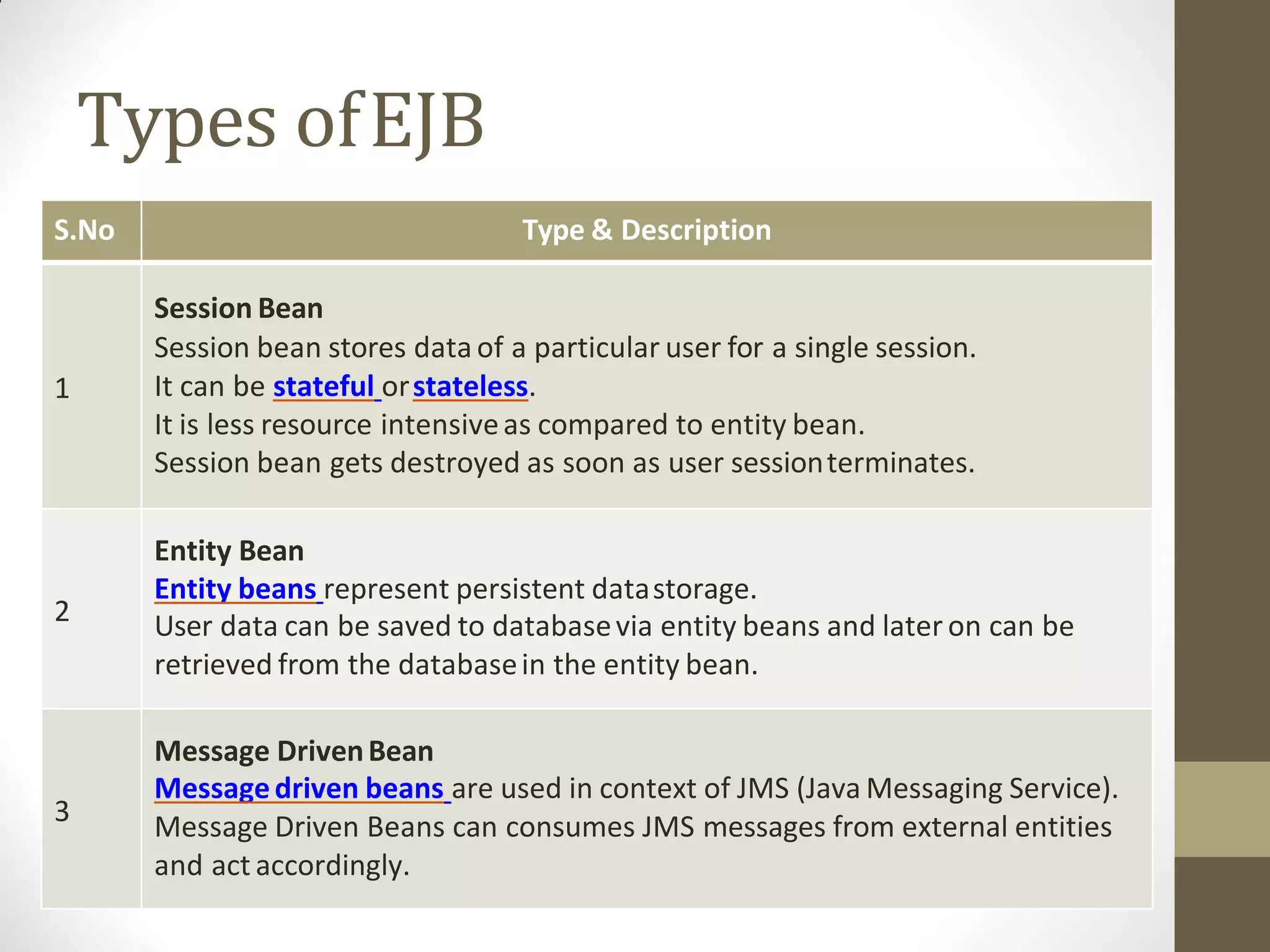
S.No Type & Description
1
Session Bean
Session bean stores data of a particular user for a single session.
It can be stateful orstateless.
It is less resource intensiveas compared to entity bean.
Session bean gets destroyed as soon as user sessionterminates.
2
Entity Bean
Entity beans represent persistent datastorage.
User data can be saved to databasevia entity beans and later on can be
retrieved from the databasein the entity bean.
3
Message DrivenBean
Messagedriven beans are used in context of JMS (Java Messaging Service).
Message Driven Beans can consumes JMS messages from external entities
and act accordingly.
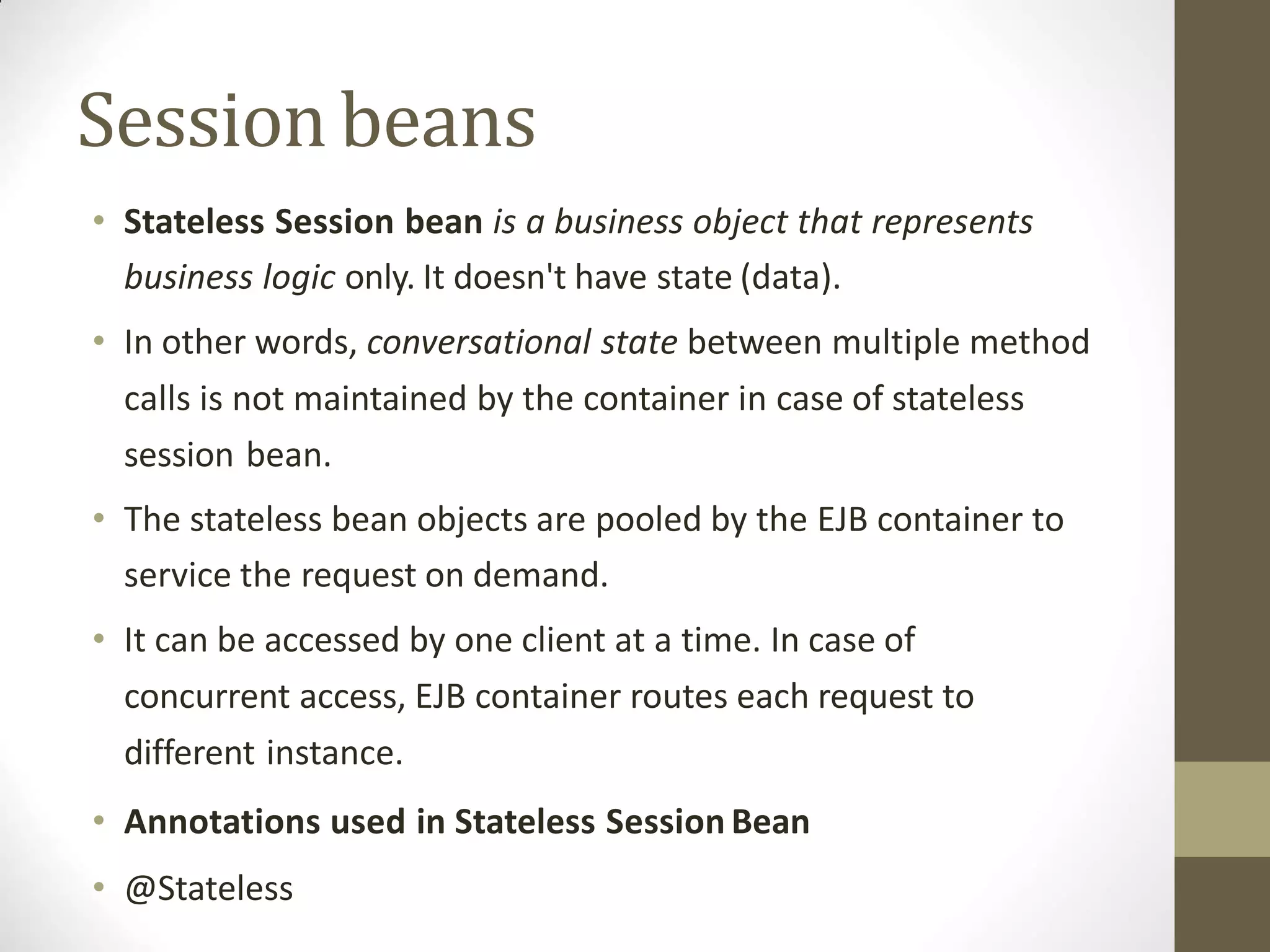
• Stateless Session bean is a business object that represents
business logic only. It doesn't have state (data).
• In other words, conversational state between multiple method
calls is not maintained by the container in case of stateless
session bean.
• The stateless bean objects are pooled by the EJB container to
service the request on demand.
• It can be accessed by one client at a time. In case of
concurrent access, EJB container routes each request to
different instance.
• Annotations used in Stateless Session Bean
• @Stateless
Sessionbeans
Sessionbeans
• Stateful Session Bean
• Stateful Session bean is a business object that represents
business logic like stateless session bean. But, it maintains
state (data).
• In other words, conversational state between multiple method
calls is maintained by the container in stateful session bean.
• Annotations used in Stateful SessionBean
• @Stateful
Message DrivenBean
• Message Driven Bean
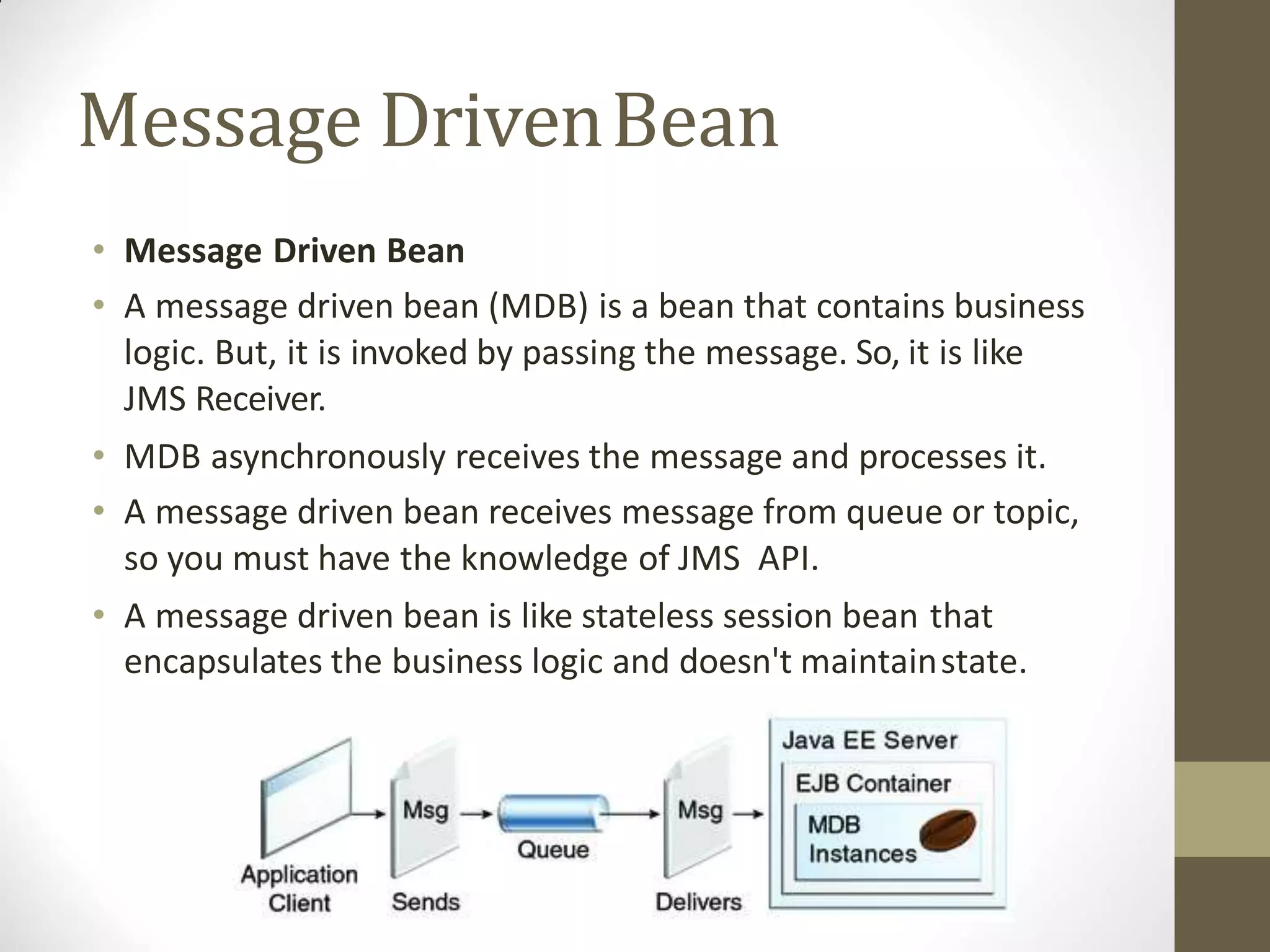
• A message driven bean (MDB) is a bean that contains business
logic. But, it is invoked by passing the message. So, it is like
JMS Receiver.
• MDB asynchronously receives the message and processes it.
• A message driven bean receives message from queue or topic,
so you must have the knowledge of JMS API.
• A message driven bean is like stateless session bean that
encapsulates the business logic and doesn't maintainstate.
Entitybeans
• Container-managed persistence—
• The EJB container manages data by saving it to a designated
resource, which is normally a database.
• For this to occur, you must define the data that the container isto
manage within the deploymentdescriptors.
• The container manages the data by saving it to the database.
• Bean-managed persistence—
• The bean implementation manages the datawithin callback
methods.
• All the logic for storing data to your persistent storage must be
included in the ejbStore method and reloaded from your storage in
the ejbLoad method.
• The container invokes these methods when necessary.
Outline ofEJB
EJB: Overview
types of EJB,
benefits,
Architecture,
EJB technology,
JNDI lookup
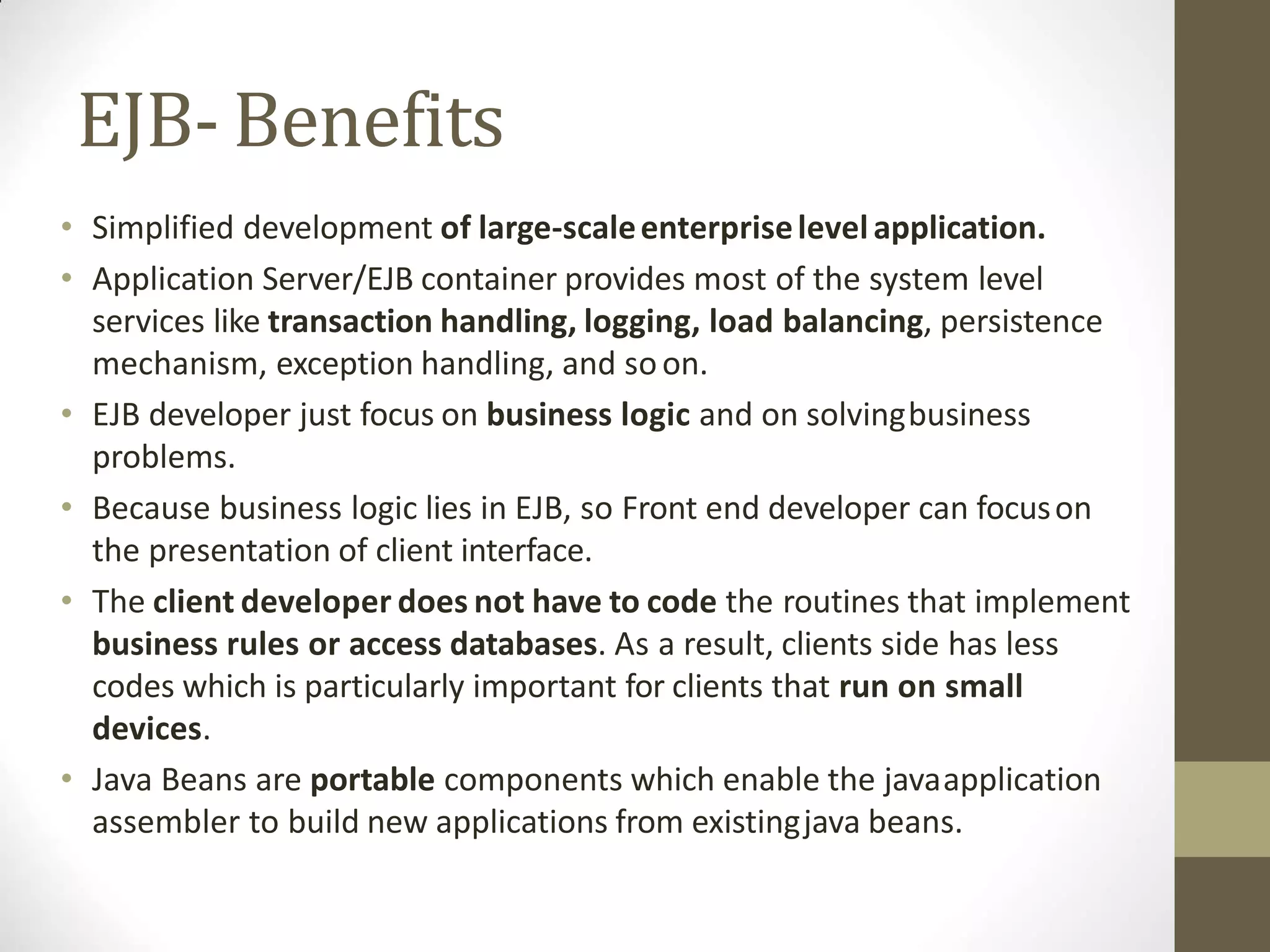
EJB- Benefits
• Simplified development of large-scaleenterpriselevelapplication.
• Application Server/EJB container provides most of the system level
services like transaction handling, logging, load balancing, persistence
mechanism, exception handling, and soon.
• EJB developer just focus on business logic and on solvingbusiness
problems.
• Because business logic lies in EJB, so Front end developer can focuson
the presentation of client interface.
• The client developer does not have to code the routines that implement
business rules or access databases. As a result, clients side has less
codes which is particularly important for clients that run on small
devices.
• Java Beans are portable components which enable the javaapplication
assembler to build new applications from existingjava beans.
Outline ofEJB
EJB: Overview
types of EJB,
benefits,
Architecture,
EJB technology,
JNDI lookup
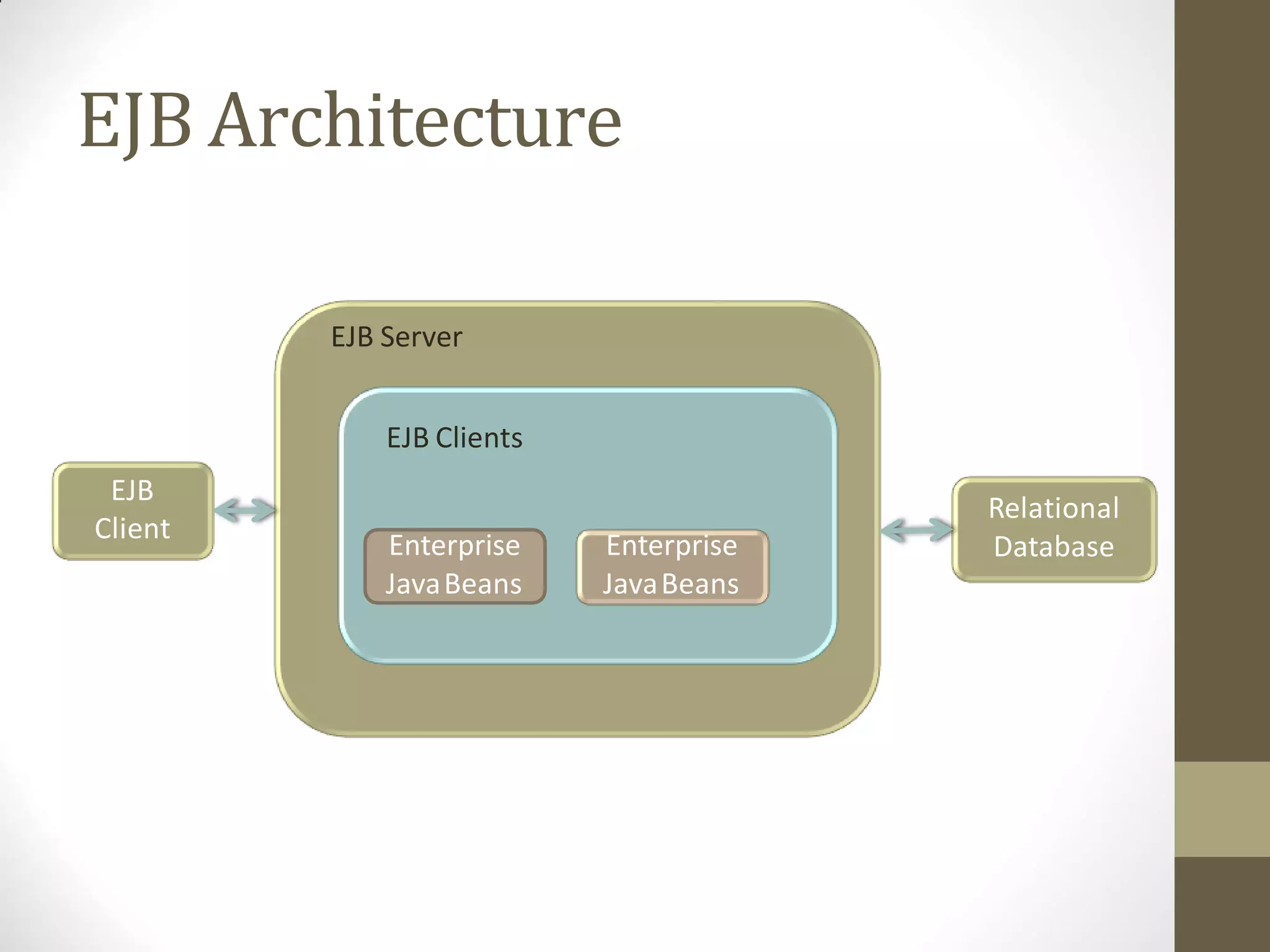
EJB Architecture
Enterprise
JavaBeans
Enterprise
JavaBeans
EJB
Client
Relational
Database
EJB Server
EJB Clients
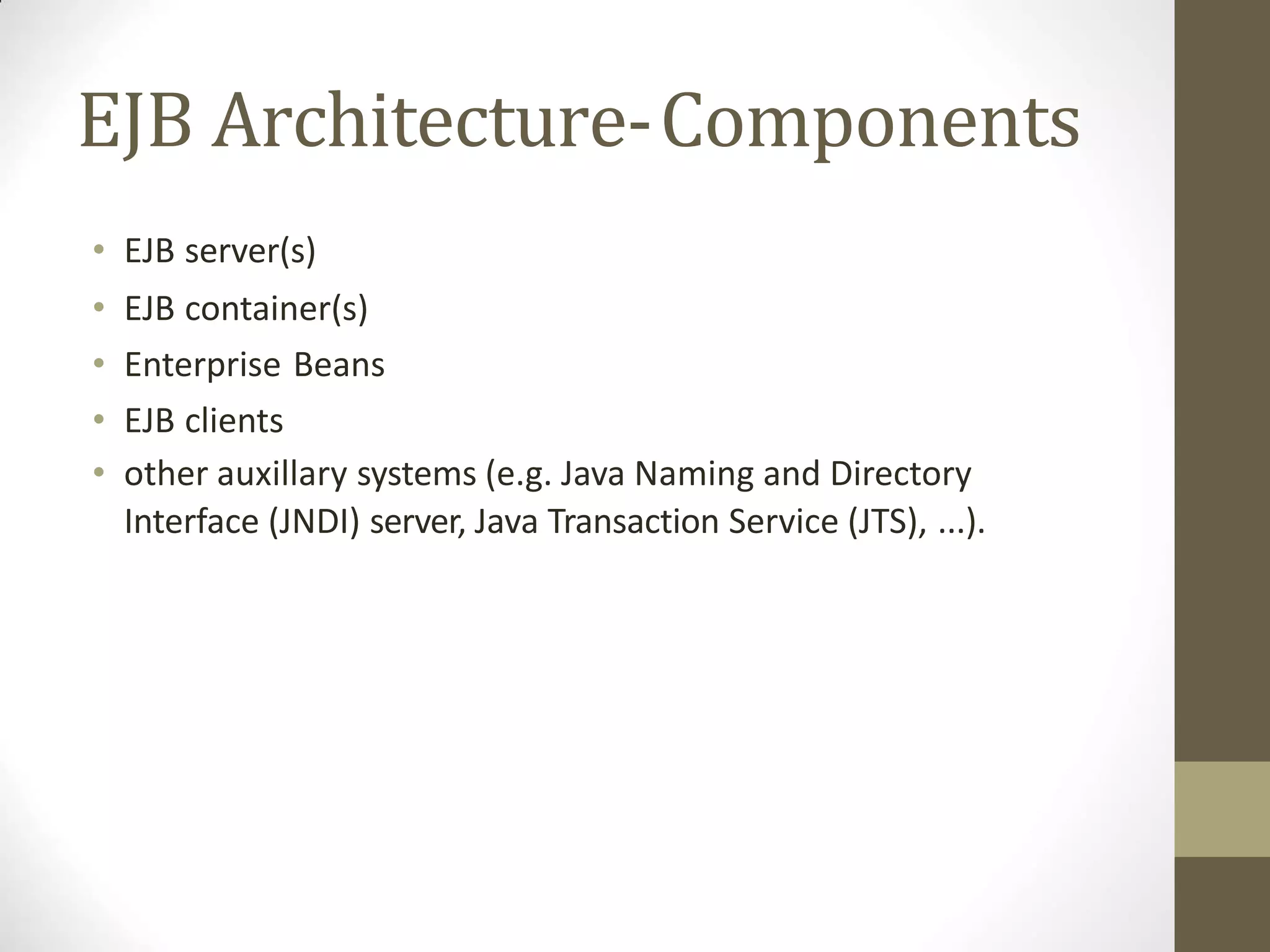
EJB Architecture-Components
• EJB server(s)
• EJB container(s)
• Enterprise Beans
• EJB clients
• other auxillary systems (e.g. Java Naming and Directory
Interface (JNDI) server, Java Transaction Service (JTS), ...).
EJB Architecture-Components
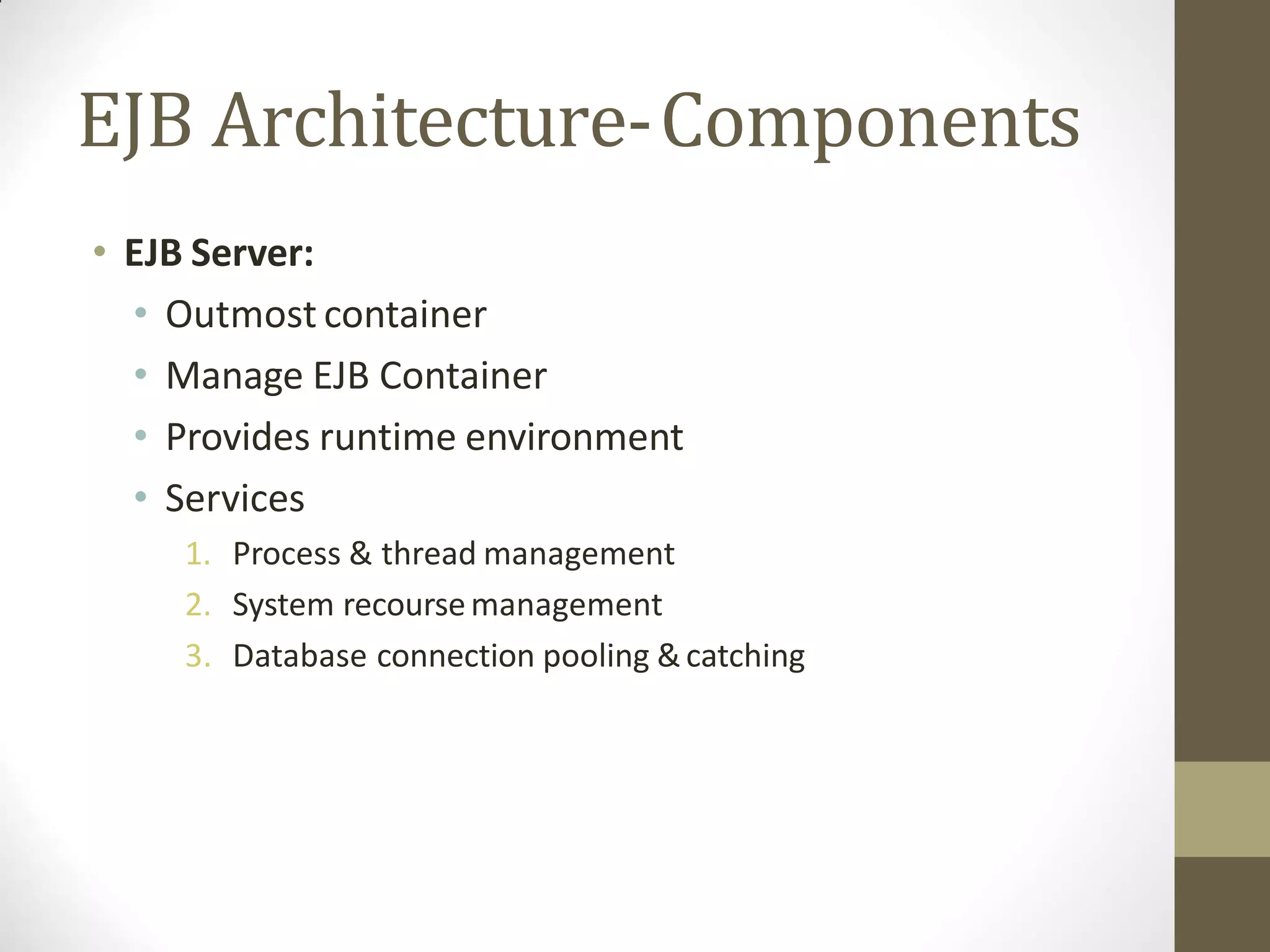
• EJB Server:
• Outmost container
• Manage EJB Container
• Provides runtime environment
• Services
1. Process & thread management
2. System recoursemanagement
3. Database connection pooling &catching
EJB Architecture-Components
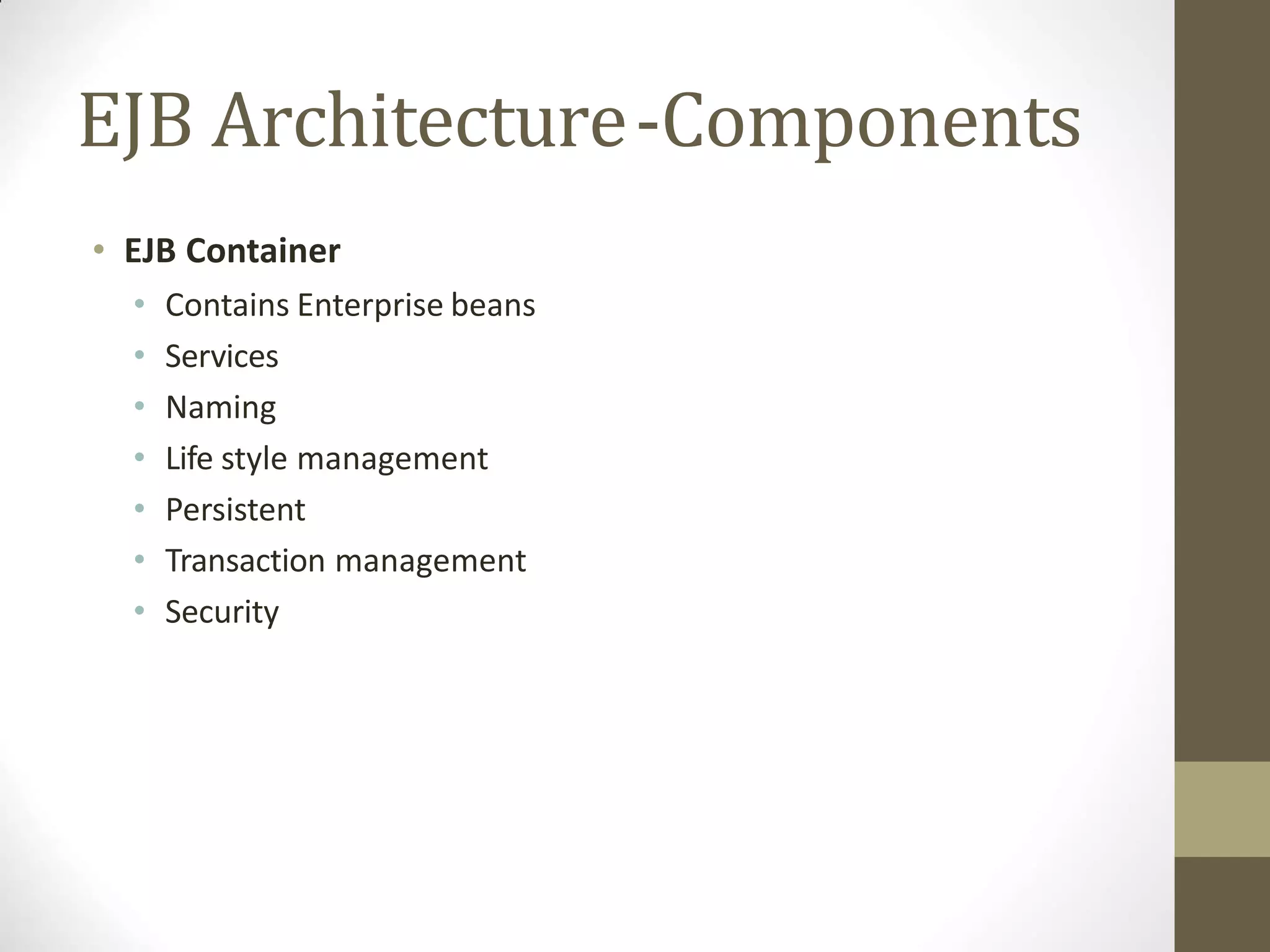
• EJB Container
• Contains Enterprise beans
• Services
• Naming
• Life style management
• Persistent
• Transaction management
• Security
EJB Architecture-Components
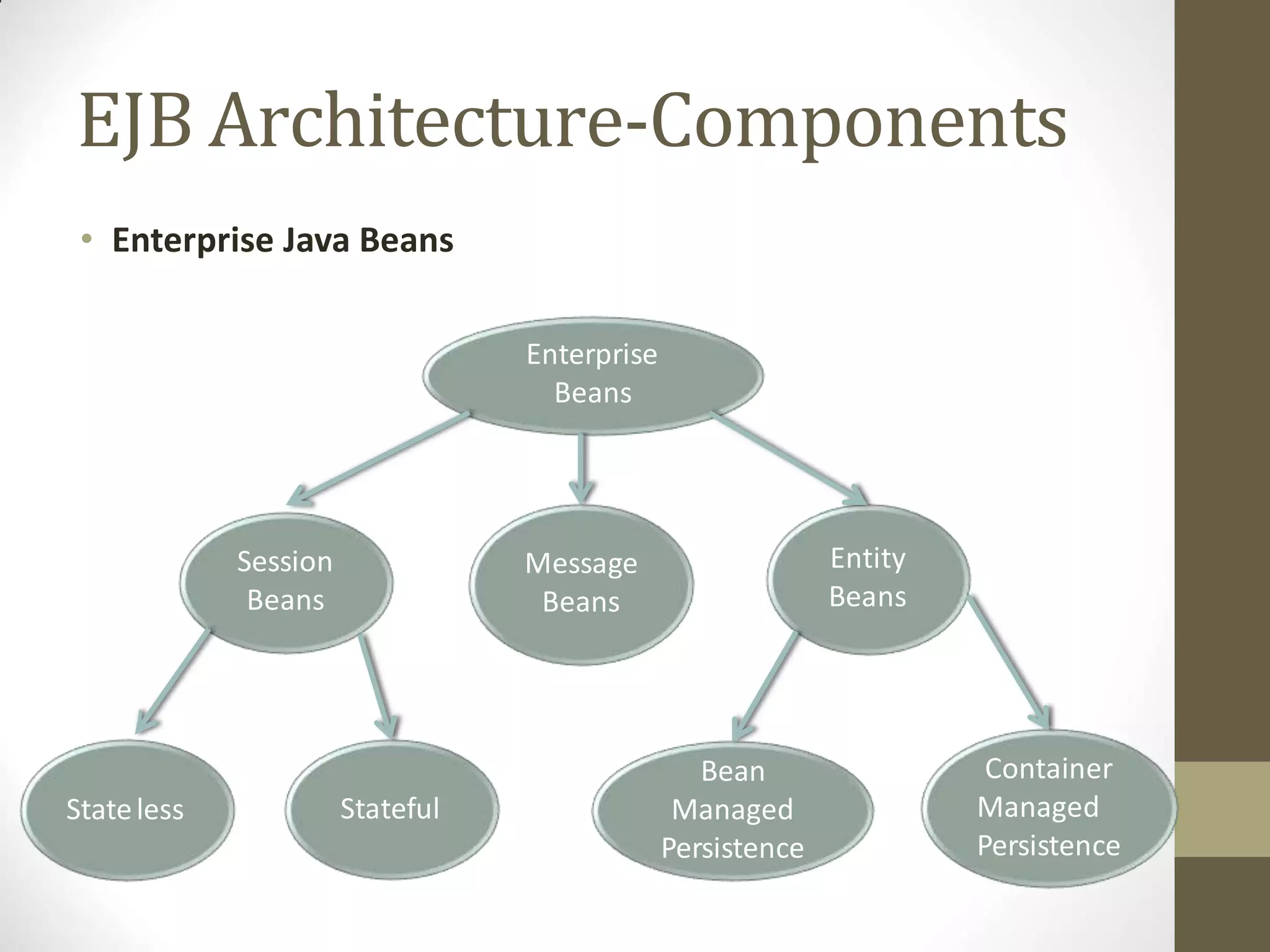
• Enterprise Java Beans
Enterprise
Beans
Session
Beans
Message
Beans
Entity
Beans
Stateless Stateful
Bean
Managed
Persistence
Container
Managed
Persistence
EJB Architecture-Components
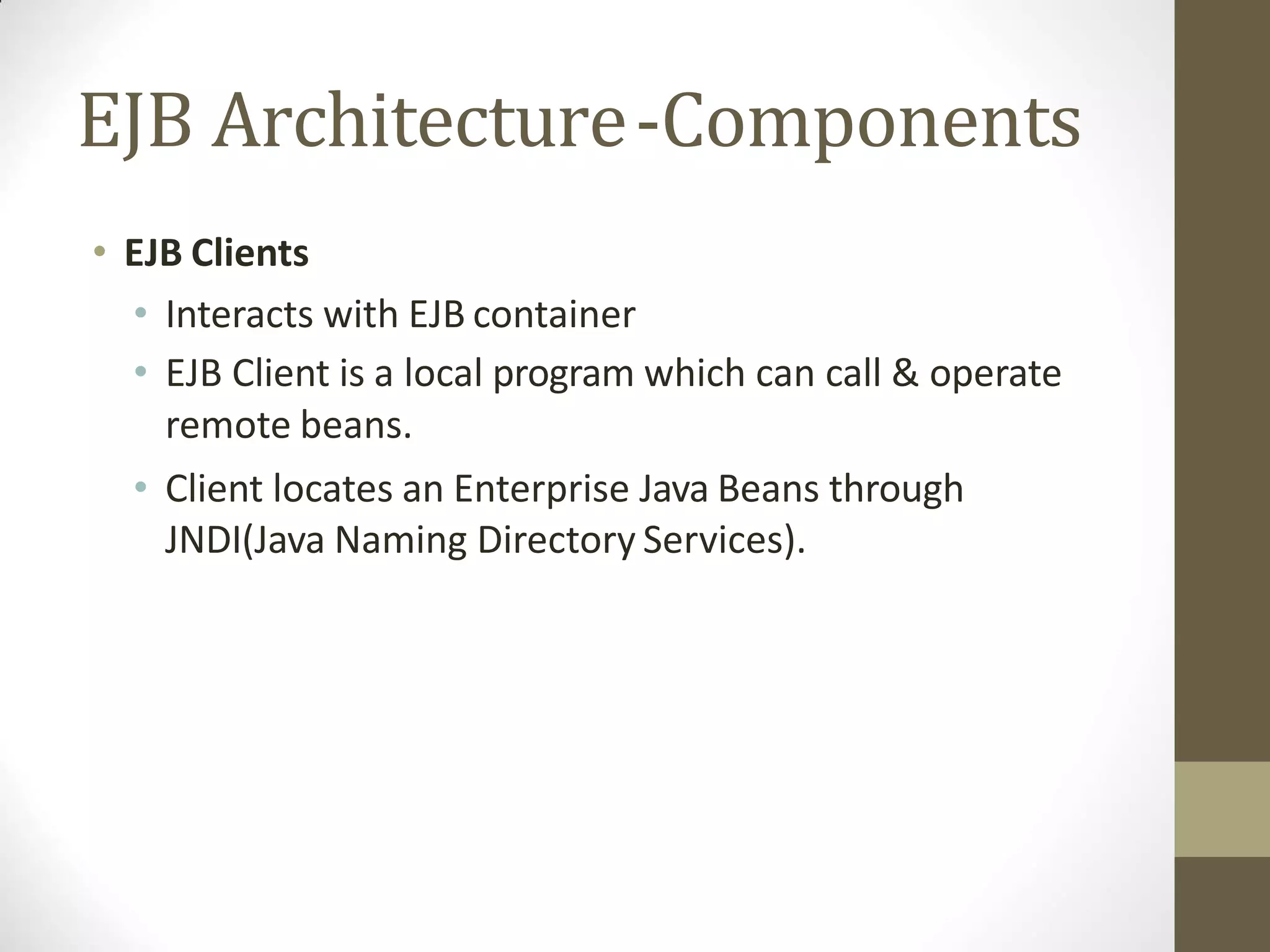
• EJB Clients
• Interacts with EJB container
• EJB Client is a local program which can call & operate
remote beans.
• Client locates an Enterprise Java Beans through
JNDI(Java Naming Directory Services).
Outline ofEJB
EJB: Overview
types of EJB,
benefits,
Architecture,
EJB technology,
JNDI lookup
EJB technology
• Enterprise JavaBeans (EJB) technology is the server-side
component architecture for Java Platform, Enterprise Edition
(Java EE).
• EJB technology enables rapid and simplified development of
distributed, transactional, secure and portable applications
based on Java technology.
Outline ofEJB
EJB: Overview
types of EJB,
benefits,
Architecture,
EJB technology,
JNDI lookup
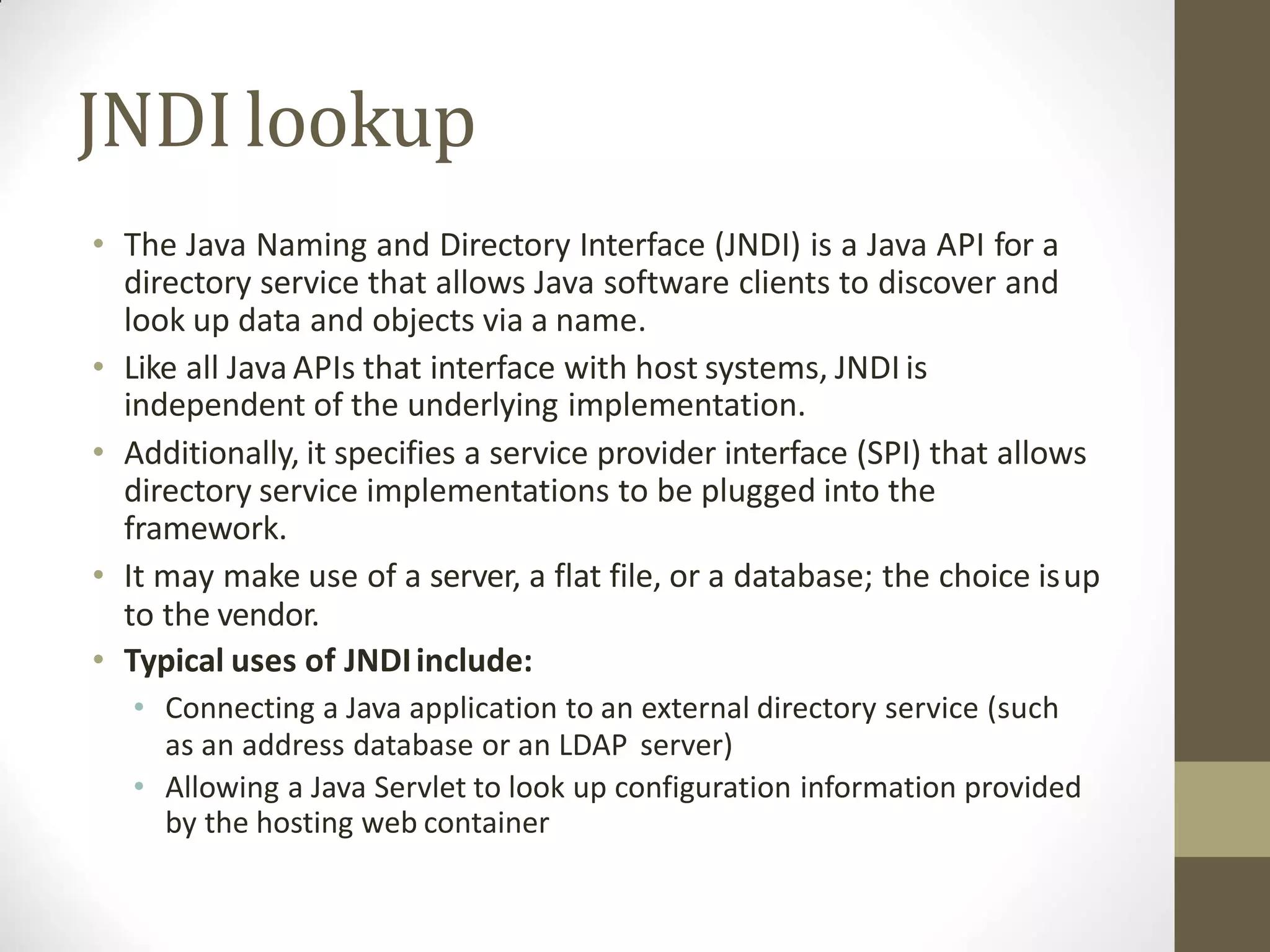
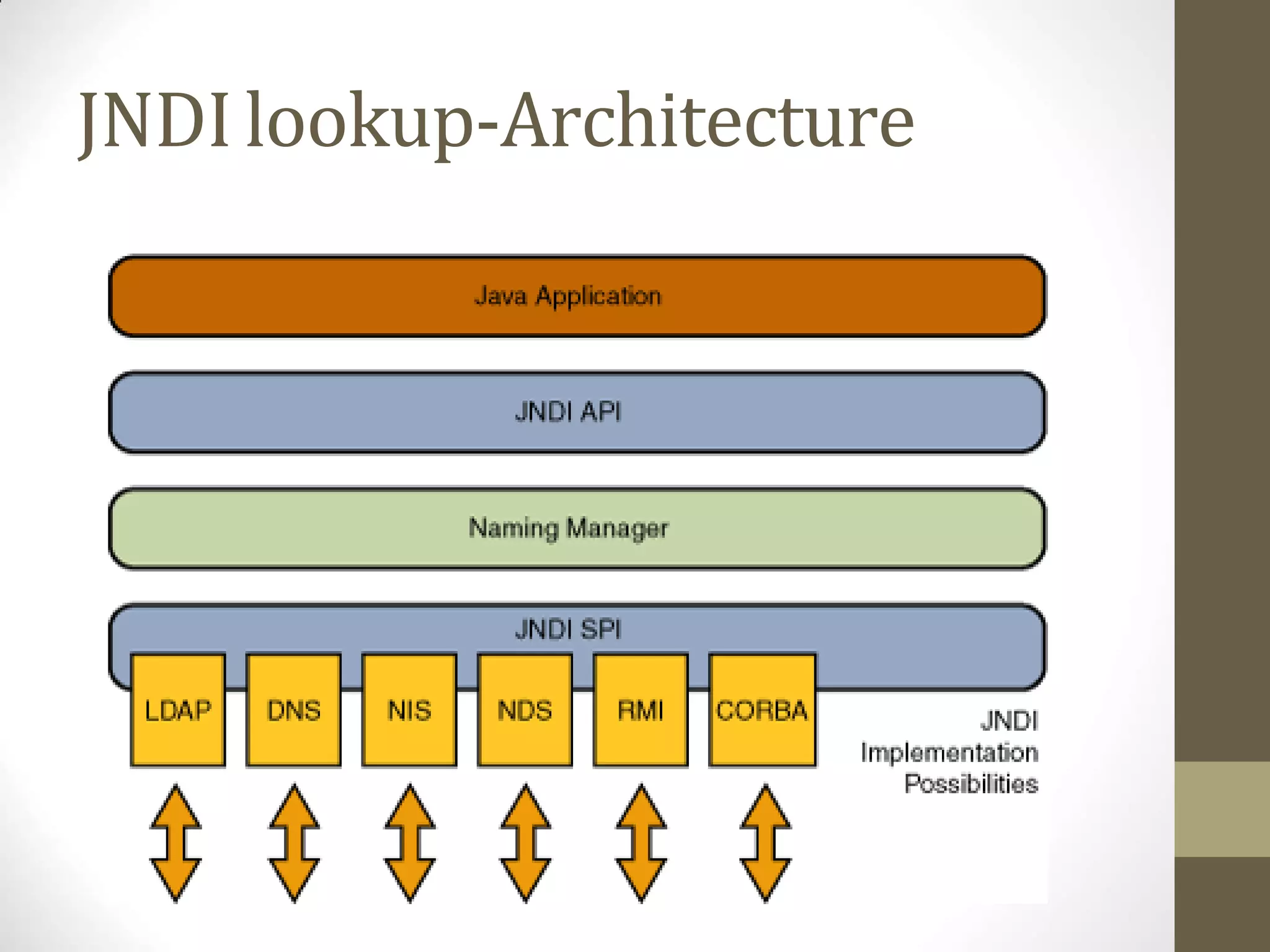
JNDIlookup
• The Java Naming and Directory Interface (JNDI) is a Java API for a
directory service that allows Java software clients to discover and
look up data and objects via a name.
• Like all Java APIs that interface with host systems, JNDI is
independent of the underlying implementation.
• Additionally, it specifies a service provider interface (SPI) that allows
directory service implementations to be plugged into the
framework.
• It may make use of a server, a flat file, or a database; the choice isup
to the vendor.
• Typical uses of JNDIinclude:
• Connecting a Java application to an external directory service (such
as an address database or an LDAP server)
• Allowing a Java Servlet to look up configuration information provided
by the hosting web container
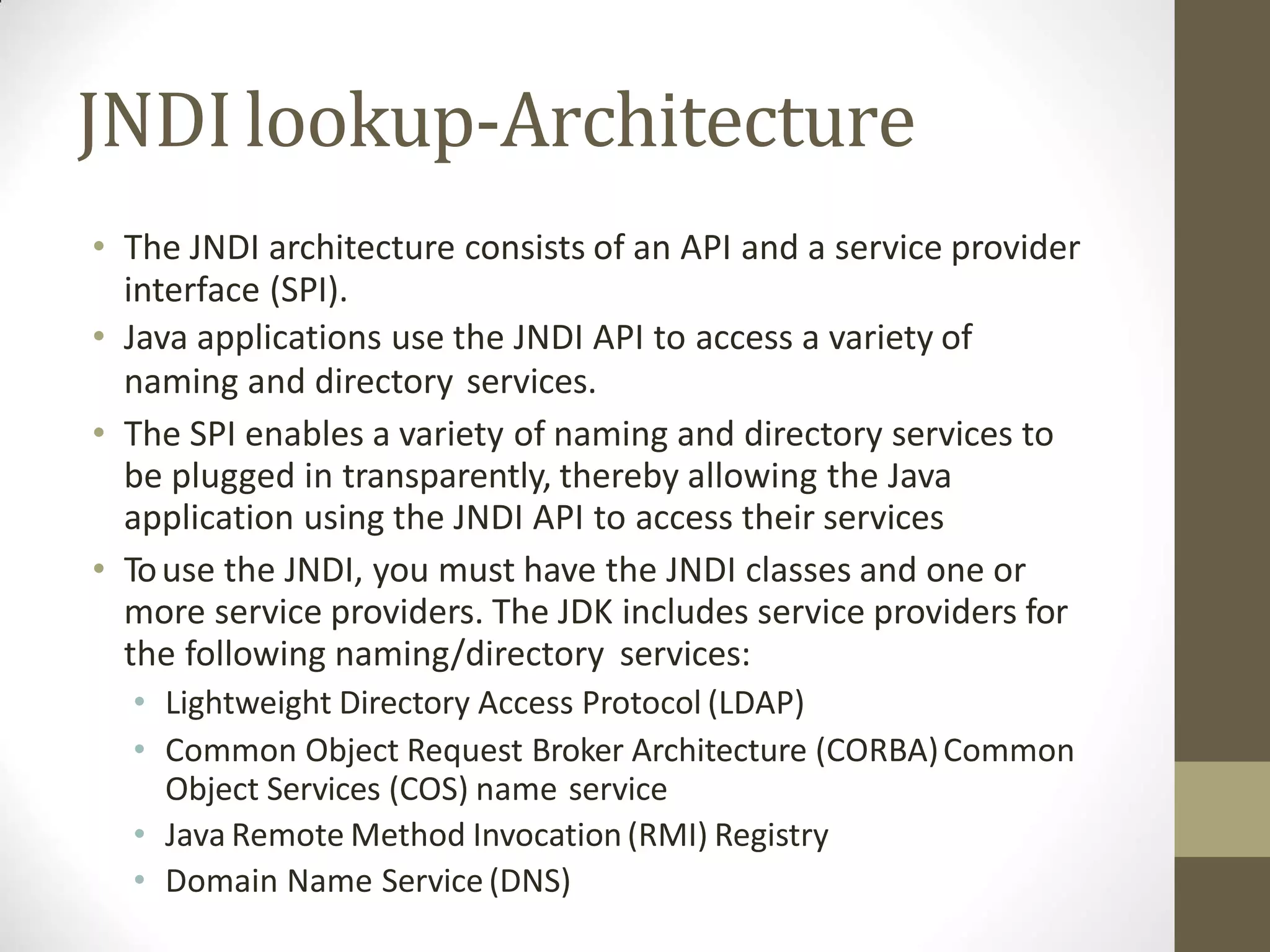
JNDIlookup-Architecture
• The JNDI architecture consists of an API and a service provider
interface (SPI).
• Java applications use the JNDI API to access a variety of
naming and directory services.
• The SPI enables a variety of naming and directory services to
be plugged in transparently, thereby allowing the Java
application using the JNDI API to access their services
• Touse the JNDI, you must have the JNDI classes and one or
more service providers. The JDK includes service providers for
the following naming/directory services:
• Lightweight Directory Access Protocol (LDAP)
• Common Object Request Broker Architecture (CORBA)Common
Object Services (COS) name service
• Java Remote Method Invocation (RMI) Registry
• Domain Name Service(DNS)
JNDIlookup-Architecture
Outline
Web Services
EJB
CMS
Advance Technology
CMS-
Content ManagementSystem
Outline ofCMS
Introduction to Content
Management System(CMS)
Wordpress
Joomala
Introduction to Content
ManagementSystem(CMS)
• A content managementsystem (CMS) is a computer application that
supports the creation and modification of digitalcontent.
• It typically supports multiple users in a collaborative environment.
• CMS features vary widely. Most CMSs include Web-based publishing,
format management, history editing and version control, indexing,
search, and retrieval.
• CMS is designed to support the managementof the content of Web
pages. Web content includes text and embedded graphics, photos,
video, audio, maps, and program code (e.g., for applications) that
displays content or interacts with the user.
Introduction to Content
ManagementSystem(CMS)
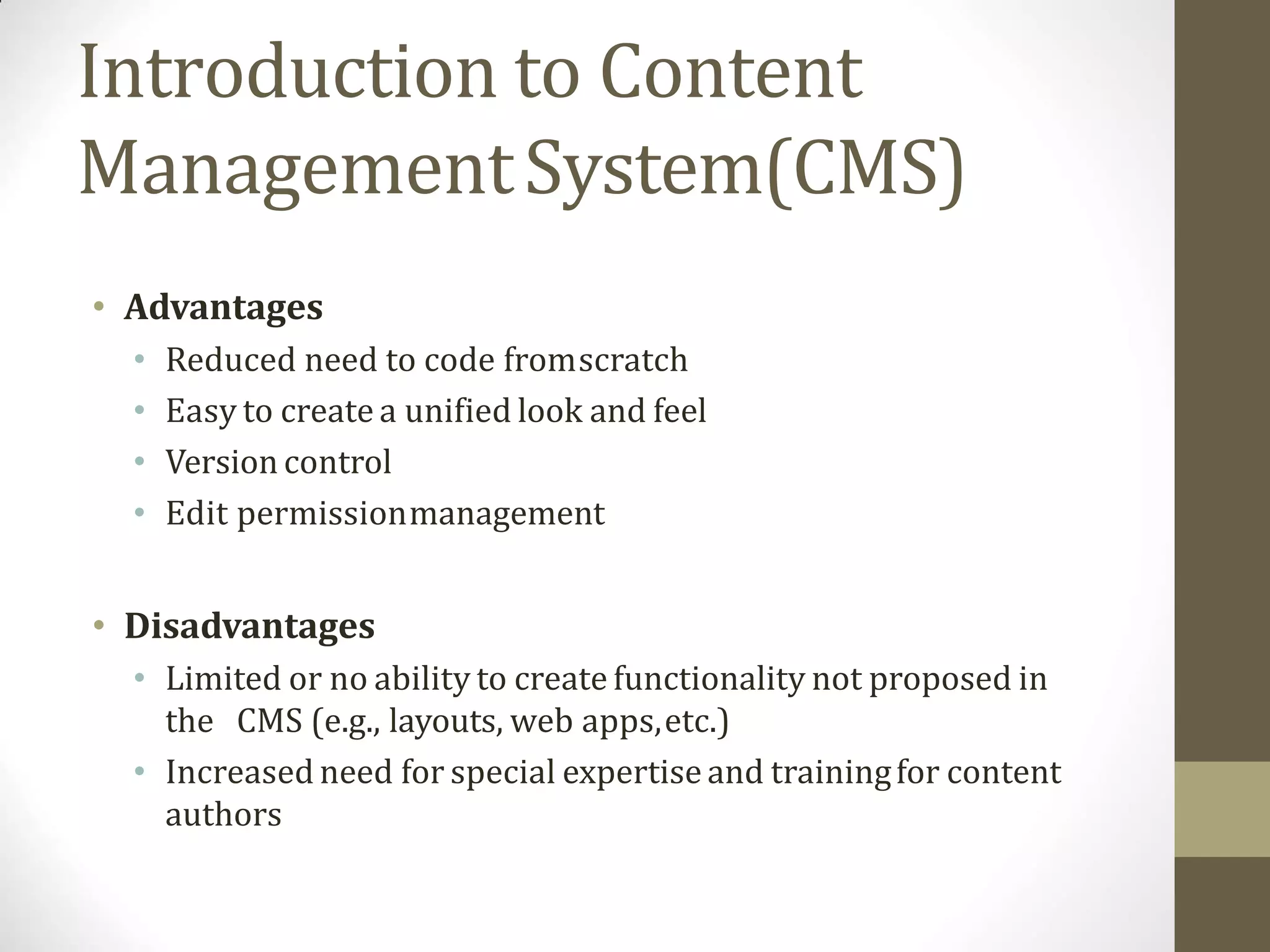
• Such a content management system (CMS) typically has
two major components:
1. A content management application (CMA) is thefront-
end user interface that allows a user, to add, modify, and
remove content from awebsite.
2. A content delivery application (CDA) compiles that
information and updates thewebsite.
Introduction to Content
ManagementSystem(CMS)
• Examples of CMS
• WordPress,
• Joomla
• Drupal.
Introduction to Content
ManagementSystem(CMS)
• Advantages
• Reduced need to code fromscratch
• Easy to create a unified look and feel
• Version control
• Edit permissionmanagement
• Disadvantages
• Limited or no ability to create functionality not proposed in
the CMS (e.g., layouts, web apps,etc.)
• Increased need for special expertise and trainingfor content
authors
Outline ofCMS
Introduction to Content
Management System(CMS)
Wordpress
Joomala
Wordpress
• WordPress is an online, open source website creation tool
written in PHP.
• But in non-geek speak, it’s probably the easiest and most
powerful blogging and website content management system
(or CMS) in existence today.
Word press-Features
• User Management − It allows managing the user information such
as changing the role of the users, create or delete the user, change
the password and userinformation.
• Media Management − It is the tool for managing the media files and
folder, in which you can easily upload, organize and manage the
media files on your website.
• Theme System − It allows modifying the site view and functionality.
It includes images, stylesheet, template files and custompages.
• Extend with Plugins − Several plugins are available which provides
custom functions and features according to the users need.
• Search Engine Optimization − It provides several search engine
optimization (SEO) tools which makes on-site SEOsimple.
• Multilingual − It allows translating the entire content intothe
language preferred by the user.
• Importers − It allows importing data in the form of posts. It imports
custom files, comments,post pages and tags.
Wordpress-Advantages
• Open source platform and available for free.
• CSS files can be as per users need.
• There are many plugins and templates available for free.
• It is very easy to edit the content as it uses that allows the
user to directly manipulate the layout of document
• Media files can be uploaded easily and quickly.
• It offers several SEO tools which makes on-site SEO simple.
• Customization is easy according to the user's needs.
• It allows creating different roles for users for website such as
admin, author, editor and contributor.
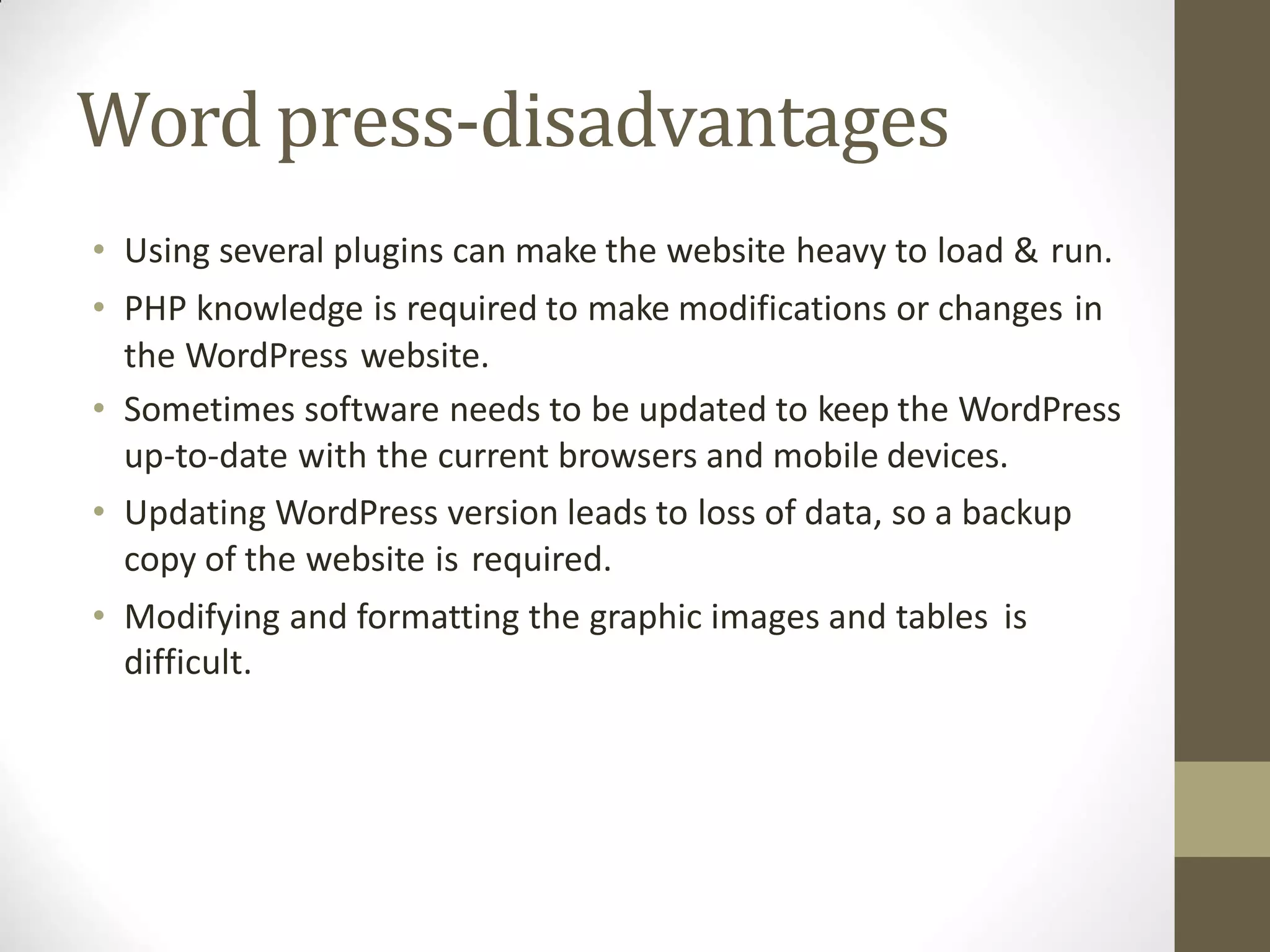
Word press-disadvantages
• Using several plugins can make the website heavy to load & run.
• PHP knowledge is required to make modifications or changes in
the WordPress website.
• Sometimes software needs to be updated to keep the WordPress
up-to-date with the current browsers and mobile devices.
• Updating WordPress version leads to loss of data, so a backup
copy of the website is required.
• Modifying and formatting the graphic images and tables is
difficult.
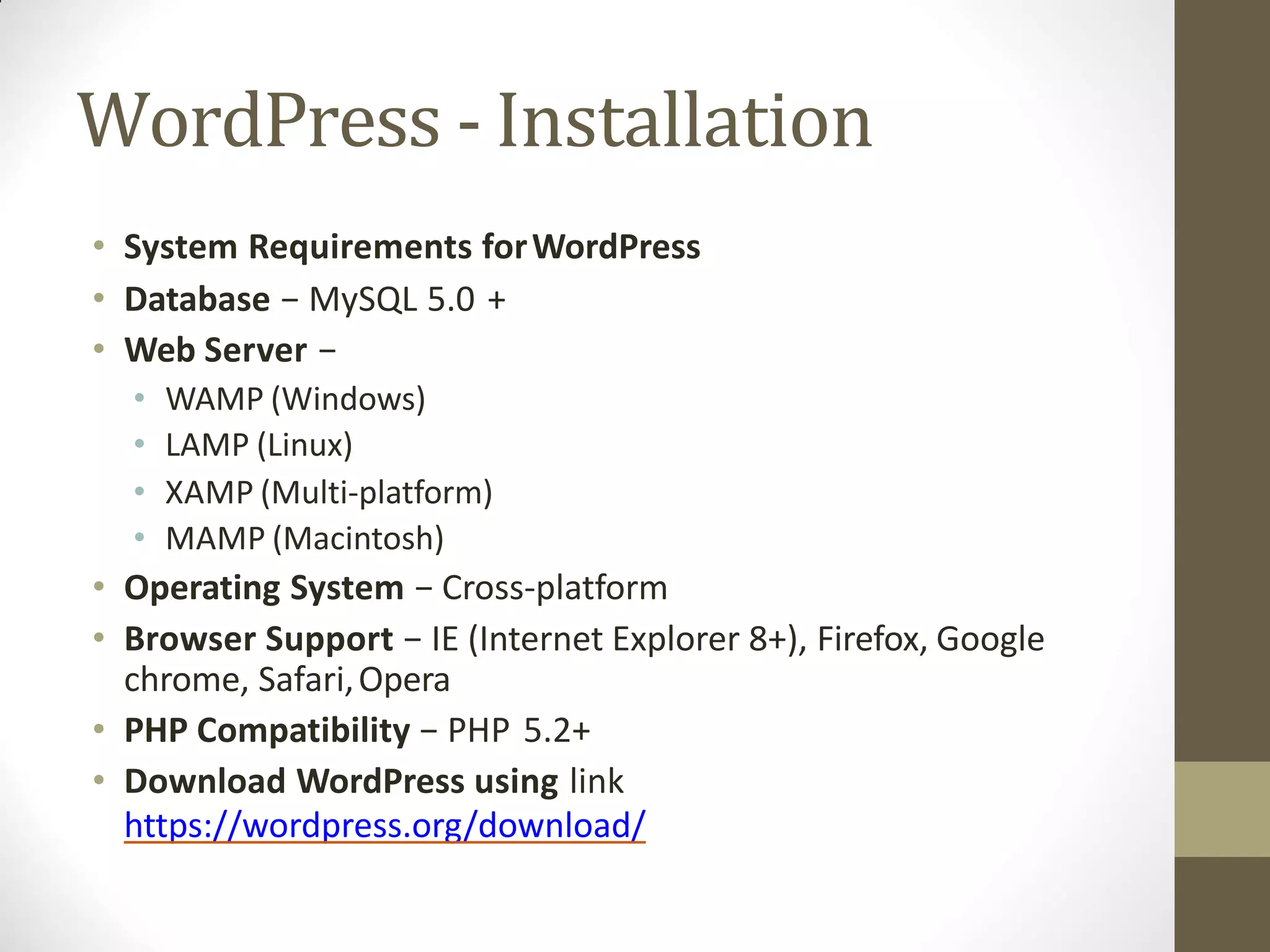
WordPress - Installation
• System Requirements forWordPress
• Database − MySQL 5.0 +
• Web Server −
• WAMP (Windows)
• LAMP (Linux)
• XAMP (Multi-platform)
• MAMP (Macintosh)
• Operating System − Cross-platform
• Browser Support − IE (Internet Explorer 8+), Firefox, Google
chrome, Safari,Opera
• PHP Compatibility − PHP 5.2+
• Download WordPress using link
https://wordpress.org/download/
WordPress - Installation
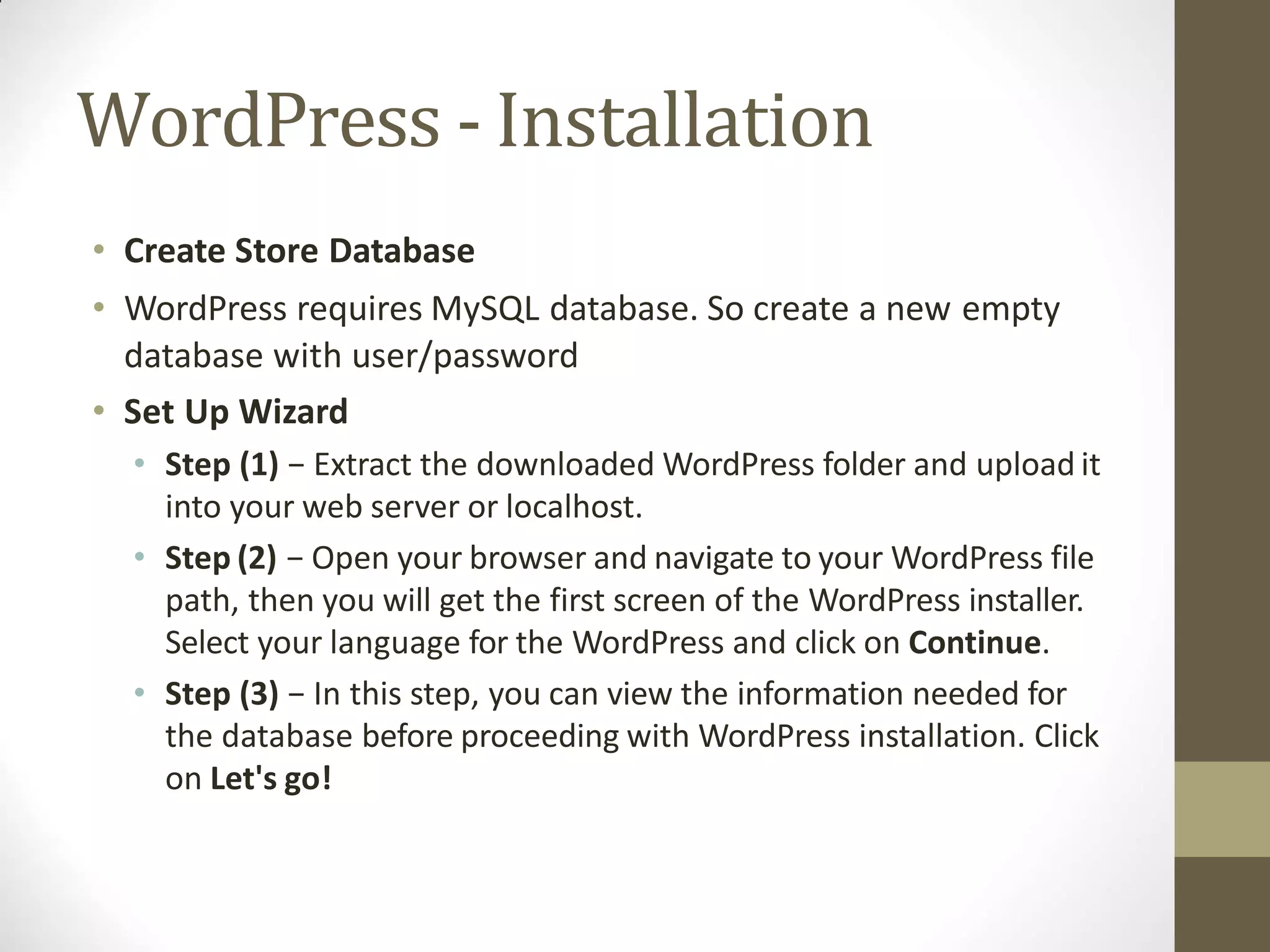
• Create Store Database
• WordPress requires MySQL database. So create a new empty
database with user/password
• Set Up Wizard
• Step (1) − Extract the downloaded WordPress folder and upload it
into your web server or localhost.
• Step (2) − Open your browser and navigate to your WordPress file
path, then you will get the first screen of the WordPress installer.
Select your language for the WordPress and click on Continue.
• Step (3) − In this step, you can view the information needed for
the database before proceeding with WordPress installation. Click
on Let's go!
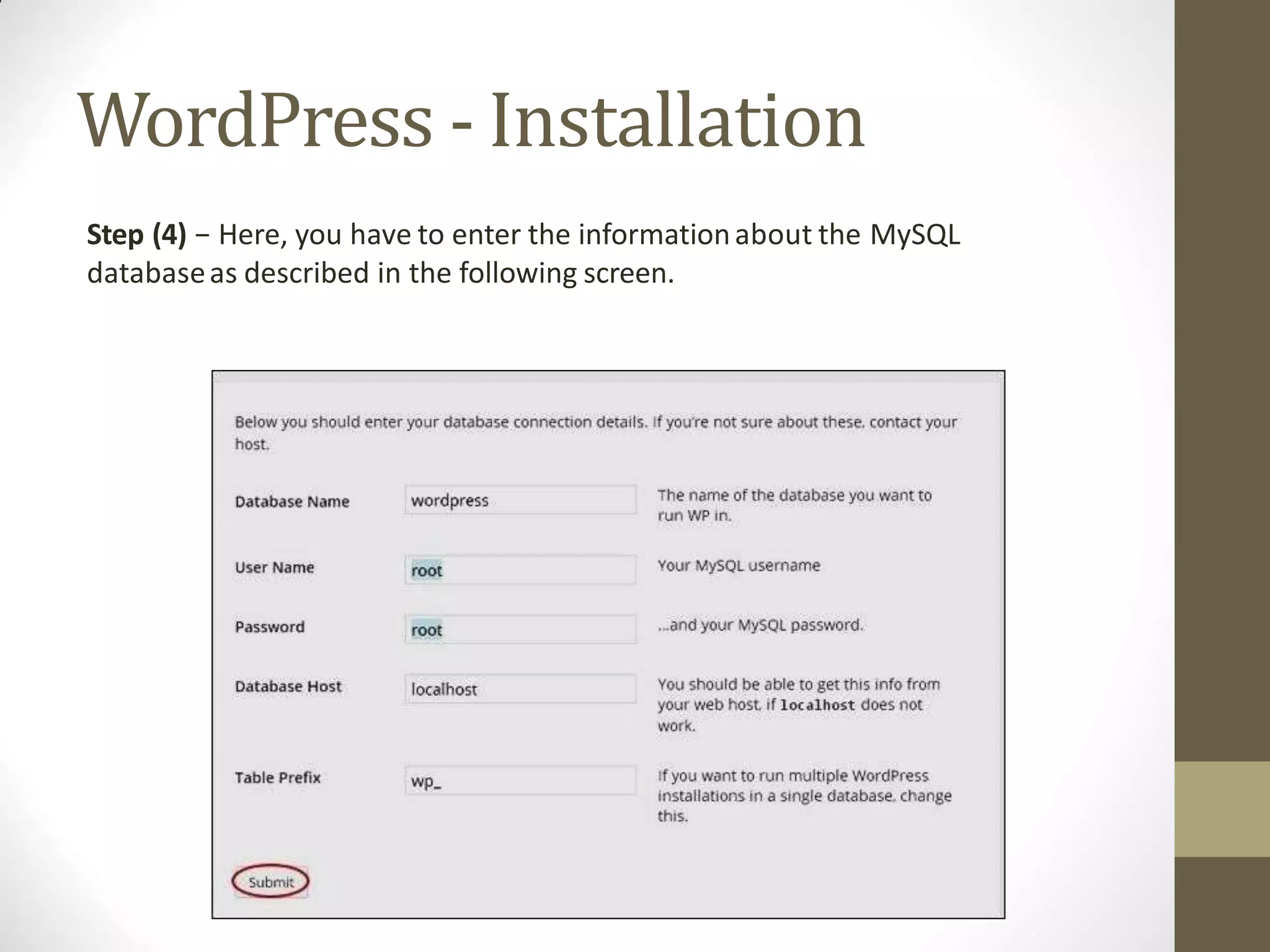
WordPress - Installation
Step (4) − Here, you have to enter the informationabout the MySQL
databaseas described in the following screen.
WordPress - Installation
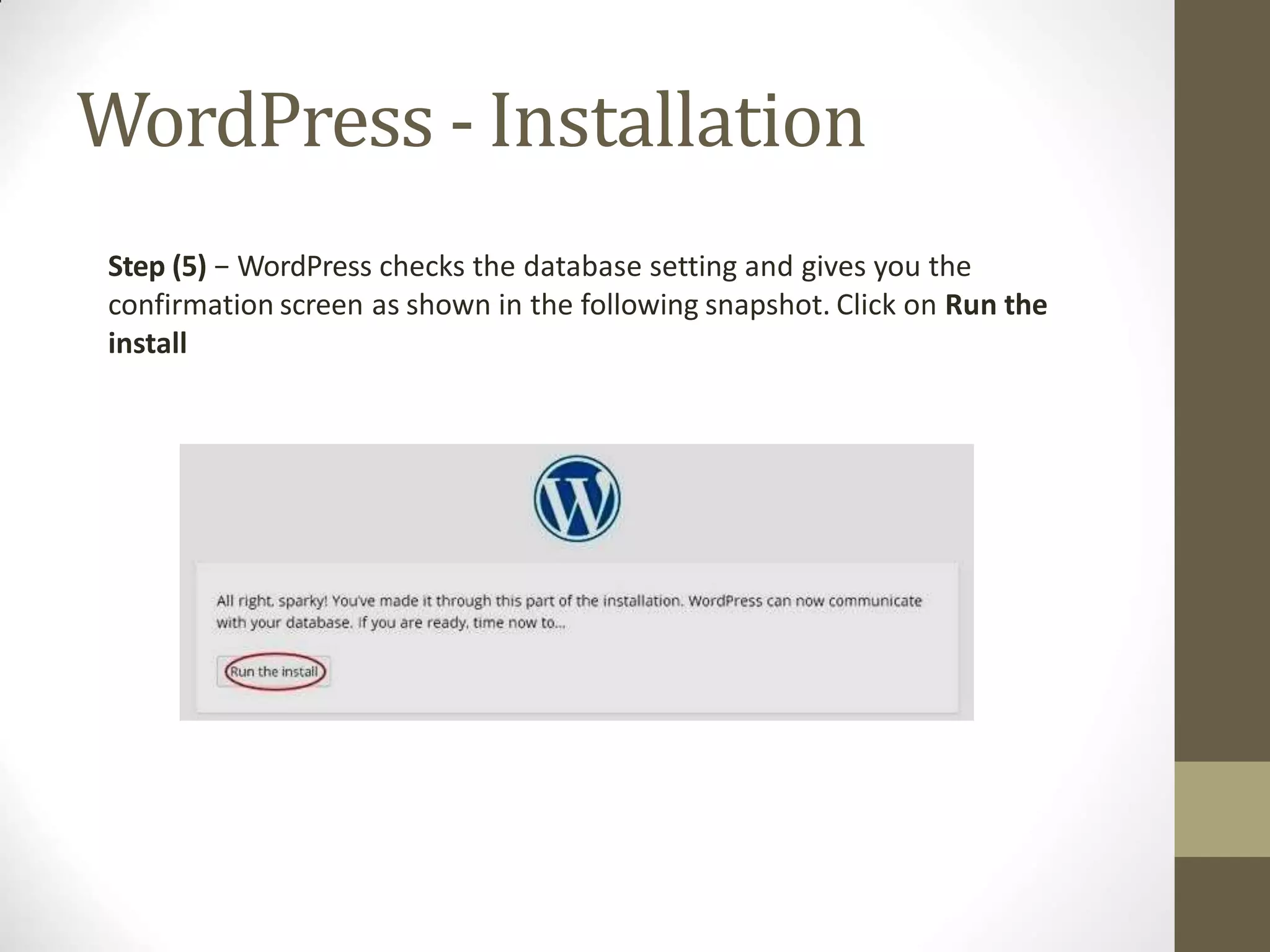
Step (5) − WordPress checks the database setting and gives you the
confirmation screen as shown in the following snapshot. Click on Run the
install
WordPress - Installation
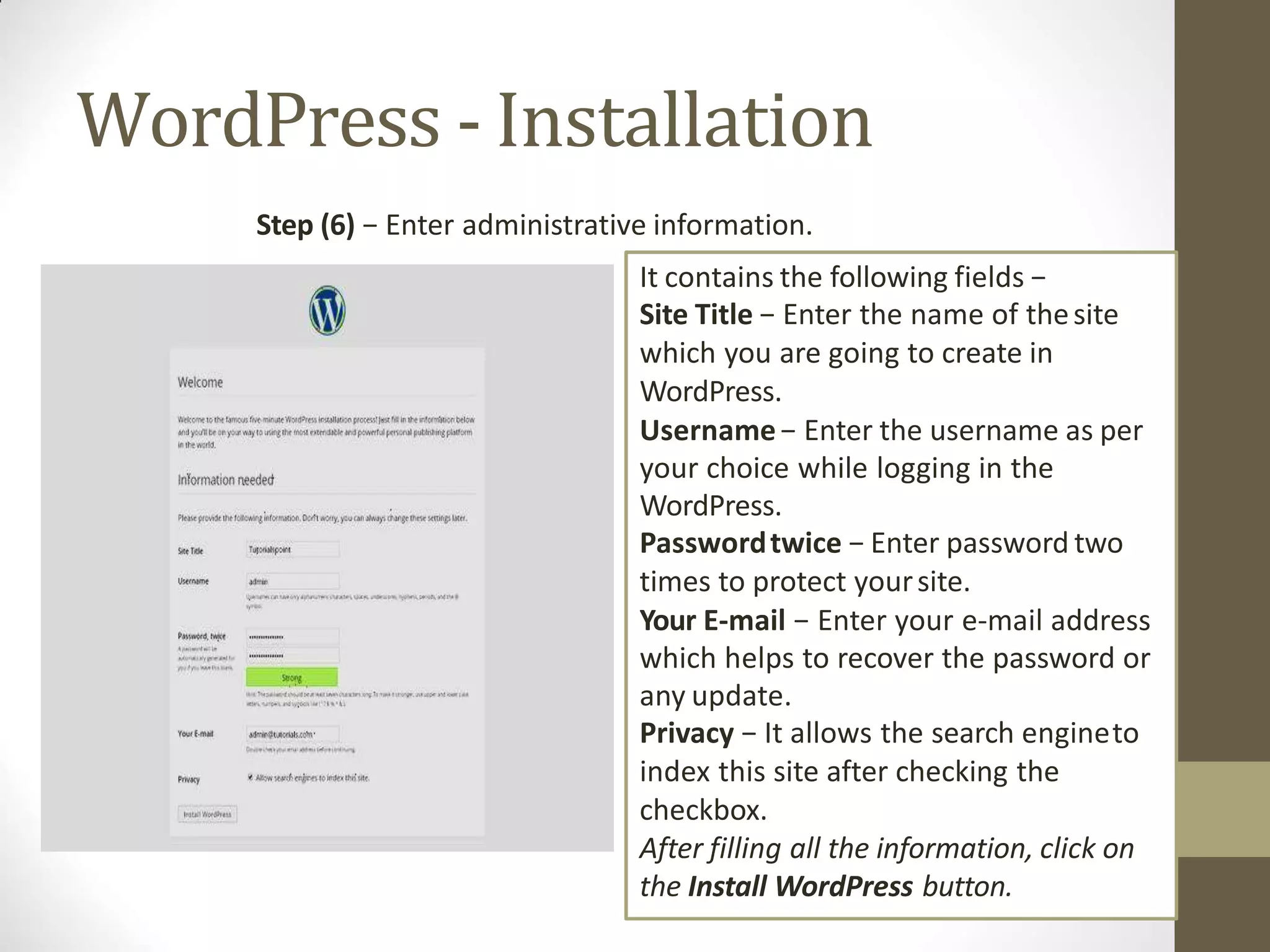
Step (6) − Enter administrative information.
It contains the following fields −
Site Title − Enter the name of thesite
which you are going to create in
WordPress.
Username− Enter the username as per
your choice while logging in the
WordPress.
Passwordtwice − Enter password two
times to protect yoursite.
Your E-mail − Enter your e-mail address
which helps to recover the password or
any update.
Privacy − It allows the search engineto
index this site after checking the
checkbox.
After filling all the information, click on
the Install WordPress button.
WordPress - Installation
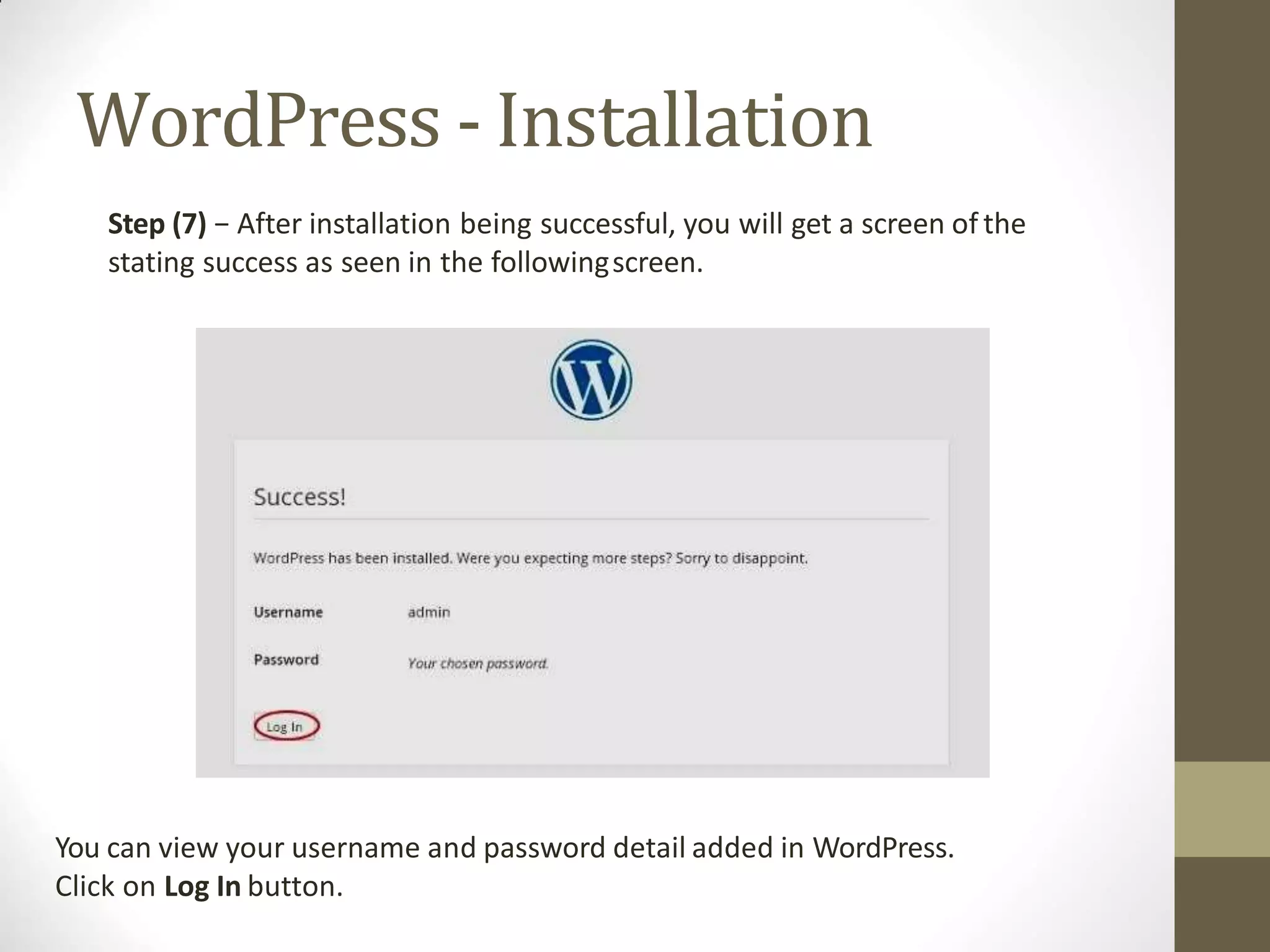
Step (7) − After installation being successful, you will get a screen of the
stating success as seen in the followingscreen.
You can view your username and password detail added in WordPress.
Click on Log In button.
WordPress - Installation
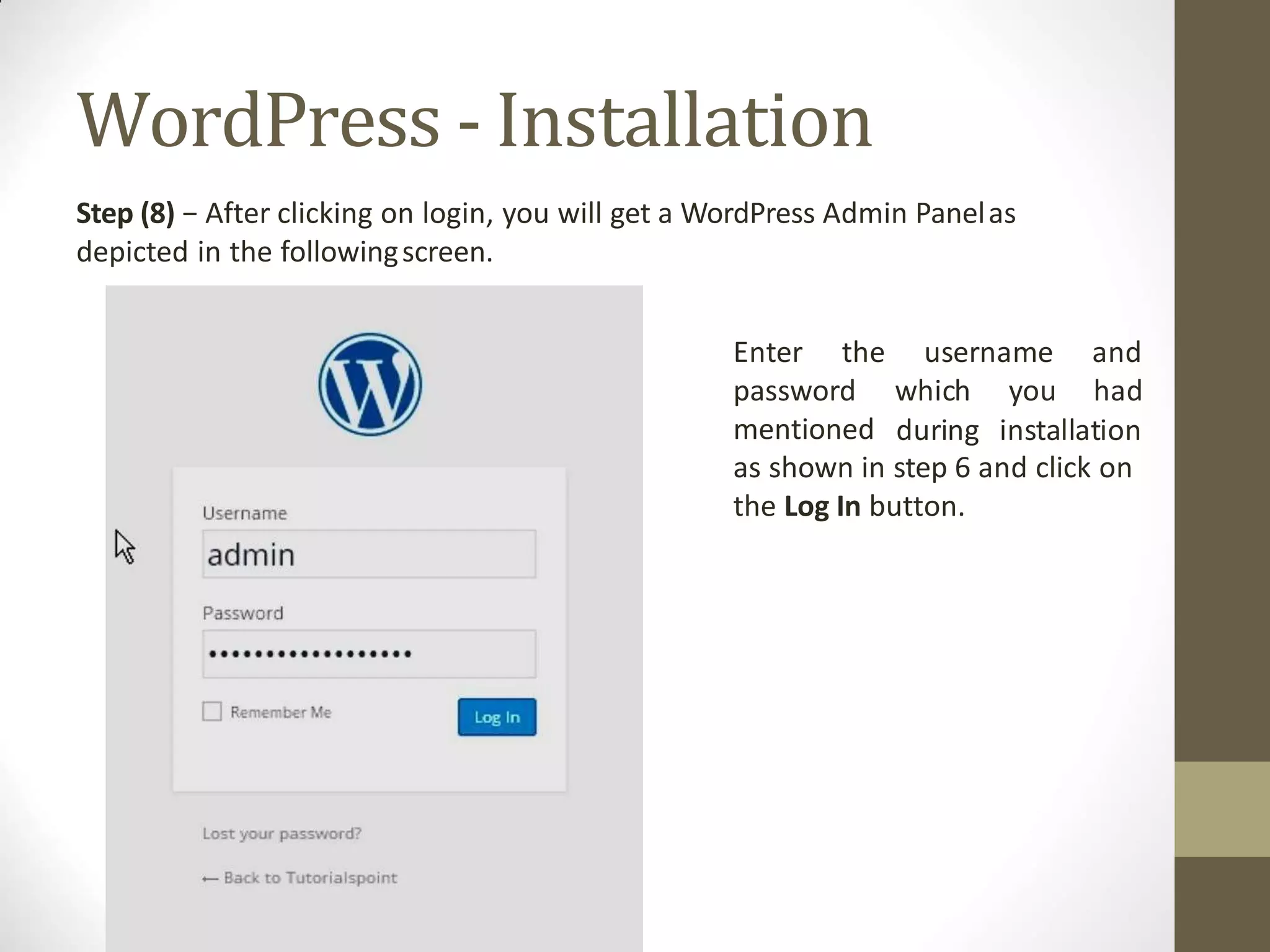
Step (8) − After clicking on login, you will get a WordPress Admin Panelas
depicted in the followingscreen.
username and
which you had
Enter the
password
mentioned during installation
as shown in step 6 and click on
the Log In button.
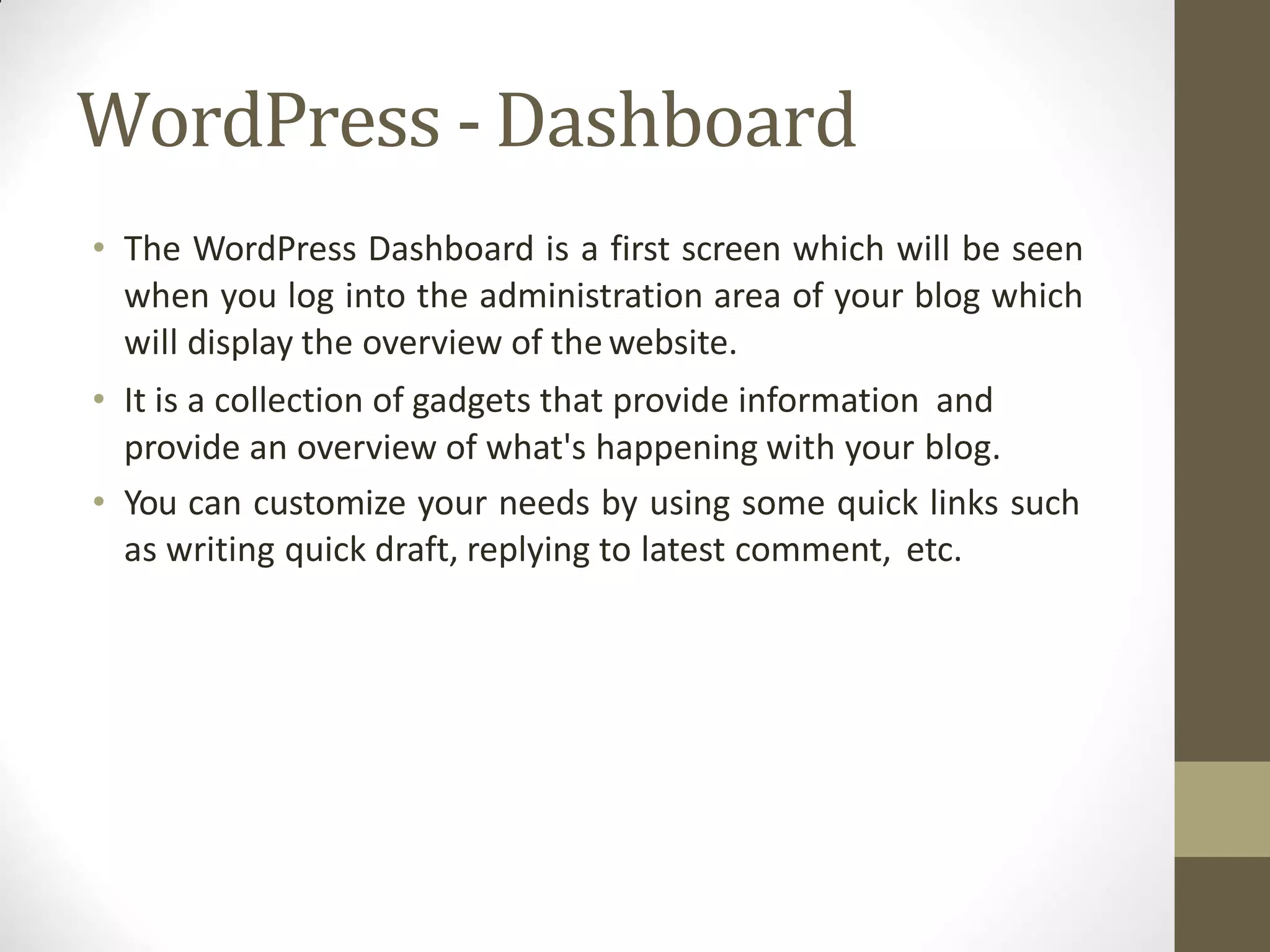
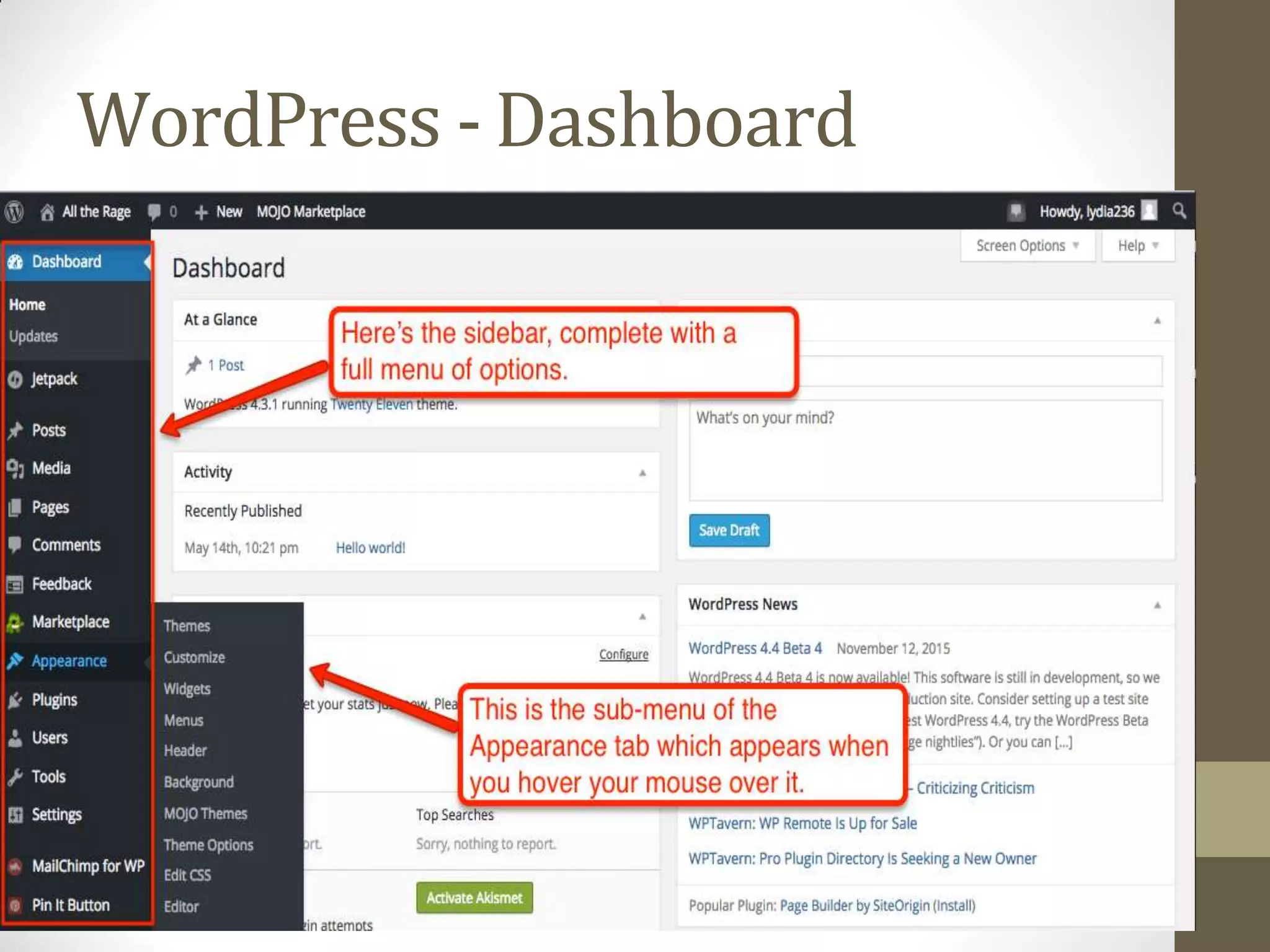
WordPress -Dashboard
• The WordPress Dashboard is a first screen which will be seen
when you log into the administration area of your blog which
will display the overview of thewebsite.
• It is a collection of gadgets that provide information and
provide an overview of what's happening with your blog.
• You can customize your needs by using some quick links such
as writing quick draft, replying to latest comment, etc.
WordPress -Dashboard
Outline ofCMS
Introduction to Content
Management System(CMS)
Wordpress
Joomala
Joomala
• Joomla is an open source Content Management System (CMS),
which is used to build websites and online applications.
• It is free and extendable which is separated into front-end
templates and back-end templates (administrator).
• Joomla is developed using PHP, Object Oriented Programming,
software design patterns and MySQL (used for storing the
data).
• History
• Joomla is based on Mambo CMS which was developed by an
Australian company in 2001 and initially released on August
17, 2005. The official version of Joomla 1.0 was released on
September 22, 2005.
Joomala-Features
• User Manager − It allows managing the user information such as permission to edit, access,
publish, create or delete the user, change the password and languages.
• Content Manager − It allows managing the content using WYSIWYG editor to create or edit
the content in a very simple way.
• Banner Manager − It is used to add or edit the banners on thewebsite.
• Template Manager − It manages the designs that are used on the website. The templatescan
be implemented without changing the content structure within a few seconds.
• Media Manager − It is the tool for managing the media files and folder in which you can easily
upload, organize and manage your media files into your article editor tool.
• Contact Manager − It allows to add contacts, managing the contact information of the
particular users.
• Web Link Manager − The link resource is provided for user of the site and can be sorted into
categories.
• Search − It allows users to search the appropriate information on the site. You can use smart
indexing, advanced search options, auto suggest searches
• Menu Manager − It allows to create menus and menu items.
• RSS − It stands for Really Simple syndication which helps your site contents and RSS files to be
automatically updated.
Joomala-Advantages
• It is an open source platform and available for free.
• Joomla is designed to be easy to install and set up even if you're not
an advanced user.
• Since Joomla is so easy to use, as a web designer or developer,you
can quickly build sites for your clients.
• It is very easy to edit the content as it uses WYSIWYG editor(What
You See Is What You Get is a user interface that allows the user to
directly manipulate the layout of the document without having a
layout command).
• It ensures the safety of data content and doesn't allow anyone to
edit the data.
• By default, Joomla is compatible with allbrowsers.
• The templates are very flexible to use.
• Media files can be uploaded easily in the article editor tool.
• Provides easy menu creation tool.
Joomala-Disadvantages
• It gives compatibility problem while installing several modules,
extensions and pluginssimultaneously.
• Plugins and modules are not free in Joomla.
• Development is too difficult to handle when you want to
change the layout.
• Joomla is not much SEO (Search Engine Optimization) friendly.
• It makes website heavy to load and run.
Real World Examples ofWhat
Joomla CanCreate?
• Corporate web sites or portals
• Corporate intranets and extranets
• Online magazines, newspapers, and publications
• E-commerce and online reservations
• Government applications
• Small business websites
• Non-profit and organizational web sites
• Community-based portals
• School and religious web sites
• Personal or familyhomepages
Joomla -Installation
• System Requirementsfor Joomla3.x
• Database − MySQL 5.1 +
• Web Server −
• WAMP (Windows)
• LAMP (Linux)
• XAMP (Multi-platform)
• MAMP (Macintosh)
• Nginx
• Microsoft IIS
• Operating System −Cross-platform
• Browser Support − IE (Internet Explorer 7), Firefox, Googlechrome
• SSL (Secure Socket Layer) − A valid security certificate is requiredfor
HTTPS
• PHP Compatibility − PHP 5.4+ or PHP 5.3.10+
• Download Joomlausing link http://www.joomla.org/download.htm
Joomla -Installation
• Create Store Database
• Joomla requires MySQL database. So create a newempty
database and user/password forJoomla.
• After following the above step, you can continue withthe
installation process.
• SetUp Wizard
• Step (1) − Extract the downloaded Joomla folder and upload iton
your web server or localhost.
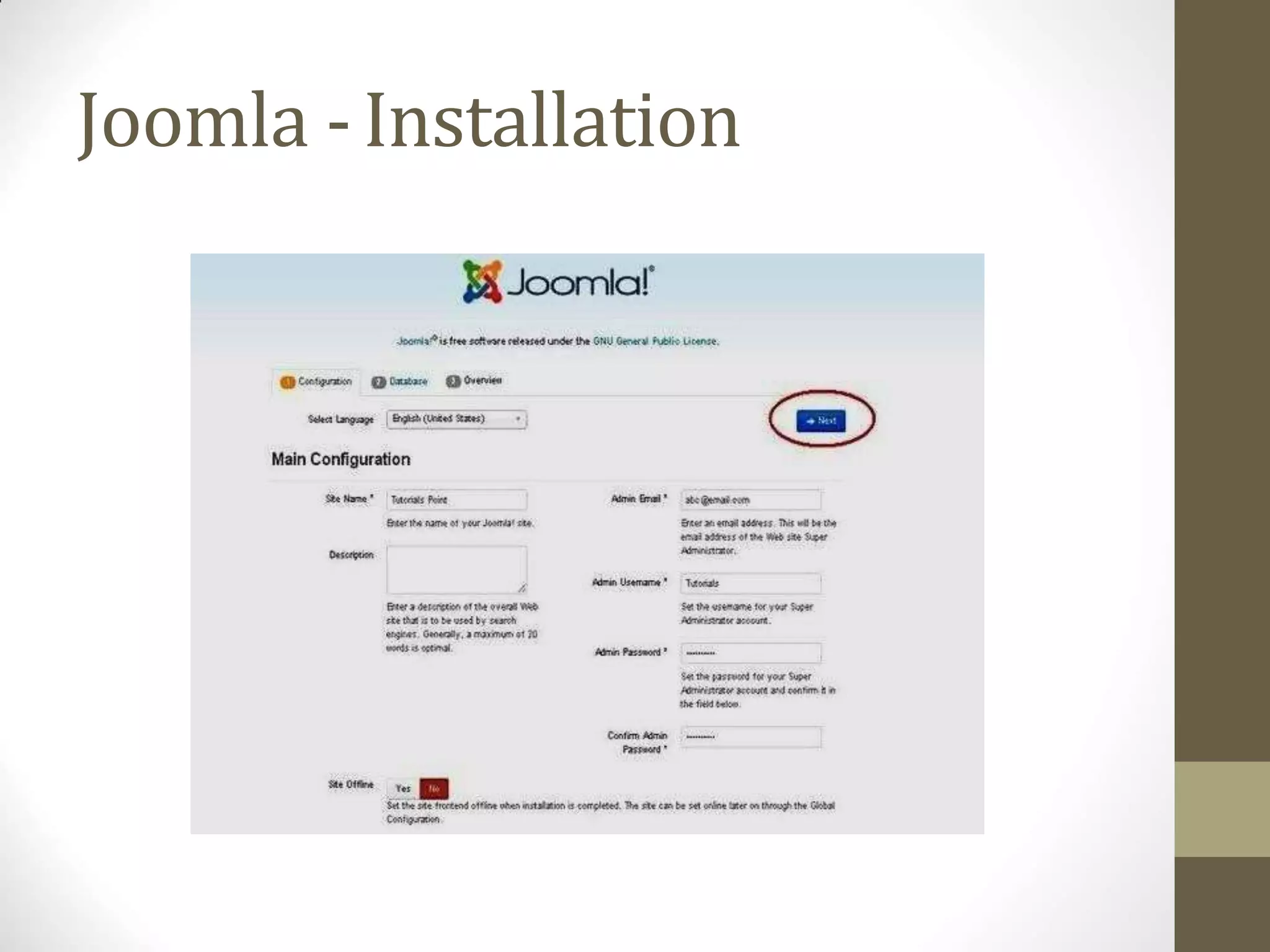
• Step (2) − Open your browser and navigate to your Joomla file
path, then you will get the first screen of the Joomla installer as
shown in the following screen. In our case the path is localhost/<
Your_joomla_folder >.
Joomla -Installation
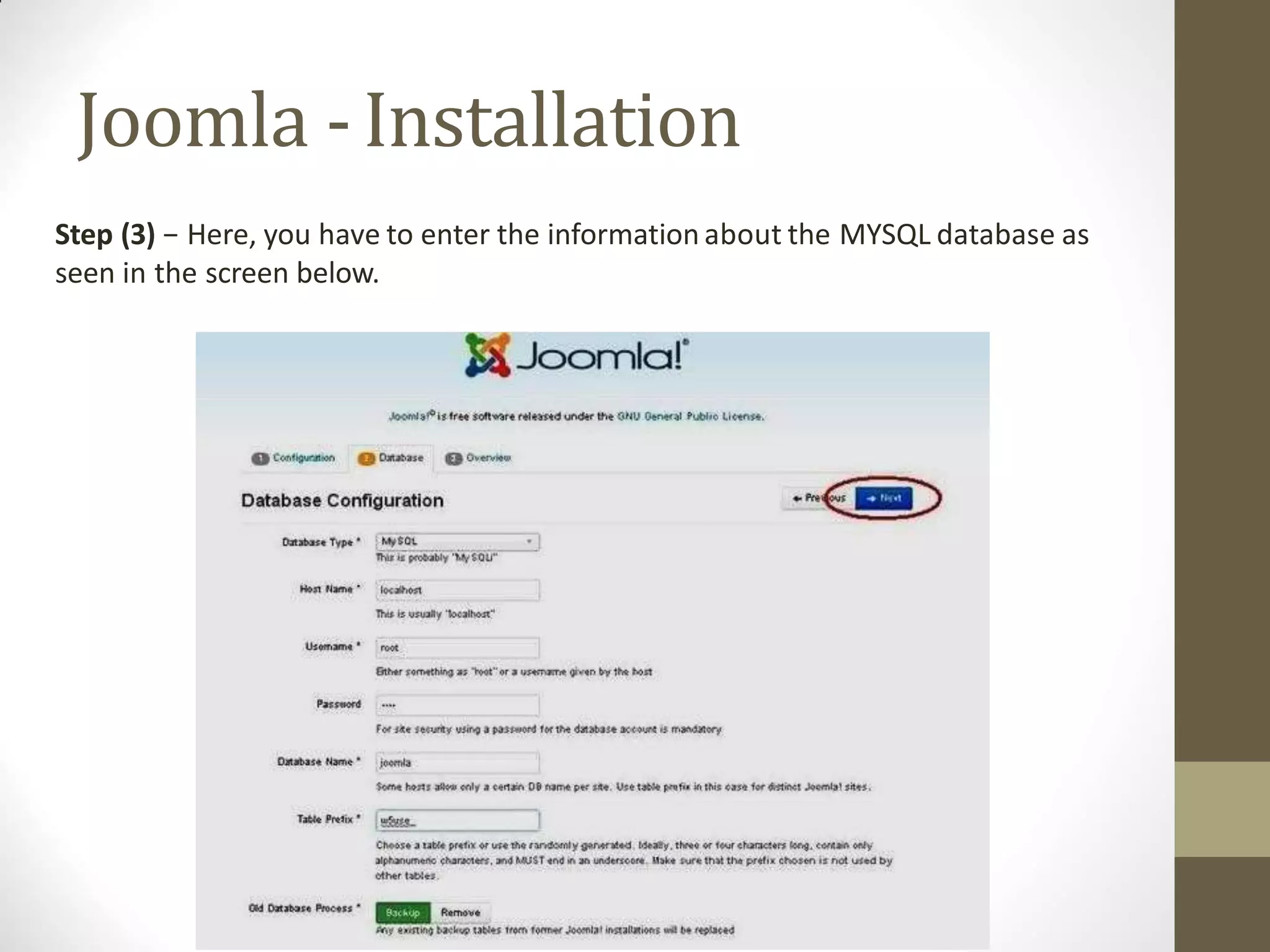
Step (3) − Here, you have to enter the information about the MYSQL database as
seen in the screen below.
Joomla -Installation
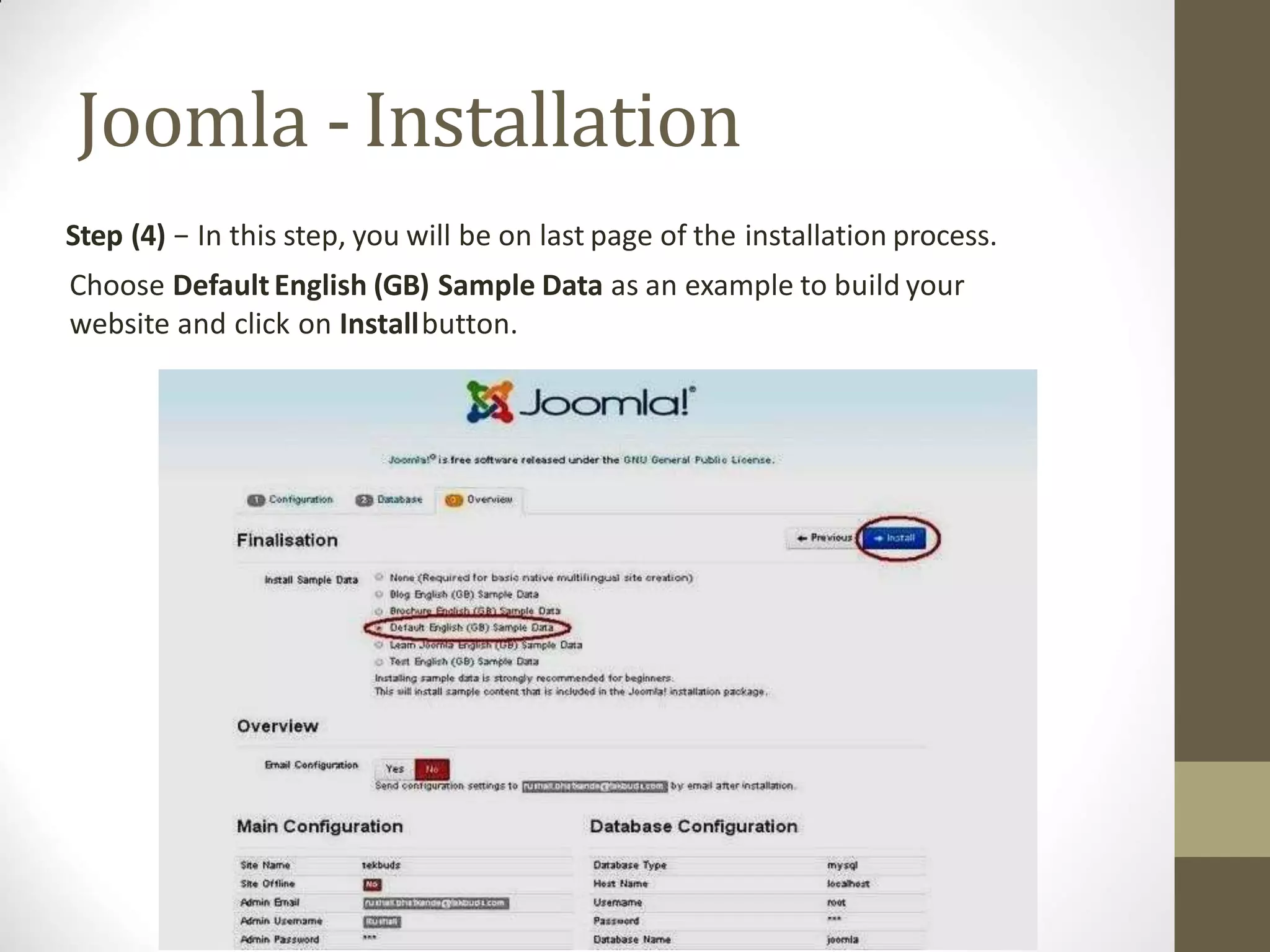
Step (4) − In this step, you will be on last page of the installation process.
Choose DefaultEnglish (GB) Sample Data as an example to build your
website and click on Installbutton.
Joomla -Installation
• Step (5) − After a few minutes, after installation is successful and
you will get a screen of the Joomla web installer as shown below.
• Admin Panel
• After installing Joomla you are able to login to your Joomla
Admin Panel as described below −
• Step (1) − Toaccess Joomla administrative panel, open the
browser and type the URL as
http://localhost/< Your_joomla_folder>/administrator/index.php
• Step (2) − Enter the username and password which you had
mentioned during installation as shown in the step 3 of Set Up
Wizard section and click on the login button.
Joomla -Architecture
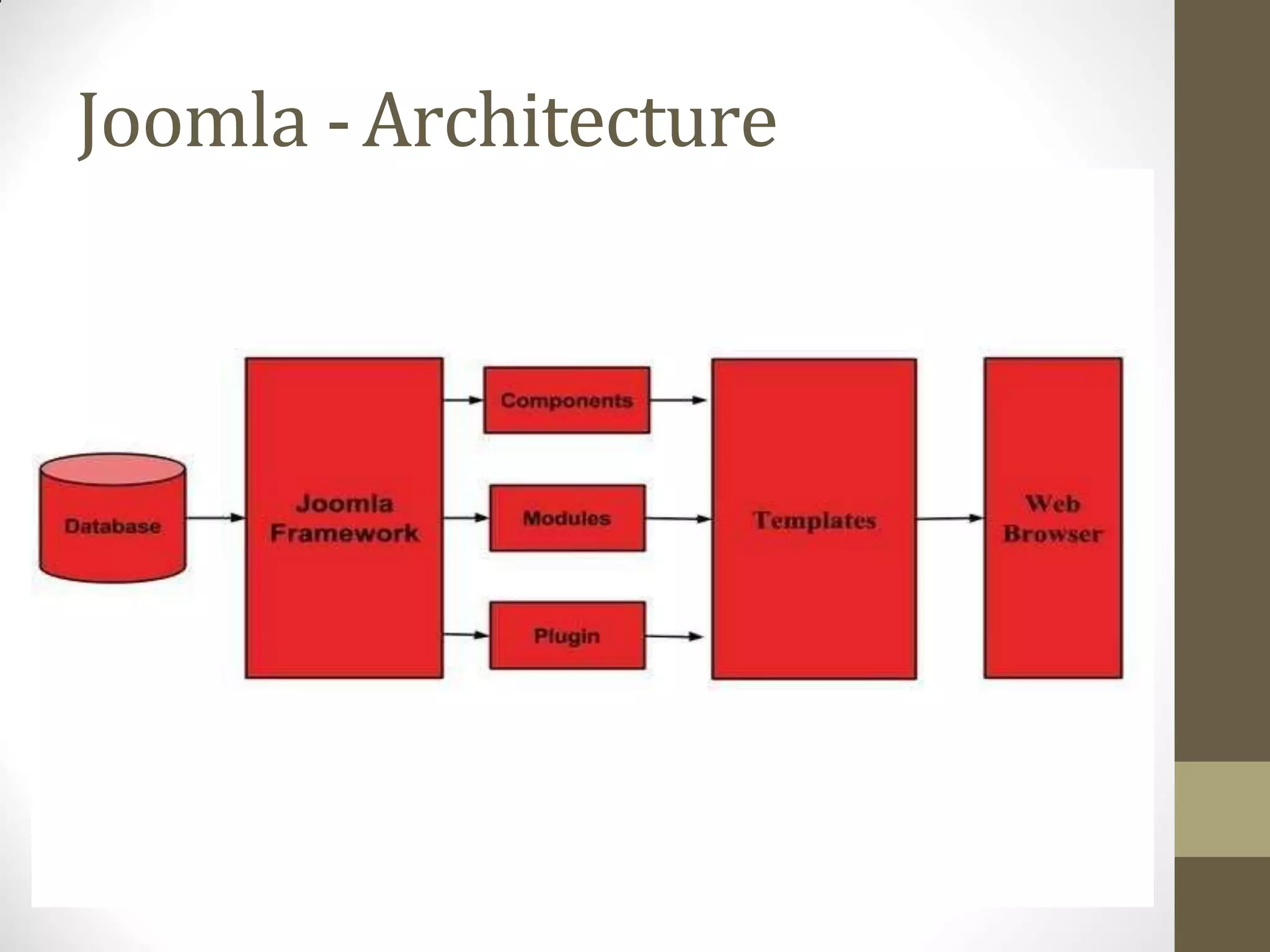
• Joomla is a Model-View-Controller web application.
• The architecture of Joomla contains following layers −
• Database
• Joomla Framework
• Components
• Modules
• Plugin
• Templates
• Web Server
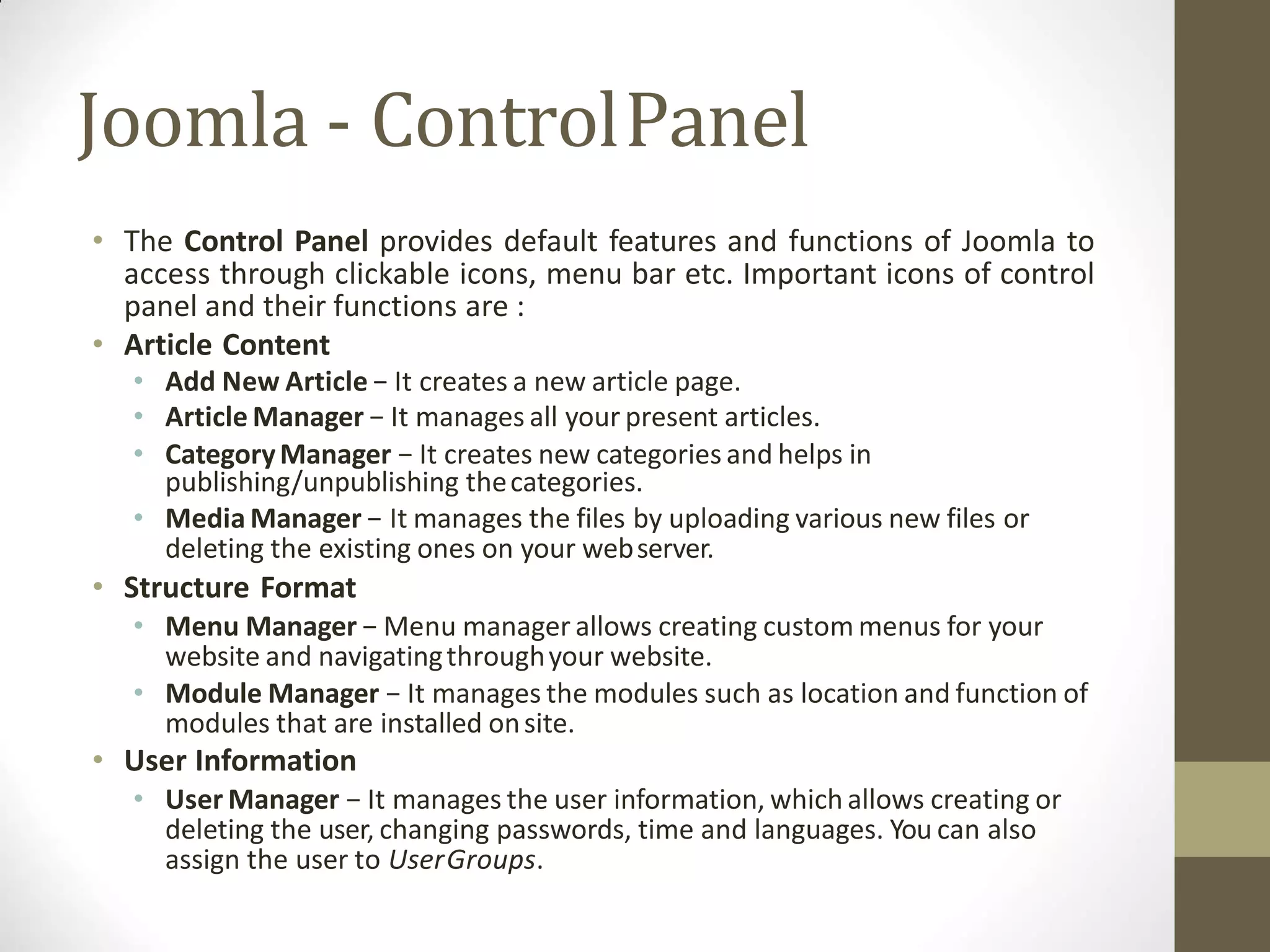
Joomla - ControlPanel
• The Control Panel provides default features and functions of Joomla to
access through clickable icons, menu bar etc. Important icons of control
panel and their functions are :
• Article Content
• Add New Article − It creates a new article page.
• Article Manager − It manages all your present articles.
• CategoryManager − It creates new categories and helps in
publishing/unpublishing thecategories.
• Media Manager − It manages the files by uploading various new files or
deleting the existing ones on your webserver.
• Structure Format
• Menu Manager − Menu manager allows creating custom menus for your
website and navigatingthroughyour website.
• Module Manager − It manages the modules such as location and function of
modules that are installed onsite.
• User Information
• User Manager − It manages the user information, which allows creating or
deleting the user, changing passwords, time and languages. You can also
assign the user to UserGroups.
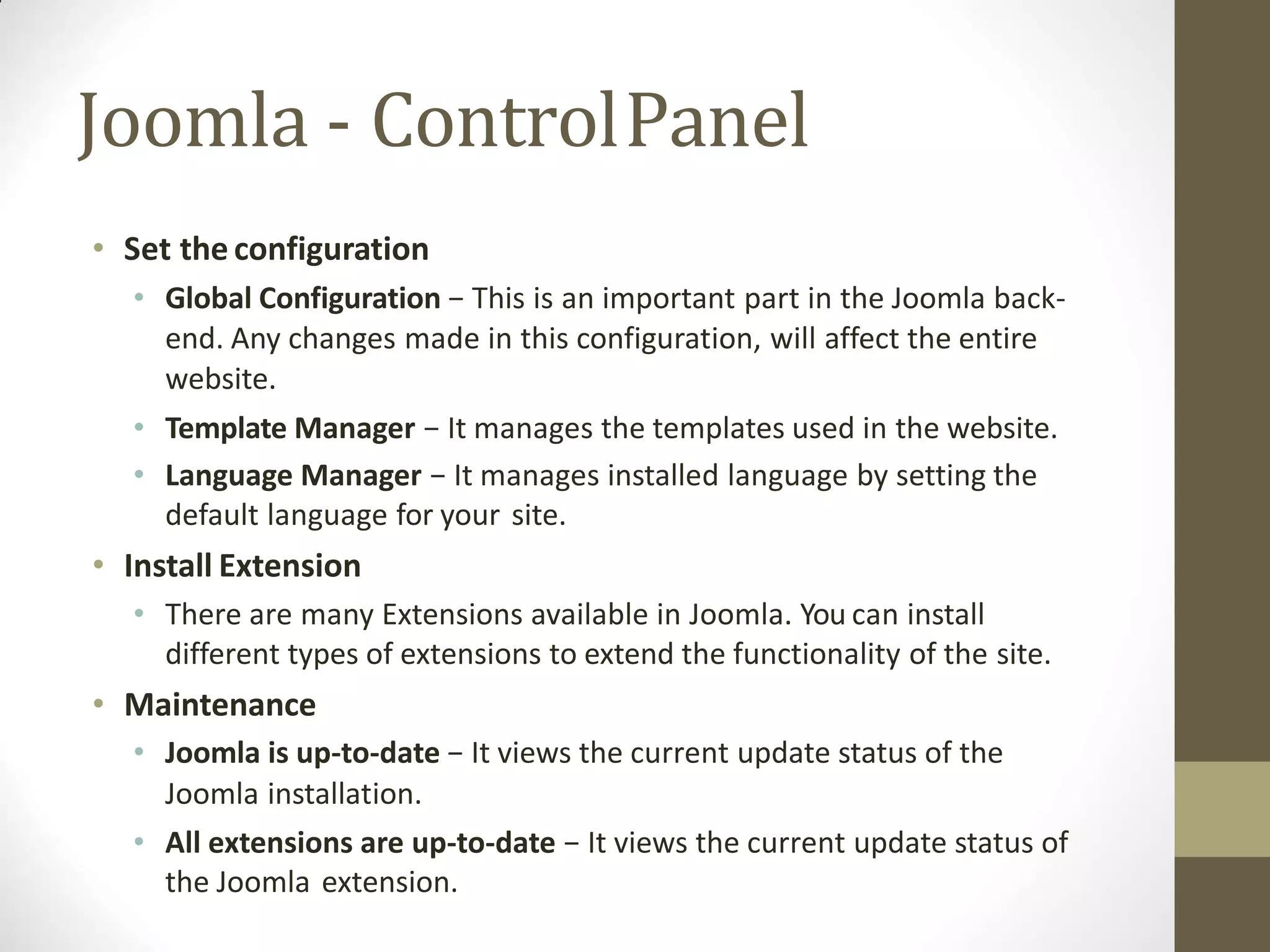
Joomla - ControlPanel
• Set the configuration
• Global Configuration − This is an important part in the Joomla back-
end. Any changes made in this configuration, will affect the entire
website.
• Template Manager − It manages the templates used in the website.
• Language Manager − It manages installed language by setting the
default language for your site.
• Install Extension
• There are many Extensions available in Joomla. You can install
different types of extensions to extend the functionality of the site.
• Maintenance
• Joomla is up-to-date − It views the current update status of the
Joomla installation.
• All extensions are up-to-date − It views the current update status of
the Joomla extension.
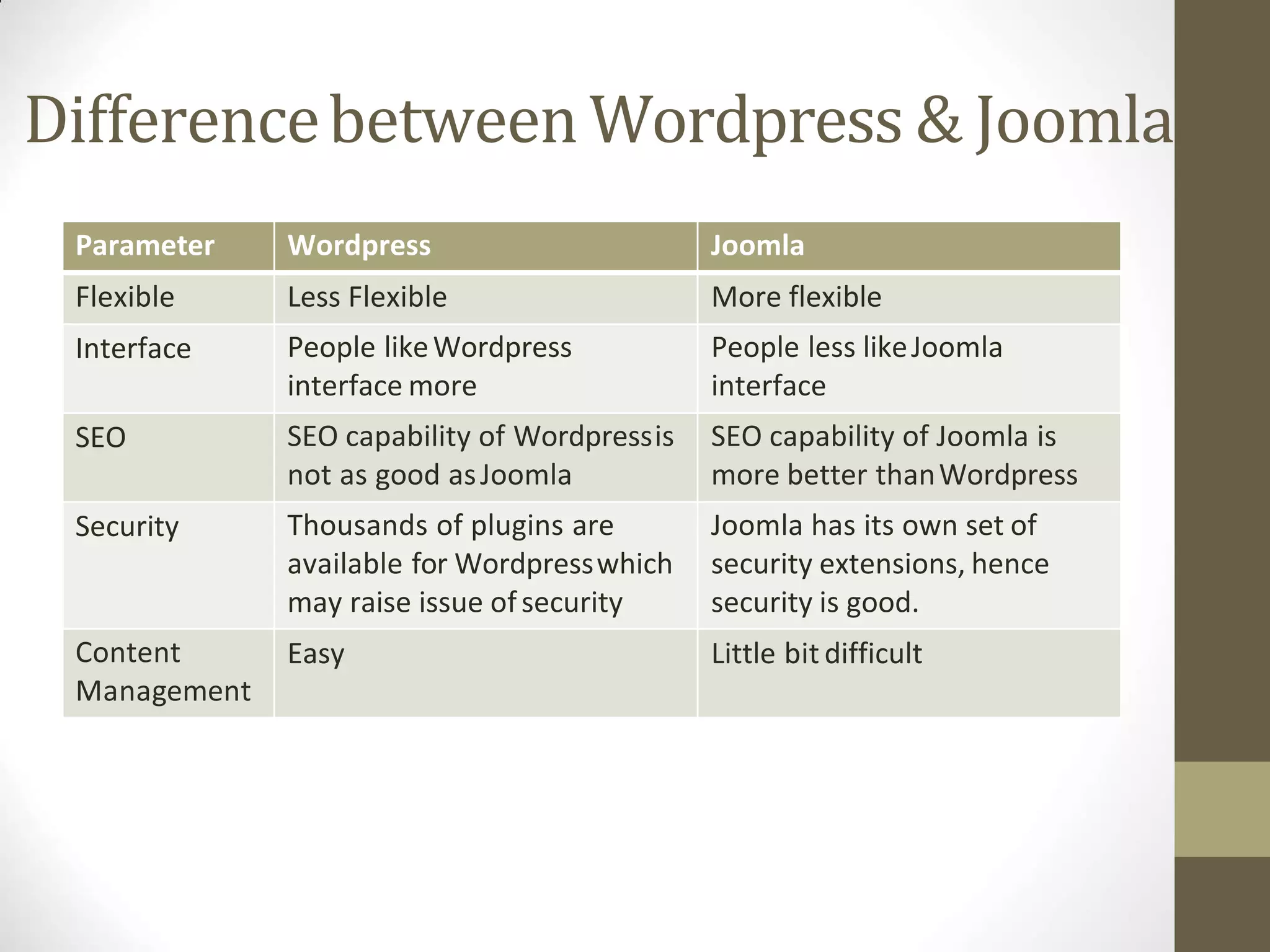
Differencebetween Wordpress & Joomla
Parameter Wordpress Joomla
Flexible Less Flexible More flexible
Interface People likeWordpress
interface more
People less likeJoomla
interface
SEO SEO capability of Wordpressis
not as good asJoomla
SEO capability of Joomla is
more better thanWordpress
Security Thousands of plugins are
available for Wordpresswhich
may raise issue ofsecurity
Joomla has its own set of
security extensions, hence
security is good.
Content
Management
Easy Little bit difficult
Outline
Web Services
EJB
CMS
Advance Technology
Advance Technology
Outlineof AdvanceTechnology
Bootstrap
JSF
Spring
Bootstrap
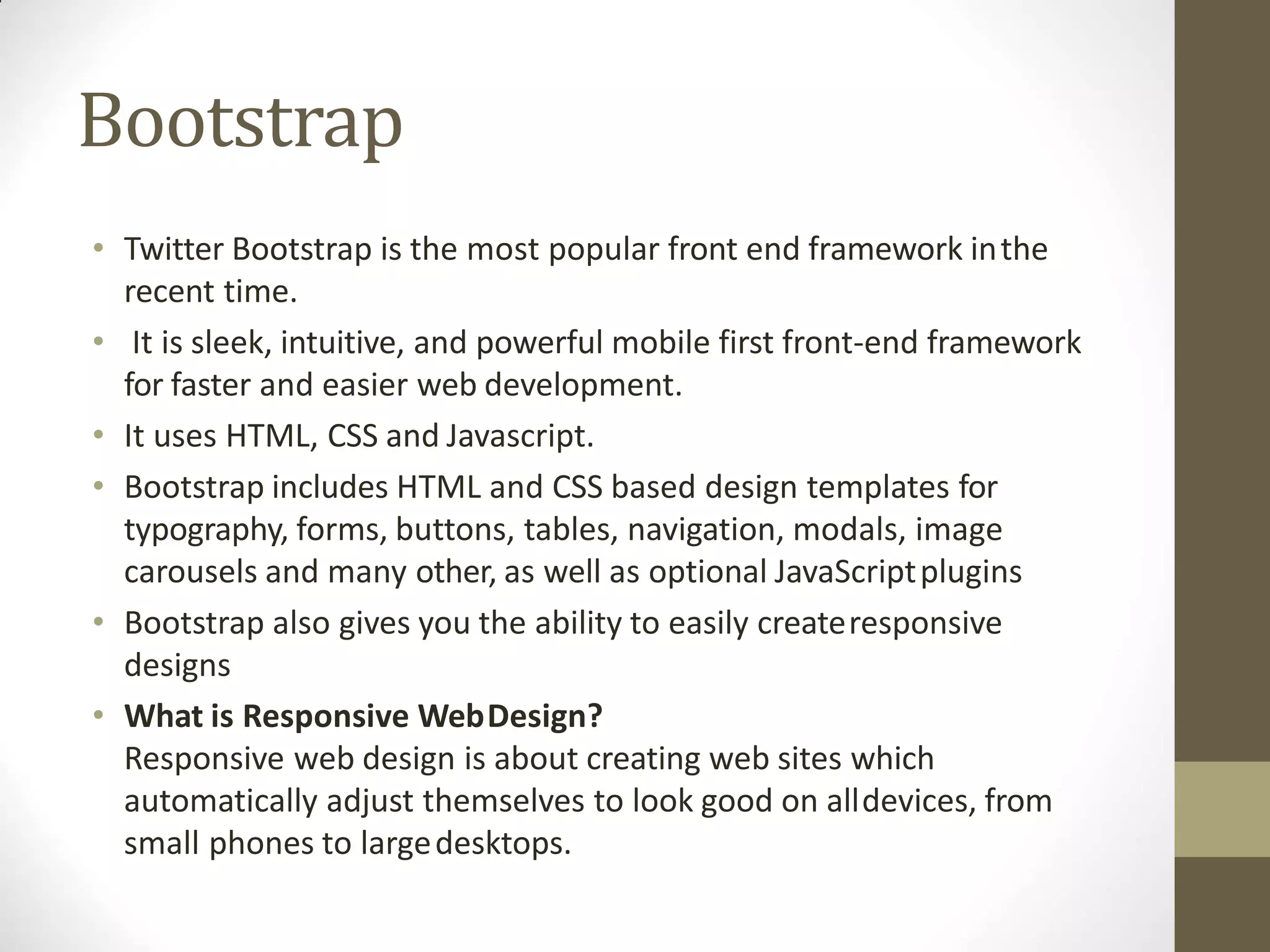
• Twitter Bootstrap is the most popular front end framework inthe
recent time.
• It is sleek, intuitive, and powerful mobile first front-end framework
for faster and easier web development.
• It uses HTML, CSS and Javascript.
• Bootstrap includes HTML and CSS based design templates for
typography, forms, buttons, tables, navigation, modals, image
carousels and many other, as well as optional JavaScriptplugins
• Bootstrap also gives you the ability to easily createresponsive
designs
• What is Responsive WebDesign?
Responsive web design is about creating web sites which
automatically adjust themselves to look good on alldevices, from
small phones to largedesktops.
Bootstrap
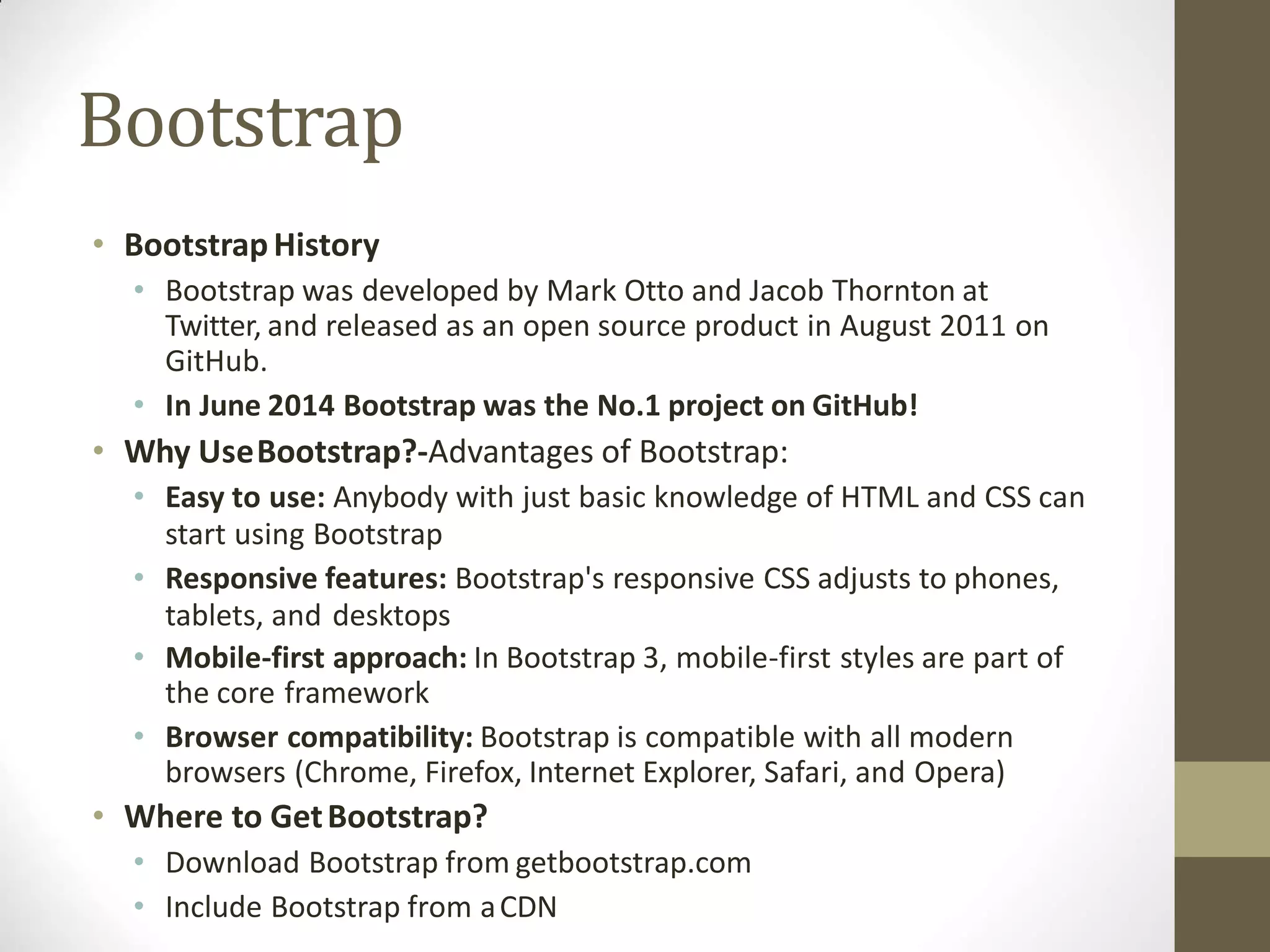
• BootstrapHistory
• Bootstrap was developed by Mark Otto and Jacob Thornton at
Twitter, and released as an open source product in August 2011 on
GitHub.
• In June 2014 Bootstrap was the No.1 project on GitHub!
• Why UseBootstrap?-Advantages of Bootstrap:
• Easy to use: Anybody with just basic knowledge of HTML and CSS can
start using Bootstrap
• Responsive features: Bootstrap's responsive CSS adjusts to phones,
tablets, and desktops
• Mobile-first approach: In Bootstrap 3, mobile-first styles are part of
the core framework
• Browser compatibility: Bootstrap is compatible with all modern
browsers (Chrome, Firefox, Internet Explorer, Safari, and Opera)
• Where to GetBootstrap?
• Download Bootstrap from getbootstrap.com
• Include Bootstrap from aCDN
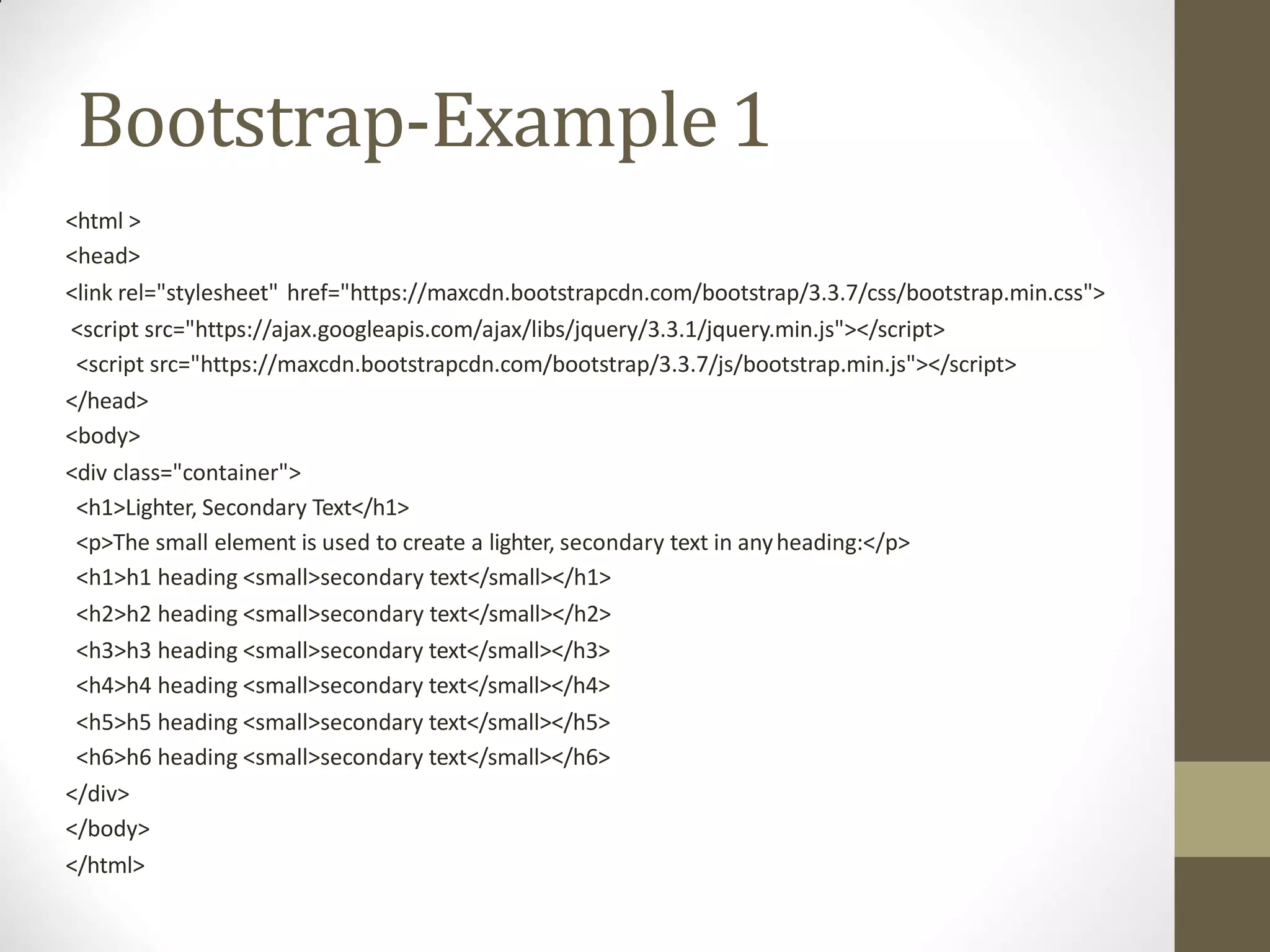
Bootstrap-Example1
<html >
<head>
<link rel="stylesheet" href="https://maxcdn.bootstrapcdn.com/bootstrap/3.3.7/css/bootstrap.min.css">
<script src="https://ajax.googleapis.com/ajax/libs/jquery/3.3.1/jquery.min.js"></script>
<script src="https://maxcdn.bootstrapcdn.com/bootstrap/3.3.7/js/bootstrap.min.js"></script>
</head>
<body>
<div class="container">
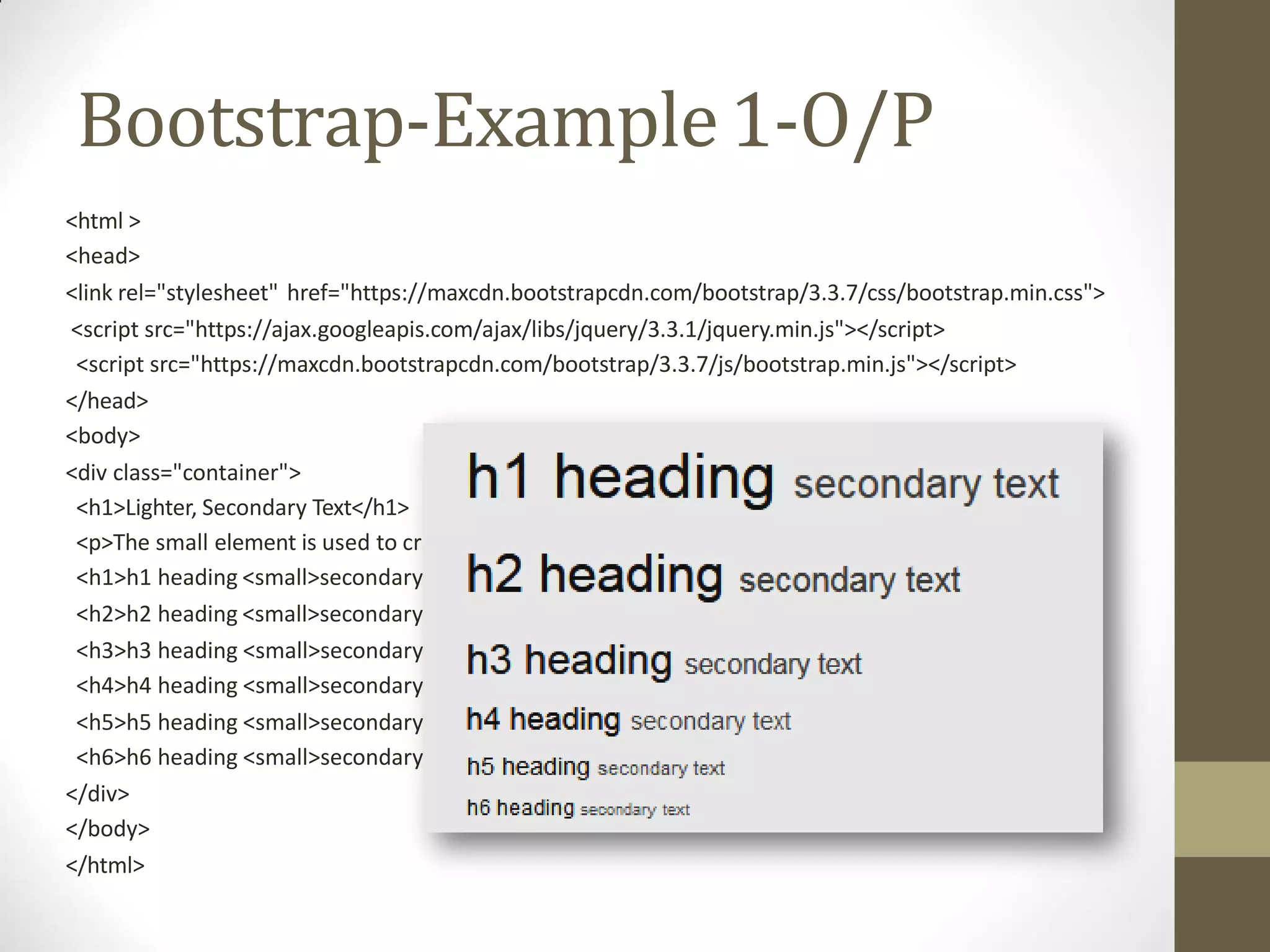
<h1>Lighter, Secondary Text</h1>
<p>The small element is used to create a lighter, secondary text in anyheading:</p>
<h1>h1 heading <small>secondary text</small></h1>
<h2>h2 heading <small>secondary text</small></h2>
<h3>h3 heading <small>secondary text</small></h3>
<h4>h4 heading <small>secondary text</small></h4>
<h5>h5 heading <small>secondary text</small></h5>
<h6>h6 heading <small>secondary text</small></h6>
</div>
</body>
</html>
Bootstrap-Example1-O/P
eate a lighter, secondary text in anyheading:</p>
text</small></h1>
text</small></h2>
text</small></h3>
text</small></h4>
text</small></h5>
text</small></h6>
<html >
<head>
<link rel="stylesheet" href="https://maxcdn.bootstrapcdn.com/bootstrap/3.3.7/css/bootstrap.min.css">
<script src="https://ajax.googleapis.com/ajax/libs/jquery/3.3.1/jquery.min.js"></script>
<script src="https://maxcdn.bootstrapcdn.com/bootstrap/3.3.7/js/bootstrap.min.js"></script>
</head>
<body>
<div class="container">
<h1>Lighter, Secondary Text</h1>
<p>The small element is used to cr
<h1>h1 heading <small>secondary
<h2>h2 heading <small>secondary
<h3>h3 heading <small>secondary
<h4>h4 heading <small>secondary
<h5>h5 heading <small>secondary
<h6>h6 heading <small>secondary
</div>
</body>
</html>
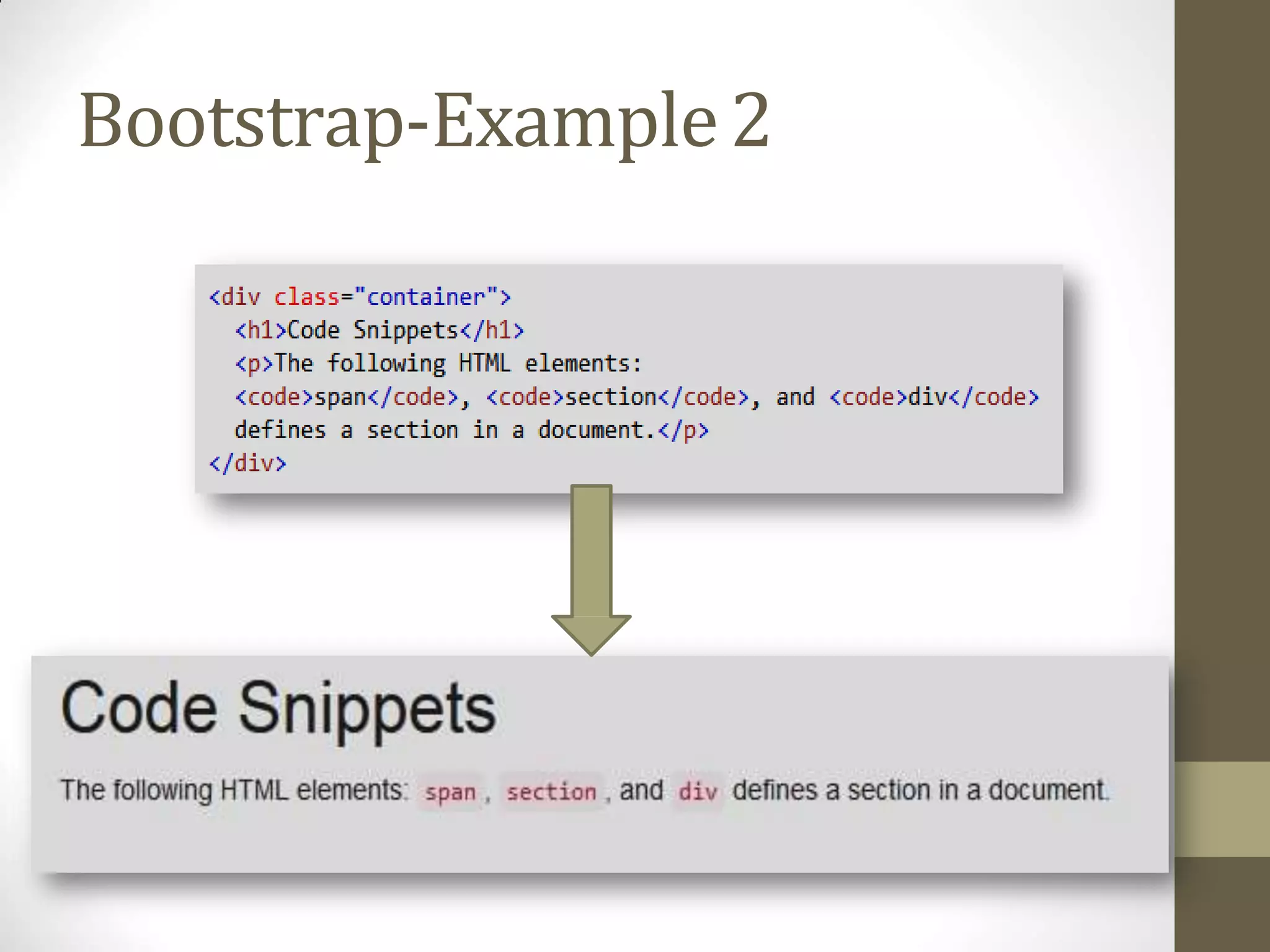
Bootstrap-Example2
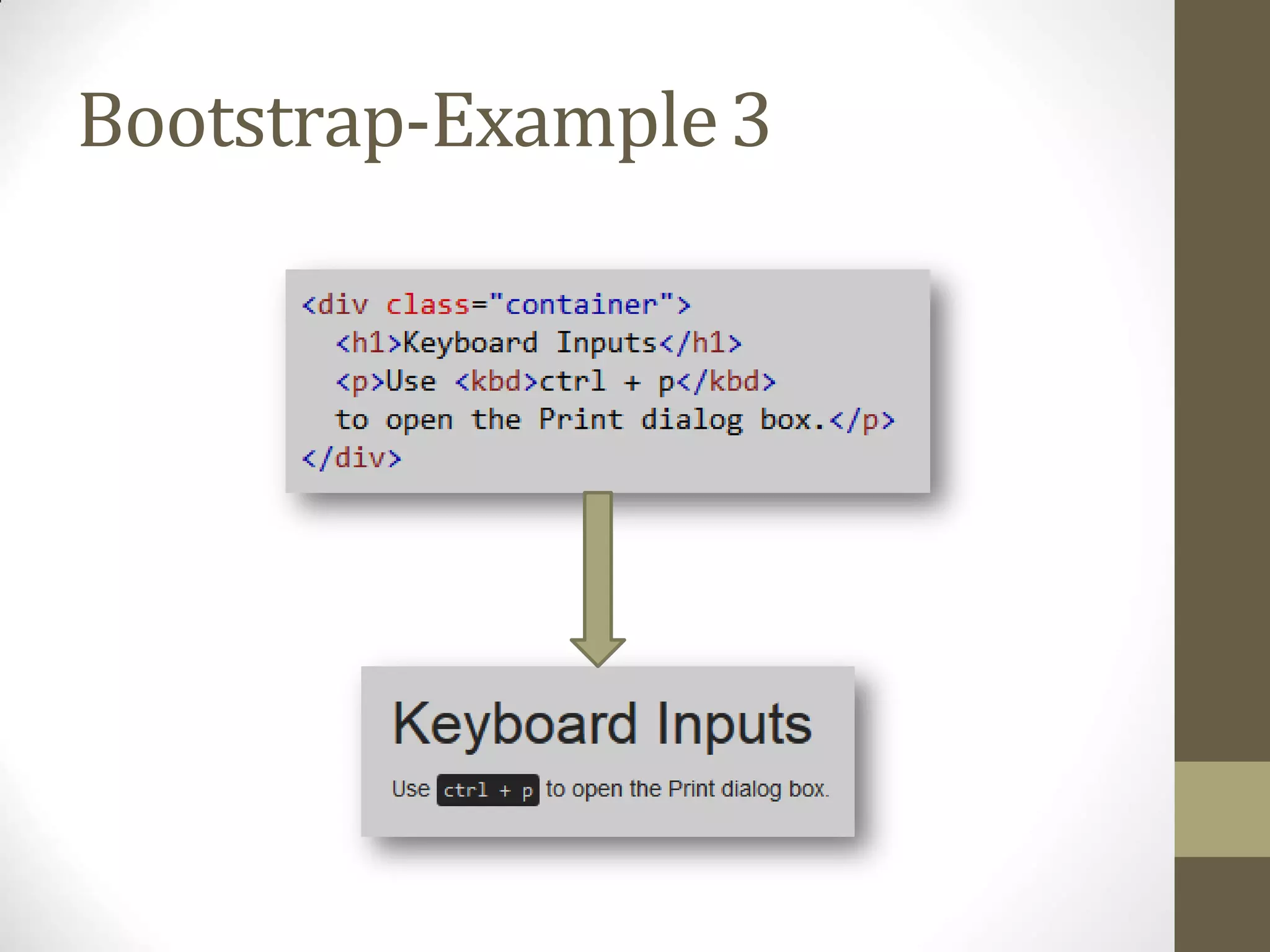
Bootstrap-Example3
Bootstrap-
ContextualColorsandBackgrounds
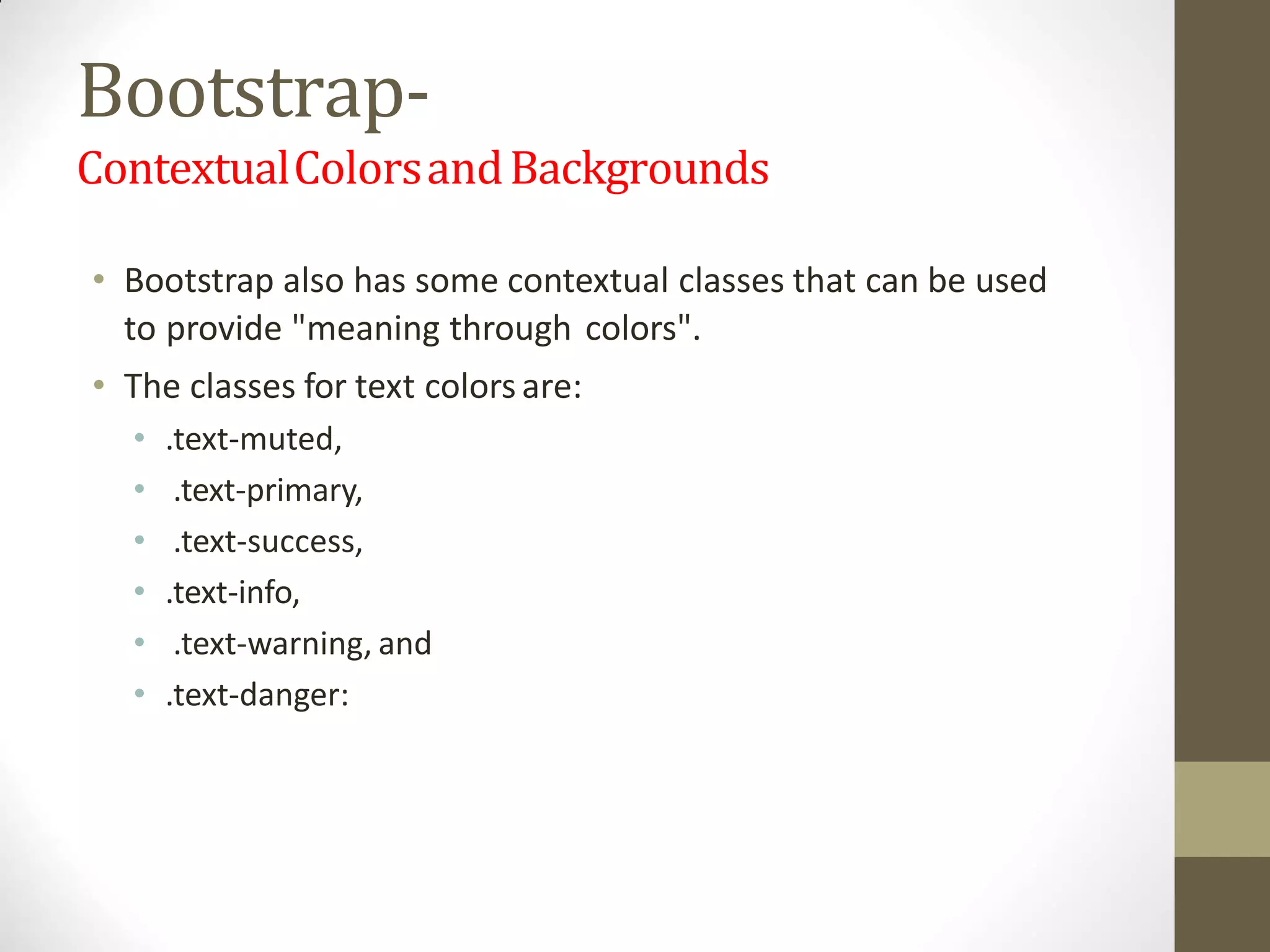
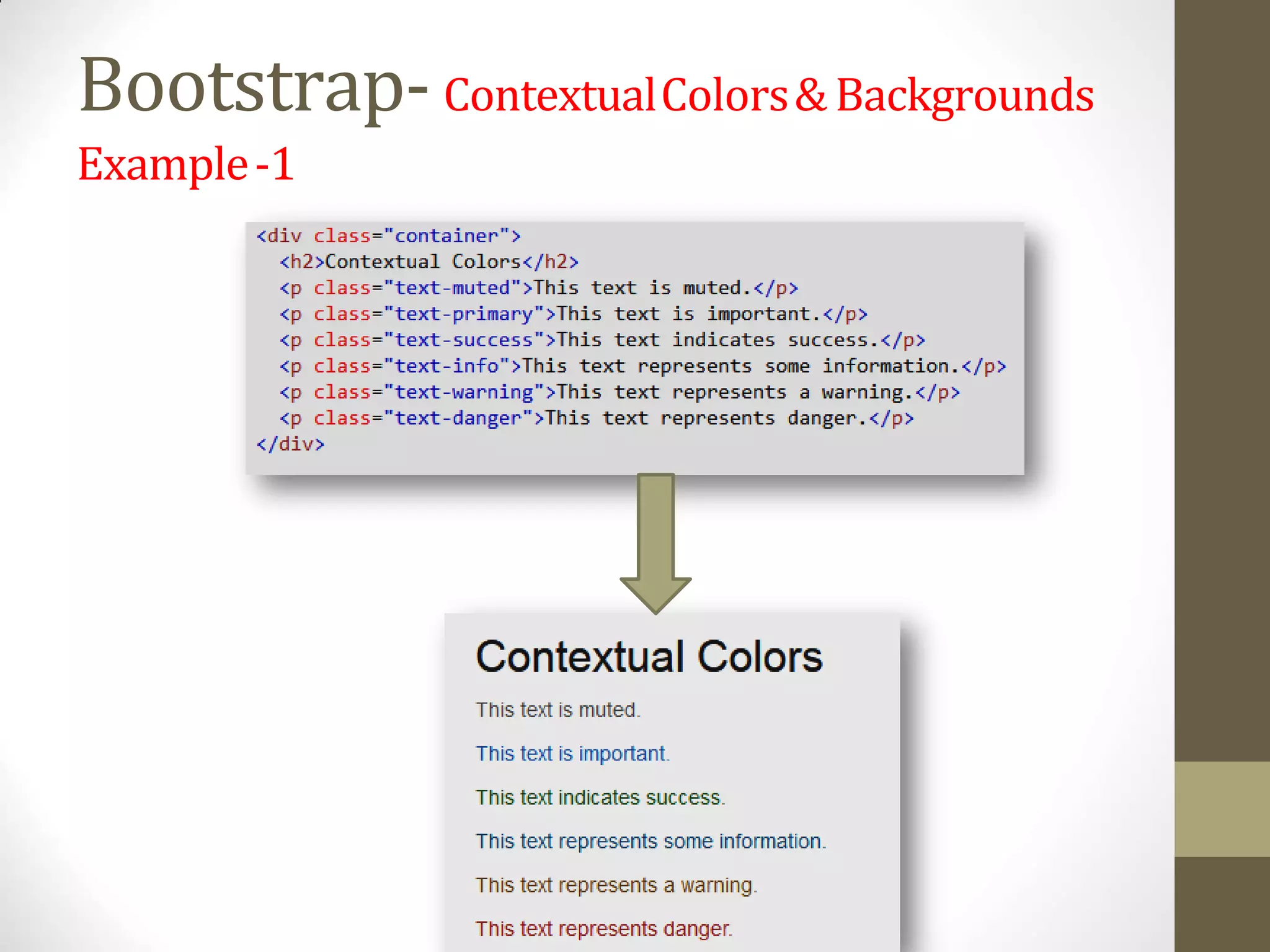
• Bootstrap also has some contextual classes that can be used
to provide "meaning through colors".
• The classes for text colors are:
• .text-muted,
• .text-primary,
• .text-success,
• .text-info,
• .text-warning, and
• .text-danger:
Bootstrap-ContextualColors&Backgrounds
Example-1
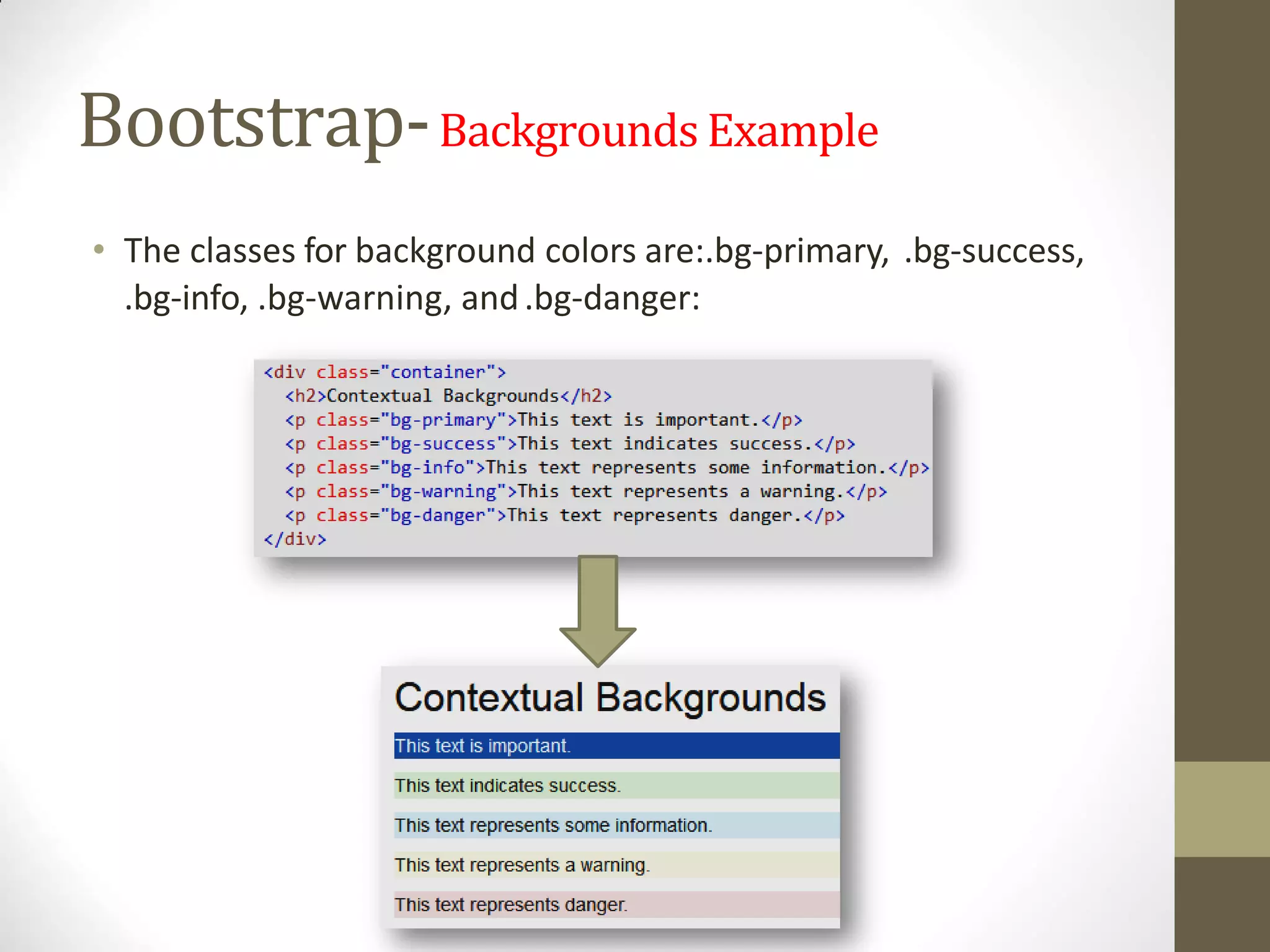
Bootstrap-Backgrounds Example
• The classes for background colors are:.bg-primary, .bg-success,
.bg-info, .bg-warning, and.bg-danger:
Outlineof AdvanceTechnology
Bootstrap
JSF
Spring
JSF- JavaServerFaces
• JavaServer Faces (JSF) is a
• MVC web framework that simplifies the construction of User
Interfaces (UI) for server-based applications using reusable UI
components in apage.
• JSF provides a facility to connect UI widgets with data sources
and to server-side event handlers.
• The JSF specification defines a set of standard UI components
and provides an Application Programming Interface (API) for
developing components.
• JSF enables the reuse and extension of the existing standard
UI components.
JSF-Benefits
• JSF reduces the effort in creating and maintaining
applications, JSF facilitates Web application development
by −
• Providing reusable UI components
• Making easy data transfer between UI components
• Managing UI state across multiple server requests
• Enabling implementation of customcomponents
• Wiring client-side event to server-side application
code
JSFArchitecture
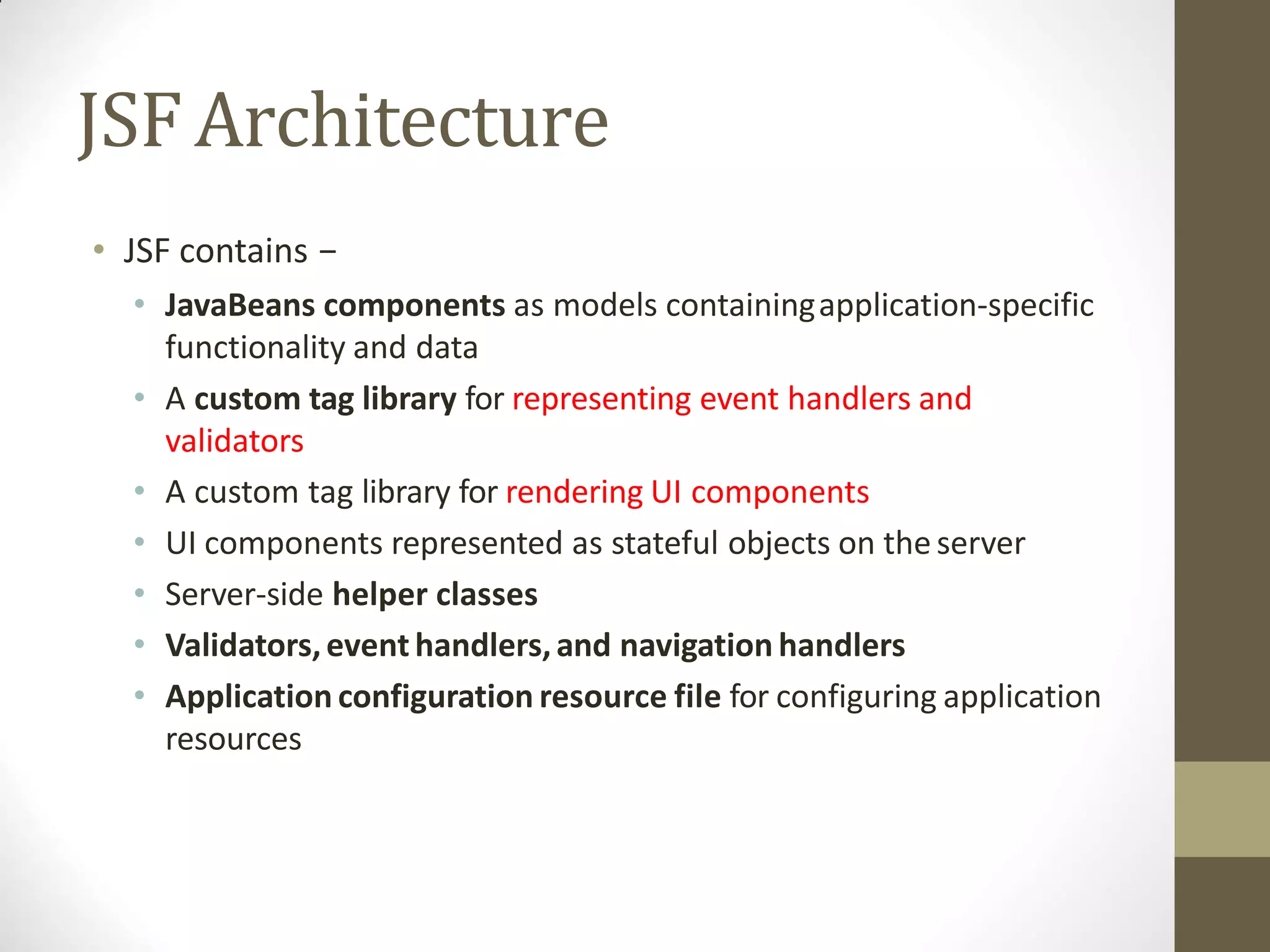
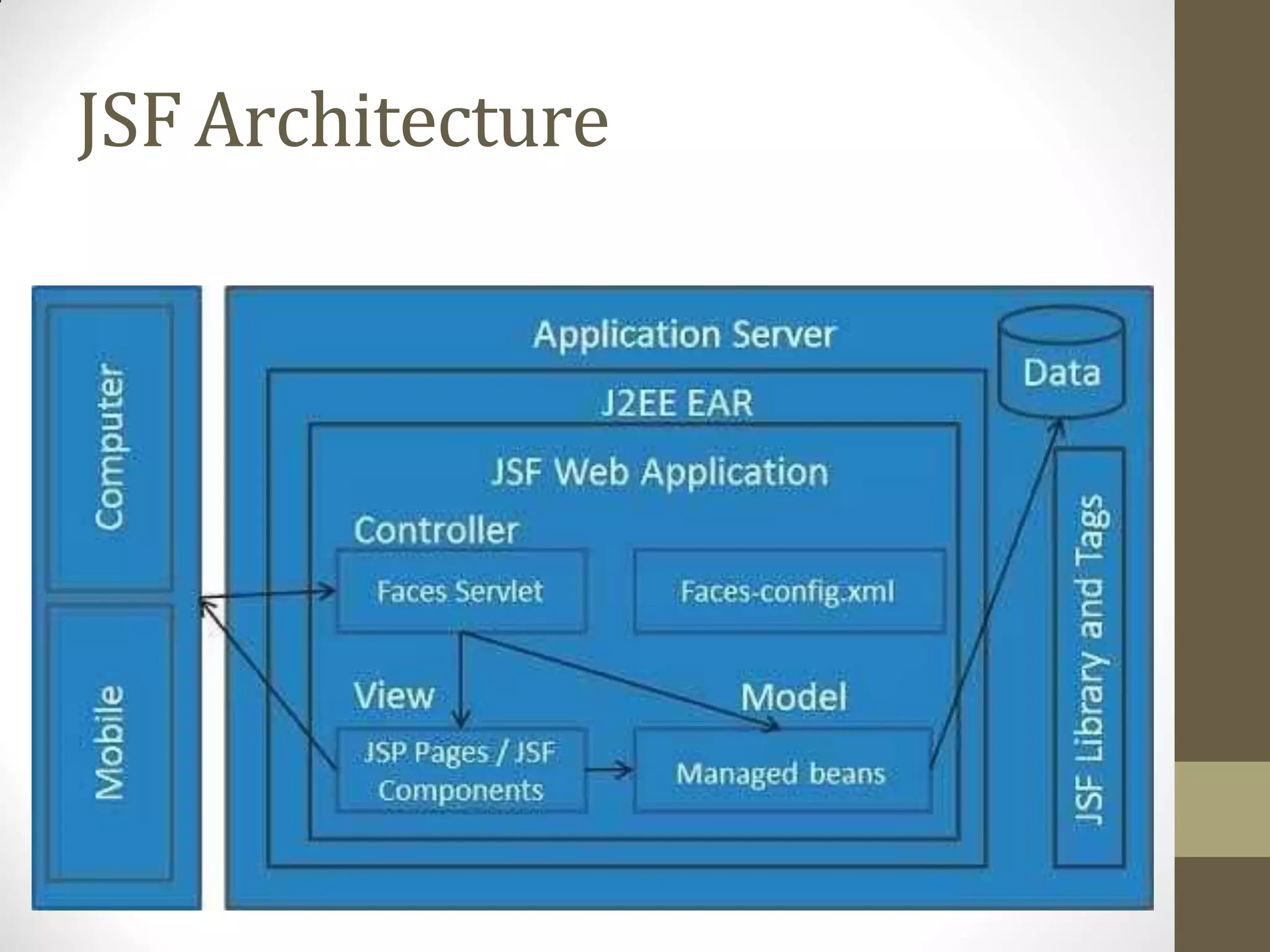
• JSF contains −
• JavaBeans components as models containingapplication-specific
functionality and data
• A custom tag library for representing event handlers and
validators
• A custom tag library for rendering UI components
• UI components represented as stateful objects on the server
• Server-side helper classes
• Validators,event handlers,and navigation handlers
• Application configuration resource file for configuring application
resources
JSFArchitecture
JSF - LifeCycle
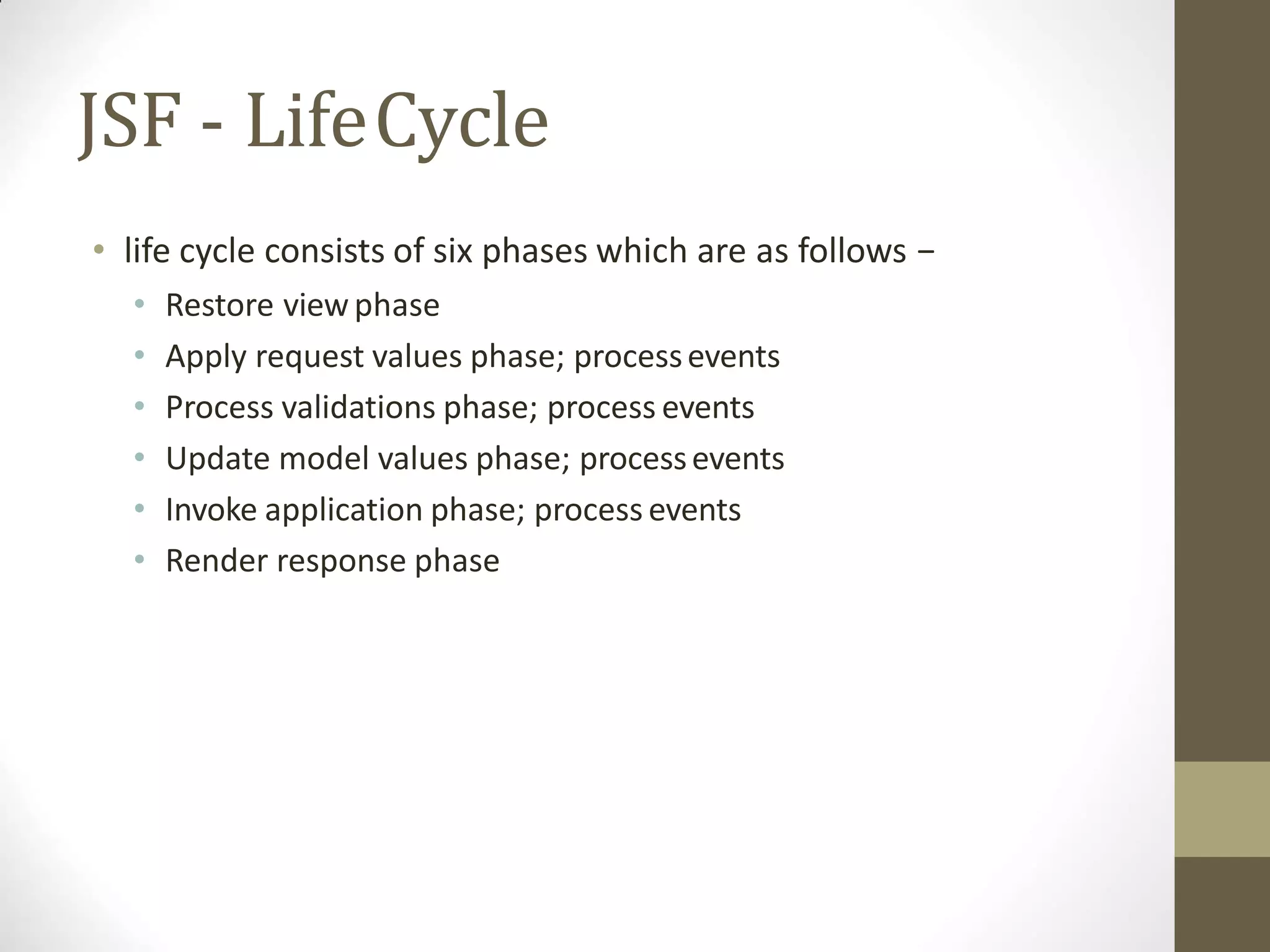
• life cycle consists of six phases which are as follows −
• Restore viewphase
• Apply request values phase; processevents
• Process validations phase; process events
• Update model values phase; processevents
• Invoke application phase; process events
• Render response phase
Outlineof AdvanceTechnology
Bootstrap
JSF
Spring
Spring
• It was developed by Rod Johnson in 2003. Springframework
makes the easy development of JavaEE application.
• Spring is a lightweight framework.
• It can be thought of as a framework of frameworks because it
provides support to various frameworks such as Struts,
Hibernate, Tapestry, EJB, JSF etc.
• The framework, in broader sense, can be defined as a
structure where we find solution of the various technical
problems.
• The Spring framework comprises several modules such as IOC,
AOP, DAO, Context, ORM, WEB MVC etc.
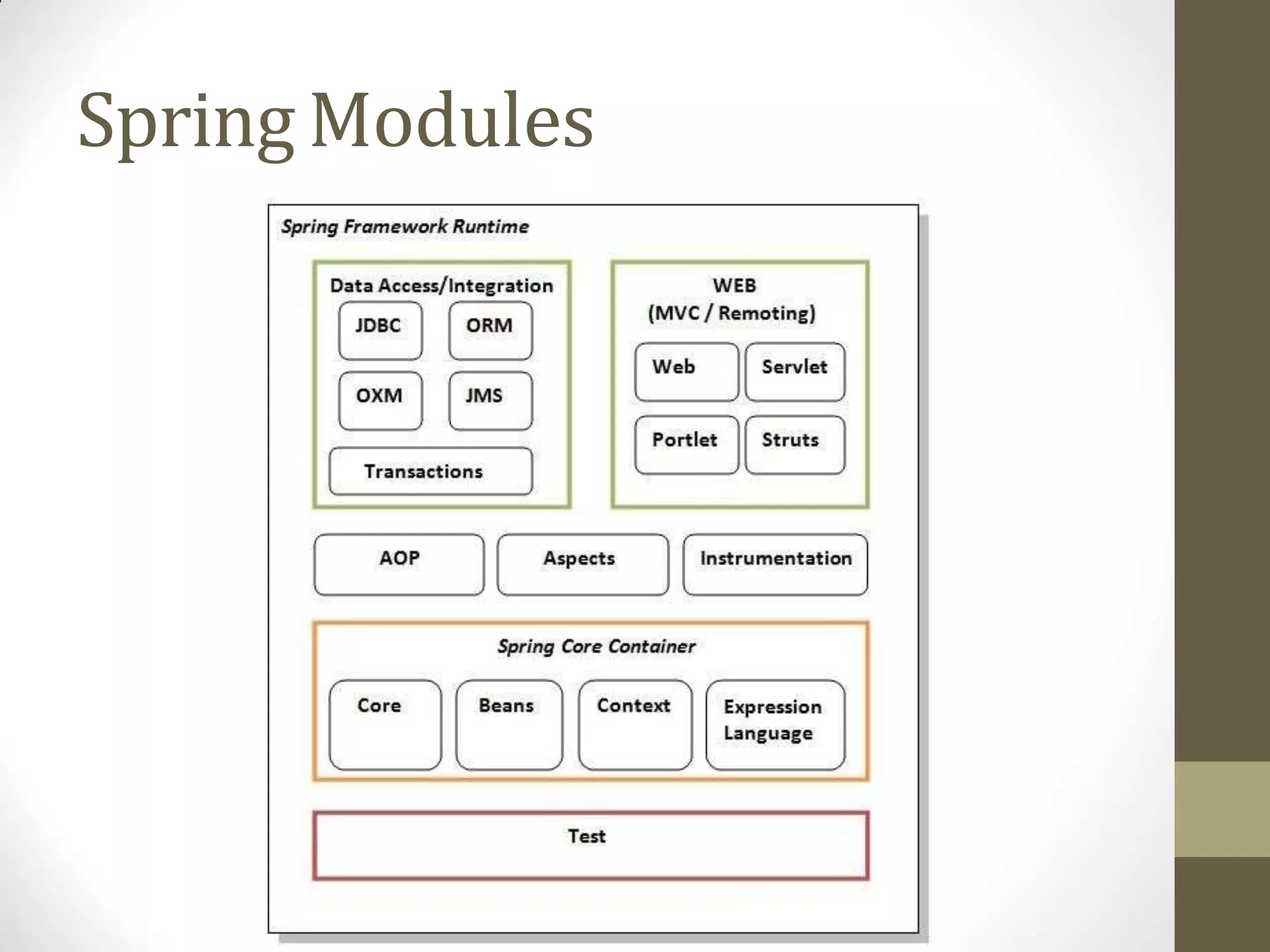
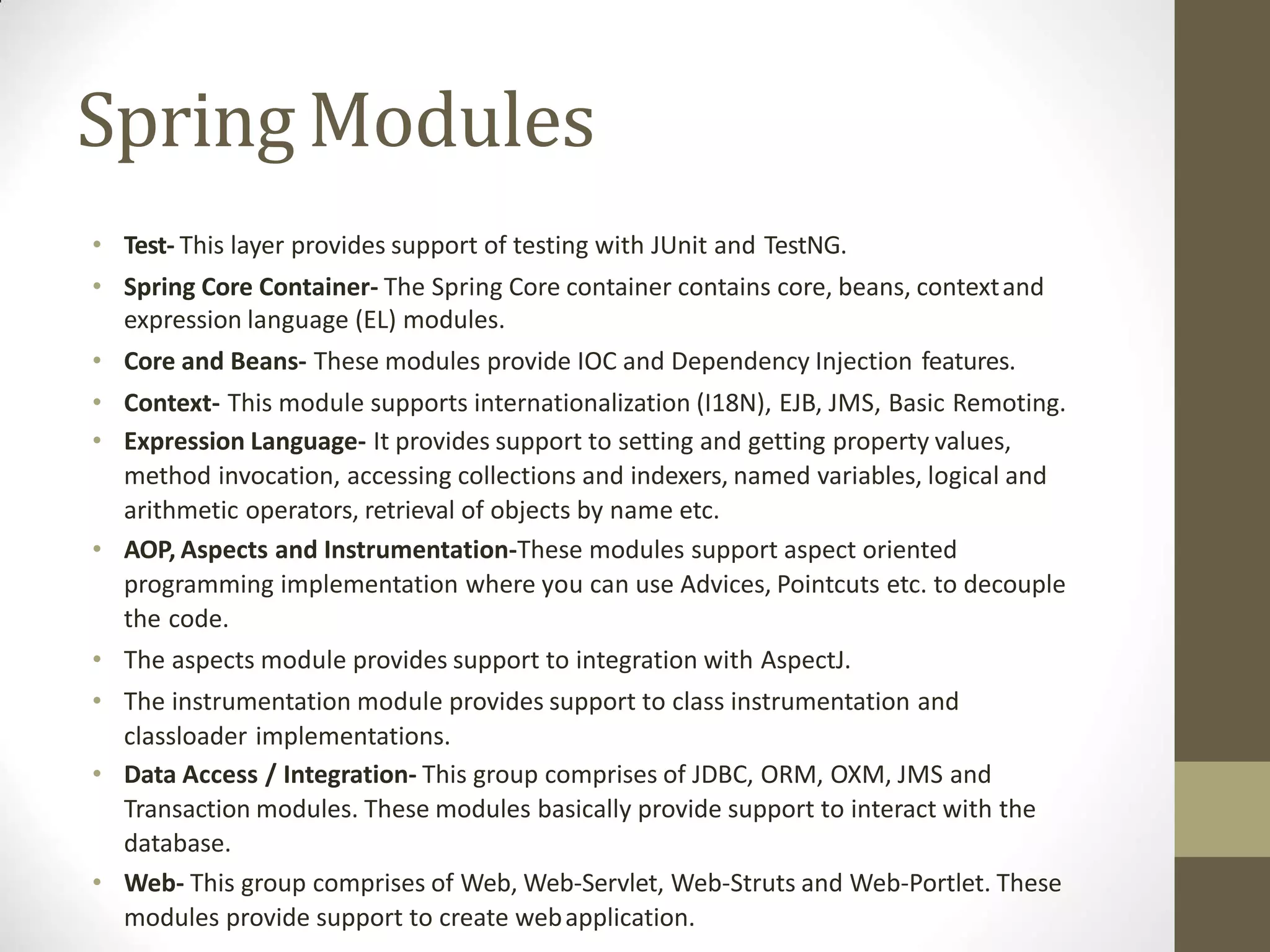
Spring Modules
Spring Modules
• Test- This layer provides support of testing with JUnit and TestNG.
• Spring Core Container- The Spring Core container contains core, beans, contextand
expression language (EL) modules.
• Core and Beans- These modules provide IOC and Dependency Injection features.
• Context- This module supports internationalization (I18N), EJB, JMS, Basic Remoting.
• Expression Language- It provides support to setting and getting property values,
method invocation, accessing collections and indexers, named variables, logical and
arithmetic operators, retrieval of objects by name etc.
• AOP, Aspects and Instrumentation-These modules support aspect oriented
programming implementation where you can use Advices, Pointcuts etc. to decouple
the code.
• The aspects module provides support to integration with AspectJ.
• The instrumentation module provides support to class instrumentation and
classloader implementations.
• Data Access / Integration- This group comprises of JDBC, ORM, OXM, JMS and
Transaction modules. These modules basically provide support to interact with the
database.
• Web- This group comprises of Web, Web-Servlet, Web-Struts and Web-Portlet. These
modules provide support to create webapplication.
Spring-Dependency Injection(DI)
• The technology that Spring is most identified with is the
Dependency Injection (DI) flavor of Inversion of Control.
• When writing a complex Java application, application classes
should be as independent as possible of other Java classes.
• Toincrease the possibility to reuse these classes and to test
them independently of other classes while unittesting.
• Dependency Injection helps in gluing these classes together
and at the same time keeping them independent.
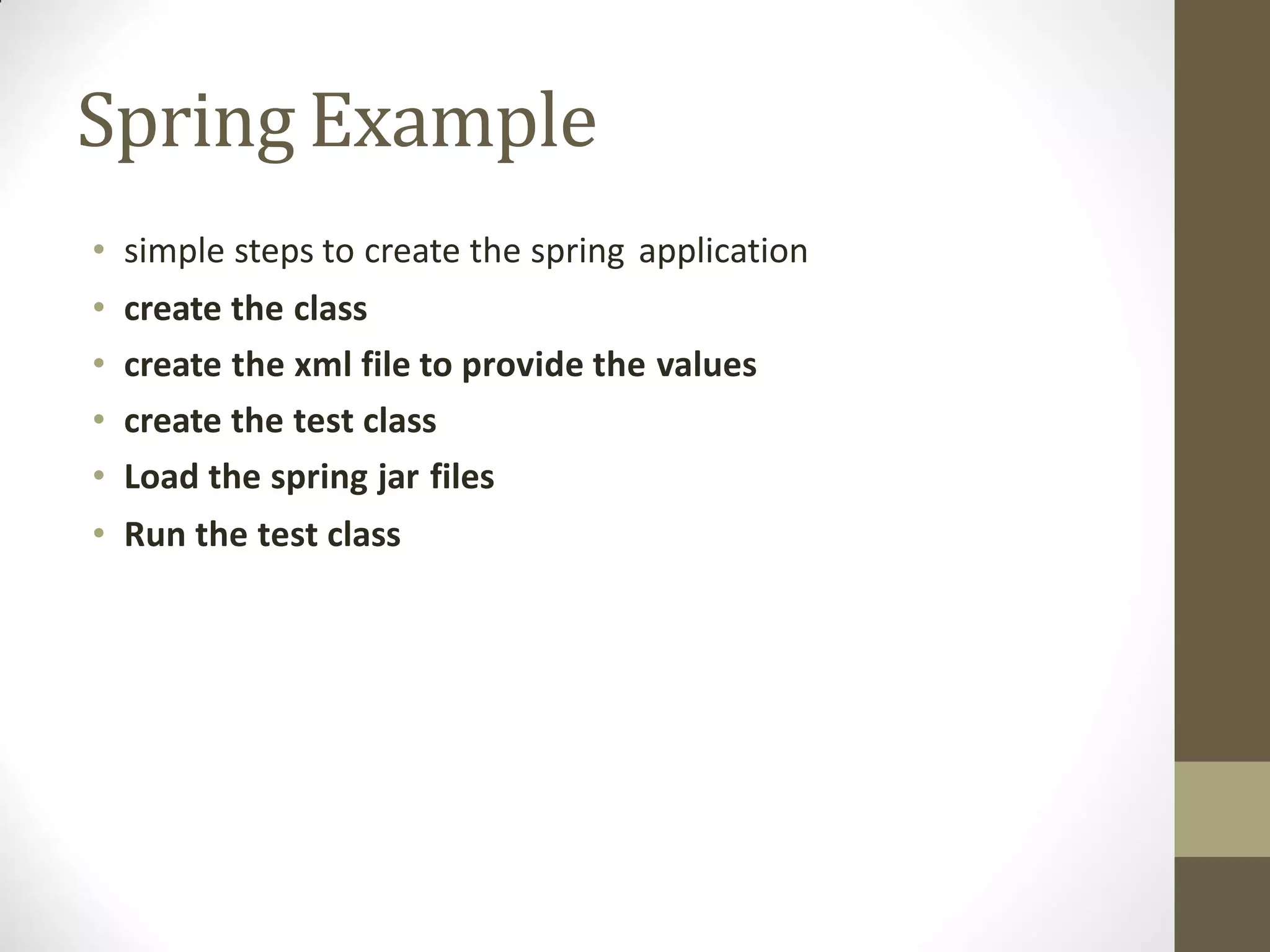
Spring-Aspect Oriented Programming
(AOP)
• One of the key components of Spring is the Aspect Oriented
Programming (AOP)framework.
• The functions that span multiple points of an application arecalled
cross-cutting concerns and these cross-cutting concerns are
conceptually separate from the application's business logic.
• There are various common good examplesof aspects including
logging, declarative transactions, security, caching, etc.
• The key unit of modularity in OOP is the class, whereas in AOPthe
unit of modularity is the aspect.
• DI helps you decouple your application objects from each other,
while AOP helps you decouple cross-cutting concerns from the
objects that they affect.
Spring Example
• simple steps to create the spring application
• create the class
• create the xml file to provide the values
• create the test class
• Load the spring jar files
• Run the test class
References
• https://www.tutorialspoint.com/webservices/what_are_web_services.htm
• https://www.javatpoint.com/what-is-web-service
• https://www.javatpoint.com/soap-web-services
• https://www.tutorialspoint.com/webservices/web_services_components.htm
• https://www.javatpoint.com/soap-web-services
• https://www.javatpoint.com/soap-vs-rest-web-services
• https://www.studytonight.com/rest-web-service/types-of-webservices
• https://www.tutorialspoint.com/ejb/ejb_overview.htm
• https://www.javatpoint.com/stateless-session-bean
• https://www.javatpoint.com/stateful-session-bean
• https://www.javatpoint.com/message-driven-bean
• https://docs.oracle.com/cd/B10002_01/generic.903/a97677/cmp.htm
• https://ejbvn.wordpress.com/category/week-1-enterprise-java-architecture/day-01-understanding-ejb-architecture/
• http://www.cs.vsb.cz/grygarek/dosys/ejb/slides/sld3.html
• http://www.oracle.com/technetwork/java/javaee/ejb/index.html
• https://en.wikipedia.org/wiki/Content_management_system
• https://www.tutorialspoint.com/wordpress/wordpress_overview.htm
• https://www.tutorialspoint.com/wordpress/wordpress_installation.htm
• https://www.tutorialspoint.com/wordpress/wordpress_dashboard.htm
• https://www.shivarweb.com/1819/how-to-use-the-wordpress-dashboard-initial-settings/
• https://www.tutorialspoint.com/joomla/joomla_overview.htm
• https://www.tutorialspoint.com/joomla/joomla_installation.htm
• https://www.tutorialspoint.com/joomla/joomla_architecture.htm
• https://www.w3schools.com/bootstrap/bootstrap_get_started.asp
• https://www.tutorialspoint.com/jsf/jsf_overview.htm
• https://www.tutorialspoint.com/jsf/jsf_life_cycle.htm
• https://www.tutorialspoint.com/jsf/jsf_architecture.htm
• https://www.javatpoint.com/spring-tutorial
• https://www.javatpoint.com/spring-modules
• https://www.tutorialspoint.com/spring/spring_overview.htm
Thank You
113
gharu.anand@gmail.com
Blog : anandgharu.wordpress.com
Prof. Gharu Anand N. 113

Wt unit 6 ppts web services

  • 1.
    Pune Vidyarthi Griha’s COLLEGEOF ENGINEERING, NASHIK “WEB SERVICES” By Prof. Anand N. Gharu (Assistant Professor) PVGCOE Computer Dept. 16 Feb 2020Note: Thematerial to preparethis presentation hasbeentaken from internet andare generatedonly for students referenceandnot for commercialuse.
  • 2.
    Outline- WebServices Web Services:Overview, Types of WS, Difference between SOAP and REST
  • 3.
  • 4.
  • 5.
    Web Services:Overview • AWeb Service is can be defined by following ways: • is a client server application or application component for communication. • method of communication between two devices over network. • is a collection of standards or protocols for exchanging information between two devices or application. • Is available over the Internet or private (intranet)networks • Uses a standardized XML messagingsystem • Is not tied to any one operating system or programming language • Is self-describing via a common XMLgrammar • Is discoverable via a simple find mechanism
  • 6.
    Components of WebServices •The basic web services platform is XML + HTTP. All the standard web services work using the following components − • SOAP (Simple Object Access Protocol) • UDDI (Universal Description, Discovery and Integration) • WSDL (Web Services Description Language) • How Does a Web Service Work? • A web service enables communication among various applications by using open standards such as HTML, XML,WSDL, and SOAP. A web service takes the help of − 1. XML to tag the data 2. SOAP to transfer a message 3. WSDL to describe the availability ofservice.
  • 7.
    Components of WebServices •SOAP • SOAP is an XML-based protocol for exchanginginformation between computers. • SOAP is a communicationprotocol. • SOAP is for communication between applications. • SOAP is a format for sending messages. • SOAP is designed to communicatevia Internet. • SOAP is platform independent. • SOAP is languageindependent. • SOAP is simple andextensible. • SOAP allows you to get aroundfirewalls. • SOAP will be developed as a W3Cstandard.
  • 8.
    Components of WebServices •WSDL • WSDL is an XML-based language for describing web services and how to access them. • WSDL stands for Web Services Description Language. • WSDL was developed jointly by Microsoft and IBM. • WSDL is an XML based protocol for information exchange in decentralized and distributed environments. • WSDL is the standard format for describing a web service. • WSDL definition describes how to access a web service and what operations it willperform. • WSDL is a language for describing how to interface with XML-based services. • WSDL is an integral part of UDDI, an XML-based worldwide business registry. • WSDL is the language that UDDI uses. • WSDL is pronounced as 'wiz-dull' and spelled out as 'W-S-D-L'.
  • 9.
    Components of WebServices •UDDI • UDDI is an XML-based standard for describing, publishing,and finding web services. • UDDI stands for Universal Description, Discovery, andIntegration. • UDDI is a specification for a distributed registry of web services. • UDDI is platform independent, open framework. • UDDI can communicate via SOAP, CORBA, and Java RMI Protocol. • UDDI uses WSDL to describe interfaces to webservices. • UDDI is seen with SOAP and WSDL as one of thethree foundation standards of webservices. • UDDI is an open industry initiative enabling businesses to discover each other and define how they interact over the Internet.
  • 10.
    Outline- WebServices Web Services:Overview, Types of WS, Difference between SOAP and REST
  • 11.
    Types of WebServices SOAPWeb Services REST Web Services
  • 12.
    SOAP • SOAP WebServices • SOAP stands for Simple Object Access Protocol. It is a XML-based protocol for accessing webservices. • SOAP is a W3C recommendation for communication between two applications. • SOAP is XML based protocol. • It is platform independent and language independent. • By using SOAP, you will be able to interact with other programming language applications.
  • 13.
  • 14.
    SOAP In simple words,SOAP is a technique to send an XML request over the Internet using HTTP protocol, and in return getting an XML response. Taking a real world example, if a client wants to fetch a school's student data, by sending in the student's Roll No. in the request, he can do so using web services. But how will the client know, which URL to call and what to send in the request?
  • 15.
    SOAP • Well, everyapplication serving SOAP requests, has a WSDL file. • WSDL is an XML, and it stands for Web Service Description Language. • WSDL describes all the methods available in the web service, along with the request and response types. • It describes the contract between service and client. • SOAP was intended to be a way to do remote procedure calls to remote objects by sending XML over HTTP. • Today the world is moving fast towards the RESTful Web Services.
  • 16.
    SOAP • Advantages ofSoap Web Services • WS Security: SOAP defines its own security known asWS Security. • Language and Platform independent: SOAP web services canbe written in any programming language and executed in any platform. • Disadvantages of Soap Web Services • Slow: SOAP uses XML format that must be parsed to be read. It defines many standards that must befollowed while developing the SOAP applications. So it is slow and consumes more bandwidth and resource. • WSDL dependent: SOAP uses WSDL and doesn't have any other mechanism to discover the service.
  • 17.
    REST • RESTful WebServices • REST stands for REpresentational State Transfer. • REST is an architectural style not a protocol. • Advantages of RESTful Web Services • Fast: RESTful Web Services are fast because there is no strict specification like SOAP. It consumes less bandwidth and resource. • Language and Platform independent: RESTful web services can be written in any programming language and executed in any platform. • Can use SOAP: RESTful web services can use SOAP webservices as the implementation. • Permits different data format: RESTful web service permits different data format such as Plain Text, HTML, XML andJSON.
  • 18.
    REST • The RESTstands for Representational State Transfer. • REST is not a set of standards or rules, rather it is a style of software architecture. • The applications which follow this architecture are referred to as RESTful • Unlike SOAP which targets the actions, REST concerns more on the resources. • REST locates the resources by using URL and it depends on the type of transport protocol(with HTTP - GET, POST, PUT, DELETE,...) for the actions to be performed on the resources. • The REST service locates the resource based on the URL and performs the action based on the transport actionverb.
  • 19.
  • 20.
    REST • For Example:in a RESTful architecture, this URL http://{serverAddress}/students/studentRollno/07 can be used to: • To get student information by sending a REST call of GET type,and the service will return information of student with roll no as 07 • The same service can also be used to update the student data, by sending in the new values as Form data in a PUTrequest.
  • 21.
    Outline- WebServices Web Services:Overview, Types of WS, Difference between SOAP and REST
  • 22.
    SOAP v/s RESTWebServicesSOAP REST SOAP is a protocol. REST is an architecturalstyle. SOAP stands for Simple Object Access Protocol. REST stands for REpresentationalState Transfer. SOAP can't use REST because it is a protocol. REST can use SOAP web services because it isa concept and can use any protocol like HTTP, SOAP. SOAP uses services interfacesto expose the businesslogic. REST uses URI to exposebusiness logic. JAX-WS is the java API for SOAP webservices. JAX-RS is the java API for RESTful webservices. SOAP defines standardsto be strictly followed. REST does not define too much standardslike SOAP. SOAP requiresmore bandwidth and resource than REST. REST requiresless bandwidth and resource than SOAP. SOAP defines its ownsecurity. RESTful web services inherits security measuresfrom the underlying transport. SOAP permits XML data formatonly. REST permits different data format such as Plain text, HTML, XML, JSON etc. SOAP is less preferred thanREST. REST more preferredthan SOAP.
  • 23.
  • 24.
  • 25.
    Outline ofEJB EJB: Overview typesof EJB, benefits, Architecture, EJB technology, JNDI lookup
  • 26.
    EJB: Overview • EJBstands for Enterprise JavaBeans. • EJB is an essential part of a J2EE platform. • EJB provides an architecture to develop and deploy component based enterprise applications considering robustness, high scalability, and high performance. • When use Enterprise Java Bean? • Application needs Remote Access. In other words, it is distributed. • Application needs to be scalable. EJB applications supportsload balancing, clustering and fail-over. • Application needs encapsulated business logic.EJB application is separated from presentation and persistentlayer.
  • 27.
    Outline ofEJB EJB: Overview typesof EJB, benefits, Architecture, EJB technology, JNDI lookup
  • 28.
  • 29.
    Types ofEJB S.No Type& Description 1 Session Bean Session bean stores data of a particular user for a single session. It can be stateful orstateless. It is less resource intensiveas compared to entity bean. Session bean gets destroyed as soon as user sessionterminates. 2 Entity Bean Entity beans represent persistent datastorage. User data can be saved to databasevia entity beans and later on can be retrieved from the databasein the entity bean. 3 Message DrivenBean Messagedriven beans are used in context of JMS (Java Messaging Service). Message Driven Beans can consumes JMS messages from external entities and act accordingly.
  • 30.
    • Stateless Sessionbean is a business object that represents business logic only. It doesn't have state (data). • In other words, conversational state between multiple method calls is not maintained by the container in case of stateless session bean. • The stateless bean objects are pooled by the EJB container to service the request on demand. • It can be accessed by one client at a time. In case of concurrent access, EJB container routes each request to different instance. • Annotations used in Stateless Session Bean • @Stateless Sessionbeans
  • 31.
    Sessionbeans • Stateful SessionBean • Stateful Session bean is a business object that represents business logic like stateless session bean. But, it maintains state (data). • In other words, conversational state between multiple method calls is maintained by the container in stateful session bean. • Annotations used in Stateful SessionBean • @Stateful
  • 32.
    Message DrivenBean • MessageDriven Bean • A message driven bean (MDB) is a bean that contains business logic. But, it is invoked by passing the message. So, it is like JMS Receiver. • MDB asynchronously receives the message and processes it. • A message driven bean receives message from queue or topic, so you must have the knowledge of JMS API. • A message driven bean is like stateless session bean that encapsulates the business logic and doesn't maintainstate.
  • 33.
    Entitybeans • Container-managed persistence— •The EJB container manages data by saving it to a designated resource, which is normally a database. • For this to occur, you must define the data that the container isto manage within the deploymentdescriptors. • The container manages the data by saving it to the database. • Bean-managed persistence— • The bean implementation manages the datawithin callback methods. • All the logic for storing data to your persistent storage must be included in the ejbStore method and reloaded from your storage in the ejbLoad method. • The container invokes these methods when necessary.
  • 34.
    Outline ofEJB EJB: Overview typesof EJB, benefits, Architecture, EJB technology, JNDI lookup
  • 35.
    EJB- Benefits • Simplifieddevelopment of large-scaleenterpriselevelapplication. • Application Server/EJB container provides most of the system level services like transaction handling, logging, load balancing, persistence mechanism, exception handling, and soon. • EJB developer just focus on business logic and on solvingbusiness problems. • Because business logic lies in EJB, so Front end developer can focuson the presentation of client interface. • The client developer does not have to code the routines that implement business rules or access databases. As a result, clients side has less codes which is particularly important for clients that run on small devices. • Java Beans are portable components which enable the javaapplication assembler to build new applications from existingjava beans.
  • 36.
    Outline ofEJB EJB: Overview typesof EJB, benefits, Architecture, EJB technology, JNDI lookup
  • 37.
  • 38.
    EJB Architecture-Components • EJBserver(s) • EJB container(s) • Enterprise Beans • EJB clients • other auxillary systems (e.g. Java Naming and Directory Interface (JNDI) server, Java Transaction Service (JTS), ...).
  • 39.
    EJB Architecture-Components • EJBServer: • Outmost container • Manage EJB Container • Provides runtime environment • Services 1. Process & thread management 2. System recoursemanagement 3. Database connection pooling &catching
  • 40.
    EJB Architecture-Components • EJBContainer • Contains Enterprise beans • Services • Naming • Life style management • Persistent • Transaction management • Security
  • 41.
    EJB Architecture-Components • EnterpriseJava Beans Enterprise Beans Session Beans Message Beans Entity Beans Stateless Stateful Bean Managed Persistence Container Managed Persistence
  • 42.
    EJB Architecture-Components • EJBClients • Interacts with EJB container • EJB Client is a local program which can call & operate remote beans. • Client locates an Enterprise Java Beans through JNDI(Java Naming Directory Services).
  • 43.
    Outline ofEJB EJB: Overview typesof EJB, benefits, Architecture, EJB technology, JNDI lookup
  • 44.
    EJB technology • EnterpriseJavaBeans (EJB) technology is the server-side component architecture for Java Platform, Enterprise Edition (Java EE). • EJB technology enables rapid and simplified development of distributed, transactional, secure and portable applications based on Java technology.
  • 45.
    Outline ofEJB EJB: Overview typesof EJB, benefits, Architecture, EJB technology, JNDI lookup
  • 46.
    JNDIlookup • The JavaNaming and Directory Interface (JNDI) is a Java API for a directory service that allows Java software clients to discover and look up data and objects via a name. • Like all Java APIs that interface with host systems, JNDI is independent of the underlying implementation. • Additionally, it specifies a service provider interface (SPI) that allows directory service implementations to be plugged into the framework. • It may make use of a server, a flat file, or a database; the choice isup to the vendor. • Typical uses of JNDIinclude: • Connecting a Java application to an external directory service (such as an address database or an LDAP server) • Allowing a Java Servlet to look up configuration information provided by the hosting web container
  • 47.
    JNDIlookup-Architecture • The JNDIarchitecture consists of an API and a service provider interface (SPI). • Java applications use the JNDI API to access a variety of naming and directory services. • The SPI enables a variety of naming and directory services to be plugged in transparently, thereby allowing the Java application using the JNDI API to access their services • Touse the JNDI, you must have the JNDI classes and one or more service providers. The JDK includes service providers for the following naming/directory services: • Lightweight Directory Access Protocol (LDAP) • Common Object Request Broker Architecture (CORBA)Common Object Services (COS) name service • Java Remote Method Invocation (RMI) Registry • Domain Name Service(DNS)
  • 48.
  • 49.
  • 50.
  • 51.
    Outline ofCMS Introduction toContent Management System(CMS) Wordpress Joomala
  • 52.
    Introduction to Content ManagementSystem(CMS) •A content managementsystem (CMS) is a computer application that supports the creation and modification of digitalcontent. • It typically supports multiple users in a collaborative environment. • CMS features vary widely. Most CMSs include Web-based publishing, format management, history editing and version control, indexing, search, and retrieval. • CMS is designed to support the managementof the content of Web pages. Web content includes text and embedded graphics, photos, video, audio, maps, and program code (e.g., for applications) that displays content or interacts with the user.
  • 53.
    Introduction to Content ManagementSystem(CMS) •Such a content management system (CMS) typically has two major components: 1. A content management application (CMA) is thefront- end user interface that allows a user, to add, modify, and remove content from awebsite. 2. A content delivery application (CDA) compiles that information and updates thewebsite.
  • 54.
    Introduction to Content ManagementSystem(CMS) •Examples of CMS • WordPress, • Joomla • Drupal.
  • 55.
    Introduction to Content ManagementSystem(CMS) •Advantages • Reduced need to code fromscratch • Easy to create a unified look and feel • Version control • Edit permissionmanagement • Disadvantages • Limited or no ability to create functionality not proposed in the CMS (e.g., layouts, web apps,etc.) • Increased need for special expertise and trainingfor content authors
  • 56.
    Outline ofCMS Introduction toContent Management System(CMS) Wordpress Joomala
  • 57.
    Wordpress • WordPress isan online, open source website creation tool written in PHP. • But in non-geek speak, it’s probably the easiest and most powerful blogging and website content management system (or CMS) in existence today.
  • 58.
    Word press-Features • UserManagement − It allows managing the user information such as changing the role of the users, create or delete the user, change the password and userinformation. • Media Management − It is the tool for managing the media files and folder, in which you can easily upload, organize and manage the media files on your website. • Theme System − It allows modifying the site view and functionality. It includes images, stylesheet, template files and custompages. • Extend with Plugins − Several plugins are available which provides custom functions and features according to the users need. • Search Engine Optimization − It provides several search engine optimization (SEO) tools which makes on-site SEOsimple. • Multilingual − It allows translating the entire content intothe language preferred by the user. • Importers − It allows importing data in the form of posts. It imports custom files, comments,post pages and tags.
  • 59.
    Wordpress-Advantages • Open sourceplatform and available for free. • CSS files can be as per users need. • There are many plugins and templates available for free. • It is very easy to edit the content as it uses that allows the user to directly manipulate the layout of document • Media files can be uploaded easily and quickly. • It offers several SEO tools which makes on-site SEO simple. • Customization is easy according to the user's needs. • It allows creating different roles for users for website such as admin, author, editor and contributor.
  • 60.
    Word press-disadvantages • Usingseveral plugins can make the website heavy to load & run. • PHP knowledge is required to make modifications or changes in the WordPress website. • Sometimes software needs to be updated to keep the WordPress up-to-date with the current browsers and mobile devices. • Updating WordPress version leads to loss of data, so a backup copy of the website is required. • Modifying and formatting the graphic images and tables is difficult.
  • 61.
    WordPress - Installation •System Requirements forWordPress • Database − MySQL 5.0 + • Web Server − • WAMP (Windows) • LAMP (Linux) • XAMP (Multi-platform) • MAMP (Macintosh) • Operating System − Cross-platform • Browser Support − IE (Internet Explorer 8+), Firefox, Google chrome, Safari,Opera • PHP Compatibility − PHP 5.2+ • Download WordPress using link https://wordpress.org/download/
  • 62.
    WordPress - Installation •Create Store Database • WordPress requires MySQL database. So create a new empty database with user/password • Set Up Wizard • Step (1) − Extract the downloaded WordPress folder and upload it into your web server or localhost. • Step (2) − Open your browser and navigate to your WordPress file path, then you will get the first screen of the WordPress installer. Select your language for the WordPress and click on Continue. • Step (3) − In this step, you can view the information needed for the database before proceeding with WordPress installation. Click on Let's go!
  • 63.
    WordPress - Installation Step(4) − Here, you have to enter the informationabout the MySQL databaseas described in the following screen.
  • 64.
    WordPress - Installation Step(5) − WordPress checks the database setting and gives you the confirmation screen as shown in the following snapshot. Click on Run the install
  • 65.
    WordPress - Installation Step(6) − Enter administrative information. It contains the following fields − Site Title − Enter the name of thesite which you are going to create in WordPress. Username− Enter the username as per your choice while logging in the WordPress. Passwordtwice − Enter password two times to protect yoursite. Your E-mail − Enter your e-mail address which helps to recover the password or any update. Privacy − It allows the search engineto index this site after checking the checkbox. After filling all the information, click on the Install WordPress button.
  • 66.
    WordPress - Installation Step(7) − After installation being successful, you will get a screen of the stating success as seen in the followingscreen. You can view your username and password detail added in WordPress. Click on Log In button.
  • 67.
    WordPress - Installation Step(8) − After clicking on login, you will get a WordPress Admin Panelas depicted in the followingscreen. username and which you had Enter the password mentioned during installation as shown in step 6 and click on the Log In button.
  • 68.
    WordPress -Dashboard • TheWordPress Dashboard is a first screen which will be seen when you log into the administration area of your blog which will display the overview of thewebsite. • It is a collection of gadgets that provide information and provide an overview of what's happening with your blog. • You can customize your needs by using some quick links such as writing quick draft, replying to latest comment, etc.
  • 69.
  • 70.
    Outline ofCMS Introduction toContent Management System(CMS) Wordpress Joomala
  • 71.
    Joomala • Joomla isan open source Content Management System (CMS), which is used to build websites and online applications. • It is free and extendable which is separated into front-end templates and back-end templates (administrator). • Joomla is developed using PHP, Object Oriented Programming, software design patterns and MySQL (used for storing the data). • History • Joomla is based on Mambo CMS which was developed by an Australian company in 2001 and initially released on August 17, 2005. The official version of Joomla 1.0 was released on September 22, 2005.
  • 72.
    Joomala-Features • User Manager− It allows managing the user information such as permission to edit, access, publish, create or delete the user, change the password and languages. • Content Manager − It allows managing the content using WYSIWYG editor to create or edit the content in a very simple way. • Banner Manager − It is used to add or edit the banners on thewebsite. • Template Manager − It manages the designs that are used on the website. The templatescan be implemented without changing the content structure within a few seconds. • Media Manager − It is the tool for managing the media files and folder in which you can easily upload, organize and manage your media files into your article editor tool. • Contact Manager − It allows to add contacts, managing the contact information of the particular users. • Web Link Manager − The link resource is provided for user of the site and can be sorted into categories. • Search − It allows users to search the appropriate information on the site. You can use smart indexing, advanced search options, auto suggest searches • Menu Manager − It allows to create menus and menu items. • RSS − It stands for Really Simple syndication which helps your site contents and RSS files to be automatically updated.
  • 73.
    Joomala-Advantages • It isan open source platform and available for free. • Joomla is designed to be easy to install and set up even if you're not an advanced user. • Since Joomla is so easy to use, as a web designer or developer,you can quickly build sites for your clients. • It is very easy to edit the content as it uses WYSIWYG editor(What You See Is What You Get is a user interface that allows the user to directly manipulate the layout of the document without having a layout command). • It ensures the safety of data content and doesn't allow anyone to edit the data. • By default, Joomla is compatible with allbrowsers. • The templates are very flexible to use. • Media files can be uploaded easily in the article editor tool. • Provides easy menu creation tool.
  • 74.
    Joomala-Disadvantages • It givescompatibility problem while installing several modules, extensions and pluginssimultaneously. • Plugins and modules are not free in Joomla. • Development is too difficult to handle when you want to change the layout. • Joomla is not much SEO (Search Engine Optimization) friendly. • It makes website heavy to load and run.
  • 75.
    Real World ExamplesofWhat Joomla CanCreate? • Corporate web sites or portals • Corporate intranets and extranets • Online magazines, newspapers, and publications • E-commerce and online reservations • Government applications • Small business websites • Non-profit and organizational web sites • Community-based portals • School and religious web sites • Personal or familyhomepages
  • 76.
    Joomla -Installation • SystemRequirementsfor Joomla3.x • Database − MySQL 5.1 + • Web Server − • WAMP (Windows) • LAMP (Linux) • XAMP (Multi-platform) • MAMP (Macintosh) • Nginx • Microsoft IIS • Operating System −Cross-platform • Browser Support − IE (Internet Explorer 7), Firefox, Googlechrome • SSL (Secure Socket Layer) − A valid security certificate is requiredfor HTTPS • PHP Compatibility − PHP 5.4+ or PHP 5.3.10+ • Download Joomlausing link http://www.joomla.org/download.htm
  • 77.
    Joomla -Installation • CreateStore Database • Joomla requires MySQL database. So create a newempty database and user/password forJoomla. • After following the above step, you can continue withthe installation process. • SetUp Wizard • Step (1) − Extract the downloaded Joomla folder and upload iton your web server or localhost. • Step (2) − Open your browser and navigate to your Joomla file path, then you will get the first screen of the Joomla installer as shown in the following screen. In our case the path is localhost/< Your_joomla_folder >.
  • 78.
  • 79.
    Joomla -Installation Step (3)− Here, you have to enter the information about the MYSQL database as seen in the screen below.
  • 80.
    Joomla -Installation Step (4)− In this step, you will be on last page of the installation process. Choose DefaultEnglish (GB) Sample Data as an example to build your website and click on Installbutton.
  • 81.
    Joomla -Installation • Step(5) − After a few minutes, after installation is successful and you will get a screen of the Joomla web installer as shown below. • Admin Panel • After installing Joomla you are able to login to your Joomla Admin Panel as described below − • Step (1) − Toaccess Joomla administrative panel, open the browser and type the URL as http://localhost/< Your_joomla_folder>/administrator/index.php • Step (2) − Enter the username and password which you had mentioned during installation as shown in the step 3 of Set Up Wizard section and click on the login button.
  • 82.
  • 83.
    Joomla -Architecture • Joomlais a Model-View-Controller web application. • The architecture of Joomla contains following layers − • Database • Joomla Framework • Components • Modules • Plugin • Templates • Web Server
  • 84.
    Joomla - ControlPanel •The Control Panel provides default features and functions of Joomla to access through clickable icons, menu bar etc. Important icons of control panel and their functions are : • Article Content • Add New Article − It creates a new article page. • Article Manager − It manages all your present articles. • CategoryManager − It creates new categories and helps in publishing/unpublishing thecategories. • Media Manager − It manages the files by uploading various new files or deleting the existing ones on your webserver. • Structure Format • Menu Manager − Menu manager allows creating custom menus for your website and navigatingthroughyour website. • Module Manager − It manages the modules such as location and function of modules that are installed onsite. • User Information • User Manager − It manages the user information, which allows creating or deleting the user, changing passwords, time and languages. You can also assign the user to UserGroups.
  • 85.
    Joomla - ControlPanel •Set the configuration • Global Configuration − This is an important part in the Joomla back- end. Any changes made in this configuration, will affect the entire website. • Template Manager − It manages the templates used in the website. • Language Manager − It manages installed language by setting the default language for your site. • Install Extension • There are many Extensions available in Joomla. You can install different types of extensions to extend the functionality of the site. • Maintenance • Joomla is up-to-date − It views the current update status of the Joomla installation. • All extensions are up-to-date − It views the current update status of the Joomla extension.
  • 86.
    Differencebetween Wordpress &Joomla Parameter Wordpress Joomla Flexible Less Flexible More flexible Interface People likeWordpress interface more People less likeJoomla interface SEO SEO capability of Wordpressis not as good asJoomla SEO capability of Joomla is more better thanWordpress Security Thousands of plugins are available for Wordpresswhich may raise issue ofsecurity Joomla has its own set of security extensions, hence security is good. Content Management Easy Little bit difficult
  • 87.
  • 88.
  • 89.
  • 90.
    Bootstrap • Twitter Bootstrapis the most popular front end framework inthe recent time. • It is sleek, intuitive, and powerful mobile first front-end framework for faster and easier web development. • It uses HTML, CSS and Javascript. • Bootstrap includes HTML and CSS based design templates for typography, forms, buttons, tables, navigation, modals, image carousels and many other, as well as optional JavaScriptplugins • Bootstrap also gives you the ability to easily createresponsive designs • What is Responsive WebDesign? Responsive web design is about creating web sites which automatically adjust themselves to look good on alldevices, from small phones to largedesktops.
  • 91.
    Bootstrap • BootstrapHistory • Bootstrapwas developed by Mark Otto and Jacob Thornton at Twitter, and released as an open source product in August 2011 on GitHub. • In June 2014 Bootstrap was the No.1 project on GitHub! • Why UseBootstrap?-Advantages of Bootstrap: • Easy to use: Anybody with just basic knowledge of HTML and CSS can start using Bootstrap • Responsive features: Bootstrap's responsive CSS adjusts to phones, tablets, and desktops • Mobile-first approach: In Bootstrap 3, mobile-first styles are part of the core framework • Browser compatibility: Bootstrap is compatible with all modern browsers (Chrome, Firefox, Internet Explorer, Safari, and Opera) • Where to GetBootstrap? • Download Bootstrap from getbootstrap.com • Include Bootstrap from aCDN
  • 92.
    Bootstrap-Example1 <html > <head> <link rel="stylesheet"href="https://maxcdn.bootstrapcdn.com/bootstrap/3.3.7/css/bootstrap.min.css"> <script src="https://ajax.googleapis.com/ajax/libs/jquery/3.3.1/jquery.min.js"></script> <script src="https://maxcdn.bootstrapcdn.com/bootstrap/3.3.7/js/bootstrap.min.js"></script> </head> <body> <div class="container"> <h1>Lighter, Secondary Text</h1> <p>The small element is used to create a lighter, secondary text in anyheading:</p> <h1>h1 heading <small>secondary text</small></h1> <h2>h2 heading <small>secondary text</small></h2> <h3>h3 heading <small>secondary text</small></h3> <h4>h4 heading <small>secondary text</small></h4> <h5>h5 heading <small>secondary text</small></h5> <h6>h6 heading <small>secondary text</small></h6> </div> </body> </html>
  • 93.
    Bootstrap-Example1-O/P eate a lighter,secondary text in anyheading:</p> text</small></h1> text</small></h2> text</small></h3> text</small></h4> text</small></h5> text</small></h6> <html > <head> <link rel="stylesheet" href="https://maxcdn.bootstrapcdn.com/bootstrap/3.3.7/css/bootstrap.min.css"> <script src="https://ajax.googleapis.com/ajax/libs/jquery/3.3.1/jquery.min.js"></script> <script src="https://maxcdn.bootstrapcdn.com/bootstrap/3.3.7/js/bootstrap.min.js"></script> </head> <body> <div class="container"> <h1>Lighter, Secondary Text</h1> <p>The small element is used to cr <h1>h1 heading <small>secondary <h2>h2 heading <small>secondary <h3>h3 heading <small>secondary <h4>h4 heading <small>secondary <h5>h5 heading <small>secondary <h6>h6 heading <small>secondary </div> </body> </html>
  • 94.
  • 95.
  • 96.
    Bootstrap- ContextualColorsandBackgrounds • Bootstrap alsohas some contextual classes that can be used to provide "meaning through colors". • The classes for text colors are: • .text-muted, • .text-primary, • .text-success, • .text-info, • .text-warning, and • .text-danger:
  • 97.
  • 98.
    Bootstrap-Backgrounds Example • Theclasses for background colors are:.bg-primary, .bg-success, .bg-info, .bg-warning, and.bg-danger:
  • 99.
  • 100.
    JSF- JavaServerFaces • JavaServerFaces (JSF) is a • MVC web framework that simplifies the construction of User Interfaces (UI) for server-based applications using reusable UI components in apage. • JSF provides a facility to connect UI widgets with data sources and to server-side event handlers. • The JSF specification defines a set of standard UI components and provides an Application Programming Interface (API) for developing components. • JSF enables the reuse and extension of the existing standard UI components.
  • 101.
    JSF-Benefits • JSF reducesthe effort in creating and maintaining applications, JSF facilitates Web application development by − • Providing reusable UI components • Making easy data transfer between UI components • Managing UI state across multiple server requests • Enabling implementation of customcomponents • Wiring client-side event to server-side application code
  • 102.
    JSFArchitecture • JSF contains− • JavaBeans components as models containingapplication-specific functionality and data • A custom tag library for representing event handlers and validators • A custom tag library for rendering UI components • UI components represented as stateful objects on the server • Server-side helper classes • Validators,event handlers,and navigation handlers • Application configuration resource file for configuring application resources
  • 103.
  • 104.
    JSF - LifeCycle •life cycle consists of six phases which are as follows − • Restore viewphase • Apply request values phase; processevents • Process validations phase; process events • Update model values phase; processevents • Invoke application phase; process events • Render response phase
  • 105.
  • 106.
    Spring • It wasdeveloped by Rod Johnson in 2003. Springframework makes the easy development of JavaEE application. • Spring is a lightweight framework. • It can be thought of as a framework of frameworks because it provides support to various frameworks such as Struts, Hibernate, Tapestry, EJB, JSF etc. • The framework, in broader sense, can be defined as a structure where we find solution of the various technical problems. • The Spring framework comprises several modules such as IOC, AOP, DAO, Context, ORM, WEB MVC etc.
  • 107.
  • 108.
    Spring Modules • Test-This layer provides support of testing with JUnit and TestNG. • Spring Core Container- The Spring Core container contains core, beans, contextand expression language (EL) modules. • Core and Beans- These modules provide IOC and Dependency Injection features. • Context- This module supports internationalization (I18N), EJB, JMS, Basic Remoting. • Expression Language- It provides support to setting and getting property values, method invocation, accessing collections and indexers, named variables, logical and arithmetic operators, retrieval of objects by name etc. • AOP, Aspects and Instrumentation-These modules support aspect oriented programming implementation where you can use Advices, Pointcuts etc. to decouple the code. • The aspects module provides support to integration with AspectJ. • The instrumentation module provides support to class instrumentation and classloader implementations. • Data Access / Integration- This group comprises of JDBC, ORM, OXM, JMS and Transaction modules. These modules basically provide support to interact with the database. • Web- This group comprises of Web, Web-Servlet, Web-Struts and Web-Portlet. These modules provide support to create webapplication.
  • 109.
    Spring-Dependency Injection(DI) • Thetechnology that Spring is most identified with is the Dependency Injection (DI) flavor of Inversion of Control. • When writing a complex Java application, application classes should be as independent as possible of other Java classes. • Toincrease the possibility to reuse these classes and to test them independently of other classes while unittesting. • Dependency Injection helps in gluing these classes together and at the same time keeping them independent.
  • 110.
    Spring-Aspect Oriented Programming (AOP) •One of the key components of Spring is the Aspect Oriented Programming (AOP)framework. • The functions that span multiple points of an application arecalled cross-cutting concerns and these cross-cutting concerns are conceptually separate from the application's business logic. • There are various common good examplesof aspects including logging, declarative transactions, security, caching, etc. • The key unit of modularity in OOP is the class, whereas in AOPthe unit of modularity is the aspect. • DI helps you decouple your application objects from each other, while AOP helps you decouple cross-cutting concerns from the objects that they affect.
  • 111.
    Spring Example • simplesteps to create the spring application • create the class • create the xml file to provide the values • create the test class • Load the spring jar files • Run the test class
  • 112.
    References • https://www.tutorialspoint.com/webservices/what_are_web_services.htm • https://www.javatpoint.com/what-is-web-service •https://www.javatpoint.com/soap-web-services • https://www.tutorialspoint.com/webservices/web_services_components.htm • https://www.javatpoint.com/soap-web-services • https://www.javatpoint.com/soap-vs-rest-web-services • https://www.studytonight.com/rest-web-service/types-of-webservices • https://www.tutorialspoint.com/ejb/ejb_overview.htm • https://www.javatpoint.com/stateless-session-bean • https://www.javatpoint.com/stateful-session-bean • https://www.javatpoint.com/message-driven-bean • https://docs.oracle.com/cd/B10002_01/generic.903/a97677/cmp.htm • https://ejbvn.wordpress.com/category/week-1-enterprise-java-architecture/day-01-understanding-ejb-architecture/ • http://www.cs.vsb.cz/grygarek/dosys/ejb/slides/sld3.html • http://www.oracle.com/technetwork/java/javaee/ejb/index.html • https://en.wikipedia.org/wiki/Content_management_system • https://www.tutorialspoint.com/wordpress/wordpress_overview.htm • https://www.tutorialspoint.com/wordpress/wordpress_installation.htm • https://www.tutorialspoint.com/wordpress/wordpress_dashboard.htm • https://www.shivarweb.com/1819/how-to-use-the-wordpress-dashboard-initial-settings/ • https://www.tutorialspoint.com/joomla/joomla_overview.htm • https://www.tutorialspoint.com/joomla/joomla_installation.htm • https://www.tutorialspoint.com/joomla/joomla_architecture.htm • https://www.w3schools.com/bootstrap/bootstrap_get_started.asp • https://www.tutorialspoint.com/jsf/jsf_overview.htm • https://www.tutorialspoint.com/jsf/jsf_life_cycle.htm • https://www.tutorialspoint.com/jsf/jsf_architecture.htm • https://www.javatpoint.com/spring-tutorial • https://www.javatpoint.com/spring-modules • https://www.tutorialspoint.com/spring/spring_overview.htm
  • 113.
    Thank You 113 gharu.anand@gmail.com Blog :anandgharu.wordpress.com Prof. Gharu Anand N. 113