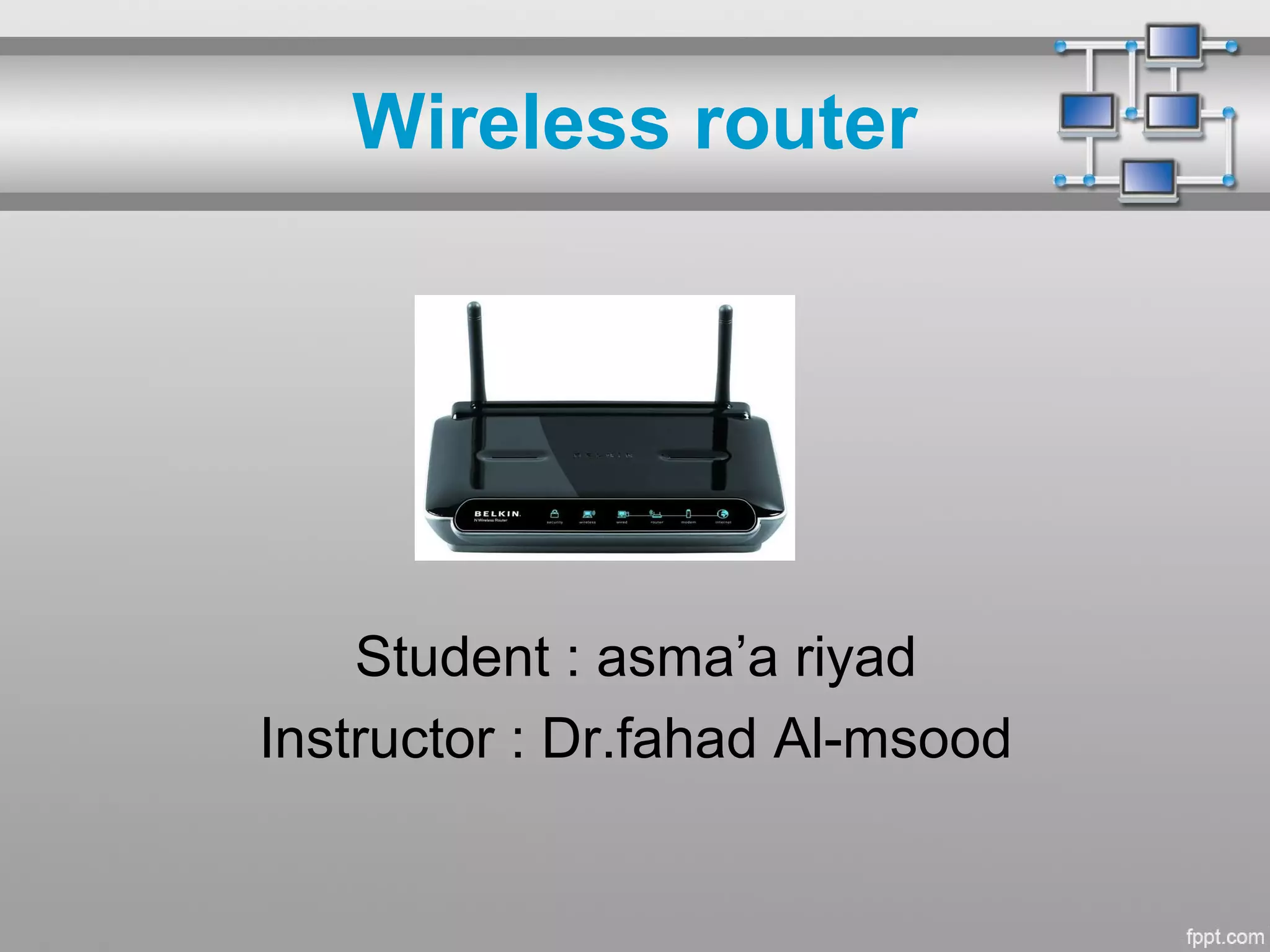
Wireless router
Student : asma’a riyad
Instructor : Dr.fahad Al-msood
Topics :
• What is a wireless router?
• How does it work?
• How to secure a wireless router?
• How to choose a wireless router?
What is a wireless router?
• A wireless router is a device that
performs the functions of a router
but also includes the functions of a
wireless access point. It is commonly
used to provide access to the
Internet or a computer network. It
does not require a wired link, as the
connection is made wirelessly, via
radio waves.
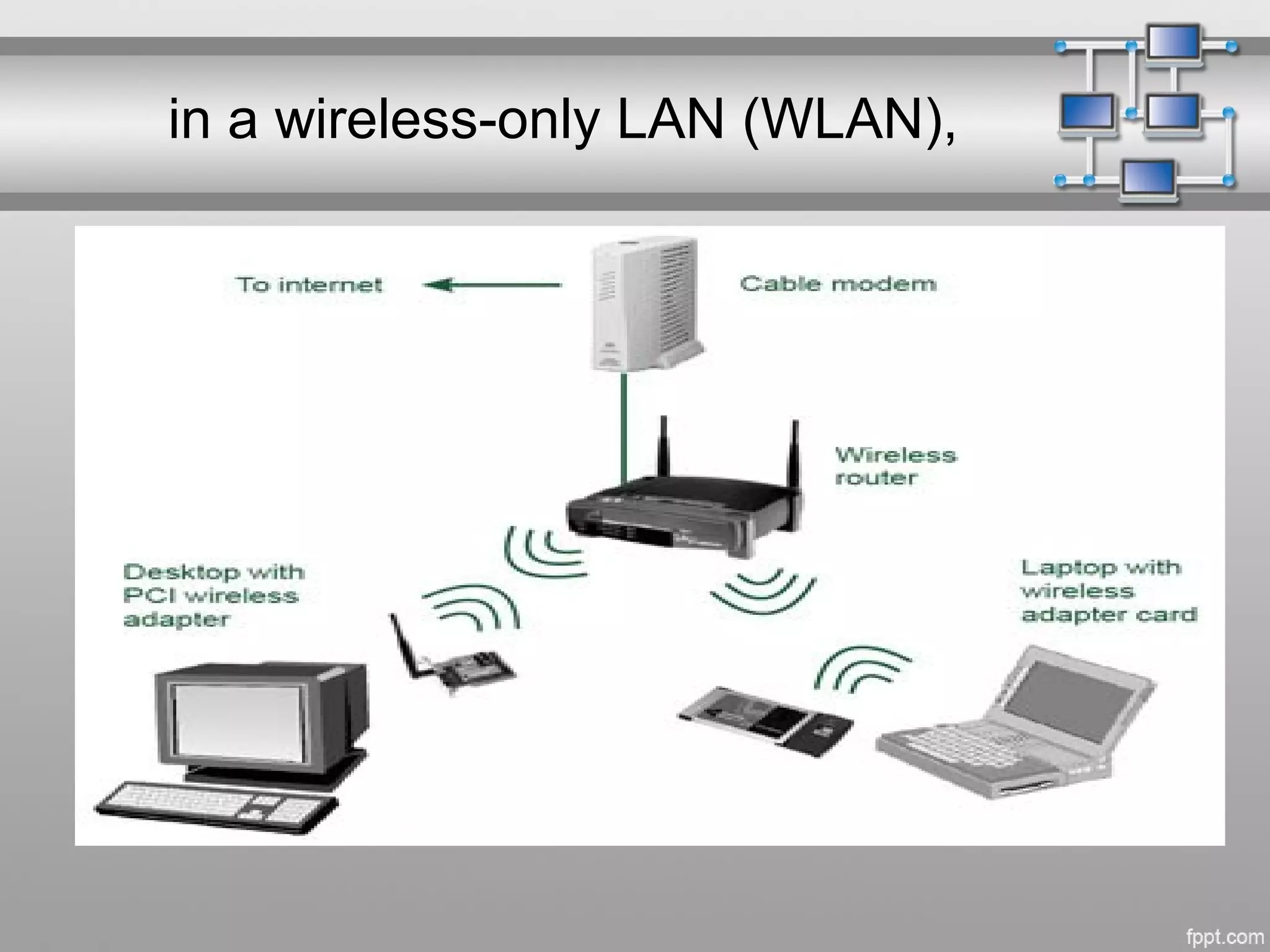
• It can function in a wired LAN
in a wireless-only LAN (WLAN),
or in a mixed wired/wireless network, depending on the
manufacturer and model.
How does it work ?
• A wireless router must be connected to a network or Internet
connection and serves as a bridge or gateway for the client devices
that access the router. For most consumers, a wireless router is
connected directly to a DSL (Digital Subscriber Line) or cable
Internet connection via Ethernet or USB connection.
Cont..
• The router decodes information received
from client computers from the RF signal
to the appropriate network datagram to be
sent to computer hosts on the local or
external network.
• Wireless routers also receive and encode
data received from the Internet to transmit
to the appropriate device on the local
wireless network.
Cont..
• The operation of a wireless network is similar to
that used in two-way radio communication
systems with the router providing the
mechanism for all network operations by the
local computer hosts.
How to secure a router?
• The first thing you should do when setting up
your wireless network is change the name of
your router as well as the default login name and
password.
Cont..
• Secondly, you should ensure you choose an
appropriate level of encryption. WEP (Wired
Equivalent Privacy) has been shown to be easily
cracked and should be avoided if possible.
Cont..
• WPA (Wi-Fi Protected Access) is a more
secure method though not entirely
uncrackable,
Cont..
• WPA II, the latest generation of this encryption
standard, is recommended. Any device that
connects to your wireless network - whether a
laptop, mobile phone - will need to support WPA
II as well.
How to choose a router?
• When you're choosing a wireless router,
you should consider the same things as
you would with any other wireless
equipment: range, speed and standards.
References:
• http://www.hp.com/global/us/en/wireless/w
ireless-network-help4.html
• http://www.Wikipedia.com
• http://www.hp.com/global/us/en/wireless/w
ireless-network-help.html
Wireless router
Thank you ...

Wireless router

  • 1.
    Wireless router Student :asma’a riyad Instructor : Dr.fahad Al-msood
  • 2.
    Topics : • Whatis a wireless router? • How does it work? • How to secure a wireless router? • How to choose a wireless router?
  • 3.
    What is awireless router? • A wireless router is a device that performs the functions of a router but also includes the functions of a wireless access point. It is commonly used to provide access to the Internet or a computer network. It does not require a wired link, as the connection is made wirelessly, via radio waves.
  • 4.
    • It canfunction in a wired LAN
  • 5.
    in a wireless-onlyLAN (WLAN),
  • 6.
    or in amixed wired/wireless network, depending on the manufacturer and model.
  • 7.
    How does itwork ? • A wireless router must be connected to a network or Internet connection and serves as a bridge or gateway for the client devices that access the router. For most consumers, a wireless router is connected directly to a DSL (Digital Subscriber Line) or cable Internet connection via Ethernet or USB connection.
  • 8.
    Cont.. • The routerdecodes information received from client computers from the RF signal to the appropriate network datagram to be sent to computer hosts on the local or external network. • Wireless routers also receive and encode data received from the Internet to transmit to the appropriate device on the local wireless network.
  • 9.
    Cont.. • The operationof a wireless network is similar to that used in two-way radio communication systems with the router providing the mechanism for all network operations by the local computer hosts.
  • 10.
    How to securea router? • The first thing you should do when setting up your wireless network is change the name of your router as well as the default login name and password.
  • 11.
    Cont.. • Secondly, youshould ensure you choose an appropriate level of encryption. WEP (Wired Equivalent Privacy) has been shown to be easily cracked and should be avoided if possible.
  • 12.
    Cont.. • WPA (Wi-FiProtected Access) is a more secure method though not entirely uncrackable,
  • 13.
    Cont.. • WPA II,the latest generation of this encryption standard, is recommended. Any device that connects to your wireless network - whether a laptop, mobile phone - will need to support WPA II as well.
  • 14.
    How to choosea router? • When you're choosing a wireless router, you should consider the same things as you would with any other wireless equipment: range, speed and standards.
  • 15.
  • 16.