WHEN DOCKER ENDS
CHEF BEGINS
Hello!
I AM GIOVANNI TORALDO
Open Source enthusiast with SuperCow Powers
PHP/Java/whatever developer
writer of the OpenNebula book
Lead Developer @ ClouDesire
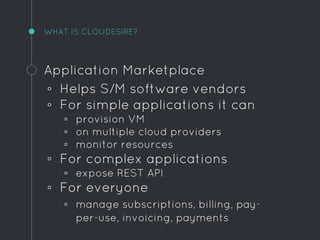
WHAT IS CLOUDESIRE?
Application Marketplace
◦ Helps S/M software vendors
◦ For simple applications it can
▫ provision VM
▫ on multiple cloud providers
▫ monitor resources
◦ For complex applications
▫ expose REST API
◦ For everyone
▫ manage subscriptions, billing, pay-
per-use, invoicing, payments
WOULD YOU BE MY CONTAINER?1
DOCKER: WHAT IS IT?
Enables software developers to
◦ package an application
◦ with all dependencies
◦ runs it everywhere unchanged
DOCKER: WHAT IS THE POINT?
Enables system administrators to
◦ simplify application deployment
◦ ease scale-up & scale-down
◦ processes separation
DOCKER: UNDERLYING TECHNOLOGIES
◦ Linux namespaces
◦ Control Groups (cgroups)
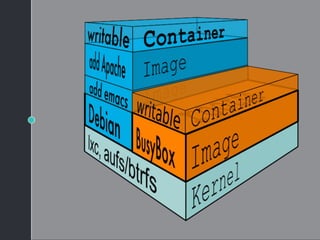
◦ Layered filesystems
◦ LXC (now libcontainer)
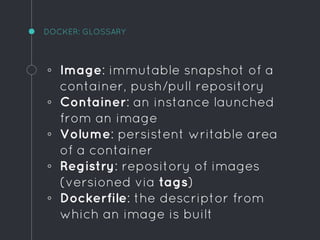
DOCKER: GLOSSARY
◦ Image: immutable snapshot of a
container, push/pull repository
◦ Container: an instance launched
from an image
◦ Volume: persistent writable area
of a container
◦ Registry: repository of images
(versioned via tags)
◦ Dockerfile: the descriptor from
which an image is built
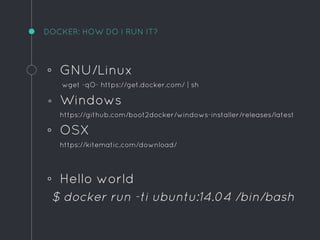
DOCKER: HOW DO I RUN IT?
◦ GNU/Linux
wget -qO- https://get.docker.com/ | sh
◦ Windows
https://github.com/boot2docker/windows-installer/releases/latest
◦ OSX
https://kitematic.com/download/
◦ Hello world
$ docker run -ti ubuntu:14.04 /bin/bash
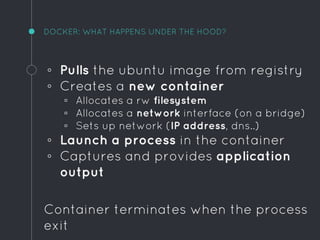
DOCKER: WHAT HAPPENS UNDER THE HOOD?
◦ Pulls the ubuntu image from registry
◦ Creates a new container
▫ Allocates a rw filesystem
▫ Allocates a network interface (on a bridge)
▫ Sets up network (IP address, dns..)
◦ Launch a process in the container
◦ Captures and provides application
output
Container terminates when the process
exit
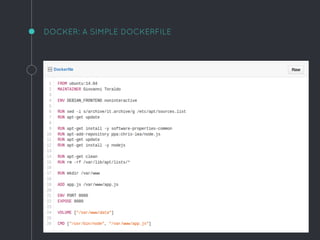
DOCKER: A SIMPLE DOCKERFILE
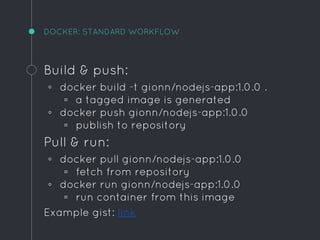
DOCKER: STANDARD WORKFLOW
Build & push:
◦ docker build -t gionn/nodejs-app:1.0.0 .
▫ a tagged image is generated
◦ docker push gionn/nodejs-app:1.0.0
▫ publish to repository
Pull & run:
◦ docker pull gionn/nodejs-app:1.0.0
▫ fetch from repository
◦ docker run gionn/nodejs-app:1.0.0
▫ run container from this image
Example gist: link
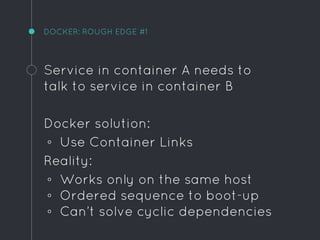
DOCKER: ROUGH EDGE #1
Service in container A needs to
talk to service in container B
Docker solution:
◦ Use Container Links
Reality:
◦ Works only on the same host
◦ Ordered sequence to boot-up
◦ Can’t solve cyclic dependencies
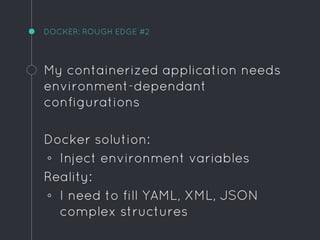
DOCKER: ROUGH EDGE #2
My containerized application needs
environment-dependant
configurations
Docker solution:
◦ Inject environment variables
Reality:
◦ I need to fill YAML, XML, JSON
complex structures
DOCKER: ROUGH EDGE #3
I need to manage and upgrade a
non-trivial number of containers on
multiple hosts
Docker solution:
◦ Docker Swarm
Reality:
◦ currently in beta, not recommend
for production
DOCKER: RECAP
So far so good?
Docker is a piece of cake for
wrapping together the
technologies of Linux containers,
multi-layered filesystems and an
image build system, in an unique
tool easy and fast to use.
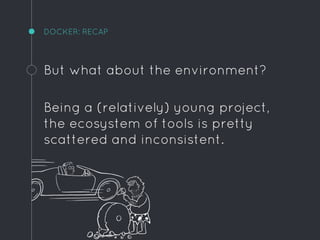
DOCKER: RECAP
But what about the environment?
Being a (relatively) young project,
the ecosystem of tools is pretty
scattered and inconsistent.
WHO YOU GONNA CALL?2
WHO YOU GONNA CALL?
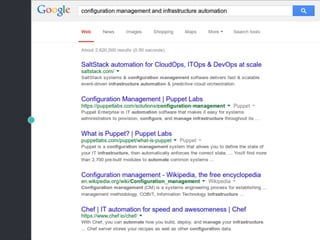
Probably someone has solved this
kind of issues far time ago, even
before Docker existed?
Those kind of problems are all
about configuration management
and automation.
So use the tools already available.
CHEF
Chef enables you to:
◦ Version your infrastructure on
SCM, build an artifact
◦ Apply testing, CI, CD to
infrastructure
◦ Keep it aligned with your
software
◦ Automation via repeatable
actions (e.g. click to deploy)
CHEF: THE TOOLS
Everything you need in a single
package:
https://downloads.chef.io/chef-dk/
For (automated) testing
https://www.vagrantup.com
https://www.virtualbox.org
CHEF: EVERYTHING IS IN A REPOSITORY
The chef-repo is a standard repo
layout and contains:
◦ Cookbooks
◦ Environments
◦ Data bags
◦ Roles
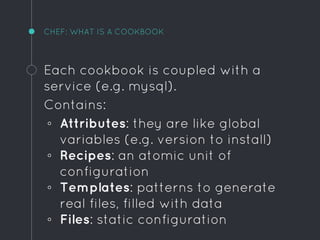
CHEF: WHAT IS A COOKBOOK
Each cookbook is coupled with a
service (e.g. mysql).
Contains:
◦ Attributes: they are like global
variables (e.g. version to install)
◦ Recipes: an atomic unit of
configuration
◦ Templates: patterns to generate
real files, filled with data
◦ Files: static configuration
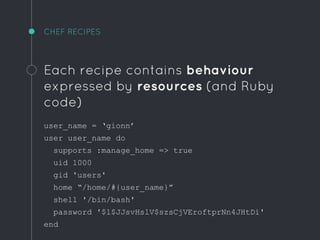
CHEF RECIPES
Each recipe contains behaviour
expressed by resources (and Ruby
code)
user_name = ‘gionn’
user user_name do
supports :manage_home => true
uid 1000
gid 'users'
home “/home/#{user_name}”
shell '/bin/bash'
password '$1$JJsvHslV$szsCjVEroftprNn4JHtDi'
end
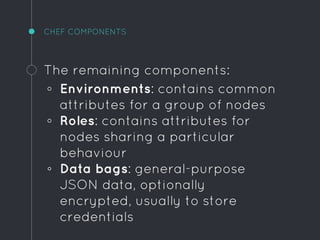
CHEF COMPONENTS
The remaining components:
◦ Environments: contains common
attributes for a group of nodes
◦ Roles: contains attributes for
nodes sharing a particular
behaviour
◦ Data bags: general-purpose
JSON data, optionally
encrypted, usually to store
credentials
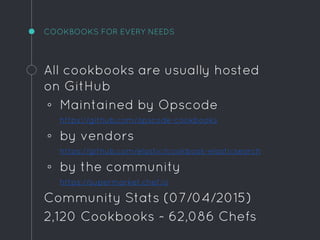
COOKBOOKS FOR EVERY NEEDS
All cookbooks are usually hosted
on GitHub
◦ Maintained by Opscode
https://github.com/opscode-cookbooks
◦ by vendors
https://github.com/elastic/cookbook-elasticsearch
◦ by the community
https://supermarket.chef.io
Community Stats (07/04/2015)
2,120 Cookbooks ~ 62,086 Chefs
ONE DOES NOT SIMPLY COOK A WHALE3
DOCKER COOKBOOK
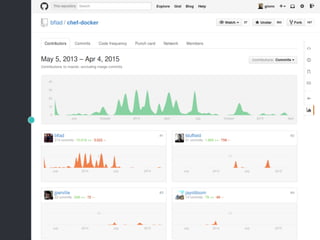
https://github.com/bflad/chef-docker
◦ Install docker daemon on
supported platforms
▫ Ubuntu/Debian
▫ RHEL/CentOS/Fedora
▫ Amazon Linux
◦ Expose attributes for fine-tuning
(e.g. TLS certificates, DNS)
◦ Manage images & containers
lifecycle via ad-hoc resources
PROBLEM #0: IMAGE DISTRIBUTION / RUN CONTAINER
docker_image 'registry:0.9.0' do
action :pull
notifies :redeploy, 'docker_container[registry]', :immediately
end
docker_container 'registry' do
container_name 'registry'
image 'registry:0.9.0'
detach true
port '5000:5000'
volume '/srv/registry:/tmp/registry'
env 'SETTINGS_FLAVOR=local'
env 'SEARCH_BACKEND=sqlalchemy'
action :run
end
PROBLEM #0: IMAGE DISTRIBUTION / RUN CONTAINER
Check that docker has such tagged
image and if not:
◦ Download that version
◦ Stop existing container (if any)
◦ Run new container
◦ Raise error if anything goes wrong
PROBLEM #1: MY APPLICATION NEEDS CONFIGURATION
Populate configuration files with
proper values (and automatically
restart on changes)
template node['tomcat']['host'] + '/cmw.xml' do
source 'tomcat/tomcat-context.xml.erb'
variables(
:resource_name => 'jdbc/datasource',
:username => node['cloudesire']['name'],
:password => node['cloudesire']['pass']
:url => node['cloudesire']['url'],
)
notifies :redeploy, 'docker_container[cmw]'
end
PROBLEM #1: MY APPLICATION NEEDS CONFIGURATION
tomcat-context.xml.erb
<Context>
<Resource auth="Container"
driverClassName="org.postgresql.Driver"
initialSize="<%= @node['cloudesire']['backend']['db_pool']['min'] %>"
maxActive="<%= @node['cloudesire']['backend']['db_pool']['max'] %>"
maxIdle="<%= @node['cloudesire']['backend']['db_pool']['idle'] %>"
maxWait="<%= @node['cloudesire']['backend']['db_pool']['wait'] %>"
name="<%= @resource_name %>"
url="<%= @url %>"
username="<%= @username %>"
password="<%= @password %>"
type="javax.sql.DataSource"
validationQuery="select 1"
testOnBorrow="true"
/>
</Context>
PROBLEM #1: MY APPLICATION NEEDS CONFIGURATION
Templates consist of:
◦ an .ERB template
◦ a template resource declared in
a recipe
The template is evaluated using
the variables passed directly or via
the global node object.
PROBLEM #1: MY APPLICATION NEEDS CONFIGURATION
Inject a single file or entire folders
dst = node['tomcat']['base'] + '/conf/Catalina/' +
'localhost/cmw.xml'
docker_container 'cmw' do
image image_name
container_name 'cmw'
detach true
env LOG debug
volume [
"#{node['tomcat']['host']}/cmw.xml:#{dst}",
"/etc/cloudesire:/etc/cloudesire"
]
end
PROBLEM #1: MY APPLICATION NEEDS CONFIGURATION
Docker permits defining volumes
to be used for persistent data (e.g.
database files), but may be used
to inject configurations into the
container at runtime.
Definitevely avoid the needs of
image rebuilding to adjust a
setting.
PROBLEM #2: CONTAINERS RUNNING ON MULTIPLE HOSTS
Each node has its own run_list,
defining which recipes should be
executed (in JSON):
{
“run_list”: [
"cd-infrastructure::docker-cmw",
"cd-infrastructure::docker-deployer",
"cd-infrastructure::docker-monitor",
"cd-infrastructure::docker-logger"
],
“cloudesire”: {
“key”: “value”
}
}
PROBLEM #2: CONTAINERS RUNNING ON MULTIPLE HOSTS
Same recipe on different nodes
(attributes may change)
node1.json
{
“run_list”: [
"cd-infrastructure::docker-cmw",
"cd-infrastructure::docker-logger"
]
}
node2.json
{
“run_list”: [
"cd-infrastructure::docker-deployer",
"cd-infrastructure::docker-monitor",
"cd-infrastructure::docker-logger"
]
}
MAY NOT BE GOLD BUT IT’S A START FOR SURE!
It’s easy to getting started with
Chef by using kitchen-ci or plain
Vagrant:
◦ Initialize a chef repo
◦ Create a new cookbook
◦ Start hacking
◦ Play on kitchen-ci or vagrant
◦ Repeat last 2
KITCHEN.YML EXAMPLE
$ kitchen converge
driver:
name: vagrant
provisioner:
name: chef_solo
platforms:
- name: ubuntu-1404
suites:
- name: default
run_list:
- recipe[mycookbook::docker-whatever]
attributes: { foo: "bar" }
READY TO USE CHEF REPOSITORY
A starting repository for aspiring
whale cookers:
https://github.com/gionn/cooking-
docker
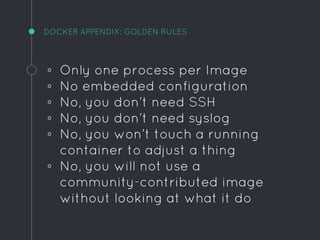
DOCKER APPENDIX: GOLDEN RULES
◦ Only one process per Image
◦ No embedded configuration
◦ No, you don’t need SSH
◦ No, you don’t need syslog
◦ No, you won’t touch a running
container to adjust a thing
◦ No, you will not use a
community-contributed image
without looking at what it do
Thanks!
ANY QUESTIONS?
You can find me at:
@gionn on twitter / github
me@gionn.net
giovanni.toraldo@cloudesire.com

When Docker ends, Chef begins ~ #idi2015 Incontro DevOps Italia

  • 1.
  • 2.
    Hello! I AM GIOVANNITORALDO Open Source enthusiast with SuperCow Powers PHP/Java/whatever developer writer of the OpenNebula book Lead Developer @ ClouDesire
  • 3.
    WHAT IS CLOUDESIRE? ApplicationMarketplace ◦ Helps S/M software vendors ◦ For simple applications it can ▫ provision VM ▫ on multiple cloud providers ▫ monitor resources ◦ For complex applications ▫ expose REST API ◦ For everyone ▫ manage subscriptions, billing, pay- per-use, invoicing, payments
  • 4.
    WOULD YOU BEMY CONTAINER?1
  • 5.
    DOCKER: WHAT ISIT? Enables software developers to ◦ package an application ◦ with all dependencies ◦ runs it everywhere unchanged
  • 6.
    DOCKER: WHAT ISTHE POINT? Enables system administrators to ◦ simplify application deployment ◦ ease scale-up & scale-down ◦ processes separation
  • 7.
    DOCKER: UNDERLYING TECHNOLOGIES ◦Linux namespaces ◦ Control Groups (cgroups) ◦ Layered filesystems ◦ LXC (now libcontainer)
  • 9.
    DOCKER: GLOSSARY ◦ Image:immutable snapshot of a container, push/pull repository ◦ Container: an instance launched from an image ◦ Volume: persistent writable area of a container ◦ Registry: repository of images (versioned via tags) ◦ Dockerfile: the descriptor from which an image is built
  • 10.
    DOCKER: HOW DOI RUN IT? ◦ GNU/Linux wget -qO- https://get.docker.com/ | sh ◦ Windows https://github.com/boot2docker/windows-installer/releases/latest ◦ OSX https://kitematic.com/download/ ◦ Hello world $ docker run -ti ubuntu:14.04 /bin/bash
  • 11.
    DOCKER: WHAT HAPPENSUNDER THE HOOD? ◦ Pulls the ubuntu image from registry ◦ Creates a new container ▫ Allocates a rw filesystem ▫ Allocates a network interface (on a bridge) ▫ Sets up network (IP address, dns..) ◦ Launch a process in the container ◦ Captures and provides application output Container terminates when the process exit
  • 12.
    DOCKER: A SIMPLEDOCKERFILE
  • 13.
    DOCKER: STANDARD WORKFLOW Build& push: ◦ docker build -t gionn/nodejs-app:1.0.0 . ▫ a tagged image is generated ◦ docker push gionn/nodejs-app:1.0.0 ▫ publish to repository Pull & run: ◦ docker pull gionn/nodejs-app:1.0.0 ▫ fetch from repository ◦ docker run gionn/nodejs-app:1.0.0 ▫ run container from this image Example gist: link
  • 14.
    DOCKER: ROUGH EDGE#1 Service in container A needs to talk to service in container B Docker solution: ◦ Use Container Links Reality: ◦ Works only on the same host ◦ Ordered sequence to boot-up ◦ Can’t solve cyclic dependencies
  • 15.
    DOCKER: ROUGH EDGE#2 My containerized application needs environment-dependant configurations Docker solution: ◦ Inject environment variables Reality: ◦ I need to fill YAML, XML, JSON complex structures
  • 16.
    DOCKER: ROUGH EDGE#3 I need to manage and upgrade a non-trivial number of containers on multiple hosts Docker solution: ◦ Docker Swarm Reality: ◦ currently in beta, not recommend for production
  • 17.
    DOCKER: RECAP So farso good? Docker is a piece of cake for wrapping together the technologies of Linux containers, multi-layered filesystems and an image build system, in an unique tool easy and fast to use.
  • 18.
    DOCKER: RECAP But whatabout the environment? Being a (relatively) young project, the ecosystem of tools is pretty scattered and inconsistent.
  • 19.
  • 20.
    WHO YOU GONNACALL? Probably someone has solved this kind of issues far time ago, even before Docker existed? Those kind of problems are all about configuration management and automation. So use the tools already available.
  • 22.
    CHEF Chef enables youto: ◦ Version your infrastructure on SCM, build an artifact ◦ Apply testing, CI, CD to infrastructure ◦ Keep it aligned with your software ◦ Automation via repeatable actions (e.g. click to deploy)
  • 23.
    CHEF: THE TOOLS Everythingyou need in a single package: https://downloads.chef.io/chef-dk/ For (automated) testing https://www.vagrantup.com https://www.virtualbox.org
  • 24.
    CHEF: EVERYTHING ISIN A REPOSITORY The chef-repo is a standard repo layout and contains: ◦ Cookbooks ◦ Environments ◦ Data bags ◦ Roles
  • 25.
    CHEF: WHAT ISA COOKBOOK Each cookbook is coupled with a service (e.g. mysql). Contains: ◦ Attributes: they are like global variables (e.g. version to install) ◦ Recipes: an atomic unit of configuration ◦ Templates: patterns to generate real files, filled with data ◦ Files: static configuration
  • 26.
    CHEF RECIPES Each recipecontains behaviour expressed by resources (and Ruby code) user_name = ‘gionn’ user user_name do supports :manage_home => true uid 1000 gid 'users' home “/home/#{user_name}” shell '/bin/bash' password '$1$JJsvHslV$szsCjVEroftprNn4JHtDi' end
  • 27.
    CHEF COMPONENTS The remainingcomponents: ◦ Environments: contains common attributes for a group of nodes ◦ Roles: contains attributes for nodes sharing a particular behaviour ◦ Data bags: general-purpose JSON data, optionally encrypted, usually to store credentials
  • 28.
    COOKBOOKS FOR EVERYNEEDS All cookbooks are usually hosted on GitHub ◦ Maintained by Opscode https://github.com/opscode-cookbooks ◦ by vendors https://github.com/elastic/cookbook-elasticsearch ◦ by the community https://supermarket.chef.io Community Stats (07/04/2015) 2,120 Cookbooks ~ 62,086 Chefs
  • 29.
    ONE DOES NOTSIMPLY COOK A WHALE3
  • 30.
    DOCKER COOKBOOK https://github.com/bflad/chef-docker ◦ Installdocker daemon on supported platforms ▫ Ubuntu/Debian ▫ RHEL/CentOS/Fedora ▫ Amazon Linux ◦ Expose attributes for fine-tuning (e.g. TLS certificates, DNS) ◦ Manage images & containers lifecycle via ad-hoc resources
  • 32.
    PROBLEM #0: IMAGEDISTRIBUTION / RUN CONTAINER docker_image 'registry:0.9.0' do action :pull notifies :redeploy, 'docker_container[registry]', :immediately end docker_container 'registry' do container_name 'registry' image 'registry:0.9.0' detach true port '5000:5000' volume '/srv/registry:/tmp/registry' env 'SETTINGS_FLAVOR=local' env 'SEARCH_BACKEND=sqlalchemy' action :run end
  • 33.
    PROBLEM #0: IMAGEDISTRIBUTION / RUN CONTAINER Check that docker has such tagged image and if not: ◦ Download that version ◦ Stop existing container (if any) ◦ Run new container ◦ Raise error if anything goes wrong
  • 34.
    PROBLEM #1: MYAPPLICATION NEEDS CONFIGURATION Populate configuration files with proper values (and automatically restart on changes) template node['tomcat']['host'] + '/cmw.xml' do source 'tomcat/tomcat-context.xml.erb' variables( :resource_name => 'jdbc/datasource', :username => node['cloudesire']['name'], :password => node['cloudesire']['pass'] :url => node['cloudesire']['url'], ) notifies :redeploy, 'docker_container[cmw]' end
  • 35.
    PROBLEM #1: MYAPPLICATION NEEDS CONFIGURATION tomcat-context.xml.erb <Context> <Resource auth="Container" driverClassName="org.postgresql.Driver" initialSize="<%= @node['cloudesire']['backend']['db_pool']['min'] %>" maxActive="<%= @node['cloudesire']['backend']['db_pool']['max'] %>" maxIdle="<%= @node['cloudesire']['backend']['db_pool']['idle'] %>" maxWait="<%= @node['cloudesire']['backend']['db_pool']['wait'] %>" name="<%= @resource_name %>" url="<%= @url %>" username="<%= @username %>" password="<%= @password %>" type="javax.sql.DataSource" validationQuery="select 1" testOnBorrow="true" /> </Context>
  • 36.
    PROBLEM #1: MYAPPLICATION NEEDS CONFIGURATION Templates consist of: ◦ an .ERB template ◦ a template resource declared in a recipe The template is evaluated using the variables passed directly or via the global node object.
  • 37.
    PROBLEM #1: MYAPPLICATION NEEDS CONFIGURATION Inject a single file or entire folders dst = node['tomcat']['base'] + '/conf/Catalina/' + 'localhost/cmw.xml' docker_container 'cmw' do image image_name container_name 'cmw' detach true env LOG debug volume [ "#{node['tomcat']['host']}/cmw.xml:#{dst}", "/etc/cloudesire:/etc/cloudesire" ] end
  • 38.
    PROBLEM #1: MYAPPLICATION NEEDS CONFIGURATION Docker permits defining volumes to be used for persistent data (e.g. database files), but may be used to inject configurations into the container at runtime. Definitevely avoid the needs of image rebuilding to adjust a setting.
  • 39.
    PROBLEM #2: CONTAINERSRUNNING ON MULTIPLE HOSTS Each node has its own run_list, defining which recipes should be executed (in JSON): { “run_list”: [ "cd-infrastructure::docker-cmw", "cd-infrastructure::docker-deployer", "cd-infrastructure::docker-monitor", "cd-infrastructure::docker-logger" ], “cloudesire”: { “key”: “value” } }
  • 40.
    PROBLEM #2: CONTAINERSRUNNING ON MULTIPLE HOSTS Same recipe on different nodes (attributes may change) node1.json { “run_list”: [ "cd-infrastructure::docker-cmw", "cd-infrastructure::docker-logger" ] } node2.json { “run_list”: [ "cd-infrastructure::docker-deployer", "cd-infrastructure::docker-monitor", "cd-infrastructure::docker-logger" ] }
  • 41.
    MAY NOT BEGOLD BUT IT’S A START FOR SURE! It’s easy to getting started with Chef by using kitchen-ci or plain Vagrant: ◦ Initialize a chef repo ◦ Create a new cookbook ◦ Start hacking ◦ Play on kitchen-ci or vagrant ◦ Repeat last 2
  • 42.
    KITCHEN.YML EXAMPLE $ kitchenconverge driver: name: vagrant provisioner: name: chef_solo platforms: - name: ubuntu-1404 suites: - name: default run_list: - recipe[mycookbook::docker-whatever] attributes: { foo: "bar" }
  • 43.
    READY TO USECHEF REPOSITORY A starting repository for aspiring whale cookers: https://github.com/gionn/cooking- docker
  • 44.
    DOCKER APPENDIX: GOLDENRULES ◦ Only one process per Image ◦ No embedded configuration ◦ No, you don’t need SSH ◦ No, you don’t need syslog ◦ No, you won’t touch a running container to adjust a thing ◦ No, you will not use a community-contributed image without looking at what it do
  • 45.
    Thanks! ANY QUESTIONS? You canfind me at: @gionn on twitter / github me@gionn.net giovanni.toraldo@cloudesire.com