




What’s new in
Adobe Creative Suite 6
What’s new in
           Adobe InDesign CS6


•	 Liquid Layout
   Adjusts content in relationship to the page when you create an alternate
   layout in InDesign

•	 Alternate Layout
   Adapt your primary InDesign layout for other orientations, page sizes, or
   devices while retaining complete control over the design

•	 Linked Content
   Ensure that repeated content – whether text, images, or interactivity –
   remains consistent in the same document or across multiple documents

•	 Content Collector Tools
   Quickly reuse text and objects in the same document or other InDesign
   documents

•	 Enhancements For Digital Publishing
What’s new in
           Adobe Photoshop CS6


•	 Background Save And Auto-recovery

•	 All-new Crop Tool

•	 Extended Content-Aware Family Of Technologies
   Retouch, repair, and rework images with astonishing ease, control, and
   precision

•	 Adaptive Wide Angle Fliter
   Quickly straighten objects that appear curved in panoramas or photos
   shot with fisheye or wide-angle lenses

•	 3D Control
   Quickly straighten objects that appear curved in panoramas or photos
   shot with fisheye or wide-angle lenses

•	 Video Creation

•	 New Blur Effects
What’s new in
         Adobe Photoshop CS6


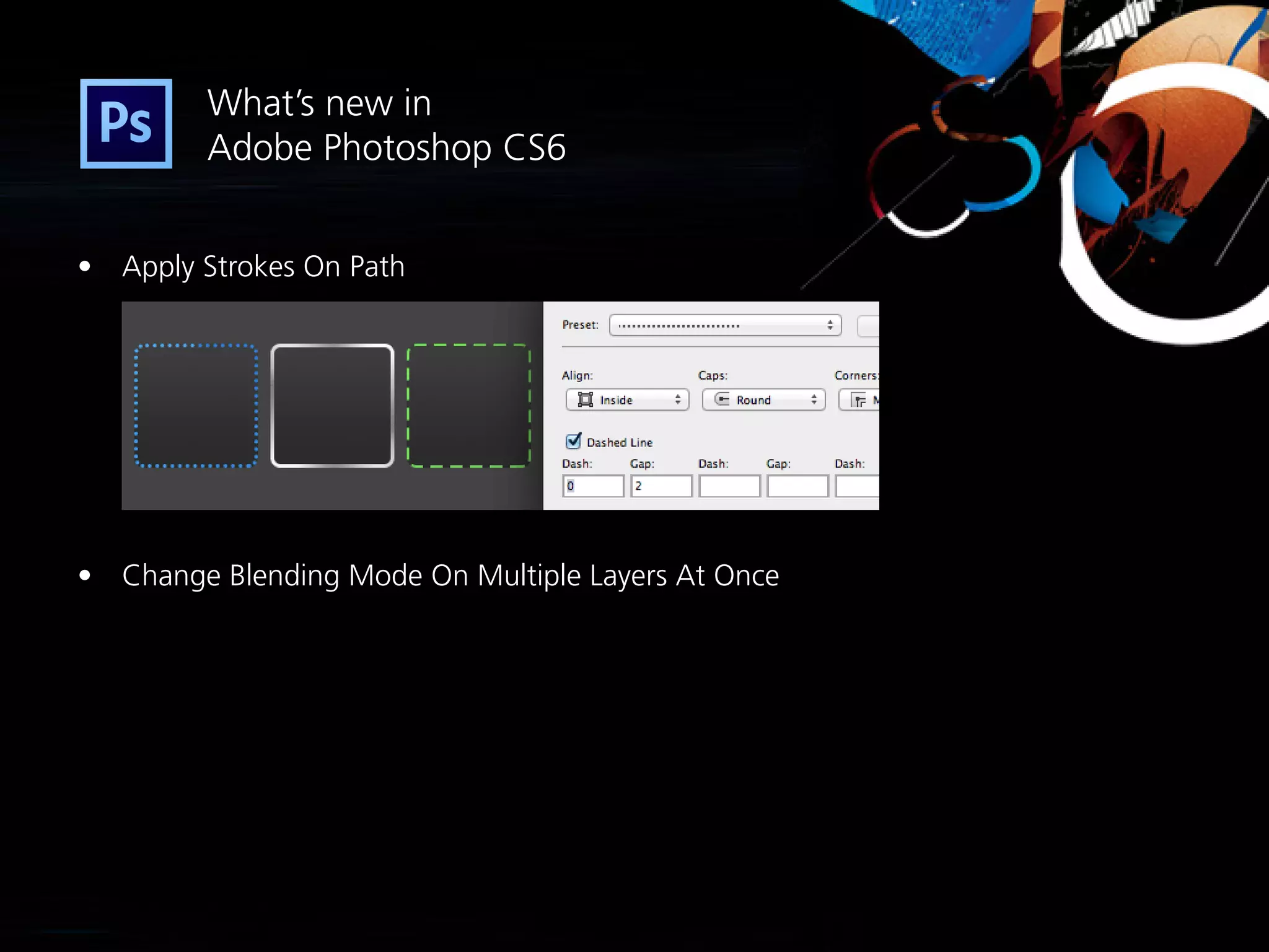
•	 Apply Strokes On Path


•	 Change Blending Mode On Multiple Layers At Once
What’s new in
            Adobe Illustrator CS6


•	 Mercury Performance System
	 Enhances overall performance – improved speed and stability

•	 Gaussian Blur Enhancement

•	 Image Trace
    Convert raster images to editable vectors using a completely new tracing engine

•	 Pattern Creation

•	 Gradient on Strokes
Thank you

What's New in Adobe CS6 - Summary

  • 1.
    What’s new in AdobeCreative Suite 6
  • 3.
    What’s new in Adobe InDesign CS6 • Liquid Layout Adjusts content in relationship to the page when you create an alternate layout in InDesign • Alternate Layout Adapt your primary InDesign layout for other orientations, page sizes, or devices while retaining complete control over the design • Linked Content Ensure that repeated content – whether text, images, or interactivity – remains consistent in the same document or across multiple documents • Content Collector Tools Quickly reuse text and objects in the same document or other InDesign documents • Enhancements For Digital Publishing
  • 5.
    What’s new in Adobe Photoshop CS6 • Background Save And Auto-recovery • All-new Crop Tool • Extended Content-Aware Family Of Technologies Retouch, repair, and rework images with astonishing ease, control, and precision • Adaptive Wide Angle Fliter Quickly straighten objects that appear curved in panoramas or photos shot with fisheye or wide-angle lenses • 3D Control Quickly straighten objects that appear curved in panoramas or photos shot with fisheye or wide-angle lenses • Video Creation • New Blur Effects
  • 6.
    What’s new in Adobe Photoshop CS6 • Apply Strokes On Path • Change Blending Mode On Multiple Layers At Once
  • 8.
    What’s new in Adobe Illustrator CS6 • Mercury Performance System Enhances overall performance – improved speed and stability • Gaussian Blur Enhancement • Image Trace Convert raster images to editable vectors using a completely new tracing engine • Pattern Creation • Gradient on Strokes
  • 9.