Headless Drupal
101
Allie Jones
Sr Technical Solutions Manager
What is
Headless?
What is Headless?
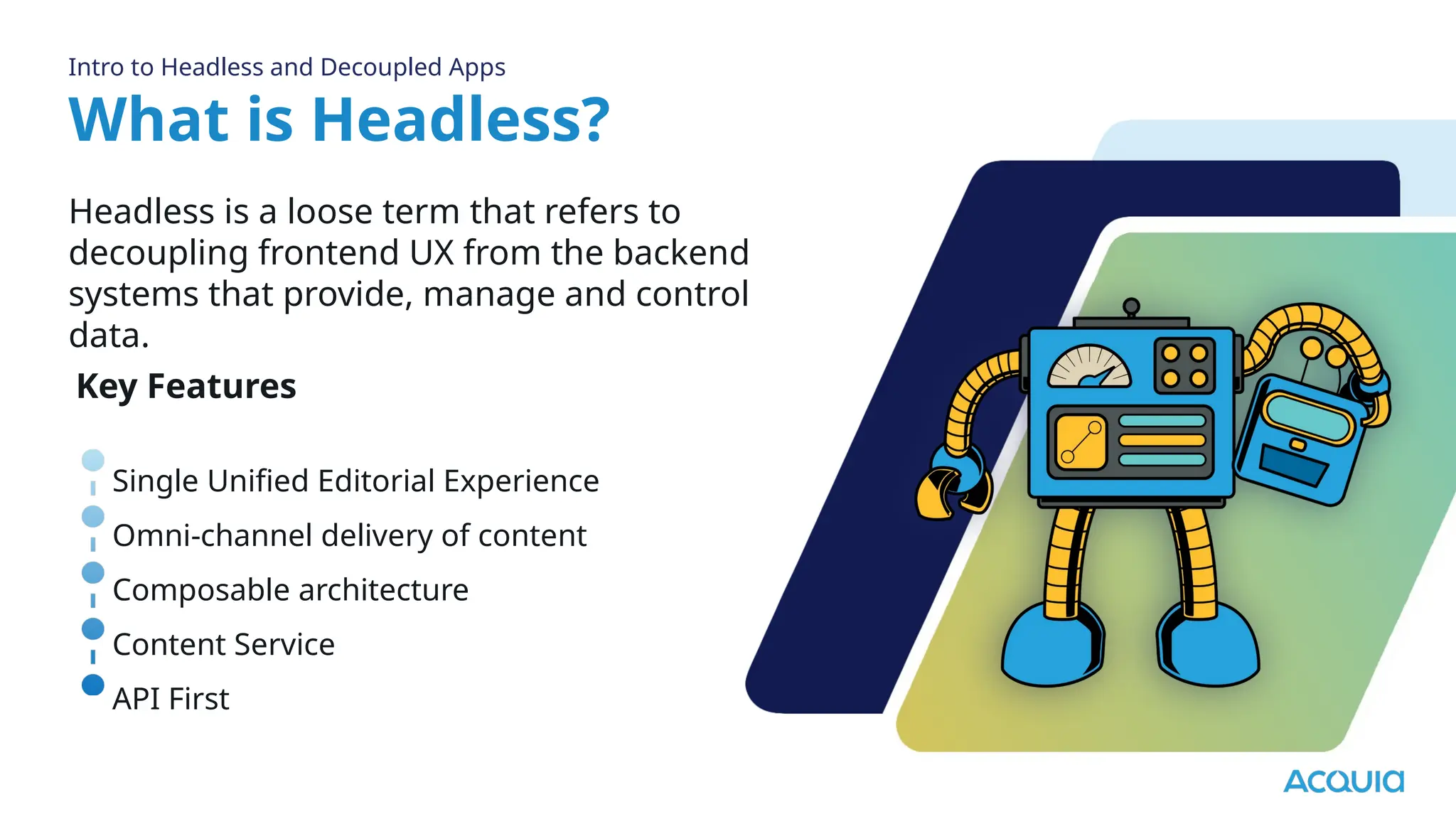
Headless is a loose term that refers to
decoupling frontend UX from the backend
systems that provide, manage and control
data.
Intro to Headless and Decoupled Apps
Key Features
Single Unified Editorial Experience
Omni-channel delivery of content
Composable architecture
Content Service
API First
What is Headless?
Intro to Headless and Decoupled Apps
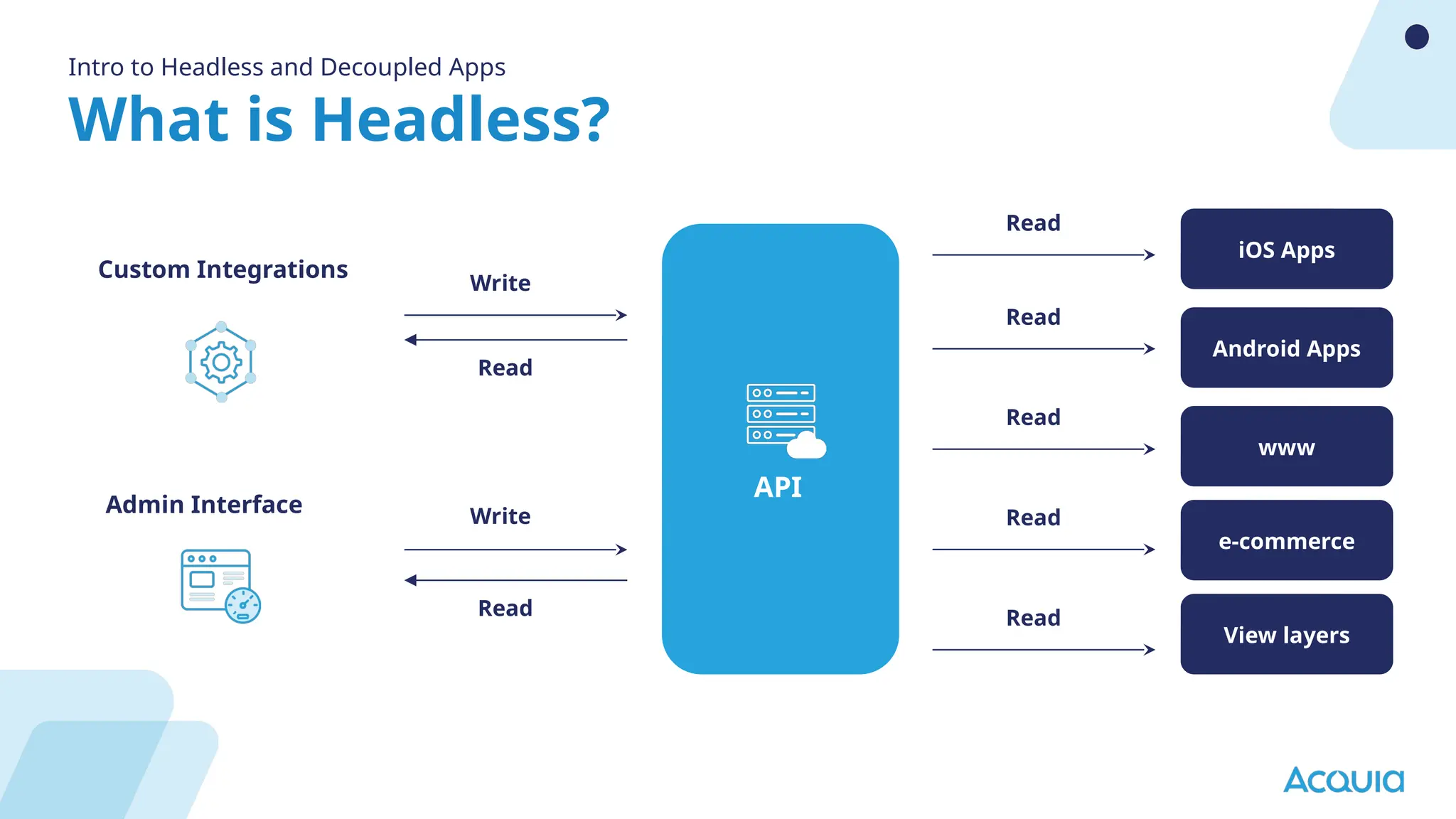
API
Read
Read
Read
Read
Read
Read
Read
Write
Write
iOS Apps
Android Apps
www
e-commerce
View layers
Custom Integrations
Admin Interface
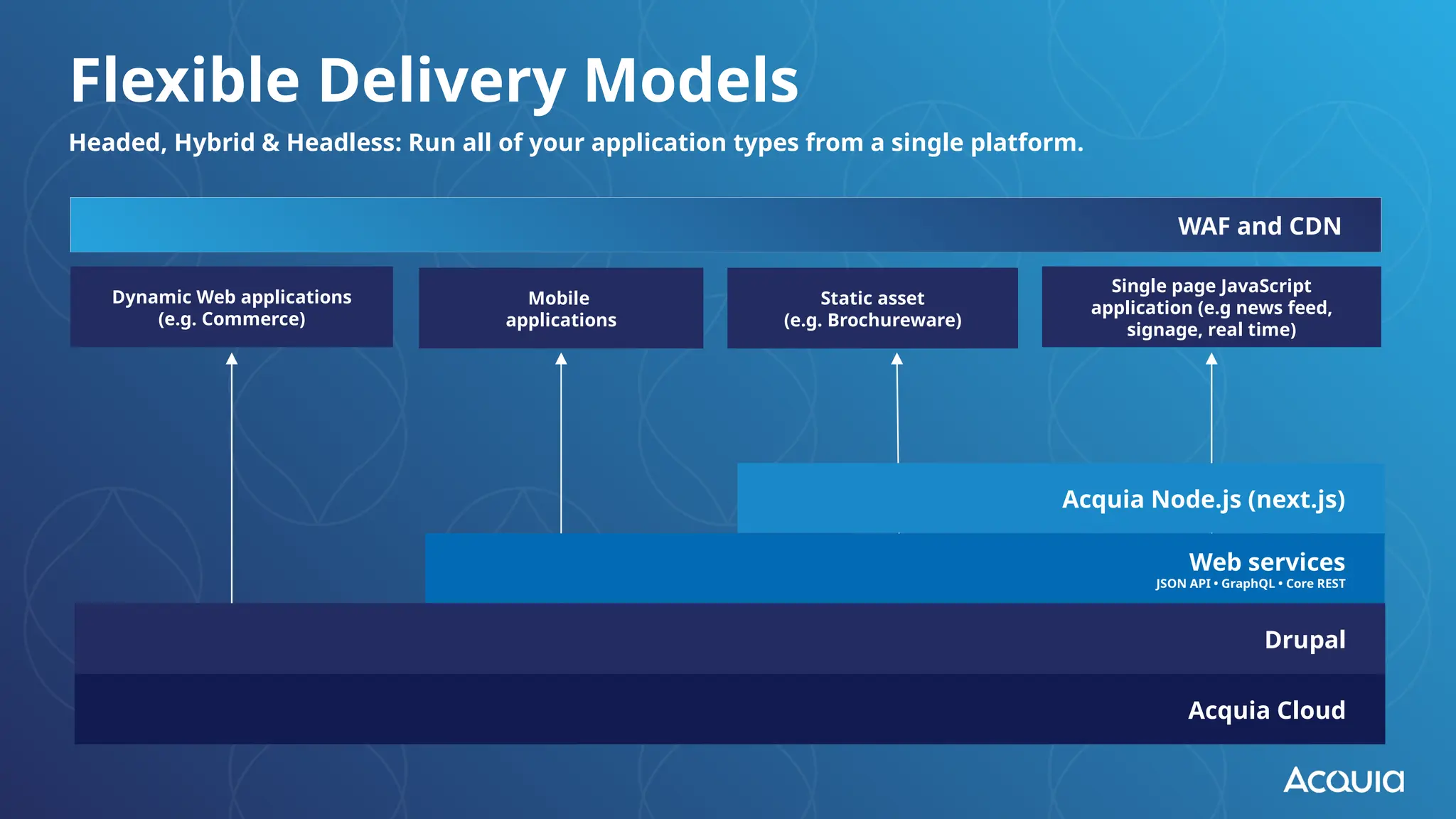
Headed, Hybrid & Headless: Run all of your application types from a single platform.
Flexible Delivery Models
Acquia Cloud
Dynamic Web applications
(e.g. Commerce)
Mobile
applications
Single page JavaScript
application (e.g news feed,
signage, real time)
WAF and CDN
Web services
JSON API • GraphQL • Core REST
Acquia Node.js (next.js)
Drupal
Static asset
(e.g. Brochureware)
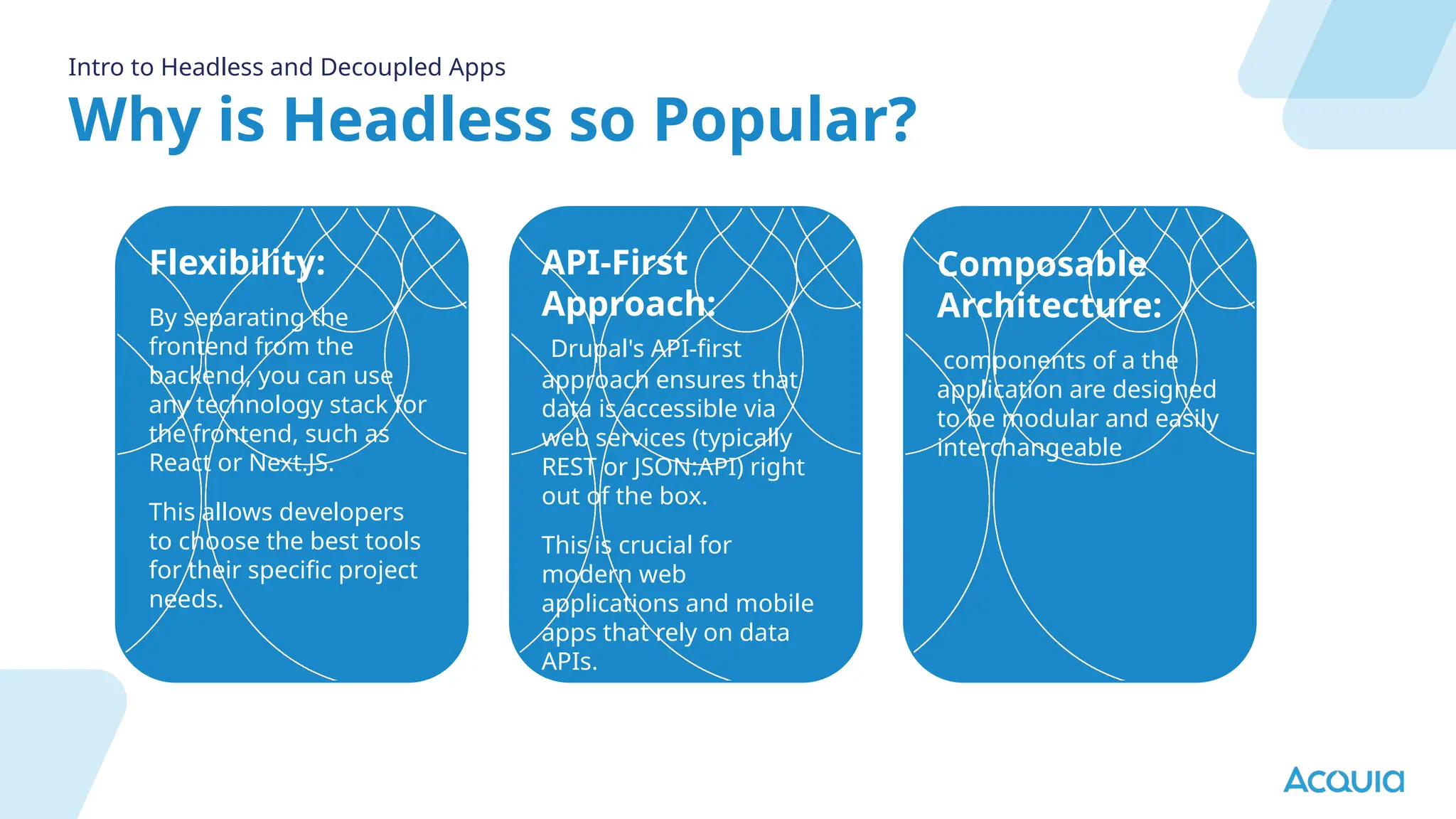
Why is Headless so Popular?
Intro to Headless and Decoupled Apps
Flexibility:
By separating the
frontend from the
backend, you can use
any technology stack for
the frontend, such as
React or Next.JS.
This allows developers
to choose the best tools
for their specific project
needs.
API-First
Approach:
Drupal's API-first
approach ensures that
data is accessible via
web services (typically
REST or JSON:API) right
out of the box.
This is crucial for
modern web
applications and mobile
apps that rely on data
APIs.
Composable
Architecture:
components of a the
application are designed
to be modular and easily
interchangeable
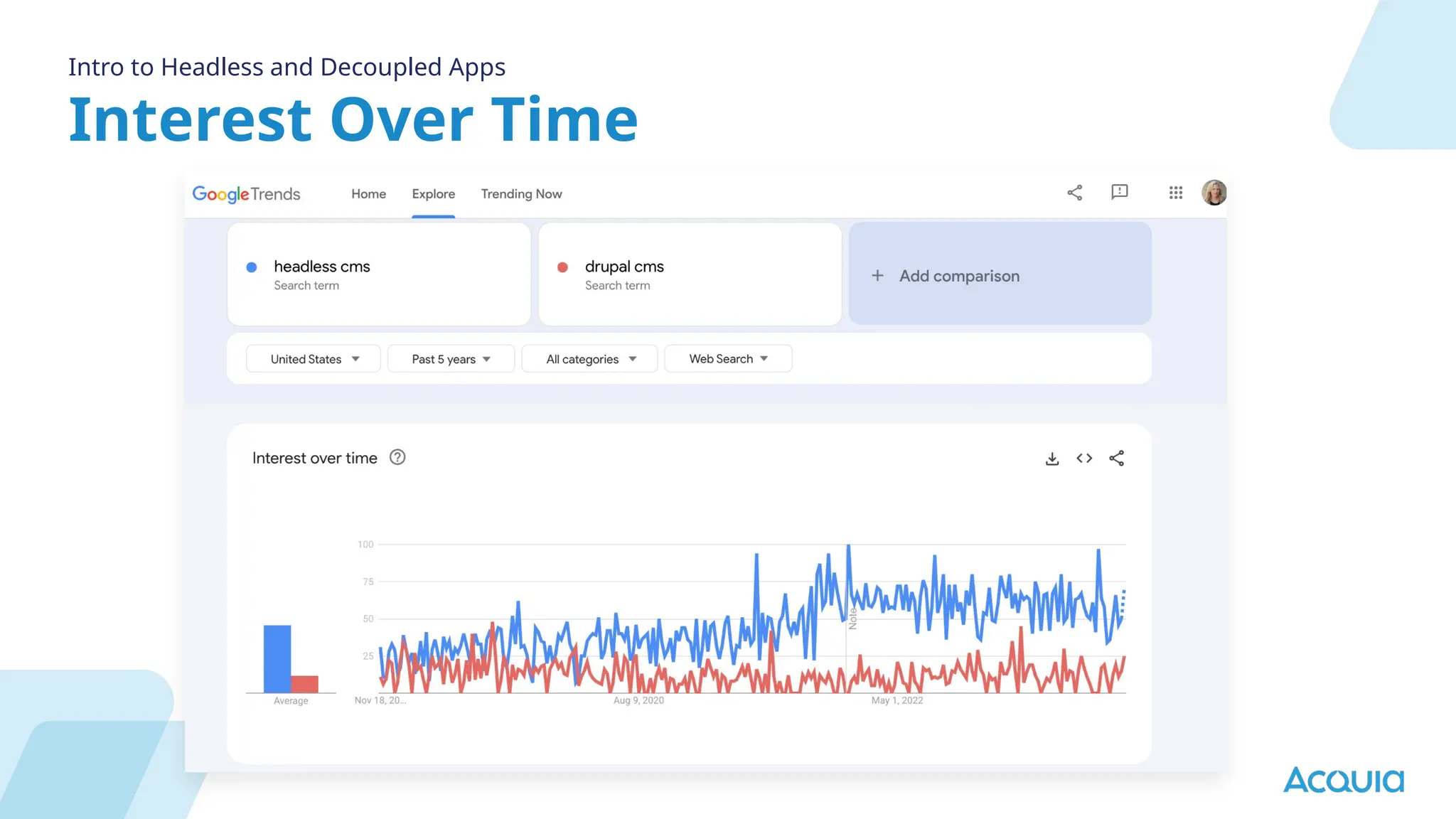
Interest Over Time
Intro to Headless and Decoupled Apps
Components vs.
Web Components
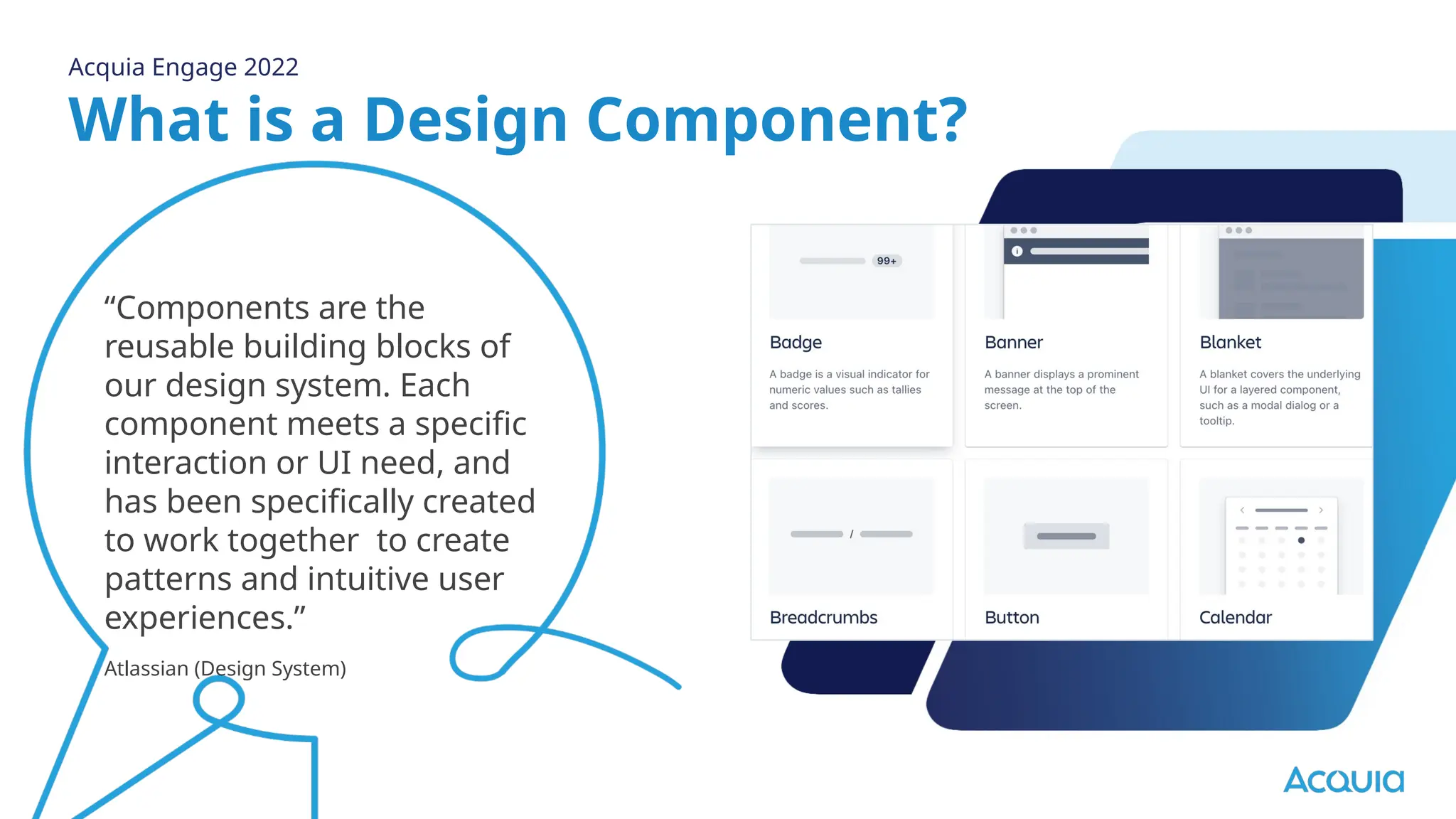
What is a Design Component?
“Components are the
reusable building blocks of
our design system. Each
component meets a specific
interaction or UI need, and
has been specifically created
to work together to create
patterns and intuitive user
experiences.”
Atlassian (Design System)
Acquia Engage 2022
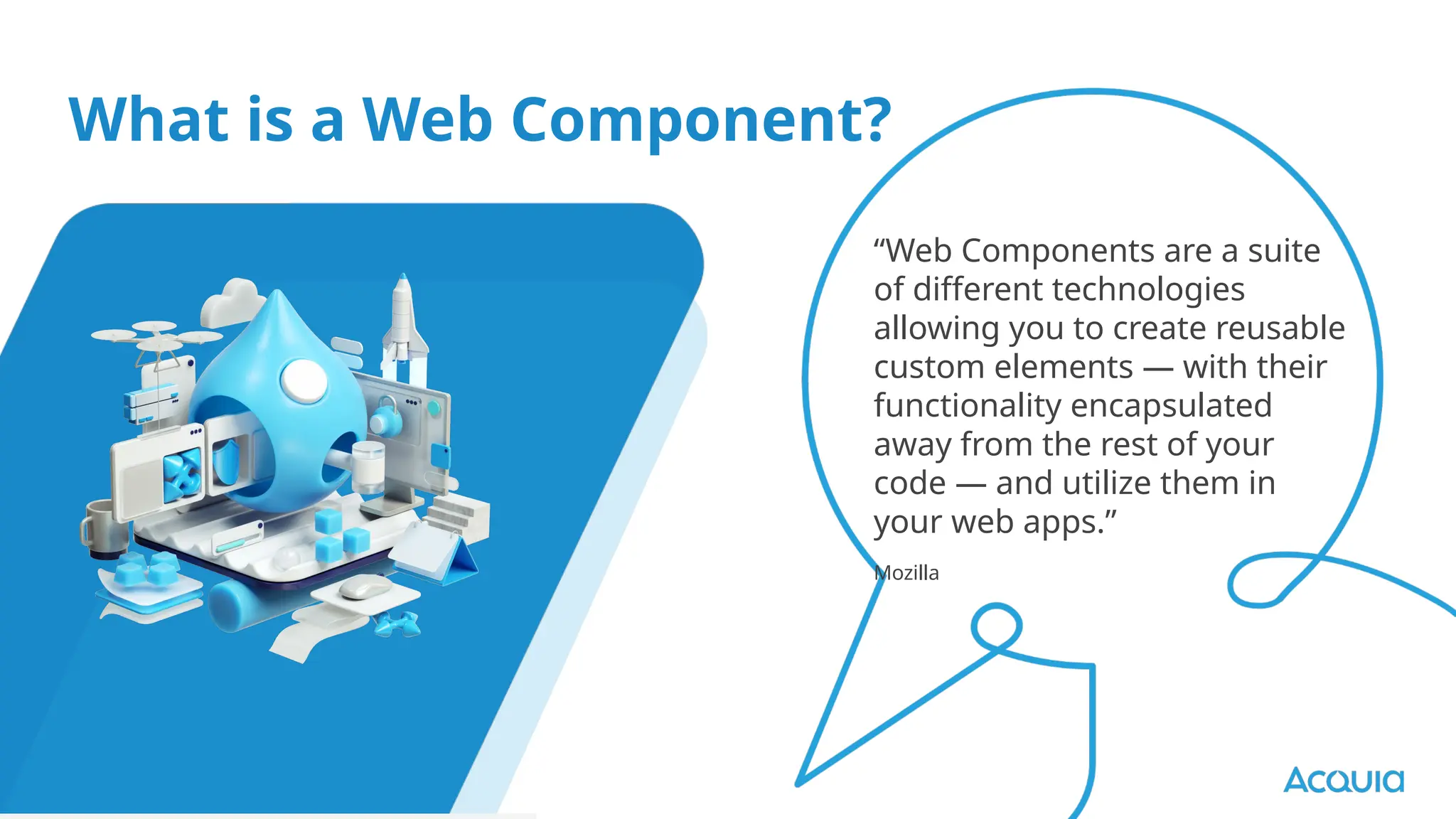
What is a Web Component?
“Web Components are a suite
of different technologies
allowing you to create reusable
custom elements — with their
functionality encapsulated
away from the rest of your
code — and utilize them in
your web apps.”
Mozilla
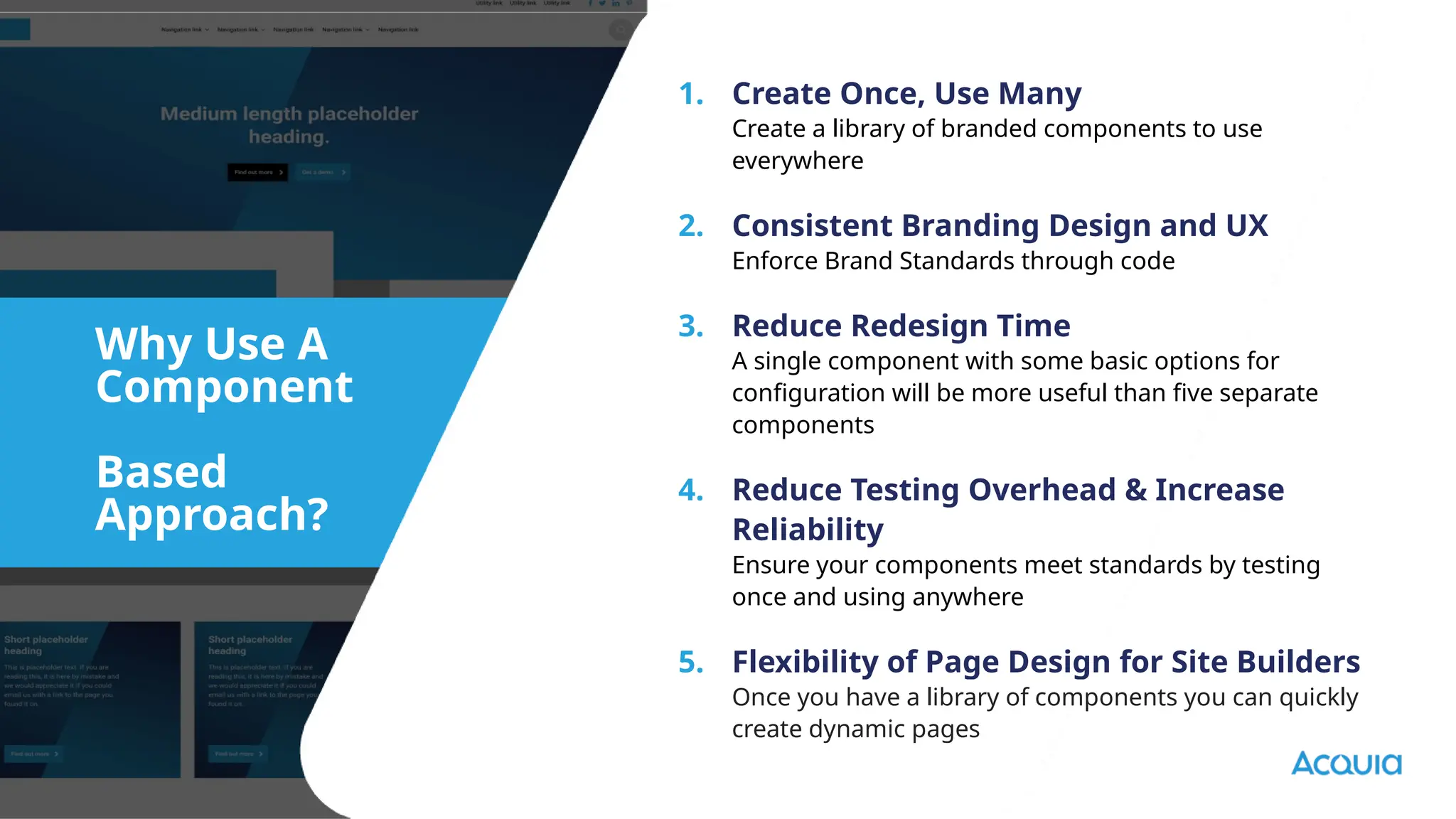
1. Create Once, Use Many
Create a library of branded components to use
everywhere
2. Consistent Branding Design and UX
Enforce Brand Standards through code
3. Reduce Redesign Time
A single component with some basic options for
configuration will be more useful than five separate
components
4. Reduce Testing Overhead & Increase
Reliability
Ensure your components meet standards by testing
once and using anywhere
5. Flexibility of Page Design for Site Builders
Once you have a library of components you can quickly
create dynamic pages
Why Use A
Component
Based
Approach?
What do you
need to create a
headless
application?
❢ From traditional to headless
❢ From dynamic to static
❢ From small to large
❢ From simple to complex
❢ From web to mobile
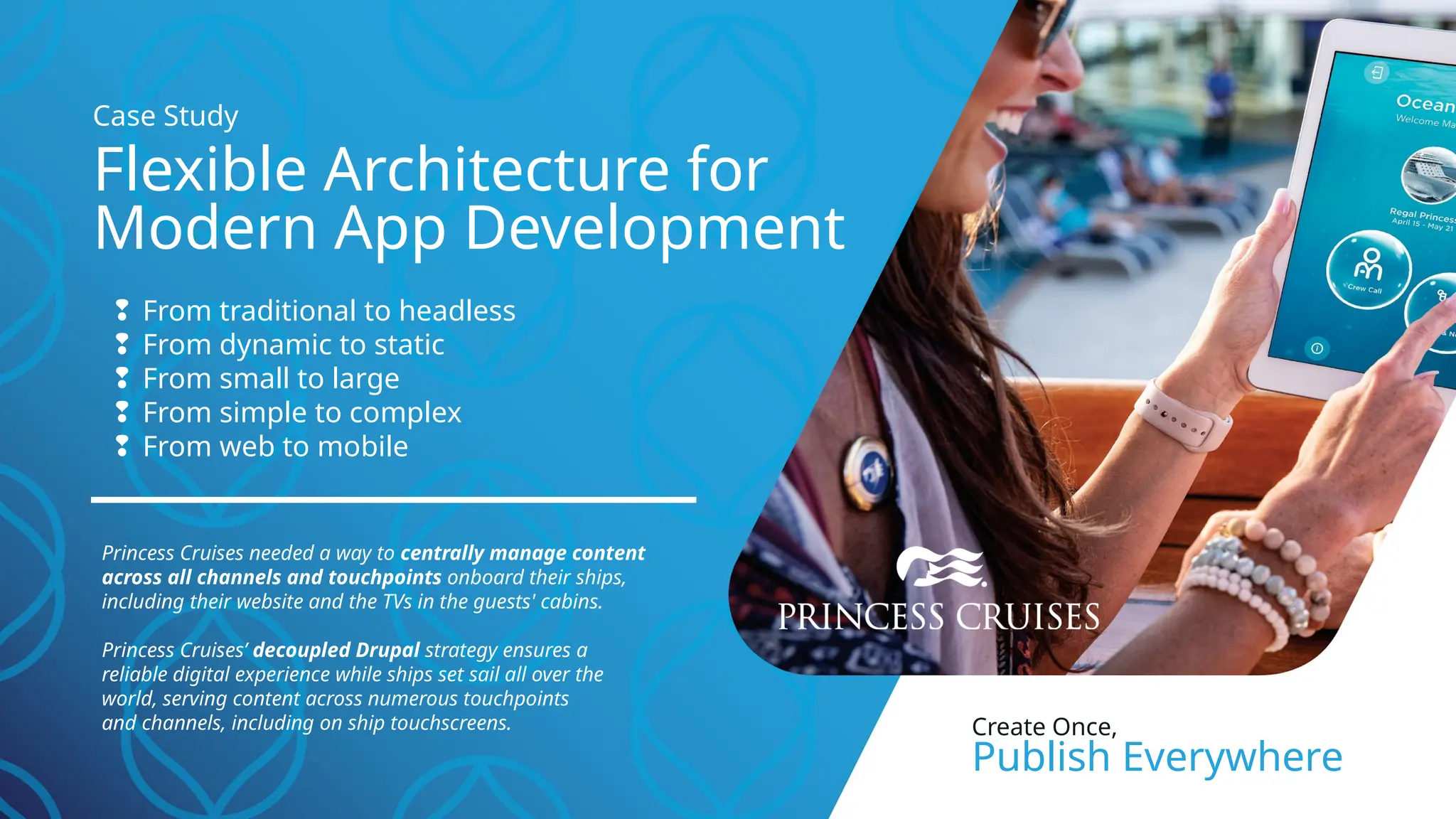
Princess Cruises needed a way to centrally manage content
across all channels and touchpoints onboard their ships,
including their website and the TVs in the guests' cabins.
Princess Cruises’ decoupled Drupal strategy ensures a
reliable digital experience while ships set sail all over the
world, serving content across numerous touchpoints
and channels, including on ship touchscreens.
Flexible Architecture for
Modern App Development
Case Study
Create Once,
Publish Everywhere
API First, Not API Only
Intro to Headless and Decoupled Apps
JSON: API and GraphQL
Support Out-of-the-Box
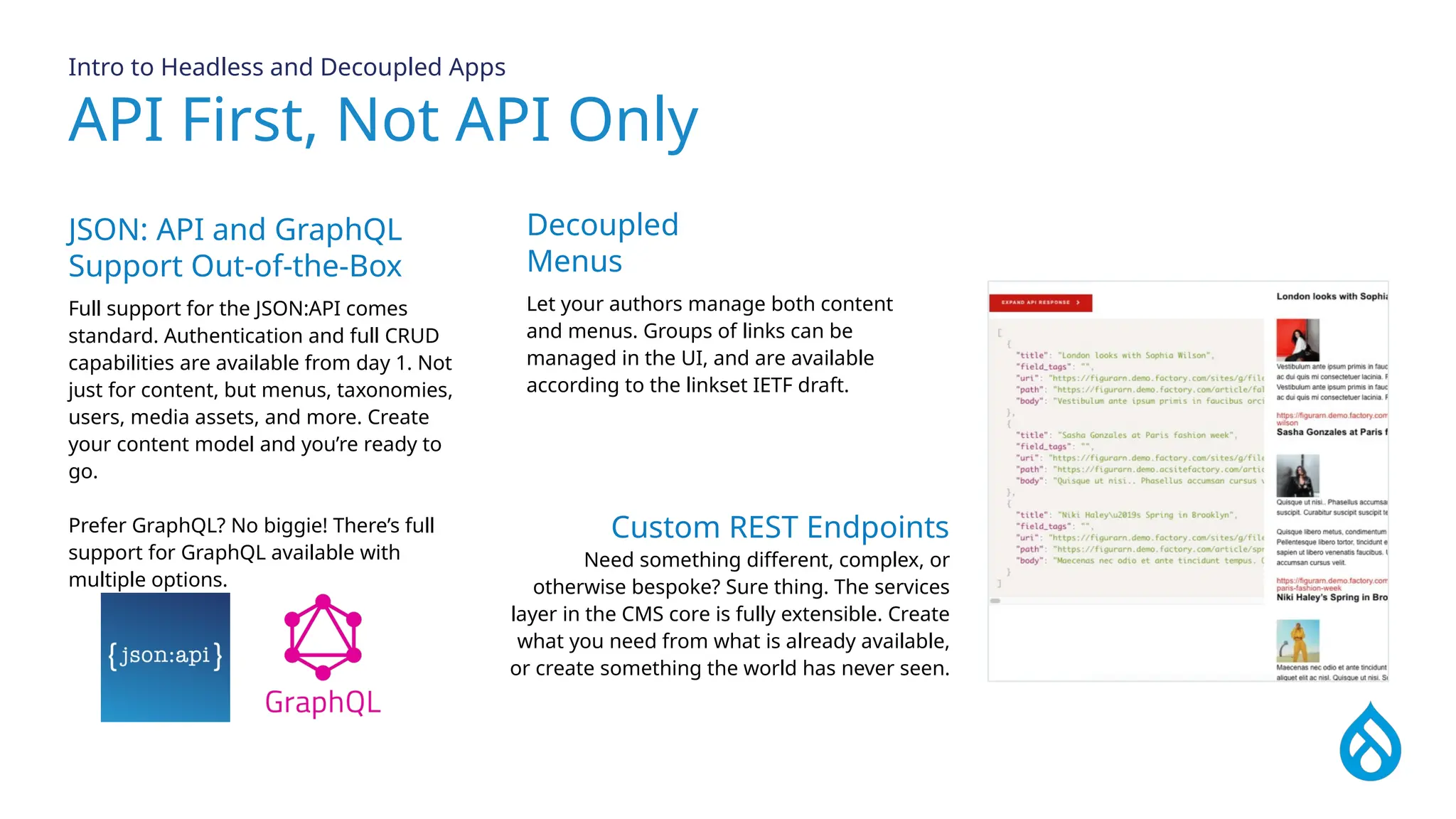
Full support for the JSON:API comes
standard. Authentication and full CRUD
capabilities are available from day 1. Not
just for content, but menus, taxonomies,
users, media assets, and more. Create
your content model and you’re ready to
go.
Prefer GraphQL? No biggie! There’s full
support for GraphQL available with
multiple options.
Decoupled
Menus
Let your authors manage both content
and menus. Groups of links can be
managed in the UI, and are available
according to the linkset IETF draft.
Custom REST Endpoints
Need something different, complex, or
otherwise bespoke? Sure thing. The services
layer in the CMS core is fully extensible. Create
what you need from what is already available,
or create something the world has never seen.
Composable Architecture
Intro to Headless and Decoupled Apps
Project Templates
Why start with a blank page? Composer
projects can assemble pre-packaged
codebases for different use cases and give
you the perfect starting place. Even better,
create your own templates to encapsulate
your own CMS.
Multiple Sites from
a Single Codebase
With the best multisite support available
from any tool, you can craft a single
codebase that is capable of powering
diverse applications. Installation profiles
provide turnkey application creation, and
can be further extended with modules
and extensions. Easily support hundreds
or thousands of web applications from a
single codebase.
Modular by Design
The opposite of monolithic is composable.
Unlike other systems where plugins or
add-ons are an afterthought, this platform
is built on a foundation of modular
components.
Everything is Swappable
Drupal is based on Symfony, the leading
PHP framework that is growing more than
50% year over year. Every subsystem is
designed to be swapped or replaced as
needed, there is no such thing as stuck
and there are plenty of Symfony
developers in the market.
Modern OOP Stack
A modern OOP stack enables you to
extend, reuse, and customize every part of
the CMS. Develop custom functionality
faster than ever by building on what
others have done before.
JavaScript Resources
API first, not API only
Whether you’re working with React, Vue,
NextJS, Gatsby, Svelte, vanilla JS, or the
next great thing, our developer portal
has resources and starter kits.
Intro to Headless and Decoupled Apps
3 different types
of headless
applications
What Are Differences Between Coupled,
Progressively Decoupled, Fully Decoupled
Intro to Headless and Decoupled Apps
Coupled.
Progressively
Decoupled
Fully Decoupled
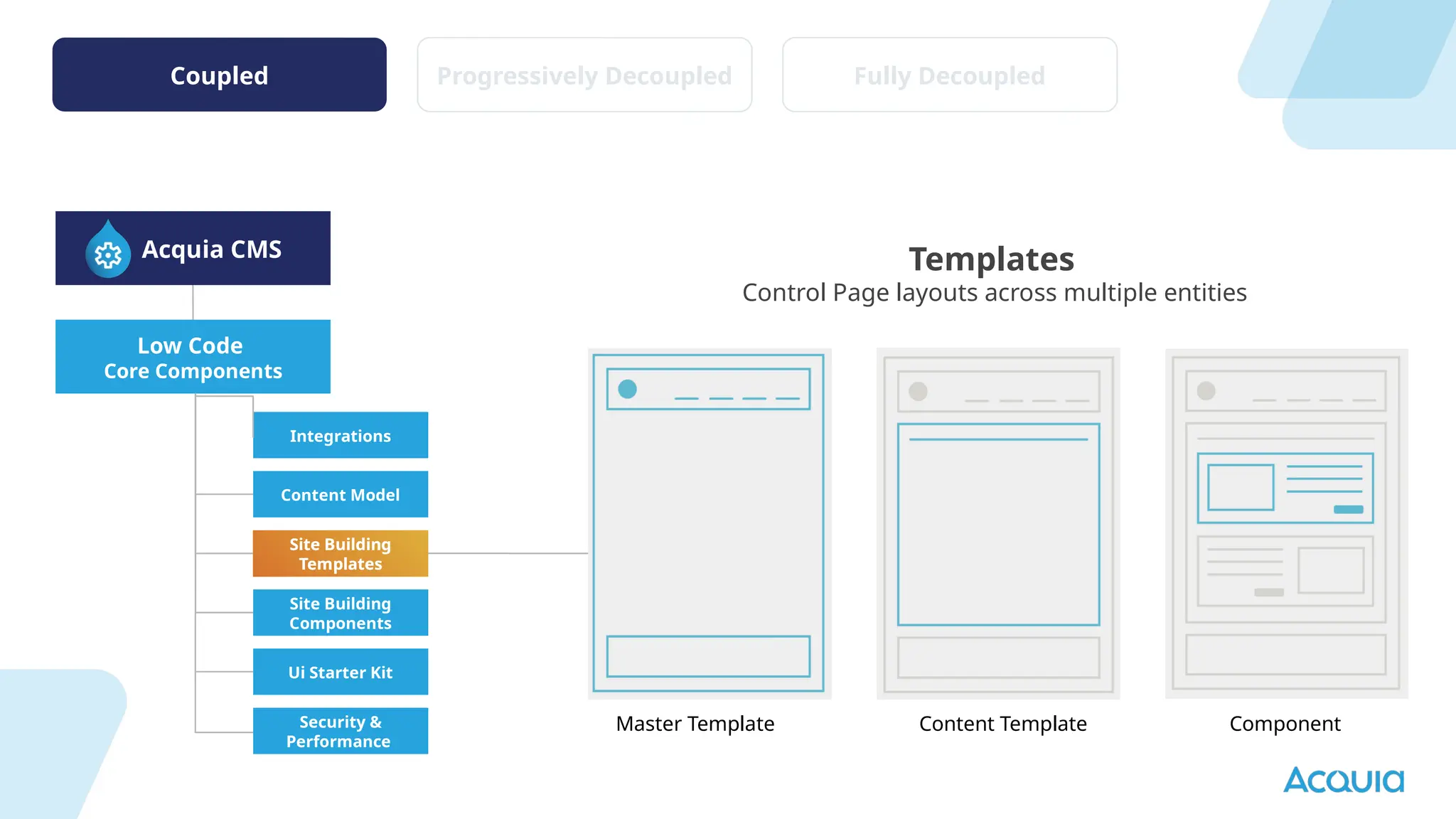
Coupled Progressively Decoupled Fully Decoupled
Low Code
Core Components
Acquia CMS
Templates
Control Page layouts across multiple entities
Integrations
Content Model
Site Building
Components
Site Building
Templates
Ui Starter Kit
Security &
Performance
Site Building
Templates
Master Template Content Template Component
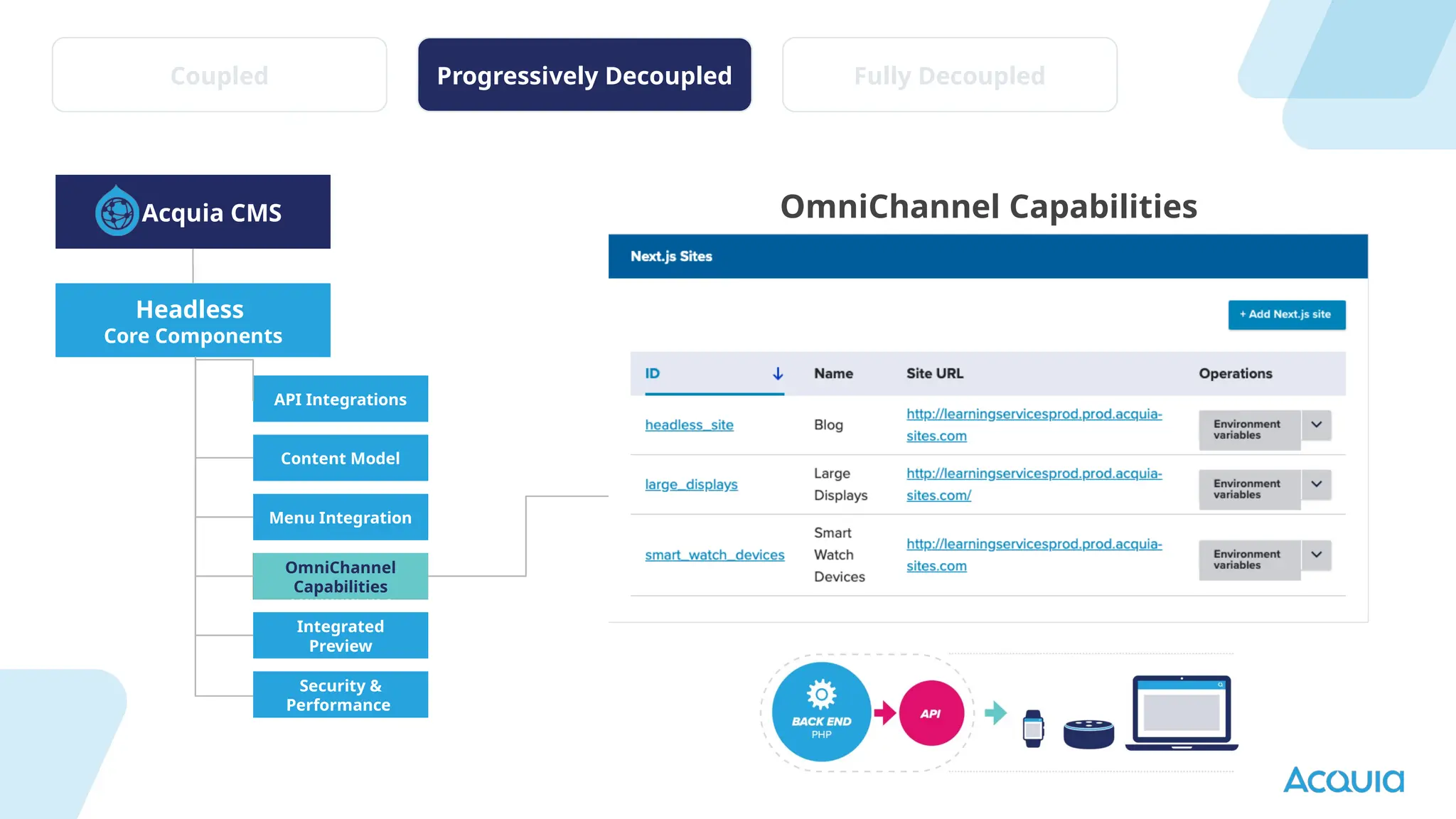
Headless
Core Components
Acquia CMS
API Integrations
Content Model
Drupal Entity →
React
components
Menu Integration
Integrated
Preview
Security &
Performance
OmniChannel Capabilities
OmniChannel
Capabilities
Coupled Progressively Decoupled Fully Decoupled
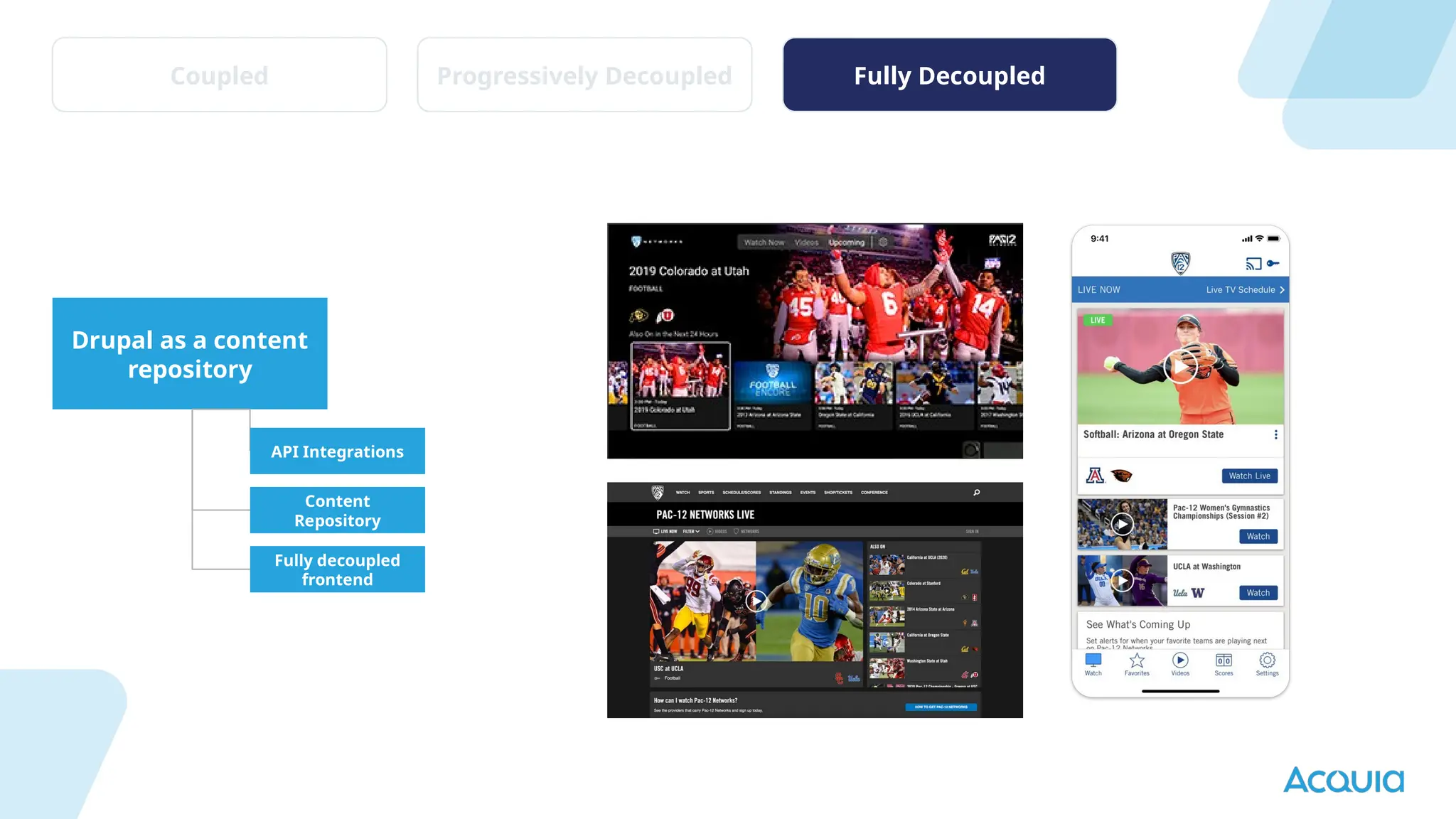
Drupal as a content
repository
API Integrations
Content
Repository
Fully decoupled
frontend
Coupled Progressively Decoupled Fully Decoupled
Why Choose
Headless?
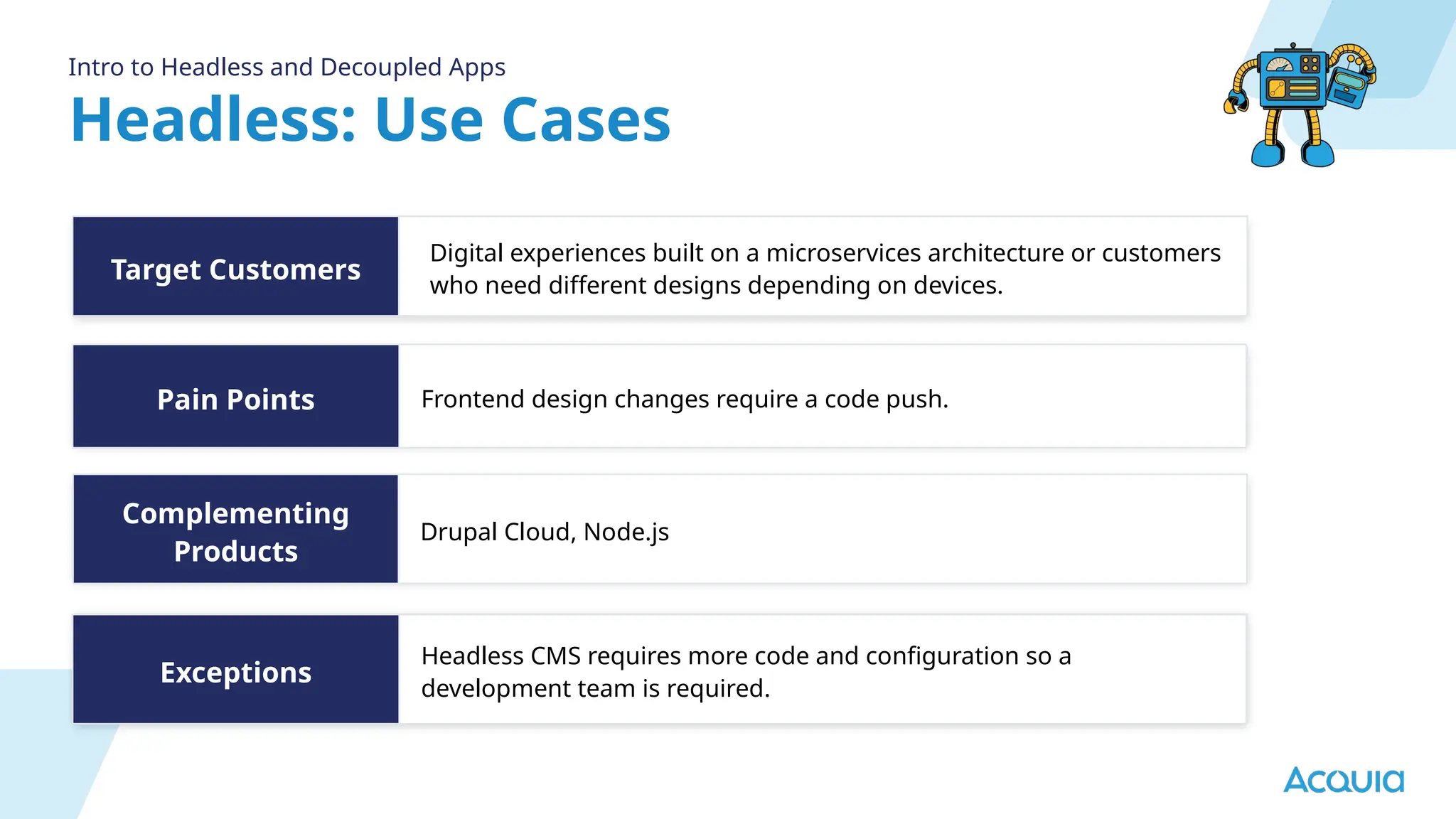
Headless: Use Cases
Intro to Headless and Decoupled Apps
Pain Points
Target Customers
Complementing
Products
Frontend design changes require a code push.
Digital experiences built on a microservices architecture or customers
who need different designs depending on devices.
Drupal Cloud, Node.js
Exceptions
Headless CMS requires more code and configuration so a
development team is required.
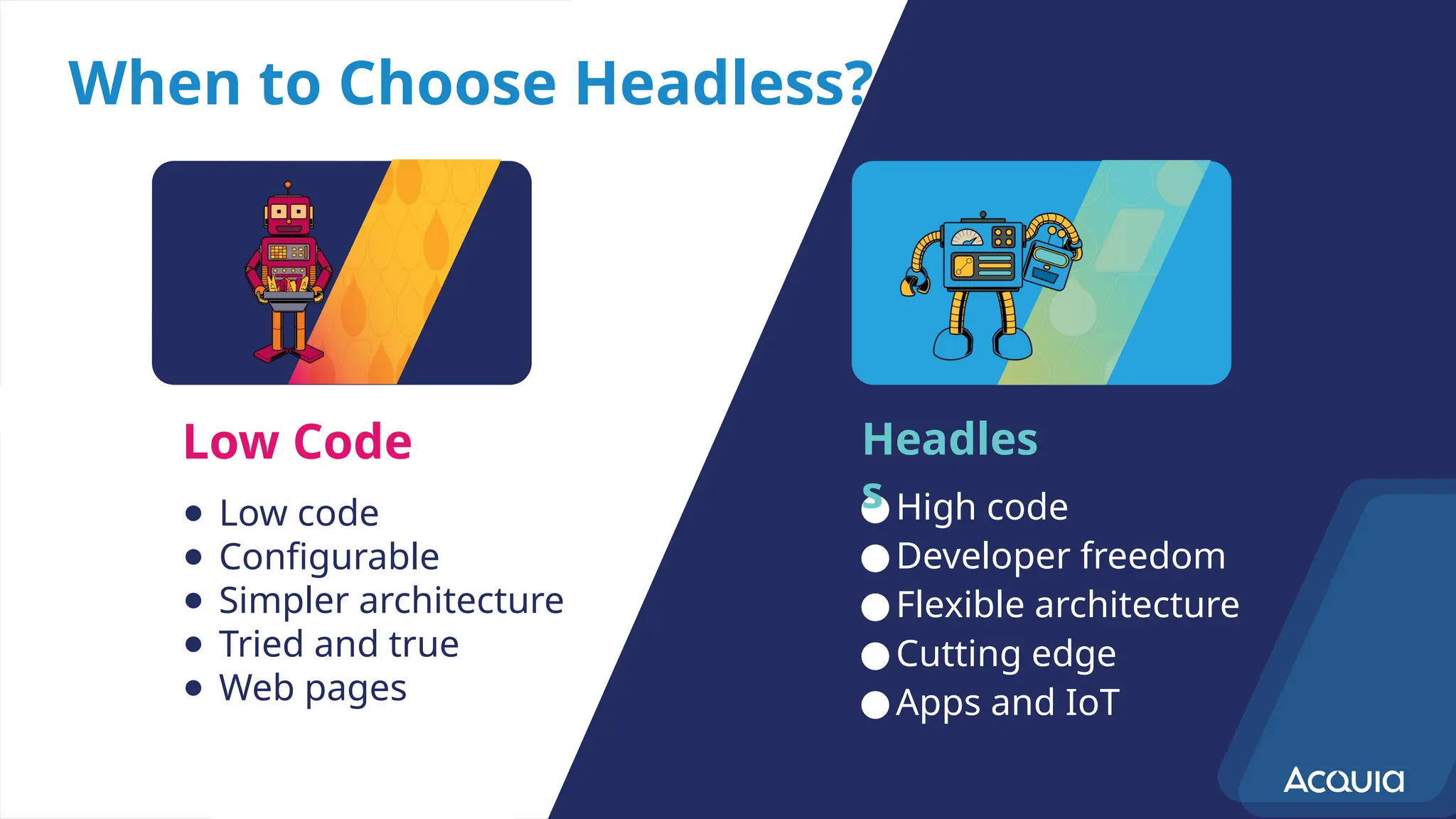
When to Choose Headless?
● Low code
● Configurable
● Simpler architecture
● Tried and true
● Web pages
●High code
●Developer freedom
●Flexible architecture
●Cutting edge
●Apps and IoT
Low Code Headles
s
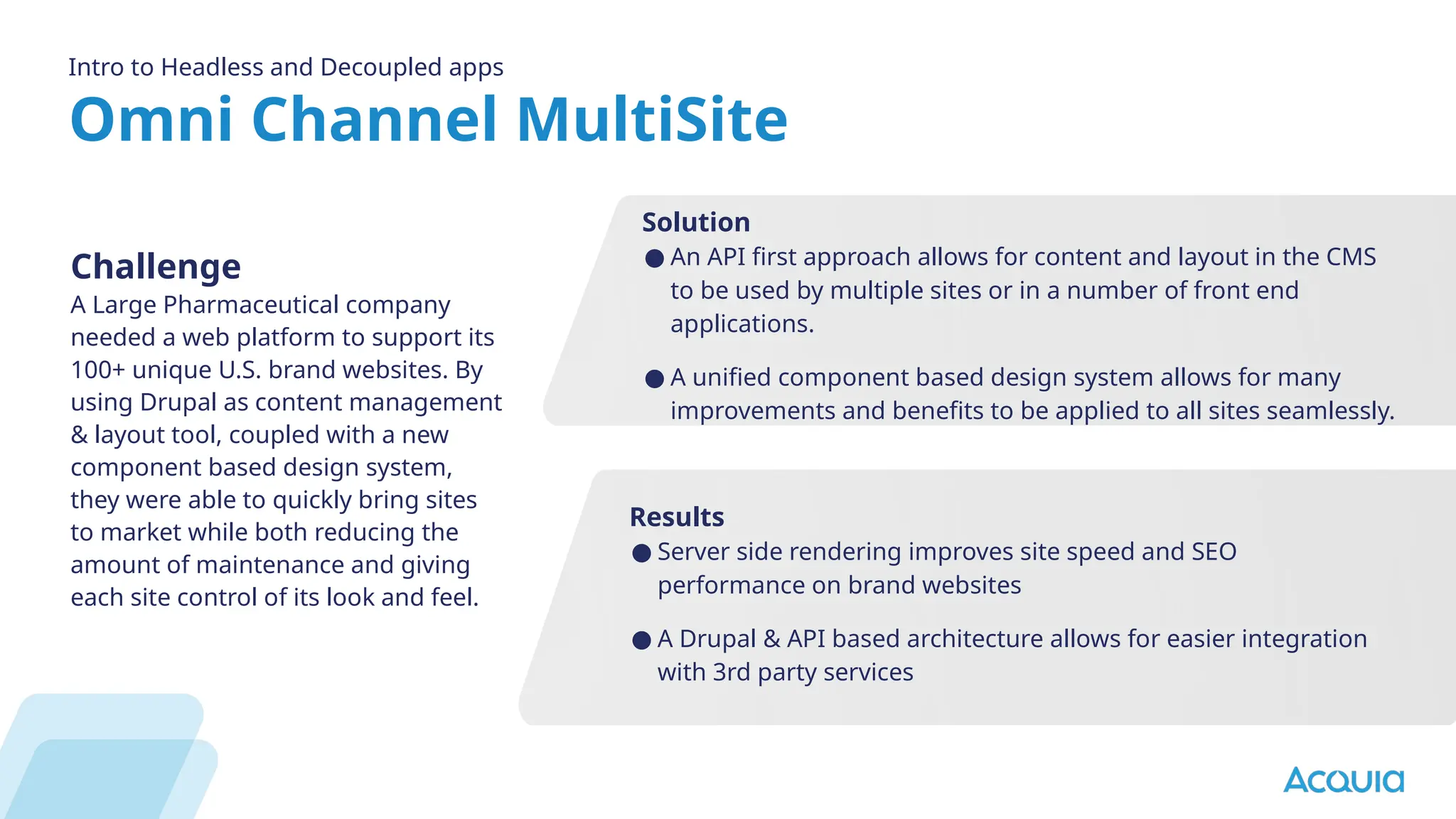
Omni Channel MultiSite
Intro to Headless and Decoupled apps
Challenge
A Large Pharmaceutical company
needed a web platform to support its
100+ unique U.S. brand websites. By
using Drupal as content management
& layout tool, coupled with a new
component based design system,
they were able to quickly bring sites
to market while both reducing the
amount of maintenance and giving
each site control of its look and feel.
Results
● Server side rendering improves site speed and SEO
performance on brand websites
● A Drupal & API based architecture allows for easier integration
with 3rd party services
Solution
● An API first approach allows for content and layout in the CMS
to be used by multiple sites or in a number of front end
applications.
● A unified component based design system allows for many
improvements and benefits to be applied to all sites seamlessly.
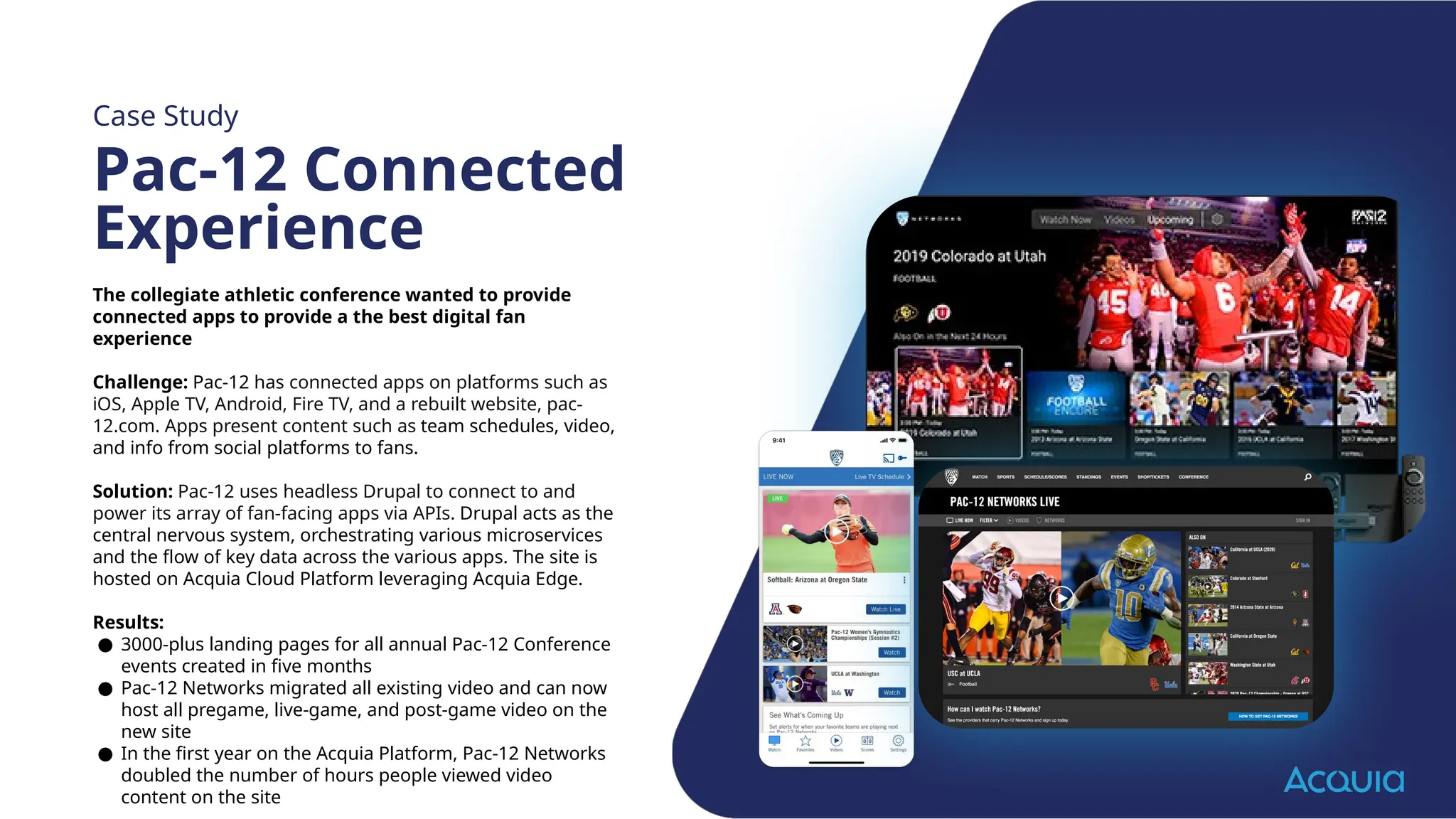
The collegiate athletic conference wanted to provide
connected apps to provide a the best digital fan
experience
Challenge: Pac-12 has connected apps on platforms such as
iOS, Apple TV, Android, Fire TV, and a rebuilt website, pac-
12.com. Apps present content such as team schedules, video,
and info from social platforms to fans.
Solution: Pac-12 uses headless Drupal to connect to and
power its array of fan-facing apps via APIs. Drupal acts as the
central nervous system, orchestrating various microservices
and the flow of key data across the various apps. The site is
hosted on Acquia Cloud Platform leveraging Acquia Edge.
Results:
● 3000-plus landing pages for all annual Pac-12 Conference
events created in five months
● Pac-12 Networks migrated all existing video and can now
host all pregame, live-game, and post-game video on the
new site
● In the first year on the Acquia Platform, Pac-12 Networks
doubled the number of hours people viewed video
content on the site
Case Study
Pac-12 Connected
Experience
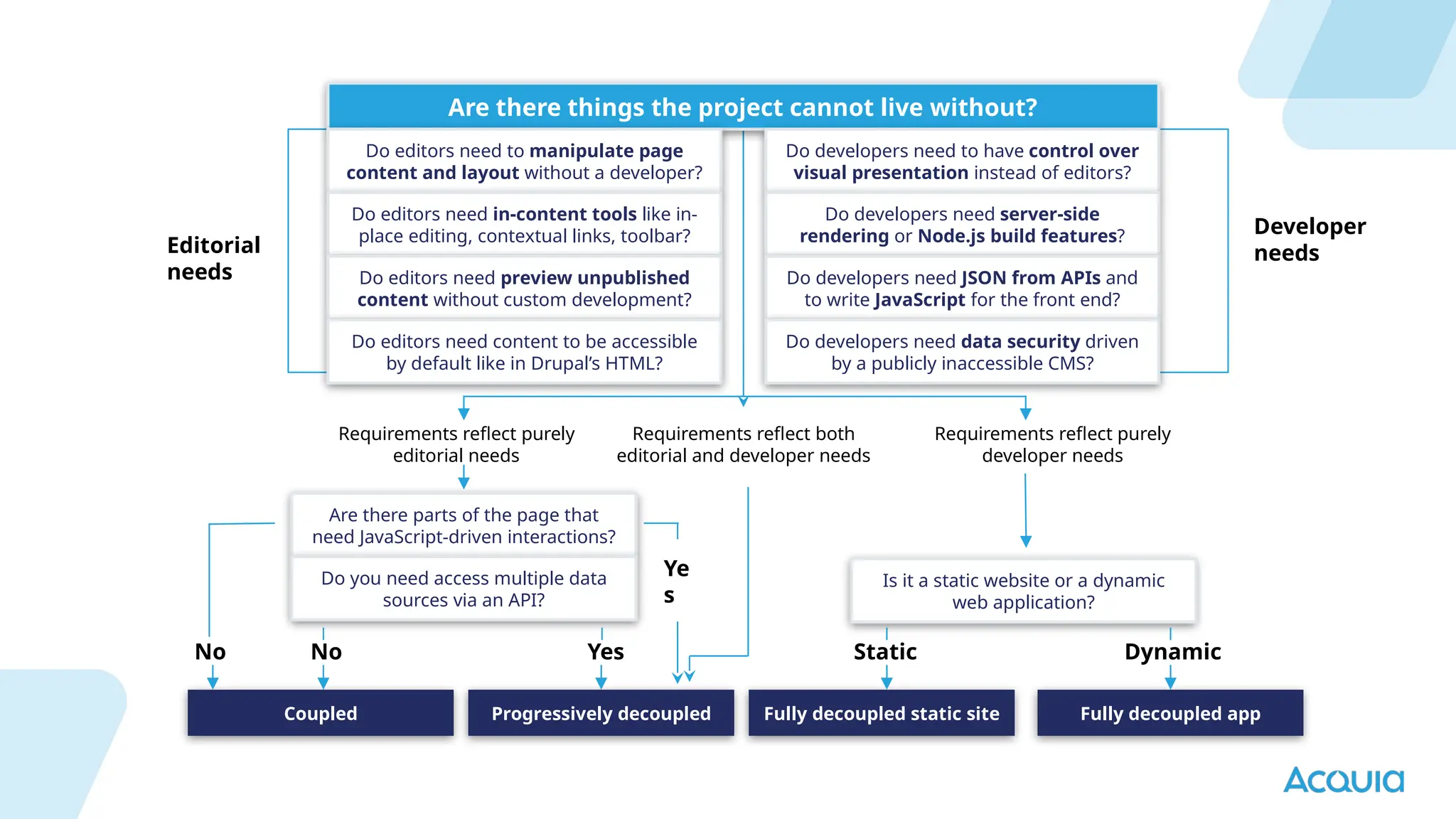
Are there things the project cannot live without?
Do editors need to manipulate page
content and layout without a developer?
Do editors need in-content tools like in-
place editing, contextual links, toolbar?
Do editors need preview unpublished
content without custom development?
Do editors need content to be accessible
by default like in Drupal’s HTML?
Do developers need to have control over
visual presentation instead of editors?
Do developers need server-side
rendering or Node.js build features?
Do developers need JSON from APIs and
to write JavaScript for the front end?
Do developers need data security driven
by a publicly inaccessible CMS?
Are there parts of the page that
need JavaScript-driven interactions?
Do you need access multiple data
sources via an API?
Is it a static website or a dynamic
web application?
Coupled Progressively decoupled Fully decoupled static site Fully decoupled app
Editorial
needs
Developer
needs
Requirements reflect purely
editorial needs
Requirements reflect both
editorial and developer needs
Requirements reflect purely
developer needs
No No Yes Static Dynamic
Ye
s
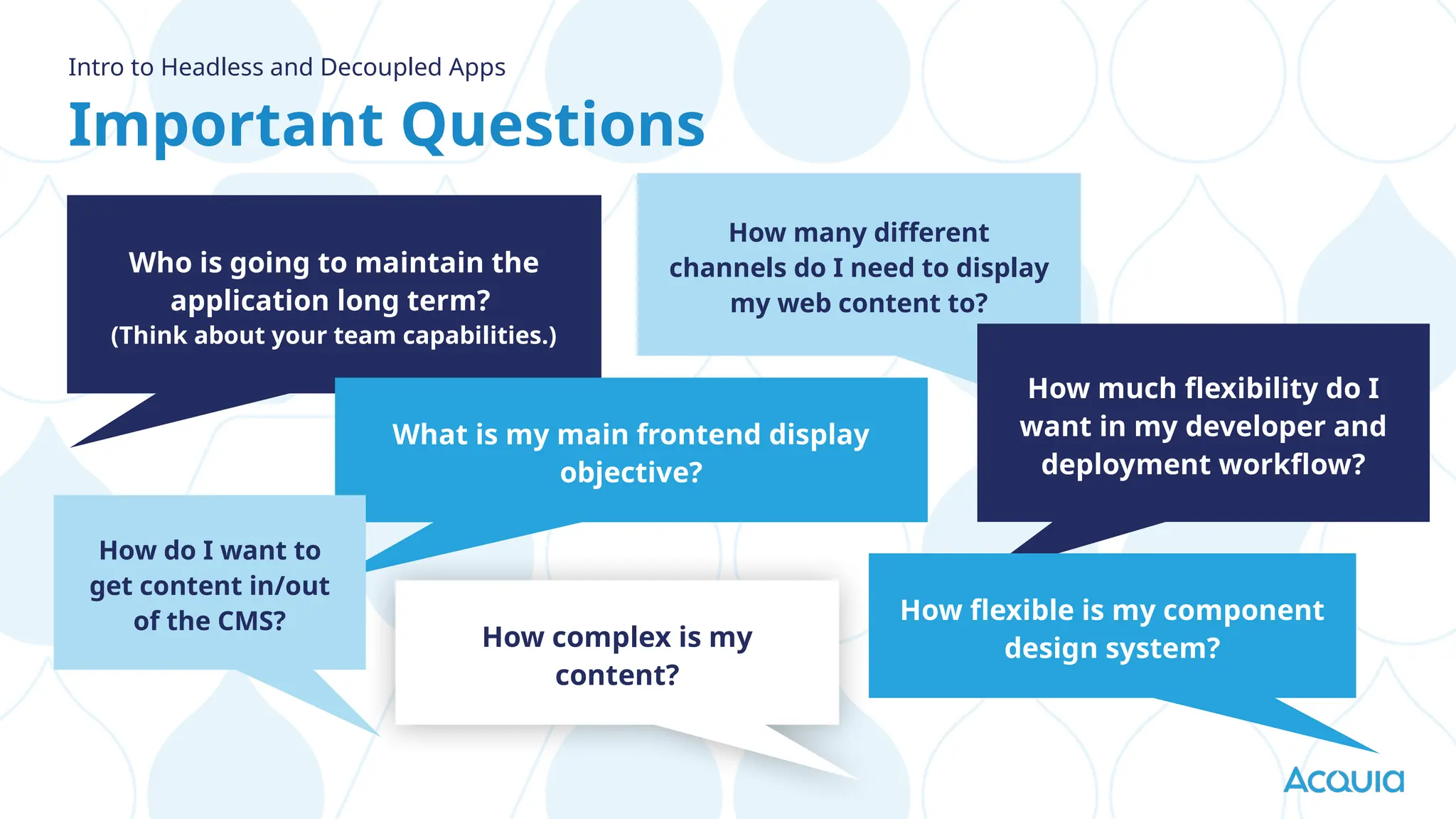
Important Questions
Intro to Headless and Decoupled Apps
Who is going to maintain the
application long term?
(Think about your team capabilities.)
What is my main frontend display
objective?
How many different
channels do I need to display
my web content to?
How much flexibility do I
want in my developer and
deployment workflow?
How do I want to
get content in/out
of the CMS?
How complex is my
content?
How flexible is my component
design system?
Thank you

What is Headless and headless 101 at Acquia

  • 1.
    Headless Drupal 101 Allie Jones SrTechnical Solutions Manager
  • 2.
  • 3.
    What is Headless? Headlessis a loose term that refers to decoupling frontend UX from the backend systems that provide, manage and control data. Intro to Headless and Decoupled Apps Key Features Single Unified Editorial Experience Omni-channel delivery of content Composable architecture Content Service API First
  • 4.
    What is Headless? Introto Headless and Decoupled Apps API Read Read Read Read Read Read Read Write Write iOS Apps Android Apps www e-commerce View layers Custom Integrations Admin Interface
  • 5.
    Headed, Hybrid &Headless: Run all of your application types from a single platform. Flexible Delivery Models Acquia Cloud Dynamic Web applications (e.g. Commerce) Mobile applications Single page JavaScript application (e.g news feed, signage, real time) WAF and CDN Web services JSON API • GraphQL • Core REST Acquia Node.js (next.js) Drupal Static asset (e.g. Brochureware)
  • 6.
    Why is Headlessso Popular? Intro to Headless and Decoupled Apps Flexibility: By separating the frontend from the backend, you can use any technology stack for the frontend, such as React or Next.JS. This allows developers to choose the best tools for their specific project needs. API-First Approach: Drupal's API-first approach ensures that data is accessible via web services (typically REST or JSON:API) right out of the box. This is crucial for modern web applications and mobile apps that rely on data APIs. Composable Architecture: components of a the application are designed to be modular and easily interchangeable
  • 7.
    Interest Over Time Introto Headless and Decoupled Apps
  • 8.
  • 9.
    What is aDesign Component? “Components are the reusable building blocks of our design system. Each component meets a specific interaction or UI need, and has been specifically created to work together to create patterns and intuitive user experiences.” Atlassian (Design System) Acquia Engage 2022
  • 10.
    What is aWeb Component? “Web Components are a suite of different technologies allowing you to create reusable custom elements — with their functionality encapsulated away from the rest of your code — and utilize them in your web apps.” Mozilla
  • 11.
    1. Create Once,Use Many Create a library of branded components to use everywhere 2. Consistent Branding Design and UX Enforce Brand Standards through code 3. Reduce Redesign Time A single component with some basic options for configuration will be more useful than five separate components 4. Reduce Testing Overhead & Increase Reliability Ensure your components meet standards by testing once and using anywhere 5. Flexibility of Page Design for Site Builders Once you have a library of components you can quickly create dynamic pages Why Use A Component Based Approach?
  • 12.
    What do you needto create a headless application?
  • 13.
    ❢ From traditionalto headless ❢ From dynamic to static ❢ From small to large ❢ From simple to complex ❢ From web to mobile Princess Cruises needed a way to centrally manage content across all channels and touchpoints onboard their ships, including their website and the TVs in the guests' cabins. Princess Cruises’ decoupled Drupal strategy ensures a reliable digital experience while ships set sail all over the world, serving content across numerous touchpoints and channels, including on ship touchscreens. Flexible Architecture for Modern App Development Case Study Create Once, Publish Everywhere
  • 14.
    API First, NotAPI Only Intro to Headless and Decoupled Apps JSON: API and GraphQL Support Out-of-the-Box Full support for the JSON:API comes standard. Authentication and full CRUD capabilities are available from day 1. Not just for content, but menus, taxonomies, users, media assets, and more. Create your content model and you’re ready to go. Prefer GraphQL? No biggie! There’s full support for GraphQL available with multiple options. Decoupled Menus Let your authors manage both content and menus. Groups of links can be managed in the UI, and are available according to the linkset IETF draft. Custom REST Endpoints Need something different, complex, or otherwise bespoke? Sure thing. The services layer in the CMS core is fully extensible. Create what you need from what is already available, or create something the world has never seen.
  • 15.
    Composable Architecture Intro toHeadless and Decoupled Apps Project Templates Why start with a blank page? Composer projects can assemble pre-packaged codebases for different use cases and give you the perfect starting place. Even better, create your own templates to encapsulate your own CMS. Multiple Sites from a Single Codebase With the best multisite support available from any tool, you can craft a single codebase that is capable of powering diverse applications. Installation profiles provide turnkey application creation, and can be further extended with modules and extensions. Easily support hundreds or thousands of web applications from a single codebase. Modular by Design The opposite of monolithic is composable. Unlike other systems where plugins or add-ons are an afterthought, this platform is built on a foundation of modular components. Everything is Swappable Drupal is based on Symfony, the leading PHP framework that is growing more than 50% year over year. Every subsystem is designed to be swapped or replaced as needed, there is no such thing as stuck and there are plenty of Symfony developers in the market. Modern OOP Stack A modern OOP stack enables you to extend, reuse, and customize every part of the CMS. Develop custom functionality faster than ever by building on what others have done before.
  • 16.
    JavaScript Resources API first,not API only Whether you’re working with React, Vue, NextJS, Gatsby, Svelte, vanilla JS, or the next great thing, our developer portal has resources and starter kits. Intro to Headless and Decoupled Apps
  • 17.
    3 different types ofheadless applications
  • 18.
    What Are DifferencesBetween Coupled, Progressively Decoupled, Fully Decoupled Intro to Headless and Decoupled Apps Coupled. Progressively Decoupled Fully Decoupled
  • 19.
    Coupled Progressively DecoupledFully Decoupled Low Code Core Components Acquia CMS Templates Control Page layouts across multiple entities Integrations Content Model Site Building Components Site Building Templates Ui Starter Kit Security & Performance Site Building Templates Master Template Content Template Component
  • 20.
    Headless Core Components Acquia CMS APIIntegrations Content Model Drupal Entity → React components Menu Integration Integrated Preview Security & Performance OmniChannel Capabilities OmniChannel Capabilities Coupled Progressively Decoupled Fully Decoupled
  • 21.
    Drupal as acontent repository API Integrations Content Repository Fully decoupled frontend Coupled Progressively Decoupled Fully Decoupled
  • 22.
  • 23.
    Headless: Use Cases Introto Headless and Decoupled Apps Pain Points Target Customers Complementing Products Frontend design changes require a code push. Digital experiences built on a microservices architecture or customers who need different designs depending on devices. Drupal Cloud, Node.js Exceptions Headless CMS requires more code and configuration so a development team is required.
  • 24.
    When to ChooseHeadless? ● Low code ● Configurable ● Simpler architecture ● Tried and true ● Web pages ●High code ●Developer freedom ●Flexible architecture ●Cutting edge ●Apps and IoT Low Code Headles s
  • 25.
    Omni Channel MultiSite Introto Headless and Decoupled apps Challenge A Large Pharmaceutical company needed a web platform to support its 100+ unique U.S. brand websites. By using Drupal as content management & layout tool, coupled with a new component based design system, they were able to quickly bring sites to market while both reducing the amount of maintenance and giving each site control of its look and feel. Results ● Server side rendering improves site speed and SEO performance on brand websites ● A Drupal & API based architecture allows for easier integration with 3rd party services Solution ● An API first approach allows for content and layout in the CMS to be used by multiple sites or in a number of front end applications. ● A unified component based design system allows for many improvements and benefits to be applied to all sites seamlessly.
  • 26.
    The collegiate athleticconference wanted to provide connected apps to provide a the best digital fan experience Challenge: Pac-12 has connected apps on platforms such as iOS, Apple TV, Android, Fire TV, and a rebuilt website, pac- 12.com. Apps present content such as team schedules, video, and info from social platforms to fans. Solution: Pac-12 uses headless Drupal to connect to and power its array of fan-facing apps via APIs. Drupal acts as the central nervous system, orchestrating various microservices and the flow of key data across the various apps. The site is hosted on Acquia Cloud Platform leveraging Acquia Edge. Results: ● 3000-plus landing pages for all annual Pac-12 Conference events created in five months ● Pac-12 Networks migrated all existing video and can now host all pregame, live-game, and post-game video on the new site ● In the first year on the Acquia Platform, Pac-12 Networks doubled the number of hours people viewed video content on the site Case Study Pac-12 Connected Experience
  • 27.
    Are there thingsthe project cannot live without? Do editors need to manipulate page content and layout without a developer? Do editors need in-content tools like in- place editing, contextual links, toolbar? Do editors need preview unpublished content without custom development? Do editors need content to be accessible by default like in Drupal’s HTML? Do developers need to have control over visual presentation instead of editors? Do developers need server-side rendering or Node.js build features? Do developers need JSON from APIs and to write JavaScript for the front end? Do developers need data security driven by a publicly inaccessible CMS? Are there parts of the page that need JavaScript-driven interactions? Do you need access multiple data sources via an API? Is it a static website or a dynamic web application? Coupled Progressively decoupled Fully decoupled static site Fully decoupled app Editorial needs Developer needs Requirements reflect purely editorial needs Requirements reflect both editorial and developer needs Requirements reflect purely developer needs No No Yes Static Dynamic Ye s
  • 28.
    Important Questions Intro toHeadless and Decoupled Apps Who is going to maintain the application long term? (Think about your team capabilities.) What is my main frontend display objective? How many different channels do I need to display my web content to? How much flexibility do I want in my developer and deployment workflow? How do I want to get content in/out of the CMS? How complex is my content? How flexible is my component design system?
  • 29.

Editor's Notes

  • #3 Allie Single Unified Experience - Pull data stored from multiple systems to deliver a single user experience for your user Omni-channel - Push data from a single system across multiple channels Composable architecture - Open standards and protocols allow the use of unique and independent collections of technology in a digital enterprise. Content Service - Secure multiple headless services behind a common gateway to simplify access control and integration API First - Services provide an API as their primary interface. Headless architectures demand greater agnostic interoperability between backend and frontend systems making open standards and protocols defacto. OSS becomes a foundation for composable architectures and avoiding vendor lock in. Composing is when you assemble from specialty parts, putting them together in a way that optimizes for what you're trying to achieve
  • #5 Allie We are known for managing drupal applications in the cloud since 2007 as a PaaS, But we offer more than just Drupal specific services Acquia Cloud offers unrestricted Node.js hosting capabilities to support multiple JavaScript frameworks and server side application types, enabling use of numerous options for publishing or displaying content. Static site generation (SSG): Drupal often functions as a content repository for Gatsby.js, one of the leading static code generators. (Gatsby.js's founders are Drupal developers and Gatbsy.js launched with Drupal support on day one.) Drupal can also act as the content repository and the static site generator at the same time Fast content updates with server side Incremental Site Regeneration (ISR). GraphQL, JSON:API and Open API support, with more than 2,500 Drupal sites actively using GraphQL. Scaling multi vendor is hard : Single platform SLA. Enhanced collaboration: Flexible delivery models can allow for better collaboration between developers working on the frontend and backend of the application. VALUE / OUTCOME: Reduce IT costs by consolidating the management of dynamic and static type applications Pain points for discussion Improved efficiency: Flexible delivery models allow developers to work in parallel on different parts of the application, which helps speed up the development process. Enhanced collaboration: Flexible delivery models can allow for better collaboration between developers working on the frontend and backend of the application. Increased flexibility: By using a flexible delivery model, such as headless or hybrid, you can more easily make changes to the application and add new features without having to overhaul the entire system.
  • #6 Thomas
  • #7 Allie
  • #9 John I like this definition of components from Atlassian Focus in on the term Building Blocks this is accurate for both of our cases here. Low Code & Headless as you can see from the visual a component is a part of your site,page, or application Using the atomic design system approach it can go from a single button to a full card However don’t get a “design component” confused with a Web component
  • #10 John Mozilla defines web components as A web component includes functionality and code So this is very code focused, however some terms apply in both cases - Reusable custom elements and encapsulated functionality
  • #11 Allie Designing every page of a website at multiple breakpoints and then handing it over to a developer will always lead to a costly back-andforth exchange. Ideally, designers, developers, product owners, and other stakeholders work together to define the initial list of components required. Keep the first set of component designs to a minimum before you move to building them. You can gradually build up a library of components as you need them. This way, your learnings from building the first set can be applied when designing any additional components. It will also help to keep your library bloat-free. It’s also a great time to involve external stakeholders. If you’re in an agency, client feedback and real world testing with actual content can be done at this stage. The goal is to avoid large-scale redesigns. Create once, reuse many. This is probably the most important rule and the easiest to break. You have to be quite ruthless when managing a component design system. Ask yourself the question, “Will creating a variant of an existing component really help the website so much that it’s worth increasing the size of your component library?” From our experience, the larger the library, the more difficult it is to manage, and the larger the risk of design creep and inconsistency. Try to be efficient with your component design. Sometimes a single component with some basic options for configuration will be more useful than five separate components. Common language & terminology is important - Not only for you to understand us and get the most out of this workshop, but also for your web platform to succeed. From here we will build on the idea of a component based design system and discuss implantation strategies for both low code and headless solutions At EPAM we have seen great success building web platforms using a component based design system. We feel it’s the cornerstone of most successful web projects and provides that common language for projects teams to build amazing experiences.
  • #13 thomas
  • #14 Thomas
  • #15 Allie
  • #16 Thomas You are not limited to one javascript library
  • #18 Allie
  • #19 Allie
  • #20 Allie
  • #21 Thomas
  • #23 Allie INSTRUCTIONS: This slide defines the ideal uses cases for the initiative, specifically addressing the target audience Product had in mind. Also explain this initiative’s role in the greater Acquia Digital Experience and how the initiative integrates with our other offerings. The details in this slide help us identify when it will be a good use case to upsell an existing customer, as well as avoid any products this offering isn't compatible with to avoid customer pain. These use cases can/should align with the messaging from Product Marketing. Exceptions box: Are we allowing exceptions or snowflakes to entitlements for specific customers? (Acquia defines a snowflake as a customer that does not follow the standard/regular rules applied to our customer base for a given product/service.) For specific customer exceptions, be sure to speak with the appropriate CS members (TAM, PS team, etc) assigned to the account to ensure clear communication on what is needed for that customer’s use case. (For example: J&J, TREX, etc)
  • #24 Allie
  • #25 Allie However, many points of contact were no longer employed. Additionally, around 70% of 15below’s prospect leads came from events which were canceled for the remainder of 2020.
  • #26 Allie Pac-12, the collegiate athletic conference wanted to provide connected apps to provide the best digital fan experience Challenge: Pac-12 has connected apps on an array of platforms such as iOS, Apple TV, Android, Fire TV, and a rebuilt website, pac-12.com. Apps present content such as team schedules, video, and info from social platforms to fans. Connecting all of these apps with the most accurate content that changes dynamically proved challenging. Solution: Pac-12 uses headless Drupal to connect to and power its array of fan-facing apps via APIs. Drupal acts as the central nervous system, orchestrating various microservices and the flow of key data across the various apps. The results: 3000-plus landing pages for all annual Pac-12 Conference events created in five months Pac-12 Networks migrated all existing video and can now host all pregame, live-game, and post-game video on the new site In the first year on the Acquia Platform, Pac-12 Networks doubled the number of hours people viewed video content on the site
  • #27 Thomas
  • #28 Allie INSTRUCTIONS: This slide defines the ideal uses cases for the initiative, specifically addressing the target audience Product had in mind. Also explain this initiative’s role in the greater Acquia Digital Experience and how the initiative integrates with our other offerings. The details in this slide help us identify when it will be a good use case to upsell an existing customer, as well as avoid any products this offering isn't compatible with to avoid customer pain. These use cases can/should align with the messaging from Product Marketing. Exceptions box: Are we allowing exceptions or snowflakes to entitlements for specific customers? (Acquia defines a snowflake as a customer that does not follow the standard/regular rules applied to our customer base for a given product/service.) For specific customer exceptions, be sure to speak with the appropriate CS members (TAM, PS team, etc) assigned to the account to ensure clear communication on what is needed for that customer’s use case. (For example: J&J, TREX, etc)