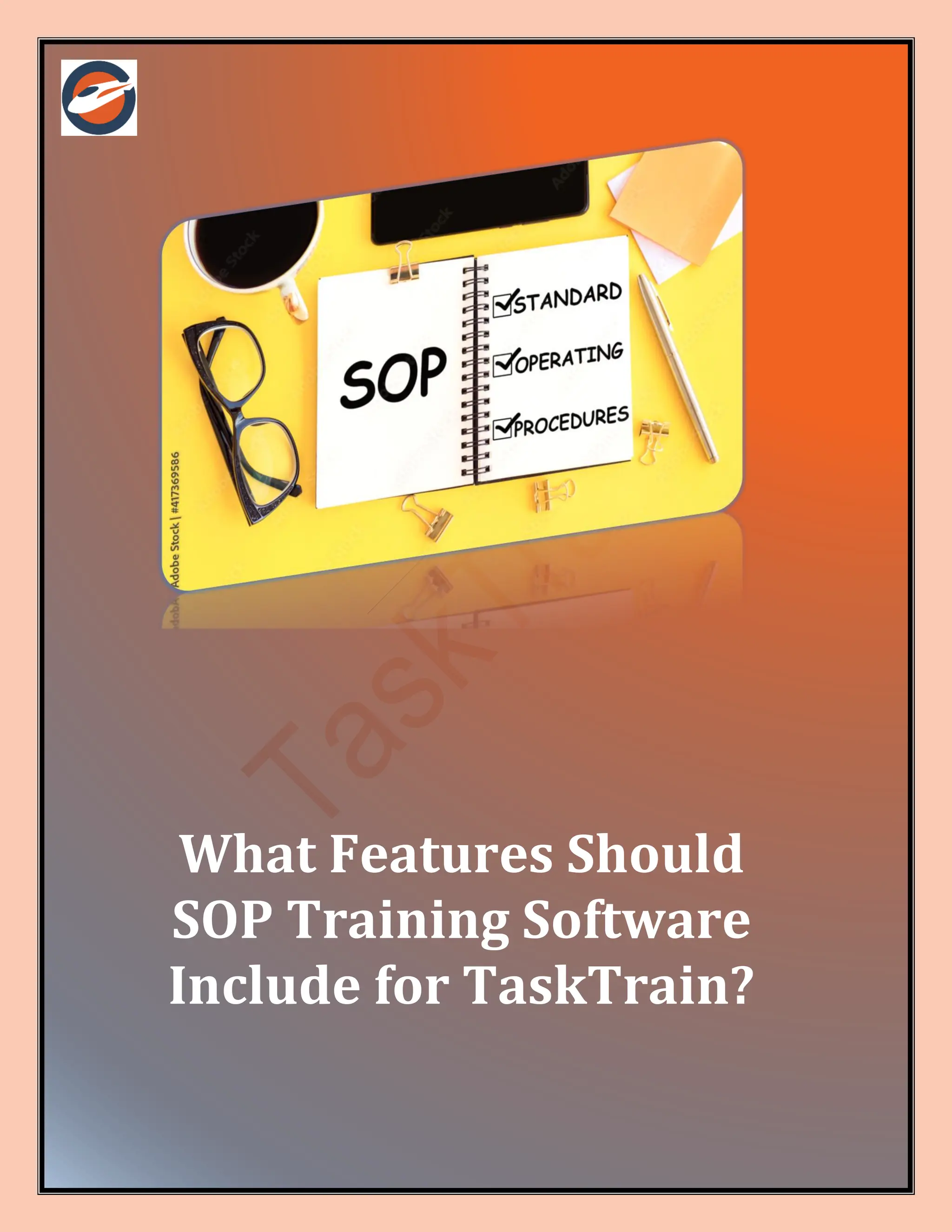
What Features Should
SOP Training Software
Include for TaskTrain?
03 Sep 2024
| TaskTrain | 1
Standard Operating Procedures (SOPs) are vital for maintaining consistency and efficiency
within organizations. Effective SOP training software is essential for creating, managing, and
training employees on these procedures. When integrating SOP training software with
TaskTrain, specific features can enhance the process. This blog explores the key features that
SOP training software should include for optimal use with TaskTrain.
1. Comprehensive SOP Templates
Utilizing SOP Templates with TaskTrain
SOP training software should offer comprehensive SOP templates to streamline the creation of
procedures. These templates ensure consistency and ease of use.
• Pre-Formatted Templates: Include templates with predefined sections for various types
of SOPs.
• Customizable Fields: Allow users to customize templates to fit specific organizational
needs.
• Compliance Checklists: Incorporate compliance checklists within templates to ensure
regulatory adherence.
• Version Control: Enable tracking of changes and updates to SOPs over time.
• Standardization: Ensure templates promote uniformity across all SOP documents.
• Easy Integration: Integrate with TaskTrain to automatically populate and update SOPs.
2. Interactive Training Modules
Enhancing Training with Interactive Modules
Interactive training modules make learning SOPs engaging and effective. SOP training
software should offer interactive features to enhance the training experience.
• Interactive Quizzes: Include quizzes to test knowledge and understanding of SOPs.
• Simulation Exercises: Provide simulated scenarios where employees can practice
SOPs.
• Multimedia Content: Use videos, animations, and infographics to illustrate SOPs.
• Real-Time Feedback: Offer instant feedback on quizzes and exercises.
• Progress Tracking: Track trainee progress and performance through TaskTrain.
• Gamification: Incorporate gamified elements to make training more engaging.
3. Easy SOP Creation and Editing
Simplifying SOP Development with TaskTrain
Efficient SOP creation and editing features are crucial for maintaining up-to-date procedures.
TaskTrain benefits from software that simplifies these processes.
• User-Friendly Interface: Ensure a straightforward interface for creating and editing
SOPs.
• Drag-and-Drop Functionality: Allows users to easily add and arrange content.
• Real-Time Collaboration: Enable multiple users to work on SOPs simultaneously.
03 Sep 2024
| TaskTrain | 2
• Template Integration: Seamlessly integrate with standard operating procedure
templates.
• Automatic Updates: Update all related documents automatically when changes are
made.
• Version Control: Keep track of revisions and manage different versions of SOPs.
4. Comprehensive Documentation Management
Managing Documentation Efficiently with TaskTrain
Effective documentation management is essential for SOP training software. This feature
ensures that all SOPs are easily accessible and well-organized.
• Centralized Repository: Store all SOPs in a centralized location for easy access.
• Search Functionality: Include robust search capabilities to quickly locate specific
SOPs.
• Tagging and Categorization: Organize SOPs with tags and categories for better
management.
• Access Controls: Set permissions to control who can view or edit standard operating
procedure templates.
• Audit Trails: Track changes and access history for compliance and review purposes.
• Integration with TaskTrain: Ensure seamless integration with TaskTrain’s
documentation features.
5. Automated Training Scheduling
Streamlining Training with Automation
Automated training scheduling features help streamline the training process, ensuring that all
employees receive timely SOP training.
• Training Calendar: Provide a calendar for scheduling training sessions and deadlines.
• Automated Reminders: Send automated reminders for upcoming training sessions.
• Enrollment Management: Automatically enroll employees in required training
programs.
• Progress Tracking: Monitor and track completion rates through TaskTrain.
• Flexible Scheduling: Allow employees to choose from available training times.
• Integration with TaskTrain: Sync training schedules with TaskTrain’s project
management tools.
6. Detailed Reporting and Analytics
Leveraging Analytics for SOP Training
Reporting and analytics features provide insights into training effectiveness and SOP
compliance. TaskTrain benefits from detailed reports that aid in decision-making.
• Performance Reports: Generate reports on training completion and effectiveness.
• Compliance Tracking: Monitor adherence to SOPs and training requirements.
03 Sep 2024
| TaskTrain | 3
• Customizable Dashboards: Create dashboards to visualize key metrics and data.
• Trend Analysis: Analyze trends in SOP compliance and training outcomes.
• Feedback Collection: Collect feedback on training programs and SOP effectiveness.
• Integration with TaskTrain: Sync analytics data with TaskTrain’s reporting tools for
comprehensive insights.
7. User Access and Role Management
Managing User Roles with TaskTrain
Effective user access and role management ensure that employees have the appropriate
access to SOPs and training materials.
• Role-Based Access: Assign roles to control access to specific SOPs and training
modules.
• Permission Settings: Customize permissions for viewing, editing, and managing
standard operating procedure templates.
• User Profiles: Create detailed user profiles to track training progress and performance.
• Access Audits: Conduct regular audits of user access and permissions.
• Custom Roles: Define custom roles based on organizational needs.
• Integration with TaskTrain: Sync user roles and permissions with TaskTrain’s access
controls.
8. Mobile Accessibility
Accessing SOPs on the Go
Mobile accessibility is crucial for employees who need to access SOPs and training materials
from various locations. SOP training software should offer robust mobile support.
• Responsive Design: Ensure the software is accessible on various devices and screen
sizes.
• Mobile App: Provide a dedicated mobile app for accessing SOPs and training modules.
• Offline Access: Allow access to SOPs and training materials offline.
• Push Notifications: Send notifications to mobile devices for training updates and
reminders.
• User-Friendly Interface: Maintain a user-friendly interface on mobile devices.
• Integration with TaskTrain: Ensure mobile access is synchronized with TaskTrain’s
features.
9. Integration with Existing Systems
Ensuring Seamless Integration
Integration with existing systems ensures that SOP training software works well with other tools
and platforms in use, including TaskTrain.
• API Compatibility: Provide APIs for integrating with other software systems.
• Data Import/Export: Facilitate easy import and export of data between systems.
03 Sep 2024
| TaskTrain | 4
• Single Sign-On (SSO): Support SSO for seamless access across platforms.
• System Sync: Ensure synchronization of data between SOP training software and
TaskTrain.
• Custom Integrations: Offer options for custom integrations based on specific needs.
• Integration Support: Provide support for troubleshooting integration issues.
10. Compliance and Security Features
Ensuring SOP Compliance and Security
Compliance and security features are essential for protecting sensitive information and meeting
regulatory requirements.
• Data Encryption: Encrypt data to protect it from unauthorized access.
• Compliance Tracking: Track compliance with industry regulations and standards.
• Regular Audits: Conduct regular security audits to identify and address vulnerabilities.
• User Authentication: Implement robust user authentication methods.
• Backup and Recovery: Ensure data is backed up and recoverable in case of loss.
• Integration with TaskTrain: Ensure compliance and security features are integrated
with TaskTrain’s protocols.
Conclusion
Effective SOP training software is essential for companies using TaskTrain to streamline their
SOP processes. By incorporating features such as comprehensive SOP templates, interactive
training modules, and robust documentation management, organizations can enhance their
SOP training and compliance. With TaskTrain’s support, these features can be seamlessly
integrated to improve efficiency and effectiveness.
FAQs
1. What are the key features of SOP training software that integrate well with TaskTrain?
Key features include comprehensive SOP templates, interactive training modules, automated
scheduling, and detailed reporting. Integration with TaskTrain enhances these features by
providing centralized task and project management.
2. How can TaskTrain improve SOP training effectiveness?
TaskTrain enhances SOP training by providing tools for real-time collaboration, progress
tracking, and integration with existing systems, ensuring that training is efficient and effective.
3. What security features should SOP training software include?
SOP training software should include data encryption, user authentication, regular security
audits, and compliance tracking to ensure the protection of sensitive information and adherence
to regulations.
Visit:https://www.tasktrain.app/
03 Sep 2024
| TaskTrain | 5
Contact Us For Further
Inquiries
• Visit: https://www.tasktrain.app/

What Features Should SOP Training Software Include for TaskTrain.pdf

  • 1.
    What Features Should SOPTraining Software Include for TaskTrain?
  • 2.
    03 Sep 2024 |TaskTrain | 1 Standard Operating Procedures (SOPs) are vital for maintaining consistency and efficiency within organizations. Effective SOP training software is essential for creating, managing, and training employees on these procedures. When integrating SOP training software with TaskTrain, specific features can enhance the process. This blog explores the key features that SOP training software should include for optimal use with TaskTrain. 1. Comprehensive SOP Templates Utilizing SOP Templates with TaskTrain SOP training software should offer comprehensive SOP templates to streamline the creation of procedures. These templates ensure consistency and ease of use. • Pre-Formatted Templates: Include templates with predefined sections for various types of SOPs. • Customizable Fields: Allow users to customize templates to fit specific organizational needs. • Compliance Checklists: Incorporate compliance checklists within templates to ensure regulatory adherence. • Version Control: Enable tracking of changes and updates to SOPs over time. • Standardization: Ensure templates promote uniformity across all SOP documents. • Easy Integration: Integrate with TaskTrain to automatically populate and update SOPs. 2. Interactive Training Modules Enhancing Training with Interactive Modules Interactive training modules make learning SOPs engaging and effective. SOP training software should offer interactive features to enhance the training experience. • Interactive Quizzes: Include quizzes to test knowledge and understanding of SOPs. • Simulation Exercises: Provide simulated scenarios where employees can practice SOPs. • Multimedia Content: Use videos, animations, and infographics to illustrate SOPs. • Real-Time Feedback: Offer instant feedback on quizzes and exercises. • Progress Tracking: Track trainee progress and performance through TaskTrain. • Gamification: Incorporate gamified elements to make training more engaging. 3. Easy SOP Creation and Editing Simplifying SOP Development with TaskTrain Efficient SOP creation and editing features are crucial for maintaining up-to-date procedures. TaskTrain benefits from software that simplifies these processes. • User-Friendly Interface: Ensure a straightforward interface for creating and editing SOPs. • Drag-and-Drop Functionality: Allows users to easily add and arrange content. • Real-Time Collaboration: Enable multiple users to work on SOPs simultaneously.
  • 3.
    03 Sep 2024 |TaskTrain | 2 • Template Integration: Seamlessly integrate with standard operating procedure templates. • Automatic Updates: Update all related documents automatically when changes are made. • Version Control: Keep track of revisions and manage different versions of SOPs. 4. Comprehensive Documentation Management Managing Documentation Efficiently with TaskTrain Effective documentation management is essential for SOP training software. This feature ensures that all SOPs are easily accessible and well-organized. • Centralized Repository: Store all SOPs in a centralized location for easy access. • Search Functionality: Include robust search capabilities to quickly locate specific SOPs. • Tagging and Categorization: Organize SOPs with tags and categories for better management. • Access Controls: Set permissions to control who can view or edit standard operating procedure templates. • Audit Trails: Track changes and access history for compliance and review purposes. • Integration with TaskTrain: Ensure seamless integration with TaskTrain’s documentation features. 5. Automated Training Scheduling Streamlining Training with Automation Automated training scheduling features help streamline the training process, ensuring that all employees receive timely SOP training. • Training Calendar: Provide a calendar for scheduling training sessions and deadlines. • Automated Reminders: Send automated reminders for upcoming training sessions. • Enrollment Management: Automatically enroll employees in required training programs. • Progress Tracking: Monitor and track completion rates through TaskTrain. • Flexible Scheduling: Allow employees to choose from available training times. • Integration with TaskTrain: Sync training schedules with TaskTrain’s project management tools. 6. Detailed Reporting and Analytics Leveraging Analytics for SOP Training Reporting and analytics features provide insights into training effectiveness and SOP compliance. TaskTrain benefits from detailed reports that aid in decision-making. • Performance Reports: Generate reports on training completion and effectiveness. • Compliance Tracking: Monitor adherence to SOPs and training requirements.
  • 4.
    03 Sep 2024 |TaskTrain | 3 • Customizable Dashboards: Create dashboards to visualize key metrics and data. • Trend Analysis: Analyze trends in SOP compliance and training outcomes. • Feedback Collection: Collect feedback on training programs and SOP effectiveness. • Integration with TaskTrain: Sync analytics data with TaskTrain’s reporting tools for comprehensive insights. 7. User Access and Role Management Managing User Roles with TaskTrain Effective user access and role management ensure that employees have the appropriate access to SOPs and training materials. • Role-Based Access: Assign roles to control access to specific SOPs and training modules. • Permission Settings: Customize permissions for viewing, editing, and managing standard operating procedure templates. • User Profiles: Create detailed user profiles to track training progress and performance. • Access Audits: Conduct regular audits of user access and permissions. • Custom Roles: Define custom roles based on organizational needs. • Integration with TaskTrain: Sync user roles and permissions with TaskTrain’s access controls. 8. Mobile Accessibility Accessing SOPs on the Go Mobile accessibility is crucial for employees who need to access SOPs and training materials from various locations. SOP training software should offer robust mobile support. • Responsive Design: Ensure the software is accessible on various devices and screen sizes. • Mobile App: Provide a dedicated mobile app for accessing SOPs and training modules. • Offline Access: Allow access to SOPs and training materials offline. • Push Notifications: Send notifications to mobile devices for training updates and reminders. • User-Friendly Interface: Maintain a user-friendly interface on mobile devices. • Integration with TaskTrain: Ensure mobile access is synchronized with TaskTrain’s features. 9. Integration with Existing Systems Ensuring Seamless Integration Integration with existing systems ensures that SOP training software works well with other tools and platforms in use, including TaskTrain. • API Compatibility: Provide APIs for integrating with other software systems. • Data Import/Export: Facilitate easy import and export of data between systems.
  • 5.
    03 Sep 2024 |TaskTrain | 4 • Single Sign-On (SSO): Support SSO for seamless access across platforms. • System Sync: Ensure synchronization of data between SOP training software and TaskTrain. • Custom Integrations: Offer options for custom integrations based on specific needs. • Integration Support: Provide support for troubleshooting integration issues. 10. Compliance and Security Features Ensuring SOP Compliance and Security Compliance and security features are essential for protecting sensitive information and meeting regulatory requirements. • Data Encryption: Encrypt data to protect it from unauthorized access. • Compliance Tracking: Track compliance with industry regulations and standards. • Regular Audits: Conduct regular security audits to identify and address vulnerabilities. • User Authentication: Implement robust user authentication methods. • Backup and Recovery: Ensure data is backed up and recoverable in case of loss. • Integration with TaskTrain: Ensure compliance and security features are integrated with TaskTrain’s protocols. Conclusion Effective SOP training software is essential for companies using TaskTrain to streamline their SOP processes. By incorporating features such as comprehensive SOP templates, interactive training modules, and robust documentation management, organizations can enhance their SOP training and compliance. With TaskTrain’s support, these features can be seamlessly integrated to improve efficiency and effectiveness. FAQs 1. What are the key features of SOP training software that integrate well with TaskTrain? Key features include comprehensive SOP templates, interactive training modules, automated scheduling, and detailed reporting. Integration with TaskTrain enhances these features by providing centralized task and project management. 2. How can TaskTrain improve SOP training effectiveness? TaskTrain enhances SOP training by providing tools for real-time collaboration, progress tracking, and integration with existing systems, ensuring that training is efficient and effective. 3. What security features should SOP training software include? SOP training software should include data encryption, user authentication, regular security audits, and compliance tracking to ensure the protection of sensitive information and adherence to regulations. Visit:https://www.tasktrain.app/
  • 6.
    03 Sep 2024 |TaskTrain | 5 Contact Us For Further Inquiries • Visit: https://www.tasktrain.app/