WE NEED TO TALK...
 Communication between
    PHP & jQuery
JQUERY

• Written   in Javascript

• jQuery   is just a library

   • Event   handling

   • DOM      Manipulation

   • Animation

   • AJAX
ASYNCHRONOUS DATA


• Data   on demand

• More   responsive app (for some situations)

• Decouple   presentation from data
XML vs. JSON vs. Plain Text vs. HTML


          Q: Which should you use!?

          A: It depends!
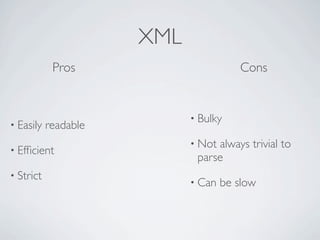
XML
            Pros                       Cons


                            • Bulky
• Easily   readable
                            • Notalways trivial to
• Efficient
                             parse
• Strict
                            • Can   be slow
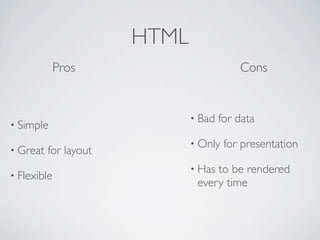
HTML
             Pros                         Cons


                              • Bad   for data
• Simple
                              • Only   for presentation
• Great   for layout
                              • Hasto be rendered
• Flexible
                               every time
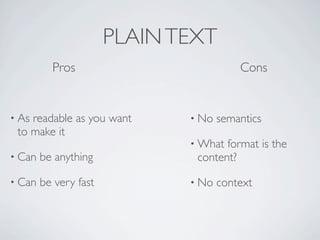
PLAIN TEXT
          Pros                           Cons


• Asreadable as you want      • No   semantics
 to make it
                              • What format is the
• Can   be anything            content?

• Can   be very fast          • No   context
JSON

                                     {
                                         "users":
                                            [
                                               {
                                                 "name":"Joey Joe Joe Junior Shabadoo",
                                                 "userId":"jjjjs",
                                                 "job":"A random guy at Moe's",


• JavaScript   Object Notation
                                                 "age":42
                                               },
                                               {
                                                  "name":"Mike Rowe",
                                                  "userId":"mrowe",
                                                  "job":"All Of Them",

• Collection   of name/value pairs
                                                  "age":48
                                               },
                                               {
                                                  "name":"Vincent Price",
                                                  "userId":"vprice",
                                                  "job":"Creepy Guy",

• Human   Readable
                                                  "age":82
                                               },
                                               {
                                                  "name":"Morgan Freeman",
                                                  "userId":"mfreeman",
                                                  "job":"God, President, Personal Driver, Inmate",
                                                  "age":78
                                               }
                                            ]
                                     }
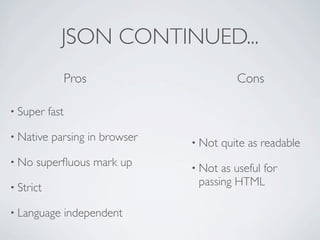
JSON CONTINUED...
                  Pros                     Cons

• Super    fast

• Native   parsing in browser   • Not   quite as readable
• No   superfluous mark up       • Not as useful for
• Strict
                                 passing HTML

• Language        independent
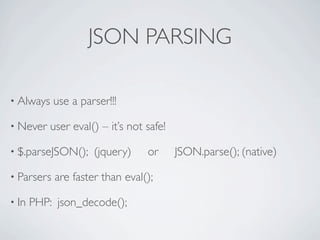
JSON PARSING

• Always    use a parser!!!

• Never    user eval() – it’s not safe!

• $.parseJSON();     (jquery)     or      JSON.parse(); (native)

• Parsers   are faster than eval();

• In   PHP: json_decode();
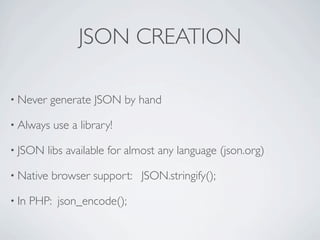
JSON CREATION

• Never    generate JSON by hand

• Always   use a library!

• JSON    libs available for almost any language (json.org)

• Native   browser support: JSON.stringify();

• In   PHP: json_encode();
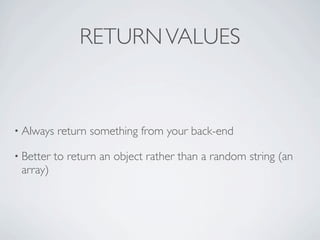
RETURN VALUES


• Always   return something from your back-end

• Better   to return an object rather than a random string (an
 array)
EXAMPLES!

• Form   processing

• Front-end   vs. back-end

• Templating

• Debugging

• http://github.com/gplocke/TriPUG-PHP-JS-Example
FORM PROCESSING


• Asynchronous    form processing

• Doesn’t   interrupt the user’s work flow

• Remember     to use only where appropriate
Robert Frost wasn’t a developer


• When  do you use PHP to build a
 view, when do you use JS
Let your front-end do some of the lifting


• HTML    can be created with PHP or JS

• The   HTML must be added to the DOM

• Use   JS for reusable / repeatable things

• Templating
JQUERY TEMPLATES

• Neat

• Simple

• Powerful

• Fast

• http://api.jquery.com/category/plugins/templates/
Back-End View Generation


• Complex    or extensive markup

• One-time   things

• Forms
DEBUGGING


• FireBug   + FirePHP (firephp.org)

• Only   for Firefox

• FirePHPCore    library or Zend Framework
THANKS!


Email: gplocke@gmail.com

Twitter: @gplocke

http://www.broken-notebook.com

We Need To Talk: Communicating with PHP and jQuery

  • 1.
    WE NEED TOTALK... Communication between PHP & jQuery
  • 2.
    JQUERY • Written in Javascript • jQuery is just a library • Event handling • DOM Manipulation • Animation • AJAX
  • 3.
    ASYNCHRONOUS DATA • Data on demand • More responsive app (for some situations) • Decouple presentation from data
  • 4.
    XML vs. JSONvs. Plain Text vs. HTML Q: Which should you use!? A: It depends!
  • 5.
    XML Pros Cons • Bulky • Easily readable • Notalways trivial to • Efficient parse • Strict • Can be slow
  • 6.
    HTML Pros Cons • Bad for data • Simple • Only for presentation • Great for layout • Hasto be rendered • Flexible every time
  • 7.
    PLAIN TEXT Pros Cons • Asreadable as you want • No semantics to make it • What format is the • Can be anything content? • Can be very fast • No context
  • 8.
    JSON { "users": [ { "name":"Joey Joe Joe Junior Shabadoo", "userId":"jjjjs", "job":"A random guy at Moe's", • JavaScript Object Notation "age":42 }, { "name":"Mike Rowe", "userId":"mrowe", "job":"All Of Them", • Collection of name/value pairs "age":48 }, { "name":"Vincent Price", "userId":"vprice", "job":"Creepy Guy", • Human Readable "age":82 }, { "name":"Morgan Freeman", "userId":"mfreeman", "job":"God, President, Personal Driver, Inmate", "age":78 } ] }
  • 9.
    JSON CONTINUED... Pros Cons • Super fast • Native parsing in browser • Not quite as readable • No superfluous mark up • Not as useful for • Strict passing HTML • Language independent
  • 10.
    JSON PARSING • Always use a parser!!! • Never user eval() – it’s not safe! • $.parseJSON(); (jquery) or JSON.parse(); (native) • Parsers are faster than eval(); • In PHP: json_decode();
  • 11.
    JSON CREATION • Never generate JSON by hand • Always use a library! • JSON libs available for almost any language (json.org) • Native browser support: JSON.stringify(); • In PHP: json_encode();
  • 12.
    RETURN VALUES • Always return something from your back-end • Better to return an object rather than a random string (an array)
  • 13.
    EXAMPLES! • Form processing • Front-end vs. back-end • Templating • Debugging • http://github.com/gplocke/TriPUG-PHP-JS-Example
  • 14.
    FORM PROCESSING • Asynchronous form processing • Doesn’t interrupt the user’s work flow • Remember to use only where appropriate
  • 15.
    Robert Frost wasn’ta developer • When do you use PHP to build a view, when do you use JS
  • 16.
    Let your front-enddo some of the lifting • HTML can be created with PHP or JS • The HTML must be added to the DOM • Use JS for reusable / repeatable things • Templating
  • 17.
    JQUERY TEMPLATES • Neat •Simple • Powerful • Fast • http://api.jquery.com/category/plugins/templates/
  • 18.
    Back-End View Generation •Complex or extensive markup • One-time things • Forms
  • 19.
    DEBUGGING • FireBug + FirePHP (firephp.org) • Only for Firefox • FirePHPCore library or Zend Framework
  • 20.

Editor's Notes

  • #8 - great for things you don’t really care about (log messages)
  • #15 - code example
  • #16 - “The Road Not Taken.” He could only take one. We get to take both!
  • #18 - code example
  • #19 - code example