W eb  A pplication  T est  I n  R uby Sumanth Krishna. A www.sumanthkrishna.com
Agenda Introducing the topic Discussion on Testing frameworks/tools and it’s necessity Ruby Installations Architecture Testcases Scope
TAG CLOUD ruby Apache Nginx assertions install webserver FireWatir temp- user WATIR goto html DOM web-applications opensource tests Assertions  get_string   firefox-addon   click hudson SVN  COM  open-source  IE gems  open-QA  ruby  regression  loadrunner  mercury  automatio deployment browers  tools WATIR html DOM  recorder  telnet
Prerequisites Can you believe you really don’t need any special skills to implement this!
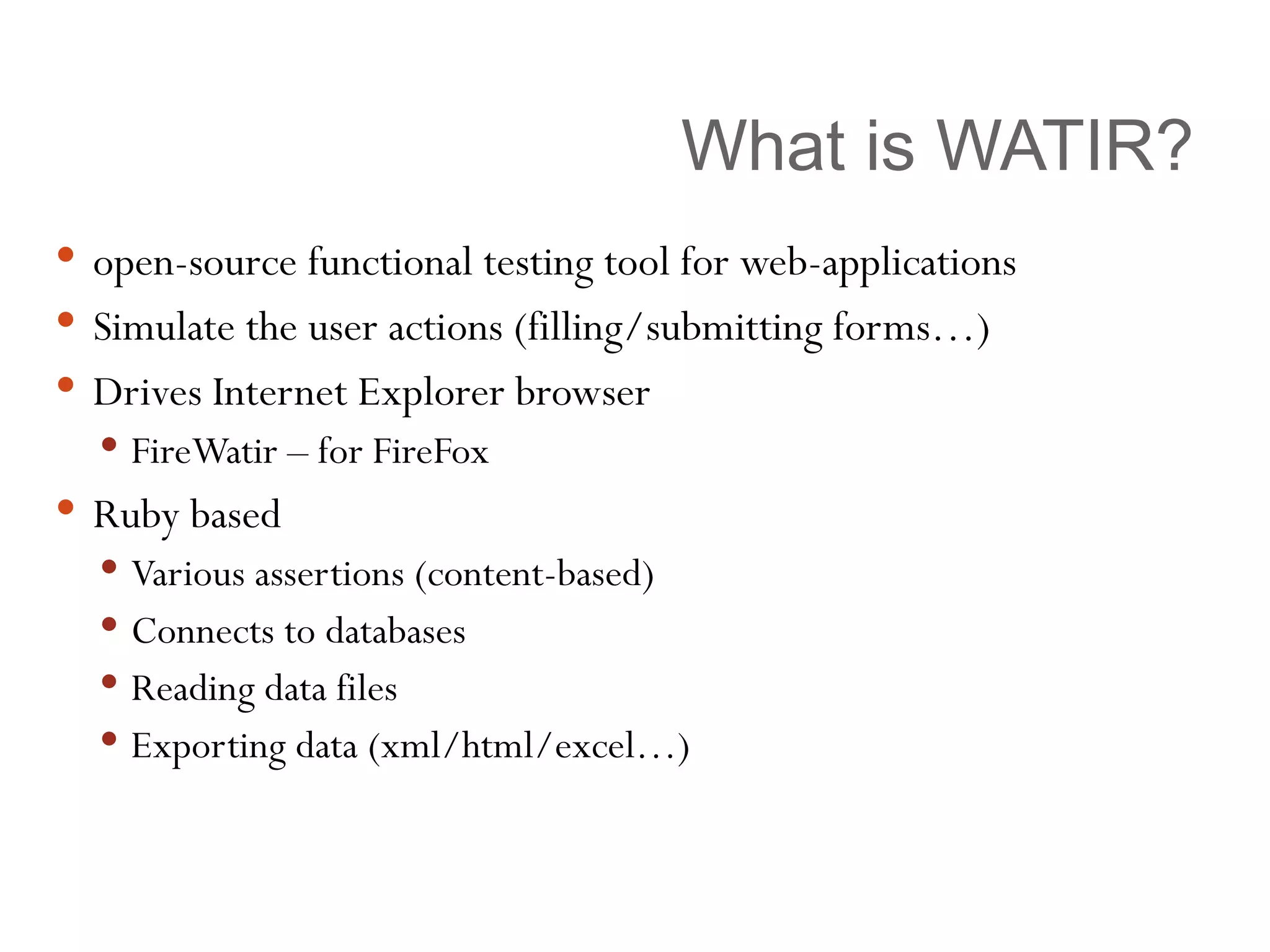
What is WATIR? open-source functional testing tool for web-applications Simulate the user actions (filling/submitting forms…) Drives Internet Explorer browser FireWatir – for FireFox Ruby based Various assertions (content-based) Connects to databases Reading data files Exporting data (xml/html/excel…)
Why use WATIR? Free Powerful Simple (easy to use and learn) Excellent Support Strongest Presence Watir/Watin/Watij [ W eb  A pplication  T esting  I n  R uby/. N ET/ J ava ] Huge resource of supporting tools –  Firewatir, Watir Recorder ++, Wet, Cubictest, Visual Studio
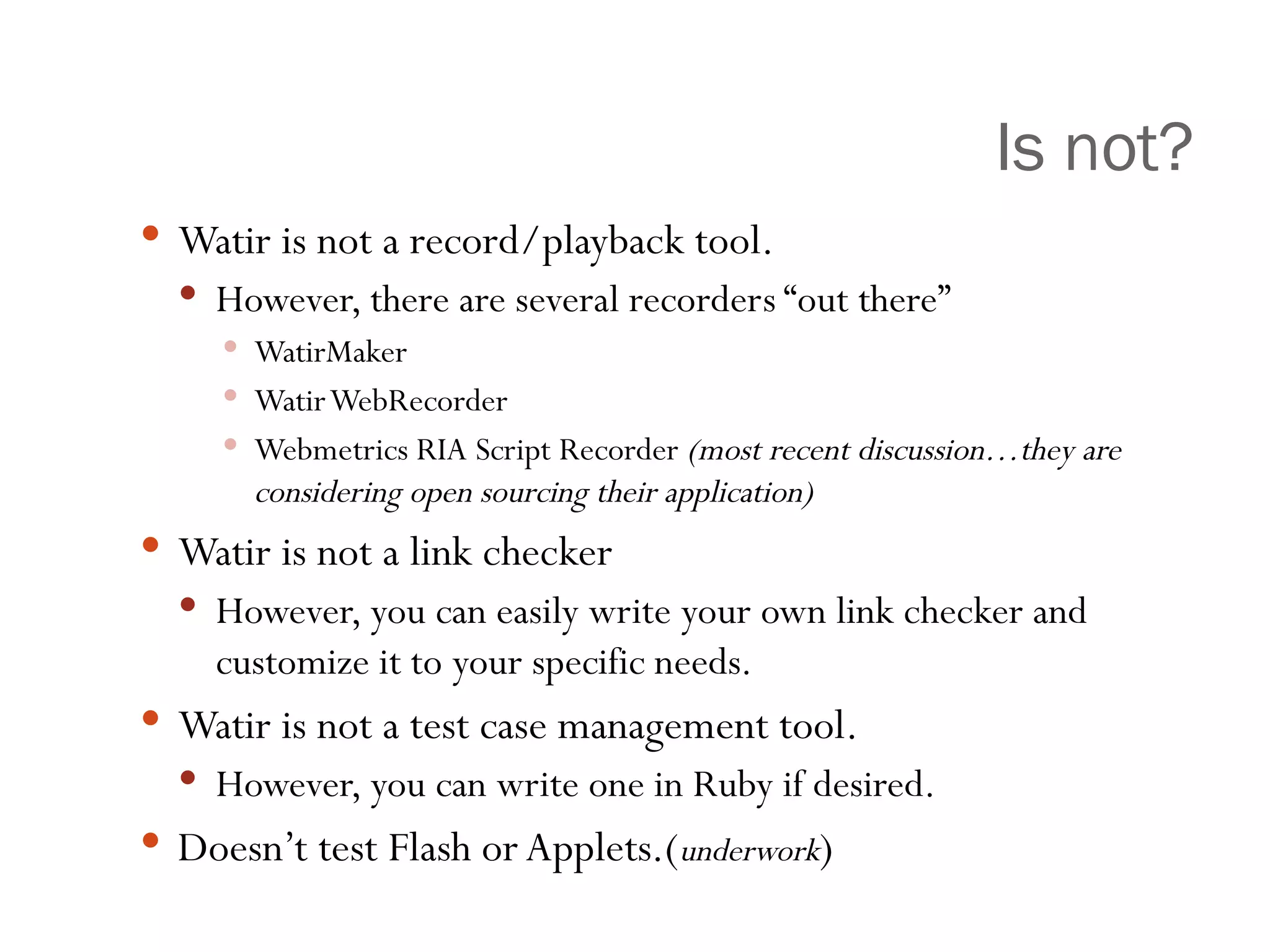
Is not? Watir is not a record/playback tool. However, there are several recorders “out there” WatirMaker Watir WebRecorder Webmetrics RIA Script Recorder  (most recent discussion…they are considering open sourcing their application) Watir is not a link checker However, you can easily write your own link checker and customize it to your specific needs. Watir is not a test case management tool. However, you can write one in Ruby if desired. Doesn’t test Flash or Applets.( underwork )
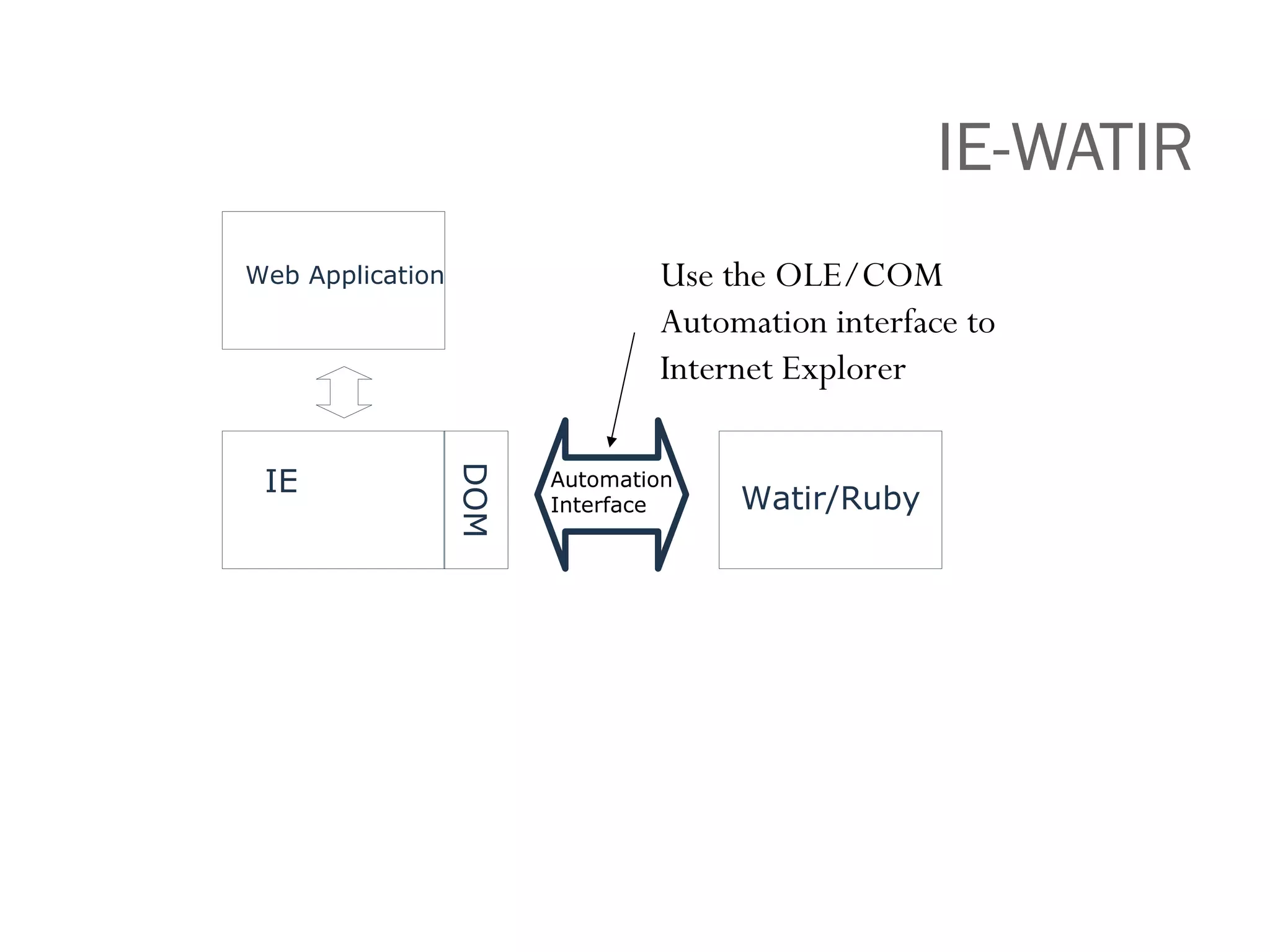
IE-WATIR Web Application Automation Interface Use the OLE/COM Automation interface to Internet Explorer IE Watir/Ruby DOM
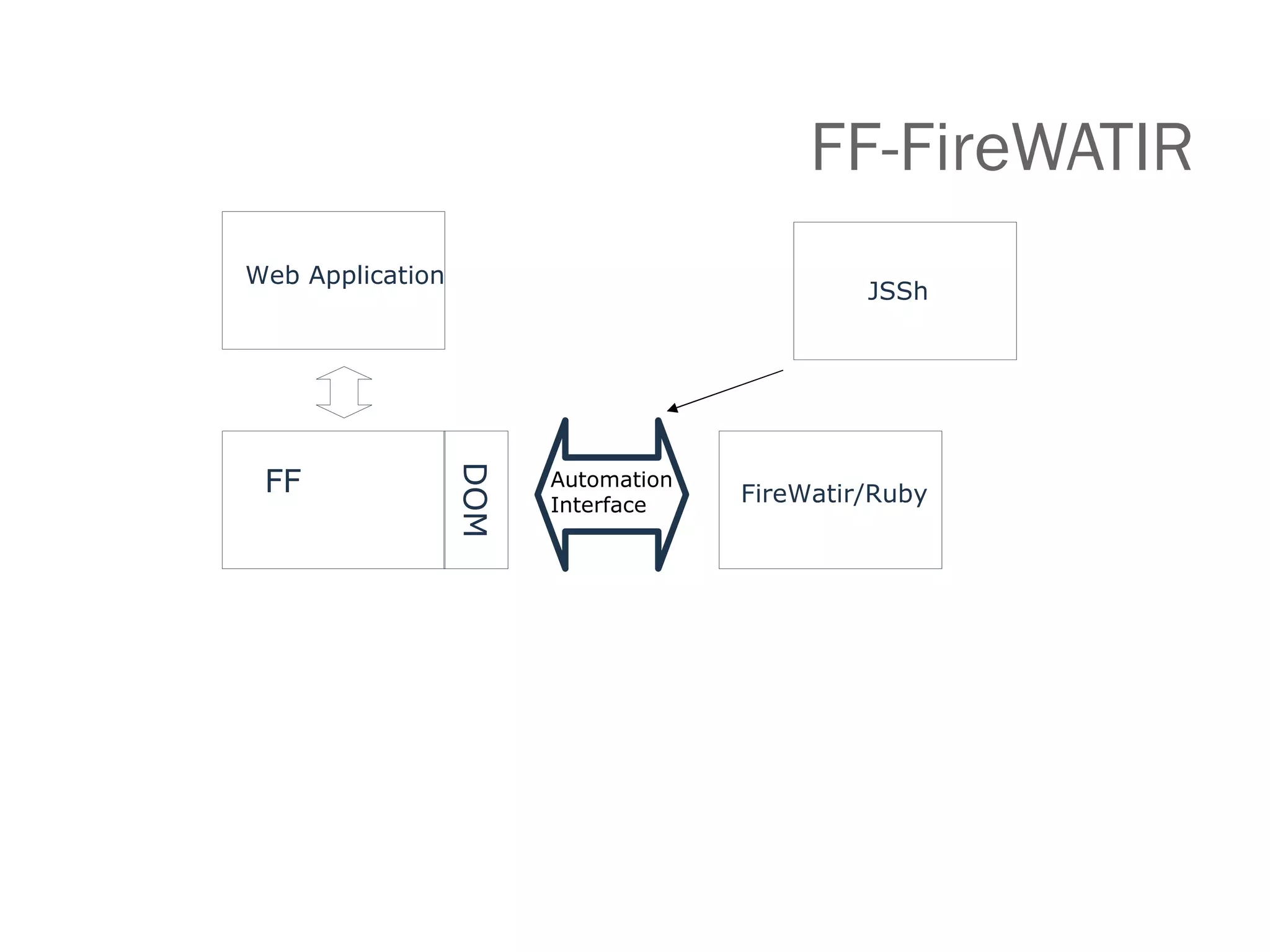
FF-FireWATIR Automation Interface FF FireWatir/Ruby DOM Web Application JSSh
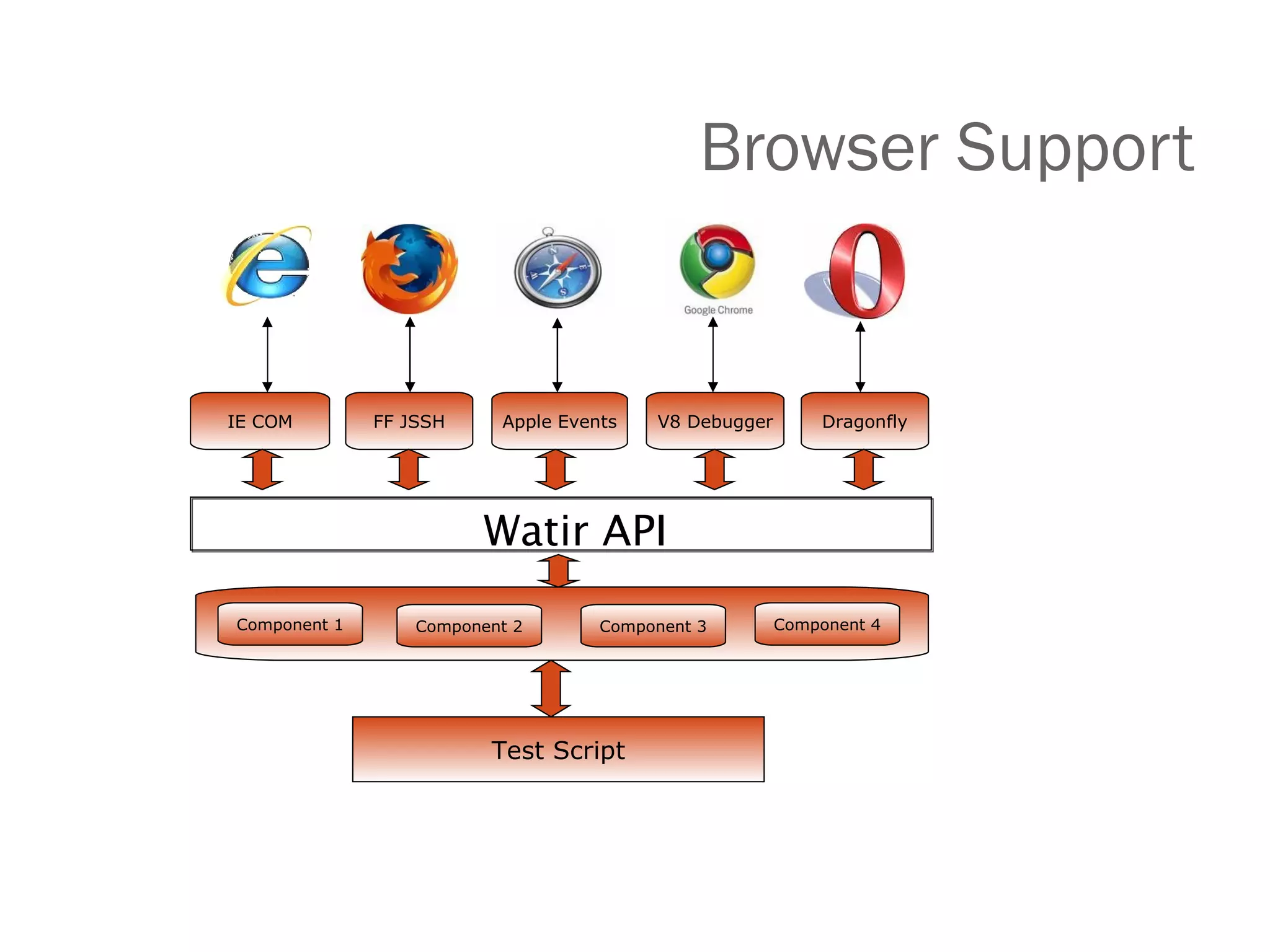
Browser Support IE COM Test Script Component 1 FF JSSH Apple Events V8 Debugger Dragonfly Component 2 Component 3 Component 4 Watir API
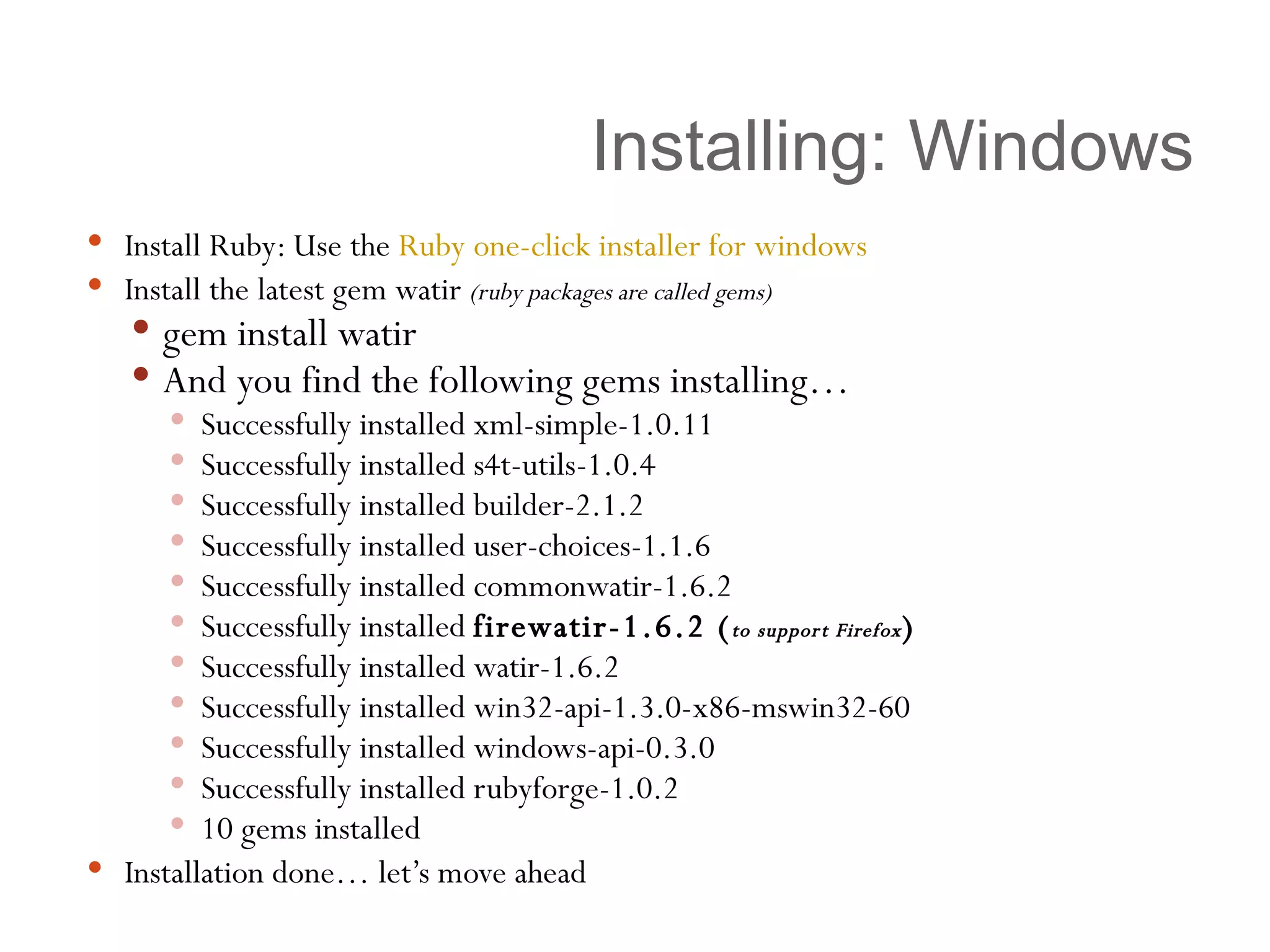
Installing: Windows Install Ruby: Use the  Ruby one-click installer for windows   Install the latest gem watir  (ruby packages are called gems) gem install watir And you find the following gems installing… Successfully installed xml-simple-1.0.11 Successfully installed s4t-utils-1.0.4 Successfully installed builder-2.1.2 Successfully installed user-choices-1.1.6 Successfully installed commonwatir-1.6.2 Successfully installed  firewatir-1.6.2 ( to support Firefox ) Successfully installed watir-1.6.2 Successfully installed win32-api-1.3.0-x86-mswin32-60 Successfully installed windows-api-0.3.0 Successfully installed rubyforge-1.0.2 10 gems installed Installation done… let’s move ahead
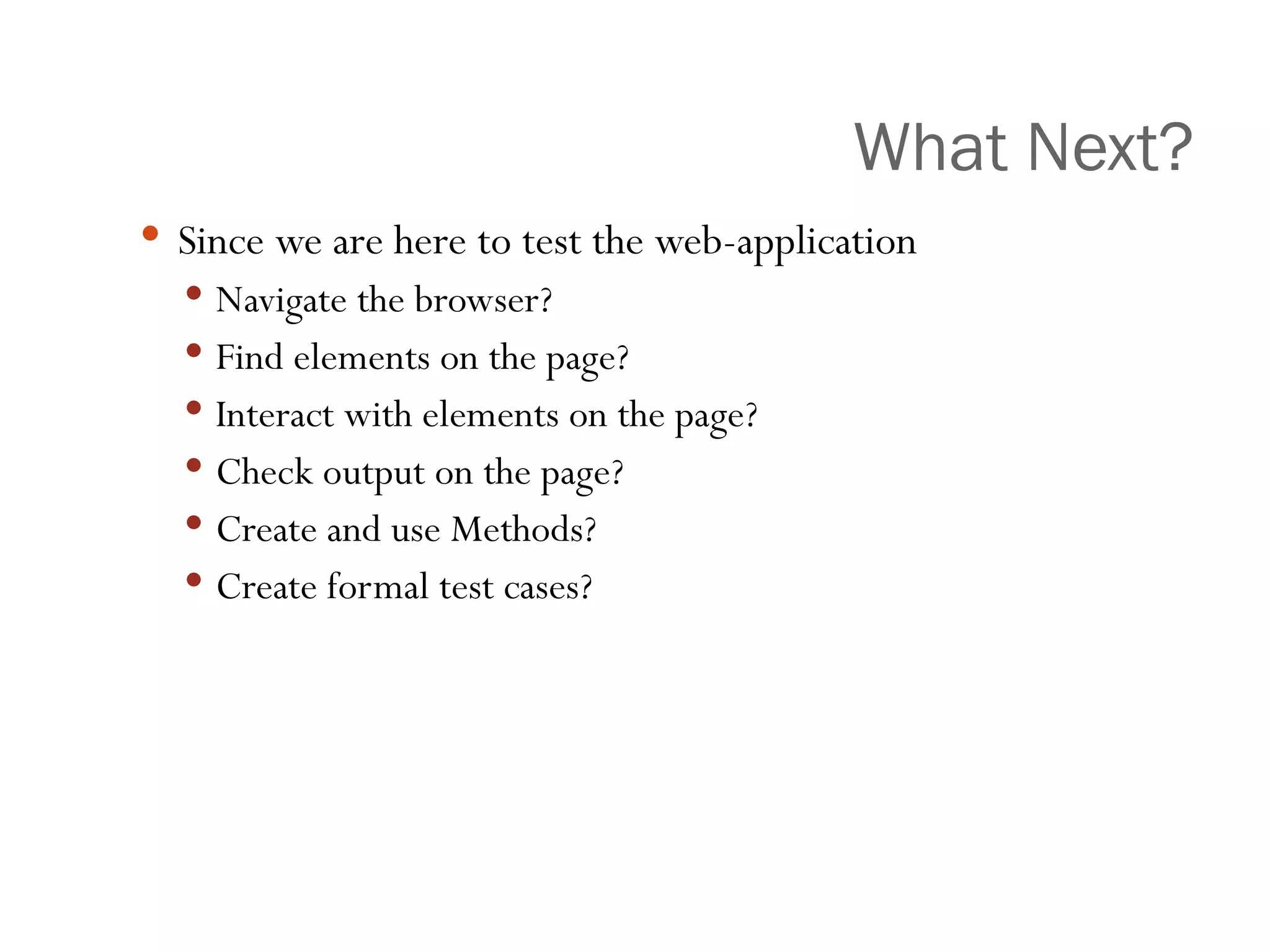
What Next? Since we are here to test the web-application  Navigate the browser? Find elements on the page? Interact with elements on the page? Check output on the page? Create and use Methods? Create formal test cases?
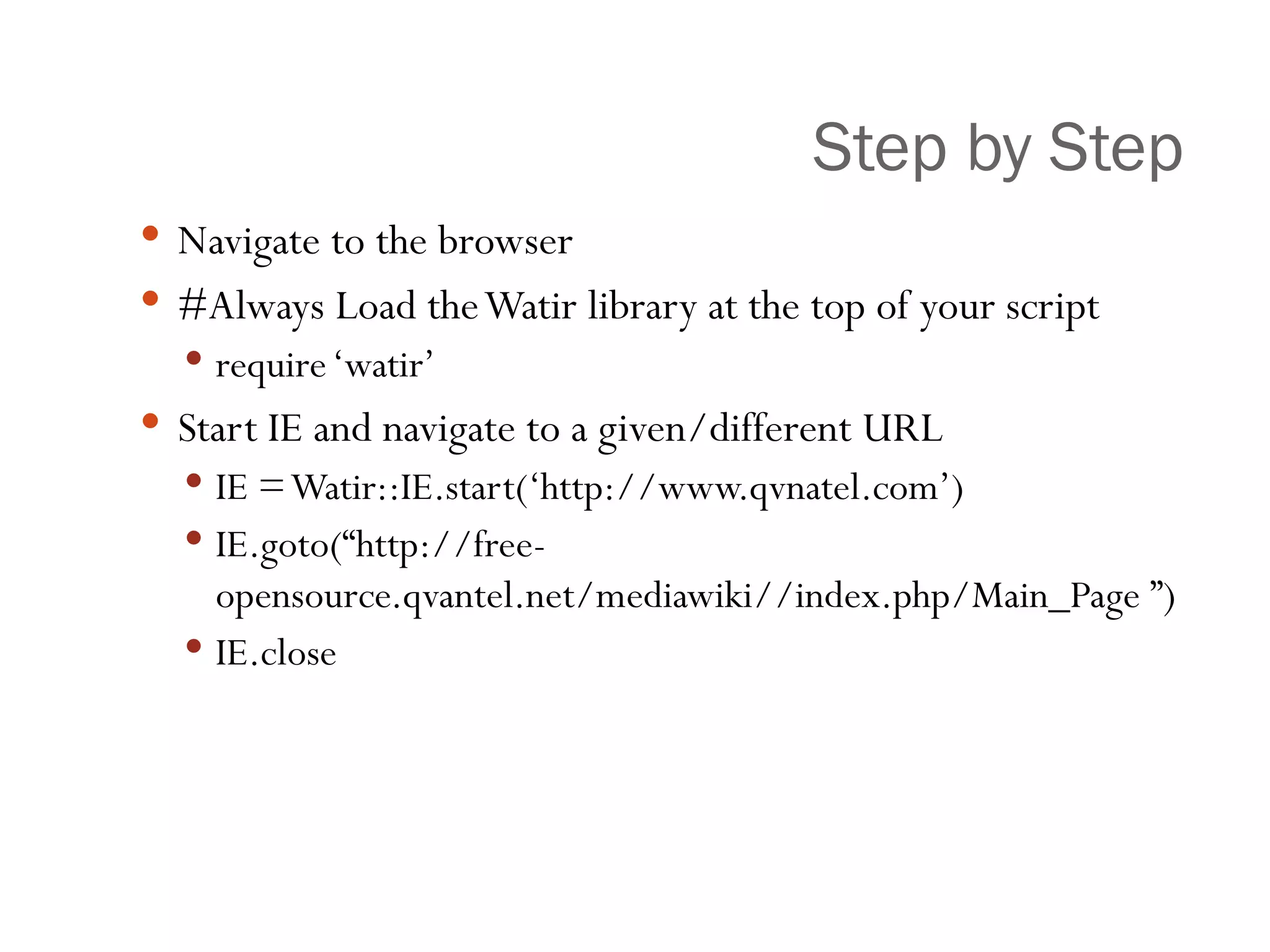
Step by Step Navigate to the browser #Always Load the Watir library at the top of your script require ‘watir’ Start IE and navigate to a given/different URL IE = Watir::IE.start(‘http://www.qvnatel.com’) IE.goto(“http://free-opensource.qvantel.net/mediawiki//index.php/Main_Page ”) IE.close
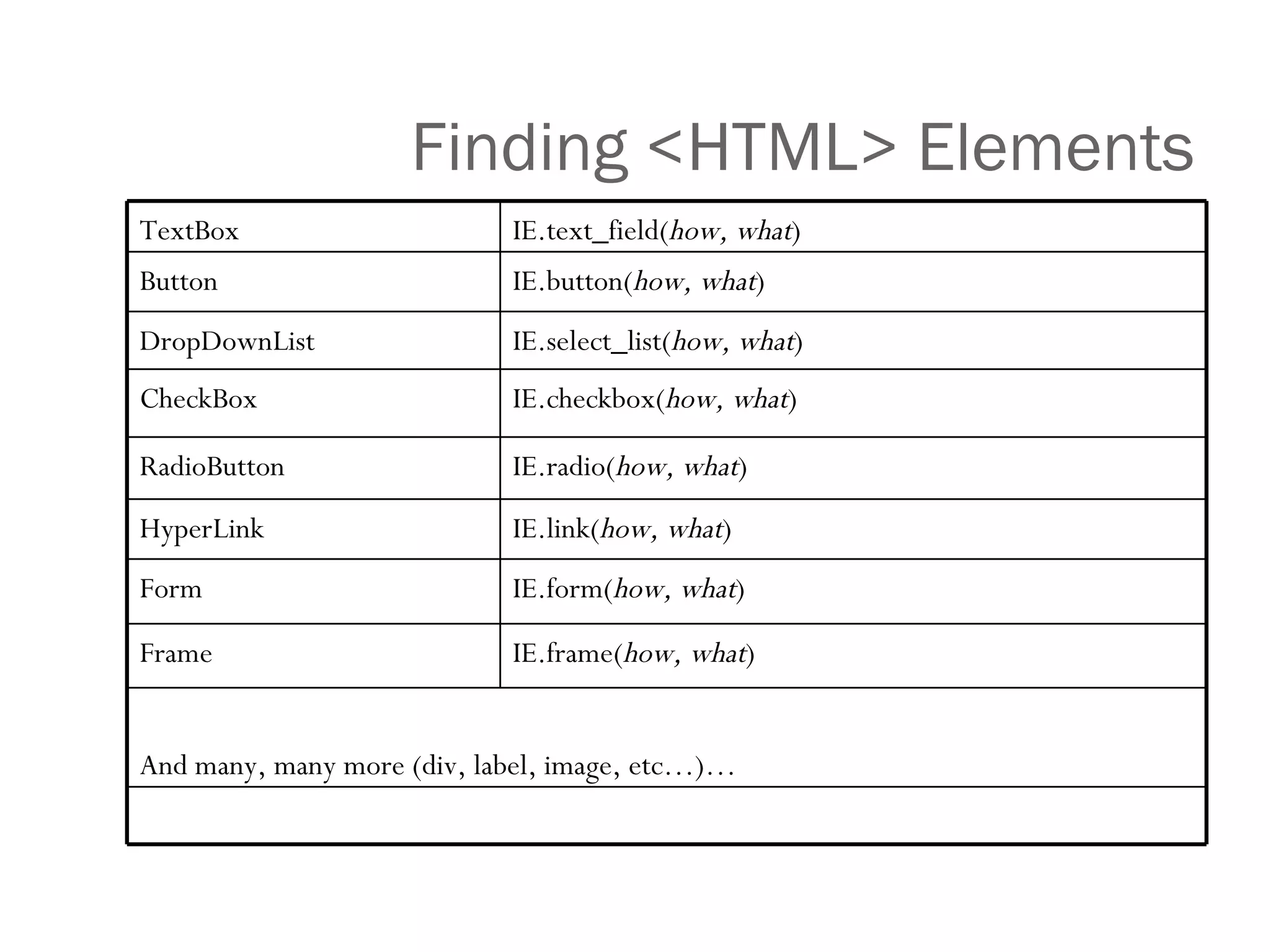
Finding <HTML> Elements IE.frame( how, what ) Frame And many, many more (div, label, image, etc…)… IE.form( how, what ) Form IE.link( how, what ) HyperLink IE.radio( how, what ) RadioButton IE.checkbox( how, what ) CheckBox IE.select_list( how, what ) DropDownList IE.button( how, what ) Button IE.text_field( how, what ) TextBox
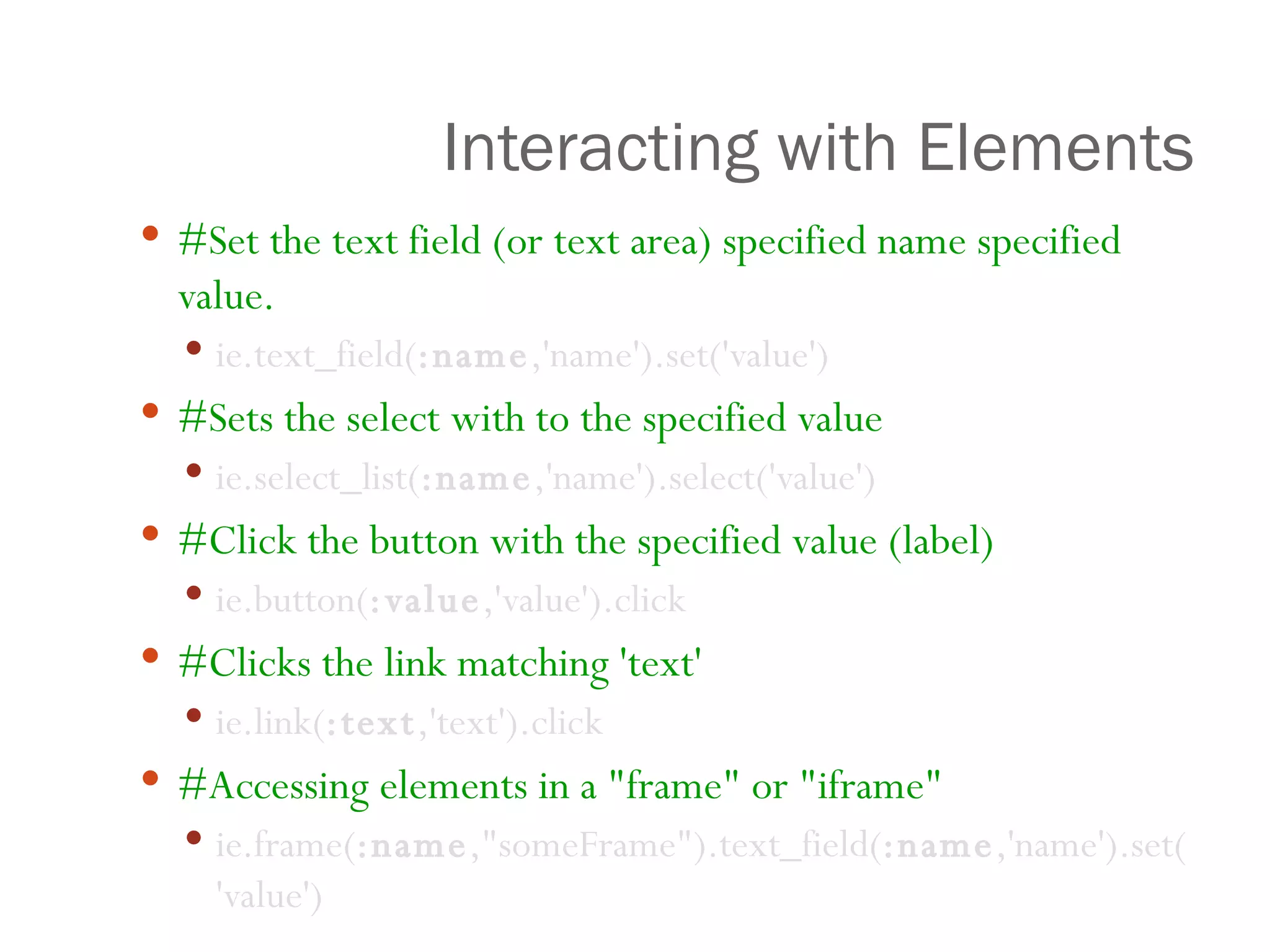
Interacting with Elements #Set the text field (or text area) specified name specified value.   ie.text_field( :name ,'name').set('value')    #Sets the select with to the specified value ie.select_list( :name ,'name').select('value')  #Click the button with the specified value (label) ie.button( :value ,'value').click #Clicks the link matching 'text'   ie.link( :text ,'text').click #Accessing elements in a &quot;frame&quot; or &quot;iframe&quot; ie.frame( :name ,&quot;someFrame&quot;).text_field( :name ,'name').set('value')
Closer view browser.button( :value , &quot;Click Me&quot;).click [Variable]  .  [method]  (:  [element]  , “  [unique identifier] ”   .  [method]
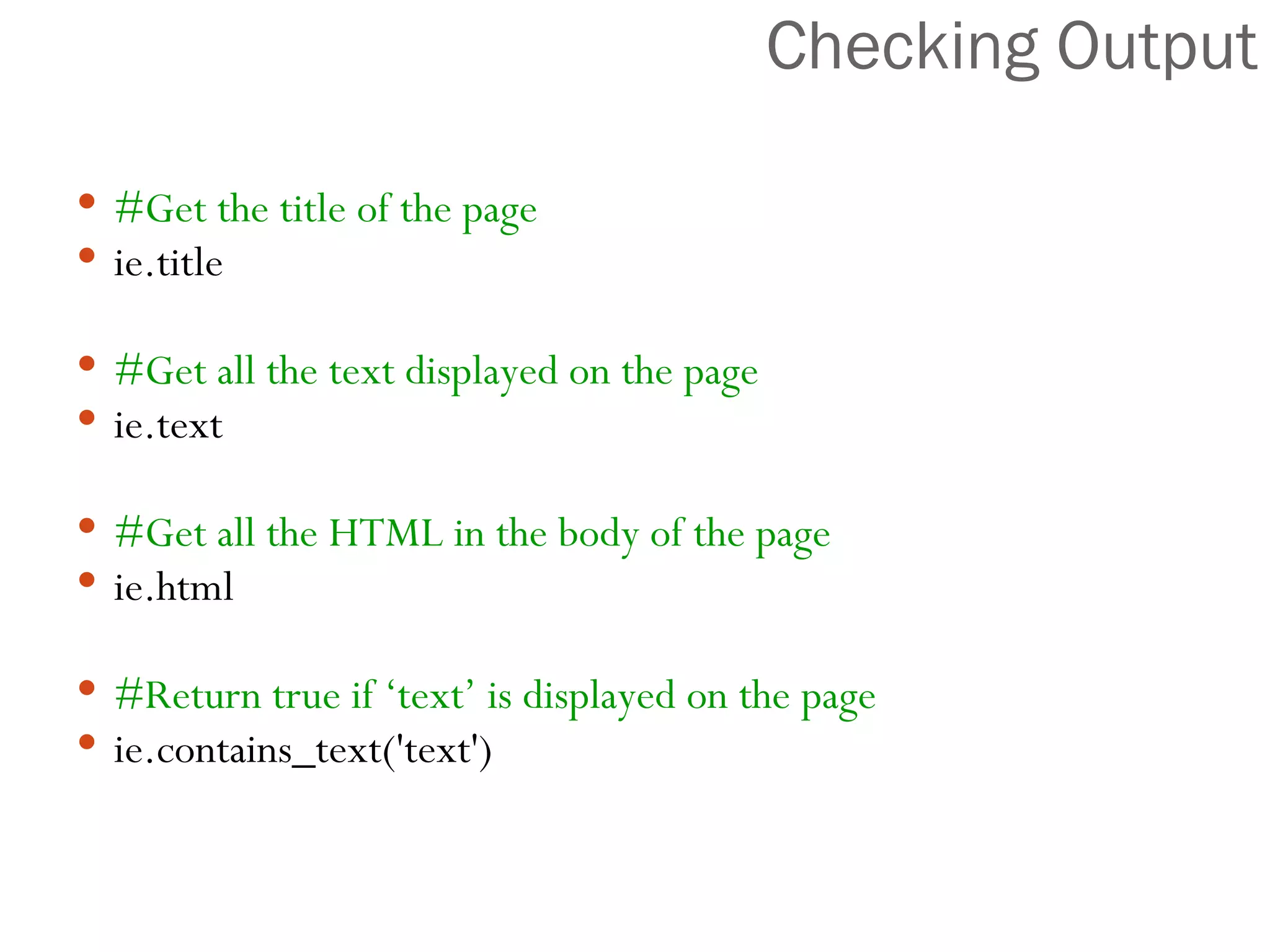
Checking Output #Get the title of the page ie.title #Get all the text displayed on the page ie.text #Get all the HTML in the body of the page ie.html #Return true if ‘text’ is displayed on the page ie.contains_text('text')
 
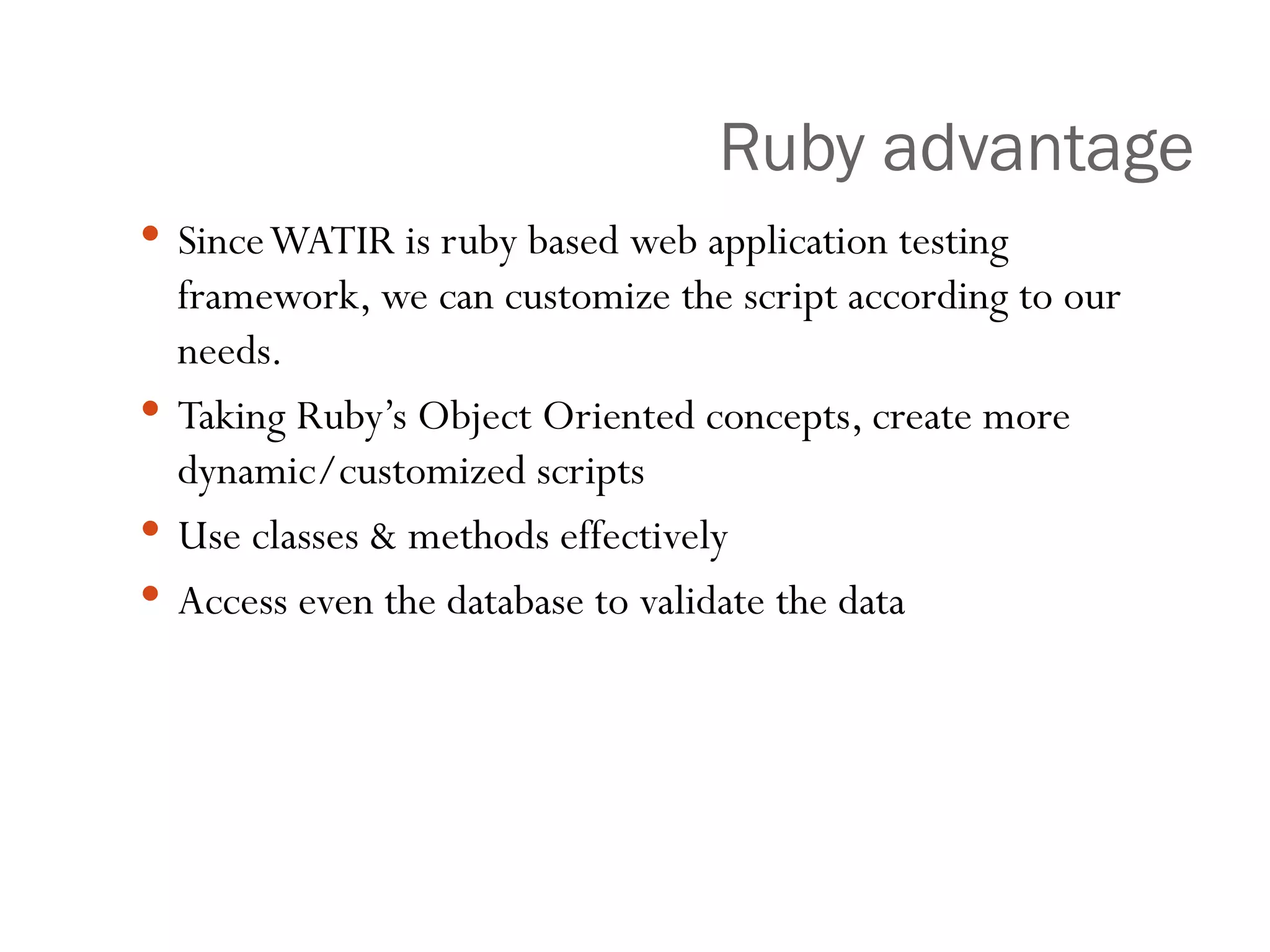
Ruby advantage Since WATIR is ruby based web application testing framework, we can customize the script according to our needs. Taking Ruby’s Object Oriented concepts, create more dynamic/customized scripts Use classes & methods effectively Access even the database to validate the data
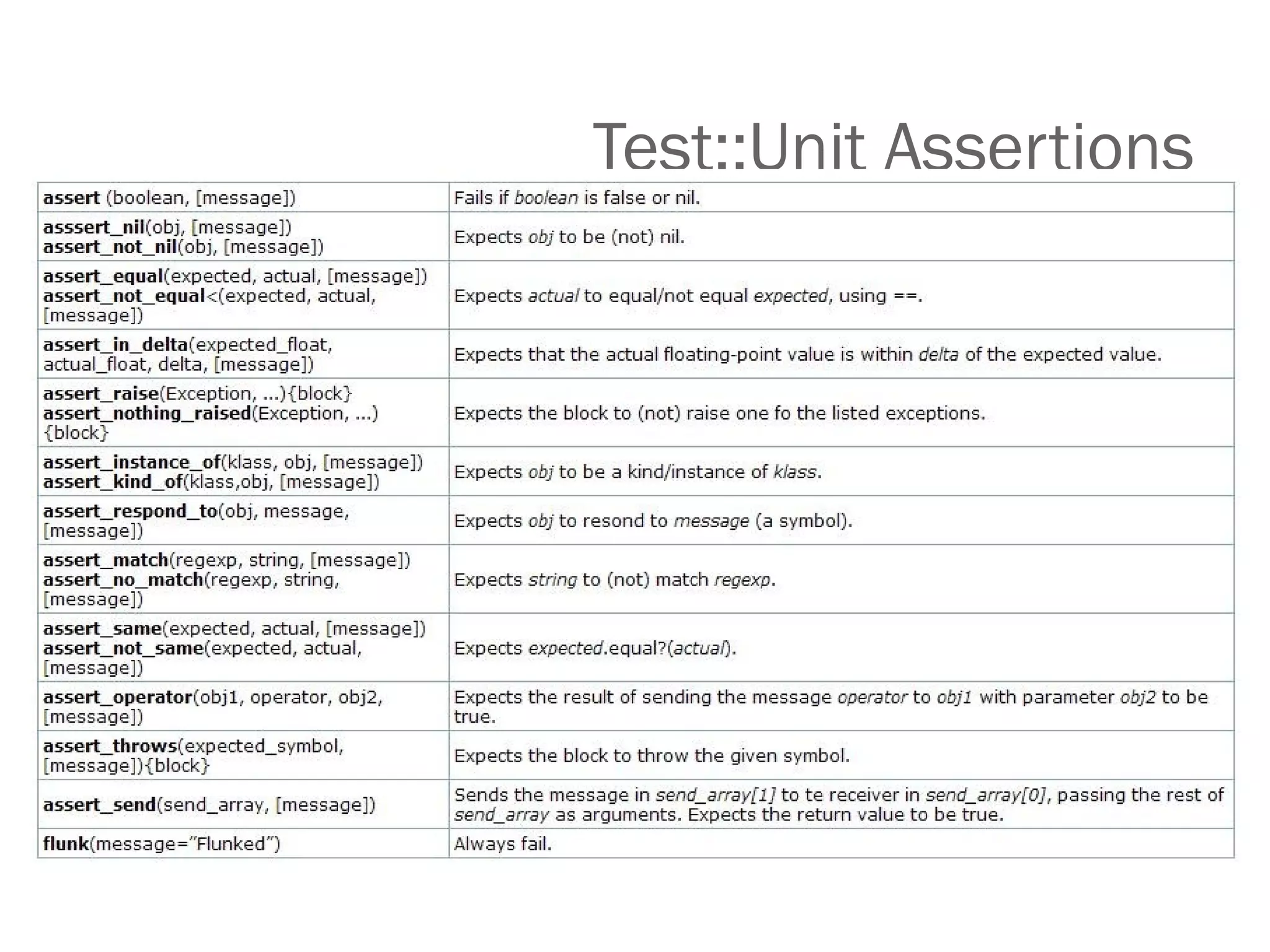
Test::Unit Assertions
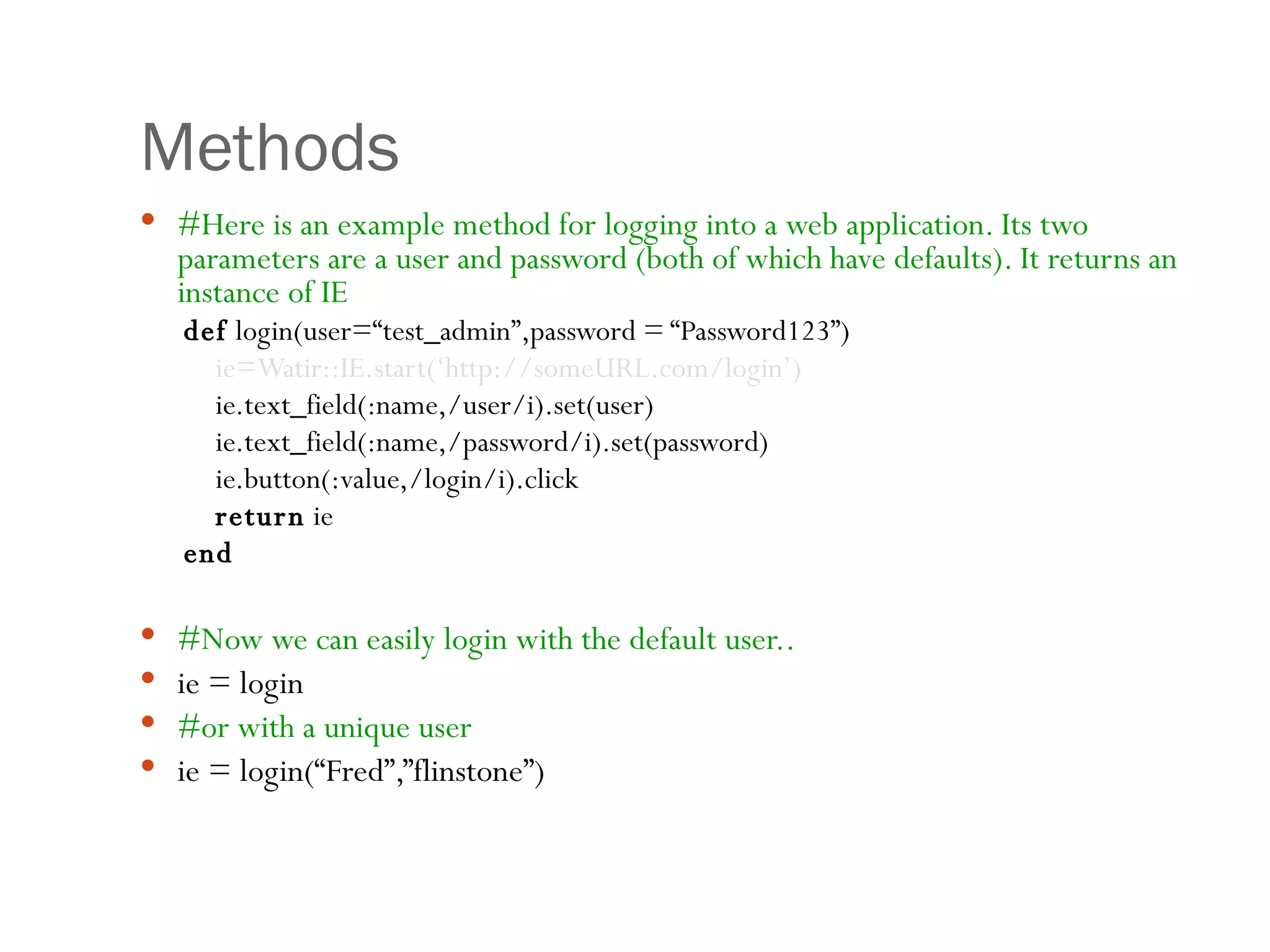
Methods #Here is an example method for logging into a web application. Its two parameters are a user and password (both of which have defaults). It returns an instance of IE def  login(user=“test_admin”,password = “Password123”) ie=Watir::IE.start(‘http://someURL.com/login’) ie.text_field(:name,/user/i).set(user) ie.text_field(:name,/password/i).set(password) ie.button(:value,/login/i).click return  ie  end #Now we can easily login with the default user.. ie = login  #or with a unique user ie = login(“Fred”,”flinstone”)
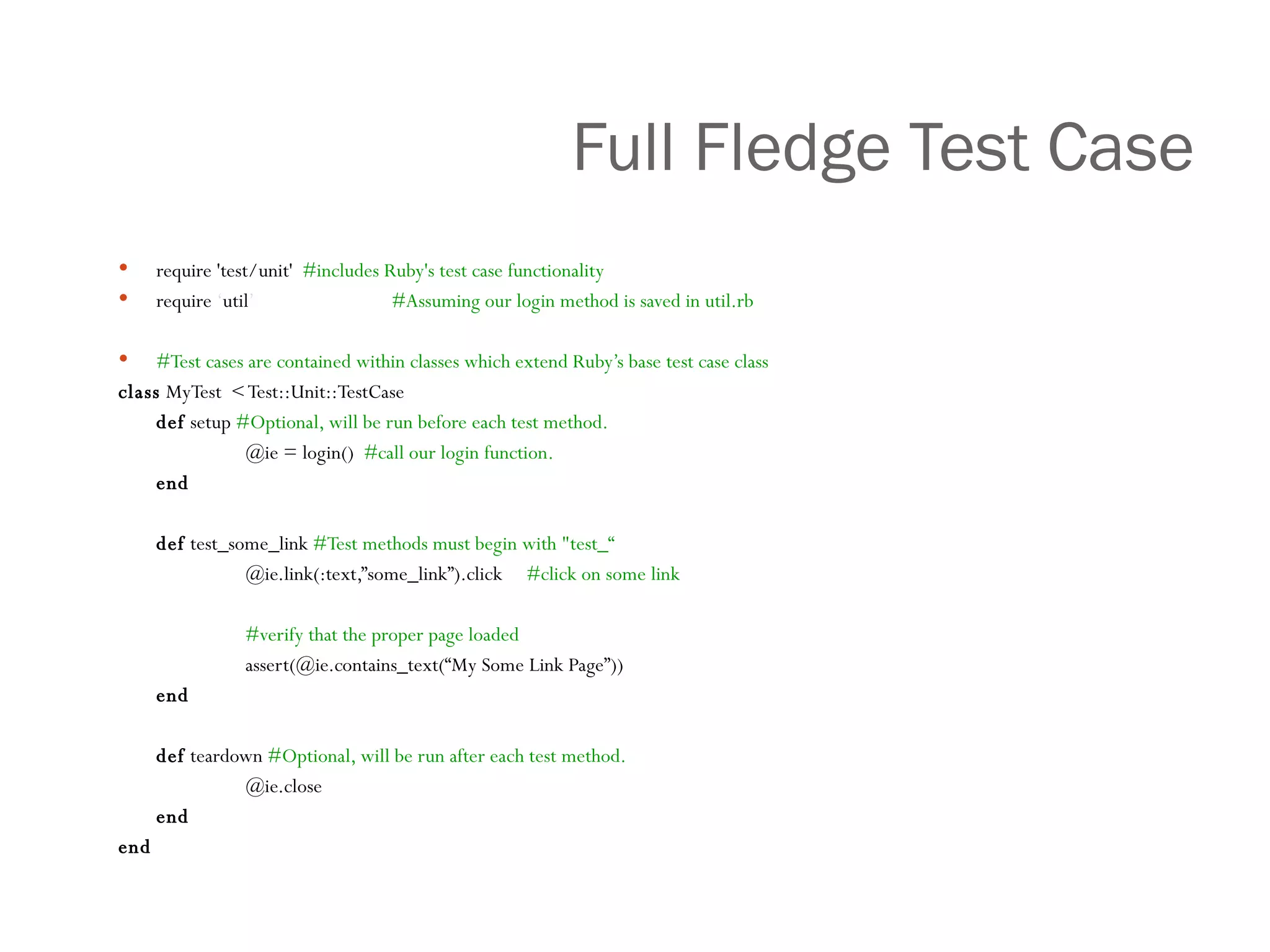
Full Fledge Test Case require 'test/unit'  #includes Ruby's test case functionality require  ‘ util ’     #Assuming our login method is saved in util.rb #Test cases are contained within classes which extend Ruby’s base test case class class  MyTest  < Test::Unit::TestCase def  setup  #Optional, will be run before each test method.   @ie = login()  #call our login function. end def  test_some_link  #Test methods must begin with &quot;test_“ @ie.link(:text,”some_link”).click  #click on some link #verify that the proper page loaded assert(@ie.contains_text(“My Some Link Page”)) end def  teardown  #Optional, will be run after each test method. @ie.close end end
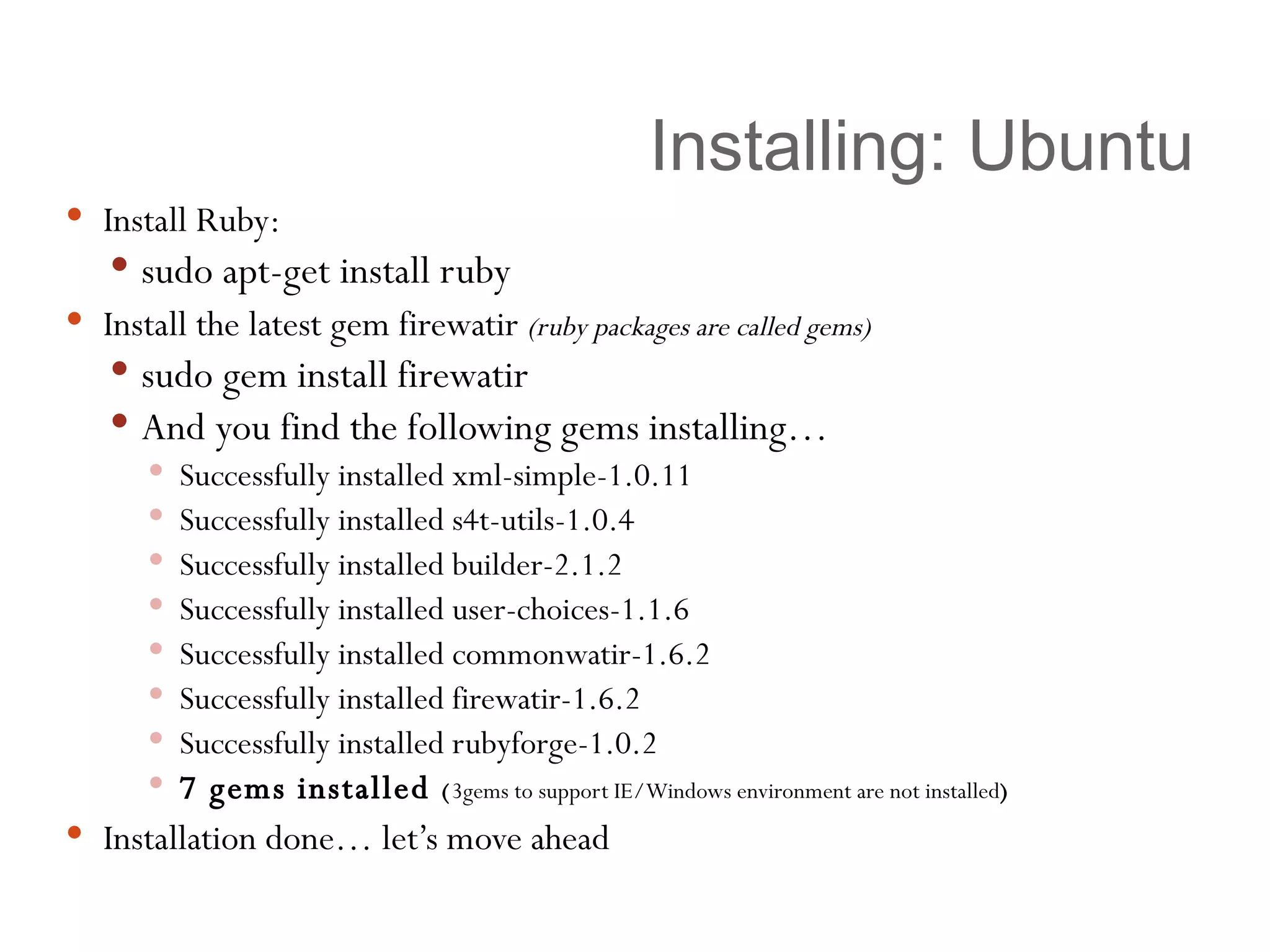
Installing: Ubuntu Install Ruby:  sudo apt-get install ruby Install the latest gem firewatir  (ruby packages are called gems) sudo gem install firewatir And you find the following gems installing… Successfully installed xml-simple-1.0.11 Successfully installed s4t-utils-1.0.4 Successfully installed builder-2.1.2 Successfully installed user-choices-1.1.6 Successfully installed commonwatir-1.6.2 Successfully installed firewatir-1.6.2 Successfully installed rubyforge-1.0.2 7 gems installed  ( 3gems to support IE/Windows environment are not installed ) Installation done… let’s move ahead
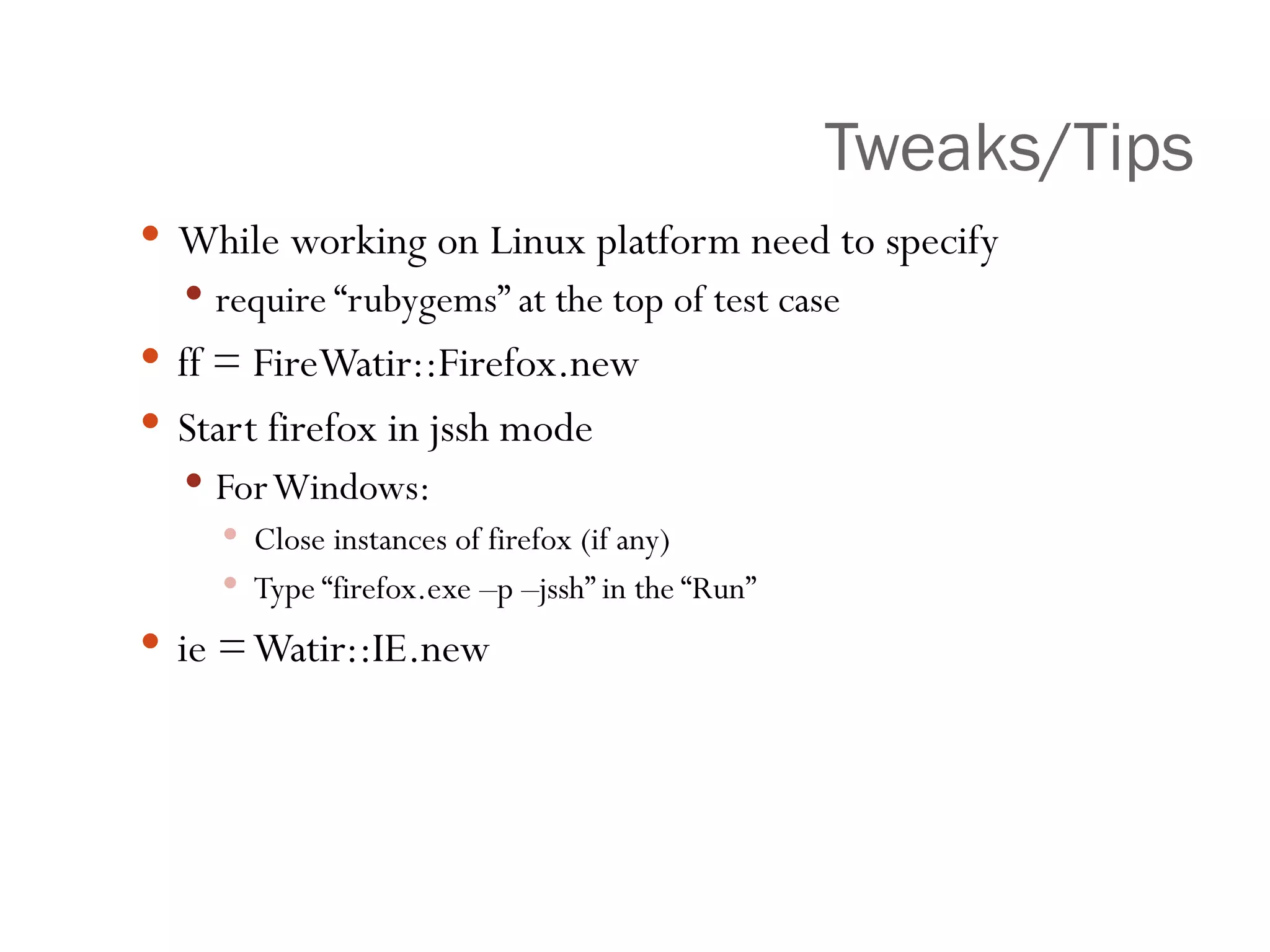
Tweaks/Tips While working on Linux platform need to specify require “rubygems” at the top of test case ff = FireWatir::Firefox.new Start firefox in jssh mode For Windows: Close instances of firefox (if any) Type “firefox.exe –p –jssh” in the “Run” ie = Watir::IE.new
Scope Using Watir for all web applications Integrate it with Automation/Building process
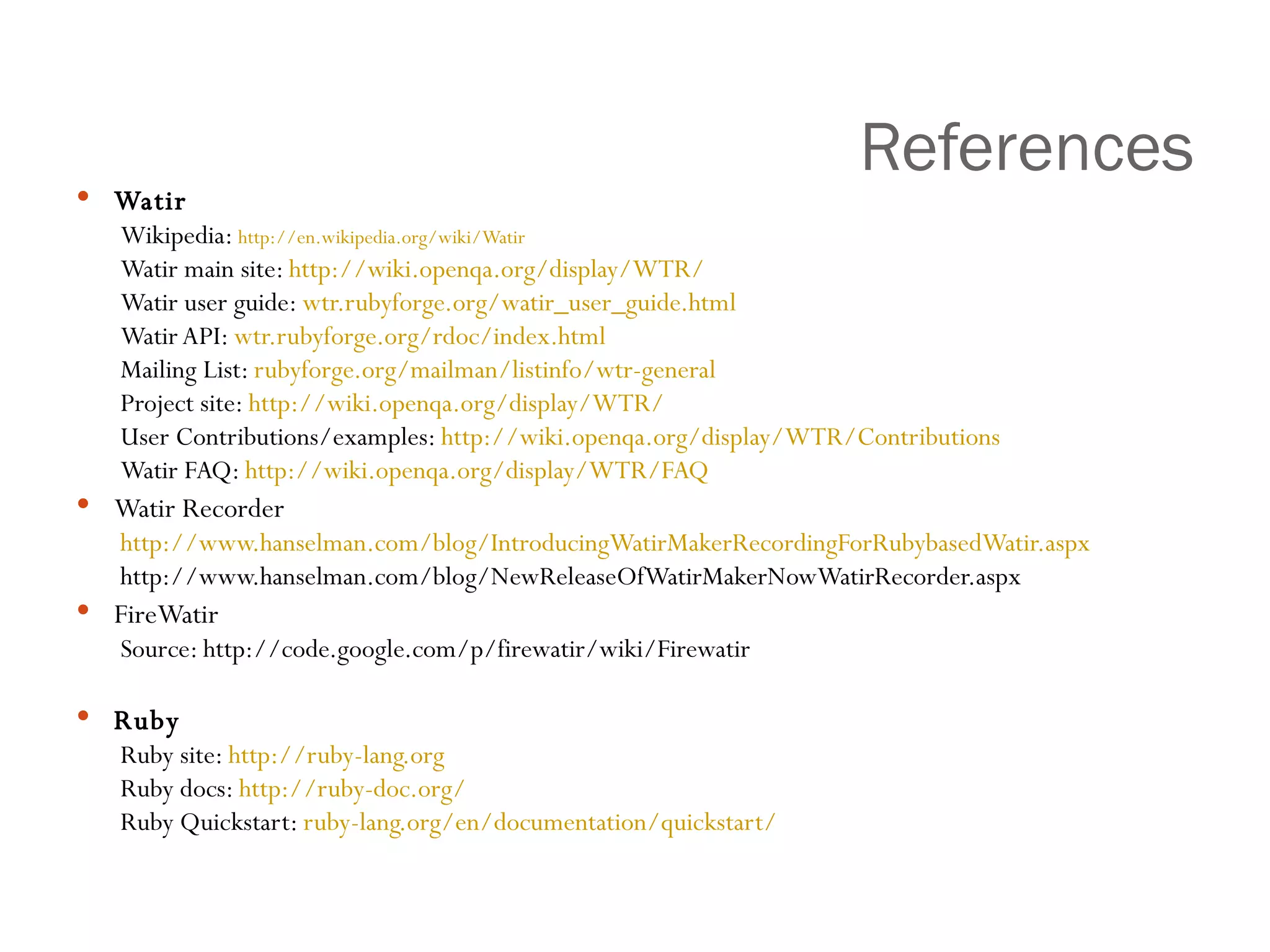
References Watir Wikipedia:  http:// en.wikipedia.org/wiki/Watir   Watir main site:  http:// wiki.openqa.org /display/WTR/   Watir user guide:  wtr.rubyforge.org/watir_user_guide.html Watir API:  wtr.rubyforge.org/rdoc/index.html Mailing List:  rubyforge.org/mailman/listinfo/wtr -general Project site:  http://wiki.openqa.org/display/WTR/ User Contributions/examples:  http://wiki.openqa.org/display/WTR/Contributions Watir FAQ:  http://wiki.openqa.org/display/WTR/FAQ Watir Recorder http://www.hanselman.com/blog/IntroducingWatirMakerRecordingForRubybasedWatir.aspx   http://www.hanselman.com/blog/NewReleaseOfWatirMakerNowWatirRecorder.aspx  FireWatir Source: http://code.google.com/p/firewatir/wiki/Firewatir Ruby Ruby site:  http://ruby-lang.org Ruby docs:  http://ruby-doc.org/ Ruby Quickstart:  ruby-lang.org/en/documentation/quickstart/
Thanks [email_address] www.sumanthkrishna.com

Watir Presentation Sumanth Krishna. A

  • 1.
    W eb A pplication T est I n R uby Sumanth Krishna. A www.sumanthkrishna.com
  • 2.
    Agenda Introducing thetopic Discussion on Testing frameworks/tools and it’s necessity Ruby Installations Architecture Testcases Scope
  • 3.
    TAG CLOUD rubyApache Nginx assertions install webserver FireWatir temp- user WATIR goto html DOM web-applications opensource tests Assertions get_string firefox-addon click hudson SVN COM open-source IE gems open-QA ruby regression loadrunner mercury automatio deployment browers tools WATIR html DOM recorder telnet
  • 4.
    Prerequisites Can youbelieve you really don’t need any special skills to implement this!
  • 5.
    What is WATIR?open-source functional testing tool for web-applications Simulate the user actions (filling/submitting forms…) Drives Internet Explorer browser FireWatir – for FireFox Ruby based Various assertions (content-based) Connects to databases Reading data files Exporting data (xml/html/excel…)
  • 6.
    Why use WATIR?Free Powerful Simple (easy to use and learn) Excellent Support Strongest Presence Watir/Watin/Watij [ W eb A pplication T esting I n R uby/. N ET/ J ava ] Huge resource of supporting tools – Firewatir, Watir Recorder ++, Wet, Cubictest, Visual Studio
  • 7.
    Is not? Watiris not a record/playback tool. However, there are several recorders “out there” WatirMaker Watir WebRecorder Webmetrics RIA Script Recorder (most recent discussion…they are considering open sourcing their application) Watir is not a link checker However, you can easily write your own link checker and customize it to your specific needs. Watir is not a test case management tool. However, you can write one in Ruby if desired. Doesn’t test Flash or Applets.( underwork )
  • 8.
    IE-WATIR Web ApplicationAutomation Interface Use the OLE/COM Automation interface to Internet Explorer IE Watir/Ruby DOM
  • 9.
    FF-FireWATIR Automation InterfaceFF FireWatir/Ruby DOM Web Application JSSh
  • 10.
    Browser Support IECOM Test Script Component 1 FF JSSH Apple Events V8 Debugger Dragonfly Component 2 Component 3 Component 4 Watir API
  • 11.
    Installing: Windows InstallRuby: Use the Ruby one-click installer for windows Install the latest gem watir (ruby packages are called gems) gem install watir And you find the following gems installing… Successfully installed xml-simple-1.0.11 Successfully installed s4t-utils-1.0.4 Successfully installed builder-2.1.2 Successfully installed user-choices-1.1.6 Successfully installed commonwatir-1.6.2 Successfully installed firewatir-1.6.2 ( to support Firefox ) Successfully installed watir-1.6.2 Successfully installed win32-api-1.3.0-x86-mswin32-60 Successfully installed windows-api-0.3.0 Successfully installed rubyforge-1.0.2 10 gems installed Installation done… let’s move ahead
  • 12.
    What Next? Sincewe are here to test the web-application Navigate the browser? Find elements on the page? Interact with elements on the page? Check output on the page? Create and use Methods? Create formal test cases?
  • 13.
    Step by StepNavigate to the browser #Always Load the Watir library at the top of your script require ‘watir’ Start IE and navigate to a given/different URL IE = Watir::IE.start(‘http://www.qvnatel.com’) IE.goto(“http://free-opensource.qvantel.net/mediawiki//index.php/Main_Page ”) IE.close
  • 14.
    Finding <HTML> ElementsIE.frame( how, what ) Frame And many, many more (div, label, image, etc…)… IE.form( how, what ) Form IE.link( how, what ) HyperLink IE.radio( how, what ) RadioButton IE.checkbox( how, what ) CheckBox IE.select_list( how, what ) DropDownList IE.button( how, what ) Button IE.text_field( how, what ) TextBox
  • 15.
    Interacting with Elements#Set the text field (or text area) specified name specified value. ie.text_field( :name ,'name').set('value') #Sets the select with to the specified value ie.select_list( :name ,'name').select('value') #Click the button with the specified value (label) ie.button( :value ,'value').click #Clicks the link matching 'text' ie.link( :text ,'text').click #Accessing elements in a &quot;frame&quot; or &quot;iframe&quot; ie.frame( :name ,&quot;someFrame&quot;).text_field( :name ,'name').set('value')
  • 16.
    Closer view browser.button(:value , &quot;Click Me&quot;).click [Variable] . [method] (: [element] , “ [unique identifier] ” . [method]
  • 17.
    Checking Output #Getthe title of the page ie.title #Get all the text displayed on the page ie.text #Get all the HTML in the body of the page ie.html #Return true if ‘text’ is displayed on the page ie.contains_text('text')
  • 18.
  • 19.
    Ruby advantage SinceWATIR is ruby based web application testing framework, we can customize the script according to our needs. Taking Ruby’s Object Oriented concepts, create more dynamic/customized scripts Use classes & methods effectively Access even the database to validate the data
  • 20.
  • 21.
    Methods #Here isan example method for logging into a web application. Its two parameters are a user and password (both of which have defaults). It returns an instance of IE def login(user=“test_admin”,password = “Password123”) ie=Watir::IE.start(‘http://someURL.com/login’) ie.text_field(:name,/user/i).set(user) ie.text_field(:name,/password/i).set(password) ie.button(:value,/login/i).click return ie end #Now we can easily login with the default user.. ie = login #or with a unique user ie = login(“Fred”,”flinstone”)
  • 22.
    Full Fledge TestCase require 'test/unit' #includes Ruby's test case functionality require ‘ util ’ #Assuming our login method is saved in util.rb #Test cases are contained within classes which extend Ruby’s base test case class class MyTest < Test::Unit::TestCase def setup #Optional, will be run before each test method. @ie = login() #call our login function. end def test_some_link #Test methods must begin with &quot;test_“ @ie.link(:text,”some_link”).click #click on some link #verify that the proper page loaded assert(@ie.contains_text(“My Some Link Page”)) end def teardown #Optional, will be run after each test method. @ie.close end end
  • 23.
    Installing: Ubuntu InstallRuby: sudo apt-get install ruby Install the latest gem firewatir (ruby packages are called gems) sudo gem install firewatir And you find the following gems installing… Successfully installed xml-simple-1.0.11 Successfully installed s4t-utils-1.0.4 Successfully installed builder-2.1.2 Successfully installed user-choices-1.1.6 Successfully installed commonwatir-1.6.2 Successfully installed firewatir-1.6.2 Successfully installed rubyforge-1.0.2 7 gems installed ( 3gems to support IE/Windows environment are not installed ) Installation done… let’s move ahead
  • 24.
    Tweaks/Tips While workingon Linux platform need to specify require “rubygems” at the top of test case ff = FireWatir::Firefox.new Start firefox in jssh mode For Windows: Close instances of firefox (if any) Type “firefox.exe –p –jssh” in the “Run” ie = Watir::IE.new
  • 25.
    Scope Using Watirfor all web applications Integrate it with Automation/Building process
  • 26.
    References Watir Wikipedia: http:// en.wikipedia.org/wiki/Watir Watir main site: http:// wiki.openqa.org /display/WTR/ Watir user guide: wtr.rubyforge.org/watir_user_guide.html Watir API: wtr.rubyforge.org/rdoc/index.html Mailing List: rubyforge.org/mailman/listinfo/wtr -general Project site: http://wiki.openqa.org/display/WTR/ User Contributions/examples: http://wiki.openqa.org/display/WTR/Contributions Watir FAQ: http://wiki.openqa.org/display/WTR/FAQ Watir Recorder http://www.hanselman.com/blog/IntroducingWatirMakerRecordingForRubybasedWatir.aspx http://www.hanselman.com/blog/NewReleaseOfWatirMakerNowWatirRecorder.aspx FireWatir Source: http://code.google.com/p/firewatir/wiki/Firewatir Ruby Ruby site: http://ruby-lang.org Ruby docs: http://ruby-doc.org/ Ruby Quickstart: ruby-lang.org/en/documentation/quickstart/
  • 27.