Visual
Studio Live
Share and
IntelliCodeBy Miguel Teheran and Camilo Jaramillo
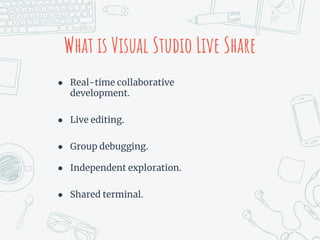
What is Visual Studio Live Share
● Real-time collaborative
development.
● Live editing.
● Group debugging.
● Independent exploration.
● Shared terminal.
Collaborate Coding in
Real Time
Pair programming now
is easy
Universal
colaboration
(multiple languages support)
Free and useful
Sharing a local server
htpp://localhost:3000
Sharing terminals
Secure sharing
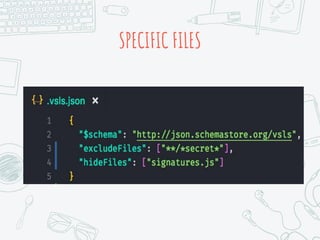
SPECIFIC FILES
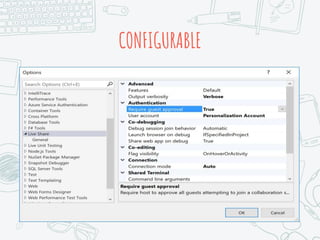
CONFIGURABLE
Visual
Studio
IntelliCode
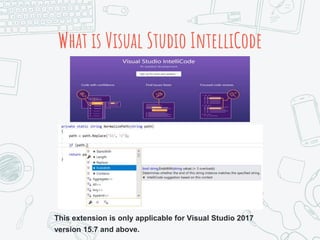
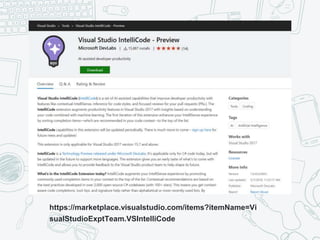
What is Visual Studio IntelliCode
This extension is only applicable for Visual Studio 2017
version 15.7 and above.
https://marketplace.visualstudio.com/items?itemName=Vi
sualStudioExptTeam.VSIntelliCode
Links and Info
Watch an Introduction
Quick Start
Github
Blog
FAQ
Channel 9: VS Futures:
IntelliCode and Live Share
Credits
More info on how to use this template
at www.slidescarnival.com/help-use-
presentation-template
This template is free to use under
Creative Commons Attribution license.
You can keep the Credits slide or
mention SlidesCarnival and other
resources used in a slide footer.

Visual studio live share e intellicode

Editor's Notes

  • #11 IntelliCode augments your IntelliSense experience by promoting commonly used completion items in your context to the top of the list. Contextual recommendations are based on the best practices developed in over 2,000 open-source C# codebases (with 100+ stars). This means you get context-aware code completions, tool-tips, and signature help rather than alphabetical or most-recently-used lists. By predicting the most likely member in the list based on your coding context, AI-assisted IntelliSense stops you having to hunt through the list yourself.
  • #12 IntelliCode augments your IntelliSense experience by promoting commonly used completion items in your context to the top of the list. Contextual recommendations are based on the best practices developed in over 2,000 open-source C# codebases (with 100+ stars). This means you get context-aware code completions, tool-tips, and signature help rather than alphabetical or most-recently-used lists. By predicting the most likely member in the list based on your coding context, AI-assisted IntelliSense stops you having to hunt through the list yourself.
  • #14 IntelliCode augments your IntelliSense experience by promoting commonly used completion items in your context to the top of the list. Contextual recommendations are based on the best practices developed in over 2,000 open-source C# codebases (with 100+ stars). This means you get context-aware code completions, tool-tips, and signature help rather than alphabetical or most-recently-used lists. By predicting the most likely member in the list based on your coding context, AI-assisted IntelliSense stops you having to hunt through the list yourself.