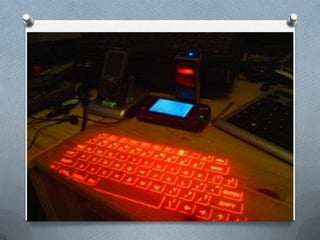
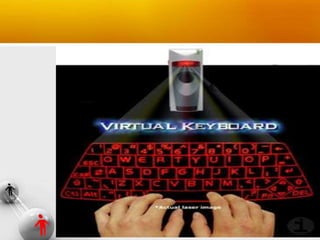
A Virtual Keyboard is a projection
keyboard
that is projected
and touched on any surface
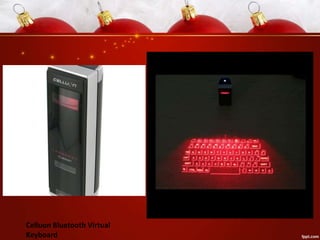
Celluon Bluetooth Virtual
Keyboard
VIRTUAL KEYBOARD TECHNOLOGY

This system comprises of three modules:
1. The sensor module
2. IR-light source and
3. The pattern projector
•

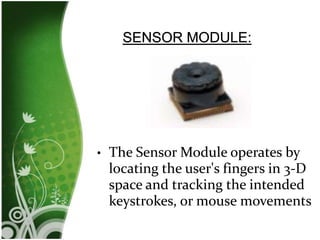
The Sensor Module operates by
locating the user's fingers in 3-D
space and tracking the intended
keystrokes, or mouse movements
•
•

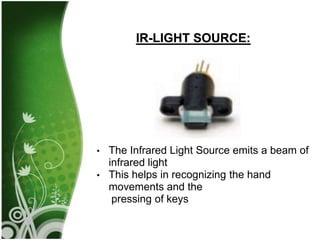
The Infrared Light Source emits a beam of
infrared light
This helps in recognizing the hand
movements and the
pressing of keys
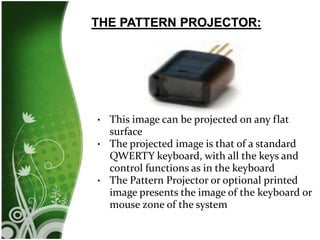
This image can be projected on any flat
surface
• The projected image is that of a standard
QWERTY keyboard, with all the keys and
control functions as in the keyboard
• The Pattern Projector or optional printed
image presents the image of the keyboard or
mouse zone of the system
•
Portability
 Accuracy
 Speed of text entry
 Lack of need for flat or large typing surface
 Ability to minimize the risk for repetitive strain
injuries
 Flexibility
 Keyboard layouts can be changed by software
allowing for foreign or Alternative keyboard
layouts.



Tactile feel



Space



Dirty screens
Virtual keyboard
Virtual keyboard

Virtual keyboard

  • 2.
    A Virtual Keyboardis a projection keyboard that is projected and touched on any surface
  • 6.
  • 8.
    VIRTUAL KEYBOARD TECHNOLOGY Thissystem comprises of three modules: 1. The sensor module 2. IR-light source and 3. The pattern projector
  • 9.
    • The Sensor Moduleoperates by locating the user's fingers in 3-D space and tracking the intended keystrokes, or mouse movements
  • 10.
    • • The Infrared LightSource emits a beam of infrared light This helps in recognizing the hand movements and the pressing of keys
  • 11.
    This image canbe projected on any flat surface • The projected image is that of a standard QWERTY keyboard, with all the keys and control functions as in the keyboard • The Pattern Projector or optional printed image presents the image of the keyboard or mouse zone of the system •
  • 12.
    Portability  Accuracy  Speedof text entry  Lack of need for flat or large typing surface  Ability to minimize the risk for repetitive strain injuries  Flexibility  Keyboard layouts can be changed by software allowing for foreign or Alternative keyboard layouts. 
  • 13.