VERSION
CONTROL
Everything you NEED to know
a system that
records changes
to a file over time
so you can recall
specific versions
later.
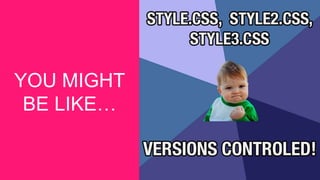
YOU MIGHT
BE LIKE…
YOU’RE NOT TOTALLY
WRONG
• Clever names like: .old .bak .orig
• Version Numbers: v1, v1a
• Date: feb102016.doc, 20160210.doc
• Store in location accessible to others
WHY WE NEED
VERSION
CONTROL
BENEFITS OF VERSION
CONTROL
• Backup and restore
• Sync with multiple computers
• Working in a team
• Safely create and test new features
• Ownership / Credits / Blame
VOCABULARY
INDUSTRY JARGON
• Repository (repo): Database where files are stored
• Server: The computer storing the repository
• Client: The computer connecting to the repository
• Working Copy: Your local directory of files
• Trunk / Main: Master location for code in the repository
• Head: The latest revision in the repository
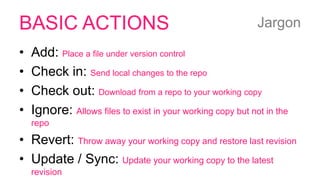
BASIC ACTIONS
• Add: Place a file under version control
• Check in: Send local changes to the repo
• Check out: Download from a repo to your working copy
• Ignore: Allows files to exist in your working copy but not in the
repo
• Revert: Throw away your working copy and restore last revision
• Update / Sync: Update your working copy to the latest
revision
Jargon
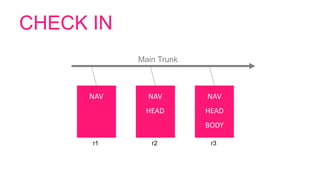
CHECK IN
NAV
r1
NAV
HEAD
r2
NAV
HEAD
BODY
r3
Main Trunk
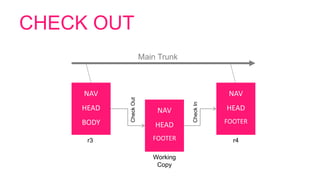
CHECK OUT
NAV
HEAD
FOOTER
Working
Copy
NAV
HEAD
BODY
r3
Main Trunk
NAV
HEAD
FOOTER
r4
CheckOut
CheckIn
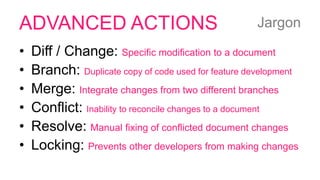
ADVANCED ACTIONS
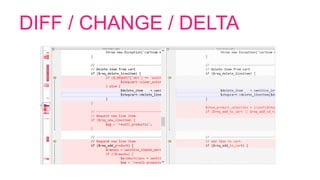
• Diff / Change: Specific modification to a document
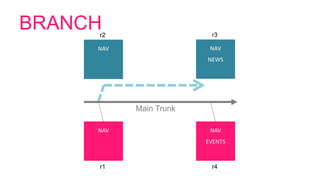
• Branch: Duplicate copy of code used for feature development
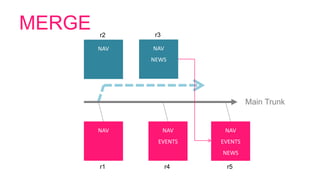
• Merge: Integrate changes from two different branches
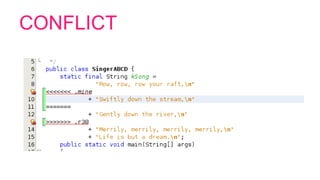
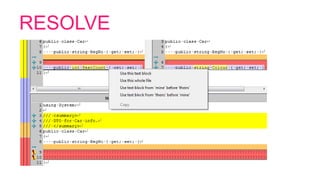
• Conflict: Inability to reconcile changes to a document
• Resolve: Manual fixing of conflicted document changes
• Locking: Prevents other developers from making changes
Jargon
DIFF / CHANGE / DELTA
BRANCH
NAV
r1
Main Trunk
NAV
EVENTS
r4
NAV
r2
NAV
NEWS
r3
MERGE
NAV
r1
Main Trunk
NAV
EVENTS
r4
NAV
r2
NAV
NEWS
r3
NAV
EVENTS
NEWS
r5
CONFLICT
RESOLVE
OPTIONS
MANY CHOICES
https://en.wikipedia.org/wiki/List_of_version_control_software
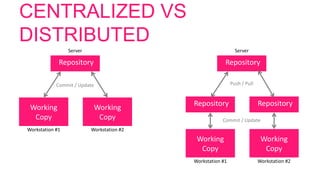
CENTRALIZED VS
DISTRIBUTED
Repository
Working
Copy
Workstation #1
Working
Copy
Workstation #2
Server
Commit / Update
Repository
Working
Copy
Workstation #1
Working
Copy
Workstation #2
Server
Push / Pull
Repository Repository
Commit / Update
BEST PRACTICE
COMMIT RELATED CHANGES
• Fixing two bugs = two separate commits
• Small commits
– Easier to understand
– Easier to roll back
– Less conflict
COMMIT / UPDATE OFTEN
• Again…
– Easier to understand
– Easier to revert
– Less chance of conflict
DO NOT COMMIT
• Broken code
• Something that is half done
– Split large tasks into smaller chunks
• Untested work
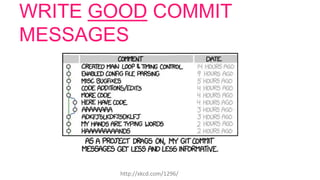
WRITE GOOD COMMIT
MESSAGES
http://xkcd.com/1296/
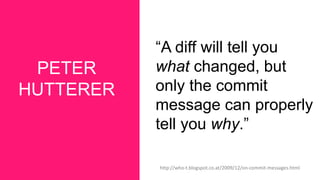
PETER
HUTTERER
“A diff will tell you
what changed, but
only the commit
message can properly
tell you why.”
http://who-t.blogspot.co.at/2009/12/on-commit-messages.html
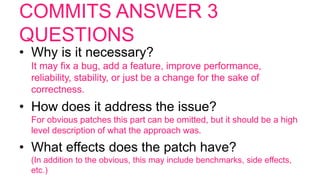
COMMITS ANSWER 3
QUESTIONS
• Why is it necessary?
It may fix a bug, add a feature, improve performance,
reliability, stability, or just be a change for the sake of
correctness.
• How does it address the issue?
For obvious patches this part can be omitted, but it should be a high
level description of what the approach was.
• What effects does the patch have?
(In addition to the obvious, this may include benchmarks, side effects,
etc.)
GENERALLY ACCEPTED
RULES
• First line is the subject. ~50 character limit
• Separate subject from body with a new
line
• Subject need not include a period
• Use the imperative, present tense
(change not changed or changes)
• *Decide internally on a system and stick to
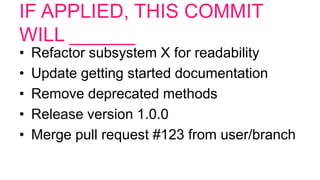
IF APPLIED, THIS COMMIT
WILL ______
• Refactor subsystem X for readability
• Update getting started documentation
• Remove deprecated methods
• Release version 1.0.0
• Merge pull request #123 from user/branch
DESIGNERS
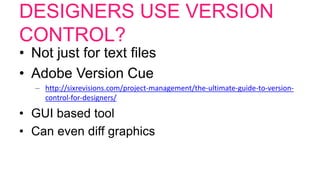
DESIGNERS USE VERSION
CONTROL?
• Not just for text files
• Adobe Version Cue
– http://sixrevisions.com/project-management/the-ultimate-guide-to-version-
control-for-designers/
• GUI based tool
• Can even diff graphics
TOOLS & APPS
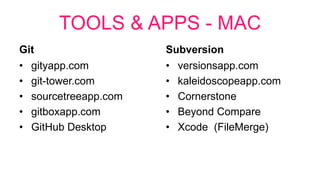
TOOLS & APPS - MAC
Git
• gityapp.com
• git-tower.com
• sourcetreeapp.com
• gitboxapp.com
• GitHub Desktop
Subversion
• versionsapp.com
• kaleidoscopeapp.com
• Cornerstone
• Beyond Compare
• Xcode (FileMerge)
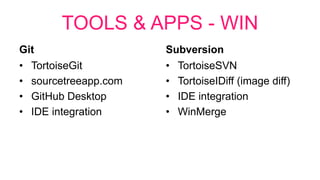
TOOLS & APPS - WIN
Git
• TortoiseGit
• sourcetreeapp.com
• GitHub Desktop
• IDE integration
Subversion
• TortoiseSVN
• TortoiseIDiff (image diff)
• IDE integration
• WinMerge
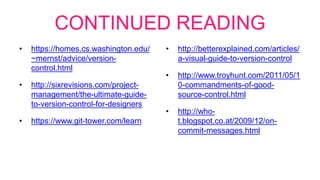
CONTINUED READING
• https://homes.cs.washington.edu/
~mernst/advice/version-
control.html
• http://sixrevisions.com/project-
management/the-ultimate-guide-
to-version-control-for-designers
• https://www.git-tower.com/learn
• http://betterexplained.com/articles/
a-visual-guide-to-version-control
• http://www.troyhunt.com/2011/05/1
0-commandments-of-good-
source-control.html
• http://who-
t.blogspot.co.at/2009/12/on-
commit-messages.html

Version control

Editor's Notes

  • #14 A change (or diff, or delta) represents a specific modification to a document under version control.
  • #15 A set of files under version control may be branched or forked at a point in time so that, from that time forward, two copies of those files may develop at different speeds or in different ways independently of each other.
  • #16 Apply the changes from one file to another, to bring it up-to-date. For example, you can merge features from one branch into another.