VDI: how it works
by capito
2
Agenda
VMware Virtualization Overview
Traditional PCs to VMware VDI
VMware VDI & VMware Virtual Desktop Manager (VDM) 2
VMware VDM 2 Demonstration
Putting VMware VDI into Practice
Next Steps
Summary
Transform Your Desktop Infrastructure
with Virtualization
3
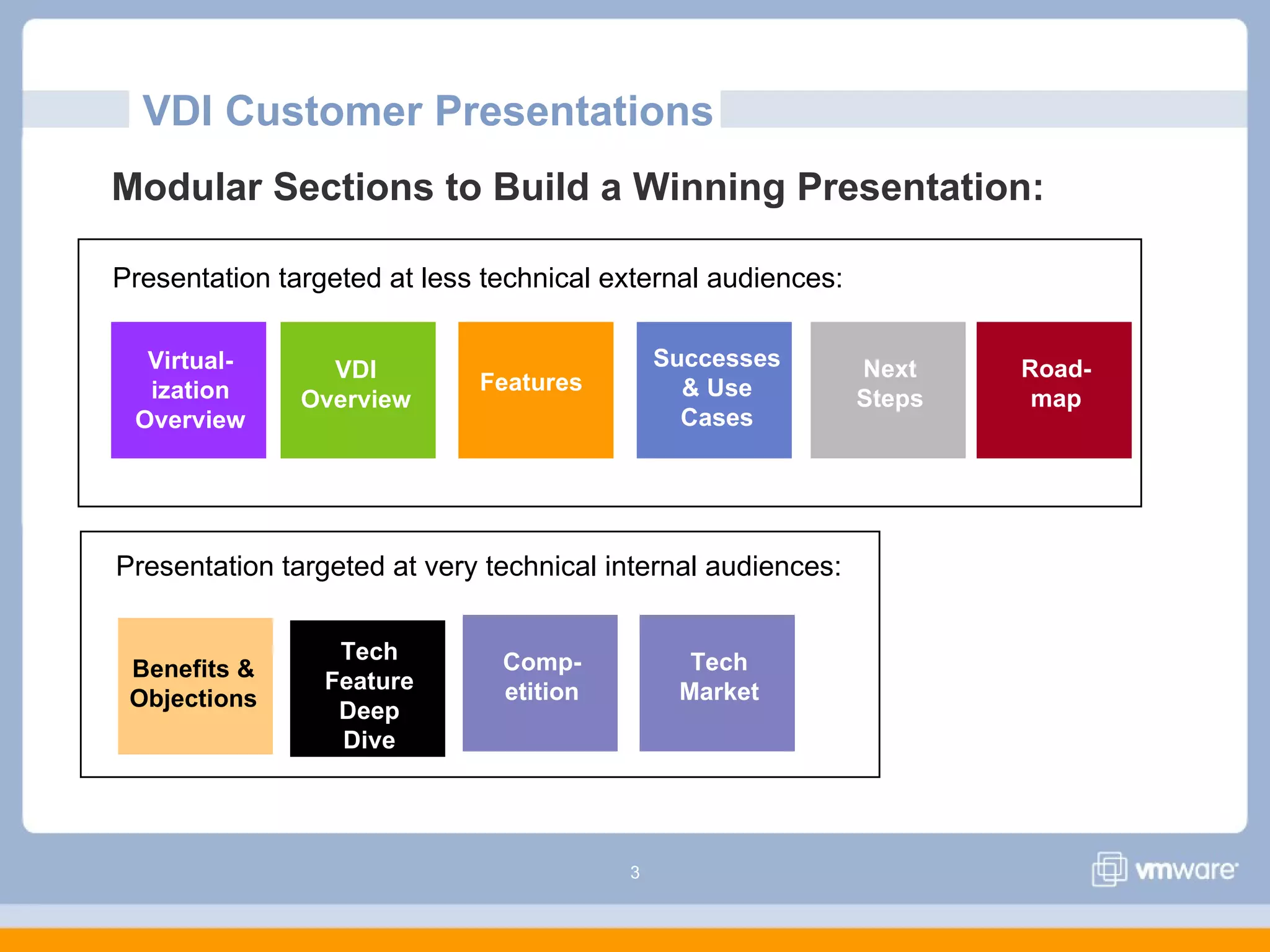
Tech
Feature
Deep
Dive
VDI Customer Presentations
Modular Sections to Build a Winning Presentation:
VDI
Overview
Virtual-
ization
Overview
Successes
& Use
Cases
Features
Tech
Market
Next
Steps
Road-
map
Presentation targeted at very technical internal audiences:
Presentation targeted at less technical external audiences:
Comp-
etition
Benefits &
Objections
4
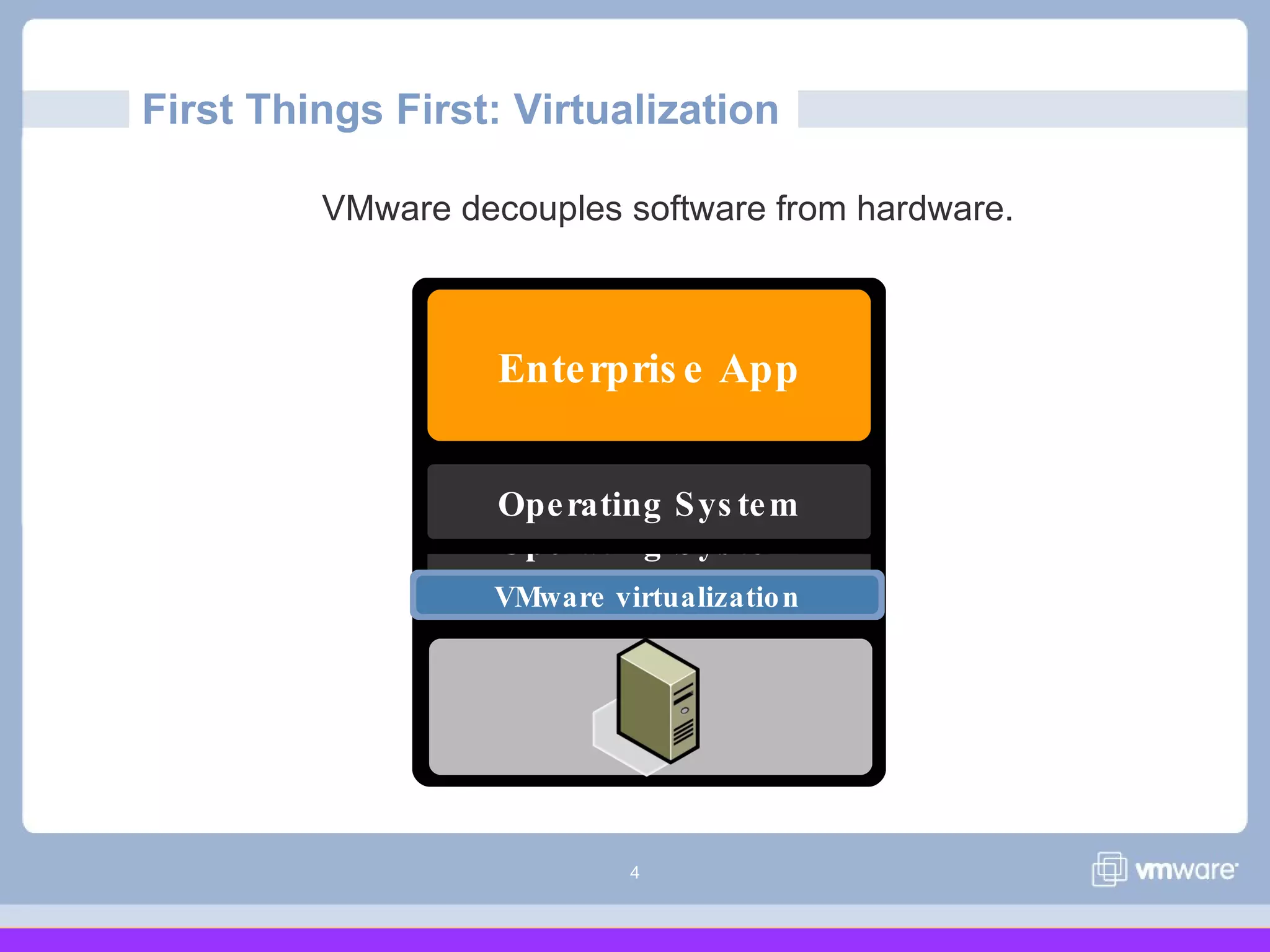
Operating Sys tem
Enterpris e App
Operating Sys tem
VMware virtualization
VMware decouples software from hardware.
First Things First: Virtualization
5
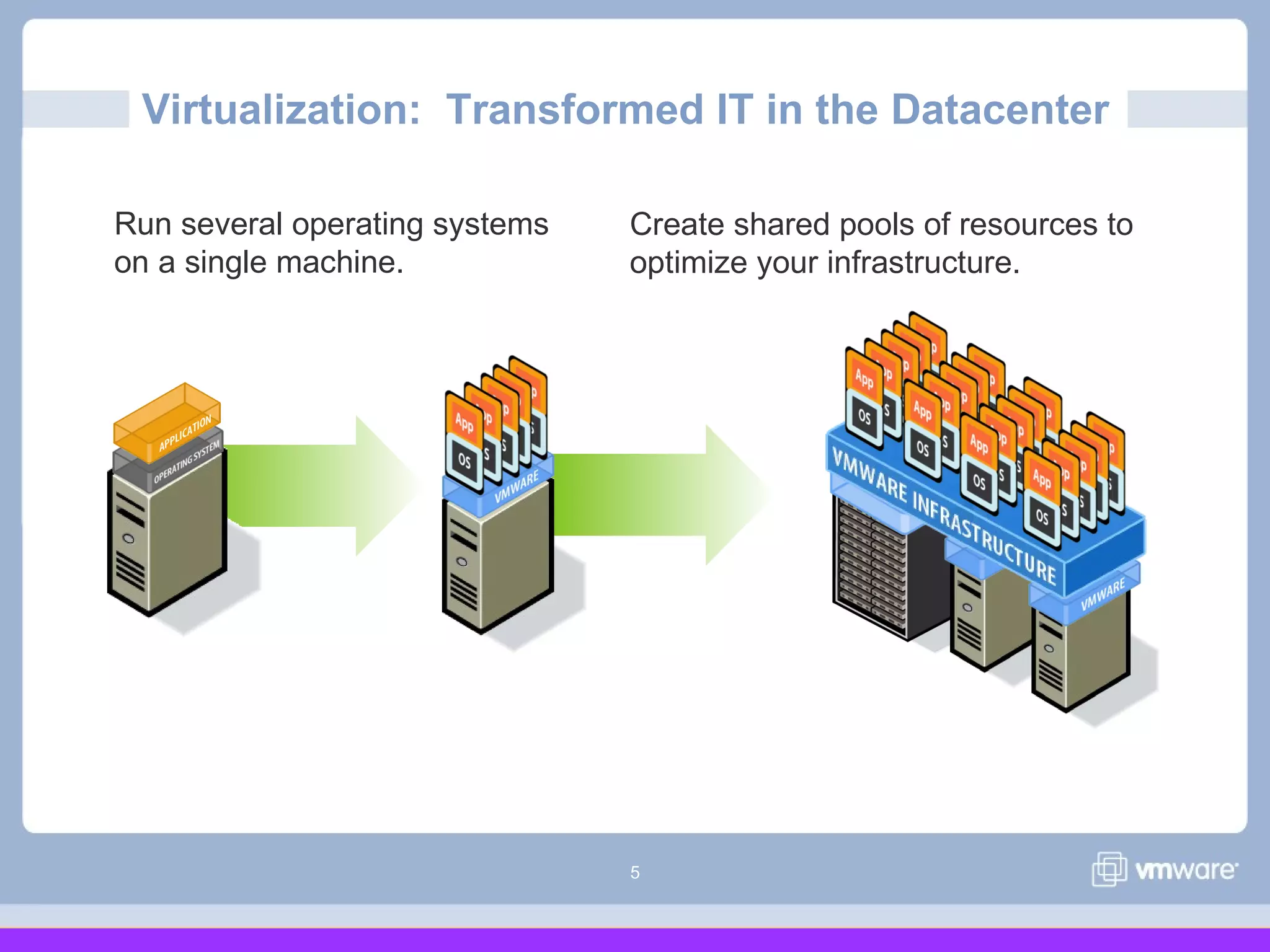
Run several operating systems
on a single machine.
Virtualization: Transformed IT in the Datacenter
Create shared pools of resources to
optimize your infrastructure.
6
Isn’t it time you leveraged
virtualization for your desktops?
VMware
7
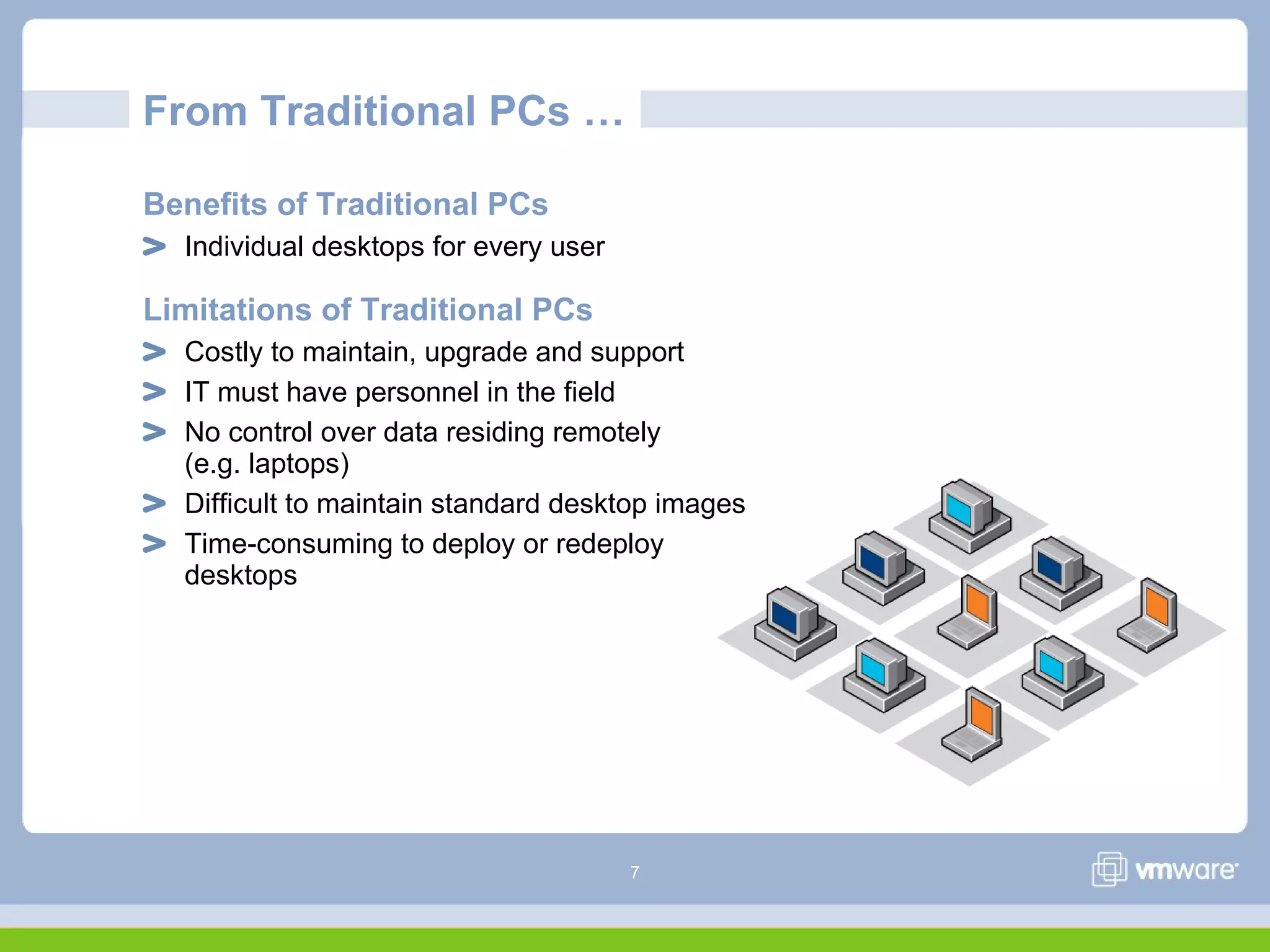
From Traditional PCs …
Benefits of Traditional PCs
Individual desktops for every user
Limitations of Traditional PCs
Costly to maintain, upgrade and support
IT must have personnel in the field
No control over data residing remotely
(e.g. laptops)
Difficult to maintain standard desktop images
Time-consuming to deploy or redeploy
desktops
8
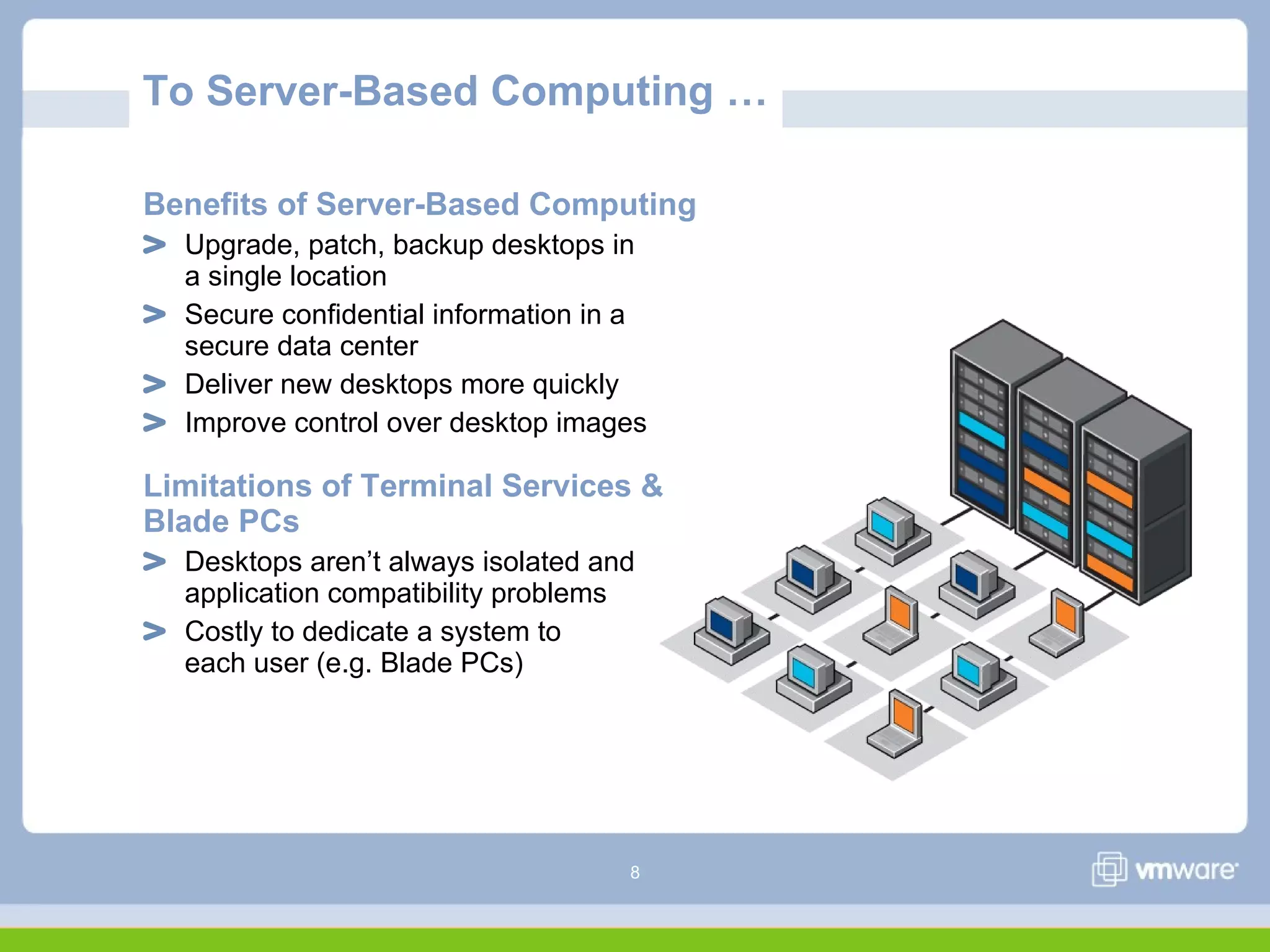
To Server-Based Computing …
Benefits of Server-Based Computing
Upgrade, patch, backup desktops in
a single location
Secure confidential information in a
secure data center
Deliver new desktops more quickly
Improve control over desktop images
Limitations of Terminal Services &
Blade PCs
Desktops aren’t always isolated and
application compatibility problems
Costly to dedicate a system to
each user (e.g. Blade PCs)
9
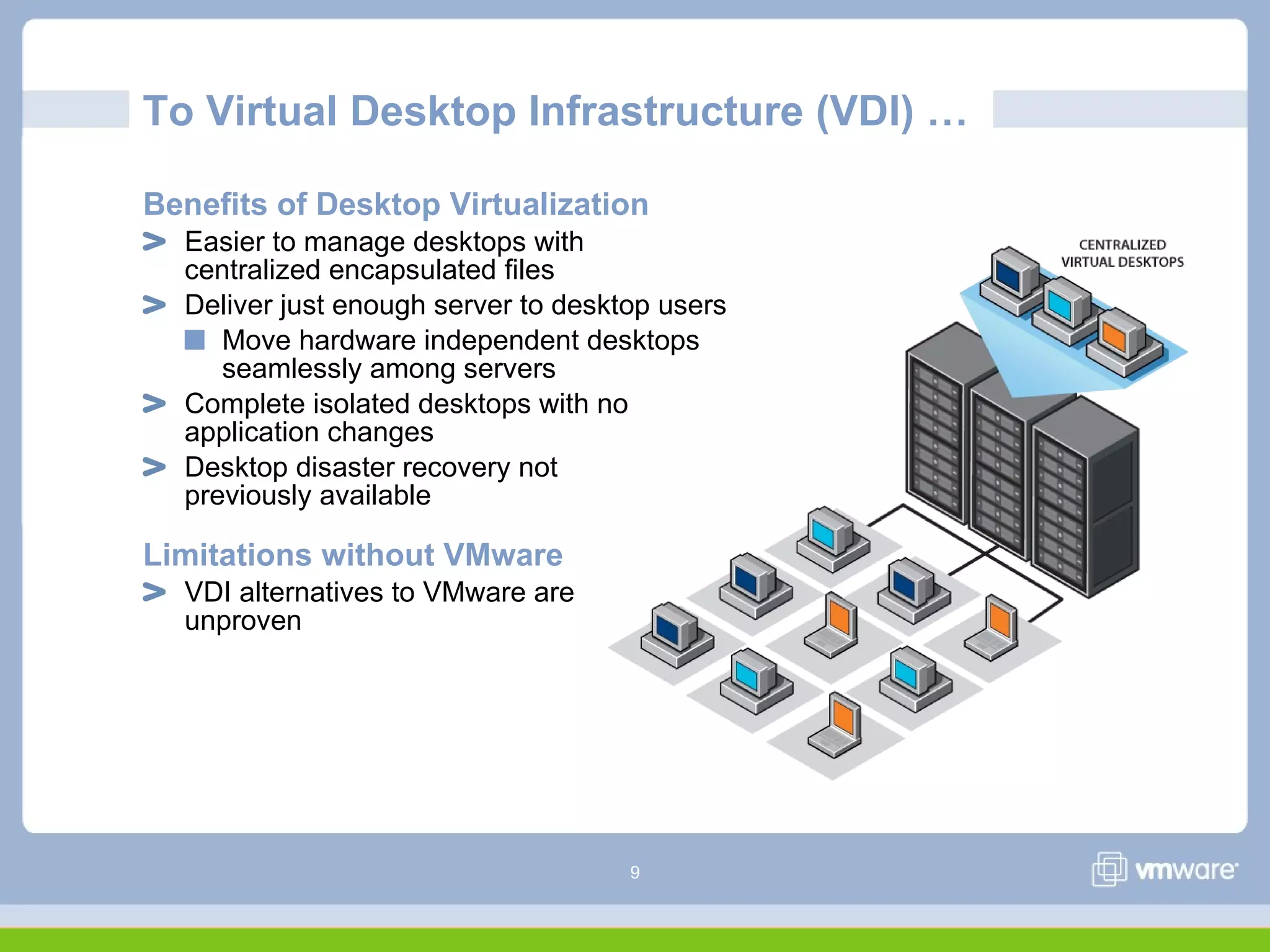
To Virtual Desktop Infrastructure (VDI) …
Benefits of Desktop Virtualization
Easier to manage desktops with
centralized encapsulated files
Deliver just enough server to desktop users
Move hardware independent desktops
seamlessly among servers
Complete isolated desktops with no
application changes
Desktop disaster recovery not
previously available
Limitations without VMware
VDI alternatives to VMware are
unproven
10
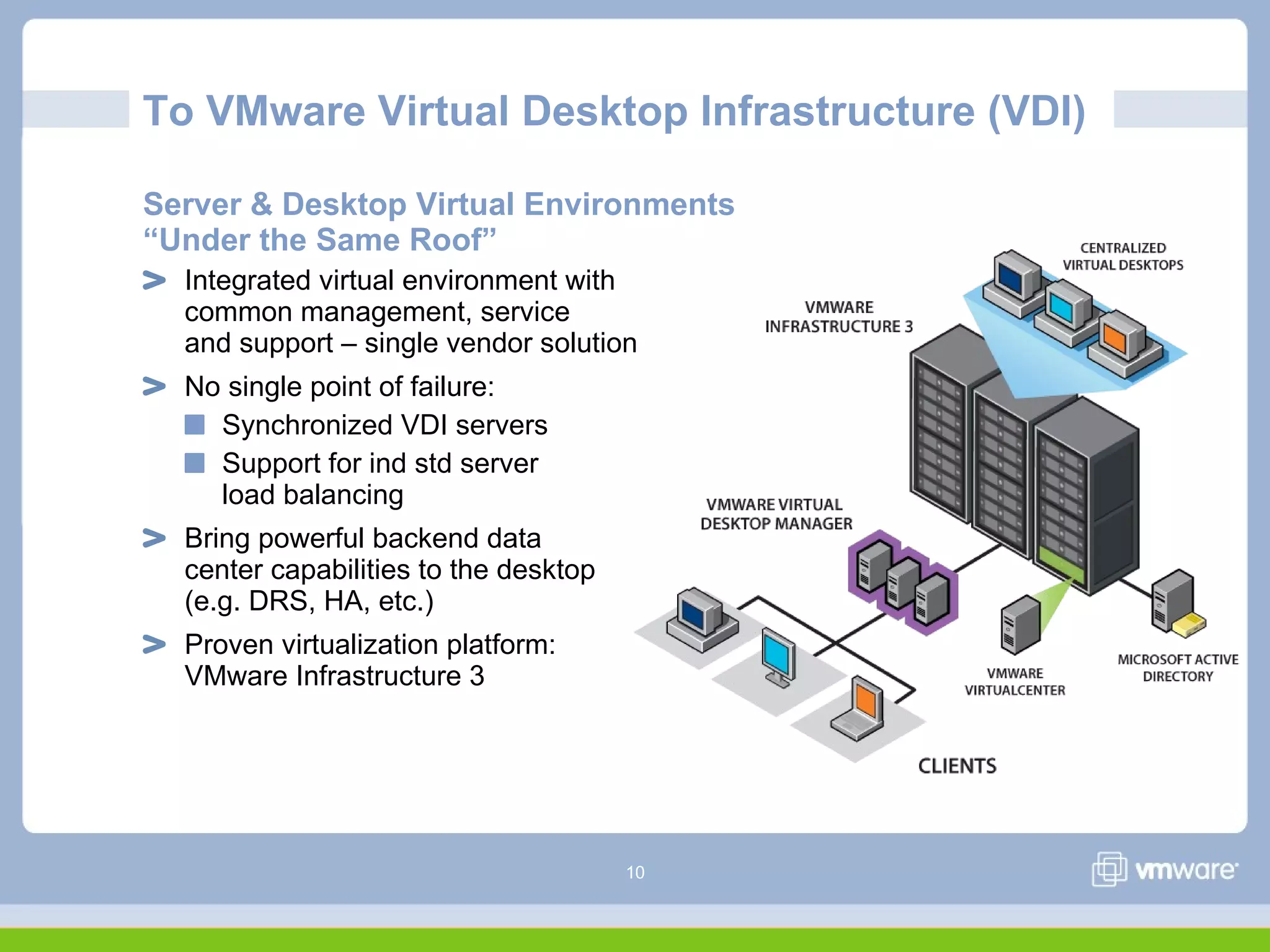
To VMware Virtual Desktop Infrastructure (VDI)
Server & Desktop Virtual Environments
“Under the Same Roof”
Integrated virtual environment with
common management, service
and support – single vendor solution
No single point of failure:
Synchronized VDI servers
Support for ind std server
load balancing
Bring powerful backend data
center capabilities to the desktop
(e.g. DRS, HA, etc.)
Proven virtualization platform:
VMware Infrastructure 3
11
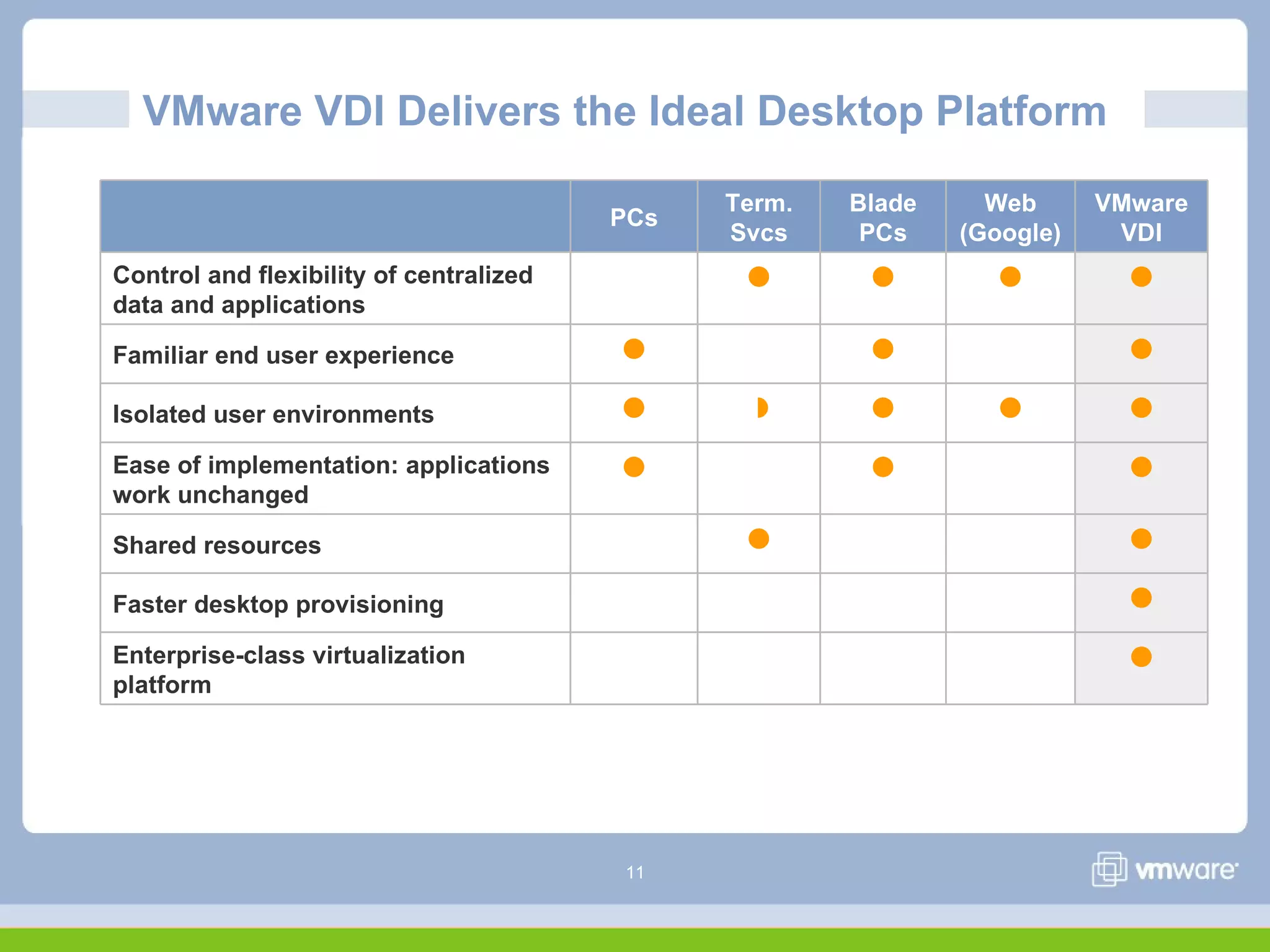
VMware VDI Delivers the Ideal Desktop Platform
PCs
Term.
Svcs
Blade
PCs
Web
(Google)
VMware
VDI
Control and flexibility of centralized
data and applications
   
Familiar end user experience   
Isolated user environments     
Ease of implementation: applications
work unchanged
  
Shared resources  
Faster desktop provisioning 
Enterprise-class virtualization
platform

12
VMware VDI: Customer’s Choice
“It's [VDI] really become our new model
for doing desktop deployment. If a user
doesn't … demand they need a desktop,
we're giving them a hosted desktop, and
the users love it.”
David Siles
Chief Technology Officer
Kane County Government (Illinois)
“From which vendors do you plan to
purchase thin client/desktop virtualization
technology from over the next 6-12
months? (please indicate all that apply) “
Answer: VMware 58%, Citrix 16%, HP 7%,
Microsoft 6%, Not applicable / Unsure 14%
Source: Merrill Lynch CIO Survey, April 2007
13
VMware Virtual Desktop Infrastructure (VDI)
VMware
14
VMware Virtual Desktop Infrastructure (VDI)
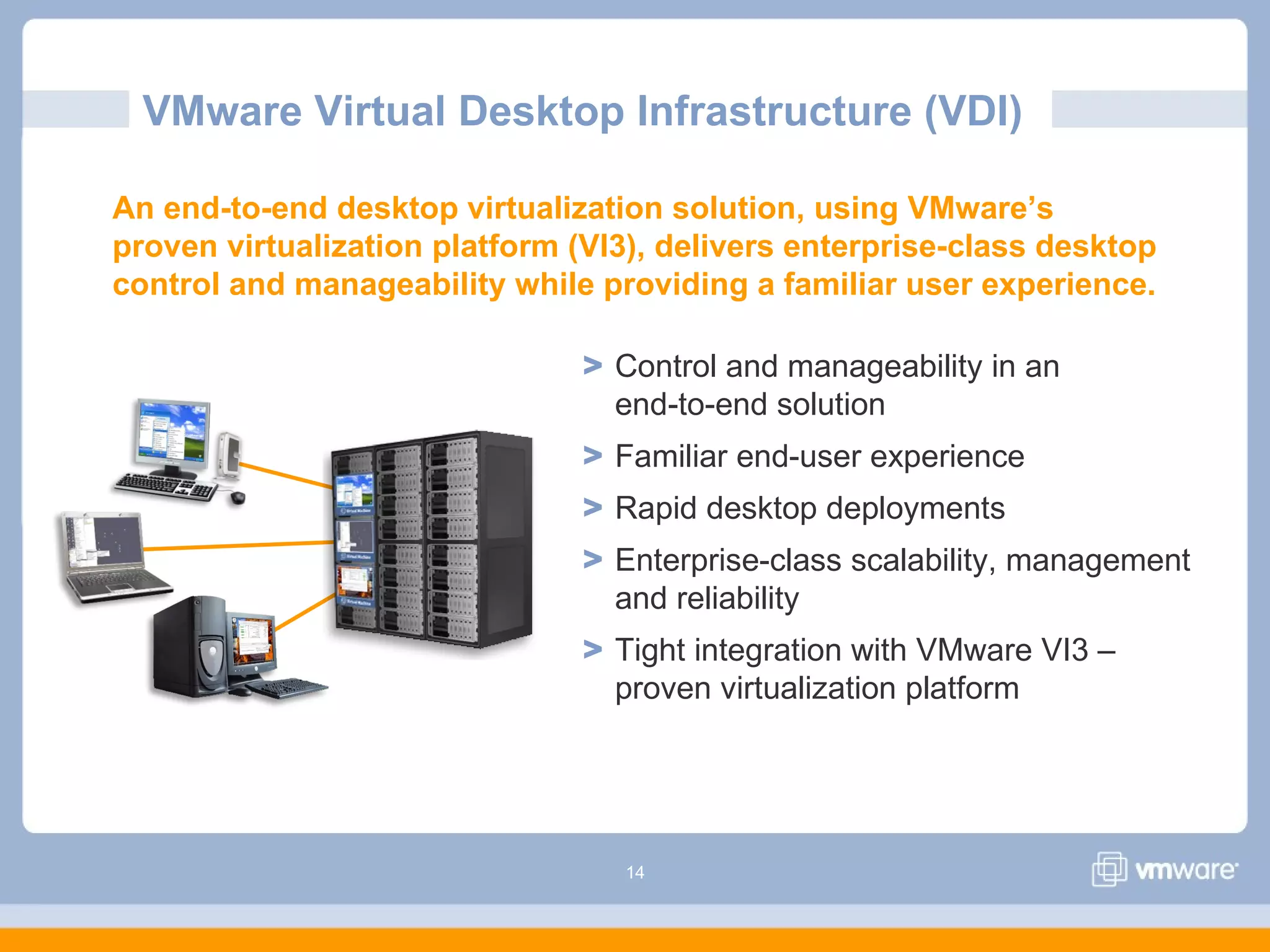
> Control and manageability in an
end-to-end solution
> Familiar end-user experience
> Rapid desktop deployments
> Enterprise-class scalability, management
and reliability
> Tight integration with VMware VI3 –
proven virtualization platform
An end-to-end desktop virtualization solution, using VMware’s
proven virtualization platform (VI3), delivers enterprise-class desktop
control and manageability while providing a familiar user experience.
15
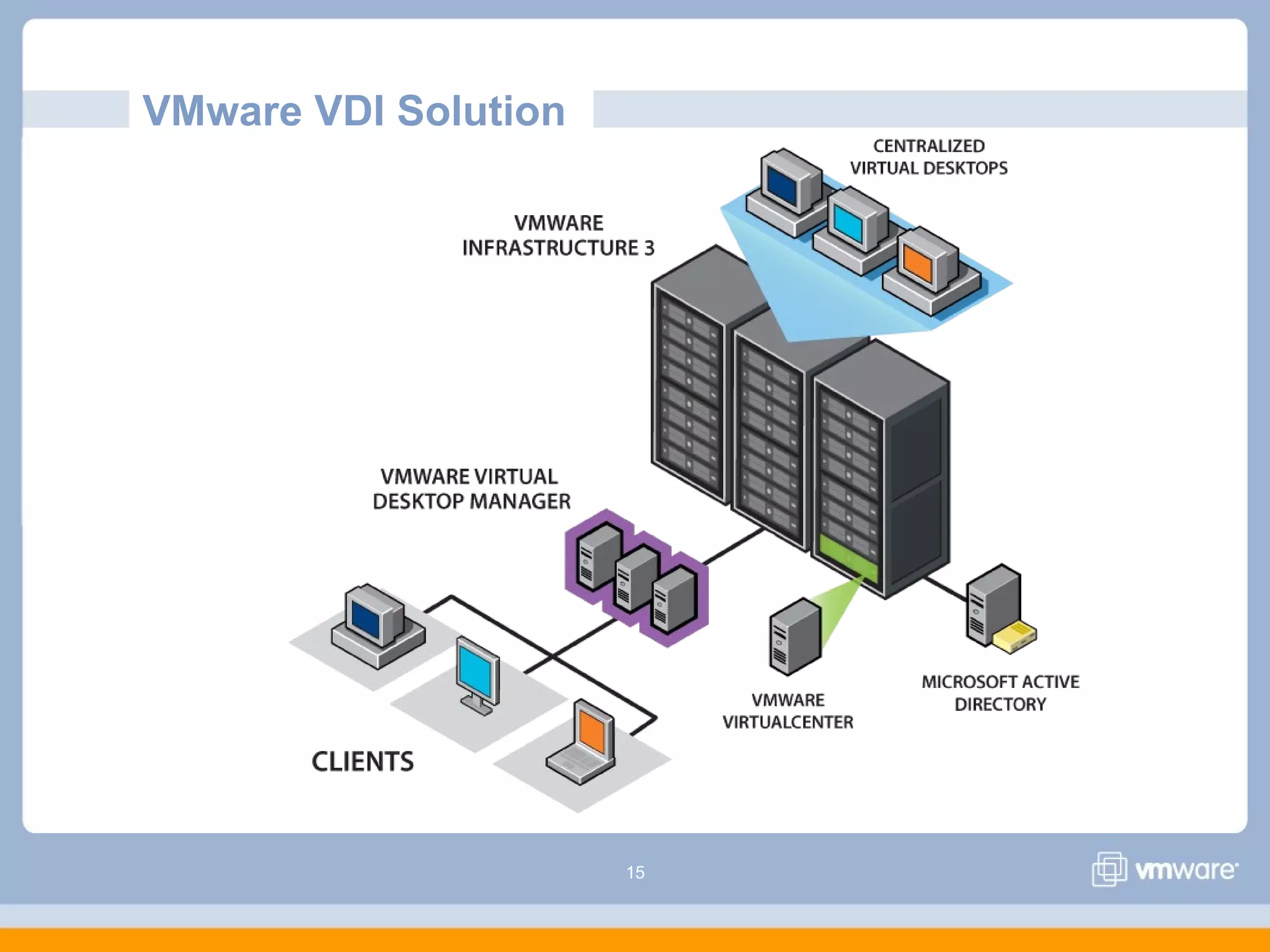
VMware VDI Solution
16
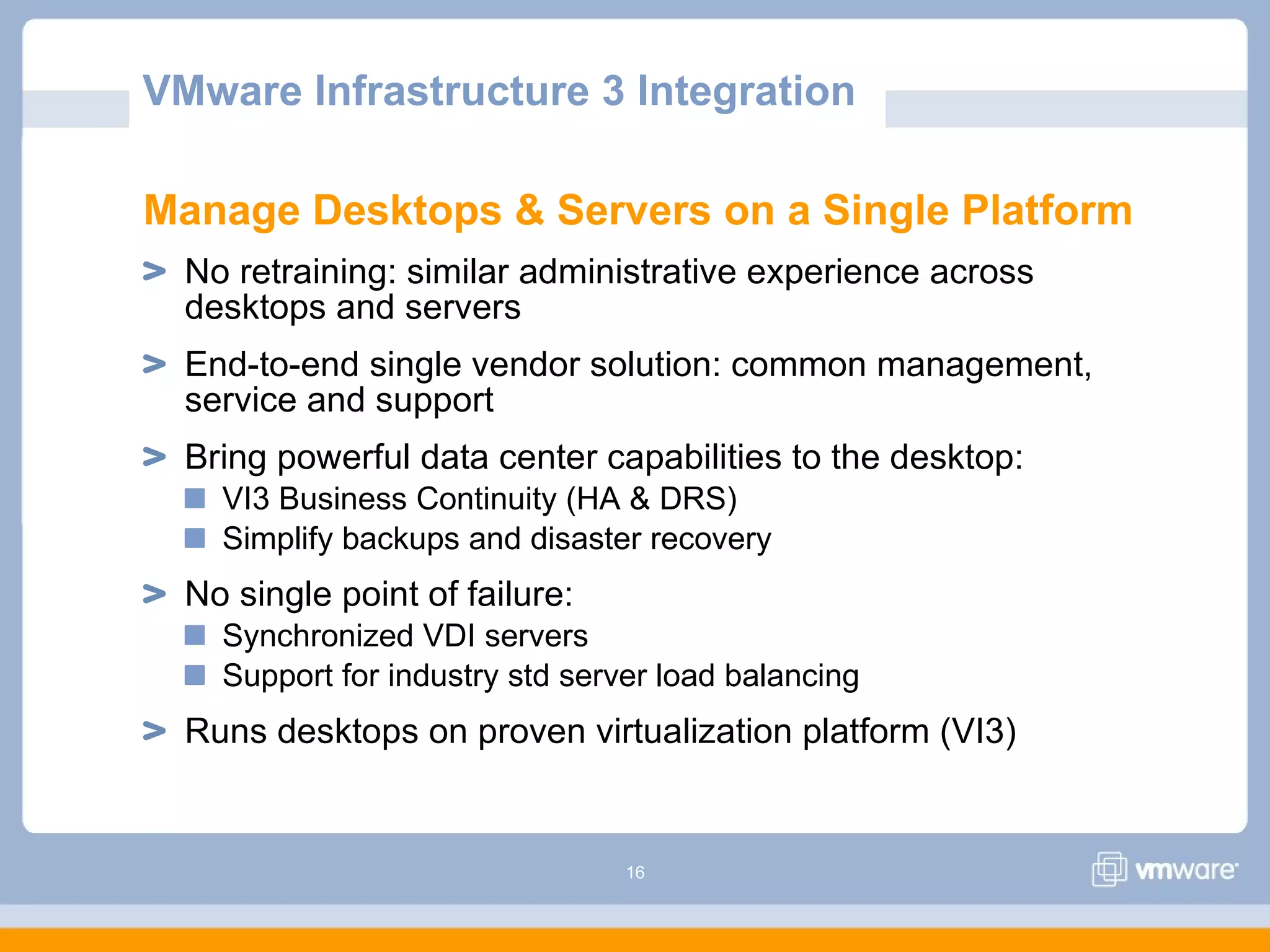
Manage Desktops & Servers on a Single Platform
No retraining: similar administrative experience across
desktops and servers
End-to-end single vendor solution: common management,
service and support
Bring powerful data center capabilities to the desktop:
VI3 Business Continuity (HA & DRS)
Simplify backups and disaster recovery
No single point of failure:
Synchronized VDI servers
Support for industry std server load balancing
Runs desktops on proven virtualization platform (VI3)
VMware Infrastructure 3 Integration
17
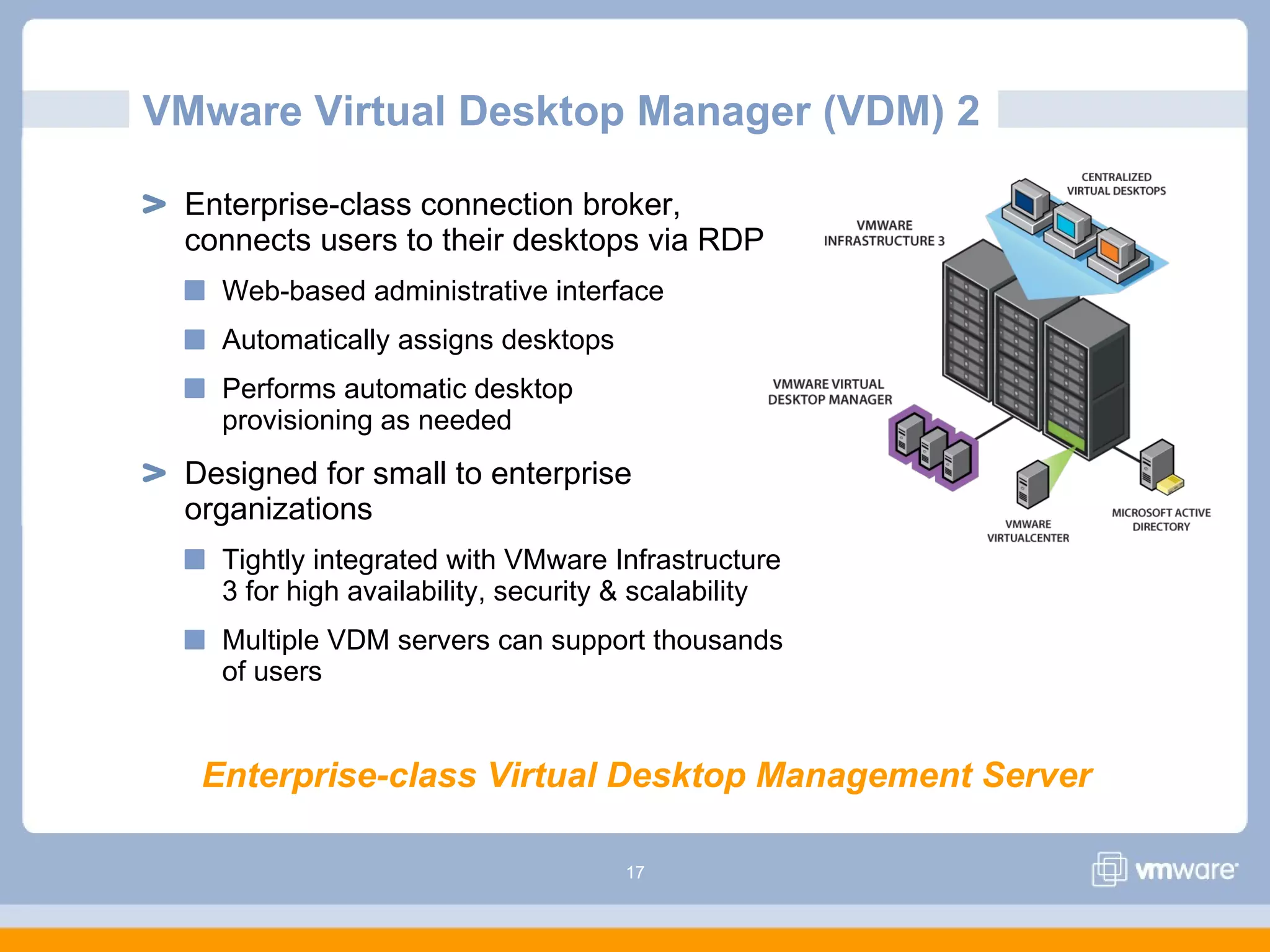
VMware Virtual Desktop Manager (VDM) 2
Enterprise-class connection broker,
connects users to their desktops via RDP
Web-based administrative interface
Automatically assigns desktops
Performs automatic desktop
provisioning as needed
Designed for small to enterprise
organizations
Tightly integrated with VMware Infrastructure
3 for high availability, security & scalability
Multiple VDM servers can support thousands
of users
Enterprise-class Virtual Desktop Management Server
18
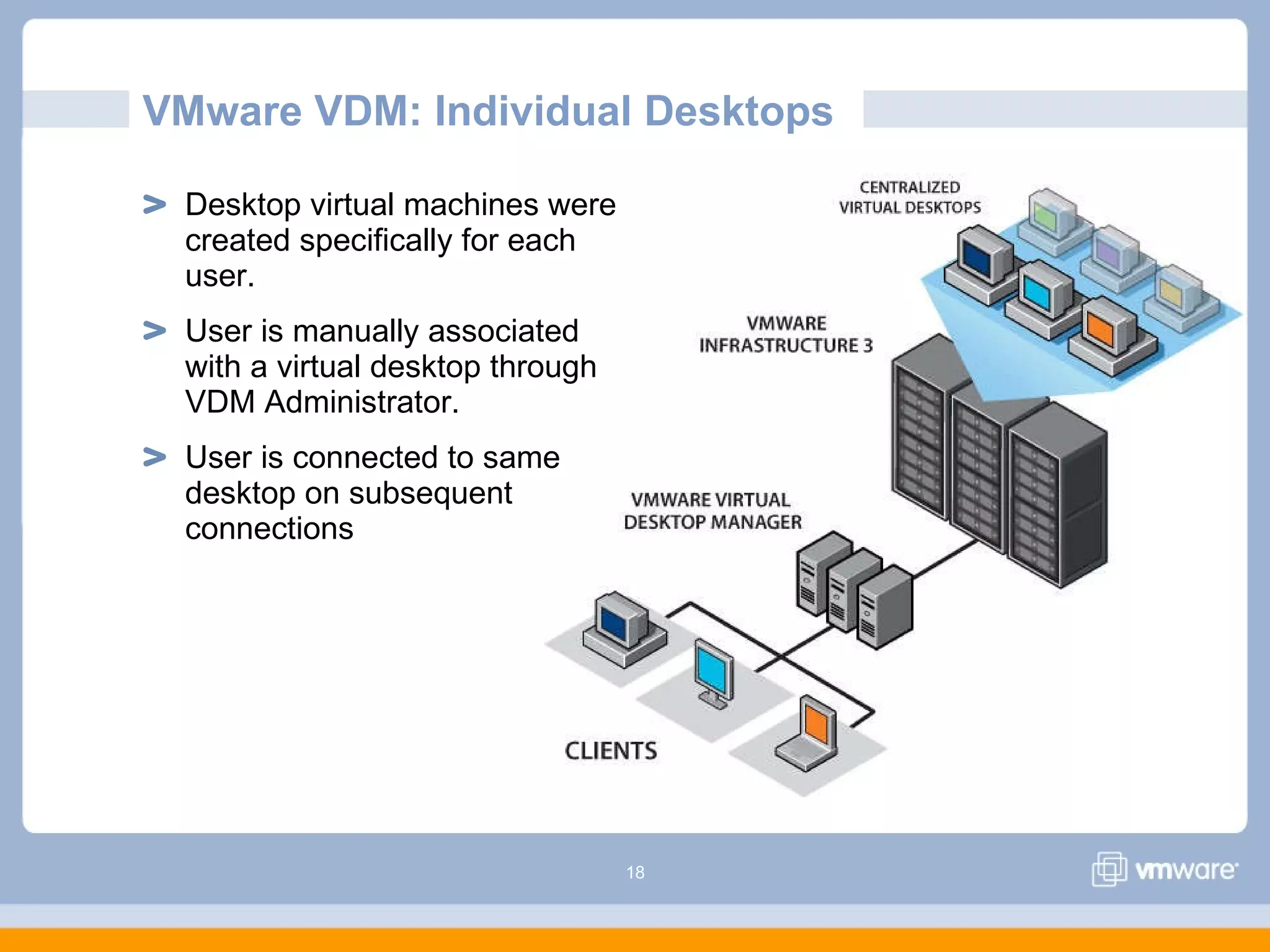
VMware VDM: Individual Desktops
Desktop virtual machines were
created specifically for each
user.
User is manually associated
with a virtual desktop through
VDM Administrator.
User is connected to same
desktop on subsequent
connections
19
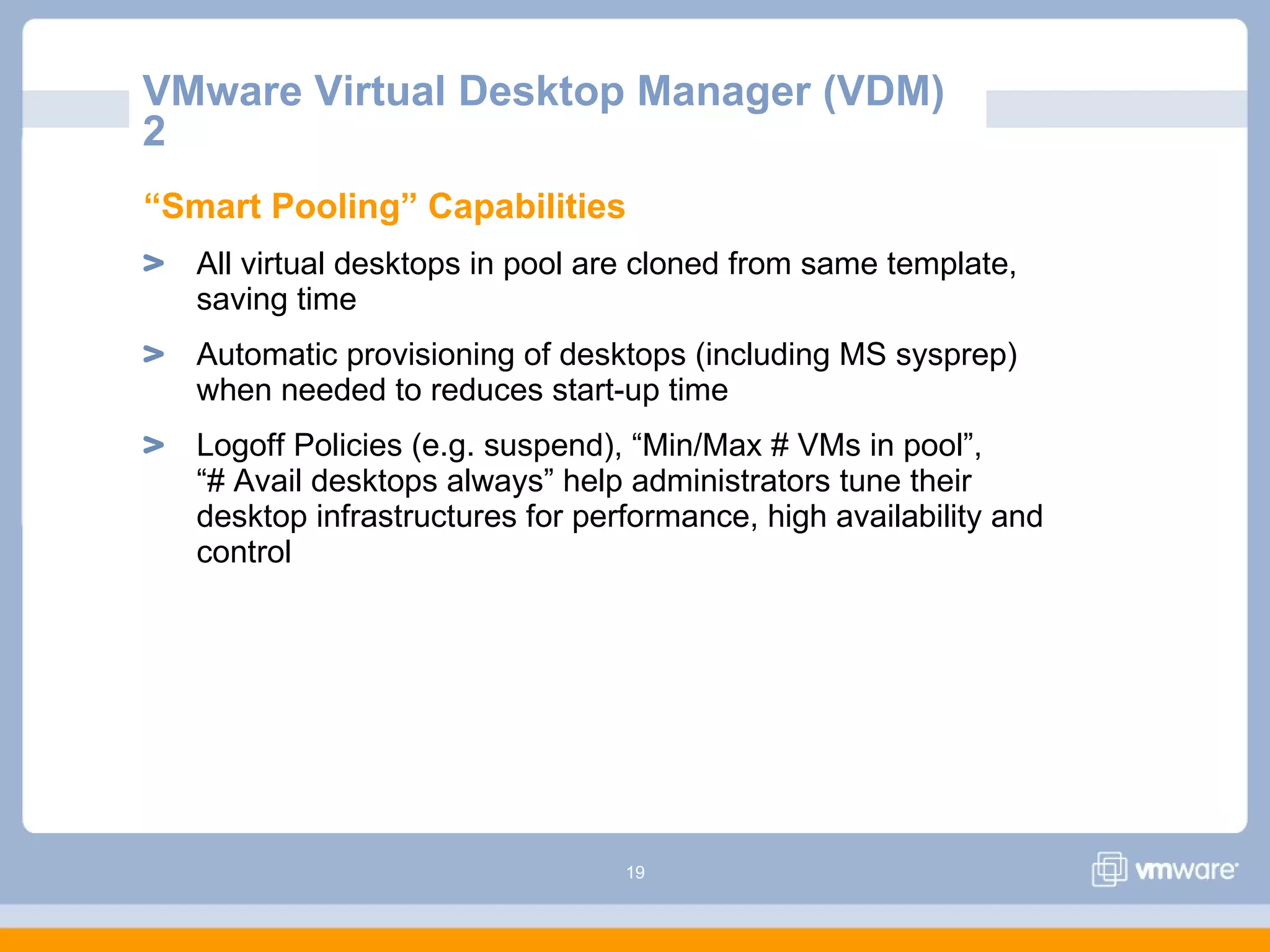
“Smart Pooling” Capabilities
All virtual desktops in pool are cloned from same template,
saving time
Automatic provisioning of desktops (including MS sysprep)
when needed to reduces start-up time
Logoff Policies (e.g. suspend), “Min/Max # VMs in pool”,
“# Avail desktops always” help administrators tune their
desktop infrastructures for performance, high availability and
control
VMware Virtual Desktop Manager (VDM)
2
20
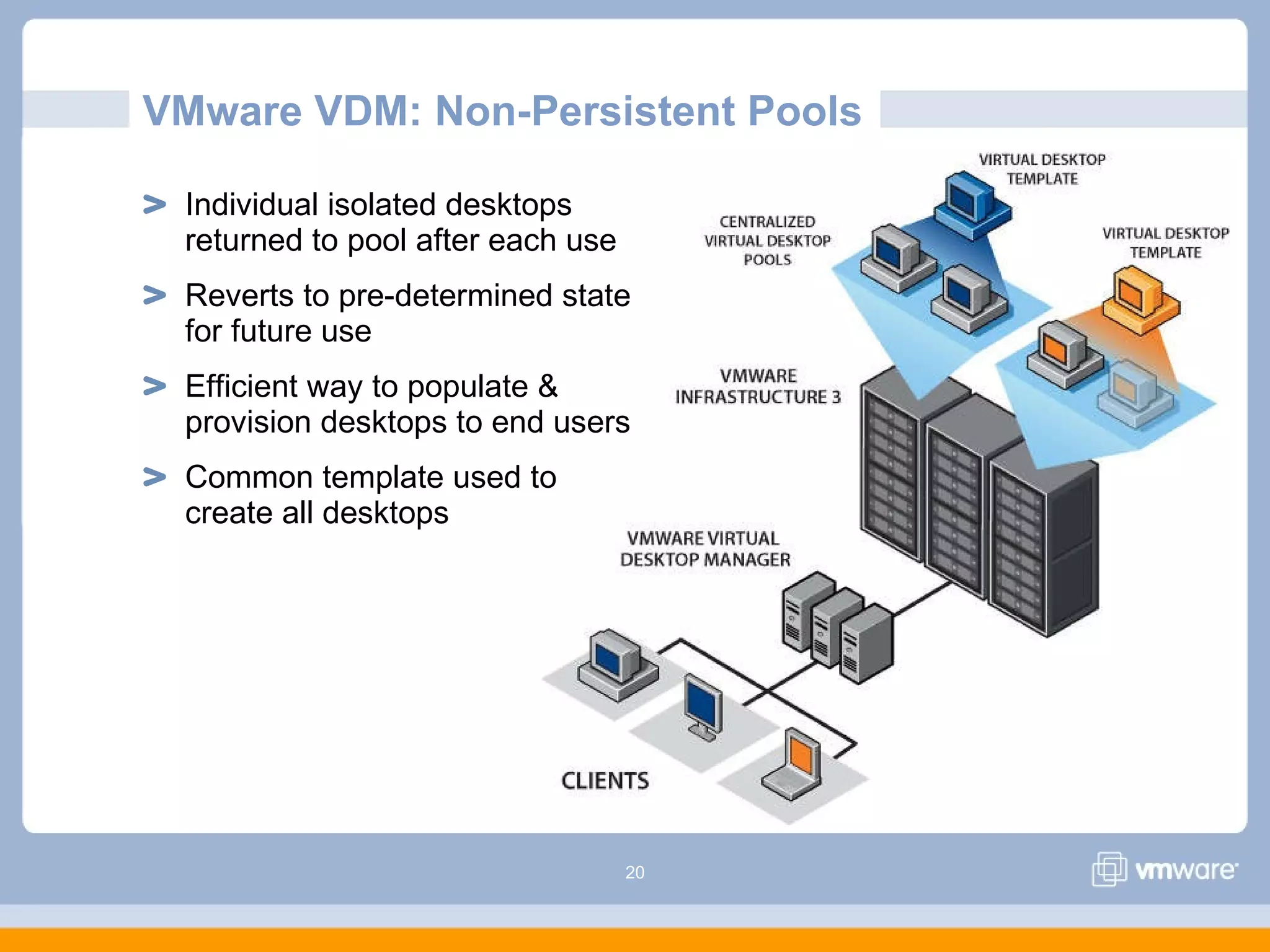
VMware VDM: Non-Persistent Pools
Individual isolated desktops
returned to pool after each use
Reverts to pre-determined state
for future use
Efficient way to populate &
provision desktops to end users
Common template used to
create all desktops
21
VMware VDM: Persistent Pools
Individual isolated desktops
assigned to user on first log-in
Desktop remains associated
with the user on subsequent
logins
Efficient way to populate &
provision desktops to end users
Common template used to
create all desktops
22
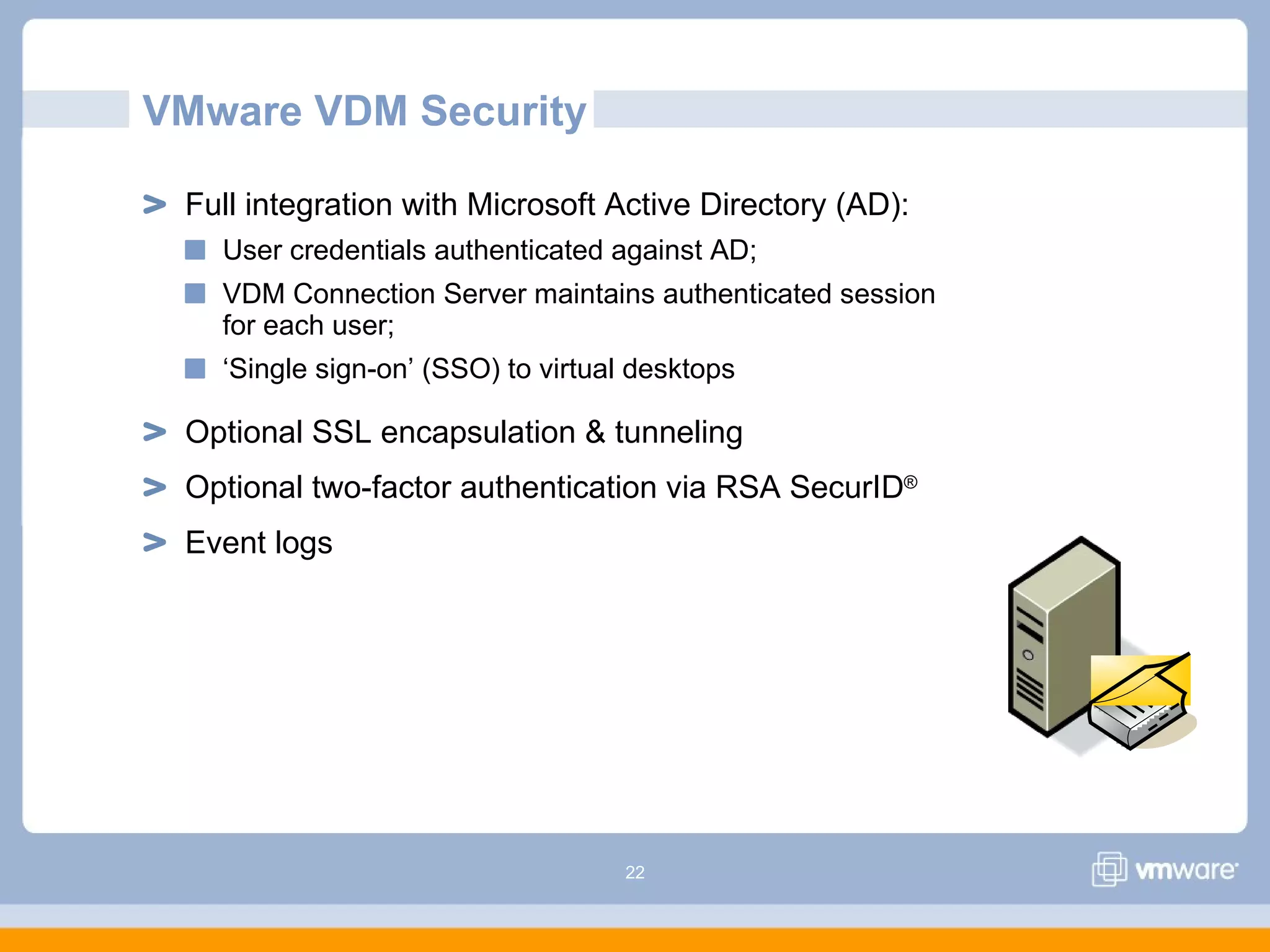
Full integration with Microsoft Active Directory (AD):
User credentials authenticated against AD;
VDM Connection Server maintains authenticated session
for each user;
‘Single sign-on’ (SSO) to virtual desktops
Optional SSL encapsulation & tunneling
Optional two-factor authentication via RSA SecurID®
Event logs
VMware VDM Security
23
VMware VDM Security Server
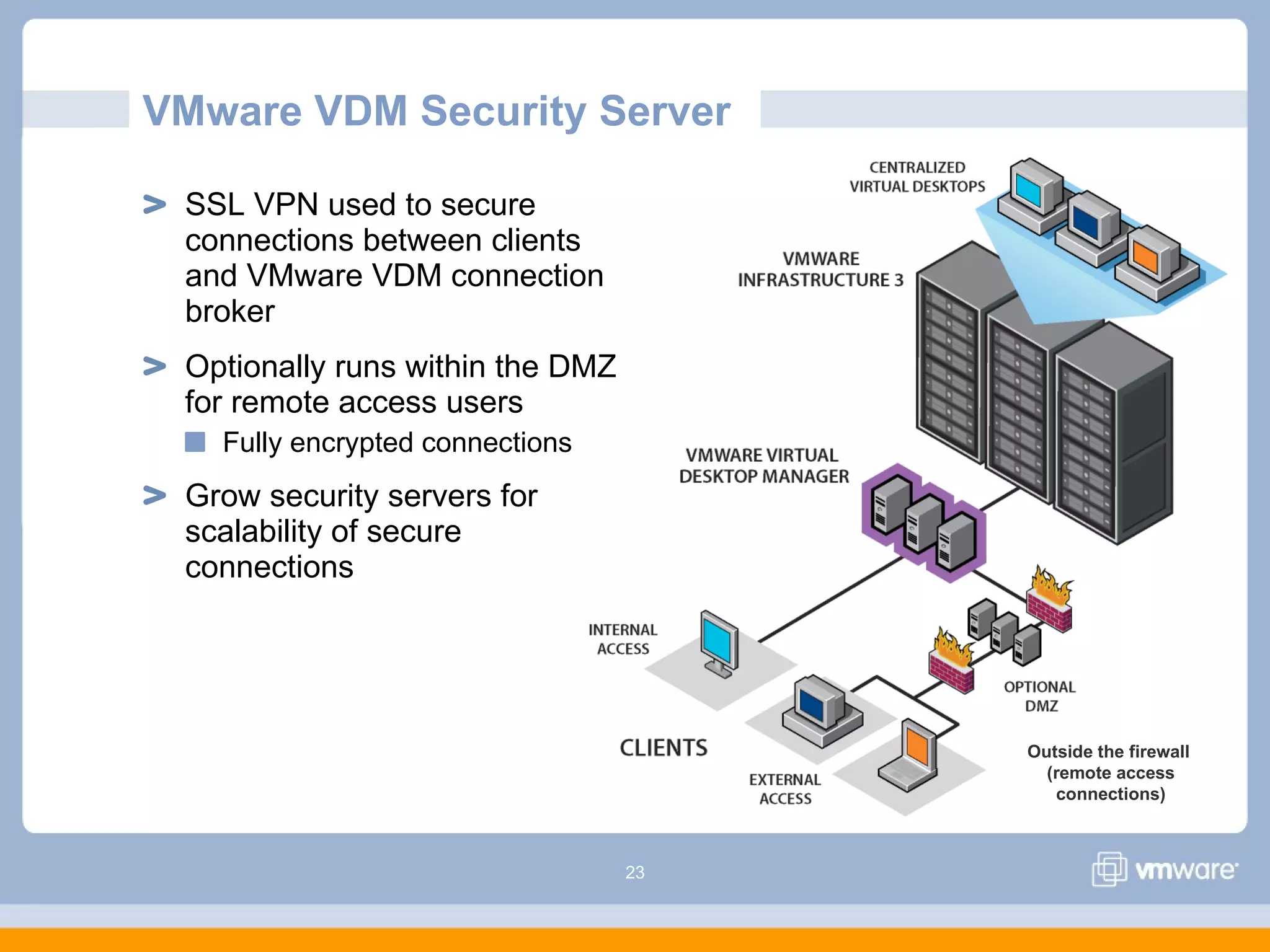
SSL VPN used to secure
connections between clients
and VMware VDM connection
broker
Optionally runs within the DMZ
for remote access users
Fully encrypted connections
Grow security servers for
scalability of secure
connections
Outside the firewall
(remote access
connections)
24
VMware VDI Client Access
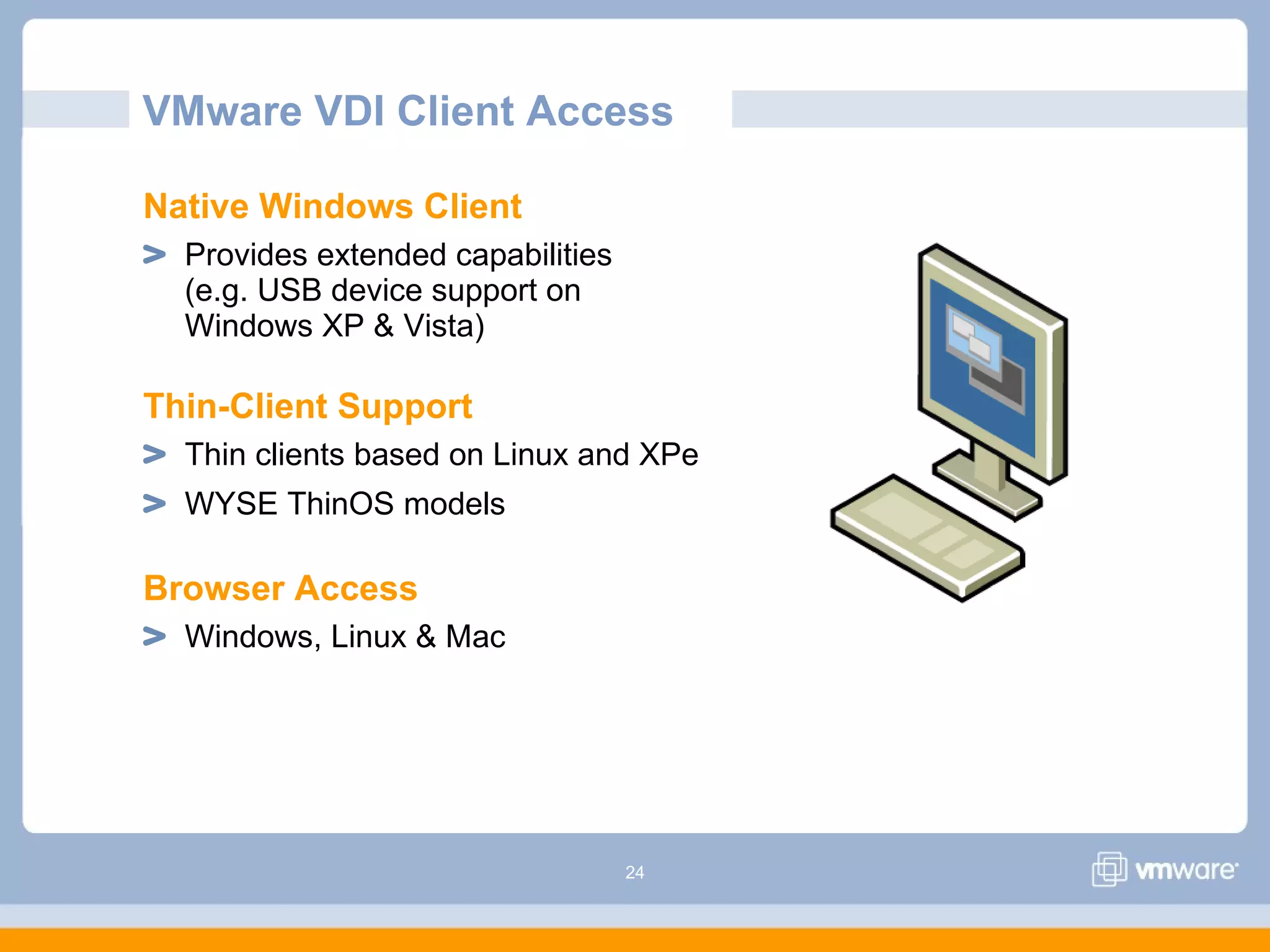
Native Windows Client
Provides extended capabilities
(e.g. USB device support on
Windows XP & Vista)
Thin-Client Support
Thin clients based on Linux and XPe
WYSE ThinOS models
Browser Access
Windows, Linux & Mac
25
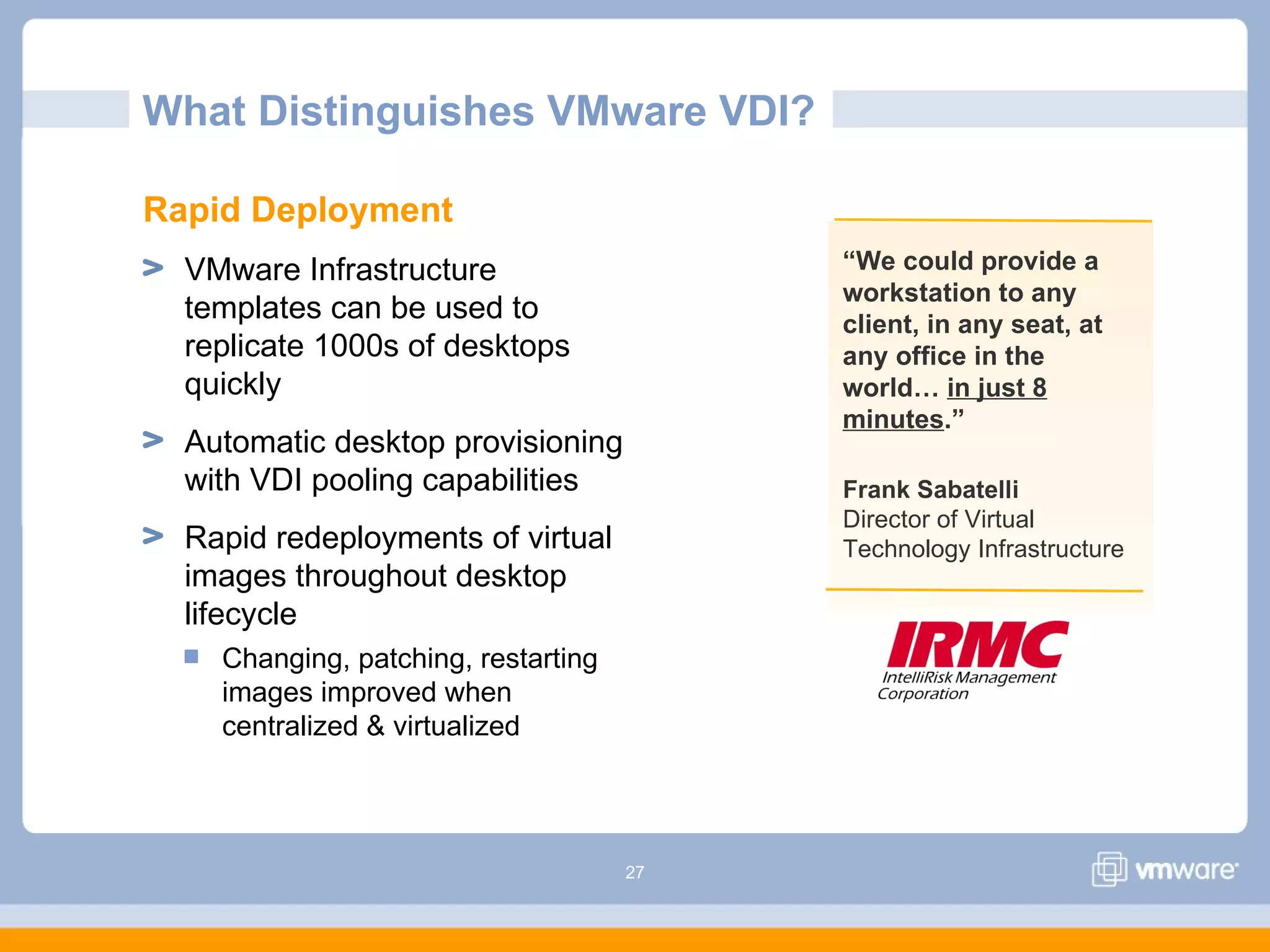
What Distinguishes VMware VDI?
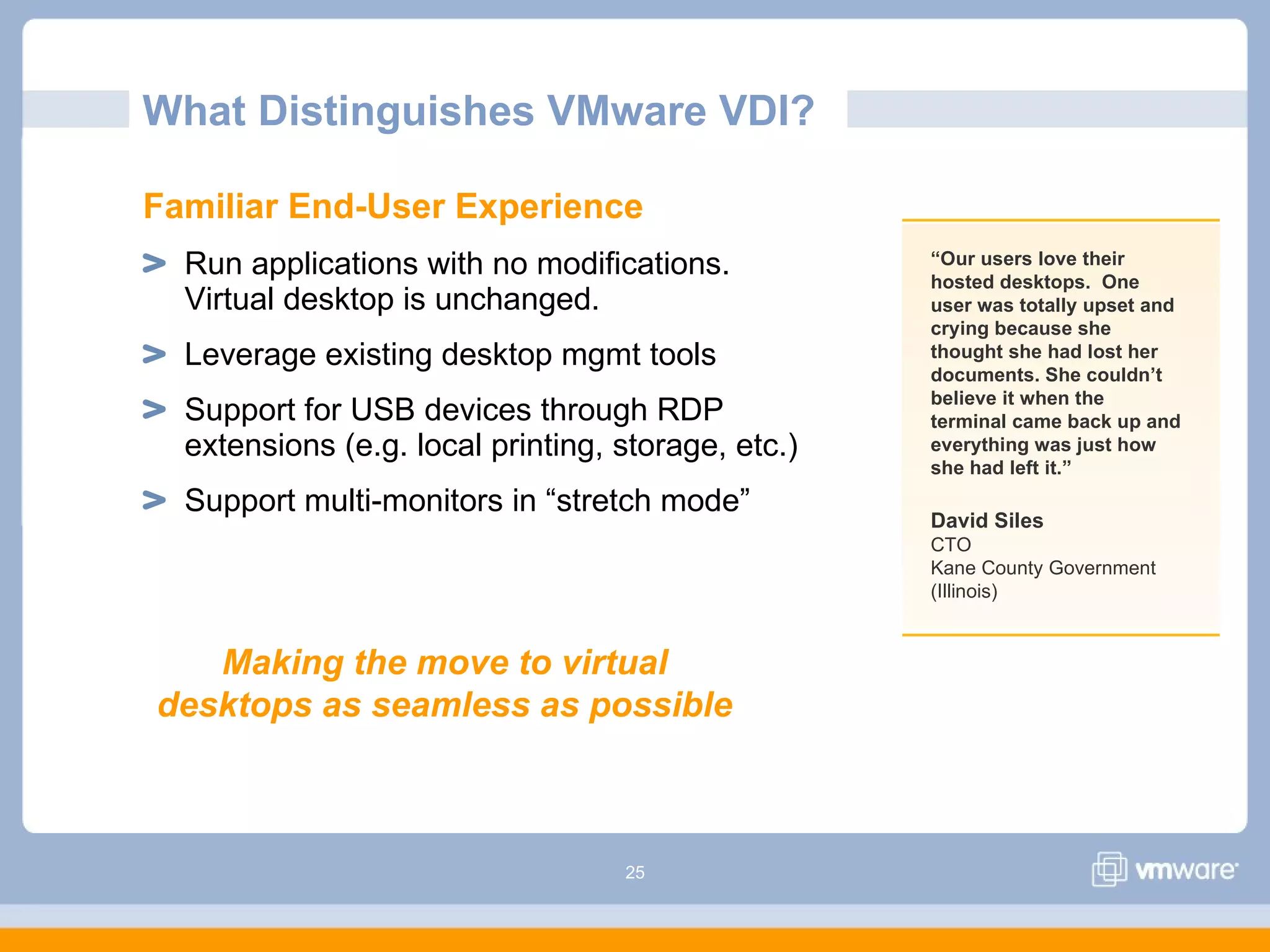
Familiar End-User Experience
Run applications with no modifications.
Virtual desktop is unchanged.
Leverage existing desktop mgmt tools
Support for USB devices through RDP
extensions (e.g. local printing, storage, etc.)
Support multi-monitors in “stretch mode”
“Our users love their
hosted desktops. One
user was totally upset and
crying because she
thought she had lost her
documents. She couldn’t
believe it when the
terminal came back up and
everything was just how
she had left it.”
David Siles
CTO
Kane County Government
(Illinois)
Making the move to virtual
desktops as seamless as possible
26
What Distinguishes VMware VDI?
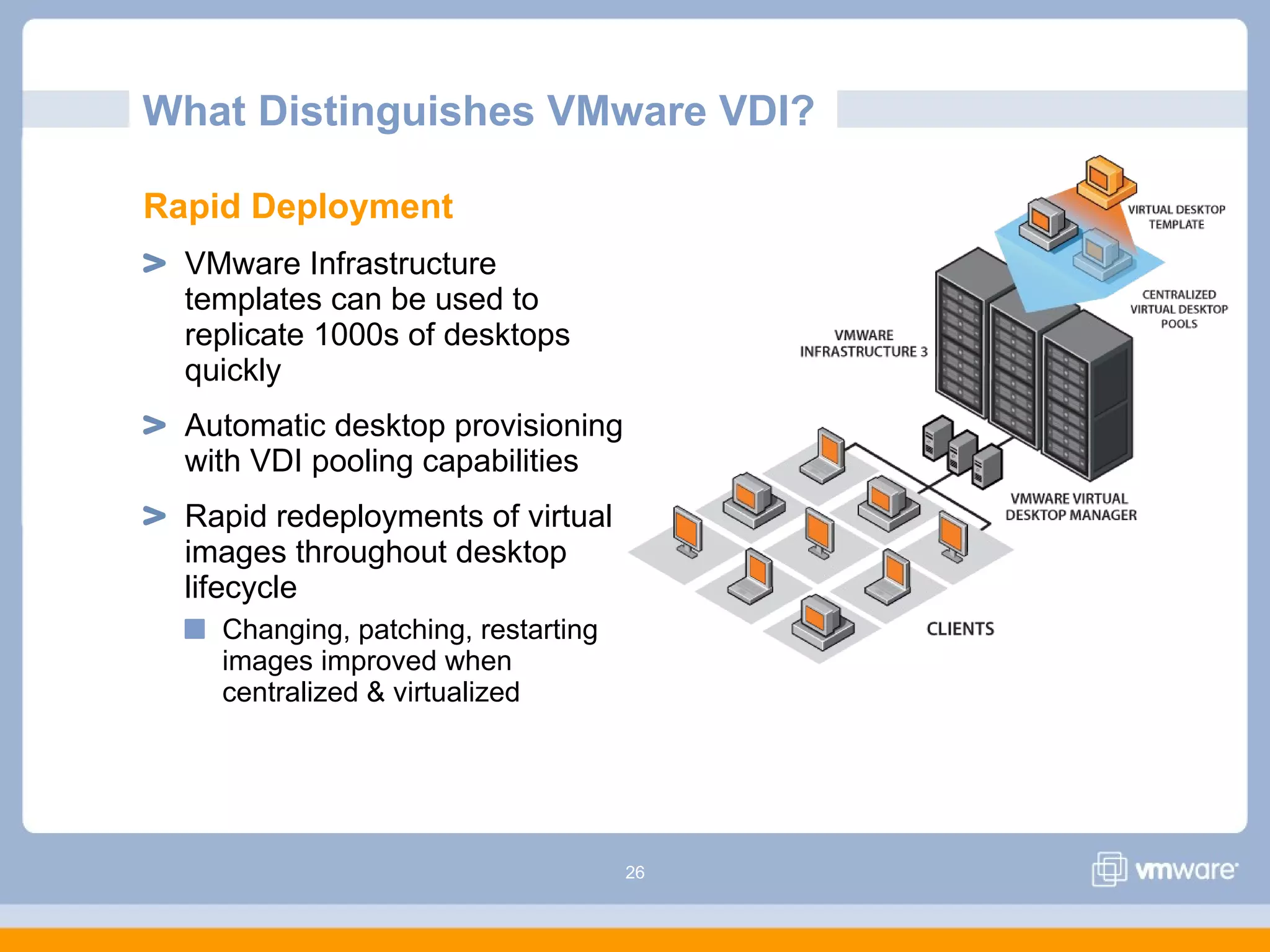
Rapid Deployment
VMware Infrastructure
templates can be used to
replicate 1000s of desktops
quickly
Automatic desktop provisioning
with VDI pooling capabilities
Rapid redeployments of virtual
images throughout desktop
lifecycle
Changing, patching, restarting
images improved when
centralized & virtualized
27
“We could provide a
workstation to any
client, in any seat, at
any office in the
world… in just 8
minutes.”
What Distinguishes VMware VDI?
Frank Sabatelli
Director of Virtual
Technology Infrastructure
Rapid Deployment
VMware Infrastructure
templates can be used to
replicate 1000s of desktops
quickly
Automatic desktop provisioning
with VDI pooling capabilities
Rapid redeployments of virtual
images throughout desktop
lifecycle
Changing, patching, restarting
images improved when
centralized & virtualized
28
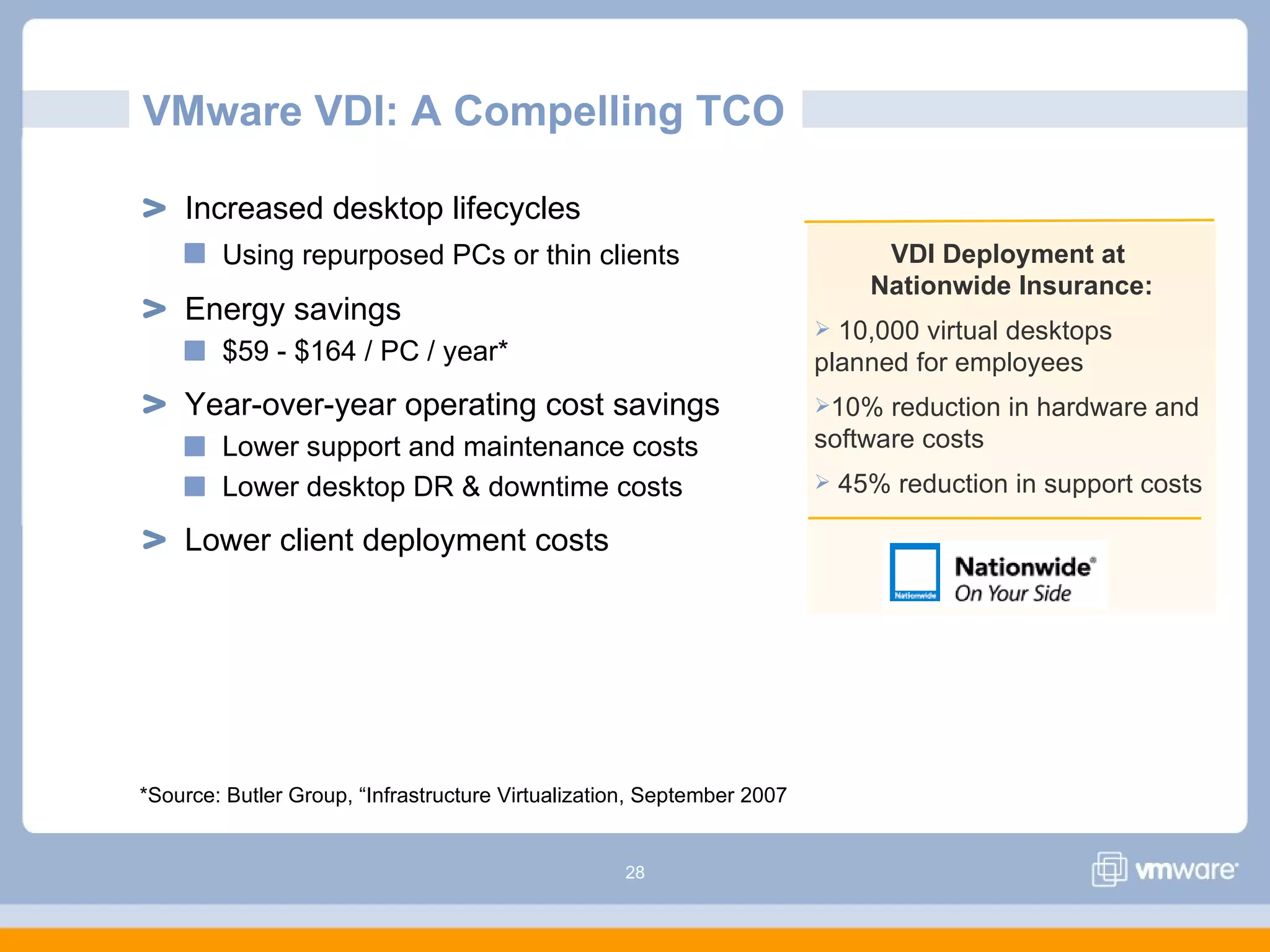
VMware VDI: A Compelling TCO
Increased desktop lifecycles
Using repurposed PCs or thin clients
Energy savings
$59 - $164 / PC / year*
Year-over-year operating cost savings
Lower support and maintenance costs
Lower desktop DR & downtime costs
Lower client deployment costs
VDI Deployment at
Nationwide Insurance:
 10,000 virtual desktops
planned for employees
10% reduction in hardware and
software costs
 45% reduction in support costs
*Source: Butler Group, “Infrastructure Virtualization, September 2007
29
VMware VDI Demo
30
Putting VMware VDI into Practice
VMware
31
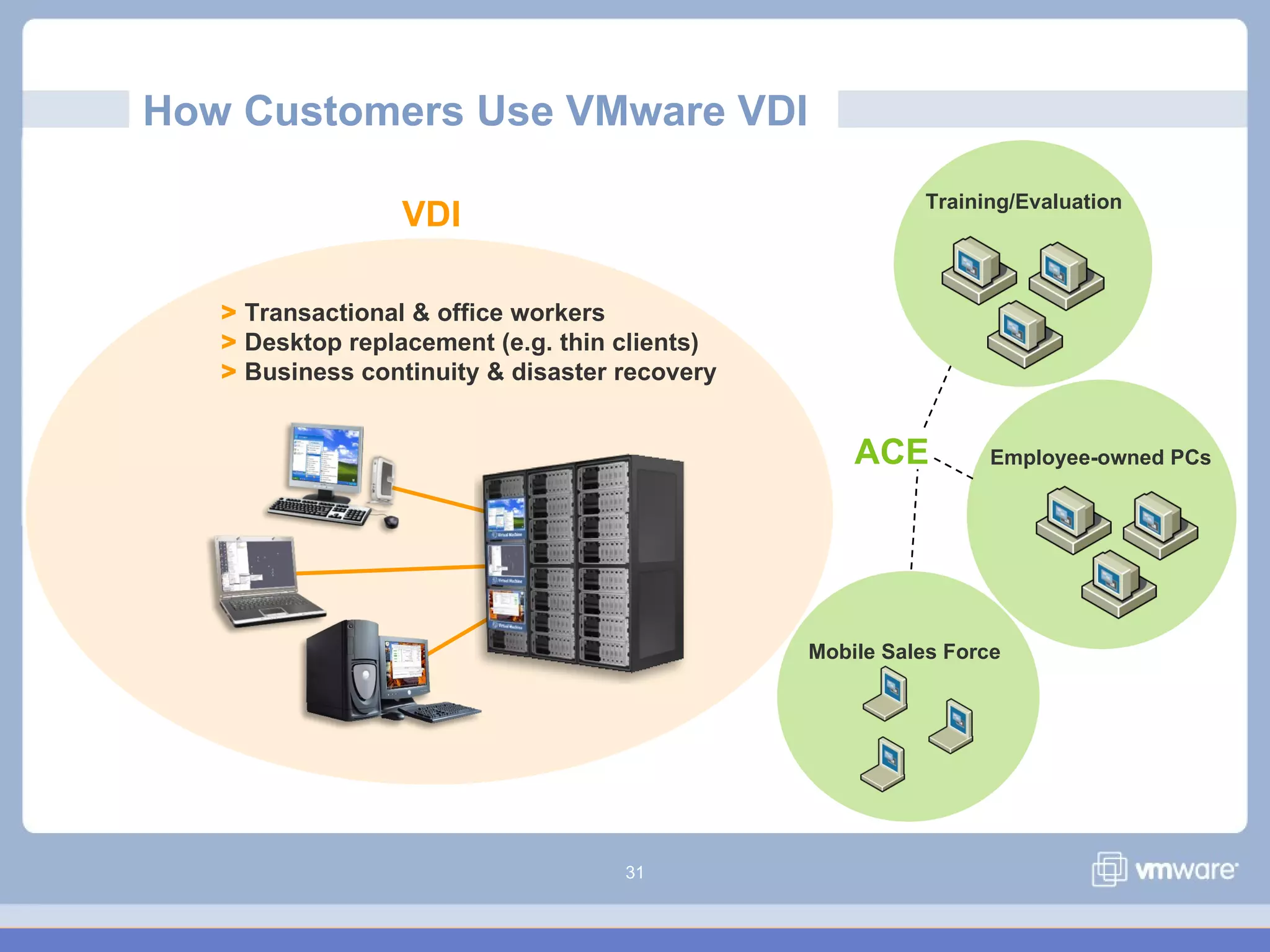
How Customers Use VMware VDI
VDI
> Transactional & office workers
> Desktop replacement (e.g. thin clients)
> Business continuity & disaster recovery
Training/Evaluation
Mobile Sales Force
Employee-owned PCsACE
32
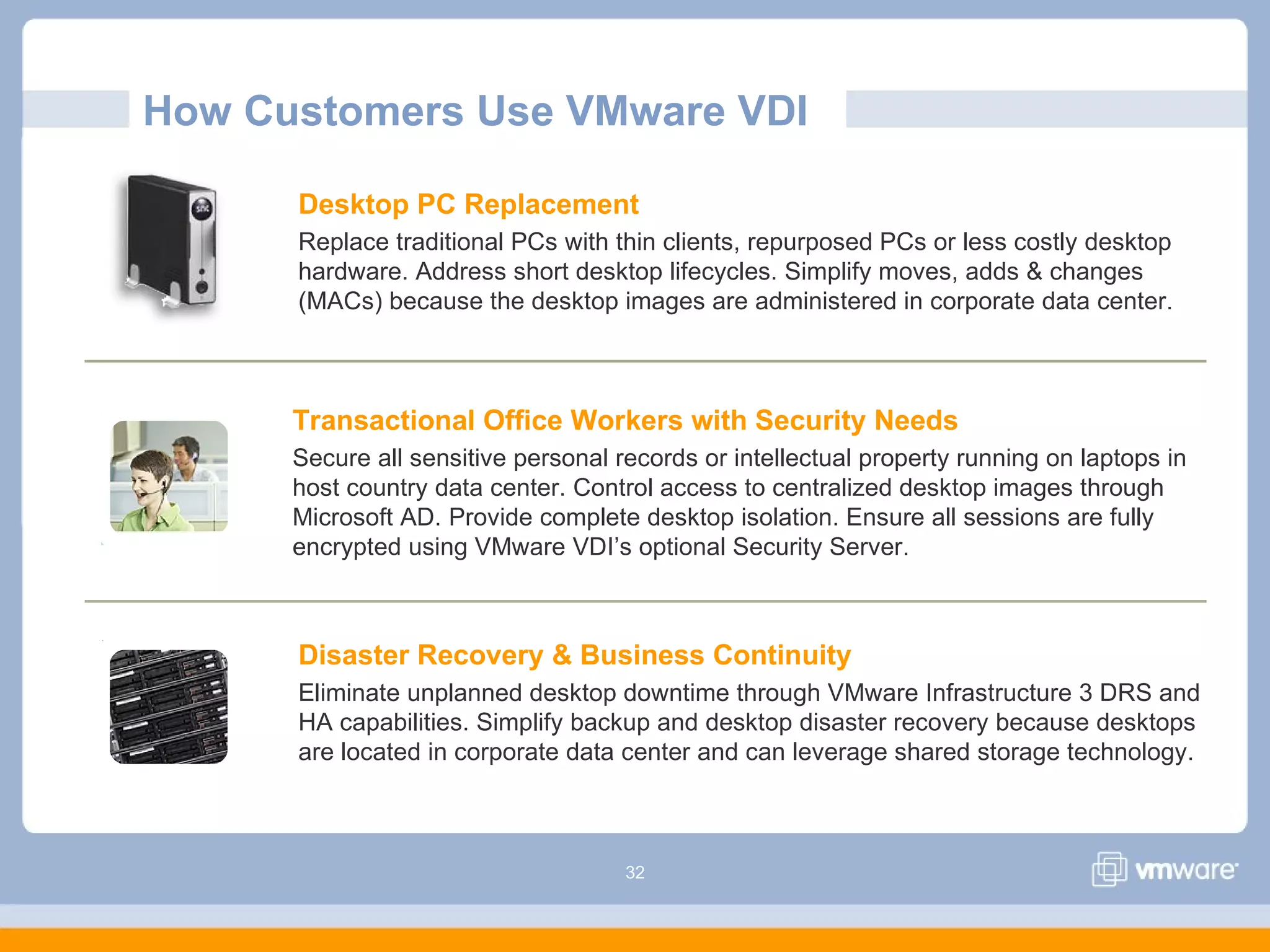
How Customers Use VMware VDI
Desktop PC Replacement
Replace traditional PCs with thin clients, repurposed PCs or less costly desktop
hardware. Address short desktop lifecycles. Simplify moves, adds & changes
(MACs) because the desktop images are administered in corporate data center.
Disaster Recovery & Business Continuity
Eliminate unplanned desktop downtime through VMware Infrastructure 3 DRS and
HA capabilities. Simplify backup and desktop disaster recovery because desktops
are located in corporate data center and can leverage shared storage technology.
Transactional Office Workers with Security Needs
Secure all sensitive personal records or intellectual property running on laptops in
host country data center. Control access to centralized desktop images through
Microsoft AD. Provide complete desktop isolation. Ensure all sessions are fully
encrypted using VMware VDI’s optional Security Server.
33
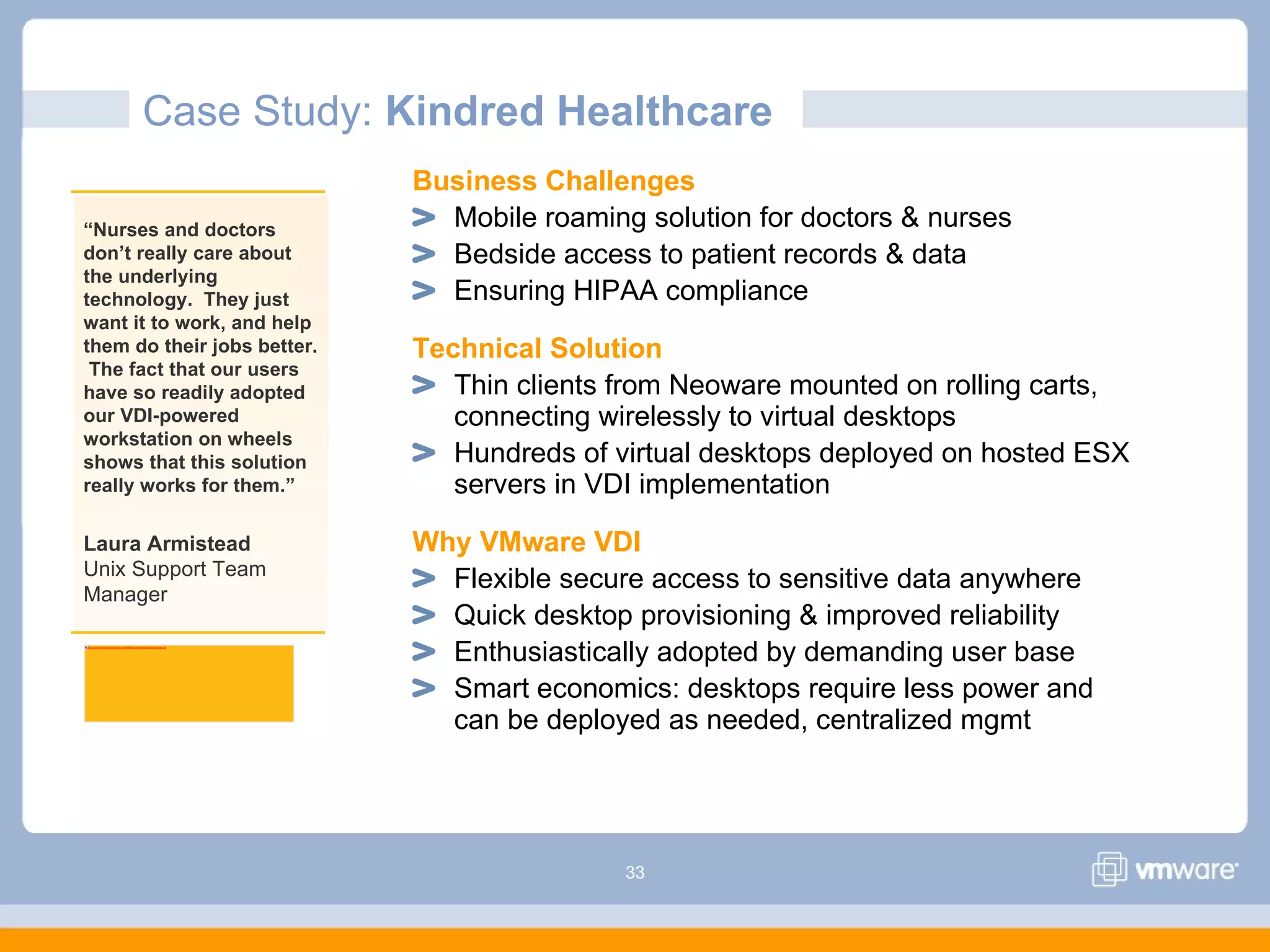
Case Study: Kindred Healthcare
Business Challenges
Mobile roaming solution for doctors & nurses
Bedside access to patient records & data
Ensuring HIPAA compliance
Technical Solution
Thin clients from Neoware mounted on rolling carts,
connecting wirelessly to virtual desktops
Hundreds of virtual desktops deployed on hosted ESX
servers in VDI implementation
Why VMware VDI
Flexible secure access to sensitive data anywhere
Quick desktop provisioning & improved reliability
Enthusiastically adopted by demanding user base
Smart economics: desktops require less power and
can be deployed as needed, centralized mgmt
“Nurses and doctors
don’t really care about
the underlying
technology. They just
want it to work, and help
them do their jobs better.
The fact that our users
have so readily adopted
our VDI-powered
workstation on wheels
shows that this solution
really works for them.”
Laura Armistead
Unix Support Team
Manager
http://www.kindredhealthcare.com/KHMapped/images/callouts/logo.gif
34
Next Steps with VMware VDI
VMware
35
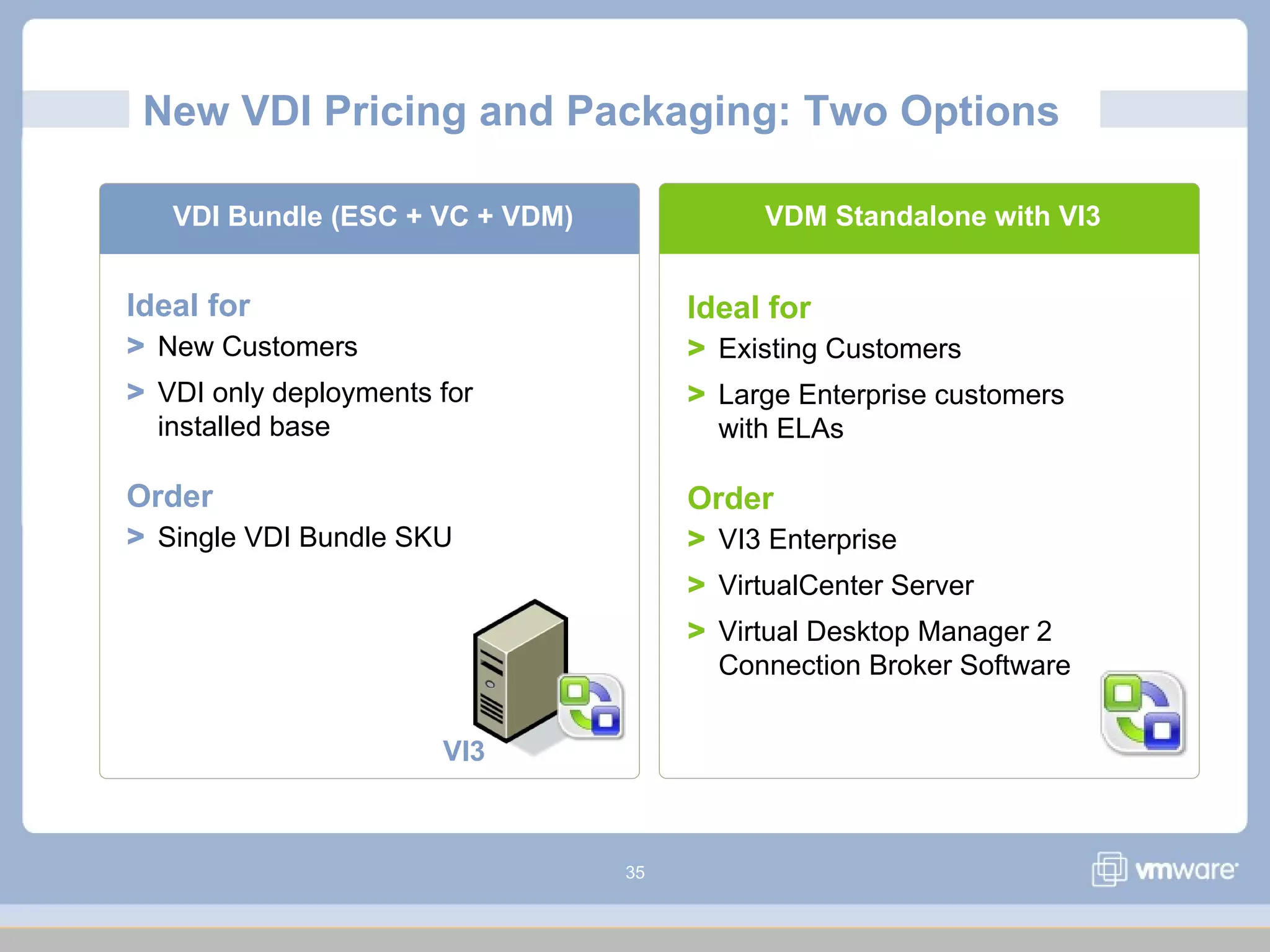
New VDI Pricing and Packaging: Two Options
VDM Standalone with VI3VDI Bundle (ESC + VC + VDM)
VI3
Ideal for
> New Customers
> VDI only deployments for
installed base
Order
> Single VDI Bundle SKU
Ideal for
> Existing Customers
> Large Enterprise customers
with ELAs
Order
> VI3 Enterprise
> VirtualCenter Server
> Virtual Desktop Manager 2
Connection Broker Software
36
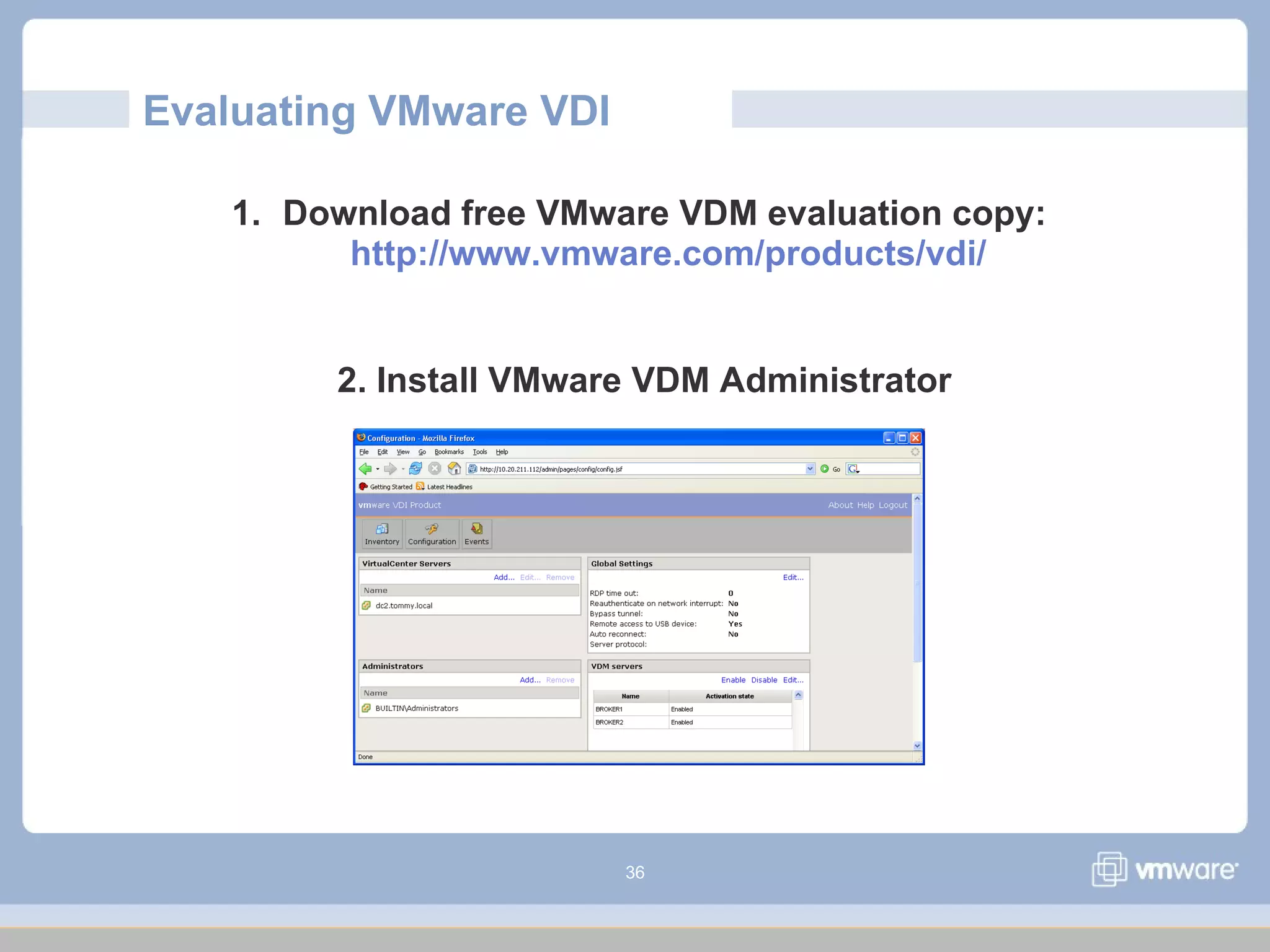
Evaluating VMware VDI
1. Download free VMware VDM evaluation copy:
http://www.vmware.com/products/vdi/
2. Install VMware VDM Administrator
37
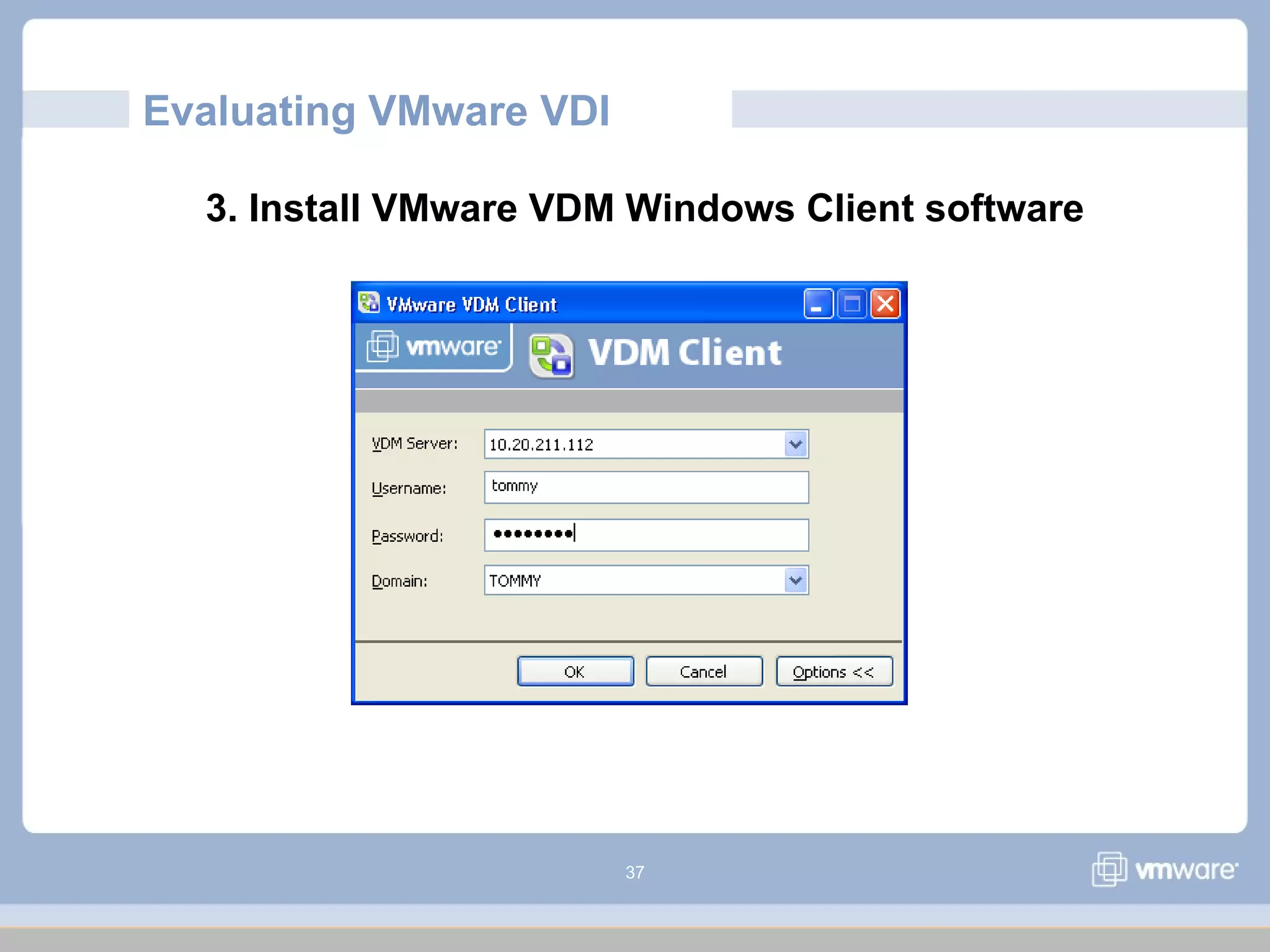
Evaluating VMware VDI
3. Install VMware VDM Windows Client software
38
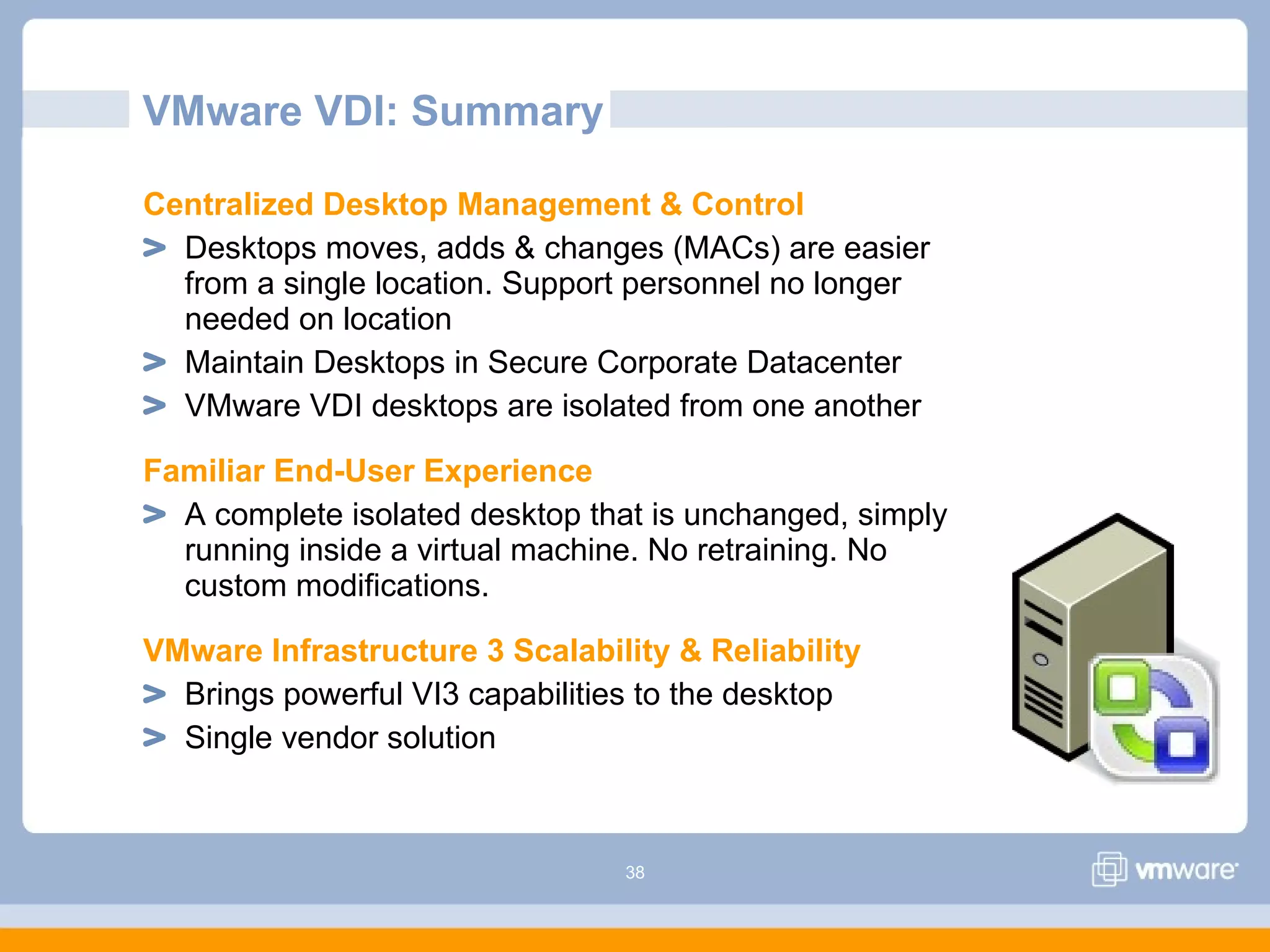
VMware VDI: Summary
Centralized Desktop Management & Control
Desktops moves, adds & changes (MACs) are easier
from a single location. Support personnel no longer
needed on location
Maintain Desktops in Secure Corporate Datacenter
VMware VDI desktops are isolated from one another
Familiar End-User Experience
A complete isolated desktop that is unchanged, simply
running inside a virtual machine. No retraining. No
custom modifications.
VMware Infrastructure 3 Scalability & Reliability
Brings powerful VI3 capabilities to the desktop
Single vendor solution
39
VDI Technology Market Overview
VMware
40
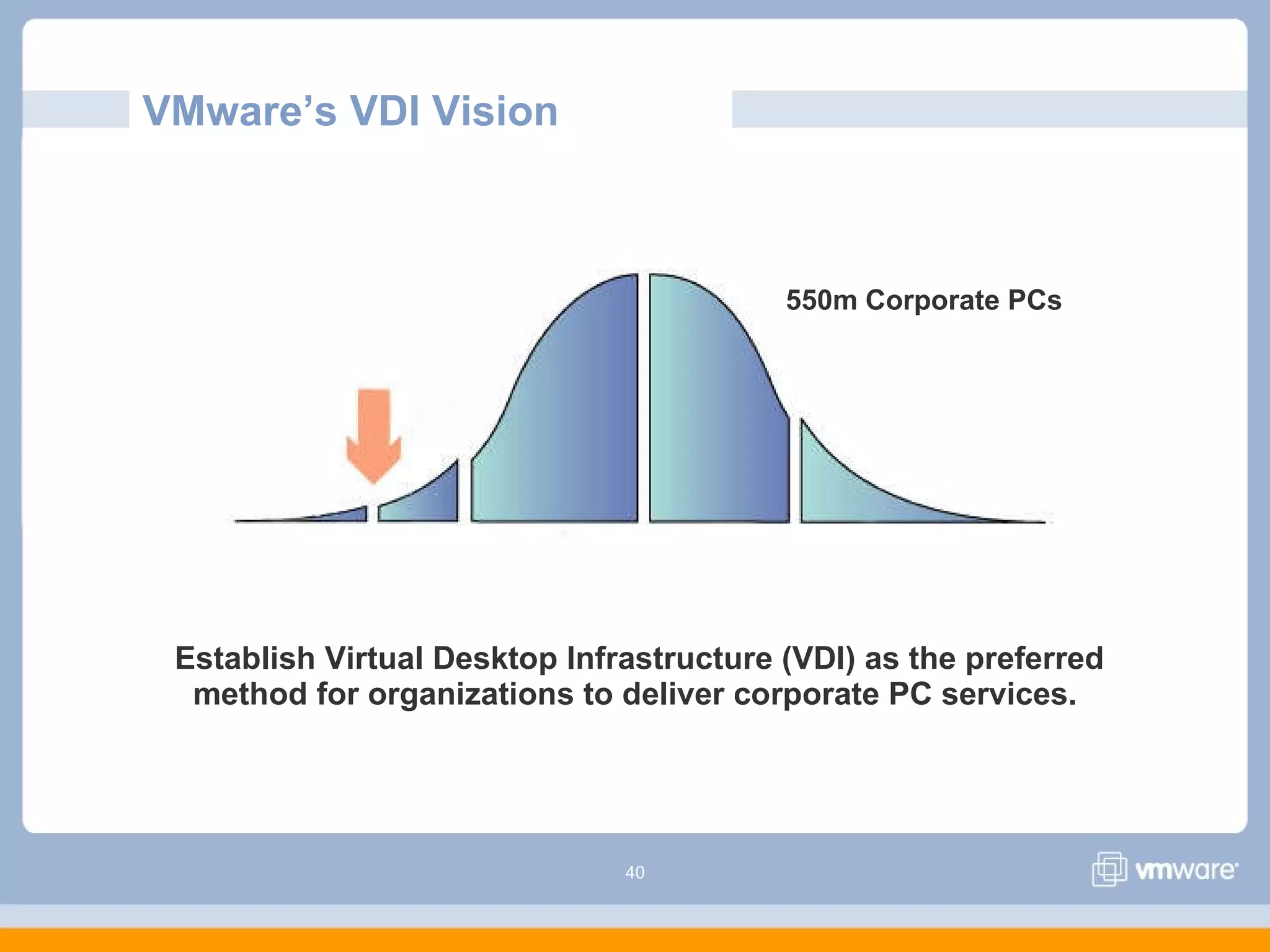
VMware’s VDI Vision
Establish Virtual Desktop Infrastructure (VDI) as the preferred
method for organizations to deliver corporate PC services.
550m Corporate PCs

Vdi how-it-works618

  • 1.
    VDI: how itworks by capito
  • 2.
    2 Agenda VMware Virtualization Overview TraditionalPCs to VMware VDI VMware VDI & VMware Virtual Desktop Manager (VDM) 2 VMware VDM 2 Demonstration Putting VMware VDI into Practice Next Steps Summary Transform Your Desktop Infrastructure with Virtualization
  • 3.
    3 Tech Feature Deep Dive VDI Customer Presentations ModularSections to Build a Winning Presentation: VDI Overview Virtual- ization Overview Successes & Use Cases Features Tech Market Next Steps Road- map Presentation targeted at very technical internal audiences: Presentation targeted at less technical external audiences: Comp- etition Benefits & Objections
  • 4.
    4 Operating Sys tem Enterprise App Operating Sys tem VMware virtualization VMware decouples software from hardware. First Things First: Virtualization
  • 5.
    5 Run several operatingsystems on a single machine. Virtualization: Transformed IT in the Datacenter Create shared pools of resources to optimize your infrastructure.
  • 6.
    6 Isn’t it timeyou leveraged virtualization for your desktops? VMware
  • 7.
    7 From Traditional PCs… Benefits of Traditional PCs Individual desktops for every user Limitations of Traditional PCs Costly to maintain, upgrade and support IT must have personnel in the field No control over data residing remotely (e.g. laptops) Difficult to maintain standard desktop images Time-consuming to deploy or redeploy desktops
  • 8.
    8 To Server-Based Computing… Benefits of Server-Based Computing Upgrade, patch, backup desktops in a single location Secure confidential information in a secure data center Deliver new desktops more quickly Improve control over desktop images Limitations of Terminal Services & Blade PCs Desktops aren’t always isolated and application compatibility problems Costly to dedicate a system to each user (e.g. Blade PCs)
  • 9.
    9 To Virtual DesktopInfrastructure (VDI) … Benefits of Desktop Virtualization Easier to manage desktops with centralized encapsulated files Deliver just enough server to desktop users Move hardware independent desktops seamlessly among servers Complete isolated desktops with no application changes Desktop disaster recovery not previously available Limitations without VMware VDI alternatives to VMware are unproven
  • 10.
    10 To VMware VirtualDesktop Infrastructure (VDI) Server & Desktop Virtual Environments “Under the Same Roof” Integrated virtual environment with common management, service and support – single vendor solution No single point of failure: Synchronized VDI servers Support for ind std server load balancing Bring powerful backend data center capabilities to the desktop (e.g. DRS, HA, etc.) Proven virtualization platform: VMware Infrastructure 3
  • 11.
    11 VMware VDI Deliversthe Ideal Desktop Platform PCs Term. Svcs Blade PCs Web (Google) VMware VDI Control and flexibility of centralized data and applications     Familiar end user experience    Isolated user environments      Ease of implementation: applications work unchanged    Shared resources   Faster desktop provisioning  Enterprise-class virtualization platform 
  • 12.
    12 VMware VDI: Customer’sChoice “It's [VDI] really become our new model for doing desktop deployment. If a user doesn't … demand they need a desktop, we're giving them a hosted desktop, and the users love it.” David Siles Chief Technology Officer Kane County Government (Illinois) “From which vendors do you plan to purchase thin client/desktop virtualization technology from over the next 6-12 months? (please indicate all that apply) “ Answer: VMware 58%, Citrix 16%, HP 7%, Microsoft 6%, Not applicable / Unsure 14% Source: Merrill Lynch CIO Survey, April 2007
  • 13.
    13 VMware Virtual DesktopInfrastructure (VDI) VMware
  • 14.
    14 VMware Virtual DesktopInfrastructure (VDI) > Control and manageability in an end-to-end solution > Familiar end-user experience > Rapid desktop deployments > Enterprise-class scalability, management and reliability > Tight integration with VMware VI3 – proven virtualization platform An end-to-end desktop virtualization solution, using VMware’s proven virtualization platform (VI3), delivers enterprise-class desktop control and manageability while providing a familiar user experience.
  • 15.
  • 16.
    16 Manage Desktops &Servers on a Single Platform No retraining: similar administrative experience across desktops and servers End-to-end single vendor solution: common management, service and support Bring powerful data center capabilities to the desktop: VI3 Business Continuity (HA & DRS) Simplify backups and disaster recovery No single point of failure: Synchronized VDI servers Support for industry std server load balancing Runs desktops on proven virtualization platform (VI3) VMware Infrastructure 3 Integration
  • 17.
    17 VMware Virtual DesktopManager (VDM) 2 Enterprise-class connection broker, connects users to their desktops via RDP Web-based administrative interface Automatically assigns desktops Performs automatic desktop provisioning as needed Designed for small to enterprise organizations Tightly integrated with VMware Infrastructure 3 for high availability, security & scalability Multiple VDM servers can support thousands of users Enterprise-class Virtual Desktop Management Server
  • 18.
    18 VMware VDM: IndividualDesktops Desktop virtual machines were created specifically for each user. User is manually associated with a virtual desktop through VDM Administrator. User is connected to same desktop on subsequent connections
  • 19.
    19 “Smart Pooling” Capabilities Allvirtual desktops in pool are cloned from same template, saving time Automatic provisioning of desktops (including MS sysprep) when needed to reduces start-up time Logoff Policies (e.g. suspend), “Min/Max # VMs in pool”, “# Avail desktops always” help administrators tune their desktop infrastructures for performance, high availability and control VMware Virtual Desktop Manager (VDM) 2
  • 20.
    20 VMware VDM: Non-PersistentPools Individual isolated desktops returned to pool after each use Reverts to pre-determined state for future use Efficient way to populate & provision desktops to end users Common template used to create all desktops
  • 21.
    21 VMware VDM: PersistentPools Individual isolated desktops assigned to user on first log-in Desktop remains associated with the user on subsequent logins Efficient way to populate & provision desktops to end users Common template used to create all desktops
  • 22.
    22 Full integration withMicrosoft Active Directory (AD): User credentials authenticated against AD; VDM Connection Server maintains authenticated session for each user; ‘Single sign-on’ (SSO) to virtual desktops Optional SSL encapsulation & tunneling Optional two-factor authentication via RSA SecurID® Event logs VMware VDM Security
  • 23.
    23 VMware VDM SecurityServer SSL VPN used to secure connections between clients and VMware VDM connection broker Optionally runs within the DMZ for remote access users Fully encrypted connections Grow security servers for scalability of secure connections Outside the firewall (remote access connections)
  • 24.
    24 VMware VDI ClientAccess Native Windows Client Provides extended capabilities (e.g. USB device support on Windows XP & Vista) Thin-Client Support Thin clients based on Linux and XPe WYSE ThinOS models Browser Access Windows, Linux & Mac
  • 25.
    25 What Distinguishes VMwareVDI? Familiar End-User Experience Run applications with no modifications. Virtual desktop is unchanged. Leverage existing desktop mgmt tools Support for USB devices through RDP extensions (e.g. local printing, storage, etc.) Support multi-monitors in “stretch mode” “Our users love their hosted desktops. One user was totally upset and crying because she thought she had lost her documents. She couldn’t believe it when the terminal came back up and everything was just how she had left it.” David Siles CTO Kane County Government (Illinois) Making the move to virtual desktops as seamless as possible
  • 26.
    26 What Distinguishes VMwareVDI? Rapid Deployment VMware Infrastructure templates can be used to replicate 1000s of desktops quickly Automatic desktop provisioning with VDI pooling capabilities Rapid redeployments of virtual images throughout desktop lifecycle Changing, patching, restarting images improved when centralized & virtualized
  • 27.
    27 “We could providea workstation to any client, in any seat, at any office in the world… in just 8 minutes.” What Distinguishes VMware VDI? Frank Sabatelli Director of Virtual Technology Infrastructure Rapid Deployment VMware Infrastructure templates can be used to replicate 1000s of desktops quickly Automatic desktop provisioning with VDI pooling capabilities Rapid redeployments of virtual images throughout desktop lifecycle Changing, patching, restarting images improved when centralized & virtualized
  • 28.
    28 VMware VDI: ACompelling TCO Increased desktop lifecycles Using repurposed PCs or thin clients Energy savings $59 - $164 / PC / year* Year-over-year operating cost savings Lower support and maintenance costs Lower desktop DR & downtime costs Lower client deployment costs VDI Deployment at Nationwide Insurance:  10,000 virtual desktops planned for employees 10% reduction in hardware and software costs  45% reduction in support costs *Source: Butler Group, “Infrastructure Virtualization, September 2007
  • 29.
  • 30.
    30 Putting VMware VDIinto Practice VMware
  • 31.
    31 How Customers UseVMware VDI VDI > Transactional & office workers > Desktop replacement (e.g. thin clients) > Business continuity & disaster recovery Training/Evaluation Mobile Sales Force Employee-owned PCsACE
  • 32.
    32 How Customers UseVMware VDI Desktop PC Replacement Replace traditional PCs with thin clients, repurposed PCs or less costly desktop hardware. Address short desktop lifecycles. Simplify moves, adds & changes (MACs) because the desktop images are administered in corporate data center. Disaster Recovery & Business Continuity Eliminate unplanned desktop downtime through VMware Infrastructure 3 DRS and HA capabilities. Simplify backup and desktop disaster recovery because desktops are located in corporate data center and can leverage shared storage technology. Transactional Office Workers with Security Needs Secure all sensitive personal records or intellectual property running on laptops in host country data center. Control access to centralized desktop images through Microsoft AD. Provide complete desktop isolation. Ensure all sessions are fully encrypted using VMware VDI’s optional Security Server.
  • 33.
    33 Case Study: KindredHealthcare Business Challenges Mobile roaming solution for doctors & nurses Bedside access to patient records & data Ensuring HIPAA compliance Technical Solution Thin clients from Neoware mounted on rolling carts, connecting wirelessly to virtual desktops Hundreds of virtual desktops deployed on hosted ESX servers in VDI implementation Why VMware VDI Flexible secure access to sensitive data anywhere Quick desktop provisioning & improved reliability Enthusiastically adopted by demanding user base Smart economics: desktops require less power and can be deployed as needed, centralized mgmt “Nurses and doctors don’t really care about the underlying technology. They just want it to work, and help them do their jobs better. The fact that our users have so readily adopted our VDI-powered workstation on wheels shows that this solution really works for them.” Laura Armistead Unix Support Team Manager http://www.kindredhealthcare.com/KHMapped/images/callouts/logo.gif
  • 34.
    34 Next Steps withVMware VDI VMware
  • 35.
    35 New VDI Pricingand Packaging: Two Options VDM Standalone with VI3VDI Bundle (ESC + VC + VDM) VI3 Ideal for > New Customers > VDI only deployments for installed base Order > Single VDI Bundle SKU Ideal for > Existing Customers > Large Enterprise customers with ELAs Order > VI3 Enterprise > VirtualCenter Server > Virtual Desktop Manager 2 Connection Broker Software
  • 36.
    36 Evaluating VMware VDI 1.Download free VMware VDM evaluation copy: http://www.vmware.com/products/vdi/ 2. Install VMware VDM Administrator
  • 37.
    37 Evaluating VMware VDI 3.Install VMware VDM Windows Client software
  • 38.
    38 VMware VDI: Summary CentralizedDesktop Management & Control Desktops moves, adds & changes (MACs) are easier from a single location. Support personnel no longer needed on location Maintain Desktops in Secure Corporate Datacenter VMware VDI desktops are isolated from one another Familiar End-User Experience A complete isolated desktop that is unchanged, simply running inside a virtual machine. No retraining. No custom modifications. VMware Infrastructure 3 Scalability & Reliability Brings powerful VI3 capabilities to the desktop Single vendor solution
  • 39.
    39 VDI Technology MarketOverview VMware
  • 40.
    40 VMware’s VDI Vision EstablishVirtual Desktop Infrastructure (VDI) as the preferred method for organizations to deliver corporate PC services. 550m Corporate PCs