© 2014 VMware Inc. All rights reserved.
Virtual Desktop Infrastructure
Overview
Traditional Desktop
System
2
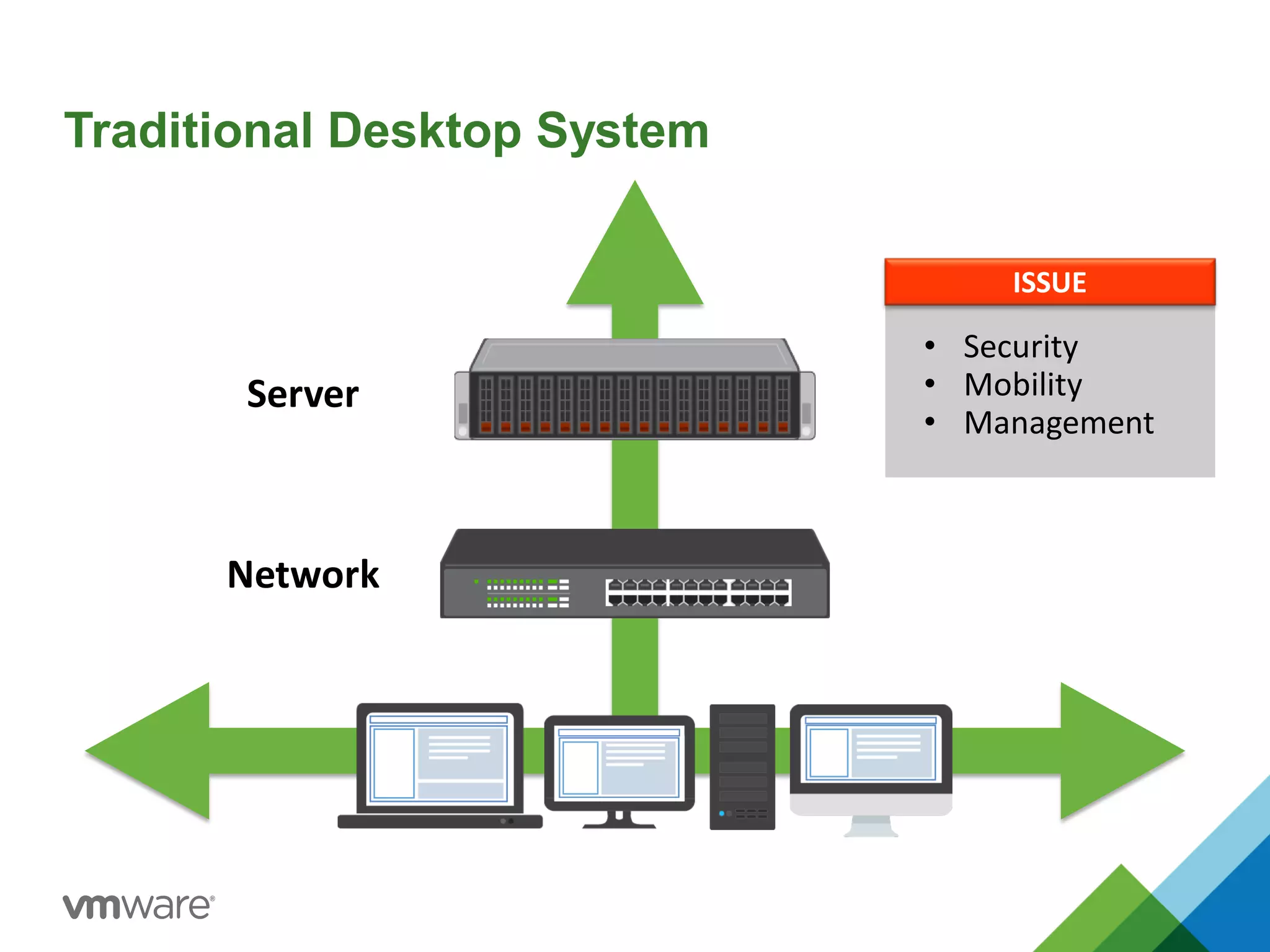
Traditional Desktop System
Server
Network
ISSUE
• Security
• Mobility
• Management
Lack of Security
Server
Network
Attack
Attack
Attack Attack
Mobility
Server
Network
External
Centralized Management
Server
Network
© 2014 VMware Inc. All rights reserved.
What is VDI ?
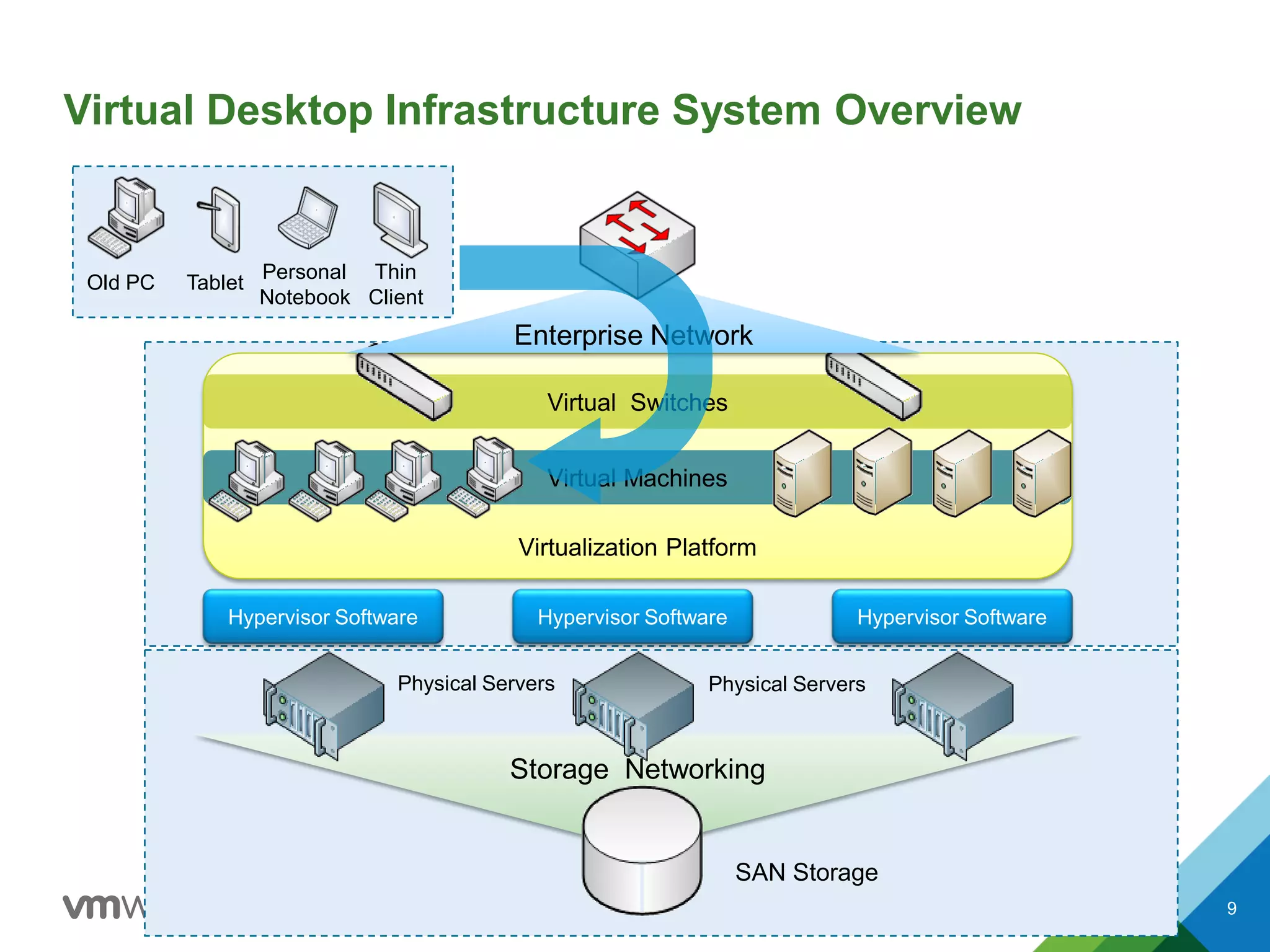
Virtual Desktop Infrastructure System Overview
Storage Networking
SAN Storage
Physical Servers
Virtualization Platform
Virtual Switches
Virtual Machines
Hypervisor Software Hypervisor Software Hypervisor Software
Enterprise Network
Old PC Tablet
Personal
Notebook
Thin
Client
Physical Servers
9
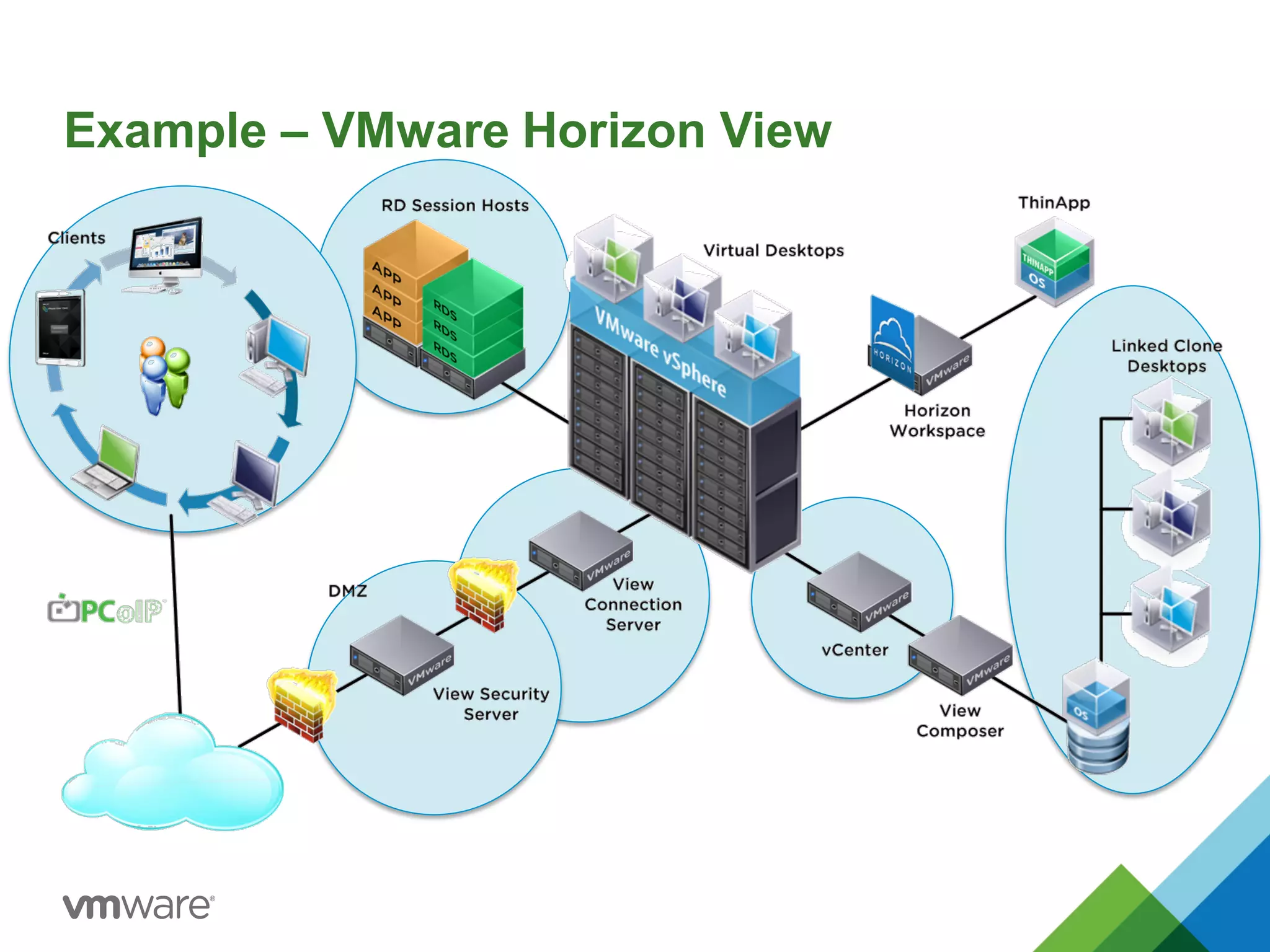
Example – VMware Horizon View
© 2014 VMware Inc. All rights reserved.
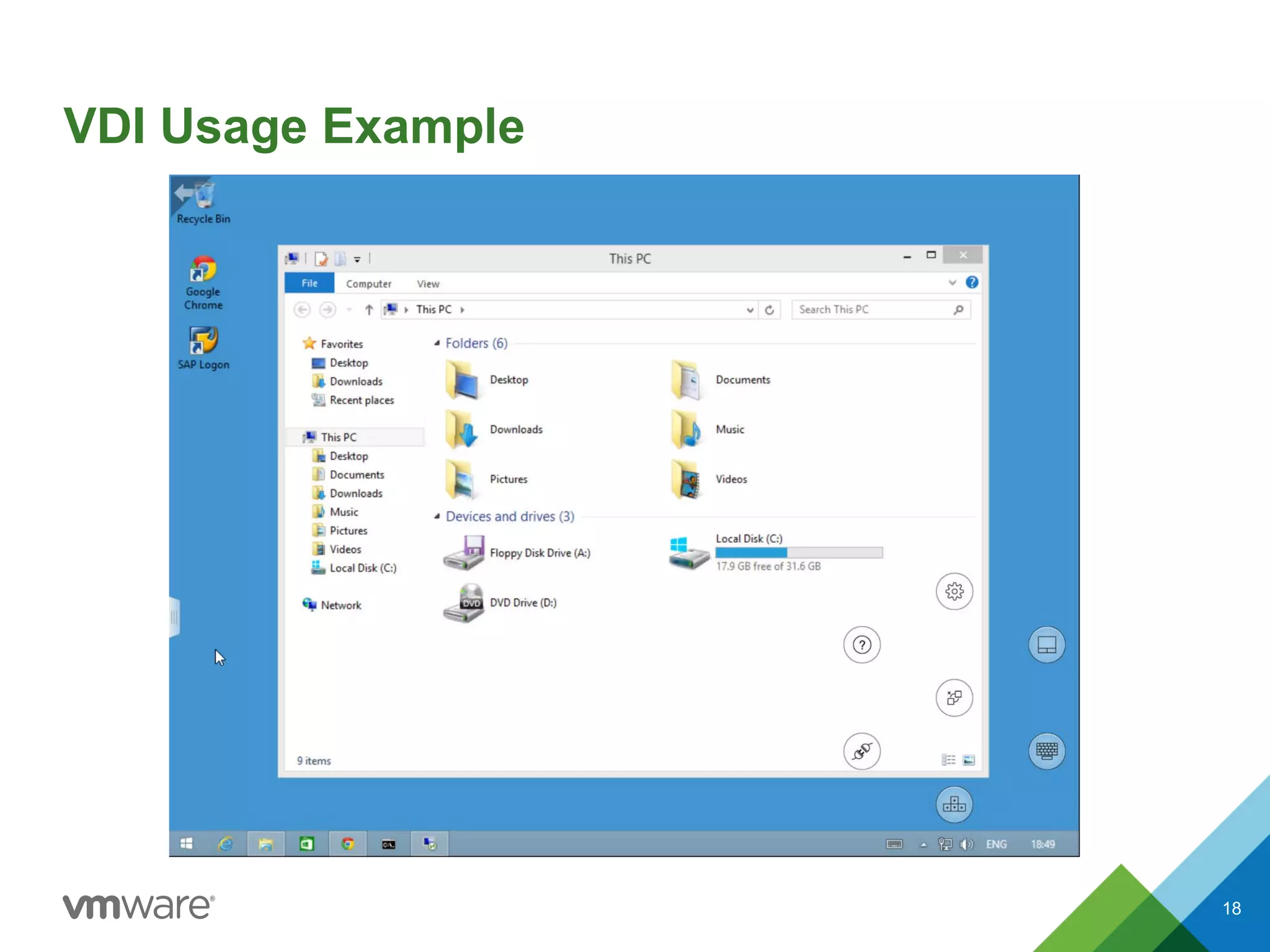
VDI Usage Example
Based on VMware Horizon View
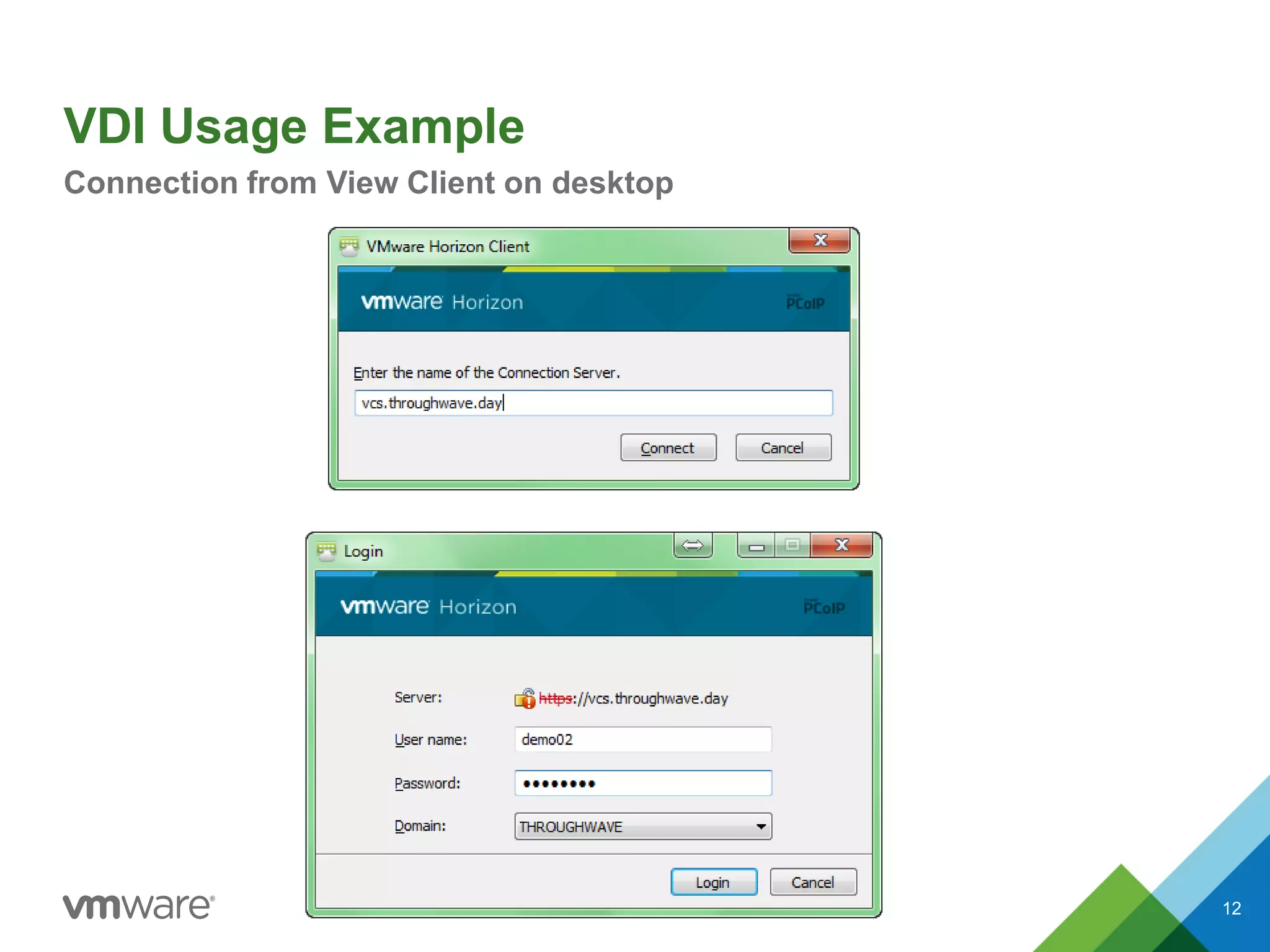
VDI Usage Example
Connection from View Client on desktop
12
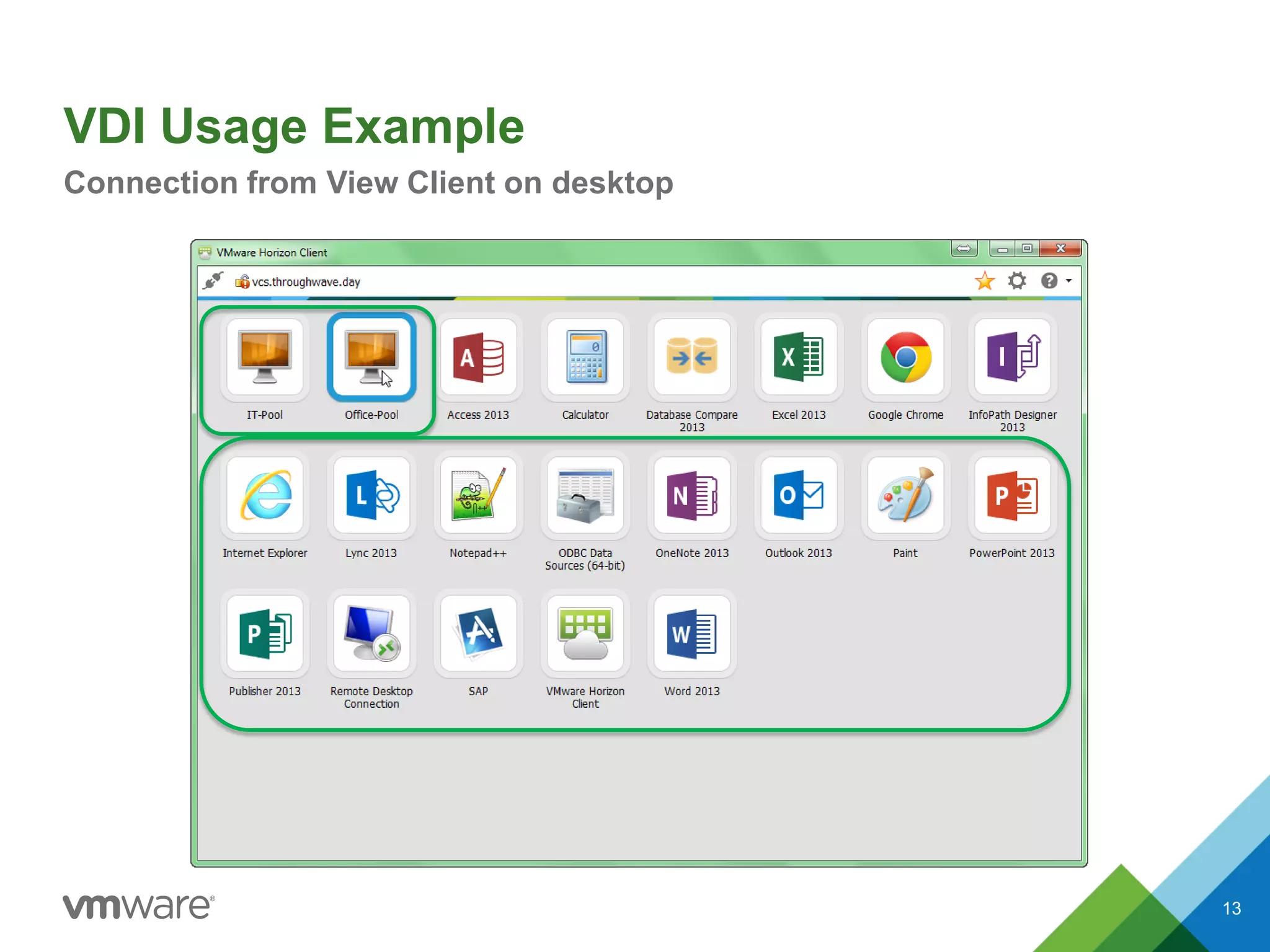
VDI Usage Example
Connection from View Client on desktop
13
VDI Usage Example
14
VDI Usage Example
15
VDI Usage Example
16
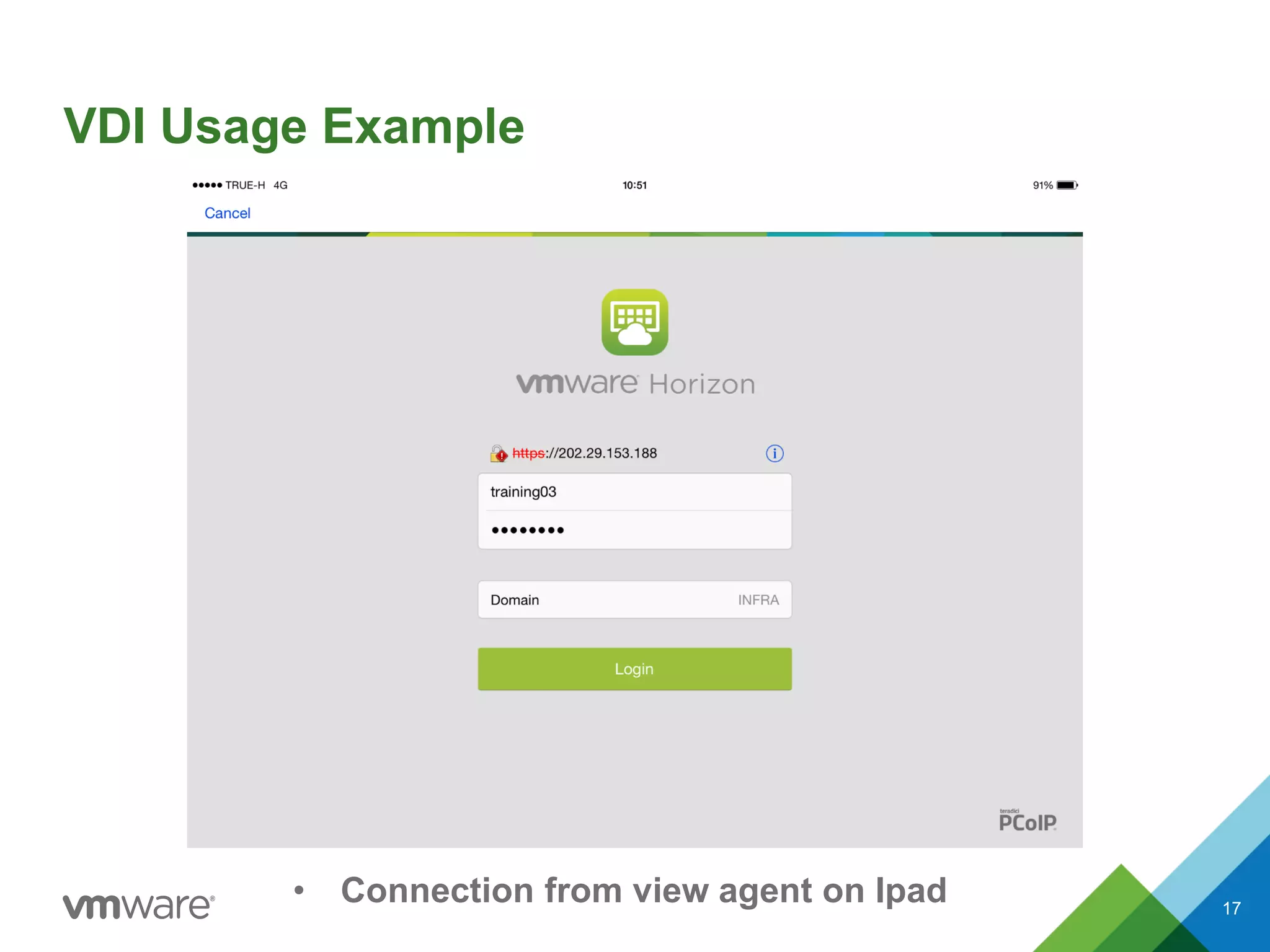
VDI Usage Example
• Connection from view agent on Ipad 17
VDI Usage Example
18
VDI Usage Example
Connection from web browser based on html5
19
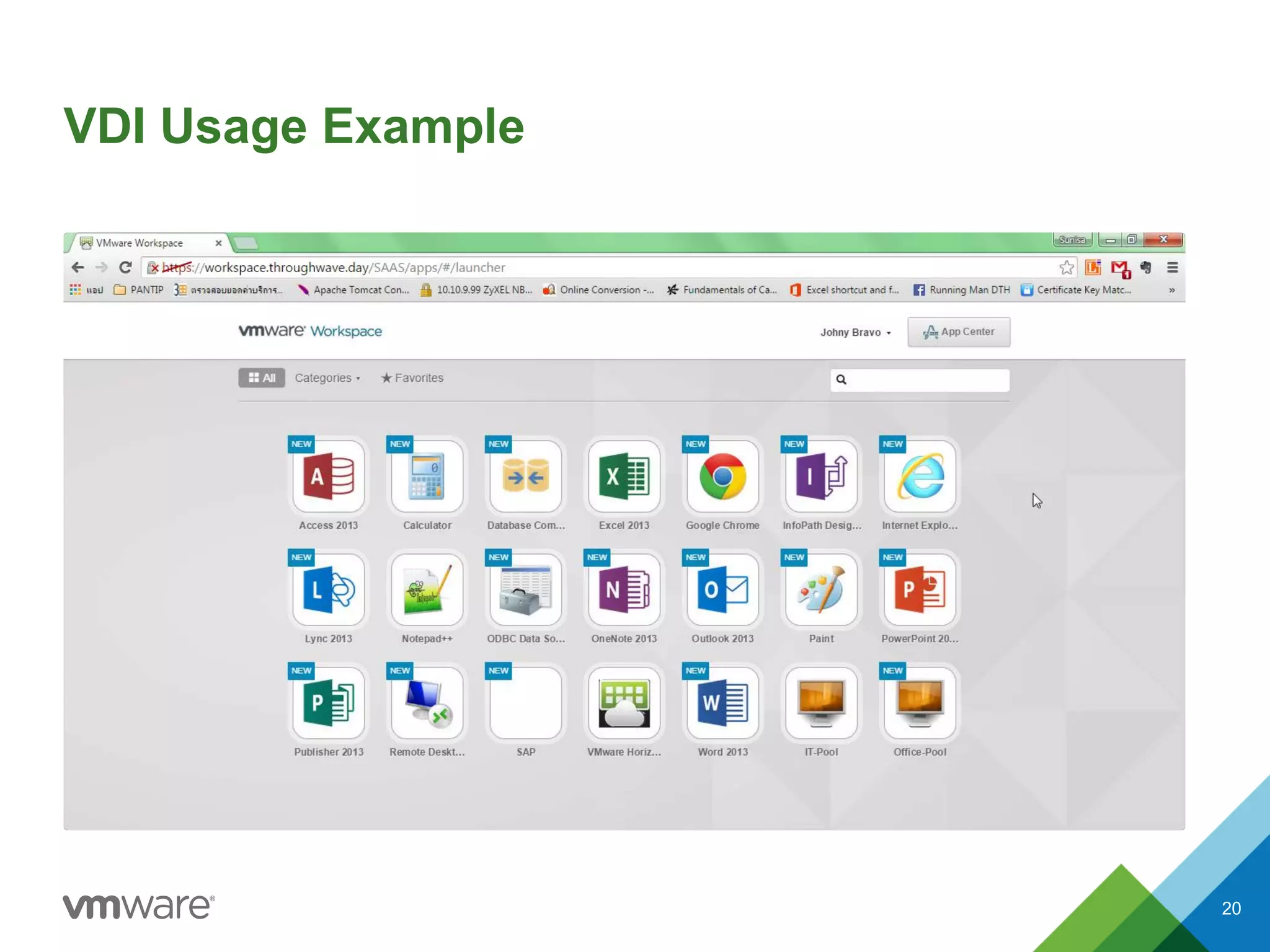
VDI Usage Example
20
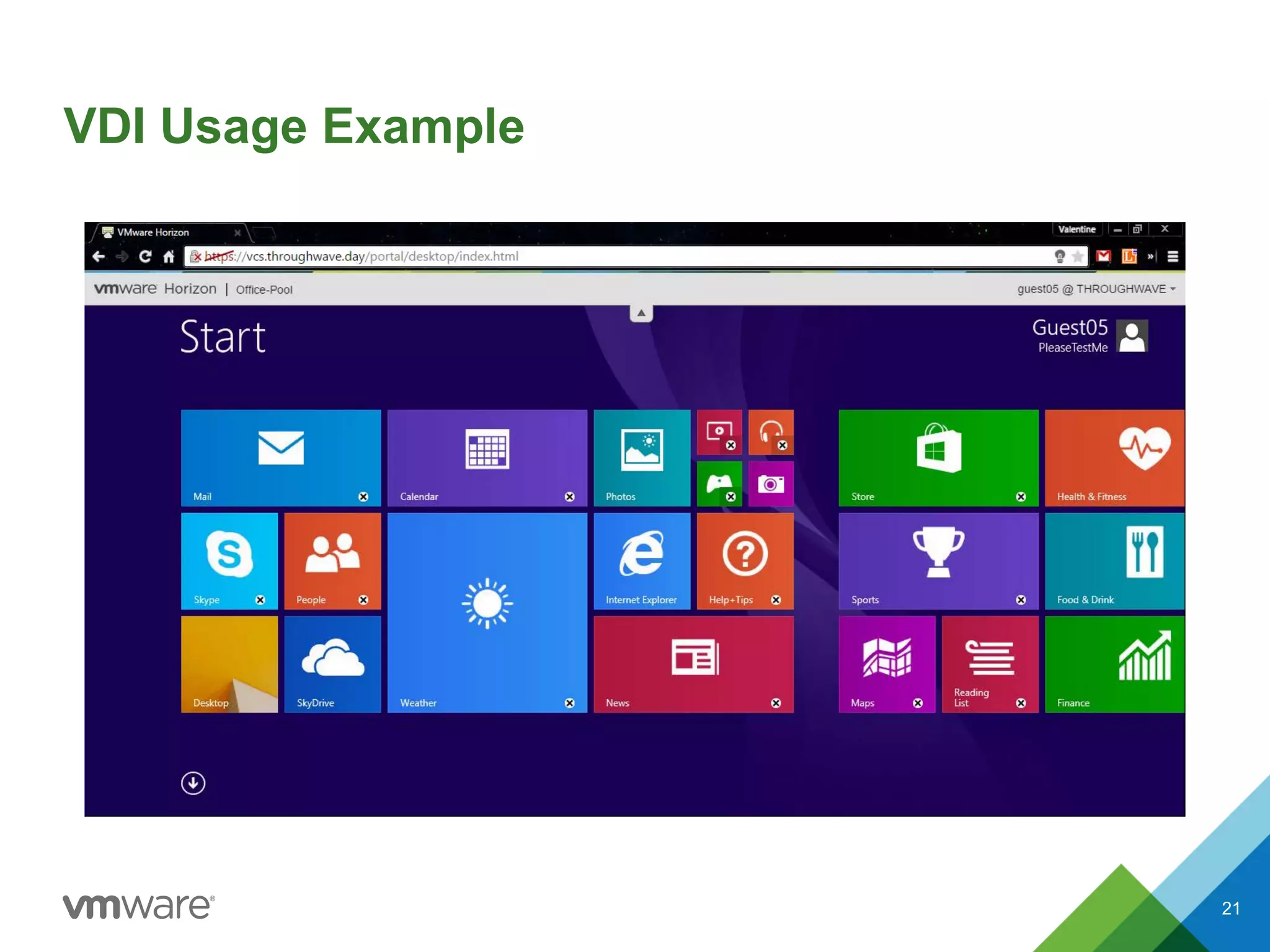
VDI Usage Example
21
© 2014 VMware Inc. All rights reserved.
Benefits of VDI Techonology
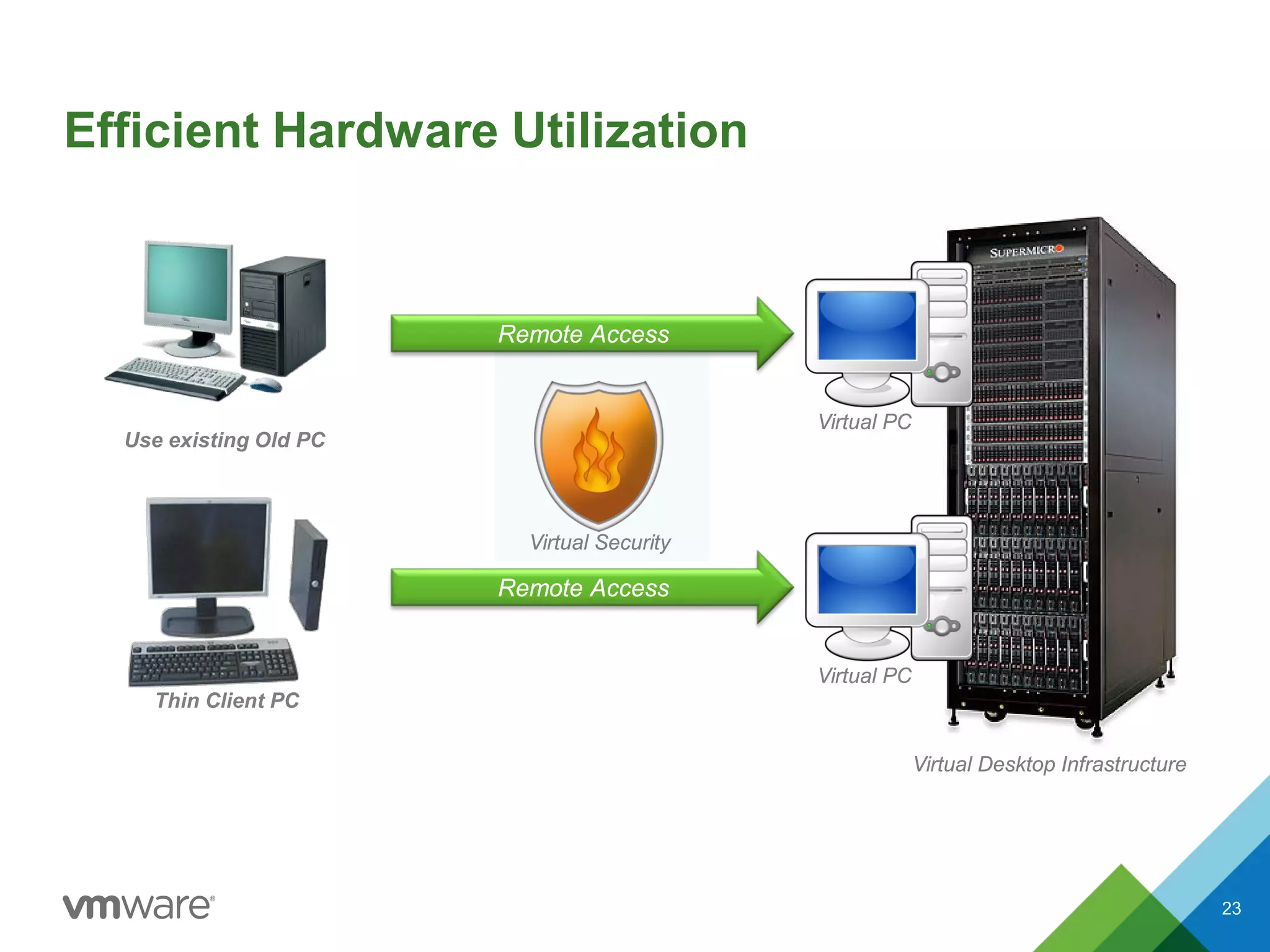
Efficient Hardware Utilization
Remote Access
Remote Access
Use existing Old PC
Thin Client PC
Virtual PC
Virtual PC
Virtual Desktop Infrastructure
Virtual Security
23
Reduce the risk of data leakage
Remote Access
Remote Access
Existing Old PC
Thin Client PC
Virtual PC
Virtual PC
Virtual Desktop Infrastructure
Virtual Security
Act as a terminal.
24
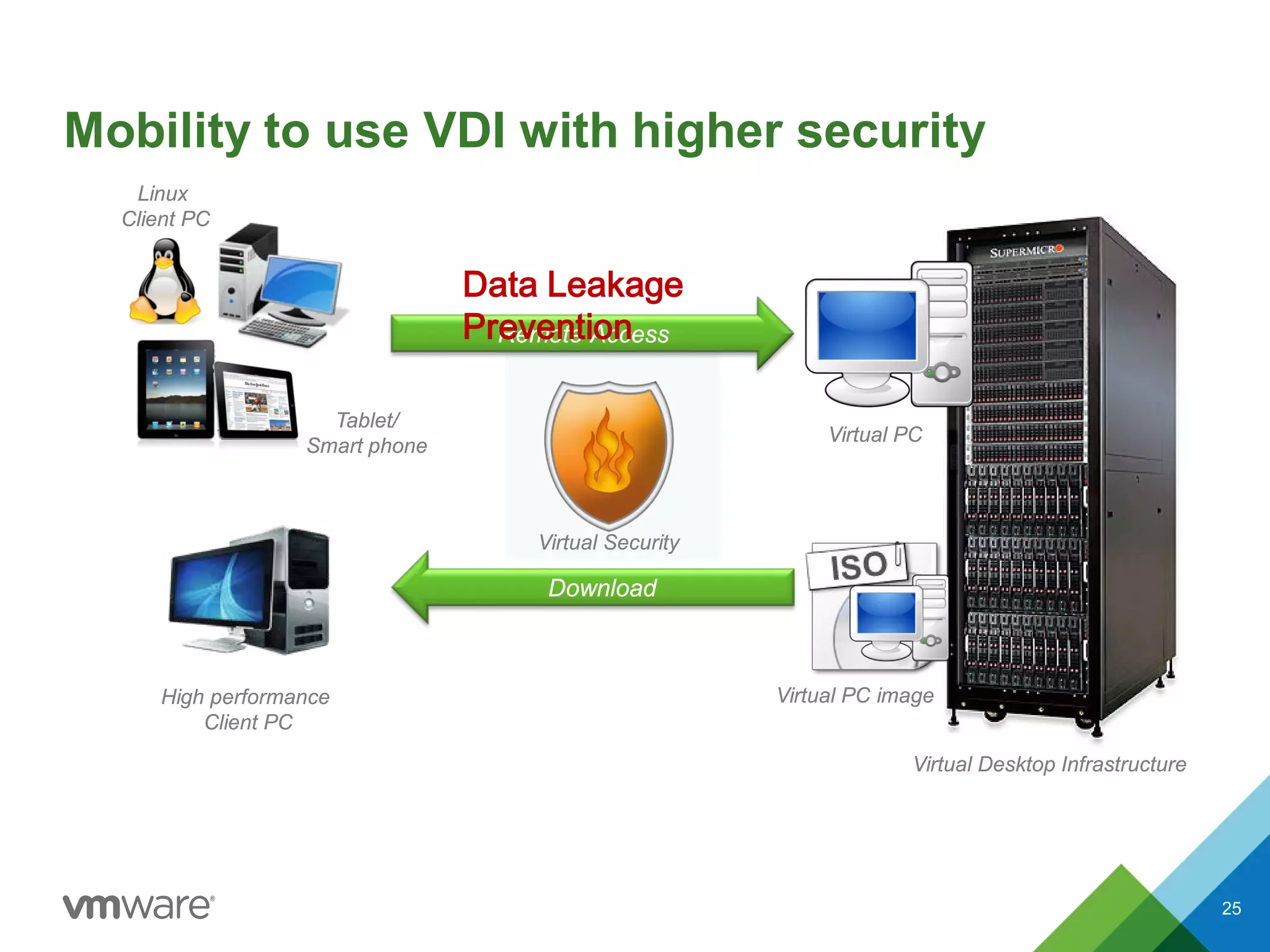
Mobility to use VDI with higher security
Remote Access
Virtual Desktop Infrastructure
Download
High performance
Client PC
Virtual PC
Virtual Security
Linux
Client PC
Virtual PC image
Tablet/
Smart phone
Data Leakage
Prevention
25
Resumable Work Process
Virtual Desktop Infrastructure
Virtual PC
If clients are damaged, they can be replaced by new clients and the ongoing work
could be resumed. The work would be intact. No need to Backup.
Virtual PC image
Old Client PC
New Client PC
26
Centralized Management
Virtual Desktop Infrastructure
Original Virtual PC 01
Clone
CPU 2 Core, 4GB RAM, 30GB HDD
MS Office, CRM ,ERP, Email,
Firewall, Antivirus, Backup
Cloned Virtual PC
Original Virtual PC 02
Clone
CPU 1 Core, 1GB RAM, 20GB HDD
MS Office, Email,
Firewall, Antivirus
27
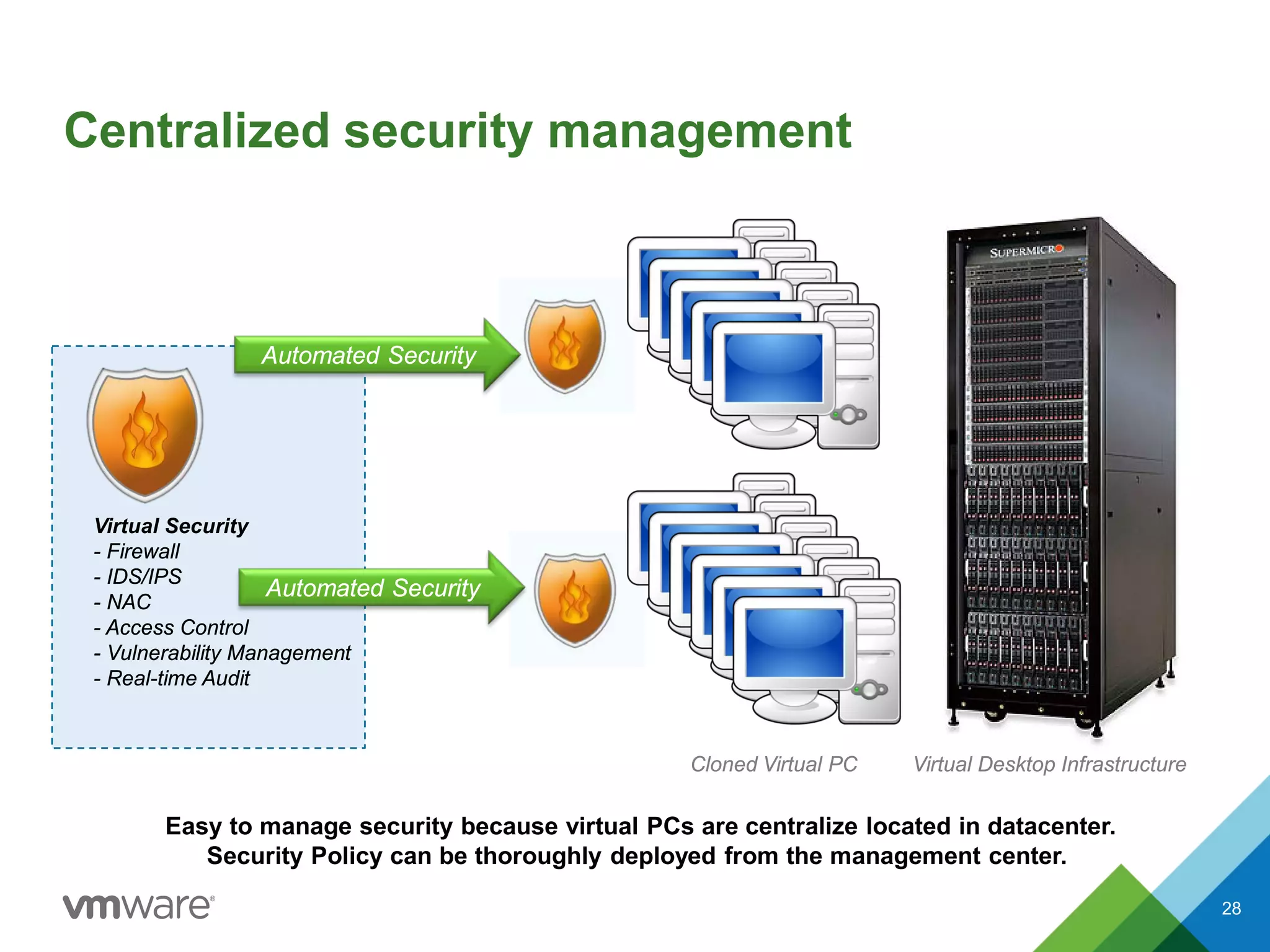
Centralized security management
Virtual Desktop InfrastructureCloned Virtual PC
Virtual Security
- Firewall
- IDS/IPS
- NAC
- Access Control
- Vulnerability Management
- Real-time Audit
Automated Security
Automated Security
Easy to manage security because virtual PCs are centralize located in datacenter.
Security Policy can be thoroughly deployed from the management center.
28
Support Disaster Recovery
Virtual Desktop Infrastructure
at DR Site
Virtual Desktop Infrastructure
at Main Site
Replicate
29
Case Study
Virtual Desktop Infrastructure
30
XP BYOD
Training
Room
Branch
Office
VDI Case Study
Demo Workshop
Virtual Desktop Infrastructure
32
Thank You
33

Throughwave Day 2015 - VDI Solutions