© 2009 VMware Inc. All rights reserved
VMware Workbench
Talk for EclipseCon 2011
Alan Tan
Senior R&D Manager, VMware
2
VMware Workbench
Overview
Development Kits
Certification Kits
Screenshots
3
VMware Workbench Overview
Next generation dev kit and certification virtual appliance
Fully integrated dev kit and testing environments for vSphere
plugins and applications
• Supports full product lifecycle
Based on the Eclipse open source IDE (see: www.eclipse.org)
• Full GUI environment for development, testing, and troubleshooting
 Including debuggers and log browsers ease troubleshooting
• Highly extensible framework with hundreds of existing open source plugins
available
Advanced test suite framework with certification workflow
Advanced testbed setup and management
Dev kits and cert kits delivered as Eclipse plugins
4
VMware Workbench 1.0
Development Kit plugins
• Driver Dev Kit (Beta) – develop device drivers
• CIM Provider Dev Kit (Beta) – develop CIM providers
• PSA Dev Kit (Beta) – develop storage modules (such as PowerPath)
• vNetwork API Dev Kit (Beta) – develop network filters
Certification/Test Kit plugins
• Storage Cert (Beta) – certify storage arrays
• Server Cert (Beta) – certify servers
• FT Cert (RC) – certify FT compatibility
• Device Drivers Cert (RC) – certify device drivers
• vNetwork API Cert (RC) – certify network filters
• CIM Providers Tests (RC) – test CIM providers (not a cert program)
5
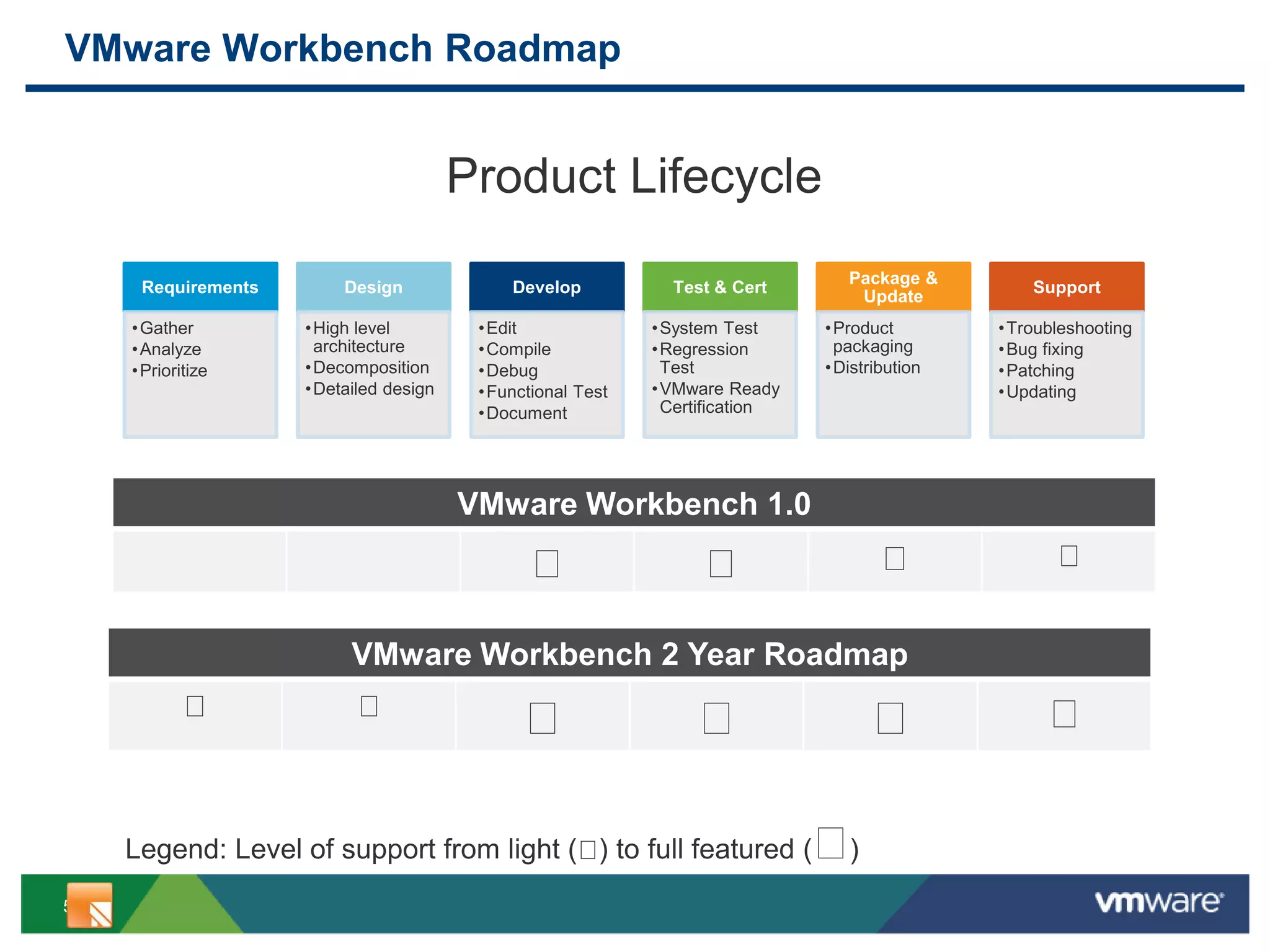
VMware Workbench Roadmap
Requirements
•Gather
•Analyze
•Prioritize
Design
•High level
architecture
•Decomposition
•Detailed design
Develop
•Edit
•Compile
•Debug
•Functional Test
•Document
Test & Cert
•System Test
•Regression
Test
•VMware Ready
Certification
Package &
Update
•Product
packaging
•Distribution
Support
•Troubleshooting
•Bug fixing
•Patching
•Updating
Product Lifecycle
VMware Workbench 1.0
VMware Workbench 2 Year Roadmap
Legend: Level of support from light ( ) to full featured ( )
6
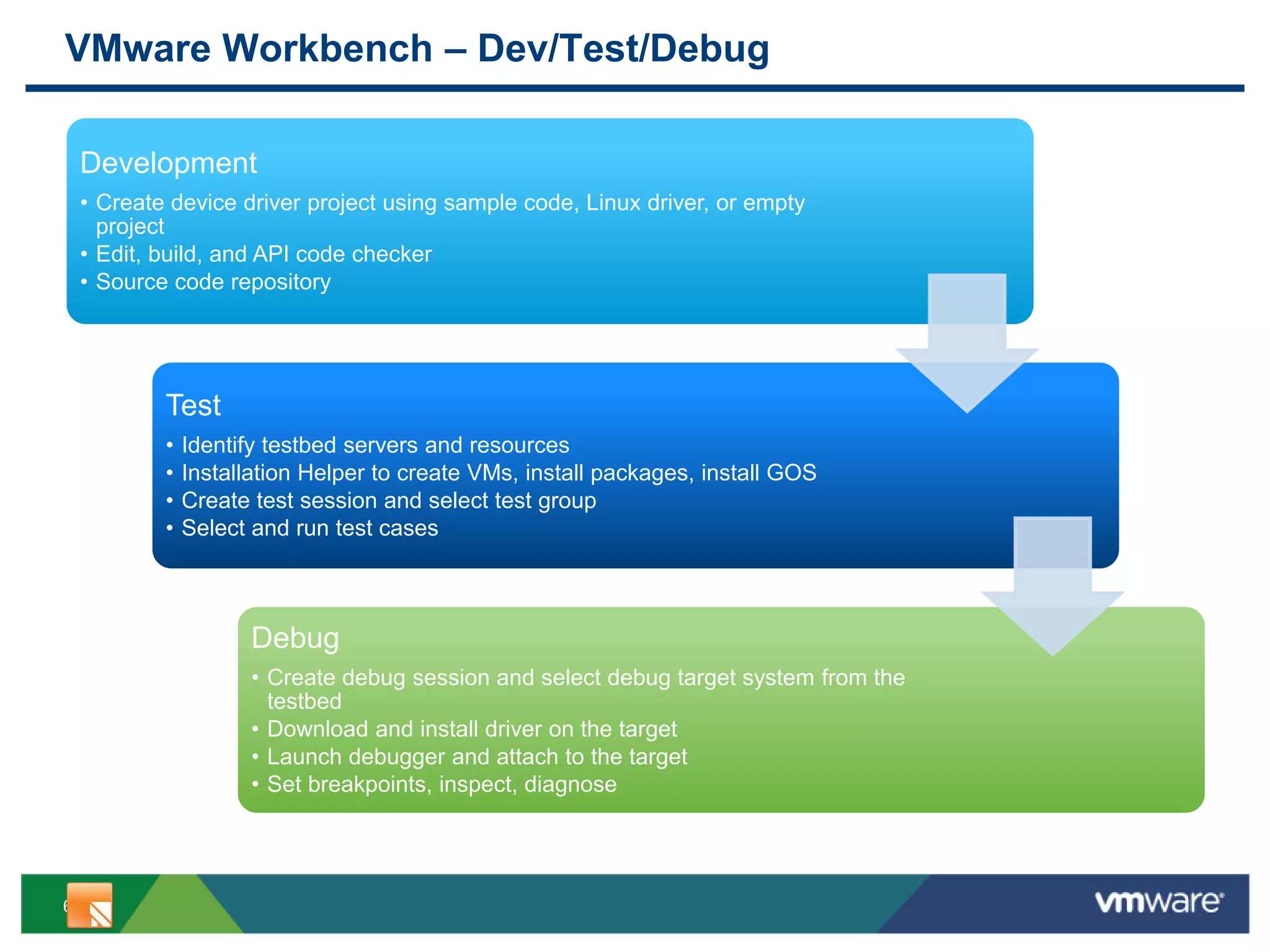
VMware Workbench – Dev/Test/Debug
Development
• Create device driver project using sample code, Linux driver, or empty
project
• Edit, build, and API code checker
• Source code repository
Test
• Identify testbed servers and resources
• Installation Helper to create VMs, install packages, install GOS
• Create test session and select test group
• Select and run test cases
Debug
• Create debug session and select debug target system from the
testbed
• Download and install driver on the target
• Launch debugger and attach to the target
• Set breakpoints, inspect, diagnose
7
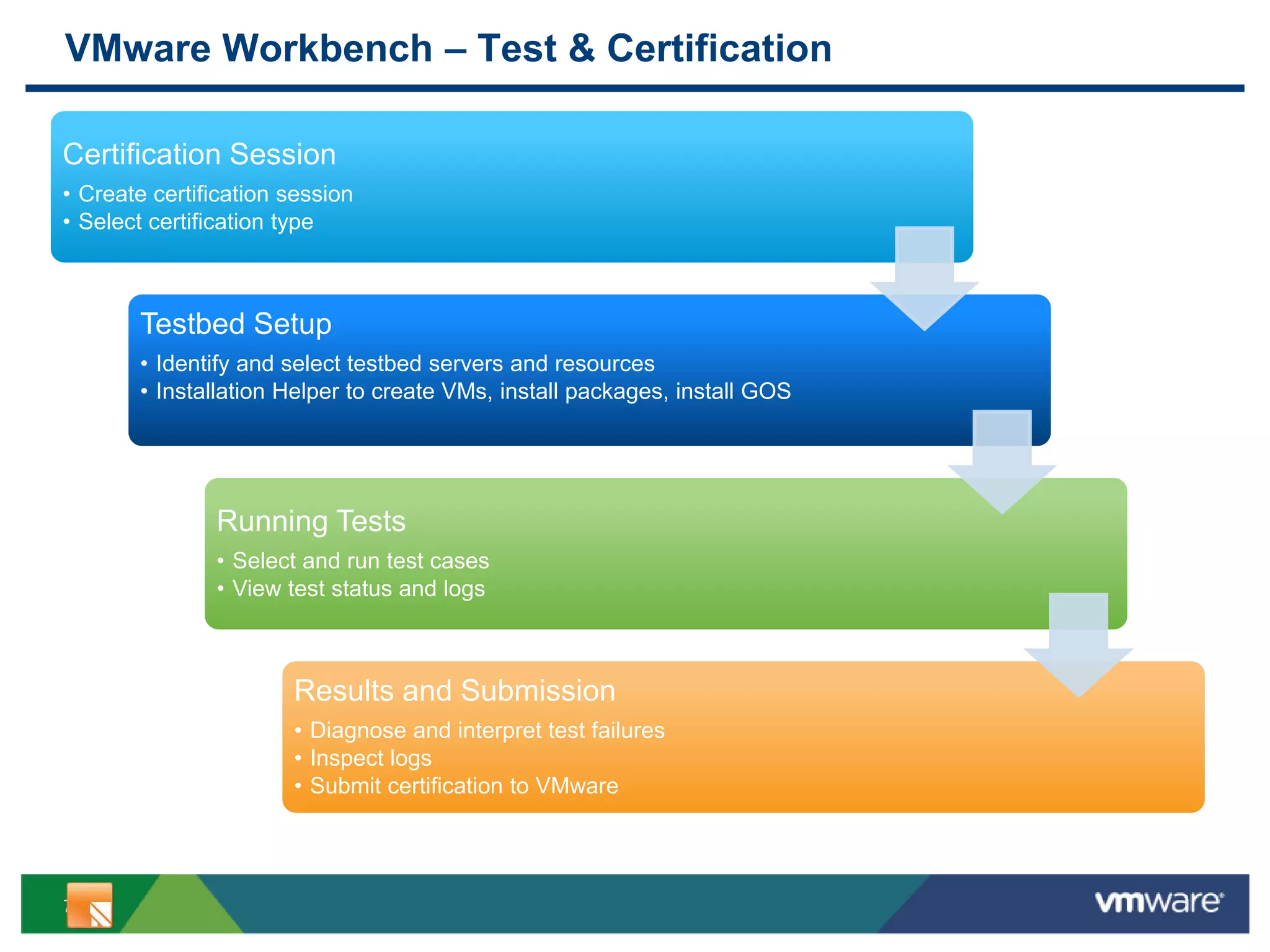
VMware Workbench – Test & Certification
Certification Session
• Create certification session
• Select certification type
Testbed Setup
• Identify and select testbed servers and resources
• Installation Helper to create VMs, install packages, install GOS
Running Tests
• Select and run test cases
• View test status and logs
Results and Submission
• Diagnose and interpret test failures
• Inspect logs
• Submit certification to VMware
8
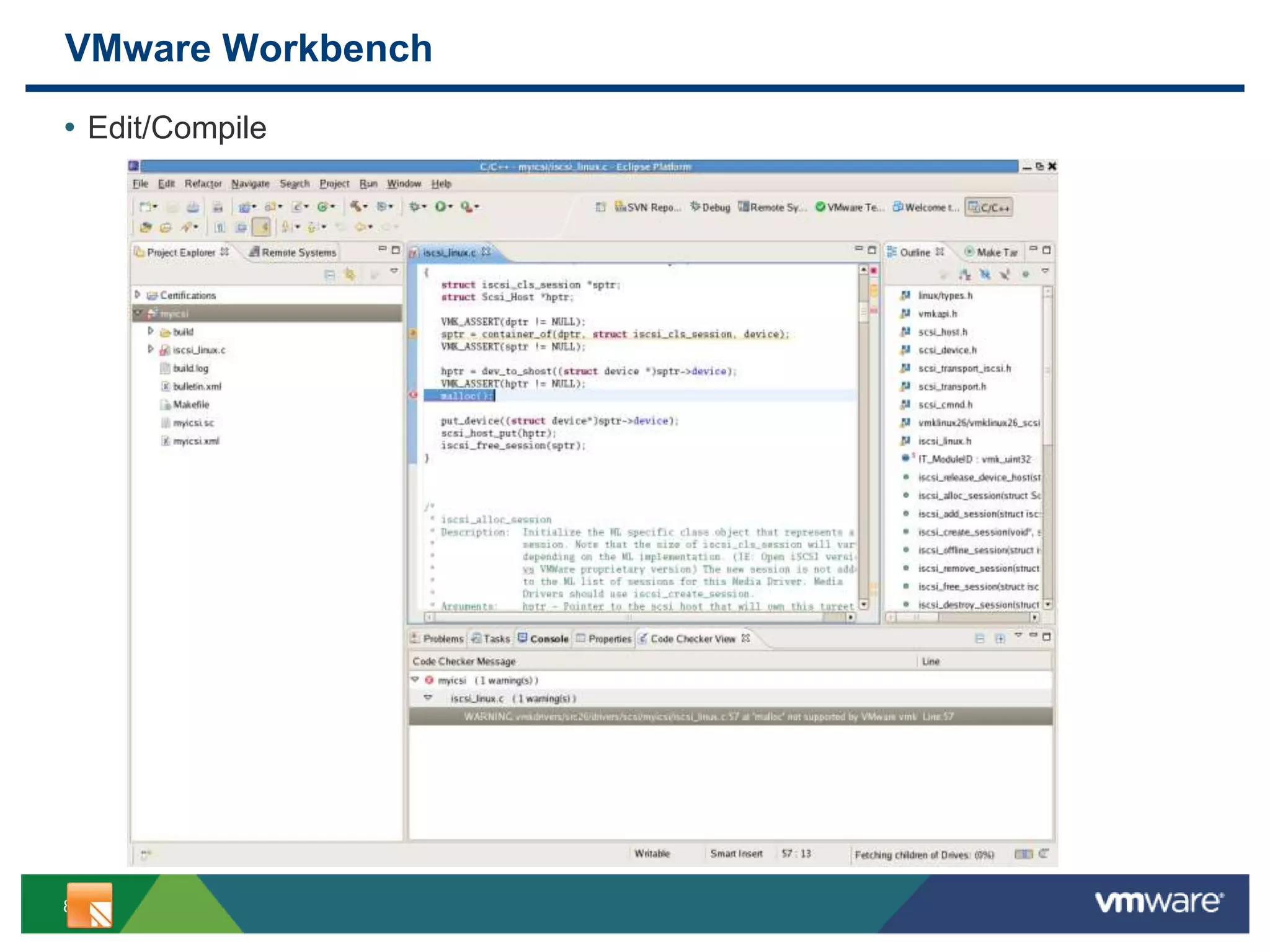
VMware Workbench
• Edit/Compile
9
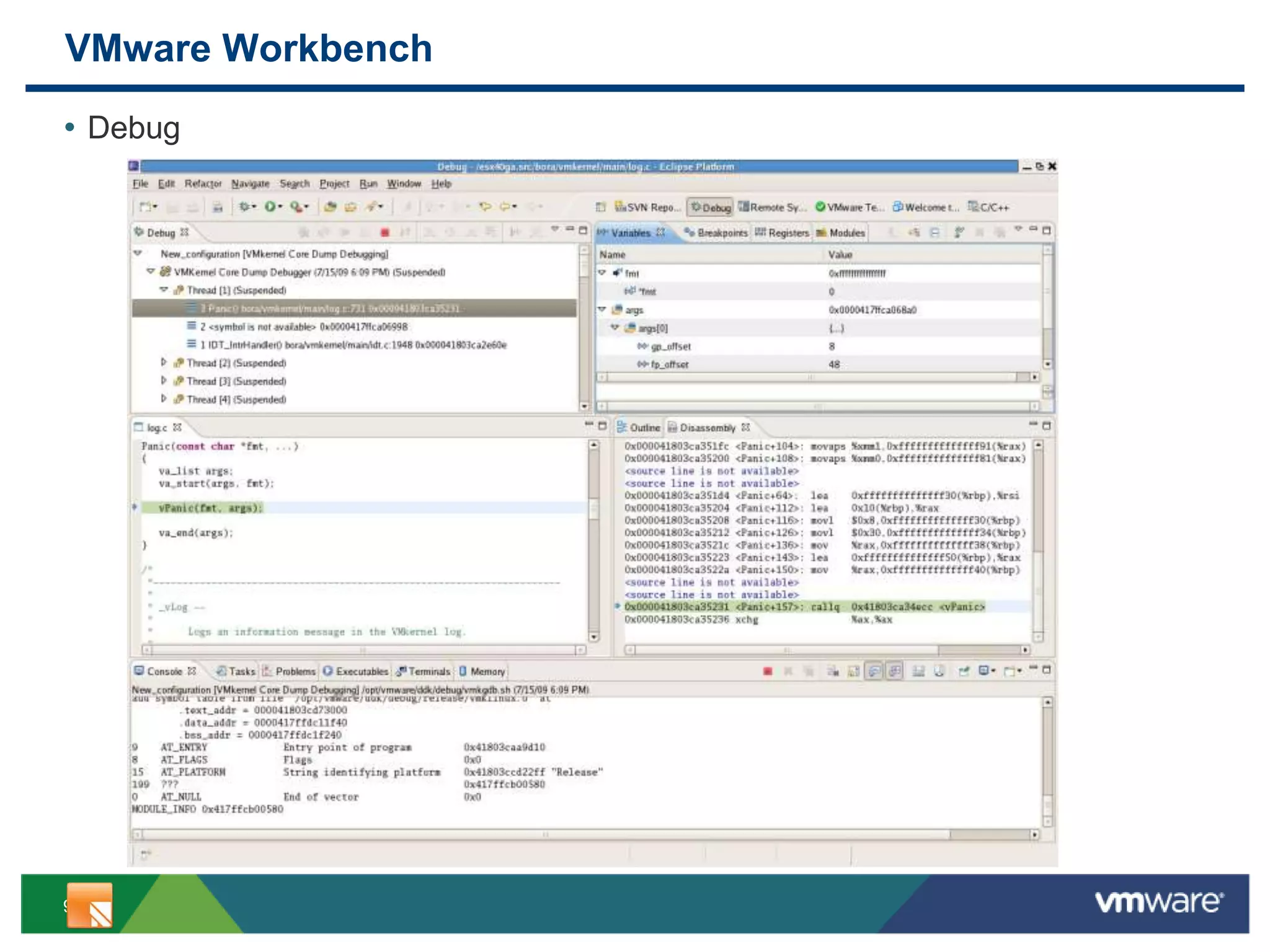
VMware Workbench
• Debug
10
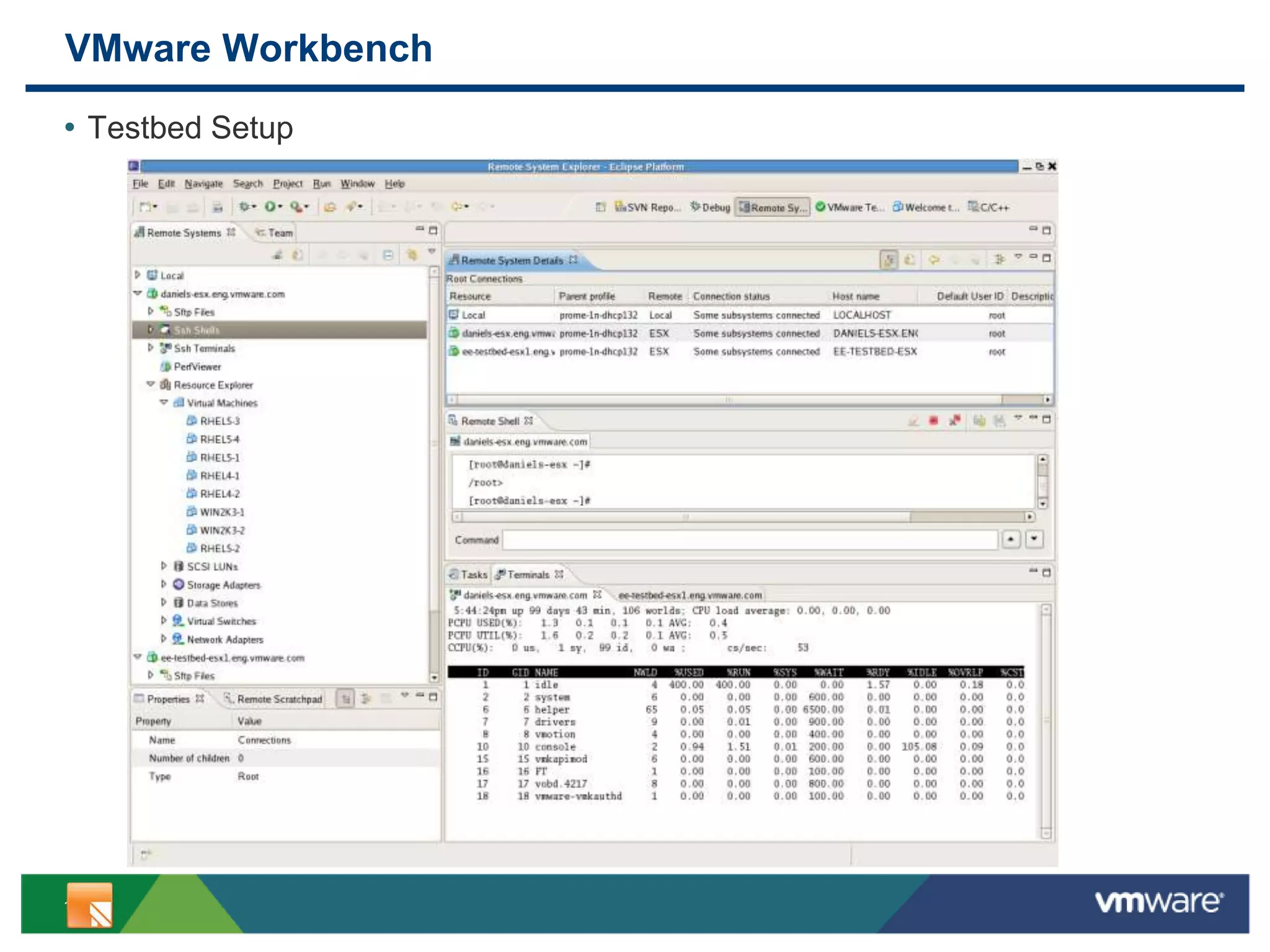
VMware Workbench
• Testbed Setup
11
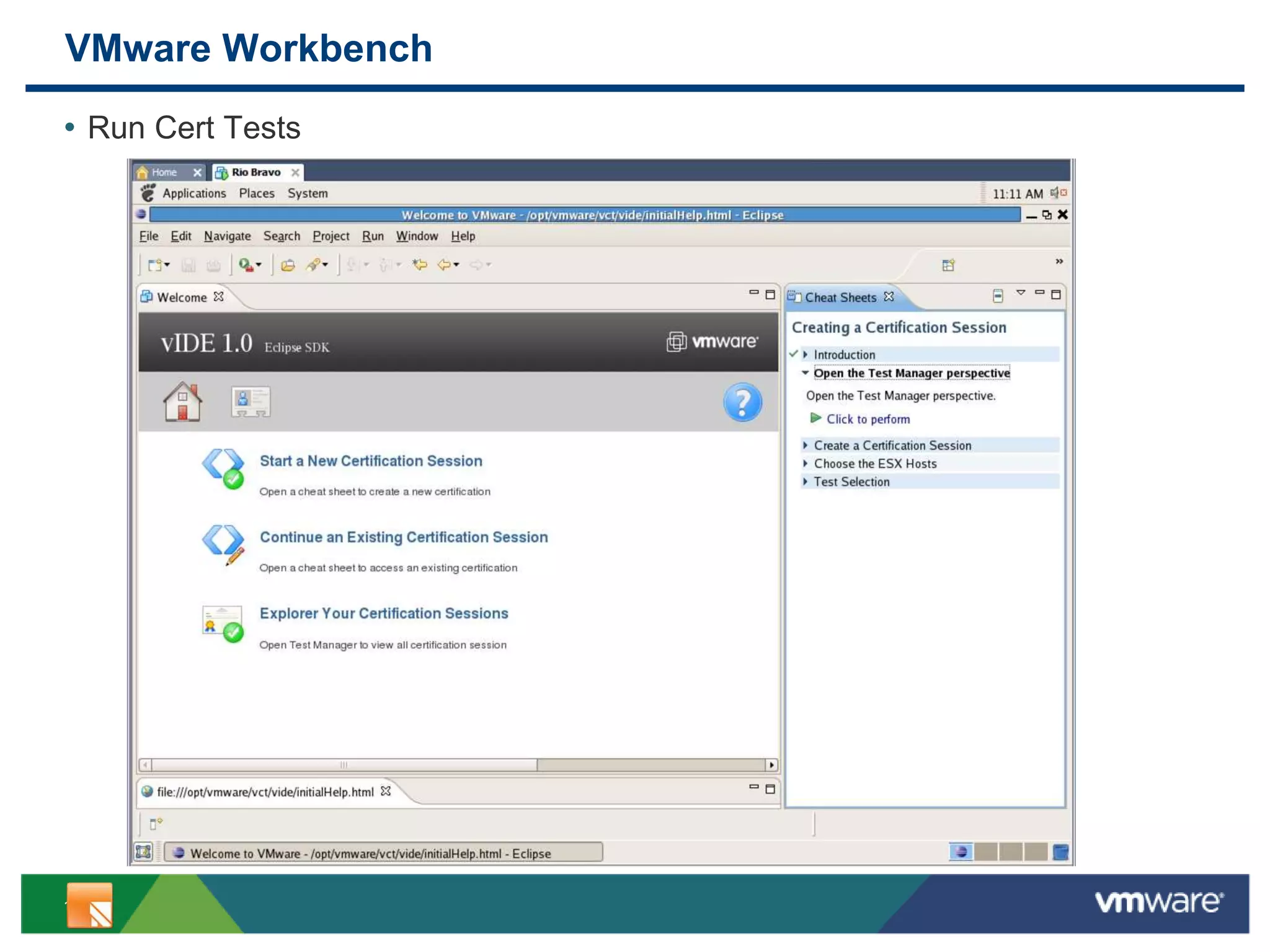
VMware Workbench
• Run Cert Tests
12
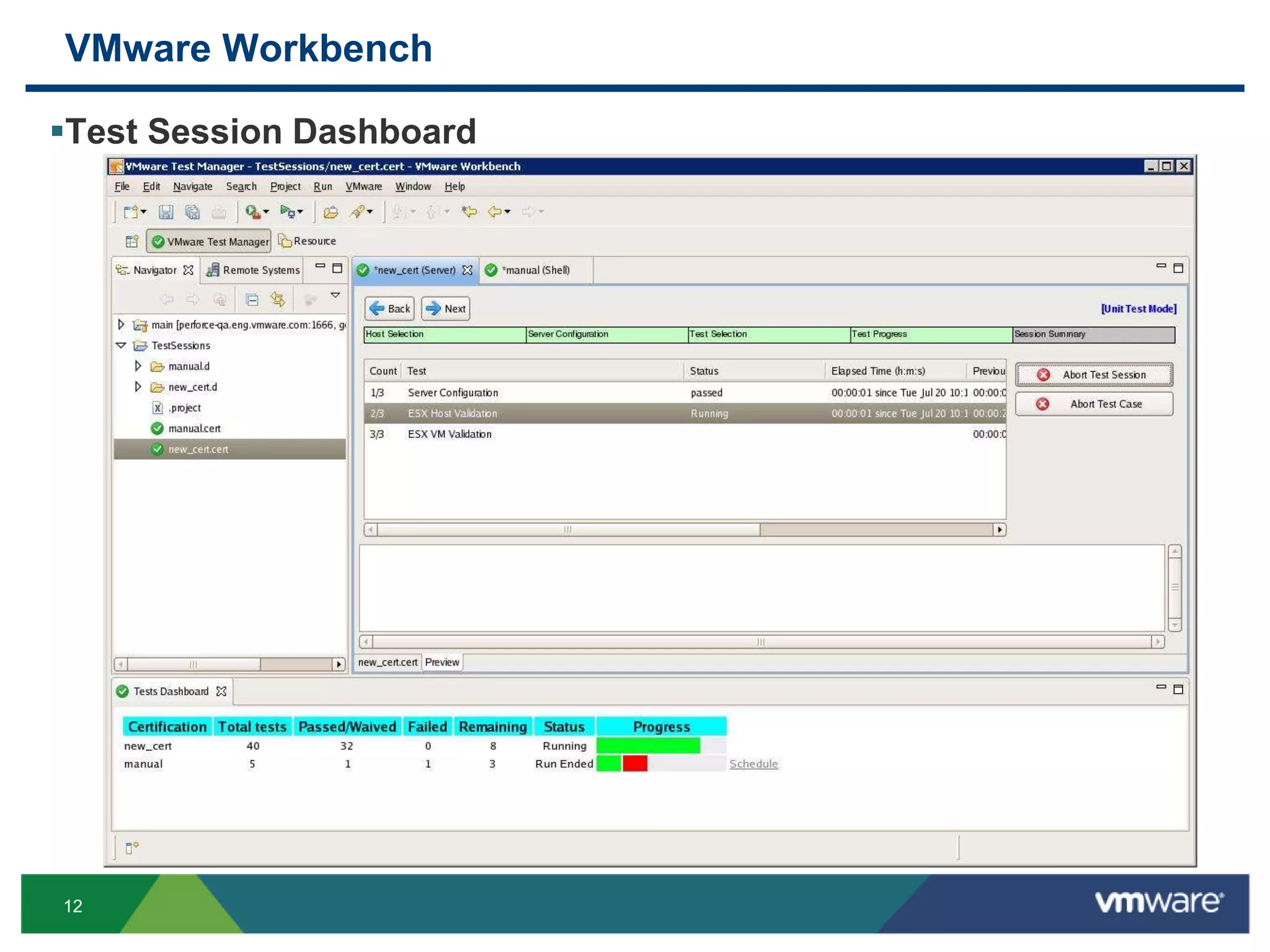
VMware Workbench
Test Session Dashboard
13
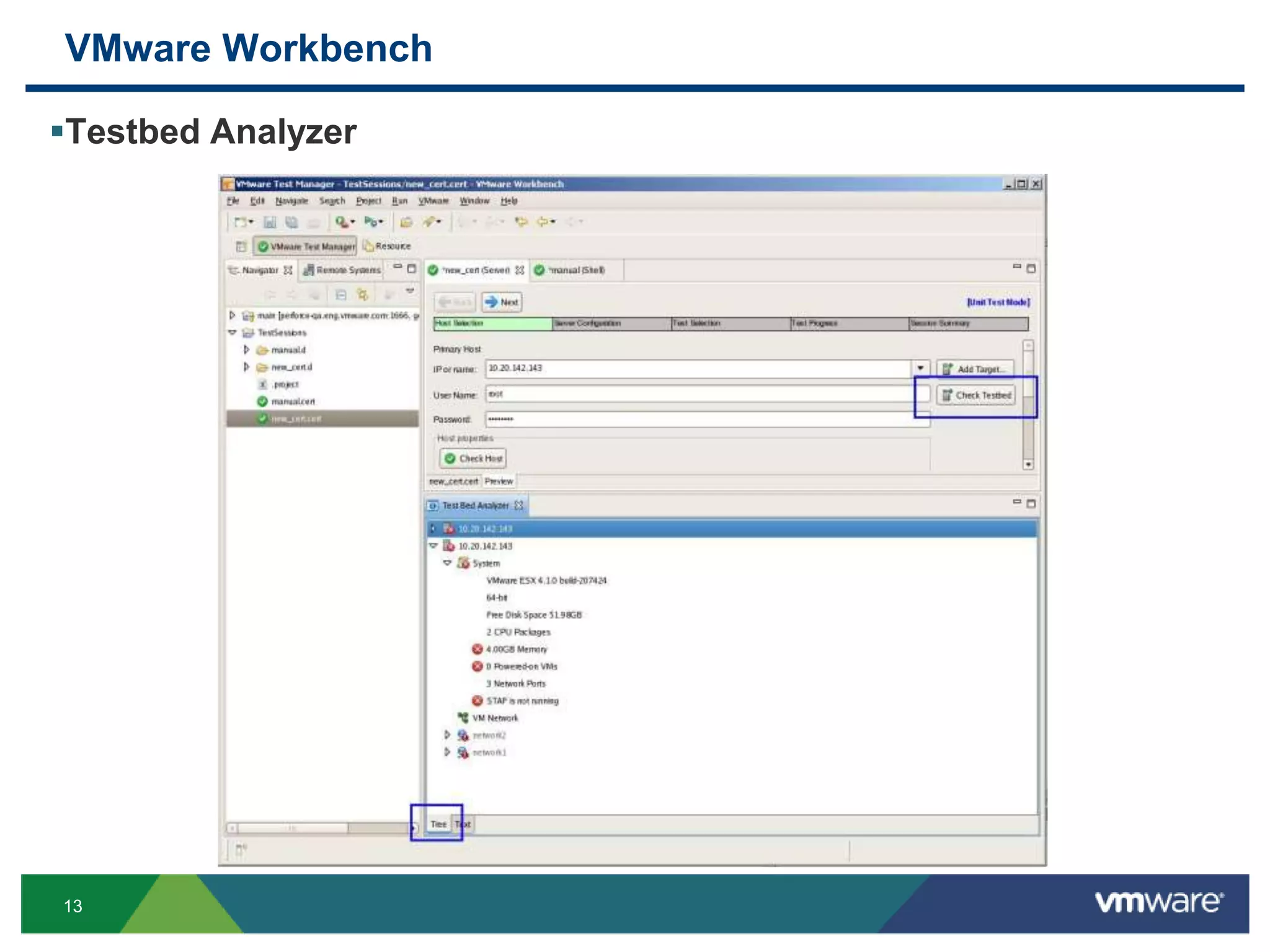
VMware Workbench
Testbed Analyzer
14
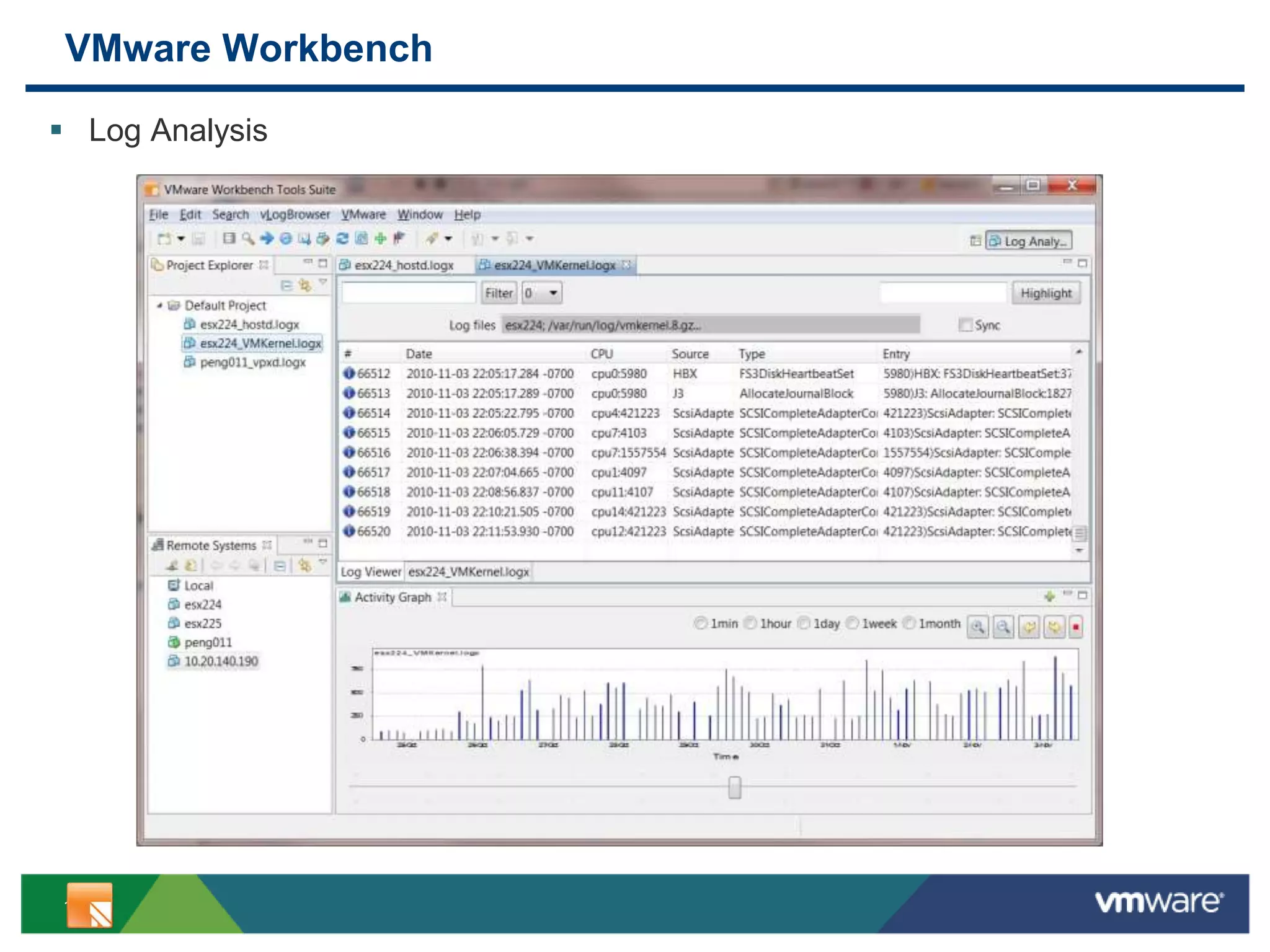
VMware Workbench
 Log Analysis
15
Demo
16
Q & A
Alan Tan
atan@vmware.com

V mware workbench_eclipse_con2011_talk

  • 1.
    © 2009 VMwareInc. All rights reserved VMware Workbench Talk for EclipseCon 2011 Alan Tan Senior R&D Manager, VMware
  • 2.
  • 3.
    3 VMware Workbench Overview Nextgeneration dev kit and certification virtual appliance Fully integrated dev kit and testing environments for vSphere plugins and applications • Supports full product lifecycle Based on the Eclipse open source IDE (see: www.eclipse.org) • Full GUI environment for development, testing, and troubleshooting  Including debuggers and log browsers ease troubleshooting • Highly extensible framework with hundreds of existing open source plugins available Advanced test suite framework with certification workflow Advanced testbed setup and management Dev kits and cert kits delivered as Eclipse plugins
  • 4.
    4 VMware Workbench 1.0 DevelopmentKit plugins • Driver Dev Kit (Beta) – develop device drivers • CIM Provider Dev Kit (Beta) – develop CIM providers • PSA Dev Kit (Beta) – develop storage modules (such as PowerPath) • vNetwork API Dev Kit (Beta) – develop network filters Certification/Test Kit plugins • Storage Cert (Beta) – certify storage arrays • Server Cert (Beta) – certify servers • FT Cert (RC) – certify FT compatibility • Device Drivers Cert (RC) – certify device drivers • vNetwork API Cert (RC) – certify network filters • CIM Providers Tests (RC) – test CIM providers (not a cert program)
  • 5.
    5 VMware Workbench Roadmap Requirements •Gather •Analyze •Prioritize Design •Highlevel architecture •Decomposition •Detailed design Develop •Edit •Compile •Debug •Functional Test •Document Test & Cert •System Test •Regression Test •VMware Ready Certification Package & Update •Product packaging •Distribution Support •Troubleshooting •Bug fixing •Patching •Updating Product Lifecycle VMware Workbench 1.0 VMware Workbench 2 Year Roadmap Legend: Level of support from light ( ) to full featured ( )
  • 6.
    6 VMware Workbench –Dev/Test/Debug Development • Create device driver project using sample code, Linux driver, or empty project • Edit, build, and API code checker • Source code repository Test • Identify testbed servers and resources • Installation Helper to create VMs, install packages, install GOS • Create test session and select test group • Select and run test cases Debug • Create debug session and select debug target system from the testbed • Download and install driver on the target • Launch debugger and attach to the target • Set breakpoints, inspect, diagnose
  • 7.
    7 VMware Workbench –Test & Certification Certification Session • Create certification session • Select certification type Testbed Setup • Identify and select testbed servers and resources • Installation Helper to create VMs, install packages, install GOS Running Tests • Select and run test cases • View test status and logs Results and Submission • Diagnose and interpret test failures • Inspect logs • Submit certification to VMware
  • 8.
  • 9.
  • 10.
  • 11.
  • 12.
  • 13.
  • 14.
  • 15.
  • 16.
    16 Q & A AlanTan atan@vmware.com