UNIT – IV: Python Functions,
Modules and Packages
Python Programming (CST-005)
Unit – IV Overview (Syllabus Focus)
• Use of Python built-in functions
• User-defined functions and parameter passing
• Return statement and scope of variables
• Modules: writing and importing modules
• Python built-in modules (numeric, math, functional programming)
• Packages: organizing modules into package structure
Learning Outcomes – After this
Unit, You Will Be Able To:
• Use built-in functions such as type conversion and math utilities.
• Define and call your own functions for modular programs.
• Use different types of arguments and return values.
• Explain and use local and global variables in functions.
• Create and import your own modules.
• Use built-in modules from the Python Standard Library.
• Organize modules into packages for larger applications.
Python Built-in Functions –
Overview
• Functions that come pre-defined with Python interpreter.
• Available without importing any module (e.g., print(), len(), type(),
input()).
• Help in performing common tasks quickly and consistently.
• Can be combined with user-defined functions and modules.
Type & Data Conversion Functions
• type(x): returns the type of object x.
• int(x): converts x to integer (if possible).
• float(x): converts x to floating point.
• str(x): converts x to string.
• bool(x): converts x to Boolean (True / False).
• Example:
a = int(3.7); b = float(5); name = str(123)
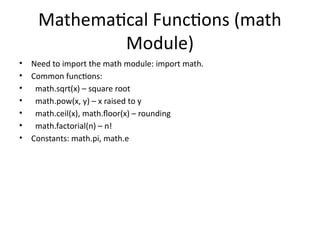
Mathematical Functions (math
Module)
• Need to import the math module: import math.
• Common functions:
• math.sqrt(x) – square root
• math.pow(x, y) – x raised to y
• math.ceil(x), math.floor(x) – rounding
• math.factorial(n) – n!
• Constants: math.pi, math.e
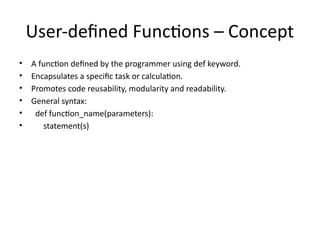
User-defined Functions – Concept
• A function defined by the programmer using def keyword.
• Encapsulates a specific task or calculation.
• Promotes code reusability, modularity and readability.
• General syntax:
• def function_name(parameters):
• statement(s)
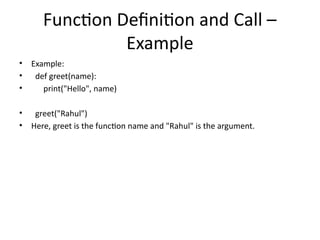
Function Definition and Call –
Example
• Example:
• def greet(name):
• print("Hello", name)
• greet("Rahul")
• Here, greet is the function name and "Rahul" is the argument.
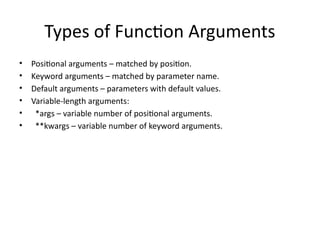
Types of Function Arguments
• Positional arguments – matched by position.
• Keyword arguments – matched by parameter name.
• Default arguments – parameters with default values.
• Variable-length arguments:
• *args – variable number of positional arguments.
• **kwargs – variable number of keyword arguments.
Positional vs Keyword Arguments –
Example
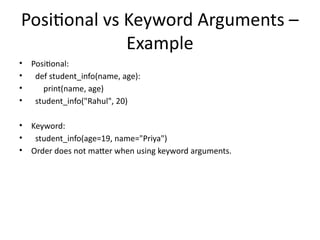
• Positional:
• def student_info(name, age):
• print(name, age)
• student_info("Rahul", 20)
• Keyword:
• student_info(age=19, name="Priya")
• Order does not matter when using keyword arguments.
Default & Variable-length
Arguments
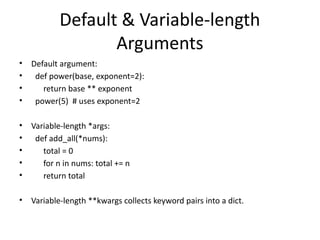
• Default argument:
• def power(base, exponent=2):
• return base ** exponent
• power(5) # uses exponent=2
• Variable-length *args:
• def add_all(*nums):
• total = 0
• for n in nums: total += n
• return total
• Variable-length **kwargs collects keyword pairs into a dict.
Return Statement
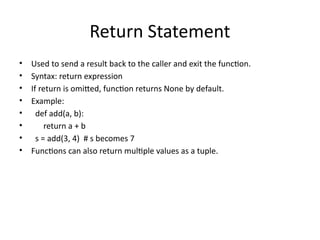
• Used to send a result back to the caller and exit the function.
• Syntax: return expression
• If return is omitted, function returns None by default.
• Example:
• def add(a, b):
• return a + b
• s = add(3, 4) # s becomes 7
• Functions can also return multiple values as a tuple.
Scope of Variables – Local vs Global
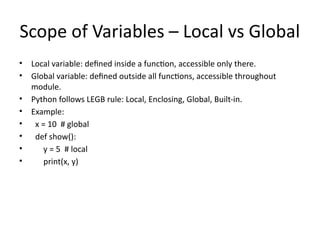
• Local variable: defined inside a function, accessible only there.
• Global variable: defined outside all functions, accessible throughout
module.
• Python follows LEGB rule: Local, Enclosing, Global, Built-in.
• Example:
• x = 10 # global
• def show():
• y = 5 # local
• print(x, y)
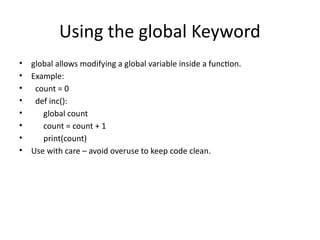
Using the global Keyword
• global allows modifying a global variable inside a function.
• Example:
• count = 0
• def inc():
• global count
• count = count + 1
• print(count)
• Use with care – avoid overuse to keep code clean.
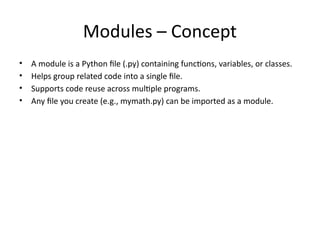
Modules – Concept
• A module is a Python file (.py) containing functions, variables, or classes.
• Helps group related code into a single file.
• Supports code reuse across multiple programs.
• Any file you create (e.g., mymath.py) can be imported as a module.
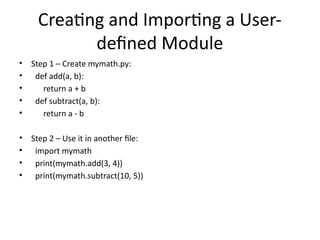
Creating and Importing a User-
defined Module
• Step 1 – Create mymath.py:
• def add(a, b):
• return a + b
• def subtract(a, b):
• return a - b
• Step 2 – Use it in another file:
• import mymath
• print(mymath.add(3, 4))
• print(mymath.subtract(10, 5))
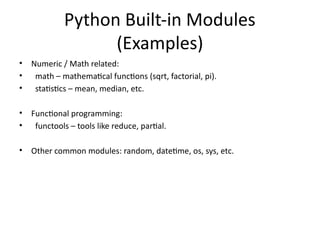
Python Built-in Modules
(Examples)
• Numeric / Math related:
• math – mathematical functions (sqrt, factorial, pi).
• statistics – mean, median, etc.
• Functional programming:
• functools – tools like reduce, partial.
• Other common modules: random, datetime, os, sys, etc.
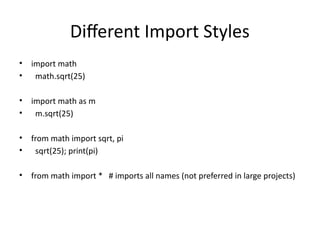
Different Import Styles
• import math
• math.sqrt(25)
• import math as m
• m.sqrt(25)
• from math import sqrt, pi
• sqrt(25); print(pi)
• from math import * # imports all names (not preferred in large projects)
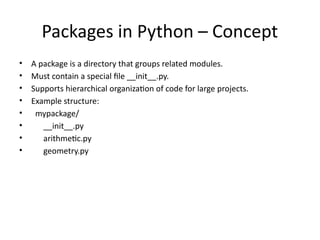
Packages in Python – Concept
• A package is a directory that groups related modules.
• Must contain a special file __init__.py.
• Supports hierarchical organization of code for large projects.
• Example structure:
• mypackage/
• __init__.py
• arithmetic.py
• geometry.py
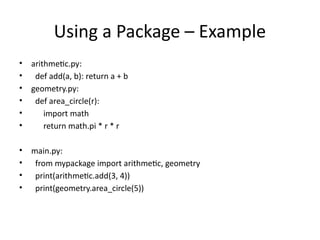
Using a Package – Example
• arithmetic.py:
• def add(a, b): return a + b
• geometry.py:
• def area_circle(r):
• import math
• return math.pi * r * r
• main.py:
• from mypackage import arithmetic, geometry
• print(arithmetic.add(3, 4))
• print(geometry.area_circle(5))
Unit IV Summary – Key Exam
Points
• Be clear on syntax and usage of user-defined functions.
• Revise types of arguments with code examples.
• Understand local vs global scope and global keyword.
• Know how to create, import and use modules.
• Revise common built-in modules: math, random, functools.
• Understand package directory structure with __init__.py.
• Practice writing small programs using functions + modules.
Unit4_Python_Functions_Modules_Packages_Lectures.pptx

  • 1.
    UNIT – IV:Python Functions, Modules and Packages Python Programming (CST-005)
  • 2.
    Unit – IVOverview (Syllabus Focus) • Use of Python built-in functions • User-defined functions and parameter passing • Return statement and scope of variables • Modules: writing and importing modules • Python built-in modules (numeric, math, functional programming) • Packages: organizing modules into package structure
  • 3.
    Learning Outcomes –After this Unit, You Will Be Able To: • Use built-in functions such as type conversion and math utilities. • Define and call your own functions for modular programs. • Use different types of arguments and return values. • Explain and use local and global variables in functions. • Create and import your own modules. • Use built-in modules from the Python Standard Library. • Organize modules into packages for larger applications.
  • 4.
    Python Built-in Functions– Overview • Functions that come pre-defined with Python interpreter. • Available without importing any module (e.g., print(), len(), type(), input()). • Help in performing common tasks quickly and consistently. • Can be combined with user-defined functions and modules.
  • 5.
    Type & DataConversion Functions • type(x): returns the type of object x. • int(x): converts x to integer (if possible). • float(x): converts x to floating point. • str(x): converts x to string. • bool(x): converts x to Boolean (True / False). • Example: a = int(3.7); b = float(5); name = str(123)
  • 6.
    Mathematical Functions (math Module) •Need to import the math module: import math. • Common functions: • math.sqrt(x) – square root • math.pow(x, y) – x raised to y • math.ceil(x), math.floor(x) – rounding • math.factorial(n) – n! • Constants: math.pi, math.e
  • 7.
    User-defined Functions –Concept • A function defined by the programmer using def keyword. • Encapsulates a specific task or calculation. • Promotes code reusability, modularity and readability. • General syntax: • def function_name(parameters): • statement(s)
  • 8.
    Function Definition andCall – Example • Example: • def greet(name): • print("Hello", name) • greet("Rahul") • Here, greet is the function name and "Rahul" is the argument.
  • 9.
    Types of FunctionArguments • Positional arguments – matched by position. • Keyword arguments – matched by parameter name. • Default arguments – parameters with default values. • Variable-length arguments: • *args – variable number of positional arguments. • **kwargs – variable number of keyword arguments.
  • 10.
    Positional vs KeywordArguments – Example • Positional: • def student_info(name, age): • print(name, age) • student_info("Rahul", 20) • Keyword: • student_info(age=19, name="Priya") • Order does not matter when using keyword arguments.
  • 11.
    Default & Variable-length Arguments •Default argument: • def power(base, exponent=2): • return base ** exponent • power(5) # uses exponent=2 • Variable-length *args: • def add_all(*nums): • total = 0 • for n in nums: total += n • return total • Variable-length **kwargs collects keyword pairs into a dict.
  • 12.
    Return Statement • Usedto send a result back to the caller and exit the function. • Syntax: return expression • If return is omitted, function returns None by default. • Example: • def add(a, b): • return a + b • s = add(3, 4) # s becomes 7 • Functions can also return multiple values as a tuple.
  • 13.
    Scope of Variables– Local vs Global • Local variable: defined inside a function, accessible only there. • Global variable: defined outside all functions, accessible throughout module. • Python follows LEGB rule: Local, Enclosing, Global, Built-in. • Example: • x = 10 # global • def show(): • y = 5 # local • print(x, y)
  • 14.
    Using the globalKeyword • global allows modifying a global variable inside a function. • Example: • count = 0 • def inc(): • global count • count = count + 1 • print(count) • Use with care – avoid overuse to keep code clean.
  • 15.
    Modules – Concept •A module is a Python file (.py) containing functions, variables, or classes. • Helps group related code into a single file. • Supports code reuse across multiple programs. • Any file you create (e.g., mymath.py) can be imported as a module.
  • 16.
    Creating and Importinga User- defined Module • Step 1 – Create mymath.py: • def add(a, b): • return a + b • def subtract(a, b): • return a - b • Step 2 – Use it in another file: • import mymath • print(mymath.add(3, 4)) • print(mymath.subtract(10, 5))
  • 17.
    Python Built-in Modules (Examples) •Numeric / Math related: • math – mathematical functions (sqrt, factorial, pi). • statistics – mean, median, etc. • Functional programming: • functools – tools like reduce, partial. • Other common modules: random, datetime, os, sys, etc.
  • 18.
    Different Import Styles •import math • math.sqrt(25) • import math as m • m.sqrt(25) • from math import sqrt, pi • sqrt(25); print(pi) • from math import * # imports all names (not preferred in large projects)
  • 19.
    Packages in Python– Concept • A package is a directory that groups related modules. • Must contain a special file __init__.py. • Supports hierarchical organization of code for large projects. • Example structure: • mypackage/ • __init__.py • arithmetic.py • geometry.py
  • 20.
    Using a Package– Example • arithmetic.py: • def add(a, b): return a + b • geometry.py: • def area_circle(r): • import math • return math.pi * r * r • main.py: • from mypackage import arithmetic, geometry • print(arithmetic.add(3, 4)) • print(geometry.area_circle(5))
  • 21.
    Unit IV Summary– Key Exam Points • Be clear on syntax and usage of user-defined functions. • Revise types of arguments with code examples. • Understand local vs global scope and global keyword. • Know how to create, import and use modules. • Revise common built-in modules: math, random, functools. • Understand package directory structure with __init__.py. • Practice writing small programs using functions + modules.