UNIT – 4
Operatorsand Expression
C PROGRAMMING (CSC115)
BSC CSIT FIRST SEMESTER (TU)
PREPARED BY:
DABBAL SINGH MAHARA
ASCOL (2025)
2.
2
Operator
• An operatoris a symbol that is used in programs to perform
certain mathematical or logical manipulations.
• E.g. in the simple expression 1+2, the symbol + is called an
operator which operates on two data items 1 and 2.
• The data items that operators act upon are called operands.
3.
3
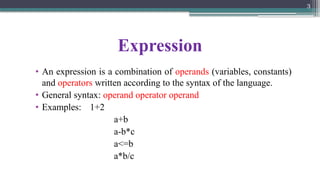
Expression
• An expressionis a combination of operands (variables, constants)
and operators written according to the syntax of the language.
• General syntax: operand operator operand
• Examples: 1+2
a+b
a-b*c
a<=b
a*b/c
4.
4
Operator Classification: Accordingto Number of
Operands
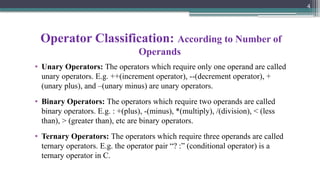
• Unary Operators: The operators which require only one operand are called
unary operators. E.g. ++(increment operator), --(decrement operator), +
(unary plus), and –(unary minus) are unary operators.
• Binary Operators: The operators which require two operands are called
binary operators. E.g. : +(plus), -(minus), *(multiply), /(division), < (less
than), > (greater than), etc are binary operators.
• Ternary Operators: The operators which require three operands are called
ternary operators. E.g. the operator pair “? :” (conditional operator) is a
ternary operator in C.
5.
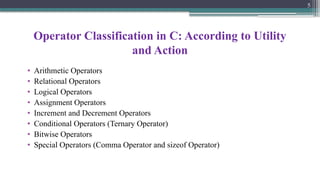
Operator Classification inC: According to Utility
and Action
• Arithmetic Operators
• Relational Operators
• Logical Operators
• Assignment Operators
• Increment and Decrement Operators
• Conditional Operators (Ternary Operator)
• Bitwise Operators
• Special Operators (Comma Operator and sizeof Operator)
5
6.
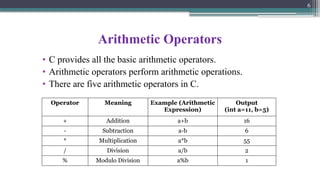
Arithmetic Operators
• Cprovides all the basic arithmetic operators.
• Arithmetic operators perform arithmetic operations.
• There are five arithmetic operators in C.
6
Operator Meaning Example (Arithmetic
Expression)
Output
(int a=11, b=5)
+ Addition a+b 16
- Subtraction a-b 6
* Multiplication a*b 55
/ Division a/b 2
% Modulo Division a%b 1
7.
7
Arithmetic Operators…
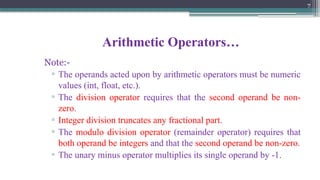
Note:-
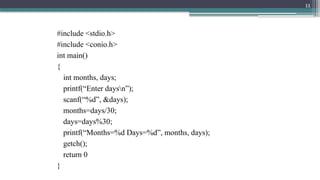
▫ Theoperands acted upon by arithmetic operators must be numeric
values (int, float, etc.).
▫ The division operator requires that the second operand be non-
zero.
▫ Integer division truncates any fractional part.
▫ The modulo division operator (remainder operator) requires that
both operand be integers and that the second operand be non-zero.
▫ The unary minus operator multiplies its single operand by -1.
8.
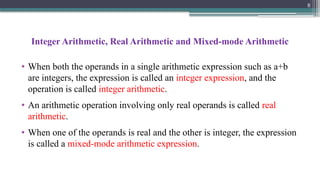
Integer Arithmetic, RealArithmetic and Mixed-mode Arithmetic
• When both the operands in a single arithmetic expression such as a+b
are integers, the expression is called an integer expression, and the
operation is called integer arithmetic.
• An arithmetic operation involving only real operands is called real
arithmetic.
• When one of the operands is real and the other is integer, the expression
is called a mixed-mode arithmetic expression.
8
9.
9
Note:-
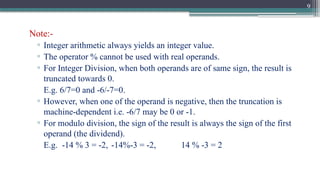
▫ Integer arithmeticalways yields an integer value.
▫ The operator % cannot be used with real operands.
▫ For Integer Division, when both operands are of same sign, the result is
truncated towards 0.
E.g. 6/7=0 and -6/-7=0.
▫ However, when one of the operand is negative, then the truncation is
machine-dependent i.e. -6/7 may be 0 or -1.
▫ For modulo division, the sign of the result is always the sign of the first
operand (the dividend).
E.g. -14 % 3 = -2, -14%-3 = -2, 14 % -3 = 2
10.
10
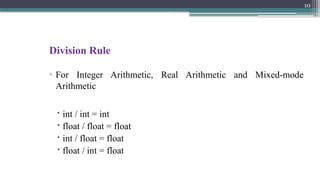
Division Rule
▫ ForInteger Arithmetic, Real Arithmetic and Mixed-mode
Arithmetic
int / int = int
float / float = float
int / float = float
float / int = float
12
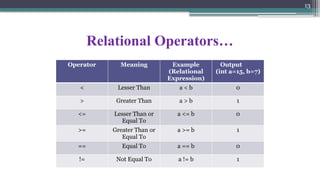
Relational Operators
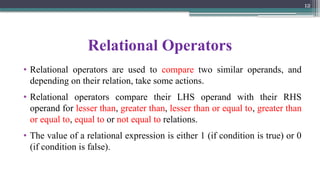
• Relationaloperators are used to compare two similar operands, and
depending on their relation, take some actions.
• Relational operators compare their LHS operand with their RHS
operand for lesser than, greater than, lesser than or equal to, greater than
or equal to, equal to or not equal to relations.
• The value of a relational expression is either 1 (if condition is true) or 0
(if condition is false).
13.
13
Relational Operators…
Operator MeaningExample
(Relational
Expression)
Output
(int a=15, b=7)
< Lesser Than a < b 0
> Greater Than a > b 1
<= Lesser Than or
Equal To
a <= b 0
>= Greater Than or
Equal To
a >= b 1
== Equal To a == b 0
!= Not Equal To a != b 1
14.
14
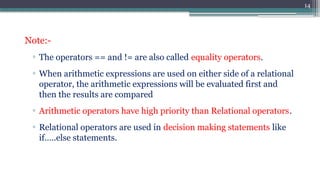
Note:-
▫ The operators== and != are also called equality operators.
▫ When arithmetic expressions are used on either side of a relational
operator, the arithmetic expressions will be evaluated first and
then the results are compared
▫ Arithmetic operators have high priority than Relational operators.
▫ Relational operators are used in decision making statements like
if…..else statements.
15.
15
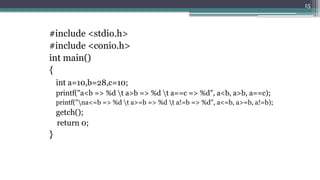
#include <stdio.h>
#include <conio.h>
intmain()
{
int a=10,b=28,c=10;
printf("a<b => %d t a>b => %d t a==c => %d", a<b, a>b, a==c);
printf("na<=b => %d t a>=b => %d t a!=b => %d", a<=b, a>=b, a!=b);
getch();
return 0;
}
16.
16
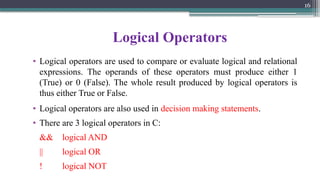
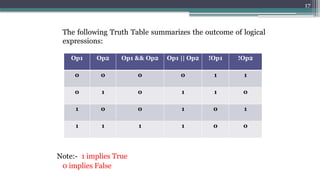
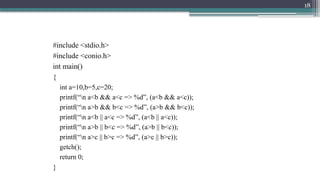
Logical Operators
• Logicaloperators are used to compare or evaluate logical and relational
expressions. The operands of these operators must produce either 1
(True) or 0 (False). The whole result produced by logical operators is
thus either True or False.
• Logical operators are also used in decision making statements.
• There are 3 logical operators in C:
&& logical AND
|| logical OR
! logical NOT
19
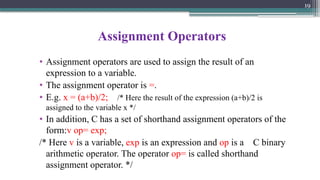
Assignment Operators
• Assignmentoperators are used to assign the result of an
expression to a variable.
• The assignment operator is =.
• E.g. x = (a+b)/2; /* Here the result of the expression (a+b)/2 is
assigned to the variable x */
• In addition, C has a set of shorthand assignment operators of the
form:v op= exp;
/* Here v is a variable, exp is an expression and op is a C binary
arithmetic operator. The operator op= is called shorthand
assignment operator. */
20.
20
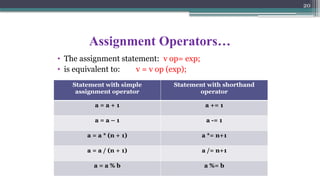
Assignment Operators…
• Theassignment statement: v op= exp;
• is equivalent to: v = v op (exp);
Statement with simple
assignment operator
Statement with shorthand
operator
a = a + 1 a += 1
a = a – 1 a -= 1
a = a * (n + 1) a *= n+1
a = a / (n + 1) a /= n+1
a = a % b a %= b
21.
21
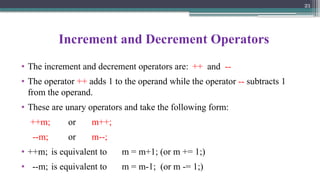
Increment and DecrementOperators
• The increment and decrement operators are: ++ and --
• The operator ++ adds 1 to the operand while the operator -- subtracts 1
from the operand.
• These are unary operators and take the following form:
++m; or m++;
--m; or m--;
• ++m; is equivalent to m = m+1; (or m += 1;)
• --m; is equivalent to m = m-1; (or m -= 1;)
22.
22
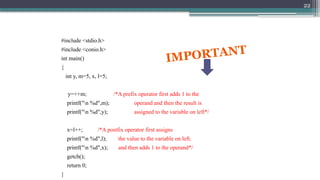
#include <stdio.h>
#include <conio.h>
intmain()
{
int y, m=5, x, l=5;
y=++m; /*A prefix operator first adds 1 to the
printf("n %d",m); operand and then the result is
printf("n %d",y); assigned to the variable on left*/
x=l++; /*A postfix operator first assigns
printf("n %d",l); the value to the variable on left,
printf("n %d",x); and then adds 1 to the operand*/
getch();
return 0;
}
IMPORTANT
23.
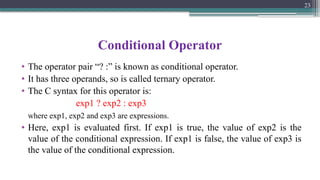
Conditional Operator
• Theoperator pair “? :” is known as conditional operator.
• It has three operands, so is called ternary operator.
• The C syntax for this operator is:
exp1 ? exp2 : exp3
where exp1, exp2 and exp3 are expressions.
• Here, exp1 is evaluated first. If exp1 is true, the value of exp2 is the
value of the conditional expression. If exp1 is false, the value of exp3 is
the value of the conditional expression.
23
24.
24
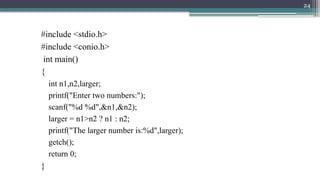
#include <stdio.h>
#include <conio.h>
intmain()
{
int n1,n2,larger;
printf("Enter two numbers:");
scanf("%d %d",&n1,&n2);
larger = n1>n2 ? n1 : n2;
printf("The larger number is:%d",larger);
getch();
return 0;
}
25.
25
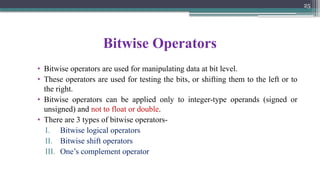
Bitwise Operators
• Bitwiseoperators are used for manipulating data at bit level.
• These operators are used for testing the bits, or shifting them to the left or to
the right.
• Bitwise operators can be applied only to integer-type operands (signed or
unsigned) and not to float or double.
• There are 3 types of bitwise operators-
I. Bitwise logical operators
II. Bitwise shift operators
III. One’s complement operator
26.
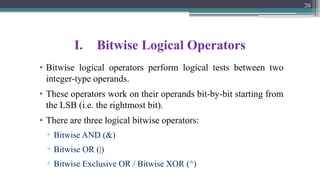
I. Bitwise LogicalOperators
• Bitwise logical operators perform logical tests between two
integer-type operands.
• These operators work on their operands bit-by-bit starting from
the LSB (i.e. the rightmost bit).
• There are three logical bitwise operators:
▫ Bitwise AND (&)
▫ Bitwise OR (|)
▫ Bitwise Exclusive OR / Bitwise XOR (^)
26
27.
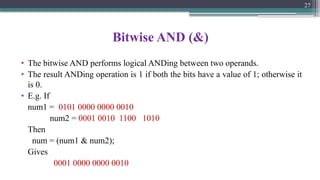
Bitwise AND (&)
•The bitwise AND performs logical ANDing between two operands.
• The result ANDing operation is 1 if both the bits have a value of 1; otherwise it
is 0.
• E.g. If
num1 = 0101 0000 0000 0010
num2 = 0001 0010 1100 1010
Then
num = (num1 & num2);
Gives
0001 0000 0000 0010
27
28.
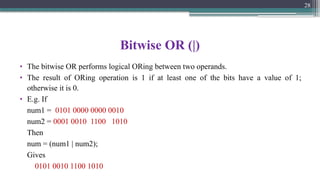
Bitwise OR (|)
•The bitwise OR performs logical ORing between two operands.
• The result of ORing operation is 1 if at least one of the bits have a value of 1;
otherwise it is 0.
• E.g. If
num1 = 0101 0000 0000 0010
num2 = 0001 0010 1100 1010
Then
num = (num1 | num2);
Gives
0101 0010 1100 1010
28
29.
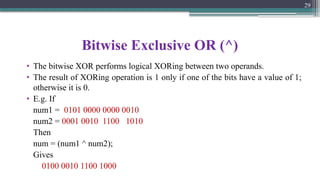
Bitwise Exclusive OR(^)
• The bitwise XOR performs logical XORing between two operands.
• The result of XORing operation is 1 only if one of the bits have a value of 1;
otherwise it is 0.
• E.g. If
num1 = 0101 0000 0000 0010
num2 = 0001 0010 1100 1010
Then
num = (num1 ^ num2);
Gives
0100 0010 1100 1000
29
30.
30
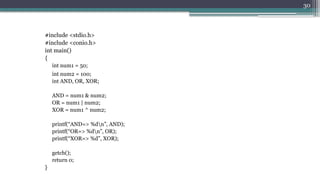
#include <stdio.h>
#include <conio.h>
intmain()
{
int num1 = 50;
int num2 = 100;
int AND, OR, XOR;
AND = num1 & num2;
OR = num1 | num2;
XOR = num1 ^ num2;
printf(“AND=> %dn”, AND);
printf(“OR=> %dn”, OR);
printf(“XOR=> %d”, XOR);
getch();
return 0;
}
31.
II. Bitwise ShiftOperators
• Bitwise shift operators are used to move bit patterns either to the left or
to the right.
• There are two bitwise shift operators:
▫ Left shift (<<)
▫ Right shift (>>)
31
32.
Left Shift
• Theleft-shift operation causes the operand to be shifted to the left by
some bit positions.
• The general syntax of left-shift operation is: operand << n;
• Here, the bits in the operand are shifted to the left by n positions.
• The leftmost n bits in the original bit pattern will be lost and the
rightmost n bits empty positions will be filled with 0s.
32
33.
33
Left Shift…
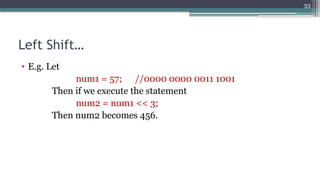
• E.g.Let
num1 = 57; //0000 0000 0011 1001
Then if we execute the statement
num2 = num1 << 3;
Then num2 becomes 456.
34.
Right Shift
• Theright-shift operation causes the operand to be shifted to the right by
some bit positions.
• The general syntax of right-shift operation is:
operand >> n;
• Here, the bits in the operand are shifted to the right by n positions.
• The rightmost n bits in the original bit pattern will be lost and the
leftmost n bits empty positions will be filled with 0s.
34
35.
35
Right Shift…
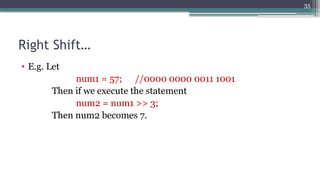
• E.g.Let
num1 = 57; //0000 0000 0011 1001
Then if we execute the statement
num2 = num1 >> 3;
Then num2 becomes 7.
36.
36
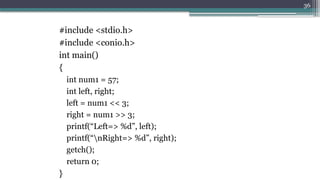
#include <stdio.h>
#include <conio.h>
intmain()
{
int num1 = 57;
int left, right;
left = num1 << 3;
right = num1 >> 3;
printf(“Left=> %d”, left);
printf(“nRight=> %d”, right);
getch();
return 0;
}
37.
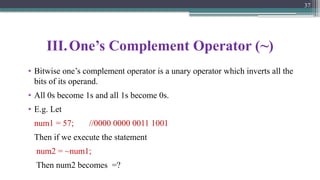
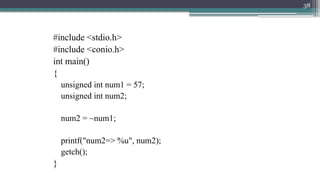
III.One’s Complement Operator(~)
• Bitwise one’s complement operator is a unary operator which inverts all the
bits of its operand.
• All 0s become 1s and all 1s become 0s.
• E.g. Let
num1 = 57; //0000 0000 0011 1001
Then if we execute the statement
num2 = ~num1;
Then num2 becomes =?
37
39
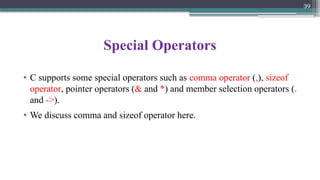
Special Operators
• Csupports some special operators such as comma operator (,), sizeof
operator, pointer operators (& and *) and member selection operators (.
and ->).
• We discuss comma and sizeof operator here.
40.
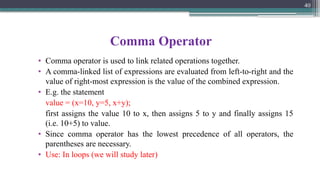
Comma Operator
• Commaoperator is used to link related operations together.
• A comma-linked list of expressions are evaluated from left-to-right and the
value of right-most expression is the value of the combined expression.
• E.g. the statement
value = (x=10, y=5, x+y);
first assigns the value 10 to x, then assigns 5 to y and finally assigns 15
(i.e. 10+5) to value.
• Since comma operator has the lowest precedence of all operators, the
parentheses are necessary.
• Use: In loops (we will study later)
40
41.
41
sizeof operator
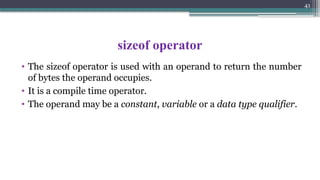
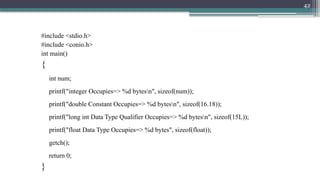
• Thesizeof operator is used with an operand to return the number
of bytes the operand occupies.
• It is a compile time operator.
• The operand may be a constant, variable or a data type qualifier.
42.
42
#include <stdio.h>
#include <conio.h>
intmain()
{
int num;
printf("integer Occupies=> %d bytesn", sizeof(num));
printf("double Constant Occupies=> %d bytesn", sizeof(16.18));
printf("long int Data Type Qualifier Occupies=> %d bytesn", sizeof(15L));
printf("float Data Type Occupies=> %d bytes", sizeof(float));
getch();
return 0;
}
43.
43
Precedence of arithmeticoperators
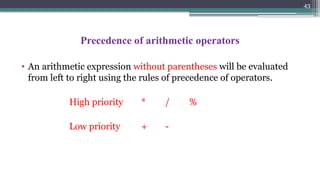
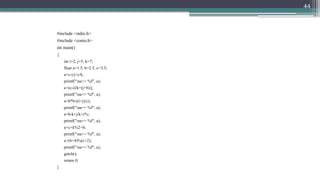
• An arithmetic expression without parentheses will be evaluated
from left to right using the rules of precedence of operators.
High priority * / %
Low priority + -
45
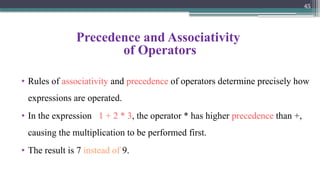
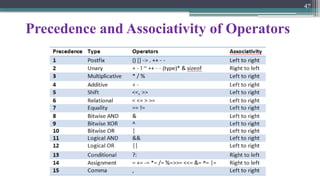
Precedence and Associativity
ofOperators
• Rules of associativity and precedence of operators determine precisely how
expressions are operated.
• In the expression 1 + 2 * 3, the operator * has higher precedence than +,
causing the multiplication to be performed first.
• The result is 7 instead of 9.
46.
46
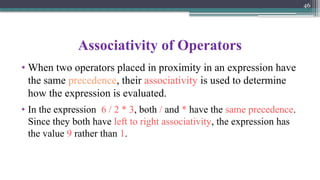
Associativity of Operators
•When two operators placed in proximity in an expression have
the same precedence, their associativity is used to determine
how the expression is evaluated.
• In the expression 6 / 2 * 3, both / and * have the same precedence.
Since they both have left to right associativity, the expression has
the value 9 rather than 1.