Operators and Expression module 2 introduction to c programming
1.
Module II
OPERATORS ANDEXPRESSIONS
Operators: Introduction to Operators, Arithmetic Operators, Relational Operators, Logical Operators,
Assignment Operators, Increment and Decrement Operators, Conditional Operators, Precedence of Arithmetic
Operators.
Decision Making, Branching, Looping: Introduction, Decision Making with IF Statement, Simple IF
Statement, The IF..ELSE Statement, Nesting of IF..ELSE Statements, The ELSE IF Ladder, The Switch
Statement, The ?: Operator, The GOTO Statement, WHILE, DO, FOR, Jumps in LOOPS
2.
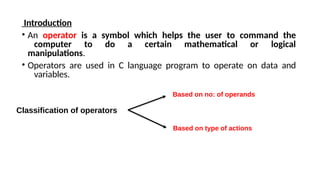
Introduction
• An operatoris a symbol which helps the user to command the
computer to do a certain mathematical or logical
manipulations.
• Operators are used in C language program to operate on data and
variables.
Classification of operators
Based on no: of operands
Based on type of actions
3.
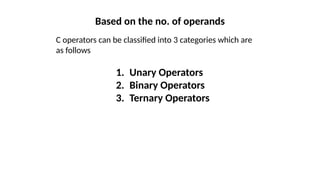
Based on theno. of operands
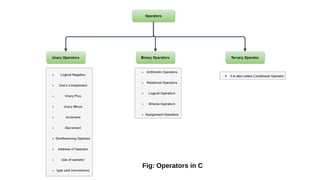
C operators can be classified into 3 categories which are
as follows
1. Unary Operators
2. Binary Operators
3. Ternary Operators
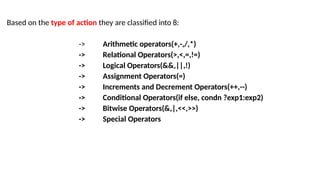
Based on thetype of action they are classified into 8:
-> Arithmetic operators(+,-,/,*)
-> Relational Operators(>,<,=,!=)
-> Logical Operators(&&,||,!)
-> Assignment Operators(=)
-> Increments and Decrement Operators(++,--)
-> Conditional Operators(if else, condn ?exp1:exp2)
-> Bitwise Operators(&,|,<<,>>)
-> Special Operators
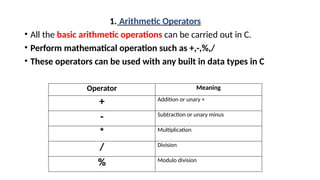
1. Arithmetic Operators
•All the basic arithmetic operations can be carried out in C.
• Perform mathematical operation such as +,-,%,/
• These operators can be used with any built in data types in C
Operator Meaning
+ Addition or unary +
- Subtraction or unary minus
* Multiplication
/ Division
% Modulo division
10.
• Examples ofarithmetic operators are
x + y , x – y ,
-x + y, a *
b , -a * b
here a, b, c, x, y are known as
operands.
Note:
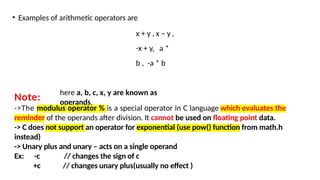
->The modulus operator % is a special operator in C language which evaluates the
reminder of the operands after division. It cannot be used on floating point data.
-> C does not support an operator for exponential (use pow() function from math.h
instead)
-> Unary plus and unary – acts on a single operand
Ex: -c // changes the sign of c
+c // changes unary plus(usually no effect )
11.
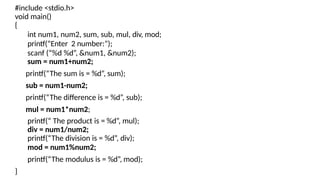
#include <stdio.h>
void main()
{
intnum1, num2, sum, sub, mul, div, mod;
printf(“Enter 2 number:”);
scanf (“%d %d”, &num1, &num2);
sum = num1+num2;
printf(“The sum is = %d”, sum);
sub = num1-num2;
printf(“The difference is = %d”, sub);
mul = num1*num2;
printf(“ The product is = %d”, mul);
div = num1/num2;
printf(“The division is = %d”, div);
mod = num1%num2;
printf(“The modulus is = %d”, mod);
}
12.
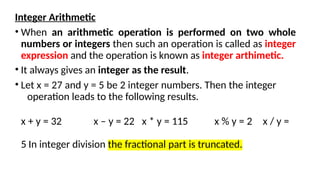
Integer Arithmetic
• Whenan arithmetic operation is performed on two whole
numbers or integers then such an operation is called as integer
expression and the operation is known as integer arthimetic.
• It always gives an integer as the result.
• Let x = 27 and y = 5 be 2 integer numbers. Then the integer
operation leads to the following results.
x + y = 32 x – y = 22 x * y = 115 x % y = 2 x / y =
5 In integer division the fractional part is truncated.
13.
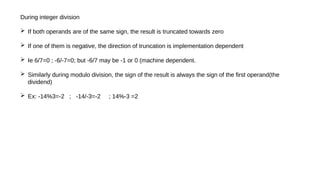
During integer division
If both operands are of the same sign, the result is truncated towards zero
If one of them is negative, the direction of truncation is implementation dependent
Ie 6/7=0 ; -6/-7=0; but -6/7 may be -1 or 0 (machine dependent.
Similarly during modulo division, the sign of the result is always the sign of the first operand(the
dividend)
Ex: -14%3=-2 ; -14/-3=-2 ; 14%-3 =2
14.
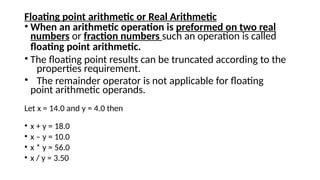
Floating point arithmeticor Real Arithmetic
• When an arithmetic operation is preformed on two real
numbers or fraction numbers such an operation is called
floating point arithmetic.
• The floating point results can be truncated according to the
properties requirement.
• The remainder operator is not applicable for floating
point arithmetic operands.
Let x = 14.0 and y = 4.0 then
• x + y = 18.0
• x – y = 10.0
• x * y = 56.0
• x / y = 3.50
15.
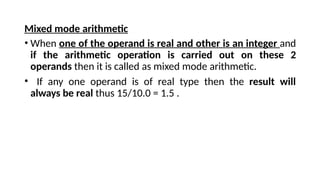
Mixed mode arithmetic
•When one of the operand is real and other is an integer and
if the arithmetic operation is carried out on these 2
operands then it is called as mixed mode arithmetic.
• If any one operand is of real type then the result will
always be real thus 15/10.0 = 1.5 .
16.
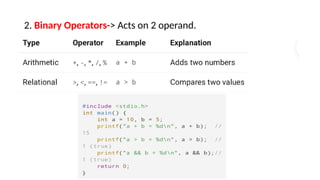
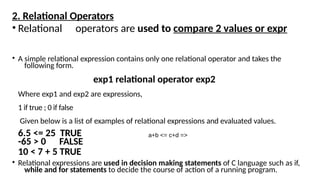
2. Relational Operators
•Relational operators are used to compare 2 values or expr
• A simple relational expression contains only one relational operator and takes the
following form.
exp1 relational operator exp2
Where exp1 and exp2 are expressions,
1 if true ; 0 if false
Given below is a list of examples of relational expressions and evaluated values.
6.5 <= 25 TRUE
-65 > 0 FALSE
10 < 7 + 5 TRUE
• Relational expressions are used in decision making statements of C language such as if,
while and for statements to decide the course of action of a running program.
a+b <= c+d =>
17.
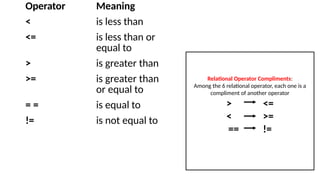
Operator Meaning
< isless than
<= is less than or
equal to
> is greater than
>= is greater than
or equal to
= = is equal to
!= is not equal to
Relational Operator Compliments:
Among the 6 relational operator, each one is a
compliment of another operator
> <=
< >=
== !=
18.
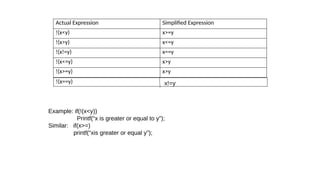
Actual Expression SimplifiedExpression
!(x<y) x>=y
!(x>y) x<=y
!(x!=y) x==y
!(x<=y) x>y
!(x>=y) x>y
!(x==y) x!=y
Example: if(!(x<y))
Printf(“x is greater or equal to y”);
Similar: if(x>=)
printf(“xis greater or equal y”);
19.
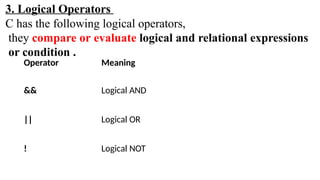
Operator Meaning
&& LogicalAND
|| Logical OR
! Logical NOT
3. Logical Operators
C has the following logical operators,
they compare or evaluate logical and relational expressions
or condition .
20.
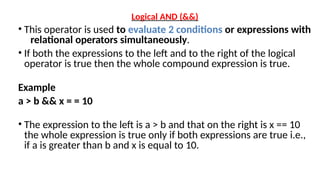
Logical AND (&&)
•This operator is used to evaluate 2 conditions or expressions with
relational operators simultaneously.
• If both the expressions to the left and to the right of the logical
operator is true then the whole compound expression is true.
Example
a > b && x = = 10
• The expression to the left is a > b and that on the right is x == 10
the whole expression is true only if both expressions are true i.e.,
if a is greater than b and x is equal to 10.
21.
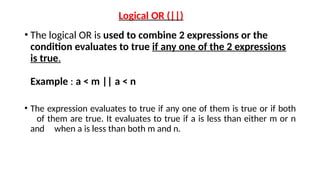
Logical OR (||)
•The logical OR is used to combine 2 expressions or the
condition evaluates to true if any one of the 2 expressions
is true.
Example : a < m || a < n
• The expression evaluates to true if any one of them is true or if both
of them are true. It evaluates to true if a is less than either m or n
and when a is less than both m and n.
22.
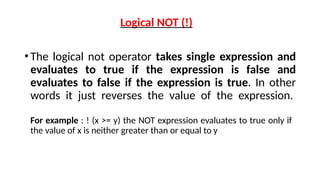
Logical NOT (!)
•Thelogical not operator takes single expression and
evaluates to true if the expression is false and
evaluates to false if the expression is true. In other
words it just reverses the value of the expression.
For example : ! (x >= y) the NOT expression evaluates to true only if
the value of x is neither greater than or equal to y
23.
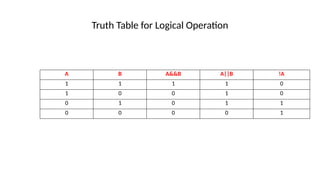
Truth Table forLogical Operation
A B A&&B A||B
1 1 1 1
1 0 0 1
0 1 0 1
0 0 0 0
!A
0
0
1
1
24.
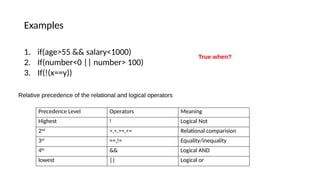
Examples
1. if(age>55 &&salary<1000)
2. If(number<0 || number> 100)
3. If(!(x==y))
True when?
Relative precedence of the relational and logical operators
Precedence Level Operators Meaning
Highest ! Logical Not
2nd
>,<,>=,<= Relational comparision
3rd
==,!= Equality/inequality
4th
&& Logical AND
lowest || Logical or
25.
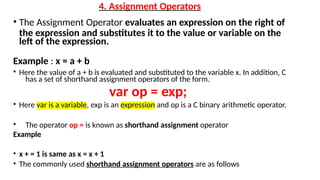
4. Assignment Operators
•The Assignment Operator evaluates an expression on the right of
the expression and substitutes it to the value or variable on the
left of the expression.
Example : x = a + b
• Here the value of a + b is evaluated and substituted to the variable x. In addition, C
has a set of shorthand assignment operators of the form.
var op = exp;
• Here var is a variable, exp is an expression and op is a C binary arithmetic operator.
• The operator op = is known as shorthand assignment operator
Example
• x + = 1 is same as x = x + 1
• The commonly used shorthand assignment operators are as follows
26.
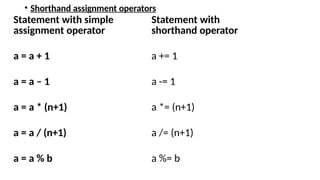
• Shorthand assignmentoperators
Statement with simple
assignment operator
Statement with
shorthand operator
a = a + 1 a += 1
a = a – 1 a -= 1
a = a * (n+1) a *= (n+1)
a = a / (n+1) a /= (n+1)
a = a % b a %= b
27.
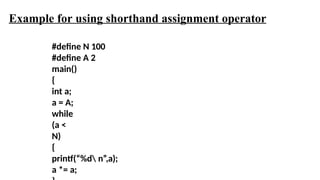
#define N 100
#defineA 2
main()
{
int a;
a = A;
while
(a <
N)
{
printf(“%d n”,a);
a *= a;
Example for using shorthand assignment operator
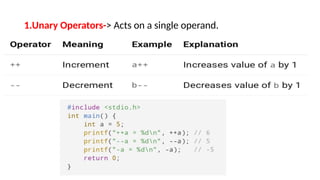
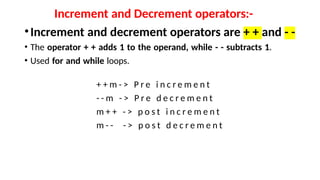
Increment and Decrementoperators:-
•Increment and decrement operators are + + and - -
• The operator + + adds 1 to the operand, while - - subtracts 1.
• Used for and while loops.
+ + m - > P r e i n c r e m e n t
- - m - > P r e d e c r e m e n t
m + + - > p o s t i n c r e m e n t
m - - - > p o s t d e c r e m e n t
30.
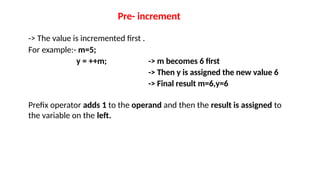
Pre- increment
-> Thevalue is incremented first .
For example:- m=5;
y = ++m; -> m becomes 6 first
-> Then y is assigned the new value 6
-> Final result m=6,y=6
Prefix operator adds 1 to the operand and then the result is assigned to
the variable on the left.
31.
Post –Increment
Thecurrent value is used in the expression
Then the variable is incremented
Example:
m=5;
y=m++; -> y gets the old value 5
-> then m becomes 6
Postfix operator- assigns the value to the variable on left and then increment
the operand.
In array subscripts, a[i++] =10;
Is equivalent to -> a[i]=10;
i++;
Solve Example :
a=4;
b=a++ + a++ ; -----------1
b=++a + ++a ; --------------2
32.
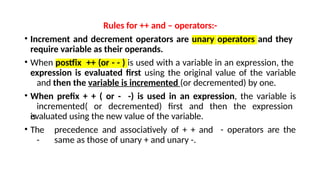
Rules for ++and – operators:-
• Increment and decrement operators are unary operators and they
require variable as their operands.
• When postfix ++ (or - - ) is used with a variable in an expression, the
expression is evaluated first using the original value of the variable
and then the variable is incremented (or decremented) by one.
• When prefix + + ( or - -) is used in an expression, the variable is
incremented( or decremented) first and then the expression
is
evaluated using the new value of the variable.
• The precedence and associatively of + + and
- same as those of unary + and unary -.
- operators are the
33.
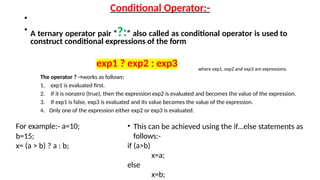
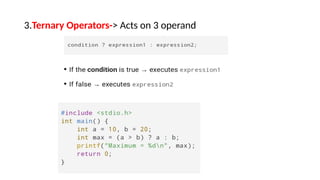
Conditional Operator:-
•
• Aternary operator pair “?:” also called as conditional operator is used to
construct conditional expressions of the form
exp1 ? exp2 : exp3 where exp1, exp2 and exp3 are expressions.
The operator ? ->works as follows:
1. exp1 is evaluated first.
2. If it is nonzero (true), then the expression exp2 is evaluated and becomes the value of the expression.
3. If exp1 is false, exp3 is evaluated and its value becomes the value of the expression.
4. Only one of the expression either exp2 or exp3 is evaluated.
For example:- a=10;
b=15;
x= (a > b) ? a : b;
• This can be achieved using the if…else statements as
follows:-
if (a>b)
x=a;
else
x=b;
34.
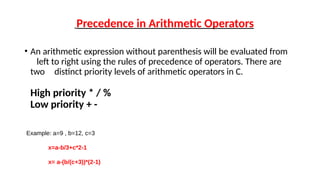
Precedence in ArithmeticOperators
• An arithmetic expression without parenthesis will be evaluated from
left to right using the rules of precedence of operators. There are
two distinct priority levels of arithmetic operators in C.
High priority * / %
Low priority + -
Example: a=9 , b=12, c=3
x=a-b/3+c*2-1
x= a-(b/(c+3))*(2-1)
35.
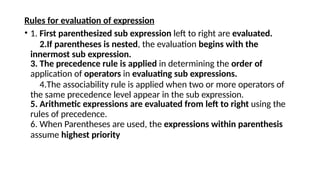
Rules for evaluationof expression
• 1. First parenthesized sub expression left to right are evaluated.
2.If parentheses is nested, the evaluation begins with the
innermost sub expression.
3. The precedence rule is applied in determining the order of
application of operators in evaluating sub expressions.
4.The associability rule is applied when two or more operators of
the same precedence level appear in the sub expression.
5. Arithmetic expressions are evaluated from left to right using the
rules of precedence.
6. When Parentheses are used, the expressions within parenthesis
assume highest priority
36.
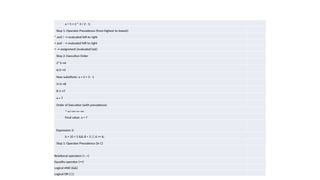
a = 5+ 2 * 3 / 2 - 1;
Step 1: Operator Precedence (from highest to lowest)
* and / → evaluated left to right
+ and - → evaluated left to right
= → assignment (evaluated last)
Step 2: Execution Order
2*3→6
6/2→3
Now substitute: a = 5 + 3 - 1
5+3→8
8-1→7
a = 7
Order of Execution (with precedence)
*→/→+→-→=
Final value: a = 7
Expression 2:
b = 10 > 5 && 8 < 3 || 6 == 6;
Step 1: Operator Precedence (in C)
Relational operators (>, <)
Equality operator (==)
Logical AND (&&)
Logical OR (||)
![Post –Increment
The current value is used in the expression
Then the variable is incremented
Example:
m=5;
y=m++; -> y gets the old value 5
-> then m becomes 6
Postfix operator- assigns the value to the variable on left and then increment
the operand.
In array subscripts, a[i++] =10;
Is equivalent to -> a[i]=10;
i++;
Solve Example :
a=4;
b=a++ + a++ ; -----------1
b=++a + ++a ; --------------2](https://image.slidesharecdn.com/module2-251224053236-5afc6aca/85/Operators-and-Expression-module-2-introduction-to-c-programming-31-320.jpg)