Inheritance
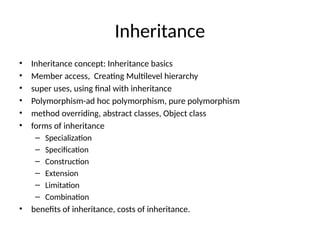
• Inheritance concept:Inheritance basics
• Member access, Creating Multilevel hierarchy
• super uses, using final with inheritance
• Polymorphism-ad hoc polymorphism, pure polymorphism
• method overriding, abstract classes, Object class
• forms of inheritance
– Specialization
– Specification
– Construction
– Extension
– Limitation
– Combination
• benefits of inheritance, costs of inheritance.
3.
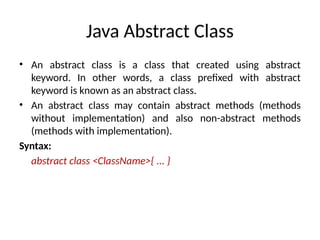
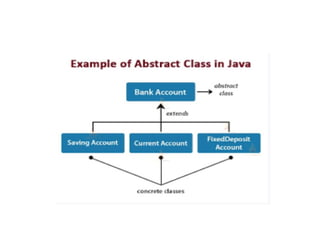
Java Abstract Class
•An abstract class is a class that created using abstract
keyword. In other words, a class prefixed with abstract
keyword is known as an abstract class.
• An abstract class may contain abstract methods (methods
without implementation) and also non-abstract methods
(methods with implementation).
Syntax:
abstract class <ClassName>{ ... }
5.
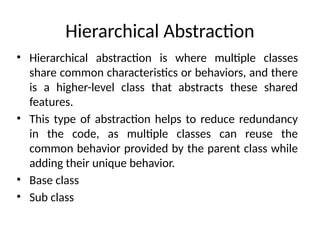
Hierarchical Abstraction
• Hierarchicalabstraction is where multiple classes
share common characteristics or behaviors, and there
is a higher-level class that abstracts these shared
features.
• This type of abstraction helps to reduce redundancy
in the code, as multiple classes can reuse the
common behavior provided by the parent class while
adding their unique behavior.
• Base class
• Sub class
6.
abstract class Vehicle{
public abstract void sound();
public void description() {
System.out.println("This is a vehicle.");
}
} class Car extends Vehicle {
@Override
public void sound() {
System.out.println("The car honks.");
}
} class Bike extends Vehicle {
@Override
public void sound() {
System.out.println("The bike makes a vroom sound.");
}
}
public class HierarchicalAbstraction {
public static void main(String[] args) {
Vehicle car = new Car();
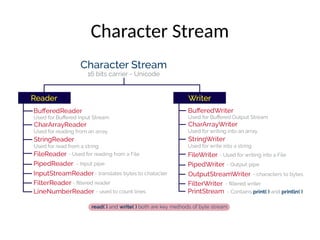
car.sound();
car.description();
Vehicle bike = new Bike();
bike.sound();
bike.description();
}
}
7.
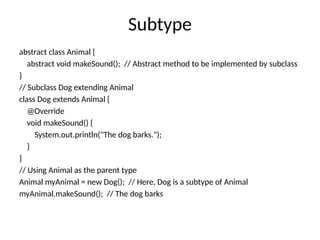
Subtype
abstract class Animal{
abstract void makeSound(); // Abstract method to be implemented by subclass
}
// Subclass Dog extending Animal
class Dog extends Animal {
@Override
void makeSound() {
System.out.println("The dog barks.");
}
}
// Using Animal as the parent type
Animal myAnimal = new Dog(); // Here, Dog is a subtype of Animal
myAnimal.makeSound(); // The dog barks
8.
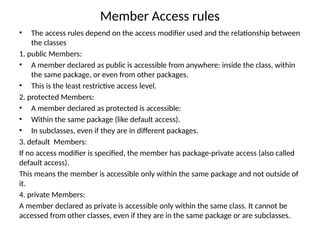
Member Access rules
•The access rules depend on the access modifier used and the relationship between
the classes
1. public Members:
• A member declared as public is accessible from anywhere: inside the class, within
the same package, or even from other packages.
• This is the least restrictive access level.
2. protected Members:
• A member declared as protected is accessible:
• Within the same package (like default access).
• In subclasses, even if they are in different packages.
3. default Members:
If no access modifier is specified, the member has package-private access (also called
default access).
This means the member is accessible only within the same package and not outside of
it.
4. private Members:
A member declared as private is accessible only within the same class. It cannot be
accessed from other classes, even if they are in the same package or are subclasses.
9.
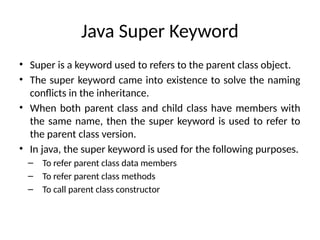
Java Super Keyword
•Super is a keyword used to refers to the parent class object.
• The super keyword came into existence to solve the naming
conflicts in the inheritance.
• When both parent class and child class have members with
the same name, then the super keyword is used to refer to
the parent class version.
• In java, the super keyword is used for the following purposes.
– To refer parent class data members
– To refer parent class methods
– To call parent class constructor
10.
Java Super Keyword
•Super to refer parent class data members
– When both parent class and child class have data members with the
same name, then the super keyword is used to refer to the parent
class data member from child class.
• super to refer parent class method
– When both parent class and child class have method with the same
name, then the super keyword is used to refer to the parent class
method from child class.
• super to call parent class constructor
– When an object of child class is created, it automatically calls the
parent class default-constructor before it's own. But, the
parameterized constructor of parent class must be called explicitly
using the super keyword inside the child class constructor.
11.
// Parent class(Superclass)
class Animal {
// Field in the parent class
String sound = "Some sound";
// Method in the parent class
void makeSound() {
System.out.println("Animal makes sound");
}
}
// Child class (Subclass)
class Dog extends Animal {
// Field in the child class
String sound = "Bark";
// Method in the child class
void makeSound() {
// Using the super keyword to call the parent class method
super.makeSound();
System.out.println("Dog makes sound: " + sound);
}
// Constructor in the child class
void displaySound() {
// Using super to access the parent class field
System.out.println("Animal Sound: " + super.sound); // Accessing the parent class field
System.out.println("Dog Sound: " + sound); // Accessing the child class field
}
}
public class Main {
public static void main(String[] args) {
// Creating an object of the Dog class
Dog dog = new Dog();
// Calling the methods
dog.makeSound();
dog.displaySound();
}
}
12.
Java Final Keyword
•The final is a keyword and it is used with the following things.
– With variable (to create constant)
– With method (to avoid method overriding)
– With class (to avoid inheritance)
• final with variables
– When a variable defined with the final keyword, it becomes a
constant, and it does not allow us to modify the value.
– The variable defined with the final keyword allows only a one-time
assignment, once a value assigned to it, never allows us to change it
again.
13.
Java Final Keyword
•final with methods
– When a method defined with the final keyword, it does not allow it to
override.
– The final method extends to the child class, but the child class can not
override or re-define it. It must be used as it has implemented in the
parent class.
• final with class
– When a class defined with final keyword, it can not be extended by
any other class.
14.
// Using finalwith a variable
class Vehicle {
// A final variable cannot be changed once initialized
final int MAX_SPEED = 120;
void showMaxSpeed() {
System.out.println("The maximum speed is: " + MAX_SPEED + " km/h");
}
}
// Using final with a method
class Car extends Vehicle {
// This method cannot be overridden because it is declared as final
final void display() {
System.out.println("This is a car.");
}
}
public class Main {
public static void main(String[] args)
{
15.
Java Polymorphism
• Thepolymorphism is the process of defining same method
with different implementation. That means using multiple
methods with different behaviors.
• Polymorphism implemented using method overloading and
method overriding.
16.
Java Polymorphism
• Adhoc polymorphism
– The ad hoc polymorphism is a technique used to define the same
method with different implementations and different arguments.
– In a java programming language, ad hoc polymorphism carried out
with a method overloading concept.
– In ad hoc polymorphism the method binding happens at the time of
compilation.
– Ad hoc polymorphism is also known as compile-time polymorphism.
Every function call binded with the respective overloaded method
based on the arguments.
17.
Java Polymorphism
• Purepolymorphism
– The pure polymorphism is a technique used to define the same
method with the same arguments but different implementations.
– In a java programming language, pure polymorphism carried out with
a method overriding concept.
– In pure polymorphism, the method binding happens at run time.
– Pure polymorphism is also known as run-time polymorphism.
– Every function call binding with the respective overridden method
based on the object reference.
18.
Java Object Class
•In java, the Object class is the super most class of any class
hierarchy.
• The Object class in the java programming language is present
inside the java.lang package.
• Every class in the java programming language is a subclass of
Object class by default.
• The Object class is useful when you want to refer to any
object whose type you don't know.
• Because it is the superclass of all other classes in java, it can
refer to any type of object.
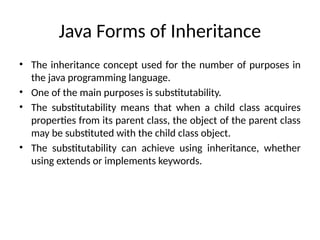
Java Forms ofInheritance
• The inheritance concept used for the number of purposes in
the java programming language.
• One of the main purposes is substitutability.
• The substitutability means that when a child class acquires
properties from its parent class, the object of the parent class
may be substituted with the child class object.
• The substitutability can achieve using inheritance, whether
using extends or implements keywords.
21.
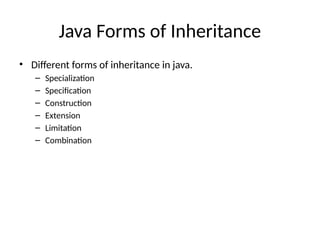
Java Forms ofInheritance
• Different forms of inheritance in java.
– Specialization
– Specification
– Construction
– Extension
– Limitation
– Combination
22.
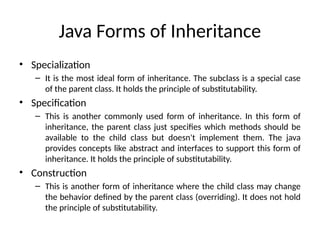
Java Forms ofInheritance
• Specialization
– It is the most ideal form of inheritance. The subclass is a special case
of the parent class. It holds the principle of substitutability.
• Specification
– This is another commonly used form of inheritance. In this form of
inheritance, the parent class just specifies which methods should be
available to the child class but doesn't implement them. The java
provides concepts like abstract and interfaces to support this form of
inheritance. It holds the principle of substitutability.
• Construction
– This is another form of inheritance where the child class may change
the behavior defined by the parent class (overriding). It does not hold
the principle of substitutability.
23.
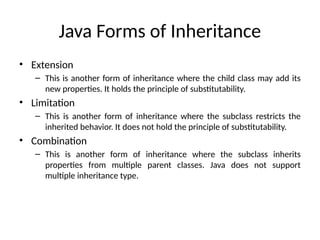
Java Forms ofInheritance
• Extension
– This is another form of inheritance where the child class may add its
new properties. It holds the principle of substitutability.
• Limitation
– This is another form of inheritance where the subclass restricts the
inherited behavior. It does not hold the principle of substitutability.
• Combination
– This is another form of inheritance where the subclass inherits
properties from multiple parent classes. Java does not support
multiple inheritance type.
24.
Benefits of Inheritance
•Software reusability
• Code sharing and Overriding
• Inheritance provides a clear model structure
• Consistency of Inheritance
• Software Components
• Information Hiding
25.
Cost of Inheritance
•Execution Speed
• Program Size
• Meassage passing overhead
• Program complexity
26.
Packages & Interfaces
•Defining, Creating and Accessing a Package
• CLASSPATH
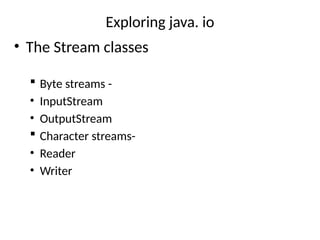
• Access protection
• importing packages
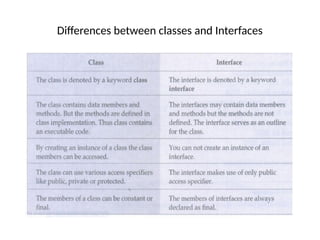
• Differeces between classes and interfaces
• Defining an interface
• implementing interfaces
• Nested interfaces
• applying interfaces
• variables in interfaces and extending interfaces.
• Exploring java.io
27.
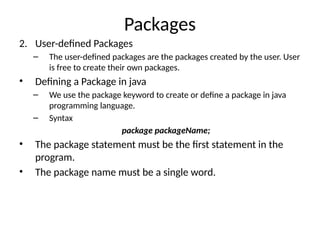
Packages
• A packageis a collection of classes, interfaces, and sub-
packages.
• Packages to avoid naming conflicts and to organize project-
related classes, interfaces, and sub-packages into a bundle.
• Packages have divided into two types.
1. Built-in Packages
– The built-in packages are the packages from java API. The Java API is a
library of pre-defined classes, interfaces, and sub-packages. The built-
in packages were included in the JDK.
– There are many built-in packages in java, few of them are as java, lang,
io, util, awt, javax, swing, net, sql, etc.
– We need to import the built-in packages to use them in our program.
To import a package, we use the import statement.
28.
Packages
2. User-defined Packages
–The user-defined packages are the packages created by the user. User
is free to create their own packages.
• Defining a Package in java
– We use the package keyword to create or define a package in java
programming language.
– Syntax
package packageName;
• The package statement must be the first statement in the
program.
• The package name must be a single word.
29.
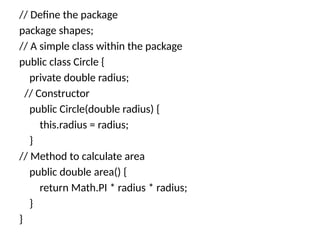
// Define thepackage
package shapes;
// A simple class within the package
public class Circle {
private double radius;
// Constructor
public Circle(double radius) {
this.radius = radius;
}
// Method to calculate area
public double area() {
return Math.PI * radius * radius;
}
}
30.
// Import theCircle class from the shapes package
import shapes.Circle;
public class TestCircle {
public static void main(String[] args) {
// Create an object of Circle class
Circle myCircle = new Circle(5.0);
// Print the area of the circle
System.out.println("The area of the circle is: " +
myCircle.area());
}
}
31.
Packages
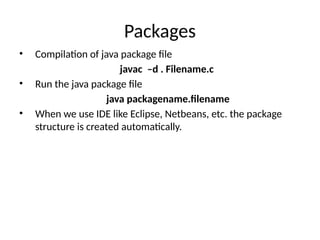
• Compilation ofjava package file
javac –d . Filename.c
• Run the java package file
java packagename.filename
• When we use IDE like Eclipse, Netbeans, etc. the package
structure is created automatically.
32.
Packages
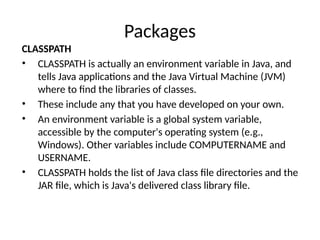
CLASSPATH
• CLASSPATH isactually an environment variable in Java, and
tells Java applications and the Java Virtual Machine (JVM)
where to find the libraries of classes.
• These include any that you have developed on your own.
• An environment variable is a global system variable,
accessible by the computer's operating system (e.g.,
Windows). Other variables include COMPUTERNAME and
USERNAME.
• CLASSPATH holds the list of Java class file directories and the
JAR file, which is Java's delivered class library file.
33.
Packages
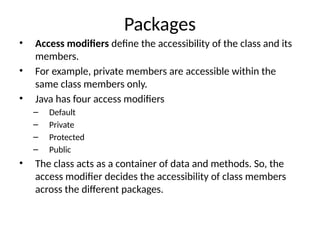
• Access modifiersdefine the accessibility of the class and its
members.
• For example, private members are accessible within the
same class members only.
• Java has four access modifiers
– Default
– Private
– Protected
– Public
• The class acts as a container of data and methods. So, the
access modifier decides the accessibility of class members
across the different packages.
Packages
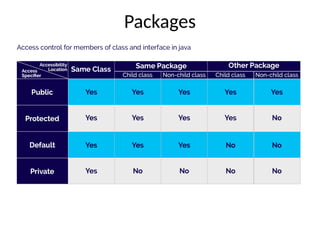
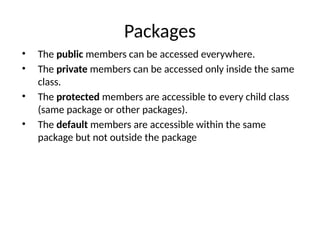
• The publicmembers can be accessed everywhere.
• The private members can be accessed only inside the same
class.
• The protected members are accessible to every child class
(same package or other packages).
• The default members are accessible within the same
package but not outside the package
36.
Packages
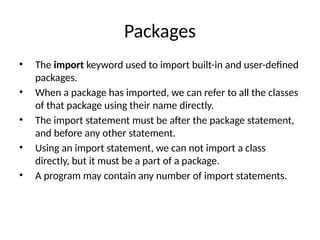
• The importkeyword used to import built-in and user-defined
packages.
• When a package has imported, we can refer to all the classes
of that package using their name directly.
• The import statement must be after the package statement,
and before any other statement.
• Using an import statement, we can not import a class
directly, but it must be a part of a package.
• A program may contain any number of import statements.
37.
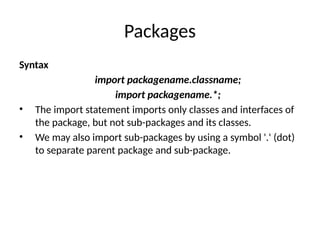
Packages
Syntax
import packagename.classname;
import packagename.*;
•The import statement imports only classes and interfaces of
the package, but not sub-packages and its classes.
• We may also import sub-packages by using a symbol '.' (dot)
to separate parent package and sub-package.
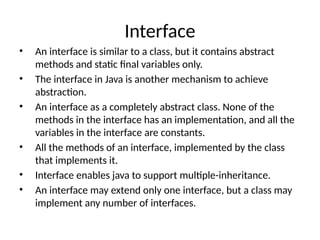
38.
Interface
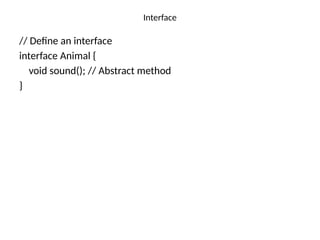
• An interfaceis similar to a class, but it contains abstract
methods and static final variables only.
• The interface in Java is another mechanism to achieve
abstraction.
• An interface as a completely abstract class. None of the
methods in the interface has an implementation, and all the
variables in the interface are constants.
• All the methods of an interface, implemented by the class
that implements it.
• Interface enables java to support multiple-inheritance.
• An interface may extend only one interface, but a class may
implement any number of interfaces.
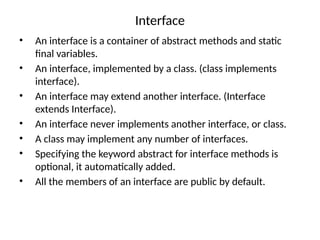
39.
Interface
• An interfaceis a container of abstract methods and static
final variables.
• An interface, implemented by a class. (class implements
interface).
• An interface may extend another interface. (Interface
extends Interface).
• An interface never implements another interface, or class.
• A class may implement any number of interfaces.
• Specifying the keyword abstract for interface methods is
optional, it automatically added.
• All the members of an interface are public by default.
Interface
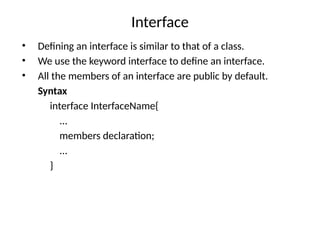
• Defining aninterface is similar to that of a class.
• We use the keyword interface to define an interface.
• All the members of an interface are public by default.
Syntax
interface InterfaceName{
...
members declaration;
...
}
42.
Interface
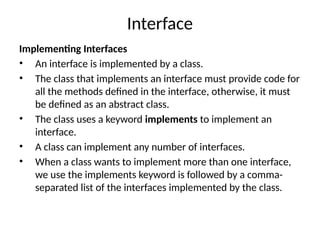
Implementing Interfaces
• Aninterface is implemented by a class.
• The class that implements an interface must provide code for
all the methods defined in the interface, otherwise, it must
be defined as an abstract class.
• The class uses a keyword implements to implement an
interface.
• A class can implement any number of interfaces.
• When a class wants to implement more than one interface,
we use the implements keyword is followed by a comma-
separated list of the interfaces implemented by the class.
// Class implementsthe Animal interface
class Dog implements Animal {
// Providing implementation of the sound method
public void sound() {
System.out.println("Woof!");
} }
class Cat implements Animal {
// Providing implementation of the sound method
public void sound() {
System.out.println("Meow!");
} }
public class Main {
public static void main(String[] args) {
// Creating objects of Dog and Cat
Animal dog = new Dog();
Animal cat = new Cat();
// Calling the sound method on both objects
dog.sound(); // Output: Woof!
cat.sound(); // Output: Meow!
} }
45.
Interface
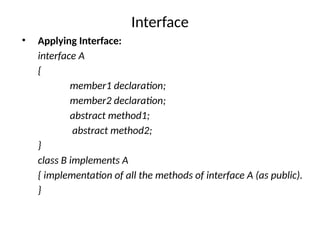
• Applying Interface:
interfaceA
{
member1 declaration;
member2 declaration;
abstract method1;
abstract method2;
}
class B implements A
{ implementation of all the methods of interface A (as public).
}
46.
Interface
• Variables inInterface
• The variable in an interface is public, static, and final by
default.
• If any variable in an interface is defined without public, static,
and final keywords then, the compiler automatically adds the
same.
• No access modifier is allowed except the public for interface
variables.
• Every variable of an interface must be initialized in the
interface itself.
• The class that implements an interface can not modify the
interface variable.
47.
Interface
• Extending anInterface
• An interface can extend another interface.
• An interface can not extend multiple interfaces.
• An interface can implement neither an interface nor a class.
• The class that implements child interface needs to provide
code for all the methods defined in both child and parent
interfaces.
48.
interface Vehicle {
voidstart();
void stop();
}
class Car implements Vehicle {
@Override
public void start() {
System.out.println("Car is starting...");
}
@Override
public void stop() {
System.out.println("Car is stopping...");
}
}
public class Sravanthi
{
public static void main(String[] args) {
Vehicle myCar = new Car();
myCar.start();
myCar.stop();
}
}
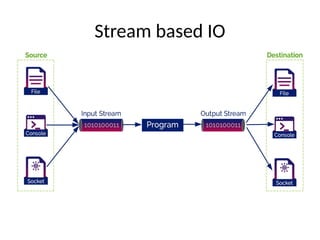
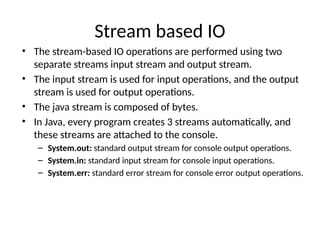
Stream based IO
•The stream-based IO operations are performed using two
separate streams input stream and output stream.
• The input stream is used for input operations, and the output
stream is used for output operations.
• The java stream is composed of bytes.
• In Java, every program creates 3 streams automatically, and
these streams are attached to the console.
– System.out: standard output stream for console output operations.
– System.in: standard input stream for console input operations.
– System.err: standard error stream for console error output operations.
52.
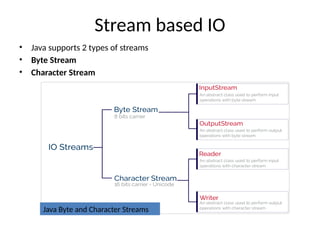
Stream based IO
•Java supports 2 types of streams
• Byte Stream
• Character Stream
Java Byte and Character Streams
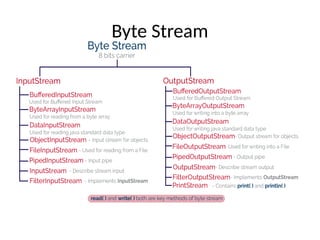
Byte Stream
• Thejava byte stream is defined by two abstract classes
• The InputStream class used for byte stream based input operations.
• The OutputStream class used for byte stream based output operations.
• The InputStream and OutputStream classes have several concreate classes
to perform various IO operations based on the byte stream.
• InputStream Class:
1. int available(): It returns the number of bytes that can be read from
the input stream.
2. int read(): It reads the next byte from the input stream.
3. int read(byte[] b): It reads a chunk of bytes from the input stream and
store them in its byte array, b.
4. void close(): It closes the input stream and also frees any resources
connected with this input stream.
55.
Byte Stream
• OutputStreamClass:
1. void write(int n): It writes byte(contained in an int) to the
output stream.
2. void write(byte[] b): It writes a whole byte array(b) to the
output stream.
3. void flush(): It flushes the output steam by forcing out
buffered bytes to be written out.
4. void close(): It closes the output stream and also frees any
resources connected with this output stream.
56.
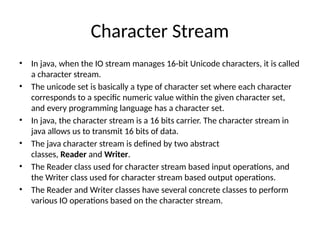
Character Stream
• Injava, when the IO stream manages 16-bit Unicode characters, it is called
a character stream.
• The unicode set is basically a type of character set where each character
corresponds to a specific numeric value within the given character set,
and every programming language has a character set.
• In java, the character stream is a 16 bits carrier. The character stream in
java allows us to transmit 16 bits of data.
• The java character stream is defined by two abstract
classes, Reader and Writer.
• The Reader class used for character stream based input operations, and
the Writer class used for character stream based output operations.
• The Reader and Writer classes have several concrete classes to perform
various IO operations based on the character stream.
Reader Class
1. intread(): It reads the next character from the input stream.
2. int read(char[] cbuffer): It reads a chunk of charaters from the input
stream and store them in its byte array, cbuffer.
3. int read(char[] cbuf, int off, int len): It reads charaters into a portion of
an array.
4. int read(CharBuffer target): It reads charaters into into the specified
character buffer.
5. String readLine(): It reads a line of text. A line is considered to be
terminated by any oneof a line feed ('n'), a carriage return ('r'), or a
carriage returnfollowed immediately by a linefeed.
6. boolean ready(): It tells whether the stream is ready to be read.
7. void close(): It closes the input stream and also frees any resources
connected with this input stream.
59.
Writer Class
1. voidflush(): It flushes the output steam by forcing out buffered bytes to be
written out.
2. void write(char[] cbuf): It writes a whole array(cbuf) to the output stream.
3. void write(char[] cbuf, int off, int len):It writes a portion of an array of characters.
4. void write(int c): It writes single character.
5. void write(String str): It writes a string.
6. void write(String str, int off, int len): It writes a portion of a string.
7. Writer append(char c): It appends the specified character to the writer.
8. Writer append(CharSequence csq): It appends the specified character sequence
to the writer
9. Writer append(CharSequence csq, int start, int end): It appends a subsequence
of the specified character sequence to the writer.
10. void close(): It closes the output stream and also frees any resources connected
with this output stream.
60.
import java.io.BufferedInputStream;
import java.io.FileInputStream;
importjava.io.IOException;
// Java program to demonstrate BufferedInputStream methods
class BufferedInputStreamDemo
{
public static void main(String args[]) throws IOException
{
// attach the file to FileInputStream
FileInputStream fin = new FileInputStream("file1.txt");
BufferedInputStream bin = new BufferedInputStream(fin);
// illustrating available method
System.out.println("Number of remaining bytes:" + bin.available());
// illustrating skip method
/*Original File content:
* This is my first line
* This is my second line*/
bin.skip(4);
System.out.println("FileContents :");
// read characters from FileInputStream and
// write them
int ch;
while ((ch=bin.read()) != -1)
System.out.print((char)ch);

![abstract class Vehicle {
public abstract void sound();
public void description() {
System.out.println("This is a vehicle.");
}
} class Car extends Vehicle {
@Override
public void sound() {
System.out.println("The car honks.");
}
} class Bike extends Vehicle {
@Override
public void sound() {
System.out.println("The bike makes a vroom sound.");
}
}
public class HierarchicalAbstraction {
public static void main(String[] args) {
Vehicle car = new Car();
car.sound();
car.description();
Vehicle bike = new Bike();
bike.sound();
bike.description();
}
}](https://image.slidesharecdn.com/unit2javaprogramming-260123001636-44111f40/85/UNIT-2_-Object-Oriented-Programming-pptx-6-320.jpg)
![// Parent class (Superclass)
class Animal {
// Field in the parent class
String sound = "Some sound";
// Method in the parent class
void makeSound() {
System.out.println("Animal makes sound");
}
}
// Child class (Subclass)
class Dog extends Animal {
// Field in the child class
String sound = "Bark";
// Method in the child class
void makeSound() {
// Using the super keyword to call the parent class method
super.makeSound();
System.out.println("Dog makes sound: " + sound);
}
// Constructor in the child class
void displaySound() {
// Using super to access the parent class field
System.out.println("Animal Sound: " + super.sound); // Accessing the parent class field
System.out.println("Dog Sound: " + sound); // Accessing the child class field
}
}
public class Main {
public static void main(String[] args) {
// Creating an object of the Dog class
Dog dog = new Dog();
// Calling the methods
dog.makeSound();
dog.displaySound();
}
}](https://image.slidesharecdn.com/unit2javaprogramming-260123001636-44111f40/85/UNIT-2_-Object-Oriented-Programming-pptx-11-320.jpg)
![// Using final with a variable
class Vehicle {
// A final variable cannot be changed once initialized
final int MAX_SPEED = 120;
void showMaxSpeed() {
System.out.println("The maximum speed is: " + MAX_SPEED + " km/h");
}
}
// Using final with a method
class Car extends Vehicle {
// This method cannot be overridden because it is declared as final
final void display() {
System.out.println("This is a car.");
}
}
public class Main {
public static void main(String[] args)
{](https://image.slidesharecdn.com/unit2javaprogramming-260123001636-44111f40/85/UNIT-2_-Object-Oriented-Programming-pptx-14-320.jpg)
![// Import the Circle class from the shapes package
import shapes.Circle;
public class TestCircle {
public static void main(String[] args) {
// Create an object of Circle class
Circle myCircle = new Circle(5.0);
// Print the area of the circle
System.out.println("The area of the circle is: " +
myCircle.area());
}
}](https://image.slidesharecdn.com/unit2javaprogramming-260123001636-44111f40/85/UNIT-2_-Object-Oriented-Programming-pptx-30-320.jpg)
![// Class implements the Animal interface
class Dog implements Animal {
// Providing implementation of the sound method
public void sound() {
System.out.println("Woof!");
} }
class Cat implements Animal {
// Providing implementation of the sound method
public void sound() {
System.out.println("Meow!");
} }
public class Main {
public static void main(String[] args) {
// Creating objects of Dog and Cat
Animal dog = new Dog();
Animal cat = new Cat();
// Calling the sound method on both objects
dog.sound(); // Output: Woof!
cat.sound(); // Output: Meow!
} }](https://image.slidesharecdn.com/unit2javaprogramming-260123001636-44111f40/85/UNIT-2_-Object-Oriented-Programming-pptx-44-320.jpg)
![interface Vehicle {
void start();
void stop();
}
class Car implements Vehicle {
@Override
public void start() {
System.out.println("Car is starting...");
}
@Override
public void stop() {
System.out.println("Car is stopping...");
}
}
public class Sravanthi
{
public static void main(String[] args) {
Vehicle myCar = new Car();
myCar.start();
myCar.stop();
}
}](https://image.slidesharecdn.com/unit2javaprogramming-260123001636-44111f40/85/UNIT-2_-Object-Oriented-Programming-pptx-48-320.jpg)
![Byte Stream
• The java byte stream is defined by two abstract classes
• The InputStream class used for byte stream based input operations.
• The OutputStream class used for byte stream based output operations.
• The InputStream and OutputStream classes have several concreate classes
to perform various IO operations based on the byte stream.
• InputStream Class:
1. int available(): It returns the number of bytes that can be read from
the input stream.
2. int read(): It reads the next byte from the input stream.
3. int read(byte[] b): It reads a chunk of bytes from the input stream and
store them in its byte array, b.
4. void close(): It closes the input stream and also frees any resources
connected with this input stream.](https://image.slidesharecdn.com/unit2javaprogramming-260123001636-44111f40/85/UNIT-2_-Object-Oriented-Programming-pptx-54-320.jpg)
![Byte Stream
• OutputStream Class:
1. void write(int n): It writes byte(contained in an int) to the
output stream.
2. void write(byte[] b): It writes a whole byte array(b) to the
output stream.
3. void flush(): It flushes the output steam by forcing out
buffered bytes to be written out.
4. void close(): It closes the output stream and also frees any
resources connected with this output stream.](https://image.slidesharecdn.com/unit2javaprogramming-260123001636-44111f40/85/UNIT-2_-Object-Oriented-Programming-pptx-55-320.jpg)
![Reader Class
1. int read(): It reads the next character from the input stream.
2. int read(char[] cbuffer): It reads a chunk of charaters from the input
stream and store them in its byte array, cbuffer.
3. int read(char[] cbuf, int off, int len): It reads charaters into a portion of
an array.
4. int read(CharBuffer target): It reads charaters into into the specified
character buffer.
5. String readLine(): It reads a line of text. A line is considered to be
terminated by any oneof a line feed ('n'), a carriage return ('r'), or a
carriage returnfollowed immediately by a linefeed.
6. boolean ready(): It tells whether the stream is ready to be read.
7. void close(): It closes the input stream and also frees any resources
connected with this input stream.](https://image.slidesharecdn.com/unit2javaprogramming-260123001636-44111f40/85/UNIT-2_-Object-Oriented-Programming-pptx-58-320.jpg)
![Writer Class
1. void flush(): It flushes the output steam by forcing out buffered bytes to be
written out.
2. void write(char[] cbuf): It writes a whole array(cbuf) to the output stream.
3. void write(char[] cbuf, int off, int len):It writes a portion of an array of characters.
4. void write(int c): It writes single character.
5. void write(String str): It writes a string.
6. void write(String str, int off, int len): It writes a portion of a string.
7. Writer append(char c): It appends the specified character to the writer.
8. Writer append(CharSequence csq): It appends the specified character sequence
to the writer
9. Writer append(CharSequence csq, int start, int end): It appends a subsequence
of the specified character sequence to the writer.
10. void close(): It closes the output stream and also frees any resources connected
with this output stream.](https://image.slidesharecdn.com/unit2javaprogramming-260123001636-44111f40/85/UNIT-2_-Object-Oriented-Programming-pptx-59-320.jpg)
![import java.io.BufferedInputStream;
import java.io.FileInputStream;
import java.io.IOException;
// Java program to demonstrate BufferedInputStream methods
class BufferedInputStreamDemo
{
public static void main(String args[]) throws IOException
{
// attach the file to FileInputStream
FileInputStream fin = new FileInputStream("file1.txt");
BufferedInputStream bin = new BufferedInputStream(fin);
// illustrating available method
System.out.println("Number of remaining bytes:" + bin.available());
// illustrating skip method
/*Original File content:
* This is my first line
* This is my second line*/
bin.skip(4);
System.out.println("FileContents :");
// read characters from FileInputStream and
// write them
int ch;
while ((ch=bin.read()) != -1)
System.out.print((char)ch);](https://image.slidesharecdn.com/unit2javaprogramming-260123001636-44111f40/85/UNIT-2_-Object-Oriented-Programming-pptx-60-320.jpg)


