HubSpot Salesforce Integration:
Admin Guide 2026
This comprehensive guide provides administrators with a detailed
roadmap to effectively integrate HubSpot and Salesforce. Learn how to
connect your marketing and sales platforms, streamline data flow, and
optimize workflows to drive greater efficiency, improve collaboration, and
accelerate revenue growth for your organization.
STRATEGIC VALUE
Why Integrate HubSpot & Salesforce?
Unified Data Flow
Align marketing and
sales teams with
seamless, automatic
data synchronization
across platforms.
Eliminate Manual
Work
Stop wasting hours on
data entry and reduce
human errors that cost
deals.
Real-Time
Intelligence
Track the complete
customer journey with
instant updates and
accurate insights.
Revenue
Acceleration
Make smarter, data-
driven decisions that
directly improve sales
outcomes.
Understand the Platforms
HubSpot CRM
Marketing-focused powerhouse
specializing in automation, lead
nurturing, email campaigns, and
inbound marketing excellence.
Salesforce CRM
Enterprise-grade sales platform for
robust pipeline management,
forecasting accuracy, and
comprehensive customer data
centralization.
Integration Bridge
The connector that unifies
marketing and sales teams, creating
seamless workflows and eliminating
departmental silos.
PREPARATION
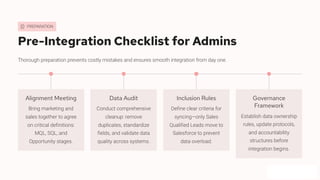
Pre-Integration Checklist for Admins
Thorough preparation prevents costly mistakes and ensures smooth integration from day one.
Alignment Meeting
Bring marketing and
sales together to agree
on critical definitions:
MQL, SQL, and
Opportunity stages.
Data Audit
Conduct comprehensive
cleanup: remove
duplicates, standardize
fields, and validate data
quality across systems.
Inclusion Rules
Define clear criteria for
syncing—only Sales
Qualified Leads move to
Salesforce to prevent
data overload.
Governance
Framework
Establish data ownership
rules, update protocols,
and accountability
structures before
integration begins.
STEP 1
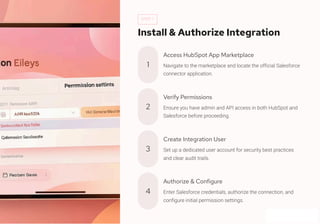
Install & Authorize Integration
1
Access HubSpot App Marketplace
Navigate to the marketplace and locate the official Salesforce
connector application.
2
Verify Permissions
Ensure you have admin and API access in both HubSpot and
Salesforce before proceeding.
3
Create Integration User
Set up a dedicated user account for security best practices
and clear audit trails.
4
Authorize & Configure
Enter Salesforce credentials, authorize the connection, and
configure initial permission settings.
STEP 2
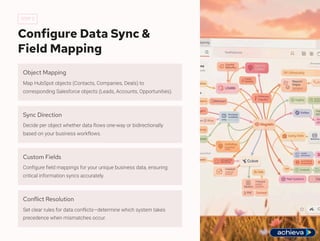
Configure Data Sync &
Field Mapping
Object Mapping
Map HubSpot objects (Contacts, Companies, Deals) to
corresponding Salesforce objects (Leads, Accounts, Opportunities).
Sync Direction
Decide per object whether data flows one-way or bidirectionally
based on your business workflows.
Custom Fields
Configure field mappings for your unique business data, ensuring
critical information syncs accurately.
Conflict Resolution
Set clear rules for data conflicts—determine which system takes
precedence when mismatches occur.
STEP 3
Testing & Go-Live
Test Sync Validation
Run controlled test syncs with sample data to
validate all mappings, filters, and business rules
function correctly.
Error Resolution
Carefully monitor sync logs for errors, resolve all
issues, and refine configurations before full
deployment.
Full Activation
Once testing confirms stability, activate the sync for
all records with confidence.
Ongoing Monitoring
Leverage the HubSpot integration dashboard for
continuous health monitoring and performance
tracking.
CRITICAL ISSUES
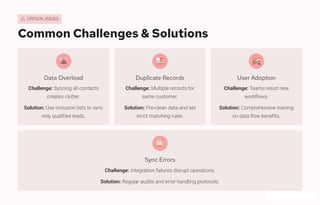
Common Challenges & Solutions
Data Overload
Challenge: Syncing all contacts
creates clutter.
Solution: Use inclusion lists to sync
only qualified leads.
Duplicate Records
Challenge: Multiple records for
same customer.
Solution: Pre-clean data and set
strict matching rules.
User Adoption
Challenge: Teams resist new
workflows.
Solution: Comprehensive training
on data flow benefits.
Sync Errors
Challenge: Integration failures disrupt operations.
Solution: Regular audits and error handling protocols.
EXCELLENCE
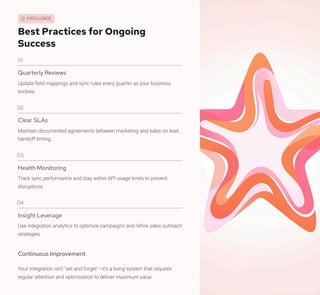
Best Practices for Ongoing
Success
01
Quarterly Reviews
Update field mappings and sync rules every quarter as your business
evolves.
02
Clear SLAs
Maintain documented agreements between marketing and sales on lead
handoff timing.
03
Health Monitoring
Track sync performance and stay within API usage limits to prevent
disruptions.
04
Insight Leverage
Use integration analytics to optimize campaigns and refine sales outreach
strategies.
Continuous Improvement
Your integration isn't "set and forget"—it's a living system that requires
regular attention and optimization to deliver maximum value.
Empower Your Teams in
2026
Strategic Asset
This integration is far more
than a technical setup—it's a
strategic asset that transforms
how your organization
operates.
Unlock Full Value
Proper planning, clean data,
and continuous governance
are the keys to unlocking
transformative value.
Unified Growth
Drive alignment, efficiency, and accelerated growth with a truly
unified CRM ecosystem.
Ready to transform your revenue engine? Start your integration
journey today and empower your teams to achieve unprecedented
success.
PARTNER WITH EXPERTS
Stuck on Integration?
Achieva.ai Can Help.
Complex integrations can throw unexpected challenges your way. Don't
let roadblocks delay your success. Achieva.ai provides comprehensive
Salesforce integration services to ensure your HubSpot and Salesforce
systems work flawlessly together.
Award-Winning Expertise
Benefit from an award-winning
Salesforce consulting partner
with a deep understanding of
complex CRM integrations.
Comprehensive Solutions
We provide tailored support for
all types of Salesforce
integration challenges, from
setup to advanced
customization.
Unlock Full Potential
Overcome obstacles quickly and realize the maximum value from
your integrated sales and marketing platforms.
† Connect with Achieva.ai Today

HubSpot Salesforce Integration Admin Guide

  • 1.
    HubSpot Salesforce Integration: AdminGuide 2026 This comprehensive guide provides administrators with a detailed roadmap to effectively integrate HubSpot and Salesforce. Learn how to connect your marketing and sales platforms, streamline data flow, and optimize workflows to drive greater efficiency, improve collaboration, and accelerate revenue growth for your organization.
  • 2.
    STRATEGIC VALUE Why IntegrateHubSpot & Salesforce? Unified Data Flow Align marketing and sales teams with seamless, automatic data synchronization across platforms. Eliminate Manual Work Stop wasting hours on data entry and reduce human errors that cost deals. Real-Time Intelligence Track the complete customer journey with instant updates and accurate insights. Revenue Acceleration Make smarter, data- driven decisions that directly improve sales outcomes.
  • 3.
    Understand the Platforms HubSpotCRM Marketing-focused powerhouse specializing in automation, lead nurturing, email campaigns, and inbound marketing excellence. Salesforce CRM Enterprise-grade sales platform for robust pipeline management, forecasting accuracy, and comprehensive customer data centralization. Integration Bridge The connector that unifies marketing and sales teams, creating seamless workflows and eliminating departmental silos.
  • 4.
    PREPARATION Pre-Integration Checklist forAdmins Thorough preparation prevents costly mistakes and ensures smooth integration from day one. Alignment Meeting Bring marketing and sales together to agree on critical definitions: MQL, SQL, and Opportunity stages. Data Audit Conduct comprehensive cleanup: remove duplicates, standardize fields, and validate data quality across systems. Inclusion Rules Define clear criteria for syncing—only Sales Qualified Leads move to Salesforce to prevent data overload. Governance Framework Establish data ownership rules, update protocols, and accountability structures before integration begins.
  • 5.
    STEP 1 Install &Authorize Integration 1 Access HubSpot App Marketplace Navigate to the marketplace and locate the official Salesforce connector application. 2 Verify Permissions Ensure you have admin and API access in both HubSpot and Salesforce before proceeding. 3 Create Integration User Set up a dedicated user account for security best practices and clear audit trails. 4 Authorize & Configure Enter Salesforce credentials, authorize the connection, and configure initial permission settings.
  • 6.
    STEP 2 Configure DataSync & Field Mapping Object Mapping Map HubSpot objects (Contacts, Companies, Deals) to corresponding Salesforce objects (Leads, Accounts, Opportunities). Sync Direction Decide per object whether data flows one-way or bidirectionally based on your business workflows. Custom Fields Configure field mappings for your unique business data, ensuring critical information syncs accurately. Conflict Resolution Set clear rules for data conflicts—determine which system takes precedence when mismatches occur.
  • 7.
    STEP 3 Testing &Go-Live Test Sync Validation Run controlled test syncs with sample data to validate all mappings, filters, and business rules function correctly. Error Resolution Carefully monitor sync logs for errors, resolve all issues, and refine configurations before full deployment. Full Activation Once testing confirms stability, activate the sync for all records with confidence. Ongoing Monitoring Leverage the HubSpot integration dashboard for continuous health monitoring and performance tracking.
  • 8.
    CRITICAL ISSUES Common Challenges& Solutions Data Overload Challenge: Syncing all contacts creates clutter. Solution: Use inclusion lists to sync only qualified leads. Duplicate Records Challenge: Multiple records for same customer. Solution: Pre-clean data and set strict matching rules. User Adoption Challenge: Teams resist new workflows. Solution: Comprehensive training on data flow benefits. Sync Errors Challenge: Integration failures disrupt operations. Solution: Regular audits and error handling protocols.
  • 9.
    EXCELLENCE Best Practices forOngoing Success 01 Quarterly Reviews Update field mappings and sync rules every quarter as your business evolves. 02 Clear SLAs Maintain documented agreements between marketing and sales on lead handoff timing. 03 Health Monitoring Track sync performance and stay within API usage limits to prevent disruptions. 04 Insight Leverage Use integration analytics to optimize campaigns and refine sales outreach strategies. Continuous Improvement Your integration isn't "set and forget"—it's a living system that requires regular attention and optimization to deliver maximum value.
  • 10.
    Empower Your Teamsin 2026 Strategic Asset This integration is far more than a technical setup—it's a strategic asset that transforms how your organization operates. Unlock Full Value Proper planning, clean data, and continuous governance are the keys to unlocking transformative value. Unified Growth Drive alignment, efficiency, and accelerated growth with a truly unified CRM ecosystem. Ready to transform your revenue engine? Start your integration journey today and empower your teams to achieve unprecedented success.
  • 11.
    PARTNER WITH EXPERTS Stuckon Integration? Achieva.ai Can Help. Complex integrations can throw unexpected challenges your way. Don't let roadblocks delay your success. Achieva.ai provides comprehensive Salesforce integration services to ensure your HubSpot and Salesforce systems work flawlessly together. Award-Winning Expertise Benefit from an award-winning Salesforce consulting partner with a deep understanding of complex CRM integrations. Comprehensive Solutions We provide tailored support for all types of Salesforce integration challenges, from setup to advanced customization. Unlock Full Potential Overcome obstacles quickly and realize the maximum value from your integrated sales and marketing platforms. † Connect with Achieva.ai Today