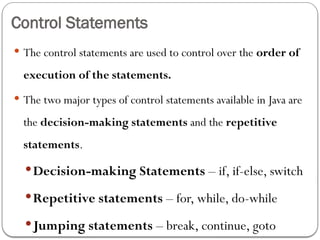
Control Statements
Thecontrol statements are used to control over the order of
execution of the statements.
The two major types of control statements available in Java are
the decision-making statements and the repetitive
statements.
Decision-making Statements – if, if-else, switch
Repetitive statements – for, while, do-while
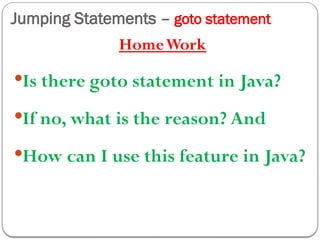
Jumping statements – break, continue, goto
Control Statements
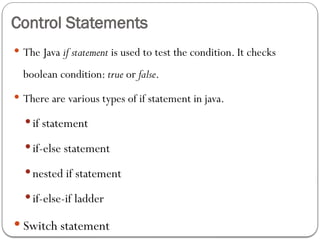
TheJava if statement is used to test the condition. It checks
boolean condition: true or false.
There are various types of if statement in java.
if statement
if-else statement
nested if statement
if-else-if ladder
Switch statement
6.
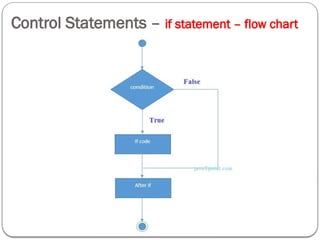
Control Statements –if statement
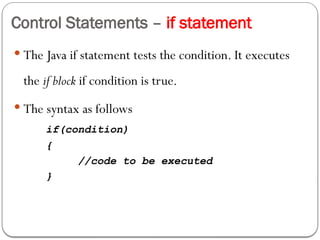
The Java if statement tests the condition. It executes
the if block if condition is true.
The syntax as follows
if(condition)
{
//code to be executed
}
Control Statements –if statement - example
public class IfExample
{
public static void main(String[] args)
{
int age=20;
if(age>18)
{
System.out.print("Age is
greater than 18");
}
}
}
Output:
Age is greater than 18
9.
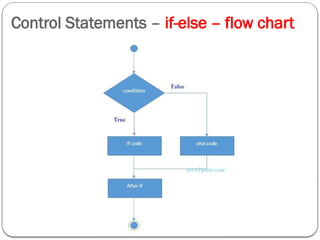
Control Statements –if-else statement
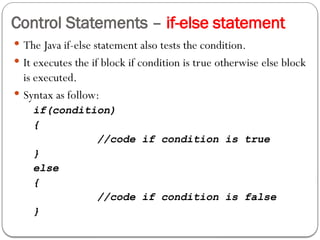
The Java if-else statement also tests the condition.
It executes the if block if condition is true otherwise else block
is executed.
Syntax as follow:
if(condition)
{
//code if condition is true
}
else
{
//code if condition is false
}
Control Statements –if-else - Example
public class IfElseExample
{
public static void main(String[] args)
{
int number=13;
if(number%2==0)
{
System.out.println("even number");
}
else
{
System.out.println("odd number");
}
}
}
Output:
odd number
12.
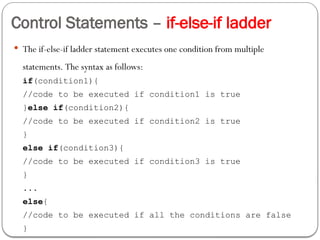
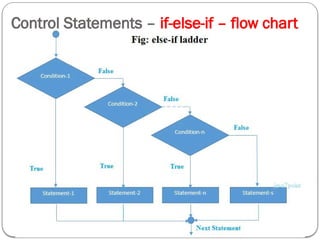
Control Statements –if-else-if ladder
The if-else-if ladder statement executes one condition from multiple
statements. The syntax as follows:
if(condition1){
//code to be executed if condition1 is true
}else if(condition2){
//code to be executed if condition2 is true
}
else if(condition3){
//code to be executed if condition3 is true
}
...
else{
//code to be executed if all the conditions are false
}
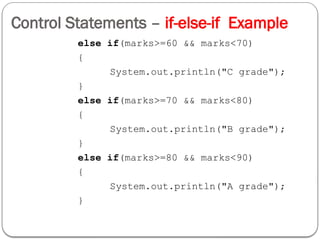
Control Statements –if-else-if Example
public class IfElseIfExample
{
public static void main(String[] args)
{
int marks=65;
if(marks<50)
{
System.out.println("fail");
}
else if(marks>=50 && marks<60)
{
System.out.println("D grade");
}
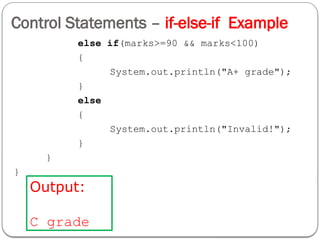
Control Statements –if-else-if Example
else if(marks>=90 && marks<100)
{
System.out.println("A+ grade");
}
else
{
System.out.println("Invalid!");
}
}
}
Output:
C grade
17.
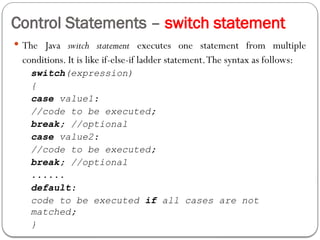
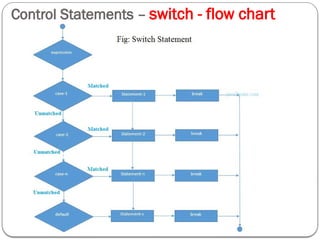
Control Statements –switch statement
The Java switch statement executes one statement from multiple
conditions. It is like if-else-if ladder statement.The syntax as follows:
switch(expression)
{
case value1:
//code to be executed;
break; //optional
case value2:
//code to be executed;
break; //optional
......
default:
code to be executed if all cases are not
matched;
}
Control Statements –switch – Example
public class SwitchExample
{
public static void main(String[] args)
{
int number=20;
switch(number)
{
case 10: System.out.println(“Ten"); break;
case 20: System.out.println(“Twenty"); break;
case 30: System.out.println(“Thirty"); break;
default: System.out.println("Not in 10, 20 or 30");
}
}
}
Output
Twenty
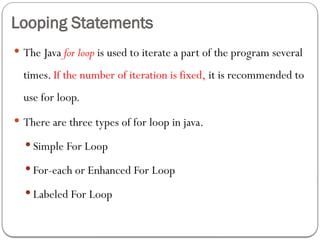
Looping Statements
TheJava for loop is used to iterate a part of the program several
times. If the number of iteration is fixed, it is recommended to
use for loop.
There are three types of for loop in java.
Simple For Loop
For-each or Enhanced For Loop
Labeled For Loop
22.
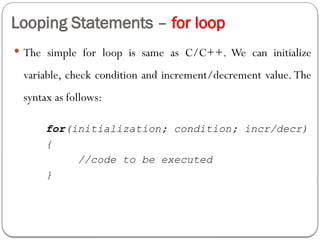
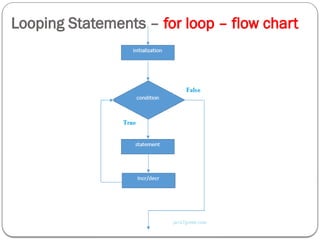
Looping Statements –for loop
The simple for loop is same as C/C++. We can initialize
variable, check condition and increment/decrement value. The
syntax as follows:
for(initialization; condition; incr/decr)
{
//code to be executed
}
Looping Statements –for loop - Example
public class ForExample
{
public static void main(String[] args)
{
for(int i=1;i<=10;i++)
{
System.out.println(i);
}
}
}
Output:
1
2
3
4
5
6
7
8
9
10
25.
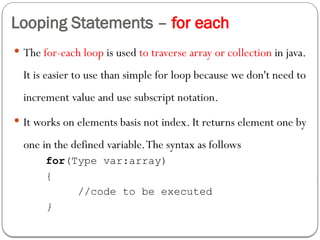
Looping Statements –for each
The for-each loop is used to traverse array or collection in java.
It is easier to use than simple for loop because we don't need to
increment value and use subscript notation.
It works on elements basis not index. It returns element one by
one in the defined variable.The syntax as follows
for(Type var:array)
{
//code to be executed
}
26.
Looping Statements –for each - Example
public class ForEachExample
{
public static void main(String[] args)
{
int arr[]={12,23,44,56,78};
for(int i:arr)
{
System.out.println(i);
}
}
}
HomeWork:
Labeled for Loop & infinitive for loop
Output:
12
23
44
56
78
27.
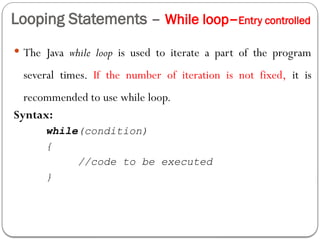
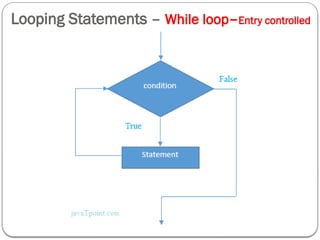
Looping Statements –While loop–Entry controlled
The Java while loop is used to iterate a part of the program
several times. If the number of iteration is not fixed, it is
recommended to use while loop.
Syntax:
while(condition)
{
//code to be executed
}
Looping Statements –While loop - Example
public class WhileExample
{
public static void main(String[] args)
{
int i=1;
while(i<=10)
{
System.out.println(i);
i++;
}
}
}
Output:
1
2
3
4
5
6
7
8
9
10
30.
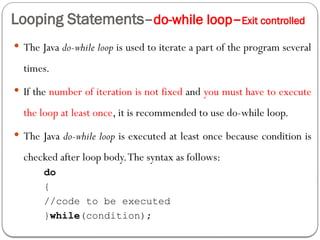
Looping Statements–do-while loop–Exitcontrolled
The Java do-while loop is used to iterate a part of the program several
times.
If the number of iteration is not fixed and you must have to execute
the loop at least once, it is recommended to use do-while loop.
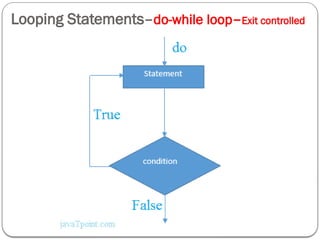
The Java do-while loop is executed at least once because condition is
checked after loop body.The syntax as follows:
do
{
//code to be executed
}while(condition);
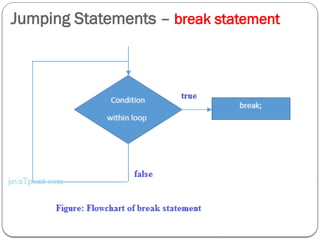
Jumping Statements –break statement
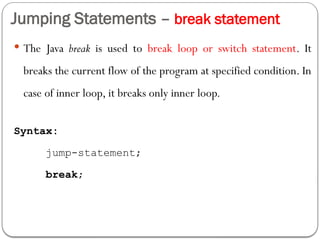
The Java break is used to break loop or switch statement. It
breaks the current flow of the program at specified condition. In
case of inner loop, it breaks only inner loop.
Syntax:
jump-statement;
break;
Jumping Statements –break statement-example
public class BreakExample
{
public static void main(String[] args)
{
for(int i=1;i<=10;i++)
{
if(i==5)
{
break;
}
System.out.println(i);
}
}
}
Output:
1
2
3
4
37.
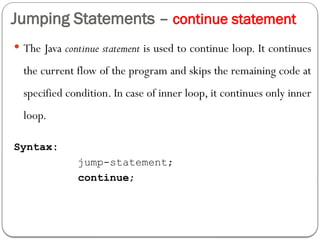
Jumping Statements –continue statement
The Java continue statement is used to continue loop. It continues
the current flow of the program and skips the remaining code at
specified condition. In case of inner loop, it continues only inner
loop.
Syntax:
jump-statement;
continue;
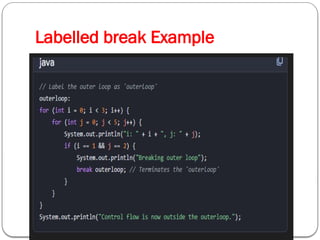
Labelled break statement
A labelled break statement in Java is used to terminate
a specific outer loop or labeled block from within an inner
loop or nested structure.A regular (unlabeled) break only
exits the innermost enclosing loop or a switch statement.
Syntax
To use a labelled break statement:
Place an identifier (label) followed by a colon (:) before the
loop or block you want to break out of.
Inside a nested structure within the labeled block, use
the break keyword followed by the label's identifier.
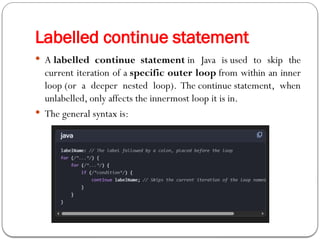
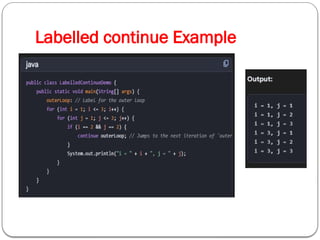
A labelledcontinue statement in Java is used to skip the
current iteration of a specific outer loop from within an inner
loop (or a deeper nested loop). The continue statement, when
unlabelled, only affects the innermost loop it is in.
The general syntax is:
Labelled continue statement
![Control Statements – if statement - example
public class IfExample
{
public static void main(String[] args)
{
int age=20;
if(age>18)
{
System.out.print("Age is
greater than 18");
}
}
}
Output:
Age is greater than 18](https://image.slidesharecdn.com/unit-2-260203065949-d56a173d/85/Unit-2-pptx-Conditional-and-Looping-Statements-8-320.jpg)
![Control Statements – if-else - Example
public class IfElseExample
{
public static void main(String[] args)
{
int number=13;
if(number%2==0)
{
System.out.println("even number");
}
else
{
System.out.println("odd number");
}
}
}
Output:
odd number](https://image.slidesharecdn.com/unit-2-260203065949-d56a173d/85/Unit-2-pptx-Conditional-and-Looping-Statements-11-320.jpg)
![Control Statements – if-else-if Example
public class IfElseIfExample
{
public static void main(String[] args)
{
int marks=65;
if(marks<50)
{
System.out.println("fail");
}
else if(marks>=50 && marks<60)
{
System.out.println("D grade");
}](https://image.slidesharecdn.com/unit-2-260203065949-d56a173d/85/Unit-2-pptx-Conditional-and-Looping-Statements-14-320.jpg)
![Control Statements – switch – Example
public class SwitchExample
{
public static void main(String[] args)
{
int number=20;
switch(number)
{
case 10: System.out.println(“Ten"); break;
case 20: System.out.println(“Twenty"); break;
case 30: System.out.println(“Thirty"); break;
default: System.out.println("Not in 10, 20 or 30");
}
}
}
Output
Twenty](https://image.slidesharecdn.com/unit-2-260203065949-d56a173d/85/Unit-2-pptx-Conditional-and-Looping-Statements-19-320.jpg)
![Looping Statements – for loop - Example
public class ForExample
{
public static void main(String[] args)
{
for(int i=1;i<=10;i++)
{
System.out.println(i);
}
}
}
Output:
1
2
3
4
5
6
7
8
9
10](https://image.slidesharecdn.com/unit-2-260203065949-d56a173d/85/Unit-2-pptx-Conditional-and-Looping-Statements-24-320.jpg)
![Looping Statements – for each - Example
public class ForEachExample
{
public static void main(String[] args)
{
int arr[]={12,23,44,56,78};
for(int i:arr)
{
System.out.println(i);
}
}
}
HomeWork:
Labeled for Loop & infinitive for loop
Output:
12
23
44
56
78](https://image.slidesharecdn.com/unit-2-260203065949-d56a173d/85/Unit-2-pptx-Conditional-and-Looping-Statements-26-320.jpg)
![Looping Statements – While loop - Example
public class WhileExample
{
public static void main(String[] args)
{
int i=1;
while(i<=10)
{
System.out.println(i);
i++;
}
}
}
Output:
1
2
3
4
5
6
7
8
9
10](https://image.slidesharecdn.com/unit-2-260203065949-d56a173d/85/Unit-2-pptx-Conditional-and-Looping-Statements-29-320.jpg)
![Looping Statements–do-while loop - Example
public class DoWhileExample
{
public static void main(String[] args)
{
int i=1;
do
{
System.out.println(i);
i++;
}while(i<=10);
}
}
Output:
1
2
3
4
5
6
7
8
9
10](https://image.slidesharecdn.com/unit-2-260203065949-d56a173d/85/Unit-2-pptx-Conditional-and-Looping-Statements-32-320.jpg)
![Jumping Statements – break statement-example
public class BreakExample
{
public static void main(String[] args)
{
for(int i=1;i<=10;i++)
{
if(i==5)
{
break;
}
System.out.println(i);
}
}
}
Output:
1
2
3
4](https://image.slidesharecdn.com/unit-2-260203065949-d56a173d/85/Unit-2-pptx-Conditional-and-Looping-Statements-36-320.jpg)
![Jumping Statements – continue statement
public class ContinueExample
{
public static void main(String[] args)
{
for(int i=1;i<=10;i++)
{
if(i==5)
{
continue;
}
System.out.println(i);
}
}
}
Output:
1
2
3
4
6
7
8
9
10](https://image.slidesharecdn.com/unit-2-260203065949-d56a173d/85/Unit-2-pptx-Conditional-and-Looping-Statements-38-320.jpg)