UNDERSTANDING
SECURITY AND
COMPLIANCE IN
MICROSOFT TEAMS
Chirag Patel MVP
MCT
16 May 2023
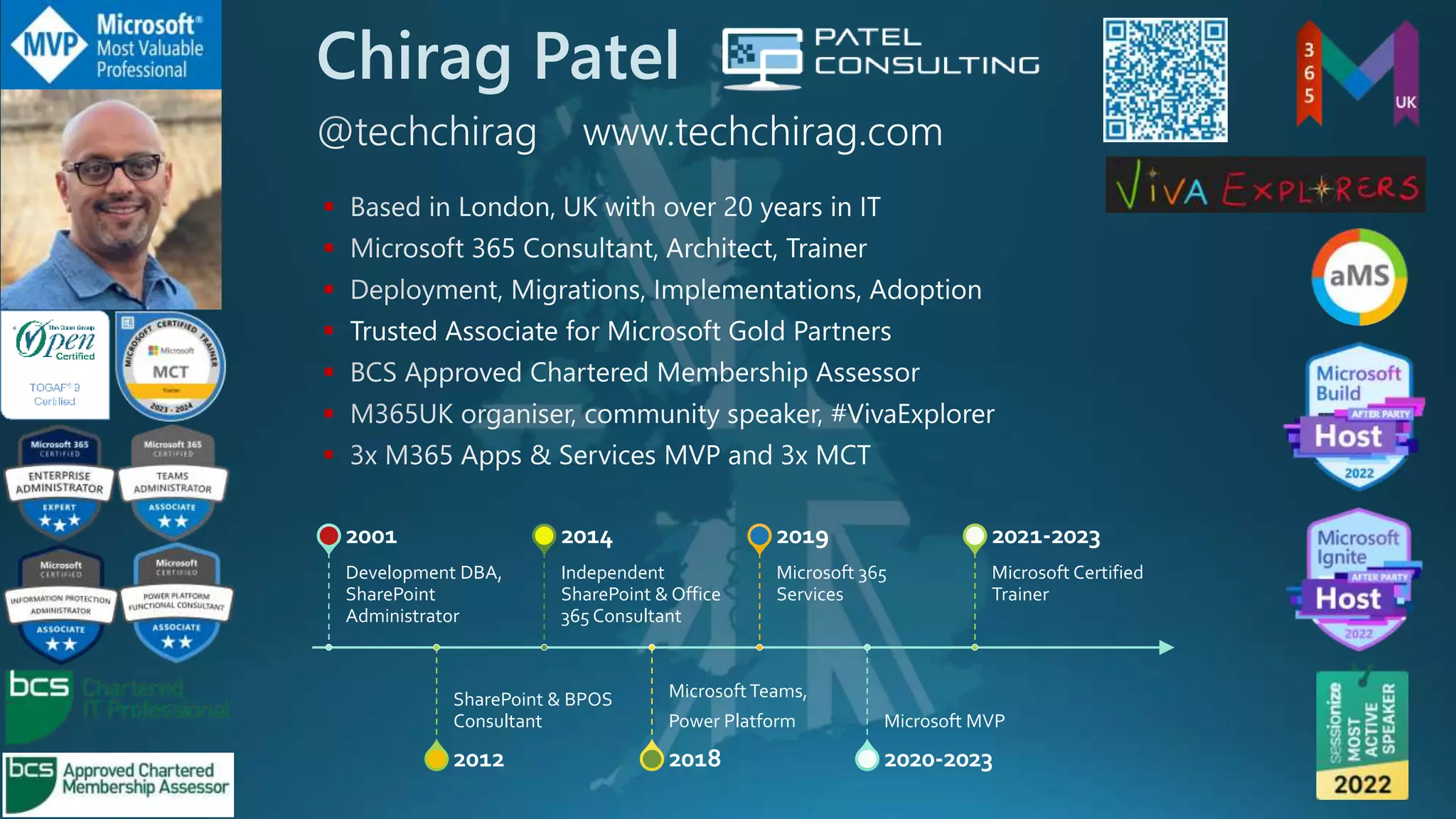
Chirag Patel



 Trusted Associate for Microsoft Gold Partners



Development DBA,
SharePoint
Administrator
2001
SharePoint & BPOS
Consultant
2012
Independent
SharePoint & Office
365 Consultant
2014
MicrosoftTeams,
Power Platform
2018
Microsoft 365
Services
2019
Microsoft MVP
2020-2023
Microsoft Certified
Trainer
2021-2023
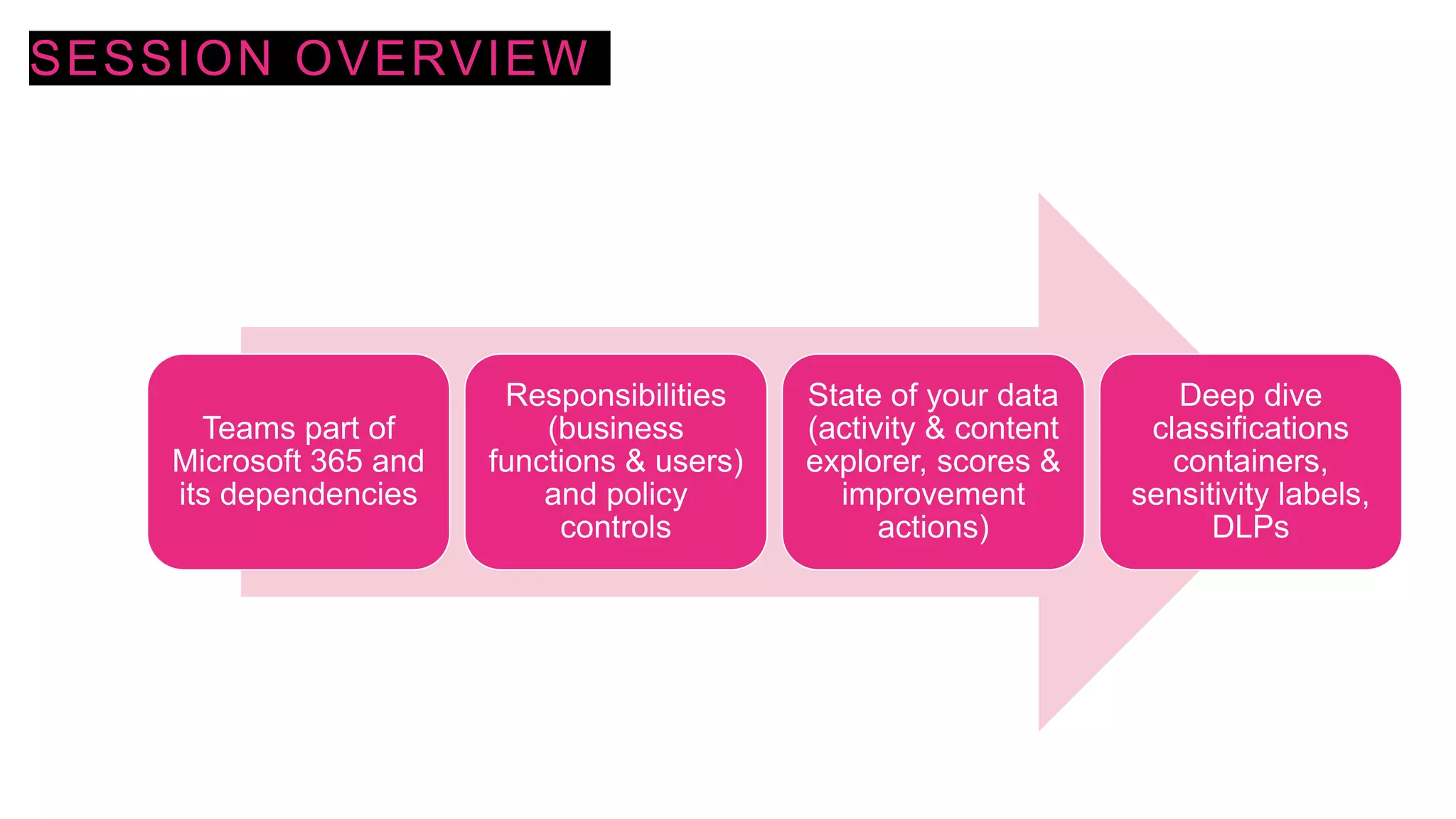
SESSION OVERVIEW
Teams part of
Microsoft 365 and
its dependencies
Responsibilities
(business
functions & users)
and policy
controls
State of your data
(activity & content
explorer, scores &
improvement
actions)
Deep dive
classifications
containers,
sensitivity labels,
DLPs
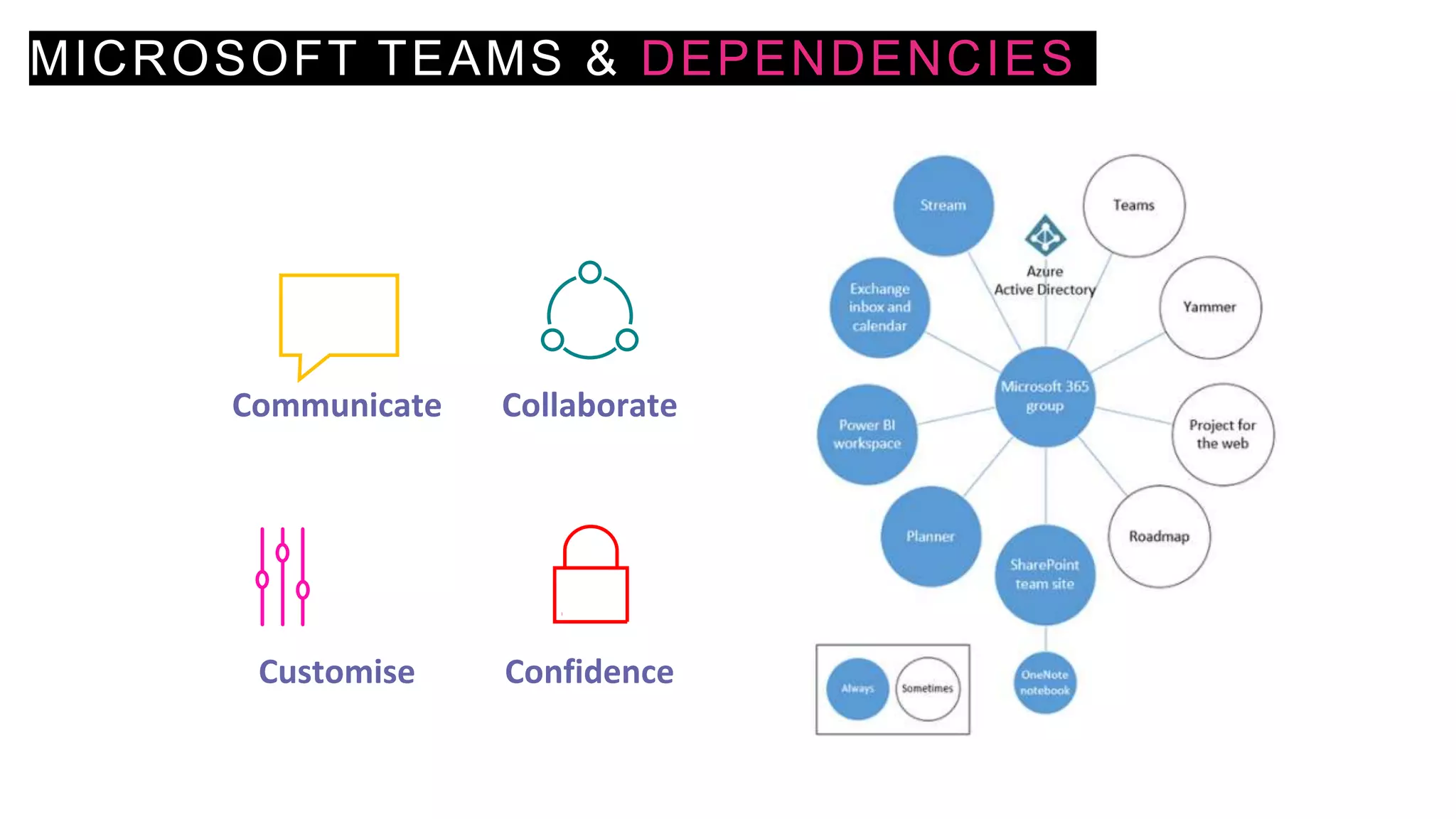
MICROSOFT TEAMS & DEPENDENCIES
Communicate Collaborate
Customise Confidence
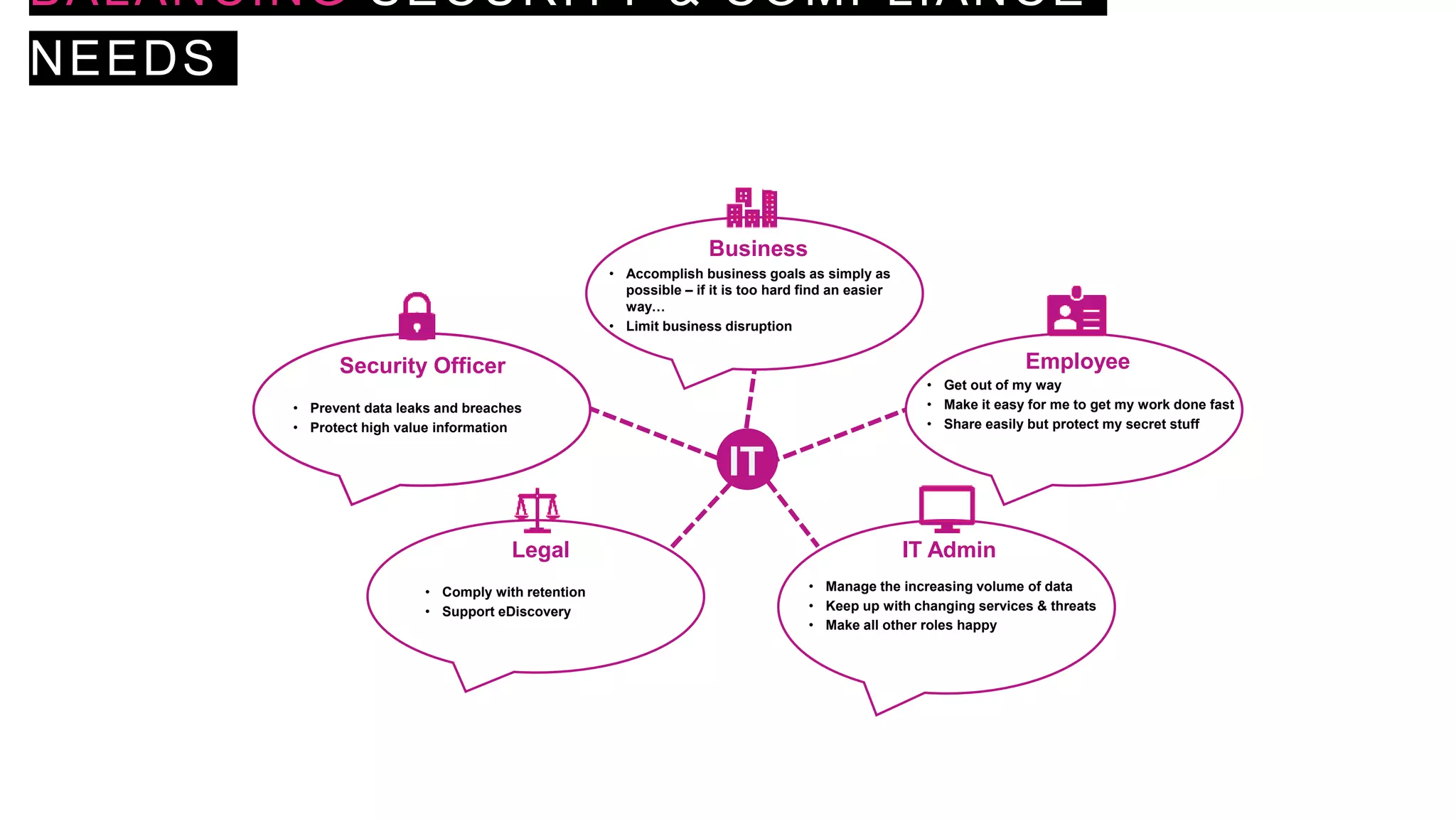
BALANCING SECURITY & COMPLIANCE
NEEDS
IT
Business
Employee
Security Officer
Legal IT Admin
• Prevent data leaks and breaches
• Protect high value information
• Accomplish business goals as simply as
possible – if it is too hard find an easier
way…
• Limit business disruption
• Get out of my way
• Make it easy for me to get my work done fast
• Share easily but protect my secret stuff
• Manage the increasing volume of data
• Keep up with changing services & threats
• Make all other roles happy
• Comply with retention
• Support eDiscovery
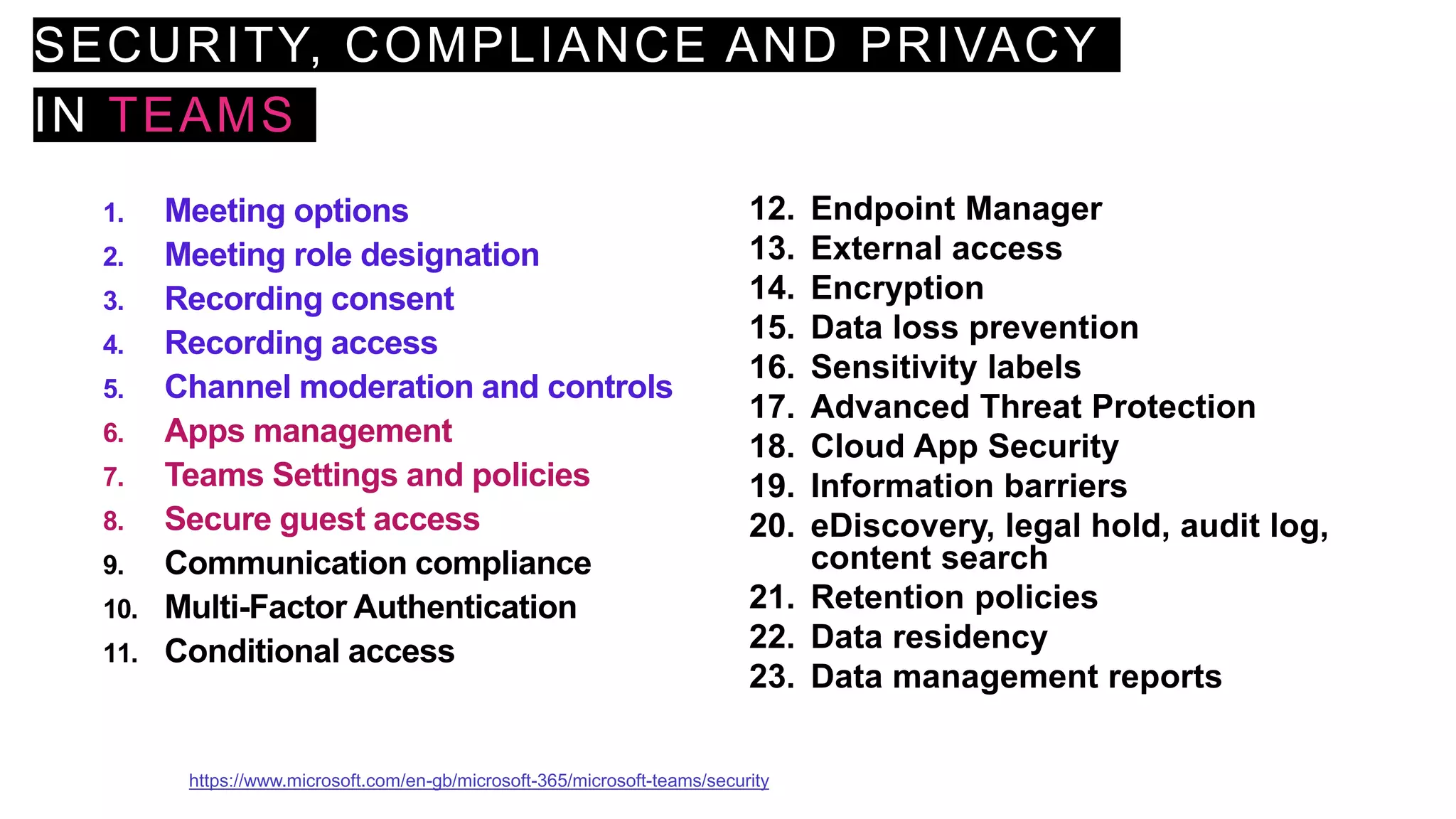
SECURITY, COMPLIANCE AND PRIVACY
IN TEAMS
1. Meeting options
2. Meeting role designation
3. Recording consent
4. Recording access
5. Channel moderation and controls
6. Apps management
7. Teams Settings and policies
8. Secure guest access
9. Communication compliance
10. Multi-Factor Authentication
11. Conditional access
12. Endpoint Manager
13. External access
14. Encryption
15. Data loss prevention
16. Sensitivity labels
17. Advanced Threat Protection
18. Cloud App Security
19. Information barriers
20. eDiscovery, legal hold, audit log,
content search
21. Retention policies
22. Data residency
23. Data management reports
https://www.microsoft.com/en-gb/microsoft-365/microsoft-teams/security
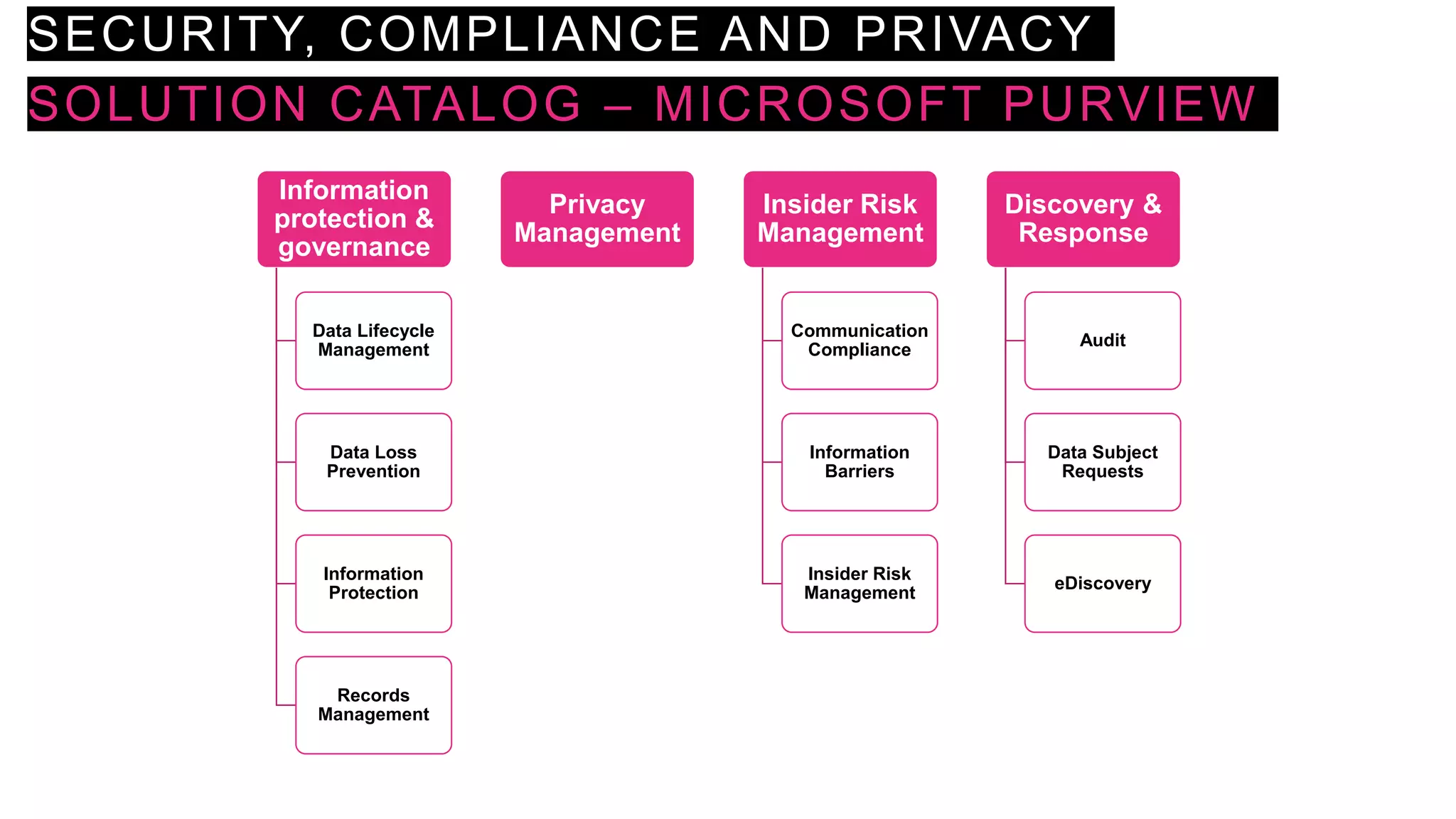
SECURITY, COMPLIANCE AND PRIVACY
SOLUTION CATALOG – MICROSOFT PURVIEW
Information
protection &
governance
Data Lifecycle
Management
Data Loss
Prevention
Information
Protection
Records
Management
Privacy
Management
Insider Risk
Management
Communication
Compliance
Information
Barriers
Insider Risk
Management
Discovery &
Response
Audit
Data Subject
Requests
eDiscovery
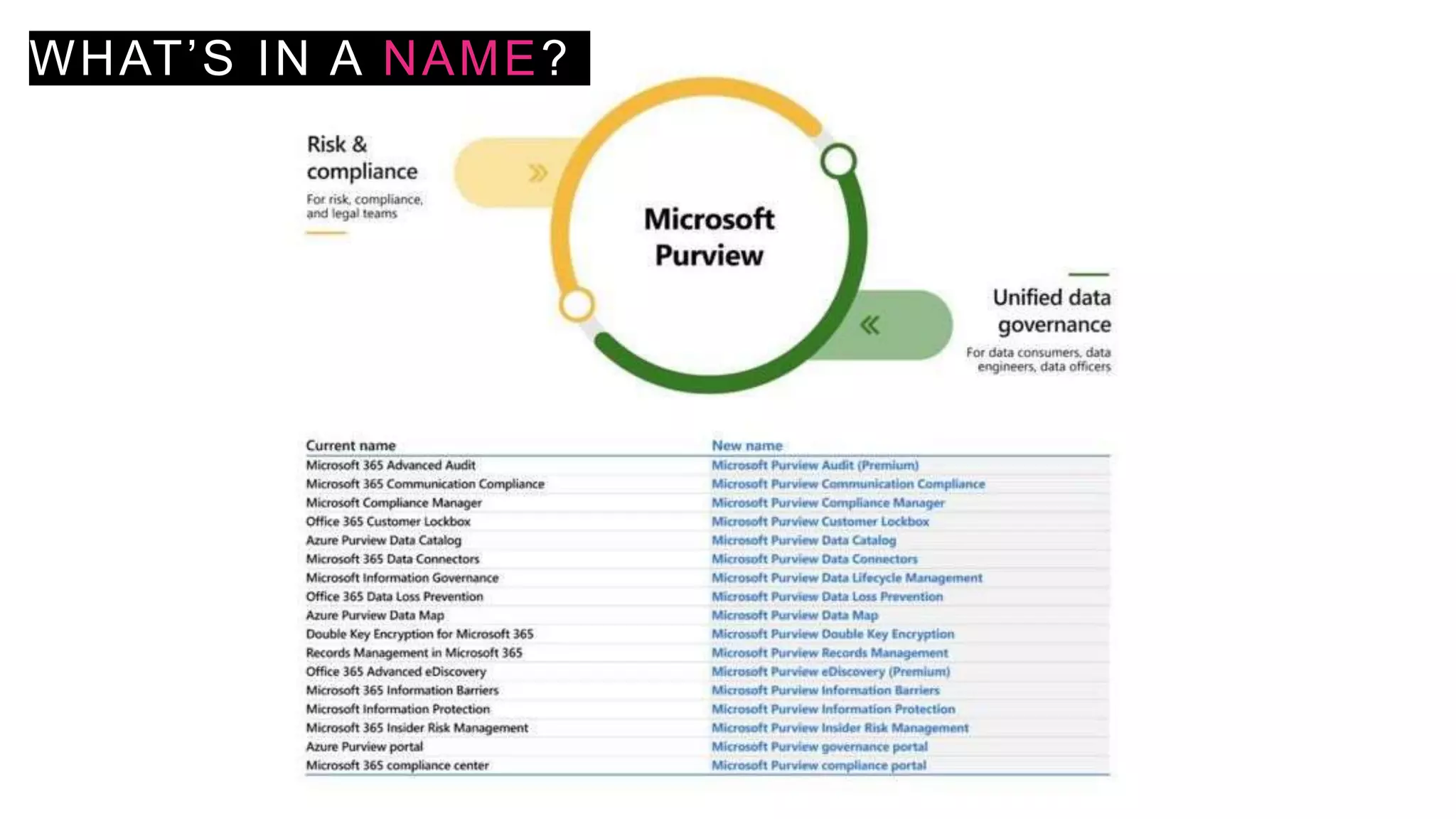
WHAT’S IN A NAME?
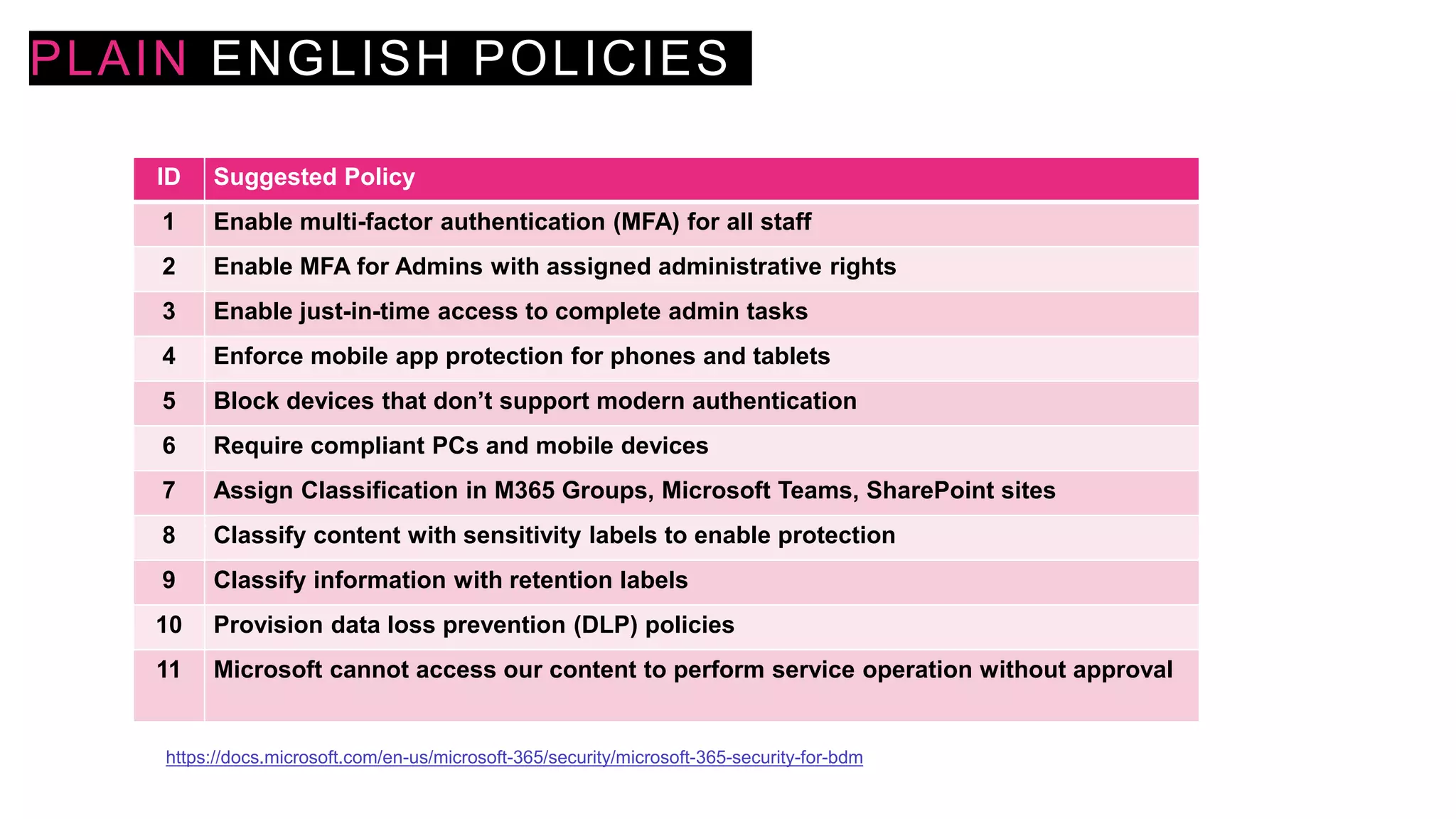
PLAIN ENGLISH POLICIES
ID Suggested Policy
1 Enable multi-factor authentication (MFA) for all staff
2 Enable MFA for Admins with assigned administrative rights
3 Enable just-in-time access to complete admin tasks
4 Enforce mobile app protection for phones and tablets
5 Block devices that don’t support modern authentication
6 Require compliant PCs and mobile devices
7 Assign Classification in M365 Groups, Microsoft Teams, SharePoint sites
8 Classify content with sensitivity labels to enable protection
9 Classify information with retention labels
10 Provision data loss prevention (DLP) policies
11 Microsoft cannot access our content to perform service operation without approval
https://docs.microsoft.com/en-us/microsoft-365/security/microsoft-365-security-for-bdm
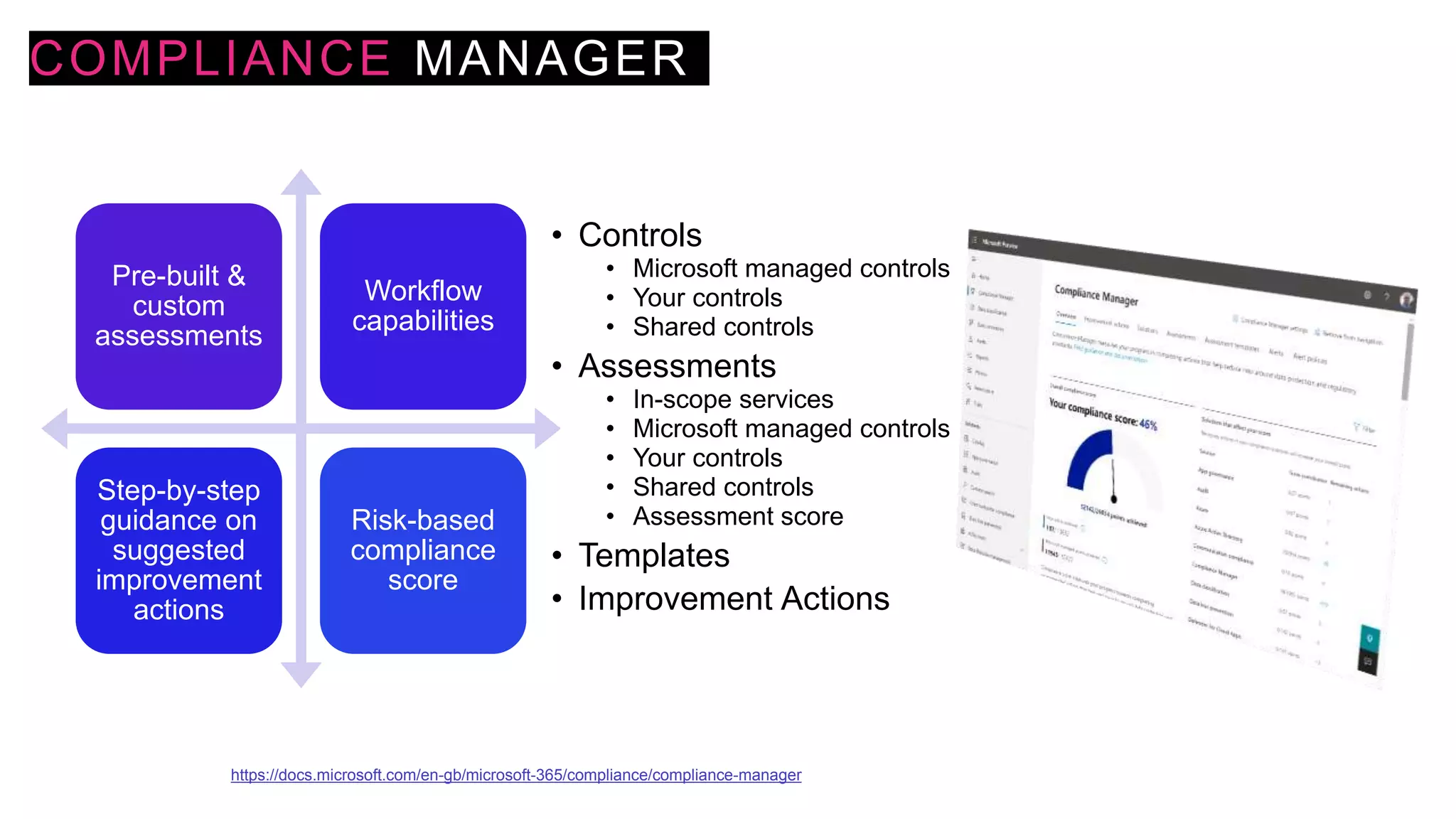
COMPLIANCE MANAGER
Pre-built &
custom
assessments
Workflow
capabilities
Step-by-step
guidance on
suggested
improvement
actions
Risk-based
compliance
score
• Controls
• Microsoft managed controls
• Your controls
• Shared controls
• Assessments
• In-scope services
• Microsoft managed controls
• Your controls
• Shared controls
• Assessment score
• Templates
• Improvement Actions
https://docs.microsoft.com/en-gb/microsoft-365/compliance/compliance-manager
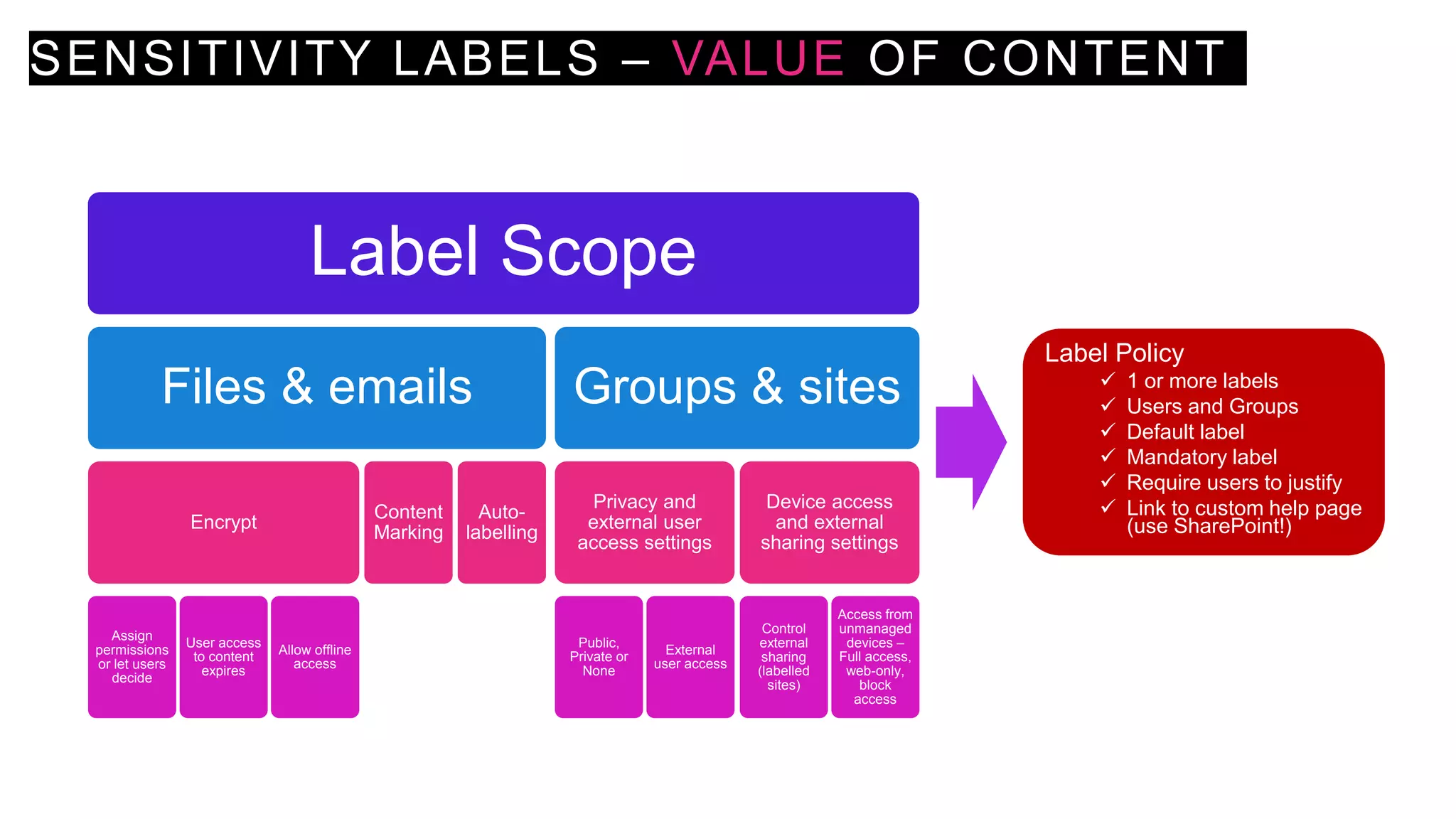
SENSITIVITY LABELS – VALUE OF CONTENT
Label Scope
Files & emails
Encrypt
Assign
permissions
or let users
decide
User access
to content
expires
Allow offline
access
Content
Marking
Auto-
labelling
Groups & sites
Privacy and
external user
access settings
Public,
Private or
None
External
user access
Device access
and external
sharing settings
Control
external
sharing
(labelled
sites)
Access from
unmanaged
devices –
Full access,
web-only,
block
access
Label Policy
 1 or more labels
 Users and Groups
 Default label
 Mandatory label
 Require users to justify
 Link to custom help page
(use SharePoint!)
ENABLE SENSITIVITY LABELS FOR
CONTAINERS AND SYNCHRONISE LABELS
Import-Module AzureADPreview
Connect-AzureAD
$TemplateId = (Get-AzureADDirectorySettingTemplate | where { $_.DisplayName -eq "Group.Unified" }).Id
$Template = Get-AzureADDirectorySettingTemplate | where -Property Id -Value $TemplateId -EQ
$Setting = $Template.CreateDirectorySetting()
$Setting["UsageGuidelinesUrl"] = "https://guideline.example.com"
New-AzureADDirectorySetting -DirectorySetting $Setting
$Setting = Get-AzureADDirectorySetting -Id (Get-AzureADDirectorySetting | where -Property DisplayName -
Value "Group.Unified" -EQ).id
$Setting.Values
$Setting["EnableMIPLabels"] = "True"
Set-AzureADDirectorySetting -Id $Setting.Id -DirectorySetting $Setting
Import-Module ExchangeOnlineManagement
Connect-IPPSSession -UserPrincipalName admin@M365x011743.onmicrosoft.com
Execute-AzureAdLabelSync
https://docs.microsoft.com/en-us/microsoft-365/compliance/sensitivity-labels-teams-groups-sites
INFORMATION PROTECTION IN
MICROSOFT TEAMS
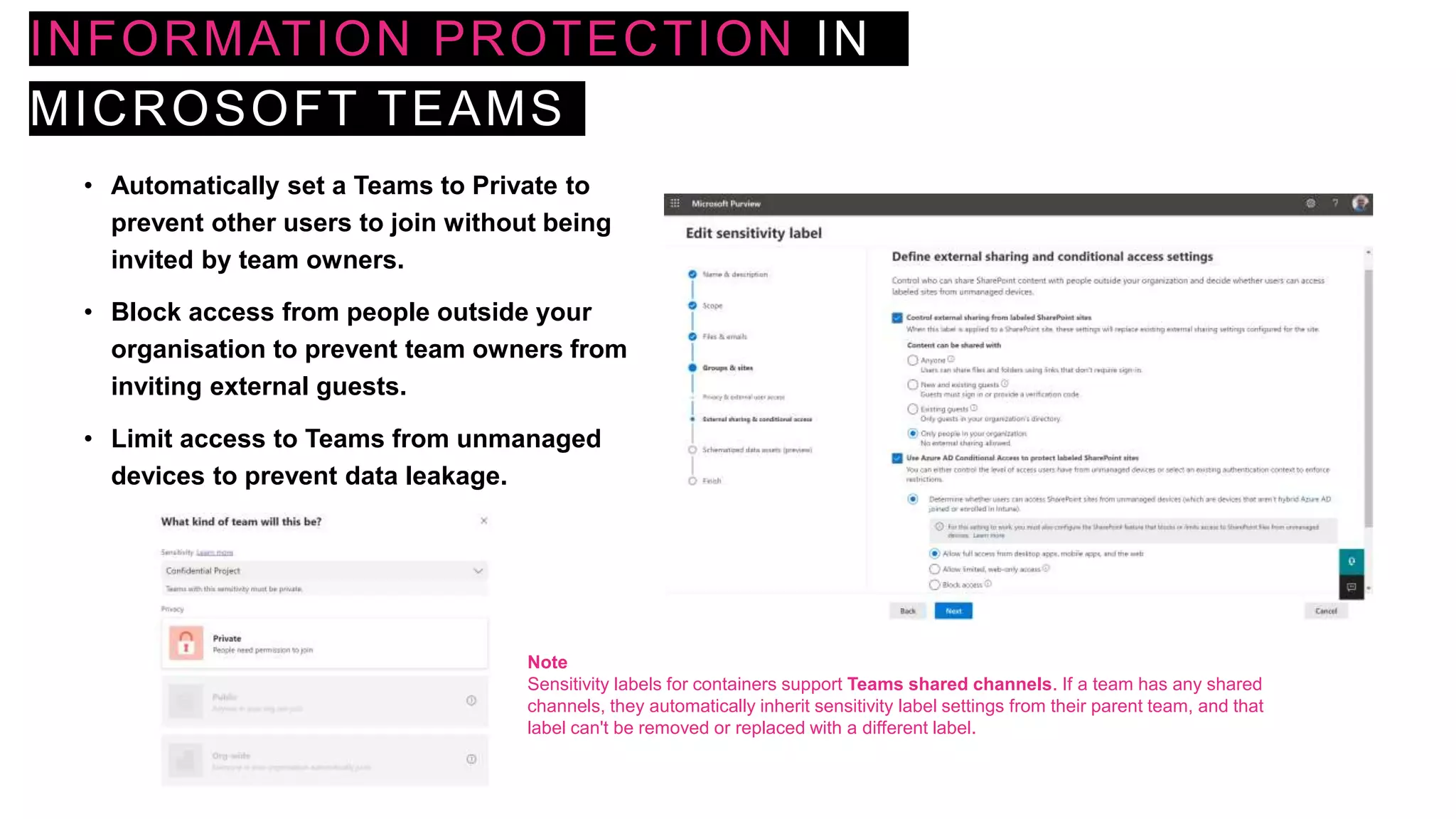
• Automatically set a Teams to Private to
prevent other users to join without being
invited by team owners.
• Block access from people outside your
organisation to prevent team owners from
inviting external guests.
• Limit access to Teams from unmanaged
devices to prevent data leakage.
Note
Sensitivity labels for containers support Teams shared channels. If a team has any shared
channels, they automatically inherit sensitivity label settings from their parent team, and that
label can't be removed or replaced with a different label.
DATA LOSS PREVENTION FOR
MICROSOFT TEAMS
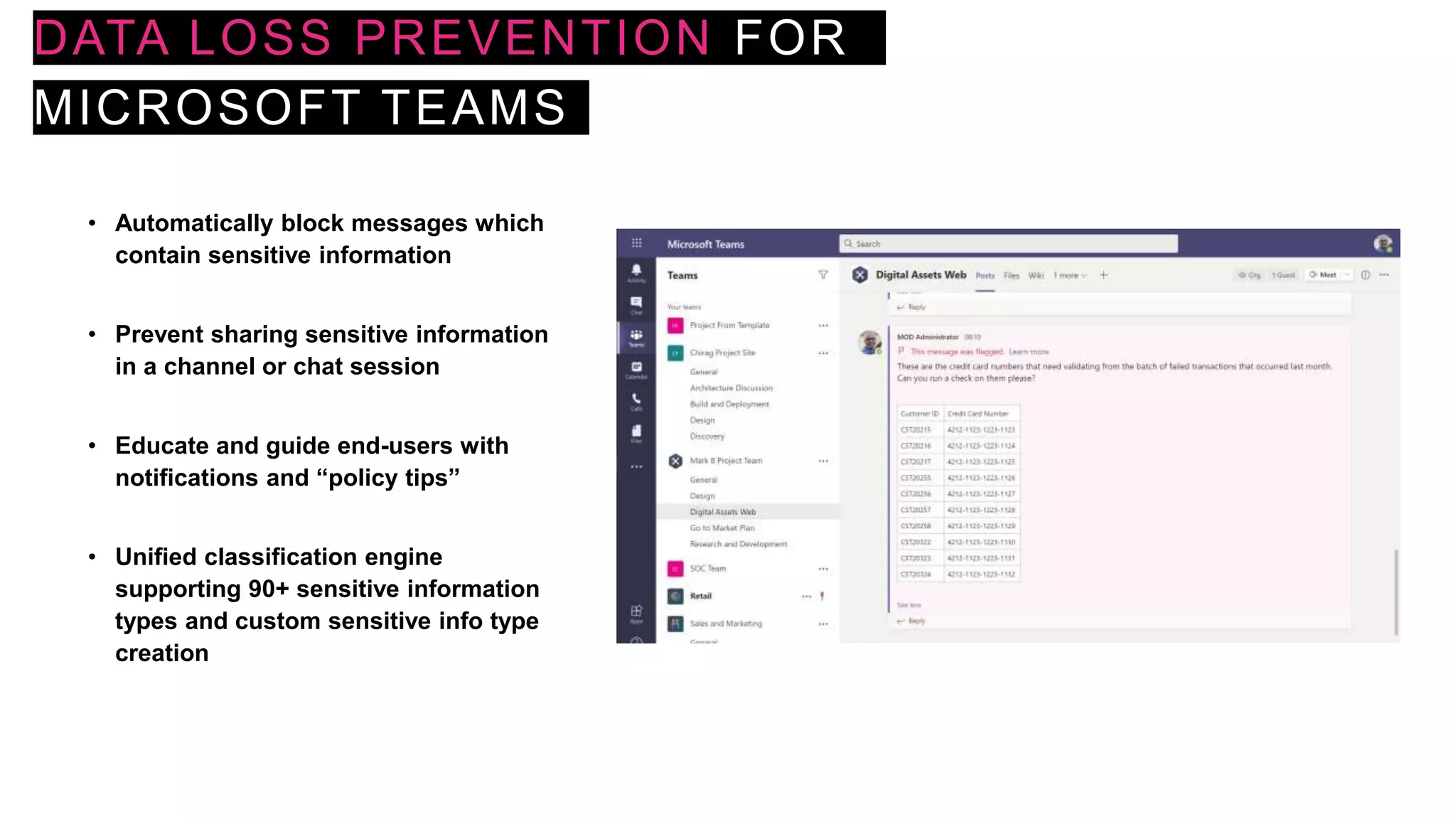
• Automatically block messages which
contain sensitive information
• Prevent sharing sensitive information
in a channel or chat session
• Educate and guide end-users with
notifications and “policy tips”
• Unified classification engine
supporting 90+ sensitive information
types and custom sensitive info type
creation
DATA LOSS PREVENTION FOR
MICROSOFT TEAMS
DLP Rules
Conditions
Content
contains
Sensitive
info types
Content is shared from
Microsoft 365
People
inside
organisation
People
outside
organisation
Exceptions
Except if content is
shared from Microsoft
365
People
inside
organisation
People
outside
organisation
Actions
Restrict
access or
encrypt
content in
Microsoft
365
locations
Audit or
restrict
activities n
Windows
devices
Restrict
Third Party
Apps
User notifications
Email
users
and/or
owners
Policy Tips
User
overrides Incident reports
Severity
Alerts to
admins
Email
incident
reports
Additional
option for
processing
policies
and rules
• Exchange email
• SharePoint sites
• OneDrive
Accounts
• Teams chat and channel
messages
• Devices
• Microsoft Cloud App Security
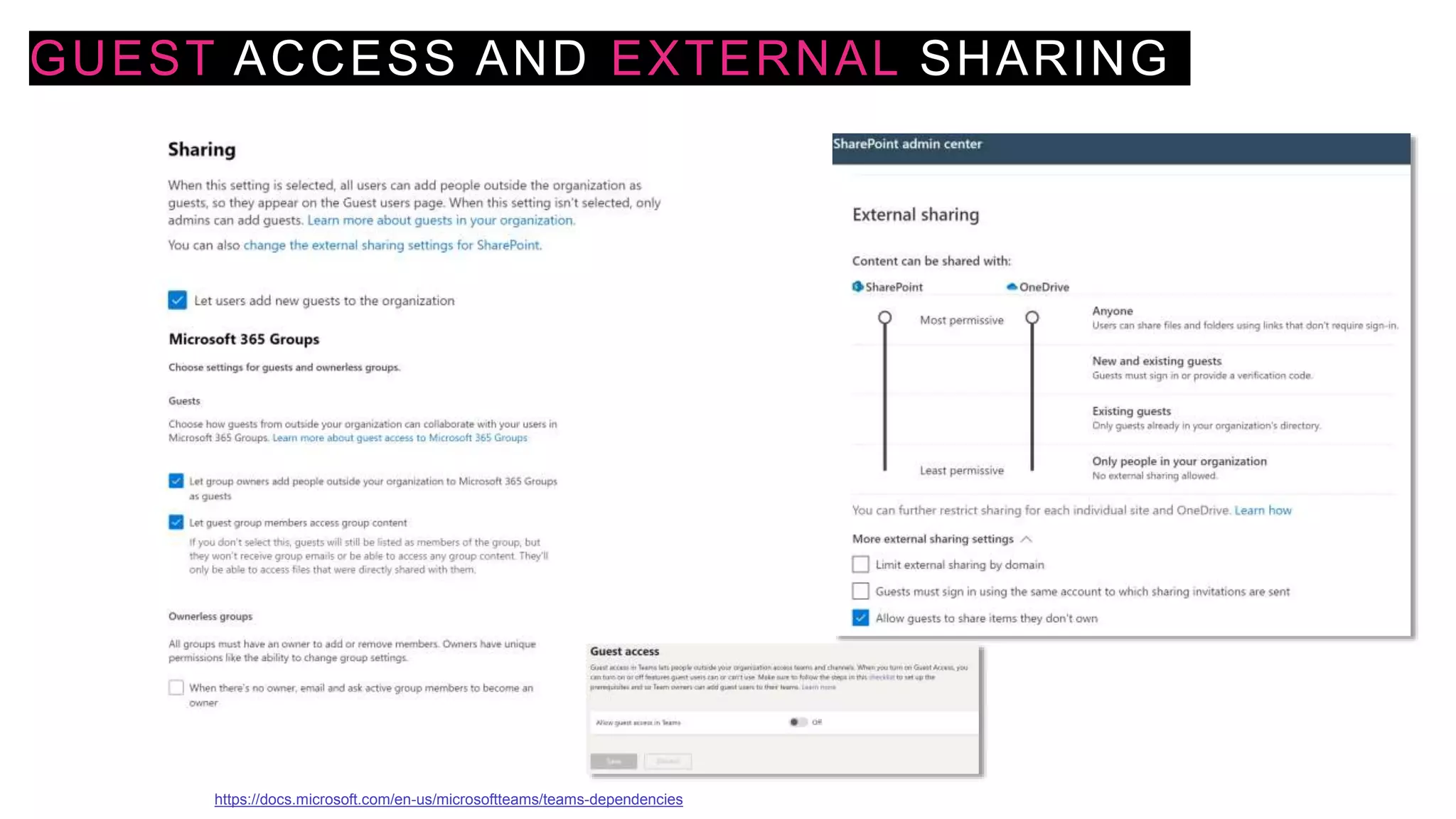
GUEST ACCESS AND EXTERNAL SHARING
https://docs.microsoft.com/en-us/microsoftteams/teams-dependencies
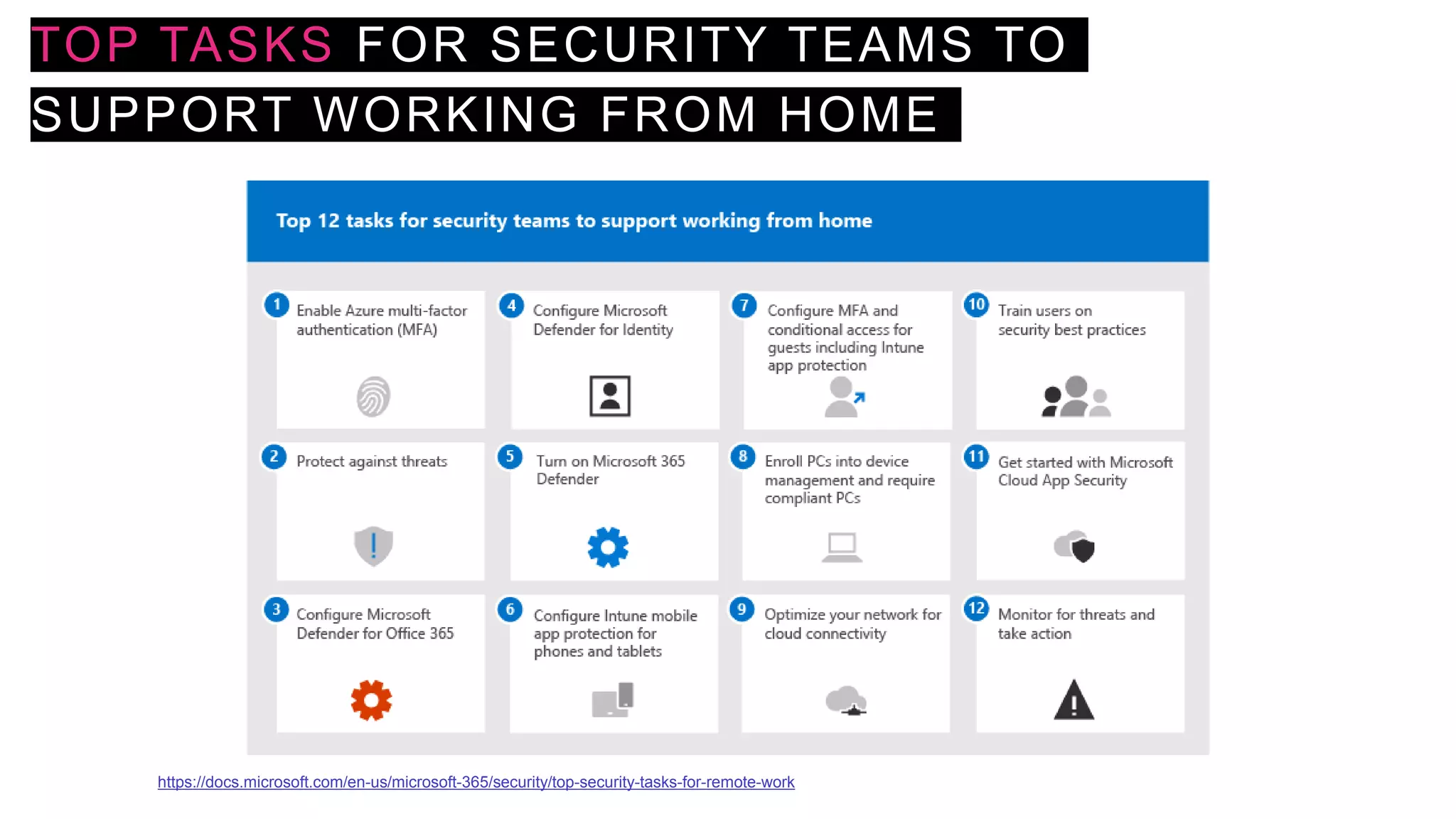
TOP TASKS FOR SECURITY TEAMS TO
SUPPORT WORKING FROM HOME
https://docs.microsoft.com/en-us/microsoft-365/security/top-security-tasks-for-remote-work
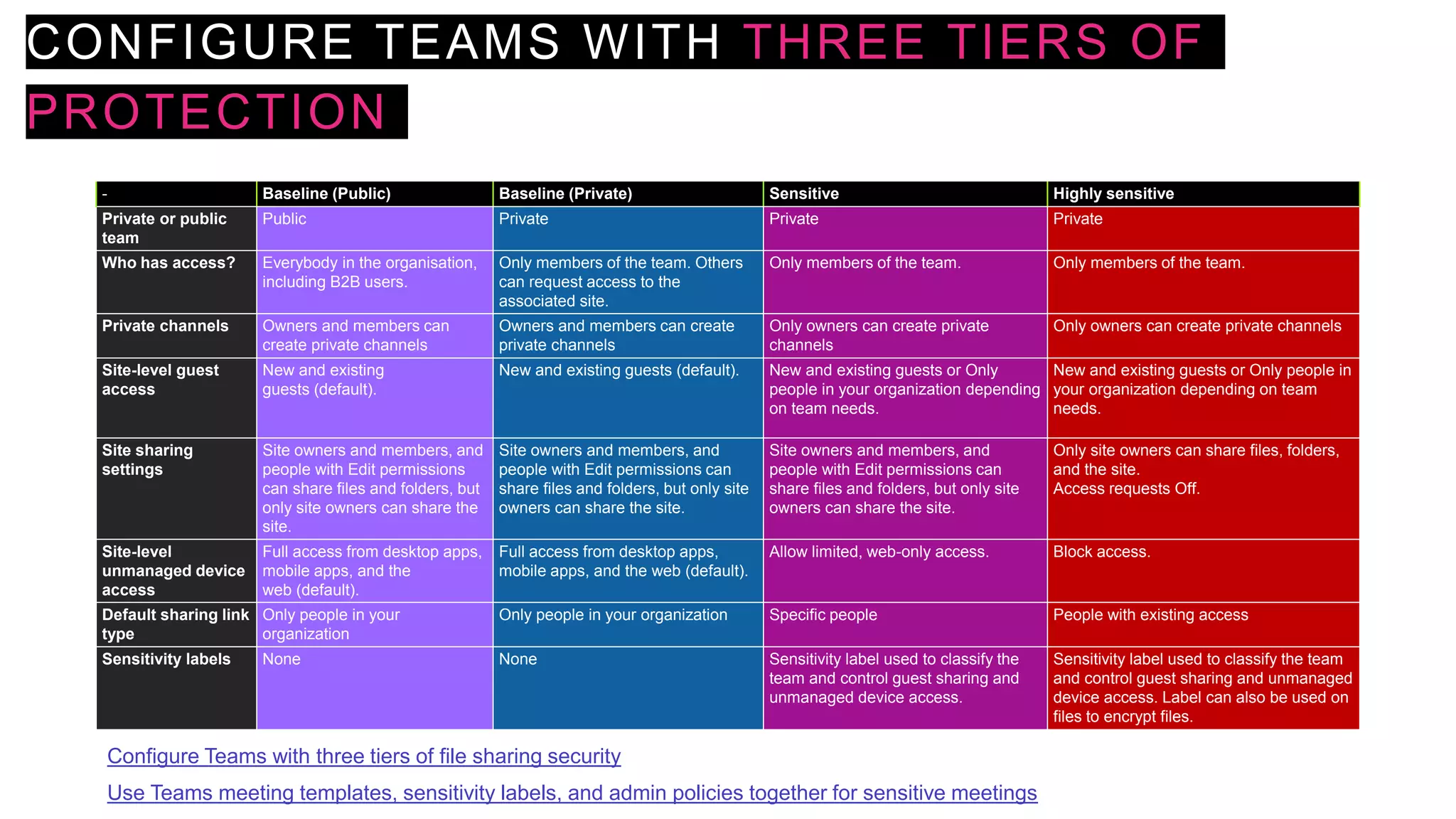
CONFIGURE TEAMS WITH THREE TIERS OF
PROTECTION
- Baseline (Public) Baseline (Private) Sensitive Highly sensitive
Private or public
team
Public Private Private Private
Who has access? Everybody in the organisation,
including B2B users.
Only members of the team. Others
can request access to the
associated site.
Only members of the team. Only members of the team.
Private channels Owners and members can
create private channels
Owners and members can create
private channels
Only owners can create private
channels
Only owners can create private channels
Site-level guest
access
New and existing
guests (default).
New and existing guests (default). New and existing guests or Only
people in your organization depending
on team needs.
New and existing guests or Only people in
your organization depending on team
needs.
Site sharing
settings
Site owners and members, and
people with Edit permissions
can share files and folders, but
only site owners can share the
site.
Site owners and members, and
people with Edit permissions can
share files and folders, but only site
owners can share the site.
Site owners and members, and
people with Edit permissions can
share files and folders, but only site
owners can share the site.
Only site owners can share files, folders,
and the site.
Access requests Off.
Site-level
unmanaged device
access
Full access from desktop apps,
mobile apps, and the
web (default).
Full access from desktop apps,
mobile apps, and the web (default).
Allow limited, web-only access. Block access.
Default sharing link
type
Only people in your
organization
Only people in your organization Specific people People with existing access
Sensitivity labels None None Sensitivity label used to classify the
team and control guest sharing and
unmanaged device access.
Sensitivity label used to classify the team
and control guest sharing and unmanaged
device access. Label can also be used on
files to encrypt files.
Use Teams meeting templates, sensitivity labels, and admin policies together for sensitive meetings
Configure Teams with three tiers of file sharing security
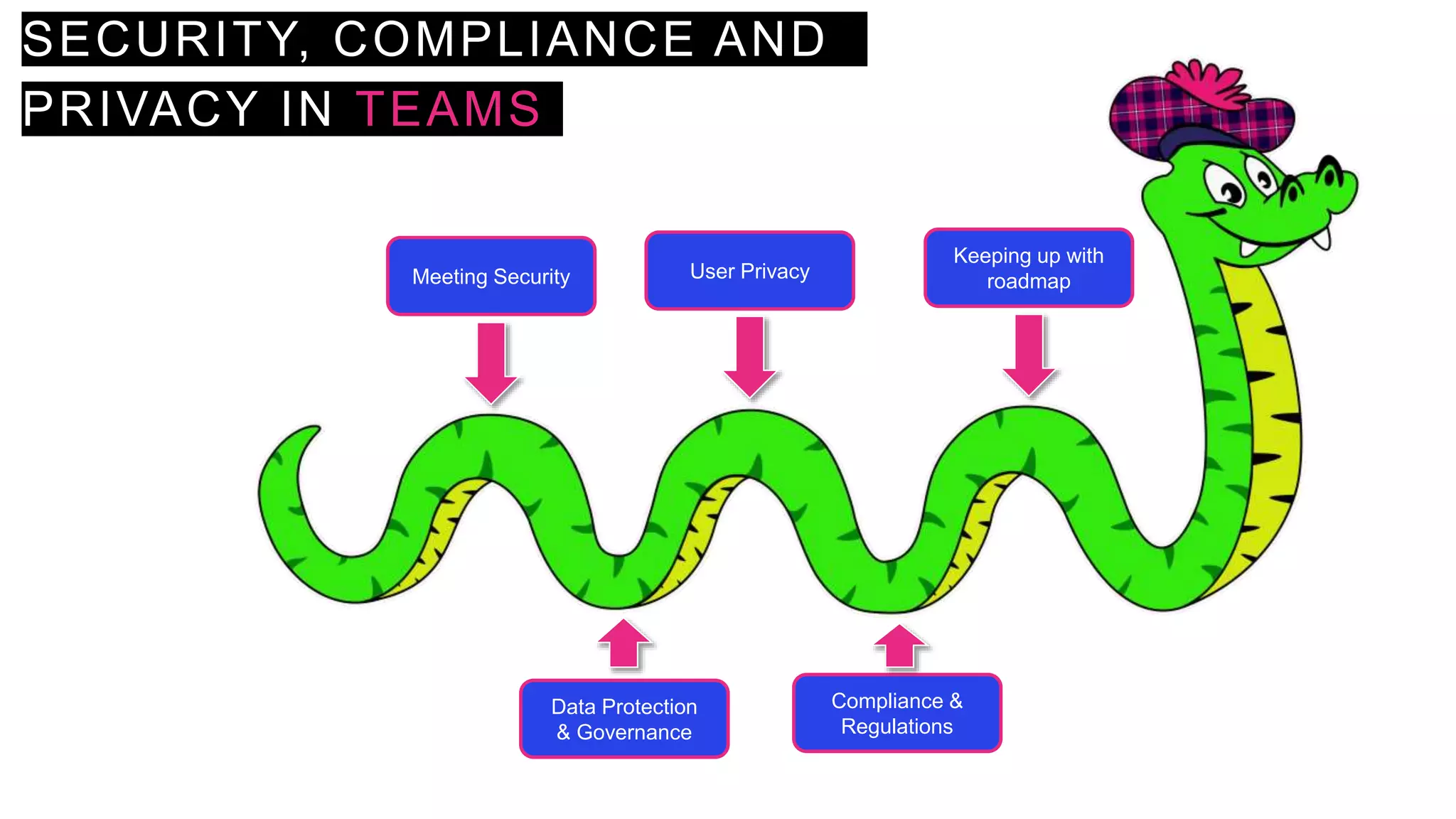
SECURITY, COMPLIANCE AND
PRIVACY IN TEAMS
Meeting Security
Data Protection
& Governance
User Privacy
Compliance &
Regulations
Keeping up with
roadmap
FURTHER RESOURCES
• Microsoft 365 licensing guidance for security & compliance
• Download the Detailed Microsoft 365 Compliance Licensing Comparison
• Microsoft 365 Roadmap
• Manage information protection and governance – Learning Path
• Microsoft Security and Compliance - Microsoft Tech Community
• Microsoft Teams Blog - Microsoft Tech Community
• Blog - Office 365 for IT Pros (office365itpros.com)
• Joanne C Klein – SharePoint, Microsoft 365 and Azure Things
• Nikki Chapple - Microsoft 365 and Teams Blog
THANK
YOU!

Understanding Security and Compliance in Microsoft Teams M365 North 2023

  • 1.
    UNDERSTANDING SECURITY AND COMPLIANCE IN MICROSOFTTEAMS Chirag Patel MVP MCT 16 May 2023
  • 2.
    Chirag Patel     TrustedAssociate for Microsoft Gold Partners    Development DBA, SharePoint Administrator 2001 SharePoint & BPOS Consultant 2012 Independent SharePoint & Office 365 Consultant 2014 MicrosoftTeams, Power Platform 2018 Microsoft 365 Services 2019 Microsoft MVP 2020-2023 Microsoft Certified Trainer 2021-2023
  • 3.
    SESSION OVERVIEW Teams partof Microsoft 365 and its dependencies Responsibilities (business functions & users) and policy controls State of your data (activity & content explorer, scores & improvement actions) Deep dive classifications containers, sensitivity labels, DLPs
  • 4.
    MICROSOFT TEAMS &DEPENDENCIES Communicate Collaborate Customise Confidence
  • 5.
    BALANCING SECURITY &COMPLIANCE NEEDS IT Business Employee Security Officer Legal IT Admin • Prevent data leaks and breaches • Protect high value information • Accomplish business goals as simply as possible – if it is too hard find an easier way… • Limit business disruption • Get out of my way • Make it easy for me to get my work done fast • Share easily but protect my secret stuff • Manage the increasing volume of data • Keep up with changing services & threats • Make all other roles happy • Comply with retention • Support eDiscovery
  • 6.
    SECURITY, COMPLIANCE ANDPRIVACY IN TEAMS 1. Meeting options 2. Meeting role designation 3. Recording consent 4. Recording access 5. Channel moderation and controls 6. Apps management 7. Teams Settings and policies 8. Secure guest access 9. Communication compliance 10. Multi-Factor Authentication 11. Conditional access 12. Endpoint Manager 13. External access 14. Encryption 15. Data loss prevention 16. Sensitivity labels 17. Advanced Threat Protection 18. Cloud App Security 19. Information barriers 20. eDiscovery, legal hold, audit log, content search 21. Retention policies 22. Data residency 23. Data management reports https://www.microsoft.com/en-gb/microsoft-365/microsoft-teams/security
  • 7.
    SECURITY, COMPLIANCE ANDPRIVACY SOLUTION CATALOG – MICROSOFT PURVIEW Information protection & governance Data Lifecycle Management Data Loss Prevention Information Protection Records Management Privacy Management Insider Risk Management Communication Compliance Information Barriers Insider Risk Management Discovery & Response Audit Data Subject Requests eDiscovery
  • 8.
  • 9.
    PLAIN ENGLISH POLICIES IDSuggested Policy 1 Enable multi-factor authentication (MFA) for all staff 2 Enable MFA for Admins with assigned administrative rights 3 Enable just-in-time access to complete admin tasks 4 Enforce mobile app protection for phones and tablets 5 Block devices that don’t support modern authentication 6 Require compliant PCs and mobile devices 7 Assign Classification in M365 Groups, Microsoft Teams, SharePoint sites 8 Classify content with sensitivity labels to enable protection 9 Classify information with retention labels 10 Provision data loss prevention (DLP) policies 11 Microsoft cannot access our content to perform service operation without approval https://docs.microsoft.com/en-us/microsoft-365/security/microsoft-365-security-for-bdm
  • 10.
    COMPLIANCE MANAGER Pre-built & custom assessments Workflow capabilities Step-by-step guidanceon suggested improvement actions Risk-based compliance score • Controls • Microsoft managed controls • Your controls • Shared controls • Assessments • In-scope services • Microsoft managed controls • Your controls • Shared controls • Assessment score • Templates • Improvement Actions https://docs.microsoft.com/en-gb/microsoft-365/compliance/compliance-manager
  • 11.
    SENSITIVITY LABELS –VALUE OF CONTENT Label Scope Files & emails Encrypt Assign permissions or let users decide User access to content expires Allow offline access Content Marking Auto- labelling Groups & sites Privacy and external user access settings Public, Private or None External user access Device access and external sharing settings Control external sharing (labelled sites) Access from unmanaged devices – Full access, web-only, block access Label Policy  1 or more labels  Users and Groups  Default label  Mandatory label  Require users to justify  Link to custom help page (use SharePoint!)
  • 12.
    ENABLE SENSITIVITY LABELSFOR CONTAINERS AND SYNCHRONISE LABELS Import-Module AzureADPreview Connect-AzureAD $TemplateId = (Get-AzureADDirectorySettingTemplate | where { $_.DisplayName -eq "Group.Unified" }).Id $Template = Get-AzureADDirectorySettingTemplate | where -Property Id -Value $TemplateId -EQ $Setting = $Template.CreateDirectorySetting() $Setting["UsageGuidelinesUrl"] = "https://guideline.example.com" New-AzureADDirectorySetting -DirectorySetting $Setting $Setting = Get-AzureADDirectorySetting -Id (Get-AzureADDirectorySetting | where -Property DisplayName - Value "Group.Unified" -EQ).id $Setting.Values $Setting["EnableMIPLabels"] = "True" Set-AzureADDirectorySetting -Id $Setting.Id -DirectorySetting $Setting Import-Module ExchangeOnlineManagement Connect-IPPSSession -UserPrincipalName admin@M365x011743.onmicrosoft.com Execute-AzureAdLabelSync https://docs.microsoft.com/en-us/microsoft-365/compliance/sensitivity-labels-teams-groups-sites
  • 13.
    INFORMATION PROTECTION IN MICROSOFTTEAMS • Automatically set a Teams to Private to prevent other users to join without being invited by team owners. • Block access from people outside your organisation to prevent team owners from inviting external guests. • Limit access to Teams from unmanaged devices to prevent data leakage. Note Sensitivity labels for containers support Teams shared channels. If a team has any shared channels, they automatically inherit sensitivity label settings from their parent team, and that label can't be removed or replaced with a different label.
  • 14.
    DATA LOSS PREVENTIONFOR MICROSOFT TEAMS • Automatically block messages which contain sensitive information • Prevent sharing sensitive information in a channel or chat session • Educate and guide end-users with notifications and “policy tips” • Unified classification engine supporting 90+ sensitive information types and custom sensitive info type creation
  • 15.
    DATA LOSS PREVENTIONFOR MICROSOFT TEAMS DLP Rules Conditions Content contains Sensitive info types Content is shared from Microsoft 365 People inside organisation People outside organisation Exceptions Except if content is shared from Microsoft 365 People inside organisation People outside organisation Actions Restrict access or encrypt content in Microsoft 365 locations Audit or restrict activities n Windows devices Restrict Third Party Apps User notifications Email users and/or owners Policy Tips User overrides Incident reports Severity Alerts to admins Email incident reports Additional option for processing policies and rules • Exchange email • SharePoint sites • OneDrive Accounts • Teams chat and channel messages • Devices • Microsoft Cloud App Security
  • 16.
    GUEST ACCESS ANDEXTERNAL SHARING https://docs.microsoft.com/en-us/microsoftteams/teams-dependencies
  • 17.
    TOP TASKS FORSECURITY TEAMS TO SUPPORT WORKING FROM HOME https://docs.microsoft.com/en-us/microsoft-365/security/top-security-tasks-for-remote-work
  • 18.
    CONFIGURE TEAMS WITHTHREE TIERS OF PROTECTION - Baseline (Public) Baseline (Private) Sensitive Highly sensitive Private or public team Public Private Private Private Who has access? Everybody in the organisation, including B2B users. Only members of the team. Others can request access to the associated site. Only members of the team. Only members of the team. Private channels Owners and members can create private channels Owners and members can create private channels Only owners can create private channels Only owners can create private channels Site-level guest access New and existing guests (default). New and existing guests (default). New and existing guests or Only people in your organization depending on team needs. New and existing guests or Only people in your organization depending on team needs. Site sharing settings Site owners and members, and people with Edit permissions can share files and folders, but only site owners can share the site. Site owners and members, and people with Edit permissions can share files and folders, but only site owners can share the site. Site owners and members, and people with Edit permissions can share files and folders, but only site owners can share the site. Only site owners can share files, folders, and the site. Access requests Off. Site-level unmanaged device access Full access from desktop apps, mobile apps, and the web (default). Full access from desktop apps, mobile apps, and the web (default). Allow limited, web-only access. Block access. Default sharing link type Only people in your organization Only people in your organization Specific people People with existing access Sensitivity labels None None Sensitivity label used to classify the team and control guest sharing and unmanaged device access. Sensitivity label used to classify the team and control guest sharing and unmanaged device access. Label can also be used on files to encrypt files. Use Teams meeting templates, sensitivity labels, and admin policies together for sensitive meetings Configure Teams with three tiers of file sharing security
  • 19.
    SECURITY, COMPLIANCE AND PRIVACYIN TEAMS Meeting Security Data Protection & Governance User Privacy Compliance & Regulations Keeping up with roadmap
  • 20.
    FURTHER RESOURCES • Microsoft365 licensing guidance for security & compliance • Download the Detailed Microsoft 365 Compliance Licensing Comparison • Microsoft 365 Roadmap • Manage information protection and governance – Learning Path • Microsoft Security and Compliance - Microsoft Tech Community • Microsoft Teams Blog - Microsoft Tech Community • Blog - Office 365 for IT Pros (office365itpros.com) • Joanne C Klein – SharePoint, Microsoft 365 and Azure Things • Nikki Chapple - Microsoft 365 and Teams Blog
  • 21.

Editor's Notes

  • #2 Did you know there are about 25 key security and privacy features in Microsoft Teams to keep your organisation secure and compliant? We will cover what these features are as overview and deep dive with some of them so you can apply it to your Microsoft Teams environment.
  • #3 https://techchirag.com https://twitter.com/techchirag https://www.linkedin.com/in/techchirag https://www.slideshare.net/techchirag Advisory and consulting Help plan for new systems and improvements to existing systems. Deployment Deploy new systems and integrations, including training and support. Adoption and change management Help organizations prepare, plan for, and adopt new technologies and ways of working. Modernisation Help move customers to modern systems and utilize modern applications. Migration Move systems from one operating environment to Microsoft 365 to drive Microsoft Content Services and Microsoft Viva value. Compliance/Records Management Manage regulatory and product control information, company policies, and records throughout their lifecycle.
  • #4 Did you know there are about 25 key security and privacy features in Microsoft Teams to keep your organisation secure and compliant? We will cover what these features are as overview and deep dive with some of them so you can apply it to your Microsoft Teams environment.
  • #20 Host effective and engaging meetings Foster safety in your meetings with strong admin controls and policies that make it easy to prevent interruptions, set attendee privileges, remove disruptive attendees, and block anonymous guests. Defend your data from security threats Protect sensitive information and confidential resources with integrated data loss prevention and sensitivity label policies. Safeguard against malicious software hidden in files with Microsoft Defender for Office 365. Control what information is shared Take advantage of data transparency and privacy safeguards built into Teams. Rest easy knowing that your personal data is protected from unwanted access. Meet compliance obligations Easily hold and manage information with eDiscovery, legal hold, audit log, and content search capabilities. Use retention policies to preserve information and meet industry-specific regulation and compliance requirements.