رو
ه
را
نه ه
ا
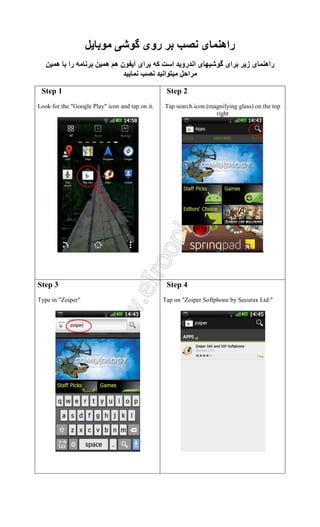
Step 1
Lookfor the "Google Play" icon and tap on it.
راه
ا رو ا
ا
ا
ا
ز
راه
Step 2
Tap search icon (magnifying glass) on the top
right
.
Step 3
Type in "Zoiper"
Step 4
Tap on "Zoiper Softphone by Securax Ltd."
5.
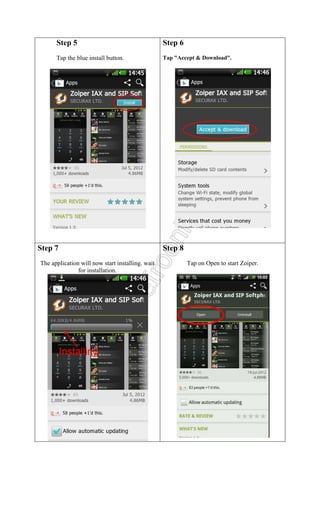
Step 5
Step 6
Tapthe blue install button.
Tap "Accept & Download".
Step 7
The application will now start installing. wait
for installation.
Step 8
Tap on Open to start Zoiper.
6.
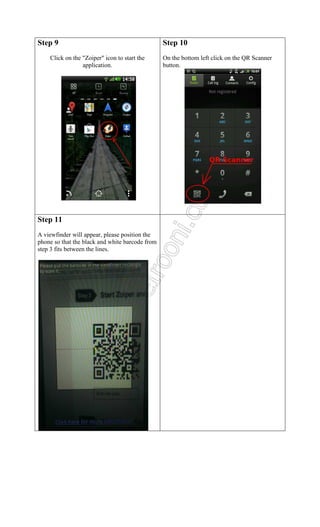
Step 9
Click onthe "Zoiper" icon to start the
application.
Step 11
A viewfinder will appear, please position the
phone so that the black and white barcode from
step 3 fits between the lines.
Step 10
On the bottom left click on the QR Scanner
button.