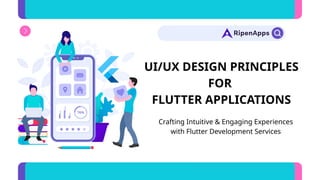
UI/UX DESIGN PRINCIPLES
FOR
FLUTTER APPLICATIONS
Crafting Intuitive & Engaging Experiences
with Flutter Development Services
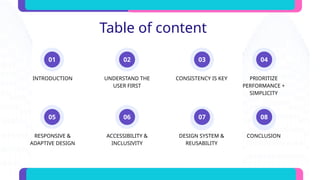
Table of content
01
05
02
06
03
07
INTRODUCTION
RESPONSIVE &
ADAPTIVE DESIGN
UNDERSTAND THE
USER FIRST
ACCESSIBILITY &
INCLUSIVITY
CONSISTENCY IS KEY
DESIGN SYSTEM &
REUSABILITY
08
PRIORITIZE
PERFORMANCE +
SIMPLICITY
CONCLUSION
04
Introduction
UI/UX is the soul of every mobile
application. In the world of cross-
platform development, Flutter stands
out for its flexibility and design power.
This presentation explores essential
UI/UX design principles for crafting
world-class experiences using
flutter development services.
Understand the User First
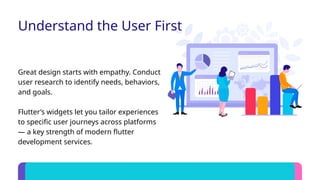
Great design starts with empathy. Conduct
user research to identify needs, behaviors,
and goals.
Flutter’s widgets let you tailor experiences
to specific user journeys across platforms
— a key strength of modern flutter
development services.
Consistency is Key
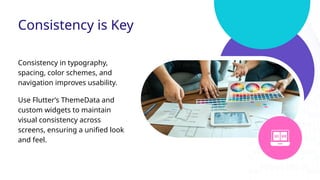
Consistency in typography,
spacing, color schemes, and
navigation improves usability.
Use Flutter’s ThemeData and
custom widgets to maintain
visual consistency across
screens, ensuring a unified look
and feel.
Prioritize Performance + Simplicity
Heavy animations and cluttered layouts
hurt UX.
Use Flutter’s performant rendering engine to
maintain smooth transitions while focusing
on clean, minimalist interfaces.
Responsive & Adaptive Design
Apps must work beautifully across devices and
screen sizes.
Leverage Flutter’s MediaQuery, LayoutBuilder,
and flexible layout widgets for responsive
designs — a must-have for professional flutter
development services.
Design for all users. Flutter supports text
scaling, contrast adaptation, and screen reader
compatibility.
Flutter app development companies always
prioritize inclusive design to widen audience
reach.
Accessibility & Inclusivity
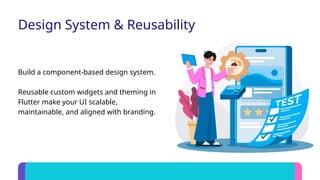
Design System & Reusability
Build a component-based design system.
Reusable custom widgets and theming in
Flutter make your UI scalable,
maintainable, and aligned with branding.
Conclusion
By applying these UI/UX principles, you can create visually stunning and
user-centric Flutter apps.
Invest in thoughtful design, and your app will stand out and succeed in this
competitive era.
CALL US : +1 (909) 545-6715 WWW.RIPENAPPS.COM
EMAIL :
SALES@RIPENAPPS.COM
3200 GUASTI ROAD, SUITE 100,
CITY OF ONTARIO,
CALIFORNIA, 91761 USA
UIUX Design Principles for Flutter Applications.pptx

  • 1.
    UI/UX DESIGN PRINCIPLES FOR FLUTTERAPPLICATIONS Crafting Intuitive & Engaging Experiences with Flutter Development Services
  • 2.
    Table of content 01 05 02 06 03 07 INTRODUCTION RESPONSIVE& ADAPTIVE DESIGN UNDERSTAND THE USER FIRST ACCESSIBILITY & INCLUSIVITY CONSISTENCY IS KEY DESIGN SYSTEM & REUSABILITY 08 PRIORITIZE PERFORMANCE + SIMPLICITY CONCLUSION 04
  • 3.
    Introduction UI/UX is thesoul of every mobile application. In the world of cross- platform development, Flutter stands out for its flexibility and design power. This presentation explores essential UI/UX design principles for crafting world-class experiences using flutter development services.
  • 4.
    Understand the UserFirst Great design starts with empathy. Conduct user research to identify needs, behaviors, and goals. Flutter’s widgets let you tailor experiences to specific user journeys across platforms — a key strength of modern flutter development services.
  • 5.
    Consistency is Key Consistencyin typography, spacing, color schemes, and navigation improves usability. Use Flutter’s ThemeData and custom widgets to maintain visual consistency across screens, ensuring a unified look and feel.
  • 6.
    Prioritize Performance +Simplicity Heavy animations and cluttered layouts hurt UX. Use Flutter’s performant rendering engine to maintain smooth transitions while focusing on clean, minimalist interfaces.
  • 7.
    Responsive & AdaptiveDesign Apps must work beautifully across devices and screen sizes. Leverage Flutter’s MediaQuery, LayoutBuilder, and flexible layout widgets for responsive designs — a must-have for professional flutter development services.
  • 8.
    Design for allusers. Flutter supports text scaling, contrast adaptation, and screen reader compatibility. Flutter app development companies always prioritize inclusive design to widen audience reach. Accessibility & Inclusivity
  • 9.
    Design System &Reusability Build a component-based design system. Reusable custom widgets and theming in Flutter make your UI scalable, maintainable, and aligned with branding.
  • 10.
    Conclusion By applying theseUI/UX principles, you can create visually stunning and user-centric Flutter apps. Invest in thoughtful design, and your app will stand out and succeed in this competitive era. CALL US : +1 (909) 545-6715 WWW.RIPENAPPS.COM EMAIL : SALES@RIPENAPPS.COM 3200 GUASTI ROAD, SUITE 100, CITY OF ONTARIO, CALIFORNIA, 91761 USA