https://mvc.tw
歡迎參加我們的每週四固定聚會
1
Load Testing with k6
Roberson Liou
https://mvc.tw
關於我
▪ Backend, CICD, Infra
▪ Communities
▪ Microsoft MVP(2020-2022)
▪ twMVC 核心成員
▪ DevOps Taiwan 志工
▪ GitKraken Ambassador
▪ BLOG - 工程良田的小球場
p.2
https://mvc.tw
大綱
▪k6 簡介
▪基本操作
▪進階 & 補充
3
https://github.com/robersonliou/k6-playground
https://mvc.tw
k6 簡介
4
工程良田的小球場 – [ Tools ] - k6 壓測工具簡介
https://mvc.tw
What is k6?
▪ Open source / 壓測工具(前身為 LoadImpact)
▪ 2021 年加入 Grafana Labs
▪ 號稱開發體驗最好的壓測工具
▪ 使用 ES6 JS 撰寫 / CLI 執行
▪ 豐富的生態圈整合
p.5
https://mvc.tw
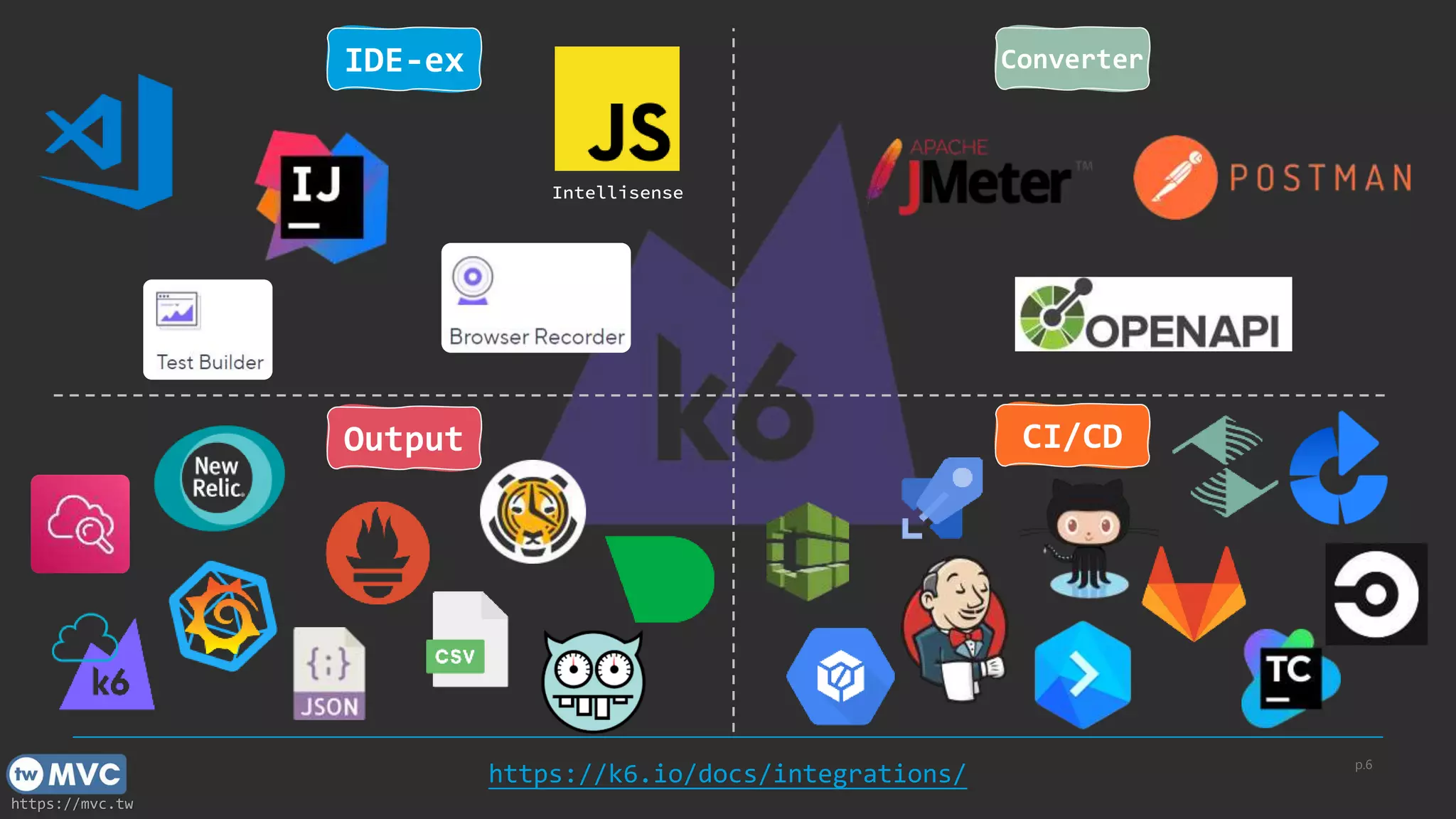
p.6
https://k6.io/docs/integrations/
Output CI/CD
IDE-ex Converter
Intellisense
https://mvc.tw
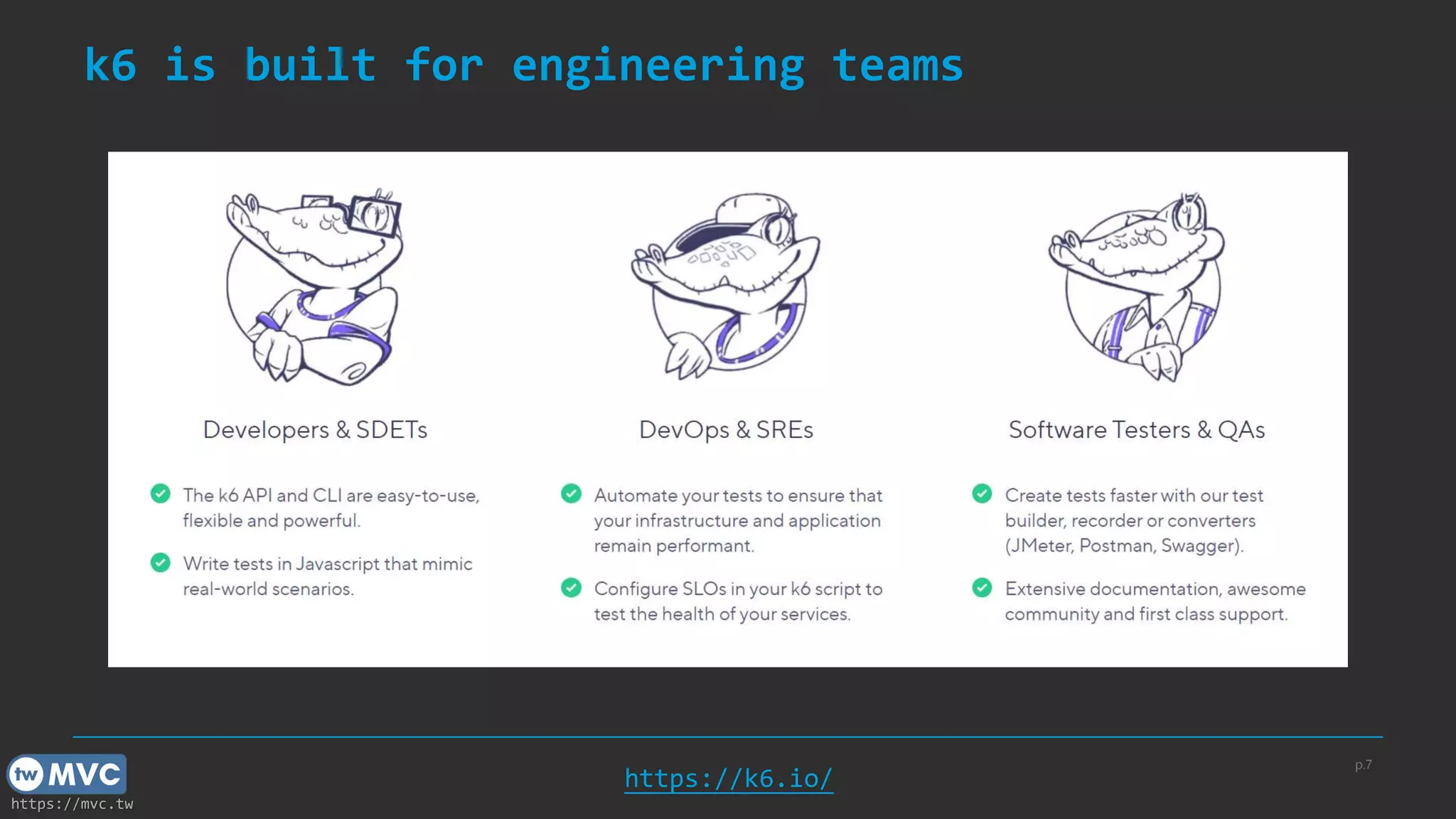
k6 is built for engineering teams
p.7
https://k6.io/
https://mvc.tw
k6 - Load Testing Manifesto
▪ 有測總比沒測好
▪ 壓測應該是目標導向
▪ 壓測應該是開發者來執行
▪ 開發者體驗是非常重要的
▪ 在 pre-production 環境進行壓測
p.8
https://k6.io/our-beliefs/
https://mvc.tw
效能測試種類
▪ 冒煙測試(Smoke Testing)
▪ 負載測試(Load Testing)
▪ 壓力測試(Stress Testing)
▪ 浸泡測試(Soak Testing)
p.9
https://mvc.tw
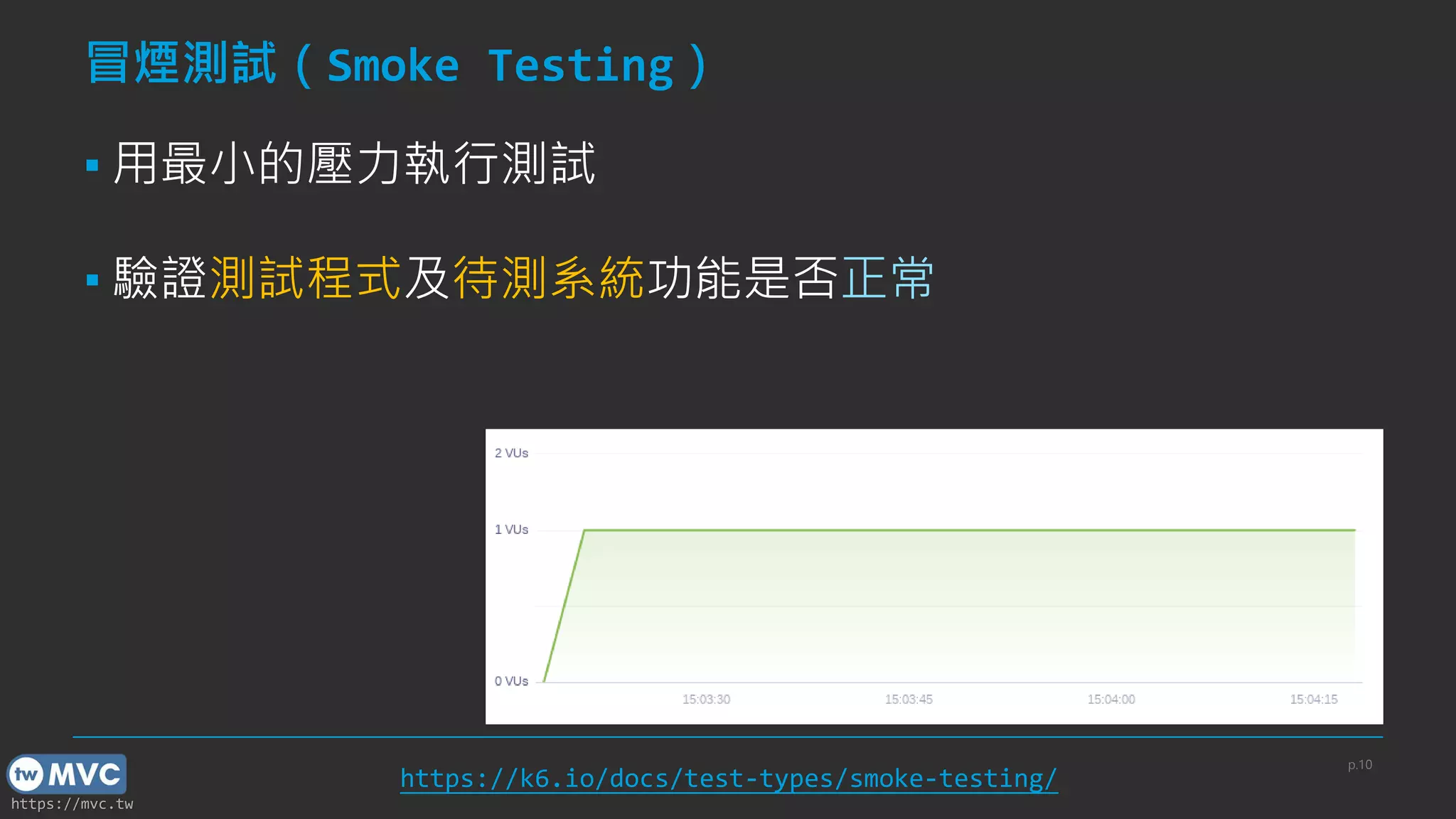
冒煙測試(Smoke Testing)
▪ 用最小的壓力執行測試
▪ 驗證測試程式及待測系統功能是否正常
p.10
https://k6.io/docs/test-types/smoke-testing/
https://mvc.tw
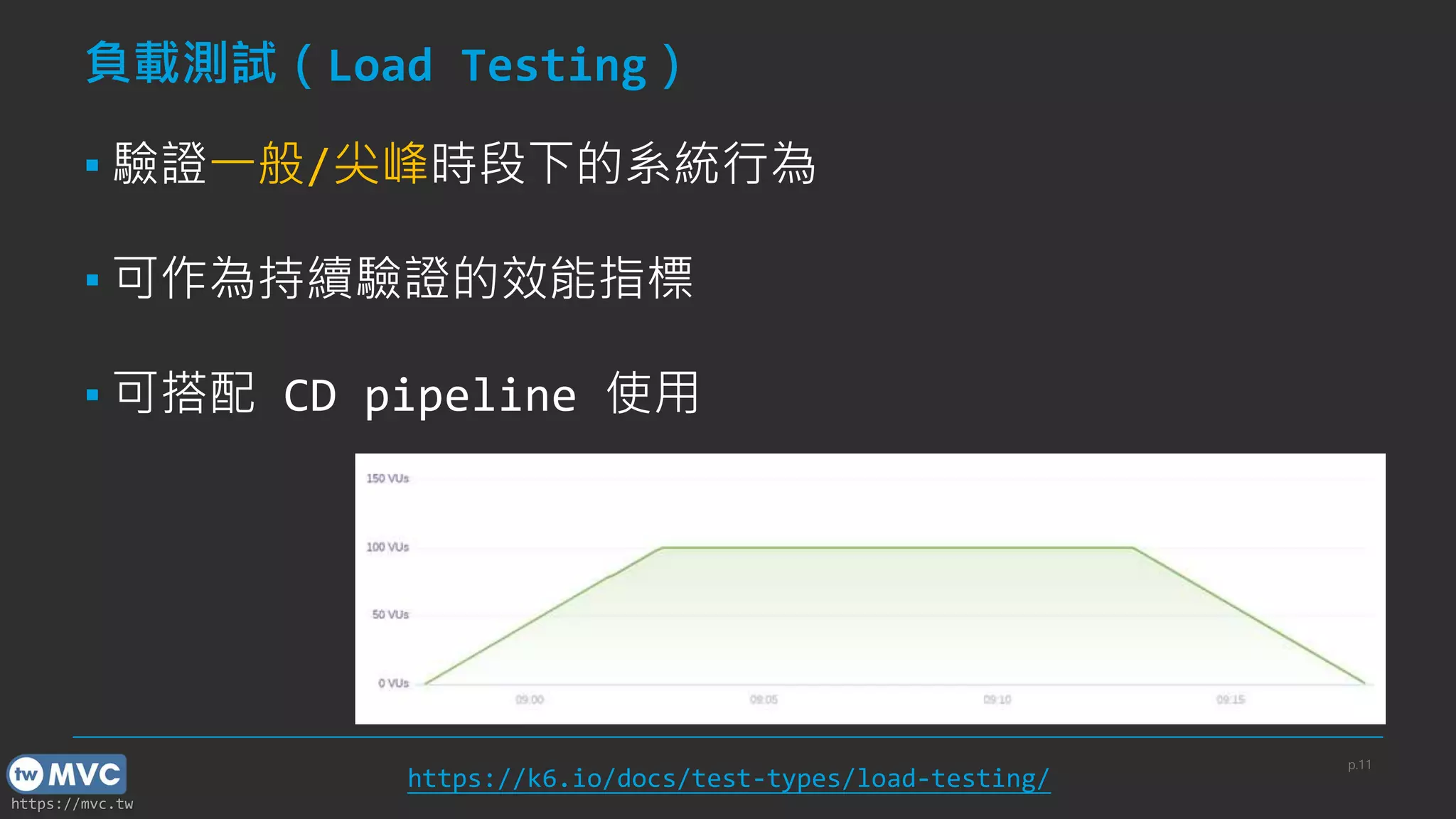
負載測試(Load Testing)
▪ 驗證一般/尖峰時段下的系統行為
▪ 可作為持續驗證的效能指標
▪ 可搭配 CD pipeline 使用
p.11
https://k6.io/docs/test-types/load-testing/
https://mvc.tw
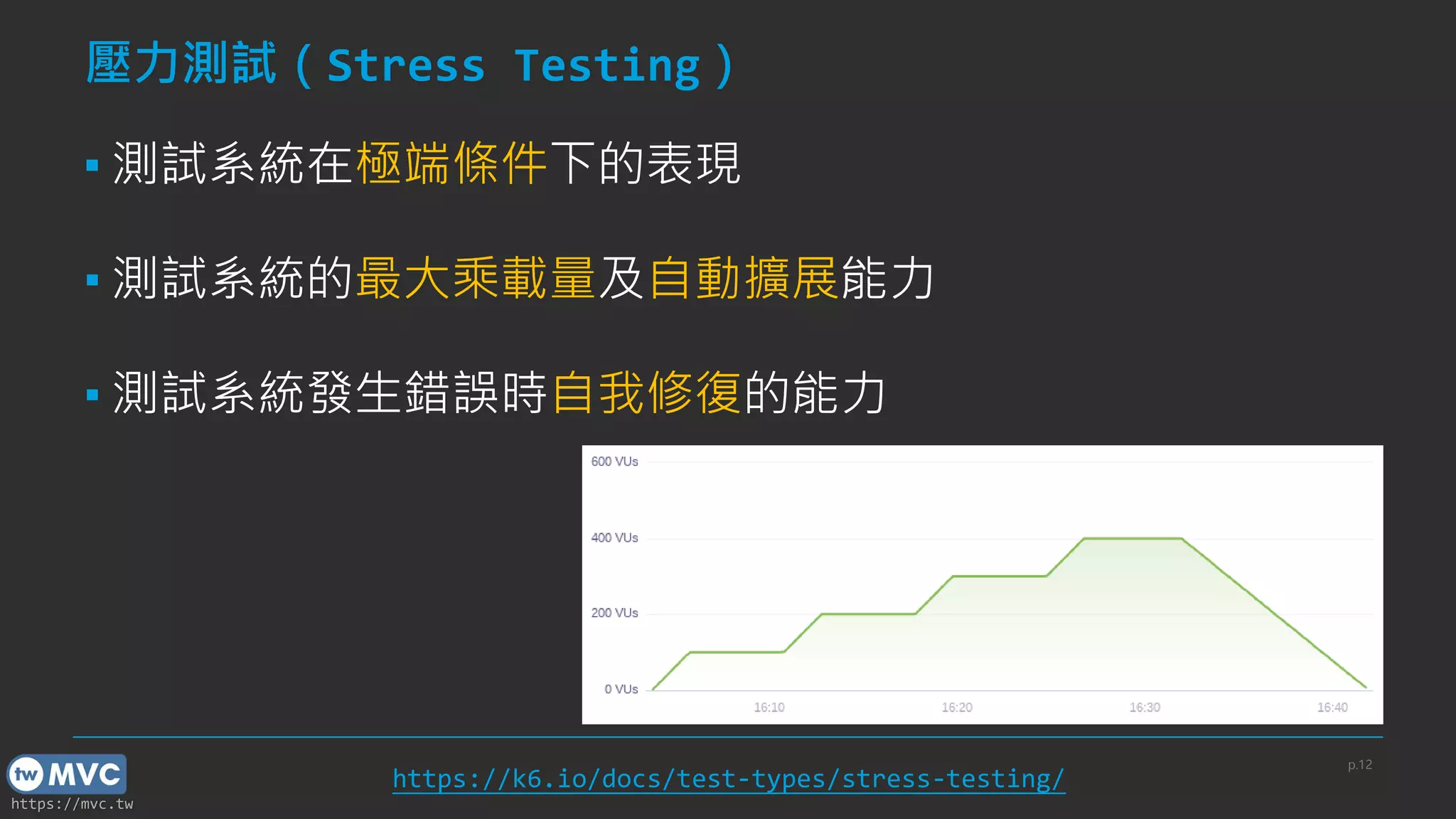
壓力測試(Stress Testing)
▪ 測試系統在極端條件下的表現
▪ 測試系統的最大乘載量及自動擴展能力
▪ 測試系統發生錯誤時自我修復的能力
p.12
https://k6.io/docs/test-types/stress-testing/
https://mvc.tw
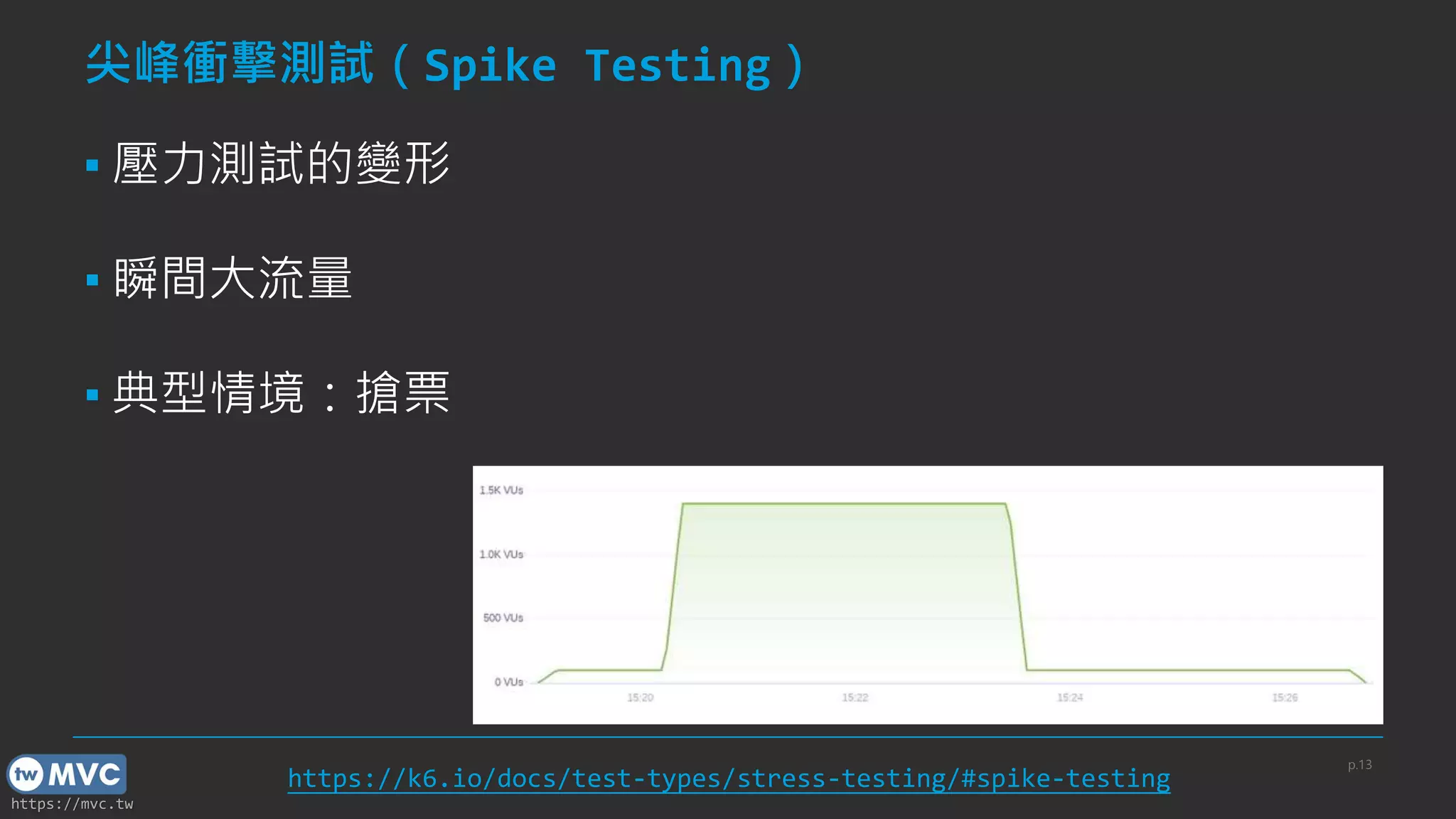
尖峰衝擊測試(Spike Testing)
▪ 壓力測試的變形
▪ 瞬間大流量
▪ 典型情境:搶票
p.13
https://k6.io/docs/test-types/stress-testing/#spike-testing
https://mvc.tw
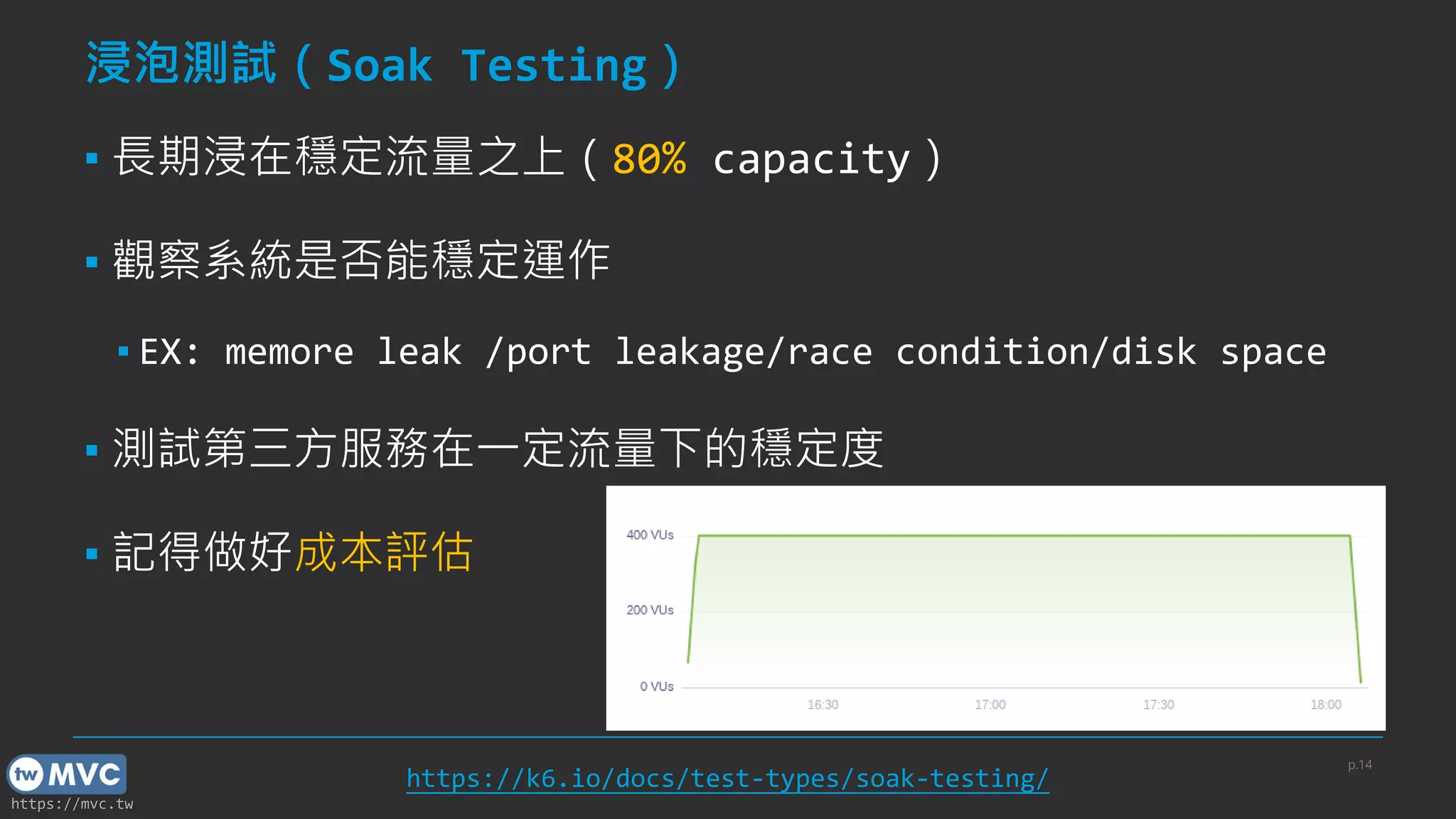
浸泡測試(Soak Testing)
▪ 長期浸在穩定流量之上(80% capacity)
▪ 觀察系統是否能穩定運作
▪ EX: memore leak /port leakage/race condition/disk space
▪ 測試第三方服務在一定流量下的穩定度
▪ 記得做好成本評估
p.14
https://k6.io/docs/test-types/soak-testing/
https://mvc.tw
支援的協定標準
▪ HTTP/1.1, HTTP/2
▪ WebSockets
▪ gRPC
▪ Others: SQL, Kafka, Redis…(xk6 community)
p.15
https://mvc.tw
基本操作
16
https://mvc.tw
安裝方式
▪ 支援跨平台(Linux/MacOS/Windows)
▪ Linux:apt-get/dnf/yum
▪ MacOS:homebrew
▪ Windows:choco/winget/.msi
▪ Docker
p.17
https://k6.io/docs/getting-started/installation/
https://mvc.tw
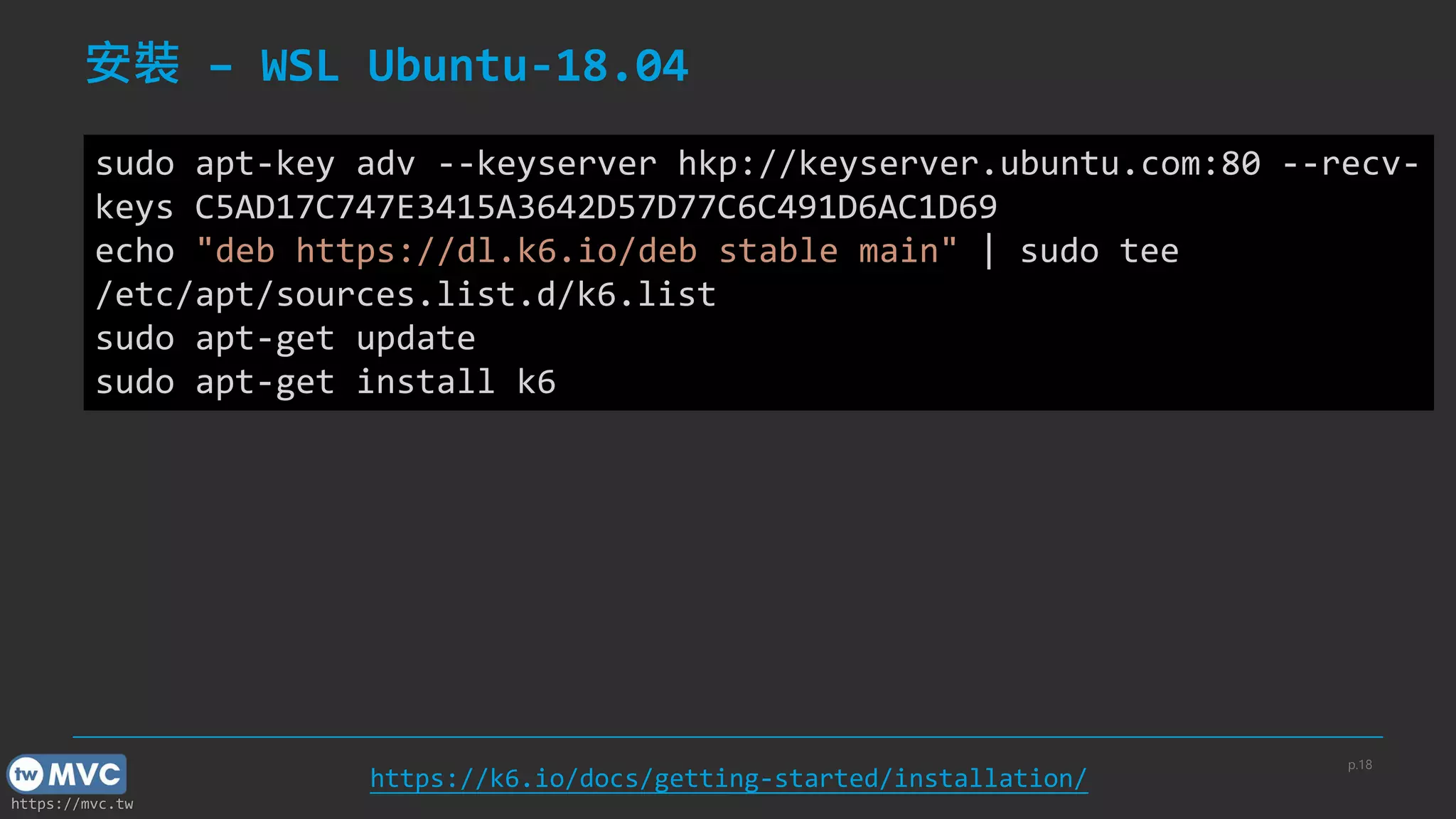
安裝 – WSL Ubuntu-18.04
p.18
https://k6.io/docs/getting-started/installation/
sudo apt-key adv --keyserver hkp://keyserver.ubuntu.com:80 --recv-
keys C5AD17C747E3415A3642D57D77C6C491D6AC1D69
echo "deb https://dl.k6.io/deb stable main" | sudo tee
/etc/apt/sources.list.d/k6.list
sudo apt-get update
sudo apt-get install k6
https://mvc.tw
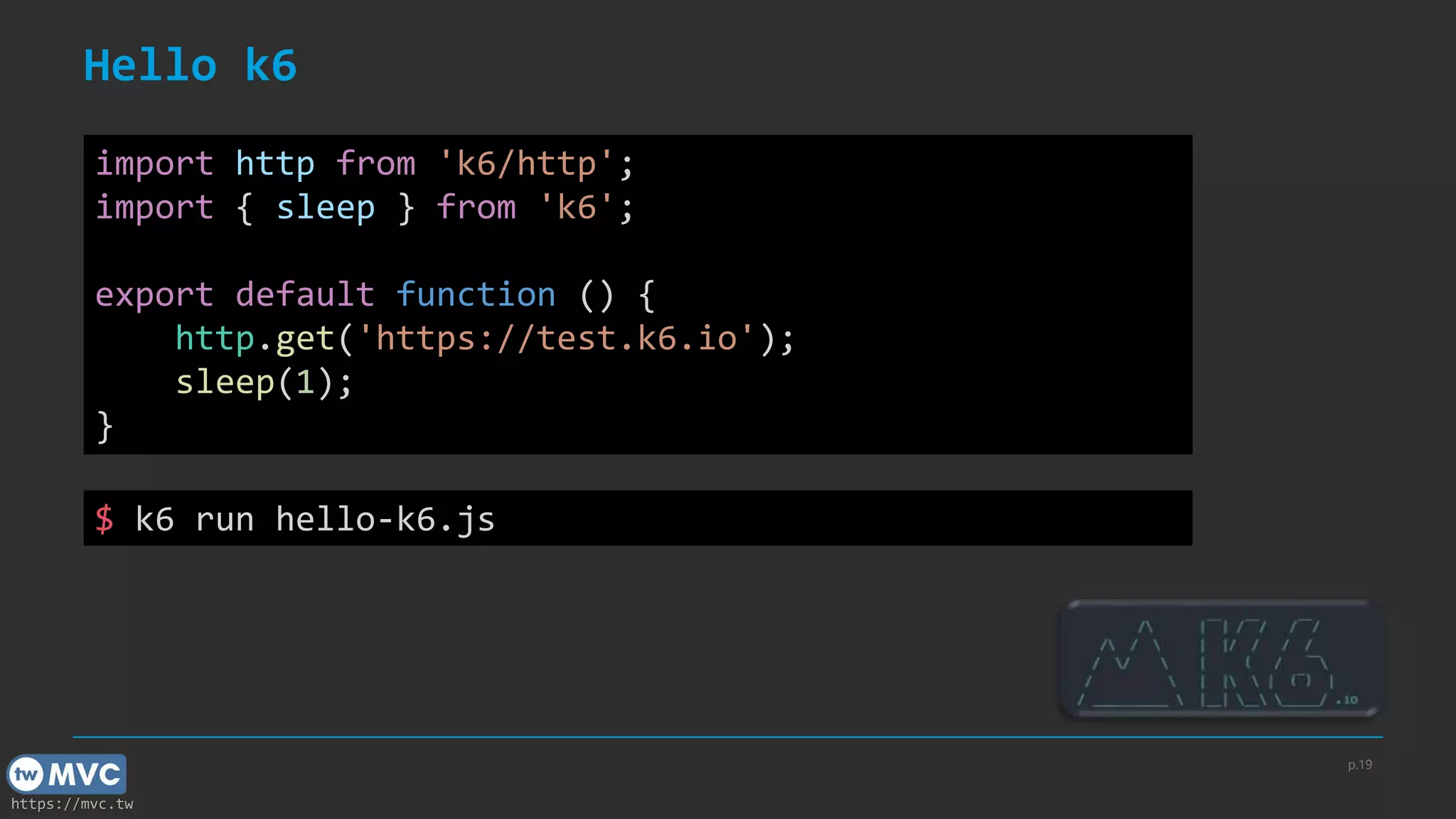
Hello k6
p.19
import http from 'k6/http';
import { sleep } from 'k6';
export default function () {
http.get('https://test.k6.io');
sleep(1);
}
$ k6 run hello-k6.js
https://mvc.tw
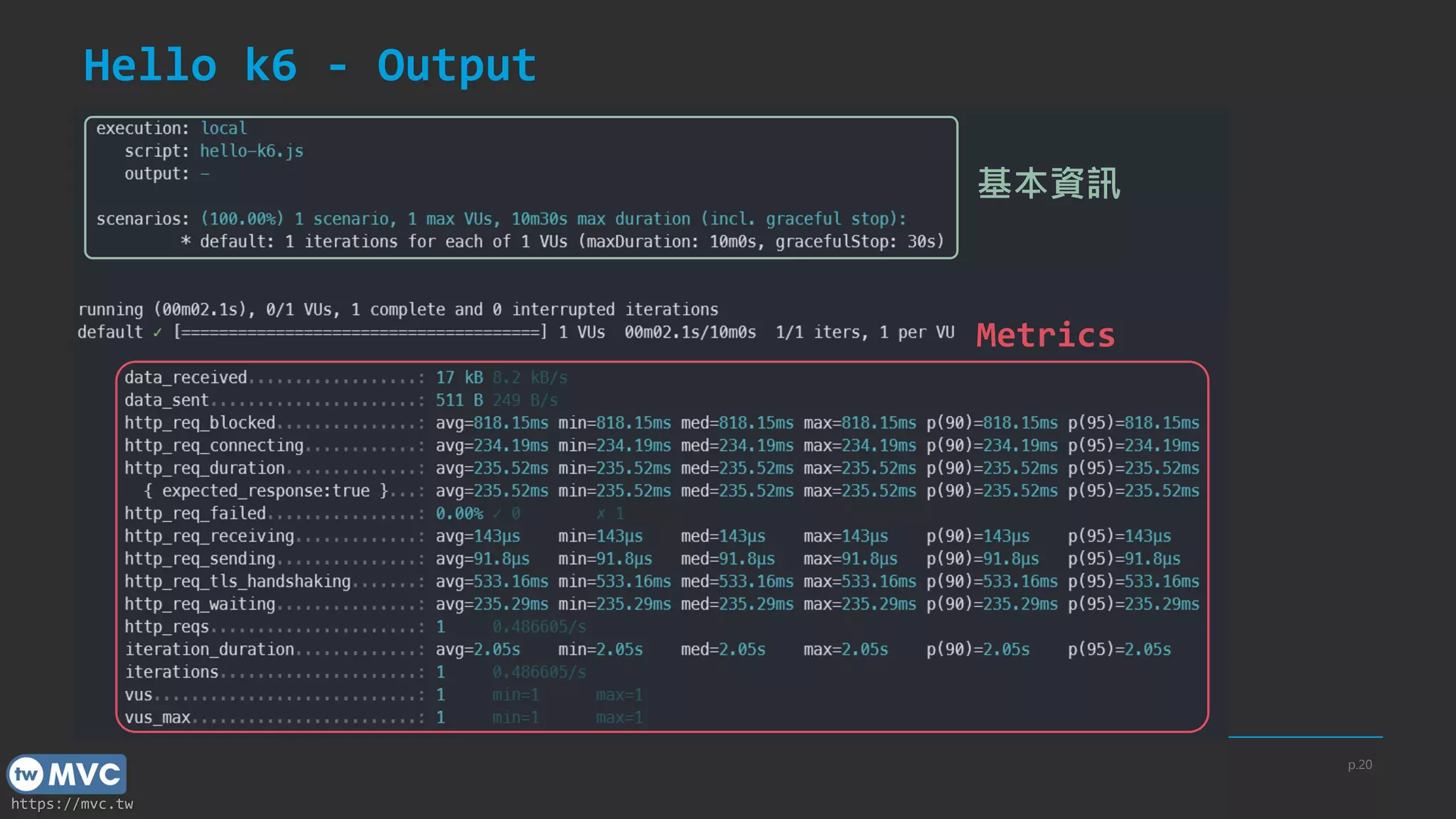
Hello k6 - Output
p.20
Metrics
基本資訊
https://mvc.tw
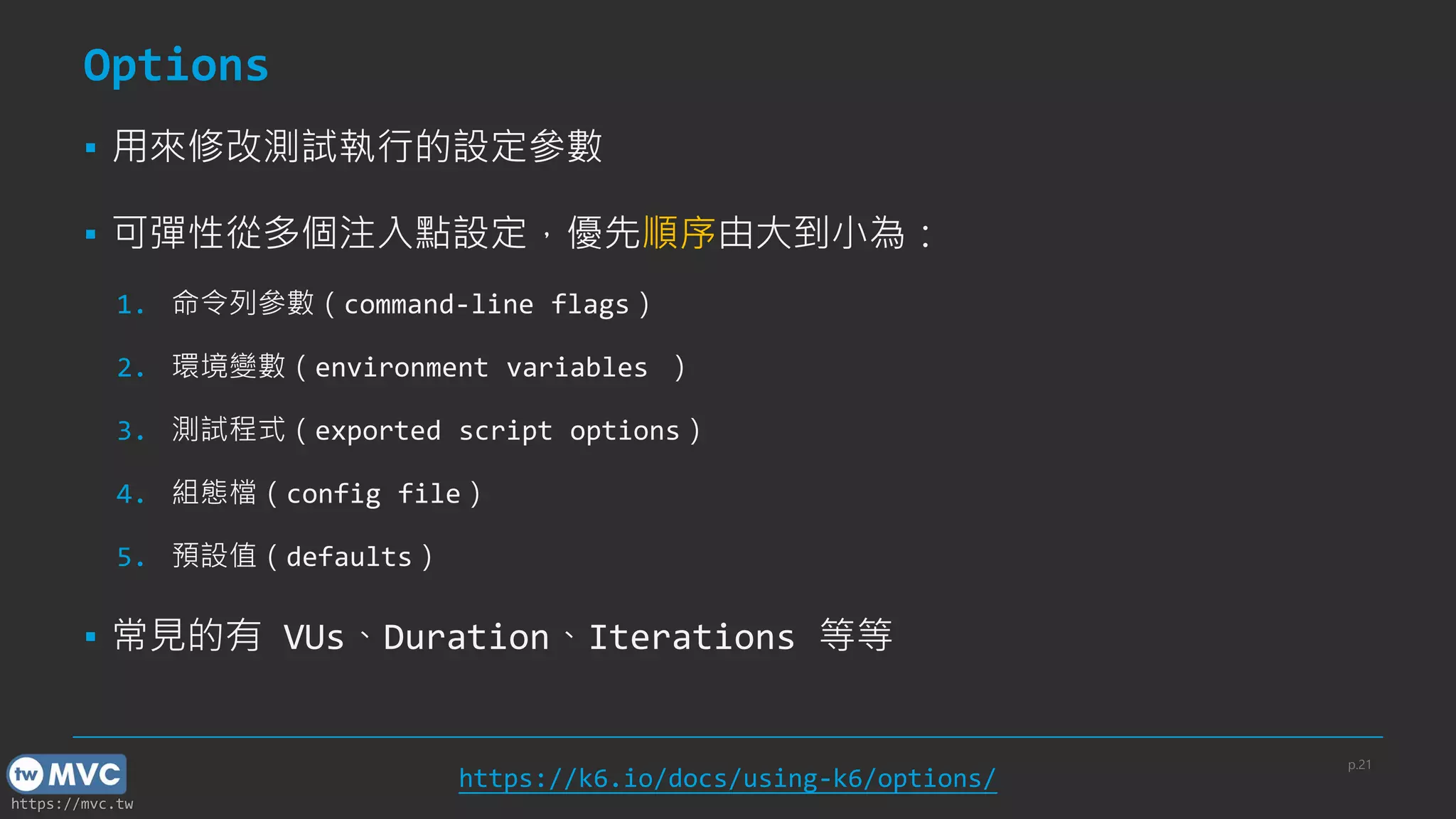
Options
▪ 用來修改測試執行的設定參數
▪ 可彈性從多個注入點設定,優先順序由大到小為:
1. 命令列參數(command-line flags)
2. 環境變數(environment variables )
3. 測試程式(exported script options)
4. 組態檔(config file)
5. 預設值(defaults)
▪ 常見的有 VUs、Duration、Iterations 等等
p.21
https://k6.io/docs/using-k6/options/
https://mvc.tw
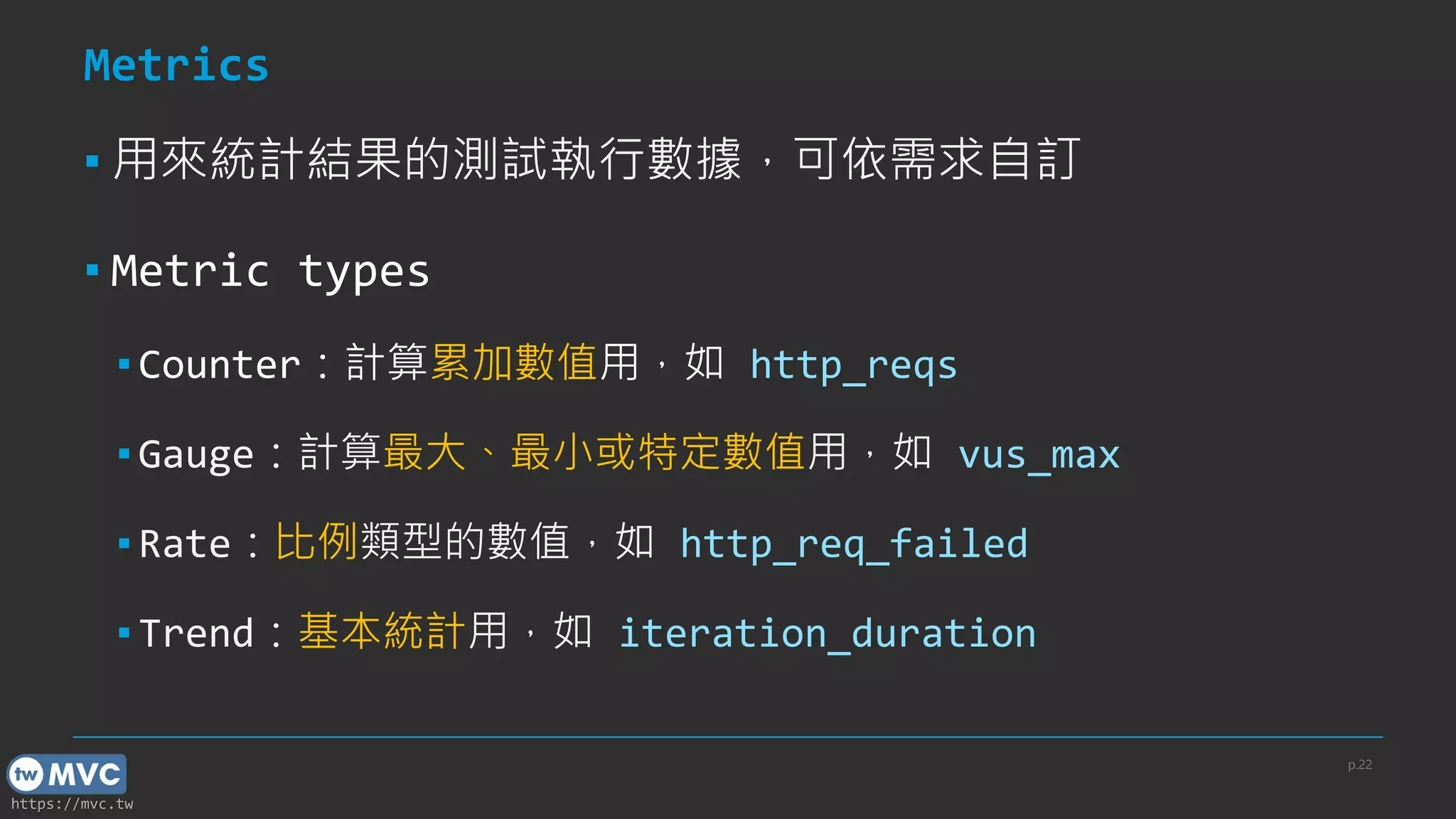
Metrics
▪ 用來統計結果的測試執行數據,可依需求自訂
▪ Metric types
▪ Counter:計算累加數值用,如 http_reqs
▪ Gauge:計算最大、最小或特定數值用,如 vus_max
▪ Rate:比例類型的數值,如 http_req_failed
▪ Trend:基本統計用,如 iteration_duration
p.22
https://mvc.tw
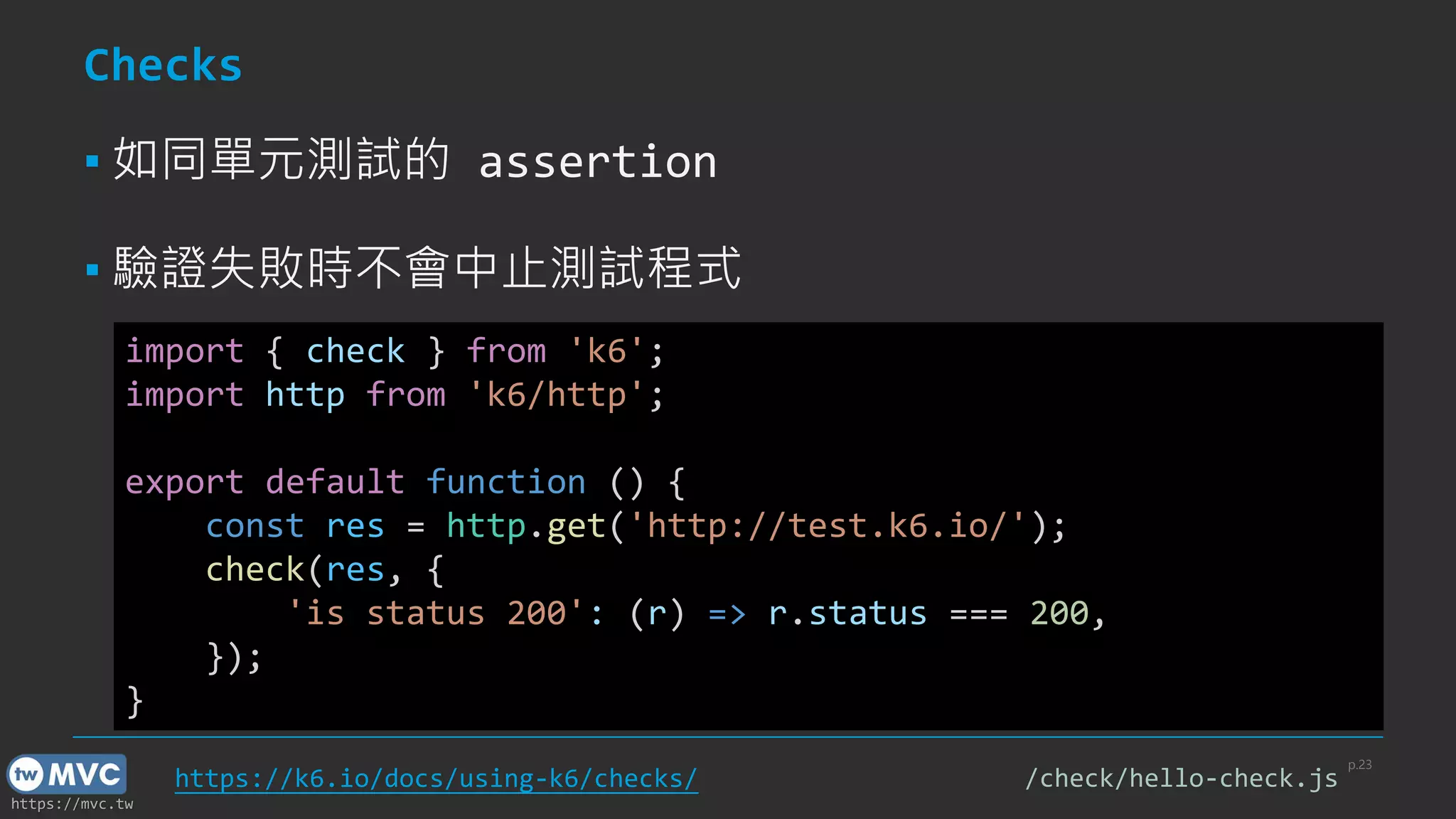
Checks
▪ 如同單元測試的 assertion
▪ 驗證失敗時不會中止測試程式
p.23
import { check } from 'k6';
import http from 'k6/http';
export default function () {
const res = http.get('http://test.k6.io/');
check(res, {
'is status 200': (r) => r.status === 200,
});
}
https://k6.io/docs/using-k6/checks/ /check/hello-check.js
https://mvc.tw
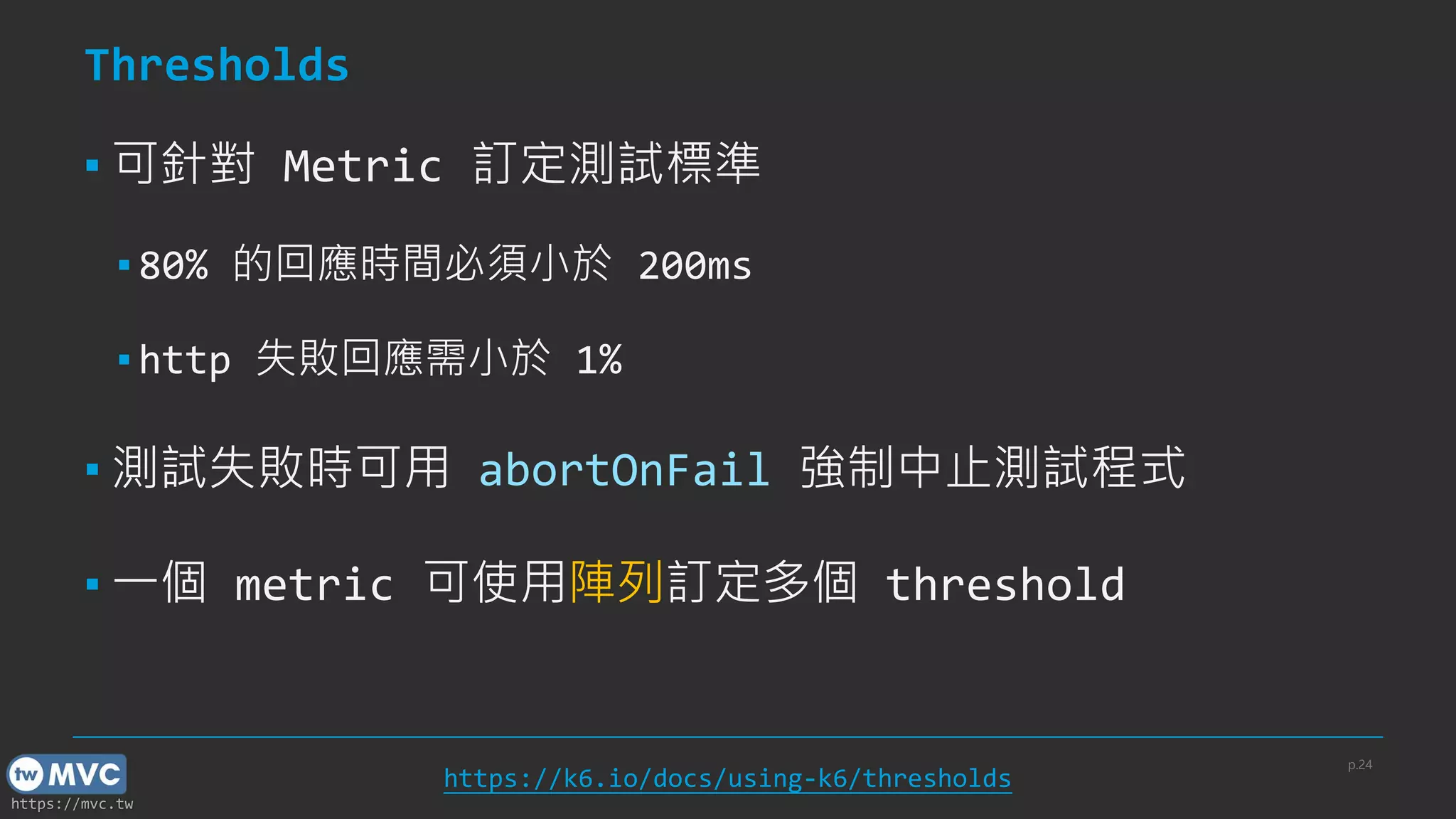
Thresholds
▪ 可針對 Metric 訂定測試標準
▪ 80% 的回應時間必須小於 200ms
▪ http 失敗回應需小於 1%
▪ 測試失敗時可用 abortOnFail 強制中止測試程式
▪ 一個 metric 可使用陣列訂定多個 threshold
p.24
https://k6.io/docs/using-k6/thresholds
https://mvc.tw
Simple threshold
p.25
import http from 'k6/http';
export const options = {
thresholds: {
http_req_failed: ['rate<0.01'],
http_req_duration: ['p(95)<200']
},
};
export default function () {
http.get('https://test-api.k6.io/public/crocodiles/1/');
}
/threshold/hello-threshold.js
https://mvc.tw
Apply multi-threshold to single metric
p.26
import http from 'k6/http';
import { sleep } from 'k6';
export const options = {
thresholds: {
http_req_duration: ['p(90) < 400', 'p(95) < 800']
}
};
export default function () {
const resp = http.get('https://example.com');
sleep(1);
}
/threshold/apply-multi-threshold-to-same-metric.js
https://mvc.tw
Duplicated threshold mistake
▪ 勿對同一 metric 重複套用不同的 threshold(後蓋前)
p.27
export let options = {
thresholds: {
// 若針對同個 metric 重複套用不同的 threshold
// 會發生「後蓋前」的狀況
http_req_duration: ['p(90) < 400'],
http_req_duration: ['p(95) < 800']
}
};
/threshold/duplicate-mistake.js
https://mvc.tw
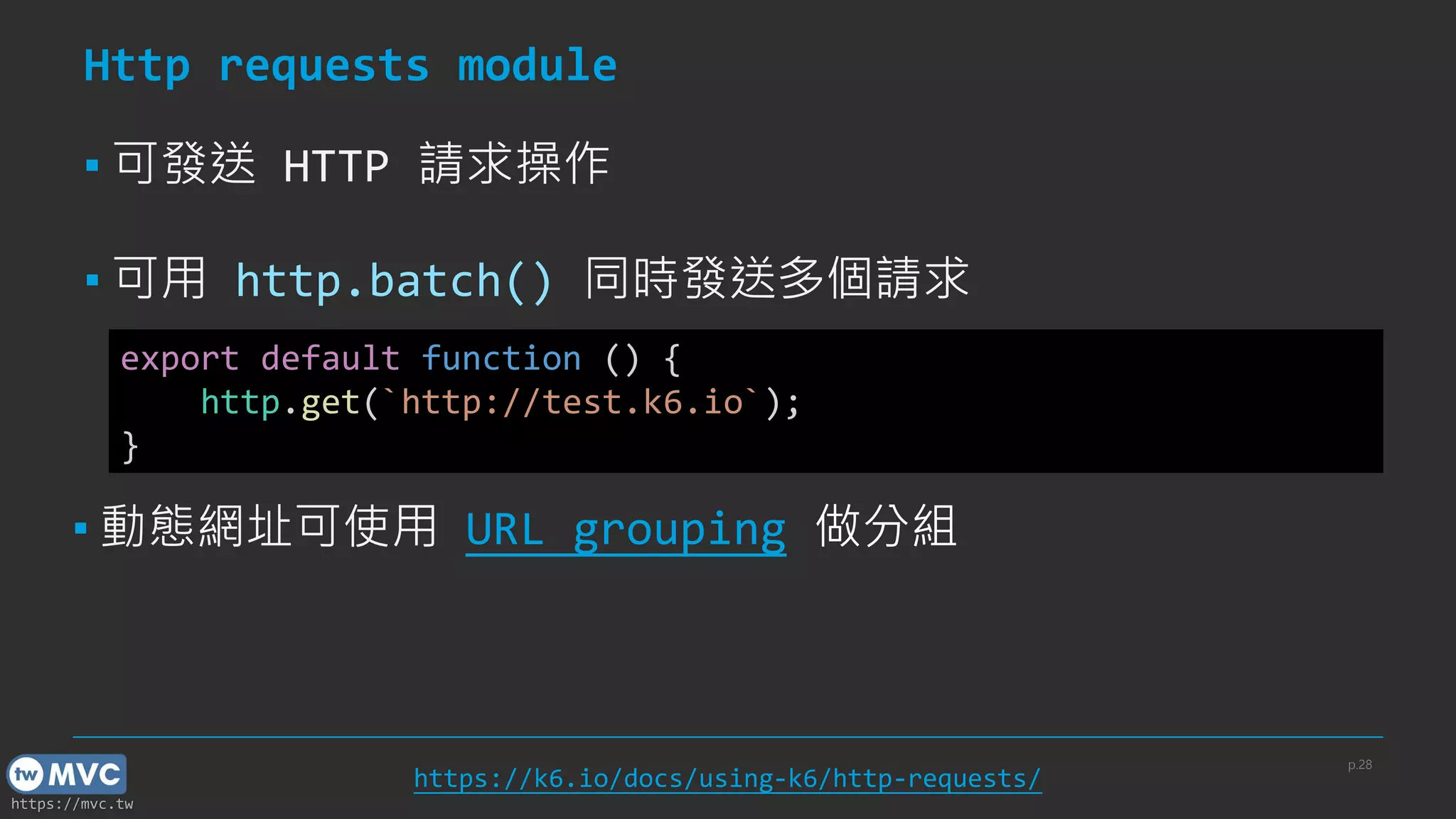
Http requests module
▪ 可發送 HTTP 請求操作
▪ 可用 http.batch() 同時發送多個請求
p.28
https://k6.io/docs/using-k6/http-requests/
export default function () {
http.get(`http://test.k6.io`);
}
▪ 動態網址可使用 URL grouping 做分組
https://mvc.tw
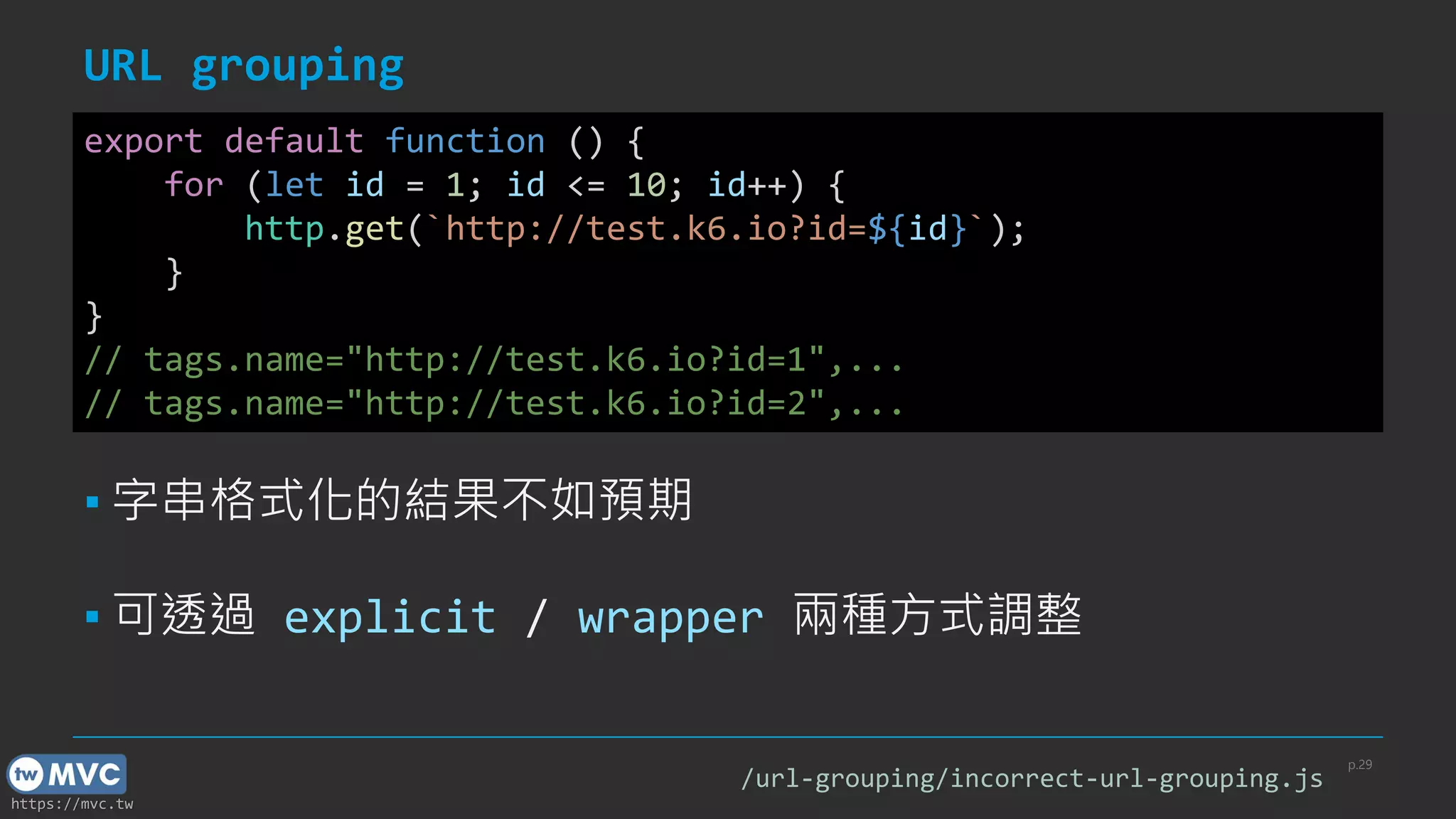
URL grouping
p.29
export default function () {
for (let id = 1; id <= 10; id++) {
http.get(`http://test.k6.io?id=${id}`);
}
}
// tags.name="http://test.k6.io?id=1",...
// tags.name="http://test.k6.io?id=2",...
▪ 字串格式化的結果不如預期
▪ 可透過 explicit / wrapper 兩種方式調整
/url-grouping/incorrect-url-grouping.js
https://mvc.tw
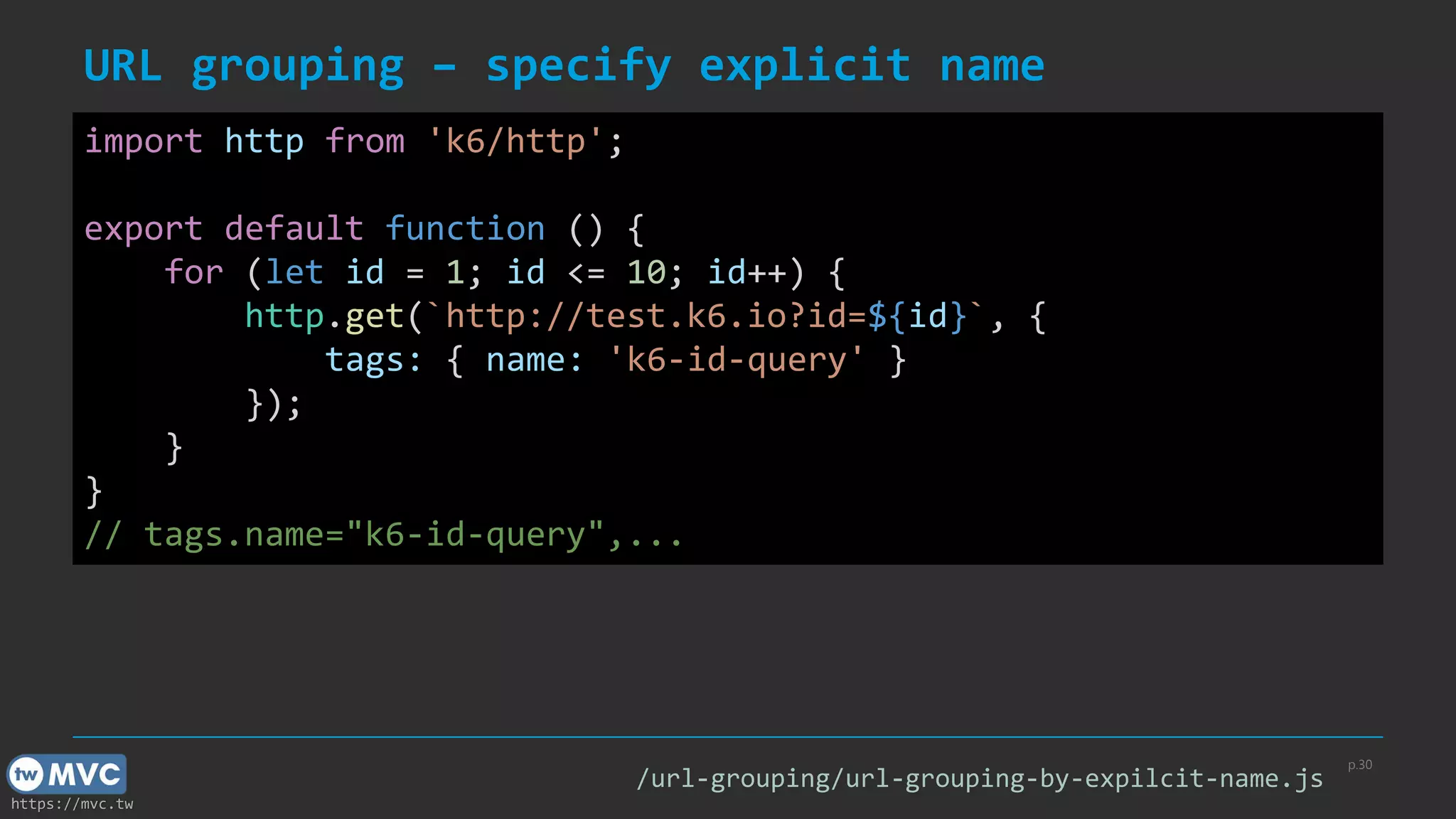
URL grouping – specify explicit name
p.30
import http from 'k6/http';
export default function () {
for (let id = 1; id <= 10; id++) {
http.get(`http://test.k6.io?id=${id}`, {
tags: { name: 'k6-id-query' }
});
}
}
// tags.name="k6-id-query",...
/url-grouping/url-grouping-by-expilcit-name.js
https://mvc.tw
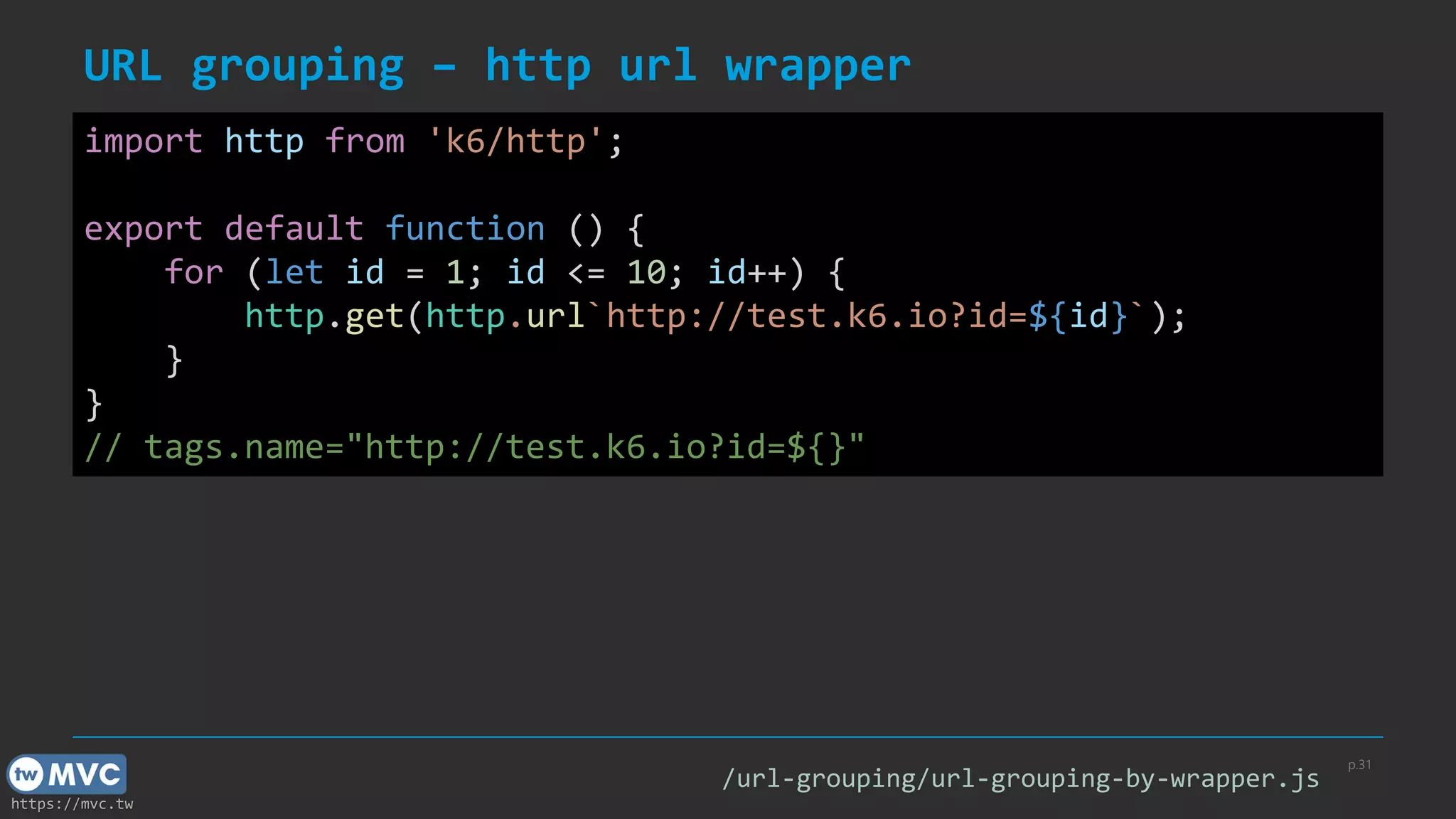
URL grouping – http url wrapper
p.31
import http from 'k6/http';
export default function () {
for (let id = 1; id <= 10; id++) {
http.get(http.url`http://test.k6.io?id=${id}`);
}
}
// tags.name="http://test.k6.io?id=${}"
/url-grouping/url-grouping-by-wrapper.js
https://mvc.tw
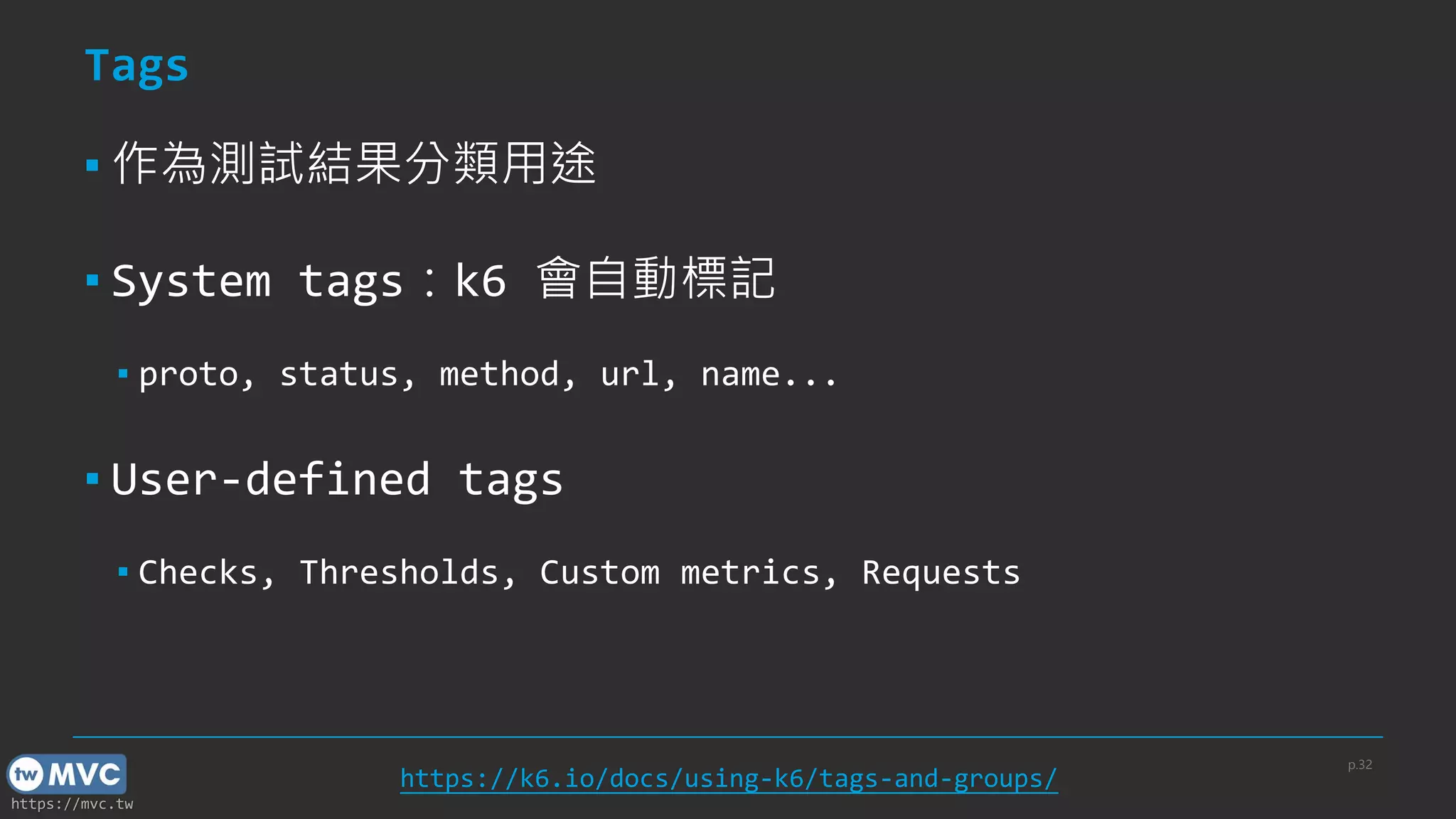
Tags
▪ 作為測試結果分類用途
▪ System tags:k6 會自動標記
▪ proto, status, method, url, name...
▪ User-defined tags
▪ Checks, Thresholds, Custom metrics, Requests
p.32
https://k6.io/docs/using-k6/tags-and-groups/
https://mvc.tw
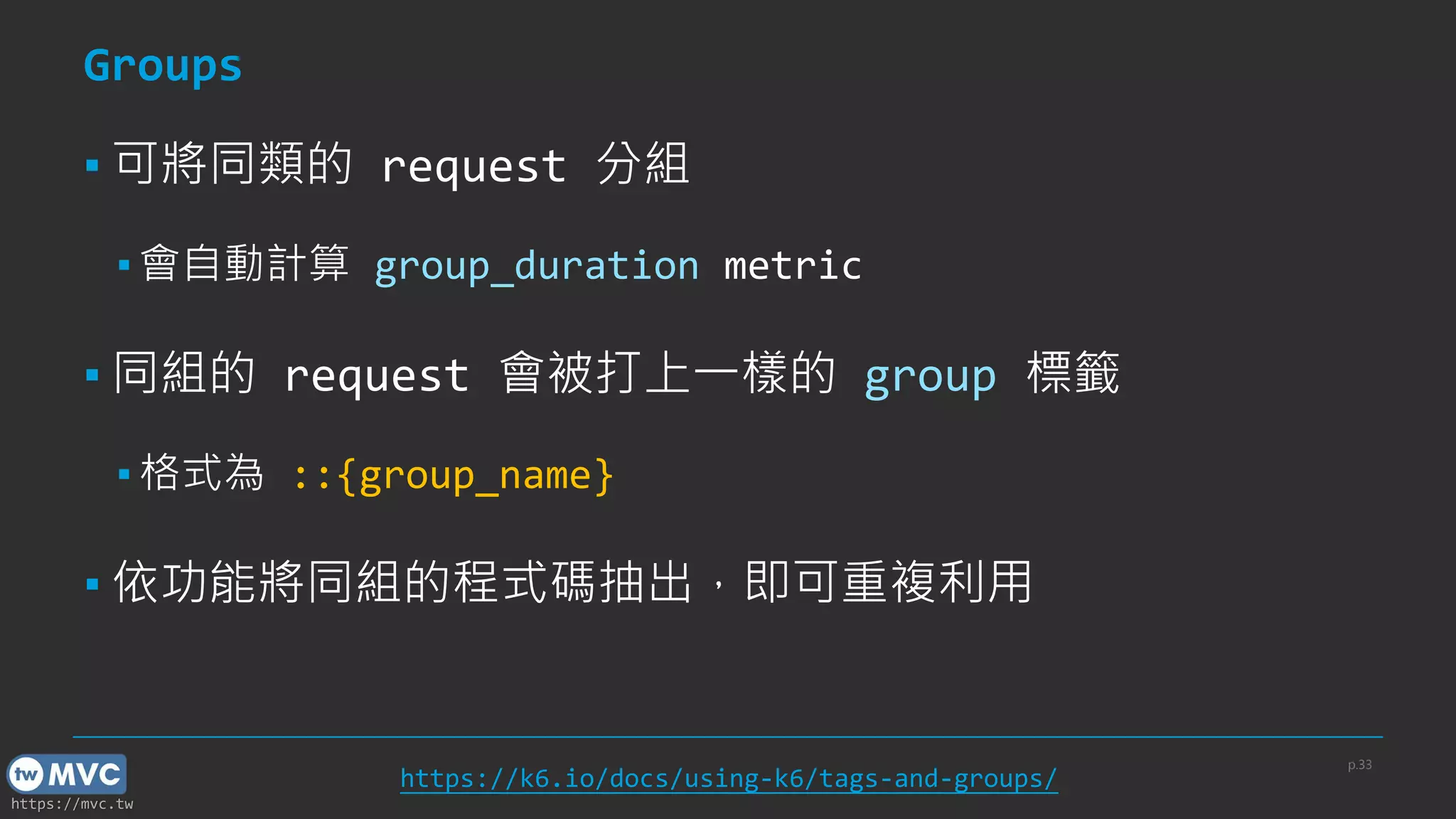
Groups
▪ 可將同類的 request 分組
▪ 會自動計算 group_duration metric
▪ 同組的 request 會被打上一樣的 group 標籤
▪ 格式為 ::{group_name}
▪ 依功能將同組的程式碼抽出,即可重複利用
p.33
https://k6.io/docs/using-k6/tags-and-groups/
https://mvc.tw
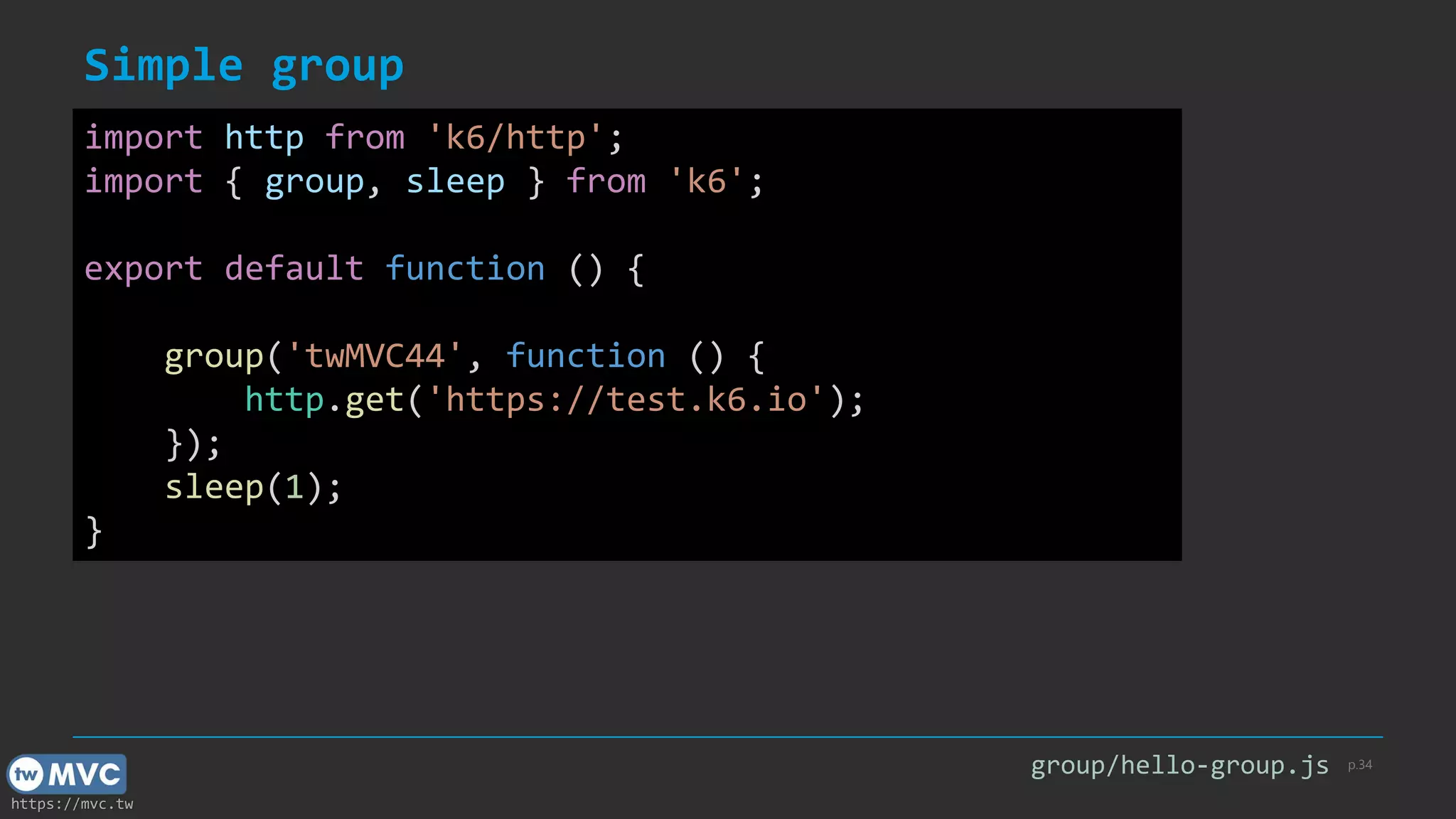
Simple group
p.34
import http from 'k6/http';
import { group, sleep } from 'k6';
export default function () {
group('twMVC44', function () {
http.get('https://test.k6.io');
});
sleep(1);
}
group/hello-group.js
https://mvc.tw
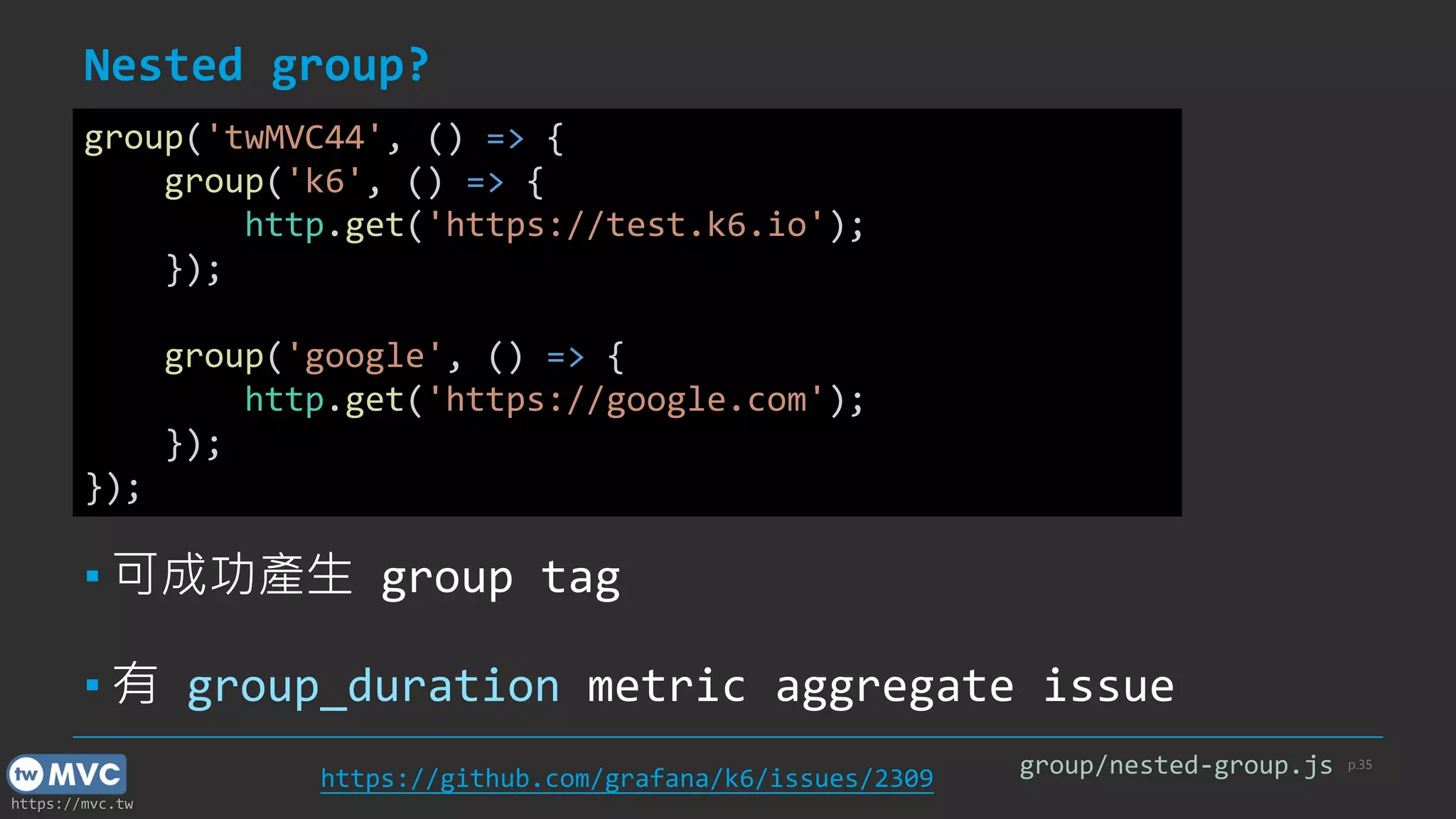
Nested group?
p.35
group('twMVC44', () => {
group('k6', () => {
http.get('https://test.k6.io');
});
group('google', () => {
http.get('https://google.com');
});
});
group/nested-group.js
▪ 可成功產生 group tag
▪ 有 group_duration metric aggregate issue
https://github.com/grafana/k6/issues/2309
https://mvc.tw
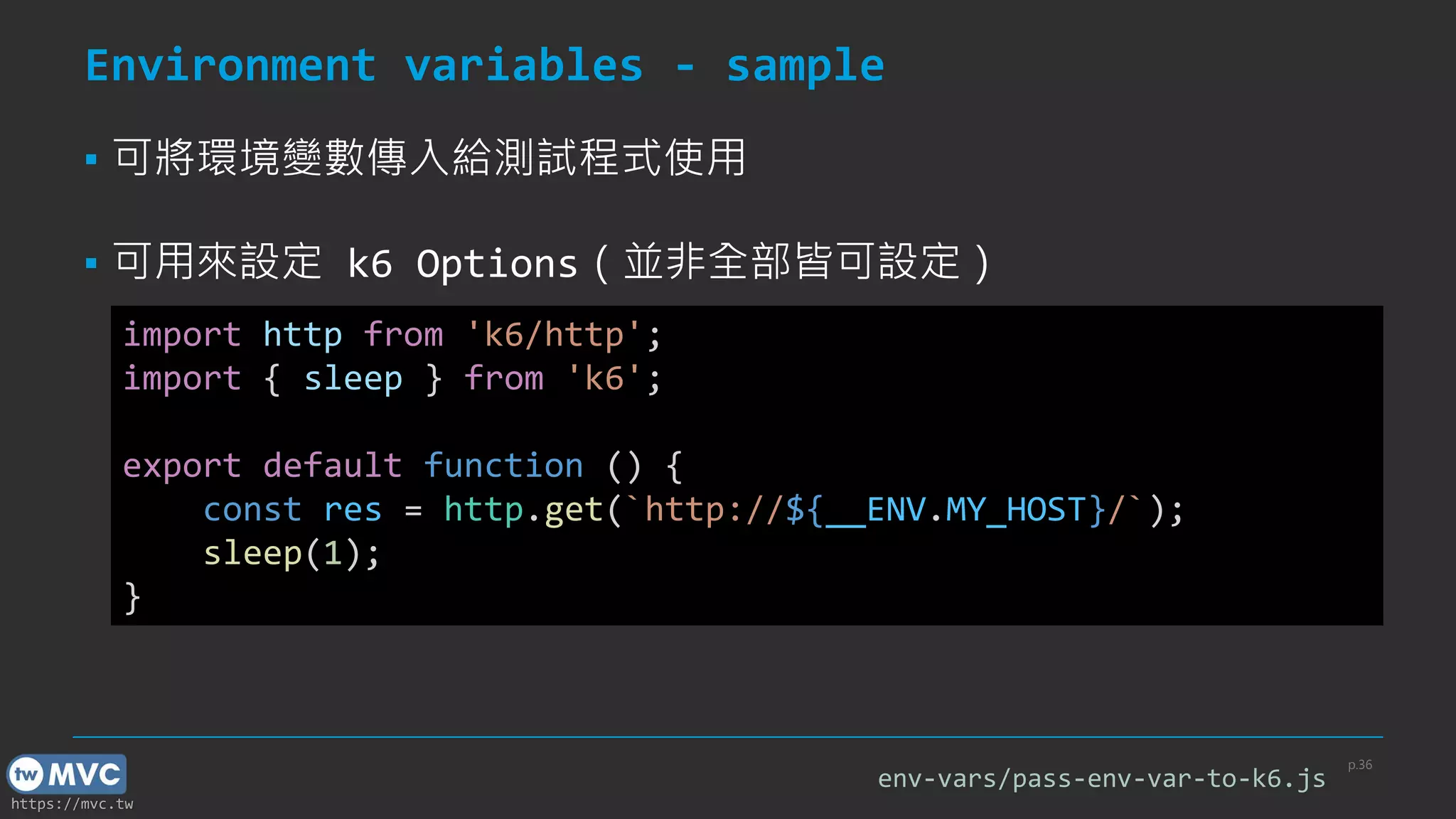
Environment variables - sample
p.36
import http from 'k6/http';
import { sleep } from 'k6';
export default function () {
const res = http.get(`http://${__ENV.MY_HOST}/`);
sleep(1);
}
▪ 可將環境變數傳入給測試程式使用
▪ 可用來設定 k6 Options(並非全部皆可設定)
env-vars/pass-env-var-to-k6.js
https://mvc.tw
Environment variables – CLI
p.37
$ MY_HOST=test.k6.io k6 run pass-env-var-to-k6.js
▪ Bash
$ $env:MY_HOST="test.k6.io"; k6 run pass-env-var-to-k6.js
▪ PowerShell
$ set "MY_HOST=test.k6.io" && k6 run pass-env-var-to-k6.js
▪ Windows CMD
$ k6 run -e MY_HOST=test.k6.io pass-env-var-to-k6.js
▪ CLI Flag(-e / --env)[cross platform]
https://mvc.tw
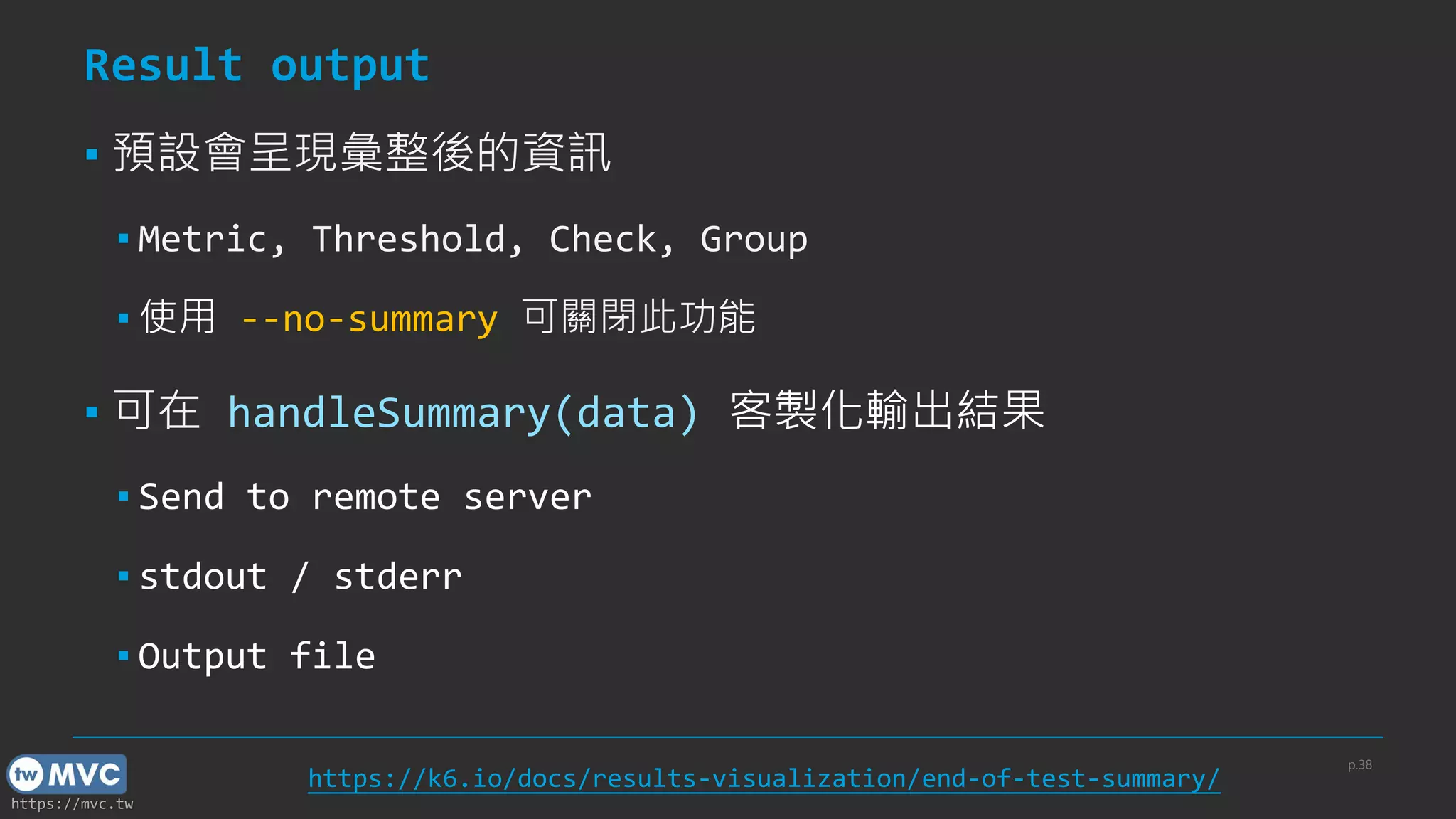
Result output
▪ 預設會呈現彙整後的資訊
▪ Metric, Threshold, Check, Group
▪ 使用 --no-summary 可關閉此功能
▪ 可在 handleSummary(data) 客製化輸出結果
▪ Send to remote server
▪ stdout / stderr
▪ Output file
p.38
https://k6.io/docs/results-visualization/end-of-test-summary/
https://mvc.tw
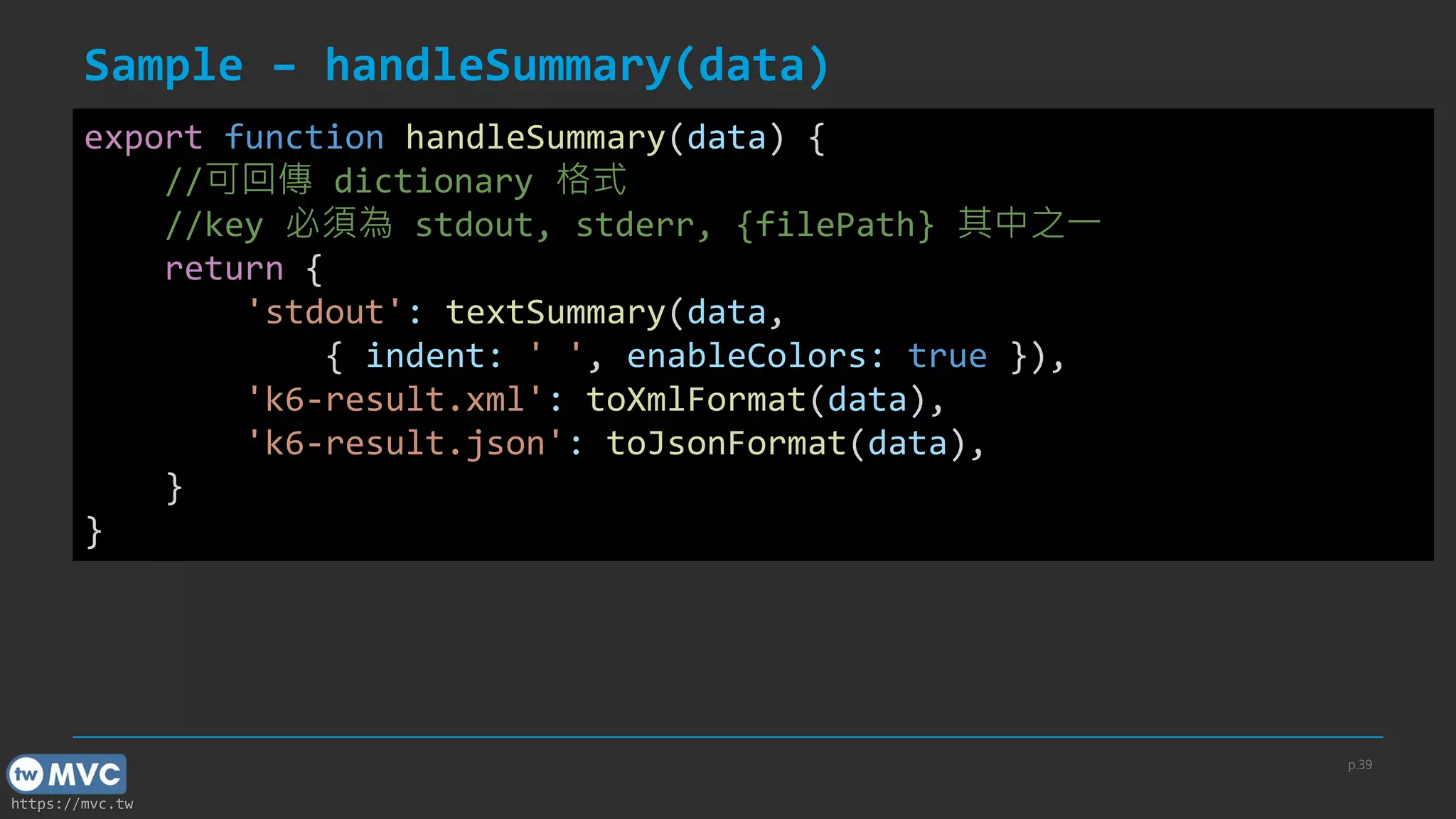
Sample – handleSummary(data)
p.39
export function handleSummary(data) {
//可回傳 dictionary 格式
//key 必須為 stdout, stderr, {filePath} 其中之一
return {
'stdout': textSummary(data,
{ indent: ' ', enableColors: true }),
'k6-result.xml': toXmlFormat(data),
'k6-result.json': toJsonFormat(data),
}
}
https://mvc.tw
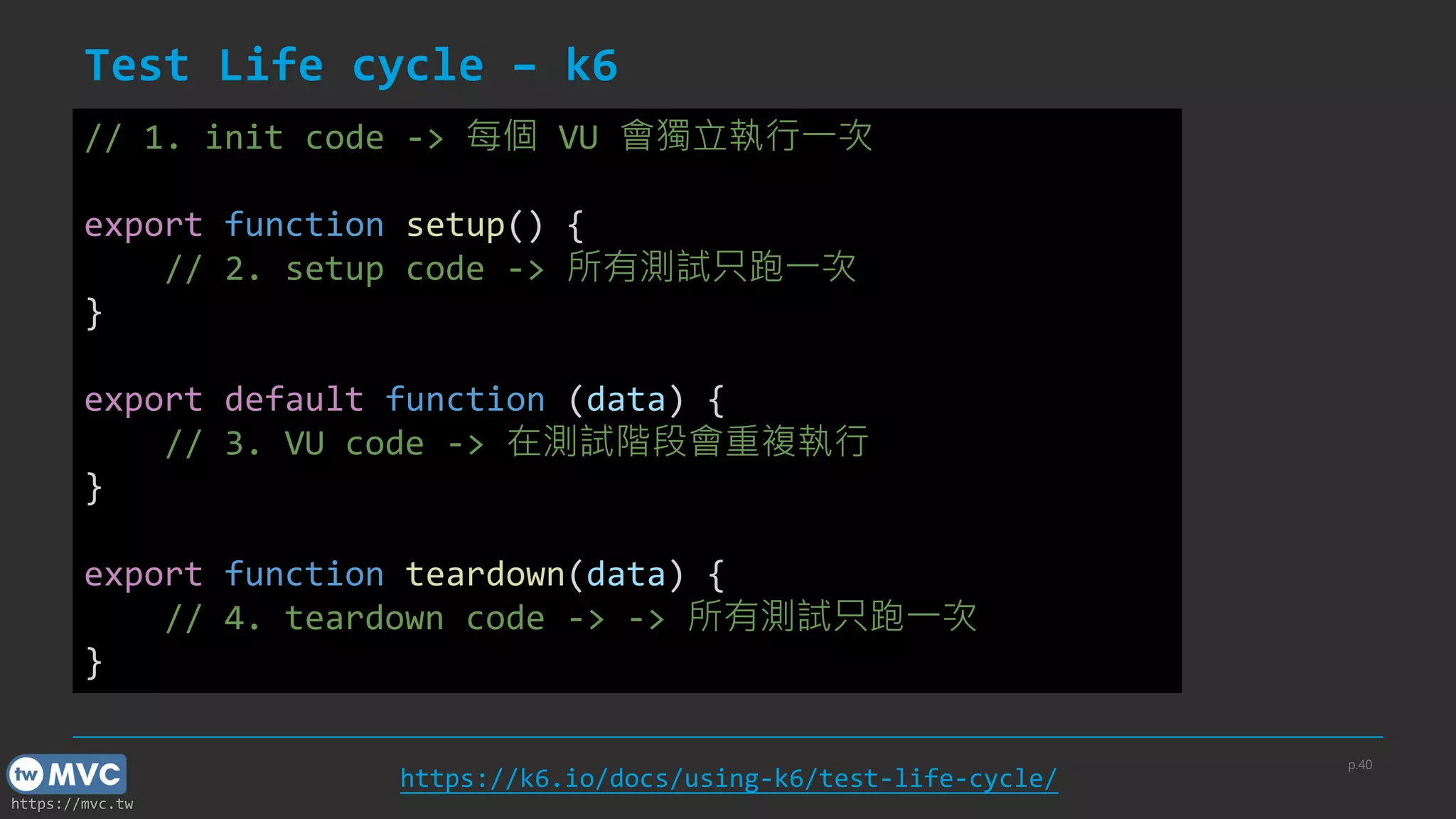
Test Life cycle – k6
p.40
// 1. init code -> 每個 VU 會獨立執行一次
export function setup() {
// 2. setup code -> 所有測試只跑一次
}
export default function (data) {
// 3. VU code -> 在測試階段會重複執行
}
export function teardown(data) {
// 4. teardown code -> -> 所有測試只跑一次
}
https://k6.io/docs/using-k6/test-life-cycle/
https://mvc.tw
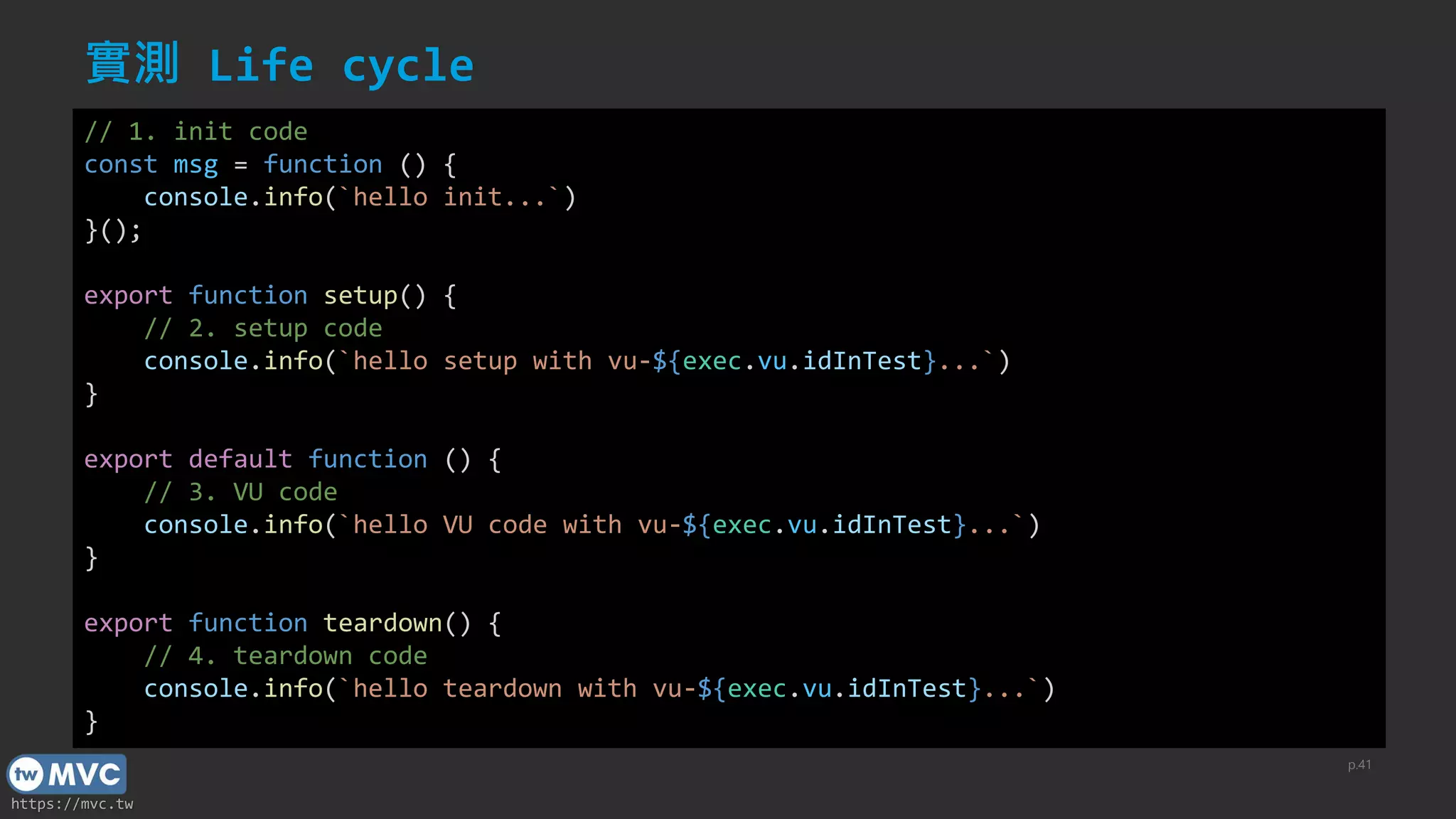
實測 Life cycle
p.41
// 1. init code
const msg = function () {
console.info(`hello init...`)
}();
export function setup() {
// 2. setup code
console.info(`hello setup with vu-${exec.vu.idInTest}...`)
}
export default function () {
// 3. VU code
console.info(`hello VU code with vu-${exec.vu.idInTest}...`)
}
export function teardown() {
// 4. teardown code
console.info(`hello teardown with vu-${exec.vu.idInTest}...`)
}
https://mvc.tw
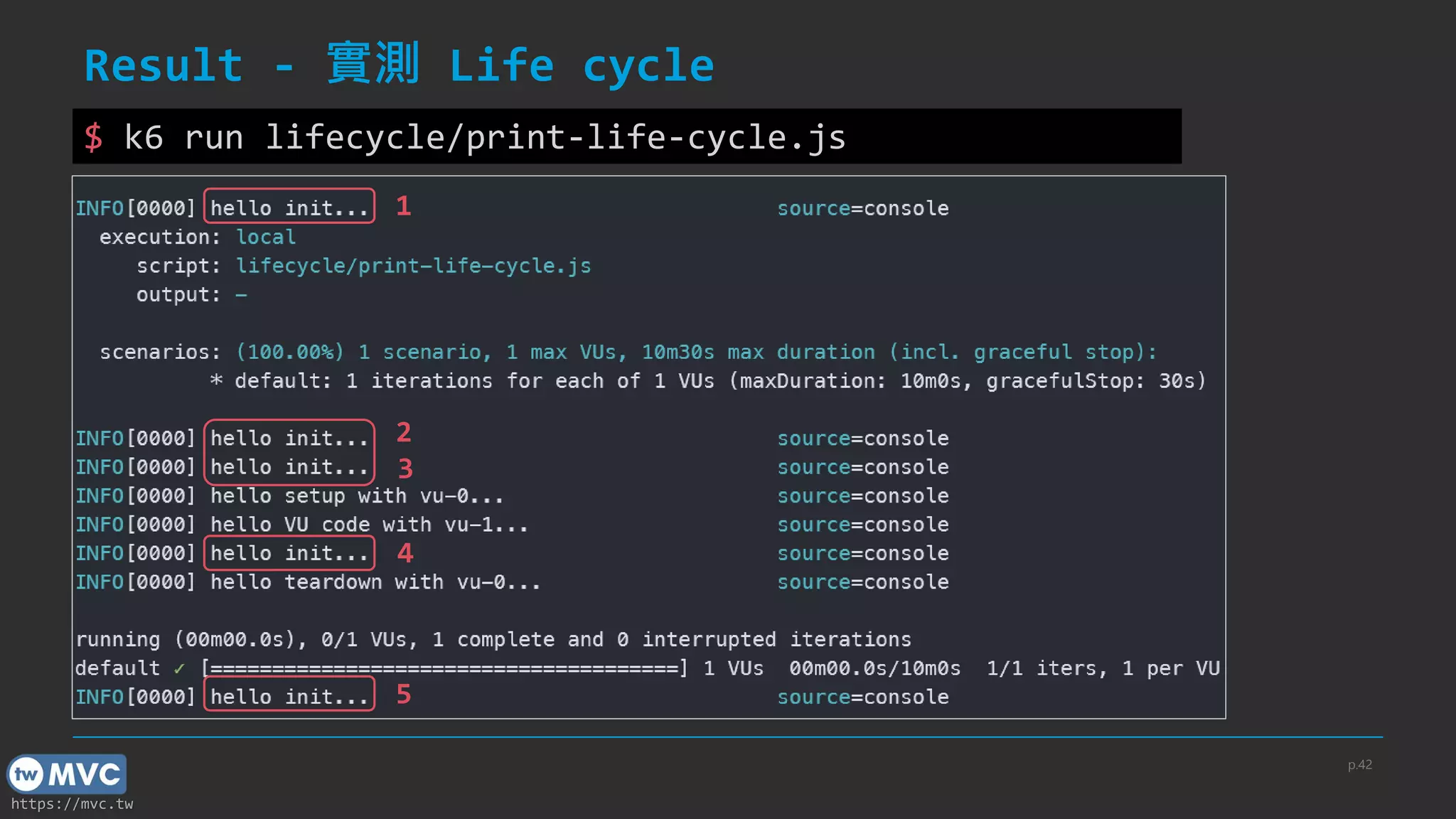
Result - 實測 Life cycle
p.42
$ k6 run lifecycle/print-life-cycle.js
1
2
3
4
5
https://mvc.tw
Why init code run more than 1 times?
▪ 理論上只有當每個 VU 被建立時會被執行一次
▪ 1st: read exported script options
▪ 2nd: setup() VU init
▪ 3rd: normal VUs init
▪ 4th: teardown() VU init
▪ 5th: handleSummary() VU init
▪ init 執行次數 = VU 數量 + 4
p.43
https://community.k6.io/t/why-init-called-4-times/973
https://mvc.tw
進階 & 補充
44
https://mvc.tw
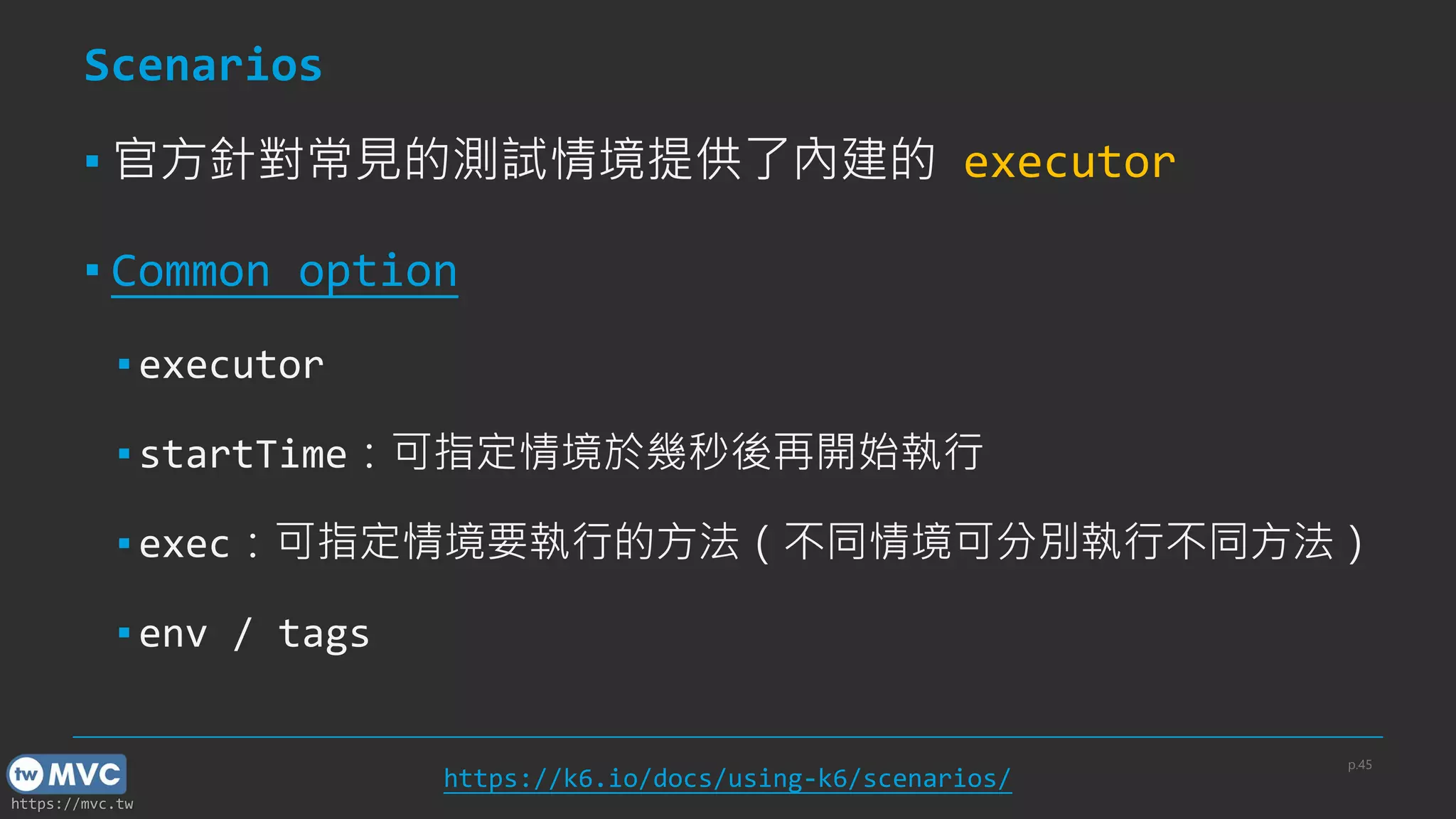
Scenarios
▪ 官方針對常見的測試情境提供了內建的 executor
▪ Common option
▪ executor
▪ startTime:可指定情境於幾秒後再開始執行
▪ exec:可指定情境要執行的方法(不同情境可分別執行不同方法)
▪ env / tags
p.45
https://k6.io/docs/using-k6/scenarios/
https://mvc.tw
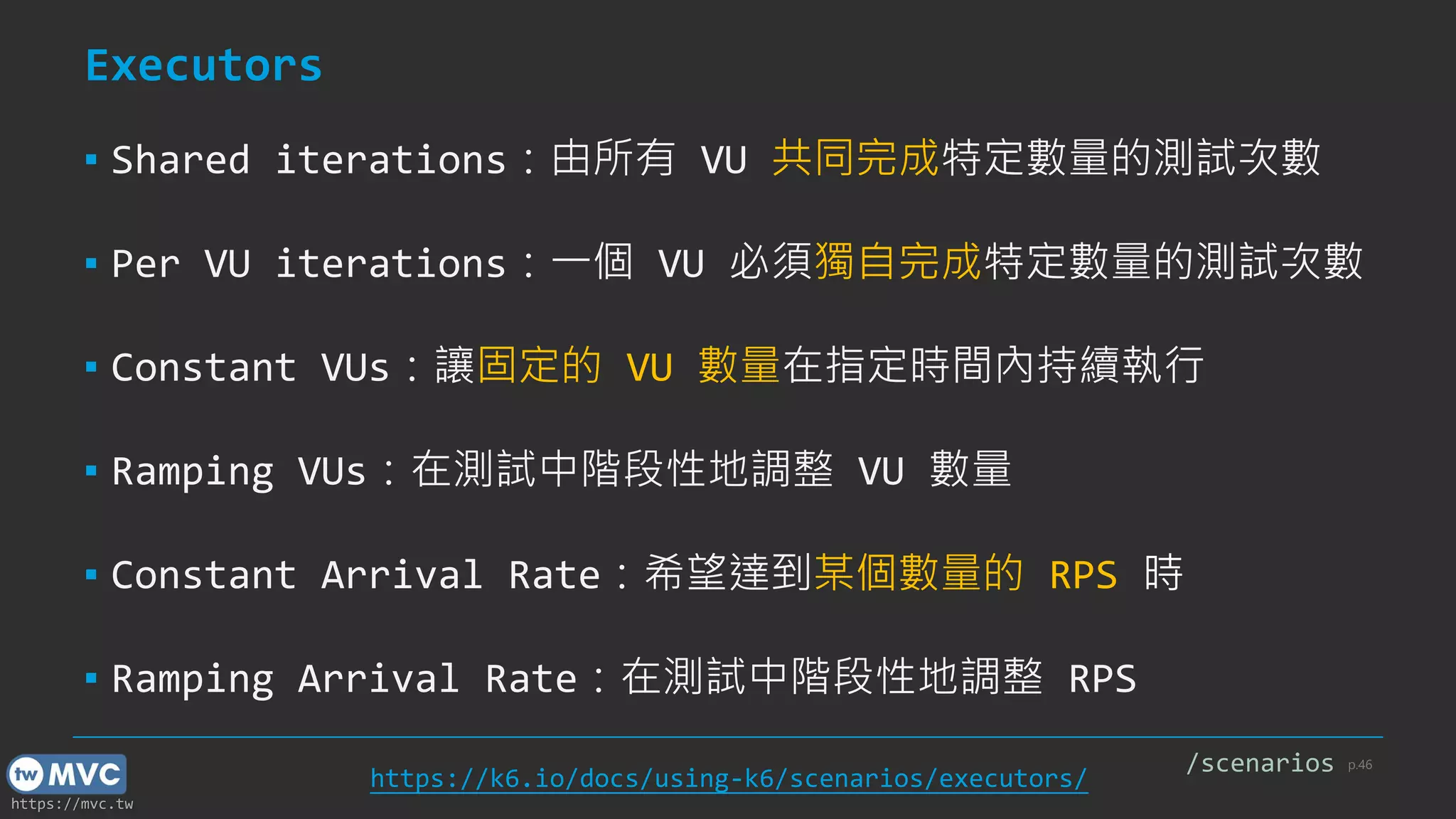
Executors
▪ Shared iterations:由所有 VU 共同完成特定數量的測試次數
▪ Per VU iterations:一個 VU 必須獨自完成特定數量的測試次數
▪ Constant VUs:讓固定的 VU 數量在指定時間內持續執行
▪ Ramping VUs:在測試中階段性地調整 VU 數量
▪ Constant Arrival Rate:希望達到某個數量的 RPS 時
▪ Ramping Arrival Rate:在測試中階段性地調整 RPS
p.46
https://k6.io/docs/using-k6/scenarios/executors/
/scenarios
https://mvc.tw
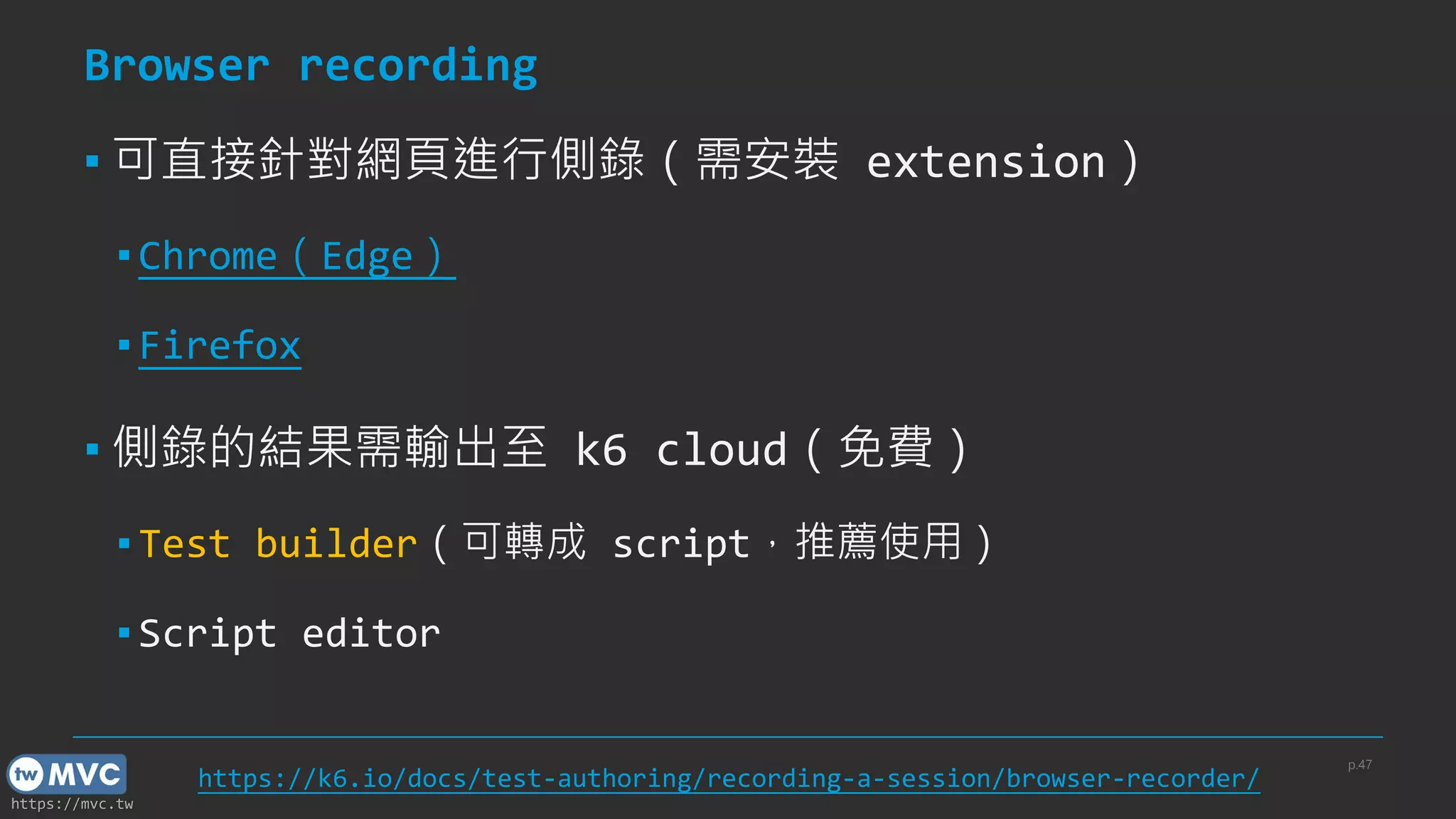
Browser recording
▪ 可直接針對網頁進行側錄(需安裝 extension)
▪ Chrome(Edge)
▪ Firefox
▪ 側錄的結果需輸出至 k6 cloud(免費)
▪ Test builder(可轉成 script,推薦使用)
▪ Script editor
p.47
https://k6.io/docs/test-authoring/recording-a-session/browser-recorder/
https://mvc.tw
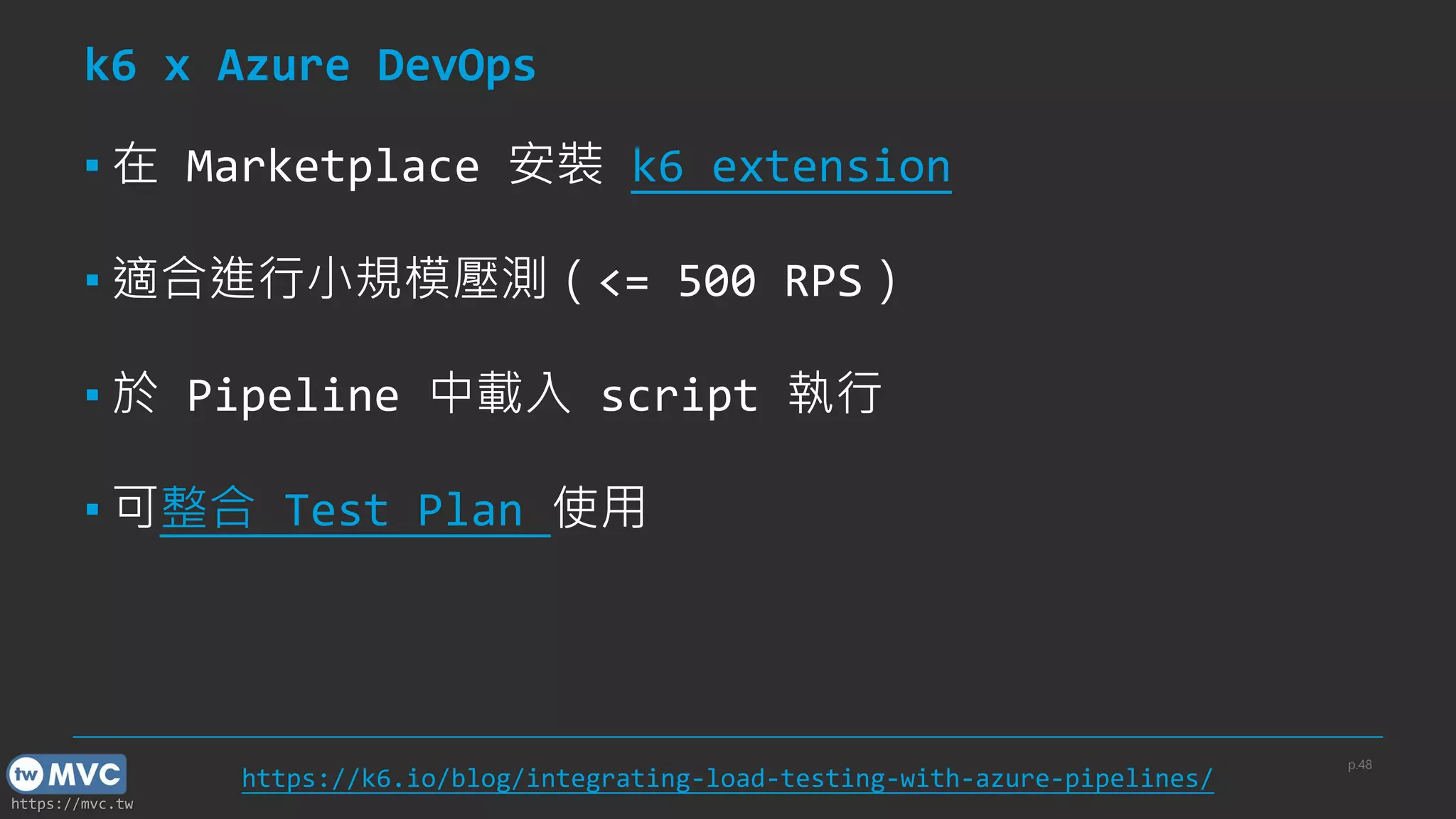
k6 x Azure DevOps
▪ 在 Marketplace 安裝 k6 extension
▪ 適合進行小規模壓測(<= 500 RPS)
▪ 於 Pipeline 中載入 script 執行
▪ 可整合 Test Plan 使用
p.48
https://k6.io/blog/integrating-load-testing-with-azure-pipelines/
https://mvc.tw
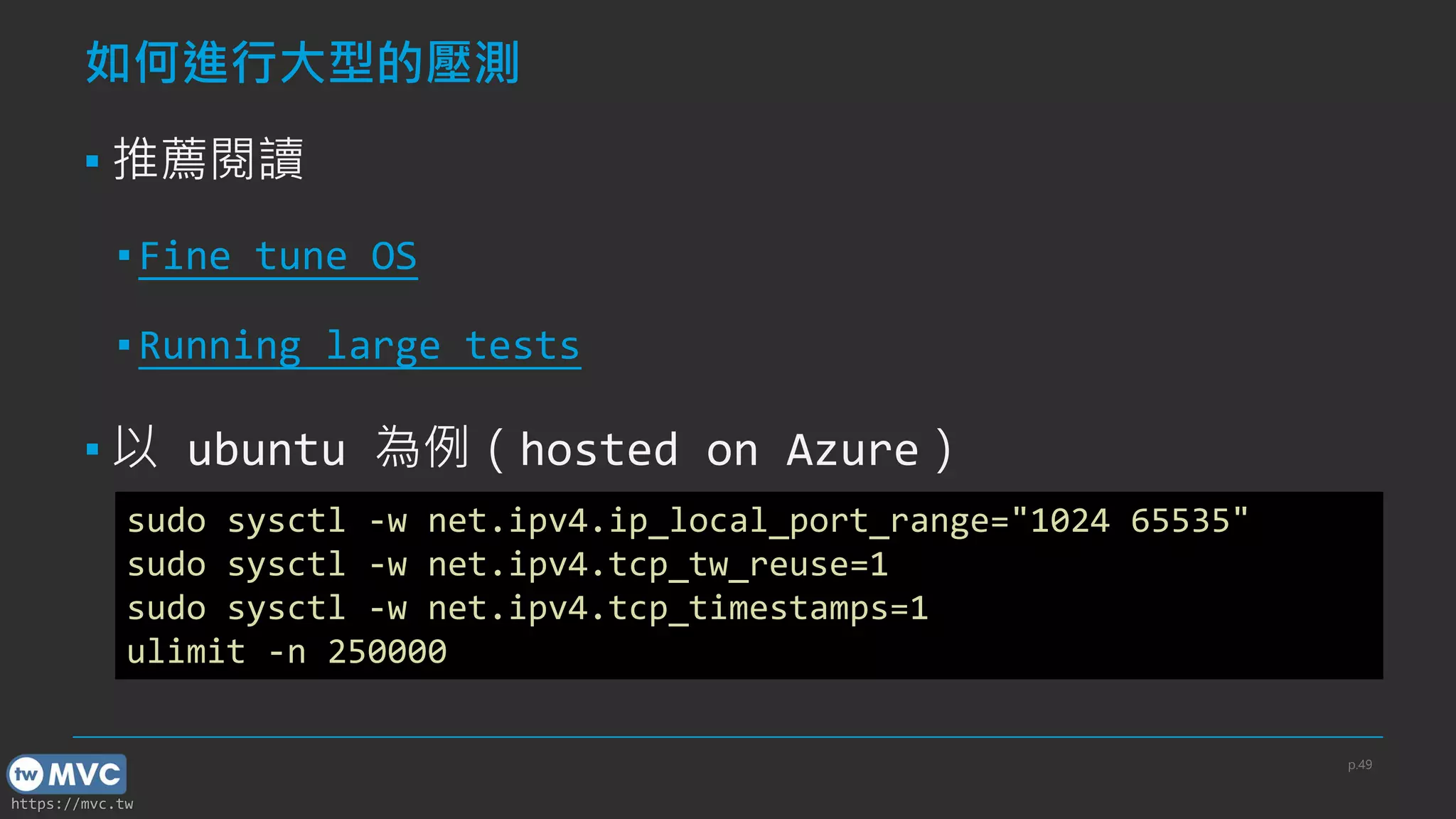
如何進行大型的壓測
▪ 推薦閱讀
▪ Fine tune OS
▪ Running large tests
▪ 以 ubuntu 為例(hosted on Azure)
p.49
sudo sysctl -w net.ipv4.ip_local_port_range="1024 65535"
sudo sysctl -w net.ipv4.tcp_tw_reuse=1
sudo sysctl -w net.ipv4.tcp_timestamps=1
ulimit -n 250000
https://mvc.tw
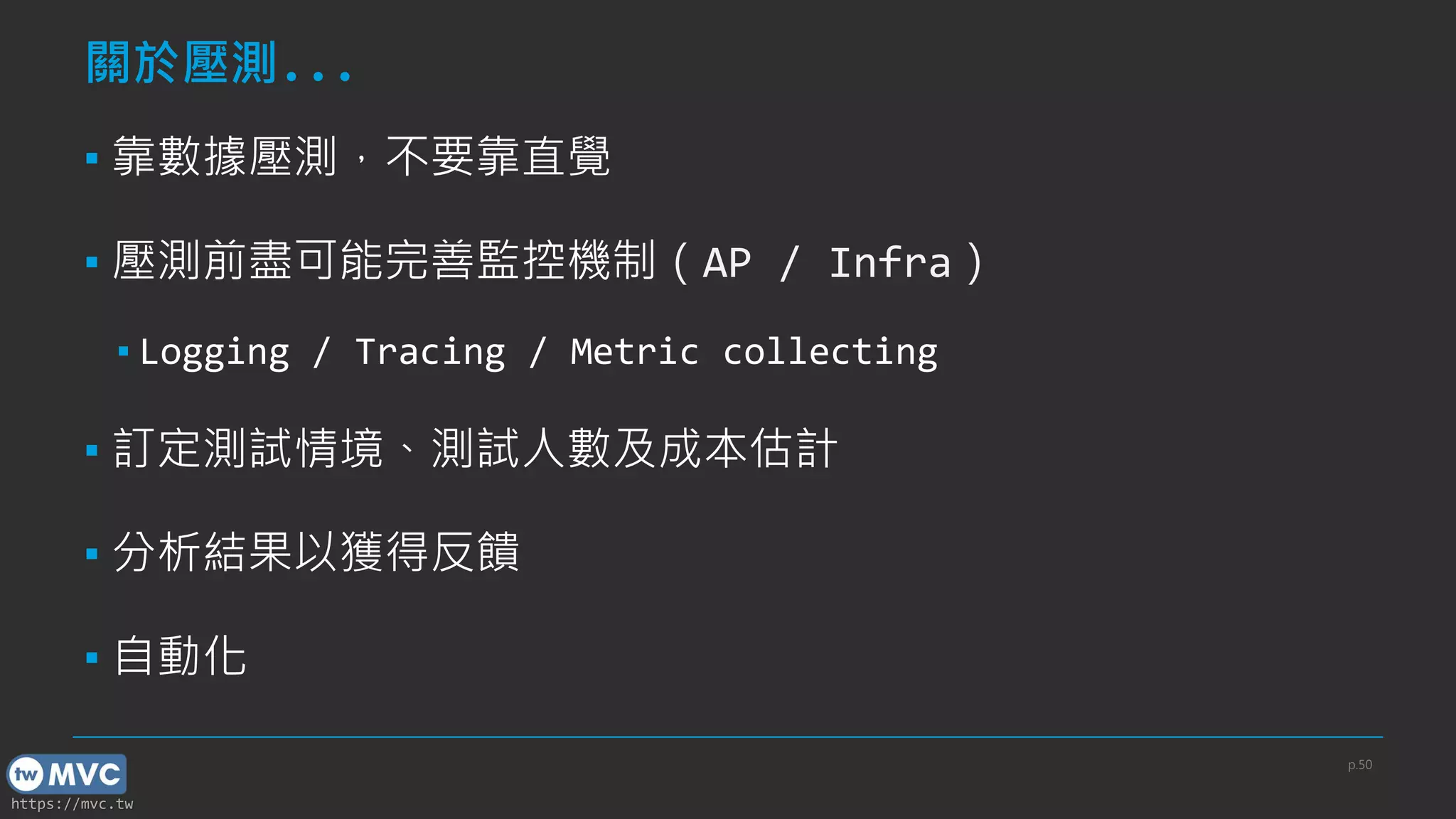
關於壓測...
▪ 靠數據壓測,不要靠直覺
▪ 壓測前盡可能完善監控機制(AP / Infra)
▪ Logging / Tracing / Metric collecting
▪ 訂定測試情境、測試人數及成本估計
▪ 分析結果以獲得反饋
▪ 自動化
p.50
https://mvc.tw
結語 & QA
▪ k6 是一套非常適合開發者學習的壓測工具
▪ 官方文件及範例相當完整
▪ 如果有$$$,可以考慮一下 k6 cloud
▪ 壓測的執行流程應隨組織架構而有所調整
p.51
https://mvc.tw
Thanks
52
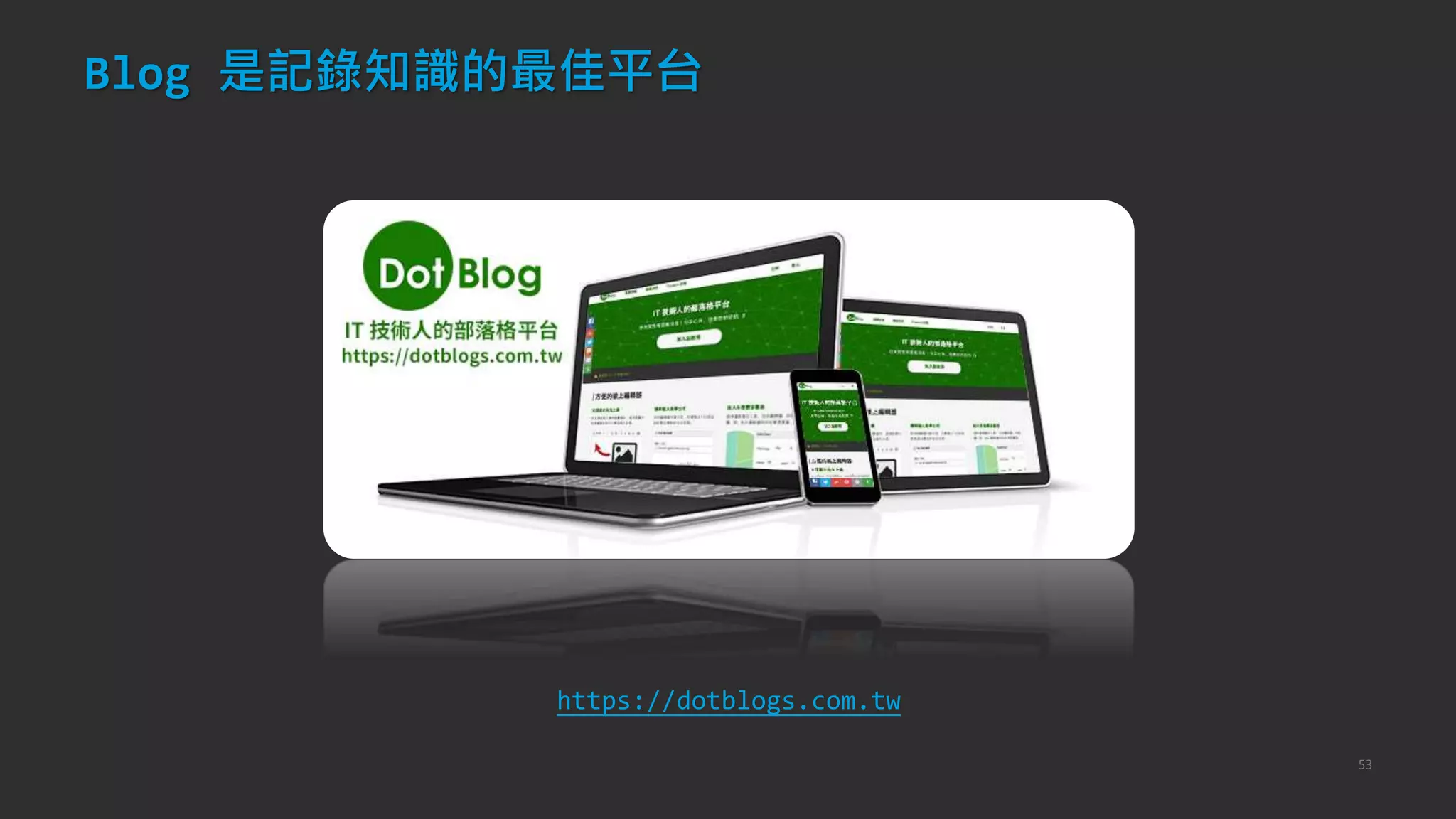
Blog 是記錄知識的最佳平台
53
https://dotblogs.com.tw
54
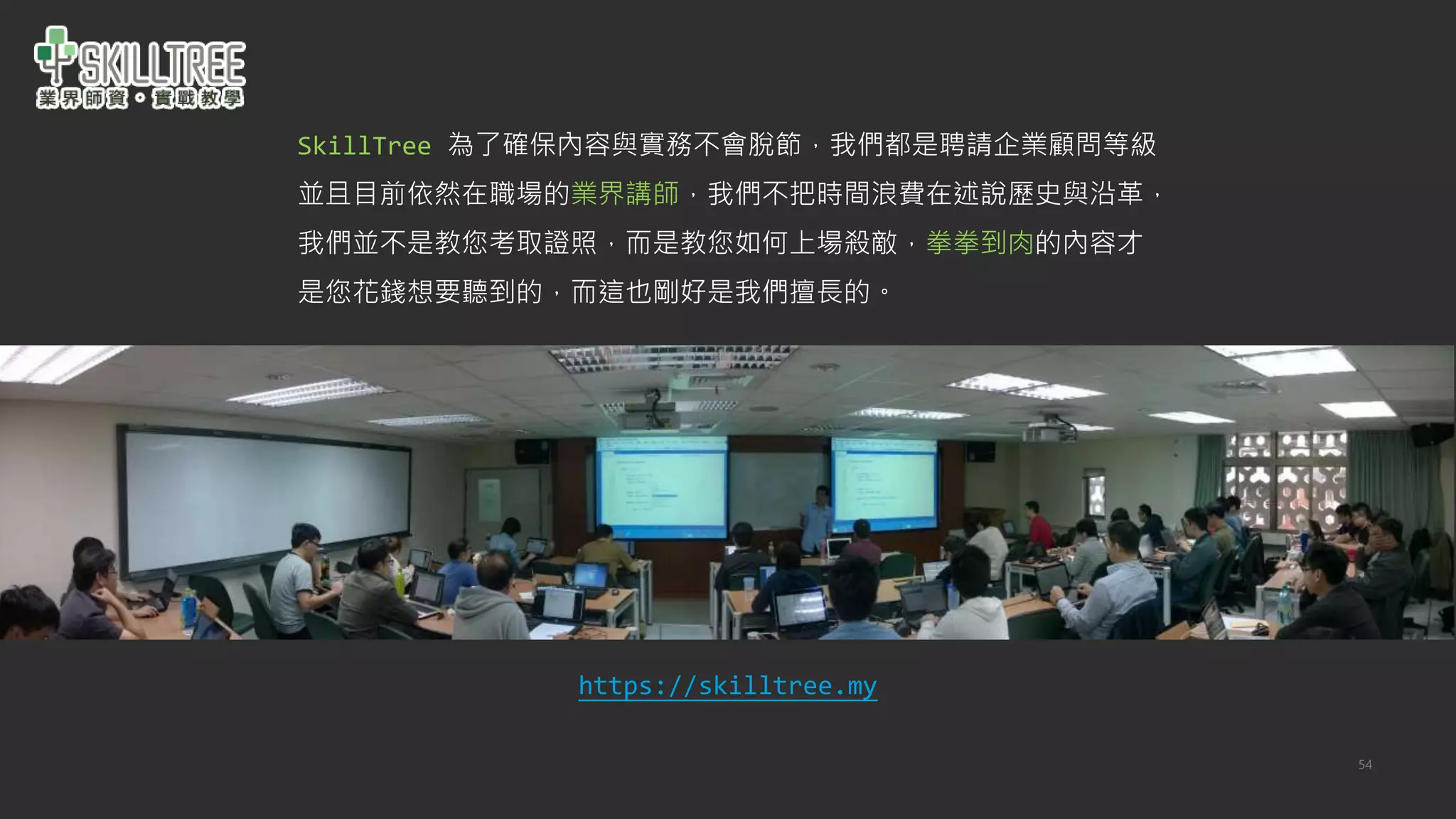
SkillTree 為了確保內容與實務不會脫節,我們都是聘請企業顧問等級
並且目前依然在職場的業界講師,我們不把時間浪費在述說歷史與沿革,
我們並不是教您考取證照,而是教您如何上場殺敵,拳拳到肉的內容才
是您花錢想要聽到的,而這也剛好是我們擅長的。
https://skilltree.my
55
天瓏資訊圖書

twMVC#44 讓我們用 k6 來進行壓測吧