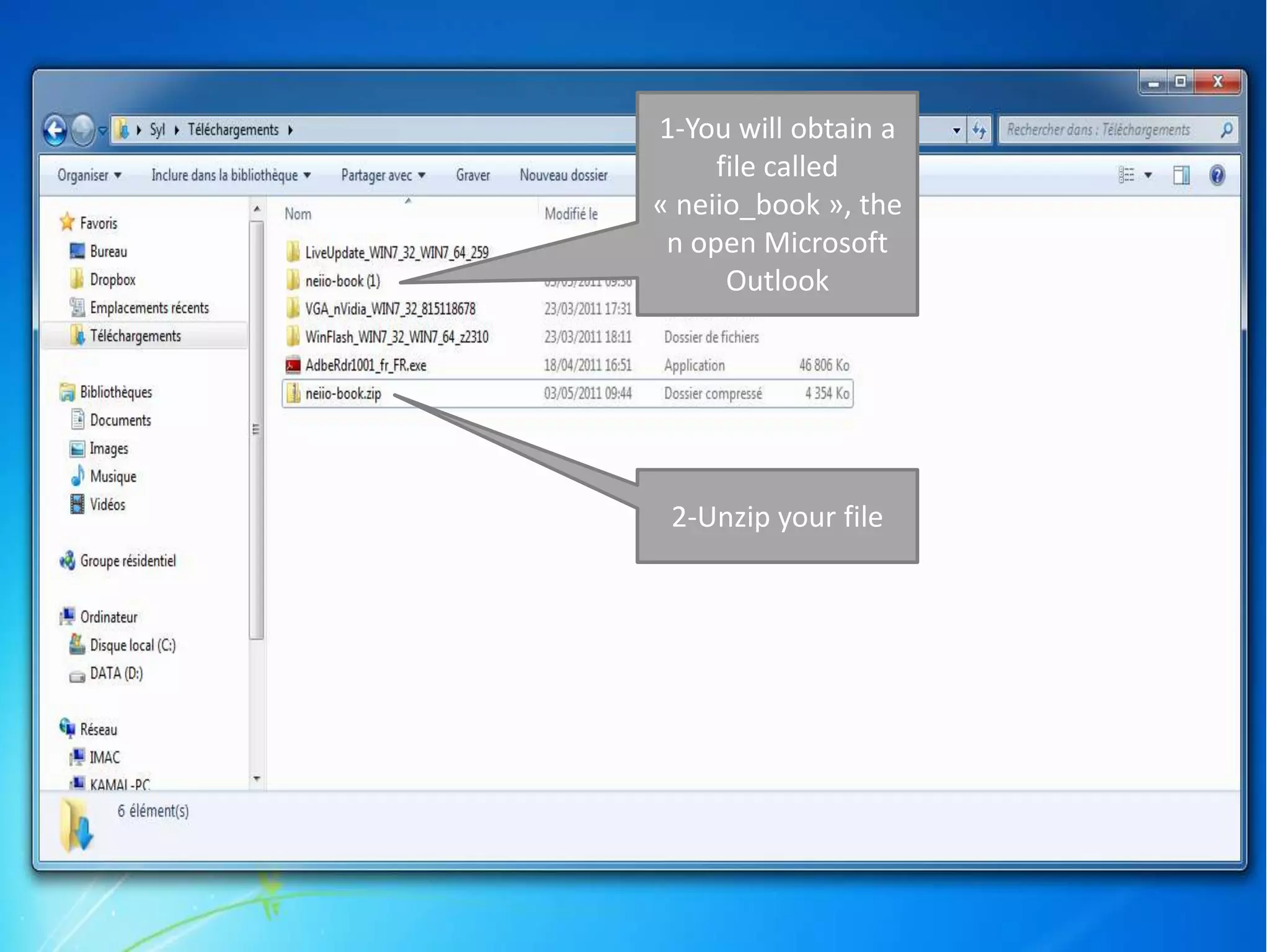
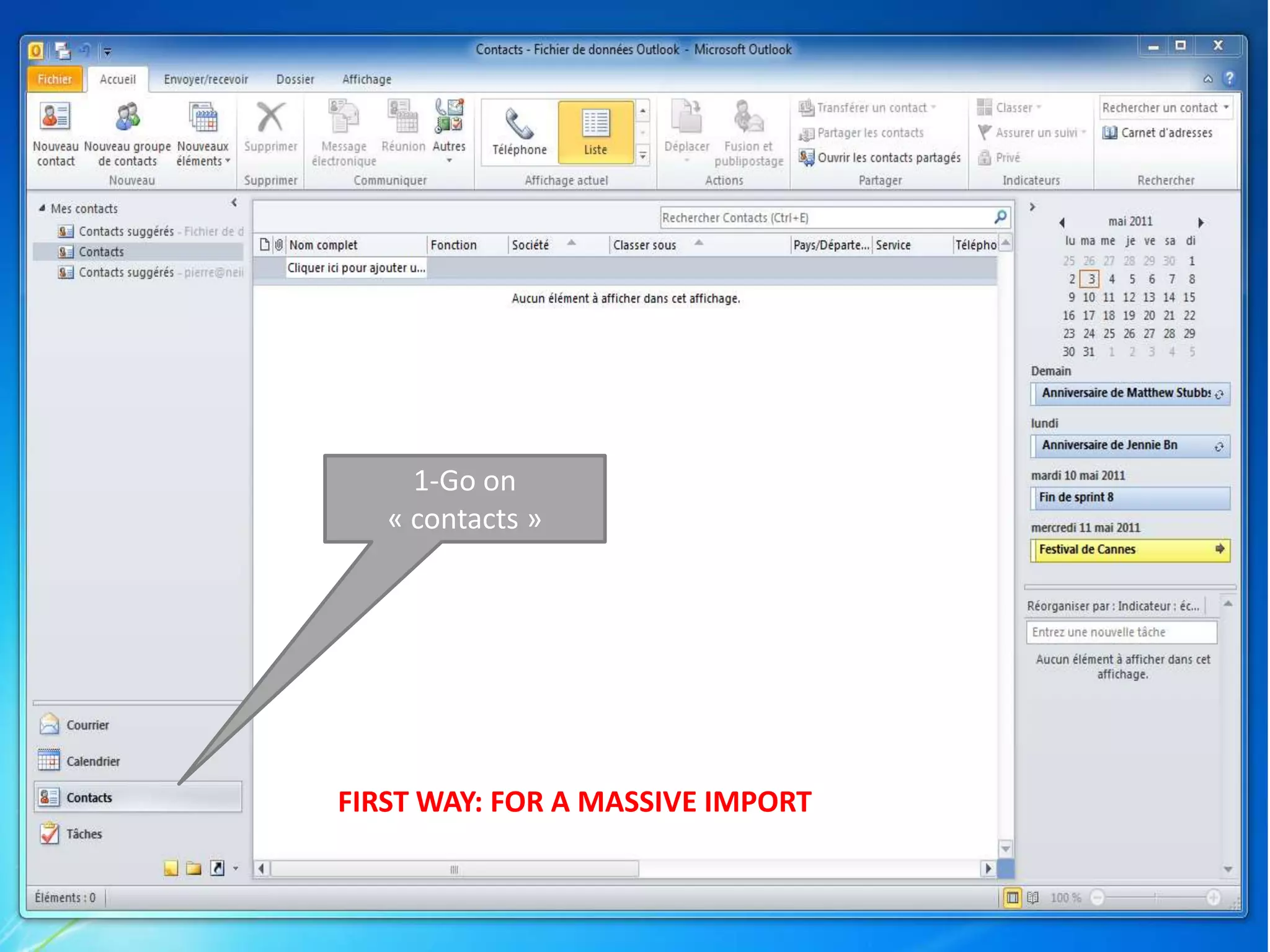
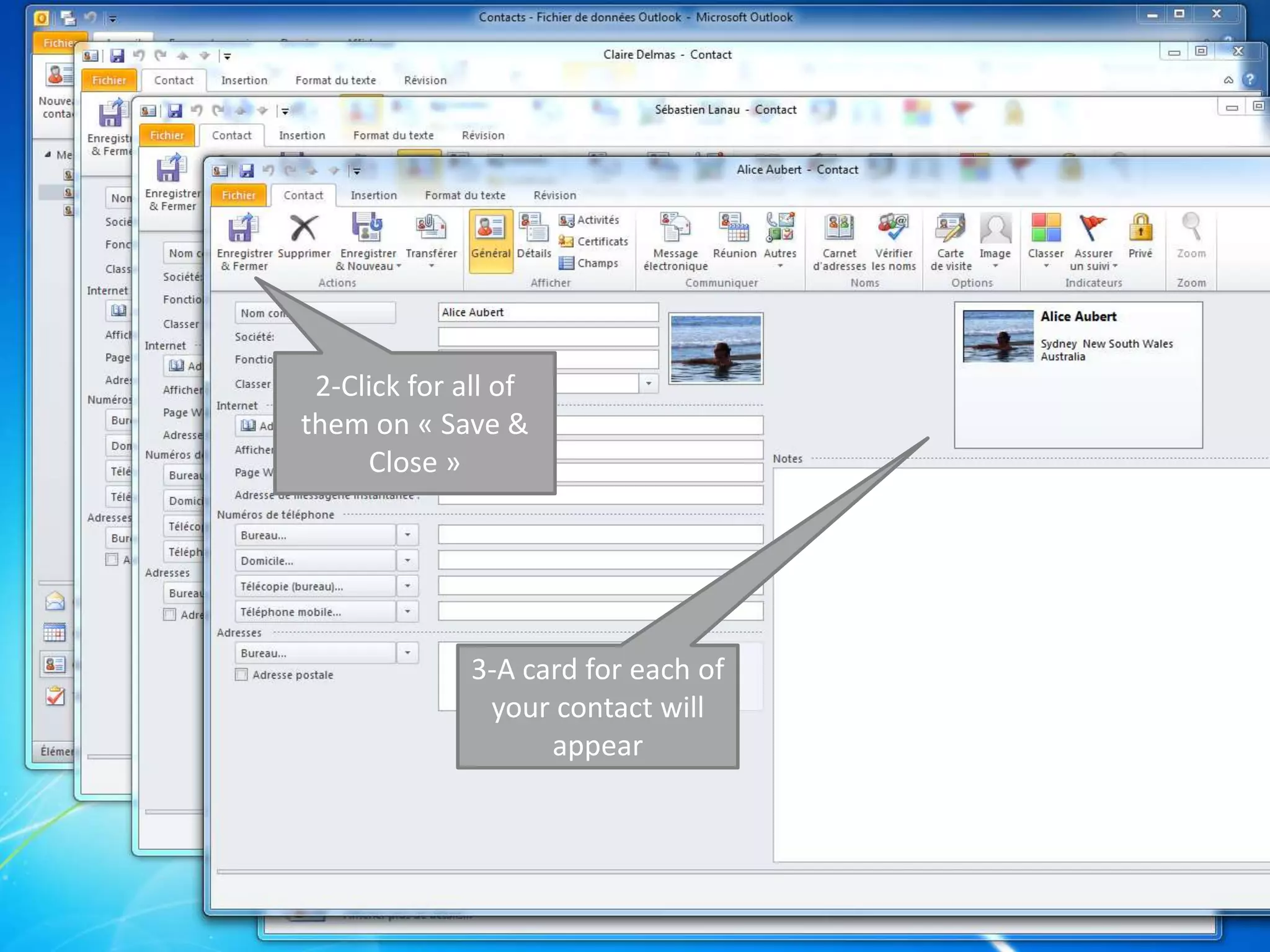
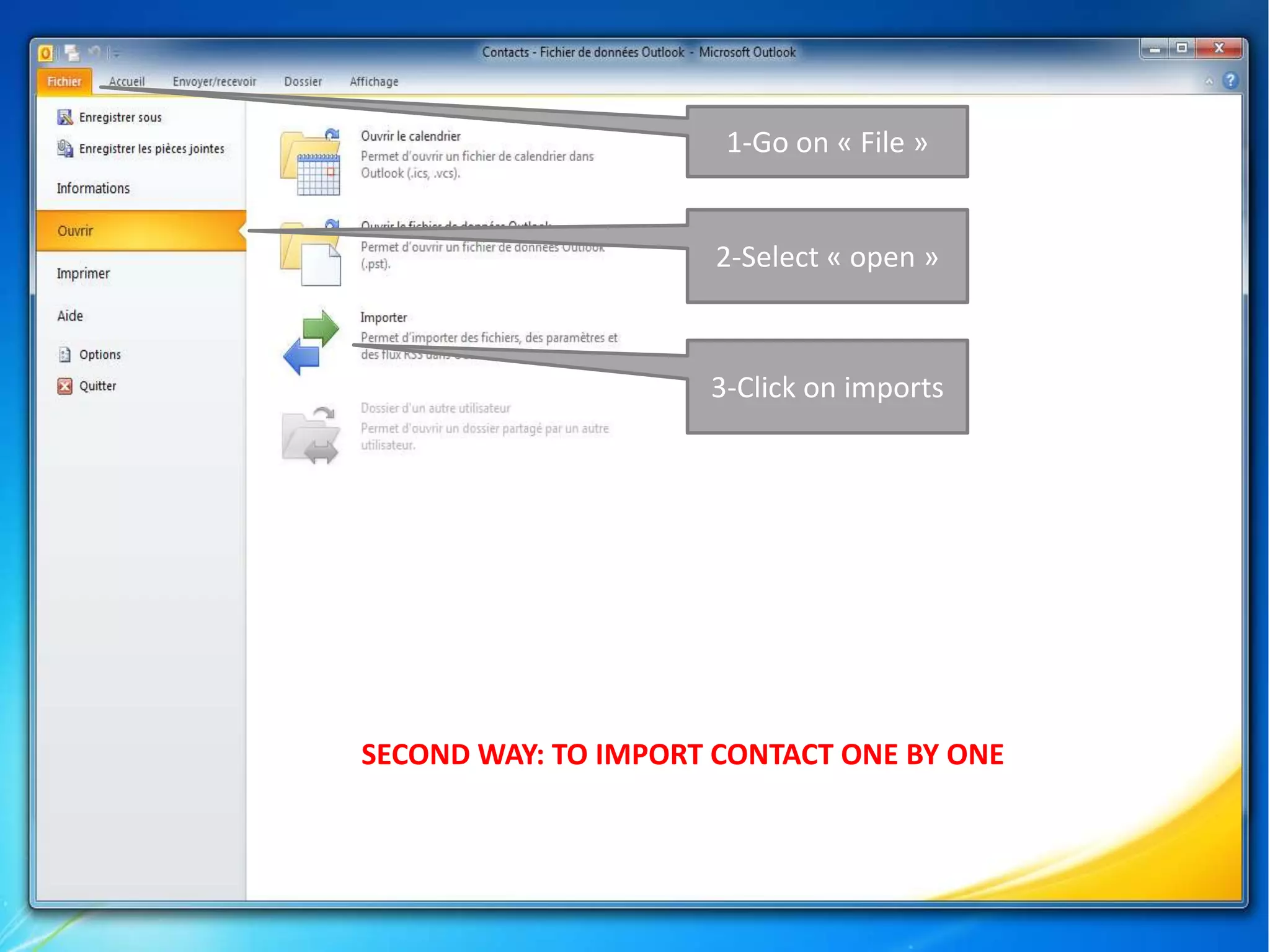
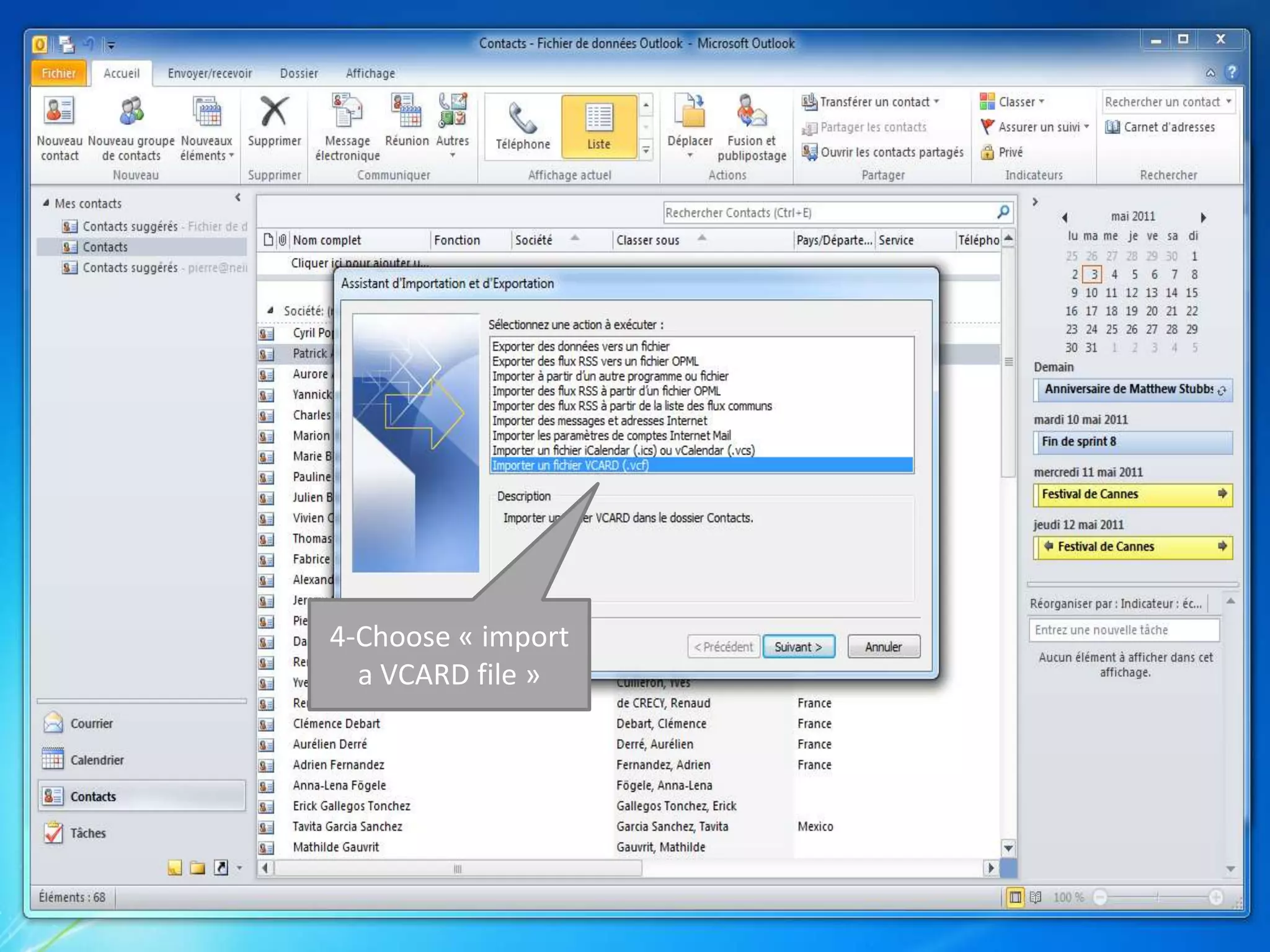
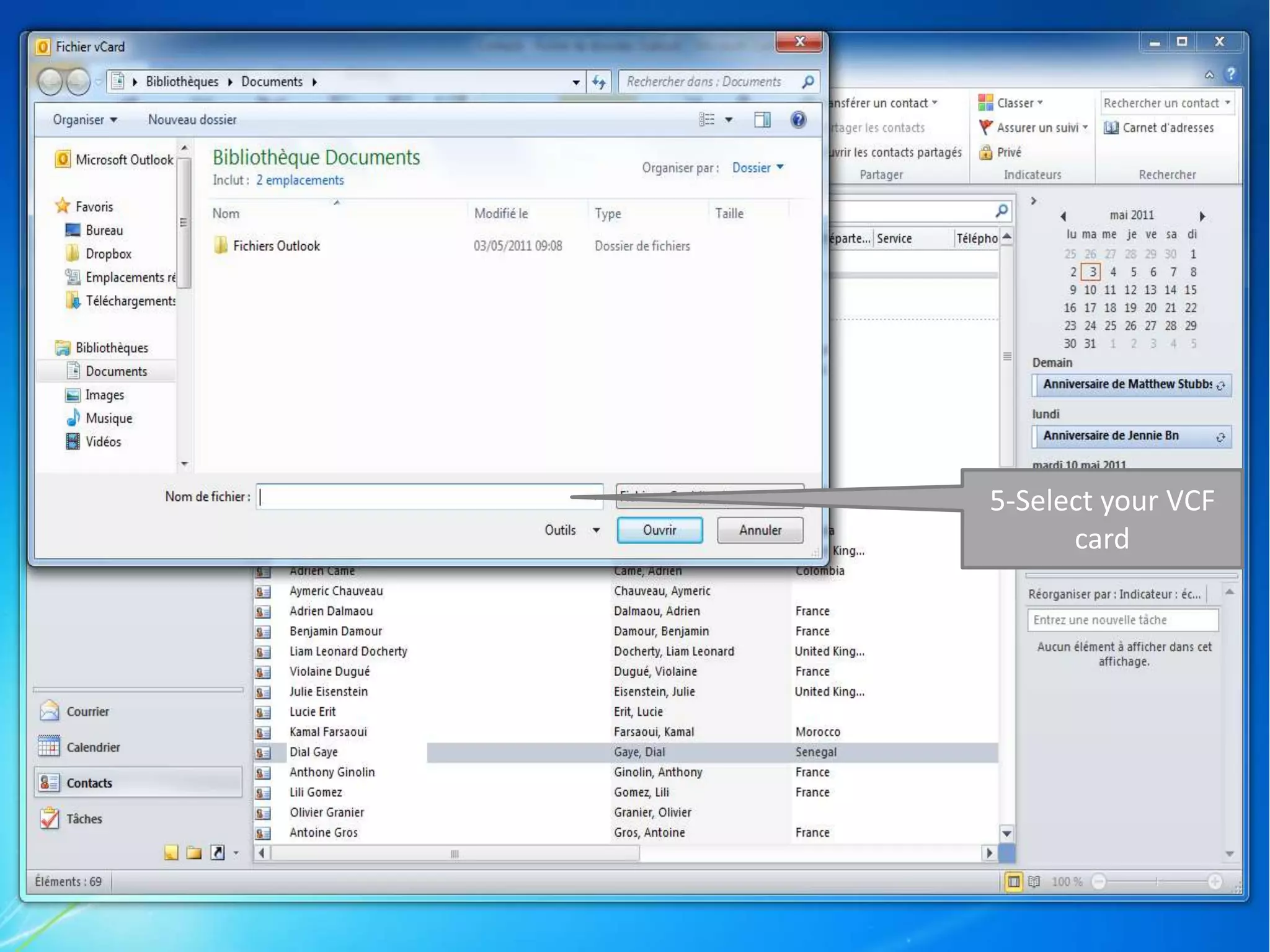
This document provides instructions for importing multiple contacts into Microsoft Outlook from a zip archive in two ways. The first way allows importing all contacts at once by dragging and dropping the VCF files into Outlook contacts and clicking save and close for each one. The second way imports contacts one by one by opening the VCF files through the import option in Outlook.


![Coded Agents – with UiPath SDK + LangGraph [Virtual Hands-on Workshop]](https://cdn.slidesharecdn.com/ss_thumbnails/codedagentsdeck-251215155422-5497c599-thumbnail.jpg?width=640&height=640&fit=bounds)


