What Marketers Need
to Know About Web
Accessibility
✋ Type questions in the Q&A window during the presentation
⏺ This webinar is being recorded & will be available for replay
💬 To view live captions, please click the CC icon
📱 www.3playmedia.com l @3playmedia l #a11y
Elisa Edelberg
Content Marketing Manager
3Play Media
Esty Peskowitz
Director of Marketing
Level Access
E Foley
Content Manager
Level Access
📝Leveler since 2016
🛒 Prior to Level Access, wrote copy for Fugue
(SaaS), The Great Courses (educational / retail /
media), and ThinkGeek (retail).
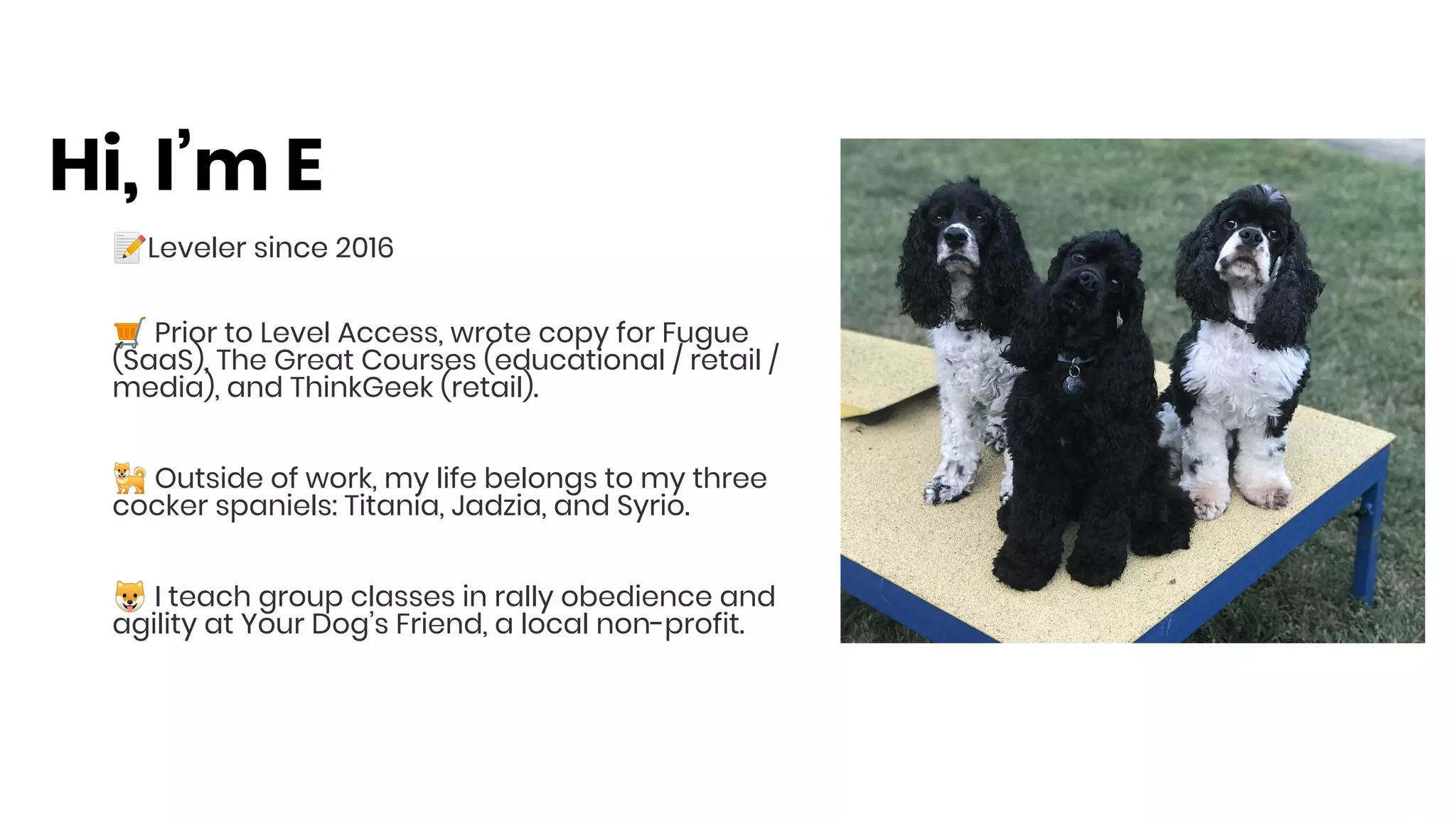
🐕 Outside of work, my life belongs to my three
cocker spaniels: Titania, Jadzia, and Syrio.
🐶 I teach group classes in rally obedience and
agility at Your Dog’s Friend, a local non-profit.
Hi, I’m E
🙌 Leveler since 2019, almost a whole year at
Level Access!
🖥 Prior to Level Access, led Marketing Ops
and Programs at one of America’s largest
Financial Services companies and
technology companies
👩 Proud mom of Eitan, a rambunctious
17-month old boy
🗺 Lived in 3 continent and fluent in 3
languages
Hi, I’m Esty
Today’s Agenda
Everything a Marketer Needs to Know about Accessibility
● The Business Case for Digital Accessibility (Esty)
○ The Demographic Shift
○ Customer Experience
○ ADA Lawsuits
● Implementing Accessibility Best Practices in your Marketing Content (E)
○ Alt Text
○ Video Captions
○ Webinars
○ Headings
○ Links
○ Color
○ Social Media
○ Checklist for Marketing Content
The Business Case for
Web Accessibility
Accessibility Matters for
Customer Experience
Nearly 27% of American adults have a disability that
inhibits their daily function
• The definition of “disability” is broader than
most people think
• Baby boomers are currently between 52-70 years
old, and will need accessible technology as some
begin to lose vision, hearing, or mobility as they
age
People are getting older… and actively use technology!
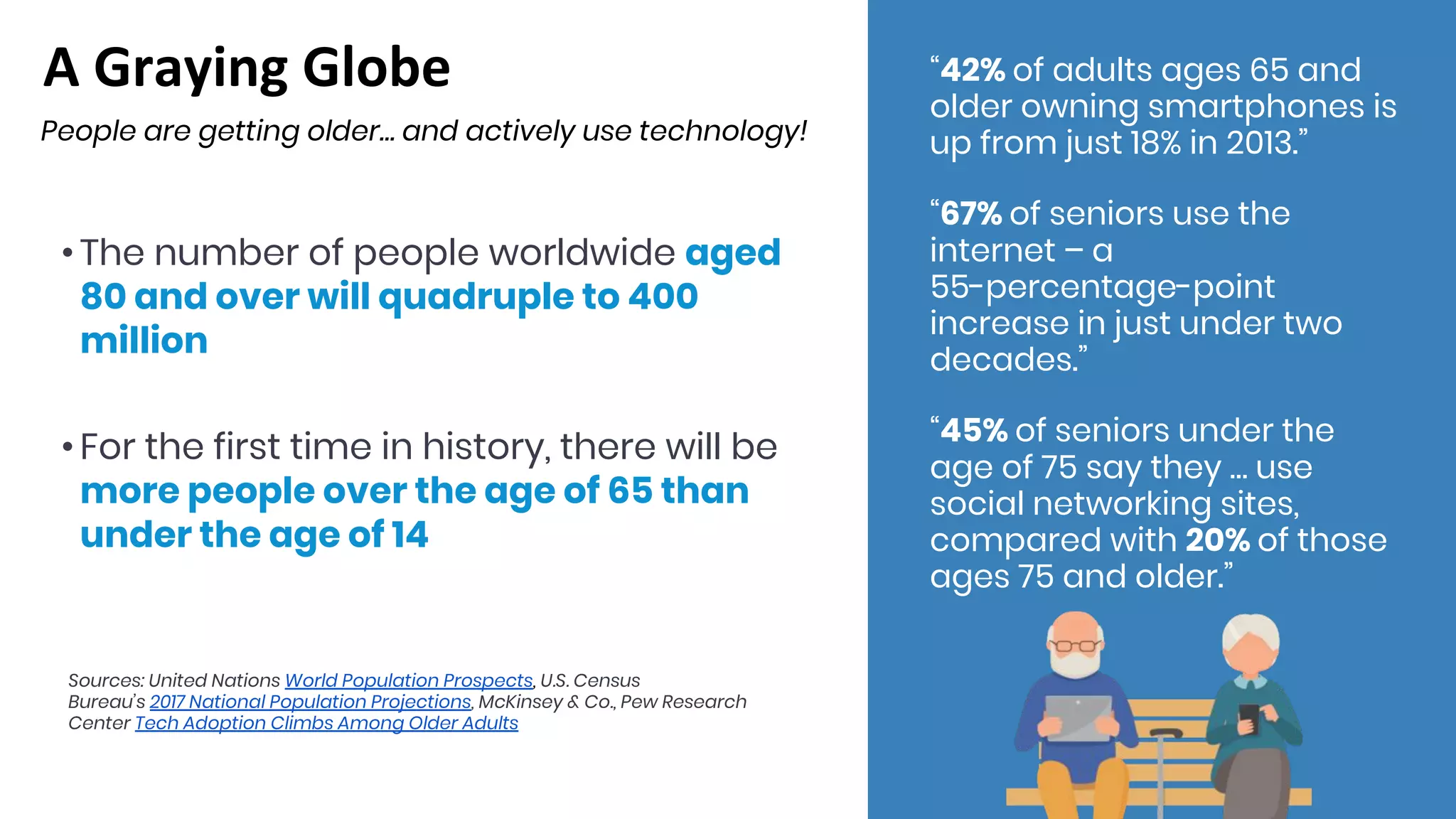
• The number of people worldwide aged
80 and over will quadruple to 400
million
• For the first time in history, there will be
more people over the age of 65 than
under the age of 14
“42% of adults ages 65 and
older owning smartphones is
up from just 18% in 2013.”
“67% of seniors use the
internet – a
55-percentage-point
increase in just under two
decades.”
“45% of seniors under the
age of 75 say they … use
social networking sites,
compared with 20% of those
ages 75 and older.”
Sources: United Nations World Population Prospects, U.S. Census
Bureau’s 2017 National Population Projections, McKinsey & Co., Pew Research
Center Tech Adoption Climbs Among Older Adults
The Content Velocity Challenge
Marketers Create A LOT of Content!
● 77% of marketers will be increasing content
production over the next 12 months
● There are 1,440 WordPress posts published every
minute
● 87% of content writers struggle to produce
engaging materials with their buyers.
○ Before engagement, what if the content was not
accessible or readable by the buyer?
Accessible Content is a Competitive
Advantage!
Digital Accessibility Lawsuits
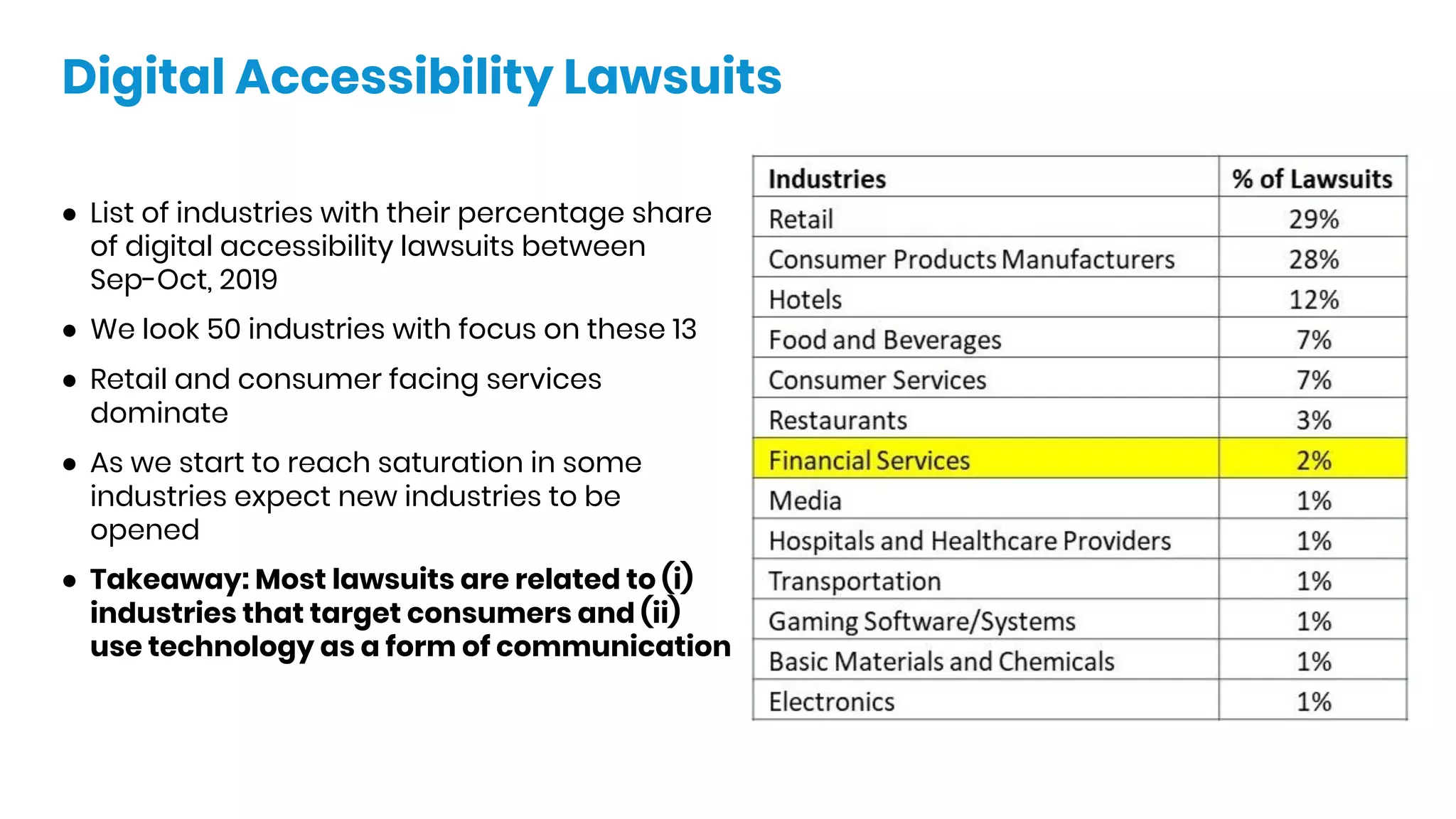
● List of industries with their percentage share
of digital accessibility lawsuits between
Sep-Oct, 2019
● We look 50 industries with focus on these 13
● Retail and consumer facing services
dominate
● As we start to reach saturation in some
industries expect new industries to be
opened
● Takeaway: Most lawsuits are related to (i)
industries that target consumers and (ii)
use technology as a form of communication
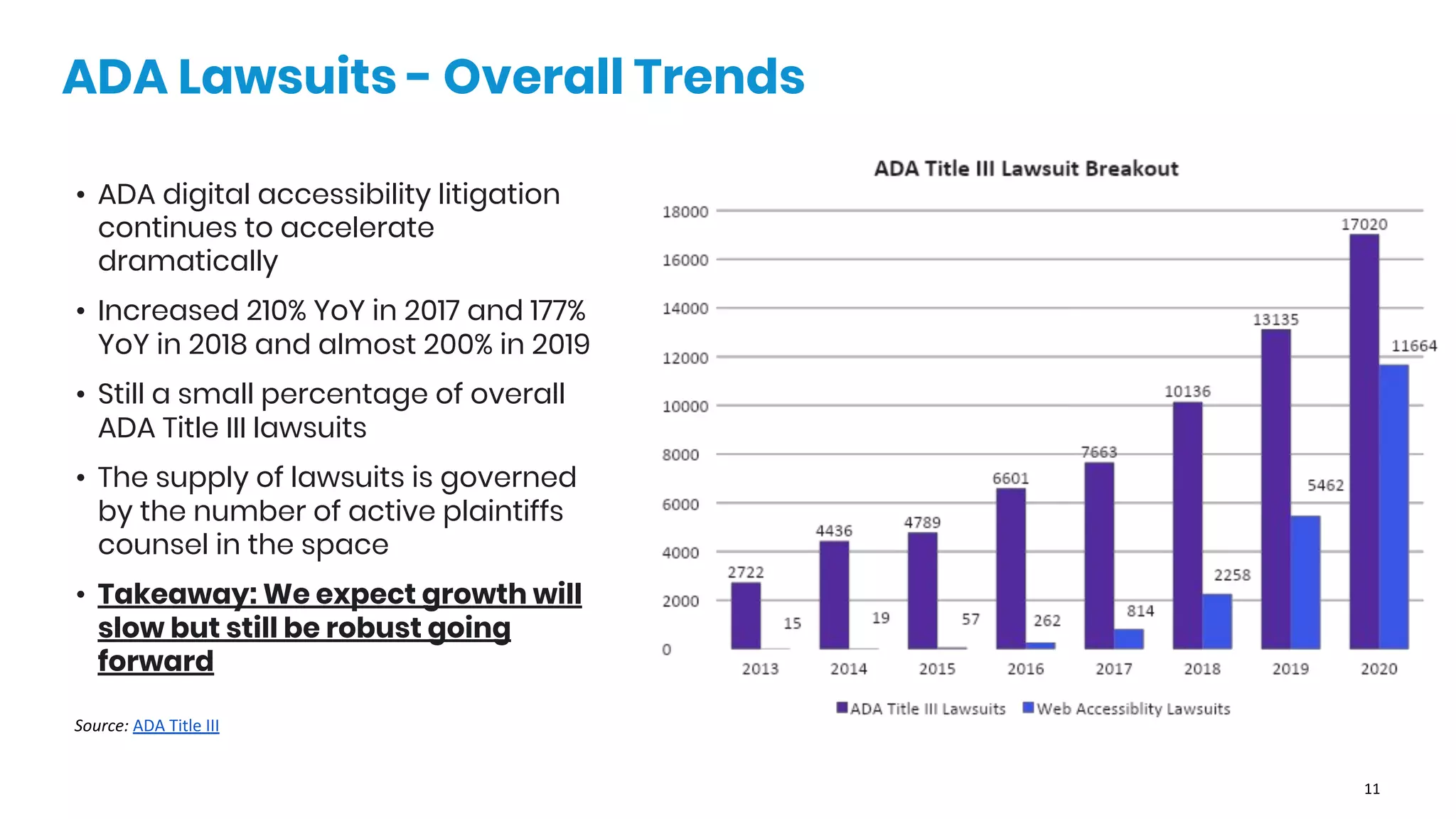
• ADA digital accessibility litigation
continues to accelerate
dramatically
• Increased 210% YoY in 2017 and 177%
YoY in 2018 and almost 200% in 2019
• Still a small percentage of overall
ADA Title III lawsuits
• The supply of lawsuits is governed
by the number of active plaintiffs
counsel in the space
• Takeaway: We expect growth will
slow but still be robust going
forward
ADA Lawsuits - Overall Trends
Implementing
Accessibility Best
Practices in Your
Marketing Content
A Quick Disclaimer
We’re marketers, not techies!
This webinar will not contain:
○ Deep, code-level details
○ The intricacies of WCAG and other
standards
This webinar will contain:
○ Info BY marketers, FOR marketers
○ Things we do daily in Level Access’s
marketing department
○ Actionable steps for inclusive websites,
blog posts, documents, webinars, and more
○ Tips for learning more and doing it all faster
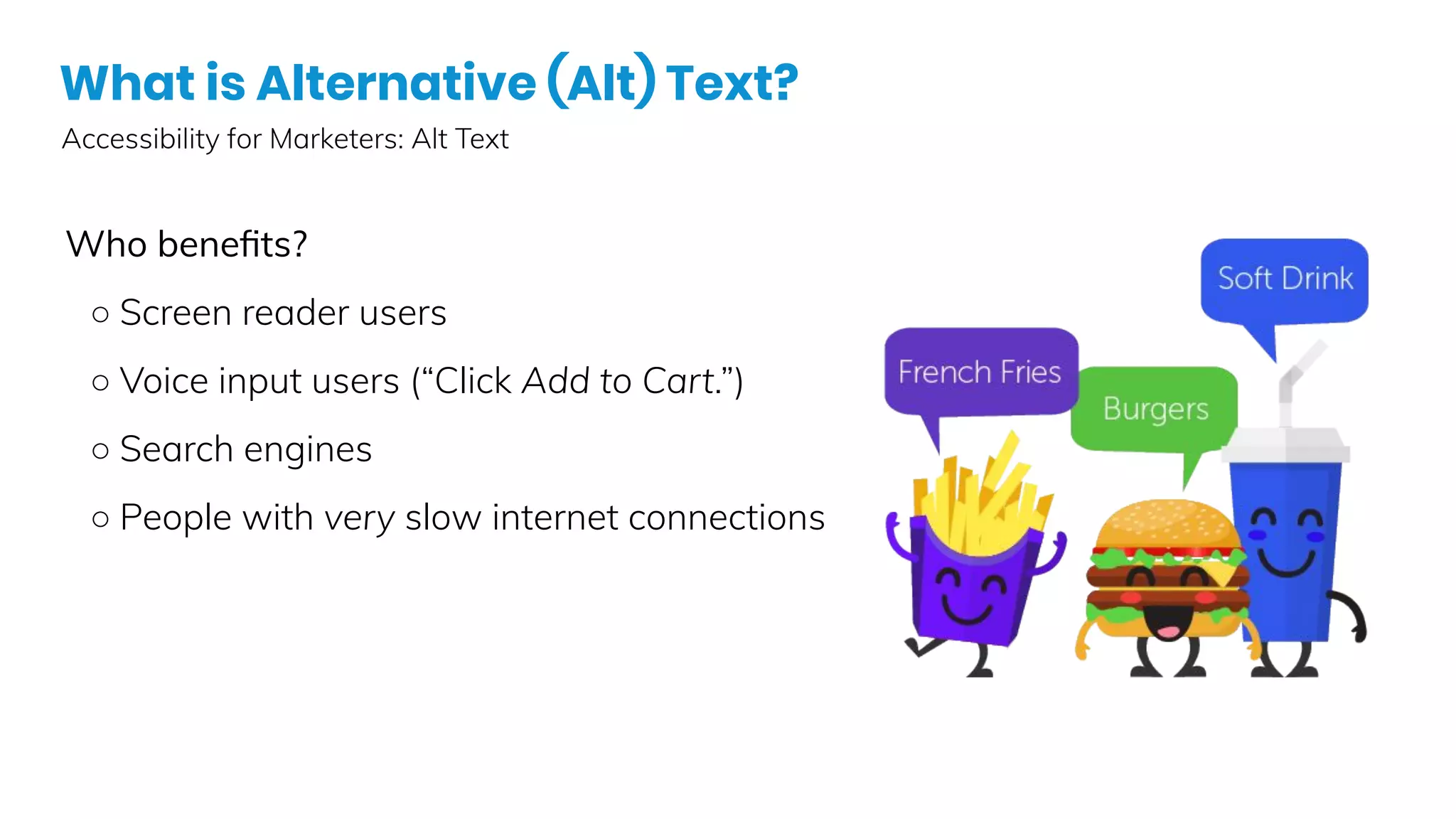
What is Alternative (Alt) Text?
Accessibility for Marketers: Alt Text
Who benefits?
○ Screen reader users
○ Voice input users (“Click Add to Cart.”)
○ Search engines
○ People with very slow internet connections
•
•
Marketing & Alt Text
A quick (but not definitive!) list of examples.
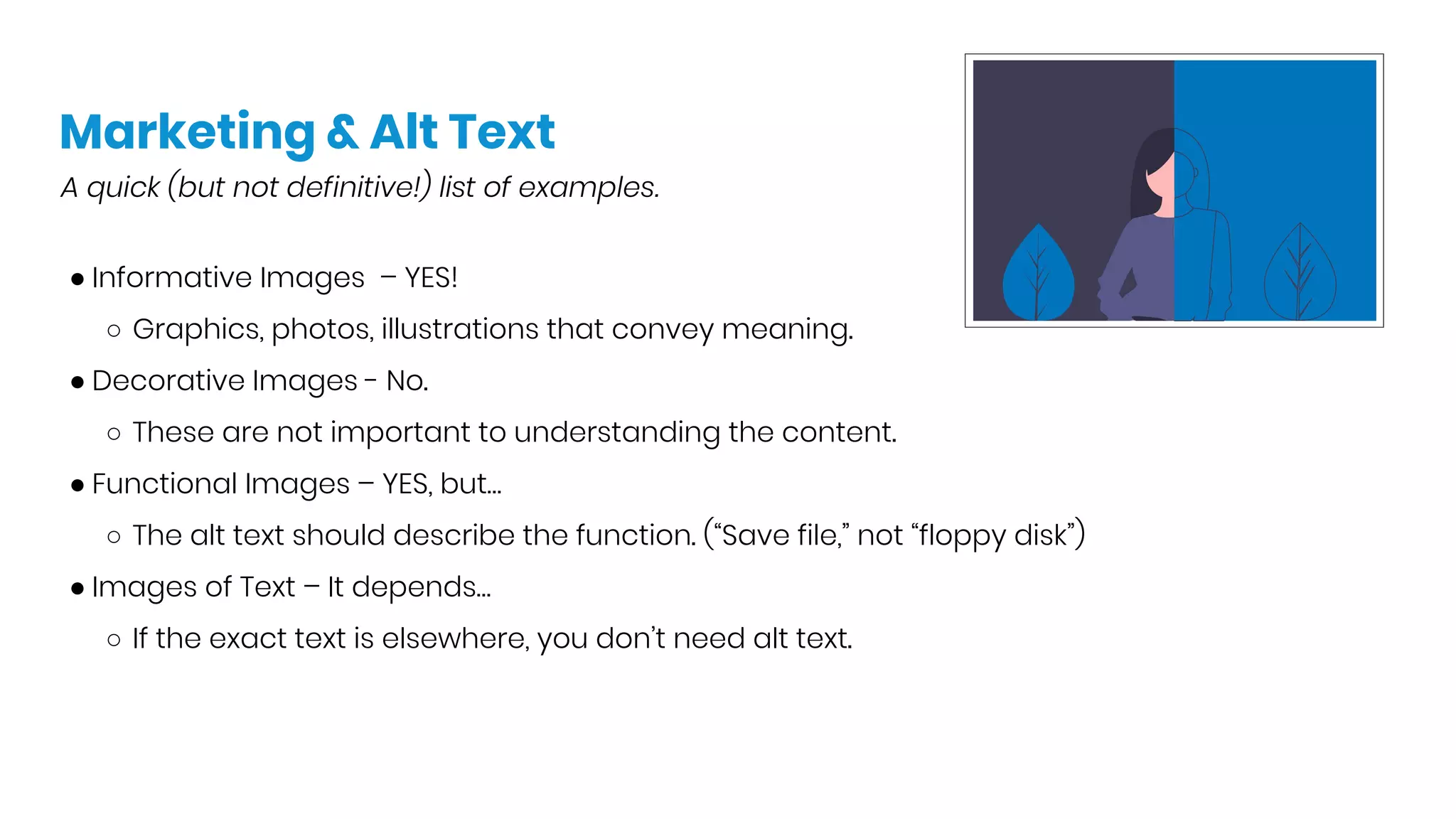
● Informative Images – YES!
○ Graphics, photos, illustrations that convey meaning.
● Decorative Images - No.
○ These are not important to understanding the content.
● Functional Images – YES, but…
○ The alt text should describe the function. (“Save file,” not “floppy disk”)
● Images of Text – It depends…
○ If the exact text is elsewhere, you don’t need alt text.
“Does X need alt text?”
A quick (but not definitive!) list of examples.
● Complex images – It depends…
○ Graphs or diagrams can be described in the text on the page or in alt text, whichever makes
more sense for the data at hand.
● Groups of Images – YES!
○ But you can group them together in one alt attribute.
● Image Maps – YES!
○ But this is way more techy than I can explain!
● Portraits / Headshots - It depends…
○ Just a head needs just a name. ☺
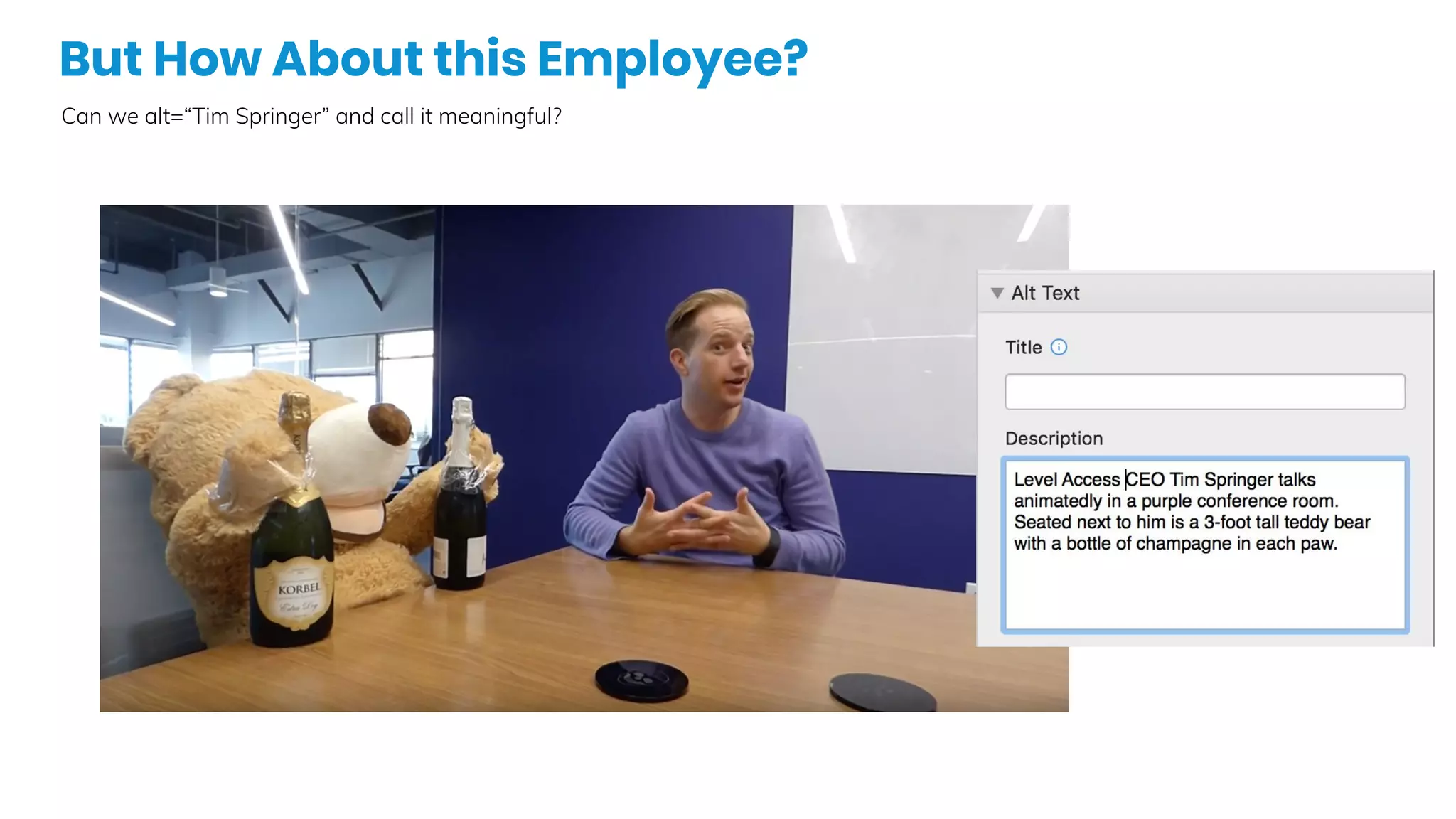
But How About this Employee?
Can we alt=“Tim Springer” and call it meaningful?
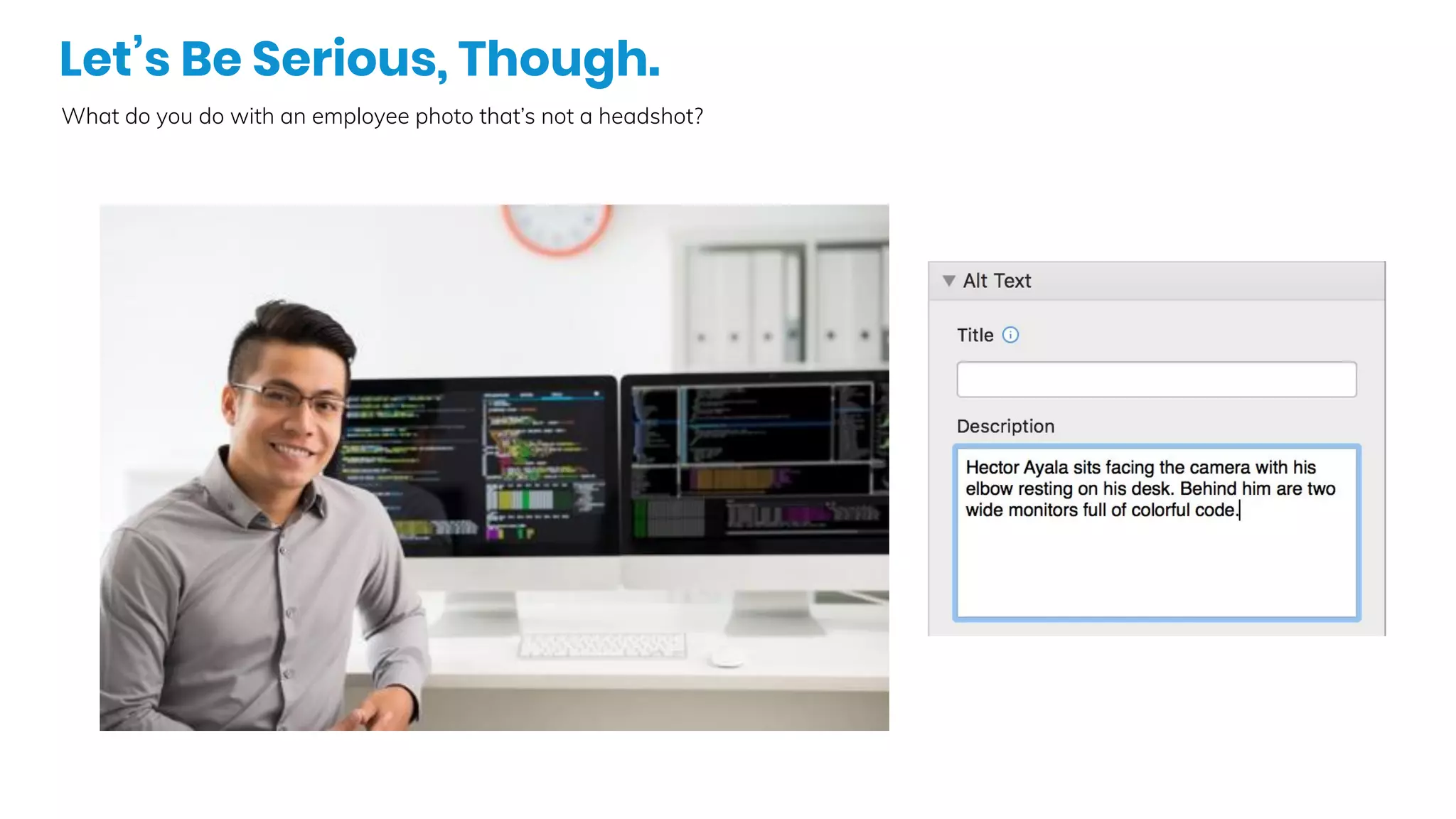
Let’s Be Serious, Though.
What do you do with an employee photo that’s not a headshot?
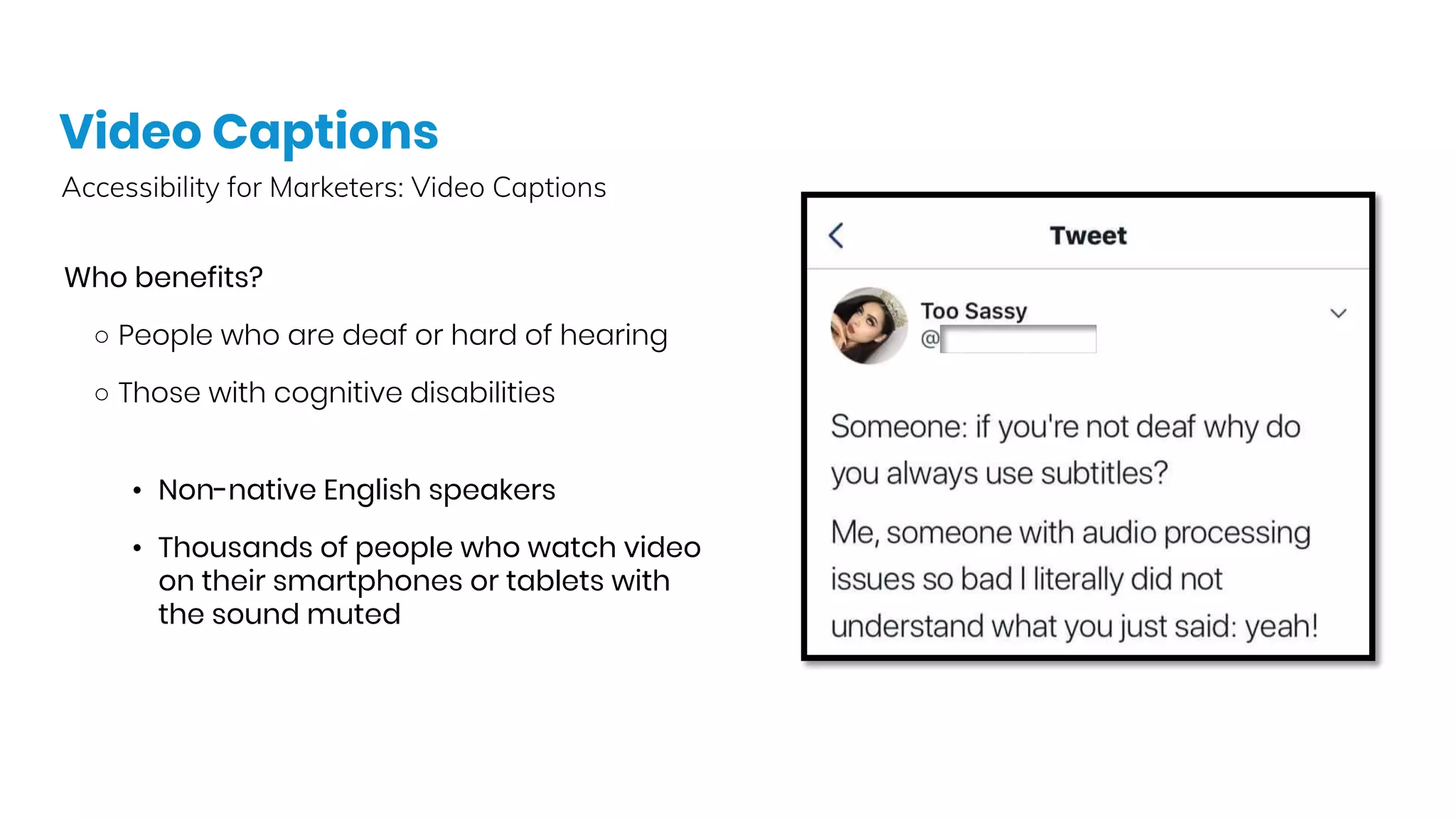
Video Captions
Accessibility for Marketers: Video Captions
Who benefits?
○ People who are deaf or hard of hearing
○ Those with cognitive disabilities
• Non-native English speakers
• Thousands of people who watch video
on their smartphones or tablets with
the sound muted
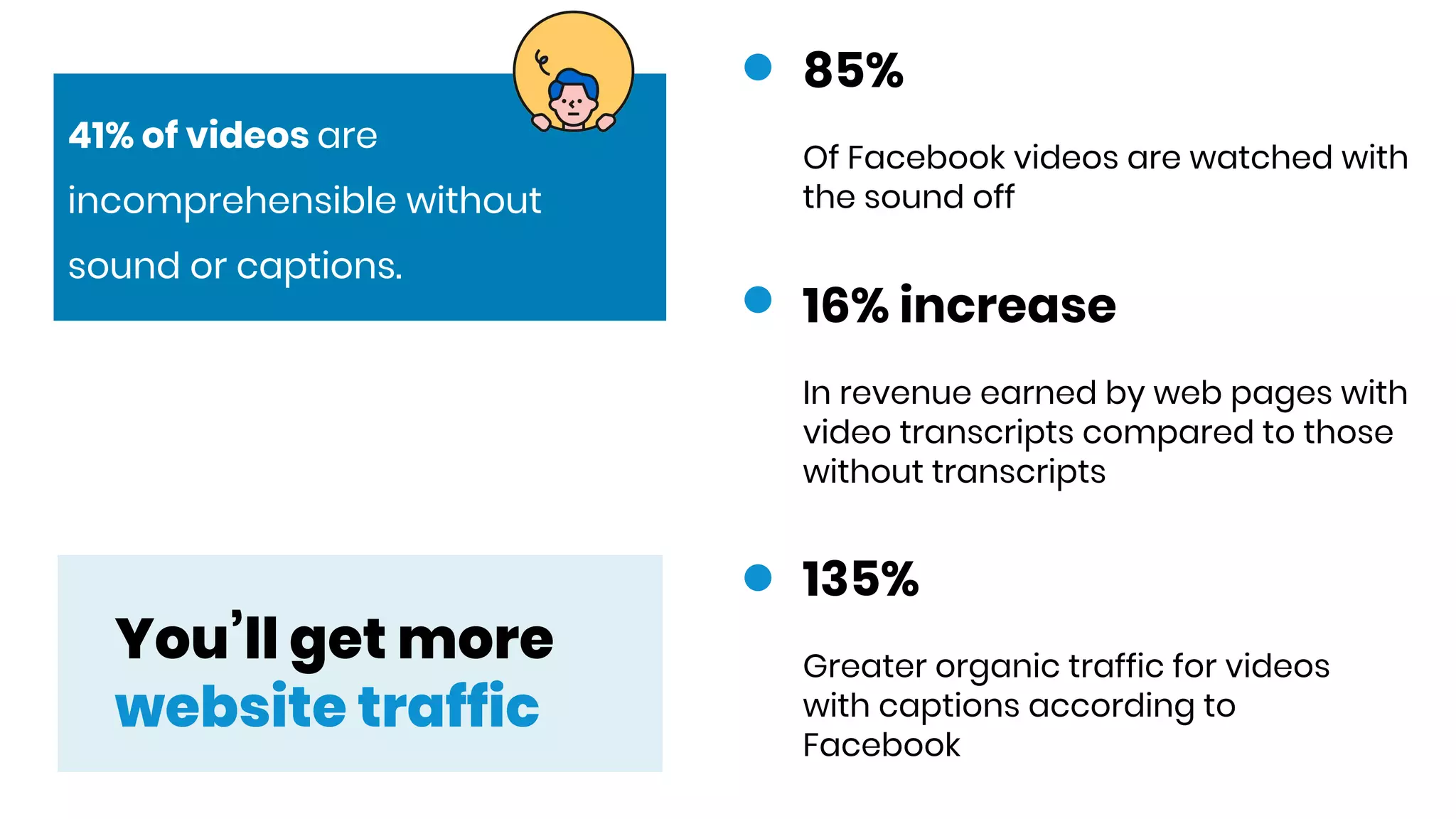
You’ll get more
website traffic
16% increase
In revenue earned by web pages with
video transcripts compared to those
without transcripts
135%
Greater organic traffic for videos
with captions according to
Facebook
85%
Of Facebook videos are watched with
the sound off
41% of videos are
incomprehensible without
sound or captions.
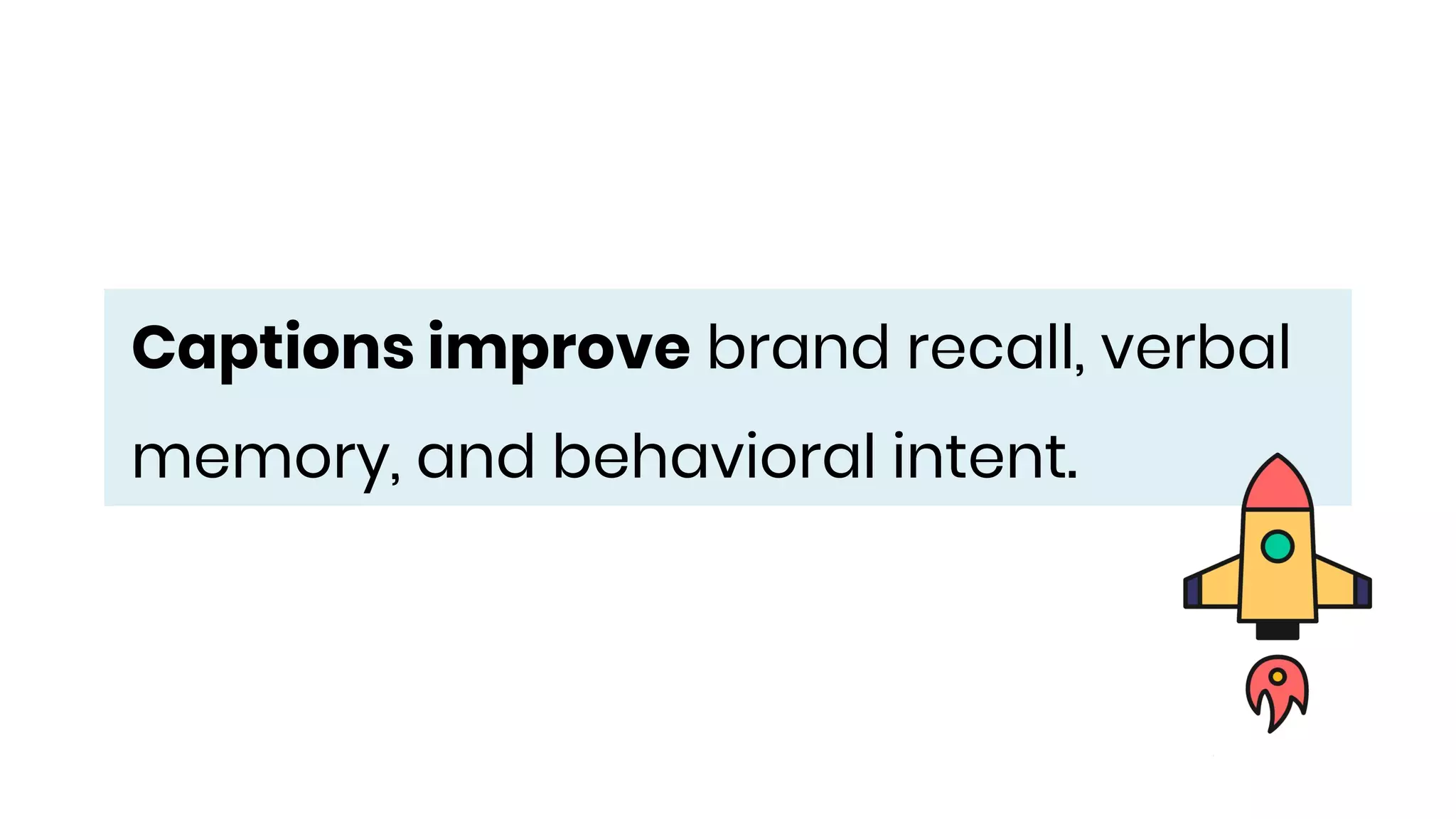
Captions improve brand recall, verbal
memory, and behavioral intent.
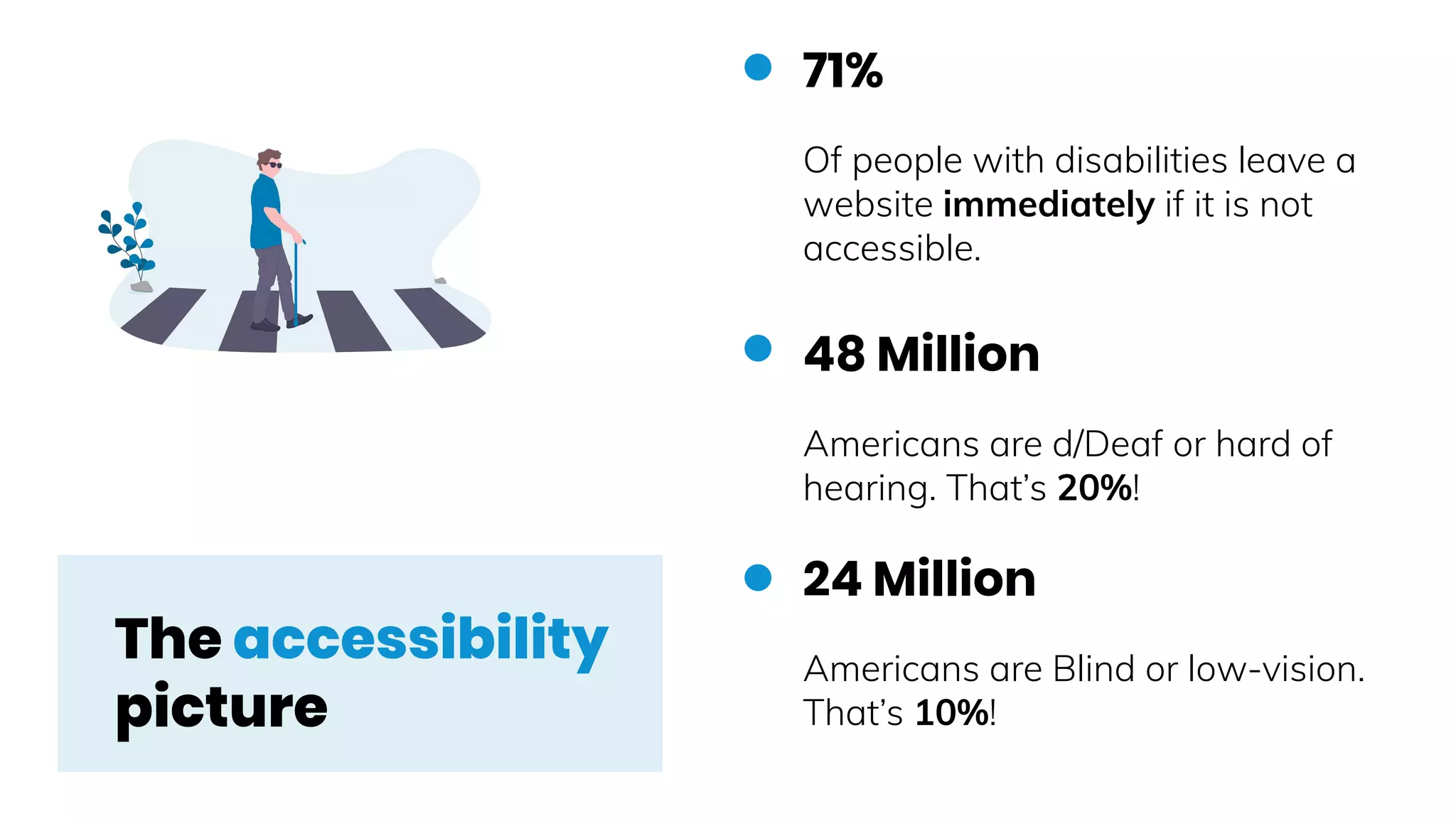
48 Million
Americans are d/Deaf or hard of
hearing. That’s 20%!
24 Million
Americans are Blind or low-vision.
That’s 10%!
71%
Of people with disabilities leave a
website immediately if it is not
accessible.
The accessibility
picture
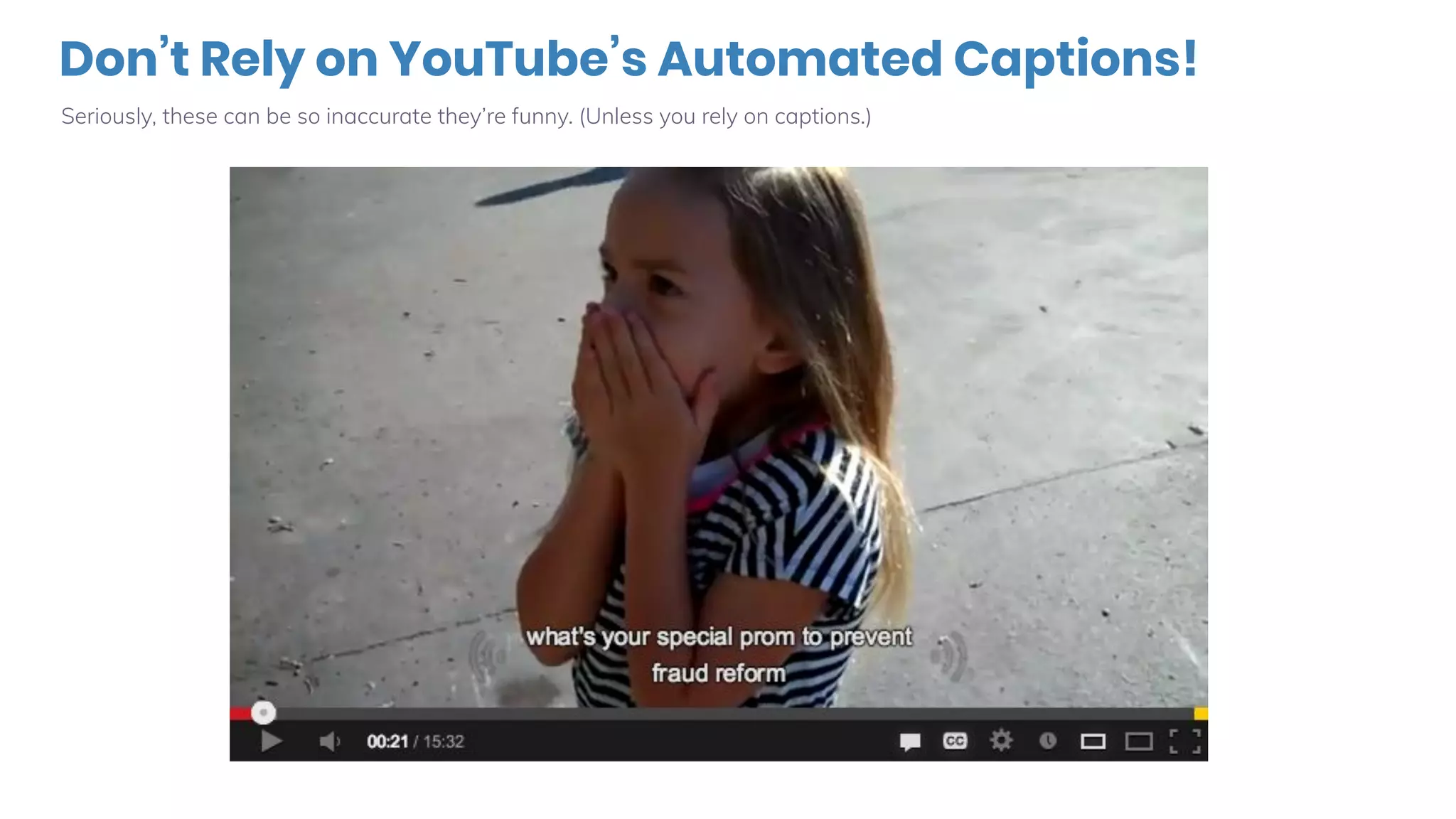
Don’t Rely on YouTube’s Automated Captions!
Seriously, these can be so inaccurate they’re funny. (Unless you rely on captions.)
Place your screenshot hereAudience
Question ✋
What are some of the
errors you notice in this
example?
ASR
Example
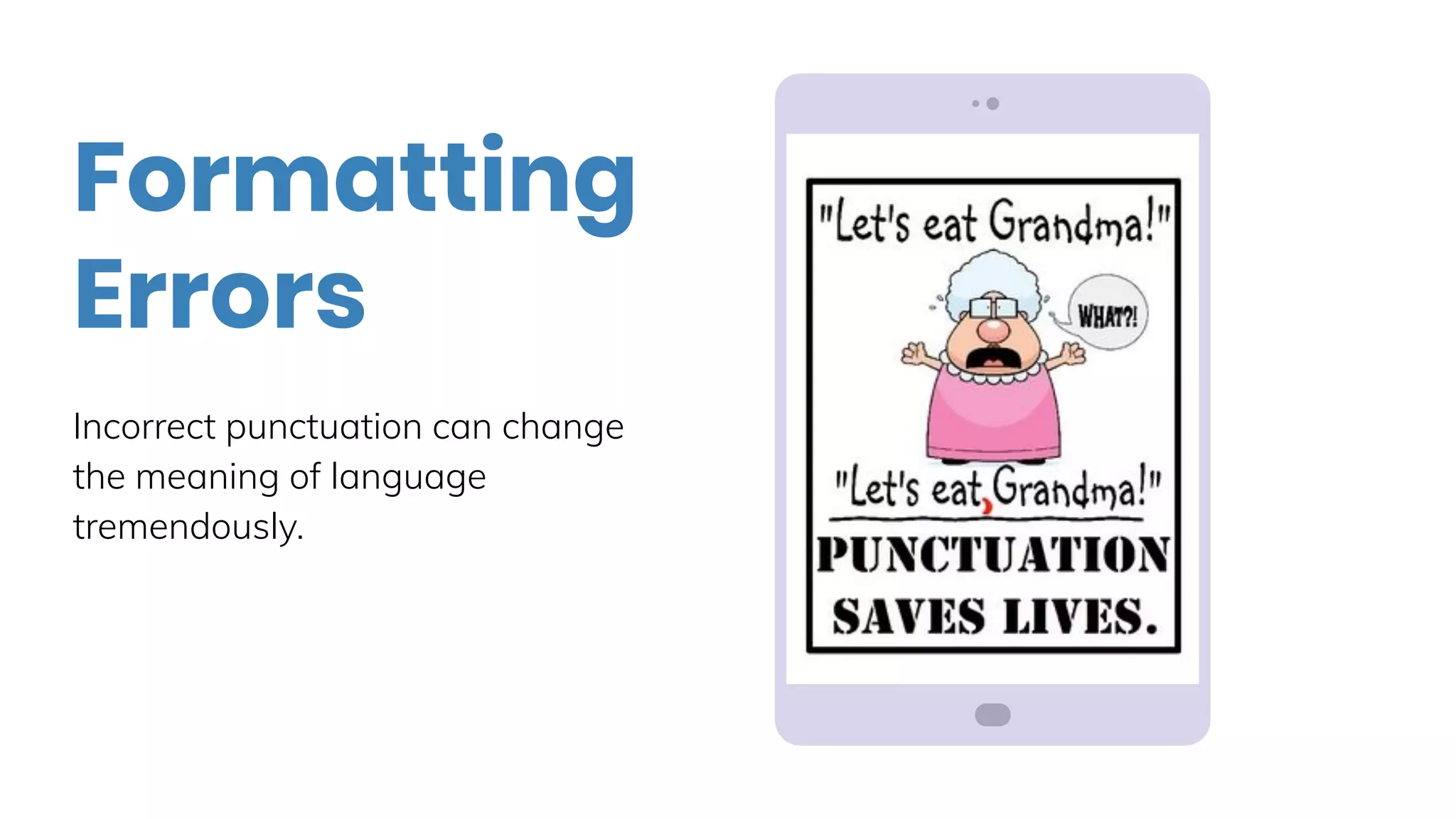
Incorrect punctuation can change
the meaning of language
tremendously.
Formatting
Errors
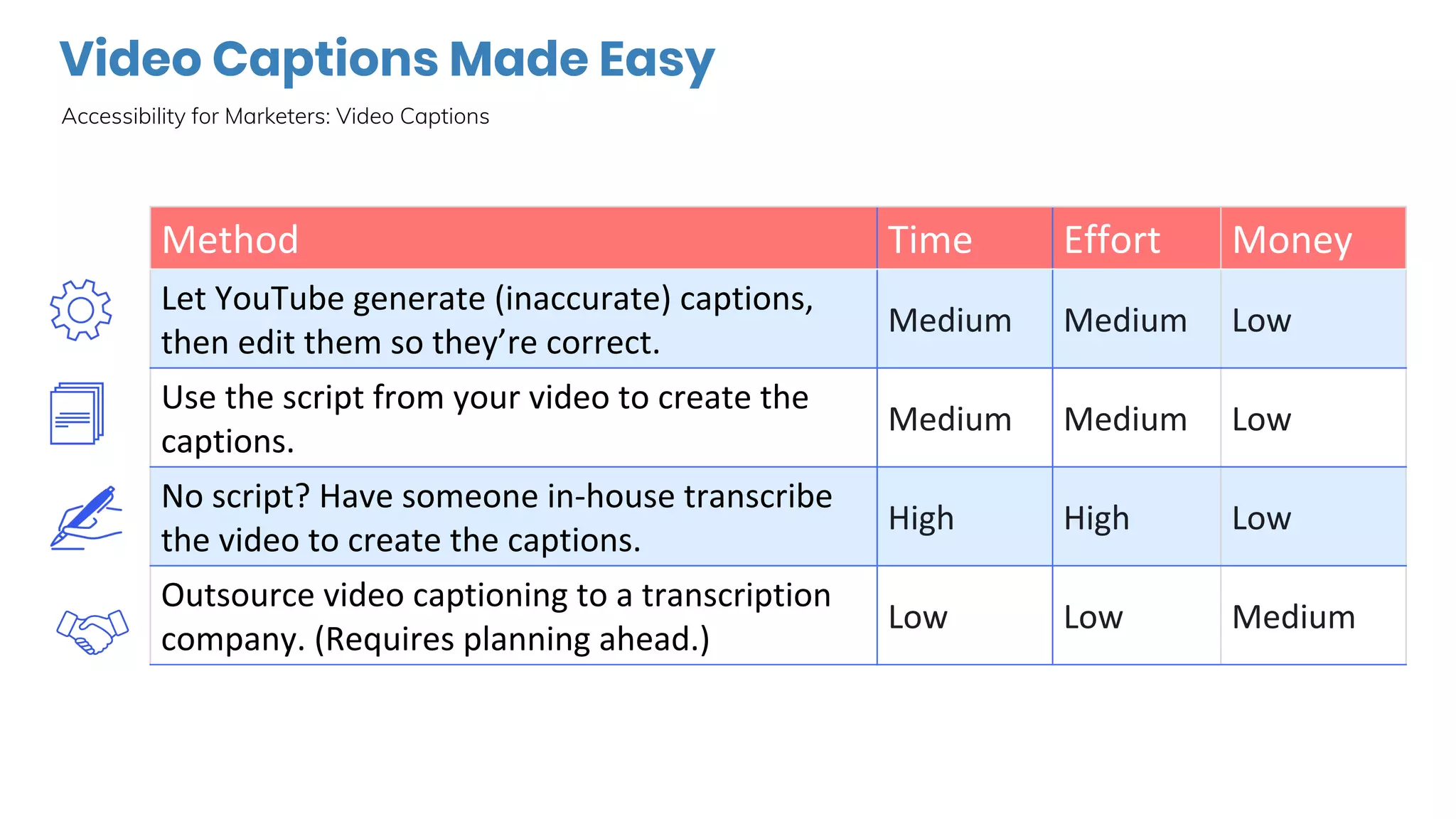
Video Captions Made Easy
Accessibility for Marketers: Video Captions
What About Webinars?
Accessibility for Marketers: Webinar Captions
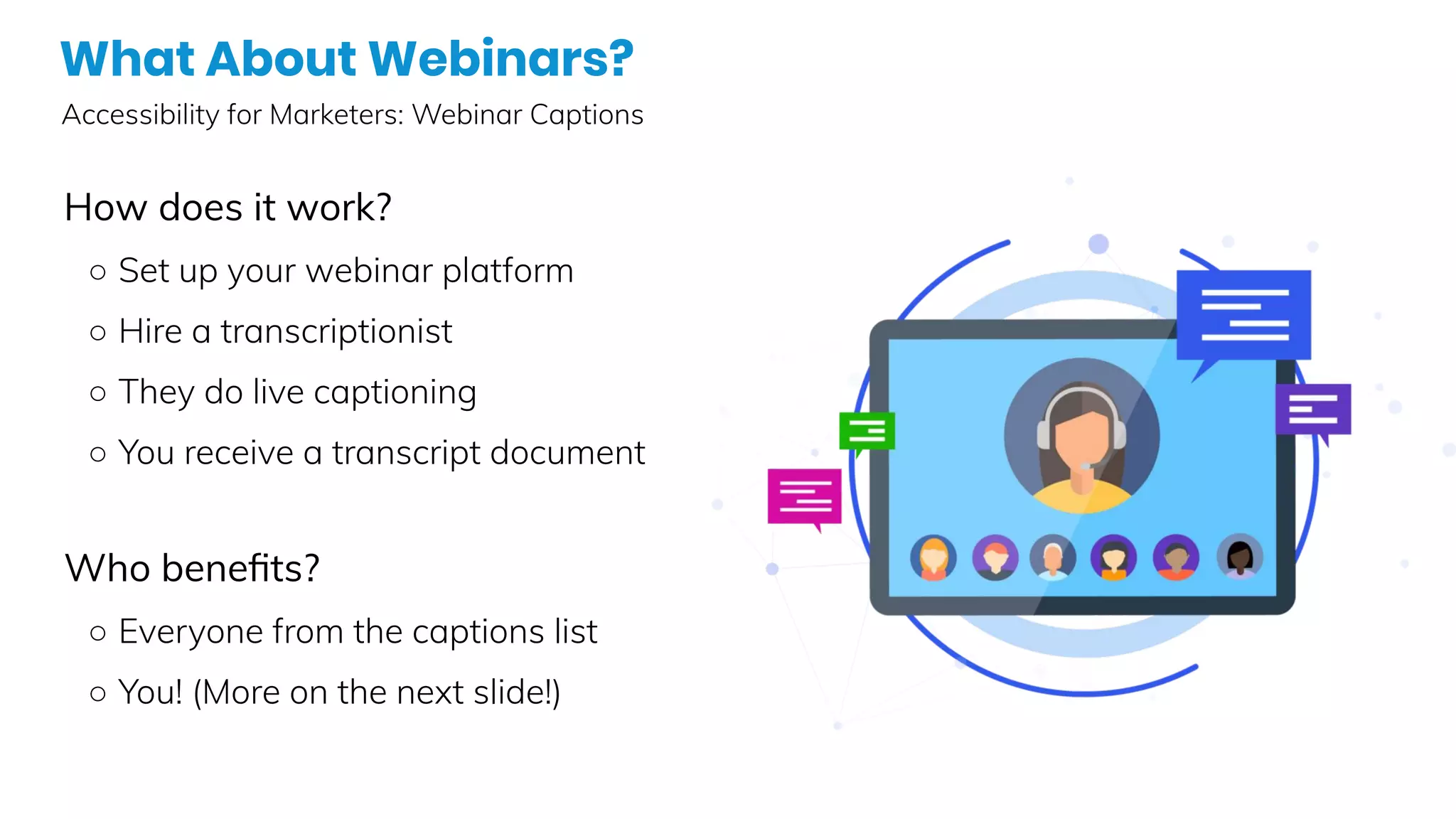
How does it work?
○ Set up your webinar platform
○ Hire a transcriptionist
○ They do live captioning
○ You receive a transcript document
Who benefits?
○ Everyone from the captions list
○ You! (More on the next slide!)
Turn Your Transcript into Content!
Accessibility for Marketers: Ideas for using your transcript
● Infographic with facts & figures
● Social media graphics with quotable quotes
● eBook
● Email drip nurture stream
● A self-paced online course
● Blog articles
● …other ideas?
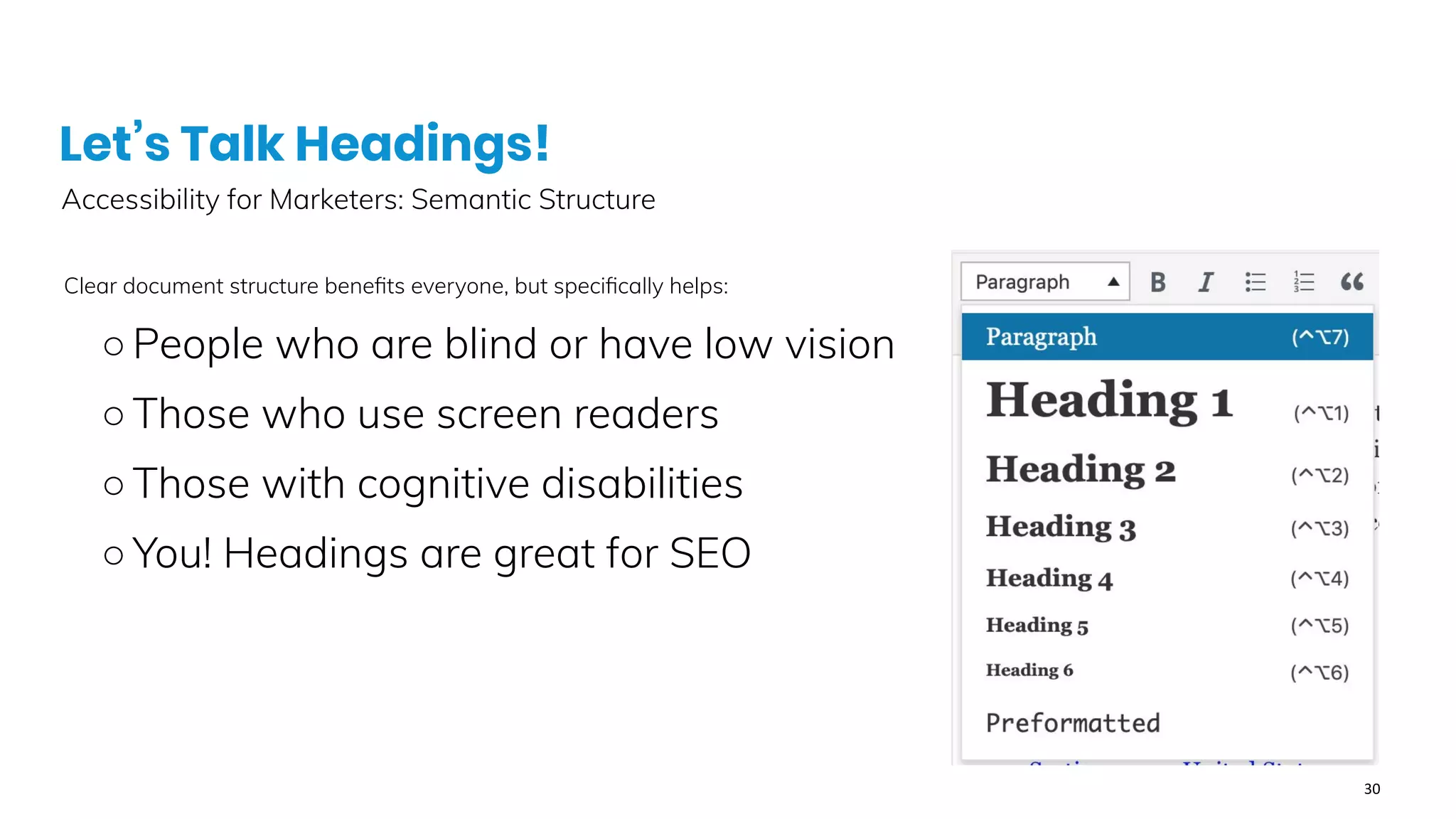
Let’s Talk Headings!
Accessibility for Marketers: Semantic Structure
Clear document structure benefits everyone, but specifically helps:
○People who are blind or have low vision
○Those who use screen readers
○Those with cognitive disabilities
○You! Headings are great for SEO
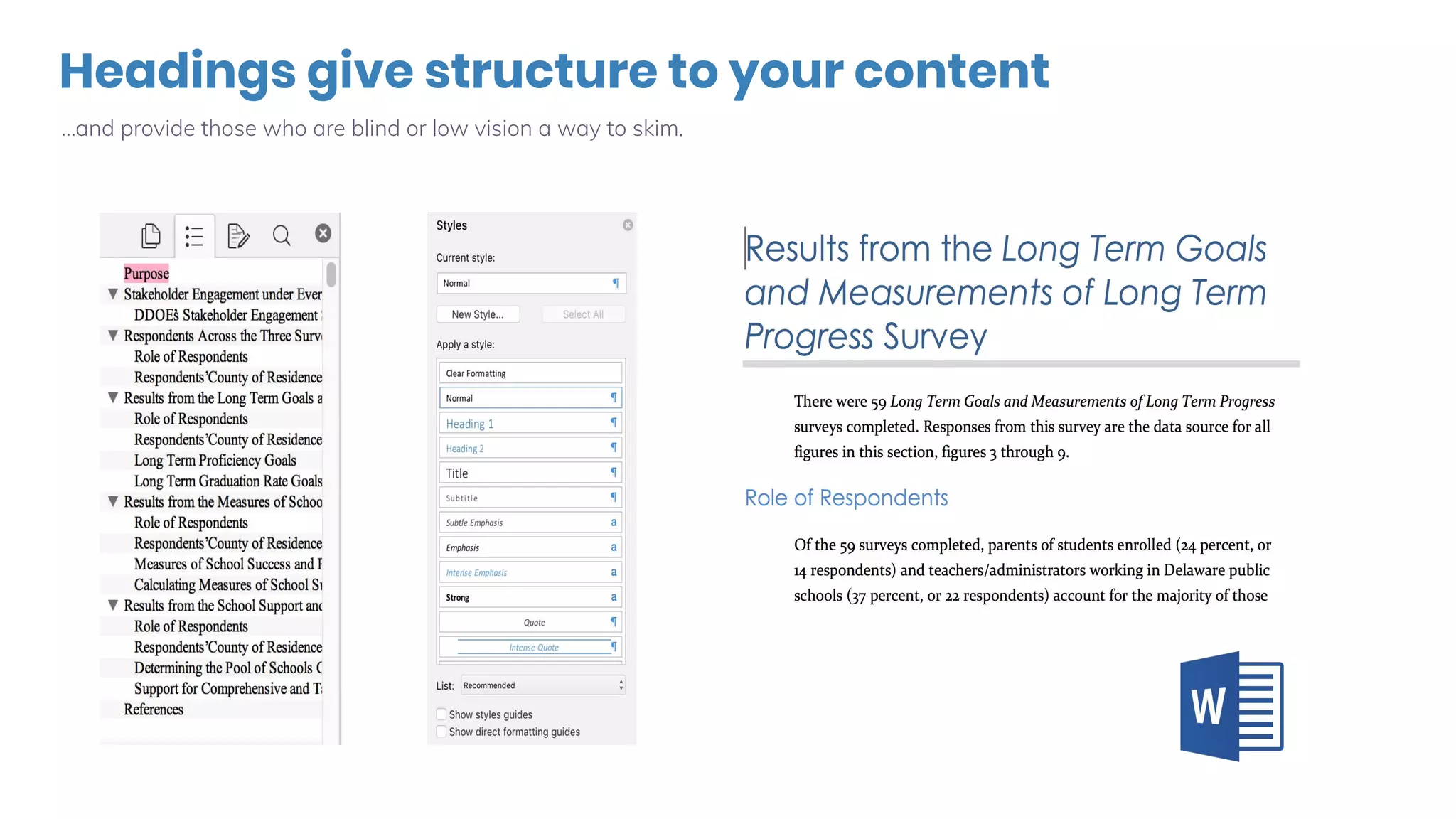
Headings give structure to your content
…and provide those who are blind or low vision a way to skim.
One thing about headings on the web
You’ll be tempted, but…
● Resist the urge to use semantic markup for
layout purposes.
○ Example 1: Using <blockquote> for indenting
a full paragraph.
○ Example 2: Using h2 and h3 out of order
because “it looks nicer.”
● These are things that should be fixed in your
CSS (cascading style sheets).
Creating Accessible Links
Accessibility for Marketers: Links
Who benefits?
○ People who are blind or have low vision
○ Those who use screen readers
○ Those who magnify their screen
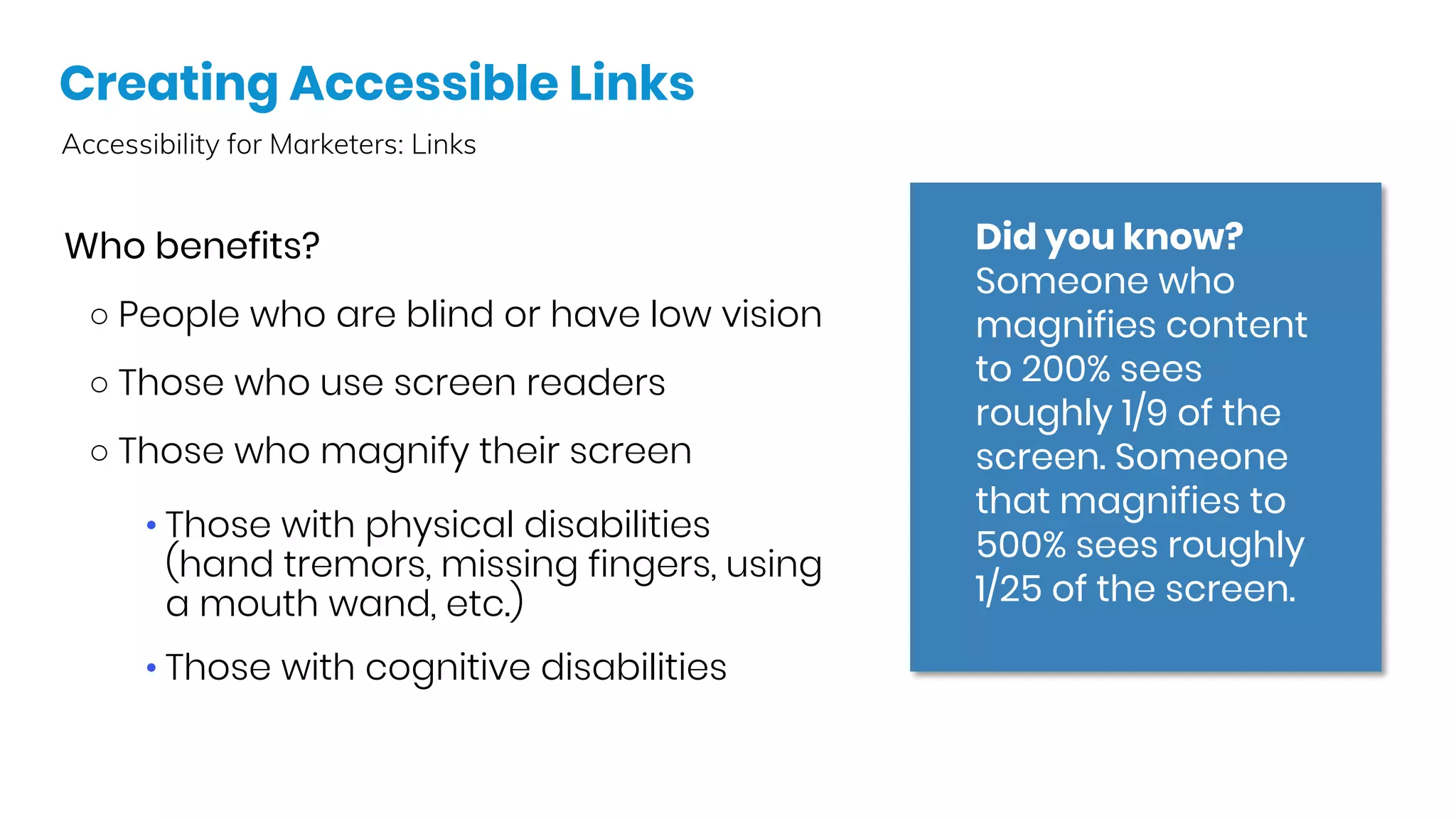
Did you know?
Someone who
magnifies content
to 200% sees
roughly 1/9 of the
screen. Someone
that magnifies to
500% sees roughly
1/25 of the screen. 
• Those with physical disabilities
(hand tremors, missing fingers, using
a mouth wand, etc.)
• Those with cognitive disabilities
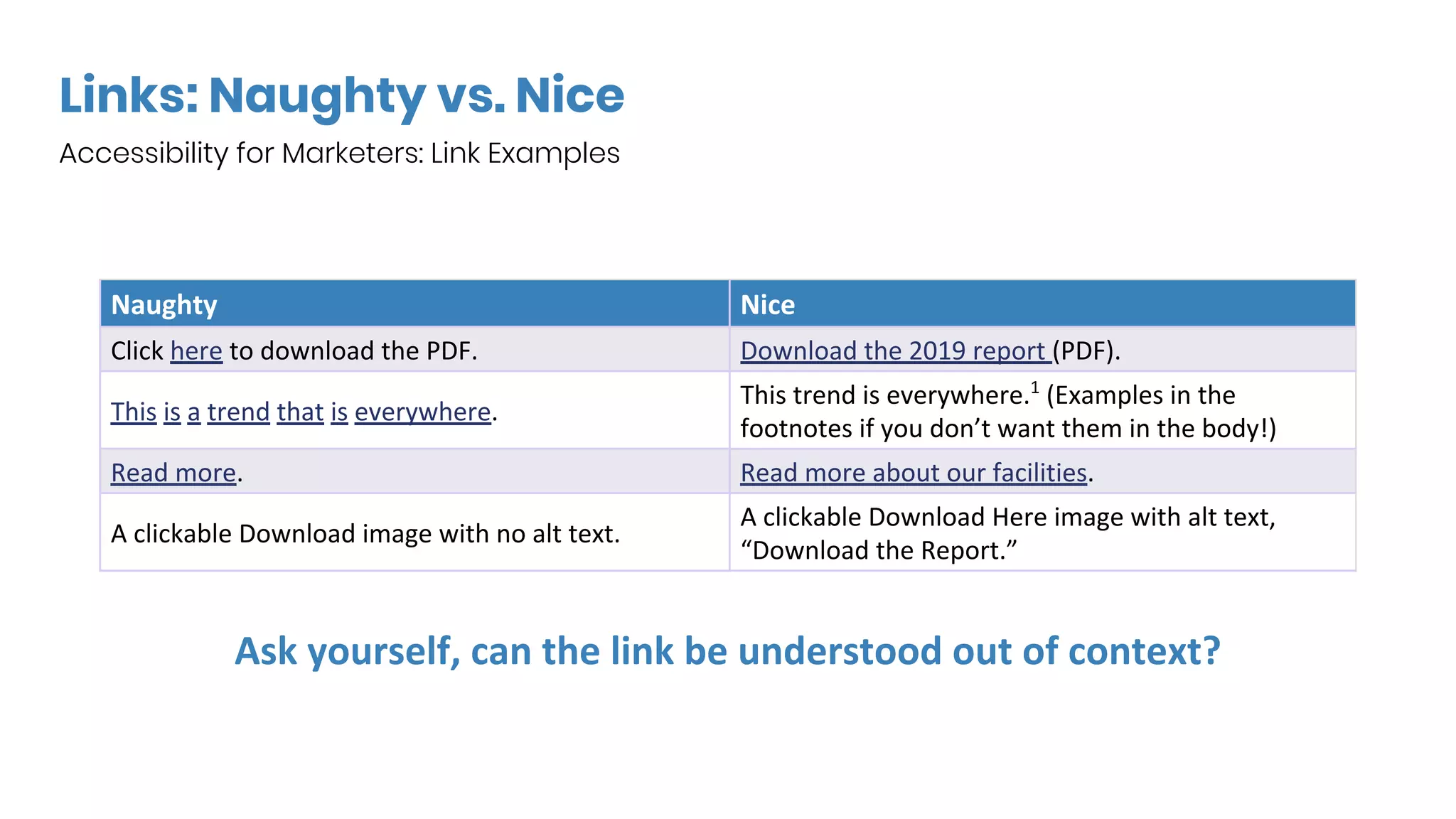
Links: Naughty vs. Nice
Accessibility for Marketers: Link Examples
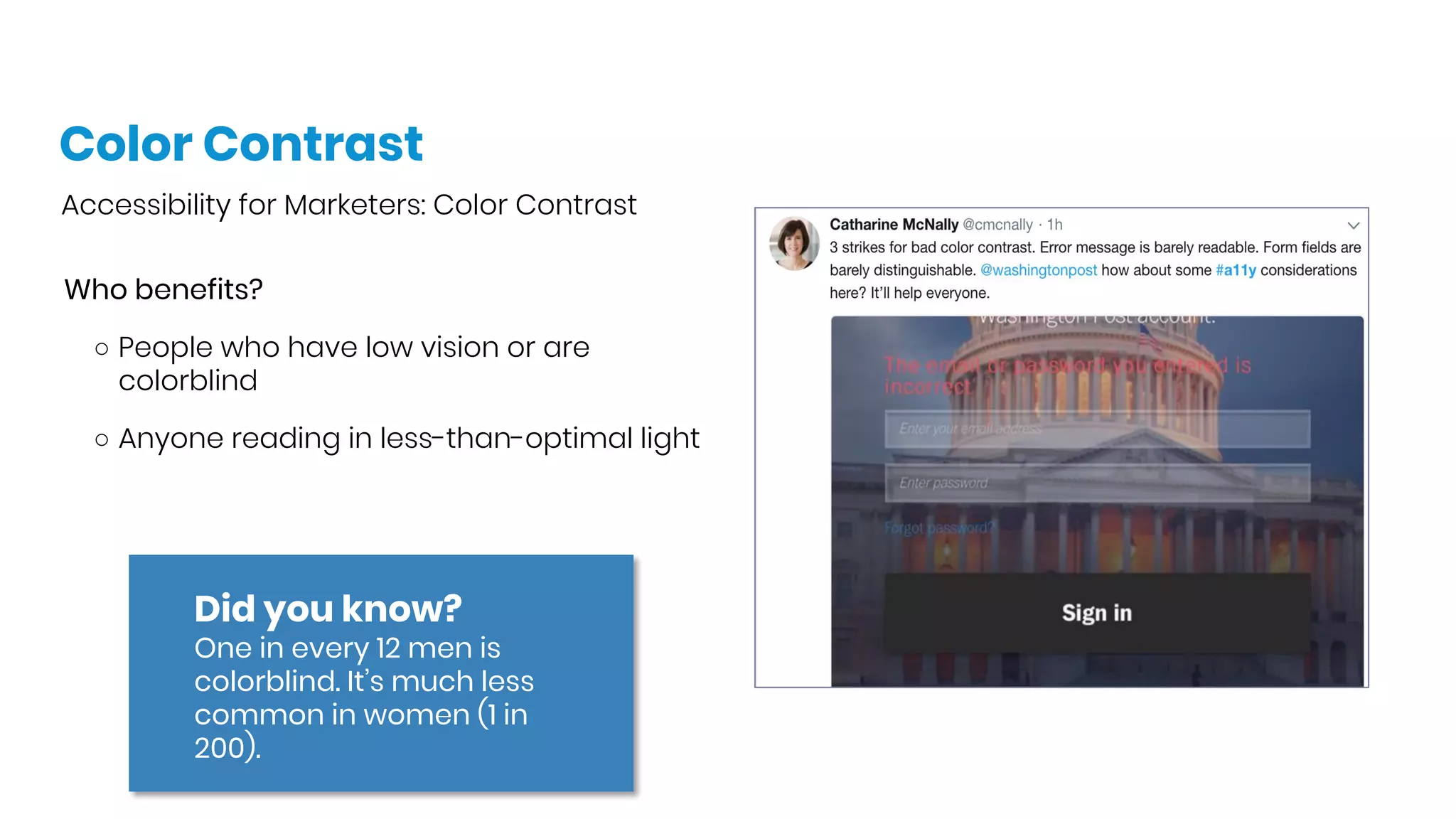
Color Contrast
Accessibility for Marketers: Color Contrast
Who benefits?
○ People who have low vision or are
colorblind
○ Anyone reading in less-than-optimal light
Did you know?
One in every 12 men is
colorblind. It’s much less
common in women (1 in
200). 
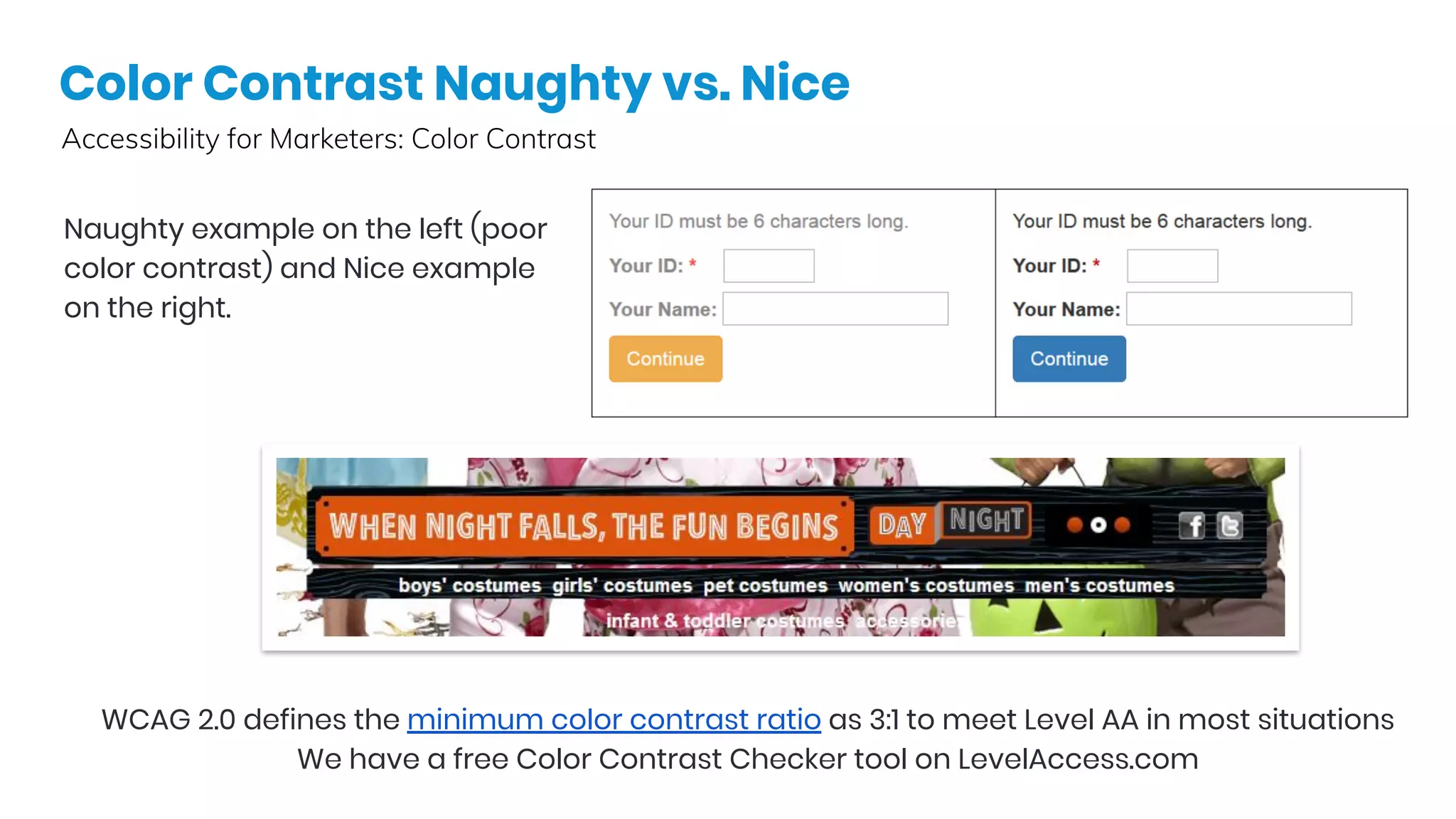
Color Contrast Naughty vs. Nice
Accessibility for Marketers: Color Contrast
Naughty example on the left (poor
color contrast) and Nice example
on the right.
WCAG 2.0 defines the minimum color contrast ratio as 3:1 to meet Level AA in most situations
We have a free Color Contrast Checker tool on LevelAccess.com
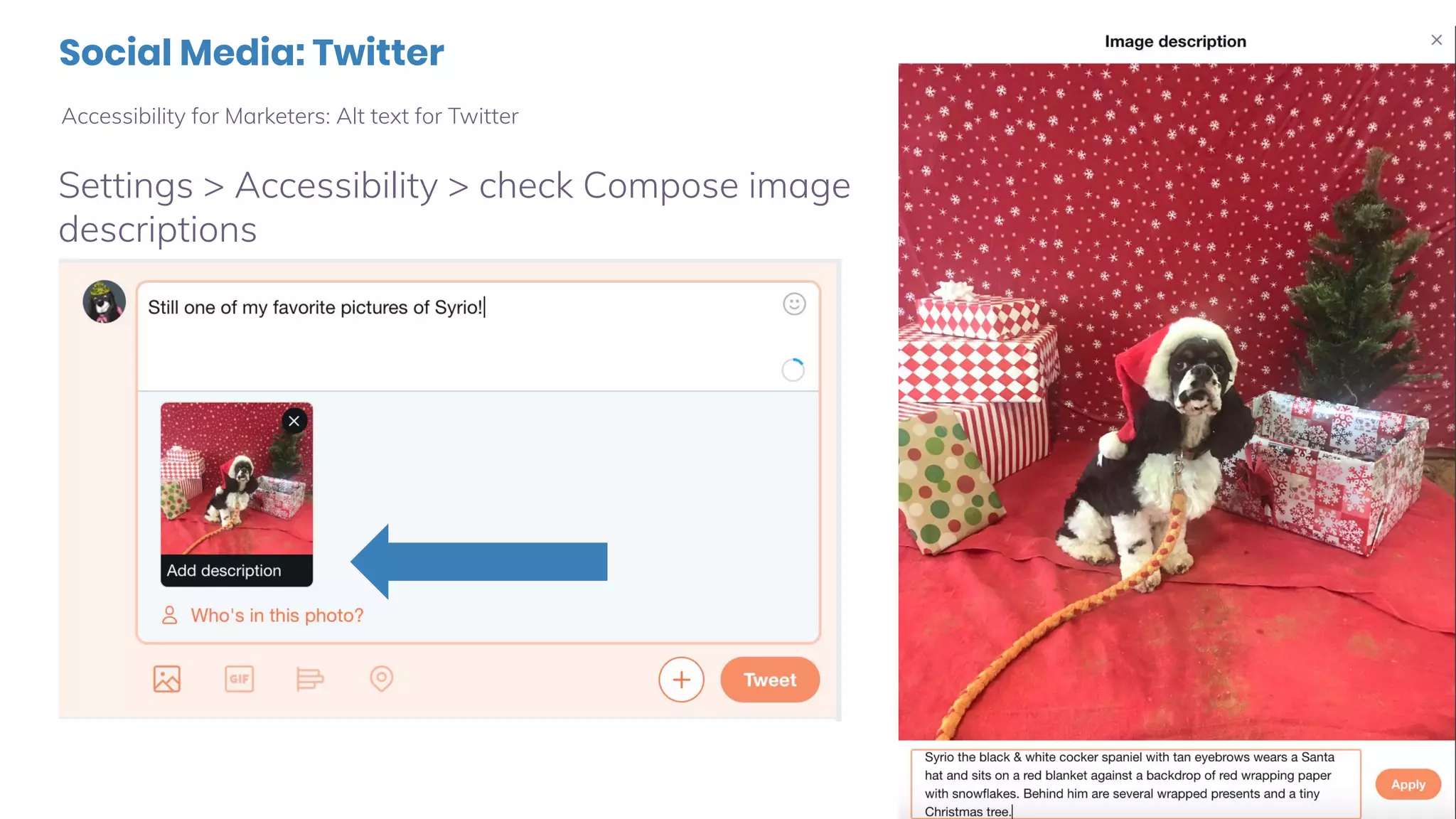
Social Media: Twitter
Accessibility for Marketers: Alt text for Twitter
Settings > Accessibility > check Compose image
descriptions
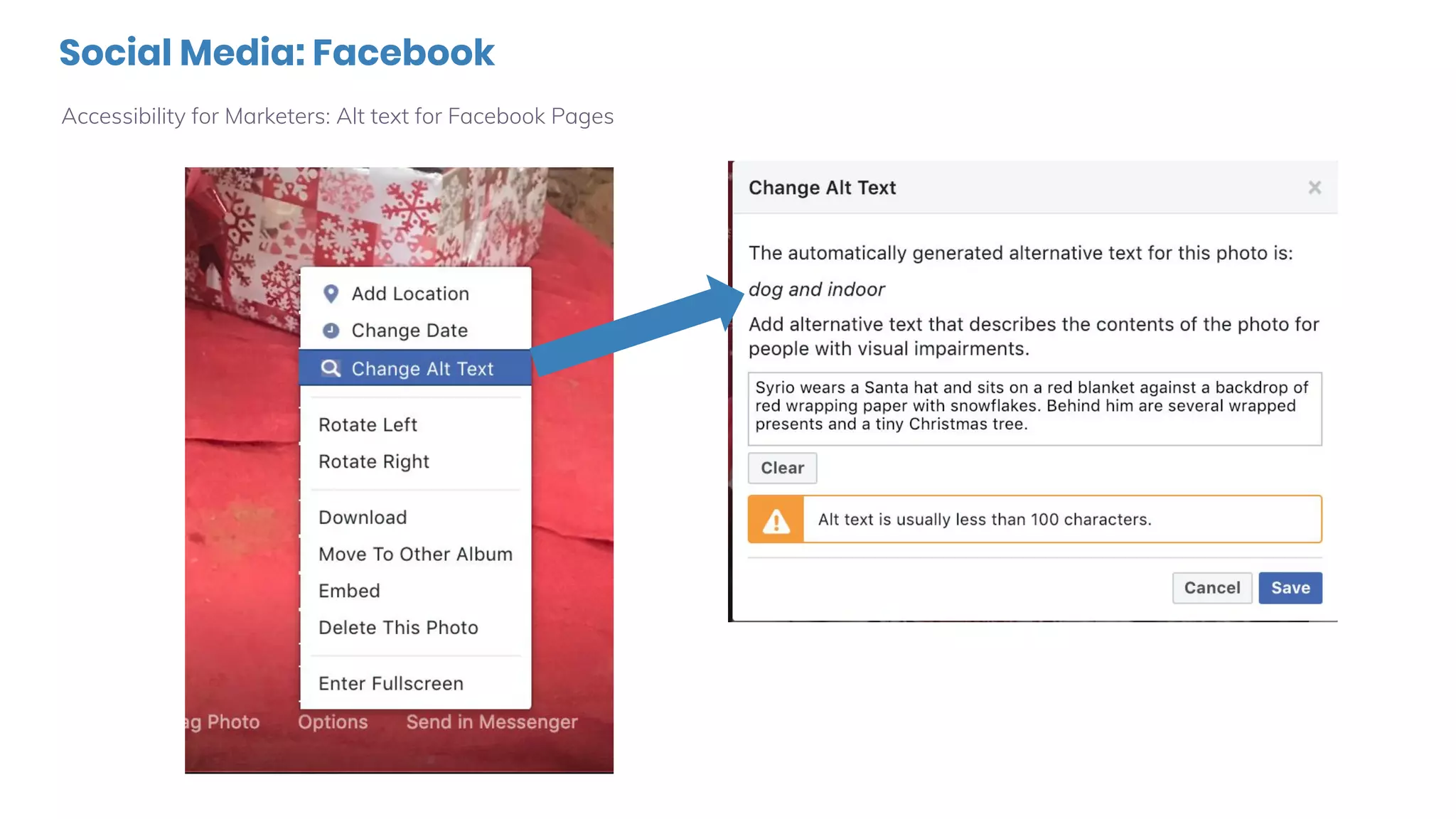
Social Media: Facebook
Accessibility for Marketers: Alt text for Facebook Pages
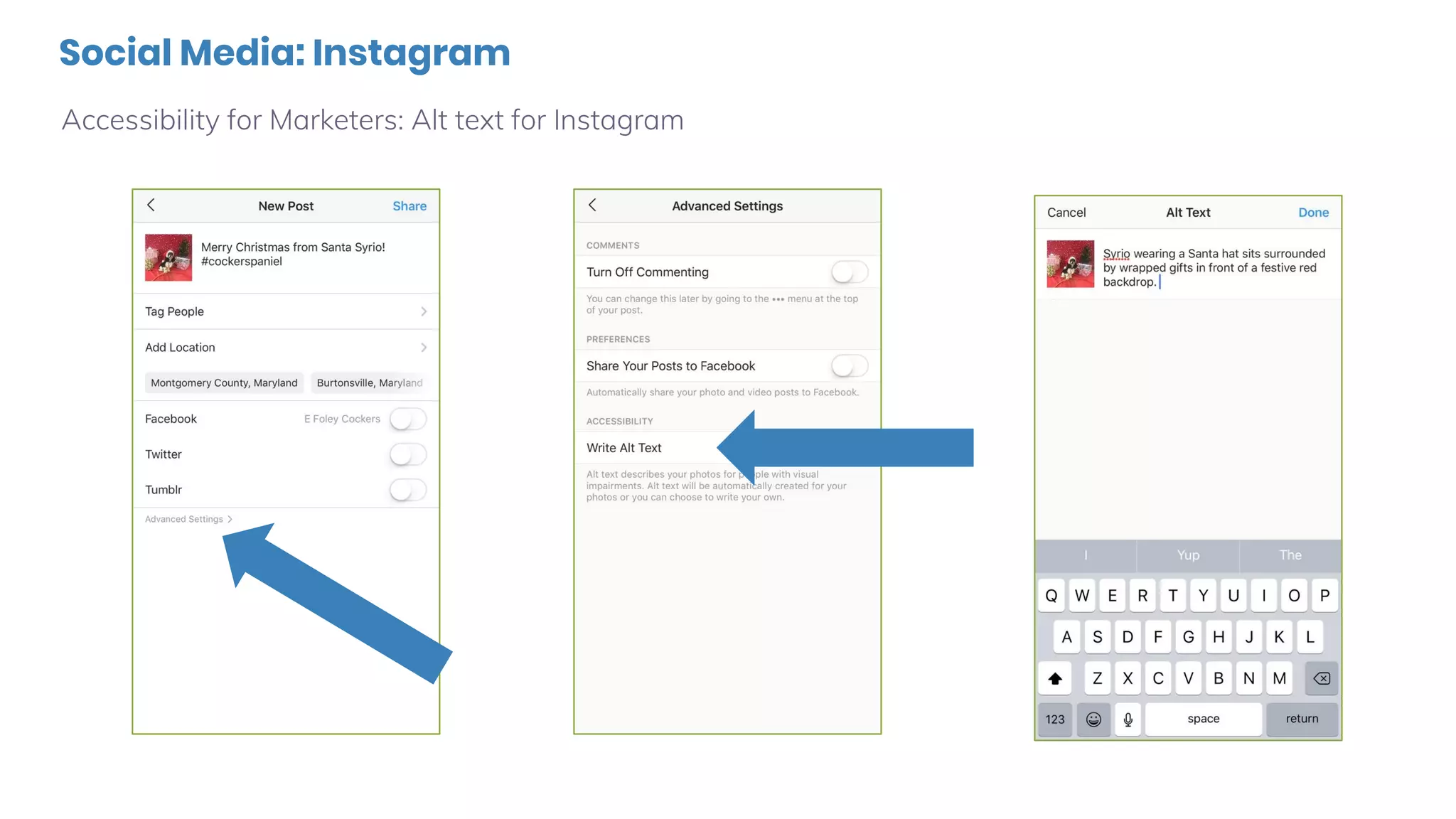
Social Media: Instagram
Accessibility for Marketers: Alt text for Instagram
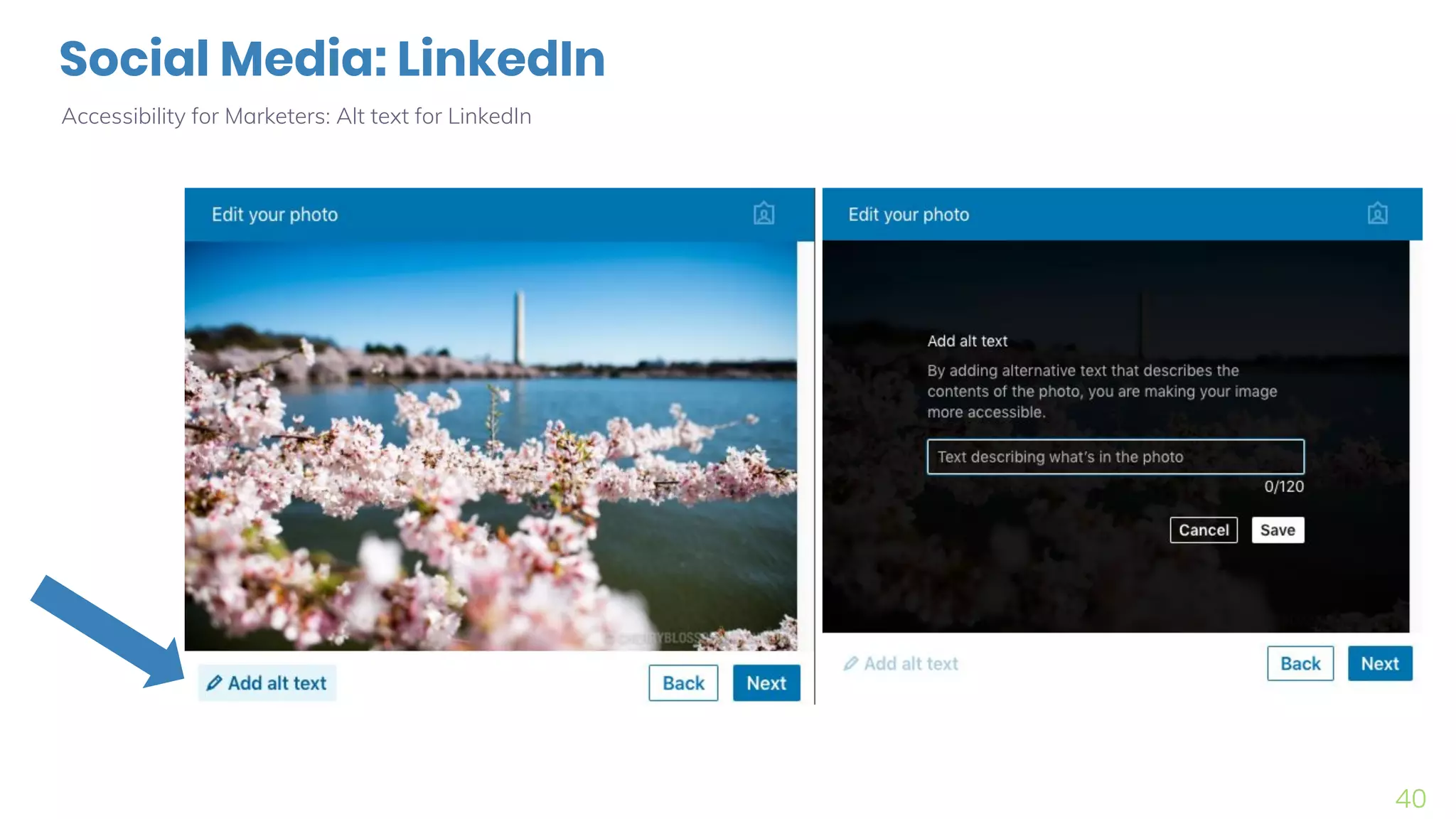
Social Media: LinkedIn
Accessibility for Marketers: Alt text for LinkedIn
40
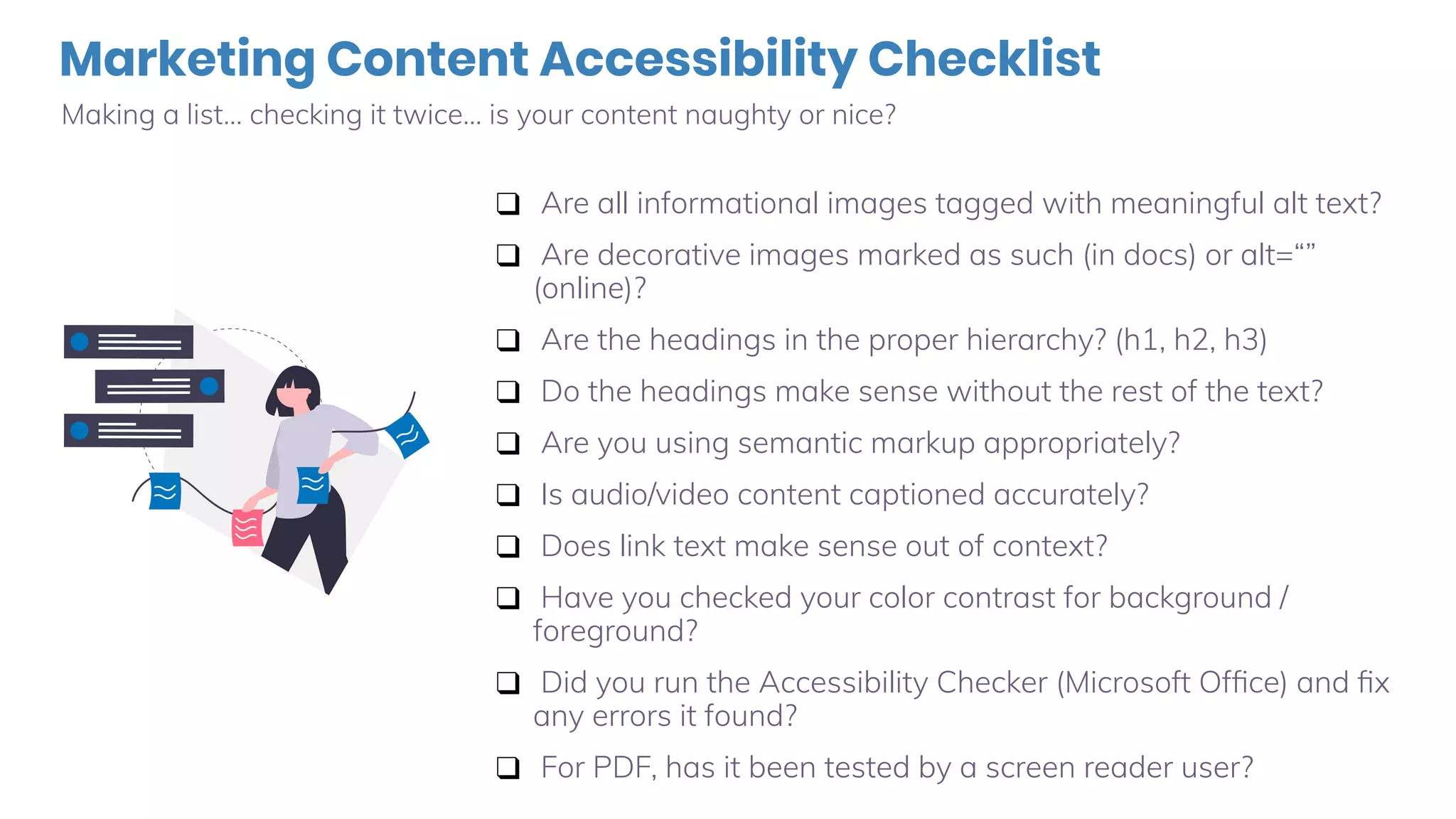
Marketing Content Accessibility Checklist
Making a list… checking it twice… is your content naughty or nice?
❑ Are all informational images tagged with meaningful alt text?
❑ Are decorative images marked as such (in docs) or alt=“”
(online)?
❑ Are the headings in the proper hierarchy? (h1, h2, h3)
❑ Do the headings make sense without the rest of the text?
❑ Are you using semantic markup appropriately?
❑ Is audio/video content captioned accurately?
❑ Does link text make sense out of context?
❑ Have you checked your color contrast for background /
foreground?
❑ Did you run the Accessibility Checker (Microsoft Office) and fix
any errors it found?
❑ For PDF, has it been tested by a screen reader user?
Useful Links & Tools
Check these out when you get a chance.
● Color:
○ Color Contrast Checker Tool
○ View your site filtered for different types of colorblindness
● Captions:
○ Closed Captions & Descriptions Decision Tree (Do I need captions for ___?)
○ 3PlayMedia for Video Captioning
○ ACS Captioning Service *This is the vendor we used for today’s webinar
● Links:
○ WCAG success criteria about links
● Documents:
○ PDF Accessibility Basics Webinar Series
○ InDesign Accessibility Basics Webinar Series
○ Microsoft Word Accessibility Basics Webinar Series
More Good Stuff about Alt Text
Check these out when you get a chance.
● Our Writing Meaningful Alt Text Webinar (recording) and the follow up blog post with
answers to more technical questions.
● The Social Security Administration’s Alternative Text Guide
○ Lots of great examples in context
○ Features a cute guide dog
● WebAIM’s page on alt text
○ Bookmark this one for sure!
● W3C’s Alt Decision Tree
○ Do you need alt text or not?
● Quick Tips for Meaningful Alt Text
for Pictures & Portraits (PDF)
○ Our very own illustrated guide to alt text
Video Accessibility
Certification
Become an Expert | Make better, more well-informed decisions.��
FREE | Available January 2020 | www.3playmedia.com/certification
Exclusive Content | Created to help your knowledge grow.��
Network | Meet other accessibility enthusiasts along the way.��
Thanks!
Any questions?

The Marketer's Toolkit for Accessible Digital Media

  • 1.
    What Marketers Need toKnow About Web Accessibility ✋ Type questions in the Q&A window during the presentation ⏺ This webinar is being recorded & will be available for replay 💬 To view live captions, please click the CC icon 📱 www.3playmedia.com l @3playmedia l #a11y Elisa Edelberg Content Marketing Manager 3Play Media Esty Peskowitz Director of Marketing Level Access E Foley Content Manager Level Access
  • 3.
    📝Leveler since 2016 🛒Prior to Level Access, wrote copy for Fugue (SaaS), The Great Courses (educational / retail / media), and ThinkGeek (retail). 🐕 Outside of work, my life belongs to my three cocker spaniels: Titania, Jadzia, and Syrio. 🐶 I teach group classes in rally obedience and agility at Your Dog’s Friend, a local non-profit. Hi, I’m E
  • 4.
    🙌 Leveler since2019, almost a whole year at Level Access! 🖥 Prior to Level Access, led Marketing Ops and Programs at one of America’s largest Financial Services companies and technology companies 👩 Proud mom of Eitan, a rambunctious 17-month old boy 🗺 Lived in 3 continent and fluent in 3 languages Hi, I’m Esty
  • 5.
    Today’s Agenda Everything aMarketer Needs to Know about Accessibility ● The Business Case for Digital Accessibility (Esty) ○ The Demographic Shift ○ Customer Experience ○ ADA Lawsuits ● Implementing Accessibility Best Practices in your Marketing Content (E) ○ Alt Text ○ Video Captions ○ Webinars ○ Headings ○ Links ○ Color ○ Social Media ○ Checklist for Marketing Content
  • 6.
    The Business Casefor Web Accessibility
  • 7.
    Accessibility Matters for CustomerExperience Nearly 27% of American adults have a disability that inhibits their daily function • The definition of “disability” is broader than most people think • Baby boomers are currently between 52-70 years old, and will need accessible technology as some begin to lose vision, hearing, or mobility as they age
  • 8.
    People are gettingolder… and actively use technology! • The number of people worldwide aged 80 and over will quadruple to 400 million • For the first time in history, there will be more people over the age of 65 than under the age of 14 “42% of adults ages 65 and older owning smartphones is up from just 18% in 2013.” “67% of seniors use the internet – a 55-percentage-point increase in just under two decades.” “45% of seniors under the age of 75 say they … use social networking sites, compared with 20% of those ages 75 and older.” Sources: United Nations World Population Prospects, U.S. Census Bureau’s 2017 National Population Projections, McKinsey & Co., Pew Research Center Tech Adoption Climbs Among Older Adults
  • 9.
    The Content VelocityChallenge Marketers Create A LOT of Content! ● 77% of marketers will be increasing content production over the next 12 months ● There are 1,440 WordPress posts published every minute ● 87% of content writers struggle to produce engaging materials with their buyers. ○ Before engagement, what if the content was not accessible or readable by the buyer? Accessible Content is a Competitive Advantage!
  • 10.
    Digital Accessibility Lawsuits ●List of industries with their percentage share of digital accessibility lawsuits between Sep-Oct, 2019 ● We look 50 industries with focus on these 13 ● Retail and consumer facing services dominate ● As we start to reach saturation in some industries expect new industries to be opened ● Takeaway: Most lawsuits are related to (i) industries that target consumers and (ii) use technology as a form of communication
  • 11.
    • ADA digitalaccessibility litigation continues to accelerate dramatically • Increased 210% YoY in 2017 and 177% YoY in 2018 and almost 200% in 2019 • Still a small percentage of overall ADA Title III lawsuits • The supply of lawsuits is governed by the number of active plaintiffs counsel in the space • Takeaway: We expect growth will slow but still be robust going forward ADA Lawsuits - Overall Trends
  • 12.
  • 13.
    A Quick Disclaimer We’remarketers, not techies! This webinar will not contain: ○ Deep, code-level details ○ The intricacies of WCAG and other standards This webinar will contain: ○ Info BY marketers, FOR marketers ○ Things we do daily in Level Access’s marketing department ○ Actionable steps for inclusive websites, blog posts, documents, webinars, and more ○ Tips for learning more and doing it all faster
  • 14.
    What is Alternative(Alt) Text? Accessibility for Marketers: Alt Text Who benefits? ○ Screen reader users ○ Voice input users (“Click Add to Cart.”) ○ Search engines ○ People with very slow internet connections
  • 15.
  • 16.
    Marketing & AltText A quick (but not definitive!) list of examples. ● Informative Images – YES! ○ Graphics, photos, illustrations that convey meaning. ● Decorative Images - No. ○ These are not important to understanding the content. ● Functional Images – YES, but… ○ The alt text should describe the function. (“Save file,” not “floppy disk”) ● Images of Text – It depends… ○ If the exact text is elsewhere, you don’t need alt text.
  • 17.
    “Does X needalt text?” A quick (but not definitive!) list of examples. ● Complex images – It depends… ○ Graphs or diagrams can be described in the text on the page or in alt text, whichever makes more sense for the data at hand. ● Groups of Images – YES! ○ But you can group them together in one alt attribute. ● Image Maps – YES! ○ But this is way more techy than I can explain! ● Portraits / Headshots - It depends… ○ Just a head needs just a name. ☺
  • 18.
    But How Aboutthis Employee? Can we alt=“Tim Springer” and call it meaningful?
  • 19.
    Let’s Be Serious,Though. What do you do with an employee photo that’s not a headshot?
  • 20.
    Video Captions Accessibility forMarketers: Video Captions Who benefits? ○ People who are deaf or hard of hearing ○ Those with cognitive disabilities • Non-native English speakers • Thousands of people who watch video on their smartphones or tablets with the sound muted
  • 21.
    You’ll get more websitetraffic 16% increase In revenue earned by web pages with video transcripts compared to those without transcripts 135% Greater organic traffic for videos with captions according to Facebook 85% Of Facebook videos are watched with the sound off 41% of videos are incomprehensible without sound or captions.
  • 22.
    Captions improve brandrecall, verbal memory, and behavioral intent.
  • 23.
    48 Million Americans ared/Deaf or hard of hearing. That’s 20%! 24 Million Americans are Blind or low-vision. That’s 10%! 71% Of people with disabilities leave a website immediately if it is not accessible. The accessibility picture
  • 24.
    Don’t Rely onYouTube’s Automated Captions! Seriously, these can be so inaccurate they’re funny. (Unless you rely on captions.)
  • 25.
    Place your screenshothereAudience Question ✋ What are some of the errors you notice in this example? ASR Example
  • 26.
    Incorrect punctuation canchange the meaning of language tremendously. Formatting Errors
  • 27.
    Video Captions MadeEasy Accessibility for Marketers: Video Captions
  • 28.
    What About Webinars? Accessibilityfor Marketers: Webinar Captions How does it work? ○ Set up your webinar platform ○ Hire a transcriptionist ○ They do live captioning ○ You receive a transcript document Who benefits? ○ Everyone from the captions list ○ You! (More on the next slide!)
  • 29.
    Turn Your Transcriptinto Content! Accessibility for Marketers: Ideas for using your transcript ● Infographic with facts & figures ● Social media graphics with quotable quotes ● eBook ● Email drip nurture stream ● A self-paced online course ● Blog articles ● …other ideas?
  • 30.
    Let’s Talk Headings! Accessibilityfor Marketers: Semantic Structure Clear document structure benefits everyone, but specifically helps: ○People who are blind or have low vision ○Those who use screen readers ○Those with cognitive disabilities ○You! Headings are great for SEO
  • 31.
    Headings give structureto your content …and provide those who are blind or low vision a way to skim.
  • 32.
    One thing aboutheadings on the web You’ll be tempted, but… ● Resist the urge to use semantic markup for layout purposes. ○ Example 1: Using <blockquote> for indenting a full paragraph. ○ Example 2: Using h2 and h3 out of order because “it looks nicer.” ● These are things that should be fixed in your CSS (cascading style sheets).
  • 33.
    Creating Accessible Links Accessibilityfor Marketers: Links Who benefits? ○ People who are blind or have low vision ○ Those who use screen readers ○ Those who magnify their screen Did you know? Someone who magnifies content to 200% sees roughly 1/9 of the screen. Someone that magnifies to 500% sees roughly 1/25 of the screen.  • Those with physical disabilities (hand tremors, missing fingers, using a mouth wand, etc.) • Those with cognitive disabilities
  • 34.
    Links: Naughty vs.Nice Accessibility for Marketers: Link Examples
  • 35.
    Color Contrast Accessibility forMarketers: Color Contrast Who benefits? ○ People who have low vision or are colorblind ○ Anyone reading in less-than-optimal light Did you know? One in every 12 men is colorblind. It’s much less common in women (1 in 200). 
  • 36.
    Color Contrast Naughtyvs. Nice Accessibility for Marketers: Color Contrast Naughty example on the left (poor color contrast) and Nice example on the right. WCAG 2.0 defines the minimum color contrast ratio as 3:1 to meet Level AA in most situations We have a free Color Contrast Checker tool on LevelAccess.com
  • 37.
    Social Media: Twitter Accessibilityfor Marketers: Alt text for Twitter Settings > Accessibility > check Compose image descriptions
  • 38.
    Social Media: Facebook Accessibilityfor Marketers: Alt text for Facebook Pages
  • 39.
    Social Media: Instagram Accessibilityfor Marketers: Alt text for Instagram
  • 40.
    Social Media: LinkedIn Accessibilityfor Marketers: Alt text for LinkedIn 40
  • 41.
    Marketing Content AccessibilityChecklist Making a list… checking it twice… is your content naughty or nice? ❑ Are all informational images tagged with meaningful alt text? ❑ Are decorative images marked as such (in docs) or alt=“” (online)? ❑ Are the headings in the proper hierarchy? (h1, h2, h3) ❑ Do the headings make sense without the rest of the text? ❑ Are you using semantic markup appropriately? ❑ Is audio/video content captioned accurately? ❑ Does link text make sense out of context? ❑ Have you checked your color contrast for background / foreground? ❑ Did you run the Accessibility Checker (Microsoft Office) and fix any errors it found? ❑ For PDF, has it been tested by a screen reader user?
  • 42.
    Useful Links &Tools Check these out when you get a chance. ● Color: ○ Color Contrast Checker Tool ○ View your site filtered for different types of colorblindness ● Captions: ○ Closed Captions & Descriptions Decision Tree (Do I need captions for ___?) ○ 3PlayMedia for Video Captioning ○ ACS Captioning Service *This is the vendor we used for today’s webinar ● Links: ○ WCAG success criteria about links ● Documents: ○ PDF Accessibility Basics Webinar Series ○ InDesign Accessibility Basics Webinar Series ○ Microsoft Word Accessibility Basics Webinar Series
  • 43.
    More Good Stuffabout Alt Text Check these out when you get a chance. ● Our Writing Meaningful Alt Text Webinar (recording) and the follow up blog post with answers to more technical questions. ● The Social Security Administration’s Alternative Text Guide ○ Lots of great examples in context ○ Features a cute guide dog ● WebAIM’s page on alt text ○ Bookmark this one for sure! ● W3C’s Alt Decision Tree ○ Do you need alt text or not? ● Quick Tips for Meaningful Alt Text for Pictures & Portraits (PDF) ○ Our very own illustrated guide to alt text
  • 44.
    Video Accessibility Certification Become anExpert | Make better, more well-informed decisions.�� FREE | Available January 2020 | www.3playmedia.com/certification Exclusive Content | Created to help your knowledge grow.�� Network | Meet other accessibility enthusiasts along the way.��
  • 45.