LESSON 4:
TEST SYSTEMS
AND NETWORKS
Testing Computer System
Is your PC healthy? Don't be too sure. Think
back to when you heard a kerklunk sound coming from
the hard drive. Or maybe you remember the last time
your Internet connection was down.
The best way to find out what's wrong is to take
a proactive approach: Check under your PC's hood with
the following mostly free diagnostic tools, and see if
anything is amiss--before disaster strikes.
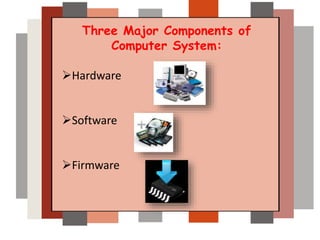
Three Major Components of
Computer System:
Hardware
Software
Firmware
Test Your Hardware
Checking your computer hardware
and its peripherals.
1. Computer Monitor and its peripherals
Monitor and interface cables
Video card
Monitor power cable
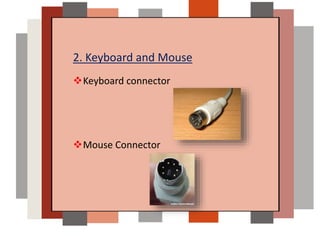
2. Keyboard and Mouse
Keyboard connector
Mouse Connector
3. I/O port and devices
o Connection between the I/O port and the
peripheral device
o A faulty cable between the I/O port and the
peripheral device
o A faulty peripheral device
o Incorrect settings in the System Setup program
o Incorrect settings in the system's configuration
files Faulty I/O port logic on the system board
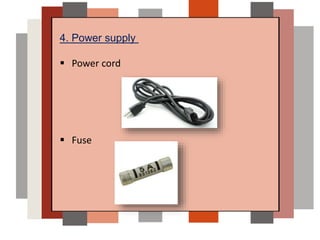
4. Power supply
 Power cord
 Fuse
Testing Your Software
Check the different software installed in the
computer.
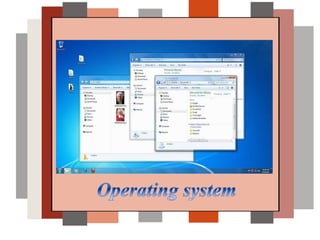
1. Operating system
 Run live updates for your operating systems to get the
latest patches and protection for your OS.
 Run registry scanners to check the OS registry
configuration
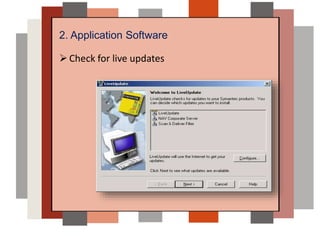
2. Application Software
Check for live updates
3. Anti-virus software
• Run anti-virus program
• Check for virus signature
updates
• Check for spyware updates
Test Your Firmware
Firmware- is a combination of hardware
and software integrated on a chip.
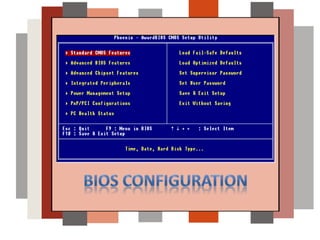
To test the firmware
Check for the correct configuration, you
can accomplish this by configuring the BIOS in
the computer
Test System and Network

Test System and Network

  • 1.
  • 2.
    Testing Computer System Isyour PC healthy? Don't be too sure. Think back to when you heard a kerklunk sound coming from the hard drive. Or maybe you remember the last time your Internet connection was down. The best way to find out what's wrong is to take a proactive approach: Check under your PC's hood with the following mostly free diagnostic tools, and see if anything is amiss--before disaster strikes.
  • 3.
    Three Major Componentsof Computer System: Hardware Software Firmware
  • 4.
    Test Your Hardware Checkingyour computer hardware and its peripherals. 1. Computer Monitor and its peripherals Monitor and interface cables Video card Monitor power cable
  • 5.
    2. Keyboard andMouse Keyboard connector Mouse Connector
  • 6.
    3. I/O portand devices o Connection between the I/O port and the peripheral device o A faulty cable between the I/O port and the peripheral device o A faulty peripheral device o Incorrect settings in the System Setup program o Incorrect settings in the system's configuration files Faulty I/O port logic on the system board
  • 7.
    4. Power supply Power cord  Fuse
  • 8.
    Testing Your Software Checkthe different software installed in the computer. 1. Operating system  Run live updates for your operating systems to get the latest patches and protection for your OS.  Run registry scanners to check the OS registry configuration
  • 10.
  • 11.
    3. Anti-virus software •Run anti-virus program • Check for virus signature updates • Check for spyware updates
  • 12.
    Test Your Firmware Firmware-is a combination of hardware and software integrated on a chip. To test the firmware Check for the correct configuration, you can accomplish this by configuring the BIOS in the computer