Download to read offline
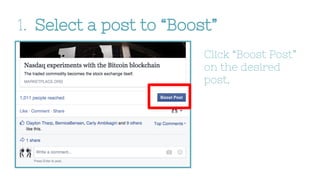


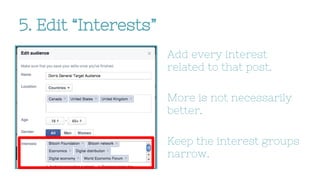
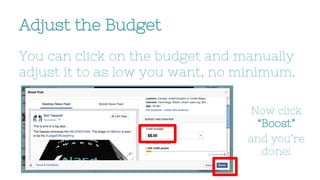

To target audiences on Facebook boosted posts: select a post to boost and click "Edit Audience" to modify the location and interests; add all relevant countries and narrow interest groups related to the post; adjust the budget as low as needed and click "Boost" to publish the targeted post.


