
OPERATING SYSTEMS
System Calls
INTRODUCTION
Know it!
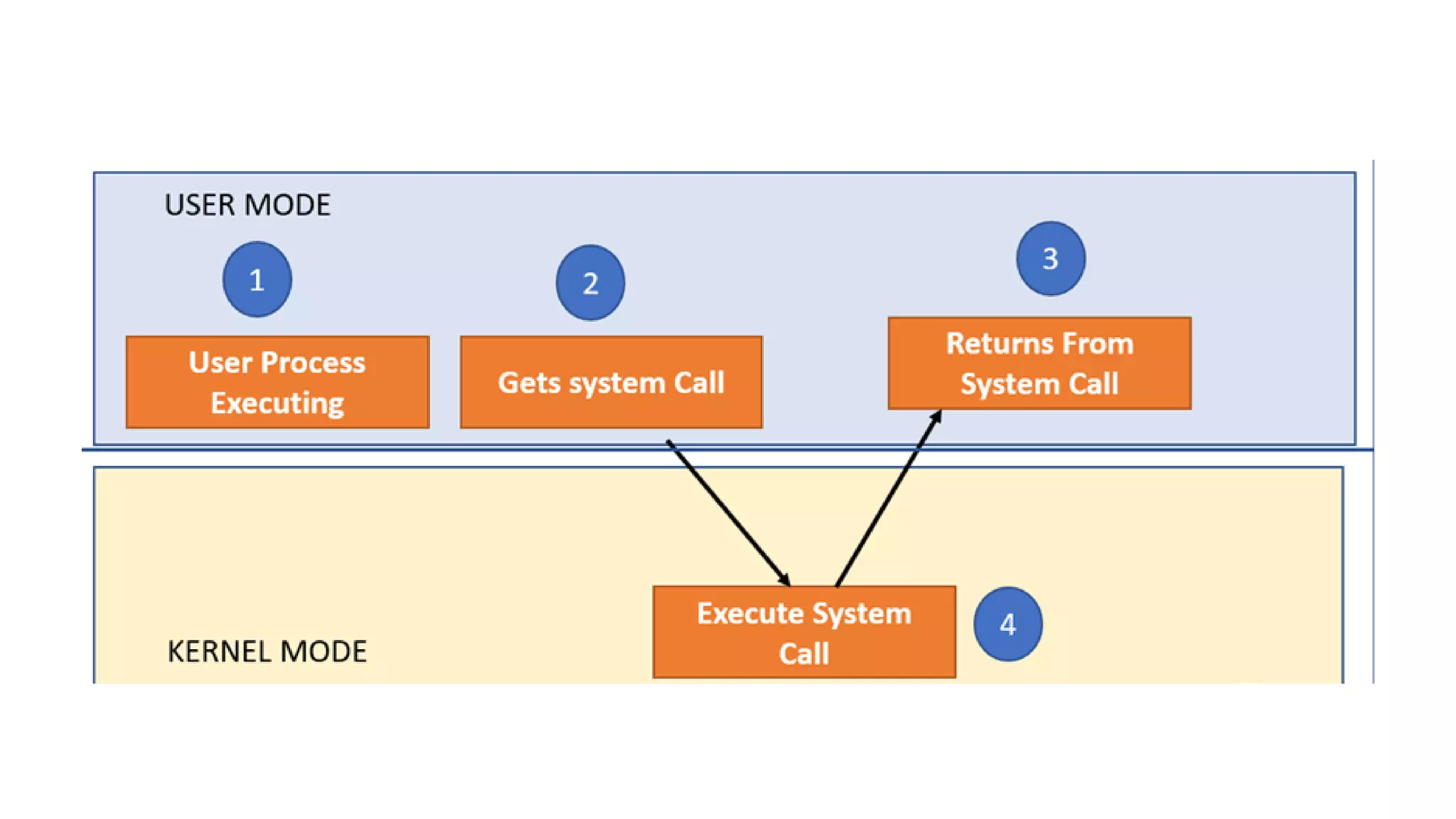
In computing, a system call is a programmatic way in
which a computer program requests a service from the
kernel of the operating system it is executed on.
A system call allows programs to interact with the
operating system.
A computer program makes a system call when it
makes a request to the operating system’s kernel.
All programs needing resources must use system calls.
Example
For example, if we need to write a program code to
read data from one file, copy that data into another file.
The first information that the program requires is the
name of the two files, the input and output files.
In an interactive system, this type of program
execution requires some system calls by OS.
First call is to write a prompting message on the
screen
Second, to read from the keyboard, the characters
which define the two files.
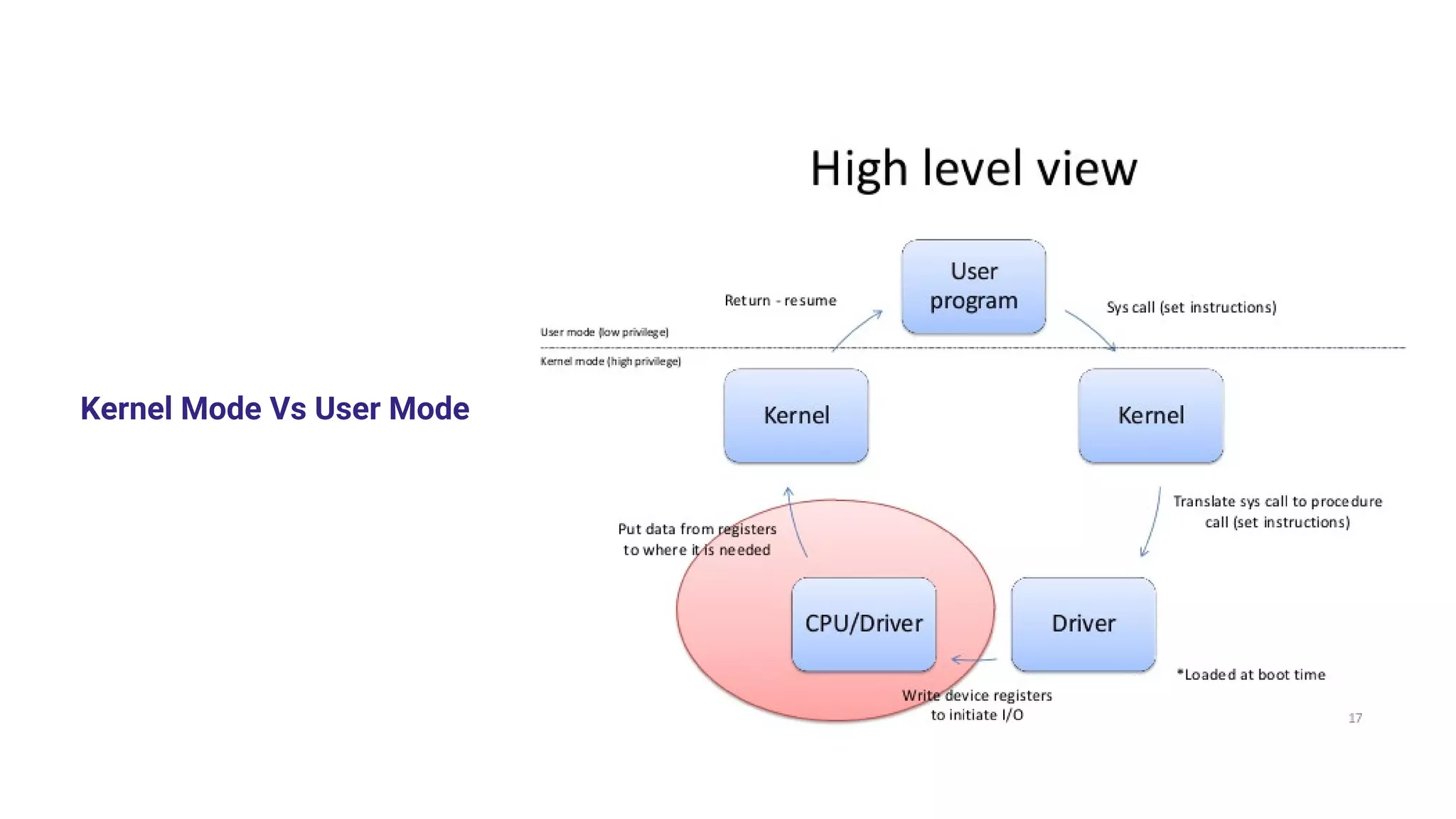
Kernel Mode Vs User Mode
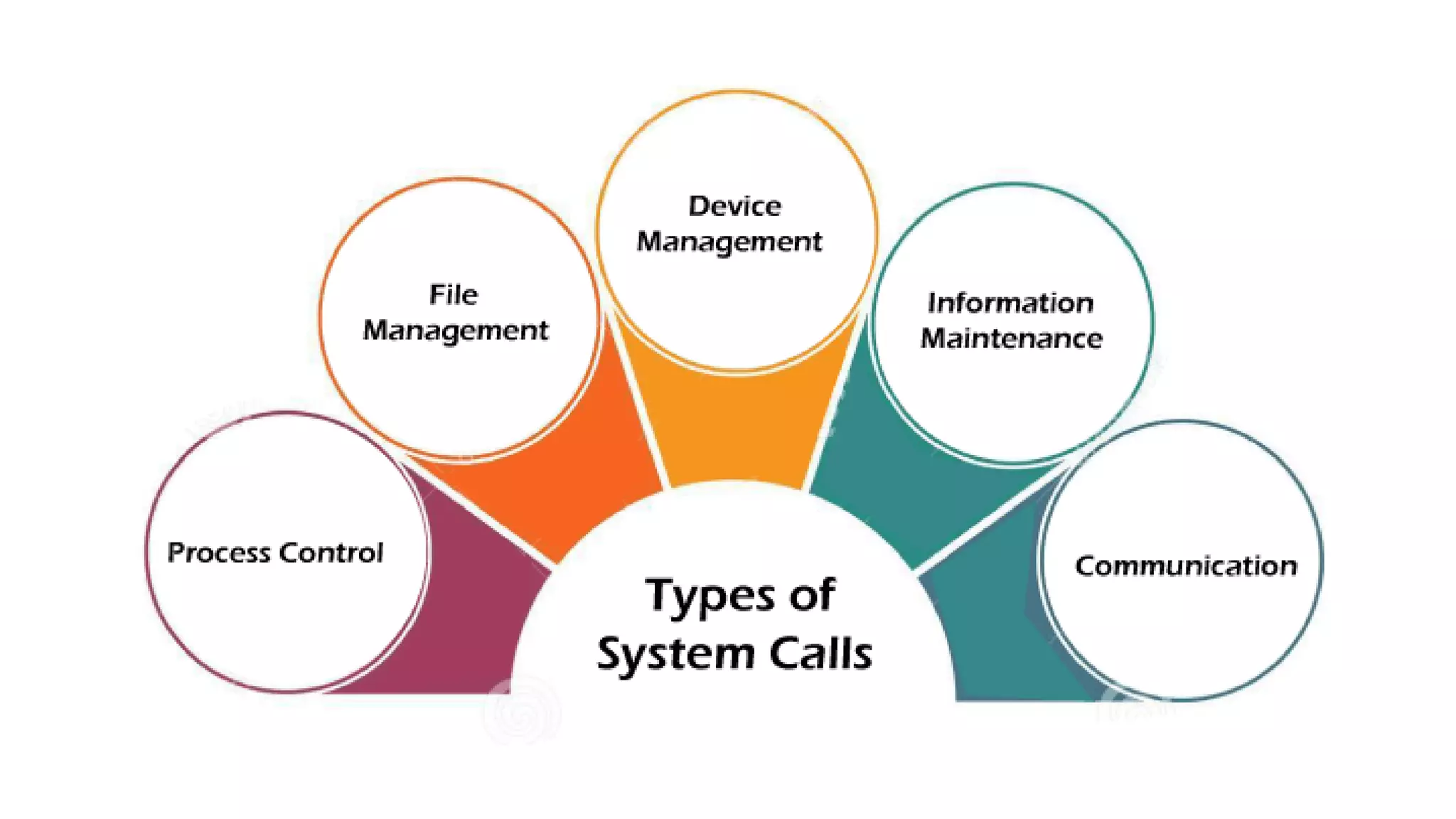
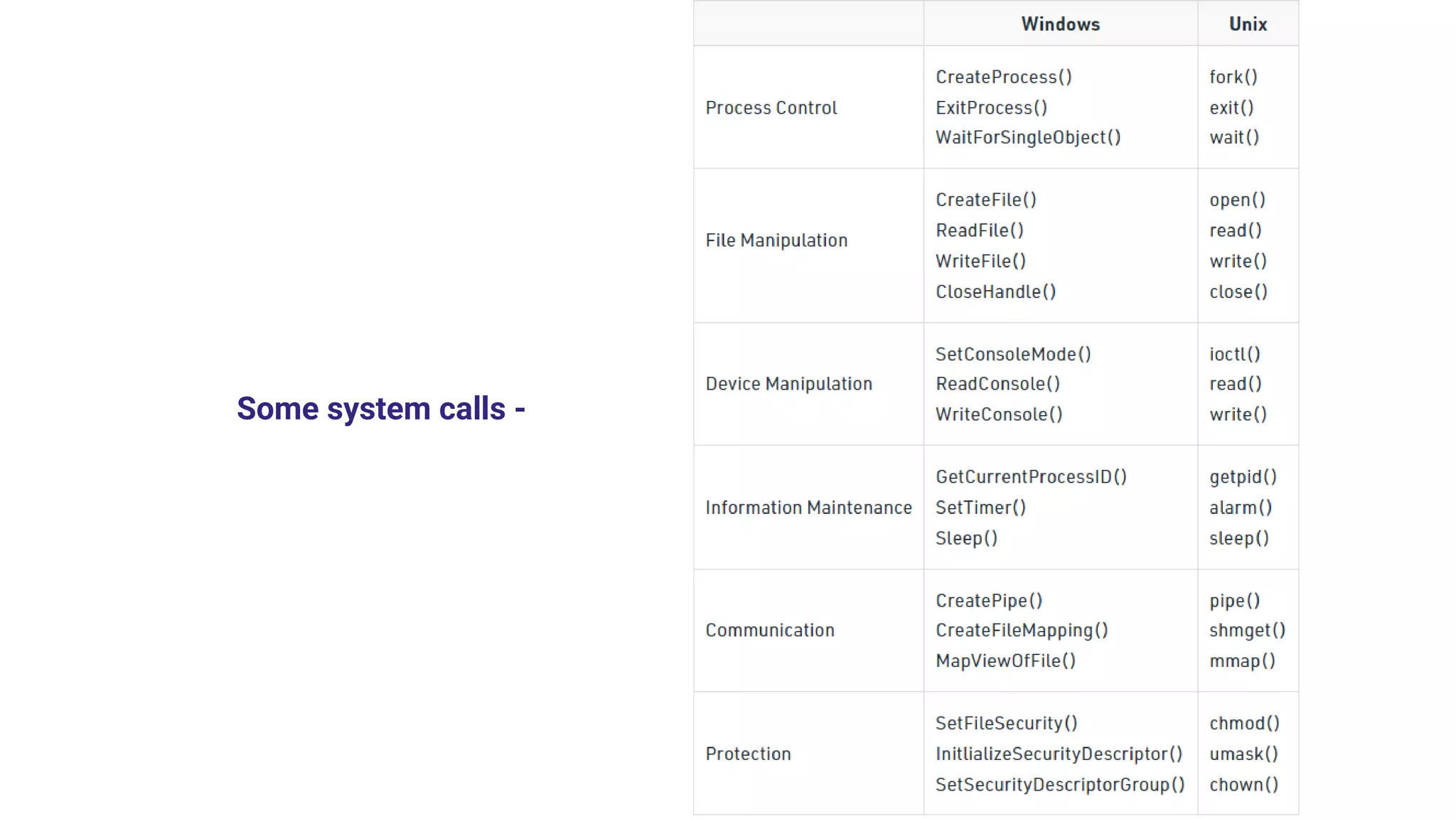
Some system calls -
Some use cases
Reading and writing from files demand system calls.
If a file system wants to create or delete files, system
calls are required.
System calls are used for the creation and
management of new processes.
Network connections need system calls for sending
and receiving packets.
Access to hardware devices like scanner, and printer,
need a system call.
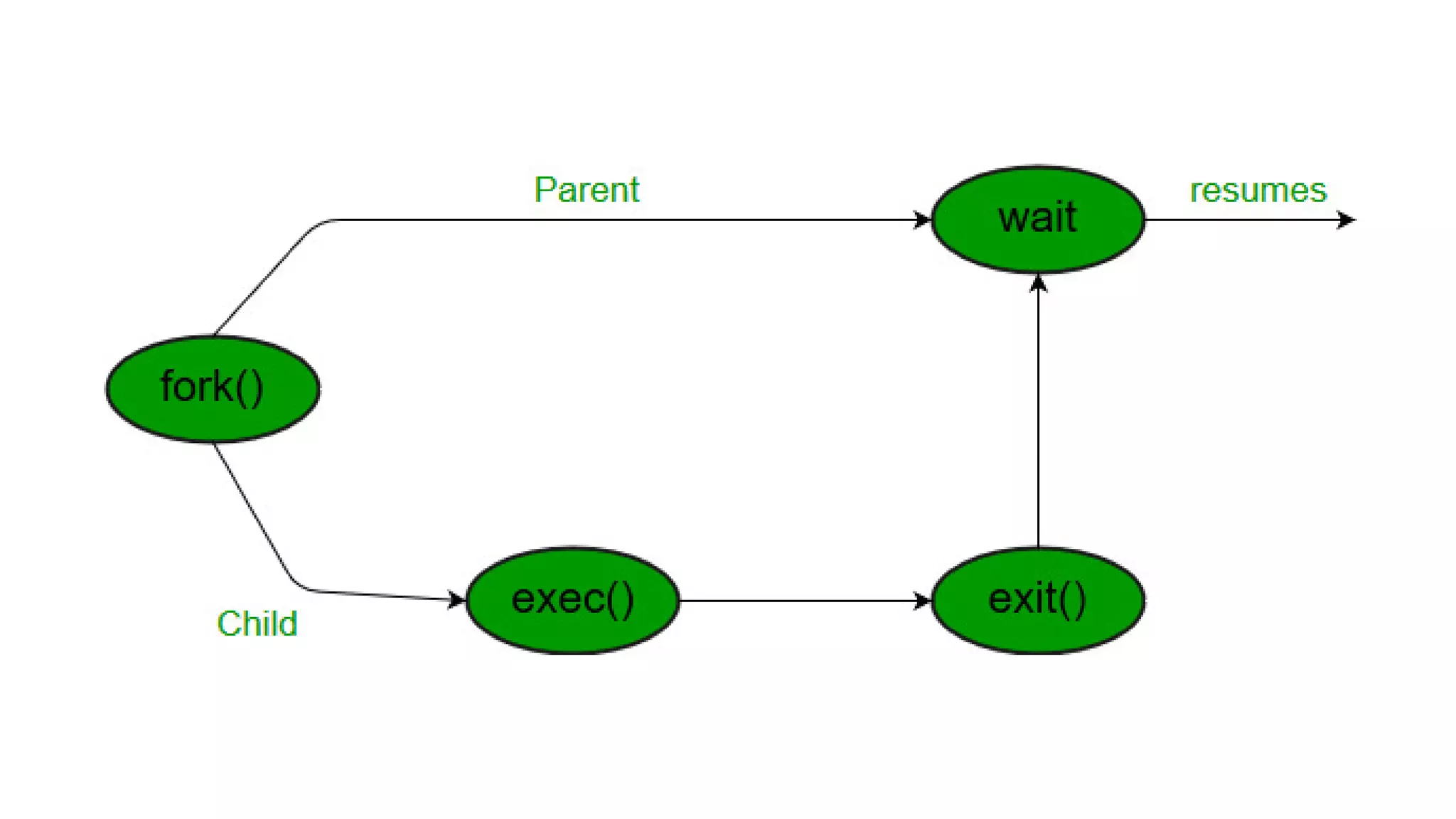
wait()
In some systems, a process needs to wait for another
process to complete its execution. This type of
situation occurs when a parent process creates a child
process, and the execution of the parent process
remains suspended until its child process executes.
The suspension of the parent process automatically
occurs with a wait() system call. When the child
process ends execution, the control moves back to the
parent process.
fork()
Processes use this system call to create processes
that are a copy of themselves.
With the help of this system Call parent process
creates a child process, and the execution of the parent
process will be suspended till the child process
executes.
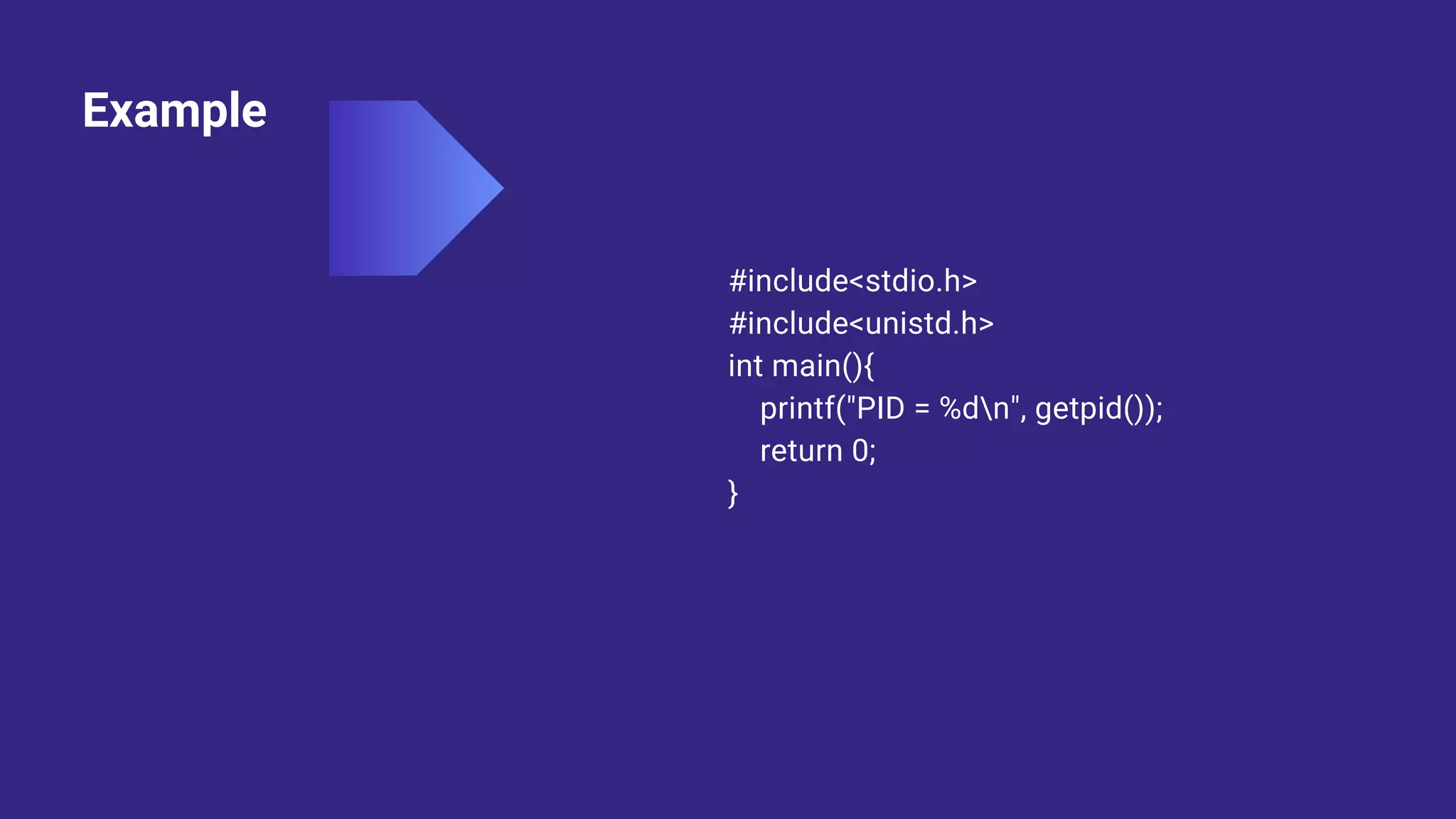
Example
#include<stdio.h>
#include<unistd.h>
int main(){
printf("PID = %dn", getpid());
return 0;
}
getid()
Getpid() is the function used to get the process ID of
the process that calls that function. The PID for the
initial process is 1, and then each new process is
assigned a new Id. It is a simple approach to getting
the PID.
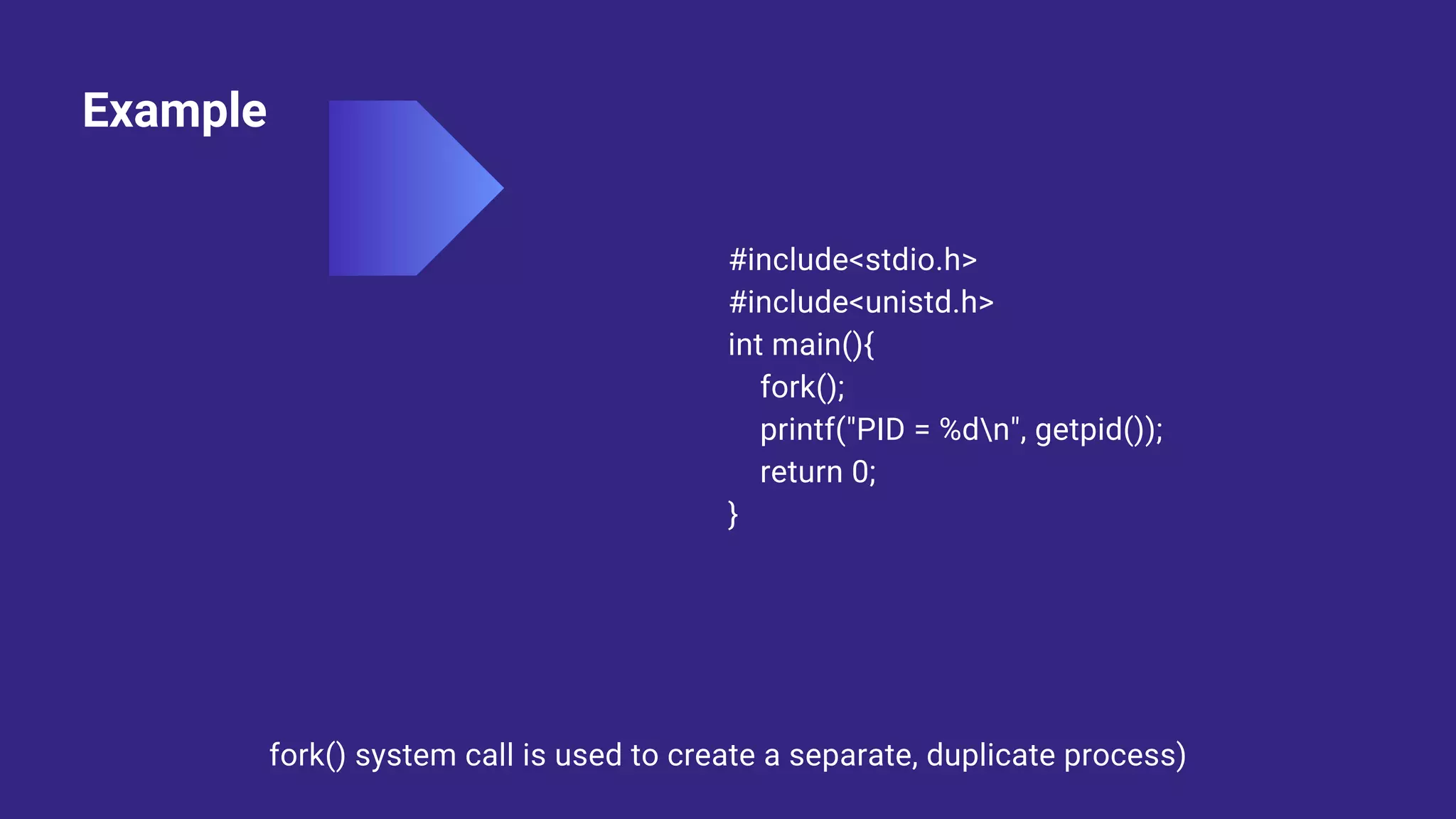
Example
#include<stdio.h>
#include<unistd.h>
int main(){
fork();
printf("PID = %dn", getpid());
return 0;
}
fork() system call is used to create a separate, duplicate process)
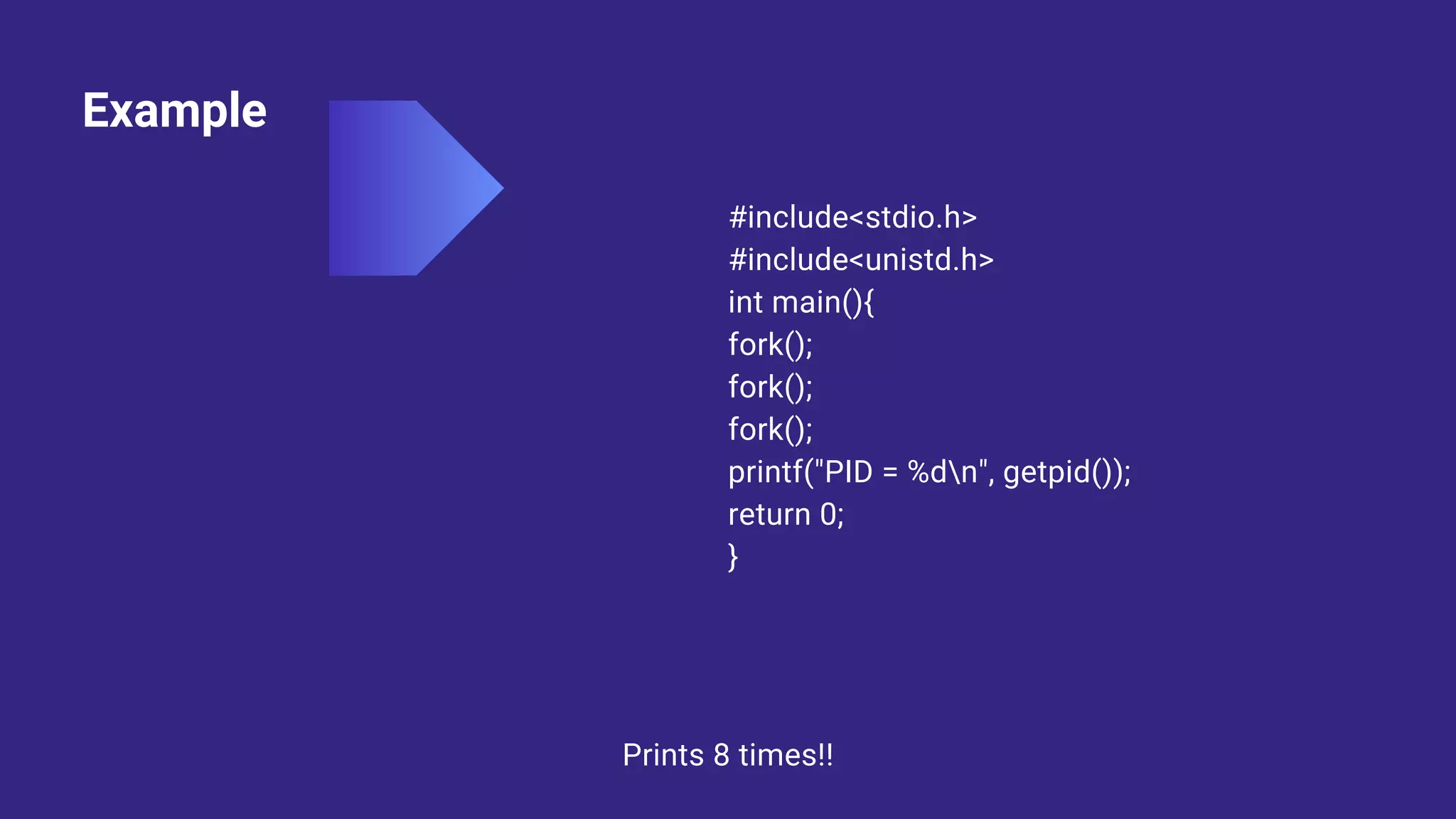
Example
#include<stdio.h>
#include<unistd.h>
int main(){
fork();
fork();
fork();
printf("PID = %dn", getpid());
return 0;
}
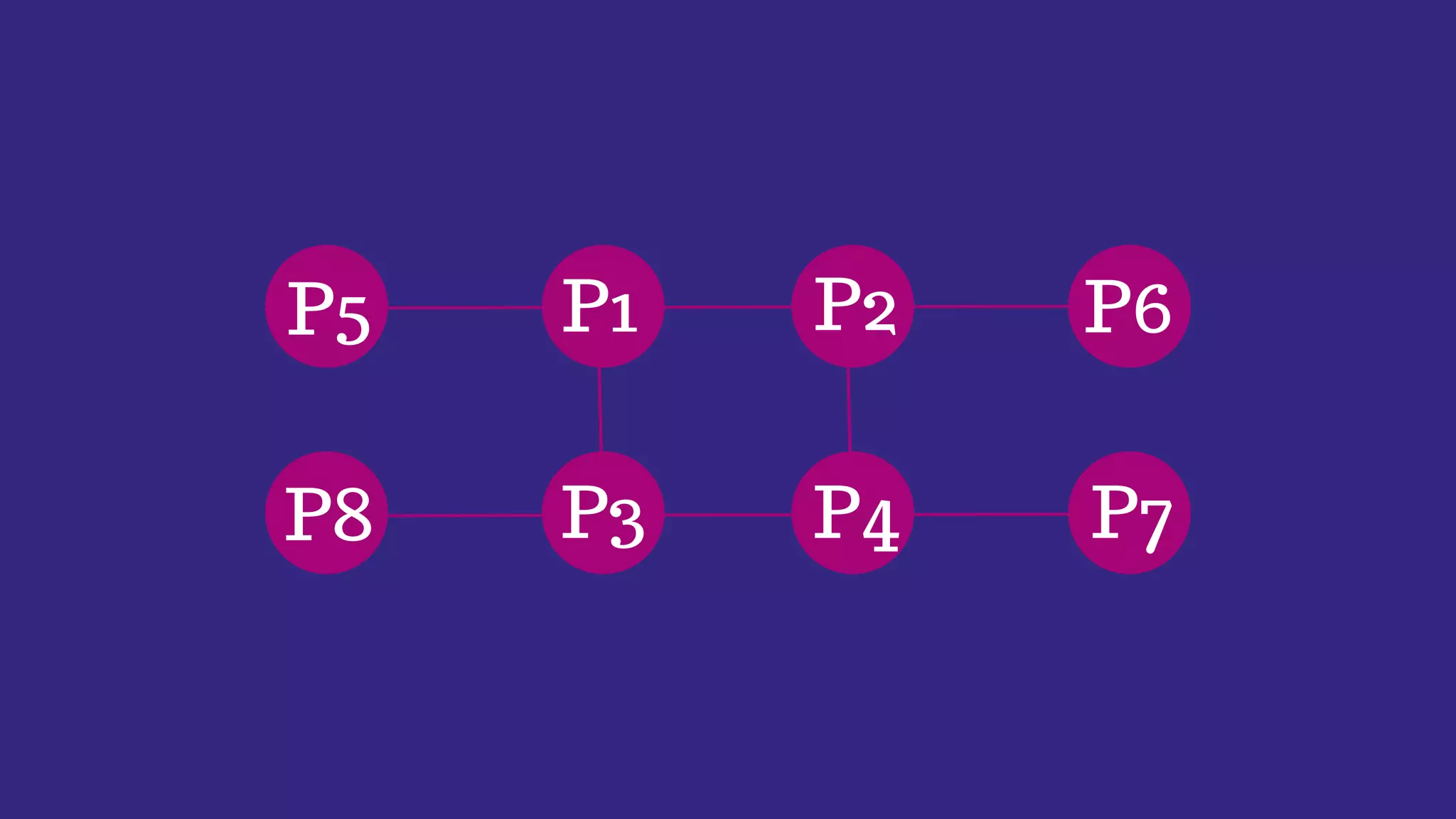
Prints 8 times!!
P1 P2 P6
P4
P3
P5
P8 P7
Example
#include<stdio.h>
#include<stdlib.h>
#include<unistd.h>
#include <sys/wait.h>
int main(){
int fd[2],n;
char buffer[100];
pid_t p;
pipe(fd);
p = fork();
}
if(p>0){
close(fd[0]);
printf("Passing value to child!n");
write(fd[1],"Hello my child!!",15);
printf("n");
wait(NULL);
}
else{
close(fd[1]);
n = read(fd[0], buffer, 100);
write(1,buffer,n);
}
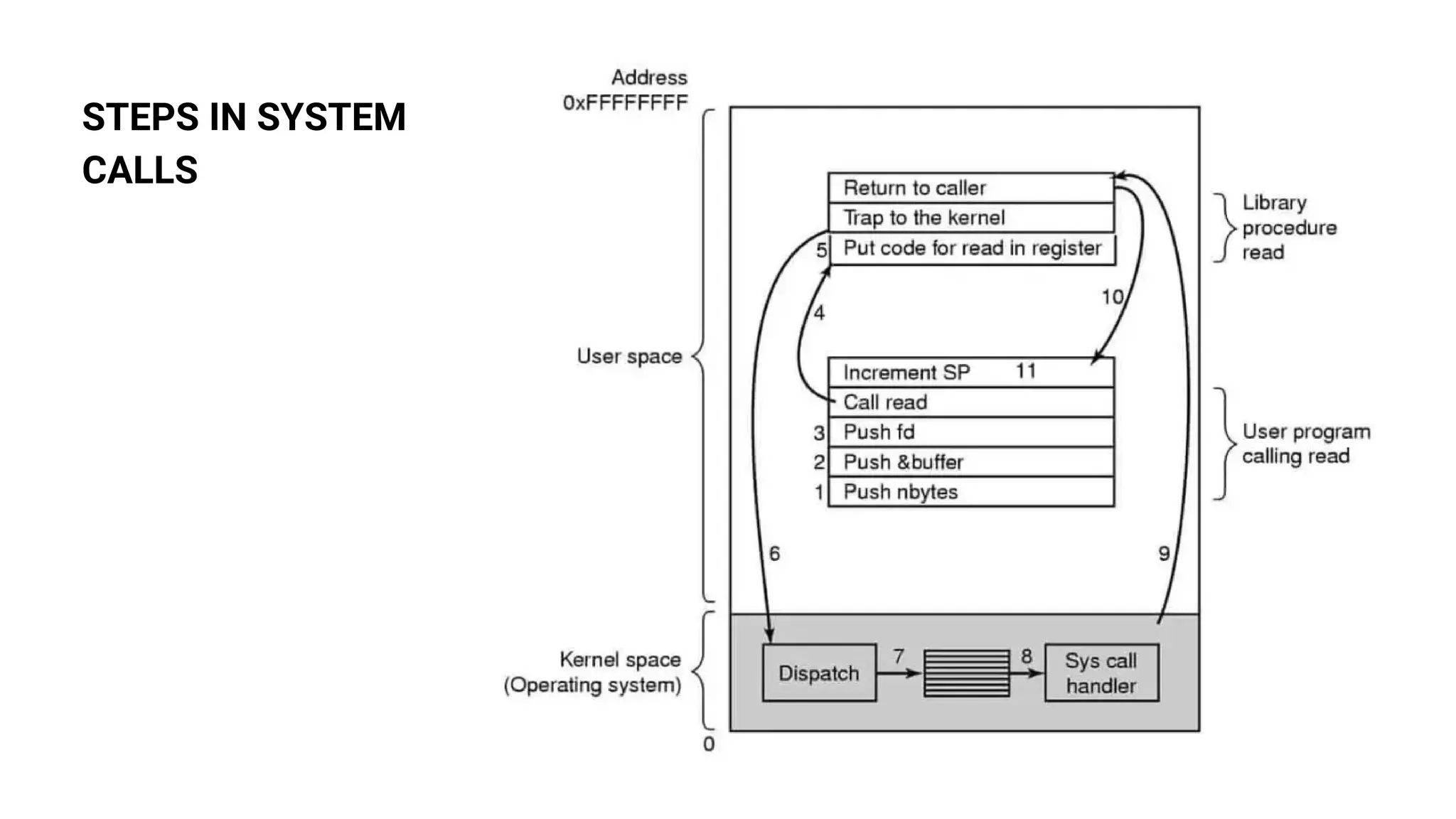
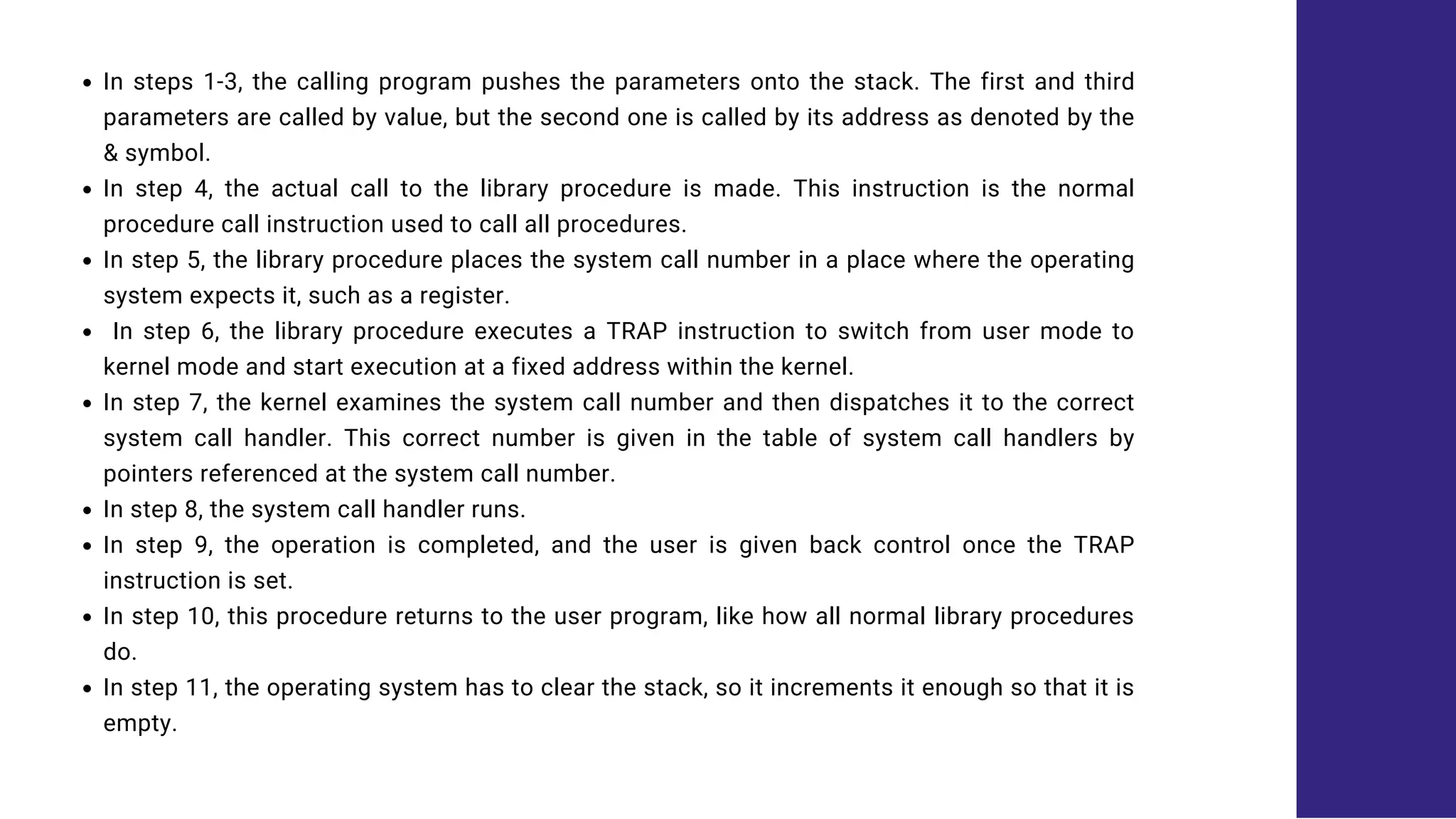
STEPS IN SYSTEM
CALLS
In steps 1-3, the calling program pushes the parameters onto the stack. The first and third
parameters are called by value, but the second one is called by its address as denoted by the
& symbol.
In step 4, the actual call to the library procedure is made. This instruction is the normal
procedure call instruction used to call all procedures.
In step 5, the library procedure places the system call number in a place where the operating
system expects it, such as a register.
In step 6, the library procedure executes a TRAP instruction to switch from user mode to
kernel mode and start execution at a fixed address within the kernel.
In step 7, the kernel examines the system call number and then dispatches it to the correct
system call handler. This correct number is given in the table of system call handlers by
pointers referenced at the system call number.
In step 8, the system call handler runs.
In step 9, the operation is completed, and the user is given back control once the TRAP
instruction is set.
In step 10, this procedure returns to the user program, like how all normal library procedures
do.
In step 11, the operating system has to clear the stack, so it increments it enough so that it is
empty.
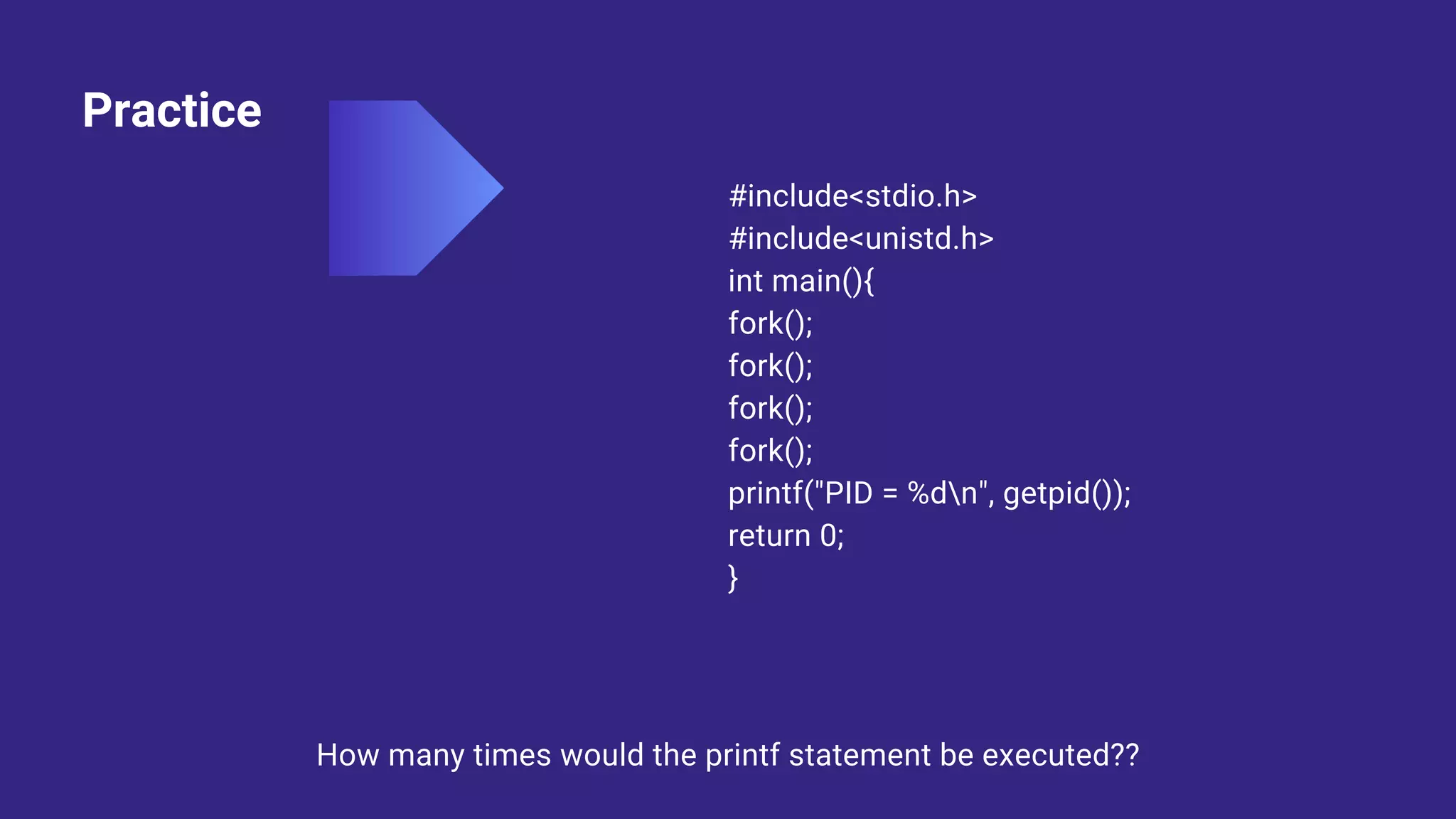
Practice
#include<stdio.h>
#include<unistd.h>
int main(){
fork();
fork();
fork();
fork();
printf("PID = %dn", getpid());
return 0;
}
How many times would the printf statement be executed??
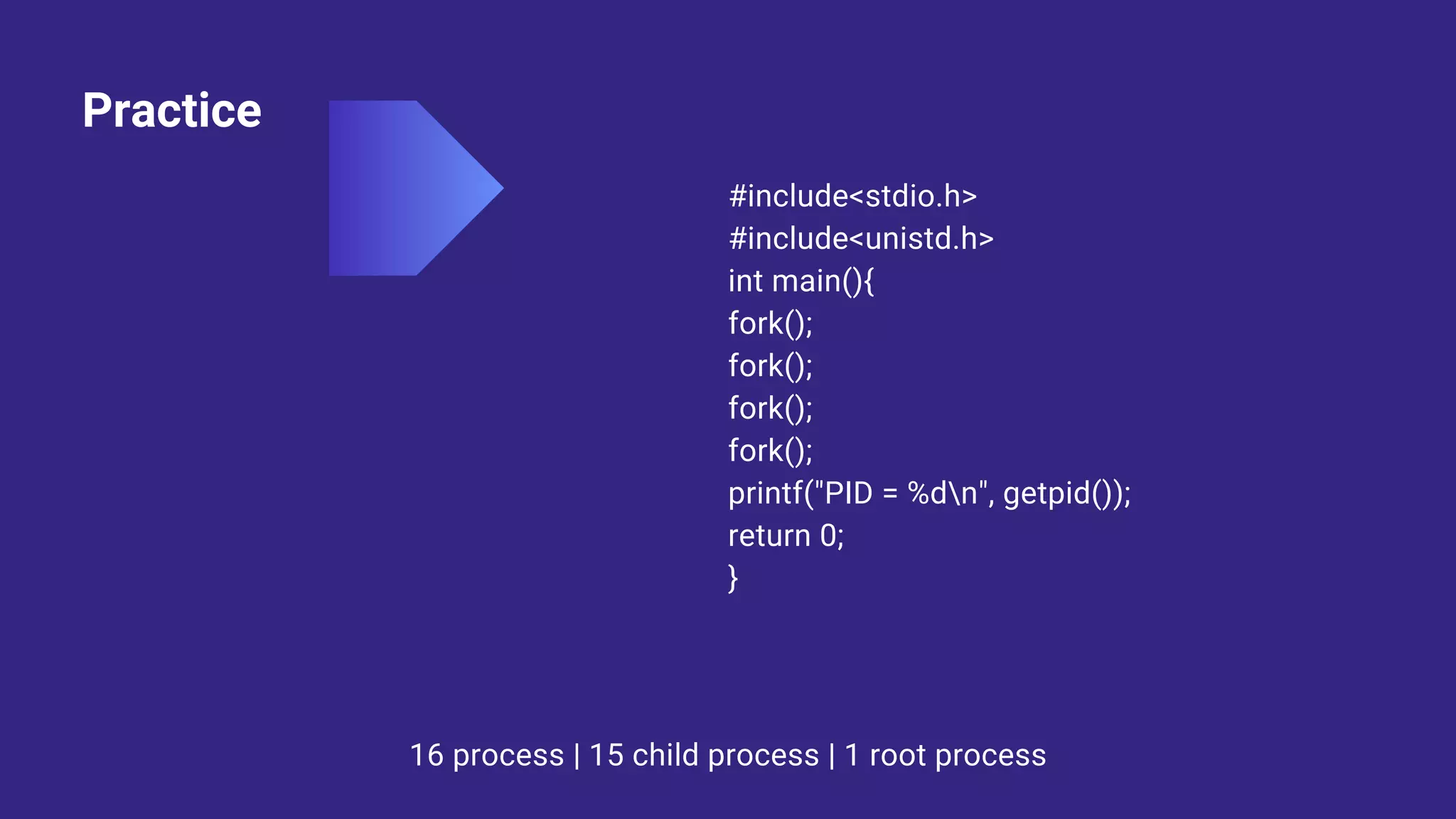
Practice
#include<stdio.h>
#include<unistd.h>
int main(){
fork();
fork();
fork();
fork();
printf("PID = %dn", getpid());
return 0;
}
16 process | 15 child process | 1 root process
Thank you!!

System Calls - Introduction

  • 1.
  • 2.
    Know it! In computing,a system call is a programmatic way in which a computer program requests a service from the kernel of the operating system it is executed on. A system call allows programs to interact with the operating system. A computer program makes a system call when it makes a request to the operating system’s kernel. All programs needing resources must use system calls.
  • 3.
    Example For example, ifwe need to write a program code to read data from one file, copy that data into another file. The first information that the program requires is the name of the two files, the input and output files. In an interactive system, this type of program execution requires some system calls by OS. First call is to write a prompting message on the screen Second, to read from the keyboard, the characters which define the two files.
  • 6.
    Kernel Mode VsUser Mode
  • 7.
  • 8.
    Some use cases Readingand writing from files demand system calls. If a file system wants to create or delete files, system calls are required. System calls are used for the creation and management of new processes. Network connections need system calls for sending and receiving packets. Access to hardware devices like scanner, and printer, need a system call.
  • 9.
    wait() In some systems,a process needs to wait for another process to complete its execution. This type of situation occurs when a parent process creates a child process, and the execution of the parent process remains suspended until its child process executes. The suspension of the parent process automatically occurs with a wait() system call. When the child process ends execution, the control moves back to the parent process.
  • 11.
    fork() Processes use thissystem call to create processes that are a copy of themselves. With the help of this system Call parent process creates a child process, and the execution of the parent process will be suspended till the child process executes.
  • 12.
  • 13.
    getid() Getpid() is thefunction used to get the process ID of the process that calls that function. The PID for the initial process is 1, and then each new process is assigned a new Id. It is a simple approach to getting the PID.
  • 14.
    Example #include<stdio.h> #include<unistd.h> int main(){ fork(); printf("PID =%dn", getpid()); return 0; } fork() system call is used to create a separate, duplicate process)
  • 15.
  • 16.
  • 17.
    Example #include<stdio.h> #include<stdlib.h> #include<unistd.h> #include <sys/wait.h> int main(){ intfd[2],n; char buffer[100]; pid_t p; pipe(fd); p = fork(); } if(p>0){ close(fd[0]); printf("Passing value to child!n"); write(fd[1],"Hello my child!!",15); printf("n"); wait(NULL); } else{ close(fd[1]); n = read(fd[0], buffer, 100); write(1,buffer,n); }
  • 18.
  • 19.
    In steps 1-3,the calling program pushes the parameters onto the stack. The first and third parameters are called by value, but the second one is called by its address as denoted by the & symbol. In step 4, the actual call to the library procedure is made. This instruction is the normal procedure call instruction used to call all procedures. In step 5, the library procedure places the system call number in a place where the operating system expects it, such as a register. In step 6, the library procedure executes a TRAP instruction to switch from user mode to kernel mode and start execution at a fixed address within the kernel. In step 7, the kernel examines the system call number and then dispatches it to the correct system call handler. This correct number is given in the table of system call handlers by pointers referenced at the system call number. In step 8, the system call handler runs. In step 9, the operation is completed, and the user is given back control once the TRAP instruction is set. In step 10, this procedure returns to the user program, like how all normal library procedures do. In step 11, the operating system has to clear the stack, so it increments it enough so that it is empty.
  • 20.
    Practice #include<stdio.h> #include<unistd.h> int main(){ fork(); fork(); fork(); fork(); printf("PID =%dn", getpid()); return 0; } How many times would the printf statement be executed??
  • 21.
    Practice #include<stdio.h> #include<unistd.h> int main(){ fork(); fork(); fork(); fork(); printf("PID =%dn", getpid()); return 0; } 16 process | 15 child process | 1 root process
  • 22.