Web Form FundamentalsWeb Form Fundamentals
OutlineOutline
Web FormsWeb Forms
– Three sectionsThree sections
Order of ExecutionOrder of Execution
ViewstateViewstate
Web FormsWeb Forms
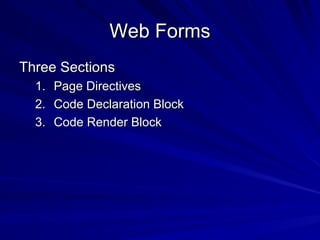
Three SectionsThree Sections
1.1. Page DirectivesPage Directives
2.2. Code Declaration BlockCode Declaration Block
3.3. Code Render BlockCode Render Block
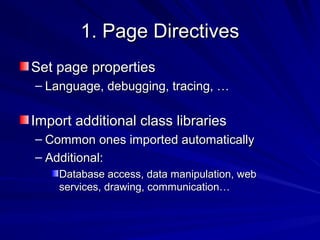
1. Page Directives1. Page Directives
Set page propertiesSet page properties
– Language, debugging, tracing, …Language, debugging, tracing, …
Import additional class librariesImport additional class libraries
– Common ones imported automaticallyCommon ones imported automatically
– Additional:Additional:
Database access, data manipulation, webDatabase access, data manipulation, web
services, drawing, communication…services, drawing, communication…
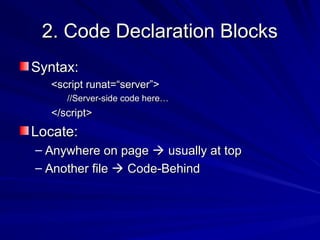
2. Code Declaration Blocks2. Code Declaration Blocks
Syntax:Syntax:
<script runat=“server”><script runat=“server”>
//Server-side code here…//Server-side code here…
</script></script>
Locate:Locate:
– Anywhere on pageAnywhere on page  usually at topusually at top
– Another fileAnother file  Code-BehindCode-Behind
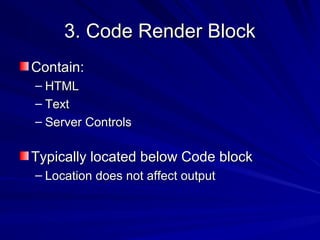
3. Code Render Block3. Code Render Block
Contain:Contain:
– HTMLHTML
– TextText
– Server ControlsServer Controls
Typically located below Code blockTypically located below Code block
– Location does not affect outputLocation does not affect output
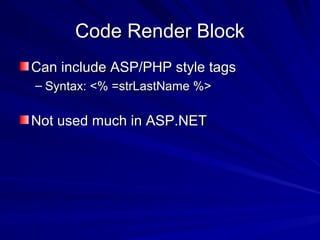
Code Render BlockCode Render Block
Can include ASP/PHP style tagsCan include ASP/PHP style tags
– Syntax: <% =strLastName %>Syntax: <% =strLastName %>
Not used much in ASP.NETNot used much in ASP.NET
OutlineOutline
Web FormsWeb Forms
– Three sectionsThree sections
Order of ExecutionOrder of Execution
ViewstateViewstate
Order of ExecutionOrder of Execution
 .NET is event driven.NET is event driven
– Events include:Events include:
 Page loadPage load
 Button clickButton click
 checkbox checkedcheckbox checked
 textbox text changedtextbox text changed
 etc.etc.
 We write handlers (methods) to handle eventsWe write handlers (methods) to handle events
 Events fired in sequenceEvents fired in sequence
 Page Life CyclePage Life Cycle overview (for the curious)overview (for the curious)
Examples:Examples:
– PostBack.aspxPostBack.aspx handouthandout
OutlineOutline
Web FormsWeb Forms
– Three sectionsThree sections
Order of ExecutionOrder of Execution
ViewstateViewstate
ViewStateViewState
Saves control dataSaves control data
– Encoded in hidden form fieldEncoded in hidden form field
Benefit: convenienceBenefit: convenience
DisadvantageDisadvantage
– Processing overheadProcessing overhead
– BandwidthBandwidth
– NovusHRNovusHR
Turn off with:Turn off with:
– EnableViewState=“false”EnableViewState=“false”
Individual controlsIndividual controls
Page (in page directive)Page (in page directive)
SummarySummary
.NET Framework.NET Framework
– Like a huge Lego setLike a huge Lego set
+5,000 types of pieces+5,000 types of pieces
– Mix and match pieces to build most anythingMix and match pieces to build most anything
Easily extendedEasily extended
– Add new classesAdd new classes
Support for many languages & platformsSupport for many languages & platforms

SynapseIndia php web development

  • 1.
    Web Form FundamentalsWebForm Fundamentals
  • 2.
    OutlineOutline Web FormsWeb Forms –Three sectionsThree sections Order of ExecutionOrder of Execution ViewstateViewstate
  • 3.
    Web FormsWeb Forms ThreeSectionsThree Sections 1.1. Page DirectivesPage Directives 2.2. Code Declaration BlockCode Declaration Block 3.3. Code Render BlockCode Render Block
  • 4.
    1. Page Directives1.Page Directives Set page propertiesSet page properties – Language, debugging, tracing, …Language, debugging, tracing, … Import additional class librariesImport additional class libraries – Common ones imported automaticallyCommon ones imported automatically – Additional:Additional: Database access, data manipulation, webDatabase access, data manipulation, web services, drawing, communication…services, drawing, communication…
  • 5.
    2. Code DeclarationBlocks2. Code Declaration Blocks Syntax:Syntax: <script runat=“server”><script runat=“server”> //Server-side code here…//Server-side code here… </script></script> Locate:Locate: – Anywhere on pageAnywhere on page  usually at topusually at top – Another fileAnother file  Code-BehindCode-Behind
  • 6.
    3. Code RenderBlock3. Code Render Block Contain:Contain: – HTMLHTML – TextText – Server ControlsServer Controls Typically located below Code blockTypically located below Code block – Location does not affect outputLocation does not affect output
  • 7.
    Code Render BlockCodeRender Block Can include ASP/PHP style tagsCan include ASP/PHP style tags – Syntax: <% =strLastName %>Syntax: <% =strLastName %> Not used much in ASP.NETNot used much in ASP.NET
  • 8.
    OutlineOutline Web FormsWeb Forms –Three sectionsThree sections Order of ExecutionOrder of Execution ViewstateViewstate
  • 9.
    Order of ExecutionOrderof Execution  .NET is event driven.NET is event driven – Events include:Events include:  Page loadPage load  Button clickButton click  checkbox checkedcheckbox checked  textbox text changedtextbox text changed  etc.etc.  We write handlers (methods) to handle eventsWe write handlers (methods) to handle events  Events fired in sequenceEvents fired in sequence  Page Life CyclePage Life Cycle overview (for the curious)overview (for the curious) Examples:Examples: – PostBack.aspxPostBack.aspx handouthandout
  • 10.
    OutlineOutline Web FormsWeb Forms –Three sectionsThree sections Order of ExecutionOrder of Execution ViewstateViewstate
  • 11.
    ViewStateViewState Saves control dataSavescontrol data – Encoded in hidden form fieldEncoded in hidden form field Benefit: convenienceBenefit: convenience DisadvantageDisadvantage – Processing overheadProcessing overhead – BandwidthBandwidth – NovusHRNovusHR Turn off with:Turn off with: – EnableViewState=“false”EnableViewState=“false” Individual controlsIndividual controls Page (in page directive)Page (in page directive)
  • 12.
    SummarySummary .NET Framework.NET Framework –Like a huge Lego setLike a huge Lego set +5,000 types of pieces+5,000 types of pieces – Mix and match pieces to build most anythingMix and match pieces to build most anything Easily extendedEasily extended – Add new classesAdd new classes Support for many languages & platformsSupport for many languages & platforms