Streamlining Project Management in
Microsoft Project, Planner, and
Teams with AI and OnePlan
Jim Patterson
jpatterson@oneplan.ai
GAP
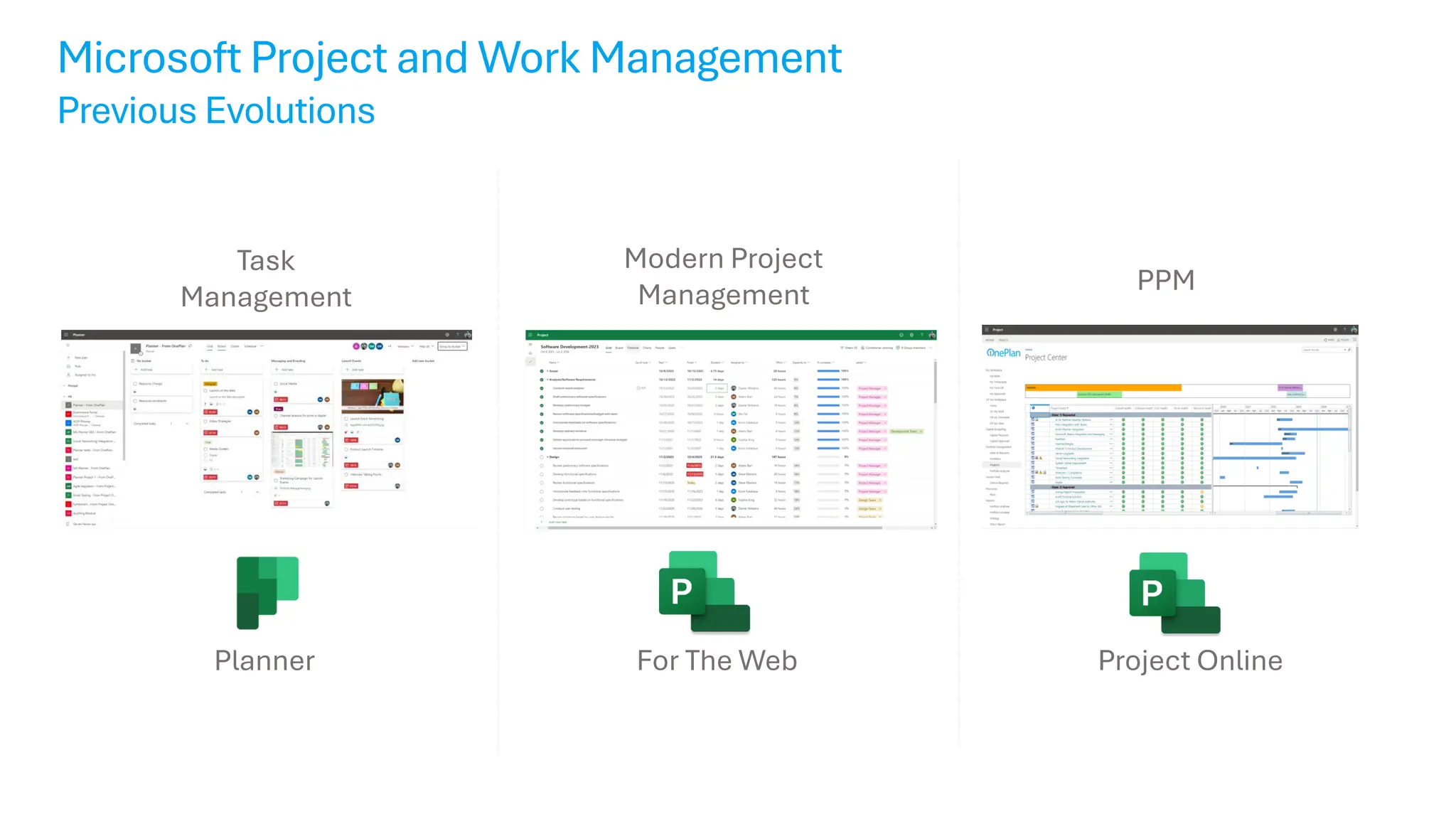
For The Web
Planner
Microsoft Project and Work Management
Previous Evolutions
Task
Management
Professional
Project
Management
Modern Project
Management
Project Online
PPM
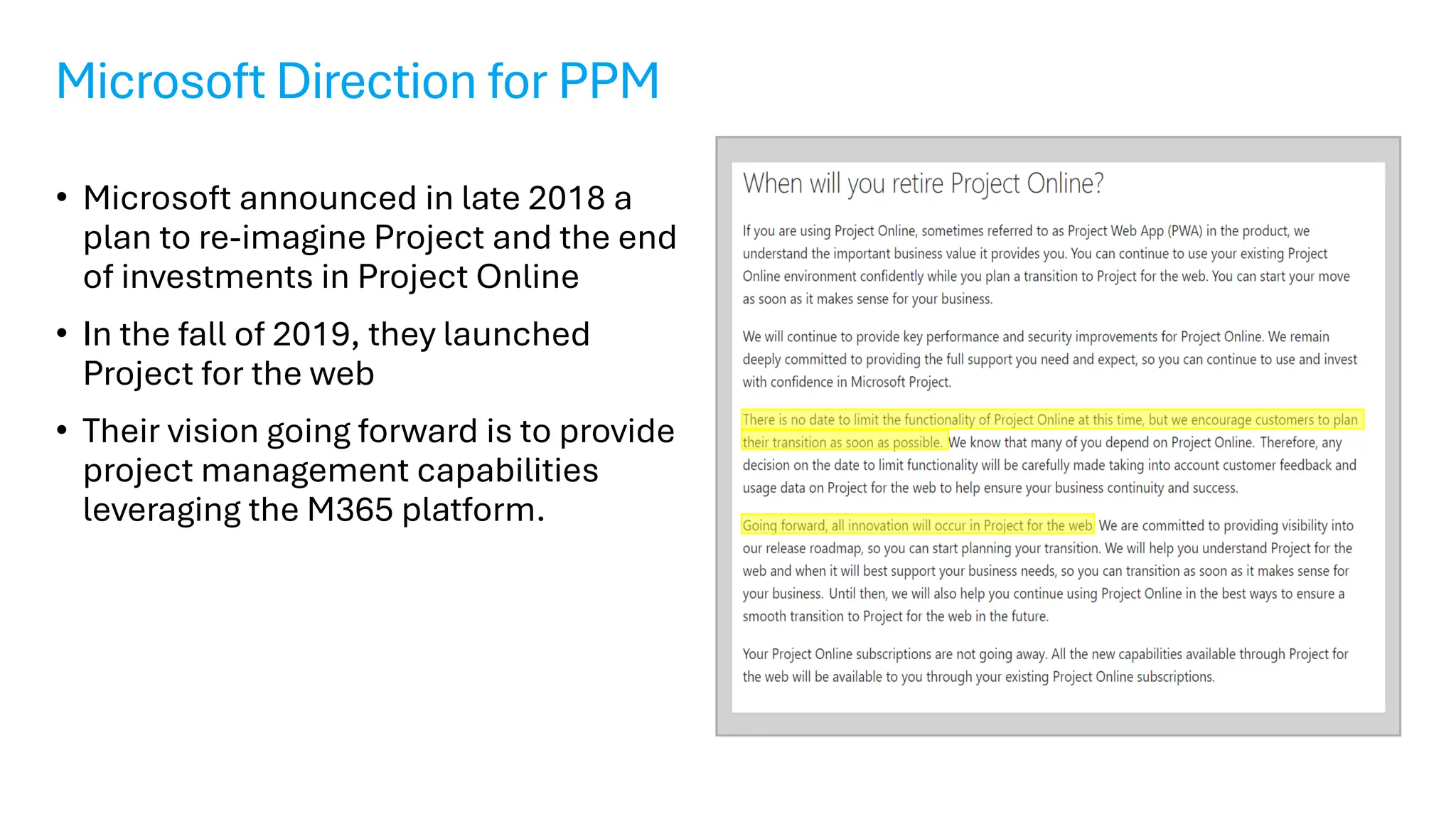
Microsoft Direction for PPM
• Microsoft announced in late 2018 a
plan to re-imagine Project and the end
of investments in Project Online
• In the fall of 2019, they launched
Project for the web
• Their vision going forward is to provide
project management capabilities
leveraging the M365 platform.
The New Microsoft Planner
Bringing together to-dos, tasks, plans, and projects…
Microsoft
Planner
Microsoft
To Do
Microsoft Project
for the web
Announcing the new Microsoft Planner
One simple, familiar experience for task and project management
The New Microsoft Planner
One simple, familiar experience for task and project management
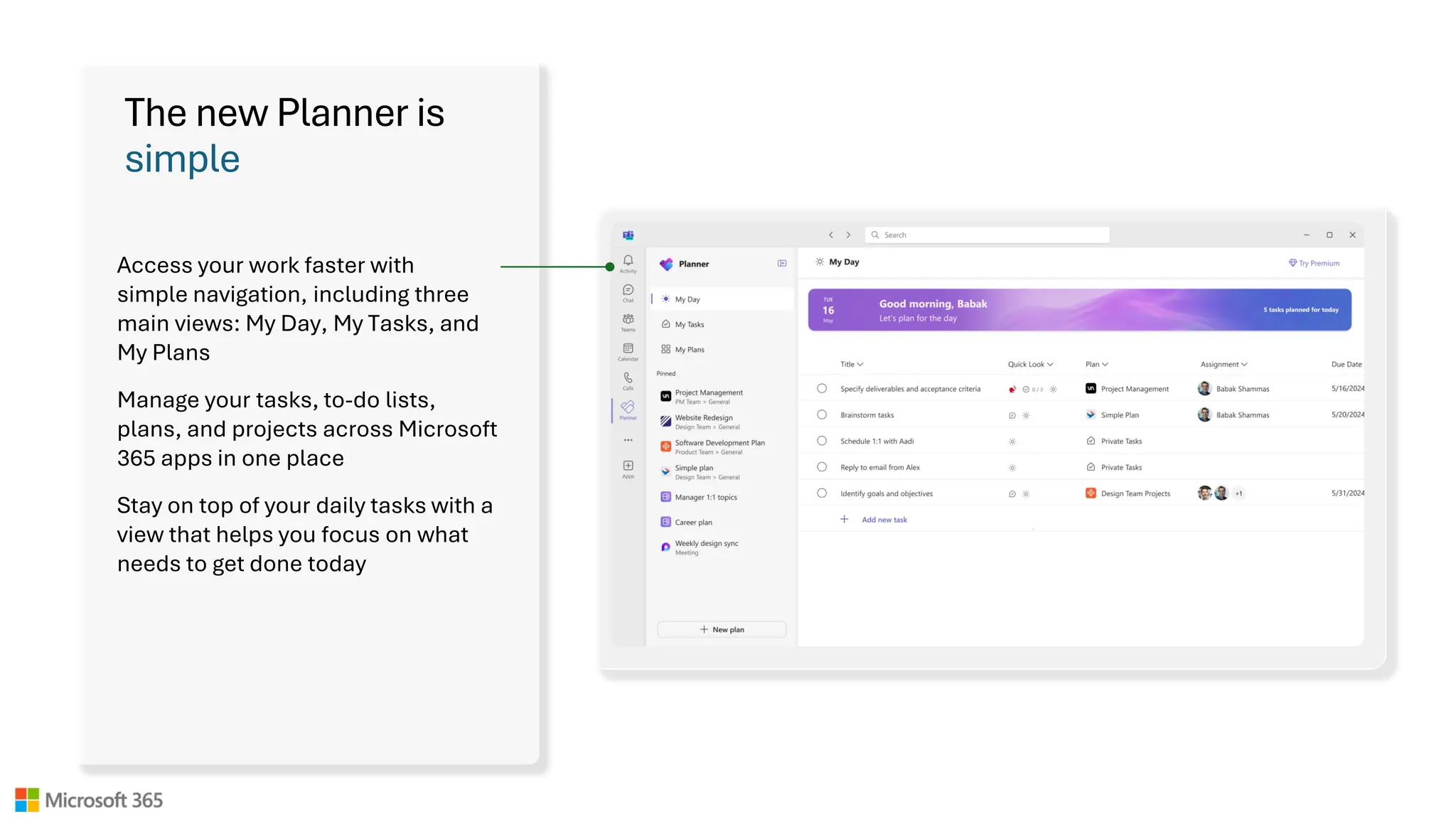
The new Planner is
simple
Access your work faster with
simple navigation, including three
main views: My Day, My Tasks, and
My Plans
Manage your tasks, to-do lists,
plans, and projects across Microsoft
365 apps in one place
Stay on top of your daily tasks with a
view that helps you focus on what
needs to get done today
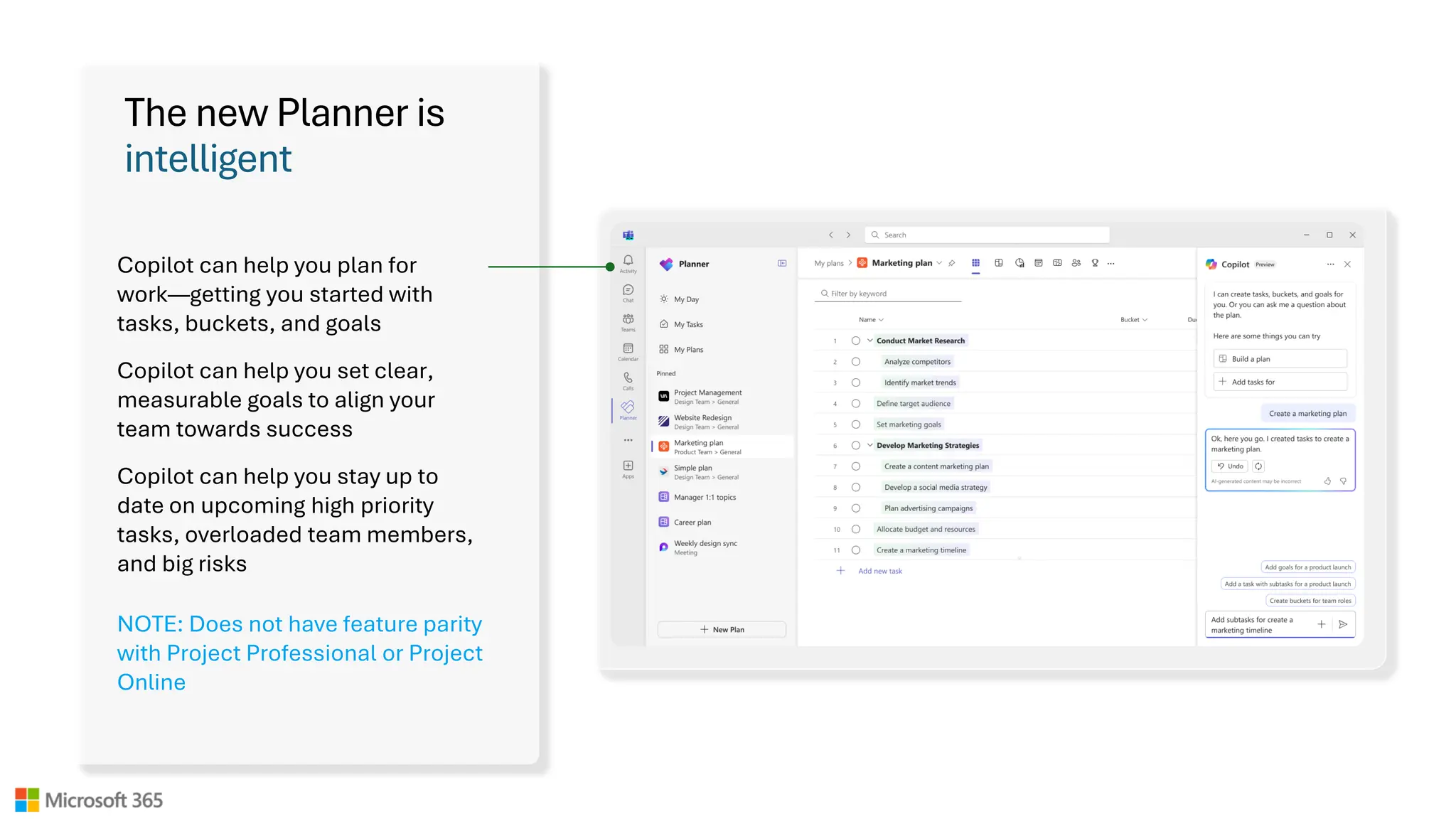
The new Planner is
intelligent
Copilot can help you plan for
work—getting you started with
tasks, buckets, and goals
Copilot can help you set clear,
measurable goals to align your
team towards success
Copilot can help you stay up to
date on upcoming high priority
tasks, overloaded team members,
and big risks
NOTE: Does not have feature parity
with Project Professional or Project
Online
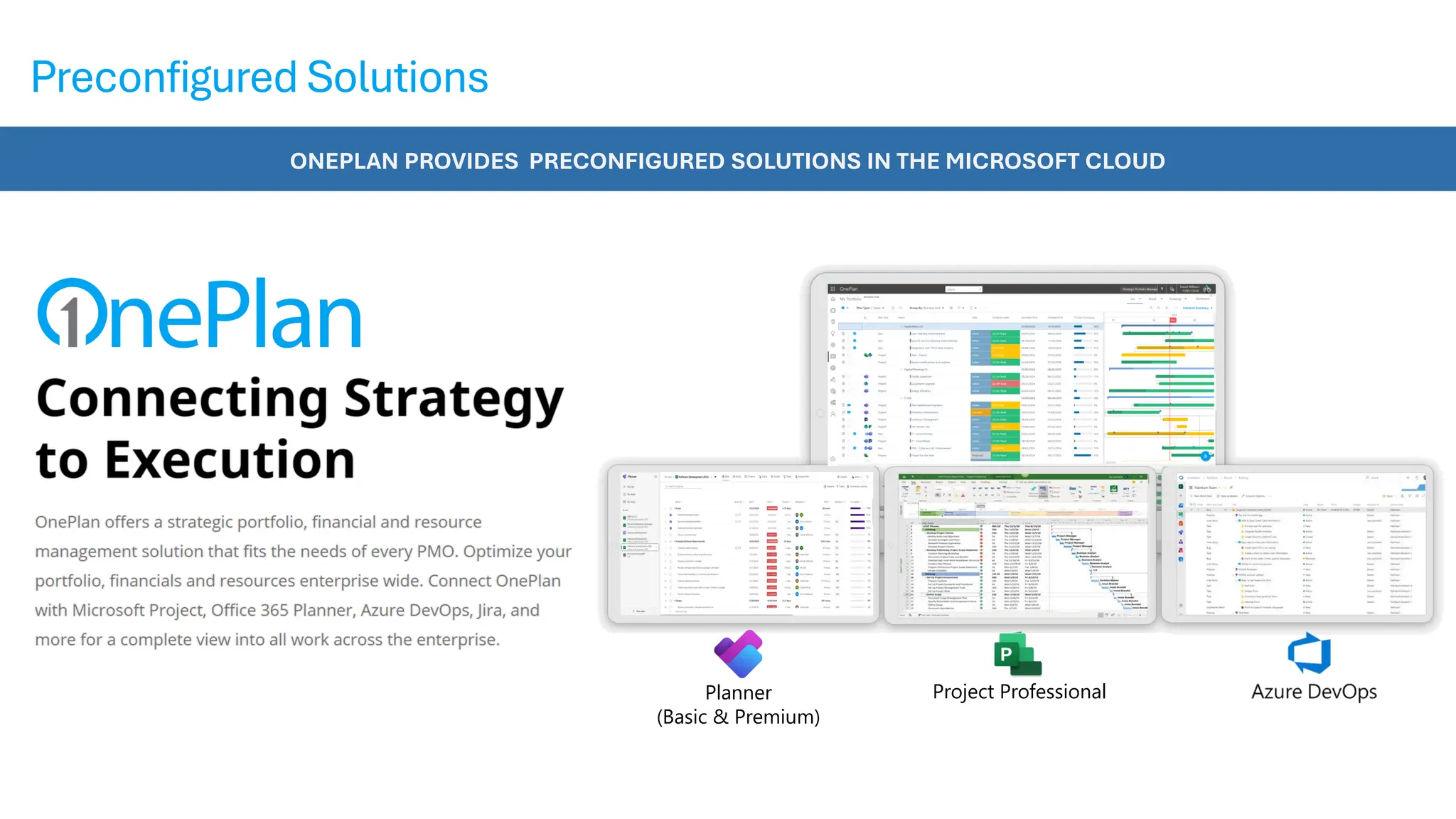
ONEPLAN PROVIDES PRECONFIGURED SOLUTIONS IN THE MICROSOFT CLOUD
Preconfigured Solutions
Planner
(Basic & Premium)
Project Professional
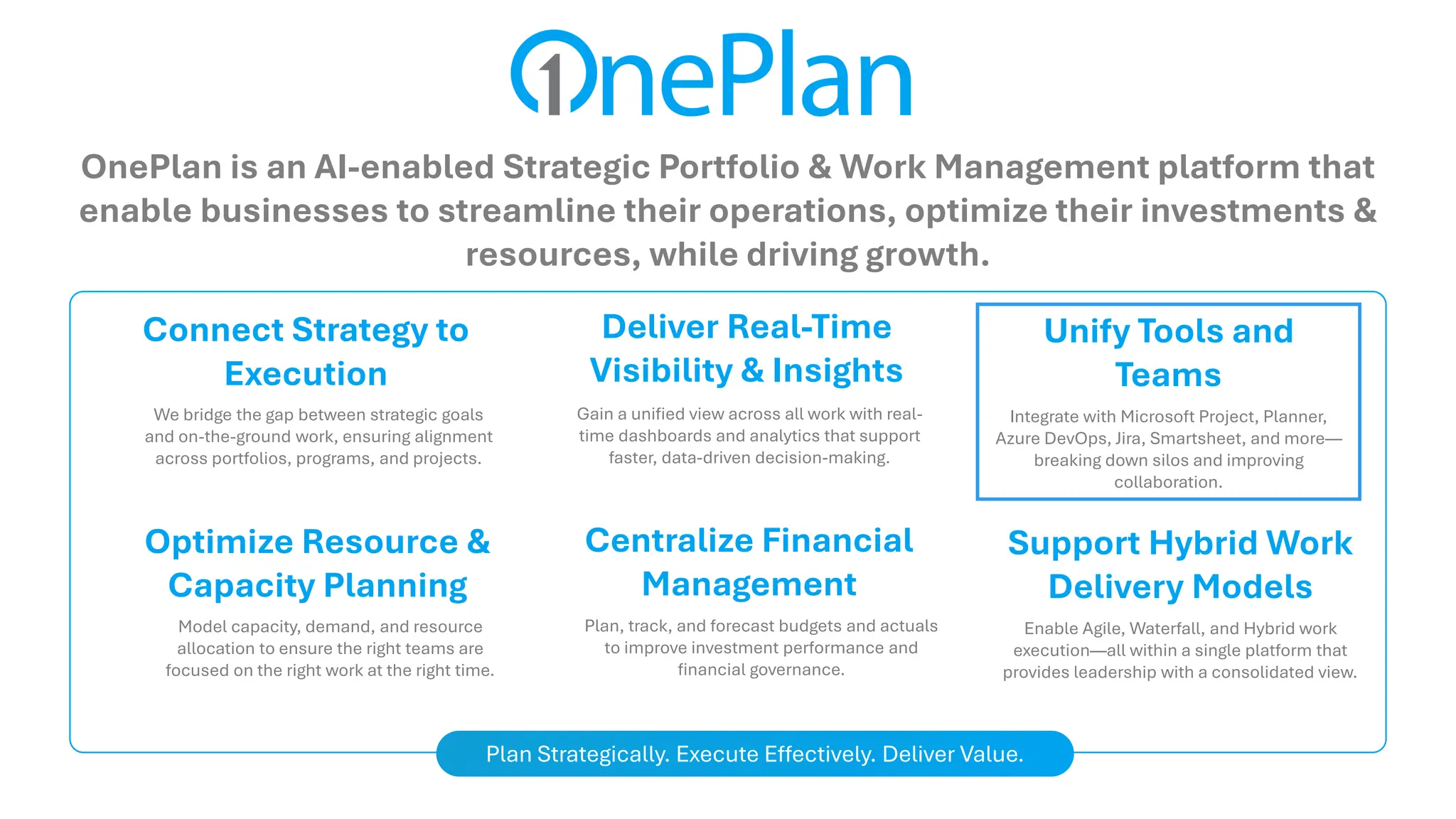
OnePlan is an AI-enabled Strategic Portfolio & Work Management platform that
enable businesses to streamline their operations, optimize their investments &
resources, while driving growth.
Connect Strategy to
Execution
We bridge the gap between strategic goals
and on-the-ground work, ensuring alignment
across portfolios, programs, and projects.
Deliver Real-Time
Visibility & Insights
Gain a unified view across all work with real-
time dashboards and analytics that support
faster, data-driven decision-making.
Unify Tools and
Teams
Integrate with Microsoft Project, Planner,
Azure DevOps, Jira, Smartsheet, and more—
breaking down silos and improving
collaboration.
Optimize Resource &
Capacity Planning
Model capacity, demand, and resource
allocation to ensure the right teams are
focused on the right work at the right time.
Centralize Financial
Management
Plan, track, and forecast budgets and actuals
to improve investment performance and
financial governance.
Support Hybrid Work
Delivery Models
Enable Agile, Waterfall, and Hybrid work
execution—all within a single platform that
provides leadership with a consolidated view.
Plan Strategically. Execute Effectively. Deliver Value.
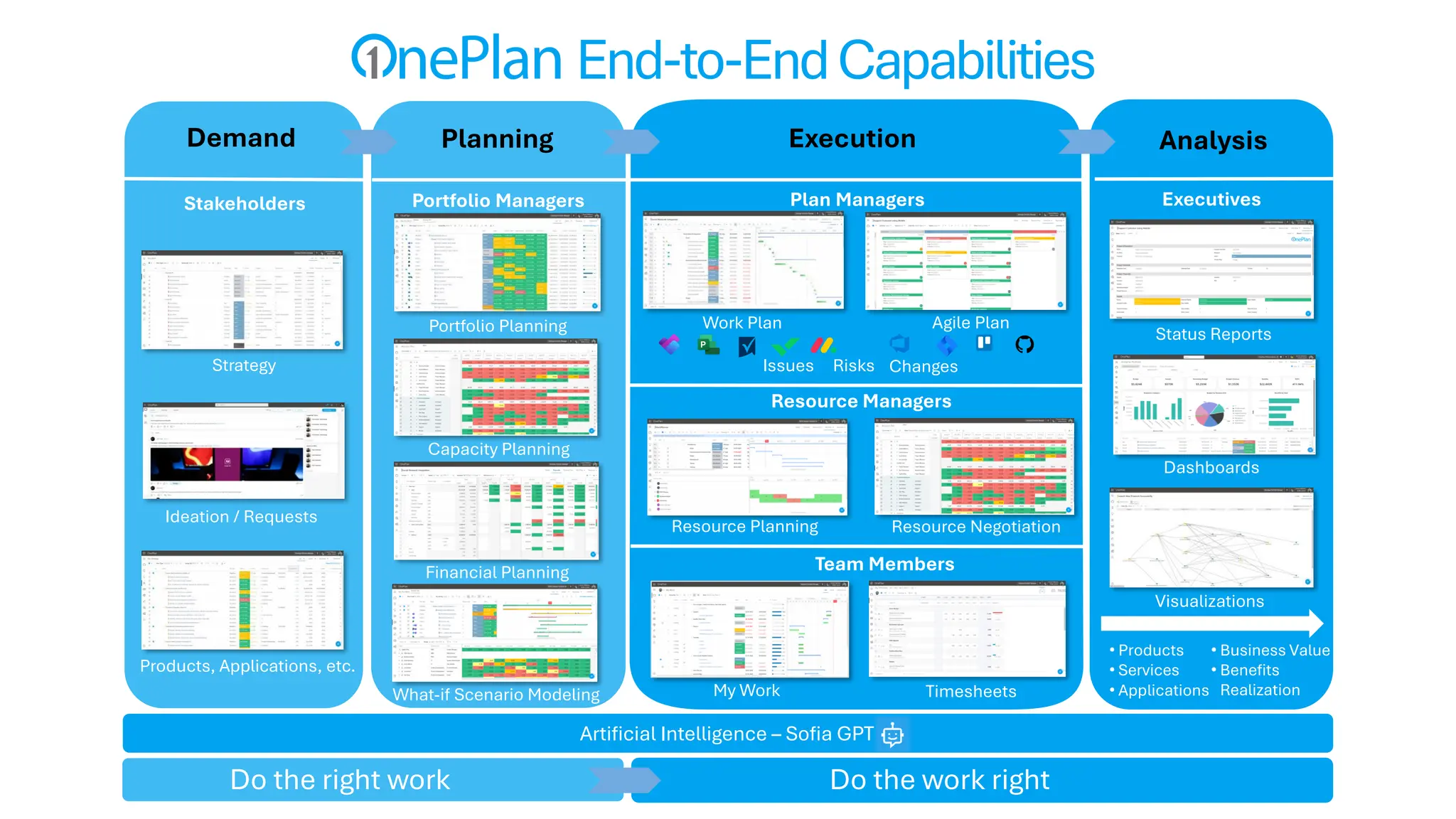
Portfolio Managers
Resource Planning
Financial Planning
Work Plan
Visualizations
Dashboards
Status Reports
Plan Managers
Agile Plan
Ideation / Requests
Artificial Intelligence – Sofia GPT
Demand
Timesheets
My Work
Stakeholders
Team Members
Executives
Portfolio Planning
Planning
Do the right work Do the work right
Resource Negotiation
Resource Managers
Products, Applications, etc.
Execution Analysis
What-if Scenario Modeling
• Products
• Services
• Applications
Capacity Planning
Issues Risks Changes
• Business Value
• Benefits
Realization
Strategy
End-to-EndCapabilities
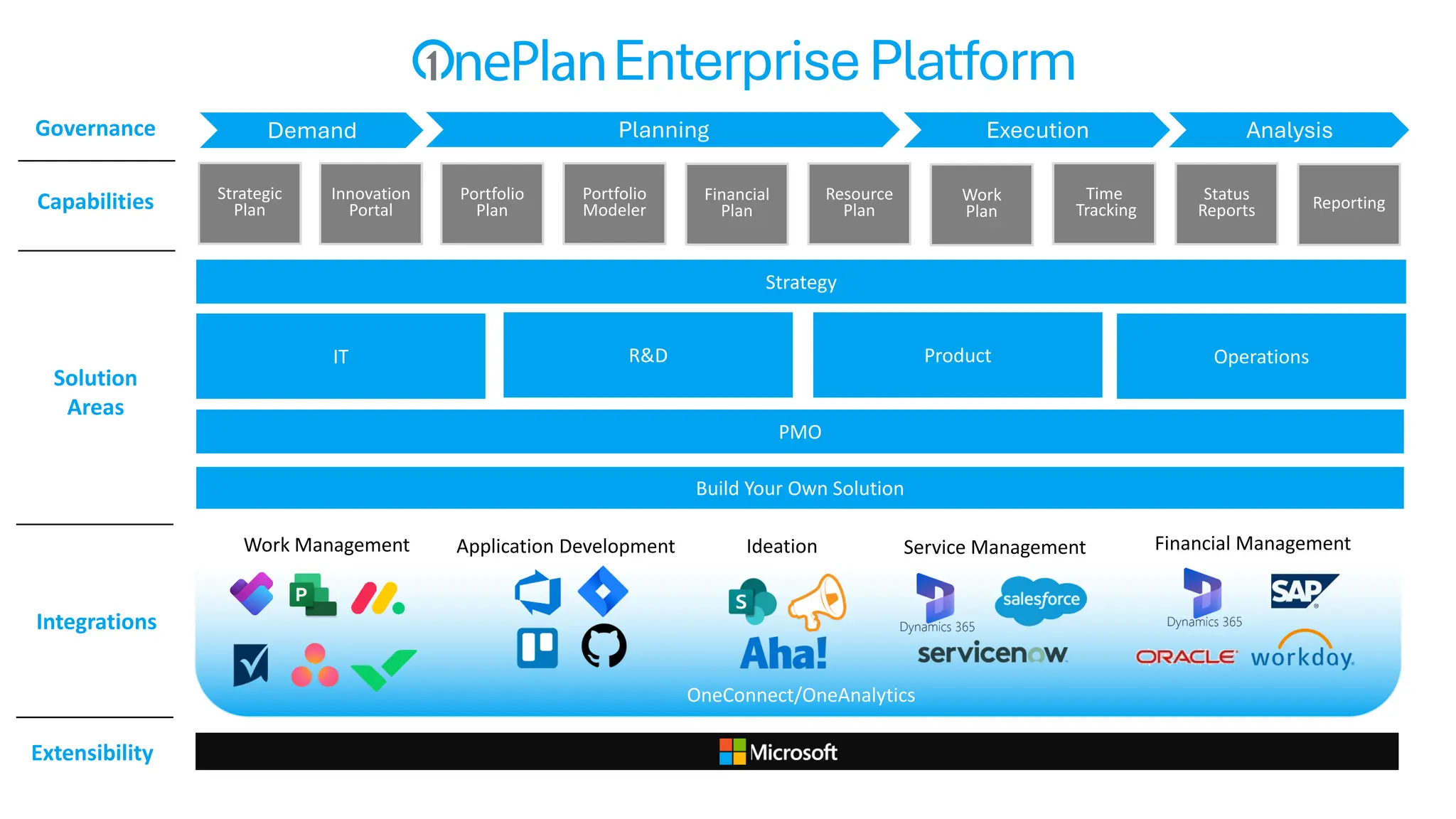
IT R&D Product Operations
Build Your Own Solution
Portfolio
Plan
Resource
Plan
Financial
Plan
Portfolio
Modeler
Work
Plan
Time
Tracking
Strategic
Plan
Strategy
PMO
Work Management Application Development Ideation Service Management Financial Management
OneConnect/OneAnalytics
Reporting
Status
Reports
Innovation
Portal
Capabilities
Solution
Areas
Integrations
Extensibility
EnterprisePlatform
Demand Planning Execution Analysis
Governance
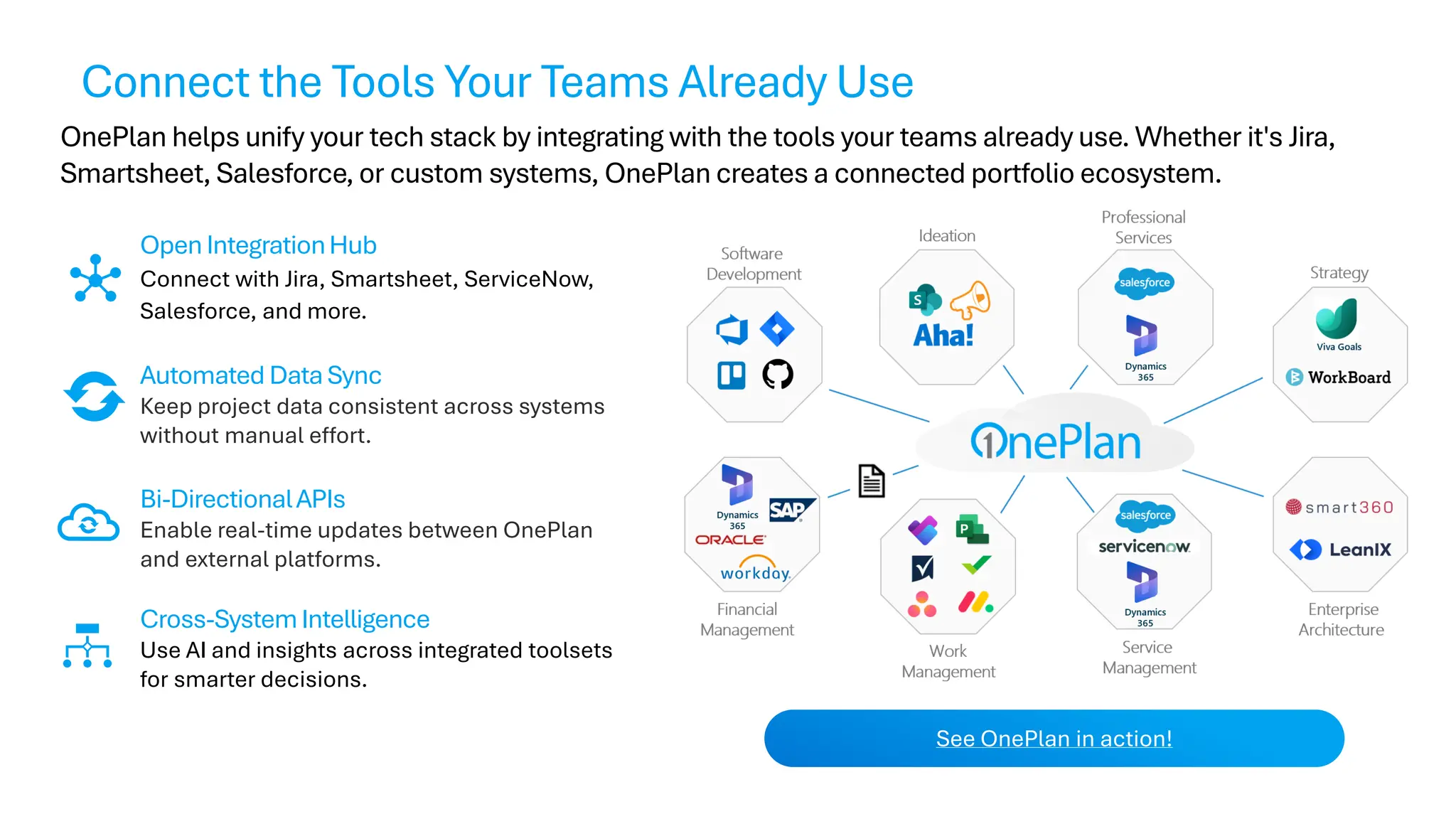
OnePlan helps unify your tech stack by integrating with the tools your teams already use. Whether it's Jira,
Smartsheet, Salesforce, or custom systems, OnePlan creates a connected portfolio ecosystem.
OpenIntegrationHub
Connect with Jira, Smartsheet, ServiceNow,
Salesforce, and more.
Automated DataSync
Keep project data consistent across systems
without manual effort.
Bi-DirectionalAPIs
Enable real-time updates between OnePlan
and external platforms.
Cross-SystemIntelligence
Use AI and insights across integrated toolsets
for smarter decisions.
See OnePlan in action!
Connect the Tools Your Teams Already Use
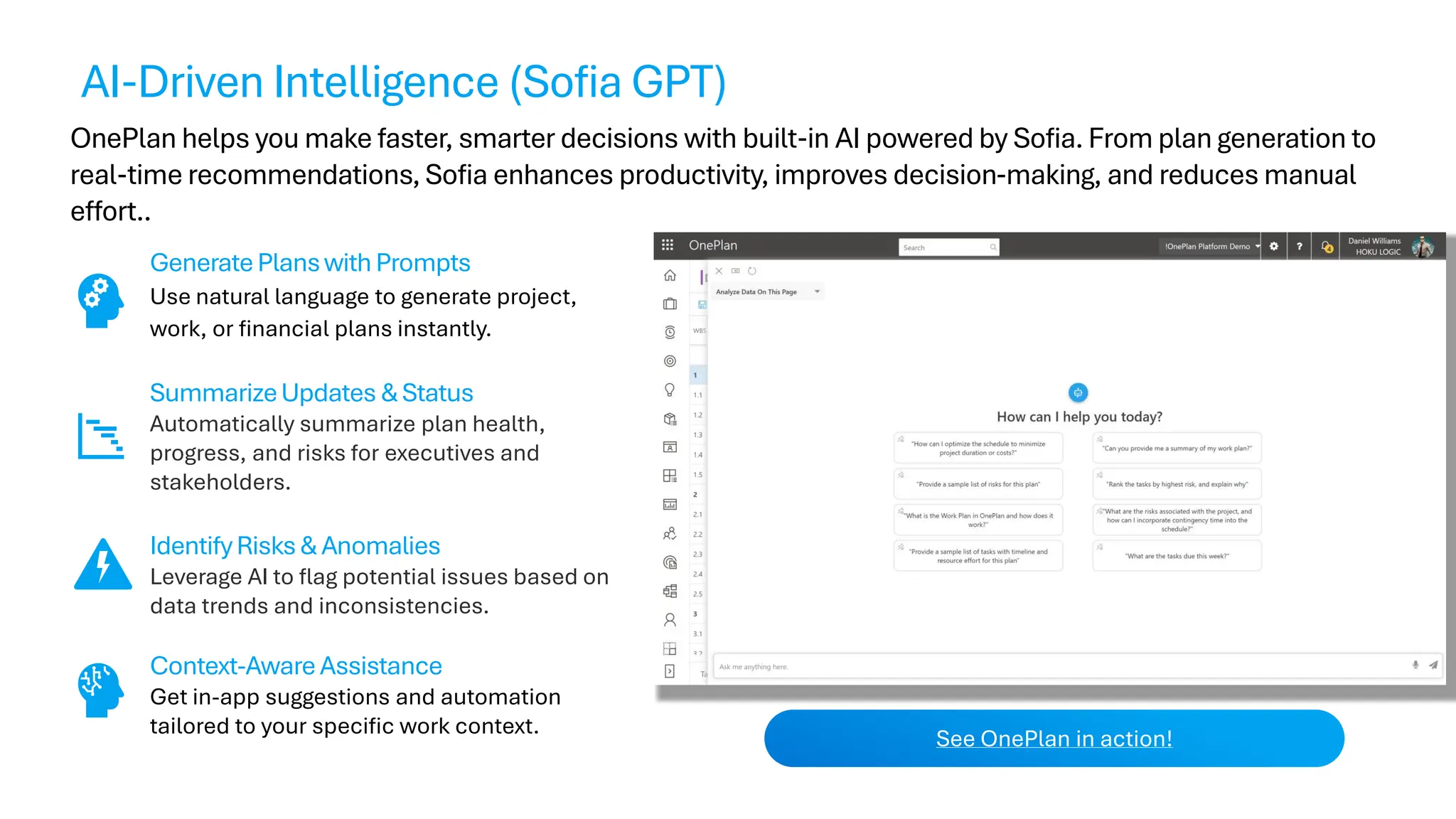
OnePlan helps you make faster, smarter decisions with built-in AI powered by Sofia. From plan generation to
real-time recommendations, Sofia enhances productivity, improves decision-making, and reduces manual
effort..
GeneratePlanswithPrompts
Use natural language to generate project,
work, or financial plans instantly.
SummarizeUpdates &Status
Automatically summarize plan health,
progress, and risks for executives and
stakeholders.
IdentifyRisks& Anomalies
Leverage AI to flag potential issues based on
data trends and inconsistencies.
Context-AwareAssistance
Get in-app suggestions and automation
tailored to your specific work context.
See OnePlan in action!
AI-Driven Intelligence (Sofia GPT)
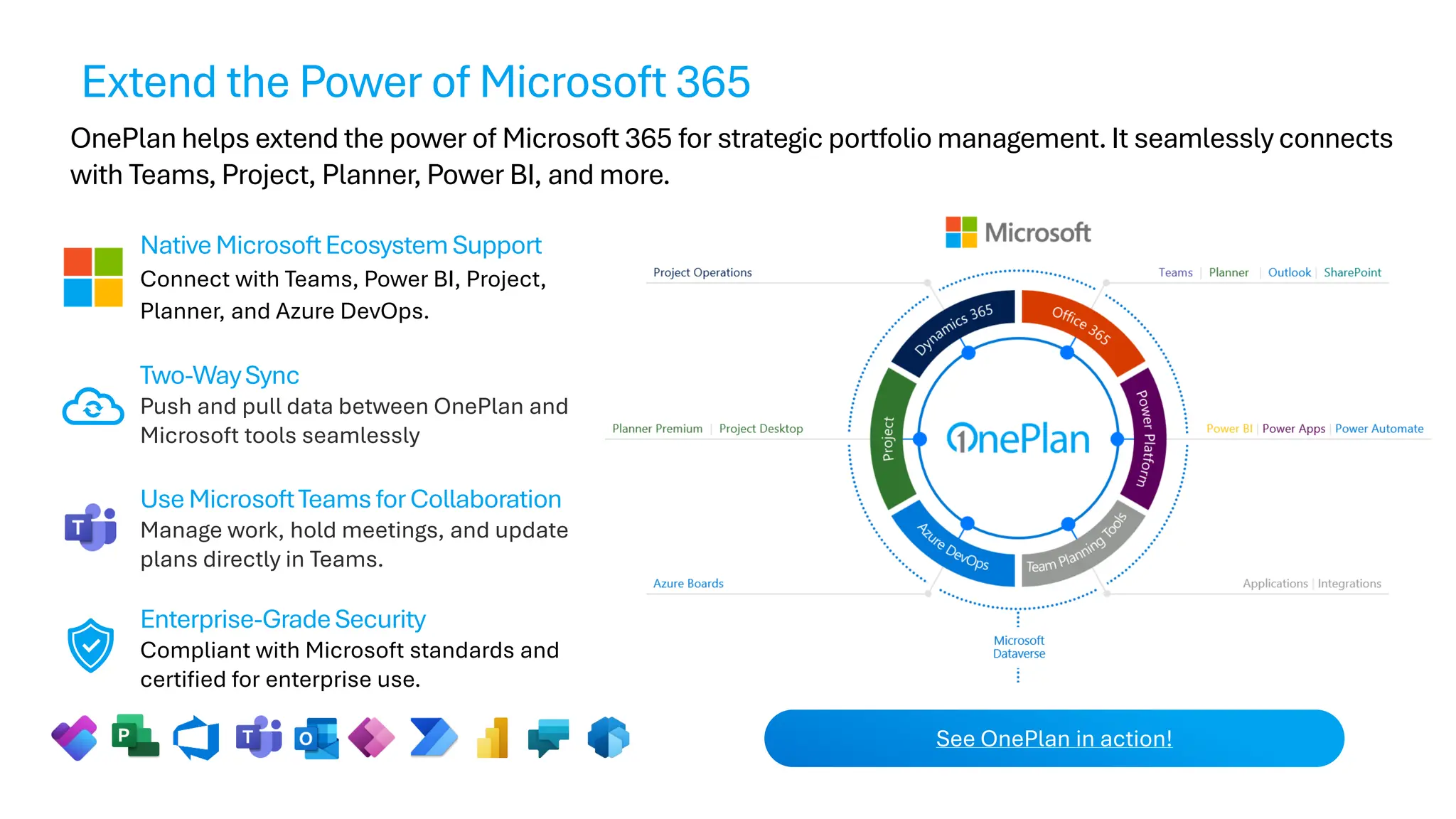
OnePlan helps extend the power of Microsoft 365 for strategic portfolio management. It seamlessly connects
with Teams, Project, Planner, Power BI, and more.
NativeMicrosoftEcosystemSupport
Connect with Teams, Power BI, Project,
Planner, and Azure DevOps.
Two-WaySync
Push and pull data between OnePlan and
Microsoft tools seamlessly
UseMicrosoftTeamsforCollaboration
Manage work, hold meetings, and update
plans directly in Teams.
Enterprise-GradeSecurity
Compliant with Microsoft standards and
certified for enterprise use.
See OnePlan in action!
Extend the Power of Microsoft 365
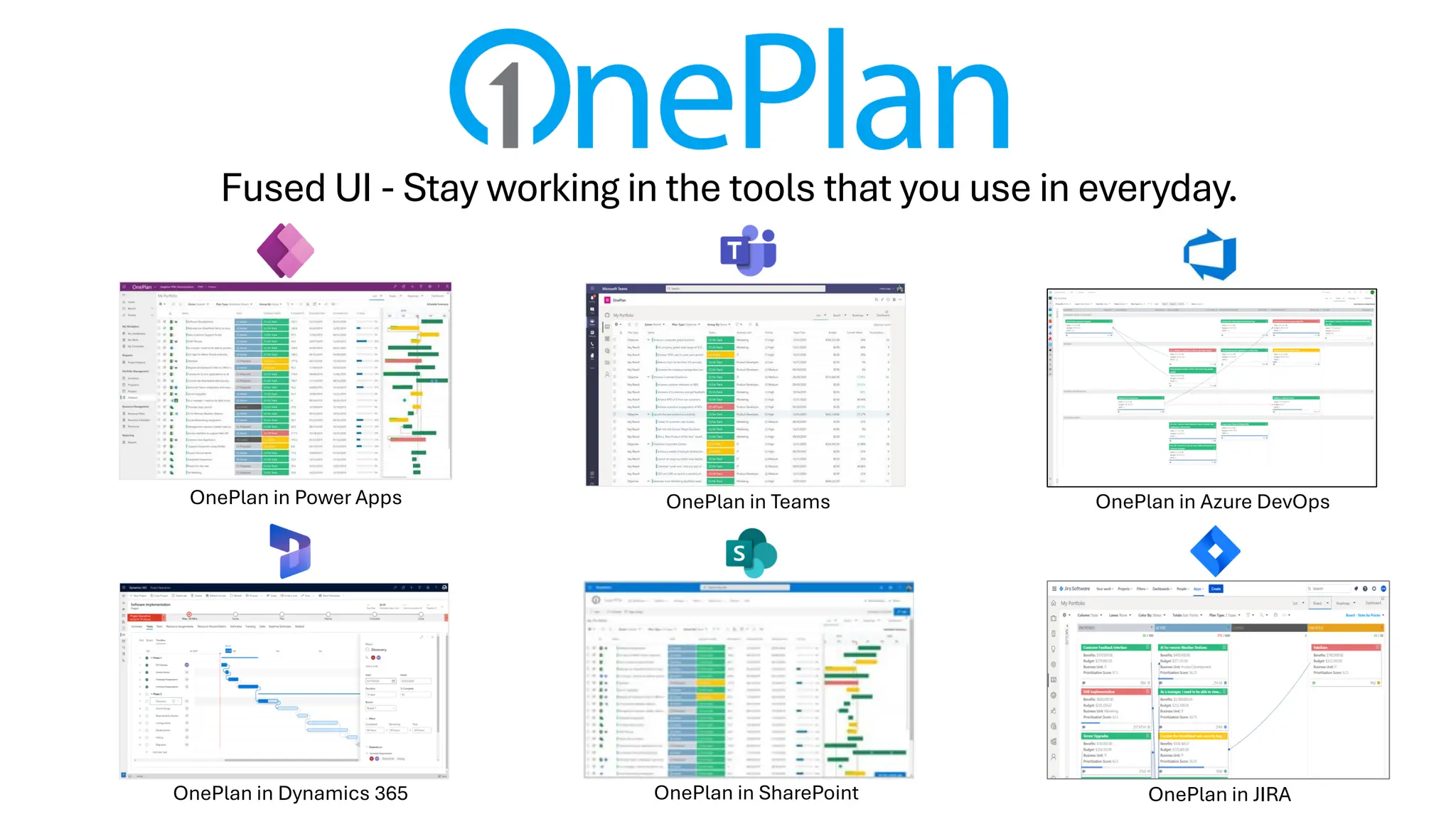
OnePlan in Azure DevOps
OnePlan in Teams
OnePlan in Power Apps
OnePlan in Dynamics 365
Built For The Microsoft Cloud
With a Fused User Experience
OnePlan in SharePoint OnePlan in JIRA
Fused UI - Stay working in the tools that you use in everyday.
OnePlan in Microsoft Teams
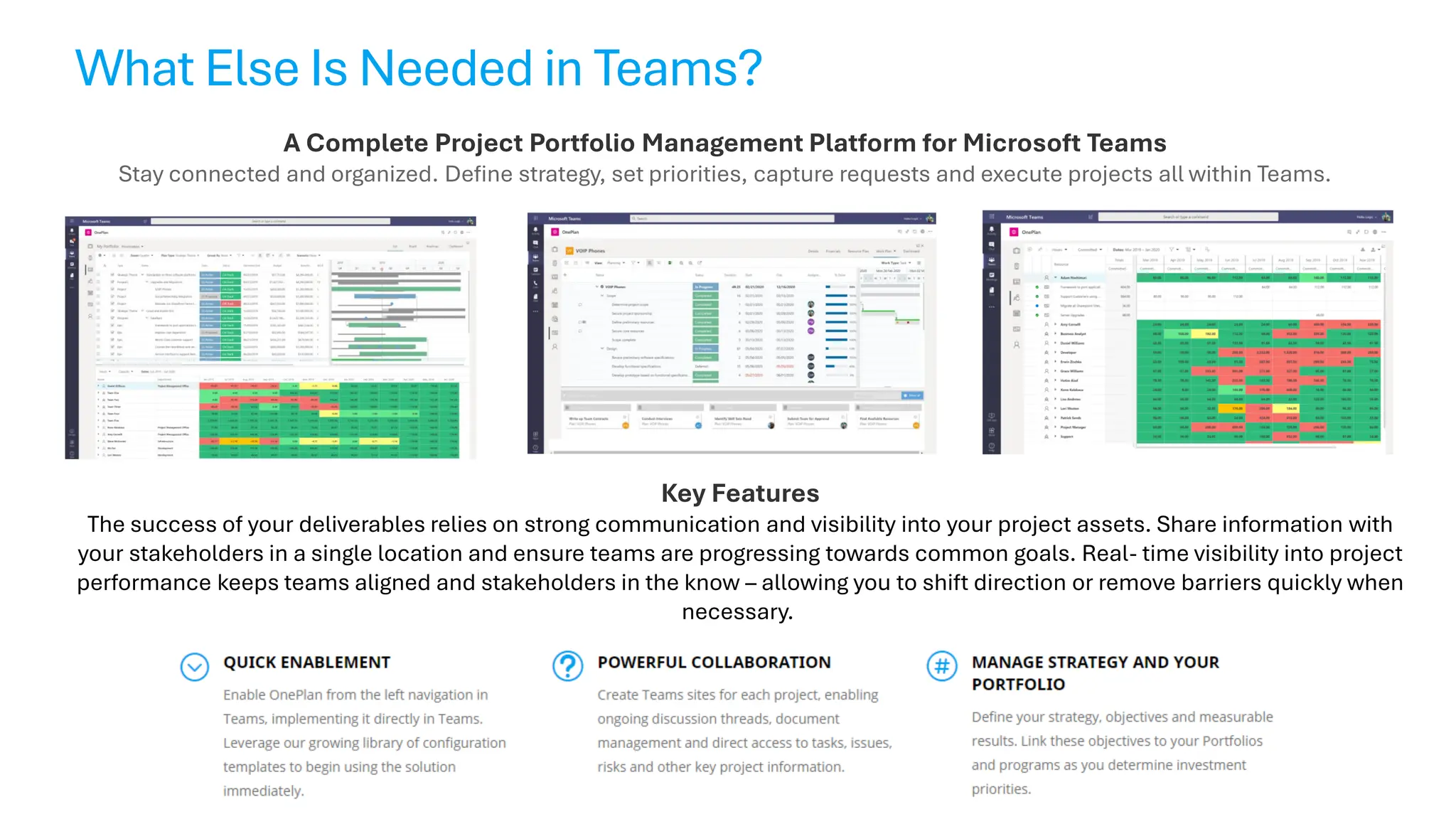
What Else Is Needed in Teams?
A Complete Project Portfolio Management Platform for Microsoft Teams
Stay connected and organized. Define strategy, set priorities, capture requests and execute projects all within Teams.
Key Features
The success of your deliverables relies on strong communication and visibility into your project assets. Share information with
your stakeholders in a single location and ensure teams are progressing towards common goals. Real- time visibility into project
performance keeps teams aligned and stakeholders in the know – allowing you to shift direction or remove barriers quickly when
necessary.
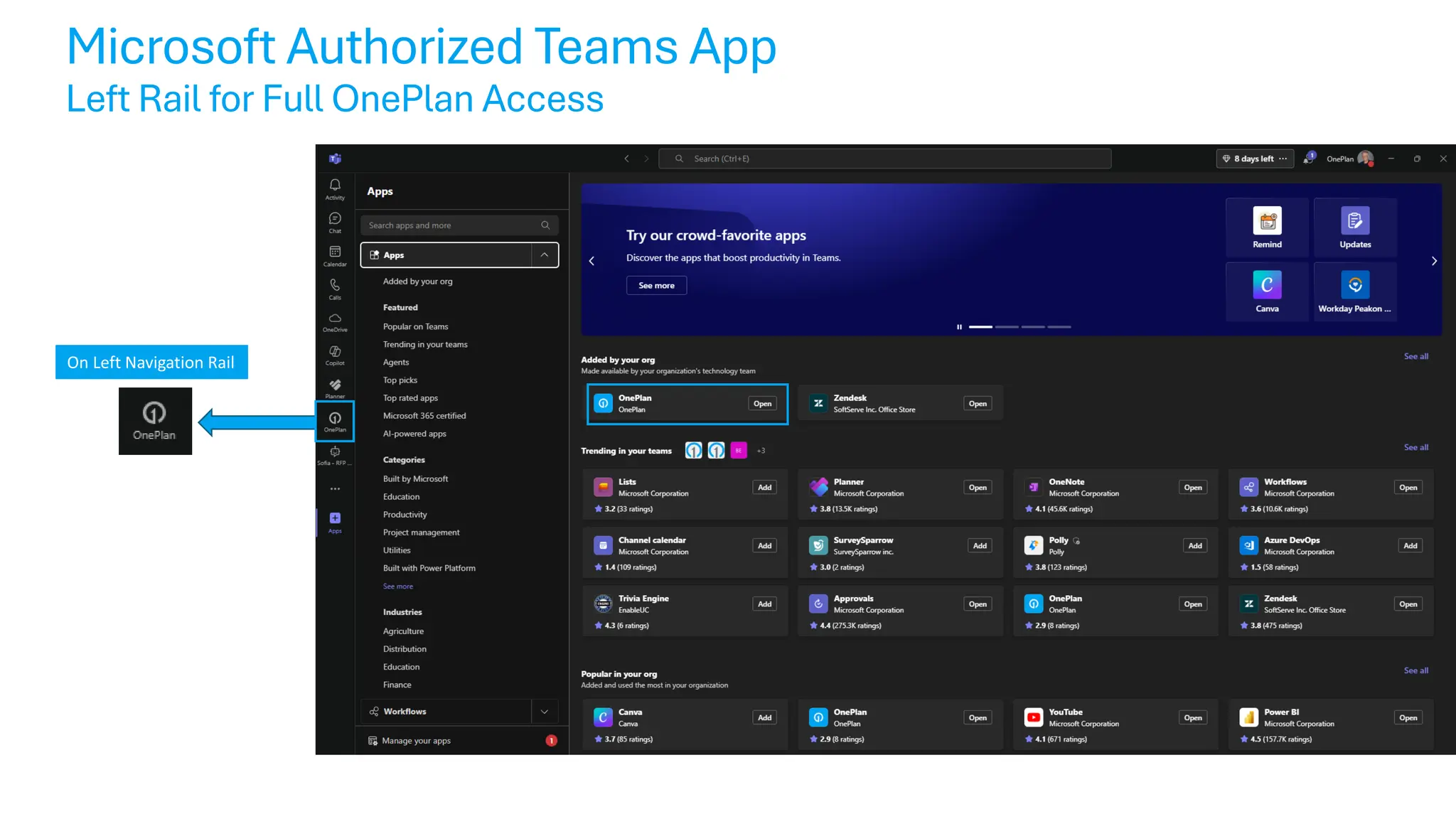
Microsoft Authorized Teams App
Left Rail for Full OnePlan Access
On Left Navigation Rail
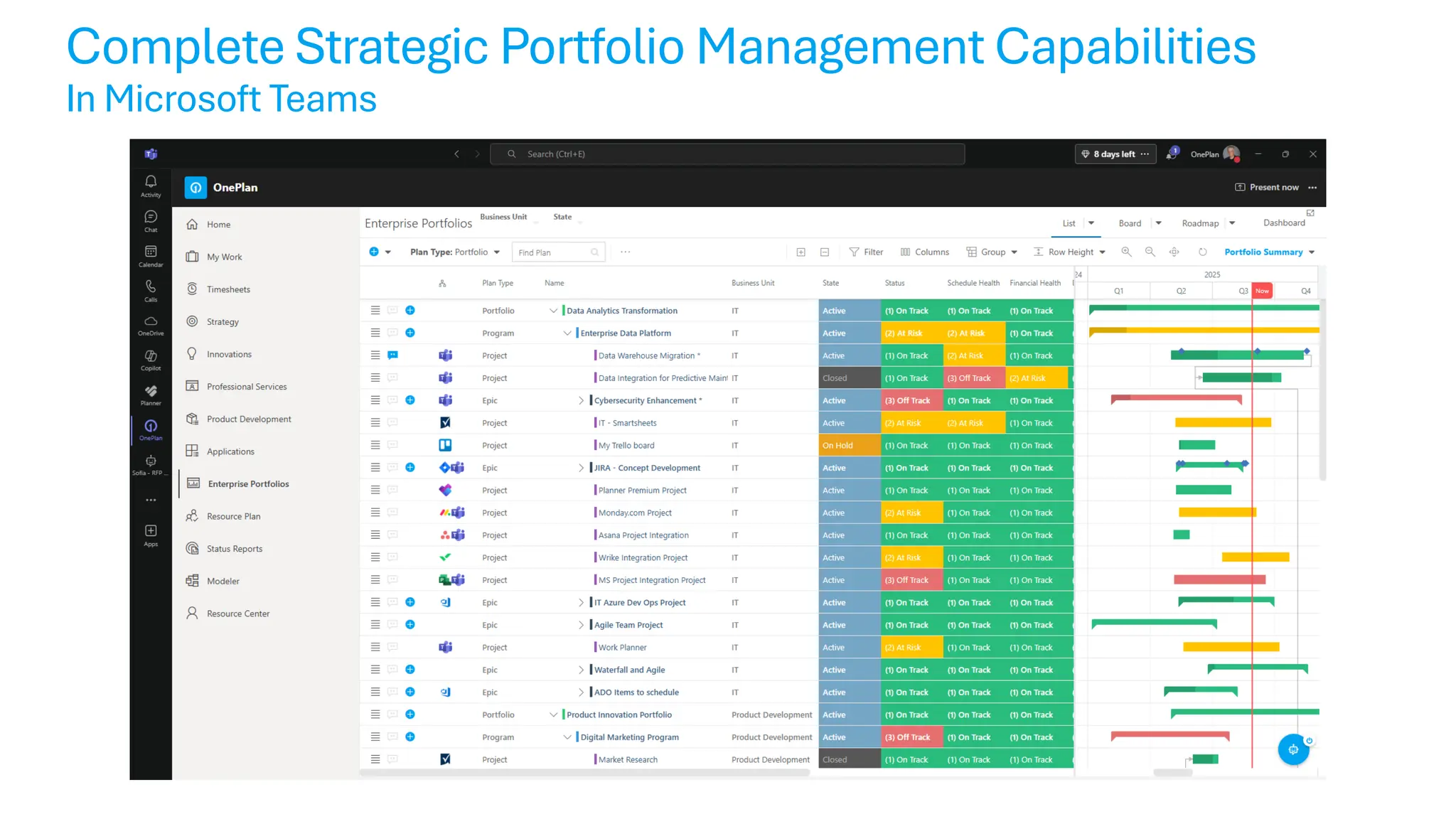
Complete Strategic Portfolio Management Capabilities
In Microsoft Teams
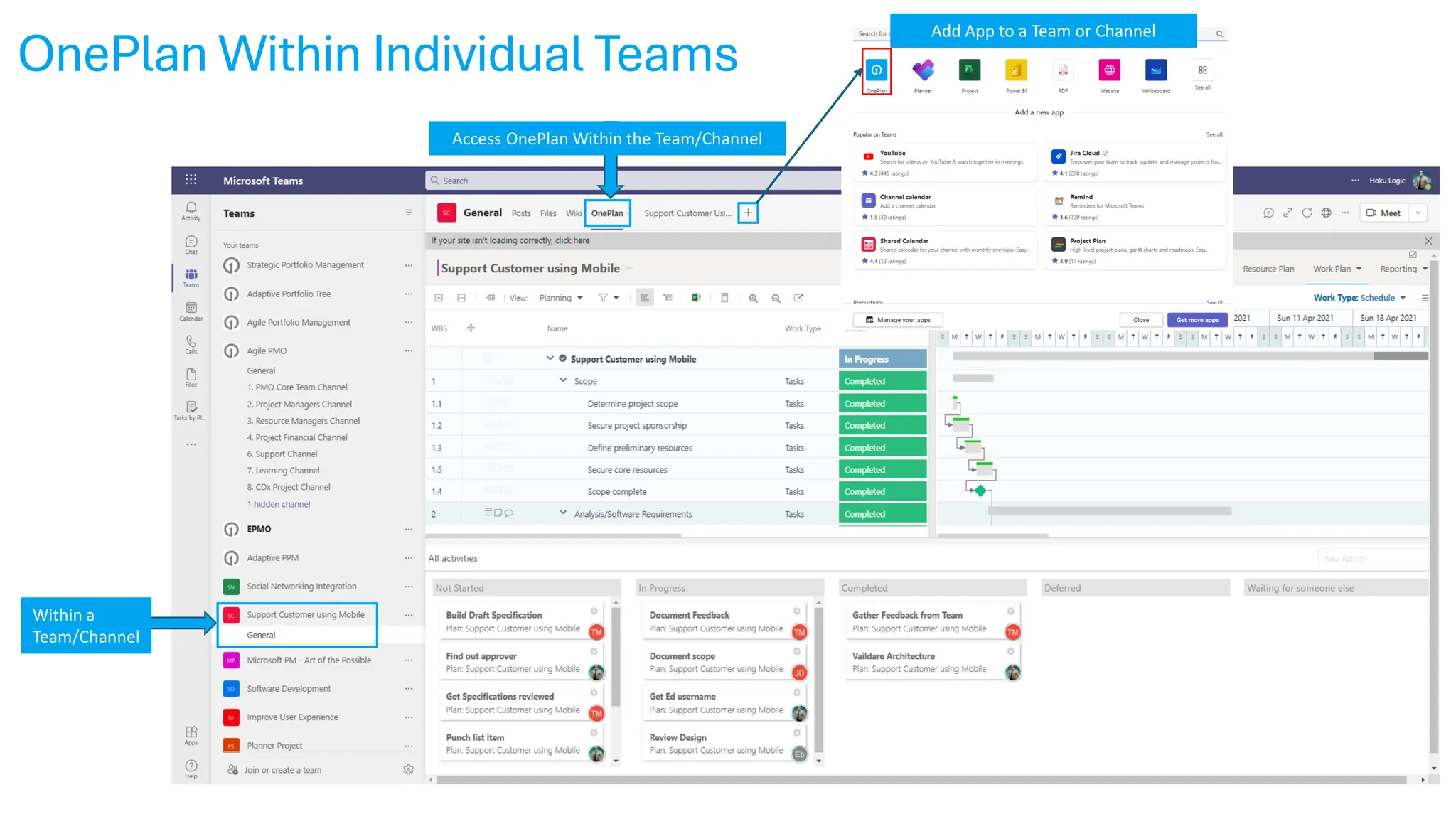
OnePlan Within Individual Teams
Access OnePlan Within the Team/Channel
Within a
Team/Channel
Add App to a Team or Channel
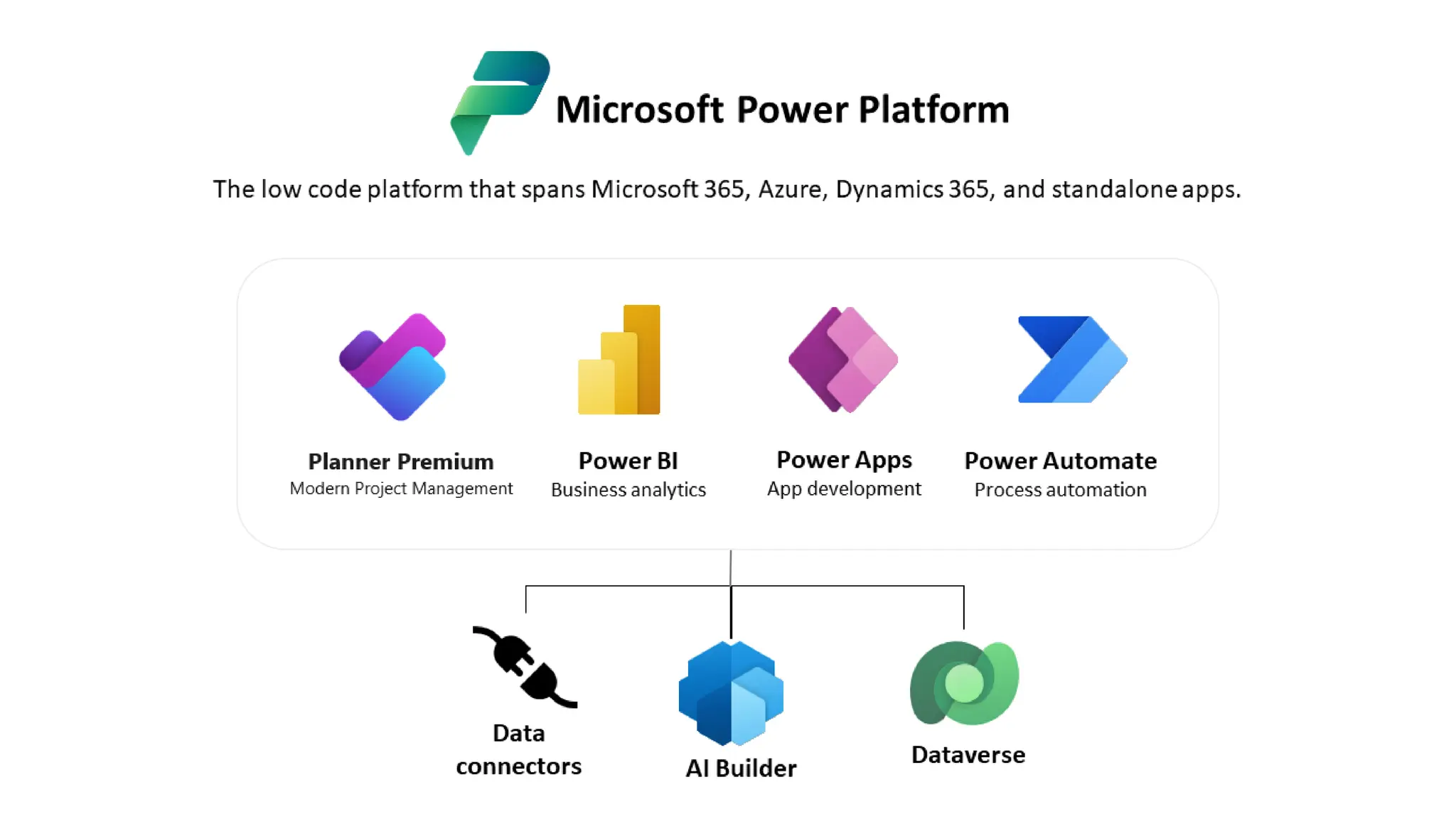
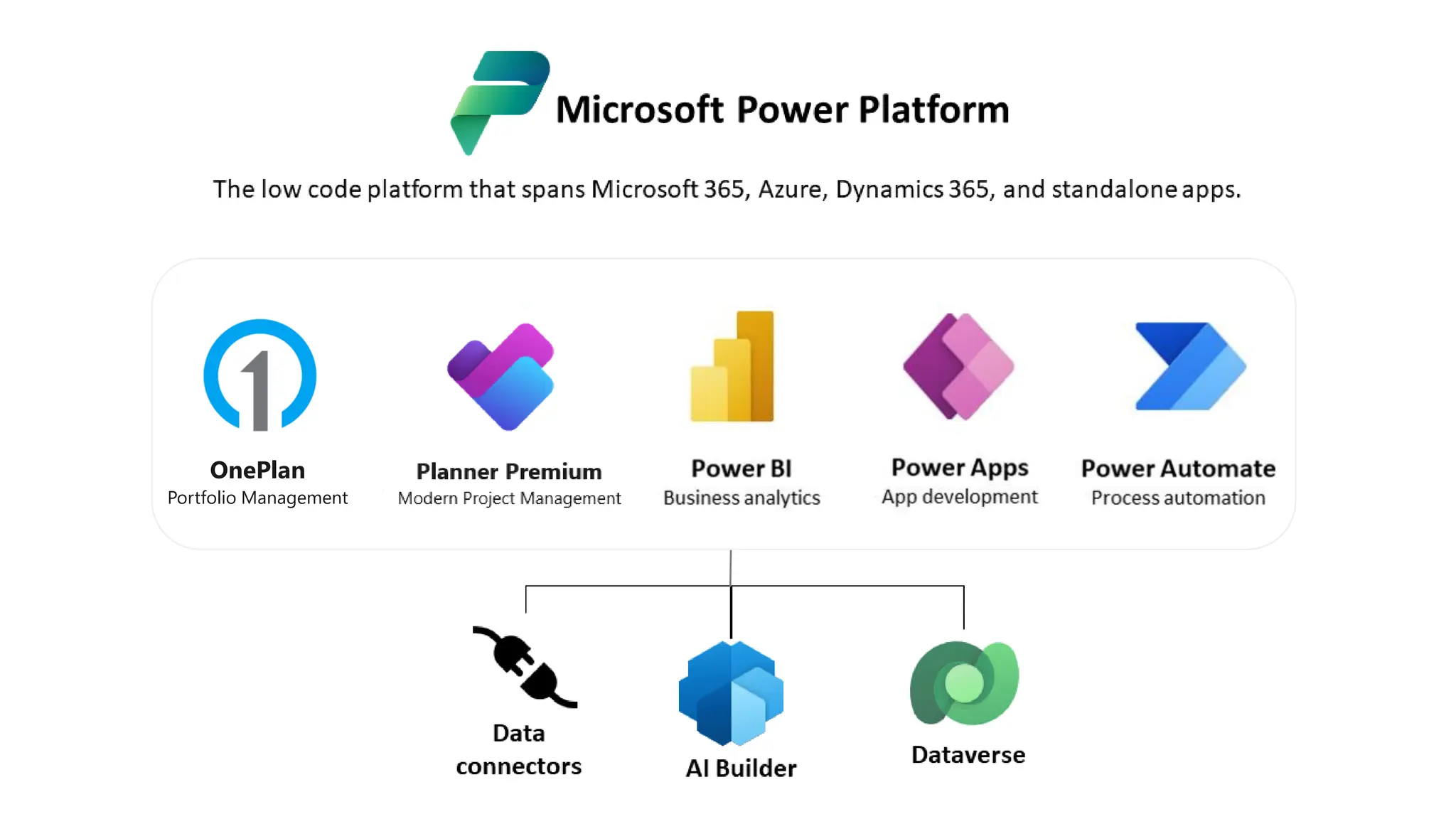
OnePlan in Microsoft Power Platform
Project for Web
Modern Project Management
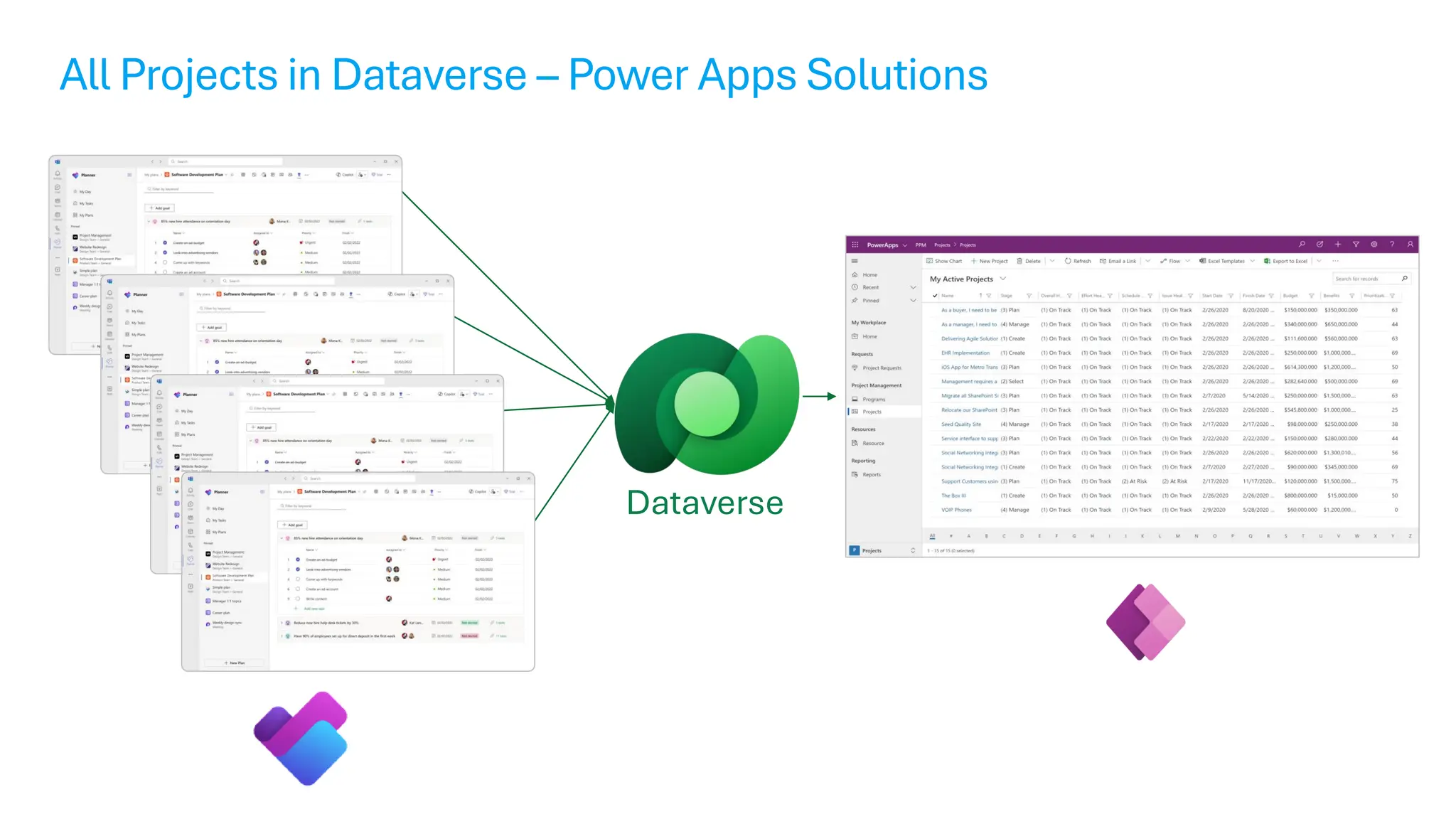
All Projects in Dataverse – Power Apps Solutions
Dataverse
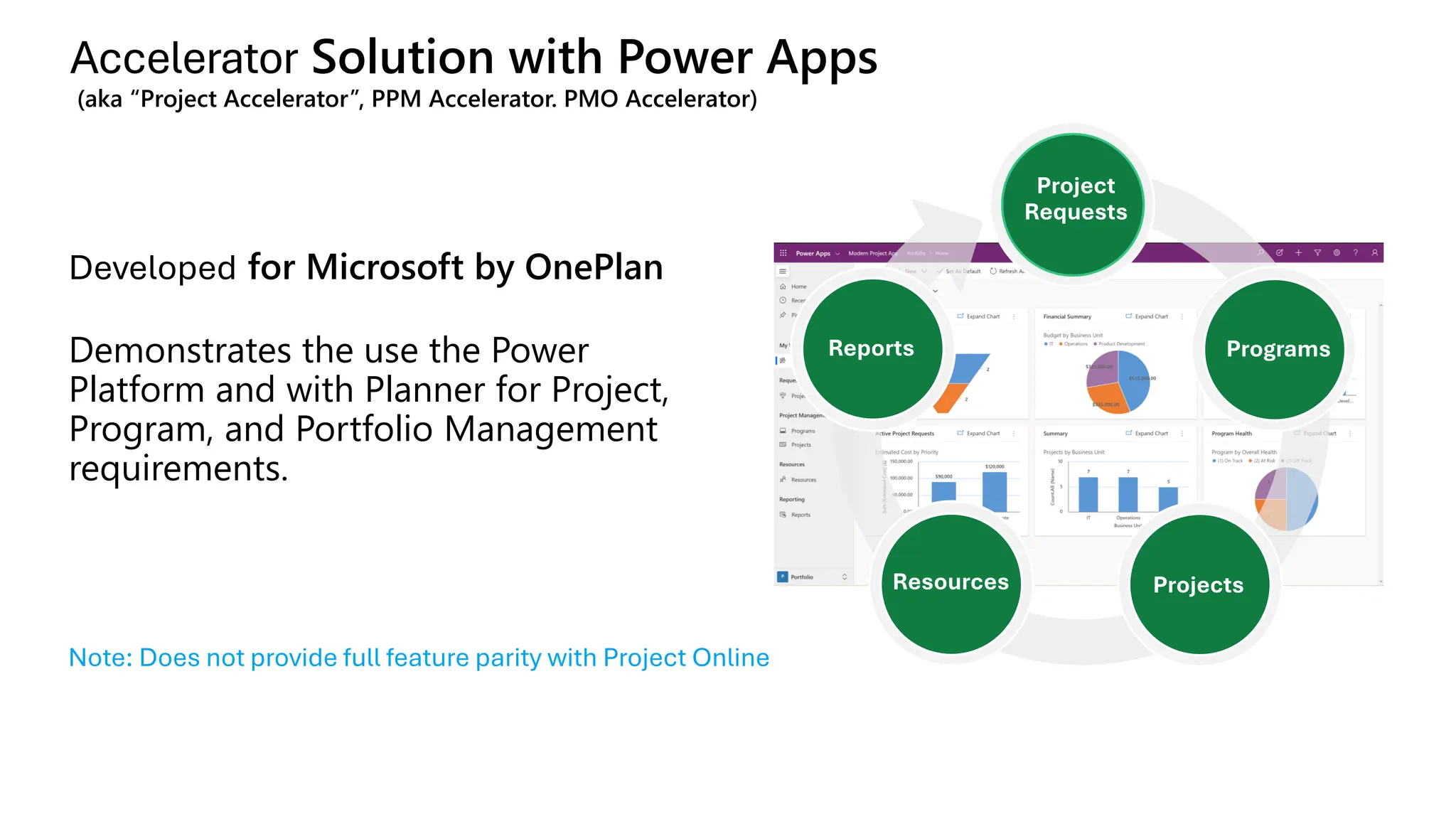
Accelerator Solution with Power Apps
(aka “Project Accelerator”, PPM Accelerator. PMO Accelerator)
Developed for Microsoft by OnePlan
Demonstrates the use the Power
Platform and with Planner for Project,
Program, and Portfolio Management
requirements.
Reports
Project
Requests
Programs
Projects
Resources
Note: Does not provide full feature parity with Project Online
OnePlan
Portfolio Management
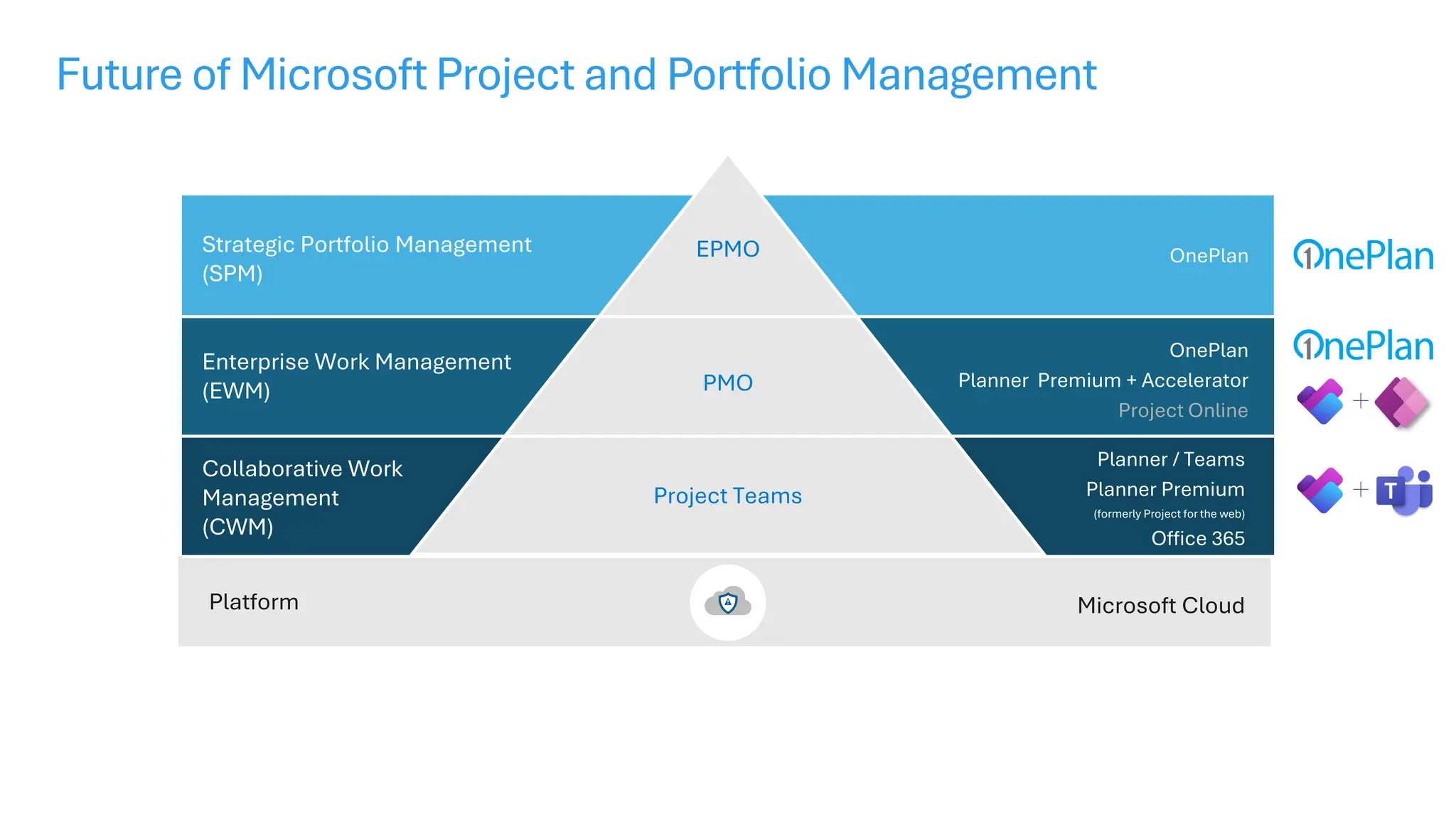
Future of Microsoft Project and Portfolio Management
EPMO
PMO
Project Teams
OnePlan
OnePlan
Planner Premium + Accelerator
Project Online
Microsoft Cloud
Platform
Strategic Portfolio Management
(SPM)
Enterprise Work Management
(EWM)
Collaborative Work
Management
(CWM)
Planner / Teams
Planner Premium
(formerly Project for the web)
Office 365
Demonstration
Summary & Next Steps
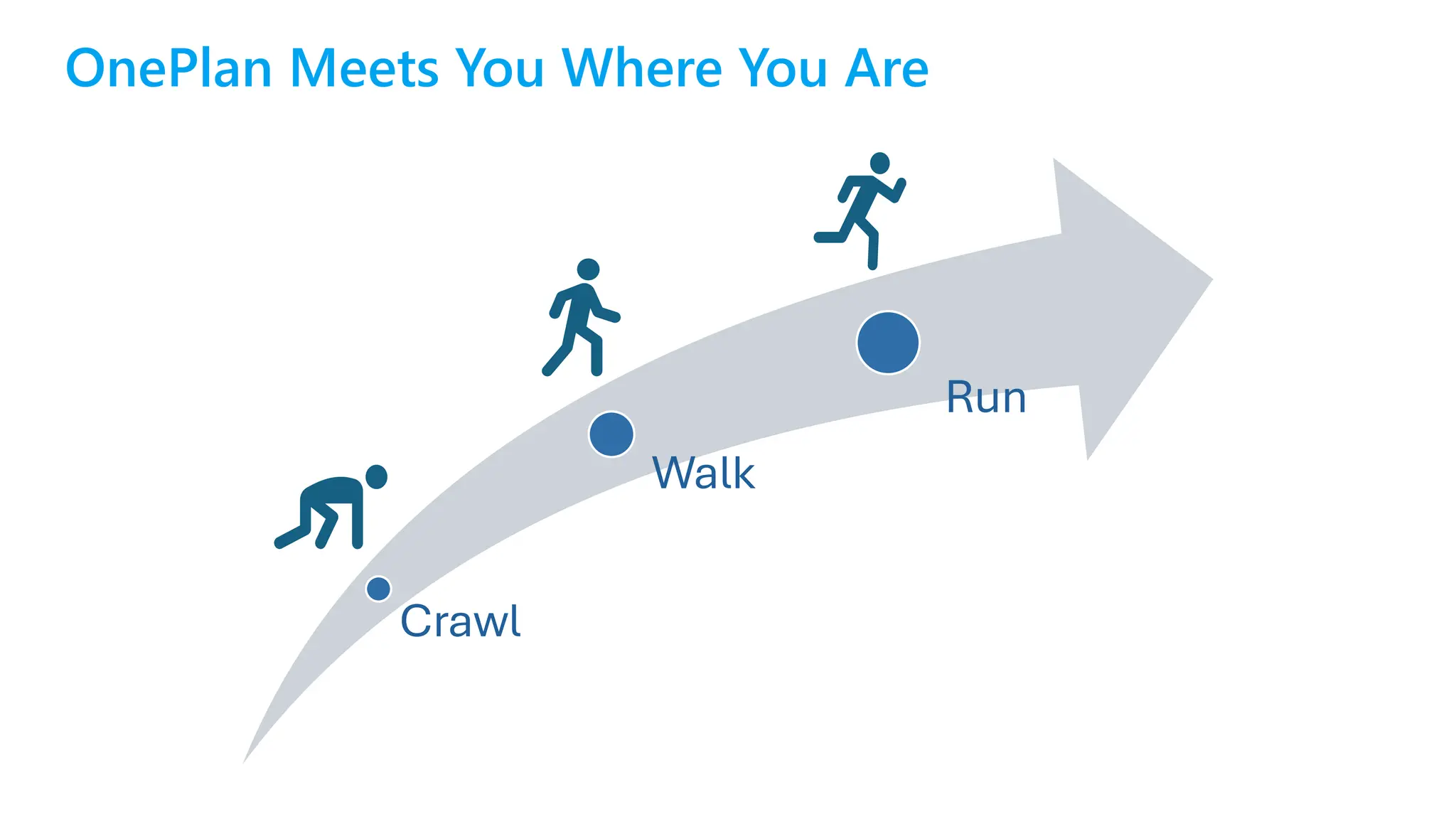
OnePlan Meets You Where You Are
Crawl
Walk
Run
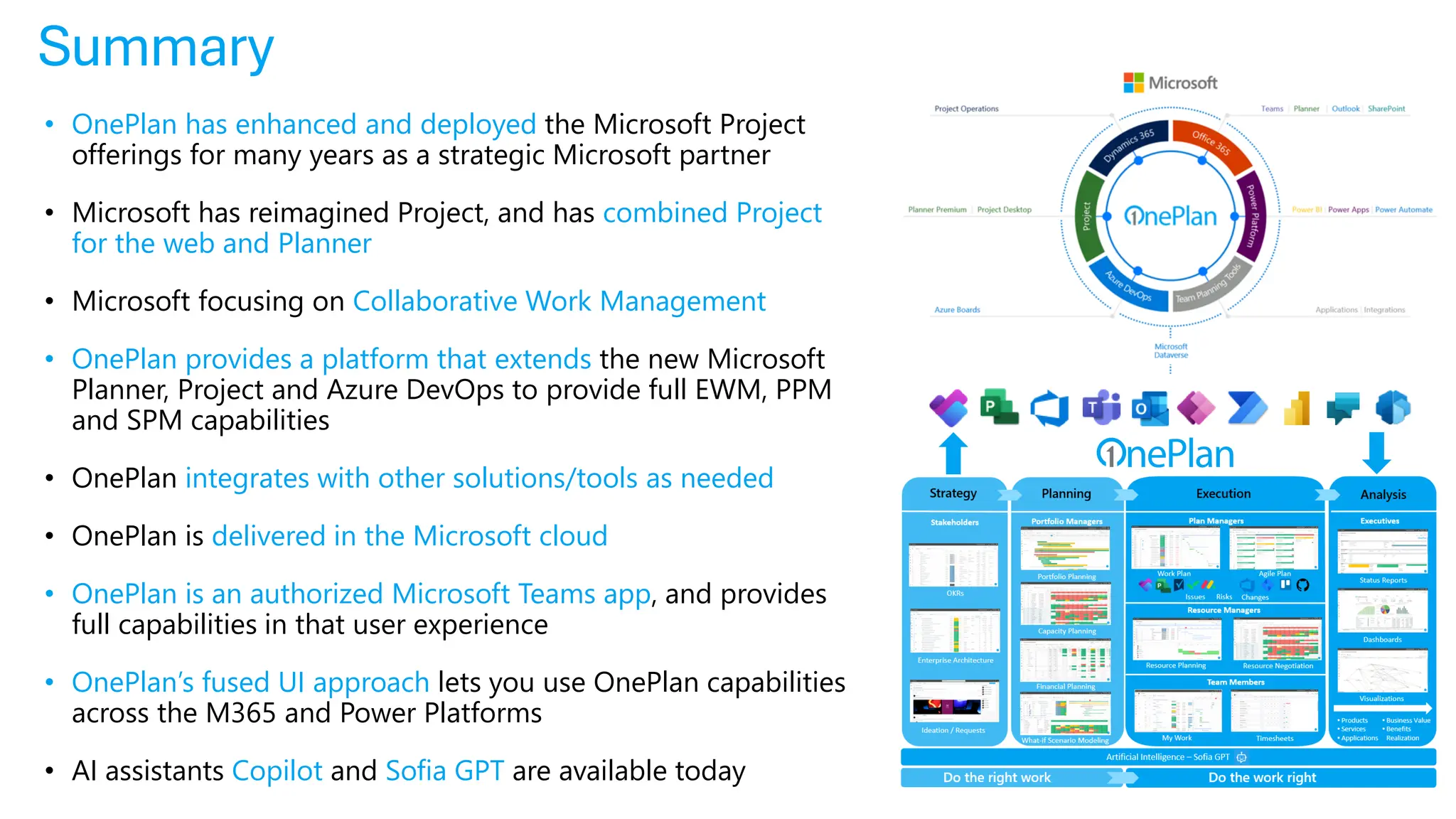
Summary
• OnePlan has enhanced and deployed the Microsoft Project
offerings for many years as a strategic Microsoft partner
• Microsoft has reimagined Project, and has combined Project
for the web and Planner
• Microsoft focusing on Collaborative Work Management
• OnePlan provides a platform that extends the new Microsoft
Planner, Project and Azure DevOps to provide full EWM, PPM
and SPM capabilities
• OnePlan integrates with other solutions/tools as needed
• OnePlan is delivered in the Microsoft cloud
• OnePlan is an authorized Microsoft Teams app, and provides
full capabilities in that user experience
• OnePlan’s fused UI approach lets you use OnePlan capabilities
across the M365 and Power Platforms
• AI assistants Copilot and Sofia GPT are available today
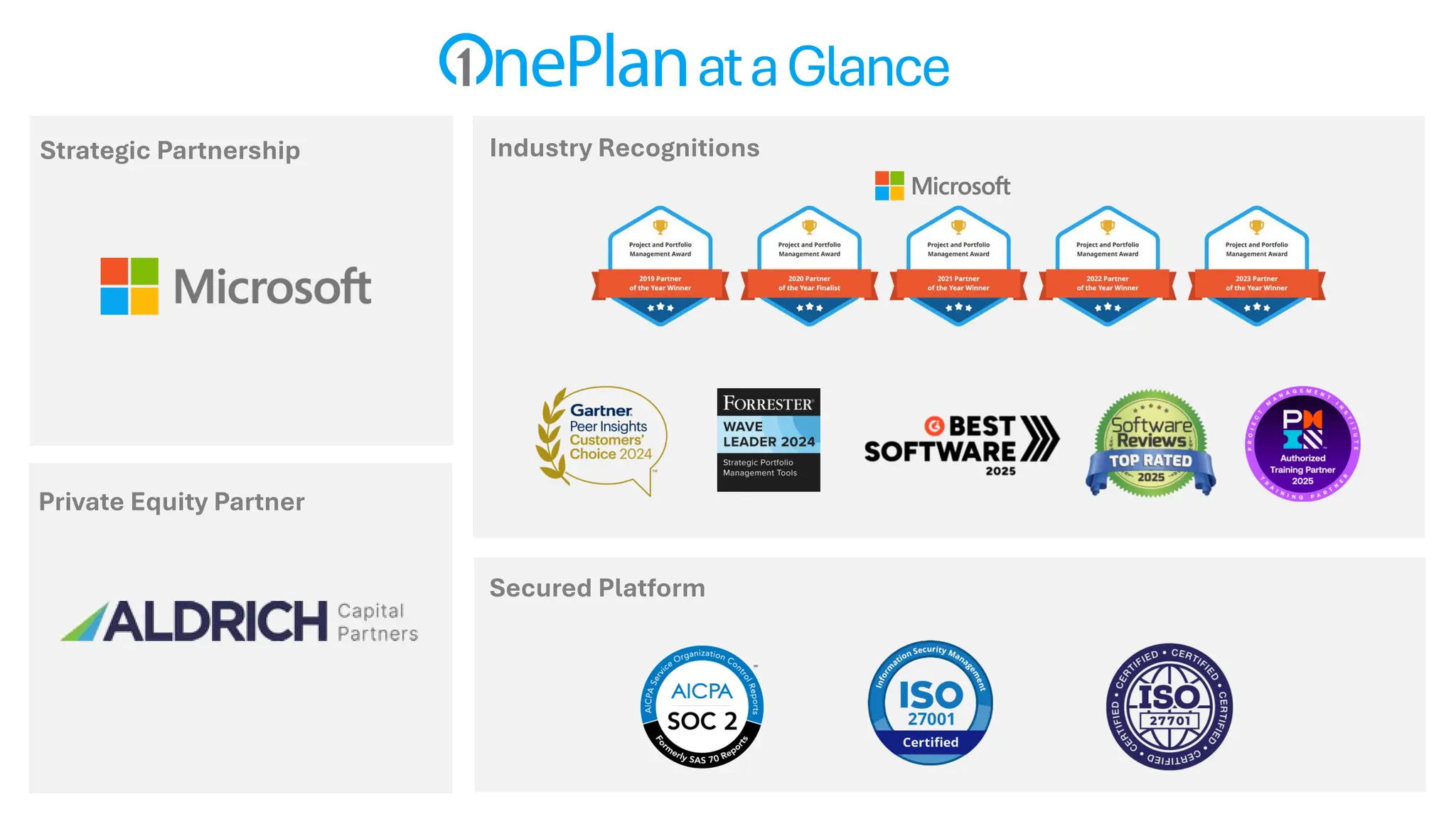
Industry Recognitions
Secured Platform
Strategic Partnership
ataGlance
Private Equity Partner
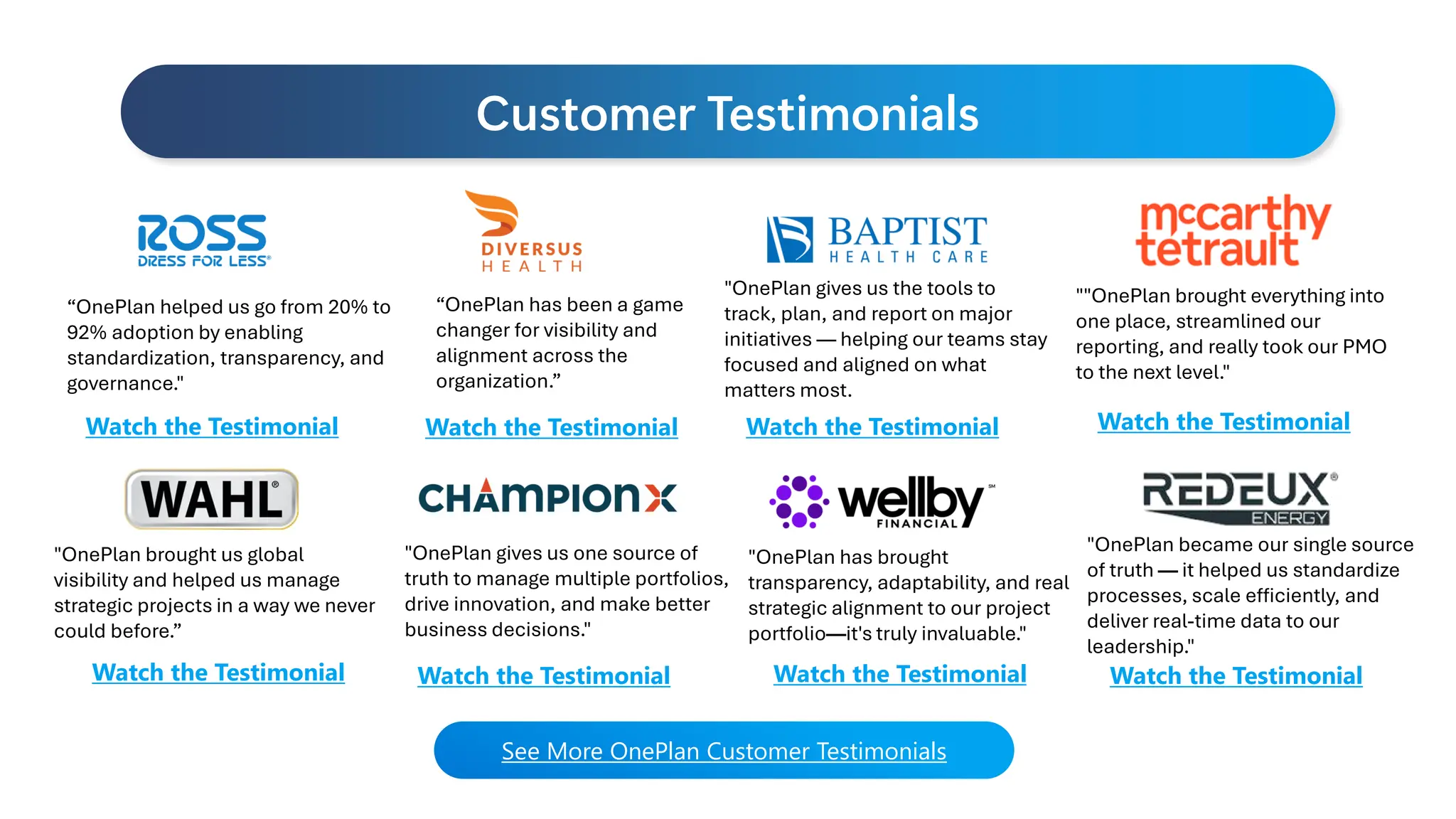
Customer Testimonials
"OnePlan has brought
transparency, adaptability, and real
strategic alignment to our project
portfolio—it's truly invaluable."
“OnePlan helped us go from 20% to
92% adoption by enabling
standardization, transparency, and
governance."
"OnePlan became our single source
of truth — it helped us standardize
processes, scale efficiently, and
deliver real-time data to our
leadership."
"OnePlan gives us the tools to
track, plan, and report on major
initiatives — helping our teams stay
focused and aligned on what
matters most.
"OnePlan gives us one source of
truth to manage multiple portfolios,
drive innovation, and make better
business decisions."
“OnePlan has been a game
changer for visibility and
alignment across the
organization.”
"OnePlan brought us global
visibility and helped us manage
strategic projects in a way we never
could before.”
See More OnePlan Customer Testimonials
Watch the Testimonial Watch the Testimonial Watch the Testimonial
Watch the Testimonial Watch the Testimonial Watch the Testimonial Watch the Testimonial
""OnePlan brought everything into
one place, streamlined our
reporting, and really took our PMO
to the next level."
Watch the Testimonial
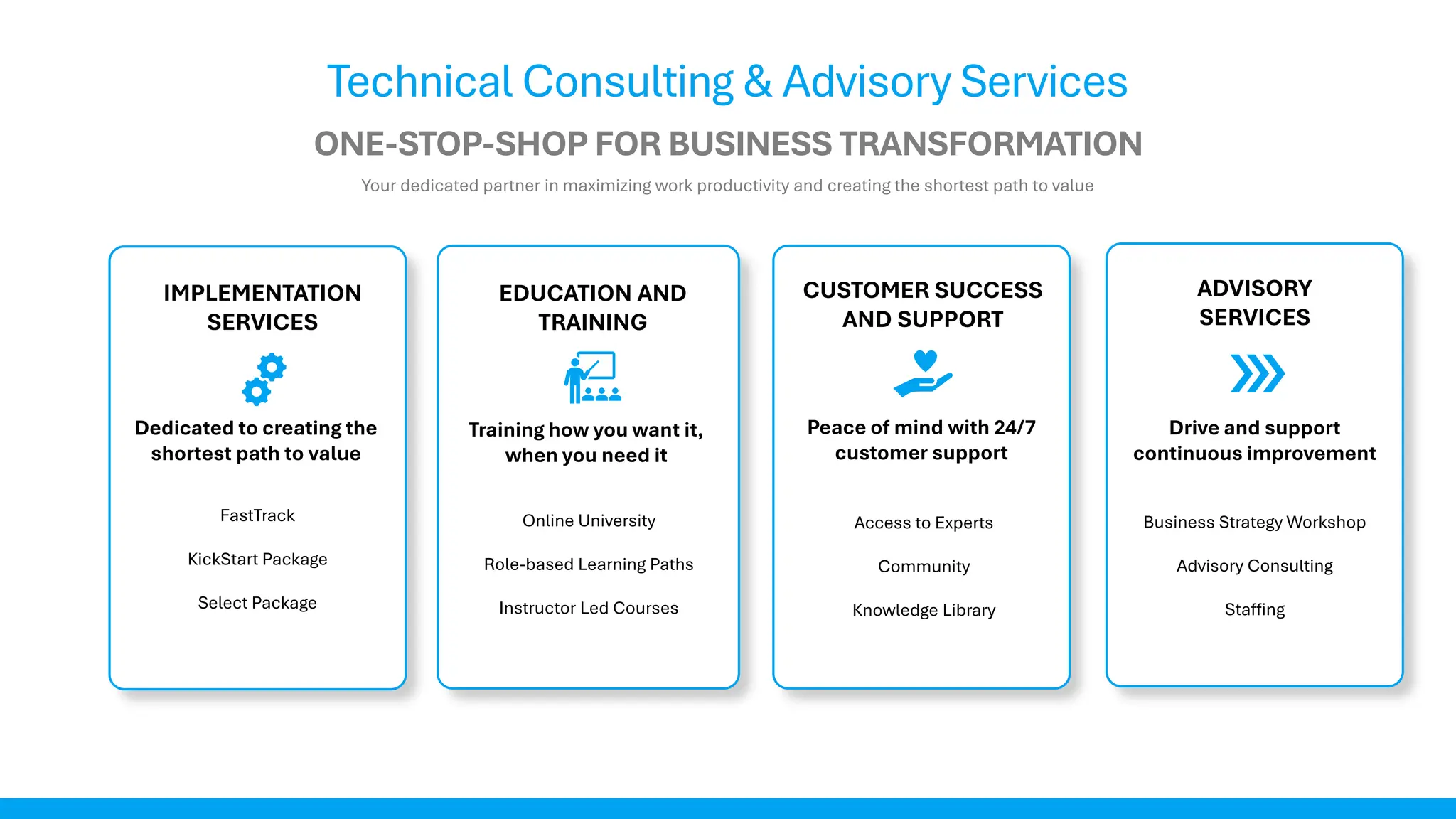
IMPLEMENTATION
SERVICES
ONE-STOP-SHOP FOR BUSINESS TRANSFORMATION
Technical Consulting & Advisory Services
Your dedicated partner in maximizing work productivity and creating the shortest path to value
EDUCATION AND
TRAINING
CUSTOMER SUCCESS
AND SUPPORT
ADVISORY
SERVICES
Dedicated to creating the
shortest path to value
Training how you want it,
when you need it
Peace of mind with 24/7
customer support
Drive and support
continuous improvement
FastTrack
KickStart Package
Select Package
Online University
Role-based Learning Paths
Instructor Led Courses
Access to Experts
Community
Knowledge Library
Business Strategy Workshop
Advisory Consulting
Staffing
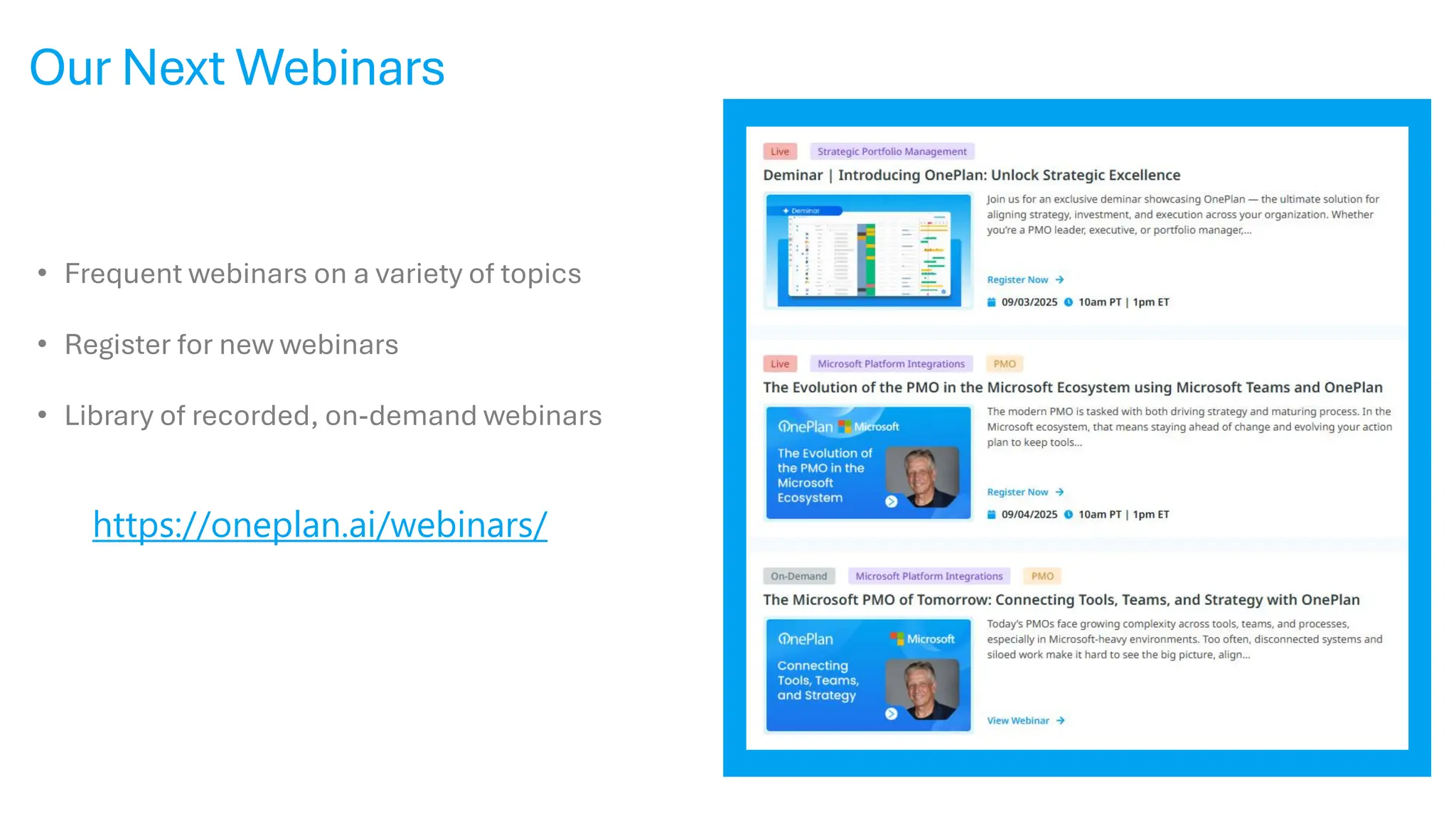
Our Next Webinars
https://oneplan.ai/webinars/
• Frequent webinars on a variety of topics
• Register for new webinars
• Library of recorded, on-demand webinars
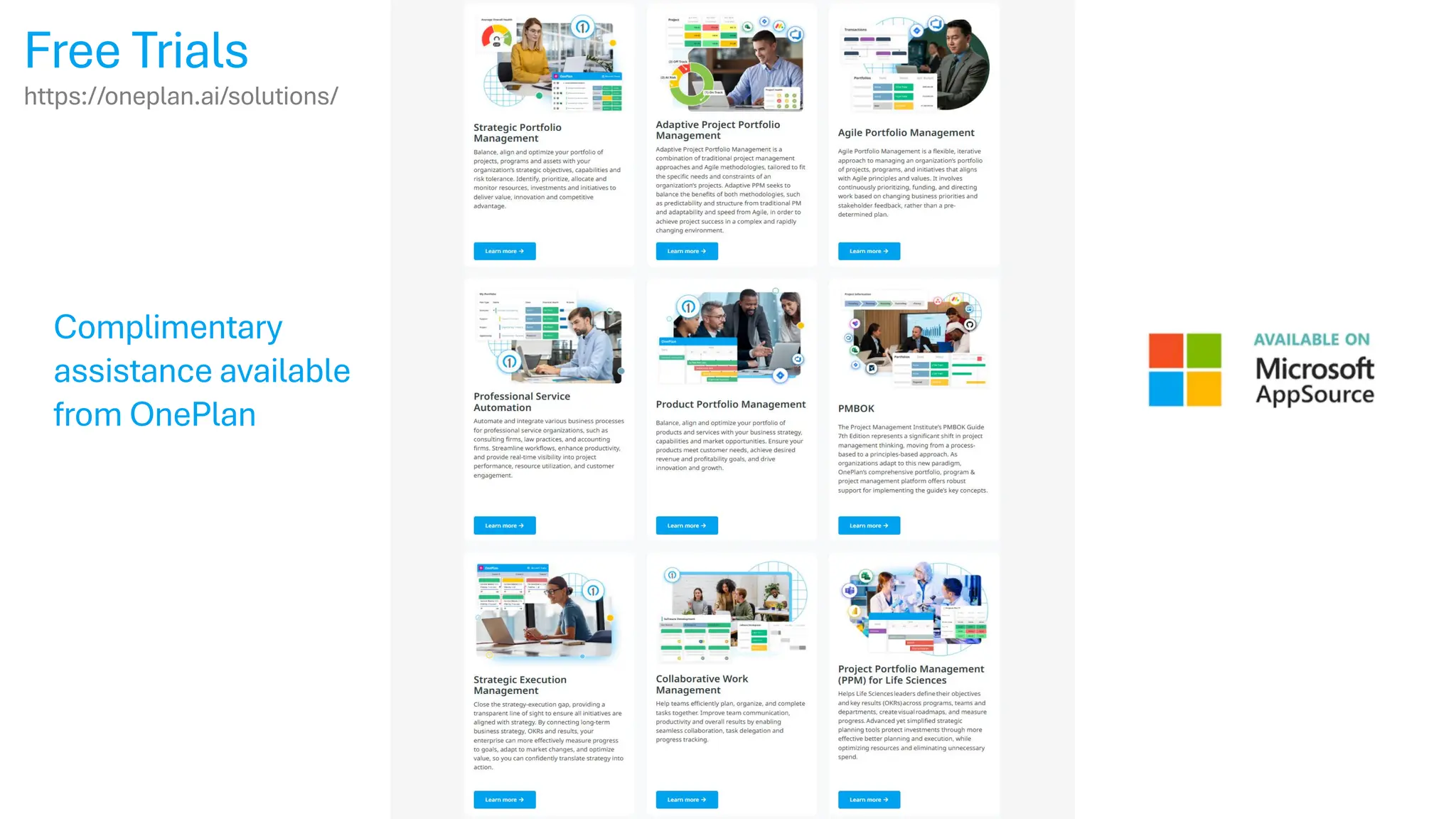
Free Trials
https://oneplan.ai/solutions/
Complimentary
assistance available
from OnePlan
Next Steps
• FREE – Business Strategy Workshop
• FREE - Trial & Support
• Personalized 1:1 demo for your organization
• contact@oneplan.ai
• www.oneplan.ai
www.oneplan.ai
Jim Patterson
jpatterson@oneplan.ai

Streamlining Project Management in Microsoft Project, Planner, and Teams with AI and OnePlan

  • 1.
    Streamlining Project Managementin Microsoft Project, Planner, and Teams with AI and OnePlan Jim Patterson jpatterson@oneplan.ai
  • 2.
    GAP For The Web Planner MicrosoftProject and Work Management Previous Evolutions Task Management Professional Project Management Modern Project Management Project Online PPM
  • 3.
    Microsoft Direction forPPM • Microsoft announced in late 2018 a plan to re-imagine Project and the end of investments in Project Online • In the fall of 2019, they launched Project for the web • Their vision going forward is to provide project management capabilities leveraging the M365 platform.
  • 4.
  • 5.
    Bringing together to-dos,tasks, plans, and projects… Microsoft Planner Microsoft To Do Microsoft Project for the web Announcing the new Microsoft Planner One simple, familiar experience for task and project management The New Microsoft Planner One simple, familiar experience for task and project management
  • 6.
    The new Planneris simple Access your work faster with simple navigation, including three main views: My Day, My Tasks, and My Plans Manage your tasks, to-do lists, plans, and projects across Microsoft 365 apps in one place Stay on top of your daily tasks with a view that helps you focus on what needs to get done today
  • 7.
    The new Planneris intelligent Copilot can help you plan for work—getting you started with tasks, buckets, and goals Copilot can help you set clear, measurable goals to align your team towards success Copilot can help you stay up to date on upcoming high priority tasks, overloaded team members, and big risks NOTE: Does not have feature parity with Project Professional or Project Online
  • 8.
    ONEPLAN PROVIDES PRECONFIGUREDSOLUTIONS IN THE MICROSOFT CLOUD Preconfigured Solutions Planner (Basic & Premium) Project Professional
  • 9.
    OnePlan is anAI-enabled Strategic Portfolio & Work Management platform that enable businesses to streamline their operations, optimize their investments & resources, while driving growth. Connect Strategy to Execution We bridge the gap between strategic goals and on-the-ground work, ensuring alignment across portfolios, programs, and projects. Deliver Real-Time Visibility & Insights Gain a unified view across all work with real- time dashboards and analytics that support faster, data-driven decision-making. Unify Tools and Teams Integrate with Microsoft Project, Planner, Azure DevOps, Jira, Smartsheet, and more— breaking down silos and improving collaboration. Optimize Resource & Capacity Planning Model capacity, demand, and resource allocation to ensure the right teams are focused on the right work at the right time. Centralize Financial Management Plan, track, and forecast budgets and actuals to improve investment performance and financial governance. Support Hybrid Work Delivery Models Enable Agile, Waterfall, and Hybrid work execution—all within a single platform that provides leadership with a consolidated view. Plan Strategically. Execute Effectively. Deliver Value.
  • 10.
    Portfolio Managers Resource Planning FinancialPlanning Work Plan Visualizations Dashboards Status Reports Plan Managers Agile Plan Ideation / Requests Artificial Intelligence – Sofia GPT Demand Timesheets My Work Stakeholders Team Members Executives Portfolio Planning Planning Do the right work Do the work right Resource Negotiation Resource Managers Products, Applications, etc. Execution Analysis What-if Scenario Modeling • Products • Services • Applications Capacity Planning Issues Risks Changes • Business Value • Benefits Realization Strategy End-to-EndCapabilities
  • 11.
    IT R&D ProductOperations Build Your Own Solution Portfolio Plan Resource Plan Financial Plan Portfolio Modeler Work Plan Time Tracking Strategic Plan Strategy PMO Work Management Application Development Ideation Service Management Financial Management OneConnect/OneAnalytics Reporting Status Reports Innovation Portal Capabilities Solution Areas Integrations Extensibility EnterprisePlatform Demand Planning Execution Analysis Governance
  • 12.
    OnePlan helps unifyyour tech stack by integrating with the tools your teams already use. Whether it's Jira, Smartsheet, Salesforce, or custom systems, OnePlan creates a connected portfolio ecosystem. OpenIntegrationHub Connect with Jira, Smartsheet, ServiceNow, Salesforce, and more. Automated DataSync Keep project data consistent across systems without manual effort. Bi-DirectionalAPIs Enable real-time updates between OnePlan and external platforms. Cross-SystemIntelligence Use AI and insights across integrated toolsets for smarter decisions. See OnePlan in action! Connect the Tools Your Teams Already Use
  • 13.
    OnePlan helps youmake faster, smarter decisions with built-in AI powered by Sofia. From plan generation to real-time recommendations, Sofia enhances productivity, improves decision-making, and reduces manual effort.. GeneratePlanswithPrompts Use natural language to generate project, work, or financial plans instantly. SummarizeUpdates &Status Automatically summarize plan health, progress, and risks for executives and stakeholders. IdentifyRisks& Anomalies Leverage AI to flag potential issues based on data trends and inconsistencies. Context-AwareAssistance Get in-app suggestions and automation tailored to your specific work context. See OnePlan in action! AI-Driven Intelligence (Sofia GPT)
  • 14.
    OnePlan helps extendthe power of Microsoft 365 for strategic portfolio management. It seamlessly connects with Teams, Project, Planner, Power BI, and more. NativeMicrosoftEcosystemSupport Connect with Teams, Power BI, Project, Planner, and Azure DevOps. Two-WaySync Push and pull data between OnePlan and Microsoft tools seamlessly UseMicrosoftTeamsforCollaboration Manage work, hold meetings, and update plans directly in Teams. Enterprise-GradeSecurity Compliant with Microsoft standards and certified for enterprise use. See OnePlan in action! Extend the Power of Microsoft 365
  • 15.
    OnePlan in AzureDevOps OnePlan in Teams OnePlan in Power Apps OnePlan in Dynamics 365 Built For The Microsoft Cloud With a Fused User Experience OnePlan in SharePoint OnePlan in JIRA Fused UI - Stay working in the tools that you use in everyday.
  • 16.
  • 17.
    What Else IsNeeded in Teams? A Complete Project Portfolio Management Platform for Microsoft Teams Stay connected and organized. Define strategy, set priorities, capture requests and execute projects all within Teams. Key Features The success of your deliverables relies on strong communication and visibility into your project assets. Share information with your stakeholders in a single location and ensure teams are progressing towards common goals. Real- time visibility into project performance keeps teams aligned and stakeholders in the know – allowing you to shift direction or remove barriers quickly when necessary.
  • 18.
    Microsoft Authorized TeamsApp Left Rail for Full OnePlan Access On Left Navigation Rail
  • 19.
    Complete Strategic PortfolioManagement Capabilities In Microsoft Teams
  • 20.
    OnePlan Within IndividualTeams Access OnePlan Within the Team/Channel Within a Team/Channel Add App to a Team or Channel
  • 21.
    OnePlan in MicrosoftPower Platform
  • 22.
    Project for Web ModernProject Management
  • 23.
    All Projects inDataverse – Power Apps Solutions Dataverse
  • 24.
    Accelerator Solution withPower Apps (aka “Project Accelerator”, PPM Accelerator. PMO Accelerator) Developed for Microsoft by OnePlan Demonstrates the use the Power Platform and with Planner for Project, Program, and Portfolio Management requirements. Reports Project Requests Programs Projects Resources Note: Does not provide full feature parity with Project Online
  • 25.
  • 26.
    Future of MicrosoftProject and Portfolio Management EPMO PMO Project Teams OnePlan OnePlan Planner Premium + Accelerator Project Online Microsoft Cloud Platform Strategic Portfolio Management (SPM) Enterprise Work Management (EWM) Collaborative Work Management (CWM) Planner / Teams Planner Premium (formerly Project for the web) Office 365
  • 27.
  • 28.
  • 29.
    OnePlan Meets YouWhere You Are Crawl Walk Run
  • 30.
    Summary • OnePlan hasenhanced and deployed the Microsoft Project offerings for many years as a strategic Microsoft partner • Microsoft has reimagined Project, and has combined Project for the web and Planner • Microsoft focusing on Collaborative Work Management • OnePlan provides a platform that extends the new Microsoft Planner, Project and Azure DevOps to provide full EWM, PPM and SPM capabilities • OnePlan integrates with other solutions/tools as needed • OnePlan is delivered in the Microsoft cloud • OnePlan is an authorized Microsoft Teams app, and provides full capabilities in that user experience • OnePlan’s fused UI approach lets you use OnePlan capabilities across the M365 and Power Platforms • AI assistants Copilot and Sofia GPT are available today
  • 31.
    Industry Recognitions Secured Platform StrategicPartnership ataGlance Private Equity Partner
  • 32.
    Customer Testimonials "OnePlan hasbrought transparency, adaptability, and real strategic alignment to our project portfolio—it's truly invaluable." “OnePlan helped us go from 20% to 92% adoption by enabling standardization, transparency, and governance." "OnePlan became our single source of truth — it helped us standardize processes, scale efficiently, and deliver real-time data to our leadership." "OnePlan gives us the tools to track, plan, and report on major initiatives — helping our teams stay focused and aligned on what matters most. "OnePlan gives us one source of truth to manage multiple portfolios, drive innovation, and make better business decisions." “OnePlan has been a game changer for visibility and alignment across the organization.” "OnePlan brought us global visibility and helped us manage strategic projects in a way we never could before.” See More OnePlan Customer Testimonials Watch the Testimonial Watch the Testimonial Watch the Testimonial Watch the Testimonial Watch the Testimonial Watch the Testimonial Watch the Testimonial ""OnePlan brought everything into one place, streamlined our reporting, and really took our PMO to the next level." Watch the Testimonial
  • 33.
    IMPLEMENTATION SERVICES ONE-STOP-SHOP FOR BUSINESSTRANSFORMATION Technical Consulting & Advisory Services Your dedicated partner in maximizing work productivity and creating the shortest path to value EDUCATION AND TRAINING CUSTOMER SUCCESS AND SUPPORT ADVISORY SERVICES Dedicated to creating the shortest path to value Training how you want it, when you need it Peace of mind with 24/7 customer support Drive and support continuous improvement FastTrack KickStart Package Select Package Online University Role-based Learning Paths Instructor Led Courses Access to Experts Community Knowledge Library Business Strategy Workshop Advisory Consulting Staffing
  • 34.
    Our Next Webinars https://oneplan.ai/webinars/ •Frequent webinars on a variety of topics • Register for new webinars • Library of recorded, on-demand webinars
  • 35.
  • 36.
    Next Steps • FREE– Business Strategy Workshop • FREE - Trial & Support • Personalized 1:1 demo for your organization • contact@oneplan.ai • www.oneplan.ai
  • 37.