For Small and Medium Enterprises
      Tactical Approaches
Tactical Approaches to Disaster Recover
   and Business Continuity solutions

     Assessment and Design

     Impact of Virtualization

     Changes in Terminology

     Member Experiences
ASSESSMENT AND DESIGN
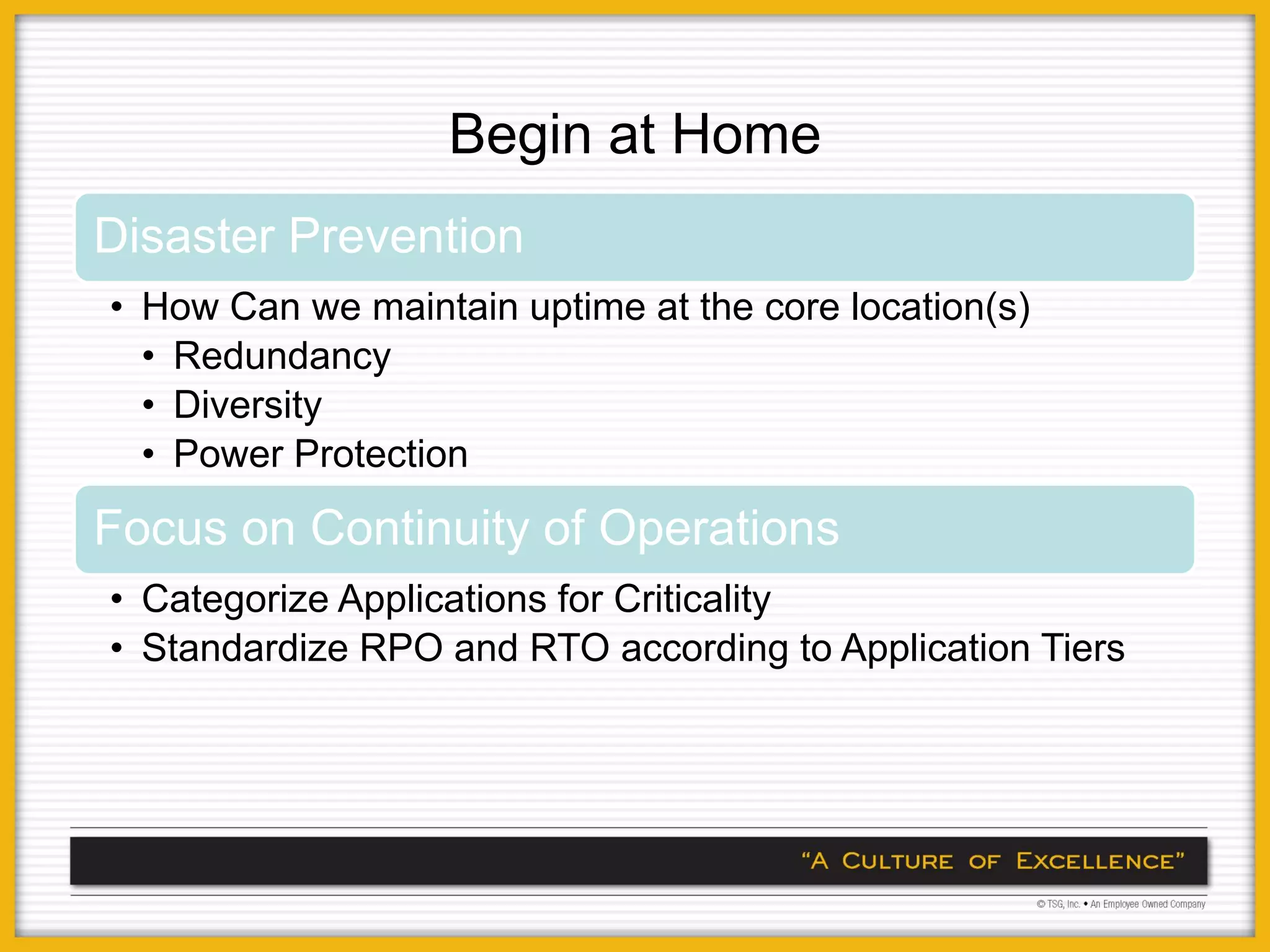
Begin at Home
Disaster Prevention
• How Can we maintain uptime at the core location(s)
  • Redundancy
  • Diversity
  • Power Protection

Focus on Continuity of Operations
• Categorize Applications for Criticality
• Standardize RPO and RTO according to Application Tiers
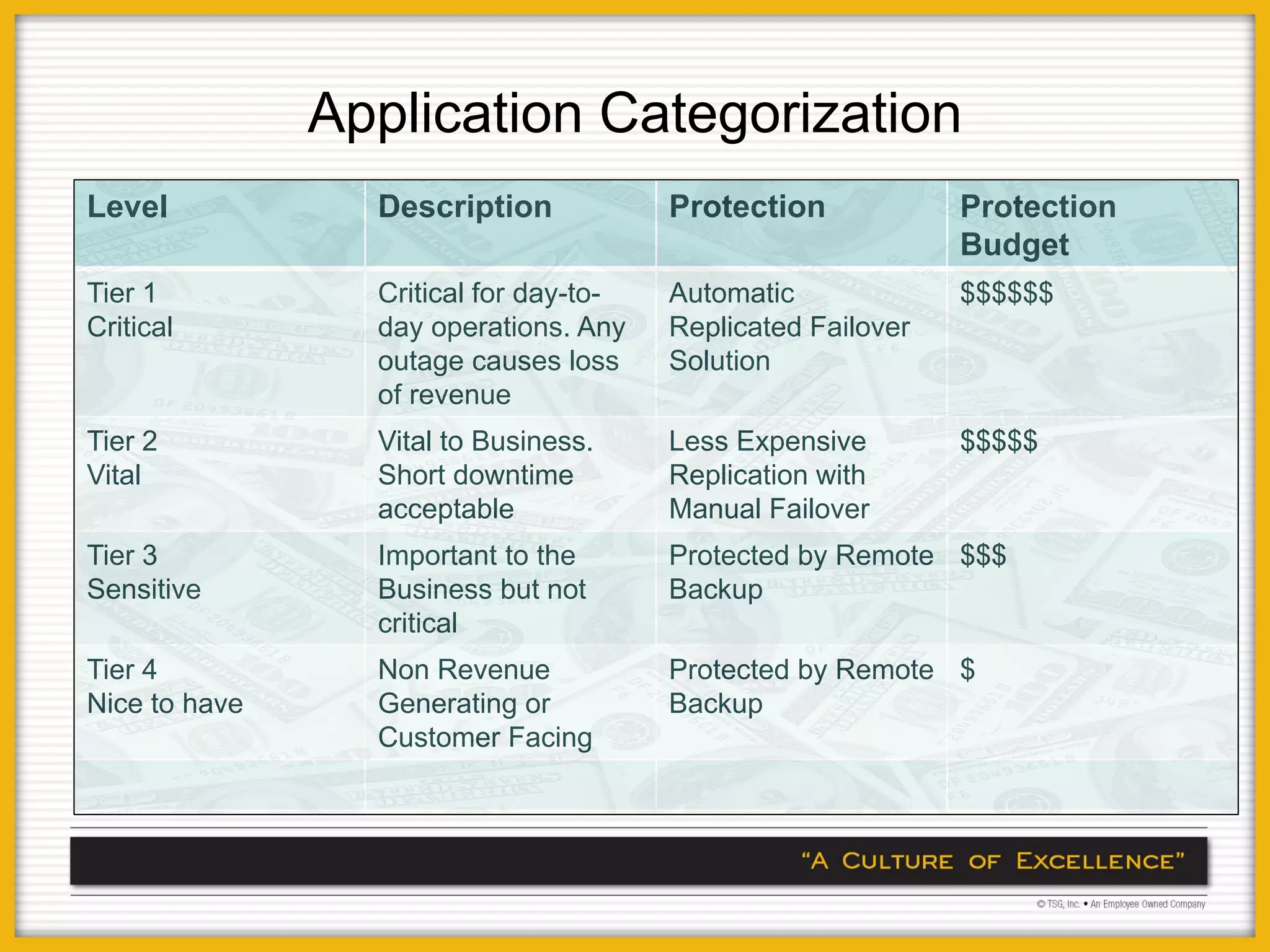
Application Categorization
Level            Description            Protection            Protection
                                                              Budget
Tier 1           Critical for day-to-   Automatic             $$$$$$
Critical         day operations. Any    Replicated Failover
                 outage causes loss     Solution
                 of revenue
Tier 2           Vital to Business.     Less Expensive        $$$$$
Vital            Short downtime         Replication with
                 acceptable             Manual Failover
Tier 3           Important to the       Protected by Remote $$$
Sensitive        Business but not       Backup
                 critical
Tier 4           Non Revenue            Protected by Remote $
Nice to have     Generating or          Backup
                 Customer Facing
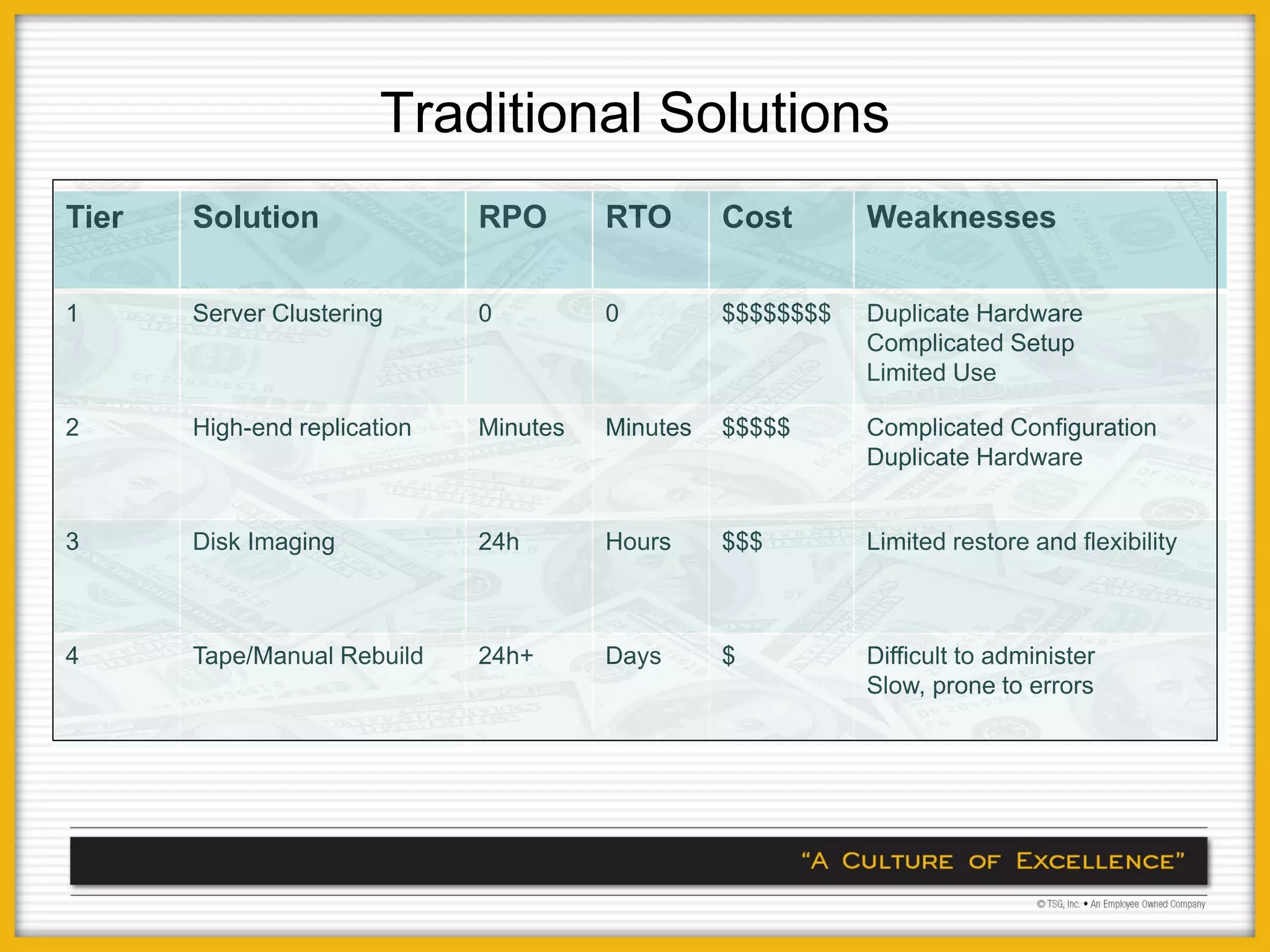
Traditional Solutions
Tier   Solution               RPO       RTO       Cost       Weaknesses

1      Server Clustering      0         0         $$$$$$$$   Duplicate Hardware
                                                             Complicated Setup
                                                             Limited Use

2      High-end replication   Minutes   Minutes   $$$$$      Complicated Configuration
                                                             Duplicate Hardware


3      Disk Imaging           24h       Hours     $$$        Limited restore and flexibility


4      Tape/Manual Rebuild    24h+      Days      $          Difficult to administer
                                                             Slow, prone to errors
Audience Discussion
•   What Categories have you identified for Applications
•   What RPO/RTO have you defined.
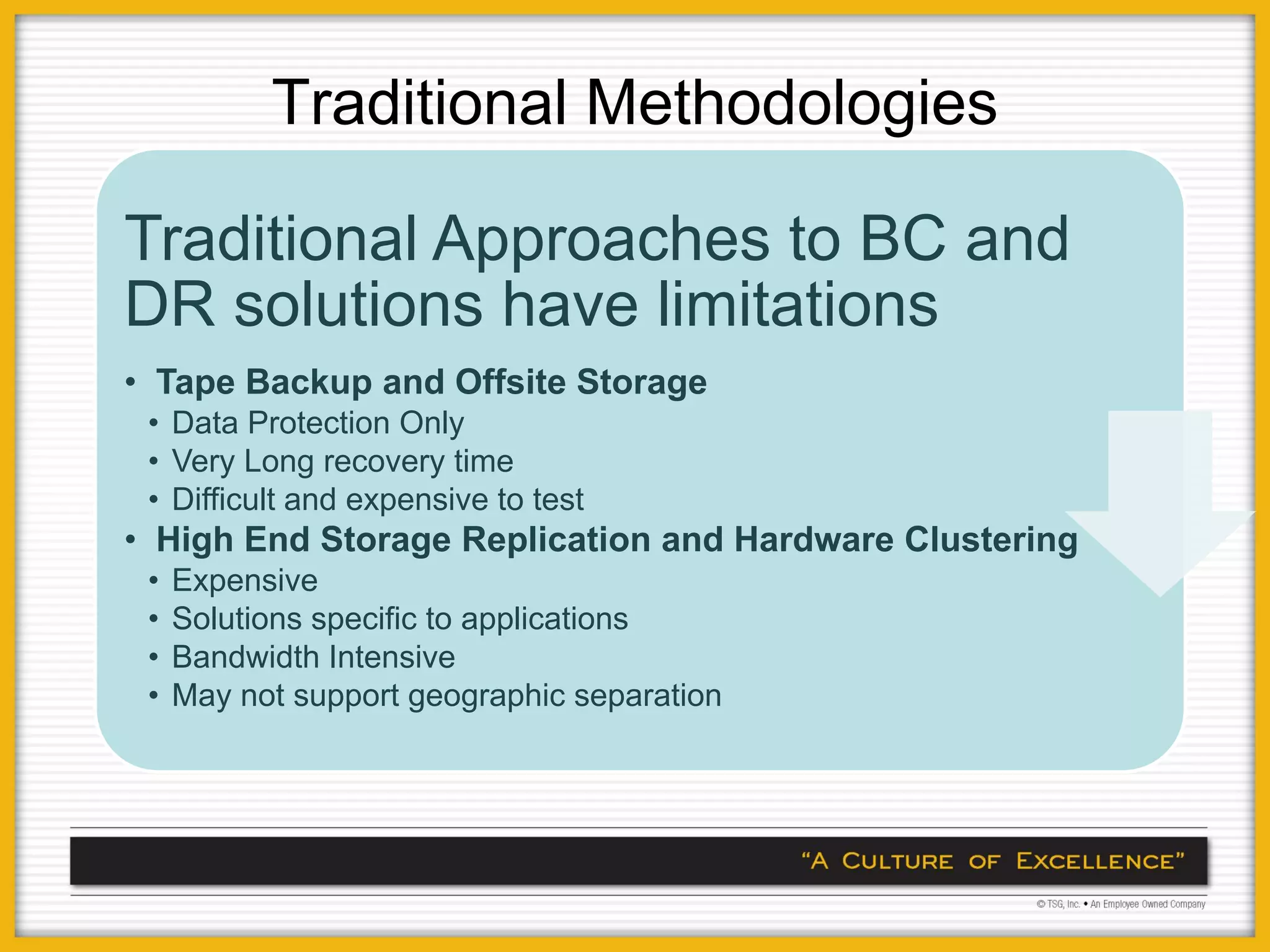
Traditional Methodologies

Traditional Approaches to BC and
DR solutions have limitations
• Tape Backup and Offsite Storage
 • Data Protection Only
 • Very Long recovery time
 • Difficult and expensive to test
• High End Storage Replication and Hardware Clustering
 •   Expensive
 •   Solutions specific to applications
 •   Bandwidth Intensive
 •   May not support geographic separation
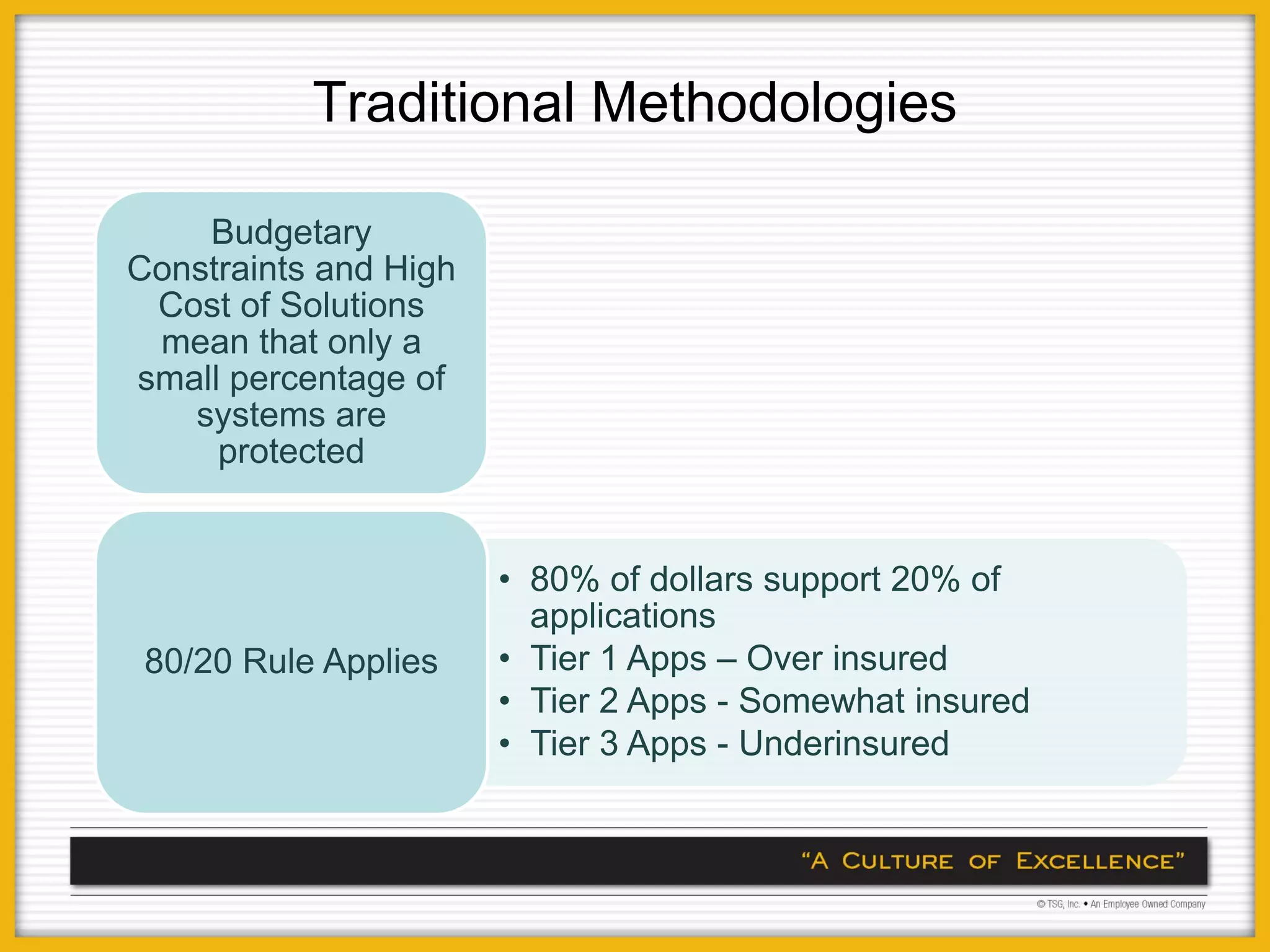
Traditional Methodologies

    Budgetary
Constraints and High
 Cost of Solutions
 mean that only a
small percentage of
   systems are
     protected


                       • 80% of dollars support 20% of
                         applications
 80/20 Rule Applies    • Tier 1 Apps – Over insured
                       • Tier 2 Apps - Somewhat insured
                       • Tier 3 Apps - Underinsured
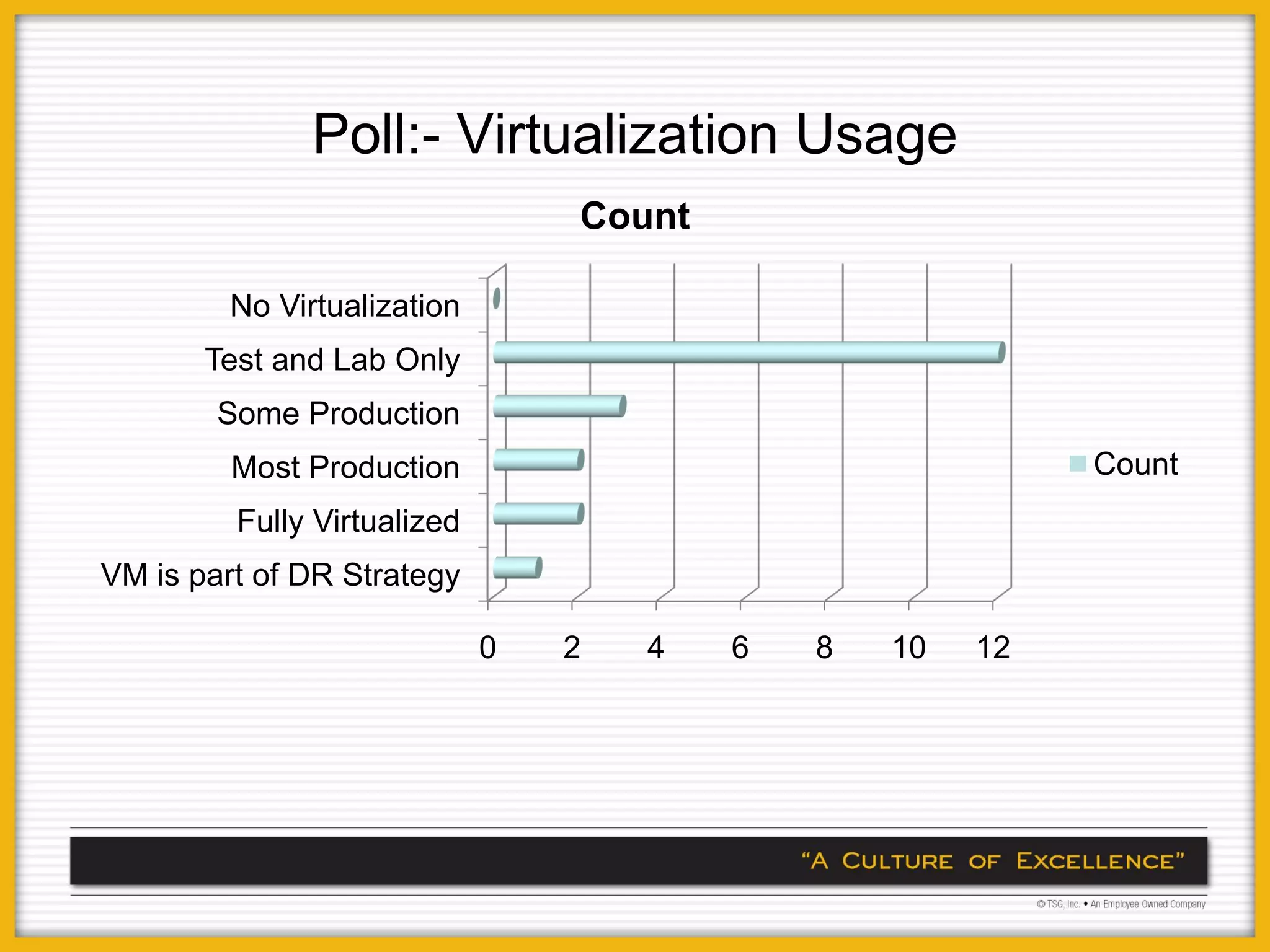
Poll:- Virtualization Usage
                                 Count

        No Virtualization
       Test and Lab Only
        Some Production
         Most Production                                   Count
         Fully Virtualized
VM is part of DR Strategy

                             0   2   4   6   8   10   12
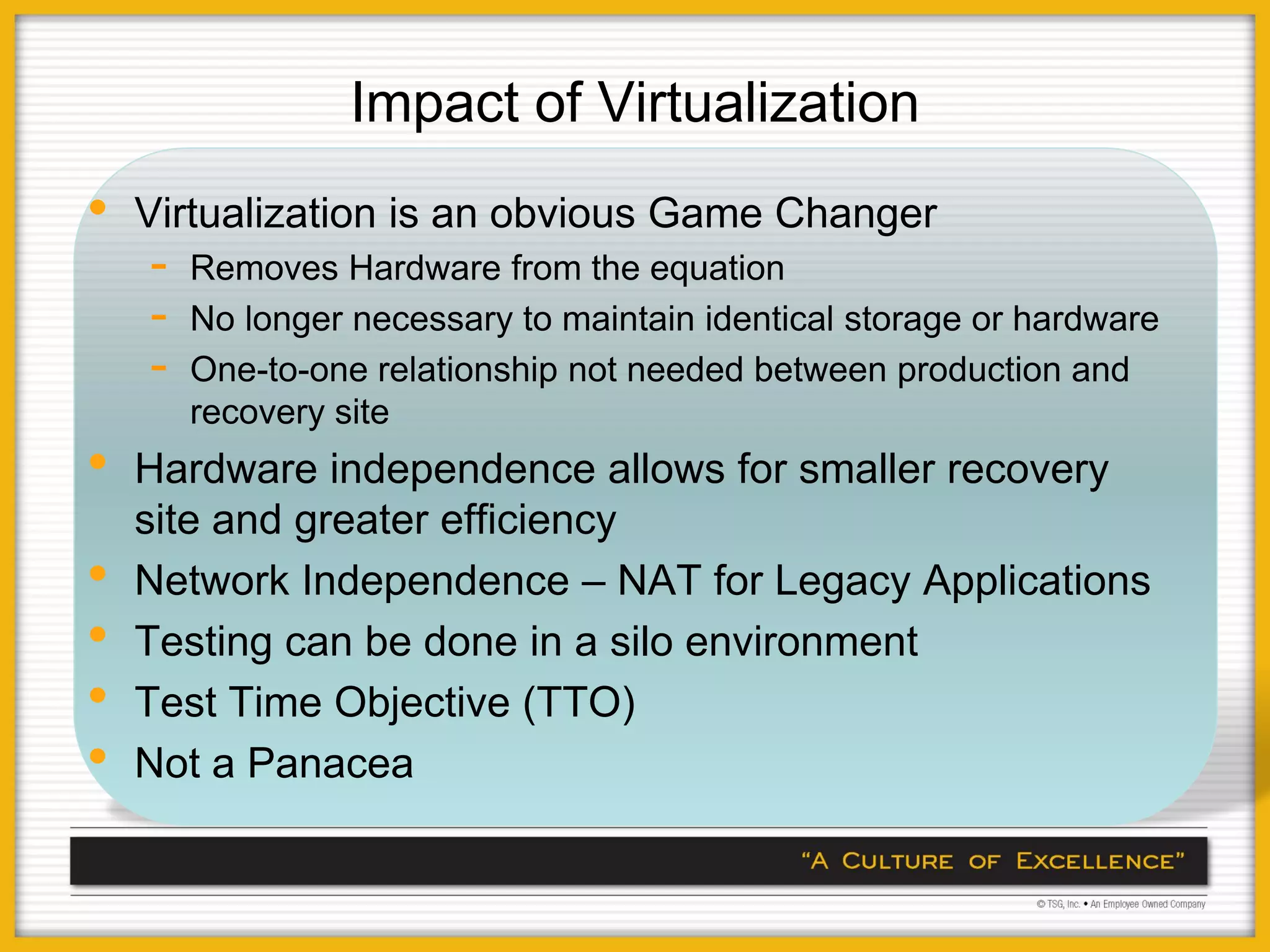
Impact of Virtualization
•   Virtualization is an obvious Game Changer
    -   Removes Hardware from the equation
    -   No longer necessary to maintain identical storage or hardware
    -   One-to-one relationship not needed between production and
        recovery site
•   Hardware independence allows for smaller recovery
    site and greater efficiency
•   Network Independence – NAT for Legacy Applications
•   Testing can be done in a silo environment
•   Test Time Objective (TTO)
•   Not a Panacea
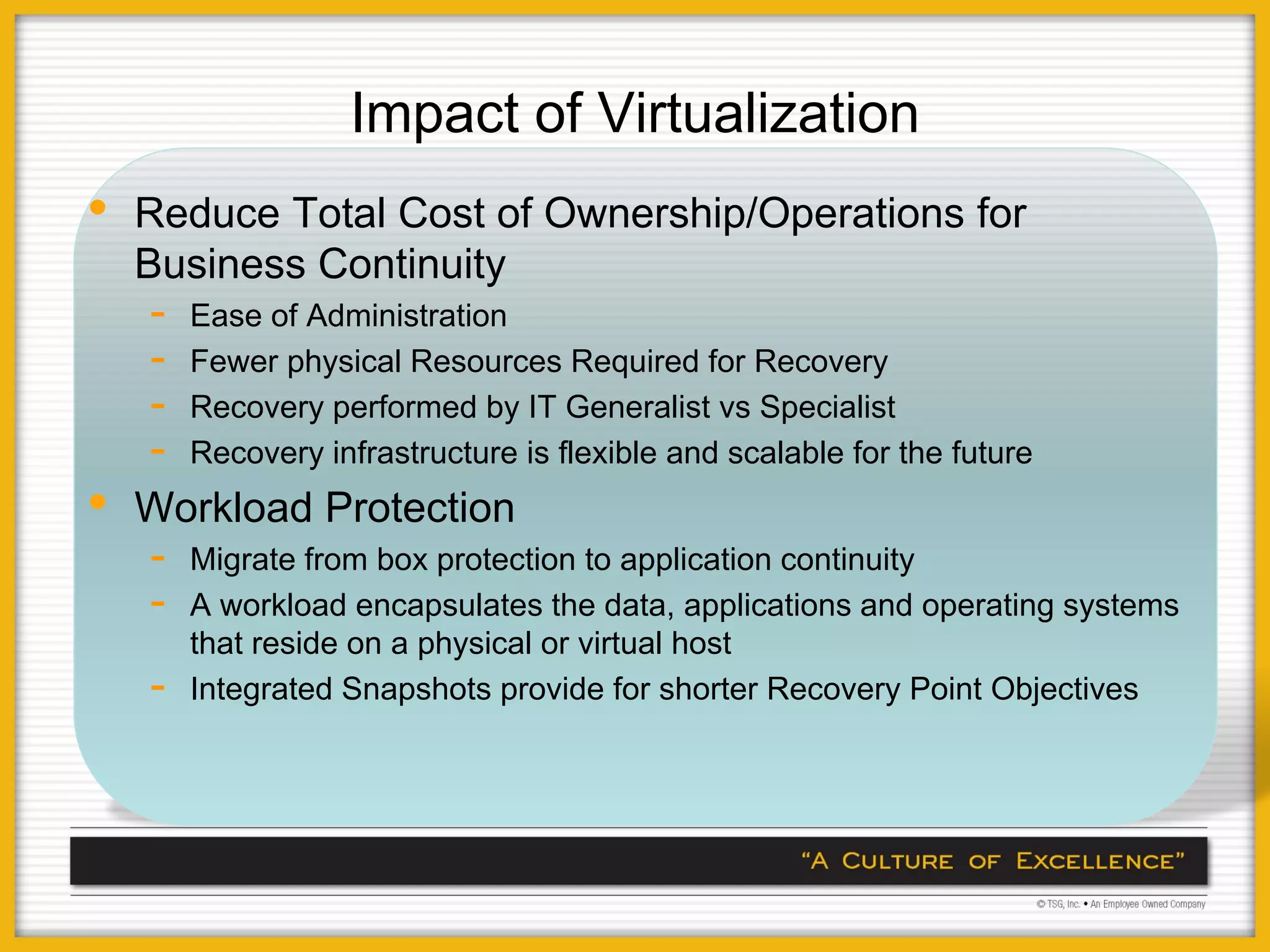
Impact of Virtualization
•   Reduce Total Cost of Ownership/Operations for
    Business Continuity
    -   Ease of Administration
    -   Fewer physical Resources Required for Recovery
    -   Recovery performed by IT Generalist vs Specialist
    -   Recovery infrastructure is flexible and scalable for the future
•   Workload Protection
    -   Migrate from box protection to application continuity
    -   A workload encapsulates the data, applications and operating systems
        that reside on a physical or virtual host
    -   Integrated Snapshots provide for shorter Recovery Point Objectives
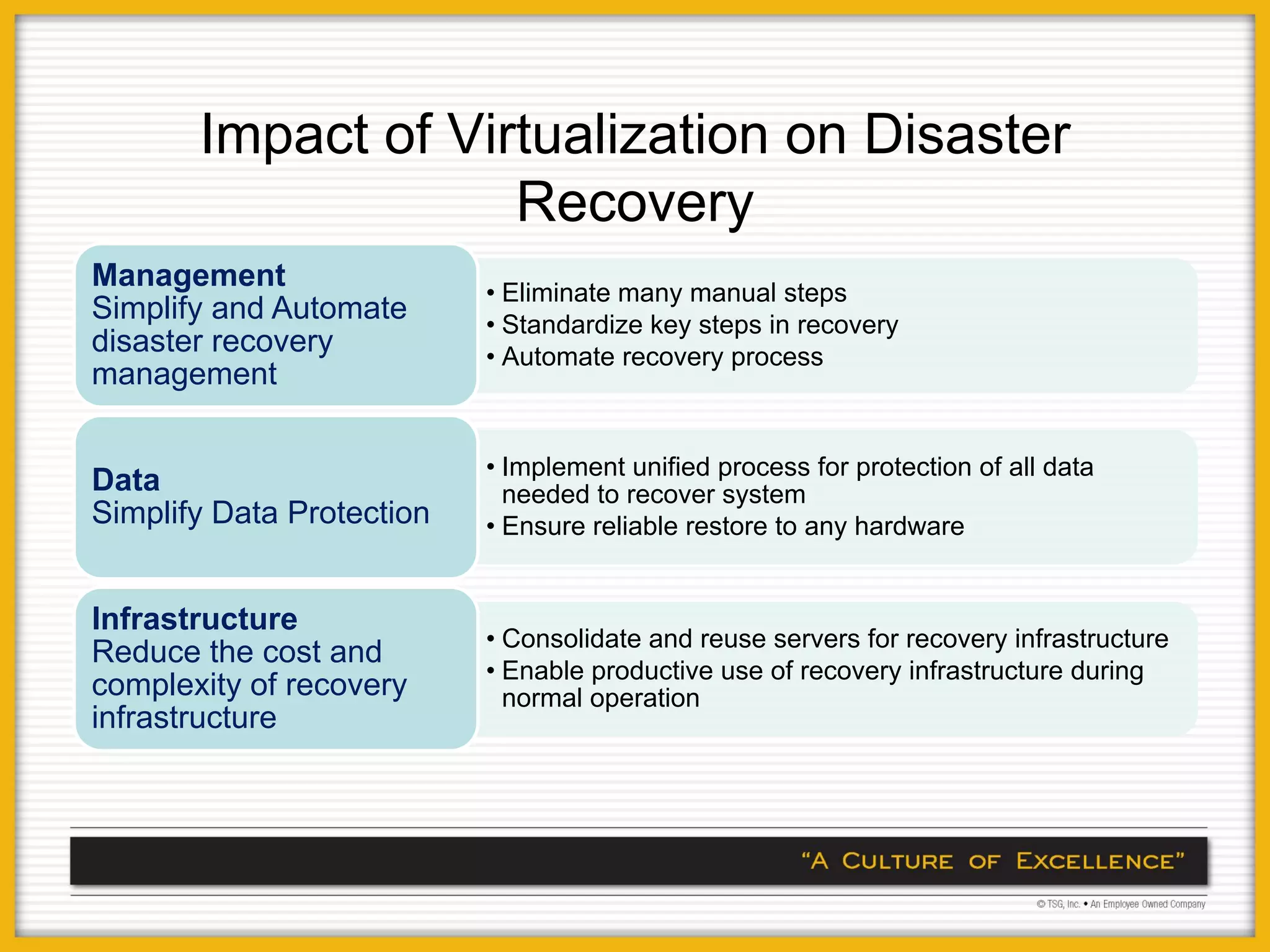
Impact of Virtualization on Disaster
                    Recovery
Management                 • Eliminate many manual steps
Simplify and Automate      • Standardize key steps in recovery
disaster recovery          • Automate recovery process
management

                           • Implement unified process for protection of all data
Data                         needed to recover system
Simplify Data Protection   • Ensure reliable restore to any hardware


Infrastructure
                           • Consolidate and reuse servers for recovery infrastructure
Reduce the cost and
                           • Enable productive use of recovery infrastructure during
complexity of recovery       normal operation
infrastructure
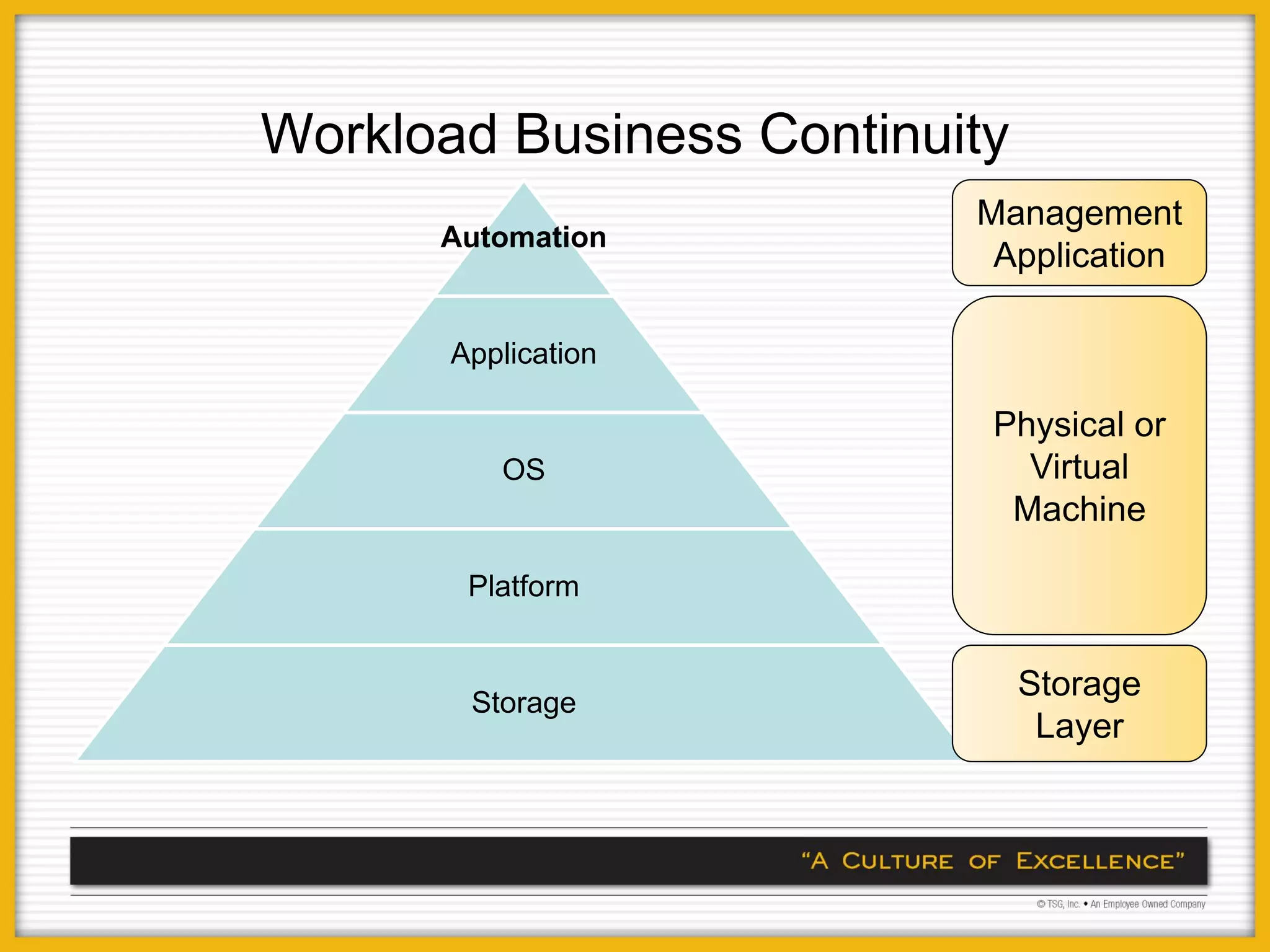
Workload Business Continuity
                          Management
      Automation
                           Application

       Application

                           Physical or
          OS                 Virtual
                            Machine

        Platform


        Storage
                               Storage
                                Layer
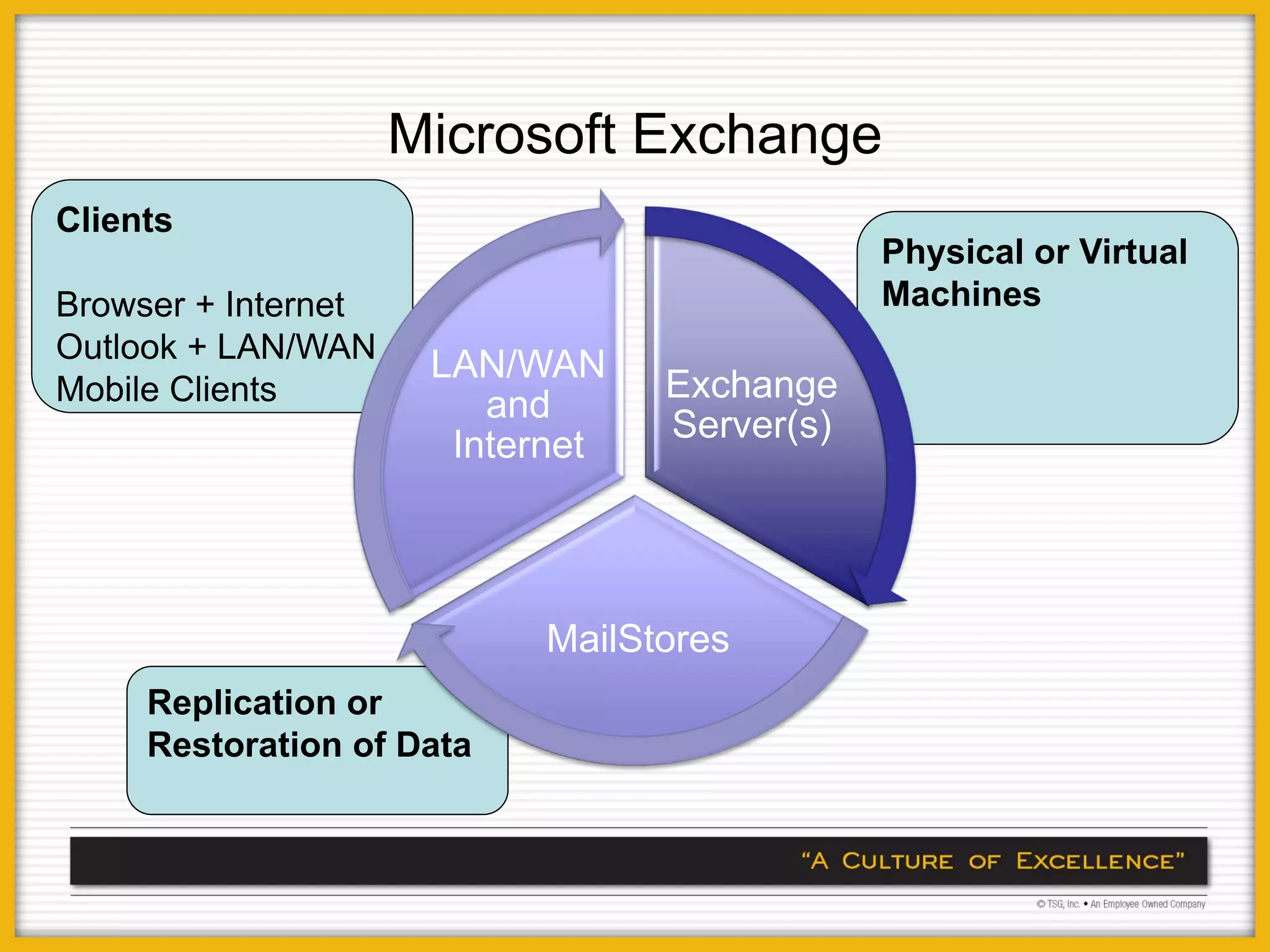
Microsoft Exchange
Clients
                                              Physical or Virtual
Browser + Internet                            Machines
Outlook + LAN/WAN
                      LAN/WAN
Mobile Clients                    Exchange
                         and
                                  Server(s)
                       Internet


                           MailStores
     Replication or
     Restoration of Data
Putting it Together


Virtualized DR Strategies
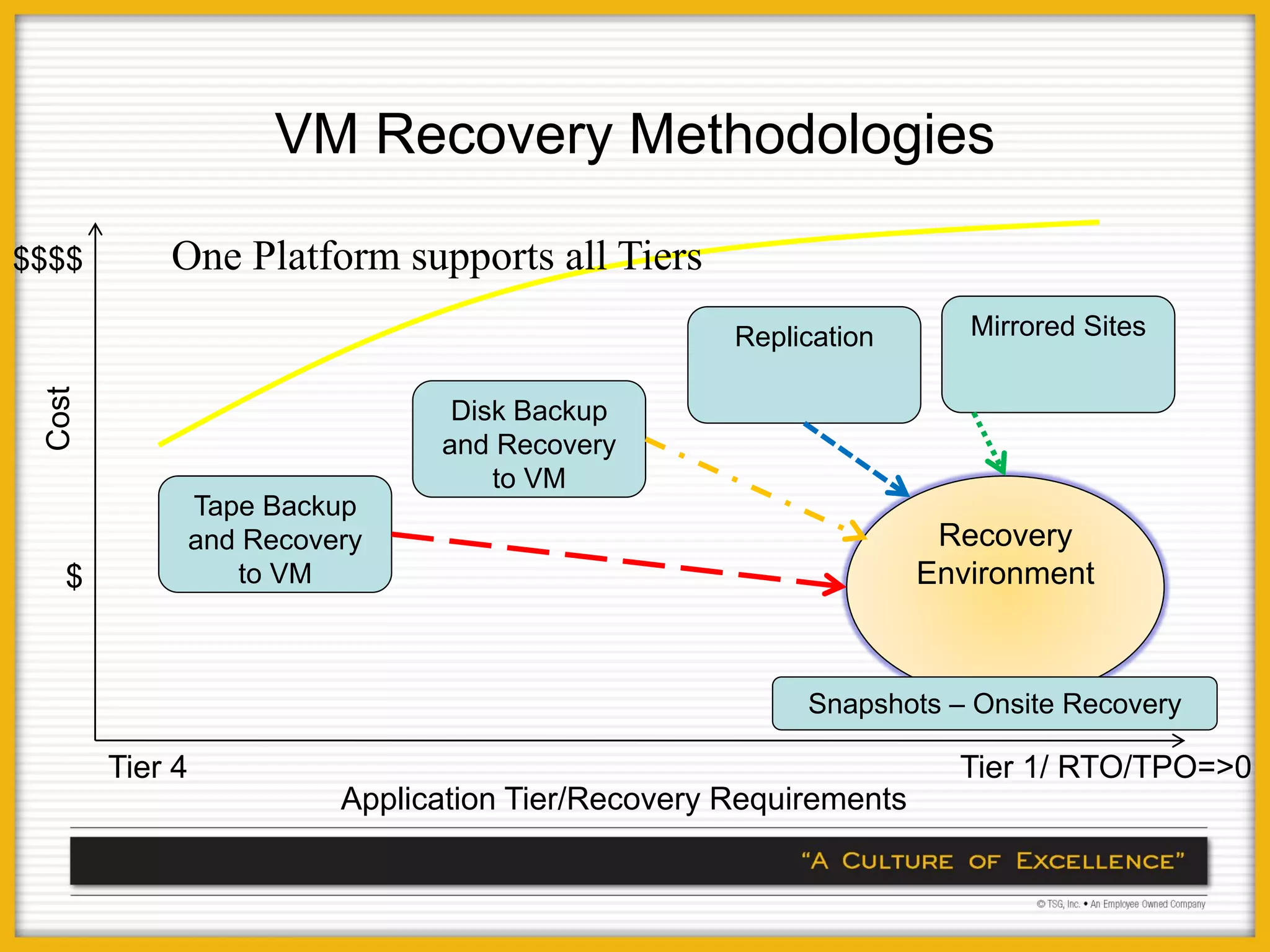
VM Recovery Methodologies

$$$$        One Platform supports all Tiers
                                                     Replication       Mirrored Sites
 Cost


                                  Disk Backup
                                 and Recovery
                                     to VM
                 Tape Backup
                 and Recovery                                        Recovery
   $                to VM                                           Environment


                                                          Snapshots – Onsite Recovery

        Tier 4                                                        Tier 1/ RTO/TPO=>0
                           Application Tier/Recovery Requirements
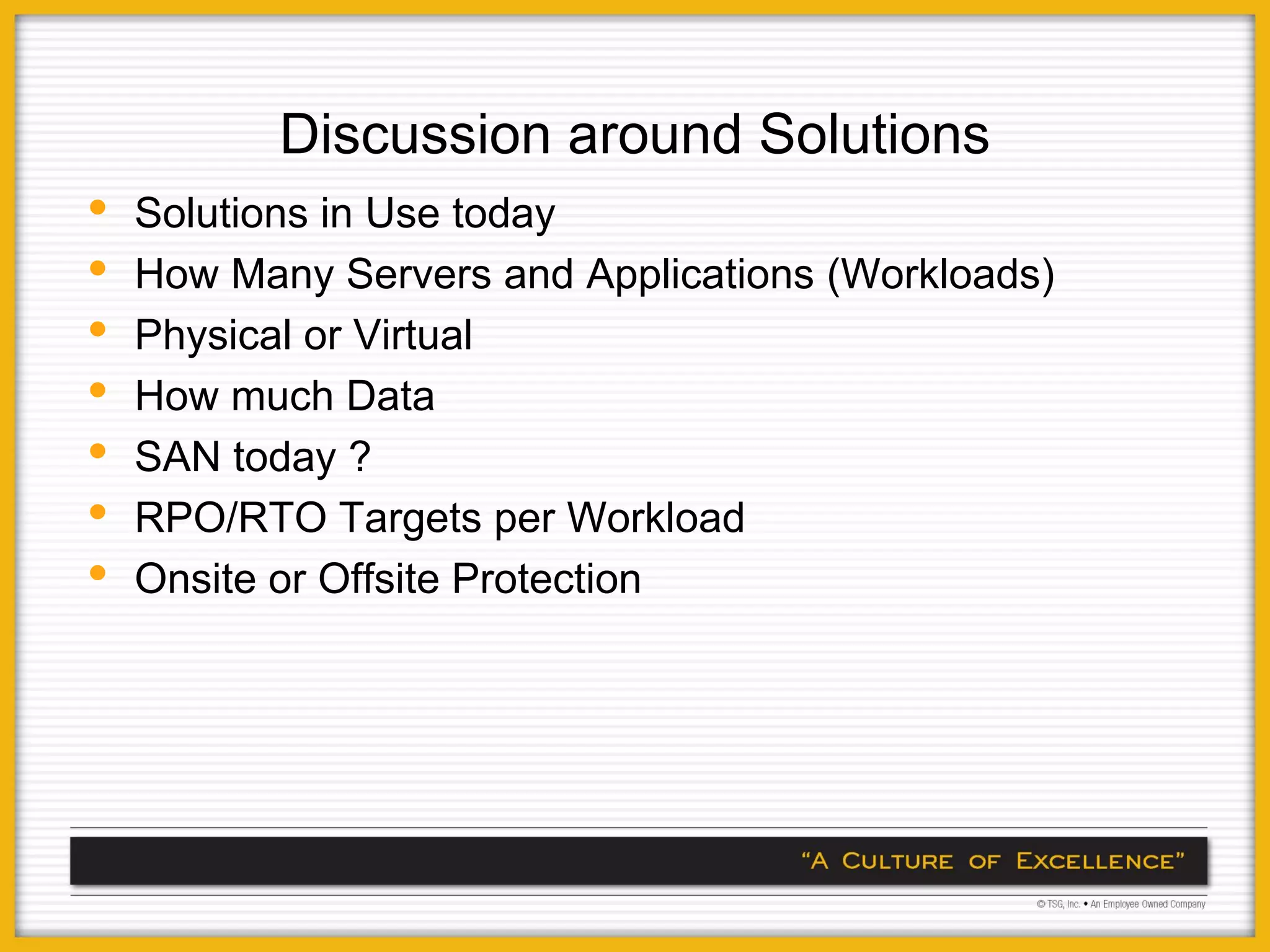
Discussion around Solutions
•   Solutions in Use today
•   How Many Servers and Applications (Workloads)
•   Physical or Virtual
•   How much Data
•   SAN today ?
•   RPO/RTO Targets per Workload
•   Onsite or Offsite Protection
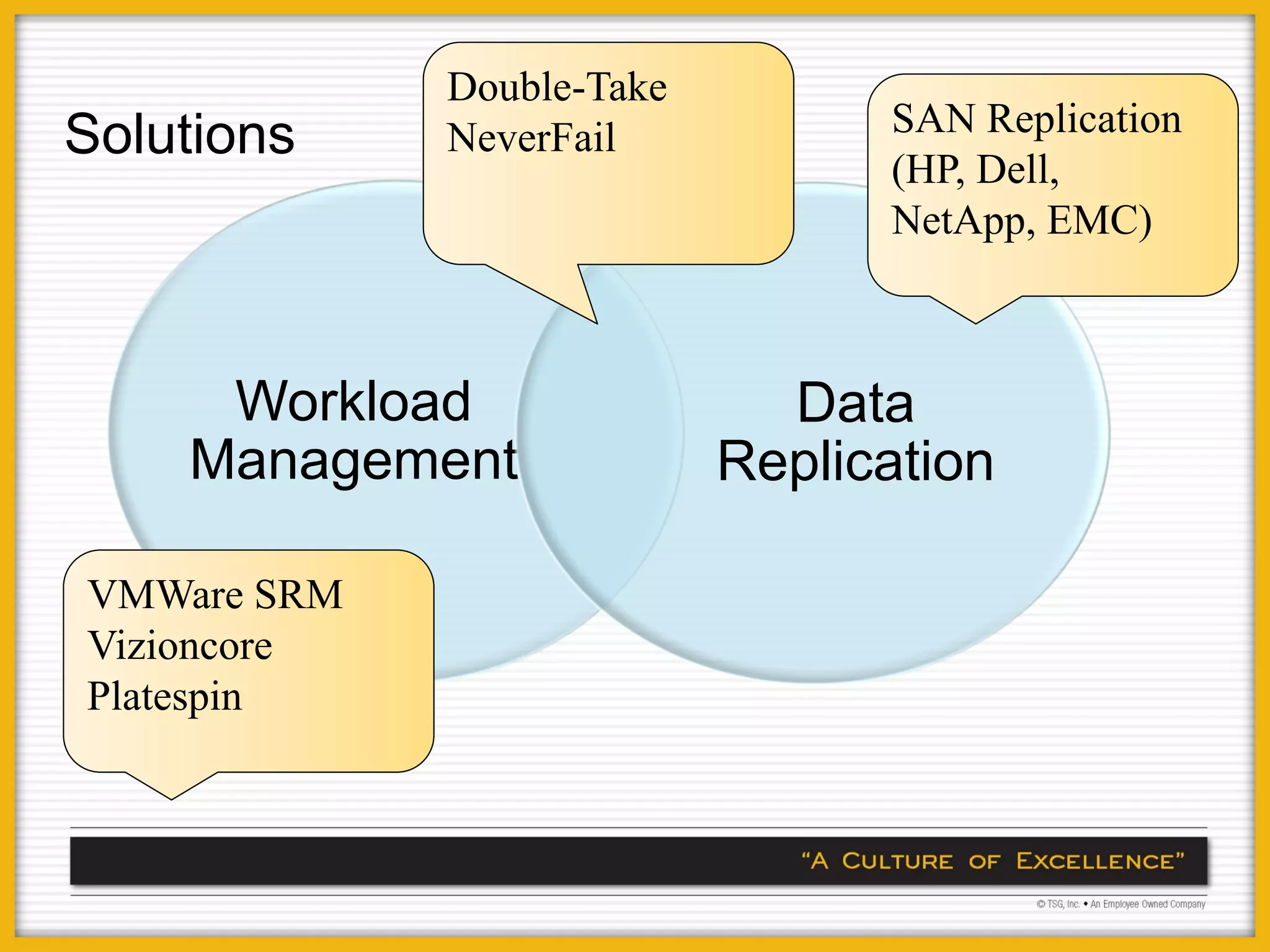
Double-Take
                                 SAN Replication
Solutions    NeverFail
                                 (HP, Dell,
                                 NetApp, EMC)


     Workload                Data
    Management             Replication

VMWare SRM
Vizioncore
Platespin
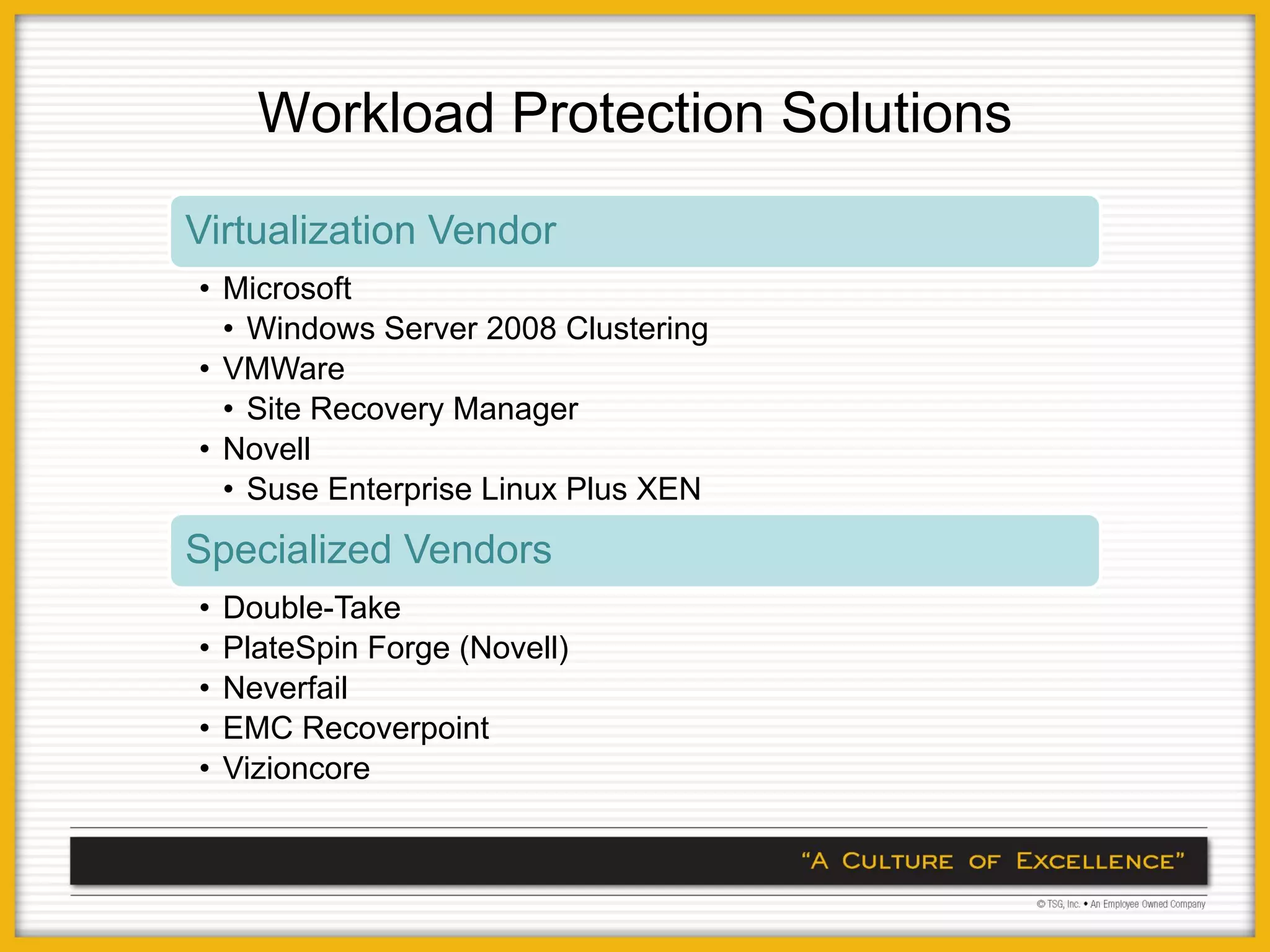
Workload Protection Solutions
Virtualization Vendor
• Microsoft
  • Windows Server 2008 Clustering
• VMWare
  • Site Recovery Manager
• Novell
  • Suse Enterprise Linux Plus XEN
Specialized Vendors
•   Double-Take
•   PlateSpin Forge (Novell)
•   Neverfail
•   EMC Recoverpoint
•   Vizioncore
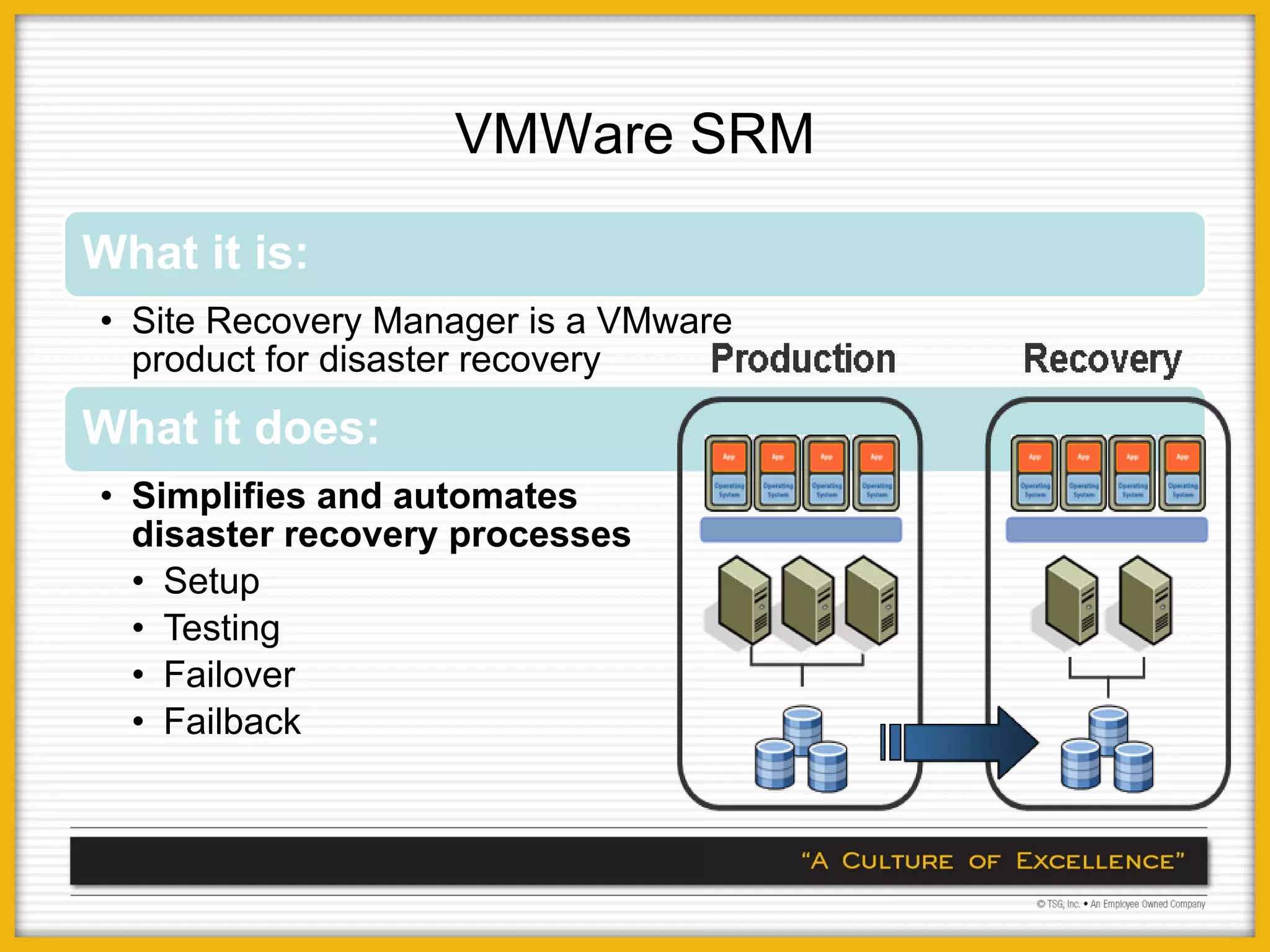
VMWare SRM

What it is:
• Site Recovery Manager is a VMware
  product for disaster recovery
What it does:
• Simplifies and automates
  disaster recovery processes
  • Setup
  • Testing
  • Failover
  • Failback
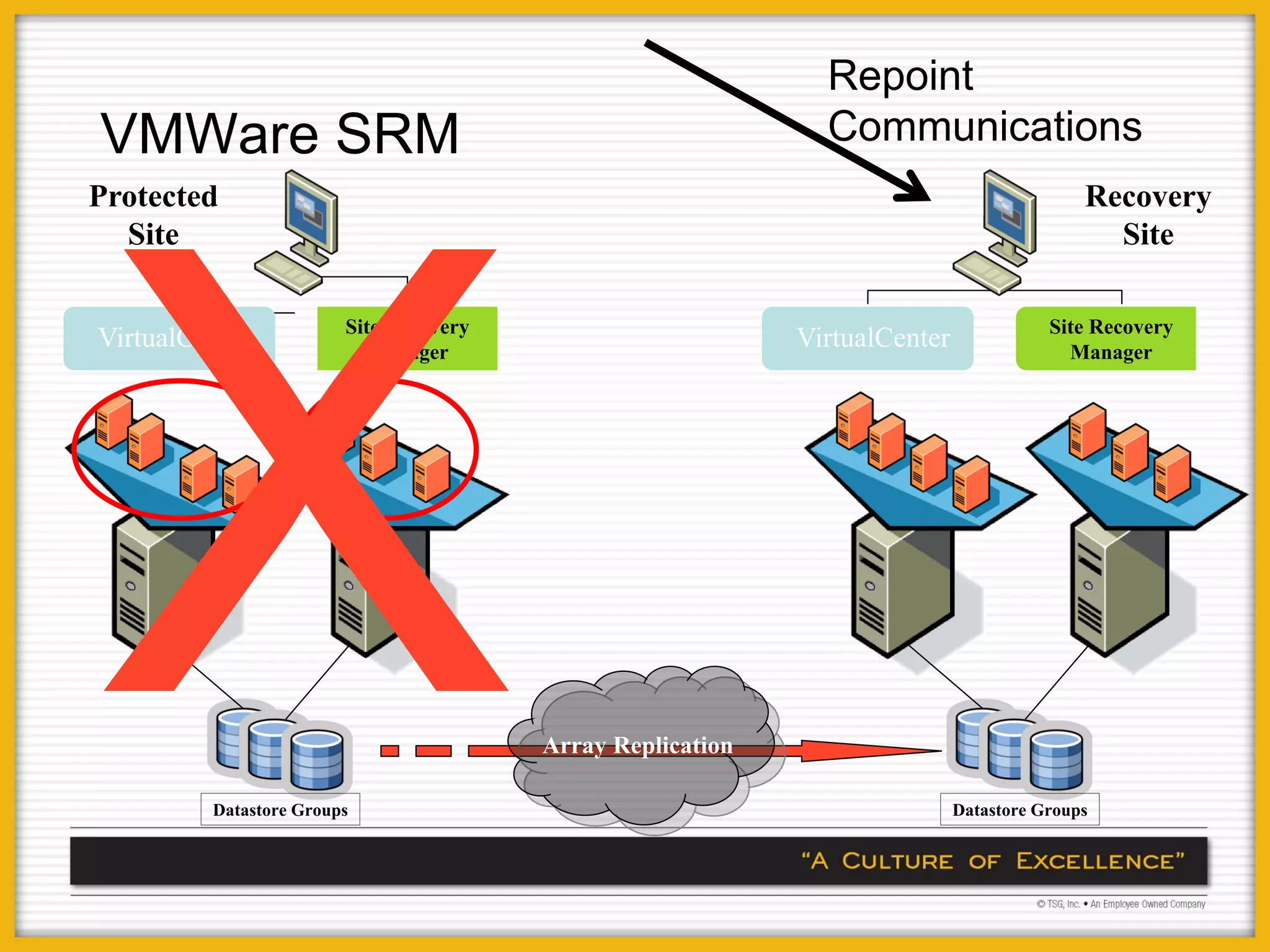
Repoint
VMWare SRM                                                    Communications
Protected                                                                                  Recovery
  Site                                                                                       Site

                        Site Recovery                                                  Site Recovery
VirtualCenter             Manager
                                                            VirtualCenter                Manager


                                        Array Replication

         Datastore Groups                                                   Datastore Groups
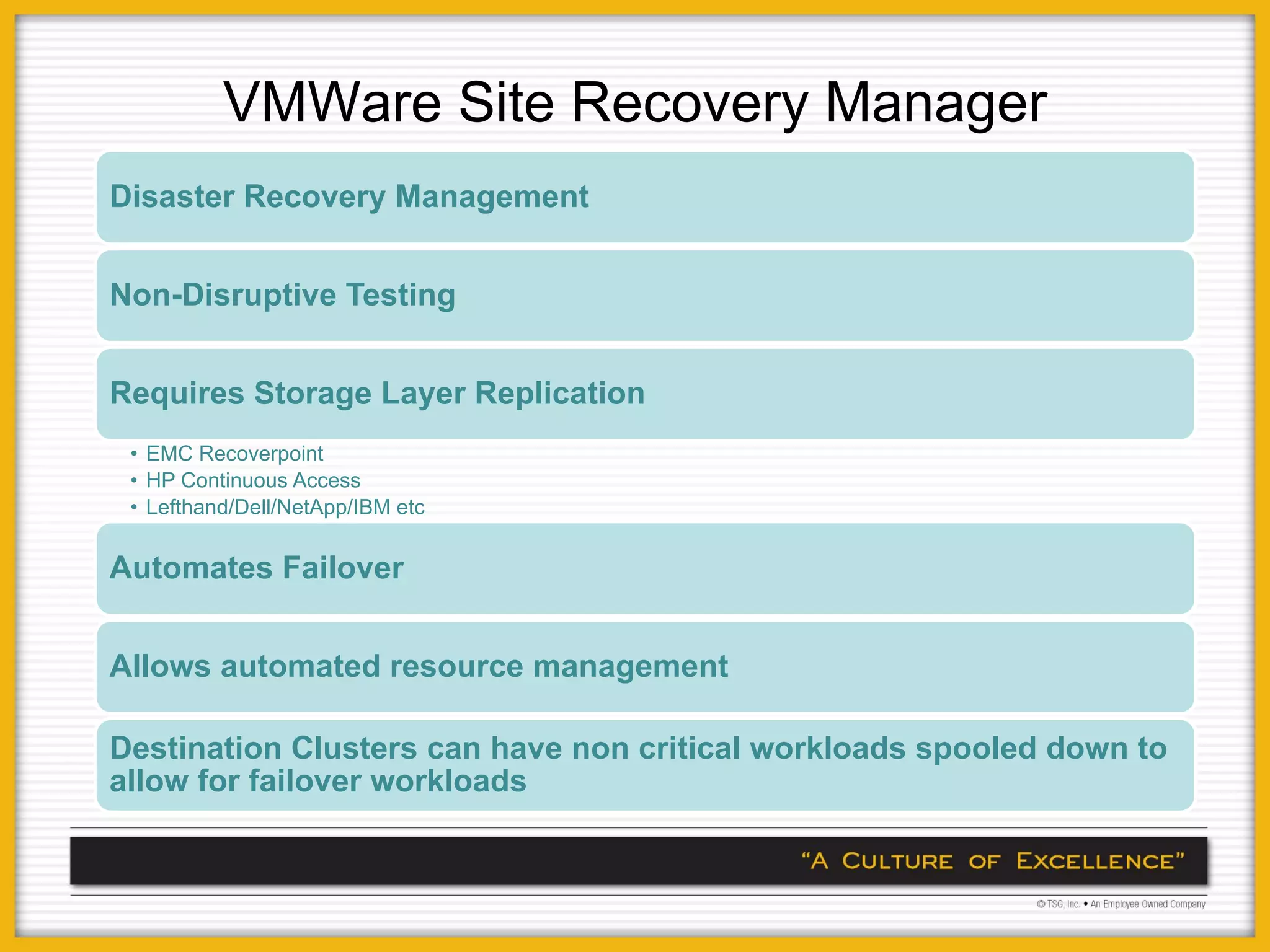
VMWare Site Recovery Manager
Disaster Recovery Management


Non-Disruptive Testing


Requires Storage Layer Replication
 • EMC Recoverpoint
 • HP Continuous Access
 • Lefthand/Dell/NetApp/IBM etc


Automates Failover


Allows automated resource management

Destination Clusters can have non critical workloads spooled down to
allow for failover workloads
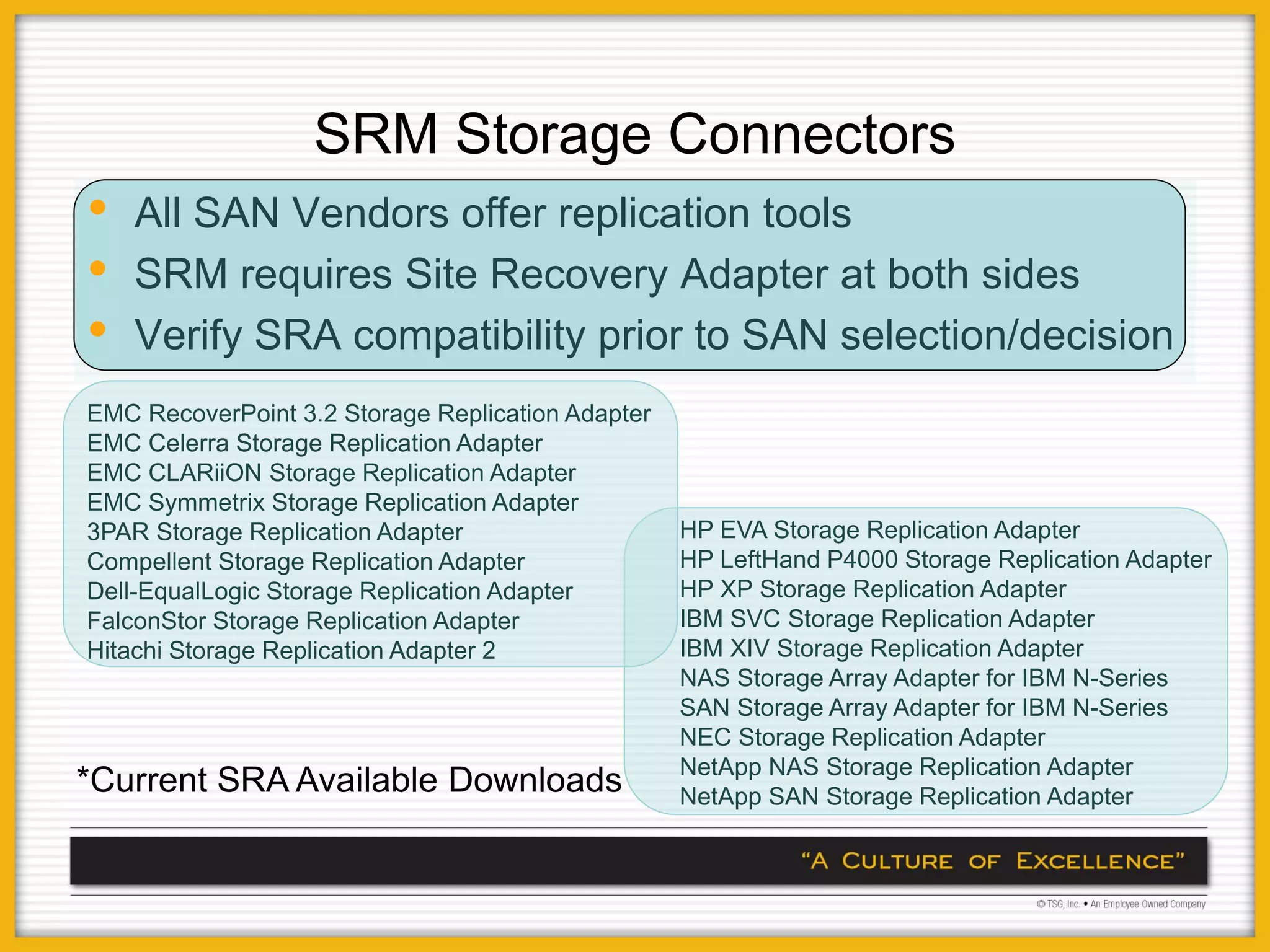
SRM Storage Connectors
•   All SAN Vendors offer replication tools
•   SRM requires Site Recovery Adapter at both sides
•   Verify SRA compatibility prior to SAN selection/decision
EMC RecoverPoint 3.2 Storage Replication Adapter
EMC Celerra Storage Replication Adapter
EMC CLARiiON Storage Replication Adapter
EMC Symmetrix Storage Replication Adapter
3PAR Storage Replication Adapter                   HP EVA Storage Replication Adapter
Compellent Storage Replication Adapter             HP LeftHand P4000 Storage Replication Adapter
Dell-EqualLogic Storage Replication Adapter        HP XP Storage Replication Adapter
FalconStor Storage Replication Adapter             IBM SVC Storage Replication Adapter
Hitachi Storage Replication Adapter 2              IBM XIV Storage Replication Adapter
                                                   NAS Storage Array Adapter for IBM N-Series
                                                   SAN Storage Array Adapter for IBM N-Series
                                                   NEC Storage Replication Adapter
                                                   NetApp NAS Storage Replication Adapter
*Current SRA Available Downloads                   NetApp SAN Storage Replication Adapter
Non VMWare/SRM/StorageCentric
          Alternatives

Cross Platform/Cross Hardware DR Clustering

Many of these support Physical and Virtual
solutions
• Veritas Cluster Server – Extremely Flexible
• Double-Take – Server Based, Windows 2008
  capabilities
• Neverfail – Server Based
• Novell/Platespin – Appliance Based
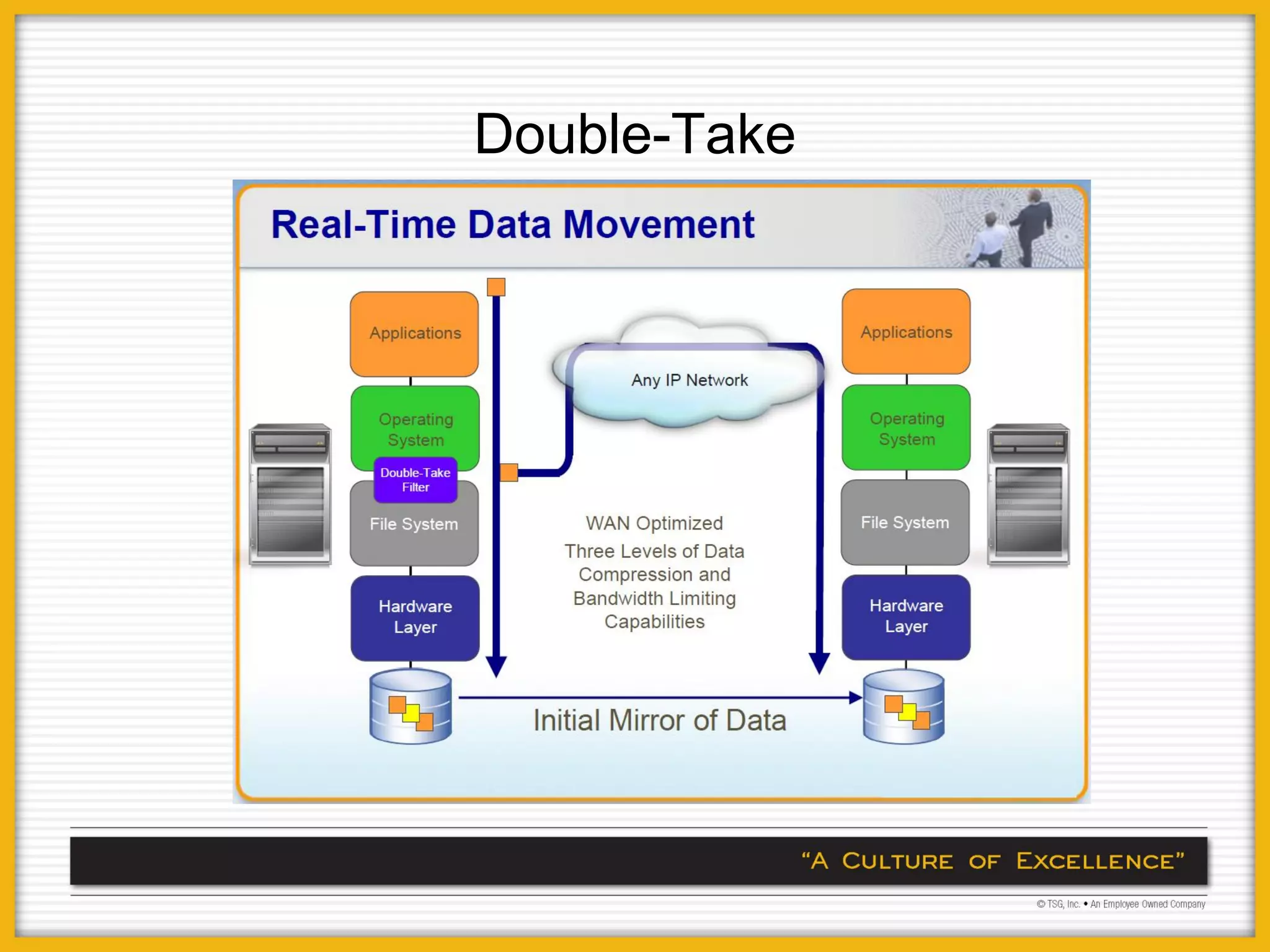
Double-Take
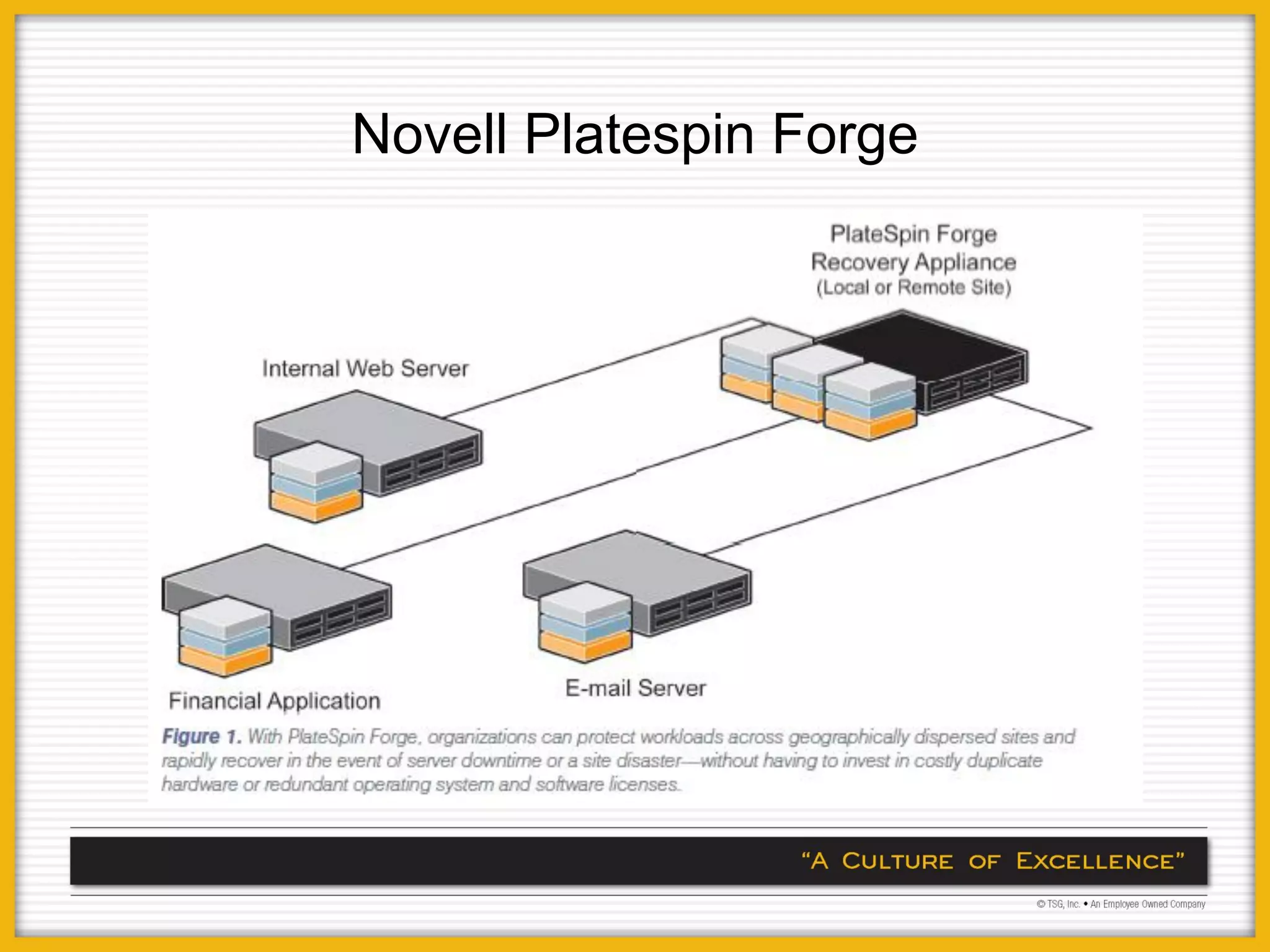
Novell Platespin Forge
Other Considerations
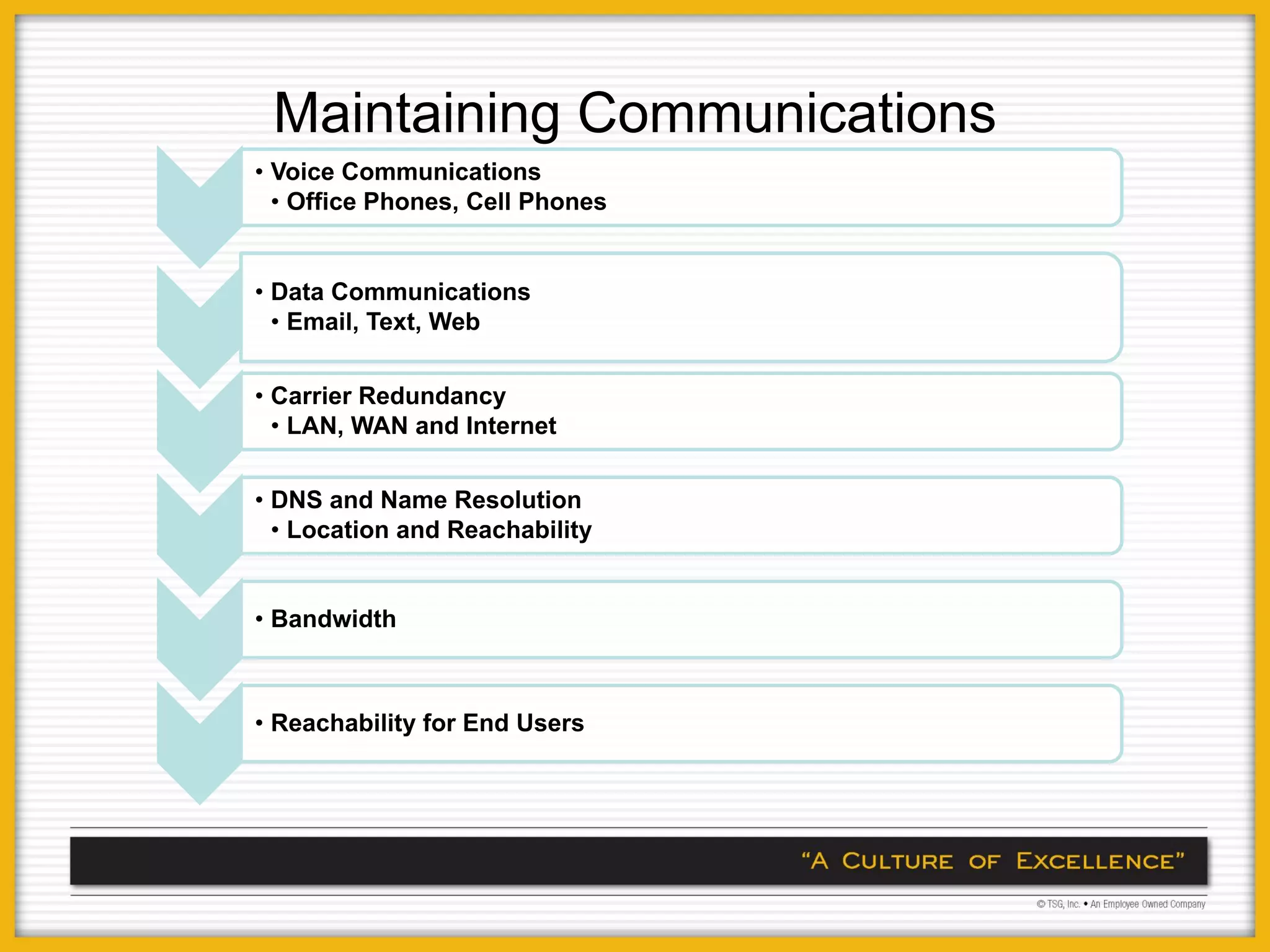
Maintaining Communications
• Voice Communications
  • Office Phones, Cell Phones


• Data Communications
  • Email, Text, Web


• Carrier Redundancy
  • LAN, WAN and Internet


• DNS and Name Resolution
  • Location and Reachability


• Bandwidth


• Reachability for End Users
Questions & Answers
STN Event 12.8.09 - Chris Vain Powerpoint Presentation

STN Event 12.8.09 - Chris Vain Powerpoint Presentation

  • 1.
    For Small andMedium Enterprises Tactical Approaches
  • 2.
    Tactical Approaches toDisaster Recover and Business Continuity solutions Assessment and Design Impact of Virtualization Changes in Terminology Member Experiences
  • 3.
  • 4.
    Begin at Home DisasterPrevention • How Can we maintain uptime at the core location(s) • Redundancy • Diversity • Power Protection Focus on Continuity of Operations • Categorize Applications for Criticality • Standardize RPO and RTO according to Application Tiers
  • 5.
    Application Categorization Level Description Protection Protection Budget Tier 1 Critical for day-to- Automatic $$$$$$ Critical day operations. Any Replicated Failover outage causes loss Solution of revenue Tier 2 Vital to Business. Less Expensive $$$$$ Vital Short downtime Replication with acceptable Manual Failover Tier 3 Important to the Protected by Remote $$$ Sensitive Business but not Backup critical Tier 4 Non Revenue Protected by Remote $ Nice to have Generating or Backup Customer Facing
  • 6.
    Traditional Solutions Tier Solution RPO RTO Cost Weaknesses 1 Server Clustering 0 0 $$$$$$$$ Duplicate Hardware Complicated Setup Limited Use 2 High-end replication Minutes Minutes $$$$$ Complicated Configuration Duplicate Hardware 3 Disk Imaging 24h Hours $$$ Limited restore and flexibility 4 Tape/Manual Rebuild 24h+ Days $ Difficult to administer Slow, prone to errors
  • 7.
    Audience Discussion • What Categories have you identified for Applications • What RPO/RTO have you defined.
  • 8.
    Traditional Methodologies Traditional Approachesto BC and DR solutions have limitations • Tape Backup and Offsite Storage • Data Protection Only • Very Long recovery time • Difficult and expensive to test • High End Storage Replication and Hardware Clustering • Expensive • Solutions specific to applications • Bandwidth Intensive • May not support geographic separation
  • 9.
    Traditional Methodologies Budgetary Constraints and High Cost of Solutions mean that only a small percentage of systems are protected • 80% of dollars support 20% of applications 80/20 Rule Applies • Tier 1 Apps – Over insured • Tier 2 Apps - Somewhat insured • Tier 3 Apps - Underinsured
  • 10.
    Poll:- Virtualization Usage Count No Virtualization Test and Lab Only Some Production Most Production Count Fully Virtualized VM is part of DR Strategy 0 2 4 6 8 10 12
  • 11.
    Impact of Virtualization • Virtualization is an obvious Game Changer - Removes Hardware from the equation - No longer necessary to maintain identical storage or hardware - One-to-one relationship not needed between production and recovery site • Hardware independence allows for smaller recovery site and greater efficiency • Network Independence – NAT for Legacy Applications • Testing can be done in a silo environment • Test Time Objective (TTO) • Not a Panacea
  • 12.
    Impact of Virtualization • Reduce Total Cost of Ownership/Operations for Business Continuity - Ease of Administration - Fewer physical Resources Required for Recovery - Recovery performed by IT Generalist vs Specialist - Recovery infrastructure is flexible and scalable for the future • Workload Protection - Migrate from box protection to application continuity - A workload encapsulates the data, applications and operating systems that reside on a physical or virtual host - Integrated Snapshots provide for shorter Recovery Point Objectives
  • 13.
    Impact of Virtualizationon Disaster Recovery Management • Eliminate many manual steps Simplify and Automate • Standardize key steps in recovery disaster recovery • Automate recovery process management • Implement unified process for protection of all data Data needed to recover system Simplify Data Protection • Ensure reliable restore to any hardware Infrastructure • Consolidate and reuse servers for recovery infrastructure Reduce the cost and • Enable productive use of recovery infrastructure during complexity of recovery normal operation infrastructure
  • 14.
    Workload Business Continuity Management Automation Application Application Physical or OS Virtual Machine Platform Storage Storage Layer
  • 15.
    Microsoft Exchange Clients Physical or Virtual Browser + Internet Machines Outlook + LAN/WAN LAN/WAN Mobile Clients Exchange and Server(s) Internet MailStores Replication or Restoration of Data
  • 16.
  • 17.
    VM Recovery Methodologies $$$$ One Platform supports all Tiers Replication Mirrored Sites Cost Disk Backup and Recovery to VM Tape Backup and Recovery Recovery $ to VM Environment Snapshots – Onsite Recovery Tier 4 Tier 1/ RTO/TPO=>0 Application Tier/Recovery Requirements
  • 18.
    Discussion around Solutions • Solutions in Use today • How Many Servers and Applications (Workloads) • Physical or Virtual • How much Data • SAN today ? • RPO/RTO Targets per Workload • Onsite or Offsite Protection
  • 19.
    Double-Take SAN Replication Solutions NeverFail (HP, Dell, NetApp, EMC) Workload Data Management Replication VMWare SRM Vizioncore Platespin
  • 20.
    Workload Protection Solutions VirtualizationVendor • Microsoft • Windows Server 2008 Clustering • VMWare • Site Recovery Manager • Novell • Suse Enterprise Linux Plus XEN Specialized Vendors • Double-Take • PlateSpin Forge (Novell) • Neverfail • EMC Recoverpoint • Vizioncore
  • 21.
    VMWare SRM What itis: • Site Recovery Manager is a VMware product for disaster recovery What it does: • Simplifies and automates disaster recovery processes • Setup • Testing • Failover • Failback
  • 22.
    Repoint VMWare SRM Communications Protected Recovery Site Site Site Recovery Site Recovery VirtualCenter Manager VirtualCenter Manager Array Replication Datastore Groups Datastore Groups
  • 23.
    VMWare Site RecoveryManager Disaster Recovery Management Non-Disruptive Testing Requires Storage Layer Replication • EMC Recoverpoint • HP Continuous Access • Lefthand/Dell/NetApp/IBM etc Automates Failover Allows automated resource management Destination Clusters can have non critical workloads spooled down to allow for failover workloads
  • 24.
    SRM Storage Connectors • All SAN Vendors offer replication tools • SRM requires Site Recovery Adapter at both sides • Verify SRA compatibility prior to SAN selection/decision EMC RecoverPoint 3.2 Storage Replication Adapter EMC Celerra Storage Replication Adapter EMC CLARiiON Storage Replication Adapter EMC Symmetrix Storage Replication Adapter 3PAR Storage Replication Adapter HP EVA Storage Replication Adapter Compellent Storage Replication Adapter HP LeftHand P4000 Storage Replication Adapter Dell-EqualLogic Storage Replication Adapter HP XP Storage Replication Adapter FalconStor Storage Replication Adapter IBM SVC Storage Replication Adapter Hitachi Storage Replication Adapter 2 IBM XIV Storage Replication Adapter NAS Storage Array Adapter for IBM N-Series SAN Storage Array Adapter for IBM N-Series NEC Storage Replication Adapter NetApp NAS Storage Replication Adapter *Current SRA Available Downloads NetApp SAN Storage Replication Adapter
  • 25.
    Non VMWare/SRM/StorageCentric Alternatives Cross Platform/Cross Hardware DR Clustering Many of these support Physical and Virtual solutions • Veritas Cluster Server – Extremely Flexible • Double-Take – Server Based, Windows 2008 capabilities • Neverfail – Server Based • Novell/Platespin – Appliance Based
  • 26.
  • 27.
  • 28.
  • 29.
    Maintaining Communications • VoiceCommunications • Office Phones, Cell Phones • Data Communications • Email, Text, Web • Carrier Redundancy • LAN, WAN and Internet • DNS and Name Resolution • Location and Reachability • Bandwidth • Reachability for End Users
  • 30.