SQL Joins
Introduction:-


           An SQL JOIN clause combines rows from
           two or more tables. It creates a set of
           rows in a temporary table.
SQL Joins
SQL EQUI JOIN : INNER JOIN and OUTER JOIN : -

Syntax : -
             FROM table1
             join_type table2
             [ON (join_condition)]
SQL Joins
SQL EQUI JOIN : INNER JOIN and OUTER JOIN : -

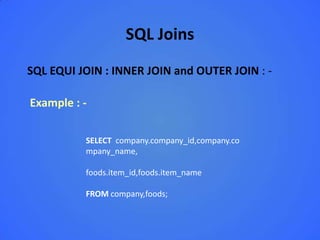
Example : -

          SELECT company.company_id,company.co
          mpany_name,

          foods.item_id,foods.item_name

          FROM company,foods;
SQL Equi Join

Introduction:-


 SQL EQUI JOIN performs a JOIN against equality or matching column(s)
 values of the associated tables. An equal sign (=) is used as comparison
 operator in the where clause to refer equality.
 You may also perform EQUI JOIN by using JOIN keyword followed by ON
 keyword and then specifying names of the columns along with their
 associated tables to check equality.
SQL Equi Join
Equi Join in SQL :-

Syntax :-
            Select column_list
            FROM table1, table2....
            WHERE table1.column_name =
            table2.column_name;

            Select *
             FROM table1
            JOIN table2
            [ON (join_condition)]
SQL Equi Join
Equi Join in SQL :-

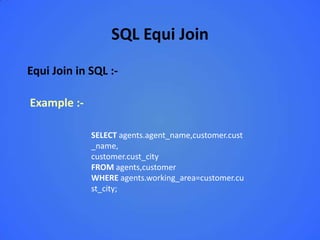
Example :-

             SELECT agents.agent_name,customer.cust
             _name,
             customer.cust_city
             FROM agents,customer
             WHERE agents.working_area=customer.cu
             st_city;
SQL non Equi Join

Introduction:-


 The SQL NON EQUI JOIN uses comparison operator instead of
 the equal sign like >, <, >=, <= along with conditions.
SQL non Equi Join

Syntax :-

            Select *
            FROM table_name1, table_name2
             WHERE table_name1.column [> |
            < | >= | <= ]
            table_name2.column;
SQL non Equi Join


Example :-

             Select *
             FROM table_name1, table_name2

             WHERE table_name1.column [> |
             < | >= | <= ]
             table_name2.column;
SQL INNER JOIN

Introduction:-


 The INNER JOIN will select all rows from both participating
 tables as long as there is a match between the columns. An
 SQL INNER JOIN is same as JOIN clause, combining rows from
 two or more tables.
SQL INNER JOIN


Syntax :-
            Select *
            FROM table1
            INNER JOIN table2
            ON table1.column_name = table2. column_name;
SQL INNER JOIN


Example :-

         SELECT foods.item_name,foods.item_unit,
         company.company_name,company.company_city
         FROM foods
         INNER JOIN company
         ON foods.company_id =company.company_id;
SQL Natural Join

Introduction:-

  We have already learned that an EQUI JOIN performs a JOIN
  against equality or matching column(s) values of the
  associated tables and an equal sign (=) is used as comparison
  operator in the where clause to refer equality.
  The SQL NATURAL JOIN is a type of EQUI JOIN and is
  structured in such a way that, columns with same name of
  associate tables will appear once only.
SQL Natural Join


Syntax :-

            Select *
            FROM table1
            NATURAL JOIN table2;
SQL Natural Join


Example :-

         SELECT *
         FROM foods NATURAL JOIN company;
SQL Cross Join

Introduction:-

 The SQL CROSS JOIN produces a result set which is the
 number of rows in the first table multiplied by the number of
 rows in the second table, if no WHERE clause is used along
 with CROSS JOIN. This kind of result is called as Cartesian
 Product.
 If, WHERE clause is used with CROSS JOIN, it functions like an
 INNER JOIN.
 An alternative way of achieving the same result is to use
 column names separated by commas after SELECT and
 mentioning the table names involved, after a FROM clause.
SQL Cross Join


Syntax :-
            Select *
            FROM table1
            CROSS JOIN table2;
SQL Cross Join


Example :-
             SELECT foods.item_name,foods.item_unit,
             company.company_name,company.company_city
             FROM foods
             CROSS JOIN company;
SQL Outer Join

Introduction:-


  The SQL OUTER JOIN returns all rows from both the
  participating tables which satisfy the join condition along with
  rows which do not satisfy the join condition. The SQL OUTER
  JOIN operator (+) is used only on one side of the join
  condition only.
SQL Outer Join


Syntax :-
            Select *
            FROM table1, table2
            WHERE conditions [+];
SQL Outer Join


Example :-

     SELECT company.company_name,company.company_id,
     foods.company_id ,foods.item_name,foods.item_unit
     FROM company, foods
     WHERE company.company_id = foods.company_id(+);
SQL Outer Join

Introduction:-


  The SQL OUTER JOIN returns all rows from both the
  participating tables which satisfy the join condition along with
  rows which do not satisfy the join condition. The SQL OUTER
  JOIN operator (+) is used only on one side of the join
  condition only.
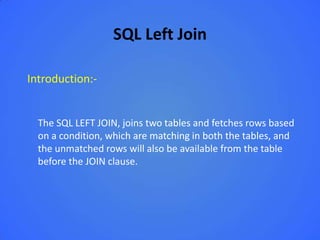
SQL Left Join

Introduction:-


  The SQL LEFT JOIN, joins two tables and fetches rows based
  on a condition, which are matching in both the tables, and
  the unmatched rows will also be available from the table
  before the JOIN clause.
SQL Left Join


Syntax :-

            Select *
            FROM table1
            LEFT OUTER JOIN table2
            ON table1.column_name=table2.column_name;
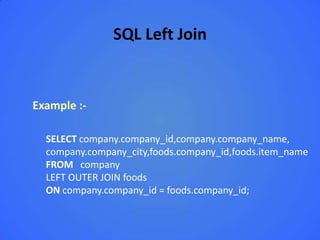
SQL Left Join


Example :-

  SELECT company.company_id,company.company_name,
  company.company_city,foods.company_id,foods.item_name
  FROM company
  LEFT OUTER JOIN foods
  ON company.company_id = foods.company_id;
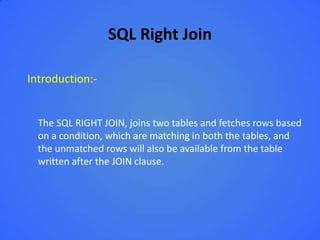
SQL Right Join

Introduction:-


  The SQL RIGHT JOIN, joins two tables and fetches rows based
  on a condition, which are matching in both the tables, and
  the unmatched rows will also be available from the table
  written after the JOIN clause.
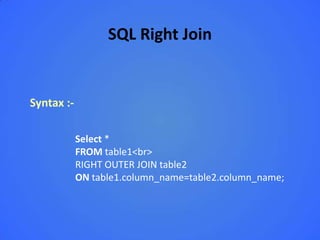
SQL Right Join


Syntax :-

            Select *
            FROM table1<br>
            RIGHT OUTER JOIN table2
            ON table1.column_name=table2.column_name;
SQL Right Join


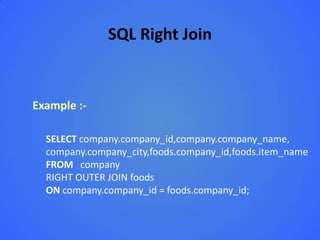
Example :-

  SELECT company.company_id,company.company_name,
  company.company_city,foods.company_id,foods.item_name
  FROM company
  RIGHT OUTER JOIN foods
  ON company.company_id = foods.company_id;
SQL Full Outer Join

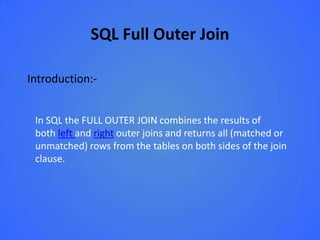
Introduction:-


 In SQL the FULL OUTER JOIN combines the results of
 both left and right outer joins and returns all (matched or
 unmatched) rows from the tables on both sides of the join
 clause.
SQL Full Outer Join


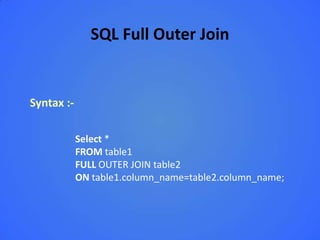
Syntax :-

            Select *
            FROM table1
            FULL OUTER JOIN table2
            ON table1.column_name=table2.column_name;
SQL Full Outer Join


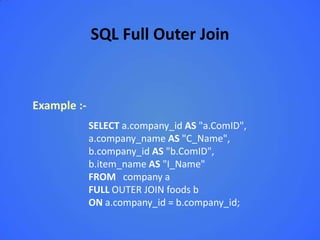
Example :-
             SELECT a.company_id AS "a.ComID",
             a.company_name AS "C_Name",
             b.company_id AS "b.ComID",
             b.item_name AS "I_Name"
             FROM company a
             FULL OUTER JOIN foods b
             ON a.company_id = b.company_id;
SQL join a table to itself

Introduction:-


 A SELF JOIN is another type of join in sql which is used to join
 a table to itself, specially when the table has a FOREIGN KEY
 which references its own PRIMARY KEY.
 In this join, the participating table appears twice after the
 FROM clause and is followed by aliases for the tables that
 qualify column names in the join condition
 In this join those rows are returned from the table which are
 satisfying the conditions.
SQL join a table to itself


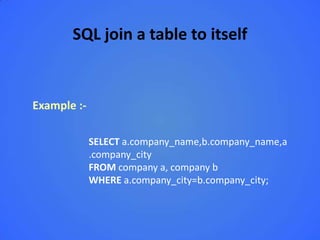
Example :-

             SELECT a.company_name,b.company_name,a
             .company_city
             FROM company a, company b
             WHERE a.company_city=b.company_city;
SQL Self Join

Introduction:-


 A self join is a join in which a table is joined with itself (which
 is also called Unary relationships), specially when the table
 has a FOREIGN KEY which references its own PRIMARY KEY. To
 join a table itself means that each row of the table is
 combined with itself and with every other row of the table.
 The self join can be viewed as a join of two copies of the
 same table. The table is not actually copied, but SQL performs
 the command as though it were.
SQL Self Join


Syntax :-

            SELECT a.column_name, b.column_name...
            FROM table1 a, table1 b
            WHERE a.common_filed = b.common_field;
SQL Self Join


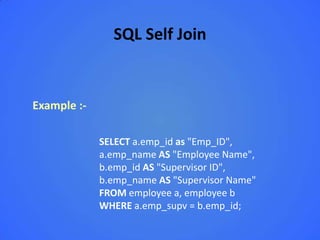
Example :-

             SELECT a.emp_id as "Emp_ID",
             a.emp_name AS "Employee Name",
             b.emp_id AS "Supervisor ID",
             b.emp_name AS "Supervisor Name"
             FROM employee a, employee b
             WHERE a.emp_supv = b.emp_id;
Sql joining through referential integrity
 Introduction:-
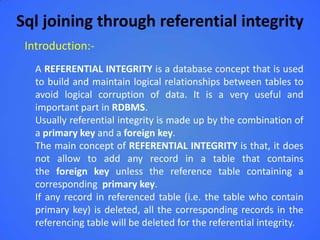
   A REFERENTIAL INTEGRITY is a database concept that is used
   to build and maintain logical relationships between tables to
   avoid logical corruption of data. It is a very useful and
   important part in RDBMS.
   Usually referential integrity is made up by the combination of
   a primary key and a foreign key.
   The main concept of REFERENTIAL INTEGRITY is that, it does
   not allow to add any record in a table that contains
   the foreign key unless the reference table containing a
   corresponding primary key.
   If any record in referenced table (i.e. the table who contain
   primary key) is deleted, all the corresponding records in the
   referencing table will be deleted for the referential integrity.
Sql joining through referential integrity


  Example :-

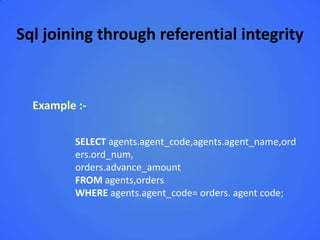
         SELECT agents.agent_code,agents.agent_name,ord
         ers.ord_num,
         orders.advance_amount
         FROM agents,orders
         WHERE agents.agent_code= orders. agent code;
SQL join tables with group by and order by


  Example :-

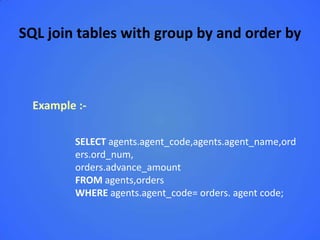
         SELECT agents.agent_code,agents.agent_name,ord
         ers.ord_num,
         orders.advance_amount
         FROM agents,orders
         WHERE agents.agent_code= orders. agent code;
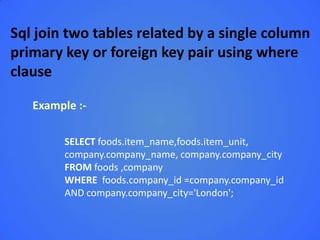
Sql join two tables related by a single column
primary key or foreign key pair using where
clause

  Introduction:-


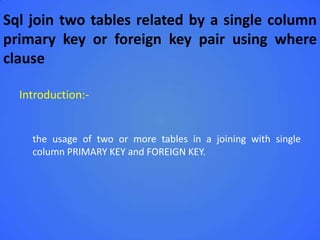
    the usage of two or more tables in a joining with single
    column PRIMARY KEY and FOREIGN KEY.
Sql join two tables related by a single column
primary key or foreign key pair using where
clause

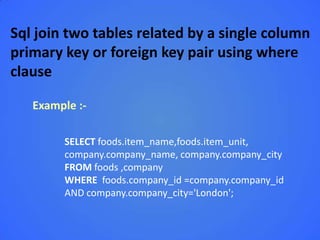
   Example :-

        SELECT foods.item_name,foods.item_unit,
        company.company_name, company.company_city
        FROM foods ,company
        WHERE foods.company_id =company.company_id
        AND company.company_city='London';
SQL join two tables related by a composite
columns primary key or foreign key


Introduction:-


  a join, which is made up by using two tables which contain a
  composite PRIMARY KEY (i.e. a PRIMARY KEY made up of
  more than one columns of table) and FOREIGN KEY.
SQL join two tables related by a composite
columns primary key or foreign key


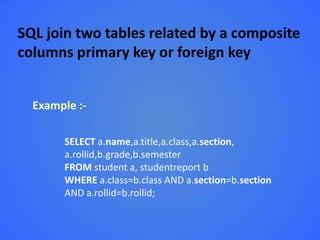
  Example :-

       SELECT a.name,a.title,a.class,a.section,
       a.rollid,b.grade,b.semester
       FROM student a, studentreport b
       WHERE a.class=b.class AND a.section=b.section
       AND a.rollid=b.rollid;
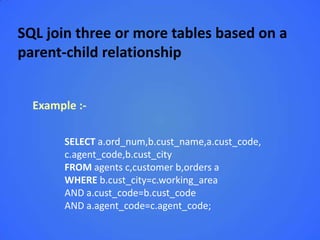
SQL join three or more tables based on a
parent-child relationship


Introduction:-


  a join which involves the participation of three tables and
  there is a parent-child relationship between these tables.
  A parent-child relationship between two tables can be
  created only, when there is a PRIMARY KEY in one table and
  FOREIGN KEY in another table.
SQL join three or more tables based on a
parent-child relationship


  Example :-

       SELECT a.ord_num,b.cust_name,a.cust_code,
       c.agent_code,b.cust_city
       FROM agents c,customer b,orders a
       WHERE b.cust_city=c.working_area
       AND a.cust_code=b.cust_code
       AND a.agent_code=c.agent_code;
Sql join two tables related by a single column
primary key or foreign key pair using where
clause

   Example :-

        SELECT foods.item_name,foods.item_unit,
        company.company_name, company.company_city
        FROM foods ,company
        WHERE foods.company_id =company.company_id
        AND company.company_city='London';
SQL join tables based on non-key column


 Introduction:-


         a join, where there is no relationship between two
         participating tables.
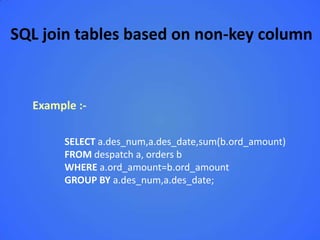
SQL join tables based on non-key column


  Example :-

       SELECT a.des_num,a.des_date,sum(b.ord_amount)
       FROM despatch a, orders b
       WHERE a.ord_amount=b.ord_amount
       GROUP BY a.des_num,a.des_date;

SQL JOIN

  • 1.
    SQL Joins Introduction:- An SQL JOIN clause combines rows from two or more tables. It creates a set of rows in a temporary table.
  • 2.
    SQL Joins SQL EQUIJOIN : INNER JOIN and OUTER JOIN : - Syntax : - FROM table1 join_type table2 [ON (join_condition)]
  • 3.
    SQL Joins SQL EQUIJOIN : INNER JOIN and OUTER JOIN : - Example : - SELECT company.company_id,company.co mpany_name, foods.item_id,foods.item_name FROM company,foods;
  • 4.
    SQL Equi Join Introduction:- SQL EQUI JOIN performs a JOIN against equality or matching column(s) values of the associated tables. An equal sign (=) is used as comparison operator in the where clause to refer equality. You may also perform EQUI JOIN by using JOIN keyword followed by ON keyword and then specifying names of the columns along with their associated tables to check equality.
  • 5.
    SQL Equi Join EquiJoin in SQL :- Syntax :- Select column_list FROM table1, table2.... WHERE table1.column_name = table2.column_name; Select * FROM table1 JOIN table2 [ON (join_condition)]
  • 6.
    SQL Equi Join EquiJoin in SQL :- Example :- SELECT agents.agent_name,customer.cust _name, customer.cust_city FROM agents,customer WHERE agents.working_area=customer.cu st_city;
  • 7.
    SQL non EquiJoin Introduction:- The SQL NON EQUI JOIN uses comparison operator instead of the equal sign like >, <, >=, <= along with conditions.
  • 8.
    SQL non EquiJoin Syntax :- Select * FROM table_name1, table_name2 WHERE table_name1.column [> | < | >= | <= ] table_name2.column;
  • 9.
    SQL non EquiJoin Example :- Select * FROM table_name1, table_name2 WHERE table_name1.column [> | < | >= | <= ] table_name2.column;
  • 10.
    SQL INNER JOIN Introduction:- The INNER JOIN will select all rows from both participating tables as long as there is a match between the columns. An SQL INNER JOIN is same as JOIN clause, combining rows from two or more tables.
  • 11.
    SQL INNER JOIN Syntax:- Select * FROM table1 INNER JOIN table2 ON table1.column_name = table2. column_name;
  • 12.
    SQL INNER JOIN Example:- SELECT foods.item_name,foods.item_unit, company.company_name,company.company_city FROM foods INNER JOIN company ON foods.company_id =company.company_id;
  • 13.
    SQL Natural Join Introduction:- We have already learned that an EQUI JOIN performs a JOIN against equality or matching column(s) values of the associated tables and an equal sign (=) is used as comparison operator in the where clause to refer equality. The SQL NATURAL JOIN is a type of EQUI JOIN and is structured in such a way that, columns with same name of associate tables will appear once only.
  • 14.
    SQL Natural Join Syntax:- Select * FROM table1 NATURAL JOIN table2;
  • 15.
    SQL Natural Join Example:- SELECT * FROM foods NATURAL JOIN company;
  • 16.
    SQL Cross Join Introduction:- The SQL CROSS JOIN produces a result set which is the number of rows in the first table multiplied by the number of rows in the second table, if no WHERE clause is used along with CROSS JOIN. This kind of result is called as Cartesian Product. If, WHERE clause is used with CROSS JOIN, it functions like an INNER JOIN. An alternative way of achieving the same result is to use column names separated by commas after SELECT and mentioning the table names involved, after a FROM clause.
  • 17.
    SQL Cross Join Syntax:- Select * FROM table1 CROSS JOIN table2;
  • 18.
    SQL Cross Join Example:- SELECT foods.item_name,foods.item_unit, company.company_name,company.company_city FROM foods CROSS JOIN company;
  • 19.
    SQL Outer Join Introduction:- The SQL OUTER JOIN returns all rows from both the participating tables which satisfy the join condition along with rows which do not satisfy the join condition. The SQL OUTER JOIN operator (+) is used only on one side of the join condition only.
  • 20.
    SQL Outer Join Syntax:- Select * FROM table1, table2 WHERE conditions [+];
  • 21.
    SQL Outer Join Example:- SELECT company.company_name,company.company_id, foods.company_id ,foods.item_name,foods.item_unit FROM company, foods WHERE company.company_id = foods.company_id(+);
  • 22.
    SQL Outer Join Introduction:- The SQL OUTER JOIN returns all rows from both the participating tables which satisfy the join condition along with rows which do not satisfy the join condition. The SQL OUTER JOIN operator (+) is used only on one side of the join condition only.
  • 23.
    SQL Left Join Introduction:- The SQL LEFT JOIN, joins two tables and fetches rows based on a condition, which are matching in both the tables, and the unmatched rows will also be available from the table before the JOIN clause.
  • 24.
    SQL Left Join Syntax:- Select * FROM table1 LEFT OUTER JOIN table2 ON table1.column_name=table2.column_name;
  • 25.
    SQL Left Join Example:- SELECT company.company_id,company.company_name, company.company_city,foods.company_id,foods.item_name FROM company LEFT OUTER JOIN foods ON company.company_id = foods.company_id;
  • 26.
    SQL Right Join Introduction:- The SQL RIGHT JOIN, joins two tables and fetches rows based on a condition, which are matching in both the tables, and the unmatched rows will also be available from the table written after the JOIN clause.
  • 27.
    SQL Right Join Syntax:- Select * FROM table1<br> RIGHT OUTER JOIN table2 ON table1.column_name=table2.column_name;
  • 28.
    SQL Right Join Example:- SELECT company.company_id,company.company_name, company.company_city,foods.company_id,foods.item_name FROM company RIGHT OUTER JOIN foods ON company.company_id = foods.company_id;
  • 29.
    SQL Full OuterJoin Introduction:- In SQL the FULL OUTER JOIN combines the results of both left and right outer joins and returns all (matched or unmatched) rows from the tables on both sides of the join clause.
  • 30.
    SQL Full OuterJoin Syntax :- Select * FROM table1 FULL OUTER JOIN table2 ON table1.column_name=table2.column_name;
  • 31.
    SQL Full OuterJoin Example :- SELECT a.company_id AS "a.ComID", a.company_name AS "C_Name", b.company_id AS "b.ComID", b.item_name AS "I_Name" FROM company a FULL OUTER JOIN foods b ON a.company_id = b.company_id;
  • 32.
    SQL join atable to itself Introduction:- A SELF JOIN is another type of join in sql which is used to join a table to itself, specially when the table has a FOREIGN KEY which references its own PRIMARY KEY. In this join, the participating table appears twice after the FROM clause and is followed by aliases for the tables that qualify column names in the join condition In this join those rows are returned from the table which are satisfying the conditions.
  • 33.
    SQL join atable to itself Example :- SELECT a.company_name,b.company_name,a .company_city FROM company a, company b WHERE a.company_city=b.company_city;
  • 34.
    SQL Self Join Introduction:- A self join is a join in which a table is joined with itself (which is also called Unary relationships), specially when the table has a FOREIGN KEY which references its own PRIMARY KEY. To join a table itself means that each row of the table is combined with itself and with every other row of the table. The self join can be viewed as a join of two copies of the same table. The table is not actually copied, but SQL performs the command as though it were.
  • 35.
    SQL Self Join Syntax:- SELECT a.column_name, b.column_name... FROM table1 a, table1 b WHERE a.common_filed = b.common_field;
  • 36.
    SQL Self Join Example:- SELECT a.emp_id as "Emp_ID", a.emp_name AS "Employee Name", b.emp_id AS "Supervisor ID", b.emp_name AS "Supervisor Name" FROM employee a, employee b WHERE a.emp_supv = b.emp_id;
  • 37.
    Sql joining throughreferential integrity Introduction:- A REFERENTIAL INTEGRITY is a database concept that is used to build and maintain logical relationships between tables to avoid logical corruption of data. It is a very useful and important part in RDBMS. Usually referential integrity is made up by the combination of a primary key and a foreign key. The main concept of REFERENTIAL INTEGRITY is that, it does not allow to add any record in a table that contains the foreign key unless the reference table containing a corresponding primary key. If any record in referenced table (i.e. the table who contain primary key) is deleted, all the corresponding records in the referencing table will be deleted for the referential integrity.
  • 38.
    Sql joining throughreferential integrity Example :- SELECT agents.agent_code,agents.agent_name,ord ers.ord_num, orders.advance_amount FROM agents,orders WHERE agents.agent_code= orders. agent code;
  • 39.
    SQL join tableswith group by and order by Example :- SELECT agents.agent_code,agents.agent_name,ord ers.ord_num, orders.advance_amount FROM agents,orders WHERE agents.agent_code= orders. agent code;
  • 40.
    Sql join twotables related by a single column primary key or foreign key pair using where clause Introduction:- the usage of two or more tables in a joining with single column PRIMARY KEY and FOREIGN KEY.
  • 41.
    Sql join twotables related by a single column primary key or foreign key pair using where clause Example :- SELECT foods.item_name,foods.item_unit, company.company_name, company.company_city FROM foods ,company WHERE foods.company_id =company.company_id AND company.company_city='London';
  • 42.
    SQL join twotables related by a composite columns primary key or foreign key Introduction:- a join, which is made up by using two tables which contain a composite PRIMARY KEY (i.e. a PRIMARY KEY made up of more than one columns of table) and FOREIGN KEY.
  • 43.
    SQL join twotables related by a composite columns primary key or foreign key Example :- SELECT a.name,a.title,a.class,a.section, a.rollid,b.grade,b.semester FROM student a, studentreport b WHERE a.class=b.class AND a.section=b.section AND a.rollid=b.rollid;
  • 44.
    SQL join threeor more tables based on a parent-child relationship Introduction:- a join which involves the participation of three tables and there is a parent-child relationship between these tables. A parent-child relationship between two tables can be created only, when there is a PRIMARY KEY in one table and FOREIGN KEY in another table.
  • 45.
    SQL join threeor more tables based on a parent-child relationship Example :- SELECT a.ord_num,b.cust_name,a.cust_code, c.agent_code,b.cust_city FROM agents c,customer b,orders a WHERE b.cust_city=c.working_area AND a.cust_code=b.cust_code AND a.agent_code=c.agent_code;
  • 46.
    Sql join twotables related by a single column primary key or foreign key pair using where clause Example :- SELECT foods.item_name,foods.item_unit, company.company_name, company.company_city FROM foods ,company WHERE foods.company_id =company.company_id AND company.company_city='London';
  • 47.
    SQL join tablesbased on non-key column Introduction:- a join, where there is no relationship between two participating tables.
  • 48.
    SQL join tablesbased on non-key column Example :- SELECT a.des_num,a.des_date,sum(b.ord_amount) FROM despatch a, orders b WHERE a.ord_amount=b.ord_amount GROUP BY a.des_num,a.des_date;