
Splash Math
       How to add user

         Grade 4-5


1                        © StudyPad, Inc.
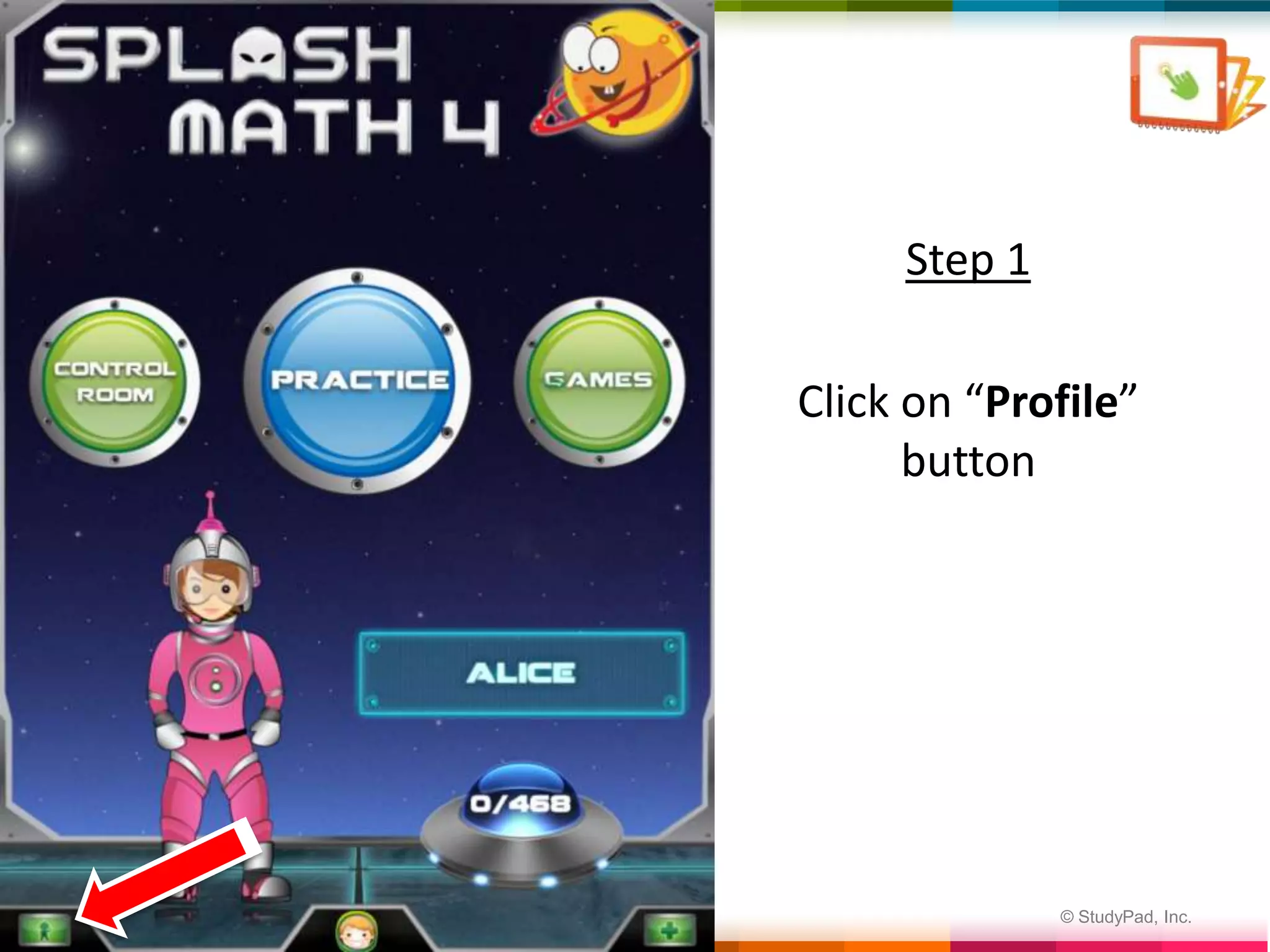
Step 1

    Click on “Profile”
          button


2                 © StudyPad, Inc.
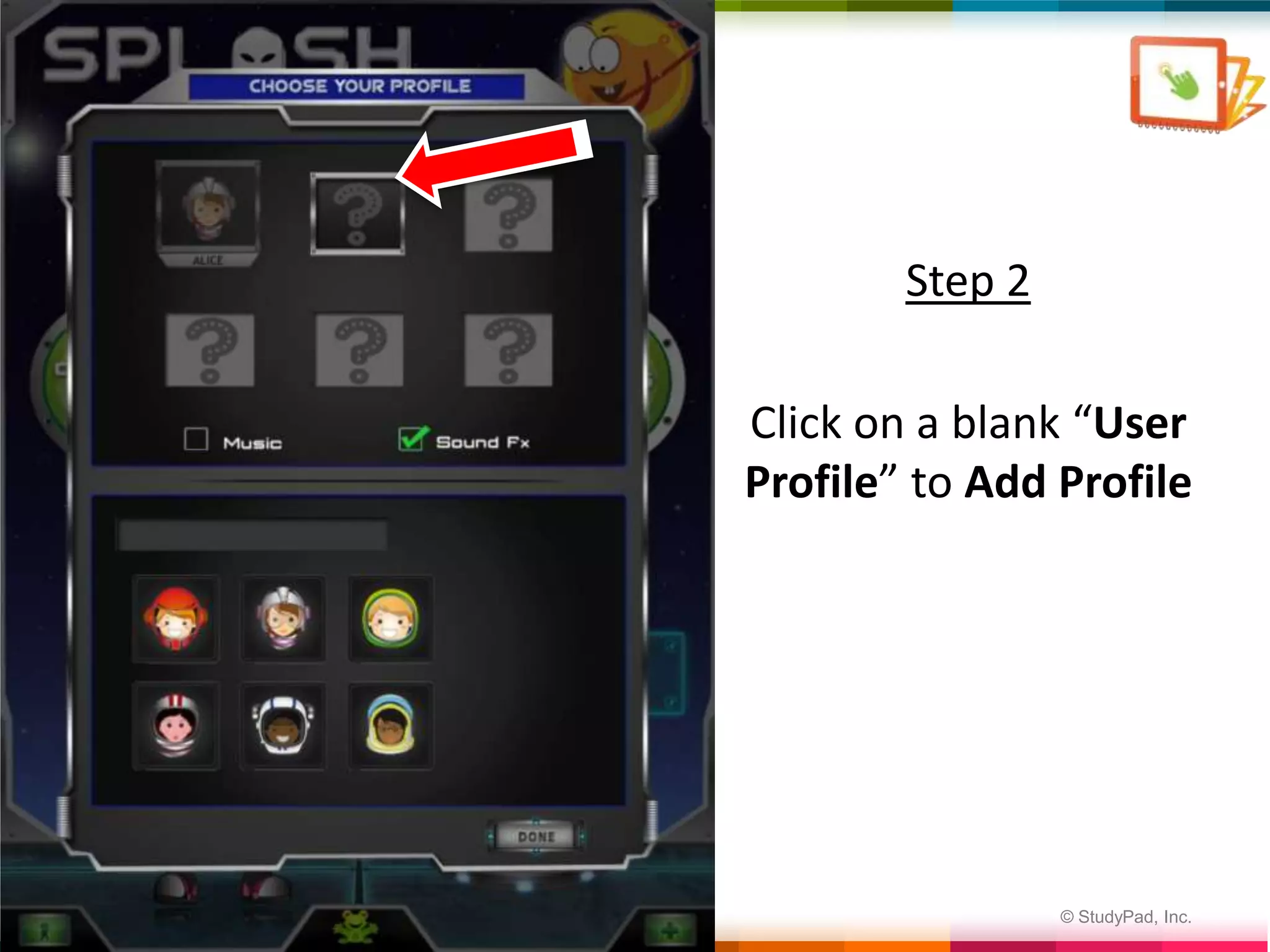
Step 2

    Click on a blank “User
    Profile” to Add Profile


3                    © StudyPad, Inc.
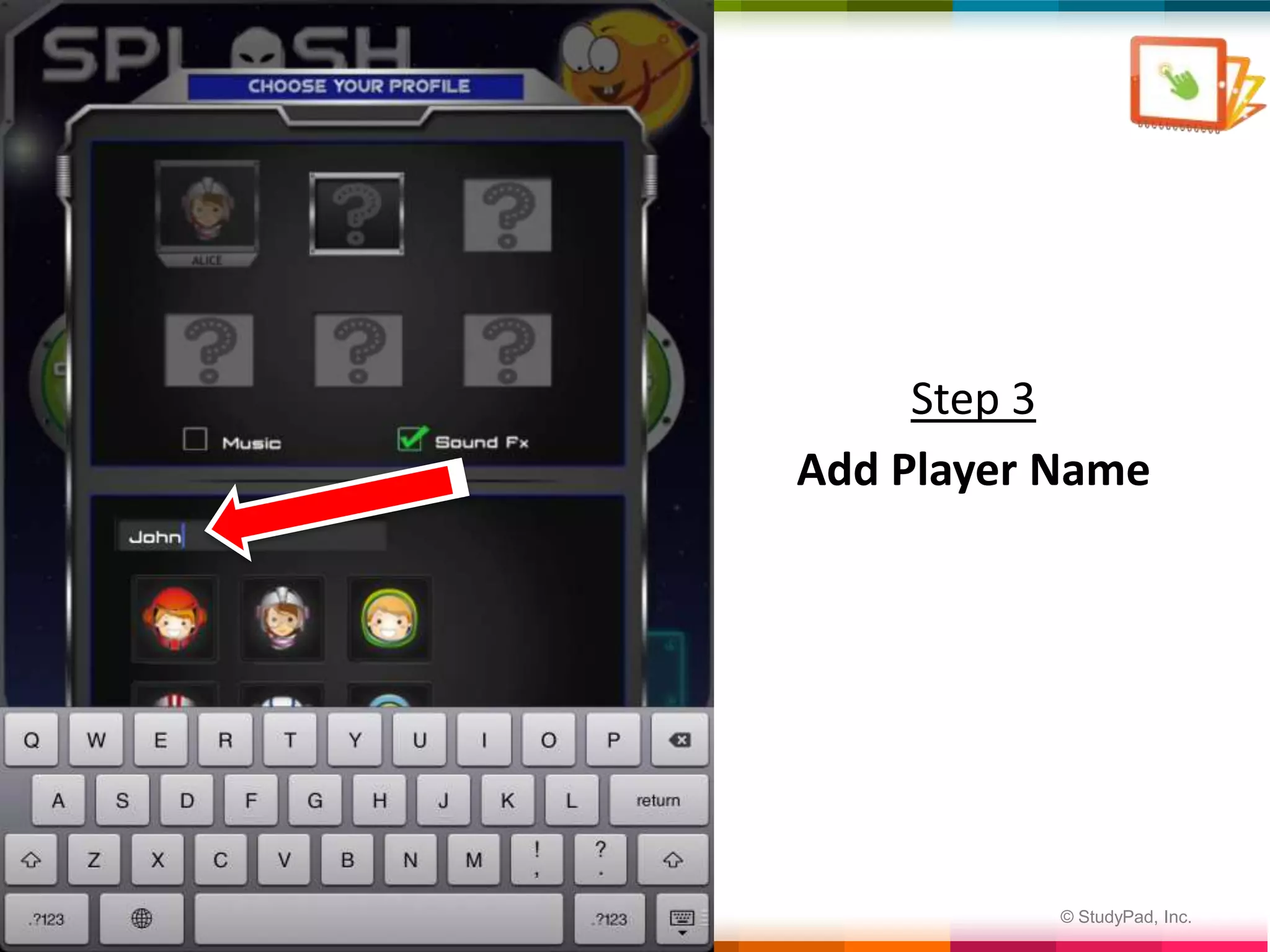
Step 3
    Add Player Name


4              © StudyPad, Inc.
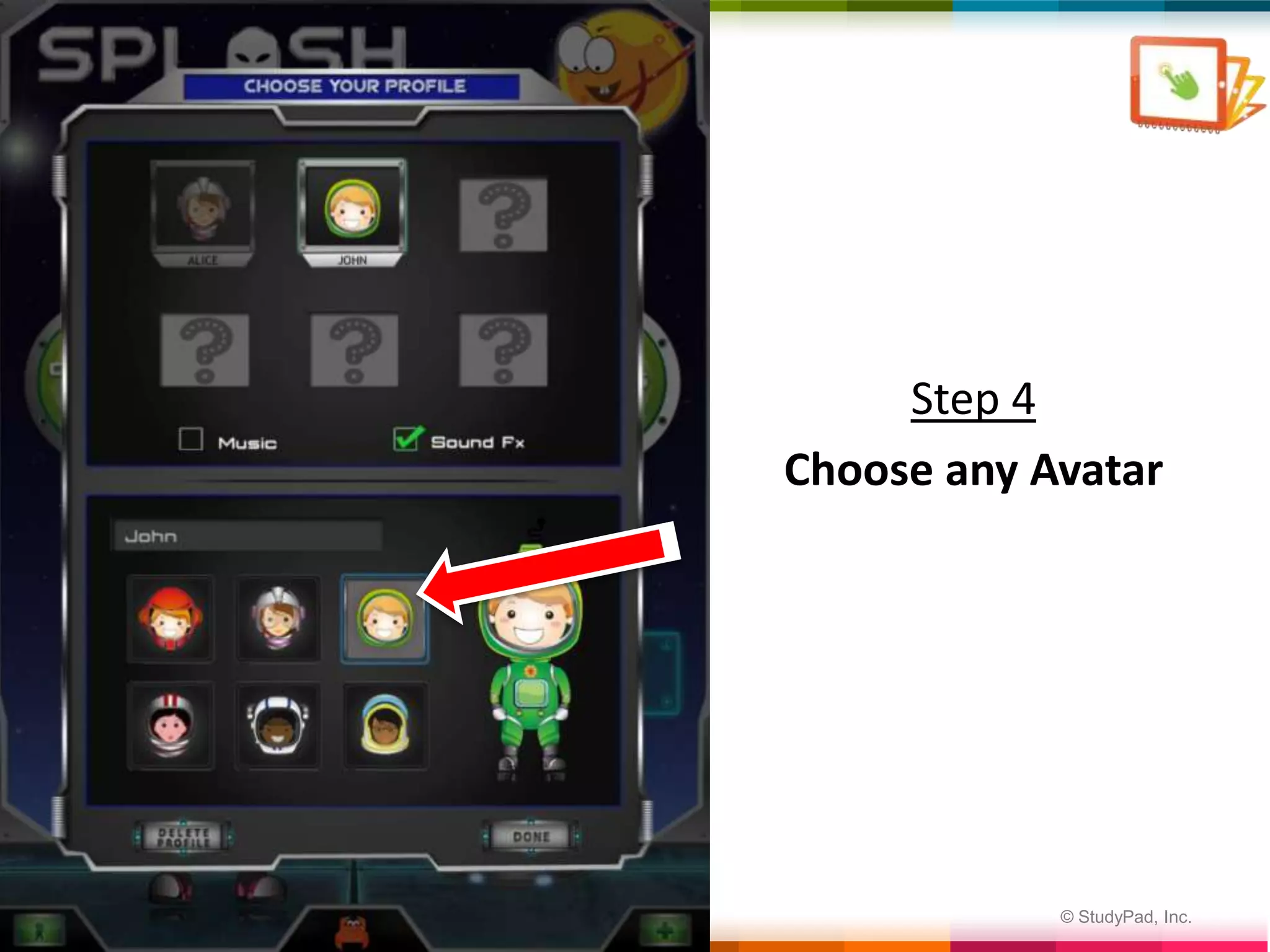
Step 4
    Choose any Avatar


5               © StudyPad, Inc.
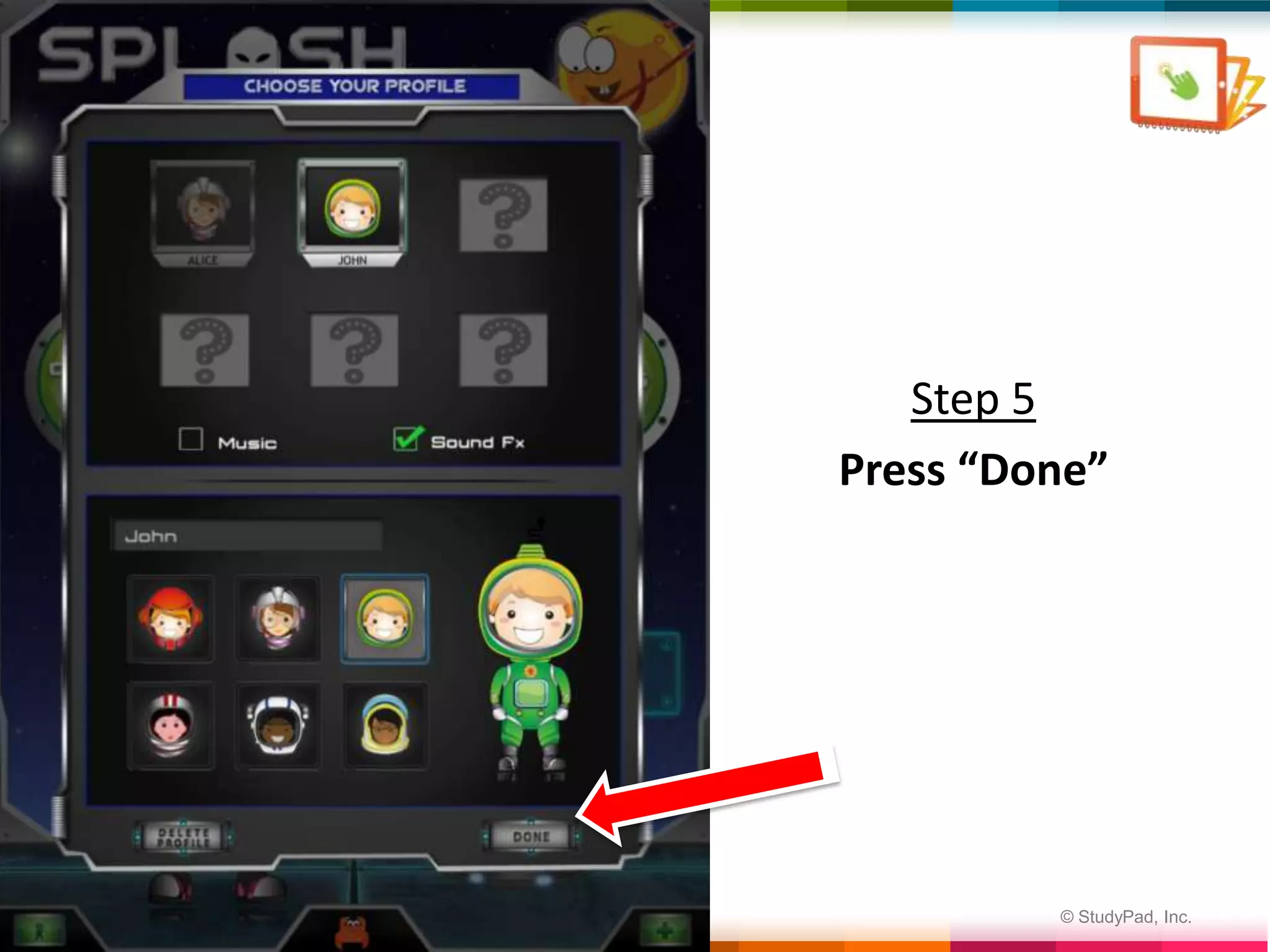
Step 5
    Press “Done”


6            © StudyPad, Inc.
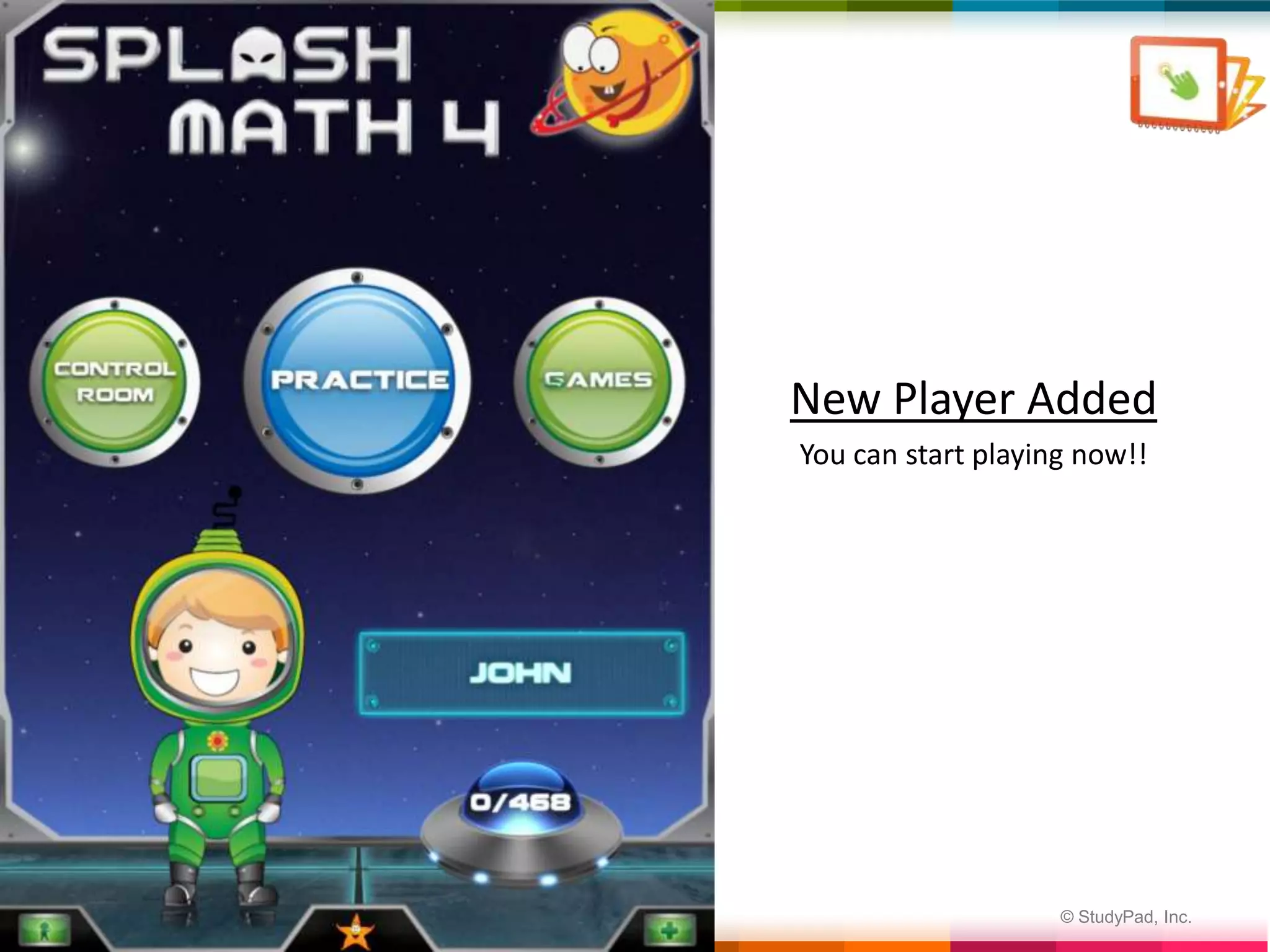
New Player Added
    You can start playing now!!


7                       © StudyPad, Inc.
Thank You

    Contact Us – support@studypadinc.com


8                                     © StudyPad, Inc.

Splash math 4 - Add new user

  • 1.
    Splash Math How to add user Grade 4-5 1 © StudyPad, Inc.
  • 2.
    Step 1 Click on “Profile” button 2 © StudyPad, Inc.
  • 3.
    Step 2 Click on a blank “User Profile” to Add Profile 3 © StudyPad, Inc.
  • 4.
    Step 3 Add Player Name 4 © StudyPad, Inc.
  • 5.
    Step 4 Choose any Avatar 5 © StudyPad, Inc.
  • 6.
    Step 5 Press “Done” 6 © StudyPad, Inc.
  • 7.
    New Player Added You can start playing now!! 7 © StudyPad, Inc.
  • 8.
    Thank You Contact Us – support@studypadinc.com 8 © StudyPad, Inc.