Sphinx options to make training
documentation easier to understand
Alexander Loechel
PloneConf 2018 - Tokyo
Why
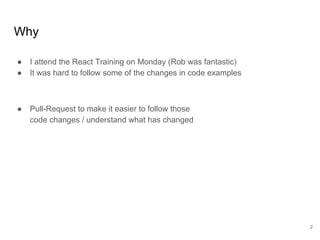
● I attend the React Training on Monday (Rob was fantastic)
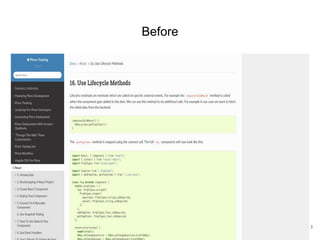
● It was hard to follow some of the changes in code examples
● Pull-Request to make it easier to follow those
code changes / understand what has changed
2
Before
3
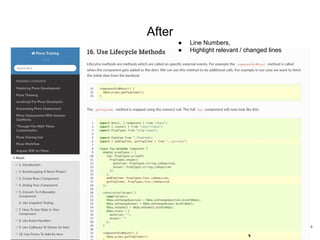
After
● Line Numbers,
● Highlight relevant / changed lines
4
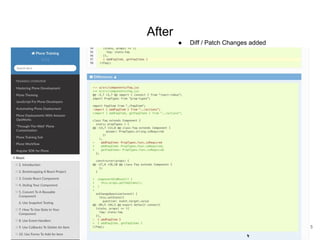
After
● Diff / Patch Changes added
5
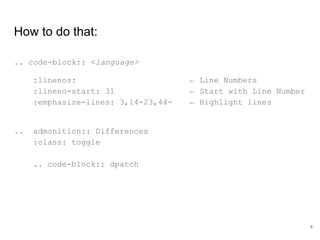
How to do that:
.. code-block:: <language>
:linenos: ← Line Numbers
:lineno-start: 31 ← Start with Line Number
:emphasize-lines: 3,14-23,44- ← Highlight lines
.. admonition:: Differences
:class: toggle
.. code-block:: dpatch
6
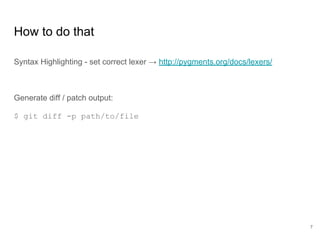
How to do that
Syntax Highlighting - set correct lexer → http://pygments.org/docs/lexers/
Generate diff / patch output:
$ git diff -p path/to/file
7
Please use everything
that helps to write
good documentation
and trainings material
8

Sphinx options to make training documentation easier to understand

  • 1.
    Sphinx options tomake training documentation easier to understand Alexander Loechel PloneConf 2018 - Tokyo
  • 2.
    Why ● I attendthe React Training on Monday (Rob was fantastic) ● It was hard to follow some of the changes in code examples ● Pull-Request to make it easier to follow those code changes / understand what has changed 2
  • 3.
  • 4.
    After ● Line Numbers, ●Highlight relevant / changed lines 4
  • 5.
    After ● Diff /Patch Changes added 5
  • 6.
    How to dothat: .. code-block:: <language> :linenos: ← Line Numbers :lineno-start: 31 ← Start with Line Number :emphasize-lines: 3,14-23,44- ← Highlight lines .. admonition:: Differences :class: toggle .. code-block:: dpatch 6
  • 7.
    How to dothat Syntax Highlighting - set correct lexer → http://pygments.org/docs/lexers/ Generate diff / patch output: $ git diff -p path/to/file 7
  • 8.
    Please use everything thathelps to write good documentation and trainings material 8