SOFTWARE TESTING
• Testingis the process of executing a program with the intention of
finding errors.” – Myers
• “Testing can show the presence of bugs but never their absence.” –
Dijkstra
• “Program testing can be a very effective way to show the presence of
bugs, but it is hopelessly inadequate for showing their absence”. –
Dijkstra
4.
WHY SHOULDWE TEST?
• Although software testing is itself an expensive activity, yet launching of software without
testing may lead to cost potentially much higher than that of testing, specially in systems
where human safety is involved.
• In the software life cycle the earlier the errors are discovered and removed, the lower is
the cost of their removal.
5.
WHO SHOULD DOTHE TESTING ?
• Testing requires the developers to find errors in their software.
• It is difficult for software developers to point out errors from their own
creations.
• Many organizations have made a distinction between the development and
testing phases by making different people responsible for each phase.
6.
RELATIONSHIP BETWEEN S/WENGG. &TESTING
• Software engineering is the study and application of engineering to the design,
development, and maintenance of software and to achieve the goal.
• Software testing is done as a process of evaluating that software by manual or
automatic means and verifying that it satisfies specified requirements or identifies
differences between expected and actual results. So, testing what one creates is thus
an inherent part of this process of software development.
WHENTO USE TESTINGINTHE SOFTWARE LIFE CYCLE
• Testing must be done at every phase.
• Testing of a phase must be built upon and checked against the results of the
previous phase.
• Non-execution-based testing is done in early phases (before executable code
is produced).
• Execution and non-execution-based testing can be done in later phases.
9.
ADVANTAGE OF TESTINGSOFTWARE
At Feasibility Phase
• Early test estimates help determine overall product feasibility
At Analysis Phase
• Identify requirements that might not be testable
At Development Phase
• Early product experience helps finalize test strategies
10.
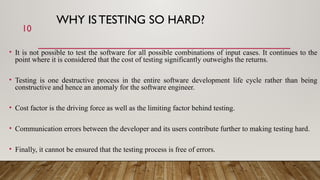
WHY IS TESTINGSO HARD?
• It is not possible to test the software for all possible combinations of input cases. It continues to the
point where it is considered that the cost of testing significantly outweighs the returns.
• Testing is one destructive process in the entire software development life cycle rather than being
constructive and hence an anomaly for the software engineer.
• Cost factor is the driving force as well as the limiting factor behind testing.
• Communication errors between the developer and its users contribute further to making testing hard.
• Finally, it cannot be ensured that the testing process is free of errors.
10
11.
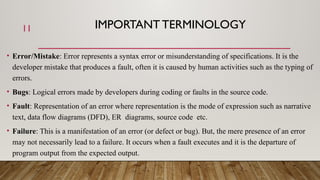
IMPORTANT TERMINOLOGY
• Error/Mistake:Error represents a syntax error or misunderstanding of specifications. It is the
developer mistake that produces a fault, often it is caused by human activities such as the typing of
errors.
• Bugs: Logical errors made by developers during coding or faults in the source code.
• Fault: Representation of an error where representation is the mode of expression such as narrative
text, data flow diagrams (DFD), ER diagrams, source code etc.
• Failure: This is a manifestation of an error (or defect or bug). But, the mere presence of an error
may not necessarily lead to a failure. It occurs when a fault executes and it is the departure of
program output from the expected output.
11
12.
12
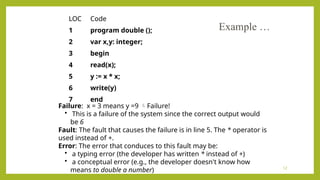
LOC Code
1 programdouble ();
2 var x,y: integer;
3 begin
4 read(x);
5 y := x * x;
6 write(y)
7 end
Failure: x = 3 means y =9 Failure!
• This is a failure of the system since the correct output would
be 6
Fault: The fault that causes the failure is in line 5. The * operator is
used instead of +.
Error: The error that conduces to this fault may be:
• a typing error (the developer has written * instead of +)
• a conceptual error (e.g., the developer doesn't know how
means to double a number)
Example …
13.
TERMINOLOGY …
• TestCase: This is the triplet [I,S,O], where I is the data input to the system, S is the state of
the system at which the data is input, and O is the expected output of the system.
• Testing : it is the process of executing the program with the intention of finding errors.
• Testing cannot guarantee the absence of faults,
• Strategies for defining test suites,
• Formal methods (e.g., model checking) can be used to statically verify software
properties, this is not testing.
• Debugging: It is the process of finding and fixing faults in the code
• Test suite: This is the set of all test cases with which a given software product is to be
tested.
13
14.
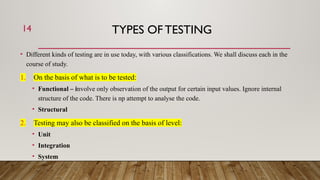
TYPES OF TESTING
•Different kinds of testing are in use today, with various classifications. We shall discuss each in the
course of study.
1. On the basis of what is to be tested:
• Functional – involve only observation of the output for certain input values. Ignore internal
structure of the code. There is np attempt to analyse the code.
• Structural
2. Testing may also be classified on the basis of level:
• Unit
• Integration
• System
14
15.
WAYS OF TESTING
•In the beginning, testing was only done manually, but with the introduction of different
tools for software development, many automated testing tools like Rational Robot,
WinRunner, LoadRunner etc are also available in the market.
• Hence, there are two different ways of testing :
• Manual
• Automated
15
16.
TEST PLAN
Test Plan:A document developed by the test lead which includes how to test, when to test,
and who will test.
• Format
i) Introduction
ii) Scope
iii) Objective
iv) Platform
v) Environment
vi) Tools
vii) Modules to be tested
viii) Modules not to be tested
ix) Exit criterion
x) Pause criterion
xi) Resume criterion
16
17.
TEST CASES
A documentthat specifies a testable condition to test. A good test case has a high probability of
detecting an error. Tests are thus valuable and useful and need to be developed, reviewed,
used, managed, and saved.
• Format
i) Test case ID
ii) Module ID
iii) Module name
iv) Project ID
v) Project Name
vi) Tester
vii) Assigned To
viii) Date
ix) Time
17
TEST SUITE, SCRIPT& INCIDENT
• Test Suite: According to Boris Beizer,
“ A set of one or more tests, usually aimed at a single object, with a common purpose and database,
usually run as a set.
• Script: Boris Beizer defines a test script as a,
“Document, program or object that specifies for every test and subtests in a test suite; object to be
tested, requirements, initial state, inputs, expected outcome and validation criteria.
• Incident: In testing, it simply implies unexpected behavior of the software or simply deviation from
the expected output.
19
20.
VERIFICATION AND VALIDATION
•Verification is the process of evaluating a system or component to determine whether the
products of a given development phase satisfy the conditions imposed at the start of that
phase.
• Validation is the process of evaluating a system or component during or at the end of the
development process to determine whether it satisfies the specified requirements.
•
• Testing= Verification + Validation
21.
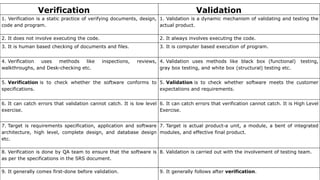
Verification Validation
1. Verificationis a static practice of verifying documents, design,
code and program.
1. Validation is a dynamic mechanism of validating and testing the
actual product.
2. It does not involve executing the code. 2. It always involves executing the code.
3. It is human based checking of documents and files. 3. It is computer based execution of program.
4. Verification uses methods like inspections, reviews,
walkthroughs, and Desk-checking etc.
4. Validation uses methods like black box (functional) testing,
gray box testing, and white box (structural) testing etc.
5. Verification is to check whether the software conforms to
specifications.
5. Validation is to check whether software meets the customer
expectations and requirements.
6. It can catch errors that validation cannot catch. It is low level
exercise.
6. It can catch errors that verification cannot catch. It is High Level
Exercise.
7. Target is requirements specification, application and software
architecture, high level, complete design, and database design
etc.
7. Target is actual product-a unit, a module, a bent of integrated
modules, and effective final product.
8. Verification is done by QA team to ensure that the software is
as per the specifications in the SRS document.
8. Validation is carried out with the involvement of testing team.
9. It generally comes first-done before validation. 9. It generally follows after verification.
22.
INTRODUCTIONTO FUNCTIONALTESTING
• Whatis Functional Testing?
• Why Functional Testing?
• When to do Functional Testing?
• How to do Functional Testing?
• Types of Functional Testing
23.
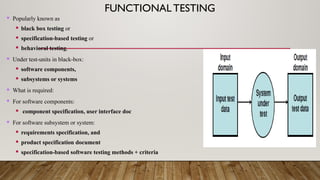
FUNCTIONALTESTING
Popularly knownas
black box testing or
specification-based testing or
behavioral testing.
Under test-units in black-box:
software components,
subsystems or systems
What is required:
For software components:
component specification, user interface doc
For software subsystem or system:
requirements specification, and
product specification document
specification-based software testing methods + criteria
24.
WHY FUNCTIONAL TESTING?
Black box testing helps in the overall functionality verification of the system under test, because:
Black box testing is done based on requirements.
Black box testing addresses the stated as well as the implied
requirements.
Black box testing encompasses the end user perspective.
Black box testing handles both valid and invalid inputs.
25.
WHENTO DO FUNCTIONALTESTING?
• Testers can get involved right from the requirements gathering and analysis phase for the
system under test.
• Test scenarios and test data are prepared during the test construction phase of the test
life cycle, when the software is in the design phase.
• Once the code is ready and delivered for testing, test execution can be done.
26.
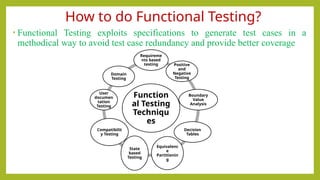
How to doFunctional Testing?
• Functional Testing exploits specifications to generate test cases in a
methodical way to avoid test case redundancy and provide better coverage
Function
al Testing
Techniqu
es
Requireme
nts based
testing Positive
and
Negative
Testing
Boundary
Value
Analysis
Decision
Tables
Equivalenc
e
Partitionin
g
State
based
Testing
Compatibilit
y Testing
User
documen
tation
Testing
Domain
Testing
27.
TYPES OF FUNCTIONALTESTING
• A few of the primary black-box testing techniques which are useful in
designing test cases and finding errors are:
1. Boundary value analysis
2. Equivalence Partitioning
3. Decision table testing
28.
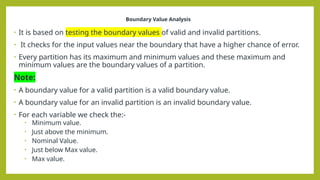
Boundary Value Analysis
•It is based on testing the boundary values of valid and invalid partitions.
• It checks for the input values near the boundary that have a higher chance of error.
• Every partition has its maximum and minimum values and these maximum and
minimum values are the boundary values of a partition.
Note:
• A boundary value for a valid partition is a valid boundary value.
• A boundary value for an invalid partition is an invalid boundary value.
• For each variable we check the:-
• Minimum value.
• Just above the minimum.
• Nominal Value.
• Just below Max value.
• Max value.
29.
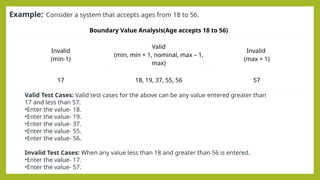
Example: Consider asystem that accepts ages from 18 to 56.
Boundary Value Analysis(Age accepts 18 to 56)
Invalid
(min-1)
Valid
(min, min + 1, nominal, max – 1,
max)
Invalid
(max + 1)
17 18, 19, 37, 55, 56 57
Valid Test Cases: Valid test cases for the above can be any value entered greater than
17 and less than 57.
•Enter the value- 18.
•Enter the value- 19.
•Enter the value- 37.
•Enter the value- 55.
•Enter the value- 56.
Invalid Test Cases: When any value less than 18 and greater than 56 is entered.
•Enter the value- 17.
•Enter the value- 57.
30.
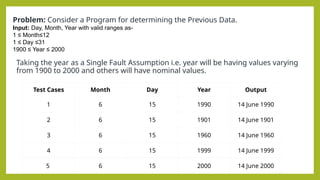
Taking the yearas a Single Fault Assumption i.e. year will be having values varying
from 1900 to 2000 and others will have nominal values.
Problem: Consider a Program for determining the Previous Data.
Input: Day, Month, Year with valid ranges as-
1 ≤ Month≤12
1 ≤ Day ≤31
1900 ≤ Year ≤ 2000
Test Cases Month Day Year Output
1 6 15 1990 14 June 1990
2 6 15 1901 14 June 1901
3 6 15 1960 14 June 1960
4 6 15 1999 14 June 1999
5 6 15 2000 14 June 2000
31.
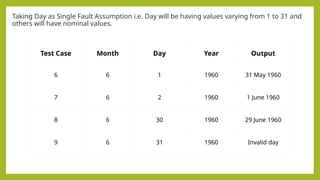
Taking Day asSingle Fault Assumption i.e. Day will be having values varying from 1 to 31 and
others will have nominal values.
Test Case Month Day Year Output
6 6 1 1960 31 May 1960
7 6 2 1960 1 June 1960
8 6 30 1960 29 June 1960
9 6 31 1960 Invalid day
32.
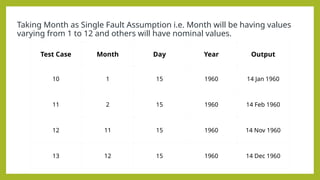
Taking Month asSingle Fault Assumption i.e. Month will be having values
varying from 1 to 12 and others will have nominal values.
Test Case Month Day Year Output
10 1 15 1960 14 Jan 1960
11 2 15 1960 14 Feb 1960
12 11 15 1960 14 Nov 1960
13 12 15 1960 14 Dec 1960
33.
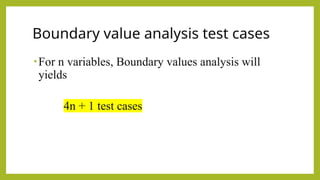
Boundary value analysistest cases
•For n variables, Boundary values analysis will
yields
4n + 1 test cases
• A blackbox method aimed at increasing the efficiency of testing
and, at the same time, improving coverage of potential error
conditions.
Equivalence class partitioning (EC)
36.
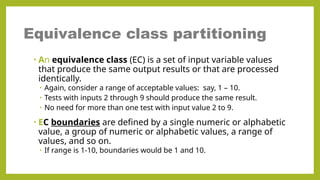
• An equivalenceclass (EC) is a set of input variable values
that produce the same output results or that are processed
identically.
• Again, consider a range of acceptable values: say, 1 – 10.
• Tests with inputs 2 through 9 should produce the same result.
• No need for more than one test with input value 2 to 9.
• EC boundaries are defined by a single numeric or alphabetic
value, a group of numeric or alphabetic values, a range of
values, and so on.
• If range is 1-10, boundaries would be 1 and 10.
Equivalence class partitioning
37.
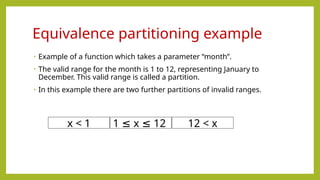
• Example ofa function which takes a parameter “month”.
• The valid range for the month is 1 to 12, representing January to
December. This valid range is called a partition.
• In this example there are two further partitions of invalid ranges.
Equivalence partitioning example
x < 1 1 x 12
≤ ≤ 12 < x
38.
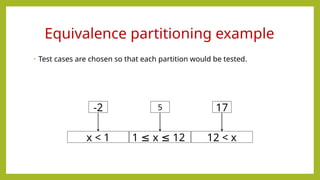
• Test casesare chosen so that each partition would be tested.
Equivalence partitioning example
x < 1 1 x 12
≤ ≤ 12 < x
-2 5 17
39.
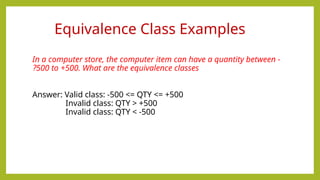
In a computerstore, the computer item can have a quantity between -
500 to +500. What are the equivalence classes
?
Answer: Valid class: -500 <= QTY <= +500
Invalid class: QTY > +500
Invalid class: QTY < -500
Equivalence Class Examples
40.
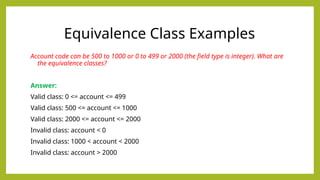
Account code canbe 500 to 1000 or 0 to 499 or 2000 (the field type is integer). What are
the equivalence classes?
Answer:
Valid class: 0 <= account <= 499
Valid class: 500 <= account <= 1000
Valid class: 2000 <= account <= 2000
Invalid class: account < 0
Invalid class: 1000 < account < 2000
Invalid class: account > 2000
Equivalence Class Examples
41.
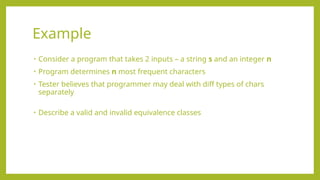
• Consider aprogram that takes 2 inputs – a string s and an integer n
• Program determines n most frequent characters
• Tester believes that programmer may deal with diff types of chars
separately
• Describe a valid and invalid equivalence classes
Example
42.
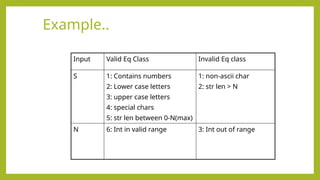
Example..
Input Valid EqClass Invalid Eq class
S 1: Contains numbers
2: Lower case letters
3: upper case letters
4: special chars
5: str len between 0-N(max)
1: non-ascii char
2: str len > N
N 6: Int in valid range 3: Int out of range
43.
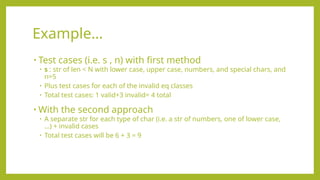
• Test cases(i.e. s , n) with first method
• s : str of len < N with lower case, upper case, numbers, and special chars, and
n=5
• Plus test cases for each of the invalid eq classes
• Total test cases: 1 valid+3 invalid= 4 total
• With the second approach
• A separate str for each type of char (i.e. a str of numbers, one of lower case,
…) + invalid cases
• Total test cases will be 6 + 3 = 9
Example…
44.
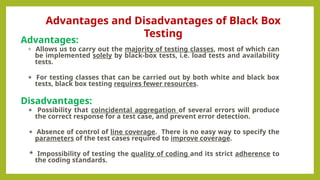
Advantages:
* Allows usto carry out the majority of testing classes, most of which can
be implemented solely by black-box tests, i.e. load tests and availability
tests.
* For testing classes that can be carried out by both white and black box
tests, black box testing requires fewer resources.
Disadvantages:
* Possibility that coincidental aggregation of several errors will produce
the correct response for a test case, and prevent error detection.
* Absence of control of line coverage. There is no easy way to specify the
parameters of the test cases required to improve coverage.
* Impossibility of testing the quality of coding and its strict adherence to
the coding standards.
Advantages and Disadvantages of Black Box
Testing
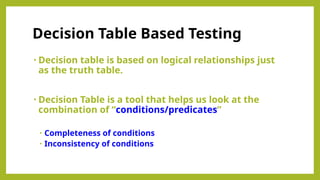
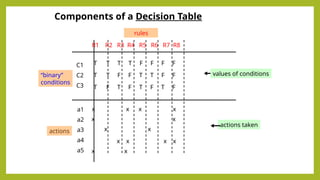
• Decision tableis based on logical relationships just
as the truth table.
• Decision Table is a tool that helps us look at the
combination of “conditions/predicates”
• Completeness of conditions
• Inconsistency of conditions
Decision Table Based Testing
47.
Components of aDecision Table
C1
C2
C3
a1
a2
a3
a4
a5
T T T T F F F F
T T F F T T F F
T F T F T F T F
x x x x
x x
x x
x x x x
x x
“binary”
conditions
actions
values of conditions
actions taken
R1 R2 R3 R4 R5 R6 R7 R8
rules
48.
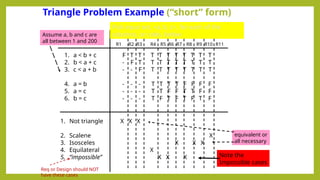
Triangle Problem Example(“short” form)
1. a < b + c
2. b < a + c
3. c < a + b
4. a = b
5. a = c
6. b = c
1. Not triangle
2. Scalene
3. Isosceles
4. Equilateral
5. “impossible”
F T T T T T T T T T T
- F T T T T T T T T T
- - F T T T T T T T T
- - - T T T T F F F F
- - - T T F F T T F F
- - - T F T F T F T F
X X X
X
X X X
X
X X X Note the
Impossible cases
Pick input set, <a, b, c>, for each of the
columns, or rules, below
Assume a, b and c are
all between 1 and 200
R1 R2 R3 R4 R5 R7
R6 R9
R8 R11
R10
equivalent or
all necessary
Req or Design should NOT
have these cases
49.
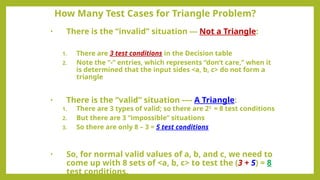
• There isthe “invalid” situation --- Not a Triangle:
1. There are 3 test conditions in the Decision table
2. Note the “-” entries, which represents “don’t care,” when it
is determined that the input sides <a, b, c> do not form a
triangle
• There is the “valid” situation ---- A Triangle:
1. There are 3 types of valid; so there are 23
= 8 test conditions
2. But there are 3 “impossible” situations
3. So there are only 8 – 3 = 5 test conditions
• So, for normal valid values of a, b, and c, we need to
come up with 8 sets of <a, b, c> to test the (3 + 5) = 8
test conditions.
How Many Test Cases for Triangle Problem?
50.
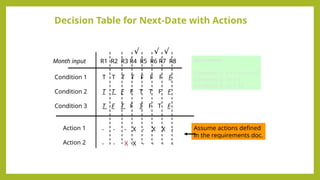
Decision Table forNext-Date with Actions
Condition 1
Condition 2
Condition 3
Month input
T T T T F F F F
T T F F T T F F
T F T F T F T F
Remember :
Condition 1: 1 < = m <= 12
Condition 2: m < 1
Condition 3: m > 12
R1 R2 R3 R4 R5 R6 R7 R8
√ √
√
Action 1
Action 2
- - - X - X X -
- - X X - - - -
Assume actions defined
in the requirements doc.
51.
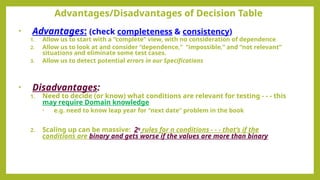
• Advantages: (checkcompleteness & consistency)
1. Allow us to start with a “complete” view, with no consideration of dependence
2. Allow us to look at and consider “dependence,” “impossible,” and “not relevant”
situations and eliminate some test cases.
3. Allow us to detect potential errors in our Specifications
• Disadvantages:
1. Need to decide (or know) what conditions are relevant for testing - - - this
may require Domain knowledge
• e.g. need to know leap year for “next date” problem in the book
2. Scaling up can be massive: 2n
rules for n conditions - - - that’s if the
conditions are binary and gets worse if the values are more than binary
Advantages/Disadvantages of Decision Table
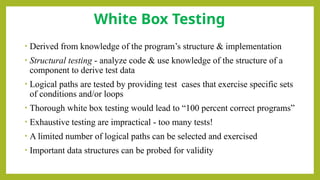
• Derived fromknowledge of the program’s structure & implementation
• Structural testing - analyze code & use knowledge of the structure of a
component to derive test data
• Logical paths are tested by providing test cases that exercise specific sets
of conditions and/or loops
• Thorough white box testing would lead to “100 percent correct programs”
• Exhaustive testing are impractical - too many tests!
• A limited number of logical paths can be selected and exercised
• Important data structures can be probed for validity
White Box Testing
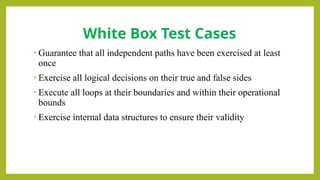
54.
• Guarantee thatall independent paths have been exercised at least
once
• Exercise all logical decisions on their true and false sides
• Execute all loops at their boundaries and within their operational
bounds
• Exercise internal data structures to ensure their validity
White Box Test Cases
55.
Structural Testing
White-box testing,also known as glass-box testing.
It is a test case design method that uses the control structure of the procedural design to derive
test cases.
Using white-box testing methods, we derive test cases that
- Guarantee that all independent paths within a module have been exercised at least once.
- Exercise all logical decisions one their true and false sides.
- Execute all loops at their boundaries and within their operational bounds.
- Exercise internal data structures to assure their validity.
Basic path testing (a white-box testing technique):
- First proposed by TomMcCabe [MCC76].
- Can be used to derive a logical complexity measure for a procedure design.
- Used as a guide for defining a basis set of execution path.
- Guarantee to execute every statement in the program at least one time.
56.
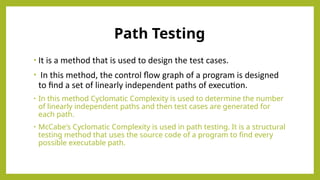
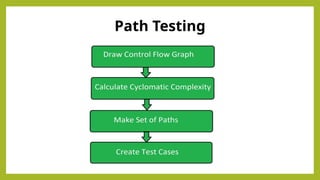
Path Testing
• Itis a method that is used to design the test cases.
• In this method, the control flow graph of a program is designed
to find a set of linearly independent paths of execution.
• In this method Cyclomatic Complexity is used to determine the number
of linearly independent paths and then test cases are generated for
each path.
• McCabe's Cyclomatic Complexity is used in path testing. It is a structural
testing method that uses the source code of a program to find every
possible executable path.
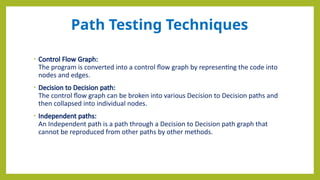
Path Testing Techniques
•Control Flow Graph:
The program is converted into a control flow graph by representing the code into
nodes and edges.
• Decision to Decision path:
The control flow graph can be broken into various Decision to Decision paths and
then collapsed into individual nodes.
• Independent paths:
An Independent path is a path through a Decision to Decision path graph that
cannot be reproduced from other paths by other methods.
59.
Advantages of PathTesting
• The path testing method reduces the redundant tests.
• Path testing focuses on the logic of the programs.
• Path testing is used in test case design.
60.
Disadvantages of PathTesting
• A tester needs to have a good understanding of programming
knowledge or code knowledge to execute the tests.
• The test case increases when the code complexity is increased.
• It will be difficult to create a test path if the application has a high
complexity of code.
• Some test paths may skip some of the conditions in the code. It may not
cover some conditions or scenarios if there is an error in the specific
paths.
61.
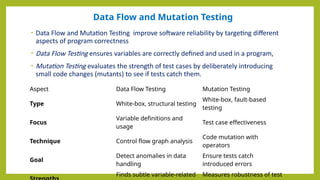
Data Flow andMutation Testing
• Data Flow and Mutation Testing improve software reliability by targeting different
aspects of program correctness
• Data Flow Testing ensures variables are correctly defined and used in a program,
• Mutation Testing evaluates the strength of test cases by deliberately introducing
small code changes (mutants) to see if tests catch them.
Aspect Data Flow Testing Mutation Testing
Type White-box, structural testing
White-box, fault-based
testing
Focus
Variable definitions and
usage
Test case effectiveness
Technique Control flow graph analysis
Code mutation with
operators
Goal
Detect anomalies in data
handling
Ensure tests catch
introduced errors
Finds subtle variable-related Measures robustness of test
62.
Data Flow Testing
•Data Flow Testing is a type of structural testing It is a method that is used to find
the test paths of a program according to the locations of definitions and uses of
variables in the program. It has nothing to do with data flow diagrams.
Furthermore, it is concerned with:
• Statements where variables receive values,
• Statements where these values are used or referenced.
63.
Advantages of DataFlow Testing:
• Data Flow Testing is used to find the following issues-
• To find a variable that is used but never defined,
• To find a variable that is defined but never used,
• To find a variable that is defined multiple times before it is use,
• Deallocating a variable before it is used.
64.
Disadvantages of DataFlow
Testing
• Time consuming and costly process
• Requires knowledge of programming languages
65.
Mutation Testing
• Itis a white box testing technique that helps compare the effectiveness of existing
tests and design new ones. Making small modifications (mutations) in the source
code, mutation testing aims to identify weaknesses in test cases and verify that all
parts of the program are properly tested with their functionalities.
The objective of mutation testing is:
• To identify pieces of code that are not tested properly.
• To identify hidden defects that can't be detected using other testing methods.
• To discover new kinds of errors or bugs.
• To calculate the mutation score.
• Understand how errors spread within the program.
• Assess how well the test cases perform.
66.
Advantages of MutationTesting
• Mutation Testing offers several benefits:
• It brings a good level of error detection in the program.
• It discovers ambiguities in the source code.
• It finds and solves the issues of loopholes in the program.
• It helps the testers to write or automate the better test cases.
• It provides more efficient programming source code.
67.
Disadvantages of Mutation
Testing
•Here are the few dis-advantages of mutation testing:
• It is highly costly and time-consuming.
• It is not able for Black Box Testing.
• Some, mutations are complex and hence it is difficult to implement or run against
various test cases.
• Here, the team members who are performing the tests should have good
programming knowledge.
• Selection of correct automation tool is important to test the programs.
68.
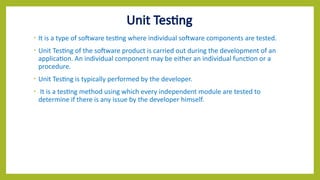
Unit Testing
• Itis a type of software testing where individual software components are tested.
• Unit Testing of the software product is carried out during the development of an
application. An individual component may be either an individual function or a
procedure.
• Unit Testing is typically performed by the developer.
• It is a testing method using which every independent module are tested to
determine if there is any issue by the developer himself.
69.
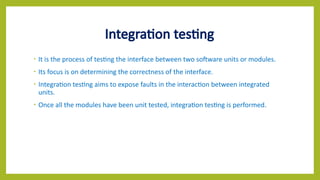
Integration testing
• Itis the process of testing the interface between two software units or modules.
• Its focus is on determining the correctness of the interface.
• Integration testing aims to expose faults in the interaction between integrated
units.
• Once all the modules have been unit tested, integration testing is performed.
70.
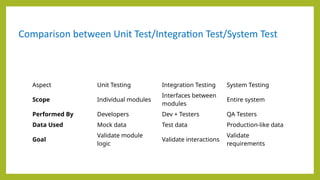
Comparison between UnitTest/Integration Test/System Test
Aspect Unit Testing Integration Testing System Testing
Scope Individual modules
Interfaces between
modules
Entire system
Performed By Developers Dev + Testers QA Testers
Data Used Mock data Test data Production-like data
Goal
Validate module
logic
Validate interactions
Validate
requirements
71.
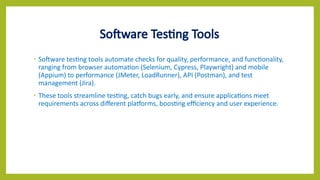
Software Testing Tools
•Software testing tools automate checks for quality, performance, and functionality,
ranging from browser automation (Selenium, Cypress, Playwright) and mobile
(Appium) to performance (JMeter, LoadRunner), API (Postman), and test
management (Jira).
• These tools streamline testing, catch bugs early, and ensure applications meet
requirements across different platforms, boosting efficiency and user experience.
72.
• Advantages
• Finderrors on code level
• Typically based on a very systematic approach, covering the
complete internal module structure
• Constraints
• Does not find missing or additional functionality
• Does not really check the interface
• Difficult for large and complex module
Discussion on White Box Testing
73.
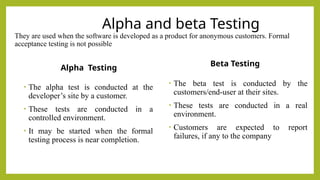
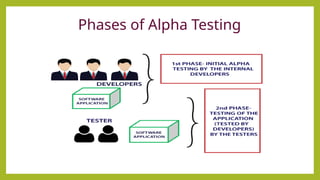
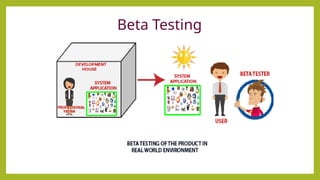
Alpha and betaTesting
They are used when the software is developed as a product for anonymous customers. Formal
acceptance testing is not possible
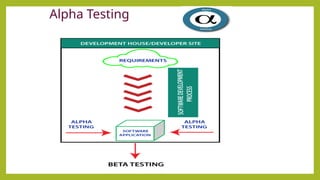
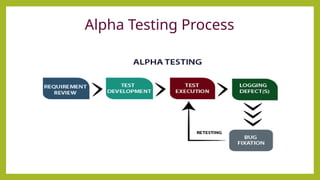
Alpha Testing
• The alpha test is conducted at the
developer’s site by a customer.
• These tests are conducted in a
controlled environment.
• It may be started when the formal
testing process is near completion.
Beta Testing
• The beta test is conducted by the
customers/end-user at their sites.
• These tests are conducted in a real
environment.
• Customers are expected to report
failures, if any to the company
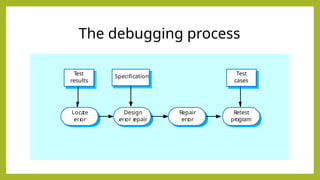
Debugging
• Debugging isan activity that is performed after executing a
successful test case.
• Debugging consists of determining the exact nature and location of
the suspected error and fixing the error.
• To find and correct the cause of a software error.
• Symptoms caused by human errors
• Symptoms may be a result of timing problems.
• Difficult to accurately reproduce input conditions
• Symptom due to causes that are distributed across a number of tasks
on different processors
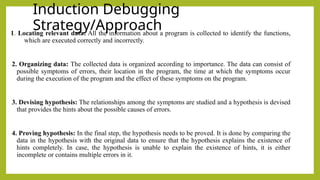
Induction Debugging
Strategy/Approach
1. Locatingrelevant data: All the information about a program is collected to identify the functions,
which are executed correctly and incorrectly.
2. Organizing data: The collected data is organized according to importance. The data can consist of
possible symptoms of errors, their location in the program, the time at which the symptoms occur
during the execution of the program and the effect of these symptoms on the program.
3. Devising hypothesis: The relationships among the symptoms are studied and a hypothesis is devised
that provides the hints about the possible causes of errors.
4. Proving hypothesis: In the final step, the hypothesis needs to be proved. It is done by comparing the
data in the hypothesis with the original data to ensure that the hypothesis explains the existence of
hints completely. In case, the hypothesis is unable to explain the existence of hints, it is either
incomplete or contains multiple errors in it.
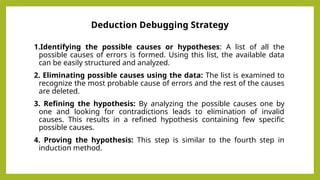
81.
Deduction Debugging Strategy
1.Identifyingthe possible causes or hypotheses: A list of all the
possible causes of errors is formed. Using this list, the available data
can be easily structured and analyzed.
2. Eliminating possible causes using the data: The list is examined to
recognize the most probable cause of errors and the rest of the causes
are deleted.
3. Refining the hypothesis: By analyzing the possible causes one by
one and looking for contradictions leads to elimination of invalid
causes. This results in a refined hypothesis containing few specific
possible causes.
4. Proving the hypothesis: This step is similar to the fourth step in
induction method.
![TERMINOLOGY …
• Test Case: This is the triplet [I,S,O], where I is the data input to the system, S is the state of
the system at which the data is input, and O is the expected output of the system.
• Testing : it is the process of executing the program with the intention of finding errors.
• Testing cannot guarantee the absence of faults,
• Strategies for defining test suites,
• Formal methods (e.g., model checking) can be used to statically verify software
properties, this is not testing.
• Debugging: It is the process of finding and fixing faults in the code
• Test suite: This is the set of all test cases with which a given software product is to be
tested.
13](https://image.slidesharecdn.com/unit-ivcic309softwaretesting-251215061506-d1e5dc3d/85/Software-Testing-from-Unit-IV-CIC-309-Btech-13-320.jpg)
![Structural Testing
White-box testing, also known as glass-box testing.
It is a test case design method that uses the control structure of the procedural design to derive
test cases.
Using white-box testing methods, we derive test cases that
- Guarantee that all independent paths within a module have been exercised at least once.
- Exercise all logical decisions one their true and false sides.
- Execute all loops at their boundaries and within their operational bounds.
- Exercise internal data structures to assure their validity.
Basic path testing (a white-box testing technique):
- First proposed by TomMcCabe [MCC76].
- Can be used to derive a logical complexity measure for a procedure design.
- Used as a guide for defining a basis set of execution path.
- Guarantee to execute every statement in the program at least one time.](https://image.slidesharecdn.com/unit-ivcic309softwaretesting-251215061506-d1e5dc3d/85/Software-Testing-from-Unit-IV-CIC-309-Btech-55-320.jpg)