Software Defined Storage
Reality or BS?
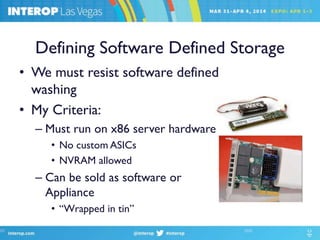
Defining Software Defined Storage
• We must resist software defined
washing
• My Criteria:
– Must run on x86 server hardware
• No custom ASICs
• NVRAM allowed
– Can be sold as software or
Appliance
• “Wrapped in tin”
Software Defined Storage is not New
• Novell NetWare turned PC AT into file server
– Software defined NAS
• I wrote “How to BuildYour Own iSCSI Array” in
2006
• Faster x86 processors are driving SDS
– In performance
– In scale
– In functionality
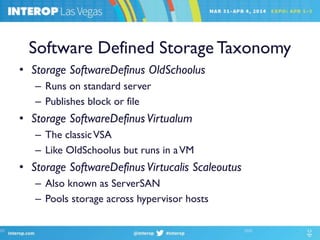
Software Defined Storage Taxonomy
• Storage SoftwareDefinus OldSchoolus
– Runs on standard server
– Publishes block or file
• Storage SoftwareDefinusVirtualum
– The classicVSA
– Like OldSchoolus but runs in aVM
• Storage SoftwareDefinusVirtucalis Scaleoutus
– Also known as ServerSAN
– Pools storage across hypervisor hosts
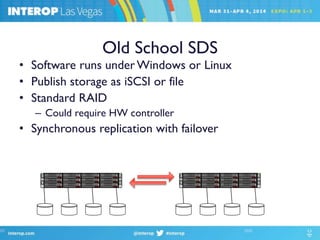
Old School SDS
• Software runs underWindows or Linux
• Publish storage as iSCSI or file
• Standard RAID
– Could require HW controller
• Synchronous replication with failover
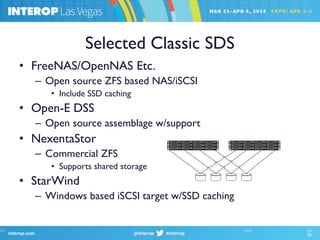
Selected Classic SDS
• FreeNAS/OpenNAS Etc.
– Open source ZFS based NAS/iSCSI
• Include SSD caching
• Open-E DSS
– Open source assemblage w/support
• NexentaStor
– Commercial ZFS
• Supports shared storage
• StarWind
– Windows based iSCSI target w/SSD caching
Wrap in Tin?
• Most next generation storage arrays are SDS
Nimble Storage Fusion-IO IOcontrol (Nexgen)
Tintri Tegile
• Why?
– Qualification and support
– Margins
– Channel issues
– Customer preferences
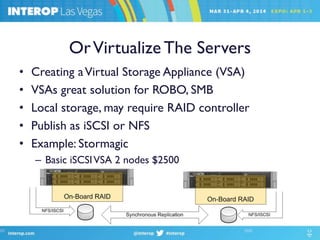
OrVirtualize The Servers
• Creating aVirtual Storage Appliance (VSA)
• VSAs great solution for ROBO, SMB
• Local storage, may require RAID controller
• Publish as iSCSI or NFS
• Example: Stormagic
– Basic iSCSIVSA 2 nodes $2500
Why Converge Storage and Compute?
• Makes corporate data center like cloud
– A good or bad thing
• Storage array slot and SAN costs
– Generally higher than the disk drive that plugs in
• Server slots are already paid for
• Political, management issues
– Moves storage to server team
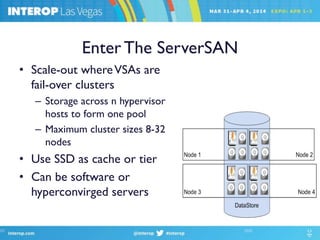
Enter The ServerSAN
• Scale-out whereVSAs are
fail-over clusters
– Storage across n hypervisor
hosts to form one pool
– Maximum cluster sizes 8-32
nodes
• Use SSD as cache or tier
• Can be software or
hyperconvirged servers
ServerSAN architecture differentiators
• Data protection model
– Per node RAID?
– N-way replication
– Network RAID?
• Flash usage:
– Write through or write back cache
– SubLUN tiering
• Prioritization/Storage QoS
• Data locality
• Data reduction
• Snapshots and cloning
Hyperconvirged Systems
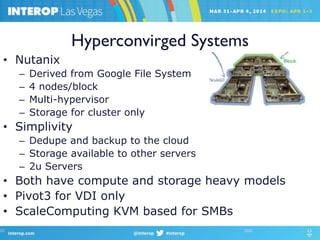
• Nutanix
– Derived from Google File System
– 4 nodes/block
– Multi-hypervisor
– Storage for cluster only
• Simplivity
– Dedupe and backup to the cloud
– Storage available to other servers
– 2u Servers
• Both have compute and storage heavy models
• Pivot3 for VDI only
• ScaleComputing KVM based for SMBs
Vmware’sVSAN
• SSD as read/write cache
• N-way replication (no local RAID)
– Default 2 copies, requires 3 nodes
– 3 copies requires 5 nodes (my recommendation)
• Scales to 32 nodes
• Runs directly in hypervisor kernel
• Storage only available to cluster members
• Relies on vSphere snapshots, replication
• License $2495/CPU or $50/VDI image
Software Only ServerSANs
• HP StoreVirtual (Lefthand)
– Sub-LUN tiering for SSDs
– iSCSI system scales to 10 nodes
– Data Protection
• Per Node RAID
• 2-4 way replication or network RAID 5 or 6
• Maxta Storage Platform
– Data deduplication and compression
– Metadata based snapshots
– Data integrity via hashes/scrubbing
– Data locality
More Software ServerSANs
• EMC ScaleIO
– Extreme scale-out to 100s of nodes
– Multi-hypervisor
• Kernel modules for KVM, XEN, Hyper-V
– Multiple storage pools
– Some QoS
– Metadata snaps and clones
• Sanbolic Melio
– Evolved from clustered file system
– Perhaps the most mature
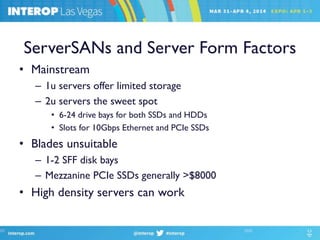
ServerSANs and Server Form Factors
• Mainstream
– 1u servers offer limited storage
– 2u servers the sweet spot
• 6-24 drive bays for both SSDs and HDDs
• Slots for 10Gbps Ethernet and PCIe SSDs
• Blades unsuitable
– 1-2 SFF disk bays
– Mezzanine PCIe SSDs generally >$8000
• High density servers can work
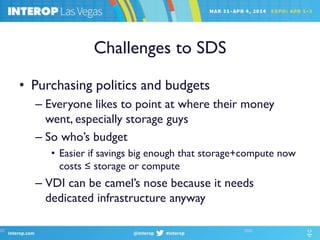
Challenges to SDS
• Purchasing politics and budgets
– Everyone likes to point at where their money
went, especially storage guys
– So who’s budget
• Easier if savings big enough that storage+compute now
costs ≤ storage or compute
– VDI can be camel’s nose because it needs
dedicated infrastructure anyway
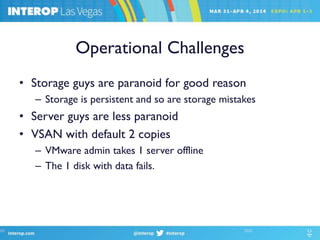
Operational Challenges
• Storage guys are paranoid for good reason
– Storage is persistent and so are storage mistakes
• Server guys are less paranoid
• VSAN with default 2 copies
– VMware admin takes 1 server offline
– The 1 disk with data fails.
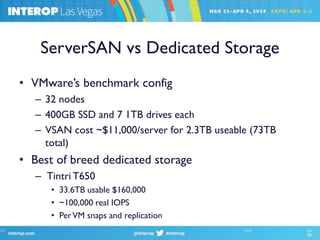
ServerSAN vs Dedicated Storage
• VMware’s benchmark config
– 32 nodes
– 400GB SSD and 7 1TB drives each
– VSAN cost ~$11,000/server for 2.3TB useable (73TB
total)
• Best of breed dedicated storage
– Tintri T650
• 33.6TB usable $160,000
• ~100,000 real IOPS
• PerVM snaps and replication
Questions and Contact
• Contact info:
– Hmarks@deepstorage.net
– @DeepStoragenet onTwitter

Software defined storage real or bs-2014

  • 1.
  • 2.
    Defining Software DefinedStorage • We must resist software defined washing • My Criteria: – Must run on x86 server hardware • No custom ASICs • NVRAM allowed – Can be sold as software or Appliance • “Wrapped in tin”
  • 3.
    Software Defined Storageis not New • Novell NetWare turned PC AT into file server – Software defined NAS • I wrote “How to BuildYour Own iSCSI Array” in 2006 • Faster x86 processors are driving SDS – In performance – In scale – In functionality
  • 4.
    Software Defined StorageTaxonomy • Storage SoftwareDefinus OldSchoolus – Runs on standard server – Publishes block or file • Storage SoftwareDefinusVirtualum – The classicVSA – Like OldSchoolus but runs in aVM • Storage SoftwareDefinusVirtucalis Scaleoutus – Also known as ServerSAN – Pools storage across hypervisor hosts
  • 5.
    Old School SDS •Software runs underWindows or Linux • Publish storage as iSCSI or file • Standard RAID – Could require HW controller • Synchronous replication with failover
  • 6.
    Selected Classic SDS •FreeNAS/OpenNAS Etc. – Open source ZFS based NAS/iSCSI • Include SSD caching • Open-E DSS – Open source assemblage w/support • NexentaStor – Commercial ZFS • Supports shared storage • StarWind – Windows based iSCSI target w/SSD caching
  • 7.
    Wrap in Tin? •Most next generation storage arrays are SDS Nimble Storage Fusion-IO IOcontrol (Nexgen) Tintri Tegile • Why? – Qualification and support – Margins – Channel issues – Customer preferences
  • 8.
    OrVirtualize The Servers •Creating aVirtual Storage Appliance (VSA) • VSAs great solution for ROBO, SMB • Local storage, may require RAID controller • Publish as iSCSI or NFS • Example: Stormagic – Basic iSCSIVSA 2 nodes $2500
  • 9.
    Why Converge Storageand Compute? • Makes corporate data center like cloud – A good or bad thing • Storage array slot and SAN costs – Generally higher than the disk drive that plugs in • Server slots are already paid for • Political, management issues – Moves storage to server team
  • 10.
    Enter The ServerSAN •Scale-out whereVSAs are fail-over clusters – Storage across n hypervisor hosts to form one pool – Maximum cluster sizes 8-32 nodes • Use SSD as cache or tier • Can be software or hyperconvirged servers
  • 11.
    ServerSAN architecture differentiators •Data protection model – Per node RAID? – N-way replication – Network RAID? • Flash usage: – Write through or write back cache – SubLUN tiering • Prioritization/Storage QoS • Data locality • Data reduction • Snapshots and cloning
  • 12.
    Hyperconvirged Systems • Nutanix –Derived from Google File System – 4 nodes/block – Multi-hypervisor – Storage for cluster only • Simplivity – Dedupe and backup to the cloud – Storage available to other servers – 2u Servers • Both have compute and storage heavy models • Pivot3 for VDI only • ScaleComputing KVM based for SMBs
  • 13.
    Vmware’sVSAN • SSD asread/write cache • N-way replication (no local RAID) – Default 2 copies, requires 3 nodes – 3 copies requires 5 nodes (my recommendation) • Scales to 32 nodes • Runs directly in hypervisor kernel • Storage only available to cluster members • Relies on vSphere snapshots, replication • License $2495/CPU or $50/VDI image
  • 14.
    Software Only ServerSANs •HP StoreVirtual (Lefthand) – Sub-LUN tiering for SSDs – iSCSI system scales to 10 nodes – Data Protection • Per Node RAID • 2-4 way replication or network RAID 5 or 6 • Maxta Storage Platform – Data deduplication and compression – Metadata based snapshots – Data integrity via hashes/scrubbing – Data locality
  • 15.
    More Software ServerSANs •EMC ScaleIO – Extreme scale-out to 100s of nodes – Multi-hypervisor • Kernel modules for KVM, XEN, Hyper-V – Multiple storage pools – Some QoS – Metadata snaps and clones • Sanbolic Melio – Evolved from clustered file system – Perhaps the most mature
  • 16.
    ServerSANs and ServerForm Factors • Mainstream – 1u servers offer limited storage – 2u servers the sweet spot • 6-24 drive bays for both SSDs and HDDs • Slots for 10Gbps Ethernet and PCIe SSDs • Blades unsuitable – 1-2 SFF disk bays – Mezzanine PCIe SSDs generally >$8000 • High density servers can work
  • 17.
    Challenges to SDS •Purchasing politics and budgets – Everyone likes to point at where their money went, especially storage guys – So who’s budget • Easier if savings big enough that storage+compute now costs ≤ storage or compute – VDI can be camel’s nose because it needs dedicated infrastructure anyway
  • 18.
    Operational Challenges • Storageguys are paranoid for good reason – Storage is persistent and so are storage mistakes • Server guys are less paranoid • VSAN with default 2 copies – VMware admin takes 1 server offline – The 1 disk with data fails.
  • 19.
    ServerSAN vs DedicatedStorage • VMware’s benchmark config – 32 nodes – 400GB SSD and 7 1TB drives each – VSAN cost ~$11,000/server for 2.3TB useable (73TB total) • Best of breed dedicated storage – Tintri T650 • 33.6TB usable $160,000 • ~100,000 real IOPS • PerVM snaps and replication
  • 20.
    Questions and Contact •Contact info: – Hmarks@deepstorage.net – @DeepStoragenet onTwitter