Overview of Social Features in
SharePoint 2013


                      By Michael Doyle
About Me
•   Michael Doyle
•   Senior Architect at Waggener Edstrom
•   doyle@techelixir.com
•   @SharePointNinja
•   www.sharepointninja.com
•   Author of “Customizing My Site in SharePoint
    2010”
What’s New
• Community Site functionality with
  rankings, ratings, comments and replies
• My Sites are similar but have a new look and
  feel
• Skydrive
• New ways to mention, follow, and tag
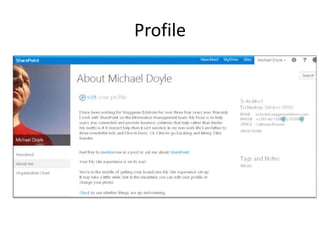
Profile
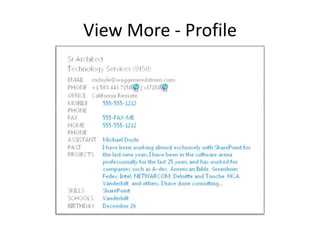
View More - Profile
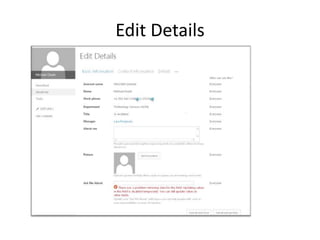
Edit Details
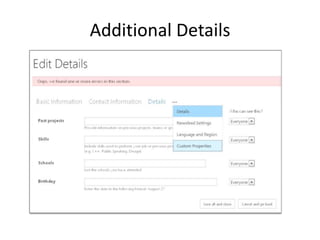
Additional Details
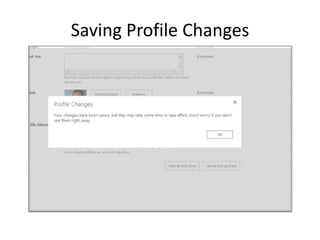
Saving Profile Changes
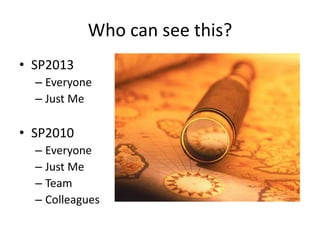
Who can see this?
• SP2013
  – Everyone
  – Just Me

• SP2010
  – Everyone
  – Just Me
  – Team
  – Colleagues
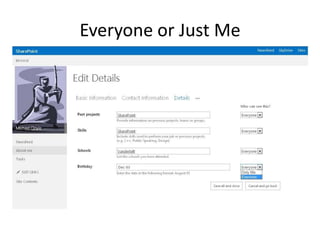
Everyone or Just Me
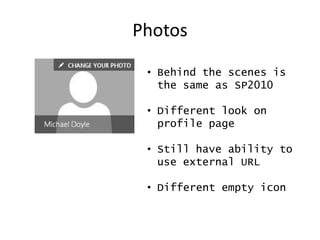
Photos

 • Behind the scenes is
   the same as SP2010

 • Different look on
   profile page

 • Still have ability to
   use external URL

 • Different empty icon
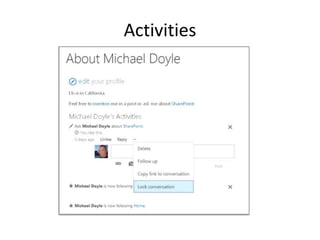
Activities
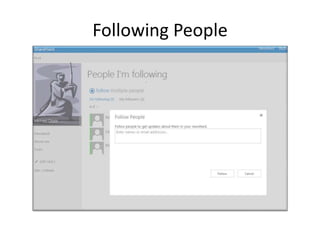
Following People
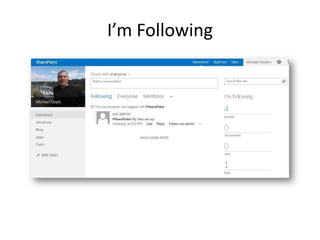
I’m Following
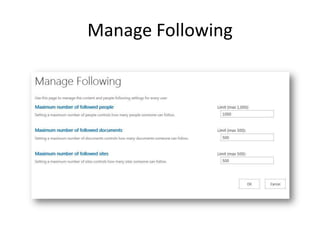
Manage Following
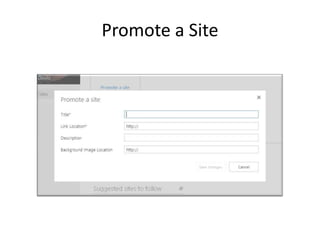
Promote a Site
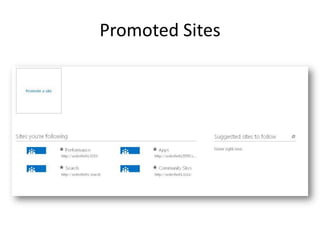
Promoted Sites
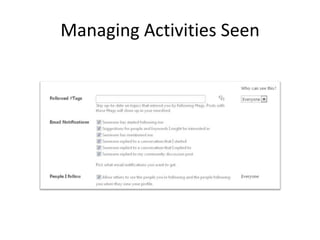
Managing Activities Seen
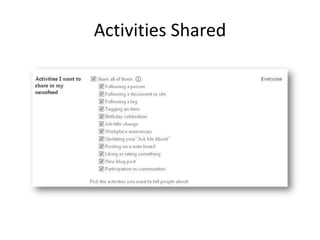
Activities Shared
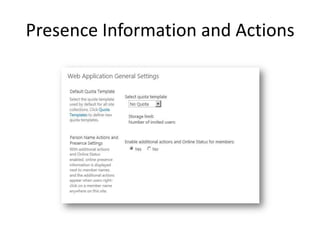
Presence Information and Actions
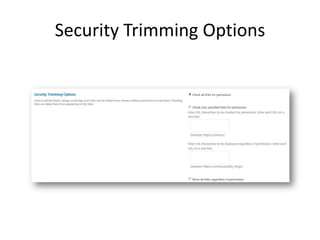
Security Trimming Options
SkyDrive vs. SkyDrive Pro
• SkyDrive
  – Free to individuals
  – For Personal Files
  – Cloud Storage
  – Available in Office 365 Home Premium
  – SharePoint Online users get 7 gig for personal
    storage
SkyDrive vs. SkyDrive Pro - 2
• SkyDrive Pro
  – Part of SharePoint 2013
  – Storage limits determined by SharePoint
    Administrator
  – Synchs directly to Office Applications
  – Get benefits of coauthoring, versioning and
    workflows
Goodbye SharePoint Workspace
• Not being shipped
  with Office 2013
• Being replaced with
  SkyDrive Pro
• Will still work with
  SharePoint 2013
  sites
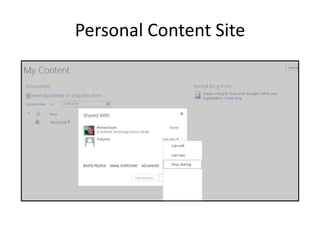
Personal Content Site
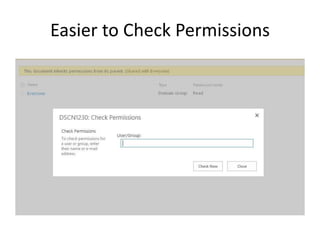
Easier to Check Permissions
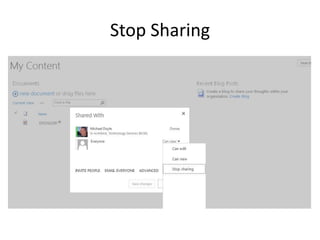
Stop Sharing
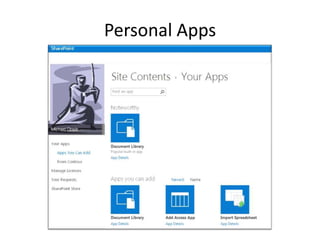
Personal Apps
My Site Host
• Similar to SP2010
• Switching to Publishing and changing the look
  and feel will break the site.
• Created the same way as in SP2010
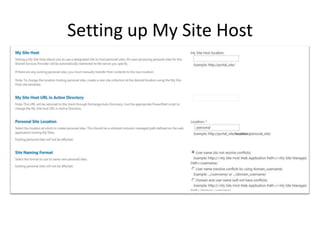
Setting up My Site Host
User Profile Service

• Still uses FIM Services
• Same requirements for AD
  permissions
• Pretty much the same as 2010
Profile Replication
• Recommendation is that you keep the user
  profiles in the region they are physically
  located
• Consuming user profile service will result in
  sluggish performance
• Use the Profile Replication Service (just like in
  SP 2010) to replicate user profile data (About
  Me, Pictures, etc.)
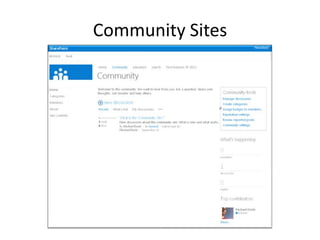
Community Sites
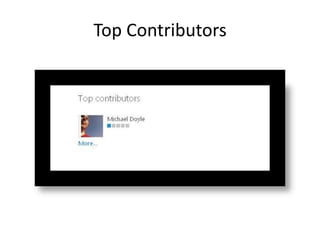
Top Contributors
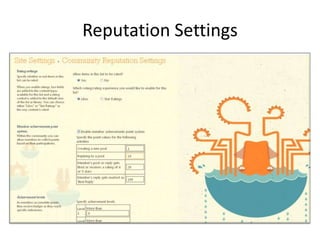
Reputation Settings
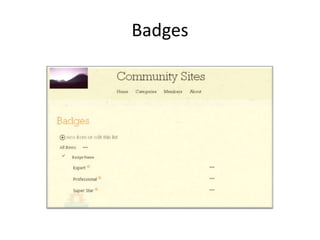
Badges
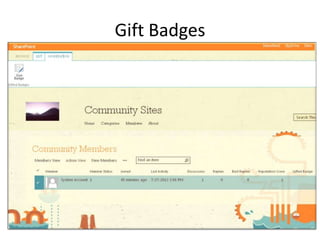
Gift Badges
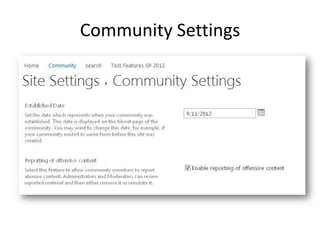
Community Settings
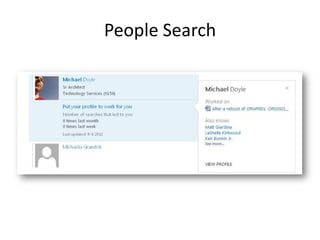
People Search
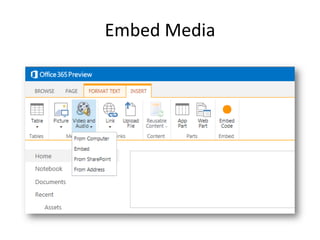
Embed Media
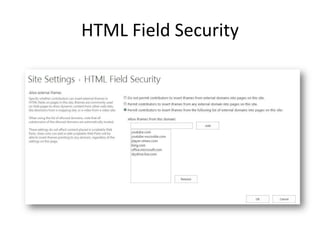
HTML Field Security
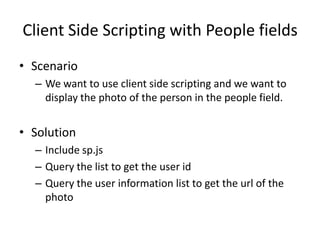
Client Side Scripting with People fields
• Scenario
  – We want to use client side scripting and we want to
    display the photo of the person in the people field.


• Solution
  – Include sp.js
  – Query the list to get the user id
  – Query the user information list to get the url of the
    photo
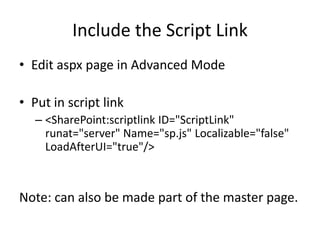
Include the Script Link
• Edit aspx page in Advanced Mode

• Put in script link
   – <SharePoint:scriptlink ID="ScriptLink"
     runat="server" Name="sp.js" Localizable="false"
     LoadAfterUI="true"/>


Note: can also be made part of the master page.
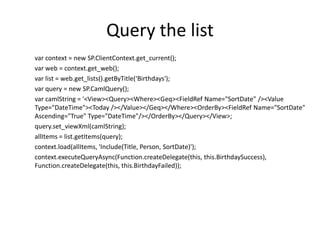
Query the list
var context = new SP.ClientContext.get_current();
var web = context.get_web();
var list = web.get_lists().getByTitle(‘Birthdays');
var query = new SP.CamlQuery();
var camlString = '<View><Query><Where><Geq><FieldRef Name="SortDate" /><Value
Type="DateTime"><Today /></Value></Geq></Where><OrderBy><FieldRef Name="SortDate"
Ascending="True" Type="DateTime"/></OrderBy></Query></View>;
query.set_viewXml(camlString);
allItems = list.getItems(query);
context.load(allItems, 'Include(Title, Person, SortDate)');
context.executeQueryAsync(Function.createDelegate(this, this.BirthdaySuccess),
Function.createDelegate(this, this.BirthdayFailed));
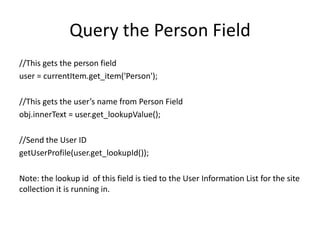
Query the Person Field
//This gets the person field
user = currentItem.get_item('Person');

//This gets the user’s name from Person Field
obj.innerText = user.get_lookupValue();

//Send the User ID
getUserProfile(user.get_lookupId());

Note: the lookup id of this field is tied to the User Information List for the site
collection it is running in.
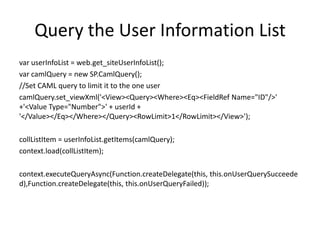
Query the User Information List
var userInfoList = web.get_siteUserInfoList();
var camlQuery = new SP.CamlQuery();
//Set CAML query to limit it to the one user
camlQuery.set_viewXml('<View><Query><Where><Eq><FieldRef Name="ID"/>'
+'<Value Type="Number">' + userId +
'</Value></Eq></Where></Query><RowLimit>1</RowLimit></View>');

collListItem = userInfoList.getItems(camlQuery);
context.load(collListItem);

context.executeQueryAsync(Function.createDelegate(this, this.onUserQuerySucceede
d),Function.createDelegate(this, this.onUserQueryFailed));
Display Picture
var item = collListItem.itemAt(0);
var obj = document.getElementById("cel-pic-1");
var test = item.get_item('Picture');
if(test == null) //person doesn’t have a picture
{
obj.innerHTML = "<img height=64px width=64px class='cel-img' src='_layouts/images/person.gif'
/>";
}
else //use the url of the picture field
{
var pictureUrl = item.get_item('Picture').get_url();
obj.innerHTML = "<img height=64px width=64px class='cel-img' src='" + pictureUrl + "' />";
}
}
Click Here for Title

•Questions?

Social features in SharePoint 2013

  • 1.
    Overview of SocialFeatures in SharePoint 2013 By Michael Doyle
  • 2.
    About Me • Michael Doyle • Senior Architect at Waggener Edstrom • doyle@techelixir.com • @SharePointNinja • www.sharepointninja.com • Author of “Customizing My Site in SharePoint 2010”
  • 3.
    What’s New • CommunitySite functionality with rankings, ratings, comments and replies • My Sites are similar but have a new look and feel • Skydrive • New ways to mention, follow, and tag
  • 4.
  • 5.
    View More -Profile
  • 6.
  • 7.
  • 8.
  • 9.
    Who can seethis? • SP2013 – Everyone – Just Me • SP2010 – Everyone – Just Me – Team – Colleagues
  • 10.
  • 11.
    Photos • Behindthe scenes is the same as SP2010 • Different look on profile page • Still have ability to use external URL • Different empty icon
  • 12.
  • 13.
  • 14.
  • 15.
  • 16.
  • 17.
  • 18.
  • 19.
  • 20.
  • 21.
  • 22.
    SkyDrive vs. SkyDrivePro • SkyDrive – Free to individuals – For Personal Files – Cloud Storage – Available in Office 365 Home Premium – SharePoint Online users get 7 gig for personal storage
  • 23.
    SkyDrive vs. SkyDrivePro - 2 • SkyDrive Pro – Part of SharePoint 2013 – Storage limits determined by SharePoint Administrator – Synchs directly to Office Applications – Get benefits of coauthoring, versioning and workflows
  • 24.
    Goodbye SharePoint Workspace •Not being shipped with Office 2013 • Being replaced with SkyDrive Pro • Will still work with SharePoint 2013 sites
  • 25.
  • 26.
    Easier to CheckPermissions
  • 27.
  • 28.
  • 29.
    My Site Host •Similar to SP2010 • Switching to Publishing and changing the look and feel will break the site. • Created the same way as in SP2010
  • 30.
    Setting up MySite Host
  • 31.
    User Profile Service •Still uses FIM Services • Same requirements for AD permissions • Pretty much the same as 2010
  • 32.
    Profile Replication • Recommendationis that you keep the user profiles in the region they are physically located • Consuming user profile service will result in sluggish performance • Use the Profile Replication Service (just like in SP 2010) to replicate user profile data (About Me, Pictures, etc.)
  • 33.
  • 34.
  • 35.
  • 36.
  • 37.
  • 38.
  • 39.
  • 40.
  • 41.
  • 42.
    Client Side Scriptingwith People fields • Scenario – We want to use client side scripting and we want to display the photo of the person in the people field. • Solution – Include sp.js – Query the list to get the user id – Query the user information list to get the url of the photo
  • 43.
    Include the ScriptLink • Edit aspx page in Advanced Mode • Put in script link – <SharePoint:scriptlink ID="ScriptLink" runat="server" Name="sp.js" Localizable="false" LoadAfterUI="true"/> Note: can also be made part of the master page.
  • 44.
    Query the list varcontext = new SP.ClientContext.get_current(); var web = context.get_web(); var list = web.get_lists().getByTitle(‘Birthdays'); var query = new SP.CamlQuery(); var camlString = '<View><Query><Where><Geq><FieldRef Name="SortDate" /><Value Type="DateTime"><Today /></Value></Geq></Where><OrderBy><FieldRef Name="SortDate" Ascending="True" Type="DateTime"/></OrderBy></Query></View>; query.set_viewXml(camlString); allItems = list.getItems(query); context.load(allItems, 'Include(Title, Person, SortDate)'); context.executeQueryAsync(Function.createDelegate(this, this.BirthdaySuccess), Function.createDelegate(this, this.BirthdayFailed));
  • 45.
    Query the PersonField //This gets the person field user = currentItem.get_item('Person'); //This gets the user’s name from Person Field obj.innerText = user.get_lookupValue(); //Send the User ID getUserProfile(user.get_lookupId()); Note: the lookup id of this field is tied to the User Information List for the site collection it is running in.
  • 46.
    Query the UserInformation List var userInfoList = web.get_siteUserInfoList(); var camlQuery = new SP.CamlQuery(); //Set CAML query to limit it to the one user camlQuery.set_viewXml('<View><Query><Where><Eq><FieldRef Name="ID"/>' +'<Value Type="Number">' + userId + '</Value></Eq></Where></Query><RowLimit>1</RowLimit></View>'); collListItem = userInfoList.getItems(camlQuery); context.load(collListItem); context.executeQueryAsync(Function.createDelegate(this, this.onUserQuerySucceede d),Function.createDelegate(this, this.onUserQueryFailed));
  • 47.
    Display Picture var item= collListItem.itemAt(0); var obj = document.getElementById("cel-pic-1"); var test = item.get_item('Picture'); if(test == null) //person doesn’t have a picture { obj.innerHTML = "<img height=64px width=64px class='cel-img' src='_layouts/images/person.gif' />"; } else //use the url of the picture field { var pictureUrl = item.get_item('Picture').get_url(); obj.innerHTML = "<img height=64px width=64px class='cel-img' src='" + pictureUrl + "' />"; } }
  • 48.
    Click Here forTitle •Questions?

Editor's Notes

  • #2 Introduction slide