Snort Intrusion Detection, Rule
Writing, and PCAP Analysis
2
Snort Rule Logic
 Snort uses a specific syntax to evaluate traffic –
this rule syntax encompasses the protocol
header fields, packet contents, as well as
additional information made available via the
preprocessors or further application decoding
 Snort sử dụng một cú pháp cụ thể để đánh giá
lưu lượng truy cập - cú pháp quy tắc này bao
gồm các trường tiêu đề giao thức, nội dung
gói, cũng như thông tin bổ sung được cung
cấp thông qua các bộ tiền xử lý hoặc giải mã
ứng dụng khác
3
Snort Rule Logic (cont.)
 Rules are separated into two logical sections, the
rule header and the rule options
 The rule header contains the rule's action,
protocol, source and destination addresses,
netmasks, and the source and destination port
information
 Quy tắc được chia thành hai phần lô-gic, tiêu
đề quy tắc và các tùy chọn quy tắc
 Tiêu đề quy tắc chứa hành động, giao thức,
địa chỉ nguồn và đích, mặt nạ mạng cũng như
thông tin cổng nguồn và cổng đích của quy
tắc
4
Snort Rule Logic (cont.)
 The rule options section contains the alert message (or
name) and which parts of the packet should be
inspected to determine if the rule action should be
taken, as well as the pattern or value for that specific
packet section
 All elements of a particular rule must be matched in
order for a rule to fire
 Phần tùy chọn quy tắc chứa thông báo cảnh báo
(hoặc tên) và phần nào của gói tin cần được kiểm tra
để xác định xem có nên thực hiện hành động quy
tắc hay không, cũng như mẫu hoặc giá trị cho phần
gói cụ thể đó
 Tất cả các yếu tố của một quy tắc cụ thể phải được
khớp để quy tắc kích hoạt
5
Snort Rule Logic (cont.)
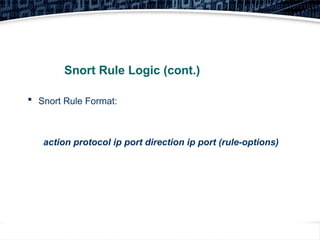
 Snort Rule Format:
action protocol ip port direction ip port (rule-options)
6
Snort Rule Logic (cont.)
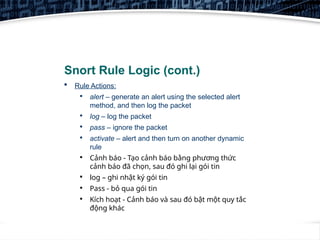
 Rule Actions:

alert – generate an alert using the selected alert
method, and then log the packet

log – log the packet

pass – ignore the packet

activate – alert and then turn on another dynamic
rule

Cảnh báo - Tạo cảnh báo bằng phương thức
cảnh báo đã chọn, sau đó ghi lại gói tin

log – ghi nhật ký gói tin

Pass - bỏ qua gói tin

Kích hoạt - Cảnh báo và sau đó bật một quy tắc
động khác
7
Snort Rule Logic (cont.)
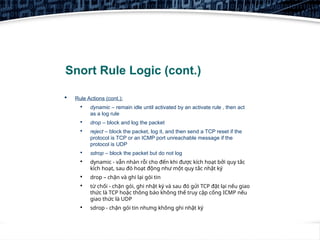
 Rule Actions (cont.):

dynamic – remain idle until activated by an activate rule , then act
as a log rule

drop – block and log the packet

reject – block the packet, log it, and then send a TCP reset if the
protocol is TCP or an ICMP port unreachable message if the
protocol is UDP

sdrop – block the packet but do not log

dynamic - vẫn nhàn rỗi cho đến khi được kích hoạt bởi quy tắc
kích hoạt, sau đó hoạt động như một quy tắc nhật ký

drop – chặn và ghi lại gói tin

từ chối - chặn gói, ghi nhật ký và sau đó gửi TCP đặt lại nếu giao
thức là TCP hoặc thông báo không thể truy cập cổng ICMP nếu
giao thức là UDP

sdrop - chặn gói tin nhưng không ghi nhật ký
8
Snort Rule Logic (cont.)
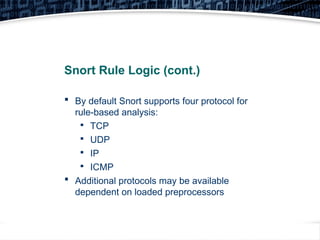
 By default Snort supports four protocol for
rule-based analysis:

TCP

UDP

IP

ICMP
 Additional protocols may be available
dependent on loaded preprocessors
9
Snort Rule Logic (cont.)
 The address information for Snort must contain numerical
addresses – Snort cannot preform host-name lookup
 Addresses can be specified individually or via a CIDS block,
groups can also be specified in comma-separated brackets
 In addition, address can be specifically exclude, by placing an
exclamation point before the address
 Thông tin địa chỉ cho Snort phải chứa các địa chỉ số - Snort
không thể tạo trước tra cứu tên máy chủ
 Địa chỉ có thể được chỉ định riêng lẻ hoặc thông qua khối
CIDS, các nhóm cũng có thể được chỉ định trong dấu ngoặc
được phân tách bằng dấu phẩy
 Ngoài ra, địa chỉ có thể được loại trừ cụ thể, bằng cách đặt
dấu chấm than trước địa chỉ
10
Snort Rule Logic (cont.)
 Ports can be specified individually or via a colon
delimited range
 In addition, ports can be specifically exclude, by placing
an exclamation point before the port number (saying
something like, all ports, except...)
 It should be noted that for both ports and addresses,
the keyword “any” can be used, to indicate a wildcard
 Các cổng có thể được chỉ định riêng lẻ hoặc thông
qua phạm vi được phân tách bằng dấu hai chấm
 Ngoài ra, các cổng có thể được loại trừ cụ thể, bằng
cách đặt dấu chấm than trước số cổng (nói điều gì
đó như, tất cả các cổng, ngoại trừ...)
 Cần lưu ý rằng đối với cả cổng và địa chỉ, từ khóa
"bất kỳ" có thể được sử dụng, để chỉ ra một ký tự đại
diện
11
Snort Rule Logic (cont.)
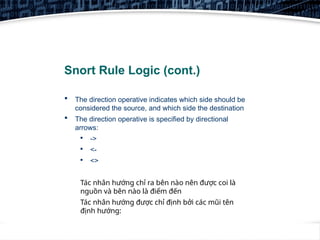
 The direction operative indicates which side should be
considered the source, and which side the destination
 The direction operative is specified by directional
arrows:

->

<-

<>
Tác nhân hướng chỉ ra bên nào nên được coi là
nguồn và bên nào là điểm đến
Tác nhân hướng được chỉ định bởi các mũi tên
định hướng:
12
Snort Rule Logic (cont.)
 The rule options, are really the core of the Snort rule –
This is the section where we define the pattern we are
looking for in the traffic
 Rule Options Categories:

General

Payload

Non-Payload

Post-Detection
Các tùy chọn quy tắc, thực sự là cốt lõi của quy tắc
Snort - Đây là phần mà chúng tôi xác định mẫu mà
chúng tôi đang tìm kiếm trong lưu lượng truy cập
13
Snort Rule Logic (cont.)
 General Rule Options:

msg – The message to use in the alert
logs – Sometimes refereed to as the
rule name

reference – Allows the rule author to
specify a location with further
information related to the rule (like a
CVE number, or a URL to a
whitepaper)
14
Snort Rule Logic (cont.)
 General Rule Options (cont.):

reference (cont.) – Currently Snort can
automatically parse the following
external resources:

BugTraq

CVE

Nessus

archnids

McAfee
15
Snort Rule Logic (cont.)
 General Rule Options (cont.):

reference (cont.) – Specifying any of
those external keywords, will allow
Snort to format the URL for you,
however you can also specify your
own URL with the “url” keyword
16
Snort Rule Logic (cont.)
 General Rule Options (cont.):

gid – Generator Subsystem Identifier –
This is optional, but can be used to
label which subsystem of the Snort
engine detected the particular traffic
(things like Preprocessor IDs, etc.)

sid – Unique Snort Rule ID –
Required, and must be unique, used
in the logs to identify which rule fired
on the traffic
17
Snort Rule Logic (cont.)
 General Rule Options (cont.):

rev – Rule revision number, useful
when updating rulesets or tracking
changes

classtype – Alert Classification Type –
Allows the rule author to define which
category or classification a particular
rule fits into, allows alerts and rules to
be organized
18
Snort Rule Logic (cont.)

General Rule Options (cont.):

classtype (cont.) – Snort has multiple
default classifications, but the
administrator can define custom
classifications within the Snort
configuration (For a full list of
classifications, please see the Snort
User Guide)
19
Snort Rule Logic (cont.)

General Rule Options (cont.):

priority – Used in the alert output, the
author can define a numeric priority
(1-10, 10 being highest, 1 being the
lowest) – Useful when reviewing the
Snort logs

metadata – Allows the author to
embed additional information about
the rule
20
Snort Rule Logic (cont.)
 Payload Detection Rule Options:

content – By far the most important,
most used rule option – Defines a
string of data to look for in the packet,
in either ASCII or Hex format (can also
be used to define content to exclude,
by pre-pending with an exclamation
point)
21
Snort Rule Logic (cont.)
 Payload Detection Rule Options (cont.):

content (cont.) – Has a number of
content modifiers:

nocase – Ignore text-case

rawbytes – Examine before
decoding

depth – Defines how far into a
packet the content should be
searched

offset – Defines where to begin
looking for the content
22
Snort Rule Logic (cont.)
 Payload Detection Rule Options (cont.):

content (cont.) – content modifiers:

distance – Like offset but relative
to the previous content match

within – Defines how much data
should be between multiple
content matches

In addition, there are multiple
content modifiers related to HTTP
23
Snort Rule Logic (cont.)
 Payload Detection Rule Options (cont.):

uricontent – Specifies a string to look
for in the URI field of an HTTP packet
– this will compare the decoded value

urilength – Specific length of a URI
within an HTTP packet
24
Snort Rule Logic (cont.)
 Payload Detection Rule Options (cont.):

pcre – Perl Compatible regular
Expressions – Used to define a
regular-expression rule to the payload
– Extremely powerful, though utilizes a
large amount of resources (memory
and CPU intensive)
25
Snort Rule Logic (cont.)
 Payload Detection Rule Options (cont.):

file_data – Specify a MIME-type (file
type) to look for

base64_decode and base64_data –
Indicates the content pattern must
match only after the data has been
decoded from the base64 format
26
Snort Rule Logic (cont.)
 Payload Detection Rule Options (cont.):

byte_jump and byte_extract – Allows
data to be extracted into multiple
variables and examined further in the
rules

ftp_bounce – Looks for an FTP
Bounce Attack

ans1 – Looks for malicious content
encoding or detection evasion
27
Snort Rule Logic (cont.)
 Payload Detection Rule Options (cont.):

Multiple other Options related to
preprocessors or specific protocols –
Review the Snort User Guide for a
complete list
28
Snort Rule Logic (cont.)
 Non-Payload Rule Options:

fragoffset – Compares the IP fragment
offset – Useful for finding the first
packet of a fragment, etc

ttl – Compares the IP TTL field

tos – Compares the IP TOS field

id – Compares the IP ID field

ipopts – Compares the IP Options field
29
Snort Rule Logic (cont.)
 Non-Payload Rule Options (cont.):

fragbits – Examins the IP
fragmentation flags or reserved bits

dsize – Compares the payload size

flags – Allows flags or combinations
thereof to be compared

flow – Defines the connection status
or direction to be matched
30
Snort Rule Logic (cont.)
 Non-Payload Rule Options (cont.):

flow (cont.) – Flow Options:

to_client

to_server

from_client

from_server

established

stateless
31
Snort Rule Logic (cont.)
 Non-Payload Rule Options (cont.):

seq – Compares the TCP Sequence
Number

ack – Compares the TCP
Acknowledgement Number

window – Compares the TCP Window
field

itype – Compares the ICMP Type
32
Snort Rule Logic (cont.)
 Non-Payload Rule Options (cont.):

icode – Compares the ICMP Code

icmp_ip – Compares the ICMP ID

icmp_seq – Compares the ICMP
Sequence value

rpc – Compares RPC application and
version numbers

ip_proto – Compares IP Protocol
value
33
Snort Rule Logic (cont.)
 Non-Payload Rule Options (cont.):

sameip – Examines if the source and
destination IP are the same

stream_reassembly – Specifies if the
TCP stream should be reassembled
before matching

stream_size – Compares the number
of packets involved with a particular
stream
34
Snort Rule Logic (cont.)
 Post-Detection Rule Options:

logto – Specifies a filename to log this
particular activity

session – Indicates if all payload data
should be saved or just the printable
characters

resp – Respond – Kills the connection
(IPS)
35
Snort Rule Logic (cont.)
 Post-Detection Rule Options (cont.):

react – React – Kills the connection
but notifies the sender/receiver (IPS)

tag – Tells Snort to also capture and
log traffic to and from the same source
and destination (you can specify for
how long, or how much data, etc)
36
Snort Rule Logic (cont.)
 Post-Detection Rule Options (cont.):

activates – Allows one rule to trigger
the processing of another rule
(Dynamic Rules)

activated_by – Indicates which rules
activated this particular rule execution
(Dynamic Rules)

replace – Modify the packet, replacing
certain content (IPS)
37
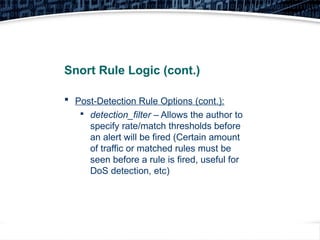
Snort Rule Logic (cont.)
 Post-Detection Rule Options (cont.):

detection_filter – Allows the author to
specify rate/match thresholds before
an alert will be fired (Certain amount
of traffic or matched rules must be
seen before a rule is fired, useful for
DoS detection, etc)
38
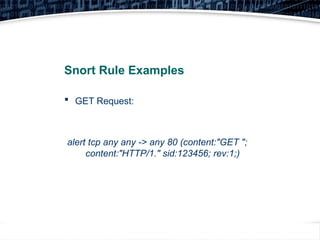
Snort Rule Examples
 GET Request:
alert tcp any any -> any 80 (content:"GET ";
content:"HTTP/1." sid:123456; rev:1;)
39
Snort Rule Examples (cont.)
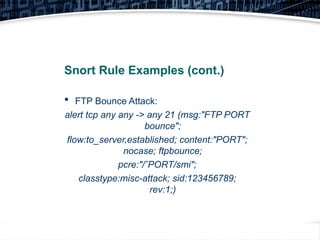
 FTP Bounce Attack:
alert tcp any any -> any 21 (msg:"FTP PORT
bounce";
flow:to_server,established; content:"PORT";
nocase; ftpbounce;
pcre:"/ˆPORT/smi";
classtype:misc-attack; sid:123456789;
rev:1;)
40
Snort Rule Examples (cont.)
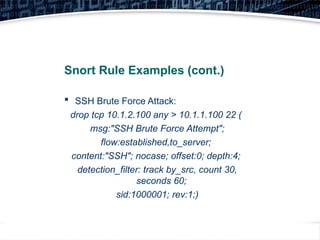
 SSH Brute Force Attack:
drop tcp 10.1.2.100 any > 10.1.1.100 22 (
msg:"SSH Brute Force Attempt";
flow:established,to_server;
content:"SSH"; nocase; offset:0; depth:4;
detection_filter: track by_src, count 30,
seconds 60;
sid:1000001; rev:1;)
41
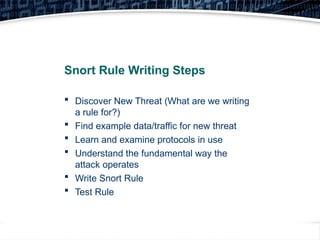
Snort Rule Writing Steps
 Discover New Threat (What are we writing
a rule for?)
 Find example data/traffic for new threat
 Learn and examine protocols in use
 Understand the fundamental way the
attack operates
 Write Snort Rule
 Test Rule

SnortWritingRule-Security-HocVienMatMa.pptx

  • 1.
    Snort Intrusion Detection,Rule Writing, and PCAP Analysis
  • 2.
    2 Snort Rule Logic Snort uses a specific syntax to evaluate traffic – this rule syntax encompasses the protocol header fields, packet contents, as well as additional information made available via the preprocessors or further application decoding  Snort sử dụng một cú pháp cụ thể để đánh giá lưu lượng truy cập - cú pháp quy tắc này bao gồm các trường tiêu đề giao thức, nội dung gói, cũng như thông tin bổ sung được cung cấp thông qua các bộ tiền xử lý hoặc giải mã ứng dụng khác
  • 3.
    3 Snort Rule Logic(cont.)  Rules are separated into two logical sections, the rule header and the rule options  The rule header contains the rule's action, protocol, source and destination addresses, netmasks, and the source and destination port information  Quy tắc được chia thành hai phần lô-gic, tiêu đề quy tắc và các tùy chọn quy tắc  Tiêu đề quy tắc chứa hành động, giao thức, địa chỉ nguồn và đích, mặt nạ mạng cũng như thông tin cổng nguồn và cổng đích của quy tắc
  • 4.
    4 Snort Rule Logic(cont.)  The rule options section contains the alert message (or name) and which parts of the packet should be inspected to determine if the rule action should be taken, as well as the pattern or value for that specific packet section  All elements of a particular rule must be matched in order for a rule to fire  Phần tùy chọn quy tắc chứa thông báo cảnh báo (hoặc tên) và phần nào của gói tin cần được kiểm tra để xác định xem có nên thực hiện hành động quy tắc hay không, cũng như mẫu hoặc giá trị cho phần gói cụ thể đó  Tất cả các yếu tố của một quy tắc cụ thể phải được khớp để quy tắc kích hoạt
  • 5.
    5 Snort Rule Logic(cont.)  Snort Rule Format: action protocol ip port direction ip port (rule-options)
  • 6.
    6 Snort Rule Logic(cont.)  Rule Actions:  alert – generate an alert using the selected alert method, and then log the packet  log – log the packet  pass – ignore the packet  activate – alert and then turn on another dynamic rule  Cảnh báo - Tạo cảnh báo bằng phương thức cảnh báo đã chọn, sau đó ghi lại gói tin  log – ghi nhật ký gói tin  Pass - bỏ qua gói tin  Kích hoạt - Cảnh báo và sau đó bật một quy tắc động khác
  • 7.
    7 Snort Rule Logic(cont.)  Rule Actions (cont.):  dynamic – remain idle until activated by an activate rule , then act as a log rule  drop – block and log the packet  reject – block the packet, log it, and then send a TCP reset if the protocol is TCP or an ICMP port unreachable message if the protocol is UDP  sdrop – block the packet but do not log  dynamic - vẫn nhàn rỗi cho đến khi được kích hoạt bởi quy tắc kích hoạt, sau đó hoạt động như một quy tắc nhật ký  drop – chặn và ghi lại gói tin  từ chối - chặn gói, ghi nhật ký và sau đó gửi TCP đặt lại nếu giao thức là TCP hoặc thông báo không thể truy cập cổng ICMP nếu giao thức là UDP  sdrop - chặn gói tin nhưng không ghi nhật ký
  • 8.
    8 Snort Rule Logic(cont.)  By default Snort supports four protocol for rule-based analysis:  TCP  UDP  IP  ICMP  Additional protocols may be available dependent on loaded preprocessors
  • 9.
    9 Snort Rule Logic(cont.)  The address information for Snort must contain numerical addresses – Snort cannot preform host-name lookup  Addresses can be specified individually or via a CIDS block, groups can also be specified in comma-separated brackets  In addition, address can be specifically exclude, by placing an exclamation point before the address  Thông tin địa chỉ cho Snort phải chứa các địa chỉ số - Snort không thể tạo trước tra cứu tên máy chủ  Địa chỉ có thể được chỉ định riêng lẻ hoặc thông qua khối CIDS, các nhóm cũng có thể được chỉ định trong dấu ngoặc được phân tách bằng dấu phẩy  Ngoài ra, địa chỉ có thể được loại trừ cụ thể, bằng cách đặt dấu chấm than trước địa chỉ
  • 10.
    10 Snort Rule Logic(cont.)  Ports can be specified individually or via a colon delimited range  In addition, ports can be specifically exclude, by placing an exclamation point before the port number (saying something like, all ports, except...)  It should be noted that for both ports and addresses, the keyword “any” can be used, to indicate a wildcard  Các cổng có thể được chỉ định riêng lẻ hoặc thông qua phạm vi được phân tách bằng dấu hai chấm  Ngoài ra, các cổng có thể được loại trừ cụ thể, bằng cách đặt dấu chấm than trước số cổng (nói điều gì đó như, tất cả các cổng, ngoại trừ...)  Cần lưu ý rằng đối với cả cổng và địa chỉ, từ khóa "bất kỳ" có thể được sử dụng, để chỉ ra một ký tự đại diện
  • 11.
    11 Snort Rule Logic(cont.)  The direction operative indicates which side should be considered the source, and which side the destination  The direction operative is specified by directional arrows:  ->  <-  <> Tác nhân hướng chỉ ra bên nào nên được coi là nguồn và bên nào là điểm đến Tác nhân hướng được chỉ định bởi các mũi tên định hướng:
  • 12.
    12 Snort Rule Logic(cont.)  The rule options, are really the core of the Snort rule – This is the section where we define the pattern we are looking for in the traffic  Rule Options Categories:  General  Payload  Non-Payload  Post-Detection Các tùy chọn quy tắc, thực sự là cốt lõi của quy tắc Snort - Đây là phần mà chúng tôi xác định mẫu mà chúng tôi đang tìm kiếm trong lưu lượng truy cập
  • 13.
    13 Snort Rule Logic(cont.)  General Rule Options:  msg – The message to use in the alert logs – Sometimes refereed to as the rule name  reference – Allows the rule author to specify a location with further information related to the rule (like a CVE number, or a URL to a whitepaper)
  • 14.
    14 Snort Rule Logic(cont.)  General Rule Options (cont.):  reference (cont.) – Currently Snort can automatically parse the following external resources:  BugTraq  CVE  Nessus  archnids  McAfee
  • 15.
    15 Snort Rule Logic(cont.)  General Rule Options (cont.):  reference (cont.) – Specifying any of those external keywords, will allow Snort to format the URL for you, however you can also specify your own URL with the “url” keyword
  • 16.
    16 Snort Rule Logic(cont.)  General Rule Options (cont.):  gid – Generator Subsystem Identifier – This is optional, but can be used to label which subsystem of the Snort engine detected the particular traffic (things like Preprocessor IDs, etc.)  sid – Unique Snort Rule ID – Required, and must be unique, used in the logs to identify which rule fired on the traffic
  • 17.
    17 Snort Rule Logic(cont.)  General Rule Options (cont.):  rev – Rule revision number, useful when updating rulesets or tracking changes  classtype – Alert Classification Type – Allows the rule author to define which category or classification a particular rule fits into, allows alerts and rules to be organized
  • 18.
    18 Snort Rule Logic(cont.)  General Rule Options (cont.):  classtype (cont.) – Snort has multiple default classifications, but the administrator can define custom classifications within the Snort configuration (For a full list of classifications, please see the Snort User Guide)
  • 19.
    19 Snort Rule Logic(cont.)  General Rule Options (cont.):  priority – Used in the alert output, the author can define a numeric priority (1-10, 10 being highest, 1 being the lowest) – Useful when reviewing the Snort logs  metadata – Allows the author to embed additional information about the rule
  • 20.
    20 Snort Rule Logic(cont.)  Payload Detection Rule Options:  content – By far the most important, most used rule option – Defines a string of data to look for in the packet, in either ASCII or Hex format (can also be used to define content to exclude, by pre-pending with an exclamation point)
  • 21.
    21 Snort Rule Logic(cont.)  Payload Detection Rule Options (cont.):  content (cont.) – Has a number of content modifiers:  nocase – Ignore text-case  rawbytes – Examine before decoding  depth – Defines how far into a packet the content should be searched  offset – Defines where to begin looking for the content
  • 22.
    22 Snort Rule Logic(cont.)  Payload Detection Rule Options (cont.):  content (cont.) – content modifiers:  distance – Like offset but relative to the previous content match  within – Defines how much data should be between multiple content matches  In addition, there are multiple content modifiers related to HTTP
  • 23.
    23 Snort Rule Logic(cont.)  Payload Detection Rule Options (cont.):  uricontent – Specifies a string to look for in the URI field of an HTTP packet – this will compare the decoded value  urilength – Specific length of a URI within an HTTP packet
  • 24.
    24 Snort Rule Logic(cont.)  Payload Detection Rule Options (cont.):  pcre – Perl Compatible regular Expressions – Used to define a regular-expression rule to the payload – Extremely powerful, though utilizes a large amount of resources (memory and CPU intensive)
  • 25.
    25 Snort Rule Logic(cont.)  Payload Detection Rule Options (cont.):  file_data – Specify a MIME-type (file type) to look for  base64_decode and base64_data – Indicates the content pattern must match only after the data has been decoded from the base64 format
  • 26.
    26 Snort Rule Logic(cont.)  Payload Detection Rule Options (cont.):  byte_jump and byte_extract – Allows data to be extracted into multiple variables and examined further in the rules  ftp_bounce – Looks for an FTP Bounce Attack  ans1 – Looks for malicious content encoding or detection evasion
  • 27.
    27 Snort Rule Logic(cont.)  Payload Detection Rule Options (cont.):  Multiple other Options related to preprocessors or specific protocols – Review the Snort User Guide for a complete list
  • 28.
    28 Snort Rule Logic(cont.)  Non-Payload Rule Options:  fragoffset – Compares the IP fragment offset – Useful for finding the first packet of a fragment, etc  ttl – Compares the IP TTL field  tos – Compares the IP TOS field  id – Compares the IP ID field  ipopts – Compares the IP Options field
  • 29.
    29 Snort Rule Logic(cont.)  Non-Payload Rule Options (cont.):  fragbits – Examins the IP fragmentation flags or reserved bits  dsize – Compares the payload size  flags – Allows flags or combinations thereof to be compared  flow – Defines the connection status or direction to be matched
  • 30.
    30 Snort Rule Logic(cont.)  Non-Payload Rule Options (cont.):  flow (cont.) – Flow Options:  to_client  to_server  from_client  from_server  established  stateless
  • 31.
    31 Snort Rule Logic(cont.)  Non-Payload Rule Options (cont.):  seq – Compares the TCP Sequence Number  ack – Compares the TCP Acknowledgement Number  window – Compares the TCP Window field  itype – Compares the ICMP Type
  • 32.
    32 Snort Rule Logic(cont.)  Non-Payload Rule Options (cont.):  icode – Compares the ICMP Code  icmp_ip – Compares the ICMP ID  icmp_seq – Compares the ICMP Sequence value  rpc – Compares RPC application and version numbers  ip_proto – Compares IP Protocol value
  • 33.
    33 Snort Rule Logic(cont.)  Non-Payload Rule Options (cont.):  sameip – Examines if the source and destination IP are the same  stream_reassembly – Specifies if the TCP stream should be reassembled before matching  stream_size – Compares the number of packets involved with a particular stream
  • 34.
    34 Snort Rule Logic(cont.)  Post-Detection Rule Options:  logto – Specifies a filename to log this particular activity  session – Indicates if all payload data should be saved or just the printable characters  resp – Respond – Kills the connection (IPS)
  • 35.
    35 Snort Rule Logic(cont.)  Post-Detection Rule Options (cont.):  react – React – Kills the connection but notifies the sender/receiver (IPS)  tag – Tells Snort to also capture and log traffic to and from the same source and destination (you can specify for how long, or how much data, etc)
  • 36.
    36 Snort Rule Logic(cont.)  Post-Detection Rule Options (cont.):  activates – Allows one rule to trigger the processing of another rule (Dynamic Rules)  activated_by – Indicates which rules activated this particular rule execution (Dynamic Rules)  replace – Modify the packet, replacing certain content (IPS)
  • 37.
    37 Snort Rule Logic(cont.)  Post-Detection Rule Options (cont.):  detection_filter – Allows the author to specify rate/match thresholds before an alert will be fired (Certain amount of traffic or matched rules must be seen before a rule is fired, useful for DoS detection, etc)
  • 38.
    38 Snort Rule Examples GET Request: alert tcp any any -> any 80 (content:"GET "; content:"HTTP/1." sid:123456; rev:1;)
  • 39.
    39 Snort Rule Examples(cont.)  FTP Bounce Attack: alert tcp any any -> any 21 (msg:"FTP PORT bounce"; flow:to_server,established; content:"PORT"; nocase; ftpbounce; pcre:"/ˆPORT/smi"; classtype:misc-attack; sid:123456789; rev:1;)
  • 40.
    40 Snort Rule Examples(cont.)  SSH Brute Force Attack: drop tcp 10.1.2.100 any > 10.1.1.100 22 ( msg:"SSH Brute Force Attempt"; flow:established,to_server; content:"SSH"; nocase; offset:0; depth:4; detection_filter: track by_src, count 30, seconds 60; sid:1000001; rev:1;)
  • 41.
    41 Snort Rule WritingSteps  Discover New Threat (What are we writing a rule for?)  Find example data/traffic for new threat  Learn and examine protocols in use  Understand the fundamental way the attack operates  Write Snort Rule  Test Rule