Objectives setting and tracking
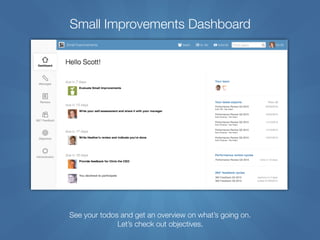
Small Improvements Dashboard
See your todos and get an overview on what’s going on.
Let’s check out objectives.
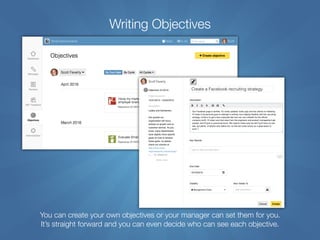
Writing Objectives
You can create your own objectives or your manager can set them for you.

It’s straight forward and you can even decide who can see each objective.
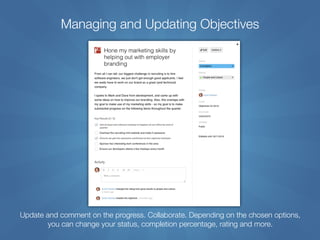
Managing and Updating Objectives
Update and comment on the progress. Collaborate. Depending on the chosen options,
you can change your status, completion percentage, rating and more.
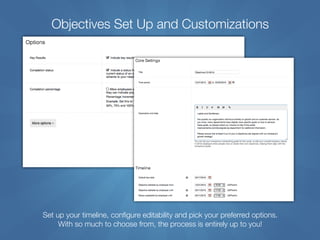
Objectives Set Up and Customizations
Set up your timeline, configure editability and pick your preferred options. 

With so much to choose from, the process is entirely up to you!
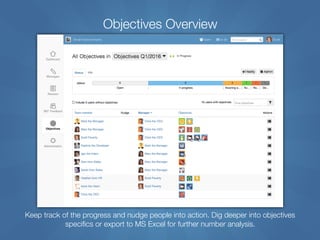
Objectives Overview
Keep track of the progress and nudge people into action. Dig deeper into objectives
specifics or export to MS Excel for further number analysis.
Check out more info online:
Video tutorials:
https://www.small-improvements.com/tutorials
Continuous feedback:
http://www.small-improvements.com/continuous-feedback/praise-and-suggestions-and-microblogging
All features at one glance:
http://www.small-improvements.com/performance-management-features
Pricing overview:
http://www.small-improvements.com/pricing
Our insightful customer testimonials:
http://www.small-improvements.com/customers

Small improvements Objectives Overview

  • 1.
  • 2.
    Small Improvements Dashboard Seeyour todos and get an overview on what’s going on. Let’s check out objectives.
  • 3.
    Writing Objectives You cancreate your own objectives or your manager can set them for you.
 It’s straight forward and you can even decide who can see each objective.
  • 4.
    Managing and UpdatingObjectives Update and comment on the progress. Collaborate. Depending on the chosen options, you can change your status, completion percentage, rating and more.
  • 5.
    Objectives Set Upand Customizations Set up your timeline, configure editability and pick your preferred options. 
 With so much to choose from, the process is entirely up to you!
  • 6.
    Objectives Overview Keep trackof the progress and nudge people into action. Dig deeper into objectives specifics or export to MS Excel for further number analysis.
  • 7.
    Check out moreinfo online: Video tutorials: https://www.small-improvements.com/tutorials Continuous feedback: http://www.small-improvements.com/continuous-feedback/praise-and-suggestions-and-microblogging All features at one glance: http://www.small-improvements.com/performance-management-features Pricing overview: http://www.small-improvements.com/pricing Our insightful customer testimonials: http://www.small-improvements.com/customers