CLTL Python Course 
Object Oriented Programming in Python 
3rd session 
May 15th 2013
Reminders 
● Session I 
– What is Object Oriented Programming 
– Classes, objects, methods, properties... 
– How to define classes, with methods and attributes 
– How to create objects 
● Session II 
– Create modules 
– Create packages 
– Reuse and import
Session 3 
● Eclipse and PyDev 
– Use python within eclipse 
– Create projects 
– Create packages 
– Create modules 
– ...
Eclipse and PyDev 
1)Create a PyDev project 
Will contain all the structure, folders and information of the project 
2)Create a source folder in the project 
Required for creating modules and packages 
3)Create packages 
You already know python packages 
4)Create modules 
You also know python modules
Creating a PyDev project 
● File > new > project > PyDev > PyDev Project 
● Project name: the name of the project 
● Project contents: the folder to locate the project 
● Project type: usually Python 
● Grammar version: the python grammar version (not 
important) 
● Interpreter: which python you want use to run the project 
● Create default 'src' folder 
● Referenced projects: their source folders are added to the 
PYTHONPATH for the new project
Creating a source folder 
● Required in PyDev for creating packages and modules 
– For every new package/module, an existing source folder 
must be selected 
● Two ways of creating (if you didn't create it with the PyDev 
project) 
– File -> new -> source folder Browse and select the 
project (the name will be always 'src') 
– Right click on the project -> new -> Source folder (you 
can select the name of the folder)
Creating a Python package 
● Python package: 
– A special folder where group python modules 
– There is a special module __init__.py 
– It will be seen as a whole package 
● How to create packages: 
– File -> new -> python package. Select source folder and 
name 
– Right click on the project / source folder -> new python 
package 
● How to nest packages: 
– Drag/drop on the pydev package explorer 
– By the “dotted” name --> root.nested
Creating a Python module 
● Python module: a python file that can contain functions, classes... 
● In PyDev a python module can be associated to: 
– A source folder 
– A python package 
● How to create modules: 
– File -> new -> python module. Select source folder (leave 
package empty) or package, module name and template 
– Right click on source folder/package on explorer -> new python 
module 
● Pydev modules templates: 
– Empty: just an empty file 
– Class: contains the basic definition for a class 
– Main: contains the basic definition of a main python script (you 
can run it)
How to run a module in PyDev 
● Option 1 
– Select the module and make it active 
– Run --> Run As --> Python run 
● Option 2 
– Right click on the module on the explorer 
– Run --> Run as --> python run 
● Advanced: 
– Breakpoints, debugging...
Assignment 
We want to develop some python packages for different 
projects of the CLTL group, so we should create a nice 
structure of packages and modules. 
● We have only a main group (CLTL) 
● There are several projects going on: newsreader, opener, 
semantics_of_history, each one could be a package 
● In each project we will developed different tools... 
● Each tool will process different data, different files... 
● ....
Assignment 
● Define a project called my_cltl_project with a source folder 
● This package structure 
● Cltl (pkg) 
– Newsreader (pkg) 
– Opener (pkg) 
– semantics_of_history (pkg) 
● coreference_tool (pkg) 
– metrics: B3.py, MUC.py (mods) 
– data: coref_set.py (mods) 
– io: coref_set_reader.py, coref_set_writer.py, 
csv_reader.py (mods) 
– Common (pkg) 
● time_functions (mod)
Assignment 
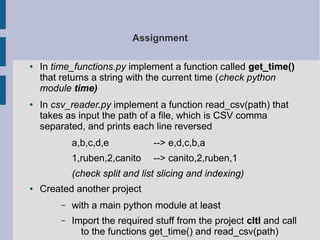
● In time_functions.py implement a function called get_time() 
that returns a string with the current time (check python 
module time) 
● In csv_reader.py implement a function read_csv(path) that 
takes as input the path of a file, which is CSV comma 
separated, and prints each line reversed 
a,b,c,d,e --> e,d,c,b,a 
1,ruben,2,canito --> canito,2,ruben,1 
(check split and list slicing and indexing) 
● Created another project 
– with a main python module at least 
– Import the required stuff from the project cltl and call 
to the functions get_time() and read_csv(path)

CLTL python course: Object Oriented Programming (3/3)

  • 1.
    CLTL Python Course Object Oriented Programming in Python 3rd session May 15th 2013
  • 2.
    Reminders ● SessionI – What is Object Oriented Programming – Classes, objects, methods, properties... – How to define classes, with methods and attributes – How to create objects ● Session II – Create modules – Create packages – Reuse and import
  • 3.
    Session 3 ●Eclipse and PyDev – Use python within eclipse – Create projects – Create packages – Create modules – ...
  • 4.
    Eclipse and PyDev 1)Create a PyDev project Will contain all the structure, folders and information of the project 2)Create a source folder in the project Required for creating modules and packages 3)Create packages You already know python packages 4)Create modules You also know python modules
  • 5.
    Creating a PyDevproject ● File > new > project > PyDev > PyDev Project ● Project name: the name of the project ● Project contents: the folder to locate the project ● Project type: usually Python ● Grammar version: the python grammar version (not important) ● Interpreter: which python you want use to run the project ● Create default 'src' folder ● Referenced projects: their source folders are added to the PYTHONPATH for the new project
  • 6.
    Creating a sourcefolder ● Required in PyDev for creating packages and modules – For every new package/module, an existing source folder must be selected ● Two ways of creating (if you didn't create it with the PyDev project) – File -> new -> source folder Browse and select the project (the name will be always 'src') – Right click on the project -> new -> Source folder (you can select the name of the folder)
  • 7.
    Creating a Pythonpackage ● Python package: – A special folder where group python modules – There is a special module __init__.py – It will be seen as a whole package ● How to create packages: – File -> new -> python package. Select source folder and name – Right click on the project / source folder -> new python package ● How to nest packages: – Drag/drop on the pydev package explorer – By the “dotted” name --> root.nested
  • 8.
    Creating a Pythonmodule ● Python module: a python file that can contain functions, classes... ● In PyDev a python module can be associated to: – A source folder – A python package ● How to create modules: – File -> new -> python module. Select source folder (leave package empty) or package, module name and template – Right click on source folder/package on explorer -> new python module ● Pydev modules templates: – Empty: just an empty file – Class: contains the basic definition for a class – Main: contains the basic definition of a main python script (you can run it)
  • 9.
    How to runa module in PyDev ● Option 1 – Select the module and make it active – Run --> Run As --> Python run ● Option 2 – Right click on the module on the explorer – Run --> Run as --> python run ● Advanced: – Breakpoints, debugging...
  • 10.
    Assignment We wantto develop some python packages for different projects of the CLTL group, so we should create a nice structure of packages and modules. ● We have only a main group (CLTL) ● There are several projects going on: newsreader, opener, semantics_of_history, each one could be a package ● In each project we will developed different tools... ● Each tool will process different data, different files... ● ....
  • 11.
    Assignment ● Definea project called my_cltl_project with a source folder ● This package structure ● Cltl (pkg) – Newsreader (pkg) – Opener (pkg) – semantics_of_history (pkg) ● coreference_tool (pkg) – metrics: B3.py, MUC.py (mods) – data: coref_set.py (mods) – io: coref_set_reader.py, coref_set_writer.py, csv_reader.py (mods) – Common (pkg) ● time_functions (mod)
  • 12.
    Assignment ● Intime_functions.py implement a function called get_time() that returns a string with the current time (check python module time) ● In csv_reader.py implement a function read_csv(path) that takes as input the path of a file, which is CSV comma separated, and prints each line reversed a,b,c,d,e --> e,d,c,b,a 1,ruben,2,canito --> canito,2,ruben,1 (check split and list slicing and indexing) ● Created another project – with a main python module at least – Import the required stuff from the project cltl and call to the functions get_time() and read_csv(path)