Single Page Applications (SPAs) Key Characteristics
1.
Single Page Applications(SPAs)
Key Characteristics
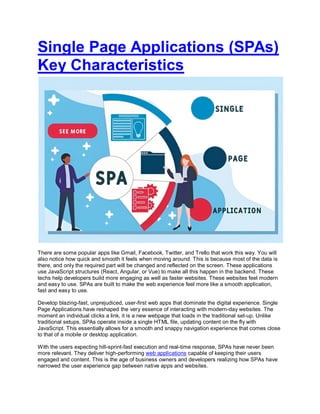
There are some popular apps like Gmail, Facebook, Twitter, and Trello that work this way. You will
also notice how quick and smooth it feels when moving around. This is because most of the data is
there, and only the required part will be changed and reflected on the screen. These applications
use JavaScript structures (React, Angular, or Vue) to make all this happen in the backend. These
techs help developers build more engaging as well as faster websites. These websites feel modern
and easy to use. SPAs are built to make the web experience feel more like a smooth application,
fast and easy to use.
Develop blazing-fast, unprejudiced, user-first web apps that dominate the digital experience. Single
Page Applications have reshaped the very essence of interacting with modern-day websites. The
moment an individual clicks a link, it is a new webpage that loads in the traditional set-up. Unlike
traditional setups, SPAs operate inside a single HTML file, updating content on the fly with
JavaScript. This essentially allows for a smooth and snappy navigation experience that comes close
to that of a mobile or desktop application.
With the users expecting hill-sprint-fast execution and real-time response, SPAs have never been
more relevant. They deliver high-performing web applications capable of keeping their users
engaged and content. This is the age of business owners and developers realizing how SPAs have
narrowed the user experience gap between native apps and websites.
2.
What is Single-PageApplication (SPA)?
A single-page application is basically described as a web app or a site that feels fast and smooth to
use. These websites give users a touch of mobile application. These websites load everything once
at the start and then only update what is needed as you go, in place of loading a brand new page
every time a user clicks on something. A user can stay on the single screen the entire time.
How Single Page Application Works
When a user opens a page on the website, it loads the basic framework of the site. The layout,
menu, and design will be the same all the time. But when a user clicks on something, for example,
opening a product, checking their profile, or even switching the modules, the website will just pull the
data and show that exact content in no time, without reloading the whole page from the start.
This concludes-
1. User don’t have to wait for the entire page to reload
2. The user gets smooth changes like flipping between screens in an app
3. A user gets good experience on poor connections
Single Page Application vs Traditional
SPA (Single Page Application): Loads one HTML page. Navigation happens without any
page refresh. The system fetches and renders data dynamically.
MPA (Multi-Page Application): With every page, a new HTML document gets loaded. Better
for content-heavy websites.
JAMstack (JavaScript, APIs, and Markup): The front end is separated from the back end,
which builds fast and secure websites, offering content via CDN.
Read: JAMstack SSG
Working of SPAs
The "Single Page Application" workings are mostly centered around client-side rendering (CSR).
Therefore, upon landing on a single-page application, the user only loads the initial HTML, CSS, and
a bundle of JavaScript. After this, all the data and content updates happen asynchronously in the
background, possibly through Fetch API/Axios/GraphQL. In the next step, the user then interacts
with the page in the way that JavaScript executes changes to applicable sections of the DOM
without refreshing the page.
The SPA request lifecycle
The browser requests the initial document.
The server returns a bare-bones HTML file and sends the bundled JavaScript and CSS files.
JavaScript starts the application and then loads the initial interface.
3.
Interaction witha user causes JavaScript to get further data from the APIs.
JavaScript only modifies the related elements of the UI, which prevents a complete page
reload.
Key Concepts Behind SPAs
Virtual DOM: Allows faster UI updates by listening to changes in a virtual representation of
the DOM.
Hydration: Merges minimal HTML served by the backend with JavaScript-powered features.
Routing: The client-side routers (such as React Router and Vue Router) manage navigation
and URL changes like an MPA, except without reloads.
Benefits of Single-Page Applications
1. Smooth User Experience: Users undergo seamless transitions between pages. Interactions feel
instantaneous because delays due to server responses or full page reloads never occur. SPAs use
JavaScript to swap views, update components, and provide instant feedback.
2. Lower Bandwidth and Server Load: Once the server is loaded, the SPA now will not request an
HTML page from the server. It will rather ask for data. The bandwidth usage drops to a large extent,
and the server no longer feels the load at that level. As more action and any logic happen on the
customer side, the server starts getting raw data through APIs.
3. Mobile-Friendly Behavior: SPAs mimic the behavior of native apps. Hence, they favor a mobile-
first implementation, such as quick transitions, offline caching with service workers, and push
notifications.
Popular Examples of Single Page
Application
Single-page applications have become the support system of many popular platforms that require
speed, interactivity, and responsiveness. Here are some of the popular examples that show how
SPAs redefine user experience in 2025:
1. Gmail -
Gmail has a UI that allows the fluid environment of communication wherein users may read,
compose, and navigate between separate mails without ever triggering a page reload. Content
updates with responsiveness and offline abilities make this app highly functional when a user's
bandwidth is constrained.
2. Trello -
Trello is an interactive drag-and-drop task management board supported with real-time updates.
Users collaborate, drag cards, and update boards at lightning-fast speed without halting for server
reboots or refreshes.
3. Notion -
Notion provides navigation and live updates within the application, which gives users a smooth
4.
interface like adesktop inside their browser. It is one of the most flexible platforms if a user wants to
do project management, take notes, and create collaborative workspaces.
4. Figma -
Figma is a website-based design and prototyping tool that provides a detailed space where one can
edit in real time collaboratively. Although browser-based, it behaves with the speed that a true native
app should behave.
5. Google Maps -
Google Maps manages way too much data but has a smooth and responsive UI, all happening from
the client side. Panning and zooming are undeterred by mentions of real-time directions.
Challenges & Limitations of SPAs
1. SEO Limitations: Search engines might have problems crawling SPAs if the content is rendered
client-side. Solutions include:
Use SSR frameworks like Next.js or Nuxt.js
Prerender static content with tools like Prerender.io
Dynamic Rendering: Serves tailored content separately to users and search engine crawlers.
2. Initial Load Time: Since SPAs pack all their scripts from the get-go, this can slow the time to first
interaction. To counter this:
Lazy loading
Code splitting
Progressive hydration
3. Security Concerns: Single-page apps can face a few serious threats:
Cross-Site Scripting (XSS): Attackers manage to trick the insertion of malicious scripts that
grab session or sensitive information.
Cross-Site Request Forgery (CSRF): Some shady websites may trick a logged-in user into
invoking actions without their knowledge. Most of this can be gone around by validation of
inputs, sanitizing user data, making cookies HTTP-only, and putting in CSRF protection.
4. Accessibility Issues: When basic roles, keyboard support, or screen reader guidance are
skipped, a chunk of users just can’t use the app properly. Testing with screen readers and sticking to
meaningful HTML usually clears up most of that.
How to Create SPA (Single Page
Application)?
1. Environment Setup: You can start by structuring your application using Vite, Create React App,
or Angular CLI.
2. Reusable Components: You can design your user interface components so that they can be
used smaller and bigger. Design with atomic principles in mind.
5.
3. Routing &Navigation: Make use of either React Router or Vue Router and also make use of
nested and dynamic routes.
4. API Integration & State Management: You use Fetch or Axios or service-side GraphQL
endpoints while helping the client-side services communicate with the back end. State management
could occur in Redux, in Zustand, in Pinia, or in Vuex.
5. Deployment: Any kind of deployment is quickly handled by Vercel, Netlify, or Firebase. Test and
publish the builds on the go through CI/CD pipelines.
Advanced Concepts
SSR with SPAs allows SPAs to serve fully processed HTML pages to bots or users, thus
improving SEO or time-to-first-byte (TTFB).
SSG for hybrid applications combines with interactive SPA with static process to allow
faster loading and SEO.
Micro frontends are basically big applications that are divided into smaller applications
using different teams to make the maintenance easier.
WebAssembly integration is used for important and critical situations like video processing,
3-D, or AI.
AI personalization allows customized content and UI depending on user preferences or
behavior analysis.
Search Engine Optimisation for SPAs
Use these modern techniques, including
Prerendering, which means improving web loading during the building time for search
engines.
Dynamic rendering, which processes in a different way depending on the user agent.
Edge rendering, which means processing the HTML on the edge within the CDN before
delivery.
Structured data is the use of JSON-LD schema to clearly define your content for search
engines.
Headless CMS integration means your content is stored in separate systems (for instance,
Strapi or Sanity) and is queried via APIs.
Implementation of Performance Optimization
The techniques here are worth using:
Lazy Loading: Loading the very exact components and assets.
Code Splitting: Division of code into pieces, with the help of different tools (Webpack,
Rollup, or Vite).
Tree Shaking: Kills the code that is sort of dead halfway.
6.
Caching Strategies:Apply cache-up sites for offline use for the consumer to fetch data
using React Queries.
Performance monitoring: Tools for performance analytics (Lighthouse, Core Web Vitals,
New Relic, and Sentry)
Security Best Practices
These practices are important for secure SPAs:
Use HTTPS to mitigate any kind of man-in-the-range attacks.
Use JWT and OAuth2 as they handle secure authentication.
Use input validation to cleanse all input information.
Use CSRF and XSS protection; it works with tokens on the server side and escape outputs
on the client side.
Give role-based access to the users, as they must never be able to access areas they are
not authorized to.
Future of Single Page Applications (SPAs)
Edge computing brings processing closer to users by cutting down the response time.
UI/UX designs by AI offer on-point interfaces that adjust to behavioral patterns.
Innovations like resumability (eliminates rehydration bottlenecks), streaming HTML (enables
faster perceived load times) and partial hydration (activates JavaScript only where
interactivity is needed) are emerging.
Read : React Single Page Application
Conclusion
Fast yet interactive and scalable solutions offered by SPAs are a true need today. With the right set
of tools and proper architectural considerations, they can be made Google-friendly, secure, and
efficient.
Key Points:
SPAs mend the UX gap between web and native apps.
Performance, SEO, and security must be integrated into the planning phases.
Framework and architecture choices should directly reflect project goals.
When you aspire to create a product that feels smooth, loads swiftly, and engrosses users, SPA
architecture is your best friend.


![5G Explained! A High Level Overview [Introduction]](https://cdn.slidesharecdn.com/ss_thumbnails/5gexplainedahighleveloverview-260119165306-cc137a3e-thumbnail.jpg?width=640&height=640&fit=bounds)


