SharePoint  菁英計畫 系統開發實戰營 敦群數位科技股份有限公司 游家德  Jade Yu Welcome 歡迎參與
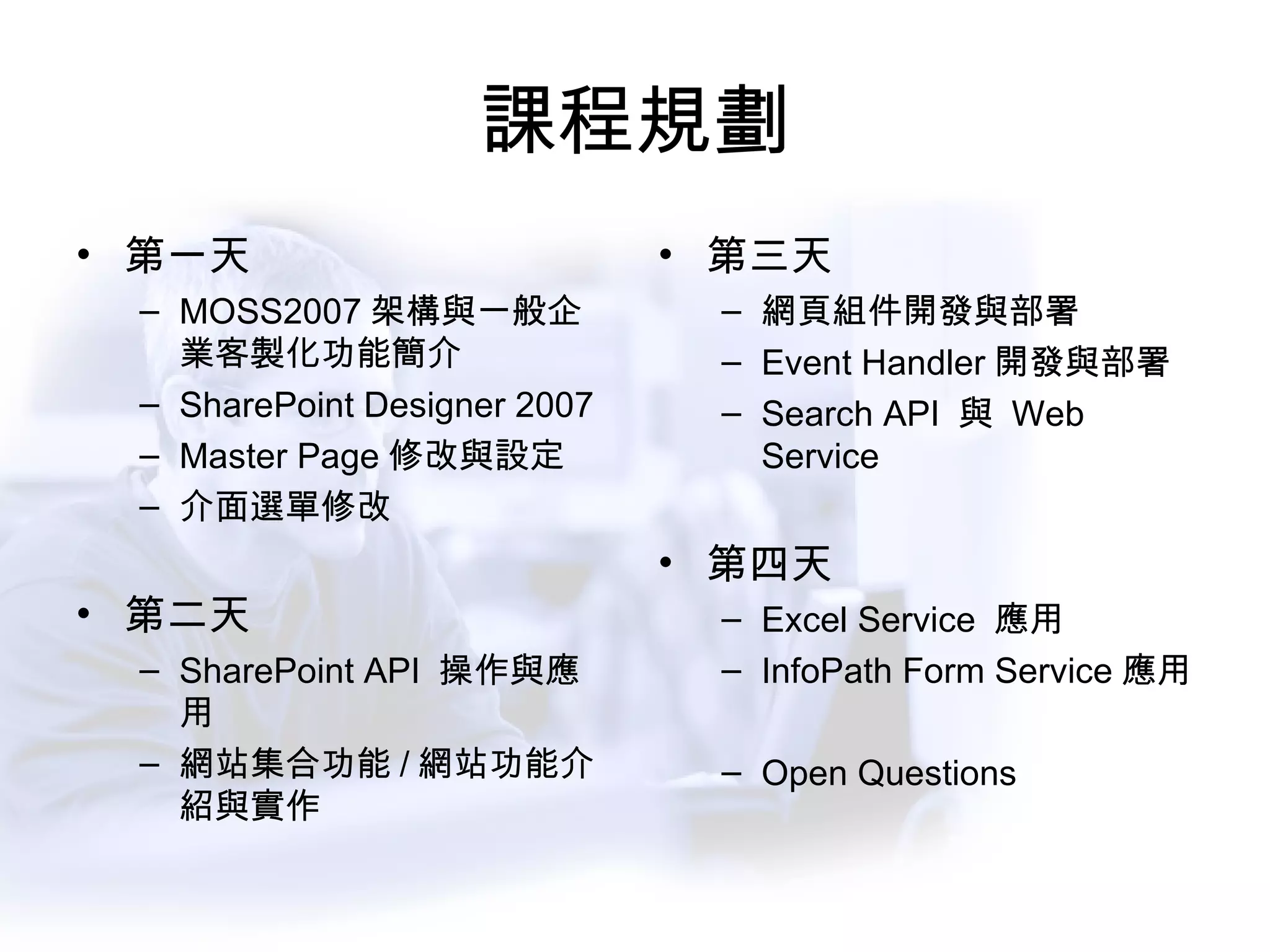
課程規劃 第一天 MOSS2007 架構與一般企業客製化功能簡介 SharePoint Designer 2007 Master Page 修改與設定 介面選單修改 第二天 SharePoint API  操作與應用 網站集合功能 / 網站功能介紹與實作 第三天 網頁組件開發與部署 Event Handler 開發與部署 Search API  與  Web Service 第四天 Excel Service  應用 InfoPath Form Service 應用 Open Questions
SharePoint API  操作與應用
課程主題 相關開發環境設定 開發情境與需求 WSS 3.0  物件模型 (Object Model) 的操作 管理相關物件模型 WSS Web Service
開發環境 Visual Studio.Net 2005 SharePoint Designer 2007 Office SharePoint Server 2007 SDK Excel Service / InfoPath Form Service Window SharePoint Service SDK http://msdn2.microsoft.com/en-us/office/aa905503.aspx
支援 .Net 2.0 運行的 SharePoint  平台 WSS2.0 + Wss2.0 Service Pack 2 Window SharePoint Service 3.0 Microsoft Office SharePoint Server 2007
SPD2007 的用途 撰寫免程式碼的工作流程 修改 CSS 檔案 修改  *.aspx 檔案 加入客製化  HTML 或 JavaScript 客製化網頁組件的外觀 撰寫 XSLT 調整資料檢視的外觀 更多無須程式碼的客製
使用 Visual Studio 的客製化 撰寫事件處理常式 撰寫客製化工作流程 建立客製化網頁組件 建立客製化網路服務 Web Service 存取 SharePoint 內容 撰寫 DBC Schema 還有…
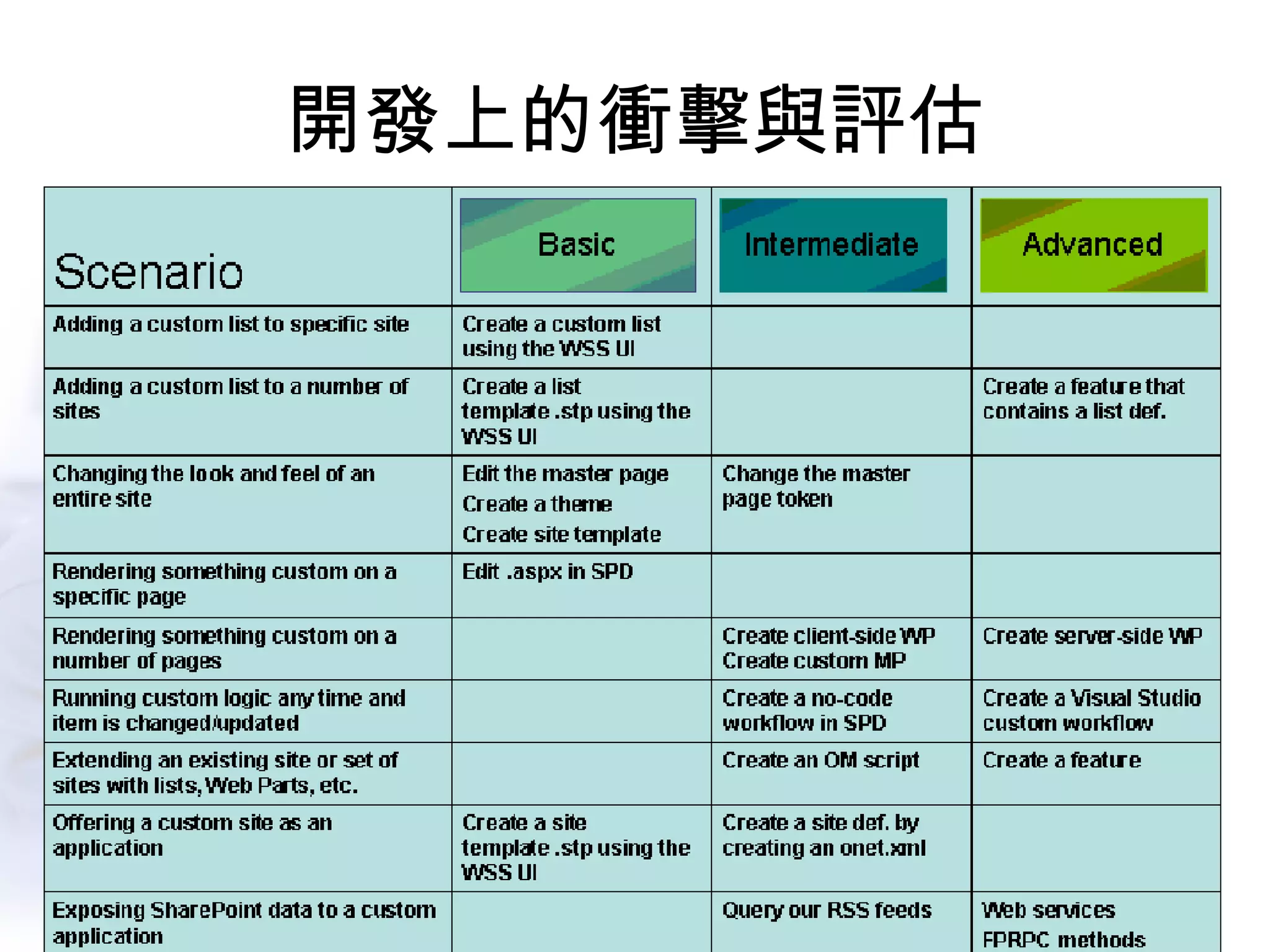
開發上的衝擊與評估
WSS3.0  物件模型的操作
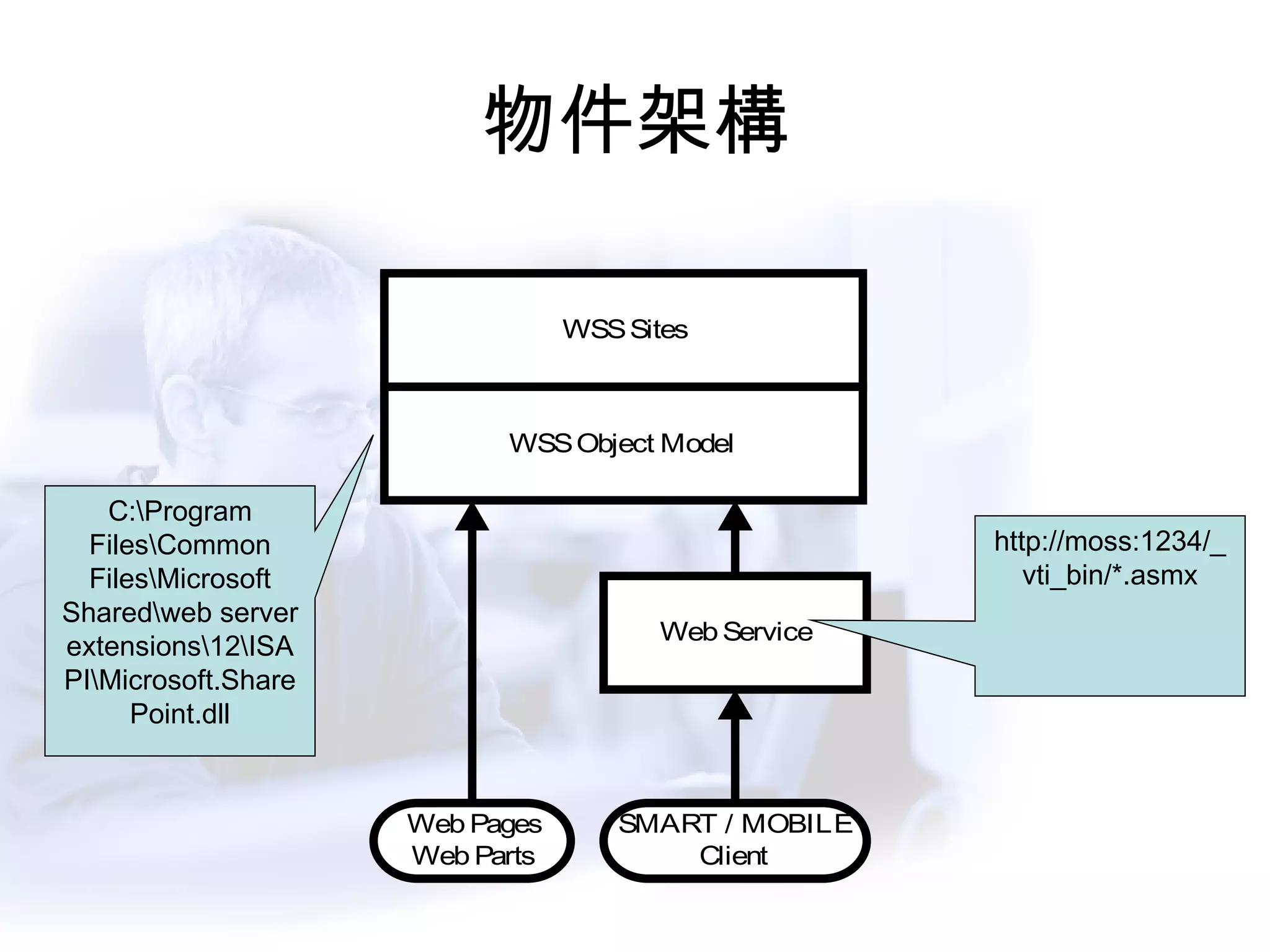
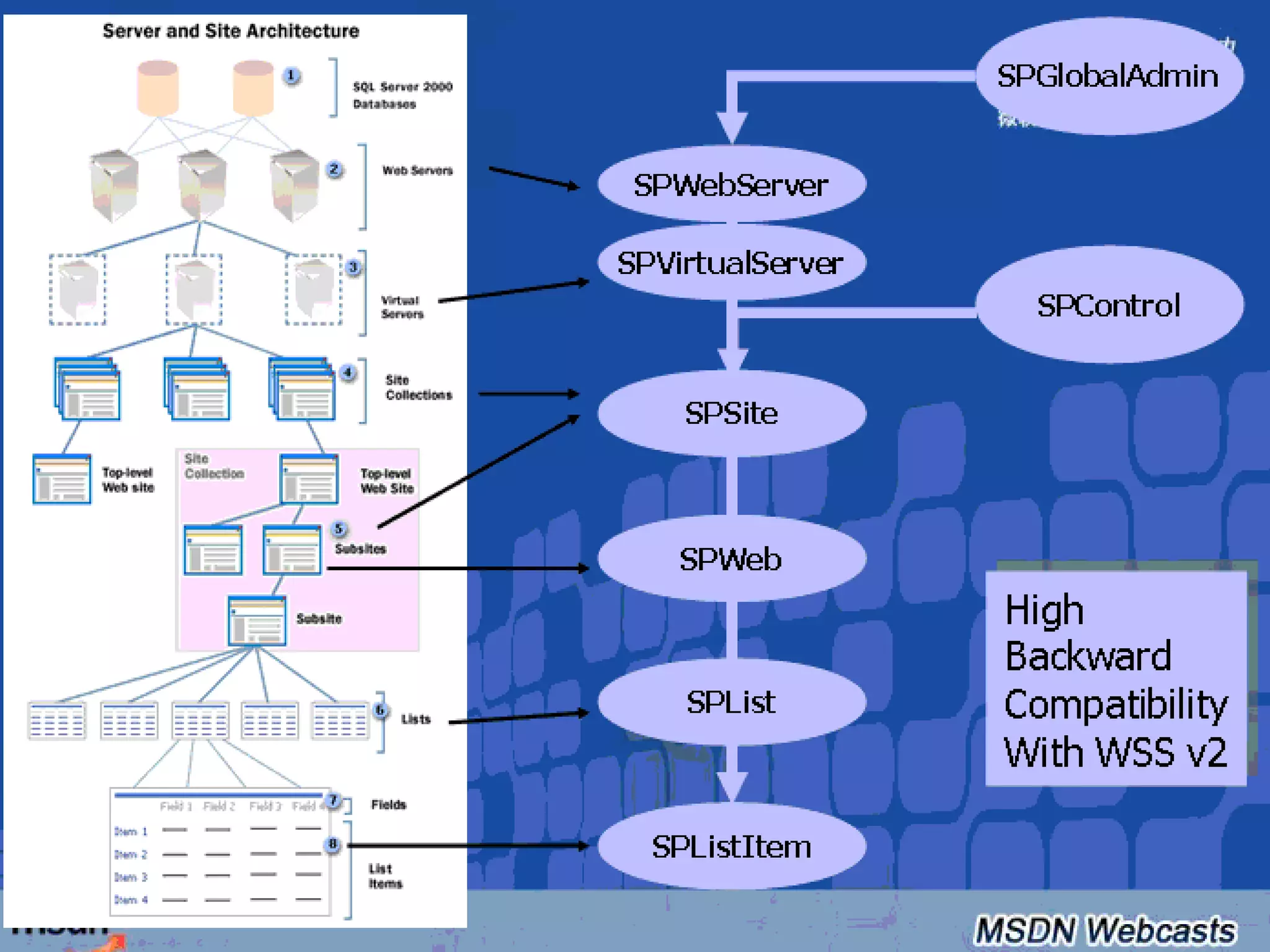
物件架構 C:\Program Files\Common Files\Microsoft Shared\web server extensions\12\ISAPI\Microsoft.SharePoint.dll http://moss:1234/_vti_bin/*.asmx
 
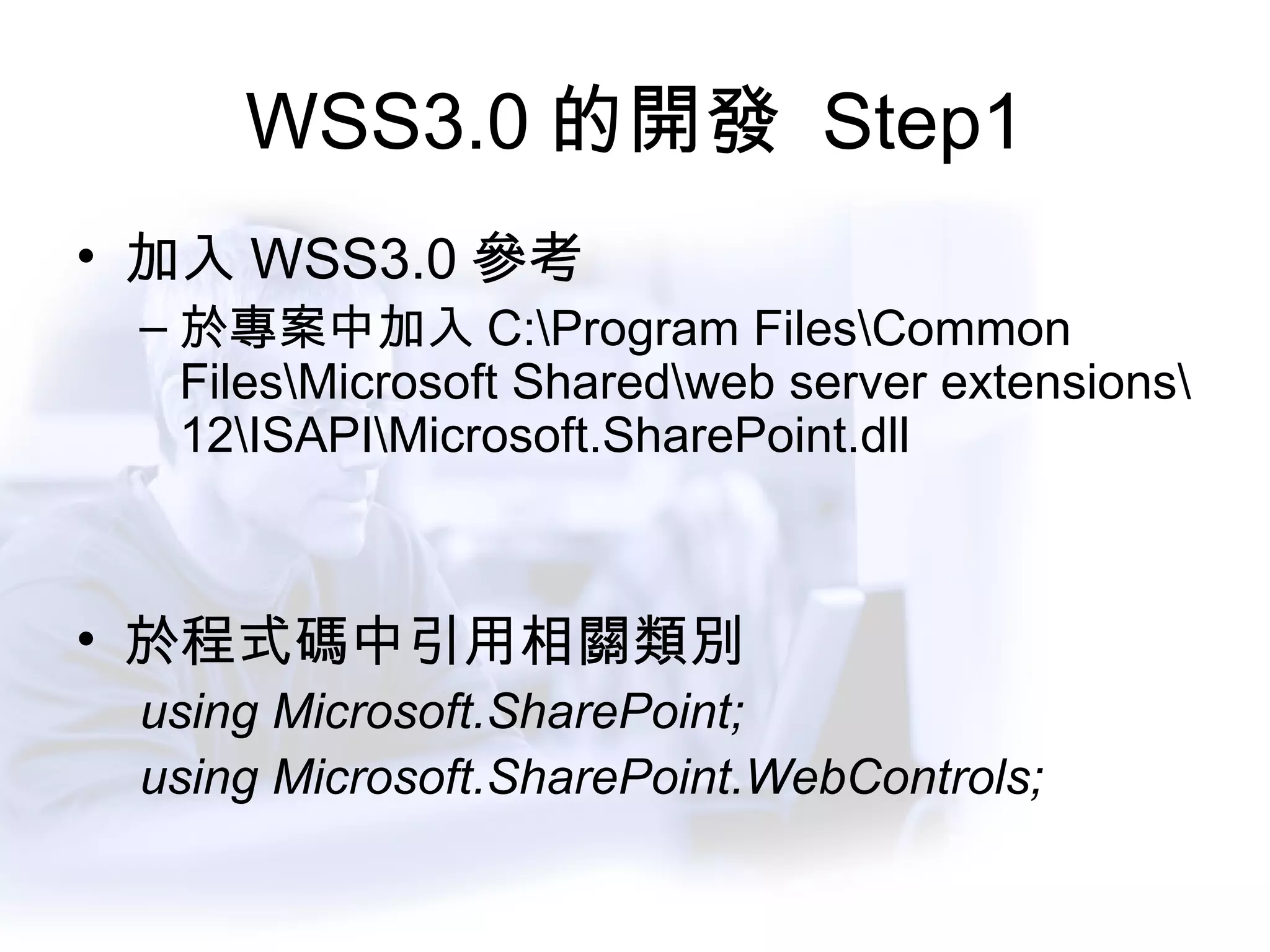
WSS3.0 的開發  Step1 加入 WSS3.0 參考 於專案中加入 C:\Program Files\Common Files\Microsoft Shared\web server extensions\12\ISAPI\Microsoft.SharePoint.dll 於程式碼中引用相關類別 using Microsoft.SharePoint; using Microsoft.SharePoint.WebControls;
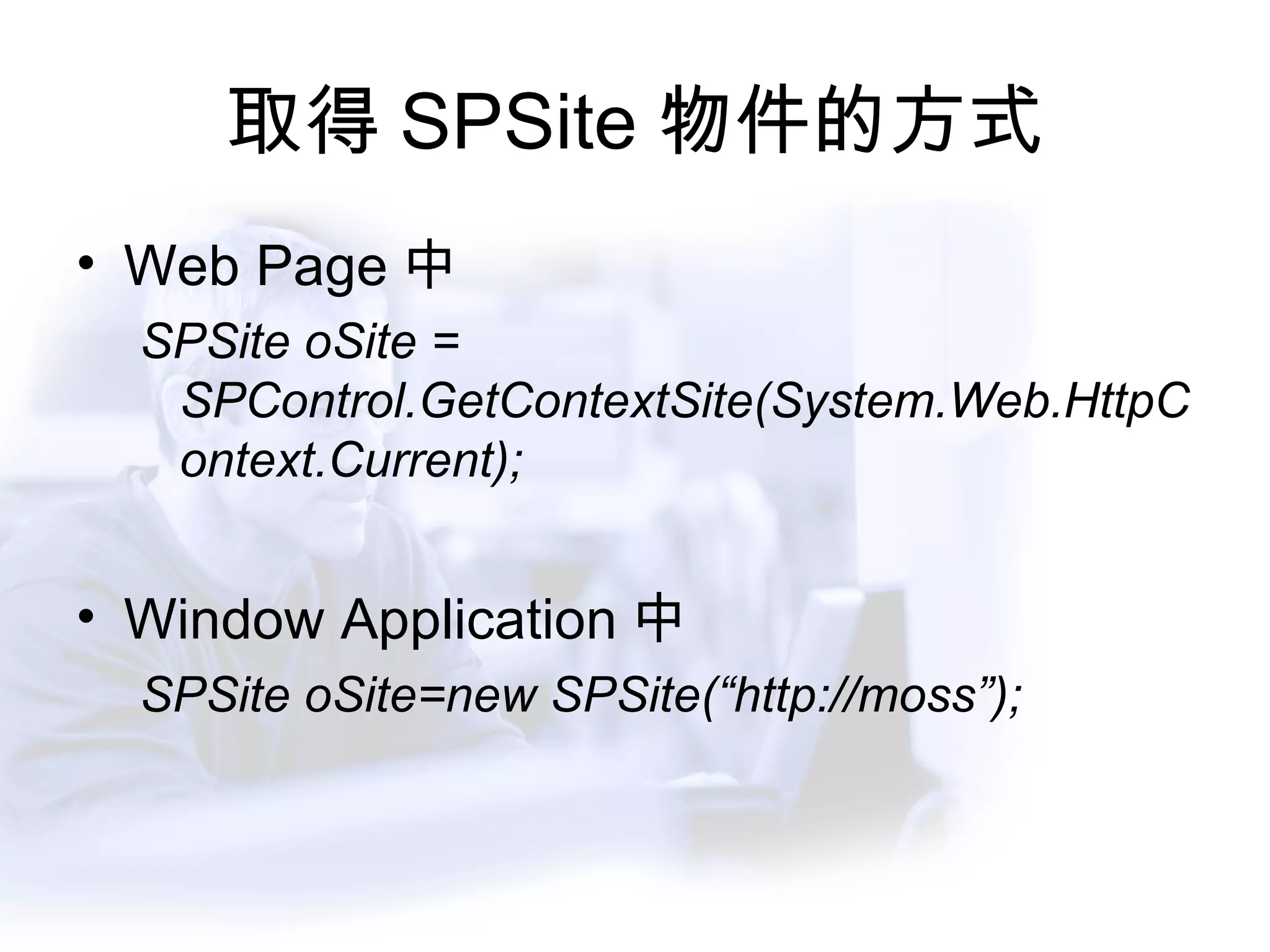
取得 SPSite 物件的方式 Web Page 中 SPSite oSite = SPControl.GetContextSite(System.Web.HttpContext.Current); Window Application 中 SPSite oSite=new SPSite(“http://moss”);
SPSite 的重要屬性 oSite.AllWebs  :  取得所有的網站清單 oSite.AllWebs[“/Depts/IT”]  :  取得特定 url 下的清單
DEMO 存取 SPSite 物件
SPWebCollection 與 SPWeb SPWebCollection :  網站集合中所有網站組成的清單 SPWeb :  個別網站 SPWebCollection oWebs=oSite.AllWebs; SPWeb oWeb = oWebs[“/Depts/IT”];
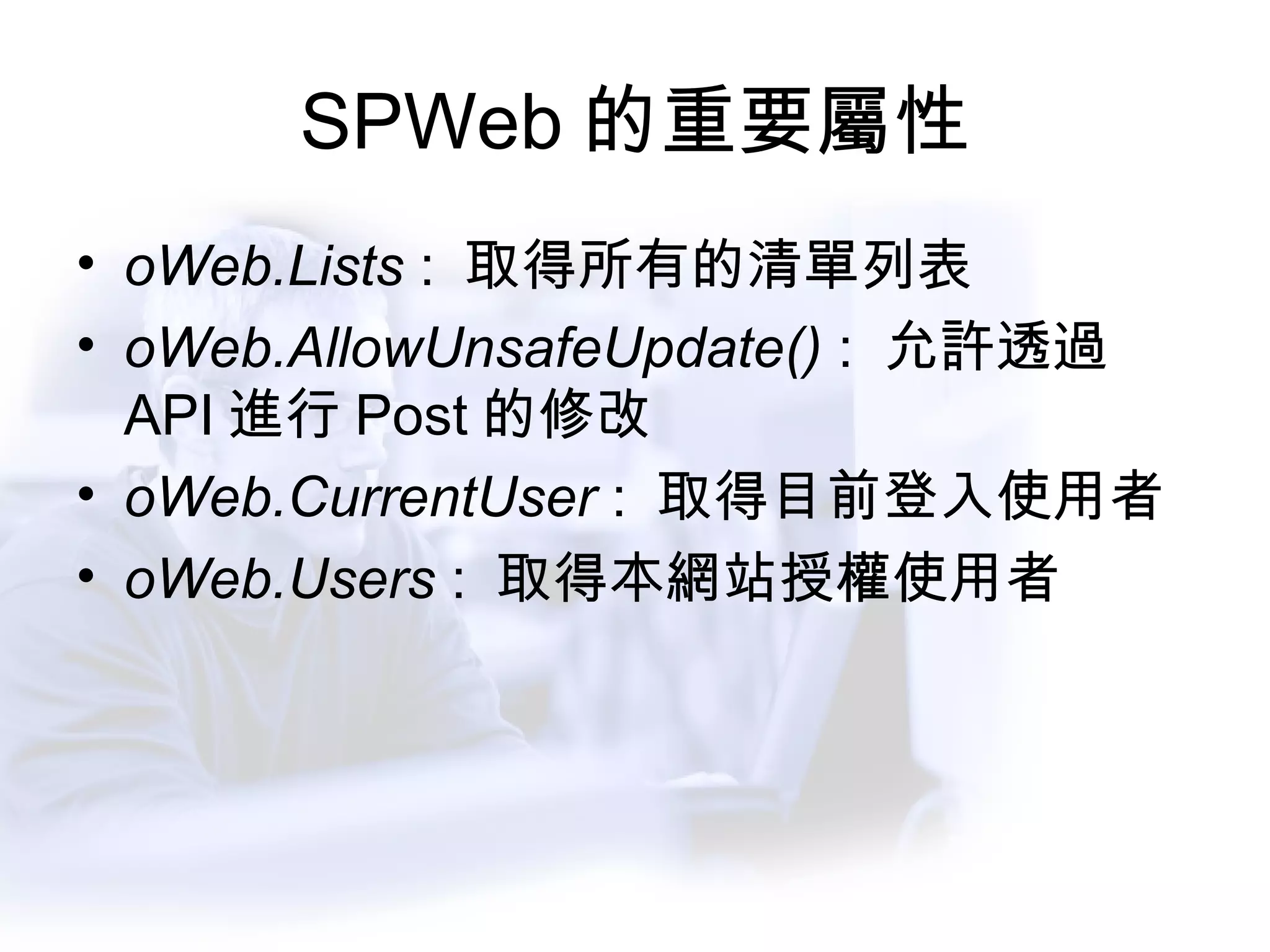
SPWeb 的重要屬性 oWeb.Lists  :  取得所有的清單列表 oWeb.AllowUnsafeUpdate()  :  允許透過 API 進行 Post 的修改 oWeb.CurrentUser  :  取得目前登入使用者 oWeb.Users  :  取得本網站授權使用者
DEMO 存取 SPWebCollection / SPWeb  物件
SPListCollection / SPList  物件 SPListCollection :  所有清單組成的列表 SPList :  個別清單物件 SPListCollection oLists=oWeb.Lists; SPList oList = oLists[“ 最新消息” ];
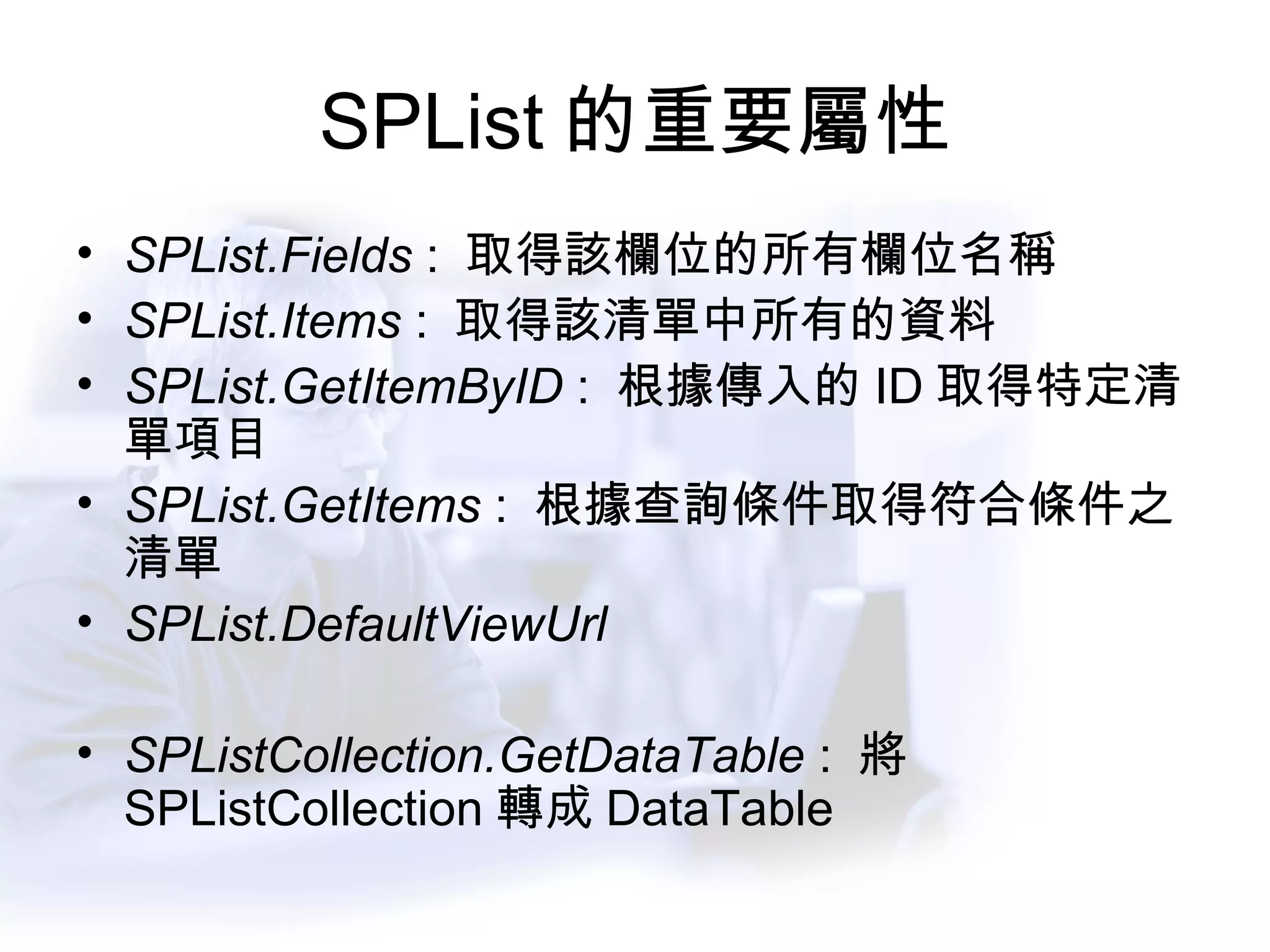
SPList 的重要屬性 SPList.Fields  :  取得該欄位的所有欄位名稱 SPList.Items  :  取得該清單中所有的資料 SPList.GetItemByID  :  根據傳入的 ID 取得特定清單項目 SPList.GetItems  :  根據查詢條件取得符合條件之清單 SPList.DefaultViewUrl SPListCollection.GetDataTable  :  將 SPListCollection 轉成 DataTable
DEMO 存取 SPListCollection/ SPList 物件
SPListItemCollection / SPListItem SPListItemCollection :  清單項目的集合 SPListItem :  特定清單項目 SPListItemCollection oListItems = oList.Items; SPListItem oListItem= oListItems[1];
SPListItem 的重要屬性 oListItem[“ 欄位名稱” ] :  取得特定欄位值 oListItem.Attachments :  取得特定清單項目的附件集合 ( 文件庫除外 ) -> SPAttchmentCollection oListItem.File :  取得文件庫的文件資訊 ( 針對文件庫相關清單 ) -> SPFile
DEMO 存取 SPListItem 物件
關於 Update 修改 SPSite / SPWeb / SPList 等基本屬性 ,  如名稱 ,  及其他相關可修改之資訊 新增  /  修改  /  刪除 清單項目 (SPListItem)
Update 時的注意事項 SPWeb 須將 AllowUnSafeUpdate 設為 True SharePoint 採 Batch Update 的方式 ,  須執行 Update 動作已確認將更新後送回 SQL Server
修改清單標題 SPSite oSite = New SPSite(“http://moss”); SPWeb oWeb = oSite.AllWebs[“/Depts/IT”]; oWeb.AllowUnsafeUpdate=True; SPList oList=oWeb.List[“ 最新消息” ]; oList.Title=“ 公司快訊” ; oList.Update();
新增清單項目 SPSite oSite = New SPSite(“http://moss”); SPWeb oWeb = oSite.AllWebs[“/Depts/IT”]; oWeb.AllowUnsafeUpdate=True; SPList oList=oWeb.List[“ 最新消息” ]; SPListItem oItem = oList.Items.Add(); oItem[“ 標題” ]=“ 這是新的訊息” oItem.Update();
修改清單項目 SPSite oSite = New SPSite(“http://moss”); SPWeb oWeb = oSite.AllWebs[“/Depts/IT”]; oWeb.AllowUnsafeUpdate=True; SPList oList=oWeb.List[“ 最新消息” ]; SPListItem oItem = oList.Items[0]; oItem[“ 標題” ]=“ 這是新的訊息” oItem.Update();
刪除清單項目 SPSite oSite = New SPSite(“http://moss”); SPWeb oWeb = oSite.AllWebs[“/Depts/IT”]; oWeb.AllowUnsafeUpdate=True; SPList oList=oWeb.List[“ 最新消息” ]; SPListItem oItem = oList.Items[0] oItem.Delete(); oList.Update();
DEMO SharePoint 的 Update 機制
SharePoint 中的結構搜尋
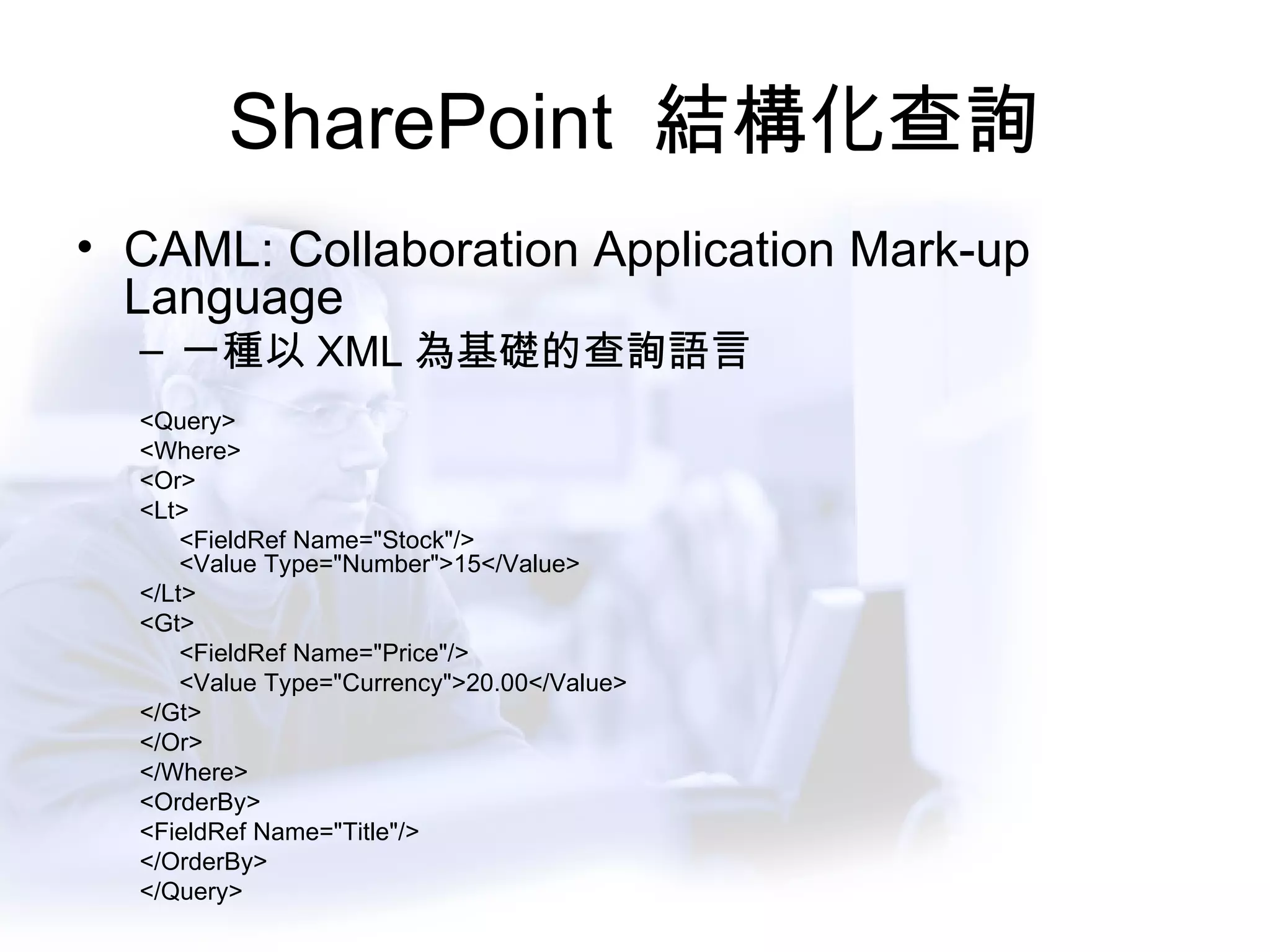
SharePoint  結構化查詢 CAML: Collaboration Application Mark-up Language 一種以 XML 為基礎的查詢語言 <Query> <Where> <Or> <Lt> <FieldRef Name=&quot;Stock&quot;/> <Value Type=&quot;Number&quot;>15</Value> </Lt> <Gt> <FieldRef Name=&quot;Price&quot;/> <Value Type=&quot;Currency&quot;>20.00</Value> </Gt> </Or> </Where> <OrderBy> <FieldRef Name=&quot;Title&quot;/> </OrderBy> </Query>
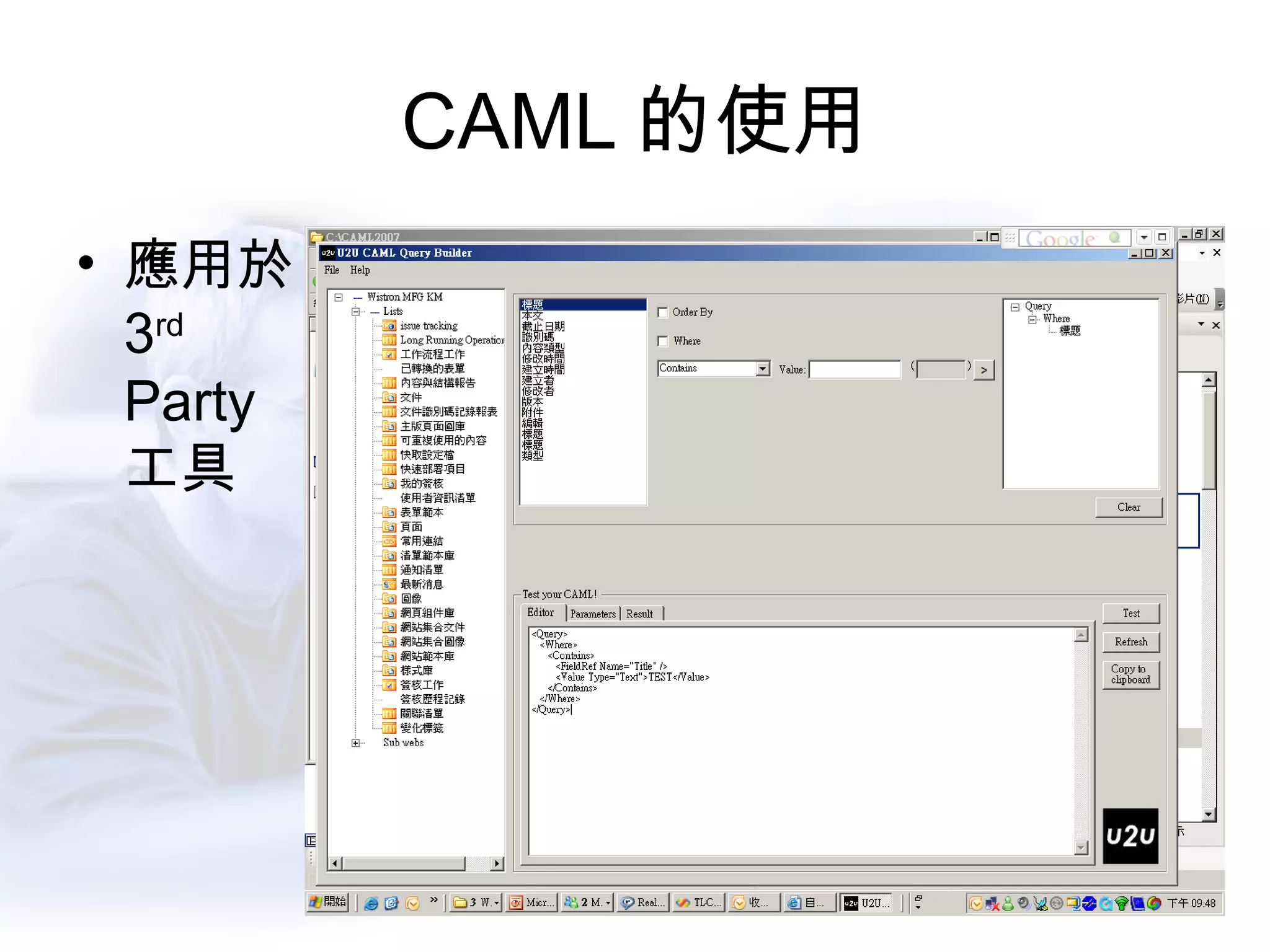
CAML 的使用 應用於 3 rd Party 工具
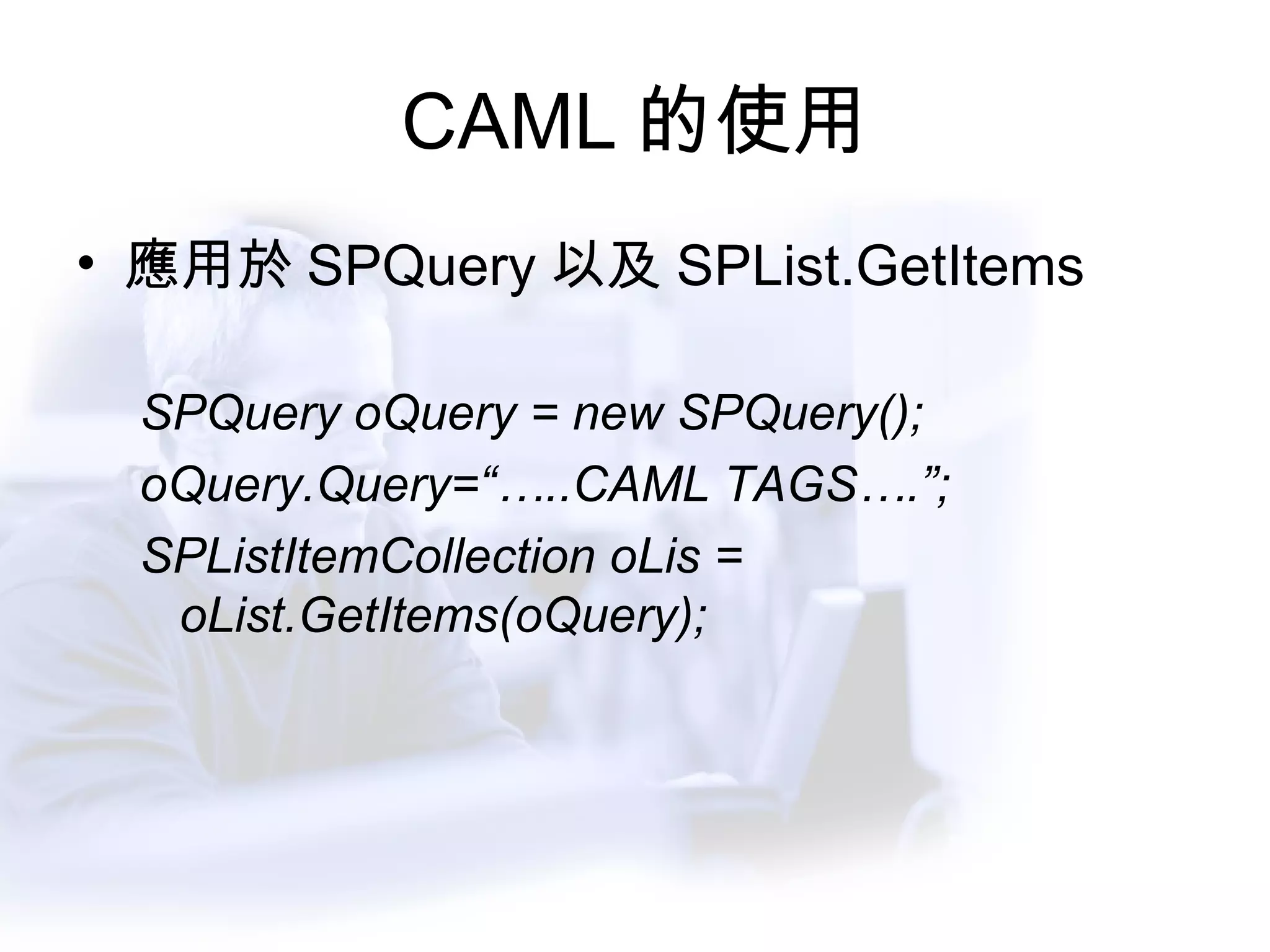
CAML 的使用 應用於 SPQuery 以及 SPList.GetItems SPQuery oQuery = new SPQuery(); oQuery.Query=“…..CAML TAGS….”; SPListItemCollection oLis = oList.GetItems(oQuery);
Security / Users  設定
ListItem Level 的權限設定  -1 SPRoleDefinition RoleDefinition =  Web.RoleDefinitions.GetByType(SPRoleTyp e.Administrator);               SPList List = Web.Lists[&quot;<list name>&quot;];  SPListItem ListItem = List.Items[1];     SPRoleAssignment RoleAssignment = new  SPRoleAssignment(“domain\usera&quot;,” usera @	 example.com ”, “User A&quot;, &quot;Here are some  notes.“)            
ListItem Level 的權限設定  -2 RoleAssignment.RoleDefinitionBindings.Add(RoleDefinition);                          if(!ListItem.HasUniqueRoleAssignments)             {                         ListItem.BreakRoleInheritance(true);              }                          ListItem.RoleAssignments.Add(RoleAssignment);         ListItem.Update();        
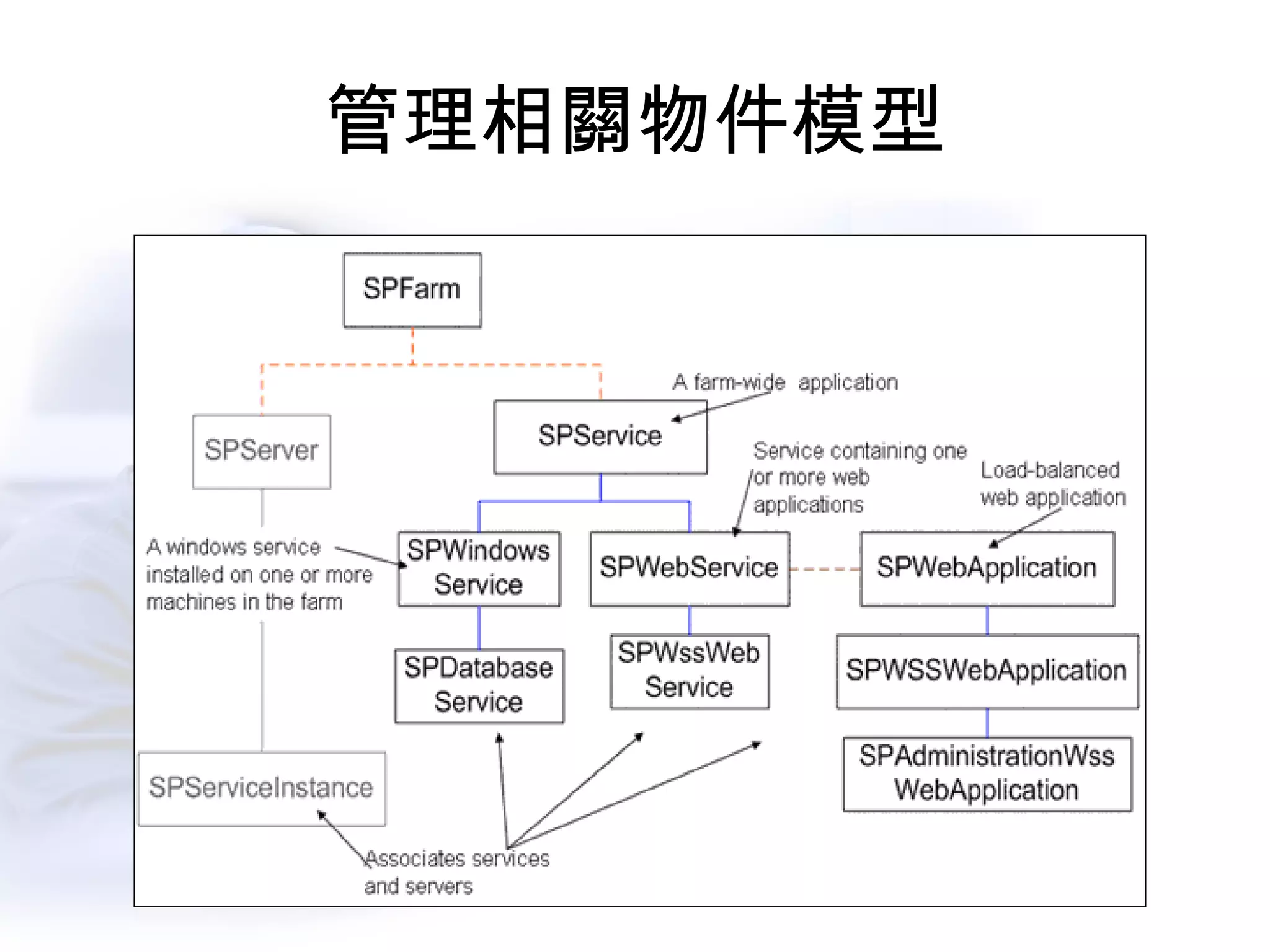
管理相關物件模型
管理相關物件模型
WSS3.0 WebService
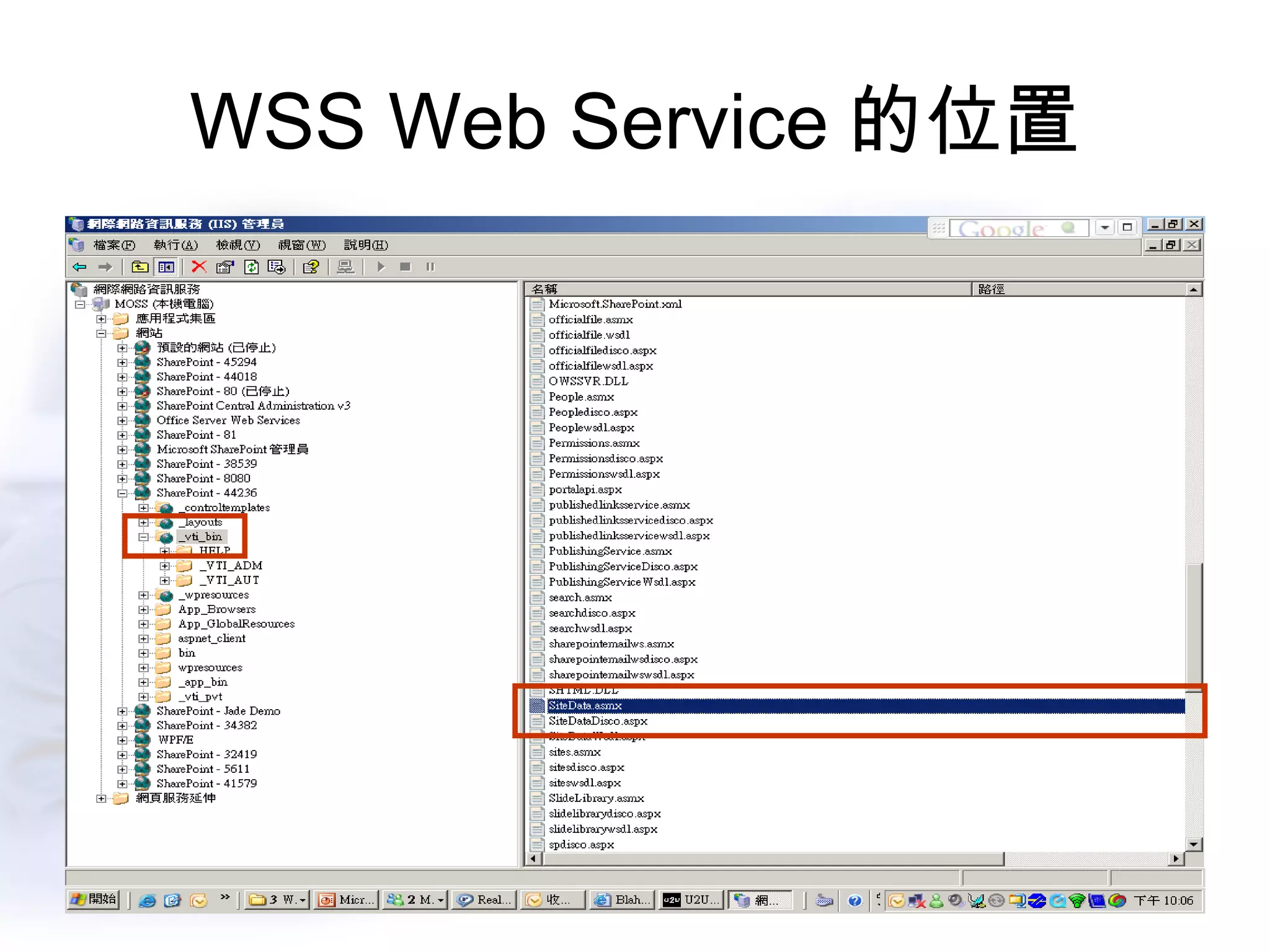
WSS3.0 Web Service 的變動與加強 新增的 Web Service SiteData Web Service Versions Web Service Forms Web Service 修改加強的 Web Service Lists Web Service Webs Web Service
WSS Web Service 的位置
網站功能 (Feature) 的開發
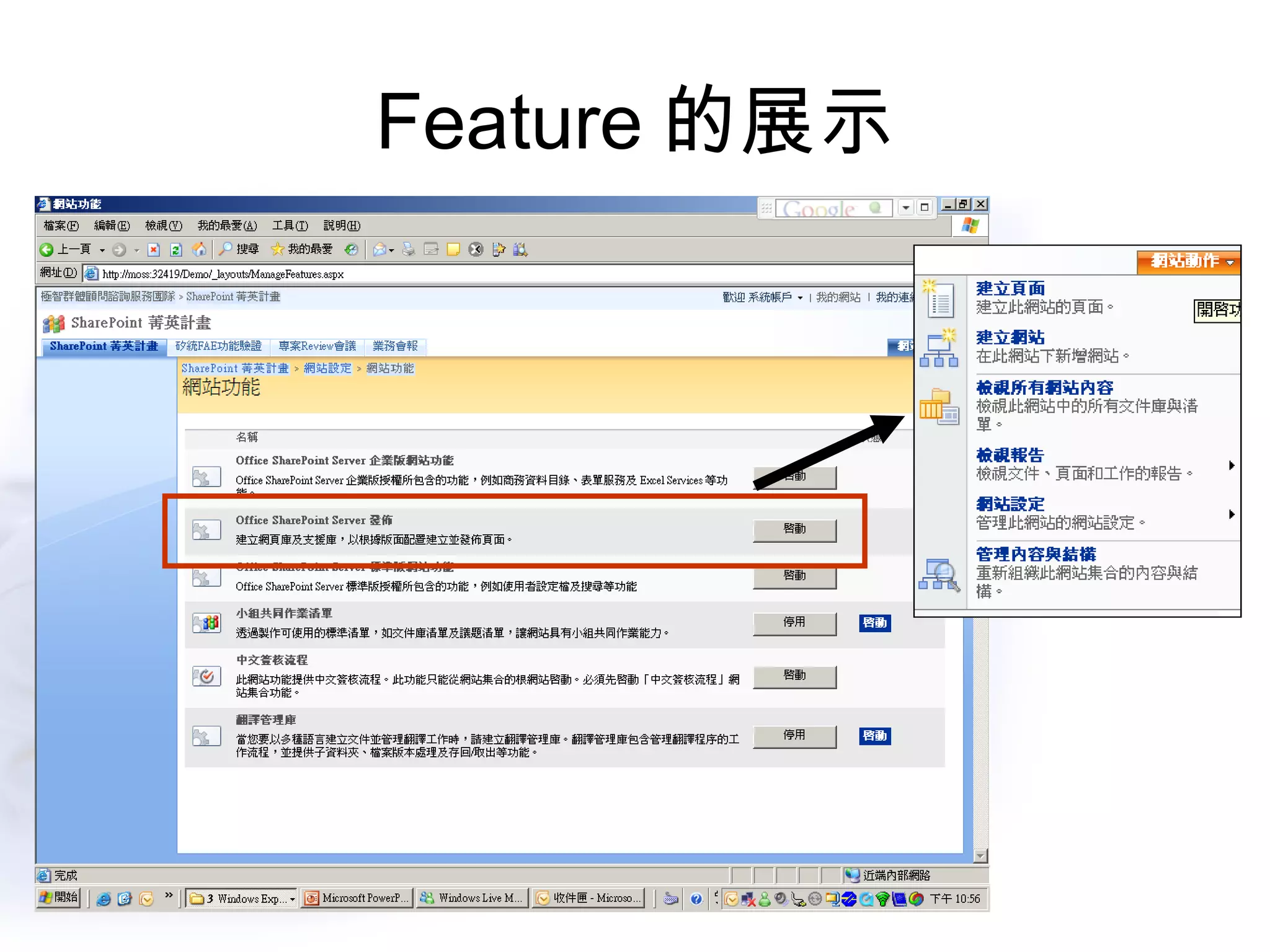
Feature 的展示
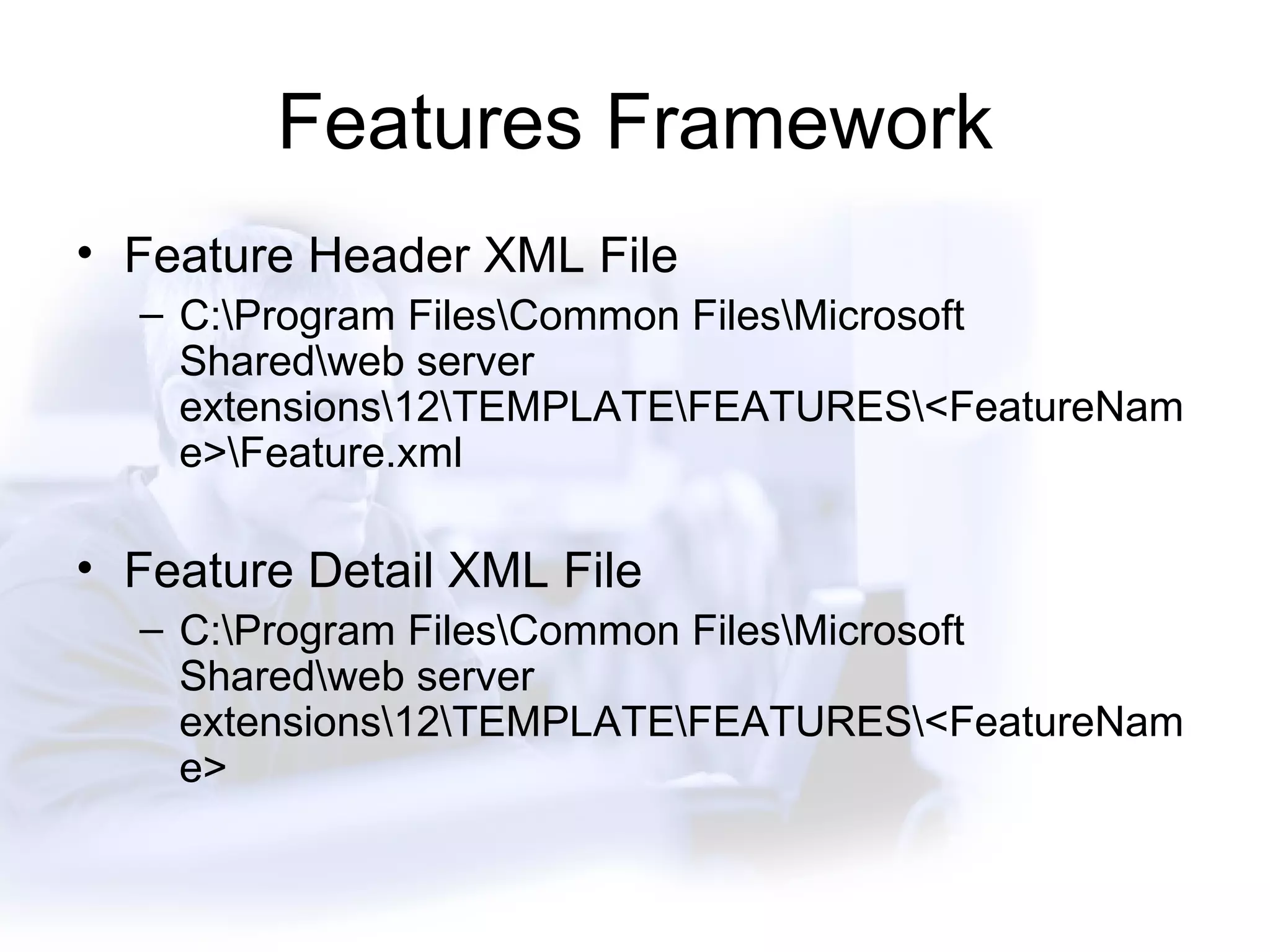
Features Framework Feature Header XML File C:\Program Files\Common Files\Microsoft Shared\web server extensions\12\TEMPLATE\FEATURES\<FeatureName>\Feature.xml Feature Detail XML File C:\Program Files\Common Files\Microsoft Shared\web server extensions\12\TEMPLATE\FEATURES\<FeatureName>

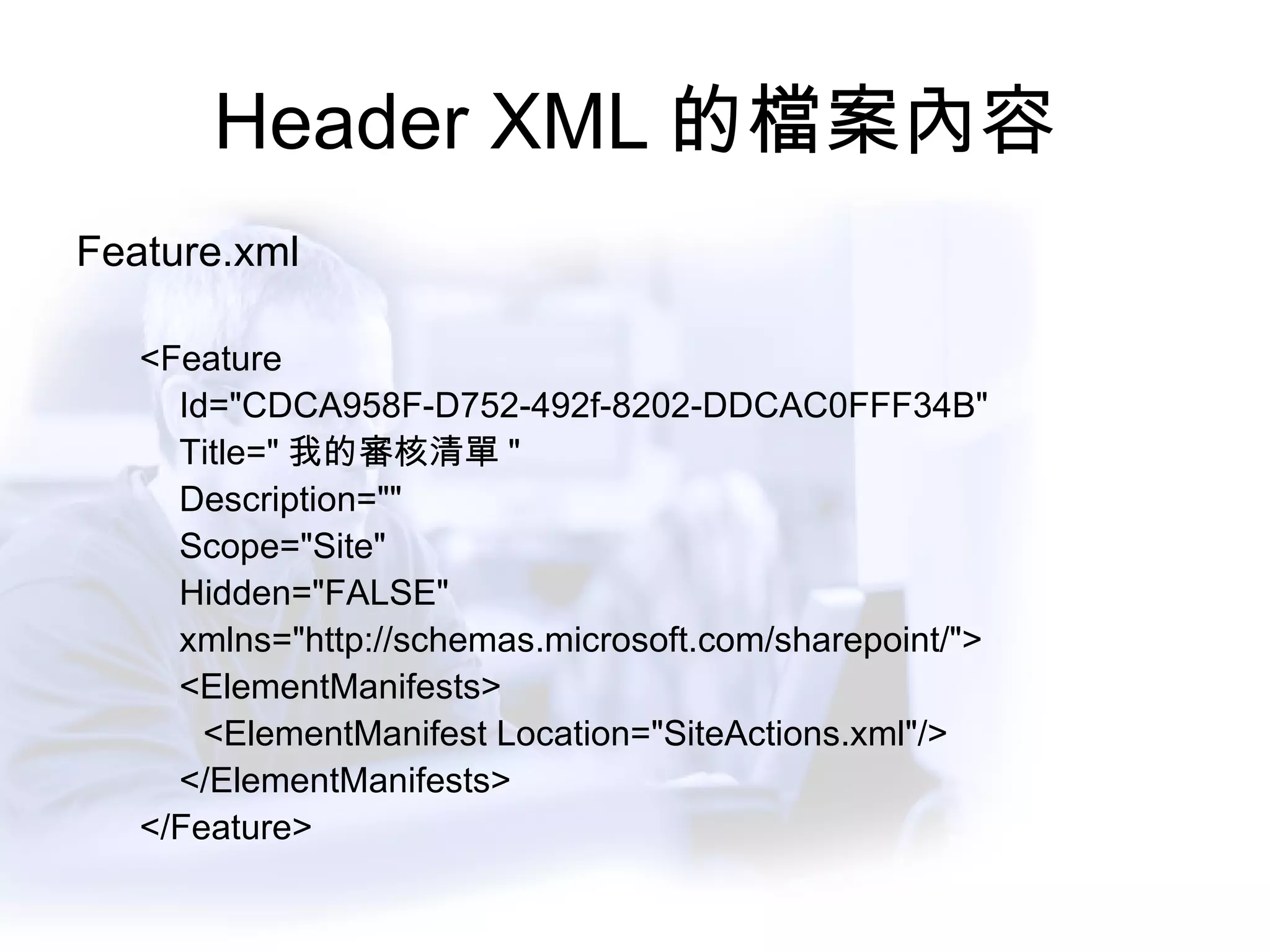
Header XML 的檔案內容 Feature.xml <Feature  Id=&quot;CDCA958F-D752-492f-8202-DDCAC0FFF34B&quot; Title=&quot; 我的審核清單 &quot;  Description=&quot;&quot; Scope=&quot;Site&quot; Hidden=&quot;FALSE&quot;  xmlns=&quot;http://schemas.microsoft.com/sharepoint/&quot;> <ElementManifests> <ElementManifest Location=&quot;SiteActions.xml&quot;/> </ElementManifests> </Feature>
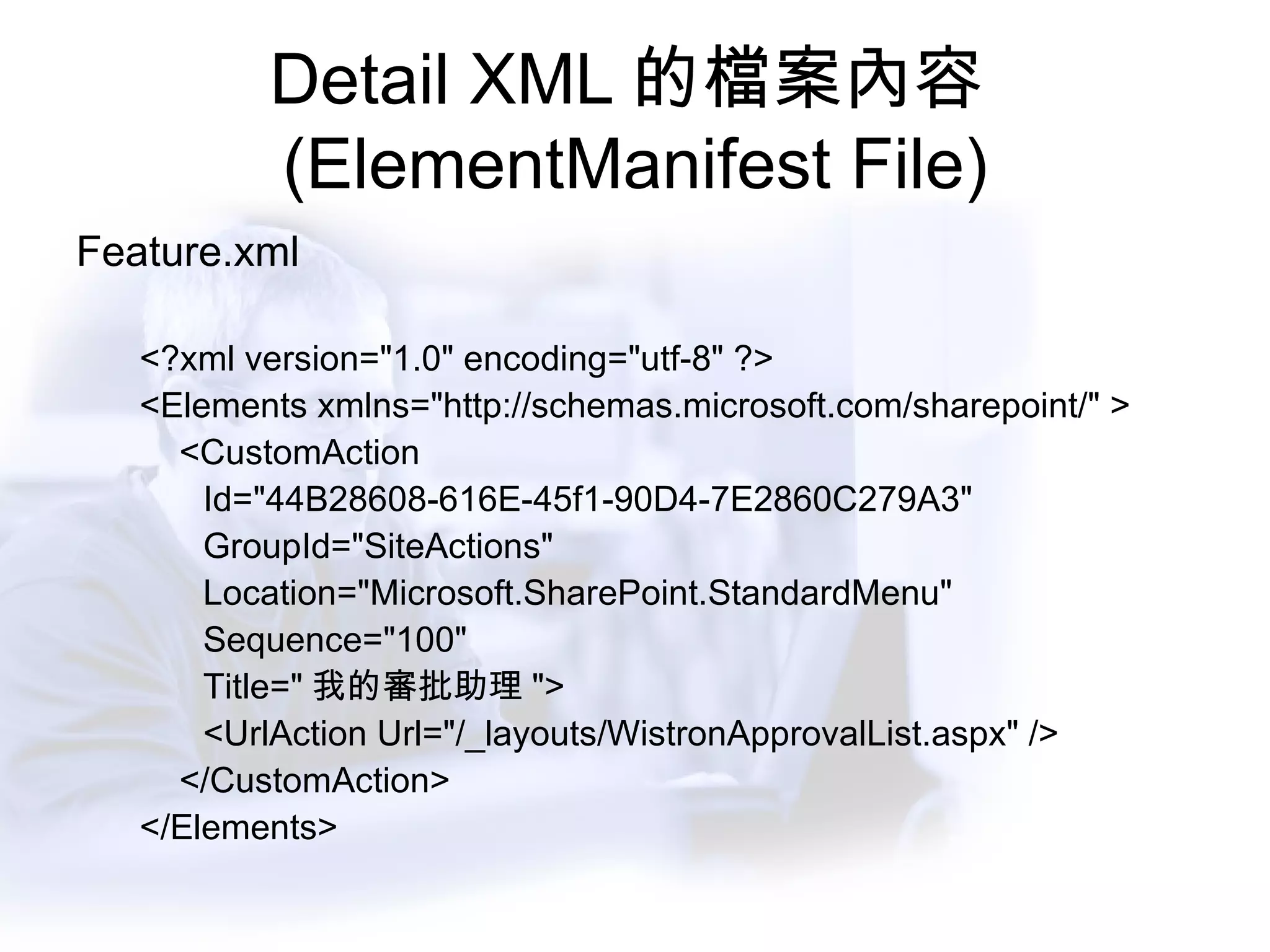
Detail XML 的檔案內容 (ElementManifest File) Feature.xml <?xml version=&quot;1.0&quot; encoding=&quot;utf-8&quot; ?> <Elements xmlns=&quot;http://schemas.microsoft.com/sharepoint/&quot; > <CustomAction Id=&quot;44B28608-616E-45f1-90D4-7E2860C279A3&quot; GroupId=&quot;SiteActions&quot; Location=&quot;Microsoft.SharePoint.StandardMenu&quot; Sequence=&quot;100&quot; Title=&quot; 我的審批助理 &quot;> <UrlAction Url=&quot;/_layouts/WistronApprovalList.aspx&quot; /> </CustomAction> </Elements>
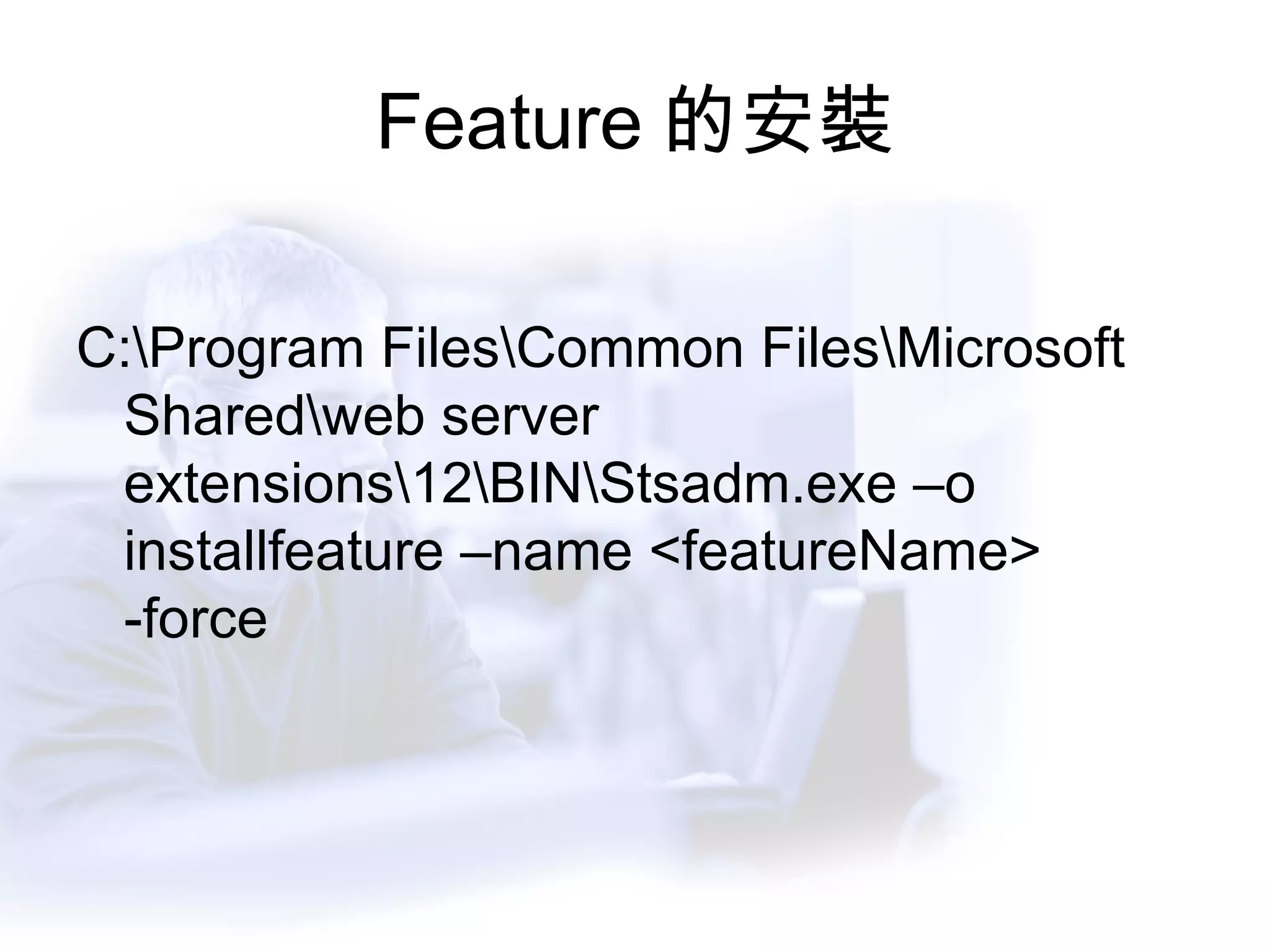
Feature 的安裝 C:\Program Files\Common Files\Microsoft Shared\web server extensions\12\BIN\Stsadm.exe –o installfeature –name <featureName> -force
DEMO Feature 的設計與安裝

敦群學院-SharePoint精英計畫-系統開發-Day 2

  • 1.
    SharePoint 菁英計畫系統開發實戰營 敦群數位科技股份有限公司 游家德 Jade Yu Welcome 歡迎參與
  • 2.
    課程規劃 第一天 MOSS2007架構與一般企業客製化功能簡介 SharePoint Designer 2007 Master Page 修改與設定 介面選單修改 第二天 SharePoint API 操作與應用 網站集合功能 / 網站功能介紹與實作 第三天 網頁組件開發與部署 Event Handler 開發與部署 Search API 與 Web Service 第四天 Excel Service 應用 InfoPath Form Service 應用 Open Questions
  • 3.
    SharePoint API 操作與應用
  • 4.
    課程主題 相關開發環境設定 開發情境與需求WSS 3.0 物件模型 (Object Model) 的操作 管理相關物件模型 WSS Web Service
  • 5.
    開發環境 Visual Studio.Net2005 SharePoint Designer 2007 Office SharePoint Server 2007 SDK Excel Service / InfoPath Form Service Window SharePoint Service SDK http://msdn2.microsoft.com/en-us/office/aa905503.aspx
  • 6.
    支援 .Net 2.0運行的 SharePoint 平台 WSS2.0 + Wss2.0 Service Pack 2 Window SharePoint Service 3.0 Microsoft Office SharePoint Server 2007
  • 7.
    SPD2007 的用途 撰寫免程式碼的工作流程修改 CSS 檔案 修改 *.aspx 檔案 加入客製化 HTML 或 JavaScript 客製化網頁組件的外觀 撰寫 XSLT 調整資料檢視的外觀 更多無須程式碼的客製
  • 8.
    使用 Visual Studio的客製化 撰寫事件處理常式 撰寫客製化工作流程 建立客製化網頁組件 建立客製化網路服務 Web Service 存取 SharePoint 內容 撰寫 DBC Schema 還有…
  • 9.
  • 10.
  • 11.
    物件架構 C:\Program Files\CommonFiles\Microsoft Shared\web server extensions\12\ISAPI\Microsoft.SharePoint.dll http://moss:1234/_vti_bin/*.asmx
  • 12.
  • 13.
    WSS3.0 的開發 Step1 加入 WSS3.0 參考 於專案中加入 C:\Program Files\Common Files\Microsoft Shared\web server extensions\12\ISAPI\Microsoft.SharePoint.dll 於程式碼中引用相關類別 using Microsoft.SharePoint; using Microsoft.SharePoint.WebControls;
  • 14.
    取得 SPSite 物件的方式Web Page 中 SPSite oSite = SPControl.GetContextSite(System.Web.HttpContext.Current); Window Application 中 SPSite oSite=new SPSite(“http://moss”);
  • 15.
    SPSite 的重要屬性 oSite.AllWebs : 取得所有的網站清單 oSite.AllWebs[“/Depts/IT”] : 取得特定 url 下的清單
  • 16.
  • 17.
    SPWebCollection 與 SPWebSPWebCollection : 網站集合中所有網站組成的清單 SPWeb : 個別網站 SPWebCollection oWebs=oSite.AllWebs; SPWeb oWeb = oWebs[“/Depts/IT”];
  • 18.
    SPWeb 的重要屬性 oWeb.Lists : 取得所有的清單列表 oWeb.AllowUnsafeUpdate() : 允許透過 API 進行 Post 的修改 oWeb.CurrentUser : 取得目前登入使用者 oWeb.Users : 取得本網站授權使用者
  • 19.
  • 20.
    SPListCollection / SPList 物件 SPListCollection : 所有清單組成的列表 SPList : 個別清單物件 SPListCollection oLists=oWeb.Lists; SPList oList = oLists[“ 最新消息” ];
  • 21.
    SPList 的重要屬性 SPList.Fields : 取得該欄位的所有欄位名稱 SPList.Items : 取得該清單中所有的資料 SPList.GetItemByID : 根據傳入的 ID 取得特定清單項目 SPList.GetItems : 根據查詢條件取得符合條件之清單 SPList.DefaultViewUrl SPListCollection.GetDataTable : 將 SPListCollection 轉成 DataTable
  • 22.
  • 23.
    SPListItemCollection / SPListItemSPListItemCollection : 清單項目的集合 SPListItem : 特定清單項目 SPListItemCollection oListItems = oList.Items; SPListItem oListItem= oListItems[1];
  • 24.
    SPListItem 的重要屬性 oListItem[“欄位名稱” ] : 取得特定欄位值 oListItem.Attachments : 取得特定清單項目的附件集合 ( 文件庫除外 ) -> SPAttchmentCollection oListItem.File : 取得文件庫的文件資訊 ( 針對文件庫相關清單 ) -> SPFile
  • 25.
  • 26.
    關於 Update 修改SPSite / SPWeb / SPList 等基本屬性 , 如名稱 , 及其他相關可修改之資訊 新增 / 修改 / 刪除 清單項目 (SPListItem)
  • 27.
    Update 時的注意事項 SPWeb須將 AllowUnSafeUpdate 設為 True SharePoint 採 Batch Update 的方式 , 須執行 Update 動作已確認將更新後送回 SQL Server
  • 28.
    修改清單標題 SPSite oSite= New SPSite(“http://moss”); SPWeb oWeb = oSite.AllWebs[“/Depts/IT”]; oWeb.AllowUnsafeUpdate=True; SPList oList=oWeb.List[“ 最新消息” ]; oList.Title=“ 公司快訊” ; oList.Update();
  • 29.
    新增清單項目 SPSite oSite= New SPSite(“http://moss”); SPWeb oWeb = oSite.AllWebs[“/Depts/IT”]; oWeb.AllowUnsafeUpdate=True; SPList oList=oWeb.List[“ 最新消息” ]; SPListItem oItem = oList.Items.Add(); oItem[“ 標題” ]=“ 這是新的訊息” oItem.Update();
  • 30.
    修改清單項目 SPSite oSite= New SPSite(“http://moss”); SPWeb oWeb = oSite.AllWebs[“/Depts/IT”]; oWeb.AllowUnsafeUpdate=True; SPList oList=oWeb.List[“ 最新消息” ]; SPListItem oItem = oList.Items[0]; oItem[“ 標題” ]=“ 這是新的訊息” oItem.Update();
  • 31.
    刪除清單項目 SPSite oSite= New SPSite(“http://moss”); SPWeb oWeb = oSite.AllWebs[“/Depts/IT”]; oWeb.AllowUnsafeUpdate=True; SPList oList=oWeb.List[“ 最新消息” ]; SPListItem oItem = oList.Items[0] oItem.Delete(); oList.Update();
  • 32.
    DEMO SharePoint 的Update 機制
  • 33.
  • 34.
    SharePoint 結構化查詢CAML: Collaboration Application Mark-up Language 一種以 XML 為基礎的查詢語言 <Query> <Where> <Or> <Lt> <FieldRef Name=&quot;Stock&quot;/> <Value Type=&quot;Number&quot;>15</Value> </Lt> <Gt> <FieldRef Name=&quot;Price&quot;/> <Value Type=&quot;Currency&quot;>20.00</Value> </Gt> </Or> </Where> <OrderBy> <FieldRef Name=&quot;Title&quot;/> </OrderBy> </Query>
  • 35.
    CAML 的使用 應用於3 rd Party 工具
  • 36.
    CAML 的使用 應用於SPQuery 以及 SPList.GetItems SPQuery oQuery = new SPQuery(); oQuery.Query=“…..CAML TAGS….”; SPListItemCollection oLis = oList.GetItems(oQuery);
  • 37.
  • 38.
    ListItem Level 的權限設定 -1 SPRoleDefinition RoleDefinition = Web.RoleDefinitions.GetByType(SPRoleTyp e.Administrator);              SPList List = Web.Lists[&quot;<list name>&quot;]; SPListItem ListItem = List.Items[1];     SPRoleAssignment RoleAssignment = new SPRoleAssignment(“domain\usera&quot;,” usera @ example.com ”, “User A&quot;, &quot;Here are some notes.“)            
  • 39.
    ListItem Level 的權限設定 -2 RoleAssignment.RoleDefinitionBindings.Add(RoleDefinition);                         if(!ListItem.HasUniqueRoleAssignments)             {                         ListItem.BreakRoleInheritance(true);             }                        ListItem.RoleAssignments.Add(RoleAssignment);         ListItem.Update();        
  • 40.
  • 41.
  • 42.
  • 43.
    WSS3.0 Web Service的變動與加強 新增的 Web Service SiteData Web Service Versions Web Service Forms Web Service 修改加強的 Web Service Lists Web Service Webs Web Service
  • 44.
    WSS Web Service的位置
  • 45.
  • 46.
  • 47.
    Features Framework FeatureHeader XML File C:\Program Files\Common Files\Microsoft Shared\web server extensions\12\TEMPLATE\FEATURES\<FeatureName>\Feature.xml Feature Detail XML File C:\Program Files\Common Files\Microsoft Shared\web server extensions\12\TEMPLATE\FEATURES\<FeatureName>
  • 48.
    Header XML 的檔案內容Feature.xml <Feature Id=&quot;CDCA958F-D752-492f-8202-DDCAC0FFF34B&quot; Title=&quot; 我的審核清單 &quot; Description=&quot;&quot; Scope=&quot;Site&quot; Hidden=&quot;FALSE&quot; xmlns=&quot;http://schemas.microsoft.com/sharepoint/&quot;> <ElementManifests> <ElementManifest Location=&quot;SiteActions.xml&quot;/> </ElementManifests> </Feature>
  • 49.
    Detail XML 的檔案內容(ElementManifest File) Feature.xml <?xml version=&quot;1.0&quot; encoding=&quot;utf-8&quot; ?> <Elements xmlns=&quot;http://schemas.microsoft.com/sharepoint/&quot; > <CustomAction Id=&quot;44B28608-616E-45f1-90D4-7E2860C279A3&quot; GroupId=&quot;SiteActions&quot; Location=&quot;Microsoft.SharePoint.StandardMenu&quot; Sequence=&quot;100&quot; Title=&quot; 我的審批助理 &quot;> <UrlAction Url=&quot;/_layouts/WistronApprovalList.aspx&quot; /> </CustomAction> </Elements>
  • 50.
    Feature 的安裝 C:\ProgramFiles\Common Files\Microsoft Shared\web server extensions\12\BIN\Stsadm.exe –o installfeature –name <featureName> -force
  • 51.