SharePoint and Search
New York 2013
Speaker?
• JavierBarrera.com |
javier.barrera@rackspace.com | @jtbarrera
• SharePoint Manager | Architect
• Books:
– Microsoft SharePoint 2013 Administration Inside Out
– Microsoft SharePoint 2013 Inside Out
– Professional SharePoint 2013 Administration
– Beginning SharePoint 2013: Building Business Solutions
(Tech Editor)
Agenda
• Search Versions
• Common Components in Search
• SharePoint Search Components
• Result Pages
• Search Reports
Feature SharePoint
Foundation 2010
Search Server
2010 Express
SharePoint
Server 2010
Basic site search Y Y Y
Best Bets Y Y
Search Scopes Y Y
Alerts for Search Results Y* Y* Y*
Advanced Search Page Y Y
Crawled and Managed Properties Y Y
Query Federation Y Y
Relevancy Tuning by Document or Site
Promotions
Y Y
Shallow Results Refinement Y Y
People Search Y
Multi-Tenant Hosting Y
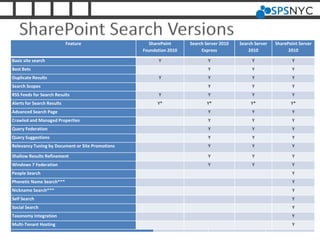
SharePoint Search Versions
Feature SharePoint
Foundation 2010
Search Server 2010
Express
Search Server
2010
SharePoint Server
2010
Basic site search Y Y Y Y
Best Bets Y Y Y
Duplicate Results Y Y Y Y
Search Scopes Y Y Y
RSS Feeds for Search Results Y Y Y Y
Alerts for Search Results Y* Y* Y* Y*
Advanced Search Page Y Y Y
Crawled and Managed Properties Y Y Y
Query Federation Y Y Y
Query Suggestions Y Y Y
Relevancy Tuning by Document or Site Promotions Y Y Y
Shallow Results Refinement Y Y Y
Windows 7 Federation Y Y Y
People Search Y
Phonetic Name Search*** Y
Nickname Search*** Y
Self Search Y
Social Search Y
Taxonomy Integration Y
Multi-Tenant Hosting Y
Version Common Questions
• What do I get installing Search Server to
SharePoint Server?
• Nothing. It can not be done. Search
Server is a piece of SharePoint Server
overall product.
Version Common Questions
• Is Search Sever the same as SharePoint
Search Express?
• Kinda and no. SharePoint Search Express
is Foundation plus search components,
but you can not scale. Search server and
SharePoint server allow scaling and
redundancy.
Version Common Questions
• So what is SharePoint Search Express?
• SharePoint Search Express is Foundation
with search components added on. You
can not scale and it does not have all
feature set of SharePoint Server.
COMMON COMPONENTS IN SEARCH
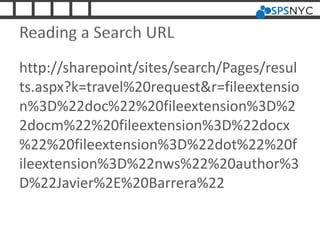
Reading a Search URL
http://sharepoint/sites/search/Pages/resul
ts.aspx?k=travel%20request&r=fileextensio
n%3D%22doc%22%20fileextension%3D%2
2docm%22%20fileextension%3D%22docx
%22%20fileextension%3D%22dot%22%20f
ileextension%3D%22nws%22%20author%3
D%22Javier%2E%20Barrera%22
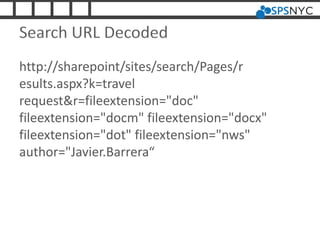
Search URL Decoded
http://sharepoint/sites/search/Pages/r
esults.aspx?k=travel
request&r=fileextension="doc"
fileextension="docm" fileextension="docx"
fileextension="dot" fileextension="nws"
author="Javier.Barrera“
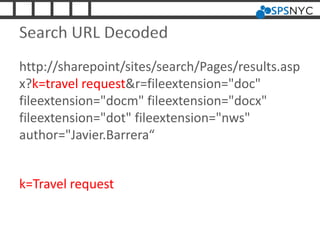
Search URL Decoded
http://sharepoint/sites/search/Pages/results.asp
x?k=travel request&r=fileextension="doc"
fileextension="docm" fileextension="docx"
fileextension="dot" fileextension="nws"
author="Javier.Barrera“
k=Travel request
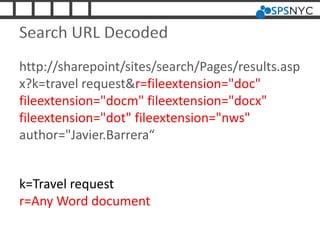
Search URL Decoded
http://sharepoint/sites/search/Pages/results.asp
x?k=travel request&r=fileextension="doc"
fileextension="docm" fileextension="docx"
fileextension="dot" fileextension="nws"
author="Javier.Barrera“
k=Travel request
r=Any Word document
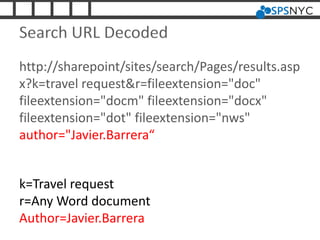
Search URL Decoded
http://sharepoint/sites/search/Pages/results.asp
x?k=travel request&r=fileextension="doc"
fileextension="docm" fileextension="docx"
fileextension="dot" fileextension="nws"
author="Javier.Barrera“
k=Travel request
r=Any Word document
Author=Javier.Barrera
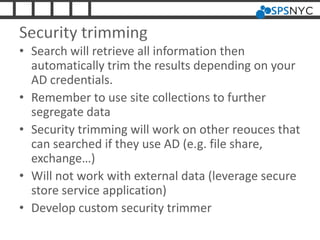
Security trimming
• Search will retrieve all information then
automatically trim the results depending on your
AD credentials.
• Remember to use site collections to further
segregate data
• Security trimming will work on other reouces that
can searched if they use AD (e.g. file share,
exchange…)
• Will not work with external data (leverage secure
store service application)
• Develop custom security trimmer
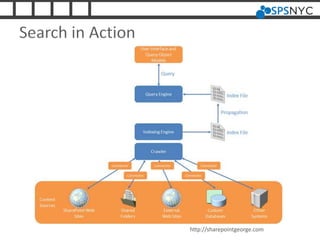
Search in Action
http://sharepointgeorge.com
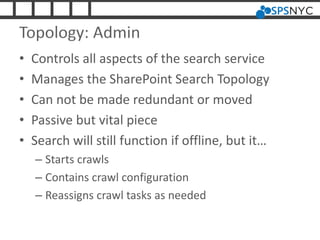
Topology: Admin
• Controls all aspects of the search service
• Manages the SharePoint Search Topology
• Can not be made redundant or moved
• Passive but vital piece
• Search will still function if offline, but it…
– Starts crawls
– Contains crawl configuration
– Reassigns crawl tasks as needed
Topology: Crawl
• It is NOT your index
• Stateless
• Connects to content source(s)
• Generates index then passes it to Query (only very small
pieces of index at any one time)
• Extract metadata then passes it to property database
• Tracks what has been crawled and what needs to be
crawled
• Each crawler component can have multiple databases
• Single crawl server can host multiple crawler components
• By default only one per service application
• Auto balances it multiple unless host distribution is used
Topology: Index Partition
• Index partition does not hold the index
• Query component holds the index
• To scale use multiple index partitions
• Each new index requires new query server
• Max 100 Million items per partition
• Each partition can have multiple mirror
queries and fail-over queries
Topology: Databases
• Administration Database: handles Admin
topology
• Crawl Database(s): Associated with Crawl
topology
• Property Database
– Independent of all others
– Associated with Partition Index topology
– Used to store metadata extracted by crawler
– Can create multiple property databases of move
to another SQL server when a bottleneck
Foundation Configuration
• Unique Managed Account: User policy at full
read
• NTLM auth to SQL server
• Configure Index schedule
• Setting indexer as needed
SHAREPOINT SERVER
COMPONENTS
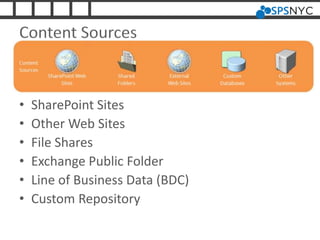
Content Sources
• SharePoint Sites
• Other Web Sites
• File Shares
• Exchange Public Folder
• Line of Business Data (BDC)
• Custom Repository
Crawl Rules
• Default action is to crawl everything
• Rules can be created to include/exclude
specific resources
• Rules can also let you specify credential set
– Default search set credentials
– Different content access account
– Client certificate
– Form credentials
– Cookie
File types
• Most common file types are already set
• If file type is not listed it will be ignored by
search
• PDF is not setup by default
– Adobe iFilter is free but single thread
– Manually add in PDF icon
– Manually add PDF registry entries to crawler
server
Crawler Impact Rule
• Used when searching against external
resources to SharePoint
• Can limit or extend simultaneous requests
(default 8)
• Can request one document with specified wait
time
QUERIES AND RESULTS
Scopes
• Used by User to Narrow Search Parameter
• Custom Scopes can be Created
– Specific web address
– Specific property
– Specific content source
– Everything (default)
• Rules in scope can be used to exclude or
include specific information
Authoritative Pages
• Adds additional weight to specified pages so
they show up higher in results
• Multiple levels of authority can be specified
• Sites can also be weighted down to lower
importance (not pages but entire sites)
Keywords (AKA Best Bets)
• Configuration at SharePoint site level
– Site actions>site settings>site collection
administration>search keywords
• Create top level search result items when
specific keyword is requested
• Synonyms can be specified
• Multiple best bets items can be returned in
specified order
• Dates of review/start/expire can be specified
Federated
• Allows search to incorporate other search
results form query
• Predefined additional federated sources can
be added (internal or external)
• Custom federated sources can be added
(internal or external)
Search Removal
• Allows specified pages to be immediately
removed from search results
• Better method is to set proper permissions
but this will only change during next crawl
SEARCH REPORTS
Administrative Reports
• Reports to track Search performance
• Set baselines when first creating farm
• Important reports to Track:
– QueryLatencyTrend
– SharePointBackendQueryLatency
Web analytics
• Displays information on actual search terms
by users
• Track search trends
• Set up informative ‘Best Bets’
• Optimize site collections for data retrieval
SharePoint 2013
• Thumbnail Preview
• Better result refinement
• Result Blocks
• Individualized search results
• Overall search refinements over time
• Query Rules (replace best bets)
• Continuous Crawls
Housekeeping
• Please remember to turn in your filled out
bingo cards and event evaluations for prizes.
• SharePint is sponsored by Slalom at Whiskey
Trader (Between 55th and 56th on 6th
Avenue).
• Follow SharePoint Saturday New York City on
Twitter @spsnyc and hashtag #spsnyc
Thanks to Our Sponsors!
Questions/Resources/Credits
• Any Questions?
• Speaker: Javier Barrera | @jtbarrera |
javier.barrera@rackspace.com
Getting Started with Enterprise Search in SharePoint 2010 Products
http://goo.gl/FsXFg
URL Decoder/Encoder
http://goo.gl/wtjUz
Configuring Enterprise Search in SharePoint 2010
http://goo.gl/qKcy8
Searching External Data in SharePoint 2010 Using Business
Connectivity Services
http://goo.gl/stQQL
SharePoint 2010 Search, Best Bets, and You
http://goo.gl/ZqBDk
SharePoint 2010 - Configuring Adobe PDF iFilter 9 for 64-bit platforms
http://goo.gl/cOhNK

SharePoint NYC search presentation

  • 1.
  • 2.
    Speaker? • JavierBarrera.com | javier.barrera@rackspace.com| @jtbarrera • SharePoint Manager | Architect • Books: – Microsoft SharePoint 2013 Administration Inside Out – Microsoft SharePoint 2013 Inside Out – Professional SharePoint 2013 Administration – Beginning SharePoint 2013: Building Business Solutions (Tech Editor)
  • 3.
    Agenda • Search Versions •Common Components in Search • SharePoint Search Components • Result Pages • Search Reports
  • 4.
    Feature SharePoint Foundation 2010 SearchServer 2010 Express SharePoint Server 2010 Basic site search Y Y Y Best Bets Y Y Search Scopes Y Y Alerts for Search Results Y* Y* Y* Advanced Search Page Y Y Crawled and Managed Properties Y Y Query Federation Y Y Relevancy Tuning by Document or Site Promotions Y Y Shallow Results Refinement Y Y People Search Y Multi-Tenant Hosting Y SharePoint Search Versions Feature SharePoint Foundation 2010 Search Server 2010 Express Search Server 2010 SharePoint Server 2010 Basic site search Y Y Y Y Best Bets Y Y Y Duplicate Results Y Y Y Y Search Scopes Y Y Y RSS Feeds for Search Results Y Y Y Y Alerts for Search Results Y* Y* Y* Y* Advanced Search Page Y Y Y Crawled and Managed Properties Y Y Y Query Federation Y Y Y Query Suggestions Y Y Y Relevancy Tuning by Document or Site Promotions Y Y Y Shallow Results Refinement Y Y Y Windows 7 Federation Y Y Y People Search Y Phonetic Name Search*** Y Nickname Search*** Y Self Search Y Social Search Y Taxonomy Integration Y Multi-Tenant Hosting Y
  • 5.
    Version Common Questions •What do I get installing Search Server to SharePoint Server? • Nothing. It can not be done. Search Server is a piece of SharePoint Server overall product.
  • 6.
    Version Common Questions •Is Search Sever the same as SharePoint Search Express? • Kinda and no. SharePoint Search Express is Foundation plus search components, but you can not scale. Search server and SharePoint server allow scaling and redundancy.
  • 7.
    Version Common Questions •So what is SharePoint Search Express? • SharePoint Search Express is Foundation with search components added on. You can not scale and it does not have all feature set of SharePoint Server.
  • 8.
  • 9.
    Reading a SearchURL http://sharepoint/sites/search/Pages/resul ts.aspx?k=travel%20request&r=fileextensio n%3D%22doc%22%20fileextension%3D%2 2docm%22%20fileextension%3D%22docx %22%20fileextension%3D%22dot%22%20f ileextension%3D%22nws%22%20author%3 D%22Javier%2E%20Barrera%22
  • 10.
    Search URL Decoded http://sharepoint/sites/search/Pages/r esults.aspx?k=travel request&r=fileextension="doc" fileextension="docm"fileextension="docx" fileextension="dot" fileextension="nws" author="Javier.Barrera“
  • 11.
    Search URL Decoded http://sharepoint/sites/search/Pages/results.asp x?k=travelrequest&r=fileextension="doc" fileextension="docm" fileextension="docx" fileextension="dot" fileextension="nws" author="Javier.Barrera“ k=Travel request
  • 12.
    Search URL Decoded http://sharepoint/sites/search/Pages/results.asp x?k=travelrequest&r=fileextension="doc" fileextension="docm" fileextension="docx" fileextension="dot" fileextension="nws" author="Javier.Barrera“ k=Travel request r=Any Word document
  • 13.
    Search URL Decoded http://sharepoint/sites/search/Pages/results.asp x?k=travelrequest&r=fileextension="doc" fileextension="docm" fileextension="docx" fileextension="dot" fileextension="nws" author="Javier.Barrera“ k=Travel request r=Any Word document Author=Javier.Barrera
  • 14.
    Security trimming • Searchwill retrieve all information then automatically trim the results depending on your AD credentials. • Remember to use site collections to further segregate data • Security trimming will work on other reouces that can searched if they use AD (e.g. file share, exchange…) • Will not work with external data (leverage secure store service application) • Develop custom security trimmer
  • 15.
  • 16.
    Topology: Admin • Controlsall aspects of the search service • Manages the SharePoint Search Topology • Can not be made redundant or moved • Passive but vital piece • Search will still function if offline, but it… – Starts crawls – Contains crawl configuration – Reassigns crawl tasks as needed
  • 17.
    Topology: Crawl • Itis NOT your index • Stateless • Connects to content source(s) • Generates index then passes it to Query (only very small pieces of index at any one time) • Extract metadata then passes it to property database • Tracks what has been crawled and what needs to be crawled • Each crawler component can have multiple databases • Single crawl server can host multiple crawler components • By default only one per service application • Auto balances it multiple unless host distribution is used
  • 18.
    Topology: Index Partition •Index partition does not hold the index • Query component holds the index • To scale use multiple index partitions • Each new index requires new query server • Max 100 Million items per partition • Each partition can have multiple mirror queries and fail-over queries
  • 19.
    Topology: Databases • AdministrationDatabase: handles Admin topology • Crawl Database(s): Associated with Crawl topology • Property Database – Independent of all others – Associated with Partition Index topology – Used to store metadata extracted by crawler – Can create multiple property databases of move to another SQL server when a bottleneck
  • 20.
    Foundation Configuration • UniqueManaged Account: User policy at full read • NTLM auth to SQL server • Configure Index schedule • Setting indexer as needed
  • 21.
  • 22.
    Content Sources • SharePointSites • Other Web Sites • File Shares • Exchange Public Folder • Line of Business Data (BDC) • Custom Repository
  • 23.
    Crawl Rules • Defaultaction is to crawl everything • Rules can be created to include/exclude specific resources • Rules can also let you specify credential set – Default search set credentials – Different content access account – Client certificate – Form credentials – Cookie
  • 24.
    File types • Mostcommon file types are already set • If file type is not listed it will be ignored by search • PDF is not setup by default – Adobe iFilter is free but single thread – Manually add in PDF icon – Manually add PDF registry entries to crawler server
  • 25.
    Crawler Impact Rule •Used when searching against external resources to SharePoint • Can limit or extend simultaneous requests (default 8) • Can request one document with specified wait time
  • 26.
  • 27.
    Scopes • Used byUser to Narrow Search Parameter • Custom Scopes can be Created – Specific web address – Specific property – Specific content source – Everything (default) • Rules in scope can be used to exclude or include specific information
  • 28.
    Authoritative Pages • Addsadditional weight to specified pages so they show up higher in results • Multiple levels of authority can be specified • Sites can also be weighted down to lower importance (not pages but entire sites)
  • 29.
    Keywords (AKA BestBets) • Configuration at SharePoint site level – Site actions>site settings>site collection administration>search keywords • Create top level search result items when specific keyword is requested • Synonyms can be specified • Multiple best bets items can be returned in specified order • Dates of review/start/expire can be specified
  • 30.
    Federated • Allows searchto incorporate other search results form query • Predefined additional federated sources can be added (internal or external) • Custom federated sources can be added (internal or external)
  • 31.
    Search Removal • Allowsspecified pages to be immediately removed from search results • Better method is to set proper permissions but this will only change during next crawl
  • 32.
  • 33.
    Administrative Reports • Reportsto track Search performance • Set baselines when first creating farm • Important reports to Track: – QueryLatencyTrend – SharePointBackendQueryLatency
  • 34.
    Web analytics • Displaysinformation on actual search terms by users • Track search trends • Set up informative ‘Best Bets’ • Optimize site collections for data retrieval
  • 35.
    SharePoint 2013 • ThumbnailPreview • Better result refinement • Result Blocks • Individualized search results • Overall search refinements over time • Query Rules (replace best bets) • Continuous Crawls
  • 36.
    Housekeeping • Please rememberto turn in your filled out bingo cards and event evaluations for prizes. • SharePint is sponsored by Slalom at Whiskey Trader (Between 55th and 56th on 6th Avenue). • Follow SharePoint Saturday New York City on Twitter @spsnyc and hashtag #spsnyc
  • 37.
    Thanks to OurSponsors!
  • 38.
    Questions/Resources/Credits • Any Questions? •Speaker: Javier Barrera | @jtbarrera | javier.barrera@rackspace.com Getting Started with Enterprise Search in SharePoint 2010 Products http://goo.gl/FsXFg URL Decoder/Encoder http://goo.gl/wtjUz Configuring Enterprise Search in SharePoint 2010 http://goo.gl/qKcy8 Searching External Data in SharePoint 2010 Using Business Connectivity Services http://goo.gl/stQQL SharePoint 2010 Search, Best Bets, and You http://goo.gl/ZqBDk SharePoint 2010 - Configuring Adobe PDF iFilter 9 for 64-bit platforms http://goo.gl/cOhNK