1, 2, 3, Doc Kit!
Automate the creation of software documentation
Marina Latini
Release Engineer
marina.latini@suse.com
About me
Marina Latini
Release Engineer for Uyuni and SUSE Manager
LibreOffice, LibreItalia, Uyuni, SUSE Manager
Gitter: deneb-alpha
E-mail: marina.latini@suse.com
3
Doc Kit under the hood
●
DAPS: DocBook Authoring and Publishing Suite
– https://www.sfscon.it/talks/document-it-or-it-never-existed/
●
Doc Kit: Initialize & update DAPS-based docs
– https://github.com/openSUSE/doc-kit
You need to install and configure both for getting started!
4
Doc Kit – what for?
●
ASCIIDoc-release-notes
●
docbook5-book
●
docbook5-entities-only
●
smart-doc
5
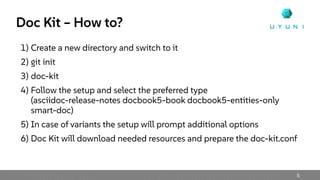
Doc Kit – How to?
1) Create a new directory and switch to it
2) git init
3) doc-kit
4) Follow the setup and select the preferred type
(asciidoc-release-notes docbook5-book docbook5-entities-only
smart-doc)
5) In case of variants the setup will prompt additional options
6) Doc Kit will download needed resources and prepare the doc-kit.conf
6
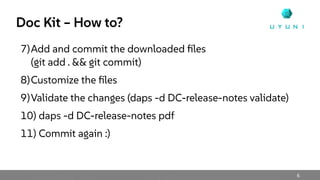
Doc Kit – How to?
7)Add and commit the downloaded files
(git add . && git commit)
8)Customize the files
9)Validate the changes (daps -d DC-release-notes validate)
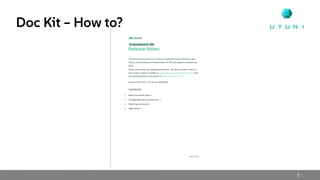
10) daps -d DC-release-notes pdf
11) Commit again :)
7
Doc Kit – How to?
8
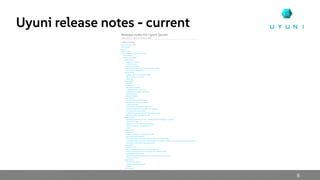
Uyuni release notes - current
9
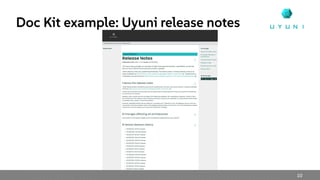
Doc Kit example: Uyuni release notes
●
Some customization and a few minutes later...
●
daps -d DC-release-notes html
10
Doc Kit example: Uyuni release notes
Q&A
Join Us at uyuni-project.org
/uyuni-project
/UyuniProject
/uyuni-project

SFSCON24 - Marina Latini - 1, 2, 3, Doc Kit!

  • 1.
    1, 2, 3,Doc Kit! Automate the creation of software documentation Marina Latini Release Engineer marina.latini@suse.com
  • 2.
    About me Marina Latini ReleaseEngineer for Uyuni and SUSE Manager LibreOffice, LibreItalia, Uyuni, SUSE Manager Gitter: deneb-alpha E-mail: marina.latini@suse.com
  • 3.
    3 Doc Kit underthe hood ● DAPS: DocBook Authoring and Publishing Suite – https://www.sfscon.it/talks/document-it-or-it-never-existed/ ● Doc Kit: Initialize & update DAPS-based docs – https://github.com/openSUSE/doc-kit You need to install and configure both for getting started!
  • 4.
    4 Doc Kit –what for? ● ASCIIDoc-release-notes ● docbook5-book ● docbook5-entities-only ● smart-doc
  • 5.
    5 Doc Kit –How to? 1) Create a new directory and switch to it 2) git init 3) doc-kit 4) Follow the setup and select the preferred type (asciidoc-release-notes docbook5-book docbook5-entities-only smart-doc) 5) In case of variants the setup will prompt additional options 6) Doc Kit will download needed resources and prepare the doc-kit.conf
  • 6.
    6 Doc Kit –How to? 7)Add and commit the downloaded files (git add . && git commit) 8)Customize the files 9)Validate the changes (daps -d DC-release-notes validate) 10) daps -d DC-release-notes pdf 11) Commit again :)
  • 7.
  • 8.
  • 9.
    9 Doc Kit example:Uyuni release notes ● Some customization and a few minutes later... ● daps -d DC-release-notes html
  • 10.
    10 Doc Kit example:Uyuni release notes
  • 11.
  • 12.
    Join Us atuyuni-project.org /uyuni-project /UyuniProject /uyuni-project