( CSS Font )
By: Mohammad Omar " Panah "
Seminar
& Mohammad Hassan " Tawheed "
CSS Font
CSS Font property is used to control the look of texts.
By the use of CSS font property you can change the text size, color, style and more.
You have already studied how to make text bold or underlined.
Important font attributes:
1. CSS Font color: This property is used to change the color of the text.
(standalone attribute)
2. CSS Font family: This property is used to change the face of the font.
3. CSS Font size: This property is used to increase or decrease the size of the
font.
4. CSS Font style: This property is used to make the font bold, italic or oblique.
1) CSS Font Color
CSS font color is a standalone attribute in CSS although it seems that it is a part of CSS fonts.
It is used to change the color of the text.
There are three different formats to define a color:
By a color name
By hexadecimal value
By RGB
h1 { color: red; }
h2 { color: #9000A1; }
p { color:rgb(0, 220, 98); }
2) CSS Font Family
CSS font family can be divided in two types:
Generic family: It includes Serif, Sans-serif, and Monospace.
Font family: It specifies the font family name like Arial, New Times Roman etc.
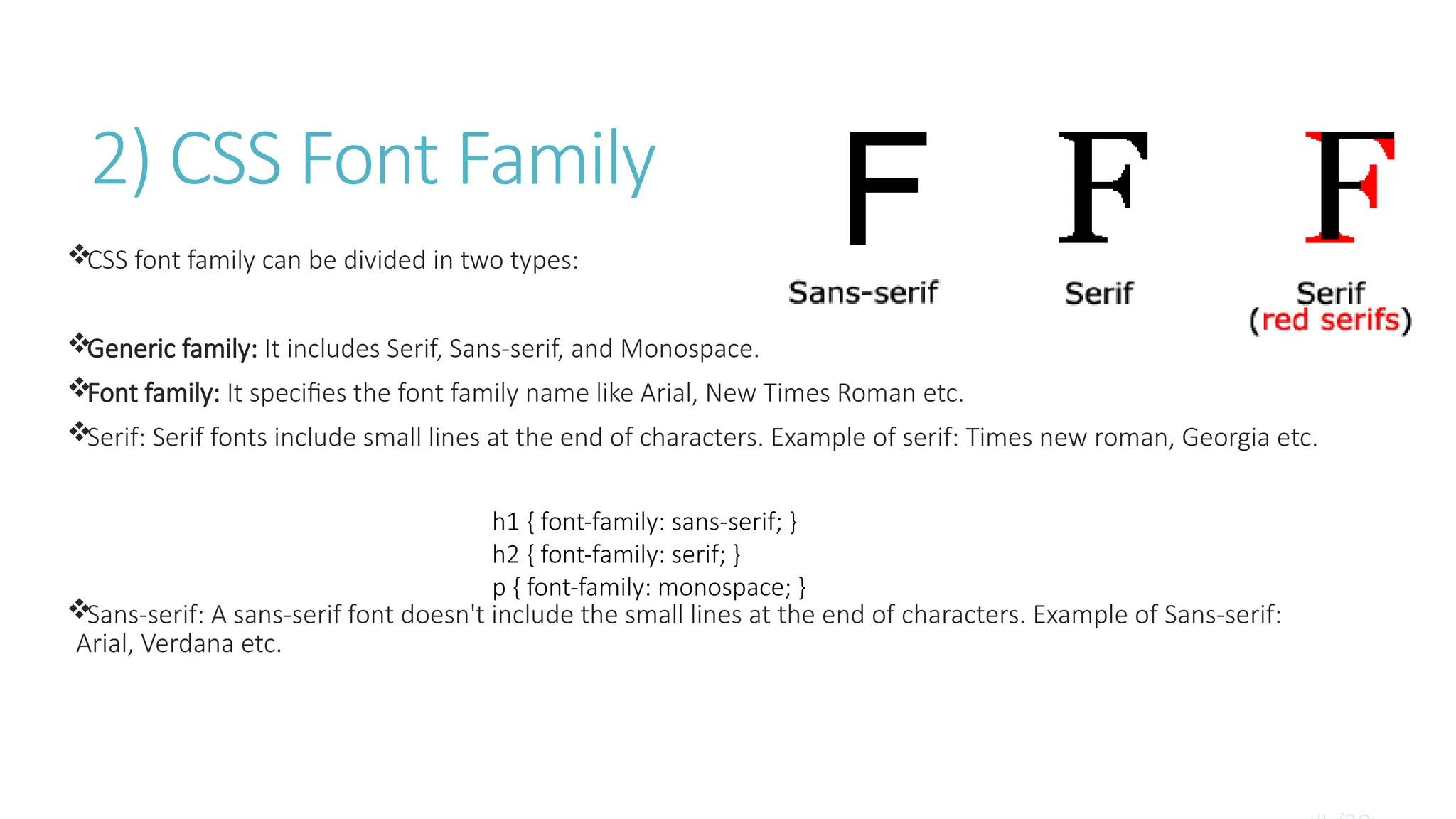
Serif: Serif fonts include small lines at the end of characters. Example of serif: Times new roman, Georgia etc.
Sans-serif: A sans-serif font doesn't include the small lines at the end of characters. Example of Sans-serif:
Arial, Verdana etc.
h1 { font-family: sans-serif; }
h2 { font-family: serif; }
p { font-family: monospace; }
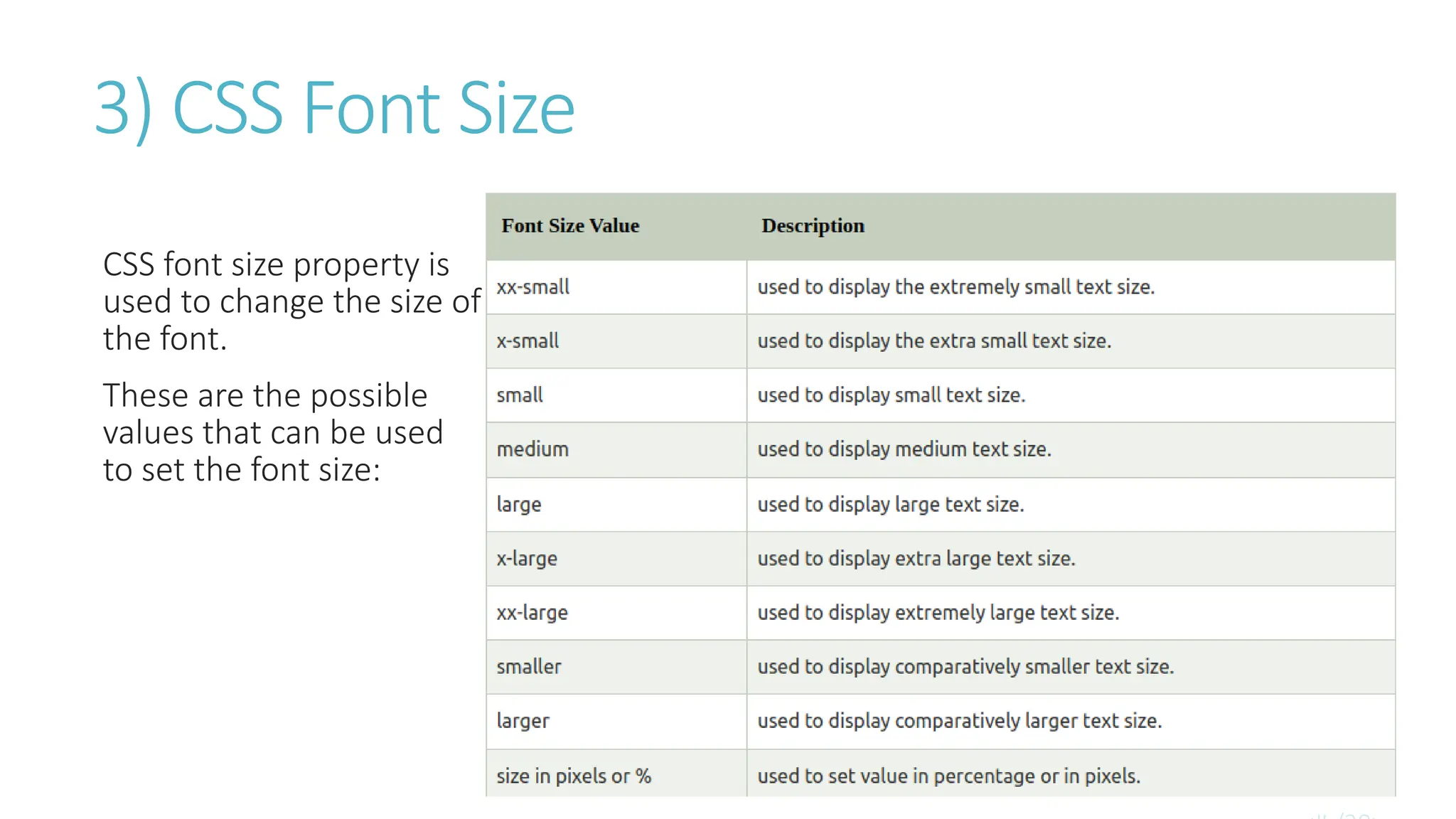
3) CSS Font Size
CSS font size property is
used to change the size of
the font.
These are the possible
values that can be used
to set the font size:
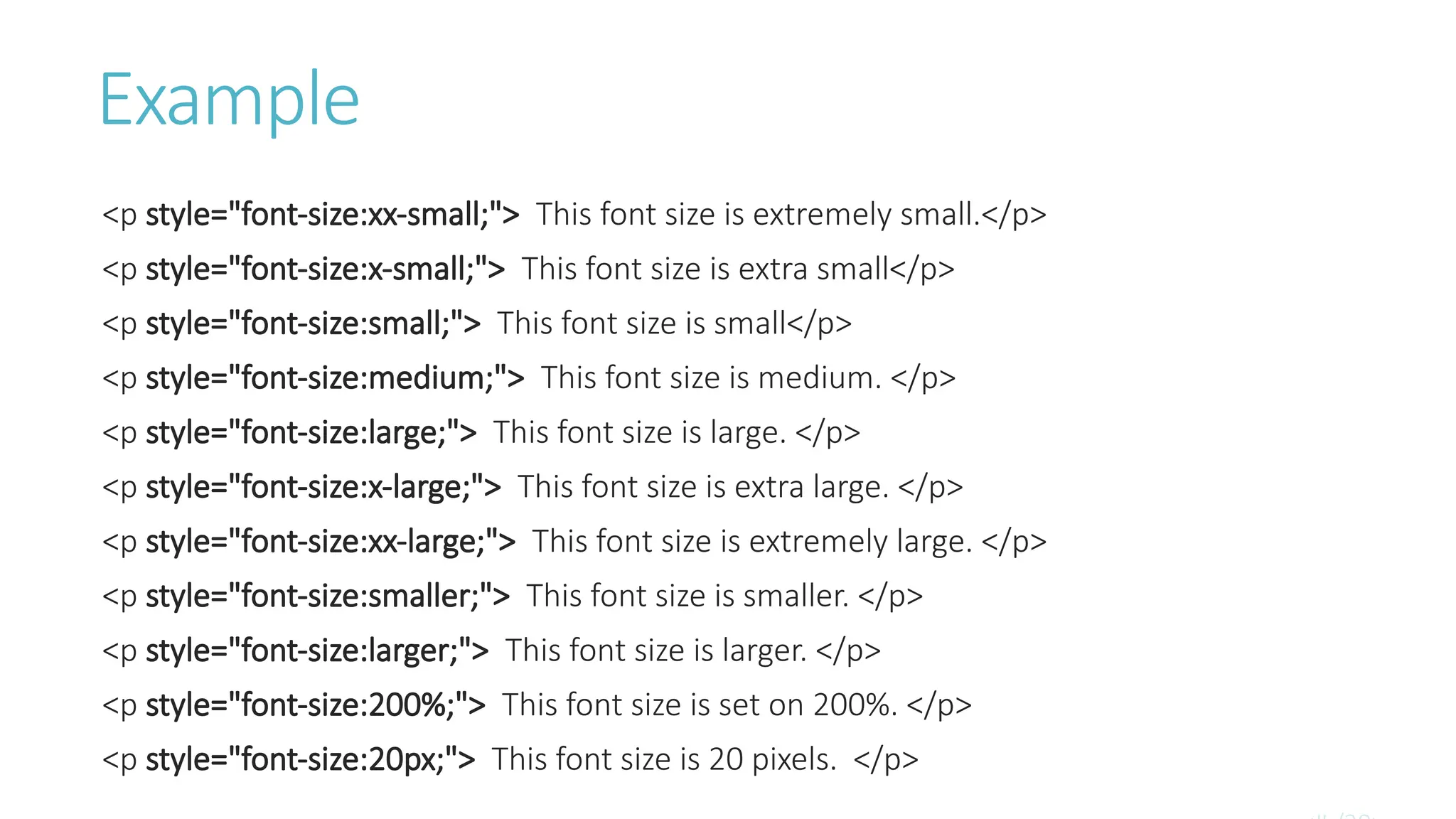
Example
<p style="font-size:xx-small;"> This font size is extremely small.</p>
<p style="font-size:x-small;"> This font size is extra small</p>
<p style="font-size:small;"> This font size is small</p>
<p style="font-size:medium;"> This font size is medium. </p>
<p style="font-size:large;"> This font size is large. </p>
<p style="font-size:x-large;"> This font size is extra large. </p>
<p style="font-size:xx-large;"> This font size is extremely large. </p>
<p style="font-size:smaller;"> This font size is smaller. </p>
<p style="font-size:larger;"> This font size is larger. </p>
<p style="font-size:200%;"> This font size is set on 200%. </p>
<p style="font-size:20px;"> This font size is 20 pixels. </p>
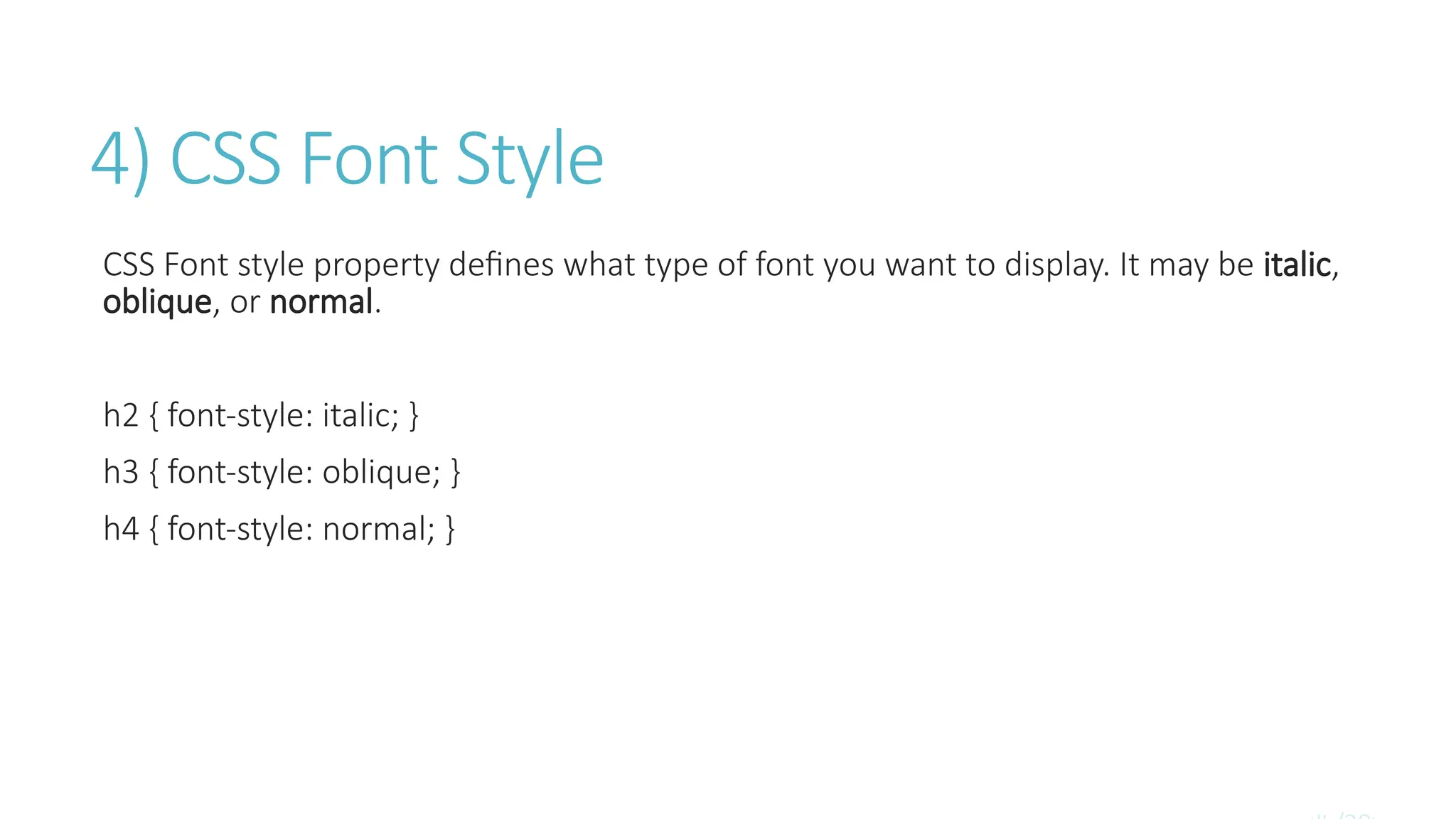
4) CSS Font Style
CSS Font style property defines what type of font you want to display. It may be italic,
oblique, or normal.
h2 { font-style: italic; }
h3 { font-style: oblique; }
h4 { font-style: normal; }
Seminar Web Subject font For Collegestudent.pptx

Seminar Web Subject font For Collegestudent.pptx

  • 1.
    ( CSS Font) By: Mohammad Omar " Panah " Seminar & Mohammad Hassan " Tawheed "
  • 2.
    CSS Font CSS Fontproperty is used to control the look of texts. By the use of CSS font property you can change the text size, color, style and more. You have already studied how to make text bold or underlined.
  • 3.
    Important font attributes: 1.CSS Font color: This property is used to change the color of the text. (standalone attribute) 2. CSS Font family: This property is used to change the face of the font. 3. CSS Font size: This property is used to increase or decrease the size of the font. 4. CSS Font style: This property is used to make the font bold, italic or oblique.
  • 4.
    1) CSS FontColor CSS font color is a standalone attribute in CSS although it seems that it is a part of CSS fonts. It is used to change the color of the text. There are three different formats to define a color: By a color name By hexadecimal value By RGB h1 { color: red; } h2 { color: #9000A1; } p { color:rgb(0, 220, 98); }
  • 5.
    2) CSS FontFamily CSS font family can be divided in two types: Generic family: It includes Serif, Sans-serif, and Monospace. Font family: It specifies the font family name like Arial, New Times Roman etc. Serif: Serif fonts include small lines at the end of characters. Example of serif: Times new roman, Georgia etc. Sans-serif: A sans-serif font doesn't include the small lines at the end of characters. Example of Sans-serif: Arial, Verdana etc. h1 { font-family: sans-serif; } h2 { font-family: serif; } p { font-family: monospace; }
  • 6.
    3) CSS FontSize CSS font size property is used to change the size of the font. These are the possible values that can be used to set the font size:
  • 7.
    Example <p style="font-size:xx-small;"> Thisfont size is extremely small.</p> <p style="font-size:x-small;"> This font size is extra small</p> <p style="font-size:small;"> This font size is small</p> <p style="font-size:medium;"> This font size is medium. </p> <p style="font-size:large;"> This font size is large. </p> <p style="font-size:x-large;"> This font size is extra large. </p> <p style="font-size:xx-large;"> This font size is extremely large. </p> <p style="font-size:smaller;"> This font size is smaller. </p> <p style="font-size:larger;"> This font size is larger. </p> <p style="font-size:200%;"> This font size is set on 200%. </p> <p style="font-size:20px;"> This font size is 20 pixels. </p>
  • 8.
    4) CSS FontStyle CSS Font style property defines what type of font you want to display. It may be italic, oblique, or normal. h2 { font-style: italic; } h3 { font-style: oblique; } h4 { font-style: normal; }