Globalize3
Nguyễn Văn Dũng
Framgia Việt Nam
Content
● What Is It?
● How Does It Work?
● Model translations?
● Migrating existing data to and from the translated version?
● I18n fallbacks for empty translations?
● Demo
What Is It?
● Globalize3 is the successor of Globalize for Rails and is
targeted at ActiveRecord version 3.x. It is compatible with
and builds on the new I18n API in Ruby on Rails and
adds model translations to ActiveRecord.
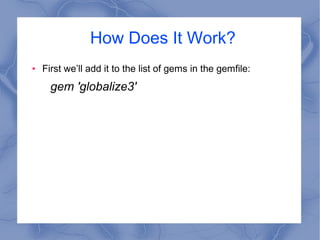
How Does It Work?
● First we’ll add it to the list of gems in the gemfile:
gem 'globalize3'
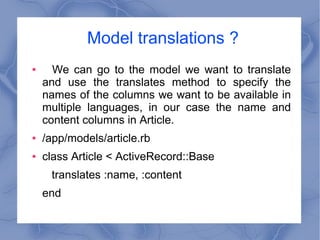
Model translations ?
● We can go to the model we want to translate
and use the translates method to specify the
names of the columns we want to be available in
multiple languages, in our case the name and
content columns in Article.
● /app/models/article.rb
● class Article < ActiveRecord::Base
translates :name, :content
end
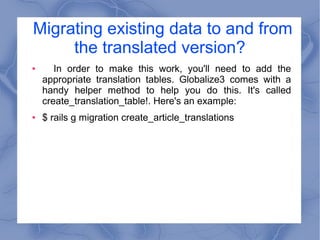
Migrating existing data to and from
the translated version?
● In order to make this work, you'll need to add the
appropriate translation tables. Globalize3 comes with a
handy helper method to help you do this. It's called
create_translation_table!. Here's an example:
● $ rails g migration create_article_translations
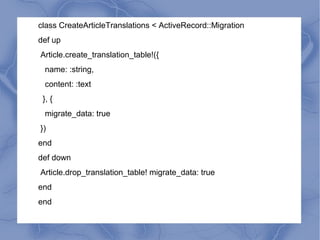
class CreateArticleTranslations < ActiveRecord::Migration
def up
Article.create_translation_table!({
name: :string,
content: :text
}, {
migrate_data: true
})
end
def down
Article.drop_translation_table! migrate_data: true
end
end
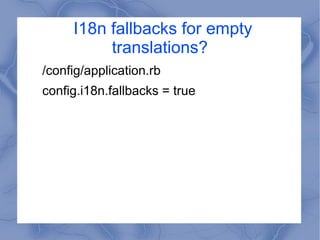
I18n fallbacks for empty
translations?
/config/application.rb
config.i18n.fallbacks = true
Thanks for watching !

Seminar globalize3 - DungNV

  • 1.
  • 2.
    Content ● What IsIt? ● How Does It Work? ● Model translations? ● Migrating existing data to and from the translated version? ● I18n fallbacks for empty translations? ● Demo
  • 3.
    What Is It? ●Globalize3 is the successor of Globalize for Rails and is targeted at ActiveRecord version 3.x. It is compatible with and builds on the new I18n API in Ruby on Rails and adds model translations to ActiveRecord.
  • 4.
    How Does ItWork? ● First we’ll add it to the list of gems in the gemfile: gem 'globalize3'
  • 5.
    Model translations ? ●We can go to the model we want to translate and use the translates method to specify the names of the columns we want to be available in multiple languages, in our case the name and content columns in Article. ● /app/models/article.rb ● class Article < ActiveRecord::Base translates :name, :content end
  • 6.
    Migrating existing datato and from the translated version? ● In order to make this work, you'll need to add the appropriate translation tables. Globalize3 comes with a handy helper method to help you do this. It's called create_translation_table!. Here's an example: ● $ rails g migration create_article_translations
  • 7.
    class CreateArticleTranslations <ActiveRecord::Migration def up Article.create_translation_table!({ name: :string, content: :text }, { migrate_data: true }) end def down Article.drop_translation_table! migrate_data: true end end
  • 8.
    I18n fallbacks forempty translations? /config/application.rb config.i18n.fallbacks = true
  • 9.
  • 10.