Selecting Selectors:
  Using CSS with
     Selenium
     Michelle D’Netto
minimal specificity
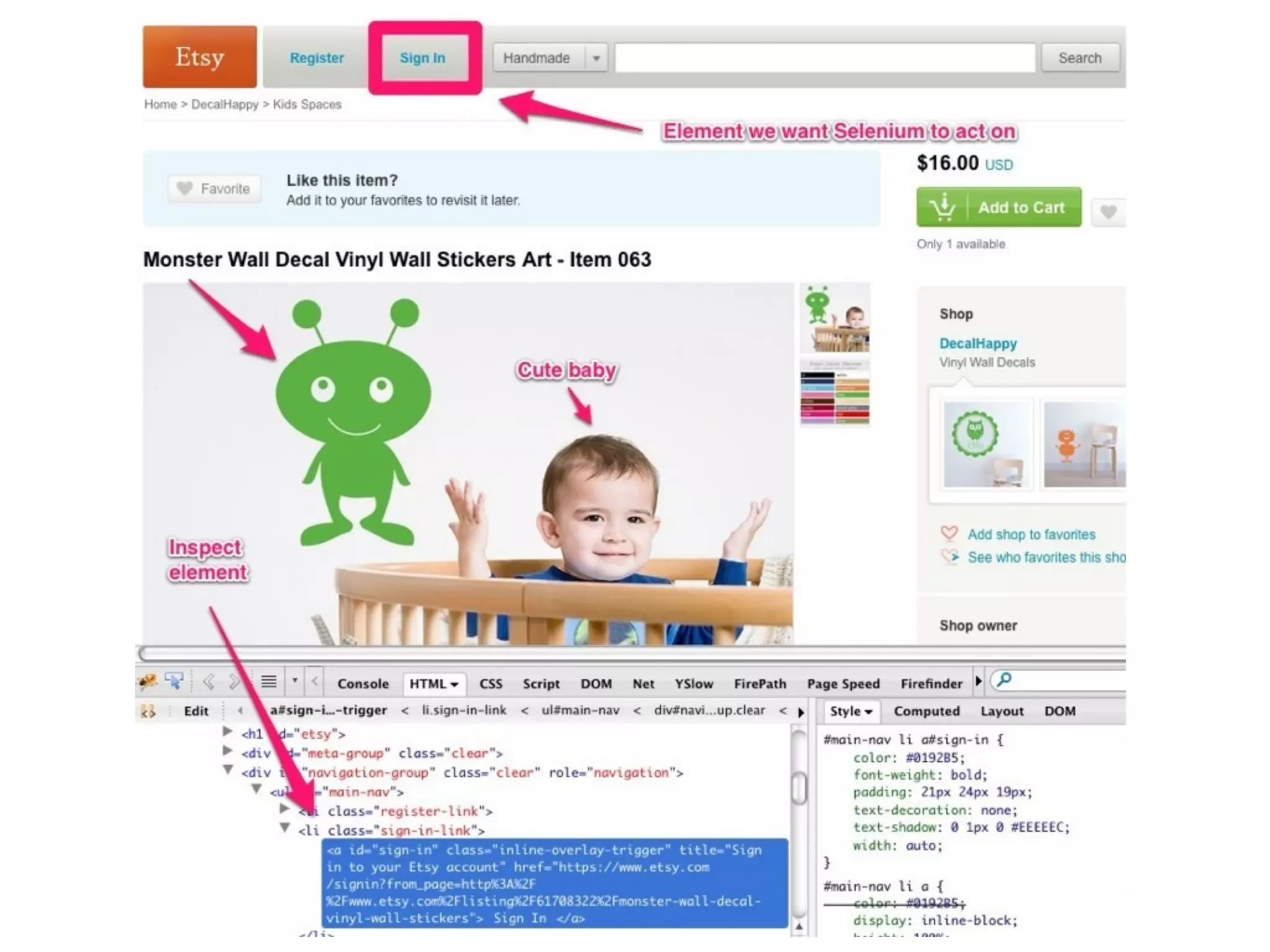
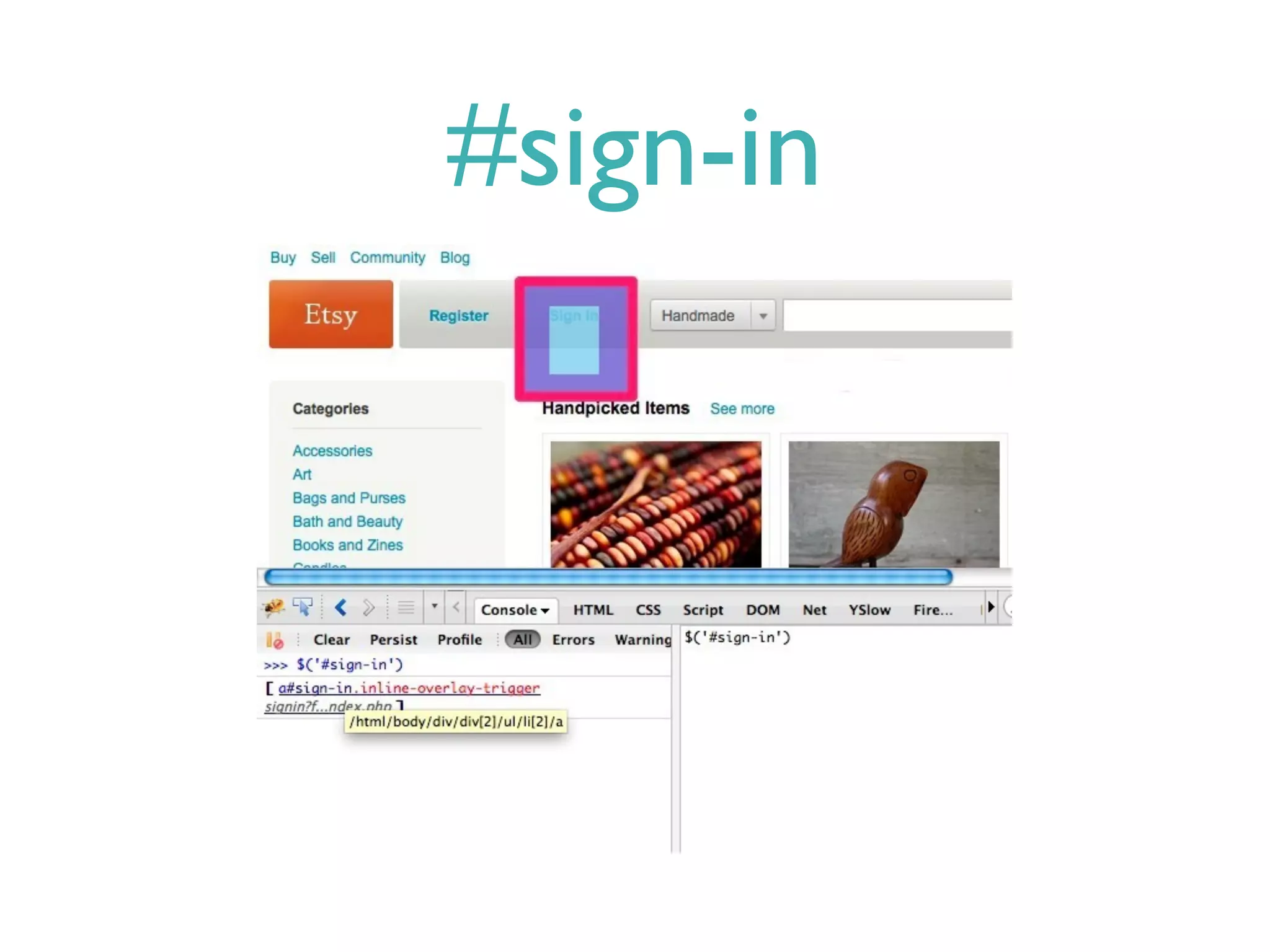
#sign-in
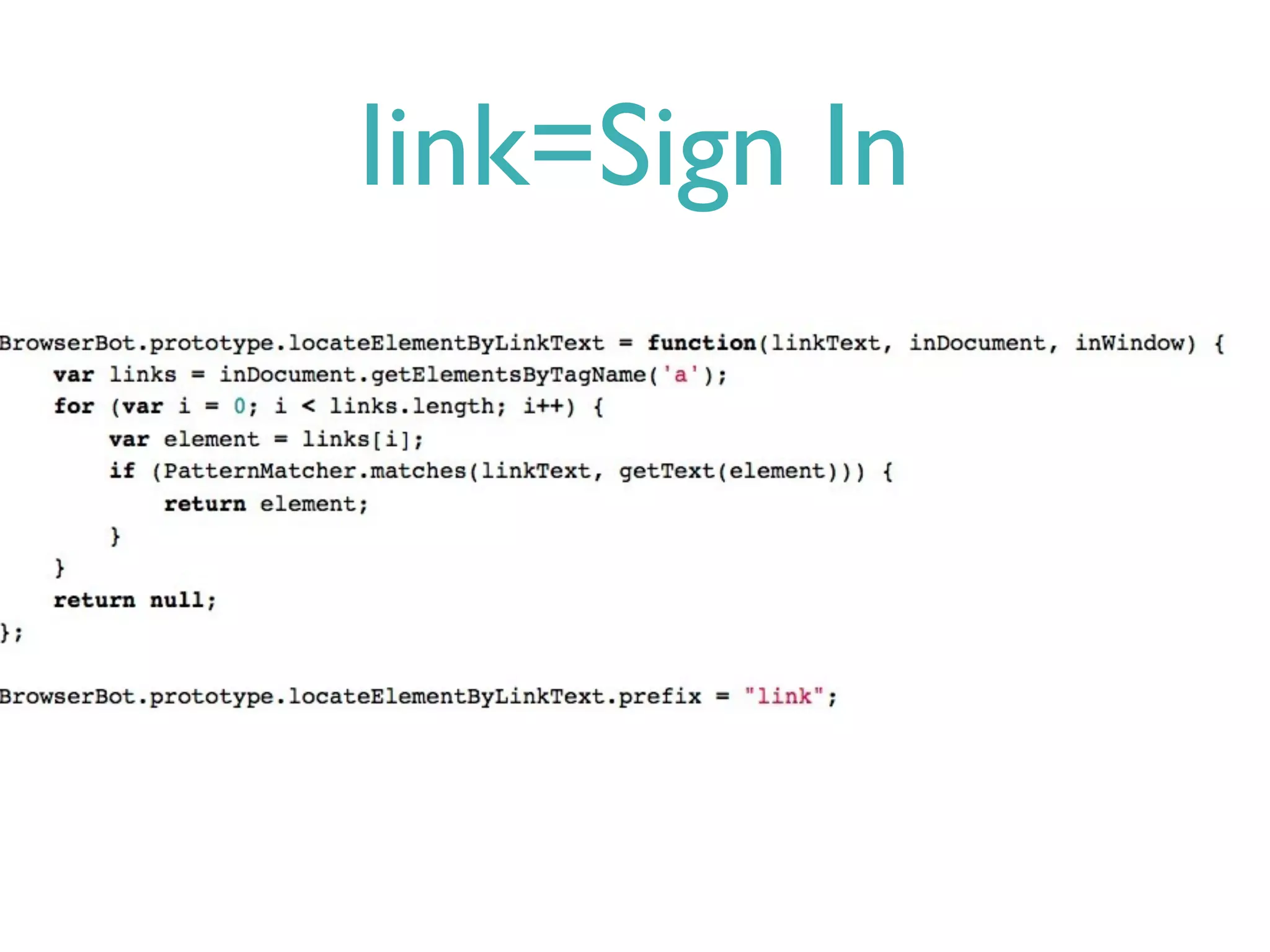
link=Sign In
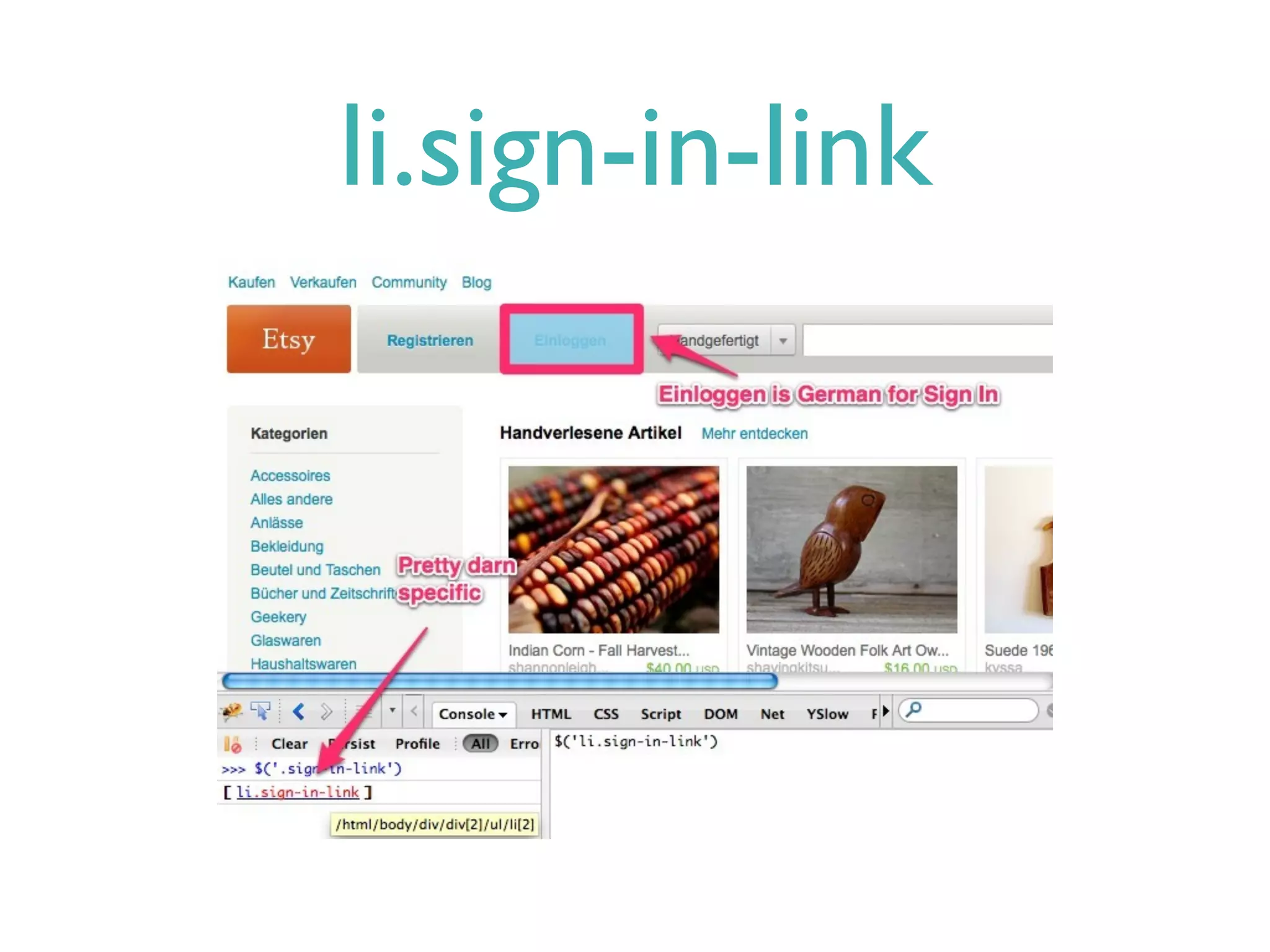
li.sign-in-link
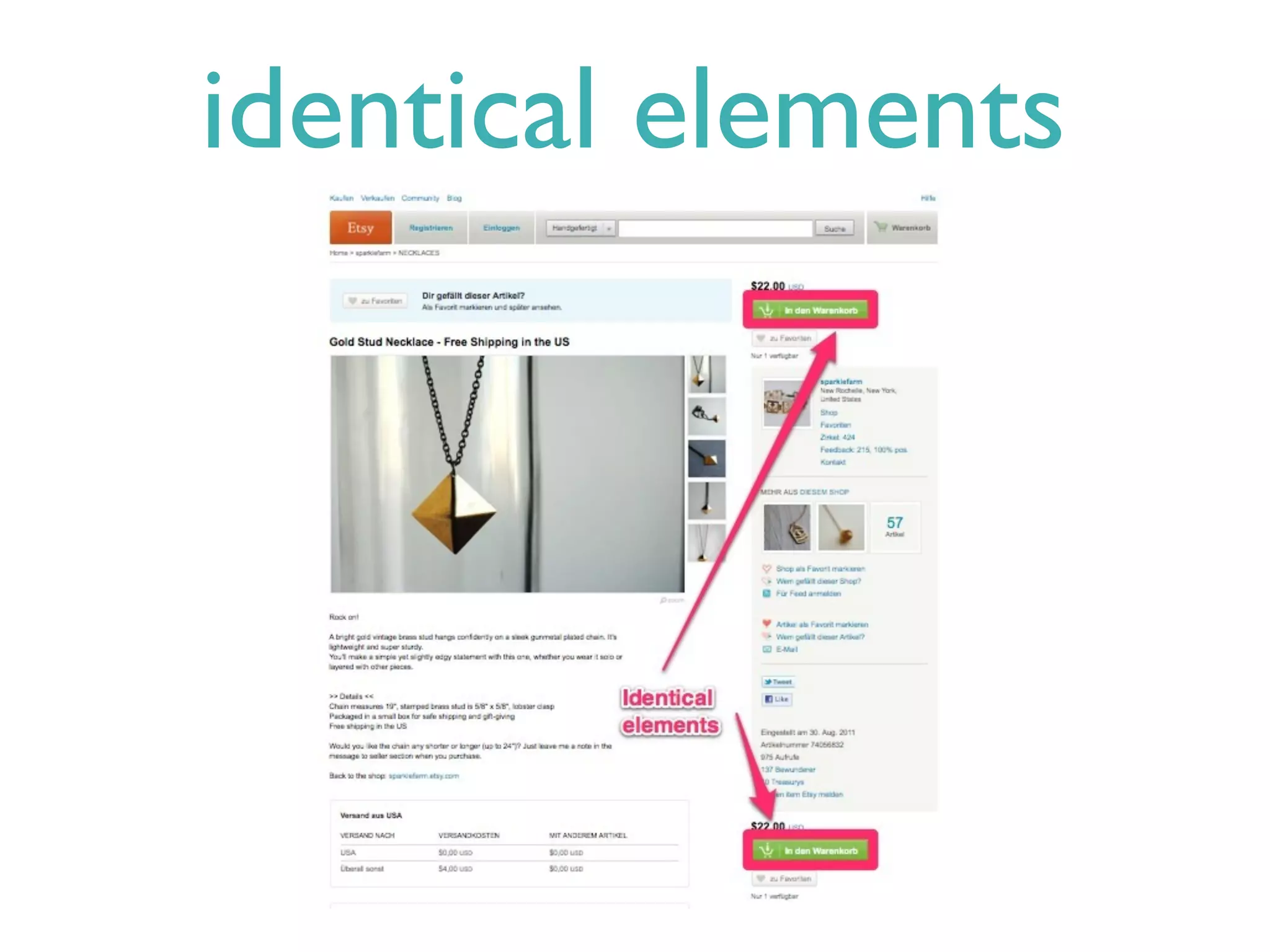
identical elements
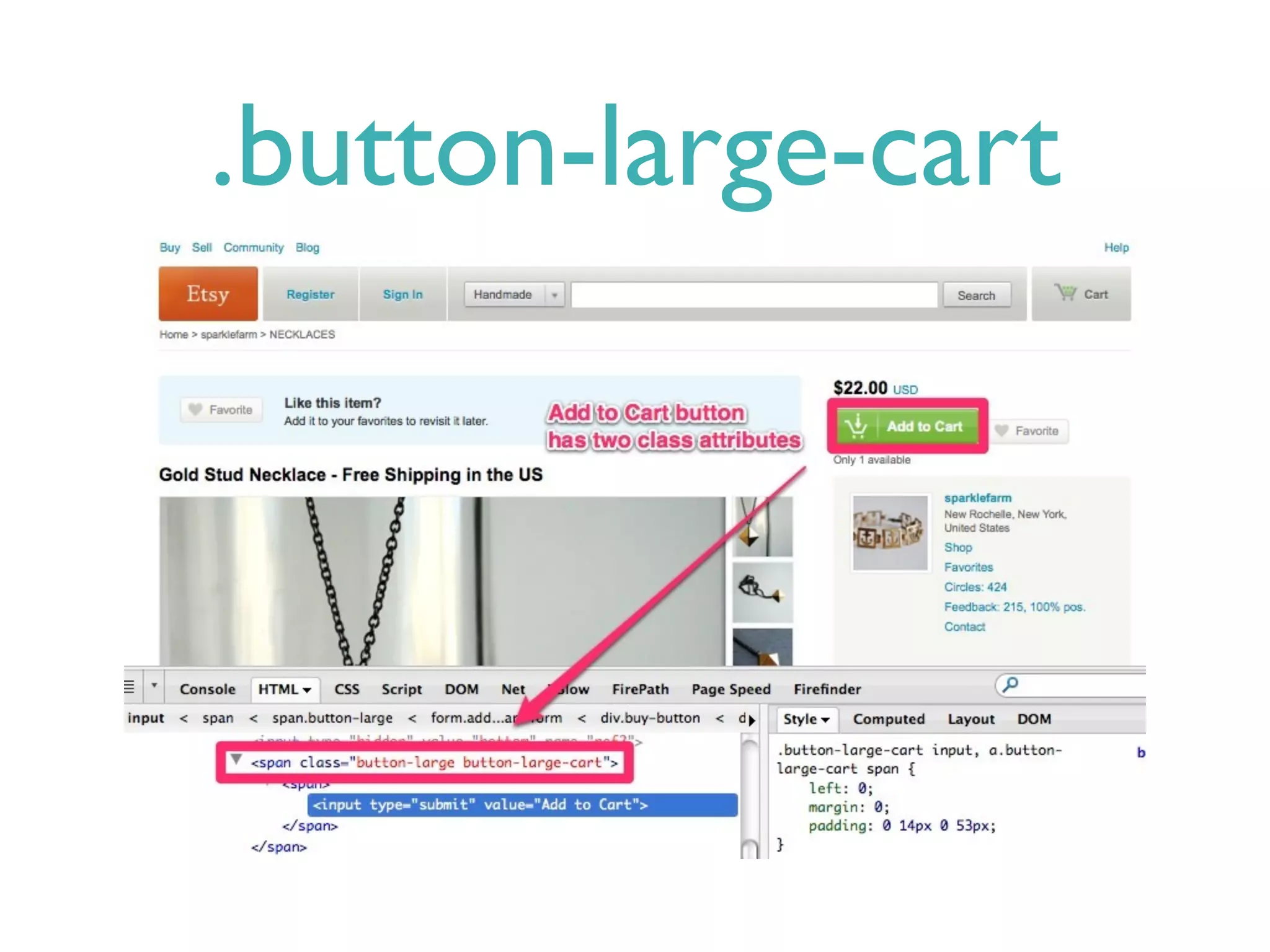
.button-large-cart
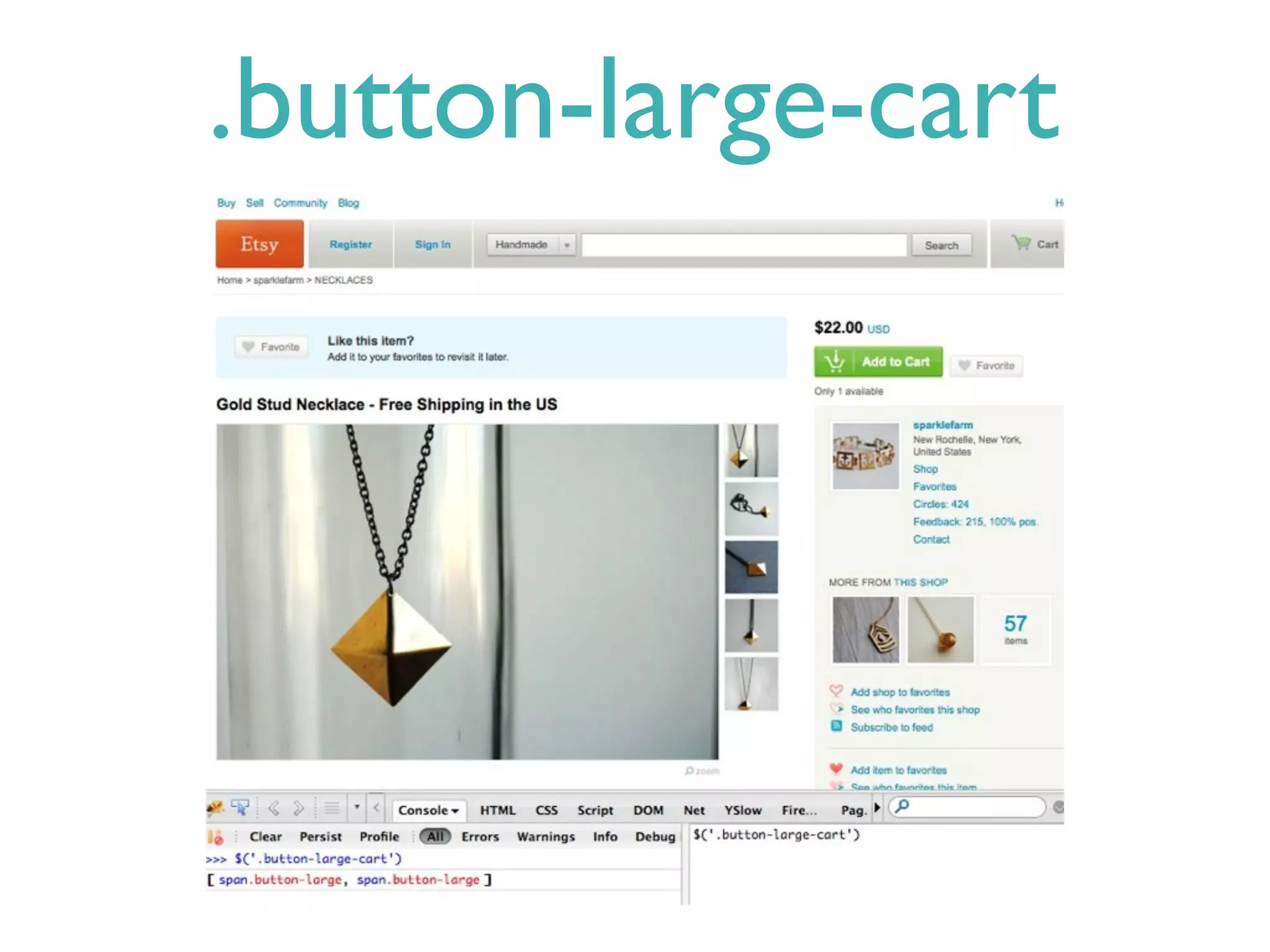
.button-large-cart
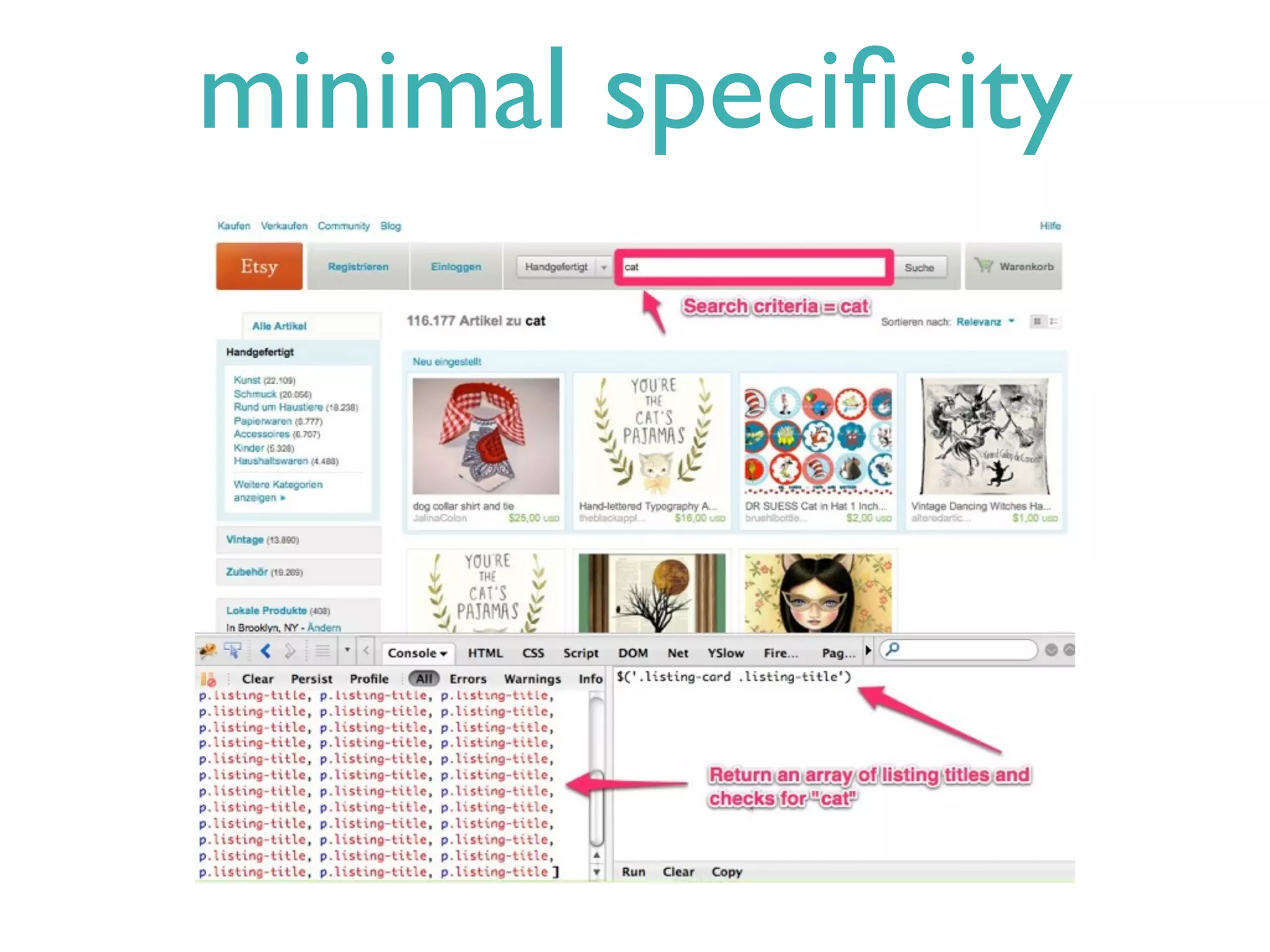
minimal specificity
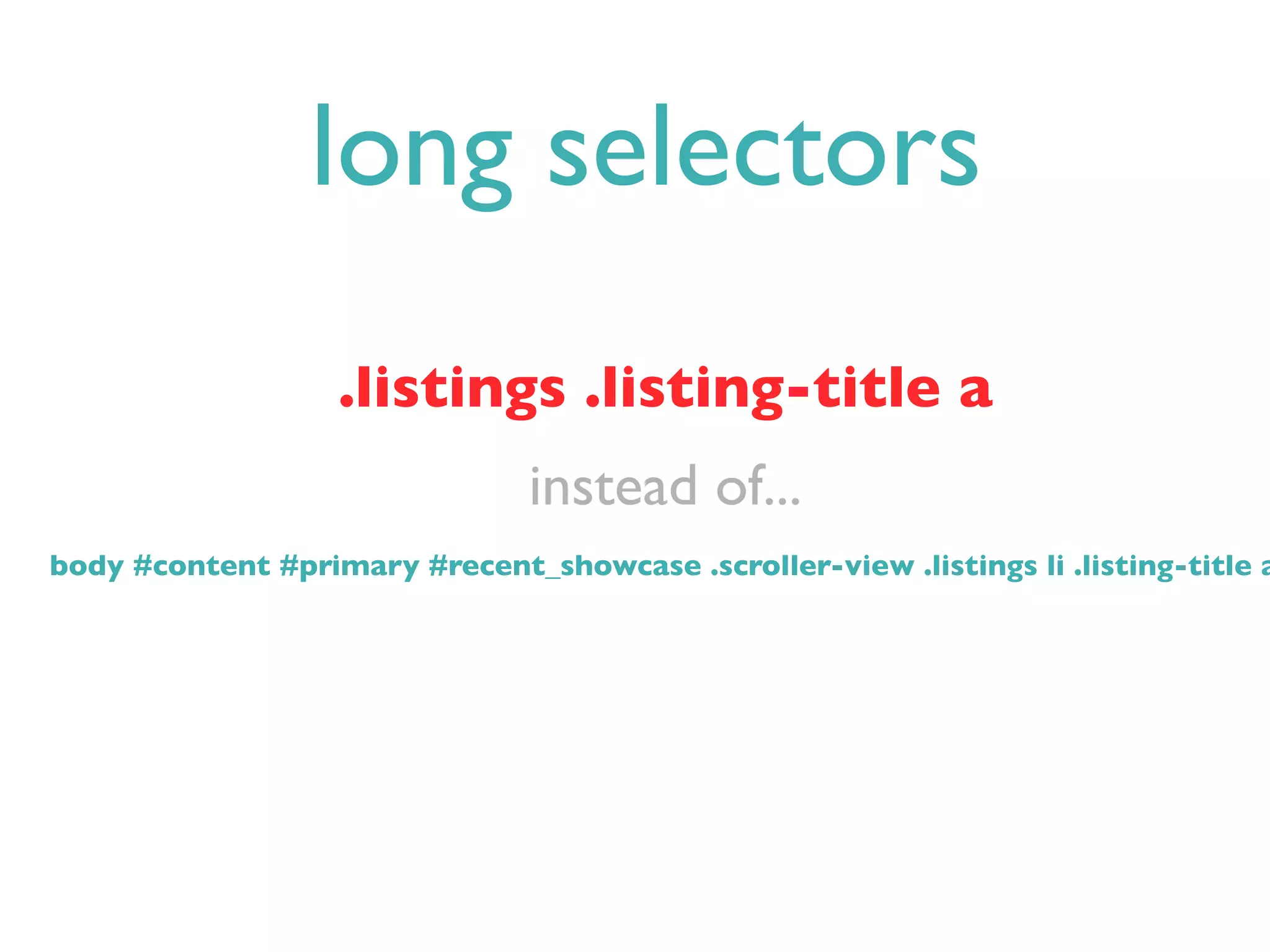
long selectors
                   .listings .listing-title a
                                instead of...
body #content #primary #recent_showcase .scroller-view .listings li .listing-title a
summary
Selecting Selectors: Using CSS with Selenium

Selecting Selectors: Using CSS with Selenium

Editor's Notes

  • #2 - selecting great css selectors, not just good ones\n- limited writing on the interwebs\n- less redesign, more stable and robust tests\n
  • #3 - Be minimally specific - what’s the simplest and most unique way to direct selenium to css elements on our HTML page\n- having id's or classes in your HTML that in some cases will only be used by tests\n- try not to use selectors that are so specific that a harmless redesign will causes tests to fail incorrectly\n\n
  • #4 - so if testing your html is hard for whatever reason, add classes and id's to elements in your HTML so it’s easier to test\n- this lowers the cost of testing (may increase the cost of development/designing)\n- may be of no value to the javascript, designer or user but your tests become more stable\n\n
  • #5 - Sign In element on Etsy’s homepage\n- Use firebug to Inspect Element\n- id, class, title, href, CSS attributes\n
  • #6 selects any element with an id attribute equal to sign-in\n
  • #7 pseudo class selector\nnot a css expression instead it’s a JS function called locateElementByLinkText()\ngrabs all the A elements out of the DOM then loops through them looking for the one whose innerText property matches the regular expression provided (in this case Sign In)\n
  • #8 selects any list item element with a class attribute that contains the word sign-in-link\n\n
  • #9 \n
  • #10 class button-large-cart will get us the element we want (selenium works by selecting the first element that matches)\n
  • #11 using pseudo class again\nselects any input element that is a descendant of any element with a class attribute that contains the word button-large-cart\nmultiple elements with the same class don't seem very easy to handle with pure CSS.  In a Ruby Script, wouldn't you just say "css=button-large-cart", and then assign the resulting list of elements to a Ruby array and work with the Ruby array\n\n\n
  • #12 cases where we want to be vague about elements\n
  • #13 \n
  • #14 Good practice to use css id and class selectors, it’s okay to request them, helps with internationalizing your website\n
  • #15 \n